A good VPN for Windows locks down your connections, bypasses geo-blocks, and keeps your torrenting private. To find the best VPN for Windows, we tested over 50 free and paid providers. We ended up with 6 Windows VPN services worth recommending. NordVPN and ExpressVPN were the best VPNs for PC, followed by Private Internet Access, Proton VPN, Surfshark, and CyberGhost. Curious how we picked them and why a VPN matters on Windows? Keep reading.
Best VPN for PC: Top 6 Windows VPN Tested and Ranked in 2026
- NordVPN – Best VPN for Windows 11 PC and laptop 🥇
- ExpressVPN – Fast and user-friendly VPN for PC 🥈
- Private Internet Access – Most secure PC VPN 🥉
- Proton VPN – Best VPN for Windows for online privacy
- Surfshark – Best cheap and reliable VPN for Windows
- CyberGhost – P2P and streaming-friendly Windows VPN
6 Best VPN for Windows 2026: Full Comparison
Our favorite premium VPNs for Windows in 2026 are the 6 above. While you can get one right now, we advise reading our reviews of each for more information.
| Speeds | Servers | Simultaneous Connections | Best Windows VPN Feature | Starting Price | |
| NordVPN | Excellent (NordLynx) | 9,400+ in 137 countries | 10 | Threat Protection Pro, NordLynx | $3.09/mo |
| ExpressVPN | Excellent (Lightway Turbo) | 3,000+ in 105 countries | 10-14 | Lightway, Advanced Protection | $2.79/mo |
| PIA VPN | Good (WireGuard) | 30,000+ in 91 countries | Unlimited | MACE ad blocker, Shadowsocks | $2.19/mo |
| Proton VPN | Good (WireGuard) | 20,000+ in 145 countries | 10 | Secure Core servers, NetShield ad blocker | $2.99/mo |
| Surfshark | Fast (WireGuard) | 4,500 in 100 countries | Unlimited | IP Rotation, antivirus | $1.99/mo |
| CyberGhost | Good (WireGuard) | 12,000+ in 100 countries | 7 | Dedicated streaming, P2P, and gaming servers | $2.19/mo |
1. NordVPN: Best VPN for PC Overall
Pros
- Servers in 210+ locations
- Double VPN routing
- Audited zero-log policy
- Malware protection
- Robust obfuscation
- Fast for low-ping gaming
- Works with streaming sites
Cons
- Higher renewal costs
- Confusing interface
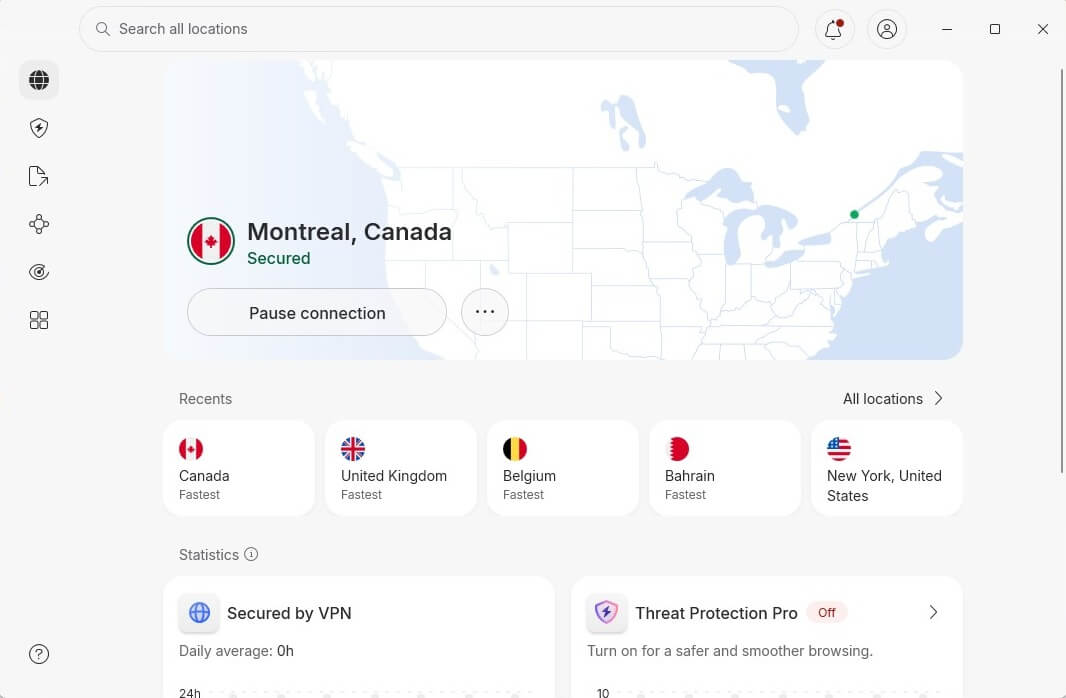
The best VPN for PC, NordVPN, has a Windows VPN app showcasing its technological prowess. It offers over 9,400 servers in 210+ locations, making it one of the largest VPNs. In our tests on a 342 Mbps network in Belgrade, NordVPN’s speed on the UK server was 324 Mbps, barely a 10% speed reduction. With these results, it’s easy to see why this popular Windows VPN is often used for streaming and torrenting.
You can stream Netflix, ESPN Select, Prime Video, or Hulu without buffering. Similarly, you can download torrents on all servers (NordVPN recently removed its special P2P servers). It even has obfuscated servers and NordWhisper for bypassing network filtering, ideal for changing Netflix regions in censored countries. NordVPN relies on post-quantum encryption, which you can enhance by using Double VPN servers. While doing this, you’ll enjoy robust IP/DNS leak protection.
⭐ Update: NordVPN recently redesigned its Windows VPN app, making it much more intuitive. However, as the most advanced VPN for PC users, NordVPN is still slightly complex for beginners who may get confused by the sheer number of features.
By facilitating Threat Protection Pro in its Windows VPN app, NordVPN shields you from persistent malware, trackers, and ads. However, it also protects you from email scams and keeps your inbox clean as a whistle. Based in Panama, NordVPN doesn’t store any logs and has even been audited by Deloitte in 2026 to prove that. Our NordVPN review extensively praised its broad device support.
It works on any, plus, it protects 10 devices at a time. If you’re stuck, its 24/7 support comes to the rescue. And if you need an incentive to get it, apart from its Best Windows VPN title, click below to save over 70% on its 2-year plans and enjoy a 30-day refund policy.
2. ExpressVPN: Fastest VPN for Windows 11 and 10
Pros
- Fast connections
- Kill switch against data leaks
- Good streaming performance
- Ad and tracker blocker
- Audited no-logging policy
- Dedicated IP addresses
Cons
- No Multi-hop servers
- Higher prices after renewal
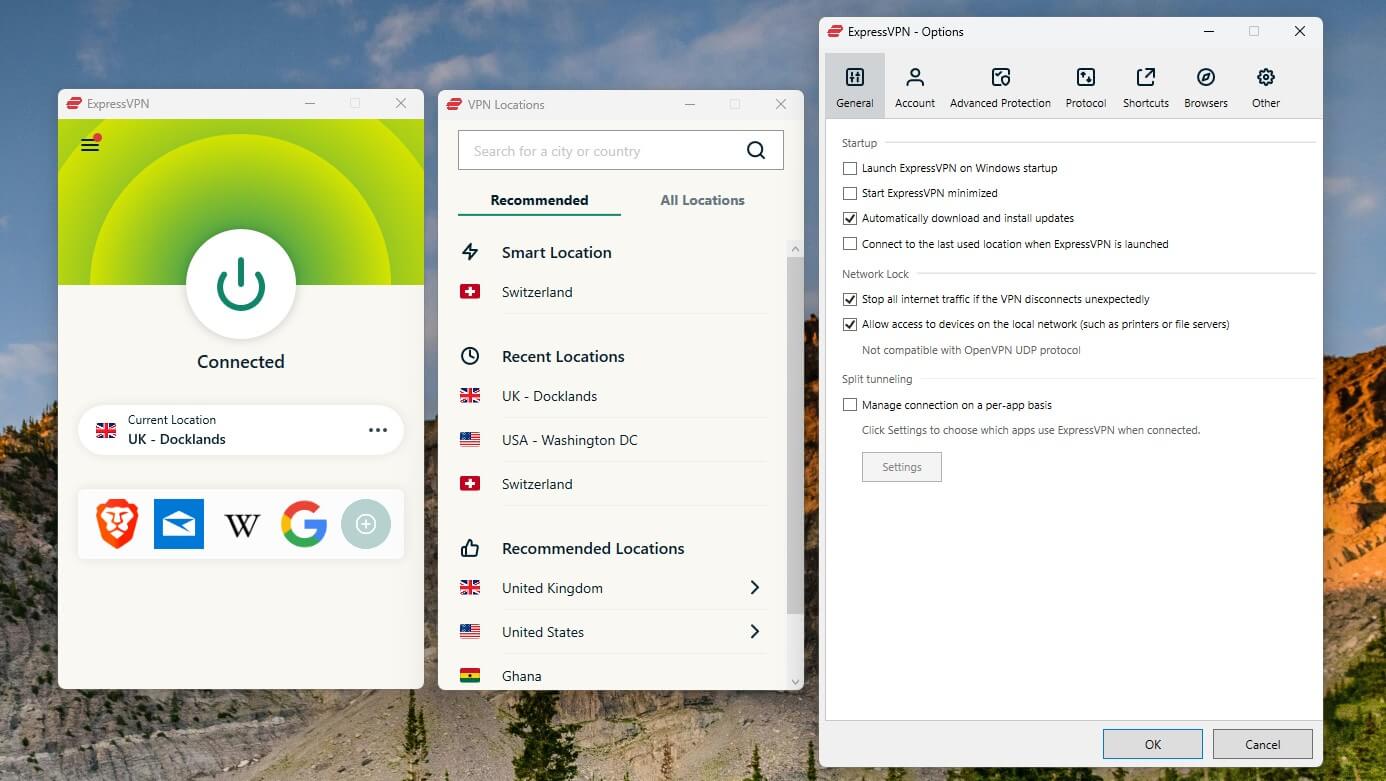
ExpressVPN is the best VPN for Windows PC for beginners. With its one-click apps, the VPN is very appealing. It’s smooth, fast, and cheap, costing as much as our #1 recommended VPN for PC. ExpressVPN offers over 3,000 servers, all with 10 Gbps ports (or even 40Gbps) and unlimited bandwidth in all plans. One of its key perks is Lightway Turbo, a speed-focused protocol available on Windows and all other platforms.
In speed tests similar to NordVPN, ExpressVPN’s highest speed was 300 Mbps, just over 14% less than our native speed (342 Mbps). This level of performance allows smooth streaming on Netflix, BBC iPlayer, HBO Max, and other streamers. We also tested it for torrenting, and it performed well.ExpressVPN’s PC VPN also blocks ads and trackers, with Parental Control that prevents all access to porn sites
The VPN can also unblock porn if you want to. It has an audited no-logs policy (audited by KPMG in 2025) backed by RAM (diskless) servers and its own DNS servers. ExpressVPN’s connections are natively obfuscated, so you can bypass censorship in China on your PC. You get access to MediaStreamer (SmartDNS service), which unblocks streaming sites without setting up the VPN. As one of the top VPN for Windows, it protects up to 14 devices, has 24/7 support, and offers apps for all systems.
The VPN starts at $2.79 per month for 2 years, with 4 free months. Click below to start and enjoy a 30-day money-back guarantee in return.
3. Private Internet Access: Highly Secure VPN for Windows
Pros
- Unlimited devices
- Widespread server network
- Optimized for torrenting
- Port forwarding on Windows
- Obfuscation (Shadowsocks)
Cons
- Not the fastest Windows VPN
- Inconsistent speed
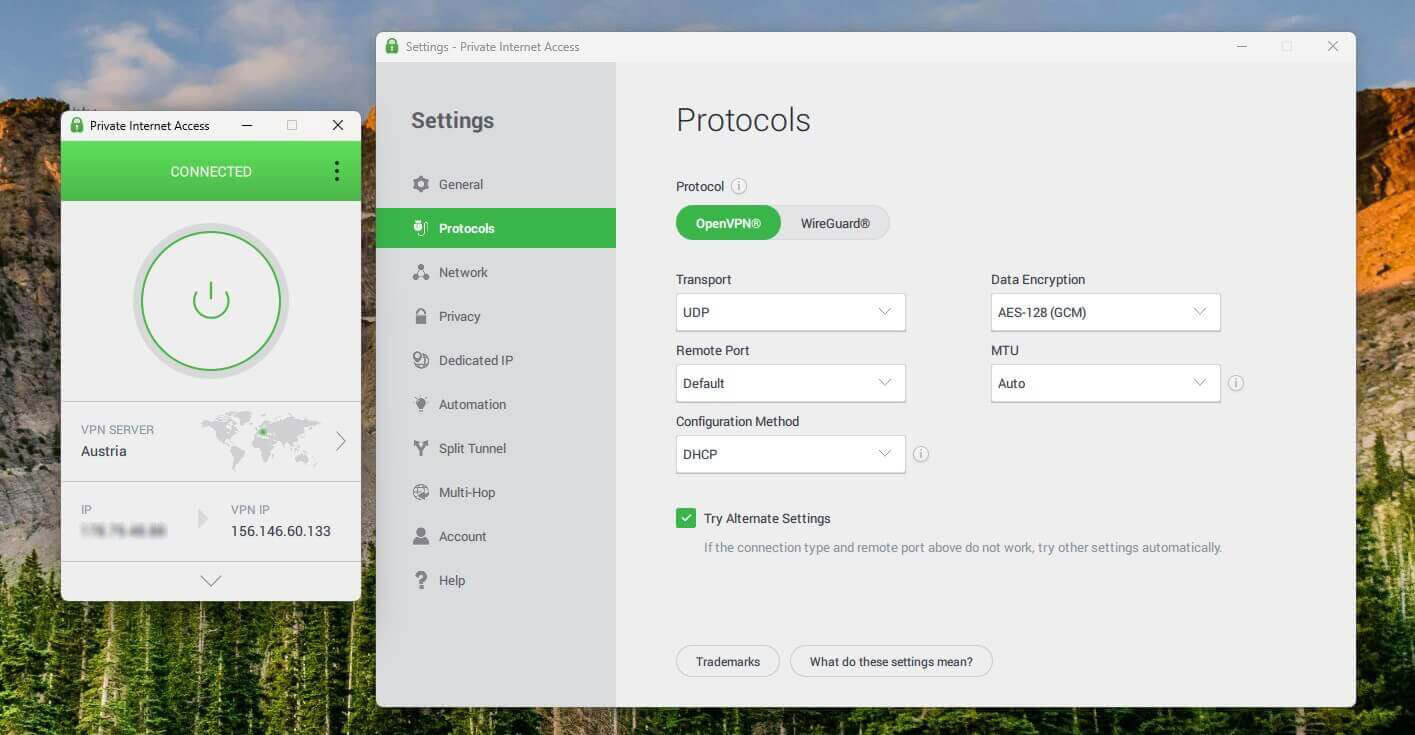
Private Internet Access is famous for unlimited device protection and highly customizable security. As the best VPN VPN for PC, it offers MultiHop, obfuscation via Shadowsocks, and even Port Forwarding for faster torrenting. Another vital fact is that it’s the largest VPN, with over 30,000 servers. Private Internet Access blocks ads and trackers, while also using IP/DNS leak protection to shield your data.
During our PIA VPN review, we also learned that it doesn’t store logs (audited by Deloitte in 2022, 2024, and 2025), and apart from audits, it has proven it in court. Streaming-wise, PIA is solid, though not the most reliable, unblocking the US Netflix catalog and BBC iPlayer. Simultaneously, it works for torrenting on all servers, making it a perfect VPN for Windows if P2P is a priority. Windows VPN users have additional benefits.
For instance, they can get PIA Antivirus at $1.45 per month, with real-time protection. Dedicated IP addresses are also very affordable ($2.50/mo) and available in 20+ locations. Private Internet Access’ highlight is the price. It starts at $2.19 per month for 2 years, often with 2 to 4 free months and with a 30-day money-back guarantee. If you need a VPN for PC for security and privacy, PIA is a no-brainer.
4. Proton VPN: Best Windows VPN for Privacy
Pros
- Secure Core servers
- Verified no-logging policy
- Free VPN tier with no data cap
- Tor over VPN connections
- VPN Accelerator for higher speed
Cons
- No Smart DNS
- Not very user-friendly
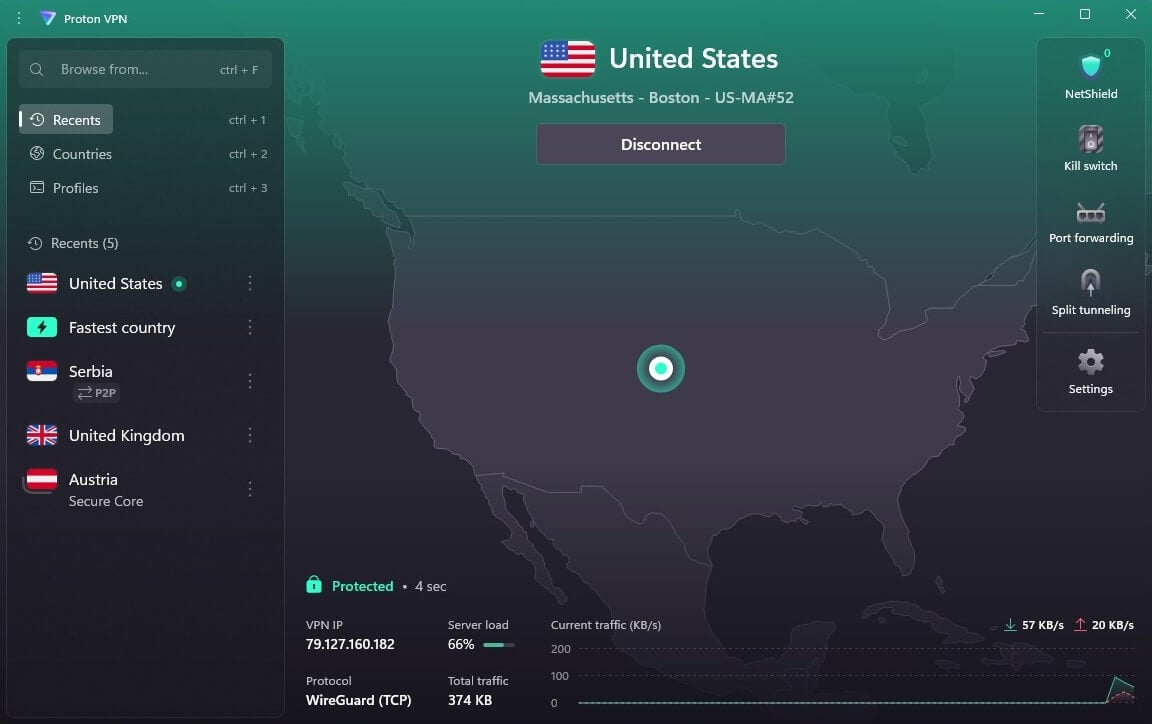
Proton VPN is among the best VPNs for privacy, based in Switzerland. However, it’s not just about privacy. This is a solid Windows VPN that doesn’t store any logs. It uses full-disk encryption to shield your data even if the server is seized. The VPN is famous for its Secure Core servers that double your encryption. In addition, there’s NetShield (ad blocker) that fights trackers and malicious websites.
This premium VPN for Windows PC is reasonably fast (277 Mbps speed on the UK server, 342 Mbps base in Belgrade) thanks to WireGuard, so it’s also used to gamble online, play PC games, and stream on BBC iPlayer and Netflix. It has port forwarding for faster transfers in P2P clients. Proton VPN’s Accelerator also greatly influences the connection speed. As a premium Windows VPN, it doesn’t restrict bandwidth.
A standout feature is Onion Over VPN support, which makes the VPN ready for Tor and browsing the dark web. However, it’s also one of the rare VPNs with a forever-free plan. It offers unlimited data, but limits torrenting and server selection. Proton VPN is affordable, with a price of $3 per month for the two-year plan. A 30-day money-back guarantee makes it risk-free. If you can’t afford it, opt for its free Windows VPN app.
5. Surfshark: Cheapest VPN for Windows 11 and 10
Pros
- Unrestricted devices
- Antivirus for Windows PC
- Cheapest prices ($1.99/mo)
- Advanced security features
Cons
- Takes longer to connect
- Higher price on renewal
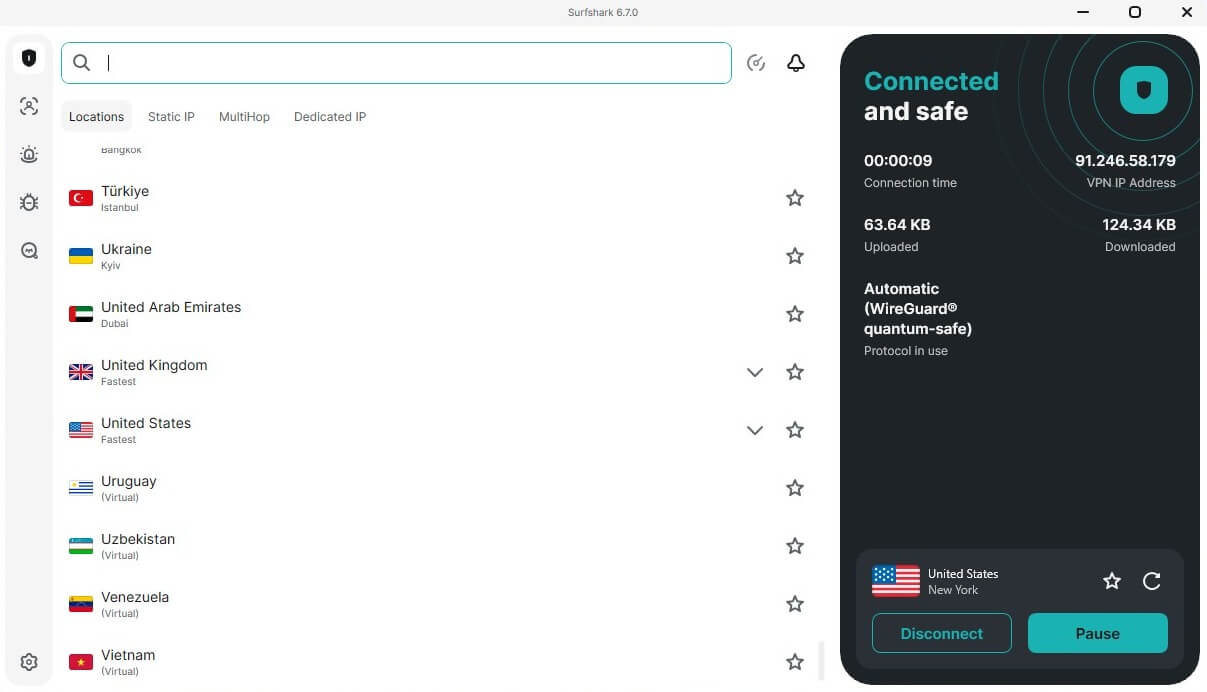
Surfshark does many things right. Its recent updates have made the VPN much faster, and, coupled with 4,500+ servers, more capable and less congested overall. This Windows PC VPN is also streaming-friendly and works with over 30 Netflix catalogs (we tested the US, the UK, Canada, Japan, and others). Surfshark prides itself on offering static and dedicated IP addresses. You won’t find them in some pricier VPNs for Windows.
Advanced features are there, and its MultiHop servers enhance your privacy by encrypting your traffic twice. An IP Rotator on Windows also rotates your IP every 5-10 minutes to keep you untrackable. For more protection, you can use its antivirus. Surfshark’s app for PC also has NoBorders obfuscation to mask your VPN traffic. Surfshark’s verified no-logging policy was audited by SecuRing in 2026, as well.
The VPN allows unlimited simultaneous connections, and you can connect it to a router to protect non-VPN-friendly devices in your household. This is the least expensive VPN for Windows, with the price for the Starter plan of $1.99 per month. Spend half a dollar more for the One plan with all the extras that include the recently mentioned antivirus. No free plan is available, but the VPN has a 30-day money-back guarantee.
6. CyberGhost: Top Windows VPN for Streaming and Torrenting
Pros
- Streaming and P2P servers
- Smart DNS addresses
- Fast speeds with WireGuard
- Robust IP/DNS leak protection
Cons
- Limited to only 7 devices
- Complex UI
- No obfuscation
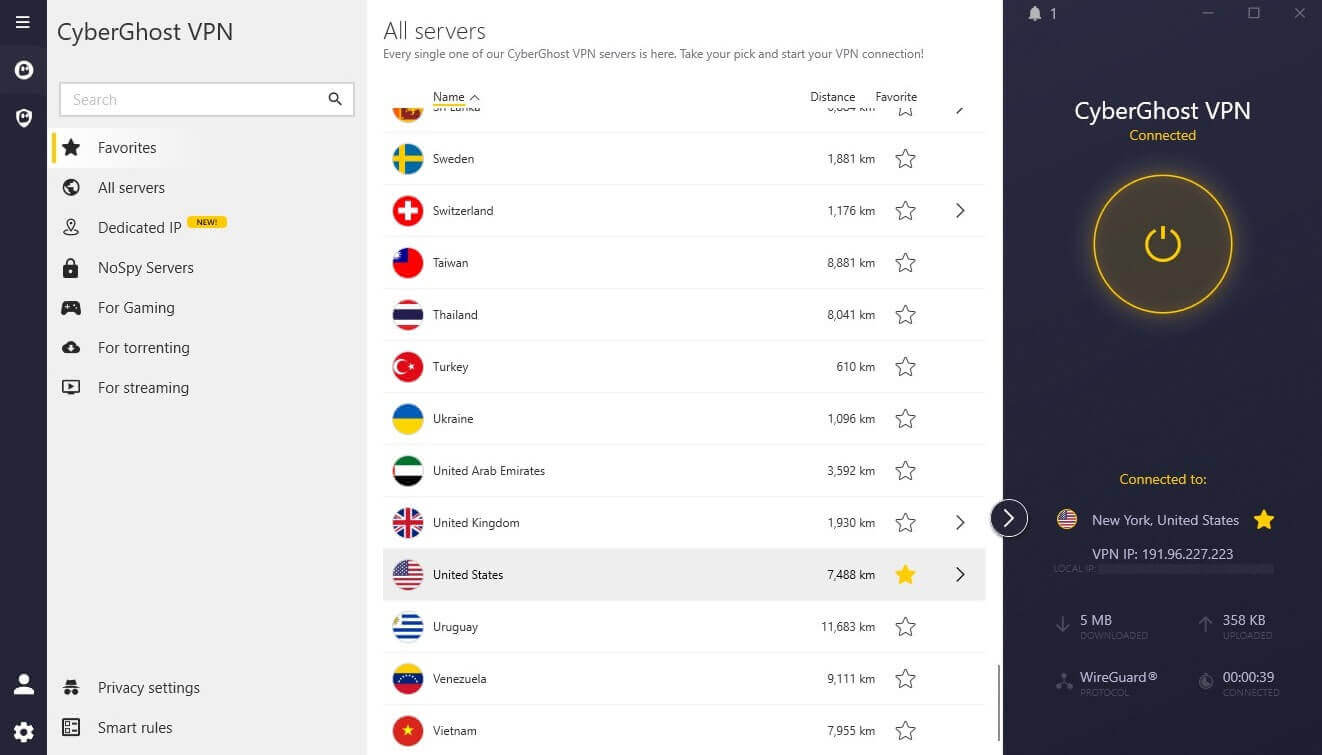
CyberGhost offers a few standout qualities. Its Windows PC VPN offers dedicated streaming and torrenting servers. They work reliably for watching Netflix and using the VPN with torrent clients. NoSpy servers, one of CyberGhost’s unique features, are designed for privacy. CyberGhost owns and operates them without third-party influence. The VPN is fast with WireGuard (271 Mbps on the UK server; baseline 342 Mbps in Belgrade), but its OpenVPN speeds tend to suffer.
Regardless, this VPN remains useful due to its dedicated IPs in 20+ locations and Smart DNS locations in and outside the USA for streaming. We recognized CyberGhost’s strong privacy policy. Based in Romania, the VPN’s no-log policy is unquestionable, especially with a recent audit in February 2026 from Deloitte. Being one of the best-rated VPNs for Windows, CyberGhost includes AES 256-bit encryption and a reliable kill switch, with split tunneling, which routes only specific websites through the tunnel.
An ad blocker is there, as well, working in tandem with IPv6 leak protection to prevent data exposure. CyberGhost has 12,000+ servers in 100 countries. However, it lacks obfuscation and is limited to 7 simultaneous connections, far less than the most recommended VPN for Windows, which typically allows 10 to unlimited. On the other hand, it costs $2.19 per month and has a 45-day refund policy.
How to Use a VPN on a Windows PC?
We’ll demonstrate how to install a VPN on Windows and explain how to connect to a server using NordVPN. But no matter the VPN you install on Windows 11, 10, or older, the process is the same.
1️⃣ Subscribe to a VPN
You know what the best premium VPNs for Windows are; select one. We’ll use NordVPN. NordVPN has 2-year plans with 73% discounts. Claim the discount by providing your email to the VPN, paying for it, and verifying your email.
2️⃣ Install a VPN on Windows
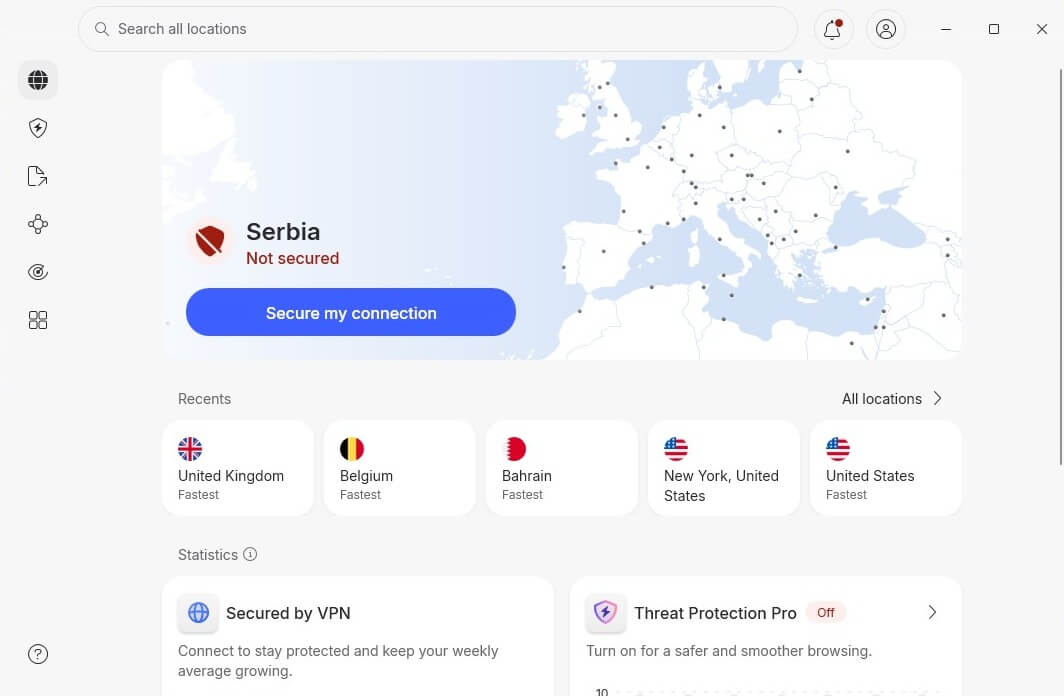
Install the service you subscribed to. Windows VPN setups are the simplest. Go to the VPN’s site, find the Download section, and select the Windows app. Press Download, and the setup file will be on your PC. Open it and follow the steps on the screen to install your Windows VPN. Once you’re done, open the app and sign in. Use your email and password from Step 1. This is what NordVPN’s app looks like.
3️⃣ Connect to a VPN Server
However, the most important thing is to connect to a server. It’s done in a few clicks – similar to using a VPN on your iPhone. Open the server list, find the country you want, and click it. After a few seconds, NordVPN will connect – this is how it looks:
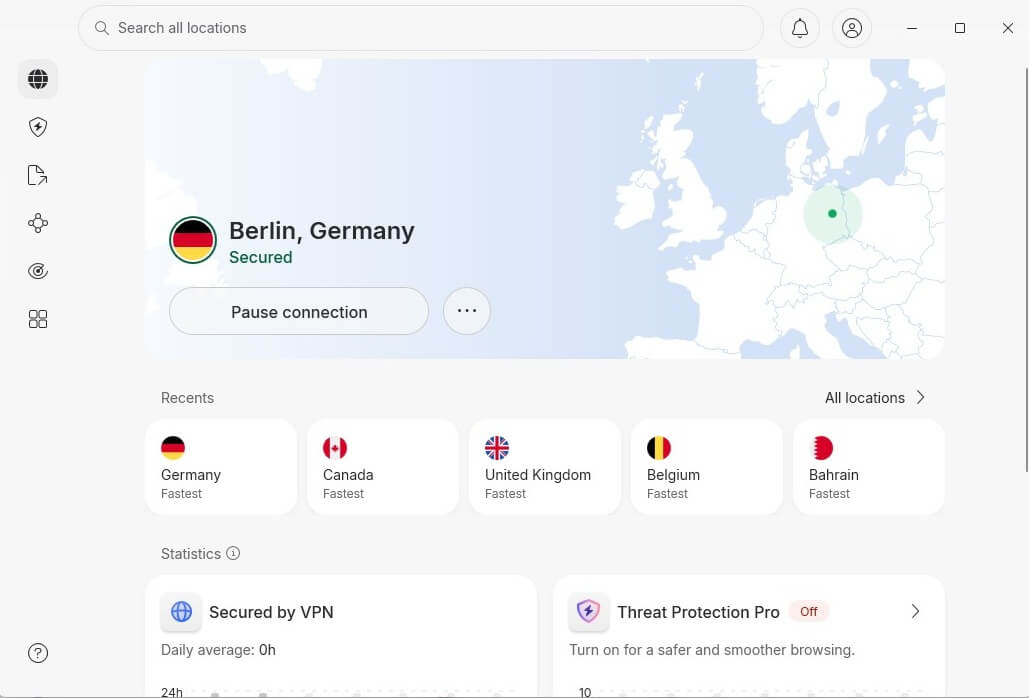
We connected to a German server to show you how it works. The Secured message appears at the top, signifying you’re ready to go online. Now, it’s up to you how you’ll use some of the best Windows VPNs.
Why Do You Need a VPN on Windows?
Windows is one of the most capable operating systems. It’s widely used for both business and entertainment. Here’s how a proper Windows VPN application can aid your cause and enhance your online experience.
Privacy Protection
The obvious benefit of the best VPN for Windows is privacy. Some VPNs might store your data and leak your IP, but not our top 6 VPNS for Windows. They’re well-equipped, using strong (256-bit) encryption, leak protection, kill switches, obfuscation, MultiHop, diskless servers, a no-log policy, and other essentials. ISPs and government bodies are known for tracking your online activities. Concealing your IP address with a VPN prevents this because of end-to-end encryption
This also prevents data brokers and websites from stealing your data. Instead of your IP, they’ll associate your online activities with an IP address from the VPN, which, in the end, means nothing because this isn’t your true identity.
Streaming Geo-Blocked Content
Windows computers and laptops are used for streaming. But when the geo-block knocks on your door, the only way to fight it is with a VPN. It lets you access BBC iPlayer, Netflix, ITV, Max, and other streaming services. These best VPNs for Windows are known to work with Netflix.
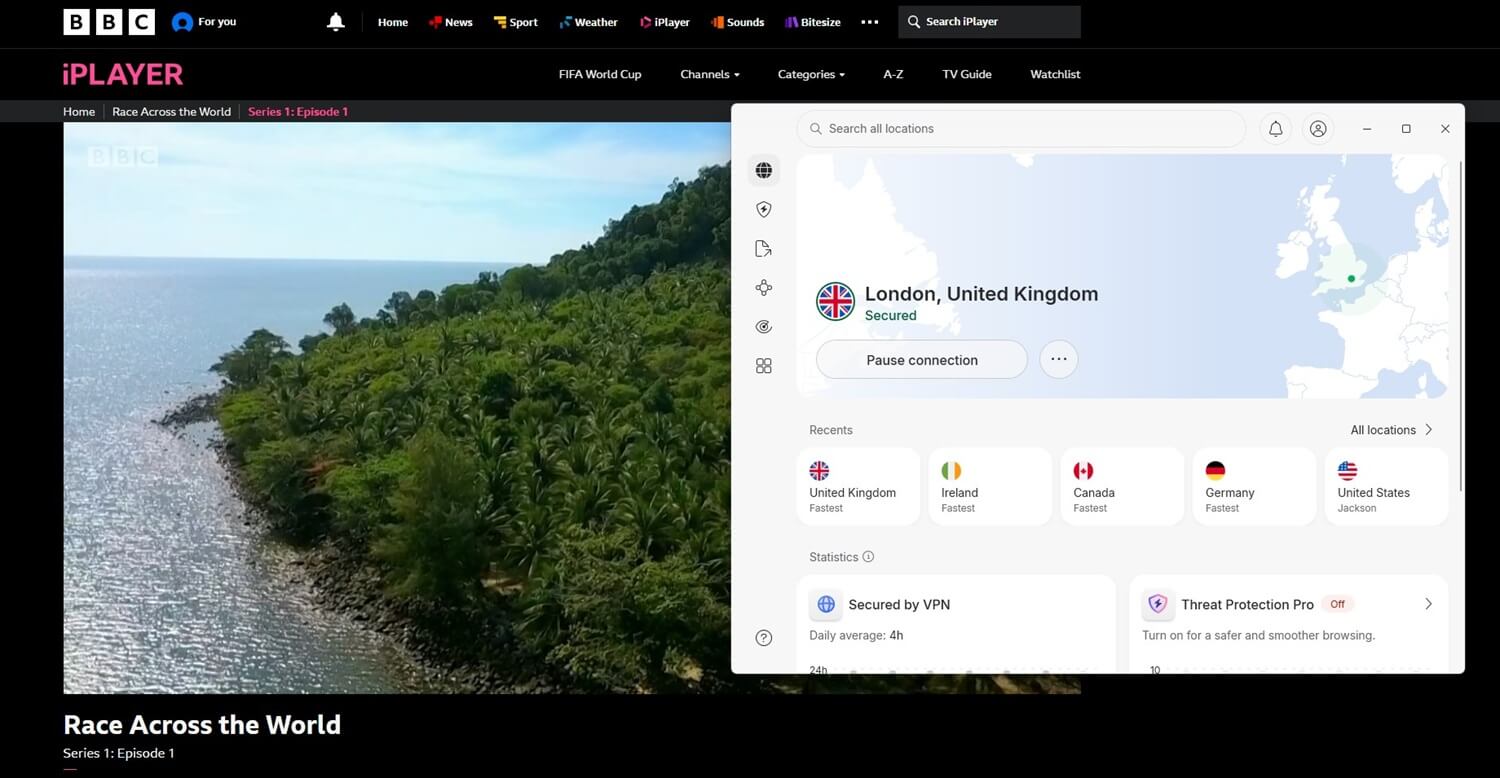
They can unblock many libraries, such as ones from the USA, the UK, Singapore, Canada, and Japan. Such a commodity lets you access any movie or series, no matter your location or device. Connect to a server and start watching.
Private Torrenting
Windows users prefer torrenting with a VPN. Without it, you’re left exposed to your ISP and even torrent sites that collect your download history and serve it on a silver platter for the governing body that requests it. That’s not the case when your traffic is encrypted with a VPN for a Windows PC.
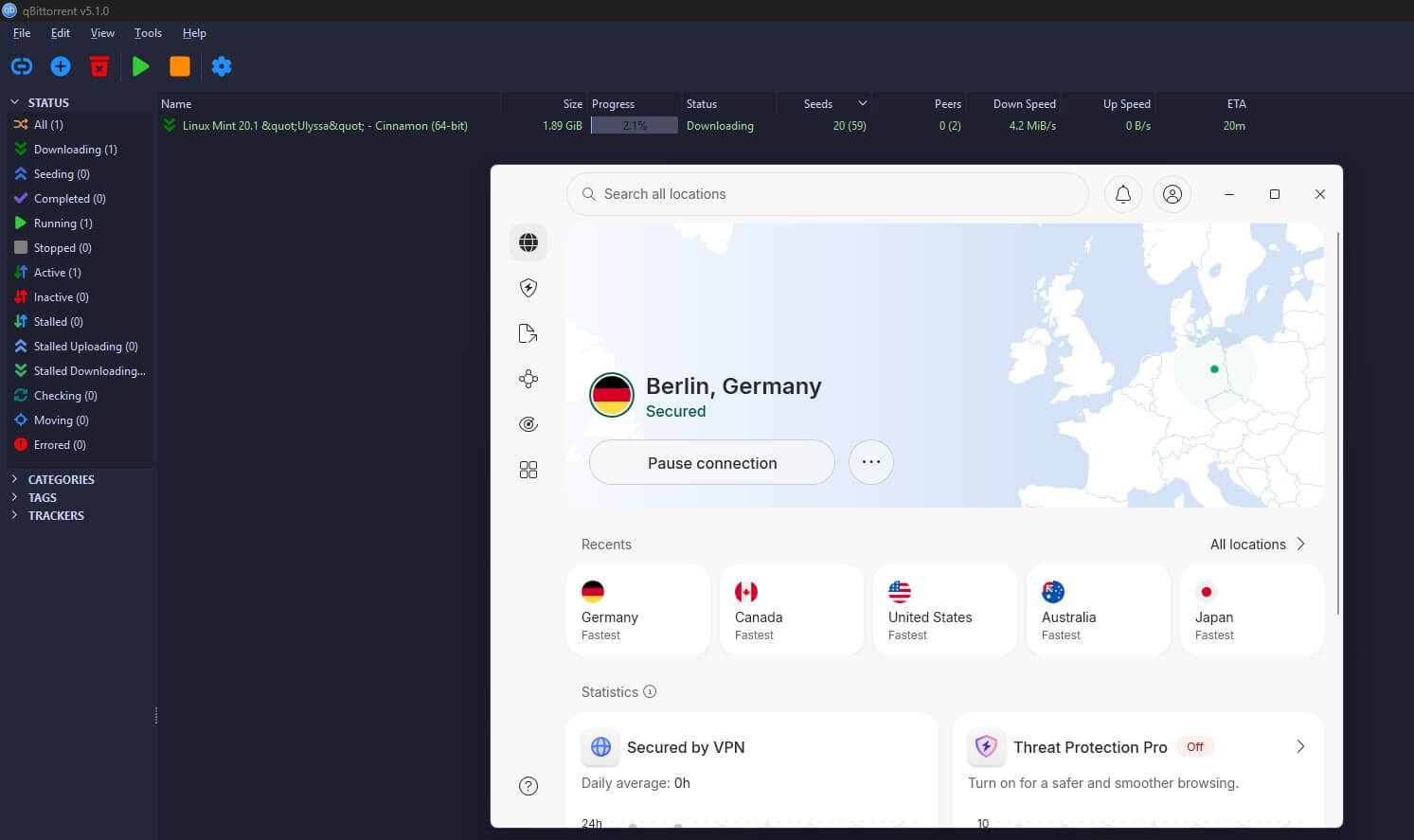
Torrent sites and other peers downloading the same torrent will see the IP address of the VPN. Even if downloading a specific file ends up associated with this IP, that’s not your real IP, and you’ll be untouched.
DDoS-Free Online Gaming
How about gaming? Our favorite VPNs for Windows provide DDoS protection and lower your ping, which appears because of ISP throttling. Connecting to a server lets you enjoy the high speeds and encryption needed to ward off DDoS attacks.

Malware and Virus Protection
While VPNs are not the same as antivirus software, they can and will protect against malware and viruses. At least NordVPN, our #1-rated Windows VPN, and Surfshark. This is welcome because malware can seriously damage your Windows PC and even mine crypto using your idle computing resources.
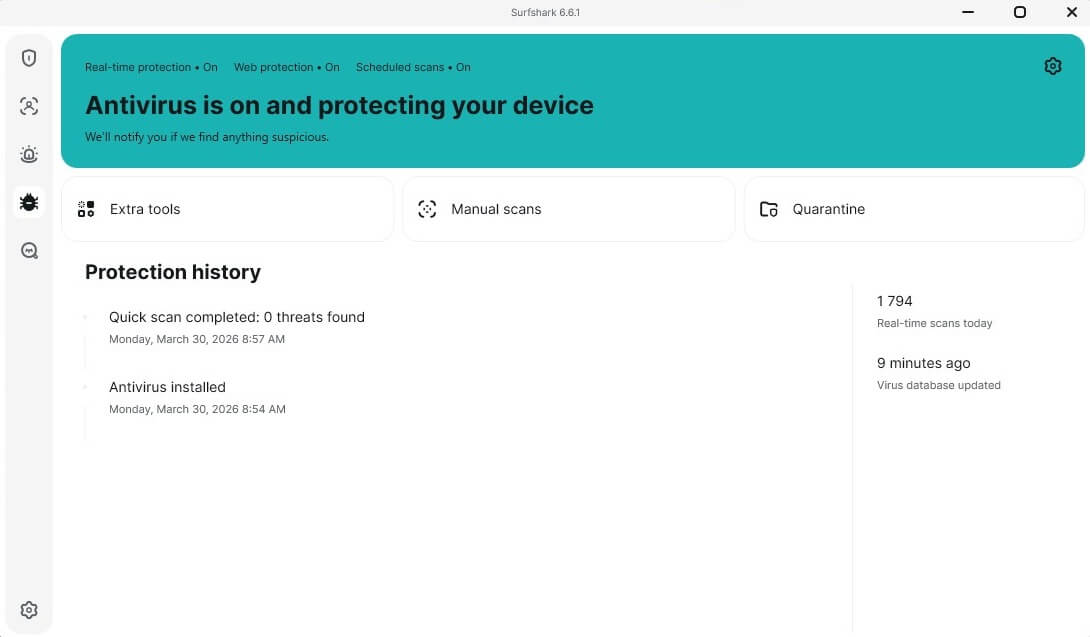
NordVPN’s Threat Protection Pro removes unwanted software to keep your computer running like a well-oiled machine. This feature is also available in Surfshark, which offers an antivirus instead. We can also mention PIA and CyberGhost here, and their optional antivirus software for Windows. The best Windows VPNs can be two-in-one packages for online protection.
Best VPN for Windows: Conclusion
If you’re a Windows user, you have ample options to pick from. However, if you’re after the absolute best Windows VPNs in 2026, NordVPN and ExpressVPN are our favorites, with their in-house tunneling protocol, fast speeds, and advanced threat protection. PIA and Surfshark VPN are also strong options, offering unlimited simultaneous connections and are great for streaming.
Proton VPN leans on Swiss jurisdiction and open-source apps. CyberGhost rounds out the list with specialized servers for streaming, P2P, and gaming. Whichever VPN for Windows you end up with, you’ll get a noticeable upgrade over Windows’ built-in protection.
Frequently Asked Questions
🖥️ Can I use a VPN on Windows 7 and older versions?
Yes, you can. All VPNs support Windows 7. NordVPN, for example, supports Windows 7, 8, and 8.1. Windows XP users can also enjoy some VPNs through the OpenVPN client, but not through a dedicated VPN client.
🌐 Does Windows have a built-in VPN?
No. It only has built-in VPN support, but you still need to subscribe to one to use it. The same goes for macOS and iOS, often confused for having pre-installed VPN services. No OS has a built-in VPN; at least not a high-quality one.
✅ Are Windows VPNs really safe to use?
It depends on the VPN. Tried-and-tested VPNs, such as NordVPN or ExpressVPN, are safe, but that can't be said about the majority of free VPNs that typically store logs and sell your PII. Carefully vet each VPN before using it to be sure it's the right fit for you.
💻 What is the best VPN for Windows laptops and PCs?
The best VPN for Windows laptops and computers is NordVPN. It blends superb speeds and security, with top-tier privacy features and streaming prowess. It's also a great VPN to have on a Windows laptop due to its low battery consumption and lightweight apps. That's why it's among the top Android VPNs, as well.
🆓 What is the best free VPN for Windows?
The best free VPN for Windows is Proton VPN. It has a free tier without data restrictions that you can use to browse or occasionally watch content on a PC. However, it limits torrenting and doesn't let you choose the server, making premium Windows VPN options better and overall, more versatile.