
Hostinger is the best WordPress hosting in 2026: plans start at $2.99 a month on a 48-month term, WordPress installs in one click on every plan, and WordPress.org lists Hostinger among its recommended hosts.
WordPress hosting is web hosting tuned for WordPress, with a one-click installer, caching, automatic updates and security tools that suit the CMS. Finding the best WordPress hosting is harder than it sounds, because the cheapest intro price often hides a renewal rate several times higher, and a slow or poorly protected server can cost you visitors and search rankings.
We compared six hosts on price, renewal cost, speed, security and support. The shortlist below shows where each one is strongest, the full reviews explain the trade-offs, and the tables that follow put the prices side by side.
Quick Summary: The Best WordPress Hosting Providers in 2026
If you are in a hurry, these are our six favorite hosting services for a WordPress website:
- Hostinger: Best Overall WordPress Hosting
- Bluehost: Best for WordPress Beginners
- SiteGround: Best for Customer Support
- InMotion Hosting: Best WordPress Hosting for Security
- Hosting.com: Best WordPress Hosting for Speed and Optimization
- DreamHost: Best for Uptime Guarantee
WordPress Hosting Compared
The table shows entry prices, renewal prices and the guarantee each host gives, since the first-term price rarely tells the whole story.
| Host | Entry price | Renews at | Managed WordPress | Money-back guarantee |
|---|---|---|---|---|
| Hostinger | $2.99/mo (48 months) | $10.99/mo | On all plans | 30 days |
| Bluehost | $3.99/mo | Varies by plan and term | WordPress plans | 30 days |
| SiteGround | $2.99/mo (12 months) | $17.99/mo | On all plans | 30 days |
| InMotion Hosting | $3.69/mo (WP Core) | $11.49/mo | WordPress plans | 90 days (terms of 6 months or more) |
| Hosting.com | $2.99/mo (Starter) | About $14.99/mo | Managed plans from $11.99/mo | 30 days |
| DreamHost | $2.89/mo (Launch) | $10.99/mo | DreamPress from $14.99/mo | 30 days |
How We Chose the Best WordPress Hosting
We looked at each host’s WordPress plans, prices, security tools and support options to find the best WordPress hosting for 2026, and we weighed how much you pay after the first term as heavily as the intro price. For Hostinger we also ran speed tests on a WordPress site, and the results appear in the Hostinger section below.
We grouped the criteria into five areas: price and renewal cost, speed and performance, security, ease of use and support. A host that looked cheap but doubled its rate at renewal lost ground against one with a smaller increase, and we gave extra weight to features that help beginners, such as one-click installation, staging and a clear dashboard. We also looked at how each host treats WordPress specifically, since a plan that only preinstalls the software is not the same as one that tunes the server, caches pages and helps with updates.
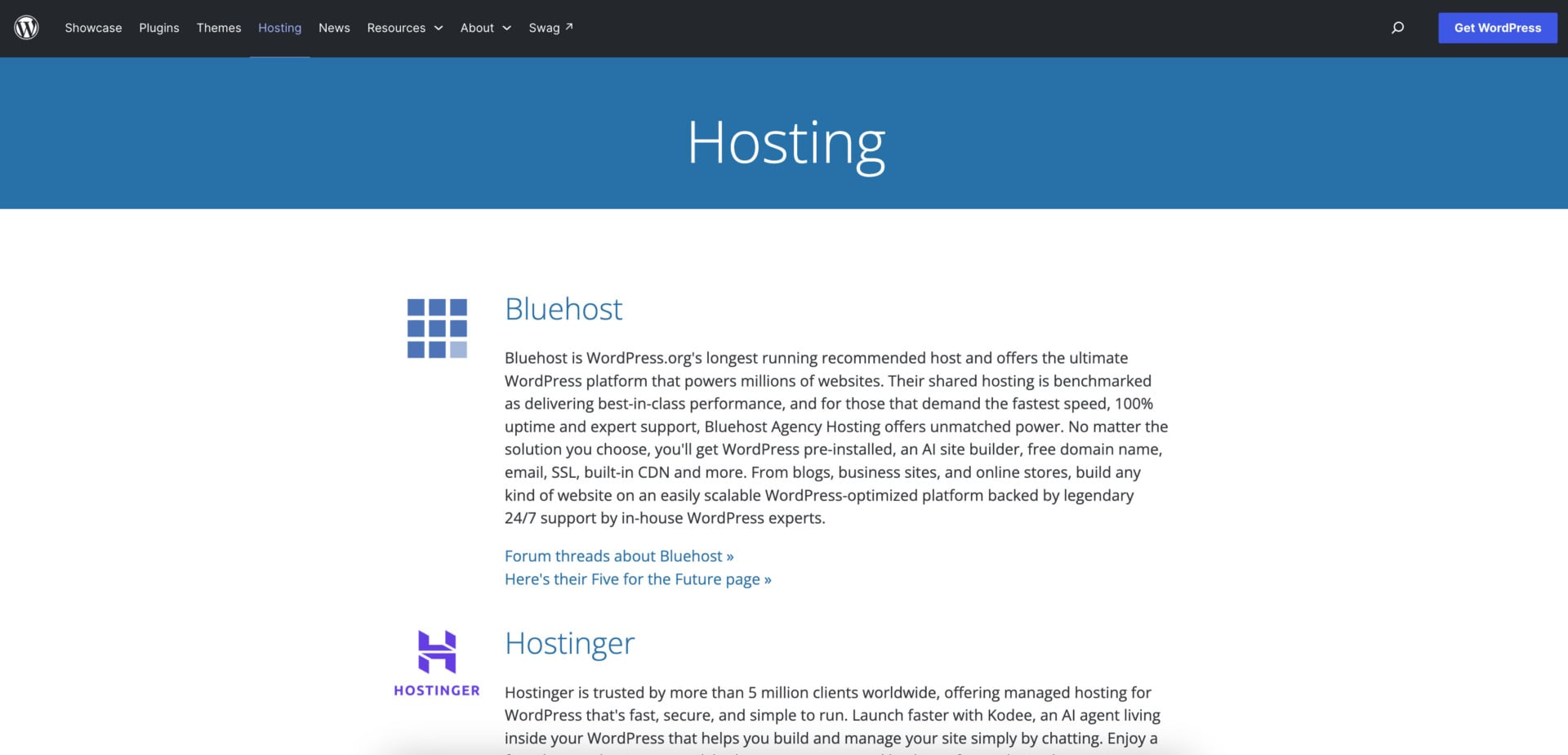
WordPress.org keeps its own list of recommended hosts, and it currently names Pressable, Bluehost and Hostinger. WordPress.org also says that some of the hosts on its page donate a portion of your fee back to the project when you click through from it. Bluehost and Hostinger are in our ranking, while Pressable, which Automattic owns (Automattic is the owner of WordPress.com), is a managed host aimed at businesses and agencies and sits outside the price range of this guide.
Best WordPress Hosting Services for 2026
Here is what each of the six hosts offers, what it costs and where it falls short.
1. Hostinger
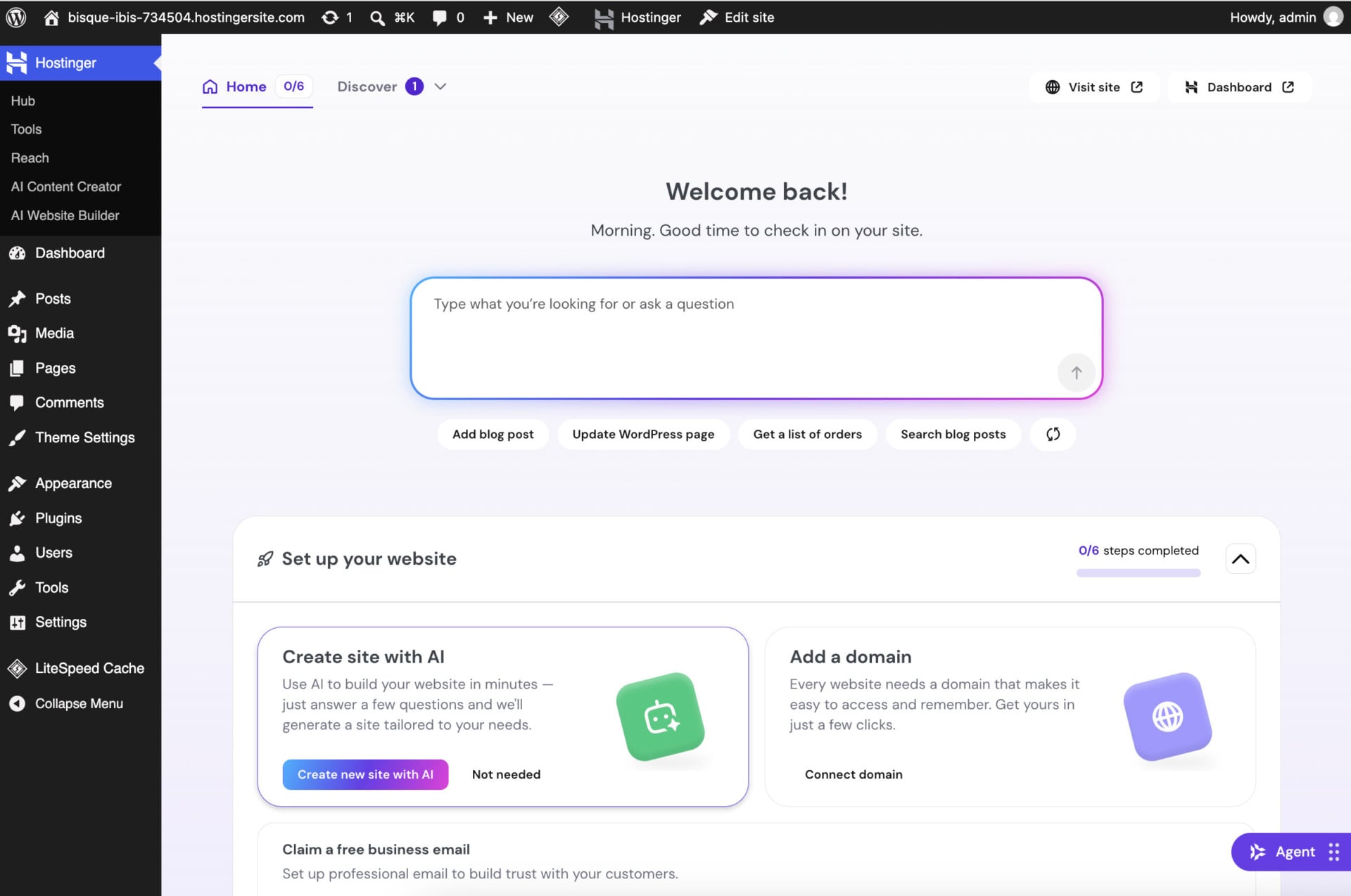
Hostinger takes the first spot because it combines low prices, managed WordPress features and a WordPress.org recommendation. Its managed WordPress hosting is a good fit for first-time site owners, and hPanel keeps your sites, domains, email and backups in one menu. Speed comes from LiteSpeed servers and the LiteSpeed Cache plugin, which is already installed in the sidebar of a new WordPress site. The WordPress dashboard also gets a Hostinger menu with a Hub, AI tools and a prompt box for Agent Hostinger, so you can ask for help from inside WordPress.
Pricing and Features
Hostinger has three plans that matter for WordPress. On the 48-month term, Premium costs $2.99 a month, Unlimited $3.99 and Cloud Startup $7.99, and code GIZMODO takes another 10% off, which brings them to $2.69, $3.59 and $7.19.
| Included | Premium | Unlimited | Cloud Startup |
|---|---|---|---|
| Backups | Weekly | Daily, easy restore | Daily and on demand |
| CDN | No | Yes | Yes |
| Staging tool | No | Yes | Yes |
| AI tools | No | Yes | Yes |
| AI Builder credits | 5 | 15 | 15 |
| Priority 24/7 support | No | Yes | Yes |
Premium is enough for a personal blog with up to three sites, but it has no CDN, staging tool or AI tools. We recommend Unlimited for most WordPress sites, because for about $1 more a month it adds daily backups, a CDN, staging and 15 AI Builder credits. Cloud Startup adds 100 GB of NVMe storage, a dedicated IP and more CPU and RAM, which suits agencies and busy sites.
Hostinger’s WordPress tools also include a one-click staging tool on Unlimited and Cloud Startup, WordPress multisite support and an AI Content Creator that drafts posts and pages from a prompt. The Hostinger menu inside WordPress has a Hub with sample requests, such as adding a blog post or updating a page, and a Tools section for the extra features. If you plan to run a store, WooCommerce also installs in one click.
Every plan includes a free domain for the first year on terms of 12 months or longer, free migration from another host and one-click WordPress installation. WordPress updates for the core, themes and plugins can run automatically. WordPress.org’s own listing for Hostinger mentions the free domain, business email, automated backups, free migrations and built-in affiliate marketing tools for WooCommerce stores.
Watch the renewal price: Premium renews at $10.99 a month and Unlimited at $16.99, which is 3.7 and 4.3 times the first-term rate. The best discounts also require a 48-month commitment, and the 30-day money-back guarantee gives you time to test the fit.
Speed and Performance
Slow pages frustrate visitors and can hurt search rankings, so we measured Hostinger on a WordPress test site. A fresh install with the Twenty Twenty-Four theme returned a 576 ms time to first byte and loaded fully in 1.4 seconds, for a GTmetrix grade of B. After we switched on LiteSpeed Cache and the CDN, the TTFB fell to 291 ms, the full load time dropped to 733 ms and GTmetrix gave the site an A with 100% scores.
PageSpeed Insights gave the same page a performance score of 99 on both mobile and desktop. The test site was lightly built, so a real site with plugins and large images will score lower. Hostinger also says its Object Cache can cut response times by up to three times, and in our test the built-in CDN improved the speed score by up to 40%. HTTP/3 and IPv6 are supported.
Our Hostinger review has the full test results and screenshots.
Security
Every Hostinger plan includes free SSL certificates, a web application firewall and a malware scanner for WordPress sites. DDoS protection runs in real time, and each account is isolated from its neighbors on the server.
Backups depend on the plan: Premium has weekly copies, while Unlimited and Cloud Startup take daily backups and let you restore a previous version. We also monitored our test site for several months, and its uptime matched Hostinger’s 99.9% guarantee.
Customer Support
Hostinger has no phone line, so help comes through live chat around the clock, and the front door is now Agent Hostinger, an AI assistant with a button in hPanel, the site builder and the WordPress dashboard. In our review, a human agent joined the chat after 15 minutes, and Hostinger now advertises a hand-off in under five minutes.
Start a WordPress site on Hostinger
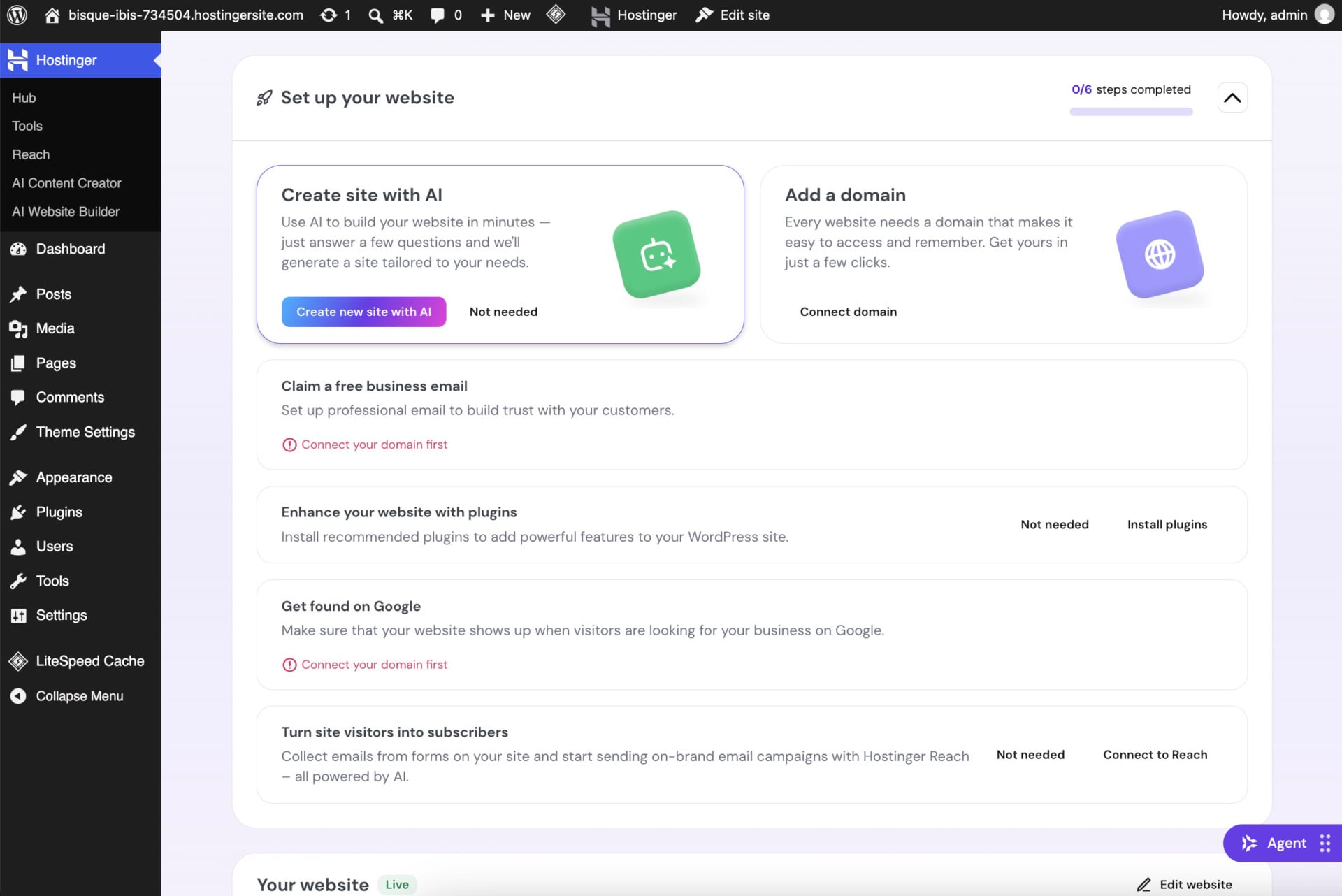
WordPress site setup also holds your hand. The WordPress route shows a six-step checklist that starts at 0/6, and two steps stay greyed out until you connect a domain, which makes the order clear for beginners.
Pros
- Recommended by WordPress.org
- Managed WordPress hosting on every plan
- Free domain, free migration and WHOIS privacy on eligible domains
- LiteSpeed Cache preinstalled
- Custom hPanel control panel
- 30-day money-back guarantee
Cons
- No phone support
- Renewals cost 3.3 to 4.3 times the intro price
- Premium has no CDN, staging tool or AI tools
2. Bluehost
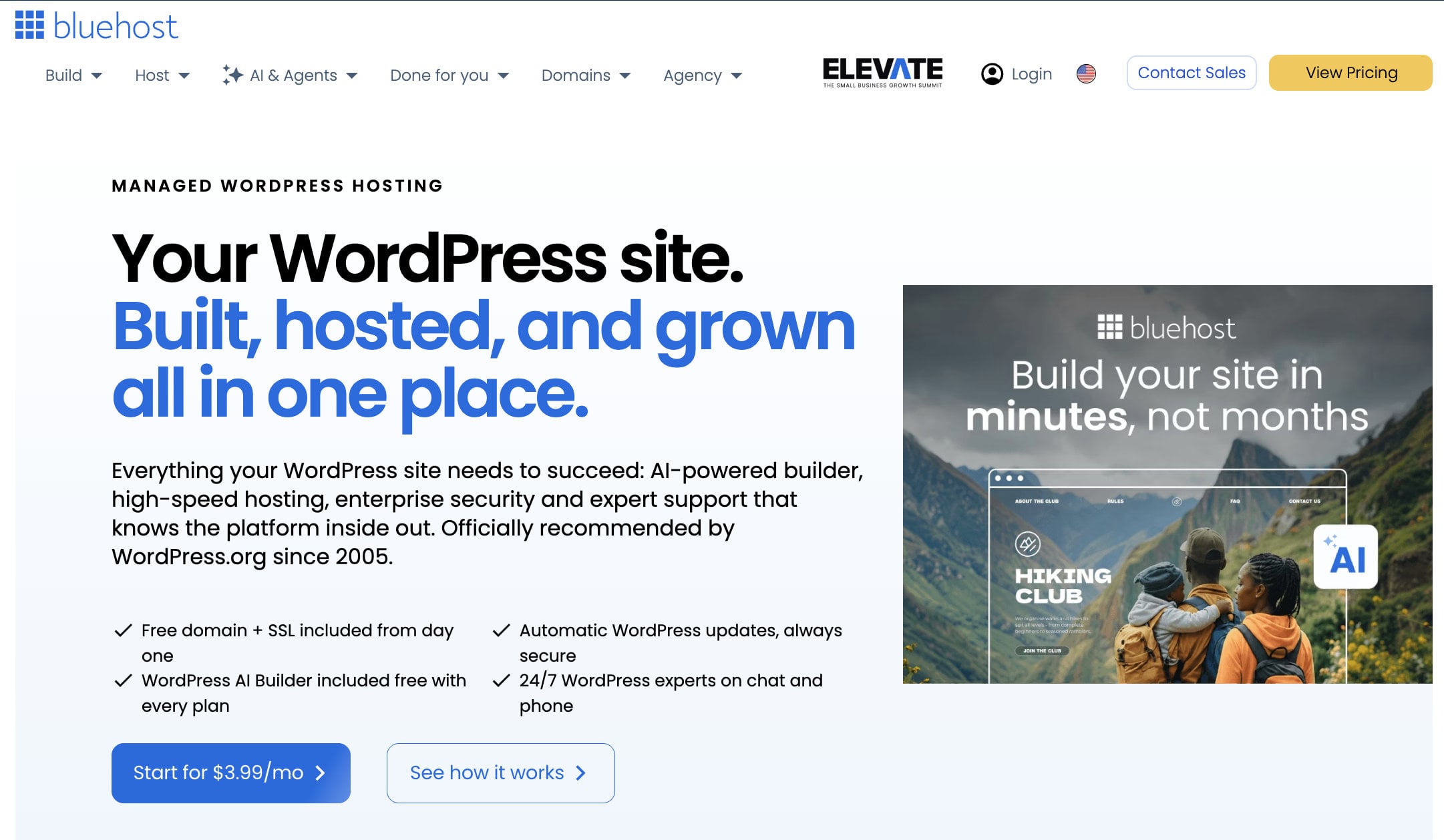
Bluehost is among the best WordPress hosting options for beginners, and it has the longest track record in this guide: WordPress.org describes it as its longest-running recommended host. WordPress arrives preinstalled with an AI site builder, and the checkout includes a free domain, SSL and a built-in CDN.
Pricing and Features
Bluehost’s WordPress plans start at $3.99 a month and include a free domain for the first year, an SSL certificate, email and 24/7 support. Higher plans add more websites, more monthly visits, staging environments and bundled tools such as an SEO plugin, and Bluehost Agency Hosting targets people who manage many client sites.
Bluehost says its Business tier supports up to 50 websites and around 200,000 monthly visits, and that plan adds staging, an SEO plugin and automated backups. Bluehost fits beginners and small businesses that want an established brand and a person to call.
Renewal prices are higher than the intro price, so check the cart before you commit. The exact increase depends on the plan and the term you pick.
Speed and Performance
Bluehost says its shared hosting is benchmarked as best in class, and its higher tiers target sites that need the fastest speed and a 100% uptime target. The built-in CDN helps serve pages from locations close to your visitors, and the platform is tuned for WordPress caching.
Security
Every plan includes a free SSL certificate, and Bluehost offers backups and malware protection on its WordPress plans. The company staffs WordPress specialists in-house, which helps when a plugin or update breaks something.
Customer Support
Bluehost provides 24/7 support, including phone, and its in-house WordPress team can help with platform-specific problems. That level of support helps beginners who would rather talk to a person than search a knowledge base.
Pros
- The longest-running WordPress.org recommendation
- WordPress preinstalled with an AI site builder
- Free domain, SSL and CDN
- 24/7 support with in-house WordPress experts
- 30-day money-back guarantee
Cons
- Renewal prices are higher than the intro price
- Lower plans limit sites and monthly visits
3. SiteGround
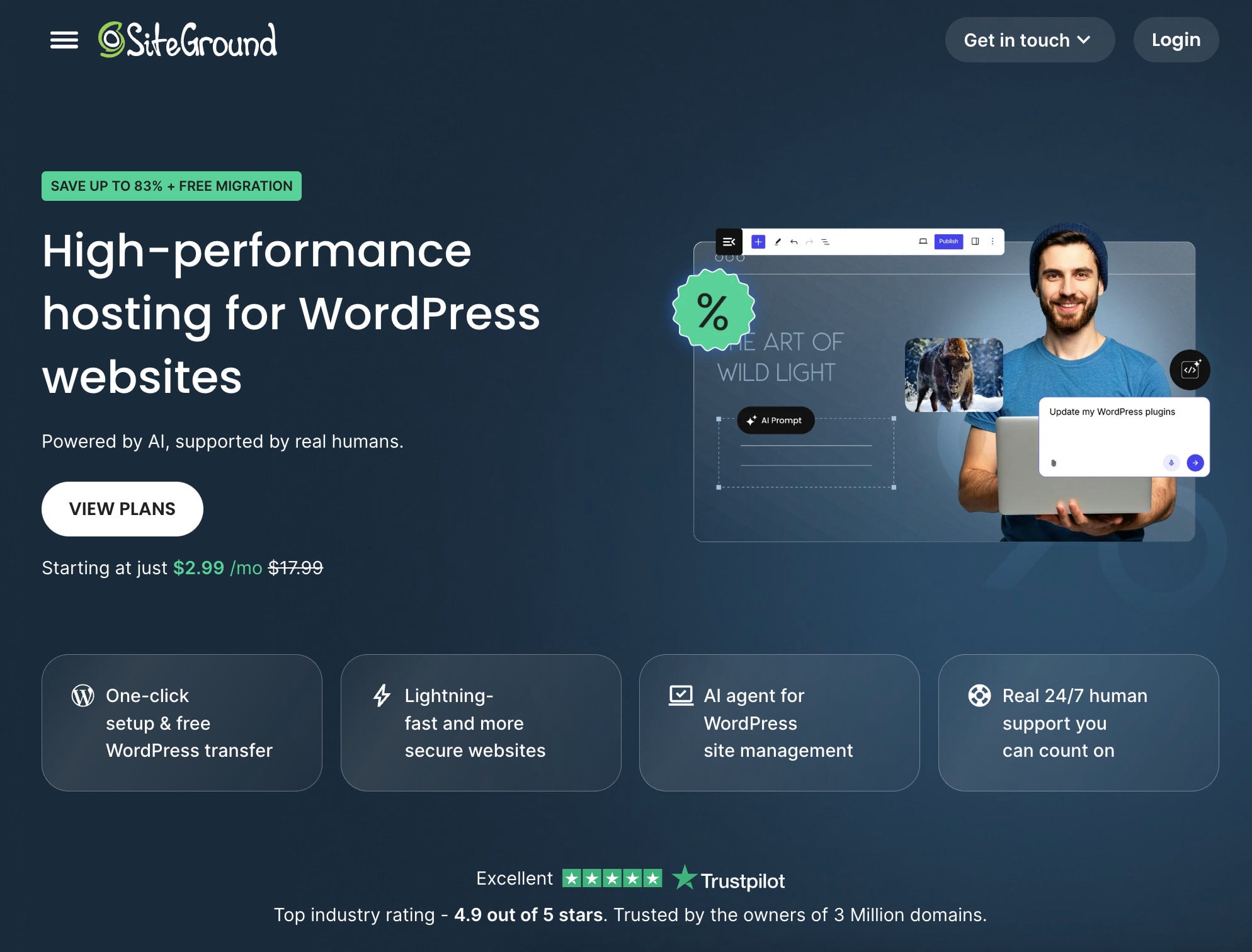
SiteGround built its reputation on support: its team answers 24/7 by live chat, ticket and phone, and the company reports a 98% customer satisfaction rate. It runs on Google Cloud and hosts more than three million domains.
All SiteGround shared plans are built for WordPress, so you get the installer, caching and update tools without paying for a separate managed tier. WordPress.org no longer lists SiteGround among its recommended hosts, but the company remains popular with agencies and site owners who want dependable help.
Pricing and Features
SiteGround’s entry plan costs $2.99 a month on a 12-month term, and that price needs a year of prepayment. The catch is renewal: StartUp renews at $17.99 a month, GrowBig at $29.99 and GoGeek at $44.99, which is about six times the first-term rate.
| Plan | Price per month (12 months) | Renews at | Websites | Storage | Monthly visits |
|---|---|---|---|---|---|
| StartUp | $2.99 | $17.99/mo | 1 | 10 GB | About 10,000 |
| GrowBig | $4.99 | $29.99/mo | Unlimited | 20 GB | About 100,000 |
| GoGeek | $7.99 | $44.99/mo | Unlimited | 40 GB | About 400,000 |
StartUp allows one WordPress website and 10 GB of storage, so anything beyond a single small site needs GrowBig or GoGeek. Those two plans add one-click staging, unlimited sites and the caching options SiteGround is known for. Every plan includes daily backups, free SSL, email, a CDN and the SG Optimizer plugin, which handles caching and image optimization. SiteGround’s WordPress Migrator plugin is free, while a professional migration is a paid service.
Consider SiteGround if you want managed WordPress with a reliable support team and can absorb the renewal increase. It works well for agencies and growing sites, but it is harder to justify for a single small blog, where Hostinger or DreamHost cost far less after the first year.
See SiteGround WordPress plans
Speed and Performance
SiteGround combines Google Cloud servers with its own caching stack. NGINX Direct Delivery speeds up static files such as images by default, and the NGINX-based dynamic cache and Memcached service on GrowBig and GoGeek help WordPress pages load faster.
The free Speed Optimizer plugin adds image optimization and code minification. SiteGround also says its Ultrafast PHP setup can make pages load up to 30% faster and reduce the time to first byte, although that setup applies to the higher plans.
Security
Outdated software is one of the most common ways WordPress sites get hacked, so SiteGround applies WordPress updates automatically as soon as they are released. It also watches for new vulnerabilities and writes custom firewall rules to block them before you have patched anything.
The Security Optimizer plugin adds protection against brute-force attacks and other common threats with a few clicks, and a web application firewall and AI-based anti-bot system sit in front of the server.
Customer Support
SiteGround offers 24/7 support by live chat, ticket and phone, which gives you a way to reach a person whatever your time zone. Its knowledge base has step-by-step guides, and a library of webinars explains the main features for people who prefer to learn by watching.
Every plan includes a 30-day money-back guarantee, which is worth using before the renewal price applies.
See SiteGround WordPress plans
Pros
- Highly rated support by chat, ticket and phone
- Managed security and automatic updates
- Free CDN and daily backups
- Staging on GrowBig and GoGeek
- Free WordPress migration plugin
- 30-day money-back guarantee
Cons
- Renewals cost about six times the intro price
- Only one website on StartUp
- Limited storage, from 10 GB to 40 GB
4. InMotion Hosting
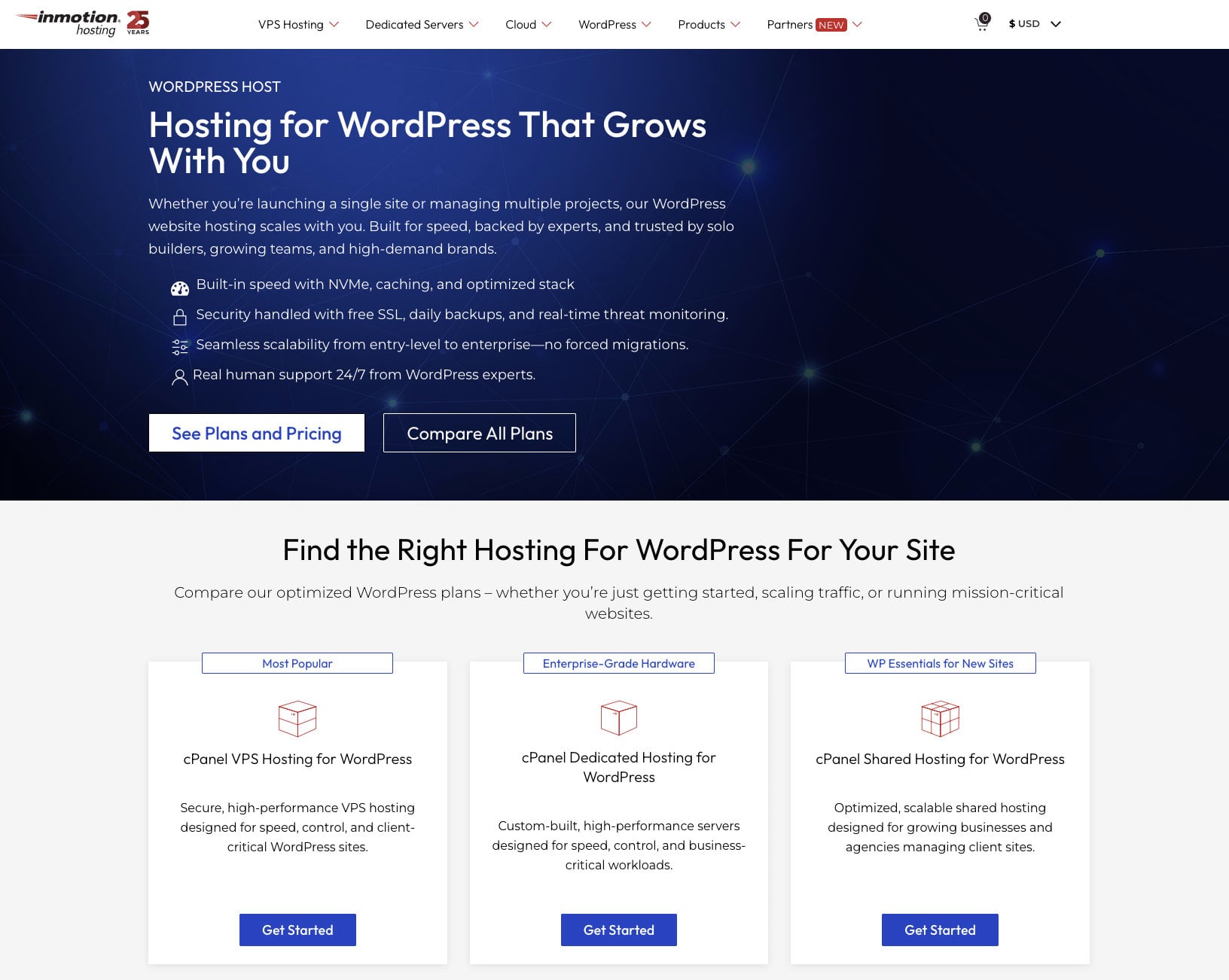
If security and a long refund window matter most to you, InMotion Hosting deserves a close look. Its WordPress plans include Monarx malware protection and software that scans your WordPress files for vulnerabilities.
InMotion gives you cPanel, which many people already know, and WordPress comes preinstalled at checkout with a free drag-and-drop builder for responsive layouts. That makes it a good choice if you prefer a familiar control panel to a custom one.
Pricing and Features
InMotion sells four WordPress plans: WP Core at $3.69 a month, WP Launch at $5.29, WP Power at $6.29 and WP Pro at $11.29. They renew at $11.49, $16.49, $17.49 and $21.49, so the increase is smaller than at SiteGround.
| Plan | Price per month | Renews at | Websites | Storage |
|---|---|---|---|---|
| WP Core | $3.69 | $11.49/mo | 2 | 100 GB |
| WP Launch | $5.29 | $16.49/mo | Not listed here | Not listed here |
| WP Power | $6.29 | $17.49/mo | Unlimited | Unlimited NVMe |
| WP Pro | $11.29 | $21.49/mo | Unlimited | Unlimited NVMe |
WP Core covers two small sites with 100 GB of storage. WP Power is our value pick, with unlimited websites, unlimited NVMe storage and four PHP workers per site, and the higher plans add WordPress multisite and a staging tool. WP Pro includes a dedicated IP address and six PHP workers.
InMotion also supports Python, Node.js, Ruby and Git version control, which appeals to developers, and it adds marketing tools such as email, advertising credits and customer management. The free BoldGrid builder helps beginners design pages, and the higher plans give agencies room for many client sites. The company is a natural match for small business owners who want phone support and a familiar cPanel dashboard. The 90-day money-back guarantee is one of the longest in the industry, but it applies only to terms of six months or longer.
Speed and Performance
InMotion advertises WordPress-specific performance gains of 20 to 40 times over its standard plans, with advanced caching tuned for WordPress. You can choose a data center in the United States or Europe, which keeps the server close to your visitors, and PHP workers determine how many uncached requests your site can serve at once.
The higher plans have more PHP workers, so a busy WooCommerce store benefits from moving up. More of our speed notes are in our InMotion review.
Security
InMotion employs in-house security specialists who track new threats. A web application firewall filters incoming traffic and blocks malicious requests before they reach your site, and hack and malware protection adds a second layer.
Regular backups and optional automatic updates protect you against data loss and against exploits in outdated software.
Customer Support
InMotion’s support team is based in the United States and available around the clock by live chat and phone. Phone support is a real advantage over Hostinger and DreamHost, and the knowledge base and video guides cover common WordPress tasks for beginners and experienced users.
Pros
- 90-day money-back guarantee on terms of six months or longer
- Phone and live chat support
- cPanel included
- Unlimited professional email
- Backups and migration tools
- Smaller renewal increase than SiteGround
Cons
- Slow account activation
- No discount on 1-month plans
- Data centers only in the US and Europe
5. Hosting.com
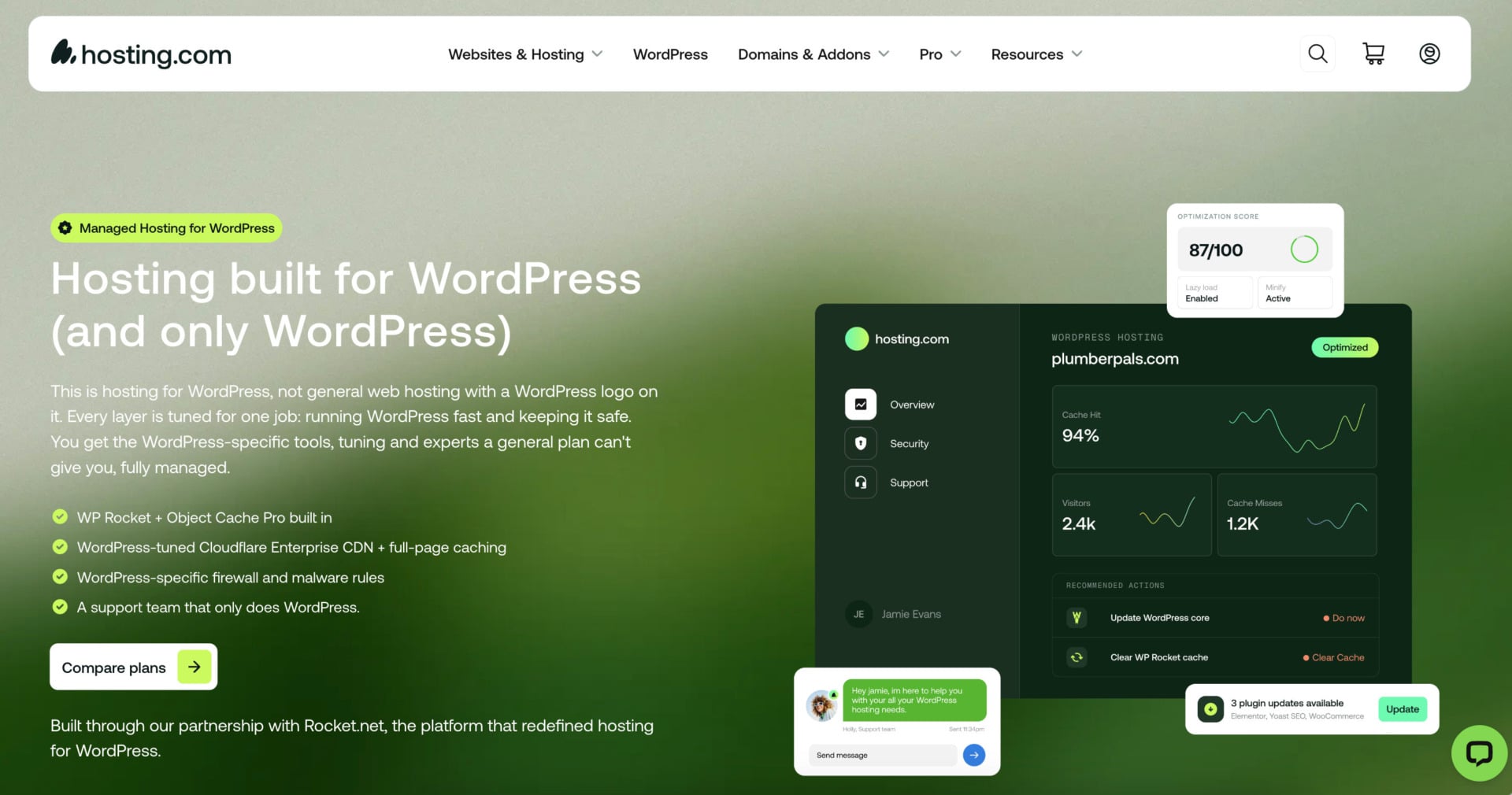
Hosting.com, the company that used to be A2 Hosting, is built around speed. Its Turbo servers run LiteSpeed on NVMe storage, which helps pages load quickly and supports better search rankings.
The company was renamed in 2025, and its plans changed with the new name. If you knew A2 Hosting, the servers and the Optimized plugin, which caches pages and compresses images and scripts, are still the core of the offer.
Pricing and Features
Shared WordPress hosting on Hosting.com starts at about $2.99 a month on a long term, and managed WordPress plans start at $11.99 a month. Managed plans renew at around $28 a month, so they cost more than similar plans from Hostinger or DreamHost.
The cheaper plans are not managed WordPress hosting, and we recommend the managed plans if you want WordPress-specific tools. They include preinstalled WordPress, automatic updates and free migration by the Hosting.com team. The Turbo Hub control panel lets you monitor your site’s health, security and performance in one place, at a higher price.
See Hosting.com WordPress plans
Speed and Performance
Hosting.com has data centers in the United States, Europe and Asia, so you can pick the location closest to your visitors. Plans run on LiteSpeed with NVMe storage, which reads and writes data much faster than standard SSDs, and they are compatible with a CDN.
Traffic surge protection keeps the site responsive during sudden spikes, and the WordPress toolkit includes tools to speed up, secure and grow the site. SEO tools can help you improve your site’s ranking.
Security
Imunify360 protects against malware, brute-force attempts and DDoS attacks, and free automated SSL certificates encrypt traffic. A daily malware scan checks your files and sends an alert if it finds something, and a backup manager lets you restore site files from a saved copy.
One-click security hardening also checks new and existing sites for risky settings.
Customer Support
Hosting.com publishes phone numbers for several regions, so you can reach a helpline near you, and it also offers live chat and tickets. Chat waits can be long during busy periods, and tickets are open only to customers, which leaves people with pre-sales questions without that option.
The knowledge base is extensive and has a built-in search. Hosting.com backs shared, WordPress and reseller plans with a 30-day money-back guarantee.
Hosting.com makes sense for site owners who care about speed and want phone support, and who are ready to pay more for managed WordPress. If your budget is tight, the shared plans give you the same server technology at a lower price, without the WordPress-specific tools.
Pros
- Automatic updates and backups
- LiteSpeed servers with NVMe storage
- Data centers in the US, Europe and Asia
- Phone, live chat and ticket support
- 30-day money-back guarantee
Cons
- Managed WordPress costs more than most rivals
- High renewal prices
- No cloud hosting plans
6. DreamHost

DreamHost puts its uptime promise up front: a 100% guarantee that pays out as a service credit. The company has been in business since 1997 and sells shared WordPress hosting plus a managed WordPress line called DreamPress.
Every plan comes with WordPress preinstalled, a customized control panel and built-in caching, and DreamHost’s AI website builder, Remixer, helps you get a first draft online quickly.
Pricing and Features
Web Hosting Launch, the beginner plan, costs $2.89 a month for the first year and renews at $10.99, or $1.99 a month on a four-year term with a $7.99 renewal. It allows 25 websites and includes a free domain with privacy, NVMe storage, SSL and a free migration.
DreamPress is the managed option, starting at $14.99 a month on annual billing and renewing at $19.99, a smaller increase than on the shared plans. It adds server-level caching, staging, daily backups and a CDN, and it fits busy blogs and business sites that have outgrown shared hosting.
The drag-and-drop builder and the setup wizard help you design a site without writing code. Backups run daily, and a one-click restore brings a saved copy back.
Speed and Performance
DreamHost’s servers are tuned for WordPress and use NVMe storage with unmetered bandwidth, so a traffic spike on a neighboring site should not slow yours. Data centers in Oregon, Virginia, Amsterdam and Singapore give you options in North America, Europe and Asia.
Security
DreamHost is one of the safer choices for WordPress. A firewall filters malicious traffic, and SSH and SFTP access let you manage files securely. Free SSL is applied automatically, and the platform includes malware protection and on-demand performance scans.
Customer Support
DreamHost provides 24/7 live chat and email support, and its chat can begin with an AI assistant before it connects you to a person. It doesn’t have a phone line, but the knowledge base, tutorials and community forums cover many common problems.
The money-back guarantee is 30 days, which replaces the 97-day window that DreamHost used to advertise.
DreamHost is a comfortable starting point for beginners and small businesses that want a straightforward plan with a good uptime record and a domain with privacy. If your site grows, DreamPress gives you managed features at a price that stays fairly predictable at renewal.
Pros
- 100% uptime guarantee as a service credit
- Free domain with privacy
- DreamPress renews with a small increase
- Daily backups
- Data centers in the US, Europe and Asia
Cons
- Shared plans renew at about 3.8 times the first-year price
- No phone support
- Email is free for only three months
Which WordPress Host Fits Your Site?
For a first blog or a portfolio, the best WordPress hosting is usually Hostinger’s Premium or Unlimited plan, which has the lowest monthly cost. Bluehost is the alternative if you would rather have phone support and a longer WordPress.org track record. Bluehost’s AI site builder and Hostinger’s setup checklist both help you get a first page online quickly.
If you run a business site and want support you can call, look at Bluehost, SiteGround or InMotion. InMotion offers a 90-day refund window on longer terms and phone support, SiteGround adds a highly rated team and staging on its middle plans, and Bluehost keeps its WordPress specialists in-house.
For a busy site or a client project, SiteGround’s GrowBig, DreamHost’s DreamPress and Hosting.com’s managed plans provide managed features and more resources. Compare the renewal prices first, because the gap between them is large, and an agency that manages many sites should look at InMotion WP Power, Hostinger Unlimited or Bluehost’s agency hosting.
A WooCommerce store needs more than a cheap plan. Choose one with enough PHP workers, a staging tool for testing updates and daily backups, which points to Hostinger Unlimited, InMotion WP Power or the higher Bluehost tiers. Check the renewal price before you move a live store.
How Much Does WordPress Hosting Cost?
Shared WordPress hosting starts at about $2.89 to $3.99 a month on long prepaid terms, and managed WordPress hosting starts at about $12 to $15 a month. The intro price is only half of the story, because every host in this guide raises the price when the first term ends.
| Host | Plan | First-term price | Renews at | Increase |
|---|---|---|---|---|
| Hostinger | Premium | $2.99 | $10.99 | 3.7 times |
| Hostinger | Unlimited | $3.99 | $16.99 | 4.3 times |
| SiteGround | StartUp | $2.99 | $17.99 | 6.0 times |
| SiteGround | GrowBig | $4.99 | $29.99 | 6.0 times |
| InMotion Hosting | WP Launch | $5.29 | $16.49 | 3.1 times |
| InMotion Hosting | WP Power | $6.29 | $17.49 | 2.8 times |
| DreamHost | Launch | $2.89 | $10.99 | 3.8 times |
| DreamHost | DreamPress | $14.99 | $19.99 | 1.3 times |
SiteGround has the steepest jump at about six times the first-term price, while DreamPress and InMotion’s higher plans rise the least. Hostinger’s shared plans fall in the middle at 3.7 and 4.3 times. Bluehost and Hosting.com’s renewal prices depend on the plan, so check the cart for the exact figure.
A longer term locks in a low price for longer, but it only pays off if you are sure the site will stay. Use the money-back guarantee to test a plan before the discount period starts to matter.
Managed vs. Shared WordPress Hosting
Shared WordPress hosting puts many websites on one server and preinstalls WordPress, which keeps the price low. Managed WordPress hosting adds automatic updates, staging, caching and WordPress-focused support, usually for a higher price.
The line is blurrier than it sounds. Hostinger and SiteGround include managed features on their shared plans, InMotion sells WordPress-optimized plans alongside its standard ones, and Hosting.com and DreamHost split shared and managed offers into separate products, with DreamPress as DreamHost’s managed line. Bluehost sells WordPress plans and agency hosting.
Price is the main difference. A shared plan costs about $3 a month on a long term, while a managed plan usually starts at $12 to $15 a month, and the extra money buys you more resources and more of the maintenance work. For a personal blog or a small business site, a shared plan with managed features is often the best WordPress hosting choice. Move to a fully managed plan when traffic grows, the site earns money or you want a team that handles updates and problems for you.
How to Choose the Best WordPress Hosting Service
Choosing a host means weighing a few factors for the site you have and the one you expect to build. These points matter most.
Speed and Performance
A faster website makes visitors and Google happy, and most of Google’s Core Web Vitals depend on how quickly your server responds. Look for LiteSpeed or NGINX web servers, which handle many concurrent visitors with little memory.
Check that the host offers server-level caching, object caching and a free CDN, and support for current versions of PHP and MySQL. Choose a host with an uptime commitment of 99.9% or higher, so your site stays reachable.
Security
Good security protects your site from hackers and your visitors from stolen data. Look for free SSL certificates, a web application firewall, malware scanning, DDoS protection and reliable backups with an easy restore.
Scalability
Think about where you want your site to be, not only where it is today. The cheapest plan is tempting for a new site, but a host that lets you move to a bigger plan, or to cloud or VPS hosting, saves you a migration later. Check the limits that matter for WordPress, such as the number of sites, the monthly visits the plan is built for and the storage, because those decide when you will need to upgrade. A blog that gets a few thousand visits a month fits an entry plan, while a store with steady traffic needs more PHP workers and memory.
Ease of Use
Whether you are new to WordPress or a seasoned professional, an easy-to-navigate dashboard saves time. Most hosts use cPanel or a similar panel, while others such as Hostinger and DreamHost use a custom dashboard that gives you a file manager, FTP accounts, MySQL and phpMyAdmin in one place. Beginners usually prefer a custom dashboard with a setup checklist, and people who already know cPanel may find it faster. Look for a one-click WordPress installer, an automatic update option and a staging tool, because these save the most time after launch.
Customer Support
Reliable support can decide whether a problem costs you an hour or a weekend. The best hosts offer help around the clock through several channels, such as live chat for quick questions, phone for urgent problems and tickets for complex ones.
You also want a team that understands WordPress and can explain the troubleshooting steps clearly. Test the support before you need it by asking a pre-sales question through chat, and note how long the answer takes and whether it is specific to WordPress.
The Bottom Line
For most people, Hostinger is the best WordPress hosting option, and code GIZMODO takes another 10% off. Bluehost is the friendlier start for beginners who want the longest-running WordPress.org recommendation, and SiteGround is the better fit if you want strong support and can live with a high renewal price.
Two of our six picks appear on WordPress.org’s own list of recommended hosts, which is a useful signal but not a substitute for comparing renewal prices and features.
If you are still unsure, use the tables above to compare the renewal prices, and pick the host whose limits match your project. InMotion Hosting, Hosting.com and DreamHost each have strengths, from a 90-day refund window to a 100% uptime guarantee, so they are worth a look too.
FAQ
What Is WordPress Hosting?
WordPress hosting is web hosting tuned for WordPress websites. It usually includes one-click installation, automatic updates, caching and security tools that suit the CMS, and some hosts add staging and WordPress-specific support.
Which Is the Best WordPress Hosting Provider?
The best WordPress hosting for most sites is Hostinger, thanks to low entry prices, managed features, fast servers and a place on WordPress.org’s recommended list. Bluehost is the friendlier start for beginners, and SiteGround stands out for support.
How Much Does WordPress Hosting Cost?
Shared WordPress plans start at about $3 a month on long prepaid terms, and managed WordPress plans start at about $12 to $15 a month. The price you pay after the first term is often three to six times higher, so compare renewal rates as well as intro prices.
What Is the Difference Between Managed and Shared WordPress Hosting?
Shared WordPress hosting puts many sites on one server with WordPress preinstalled, which keeps it cheap. Managed WordPress hosting adds automatic updates, staging, caching and WordPress-focused support, usually at a higher price.
Which Hosts Does WordPress.org Recommend?
WordPress.org recommends Pressable, Bluehost and Hostinger on its hosting page. Bluehost is its longest-running recommendation, and the list can change, so check the page before you buy.
Is WordPress Hosting Free?
The WordPress software is free, but you need to pay for hosting to run it on your own domain. Free WordPress hosting exists, but it comes with tight limits, so it suits learning and testing more than a real site.