I went into my NordVPN review expecting Double VPN to slow everything down, and it cost less than 3% of my download speed. Speed turned out to be NordVPN’s strongest point overall. Across my UK, US, and Japan tests, no VPN I’ve tried has kept more of my speed on average, and its US server set the best American result I’ve recorded.
On privacy, the no-log policy has passed several independent audits. The one fault I kept running into was on Windows: the app sometimes wouldn’t connect while ExpressVPN was open in the background. If a second VPN stays installed on your Windows PC, expect some troubleshooting. Otherwise, NordVPN is the first VPN I’d recommend.
NordVPN
NordVPN is the VPN I’d recommend first to people who want speed, privacy, and security tools in one subscription. The one catch is on Windows: users who keep a second VPN installed may have to troubleshoot connections.
Pros
- Excellent speeds in every location
- Double VPN with little speed loss
- Repeatedly audited no-log policy
- Kill switch blocks traffic on restart
- Malware and file scanning
- Widest country coverage
- Netflix, iPlayer, and Hulu unblocked
Cons
- Conflicts with other VPNs on Windows
- High renewal price
- No port forwarding
NordVPN Review: Quick Look
| Starting price | $3.49 per month, $94.23 for 27 months (Basic plan) |
| Renewal | $139.08 a year on the Basic plan, so $11.59 per month |
| Money-back guarantee | 30 days, refunded in 10 minutes in my test |
| Protocols | NordLynx, NordWhisper, OpenVPN UDP and TCP, IKEv2 |
| No-log policy | Yes, six independent audits since 2018 |
| Countries | 152, counted in the app |
| Download speed loss | 7.8% averaged across my three server locations |
| Upload speed loss | 5.5% averaged |
| Double VPN | Yes, and it cost 2.9% of download speed |
| Streaming | All 14 streaming services I tested |
| Port forwarding | No |
| Ad and tracker blocking | Next-gen antivirus, 76% on d3ward’s test |
| Simultaneous connections | 10 |
| Supported platforms | Windows, macOS, Linux, iOS, Android, Fire TV, Apple TV, routers, browsers |
| Customer support | 24/7 live chat, email, help center |
NordVPN Speed Test Results
In my October tests, I used a 190.36 Mbps connection on Windows 11 from Europe, via Ethernet, with Speedtest. Each location was checked at three times of day across three days, on NordLynx, the protocol the app selects on its own.
| Server | Download | Upload | Ping | Download loss |
| No VPN | 190.36 Mbps | 19.37 Mbps | 10 ms | n/a |
| UK | 184.73 Mbps | 18.69 Mbps | 60 ms | 3.0% |
| US | 181.50 Mbps | 18.66 Mbps | 118 ms | 4.7% |
| Japan | 160.47 Mbps | 17.57 Mbps | 251 ms | 15.7% |
| Average | 175.57 Mbps | 18.31 Mbps | n/a | 7.8% |
The US server kept 181.50 Mbps, a 4.7% speed loss and the best American result I’ve recorded from any VPN. Japan cost the most speed, at 15.7%, though 160.47 Mbps still covers 4K on several screens. The UK ping was the weak result. At 60 ms, it was higher than I expected. Several rival VPNs had a lower ping on their British servers, and from my test PC in Europe, a server this close should show less than 60 ms. Streaming and browsing aren’t affected, but competitive gamers may notice it.
NordLynx, Double VPN and NordWhisper Compared
I tested each protocol on the same British server in one session, and closed the app fully before timing each connection.
| Protocol | Download | Upload | Ping | Connection time |
| NordLynx | 184.73 Mbps | 18.69 Mbps | 60 ms | 2 seconds |
| Double VPN | 179.43 Mbps | 15.93 Mbps | 64 ms | 3 seconds |
| NordWhisper | 161.13 Mbps | 16.07 Mbps | 42 ms | 4 seconds |
| OpenVPN | 183.25 Mbps | 18.61 Mbps | 54 ms | 3 seconds |
Double VPN is the surprise. Two servers in different countries cost 2.9% of the download speed and 4 ms of ping, which makes the feature usable every day. Upload took the larger hit, dropping to 15.93 Mbps. NordWhisper works the other way around. Its 42 ms idle ping is the lowest of the four protocols, but that figure doesn’t show what happens under load: while the connection was saturated, ping increased to 180 ms on download and 808 ms on upload.
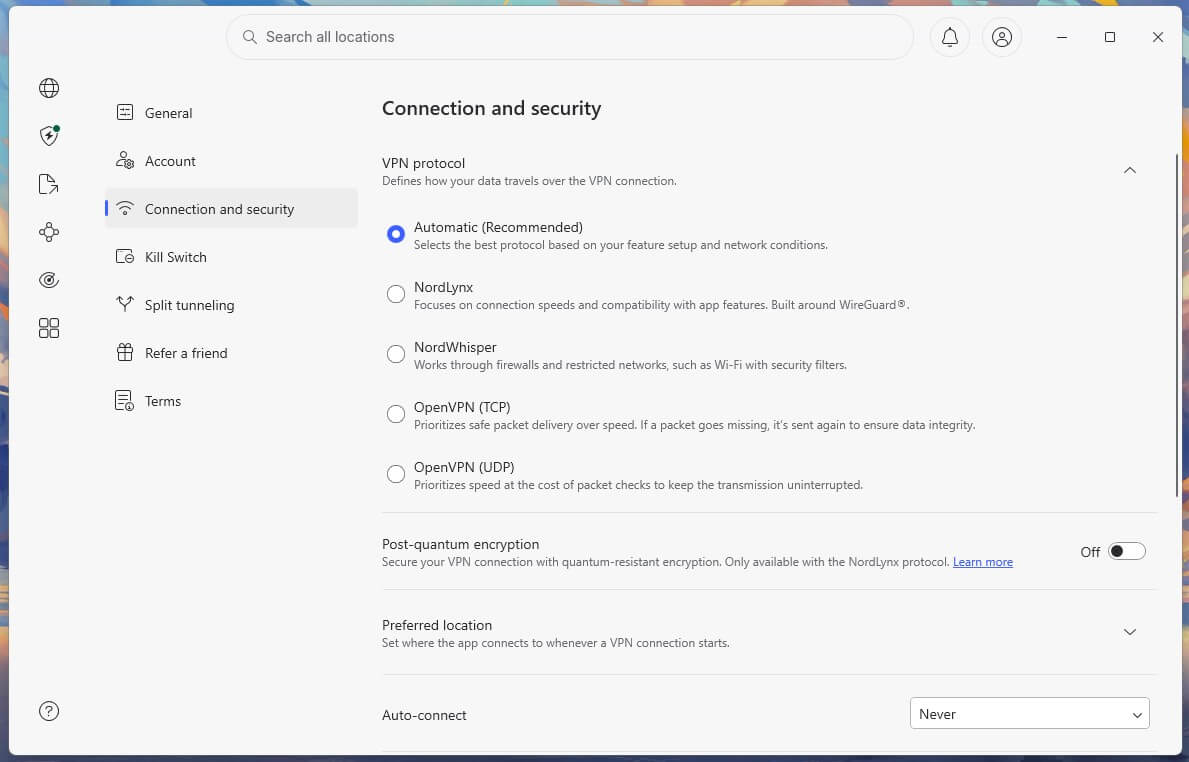
In practice, a video call or a game on NordWhisper will stutter when another device on the network starts a large download or upload, so use it only on a network that blocks NordLynx. OpenVPN is the other surprise. Across the same three server locations, it averaged 172.31 Mbps and 18.06 Mbps upload, a 9.5% download speed loss. That puts it 1.9% behind NordLynx, a much smaller difference than OpenVPN usually shows next to WireGuard-based protocols. Its 54 ms UK ping also beat NordLynx’s 60 ms.
NordVPN Price and Plans
The three plans share the same VPN and connection quality, and I tested on the Prime plan. The higher plans add security tools. The two-year terms include three extra months, so the first term covers 27 months.
- The Basic plan: $3.49 a month, $94.23 for 27 months, then $139.08 a year. Covers 10 devices and includes the VPN alone, with no ad blocking and no malware protection.
- The Complete plan: $4.49 a month, $121.23 for 27 months, then $219.48 a year. Adds next-gen antivirus with its ad and tracker blocker, bank transaction monitoring, NordPass, and 1 TB of NordLocker storage.
- The Prime plan: $7.49 a month, $202.23 for 27 months, then $296.28 a year. Adds Coveron identity protection, with monitoring, alerts, and insurance coverage.
On annual terms, the three plans cost $5.49, $6.49, and $9.49 a month, and they renew at the same yearly prices as the two-year terms. Month-to-month billing is $14.99, $19.99, and $29.99. A dedicated IP address costs an extra $4.19 a month on a two-year term. Moving from the Basic plan to the Complete plan costs one dollar more a month and adds next-gen antivirus, including the ad blocker the Basic plan lacks.
The first-term price changes through the year with NordVPN coupons, but the renewal prices stay the same. For lower-cost options, the NordVPN vs Windscribe comparison weighs NordVPN against a VPN with a free plan, and the PureVPN review looks at the budget end of the market.
Refunds, the Free Trial and Payment
Every plan includes a 30-day money-back guarantee. For this review, I requested a refund on a secondary account through live chat, paid by PayPal. The money was back in 10 minutes. The agent asked for a reason from a dropdown and processed it without a retention pitch.
There’s no free plan, but Android users can start a NordVPN free trial of 3 days through the Play Store, which I confirmed on the phone. The trial requires a card, so cancel before it ends to avoid a charge. iPhone users can’t claim it, so the money-back guarantee is the only way to try NordVPN on iOS. Payment methods include cards, Google Pay, PayPal, and cryptocurrency through CoinGate.
NordVPN Security Review: The Features Tested
NordVPN’s set of security features is the broadest of any VPN I’ve tested.
Internet and App Kill Switches
Most VPNs have one kill switch, which cuts all internet traffic when the tunnel drops. NordVPN adds an app-level version, where you name specific applications and only those lose their connection when the tunnel fails. A torrent client can be cut while the browser keeps working. I tested the Internet Kill Switch, the system-wide one, on Windows 11.
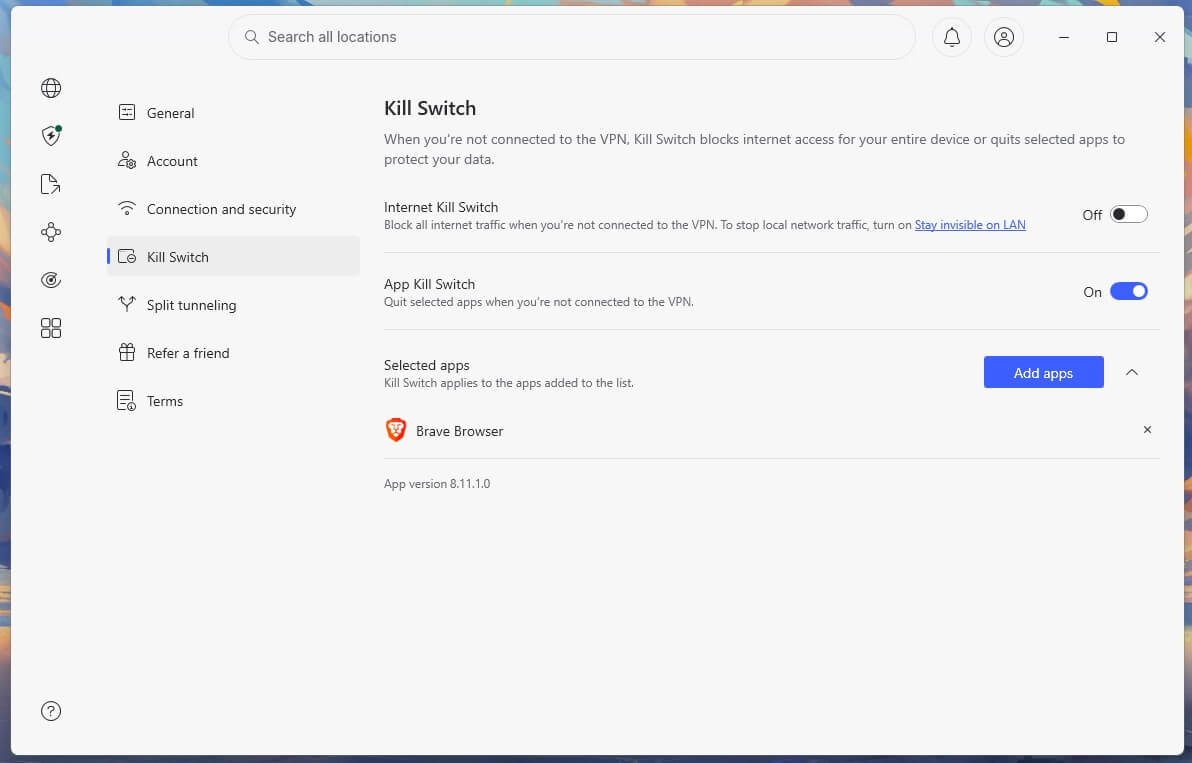
With a continuous ping running, no packets escaped when the Ethernet cable was pulled mid-session or when the app process was killed from Task Manager. A PC restart didn’t expose the connection either: traffic stayed blocked until the VPN reconnected. NordVPN has no separate strict mode to find, because the Internet Kill Switch already works that way, keeping the PC offline until the VPN connects. Enable it on a laptop that joins public networks. The kill switch guide explains what each version protects.
Next-Gen Antivirus Scored 76% in My Test
Threat Protection Pro, renamed next-gen antivirus in May 2026, is three tools under one switch, and it works with the tunnel disconnected.
- Anti-malware: scans downloaded files and quarantines them, plus a vulnerability scanner for installed apps. It isn’t a replacement for dedicated malware removal software.
- Advanced browsing protection: malicious site blocking, scam alerts, hijacked session warnings, search result safety flags, email link scanning, and a crypto wallet address checker.
- Ad and tracker blocker: ad blocking, tracker blocking, a cookie banner hider, and a URL cleaner that strips tracking parameters from links.
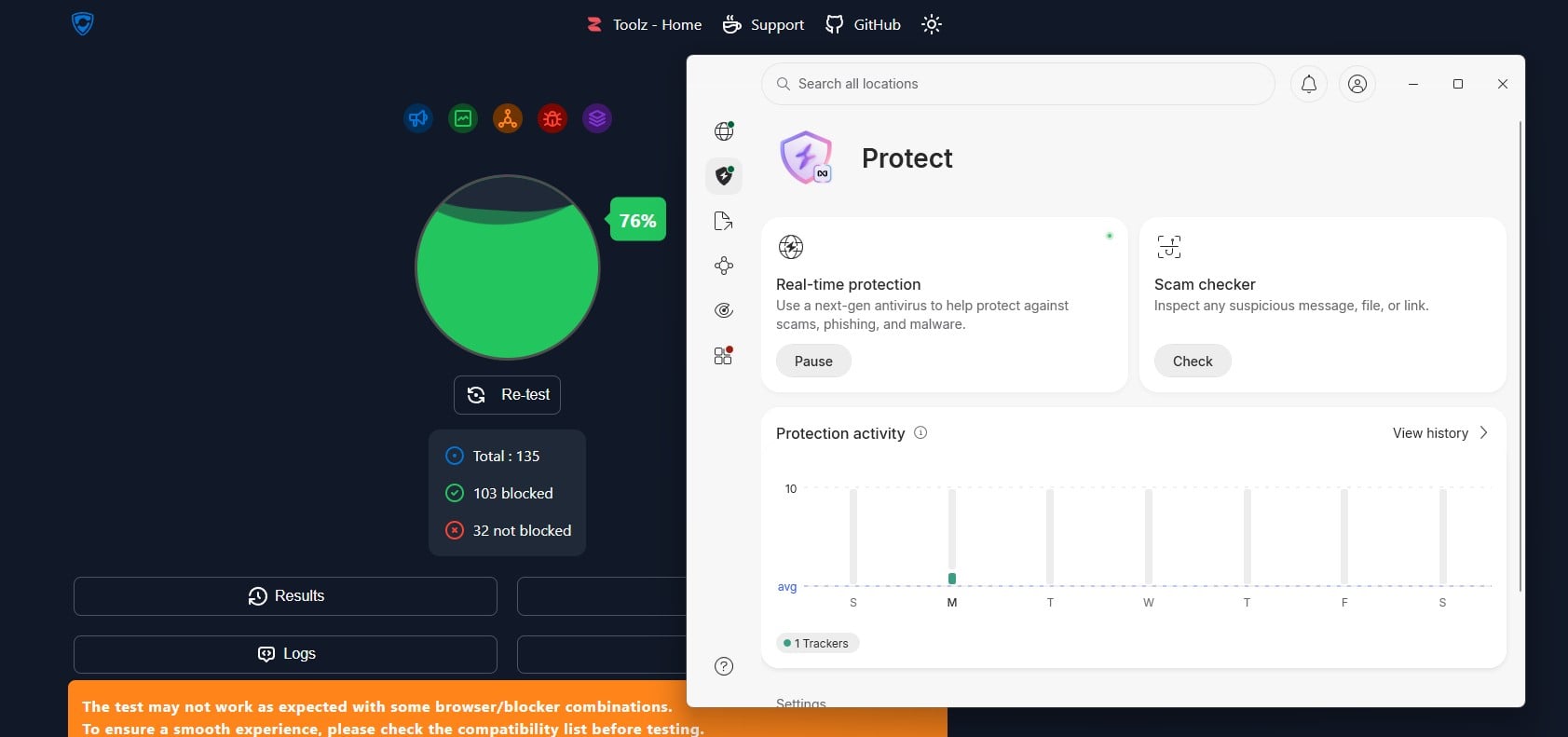
On d3ward’s blocklist test, it stopped 103 of 135 domains, or 76%. For comparison, other ad blockers I’ve tested the same way scored as follows:
| Blocker | Domains blocked |
| PIA MACE | 96% |
| Proton VPN NetShield | 93% |
| NordVPN next-gen antivirus | 76% |
| ExpressVPN Advanced Protection | 71% |
Only the third group shows up in a domain test, so 76% reflects a fraction of the feature. Even so, 32 missed domains are enough to notice on an ad-heavy news site. The Basic plan includes none of it.
Specialty Servers
- Double VPN: traffic passes through two encrypted servers in different countries, for a 2.9% download speed loss in my tests.
- Obfuscated servers: OpenVPN TCP disguised as ordinary HTTPS traffic, for networks that block VPN connections.
- Onion over VPN: traffic enters the Tor network after the VPN tunnel, on servers in the Netherlands, Sweden, and Switzerland. It’s slow, as Tor always is, and onion sites still require Tor Browser, since they didn’t load in Chrome, Firefox, or Edge on these servers. The guide to accessing the dark web covers the setup.
- Dedicated IP: an add-on IP address assigned to one subscriber, which cuts CAPTCHAs and bank login blocks.
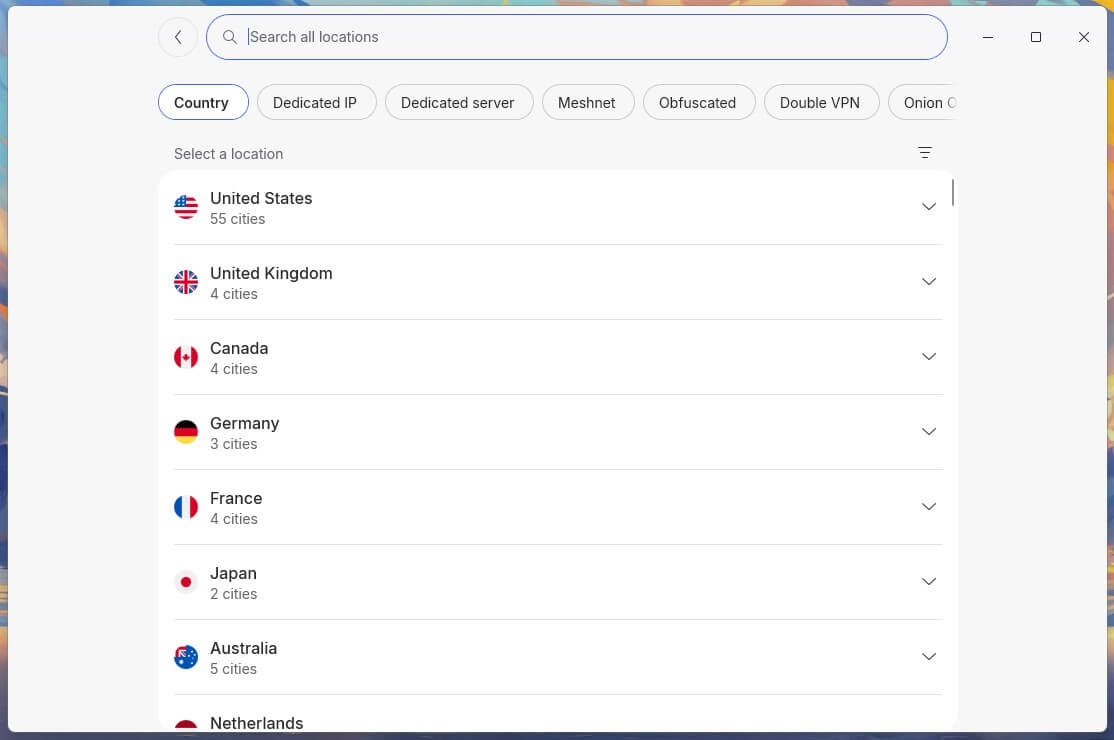
NordVPN removed its dedicated P2P servers. Every server now accepts P2P traffic instead, so the change costs torrent users nothing.
Meshnet Is Still Available
Meshnet links up to 60 devices over encrypted tunnels for file transfers, remote access, and LAN gaming. NordVPN announced its removal for December 1, 2025, then reversed the decision in late September 2025, after subscribers objected, and committed to keeping and open-sourcing the feature.
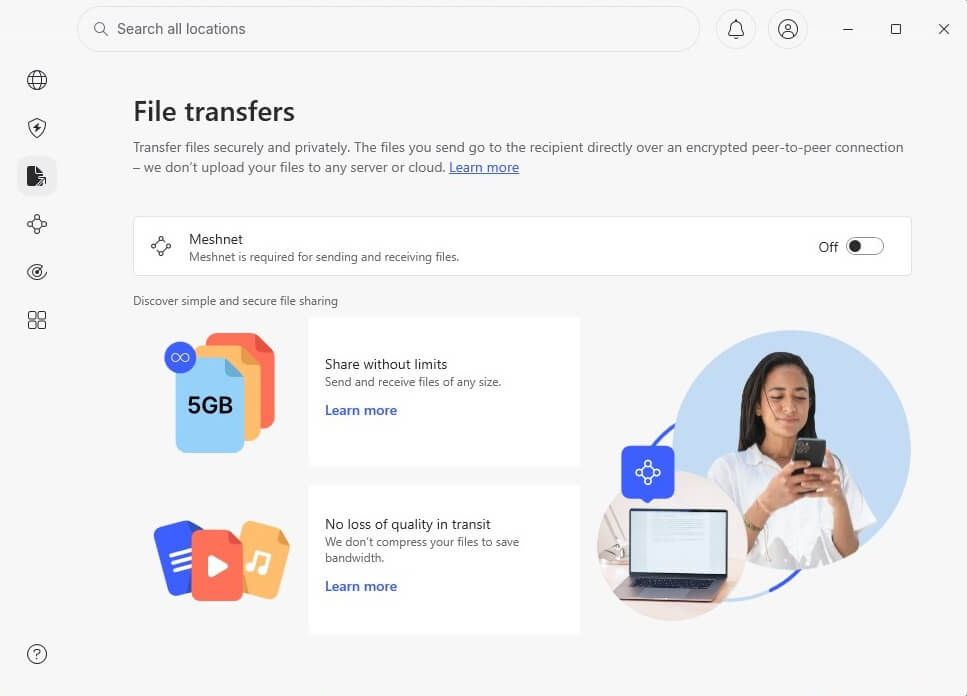
The product director put usage at 1% of subscribers. That explains the shutdown plan, and why most subscribers have never opened it.
NordLynx and Post-Quantum Encryption
NordLynx is built on WireGuard, with a double-NAT layer on top. That layer removes the static IP address WireGuard normally assigns each user inside the tunnel, while keeping WireGuard’s speed. Encryption is AES-256-GCM, with ML-KEM post-quantum protection across the NordLynx platforms. NordWhisper is the newer protocol, built to pass through networks that filter VPN traffic.
NordVPN Review: IP and DNS Leak Test Results
I checked ipleak.net and browserleaks.com on the British, American, and Japanese servers. Windows 11 throughout, with the browser cache deleted between sessions. No IP address leaks, no DNS leaks, and no WebRTC exposure. NordVPN replaced my IP address cleanly on every server, and my own appeared nowhere, including the IPv6 test.
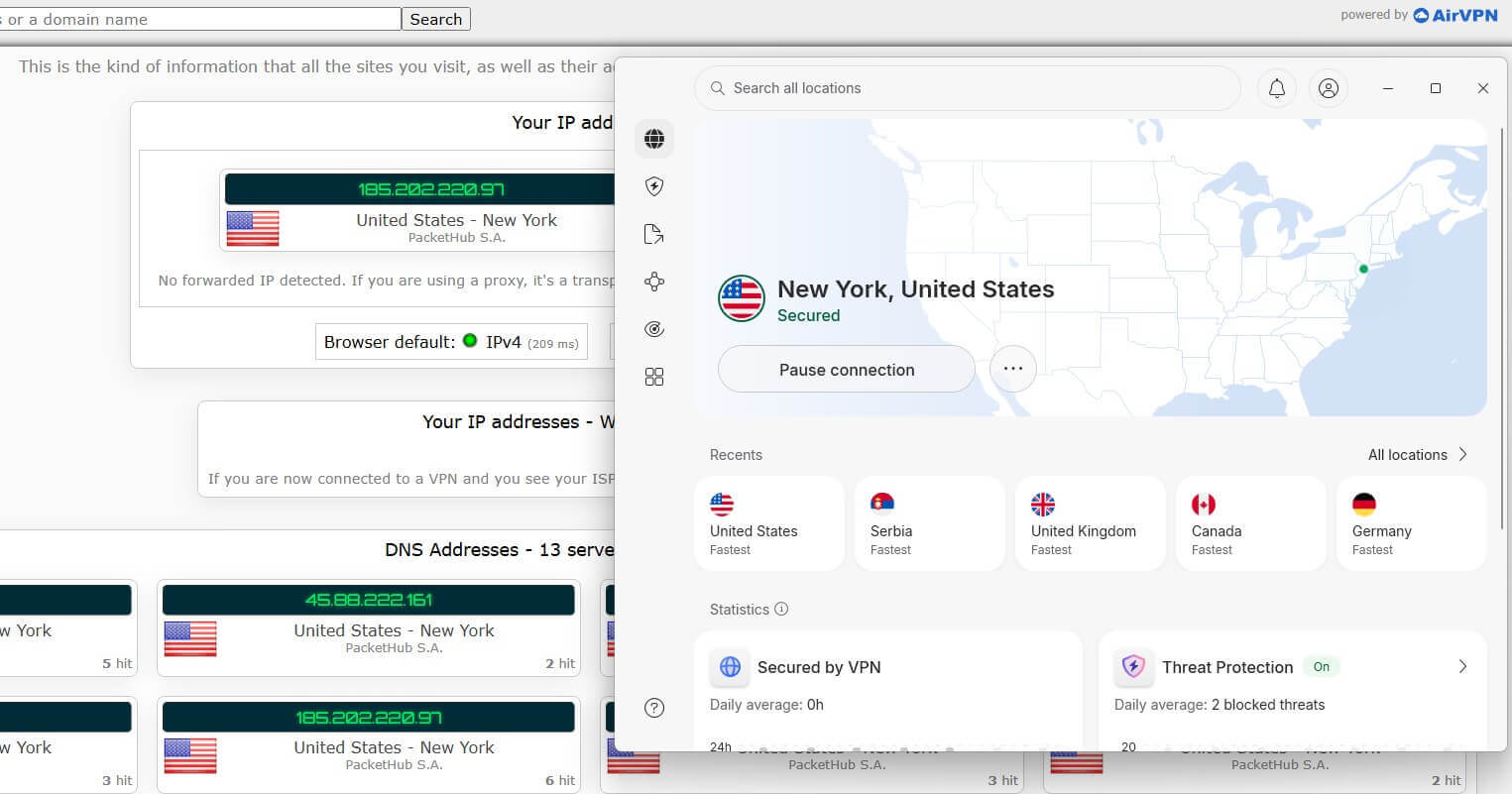
NordVPN operates its own DNS resolvers instead of passing queries to a third party. The same no-log policy covers them. I confirmed the active resolver in a packet capture: queries went to NordVPN’s own IP address range.
NordVPN Privacy Review: Does It Keep Logs?
No. NordVPN is headquartered in Panama. The country has no mandatory data retention law and belongs to none of the intelligence-sharing alliances. I read the privacy policy in full, and like every VPN, NordVPN keeps some data to make the service work. The privacy policy lists what it stores and what it doesn’t:
| Not stored | Stored |
| IP addresses | Email address and payment details |
| DNS requests | Last-session metadata, to enforce the 10-device limit |
| Browsing history | A flag showing whether the account connected in the past 30 days |
| Bandwidth used | Server load and diagnostics, anonymized at source |
| Traffic logs | N/A |
The left column matches the no-log standard a privacy VPN should meet. Nothing in the right column identifies a subscriber or ties one to a session. NordVPN’s next-gen antivirus has its own section in the policy, since scanning URLs and files processes more than the tunnel does.
NordVPN states the scanning happens locally where possible, with anonymized backend checks where not. Read that carve-out before enabling the feature. Alternatives with different trade-offs appear in the NordVPN vs PureVPN and NordVPN vs Mullvad comparisons.
Six Independent Audits
NordVPN has completed six no-log assurance engagements since 2018. PwC completed the first two, in 2018 and 2020. Deloitte has done the last four, in 2022, 2023, 2024, and 2025. The most recent covered November 10 to December 12, 2025. Deloitte issued the report on the closing date, under the ISAE 3000 (Revised) standard.
The inspection covered the standard servers plus the Double VPN, Onion Over VPN, and obfuscated ones. Auditors also interviewed staff and reviewed configuration files. The report is available to account holders through the Nord Account panel.
Like any ISAE 3000 assurance, the report describes how systems were configured during the window inspected and says nothing about the days outside it. Six consecutive engagements across eight years cover that weakness, and few VPN companies have that record.
NordVPN Review: Streaming and Torrenting
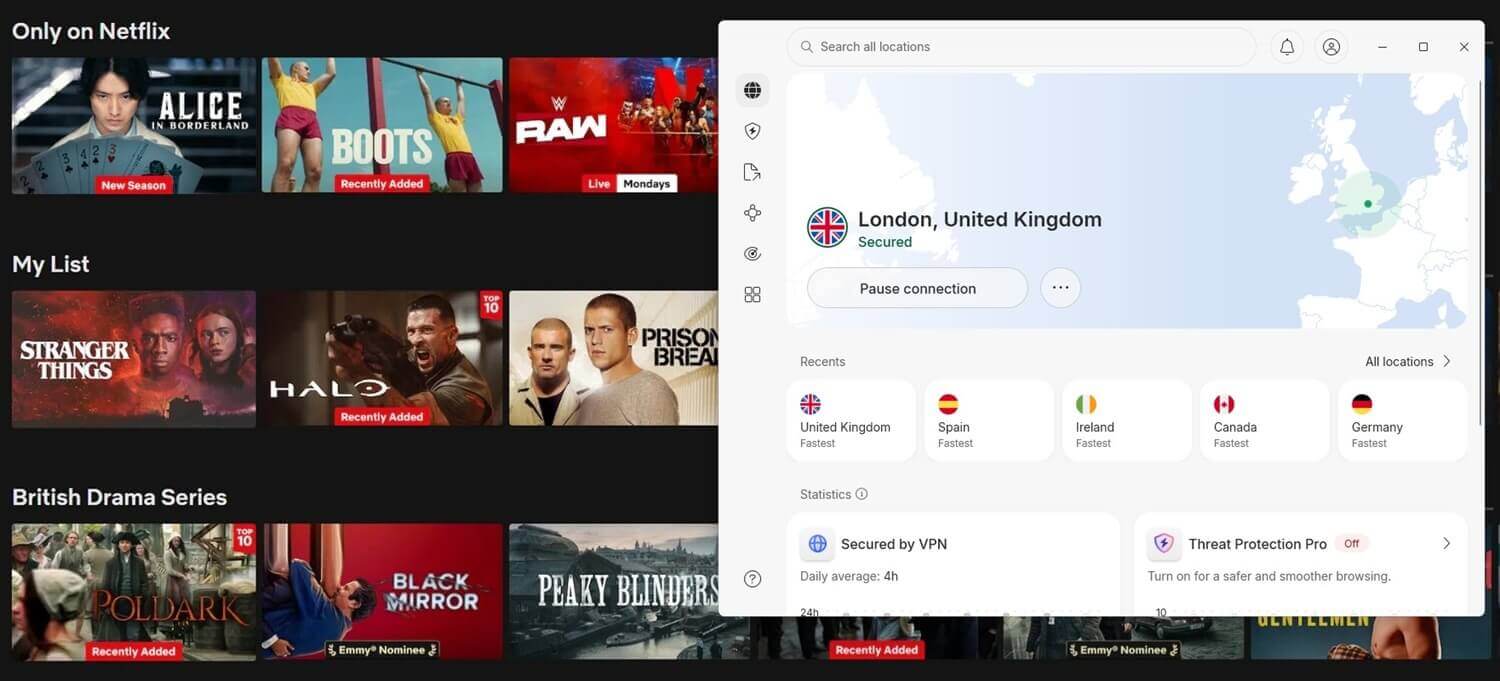
NordVPN unblocked all 14 streaming services I tested. BBC iPlayer played at 1080p on the London server, and NordVPN unblocked JioHotstar on its Mumbai server.
| Netflix US | BBC iPlayer | ITVX | Hulu | Prime Video |
| Unblocked | Unblocked | Unblocked | Unblocked | Unblocked |
Pluto TV and Prime Video detected the connection on a few attempts and required a different server in the same country.
For torrenting, speeds are quick enough that the VPN connection isn’t the limit. The missing piece is port forwarding.
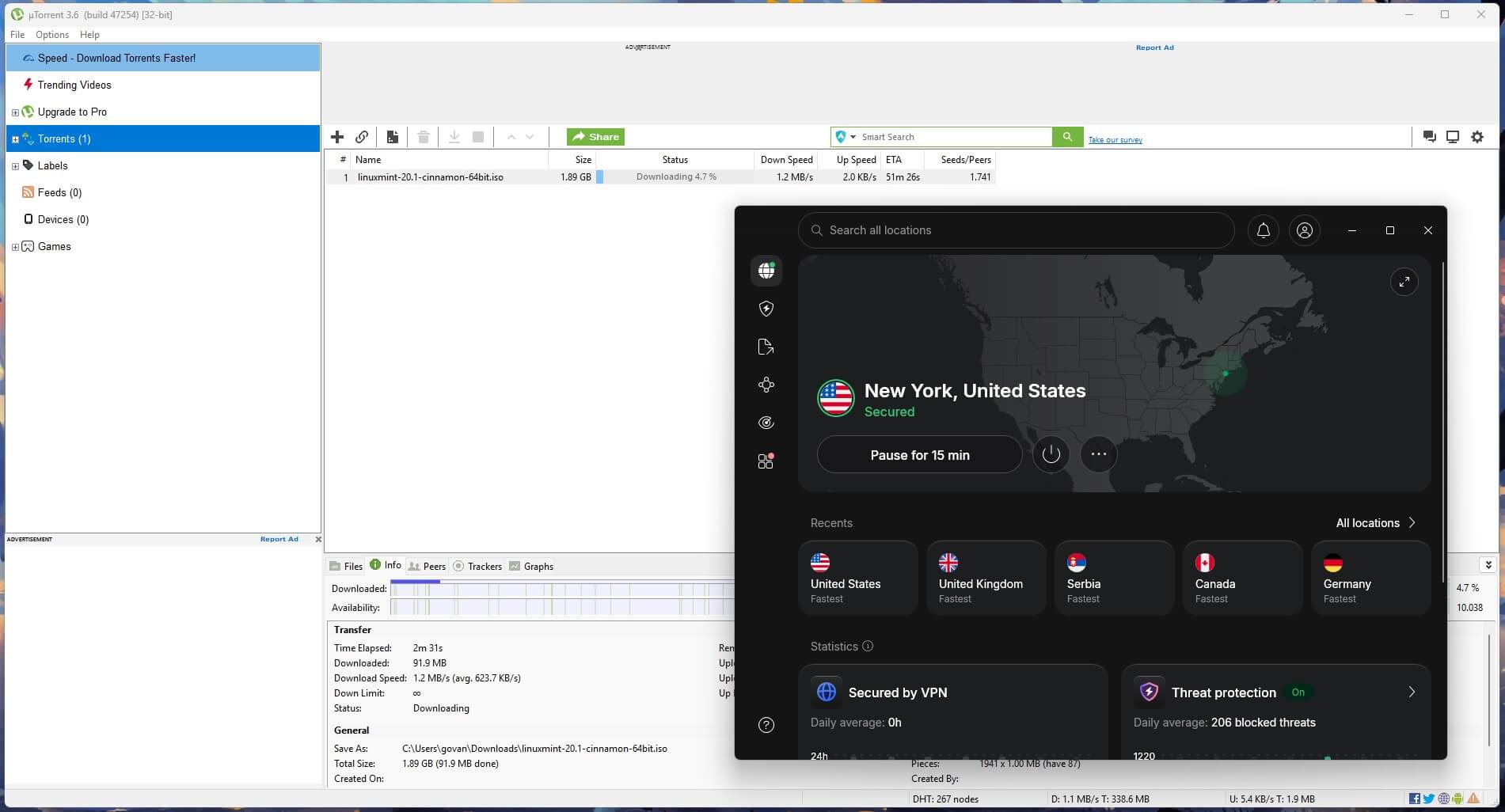
Seeding ratios on private trackers depend on an open port, so that audience is better served by Private Internet Access, which I tested recently. Other torrent users can bind a client to NordVPN’s SOCKS5 proxy instead.
Server Network and Coverage
The app lists 152 countries, the widest country coverage in the category, with servers listed by city in the larger markets. The whole network is RAM-only, so every reboot wipes the server. Some locations are virtual, where the IP address belongs to the advertised country while the hosting happens in another country. NordVPN labels those in the server list, which it didn’t do two years ago.
Coverage includes the UAE, India, and several African countries. Smart DNS works on older game consoles and Samsung and LG smart TVs, which don’t support VPN apps. It changes the streaming location without encrypting traffic, so treat it as an unblocking tool.
Does NordVPN Work in Censored Countries?
I haven’t tested NordVPN in China. The mechanism is the obfuscated server list, which disguises VPN traffic as ordinary HTTPS, with NordWhisper as the newer alternative. Both require installing the app before arrival, because the website is blocked in China. The NordVPN in China page lists which servers keep working, and the NordVPN vs Astrill comparison covers the hardest cases.
On networks that filter instead of banning, including a hotel connection that blocked NordLynx, obfuscation restored access to every site.
NordVPN App Review: Ease of Use
The apps look modern, and the side panel is busy, with icons for features that several plans don’t include. The map view is the desktop default, but searching for a country is quicker than scrolling the globe. Connections took 2 seconds on NordLynx, 3 on OpenVPN, and 4 on NordWhisper. The mobile app includes almost everything the desktop version does, including next-gen antivirus.
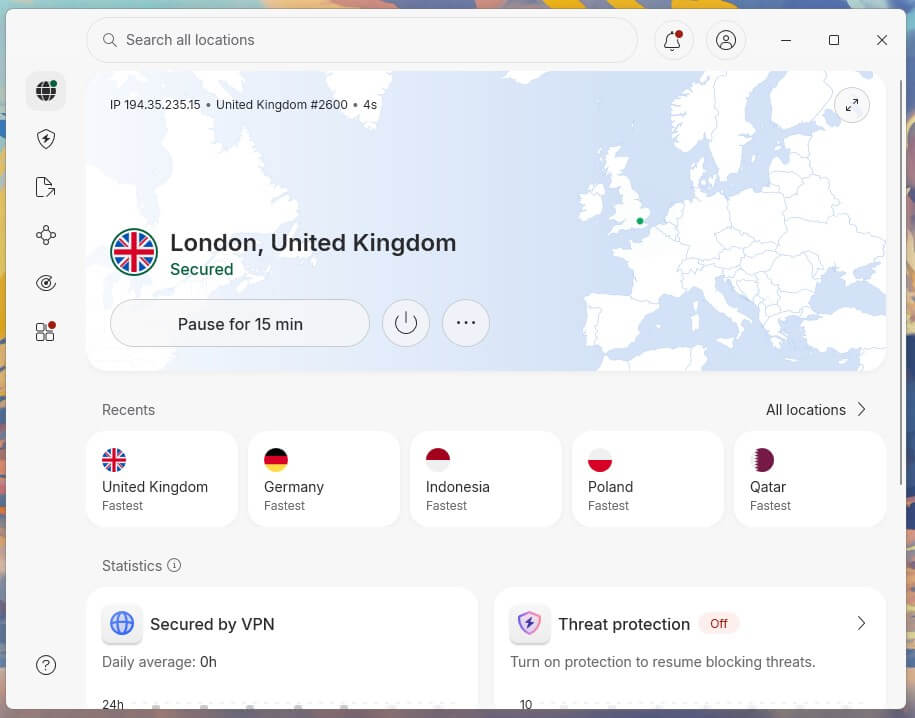
File scanning is absent on iOS, since Apple’s sandbox blocks it. The subscription covers 10 devices. Browser extensions are proxies that protect browser traffic only, with WebRTC leak protection. The Chrome extension guide covers those.

One fault appeared throughout the test period. On some days, the Windows app connected in 2 seconds. On others, it wouldn’t connect, and clearing it took NordVPN’s own diagnostics, an app restart, and a fresh sign-in. The failures came from a conflict with another VPN: ExpressVPN, open in the background on the same PC. Most users have only one VPN installed, but if you keep a second one, close it fully before connecting to NordVPN.
Compatibility
- Windows, macOS and Linux computers
- iOS and Android phones and tablets
- Fire TV, Apple TV and Android TV, including Nvidia Shield
- Routers (Asus, pfSense, Tomato, DD-WRT)
- Game consoles through a router or Smart DNS
- Chrome, Firefox, Edge and Brave extensions
NordVPN Customer Support Review
Live chat opens with a bot, and the transfer to a human took under 20 seconds on every attempt. Agents answered product questions properly instead of falling back on a script. The documentation is good enough that I point people to it, including the iPhone setup guide.
NordVPN’s next-gen antivirus also feeds the Dark Web Monitor, which checks a registered email address against breach databases and names the source of each hit. Identity monitoring on the Prime plan comes from Coveron, and the identity theft protection guide covers the standalone alternatives.
NordVPN Review: Conclusion
NordVPN is the VPN most people consider first, and my tests mostly back that up. Speed was never a problem on any server I tried, and the audit record behind its no-log claim is the deepest I’ve checked. The trade-off is a Windows app that sometimes won’t connect while another VPN is open in the background, and a renewal price well above the first-term rate.
- Get NordVPN if you want the fastest American servers, you use Double VPN often enough to care what it costs, you want malware scanning and ad blocking inside the VPN, or you value an audit record that covers the specialty servers as well.
- Skip NordVPN if you seed on private trackers and require port forwarding, you keep another VPN open on the same Windows PC, or you want the lowest possible renewal price.
For the wider picture, the fastest VPN ranking covers speed, while NordVPN vs Norton VPN and NordVPN vs Bitdefender weigh the security suites against antivirus brands, and the NordVPN alternatives guide covers everything else.
Frequently Asked Questions
Is NordVPN worth it?
Yes, for users who want speed and security tools in one subscription. NordVPN pairs fast NordLynx connections with an independently audited no-log policy, and the Complete plan adds malware scanning and ad blocking.
Is NordVPN safe?
Yes. NordVPN uses AES-256-GCM encryption, keeps every server RAM-only, and adds post-quantum protection to NordLynx. Its apps also include a kill switch that blocks traffic when the VPN connection drops.
How much does NordVPN cost?
NordVPN's Basic plan is under $3.50 a month on the two-year term, then about $139 a year at renewal. The Complete plan starts near $4.50 monthly and the Prime plan near $7.50.
Does NordVPN keep logs?
No. NordVPN, based in Panama, doesn't store IP addresses, DNS requests, browsing history, or traffic logs, and PwC and Deloitte have independently audited that no-log policy.
Does NordVPN work with Netflix?
Yes. NordVPN unblocks the US Netflix library on its standard servers, with no special streaming server to pick, and the same servers also unblock BBC iPlayer, Hulu, and Prime Video.
Is Double VPN slow?
No, not on NordVPN. Double VPN sends traffic through two servers in different countries, which adds a few milliseconds of ping and a small speed loss compared to a single server.
Does NordVPN have a free trial?
Yes, but only on Android. The 3-day trial comes through the Google Play Store and requires a payment card, while iPhone users rely on the 30-day money-back guarantee instead.
Is NordVPN good for torrenting?
Yes, for most users. Every NordVPN server allows P2P traffic, but the lack of port forwarding limits seeding on private trackers, where an open port affects upload ratios.
What is NordWhisper?
NordWhisper is NordVPN's protocol for networks that block VPN connections. It makes VPN traffic look like ordinary web traffic, at the cost of lower speed and higher ping under heavy load than NordLynx.