
A website won’t load, and you see an error instead. It might be a filter page on school or office Wi-Fi, a news site blocked abroad, or a streaming service saying it isn’t available where you are. Sites are blocked for different reasons: by the site itself, by the network you’re on, by your ISP, or by a government.
The error usually tells you which one you’re dealing with, and that points to the right way to unblock the website. Some methods take seconds and cost nothing, while others require a VPN. Here are eight that work, starting with the one that covers the most situations.
How to Unblock Websites: 8 Methods
- Use a VPN: Works on location blocks, school and office filters, and censorship
- Use a VPN browser extension: For computers where you can’t install apps
- Switch to mobile data: Free, and skips Wi-Fi filters
- Change your DNS server: Free, for ISP and DNS-based blocks
- Use a web proxy: Free, for reading a single page
- Use Tor Browser: Free, for censored networks
- Open the page through Google Translate: For text-only pages
- View an archived copy: For pages that rarely change
Match the Method to the Block
Try loading the site on mobile data first: if it works there but not on Wi-Fi, the network is the cause.
| What you see | What’s blocking it | Methods that work |
| “Not available in your country” | The website, by location | VPN or VPN extension with a server in an allowed country |
| A filter page with your school’s or company’s name | The local network | VPN, VPN extension, mobile data |
| A block page from your ISP, or a DNS error | Your ISP, often by court order | Different DNS server, VPN |
| VPN apps won’t connect | A firewall that detects VPN traffic | VPN with an obfuscated protocol, Tor with bridges |
| Blocked in one browser or on one device only | Browser, antivirus, or parental controls | Change the settings on that device |
| Your account or IP address is banned | The website itself | Contact the site; a VPN changes the IP address but not the account |
How to Unblock Websites With a VPN
With a VPN connected, your traffic travels encrypted to a server in a country you pick. The network in between can’t read the traffic or see which sites you visit. The site you open records the VPN server’s IP address. That covers network filters and geo-blocks, where a site limits access by country, with one app on every device.
- Sign up for NordVPN or another VPN we recommend.
- Install the app on your computer or phone and sign in.
- Connect to a server: a nearby one for a network filter, or one in the right country for a geo-block.
- Reload the site, and clear its cookies if it still shows the old block.
For a geo-block, the server’s country determines which version of a site you see. Network 10’s streaming service, 10 (formerly 10Play), works only in Australia, as do 9Now and other Australian channels. From outside Australia, the site showed a region error.
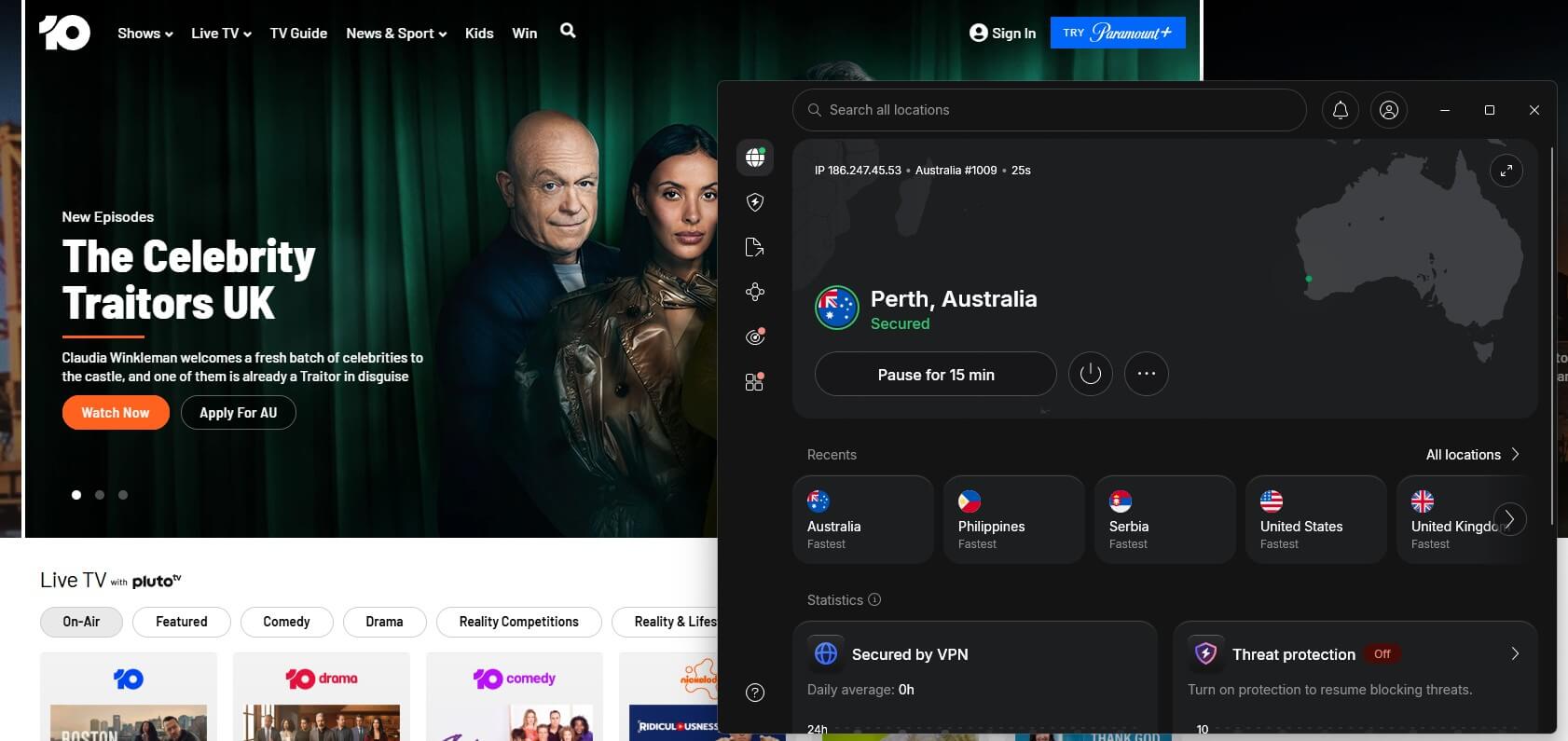
After I connected NordVPN to an Australian server and reloaded the page, 10 loaded normally, with its live channels and new episodes available. Our guide on how to use a VPN covers setup on phones, TVs, and routers.
When the Network Blocks VPNs Too
Strict school, office, and national networks often block VPN connections too. To recreate that, I set a Windows Firewall rule on our test PC blocking every outgoing UDP connection except DNS. UDP is the type of traffic most VPN protocols use. Then I connected to a UK server on each VPN’s default settings. The three VPNs still connected, though they recovered in different ways:
| VPN | Time to connect | What it did | Download speed |
| Proton VPN | Under 10 seconds | Switched to WireGuard over TCP | 96.76 Mbps |
| ExpressVPN | About 40 seconds | Showed an error, then recovered on its own | 83.94 Mbps |
| NordVPN | About 90 seconds | Fell back to NordWhisper | 164.11 Mbps |
NordVPN was the slowest to connect but the fastest once connected, on a 190 Mbps connection. Proton VPN’s Stealth protocol, which makes VPN traffic look like ordinary HTTPS browsing, came in at 109.04 Mbps under the same rule. It’s available on Proton VPN’s free plan too. Our guide to VPN blockers and obfuscation covers these protocols in more detail.
VPNs We Recommend for Unblocking Websites
- NordVPN: Servers in 152 countries, NordWhisper for firewalled networks, and a Chrome extension with location spoofing that unblocked sites its desktop app couldn’t.
- Proton VPN: The quickest to recover on our firewall test, with Stealth obfuscation on every plan, including the free one.
- ExpressVPN: Applies obfuscation automatically, so there’s nothing to configure. Its app hides the protocol in use, which makes troubleshooting harder.
Use a VPN Browser Extension
On a computer where you can’t install software, a VPN’s browser extension covers the browser alone. The NordVPN, Proton VPN, Surfshark, and PIA extensions worked with their desktop apps fully closed in our tests. ExpressVPN’s extension requires its app unless you switch it to Proxy Mode.
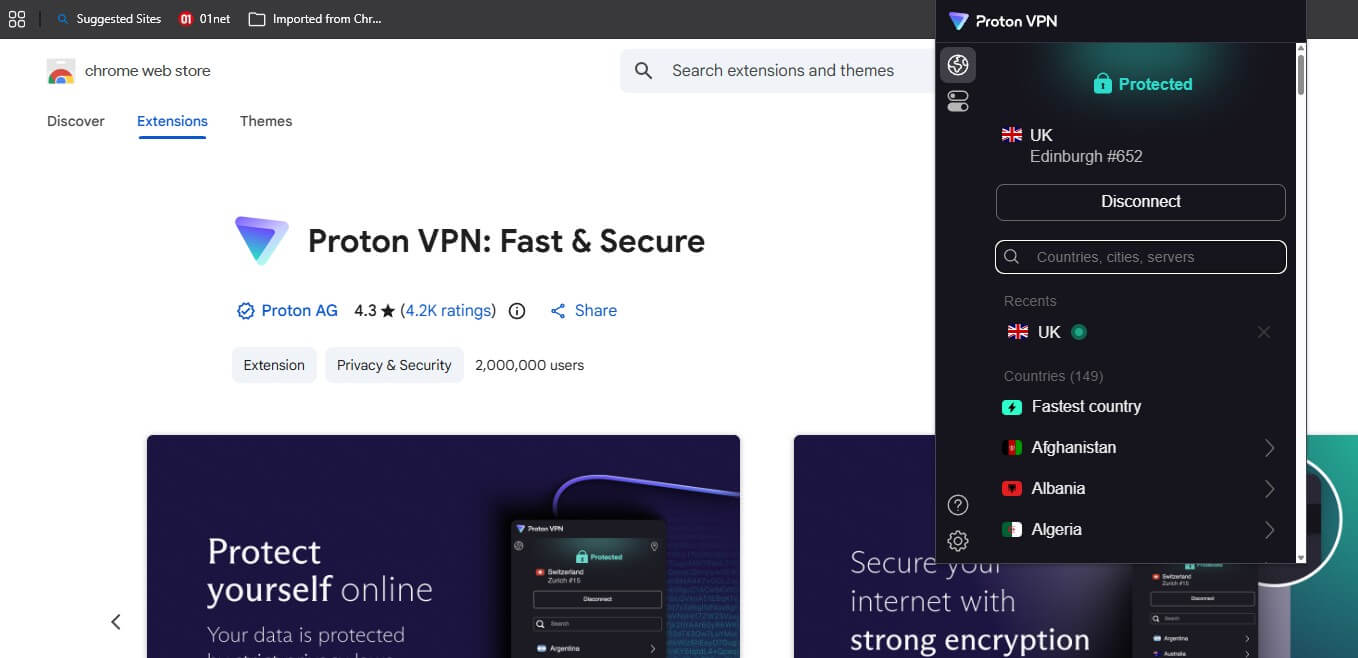
None of the five extensions has a kill switch, though, so a dropped connection exposes your IP address until you reconnect. On your own computer, the full app is the safer choice. Our guide to VPNs for Chrome compares them. School and work computers that block extension installs rule this method out.
How to Unblock Websites Without a VPN
Switch to Mobile Data
If a site is blocked only on Wi-Fi, turn Wi-Fi off and load it on mobile data. On a laptop, connect to your phone’s hotspot. This skips the network’s filter and costs nothing beyond data. It doesn’t help with geo-blocks, since your carrier’s IP address is in the same country.
Change Your DNS Server
DNS is the system that turns a site’s name into its IP address. Many ISPs block sites through it, often under a court order, so their DNS servers return an error or a block page for the domain. A public DNS server, such as Cloudflare’s 1.1.1.1 or Google’s 8.8.8.8, looks up the domain normally. In Chrome, the quickest way is Settings > Privacy and security > Security > Use secure DNS, then choose Cloudflare or Google.
To change it for the whole device:
- Windows 11: Settings > Network & internet > your connection > DNS server assignment > Edit > Manual.
- Android: Settings > Network & internet > Private DNS (on Samsung, Connections > More connection settings), and enter one.one.one.one or dns.google.
- iPhone: Settings > Wi-Fi > the info icon next to your network > Configure DNS > Manual.
Because your IP address stays the same and nothing is encrypted, a DNS change fails against geo-blocks and against filters that block by IP address.
Use a Web Proxy
A web proxy loads the page on its own server and shows it to you, so the blocked site never connects to your network directly. Hide.me’s free proxy requires no account: enter the URL, pick the Netherlands, Germany, or Finland, and select Go.
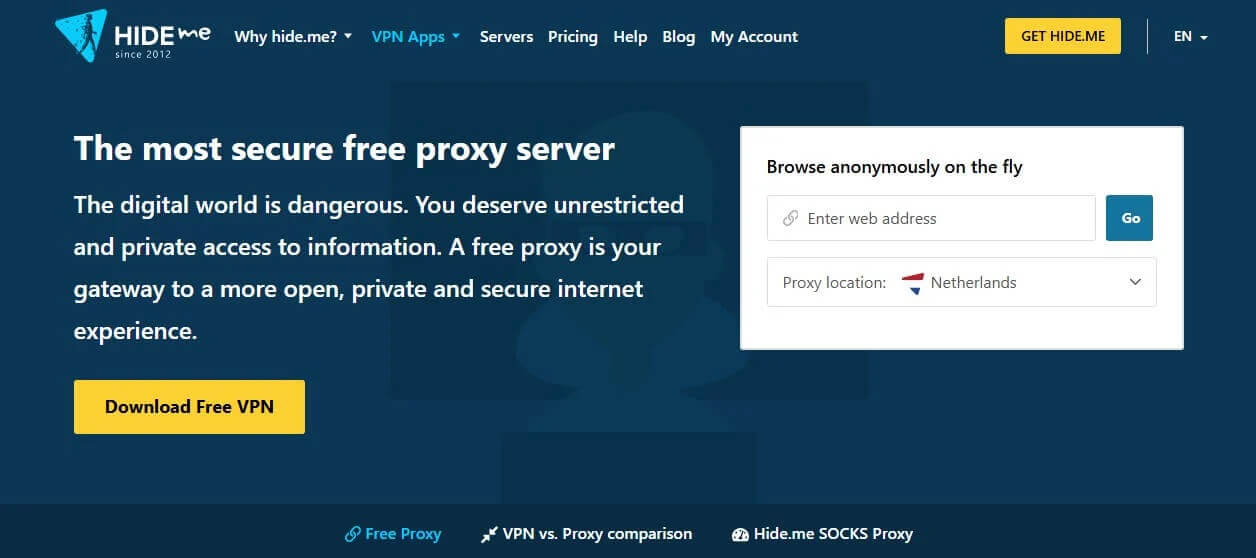
With the Dutch location selected, sites saw a Dutch IP address, but script-heavy pages broke, and YouTube wouldn’t play through it. Schools block well-known proxy sites quickly. Many free proxies also inject ads or log what you type, so never sign in to an account through one. The differences are covered in our proxy vs VPN guide.
Access Websites Freely With NordVPN
Use Tor Browser
Tor Browser passes your traffic through three volunteer-operated relays, so the network sees only a connection to the first relay, and websites see the third. The Tor Project offers it free for computers and Android phones. Where Tor itself is blocked, select Configure Connection and enable a bridge such as Snowflake, which disguises the connection.
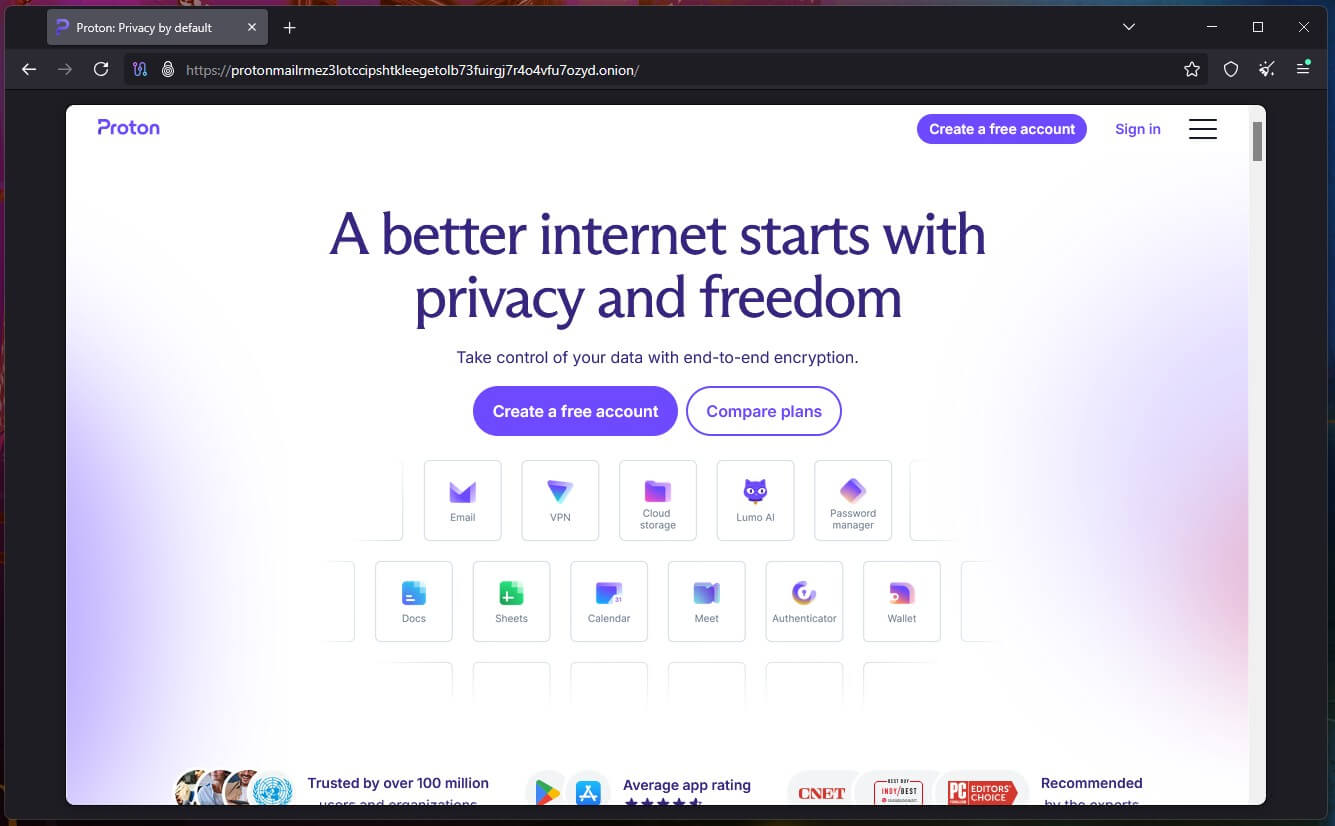
Tor picks the country for you, so it won’t help with geo-blocks, and many sites show CAPTCHA checks to Tor users. Pages load slowly too. For .onion sites, see our dark web guide.
Open the Page Through Google Translate
Paste the page’s URL into Google Translate, choose any target language, and open the link it returns. The page loads from a translate.goog URL, which simple filters don’t recognize. Text pages work best: logins, videos, and buttons often break, and some networks already block the translate domain.
View an Archived Copy
The Wayback Machine at web.archive.org stores snapshots of public pages. Enter the URL and open the most recent snapshot. It works for articles and reference pages, though the copy may be days or months old, and pages behind a login aren’t saved.
Methods That Rarely Work Anymore
- Google’s cached pages. Google removed cache links from search results in 2024, so the “cache:” trick no longer returns a page.
- Typing the site’s IP address. Most sites share IP addresses through content delivery networks, so visiting the IP address directly usually returns an error. Enter nslookup followed by the domain in Command Prompt or Terminal to try it.
- URL shorteners. A short link still redirects to the blocked domain, which modern filters check.
How to Unblock a Website Blocked on Your Device
If a site works on other devices but not on one, the block is on that device. These checks apply where you have permission to change the settings:
- Chrome site settings: Go to Settings > Privacy and security > Site settings > View permissions and data stored across sites, find the site, and delete its data and permissions.
- Extensions: Disable ad blockers and other extensions one at a time, then reload the page.
- Antivirus and parental controls: Check whether security software, Microsoft Family Safety, or Google Family Link lists the site, and add it to the allowlist.
- Screen Time on iPhone: Check Settings > Screen Time > Content & Privacy Restrictions > App Store, Media, Web & Games > Web Content.
- The hosts file: On Windows, open C:\Windows\System32\drivers\etc\hosts in Notepad as an administrator and remove any line that lists the site.
A message saying a site is blocked by your administrator, or “Managed by your organization” in Chrome’s menu, means the school or company controls that device. Typing chrome://policy shows the rules it applies. On a managed device, the administrator can usually see VPN use, so asking IT to unblock a work-related site is the safer step.
What Are Unblocked Websites and Proxy Sites?
“Unblocked websites” are usually copies of games or web proxies hosted on Google Sites, GitHub Pages, or similar free hosts, which school filters don’t block at first. They work until the school adds the domain to its blocklist, and new copies keep appearing. Many show aggressive ads and pop-ups, and the proxy versions see everything you type. For a page you use often, a VPN on your own device is safer than a new proxy site every week.
Why Are Websites Blocked?
- Geo-restrictions: Streaming services buy the rights to shows country by country, so they check your IP address and block viewers outside the licensed area. Fubo, for example, shows a location error outside the US, while Netflix shows a different catalog in each country, as our guide on how to change your Netflix region explains.
- ISP blocks and court orders: ISPs block sites when a court or regulator orders them to, most often for copyright infringement. Some regulators also restrict internet calls. The UAE limits WhatsApp and FaceTime calls, and our guides cover VPN use in the UAE, FaceTime in the UAE, and WhatsApp calls in Saudi Arabia.
- Government censorship: China, Iran, and Turkey block social networks, news sites, and messaging apps, and some block VPN traffic too. These networks require a VPN with obfuscation, and our VPN guide for China lists the ones that connect there.
- School and workplace filters: Schools and companies block social media, games, and streaming to limit distractions and malware. US schools that receive federal internet discounts must also filter certain content by law. For a personal device on a school network, see our list of the best VPNs for school.
Is It Legal to Unblock Websites?
Yes, in most countries. VPNs, proxies, Tor, and DNS changes are legal in the US, the UK, Canada, Australia, and the EU. China, Iran, Turkmenistan, Belarus, and a few other countries restrict or ban VPNs, and our guide to VPN legality covers the list. Legal isn’t the same as allowed, though.
A school or employer can discipline you for breaking its network rules, and streaming services prohibit VPN use in their terms. What’s illegal where you are, such as downloading pirated films, stays illegal through a VPN.
Verdict
Read the error on your screen first. A location error calls for a VPN server in the right country. Block pages from a school, office, or ISP come from the network, so mobile data, a different DNS server, or a VPN removes them. If VPN apps won’t connect, switch to an obfuscated protocol. For a single page you only want to read, a free proxy, Google Translate, or an archived copy is enough.
If you want one method for all of these, use a VPN. NordVPN covers 152 countries and was the fastest on our firewalled test once it connected. Proton VPN recovered quickest on that test and includes Stealth on its free plan. Our VPN rankings go further, with separate lists of VPNs for unblocking streaming sites and Netflix VPNs.
Frequently Asked Questions
How do you unblock a website?
Check what blocks it first. A VPN works on geo-blocks, network filters, and censorship, while mobile data or a public DNS server can work around simpler school or ISP blocks for free.
What is the best website unblocker?
The best website unblocker is a VPN with obfuscation, such as NordVPN or Proton VPN. It changes the IP address, encrypts traffic, and keeps connecting on networks that block standard VPN protocols.
How do you unblock websites without a VPN?
Switch to mobile data, set a public DNS server such as 1.1.1.1, or open the page through a web proxy, Google Translate, or the Wayback Machine. None of these changes the country.
How do you unblock a website blocked by an administrator?
On a managed device, the administrator has to allow the site. On a personal device, a VPN or mobile data works around a network filter, and local blocks require changing browser or parental settings.
How do you unblock a website on a phone?
Install a VPN app, or switch from Wi-Fi to mobile data. On Android, Private DNS sets a public DNS server, and on iPhone, Screen Time's web content settings can block sites too.
Are proxy sites safe?
No, many aren’t. Free proxy sites see every page and form passing through them, and a lot of them inject ads or log data. Signing in to an account through one is risky.
Can a free VPN unblock websites?
Yes, within limits. Proton VPN's free tier has no data limit and includes Stealth obfuscation for blocked networks. Free users can't choose the server country, though, which rules it out for most geo-blocks.