No, FaceTime calls don’t work on UAE networks. The UAE blocks FaceTime audio and video, along with other unlicensed calling apps, on du, e&, and most Wi-Fi in Dubai, Abu Dhabi, and the other emirates. On iPhones sold in the UAE, the app is also hidden until the device’s region is changed.
In our November tests on an iPhone bought in Europe, FaceTime video calls over NordVPN, Proton VPN, and ExpressVPN connected on a server in Austria and stayed smooth. NordWhisper, NordVPN’s obfuscation protocol, was the only mode that was slow to start a call.
FaceTime in the UAE: 4 Steps for 2026
- Sign up for NordVPN and set it up on your iPhone before you arrive.
- Check the Region setting if your iPhone was bought in the UAE, and pick another country under Settings, General, Language & Region.
- Connect to a server in Europe, such as Austria. A UAE server won’t help, and Qatar restricts FaceTime too.
- Open FaceTime and place the call.
Does FaceTime Work in Dubai?
Not on local networks. The UAE’s telecom regulator, the TDRA, allows internet calls only through licensed apps such as Botim, and du and e& block FaceTime audio and video across all seven emirates. The same block covers WhatsApp calls in the UAE and Telegram calls. What happens depends on the phone and the connection:
- iPhone bought in the UAE: FaceTime is hidden on devices sold for the UAE market. On iOS 13.6 or later, the app appears once the Region setting is changed to another country. Calls on UAE networks still fail without a VPN.
- iPhone bought abroad, on a UAE SIM or hotel Wi-Fi: the app is there, but calls don’t connect.
- Roaming on a home SIM or a travel eSIM: data often travels through the home carrier’s network first, so calls frequently connect without a VPN. That depends on the carrier and isn’t guaranteed.
We didn’t have a UAE-model iPhone to test, so the Region fix comes from Apple’s support documentation and user reports.
How to Use FaceTime in the UAE With a VPN
Pick a server in a country that allows FaceTime, connect, then call as usual. The VPN encrypts the connection, so du and e& can’t identify the traffic as FaceTime, and Apple sees a European IP address. We tested each VPN on our iPhone 17 Pro, calling another Apple device over a server in Austria:
| VPN and protocol | Call start | Video and audio |
|---|---|---|
| NordVPN, NordLynx | Normal | Smooth |
| NordVPN, NordWhisper | Delayed | Smooth |
| Proton VPN, Stealth | Normal | Smooth |
| ExpressVPN, Automatic | Normal | Smooth |
We expected NordWhisper to delay the call, and it did. Its disguise adds extra steps to each connection, so the call took longer to ring, and the call itself went smoothly. Our tests ran outside the UAE’s filtering, so start on a standard protocol and switch to NordWhisper or Proton VPN’s Stealth if the VPN won’t connect on a UAE network.
FaceTime on a Travel eSIM
Many travel eSIMs send data through a partner carrier abroad, so FaceTime traffic skips the UAE filters and often connects with no VPN. Routing varies by eSIM and change without notice, so keep a VPN installed as a backup. Saily, an eSIM from NordVPN’s parent company Nord Security, sells UAE data plans from about $9.
The eSIM installs before the flight and activates on arrival, and its app includes a virtual location feature with more than 115 locations. Our eSIM rankings compare other eSIMs.
Is Using FaceTime With a VPN Legal in the UAE?
VPNs are legal in the UAE for lawful use, but using one for restricted calling apps comes with legal risk. Under Article 10 of Federal Decree-Law No. 34 of 2021, a VPN or false IP address used in committing an offense, or in concealing one, can lead to temporary imprisonment, a fine of AED 500,000 to AED 2 million, or both.
According to the TDRA, people who make calls through unlicensed apps are liable themselves. Gizmodo doesn’t encourage breaking local laws, and this isn’t legal advice. Our overview of where VPNs are legal covers other countries.
Best VPNs for FaceTime in the UAE
- NordVPN: Best for iPhone speed, with the smallest download loss we measured on our iPhone 17 Pro.
- Proton VPN: Best for obfuscation on any server, with its Stealth protocol available everywhere.
- ExpressVPN: Best for automatic obfuscation, applied to every connection with no setting to change.
1. NordVPN: Best for iPhone Speed
Pros
- Two obfuscation modes
- Dark Web Monitor
- NordLynx protocol
- Double VPN option
- Independently audited
Cons
- NordWhisper slows call setup
- Higher renewal price
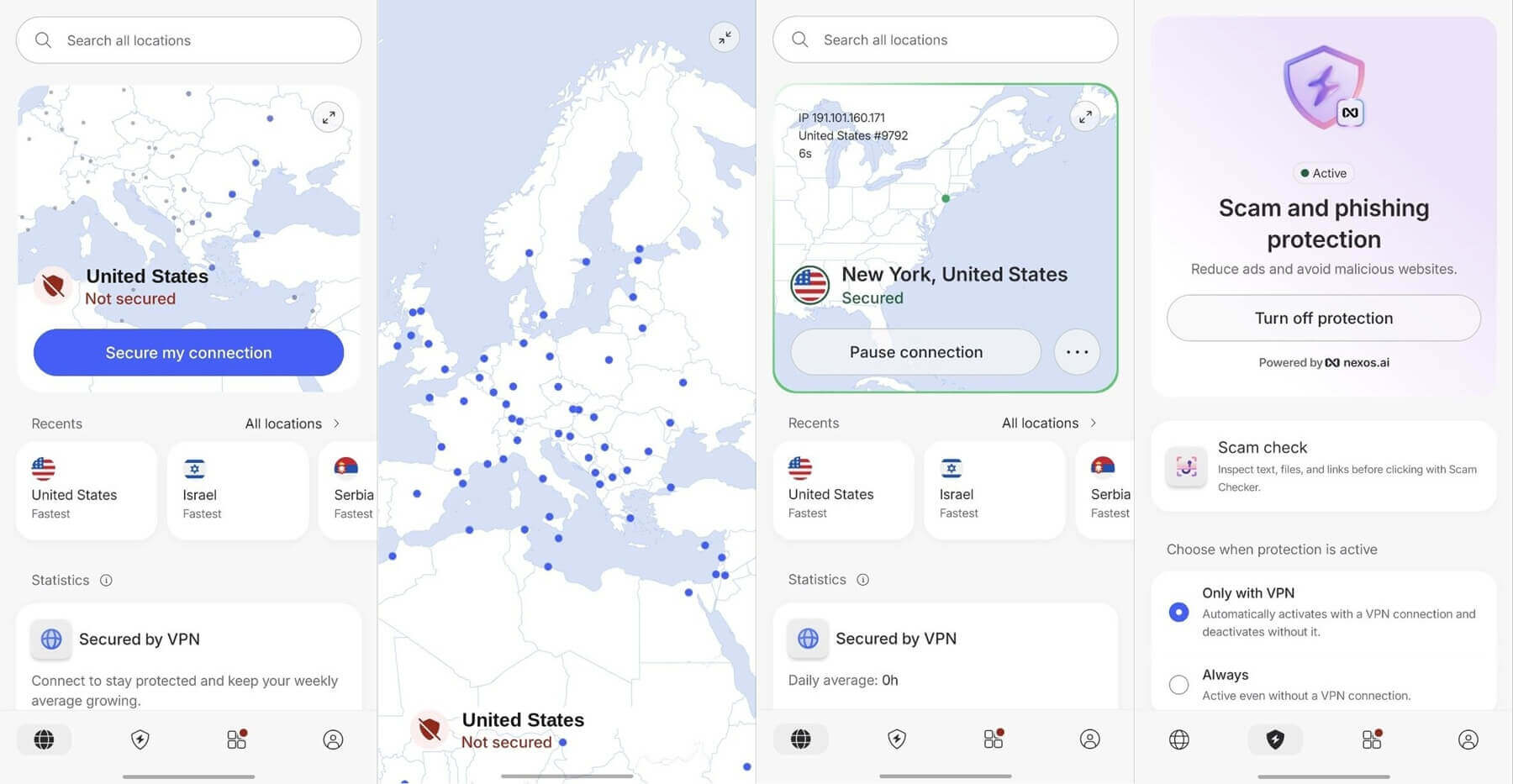
NordVPN lost 13.6% of download speed on our iPhone 17 Pro across UK, US, and Japanese servers, next to 16.2% for ExpressVPN and 17.5% for Proton VPN. On NordLynx, its standard protocol, our FaceTime call over the Austrian server started normally and stayed smooth. Our list of the best iPhone VPNs covers its iOS app in more detail.
For networks that block standard VPN traffic, NordVPN offers NordWhisper and a set of obfuscated servers. NordWhisper delayed the start of our call, and video and audio were fine once it rang. Paying for 27 months up front brings the Basic plan below $3.50 a month.
2. Proton VPN: Best for Obfuscation on Any Server
Pros
- Stealth on every server
- Secure Core option
- NetShield ad blocking
- Swiss jurisdiction
Cons
- Stealth selected manually
- Speed drop on iPhone
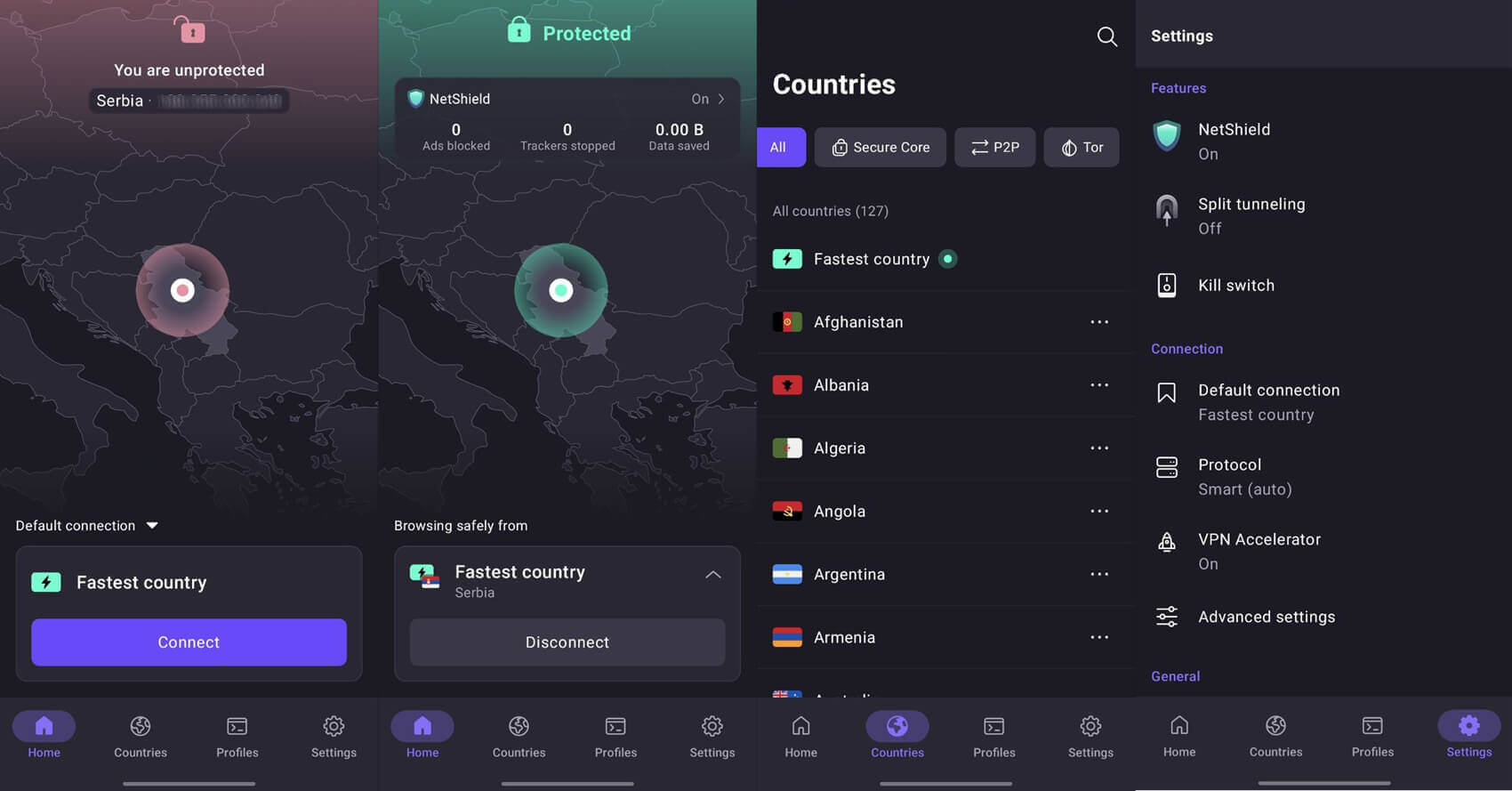
Proton VPN’s Stealth protocol wraps the VPN in a standard secure web connection, and it works on any server. Over Stealth, our FaceTime call from the Austrian server connected normally and had no dropouts. Our desktop speed tests put its cost at 1.9% next to plain WireGuard, measured on a UK server.
Stealth has to be picked in the protocol settings, while ExpressVPN obfuscates every connection by default. Proton VPN’s iPhone speed loss was 17.5%. A two-year VPN Plus subscription averages about $3 monthly.
3. ExpressVPN: Best for Automatic Obfuscation
Pros
- Obfuscation always on
- Connects in seconds
- Lightway protocol
- Post-quantum encryption
Cons
- Few advanced settings
- Renewal price increase
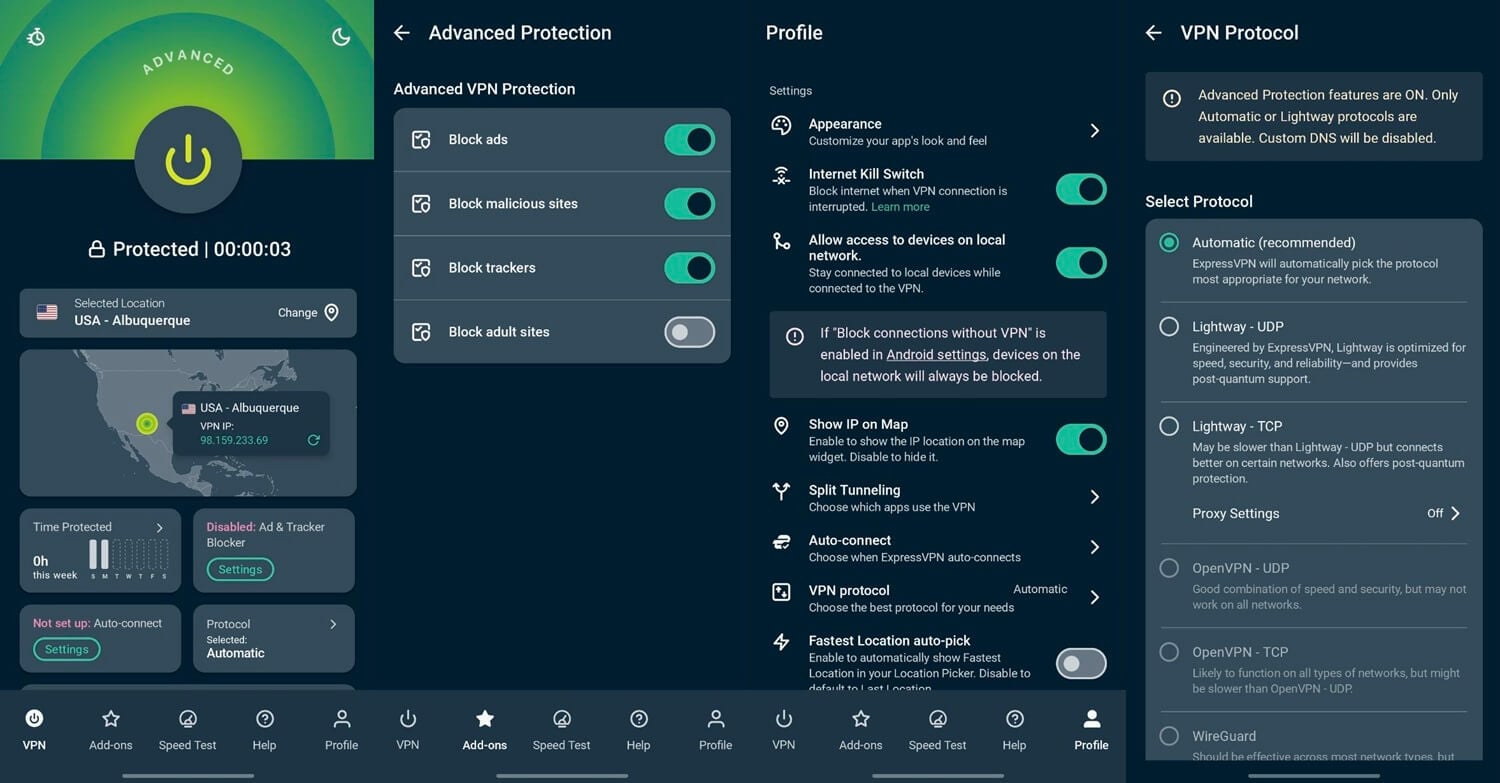
ExpressVPN disguises every connection, so there’s no protocol to change before calling from a filtered network. On the Automatic setting, our FaceTime call connected at once and the picture stayed clear, and in our Windows tests, the app connected within two seconds. Its iPhone speed loss was 16.2%, and its advanced settings are limited. ExpressVPN’s Basic plan comes to under $3 a month when paid for 28 months. The rest of its test results are in our ExpressVPN review.
Can a Free VPN Handle FaceTime in the UAE?
We didn’t include free VPNs in our FaceTime tests. Windscribe and PrivadoVPN limit free users to 10 GB of data a month, and video calls use data quickly, so a free VPN covers occasional calls at most. Our ranking of the best free VPNs covers their data allowances.
FaceTime Still Not Connecting?
- Switch to an obfuscated protocol. Pick NordWhisper on NordVPN or Stealth on Proton VPN. ExpressVPN applies obfuscation on its own.
- Change the server country. Stay in Europe or another region without FaceTime restrictions. FaceTime in Qatar faces similar limits, so a Qatari server won’t help.
- Check the Region setting on an iPhone bought in the UAE. The app won’t appear while the region is set to the UAE.
- Sign out of FaceTime and back in under Settings, FaceTime, after the VPN connects.
- Try roaming data or a travel eSIM when a VPN connection fails on your network.
The same steps help with WhatsApp and other calling apps that UAE networks restrict.
Final Thoughts
FaceTime doesn’t work on UAE networks, and the fix depends on where the iPhone came from. A phone bought abroad only requires a VPN, a roaming connection, or a travel eSIM. A UAE-model iPhone also requires a Region change before the app appears. In our tests, FaceTime calls went through smoothly on NordVPN and Proton VPN, and ExpressVPN required no setup.
NordWhisper was the one mode that slowed the start of a call, so it works best as a fallback when NordLynx won’t connect. The UAE’s legal risk applies too: Article 10 covers VPN use tied to an offense. For longer stays, our guide to the best VPNs for the UAE compares more VPNs.
FAQs
Does FaceTime work in Dubai?
No, FaceTime audio and video calls are blocked on Dubai's mobile and Wi-Fi networks. Calls usually connect through a VPN server abroad or on roaming data from a foreign carrier.
Is FaceTime banned in the UAE?
Yes, FaceTime calling is restricted across the UAE, where internet calling is limited to regulator-approved apps such as Botim. Using a VPN to get around the restriction involves legal risk.
Can I use FaceTime in the UAE with a VPN?
Yes, NordVPN or Proton VPN connected to a European server lets FaceTime calls go through from the UAE. UAE law penalizes VPN use linked to an offense, so the legal risk remains.
Can I get FaceTime on an iPhone bought in Dubai?
Yes, on iOS 13.6 or later. UAE-model iPhones hide FaceTime until the device region is switched to another country, and calls on UAE networks stay blocked after that.
Why does FaceTime not work in Dubai?
FaceTime isn't a licensed calling service in the UAE, and the country's two mobile carriers filter its audio and video traffic. The regulator approves internet calling apps individually, and FaceTime isn't on that list.
Does FaceTime work in Abu Dhabi?
No, the same nationwide restriction applies in Abu Dhabi, Sharjah, and the other emirates. FaceTime calls fail on local networks unless the traffic goes through a VPN or foreign roaming data.