Type “free VPN” into Google Play, and you’ll see page after page of apps, many with millions of downloads and names you’ve never heard of. They all promise the same thing: a safer connection on public Wi-Fi and a way past blocked websites, at no cost.
On a phone, a VPN also stays connected in the background for hours, so a poor one costs you speed, battery, and privacy. And some free VPNs for Android pay for themselves by collecting the data they’re meant to protect. The six we’d install come next, with the catch on each one further down.
Best Free VPN for Android: 6 Tested and Ranked in October 2026
- NordVPN: Best overall, free for a month through its money-back guarantee
- Proton VPN: Best completely free VPN, with no account required
- ExpressVPN: Best for battery life, using no more charge than the phone without a VPN
- Private Internet Access: Best for the longest trial, with a week free through Google Play
- Hide.me: Best for choosing your own free location, with no data cap
- PrivadoVPN: Best for Netflix US and iPlayer on a free plan
Free Android VPNs Tested on a Galaxy S26 Ultra
Four of these are paid VPNs you can use free for a limited time, and three have a free plan with no card required, with Proton VPN in both groups. We installed each one on a Samsung Galaxy S26 Ultra with Android 16, connected to 54.7 Mbps home Wi-Fi, and compared speeds on UK and US servers. We left out the Japanese servers we usually test, because the free plans don’t offer them.
| NordVPN | Proton VPN | ExpressVPN | PIA VPN | Hide.me | PrivadoVPN | |
| How it’s free | 3-day trial, 30-day refund | Free plan, or 30-day refund | 3-day trial, 30-day refund | 7-day trial, 30-day refund | Free plan, no card | Free plan, no card |
| Data limit | None | None | None | None | None | 10 GB a month |
| Speed loss (UK and US) | 11.7% | 19.4% paid, 37.8% free (US only) | 14.6% | 19.3% | 27.8% | 23.0% |
| Streaming | 9 of 9 | 7 of 9 paid, 0 free | 9 of 9 | 6 of 9 | 0 of 9 | 6 of 9 |
| Countries | 152 | 149 paid, 10 free | 113 | 91 | 7 | 10 |
| Devices | 10 | 10 paid, 1 free | 10-14 | Unlimited | 1 | 1 |
| Ad blocking | Yes | Paid plan only | Yes | Yes | No | No |
1. NordVPN: Best Free VPN for Android Overall
Pros
- Money-back guarantee
- Google Play trial
- Minimal speed loss
- Netflix US unblocked on the phone
- Scam call filtering
- Independently audited
Cons
- Payment up front
- Heavier battery use
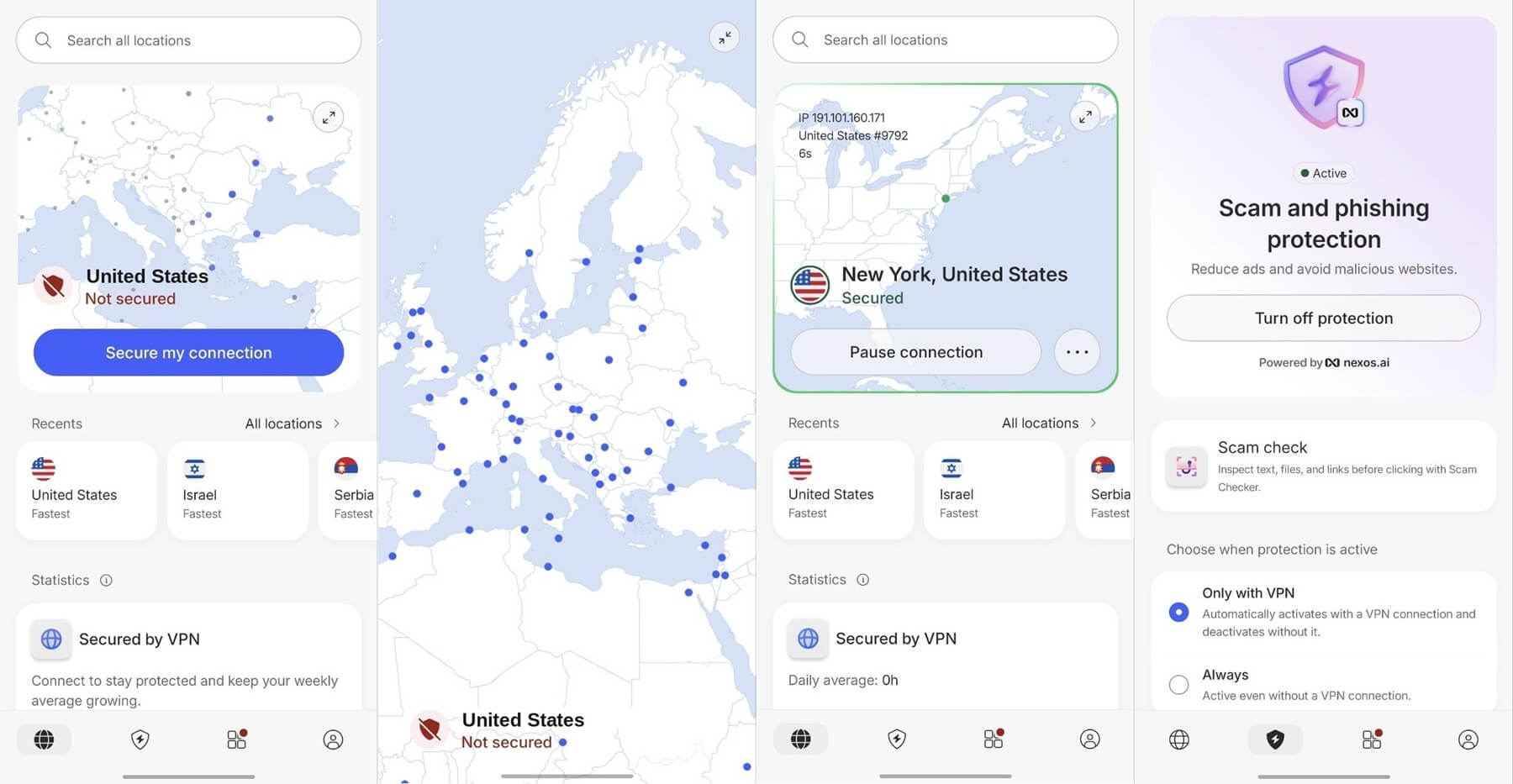
NordVPN isn’t free, but its 30-day money-back guarantee lets you use the full Android app for a month and claim the whole payment back. Signing up through Google Play also adds a 3-day trial, though it requires a card. On our Galaxy S26 Ultra, it lost 11.7% of its speed, the smallest drop we recorded on the phone, and it unblocked every one of the nine streaming services we tried. Our best VPN for Android ranking has the full phone results.
Two features are Android-only. Tapjacking Protection warns you when an app hides what a tap will actually do, a trick malicious apps use to collect permissions, and scam call filtering screens incoming numbers. Next-gen antivirus blocks malware, ads, and trackers, NordWhisper works on networks that block VPNs, and Double VPN and Onion Over VPN servers add extra privacy.
The no-log policy has passed six independent audits, and every server is RAM-only, so nothing is stored after a reboot. Battery is the trade-off. Twenty minutes of 1440p video used 5% of the battery with NordVPN connected, compared to 3% with no VPN, so disconnect on trusted home Wi-Fi to save charge. One subscription covers 10 devices, and the servers span 152 countries.
The trial also works on Android TV, and SmartPlay Smart DNS, which changes your streaming location without an app, helps on LG smart TVs that don’t support VPN apps.
Try NordVPN Risk-Free for 30 days
2. Proton VPN: Best Completely Free VPN for Android
Pros
- No data cap on the free plan
- No account required
- Secure Core on paid plans
- NetShield ad blocker
- Open-source app
- Audited no-log policy
Cons
- No server choice on the free plan
- No streaming or torrenting on the free plan
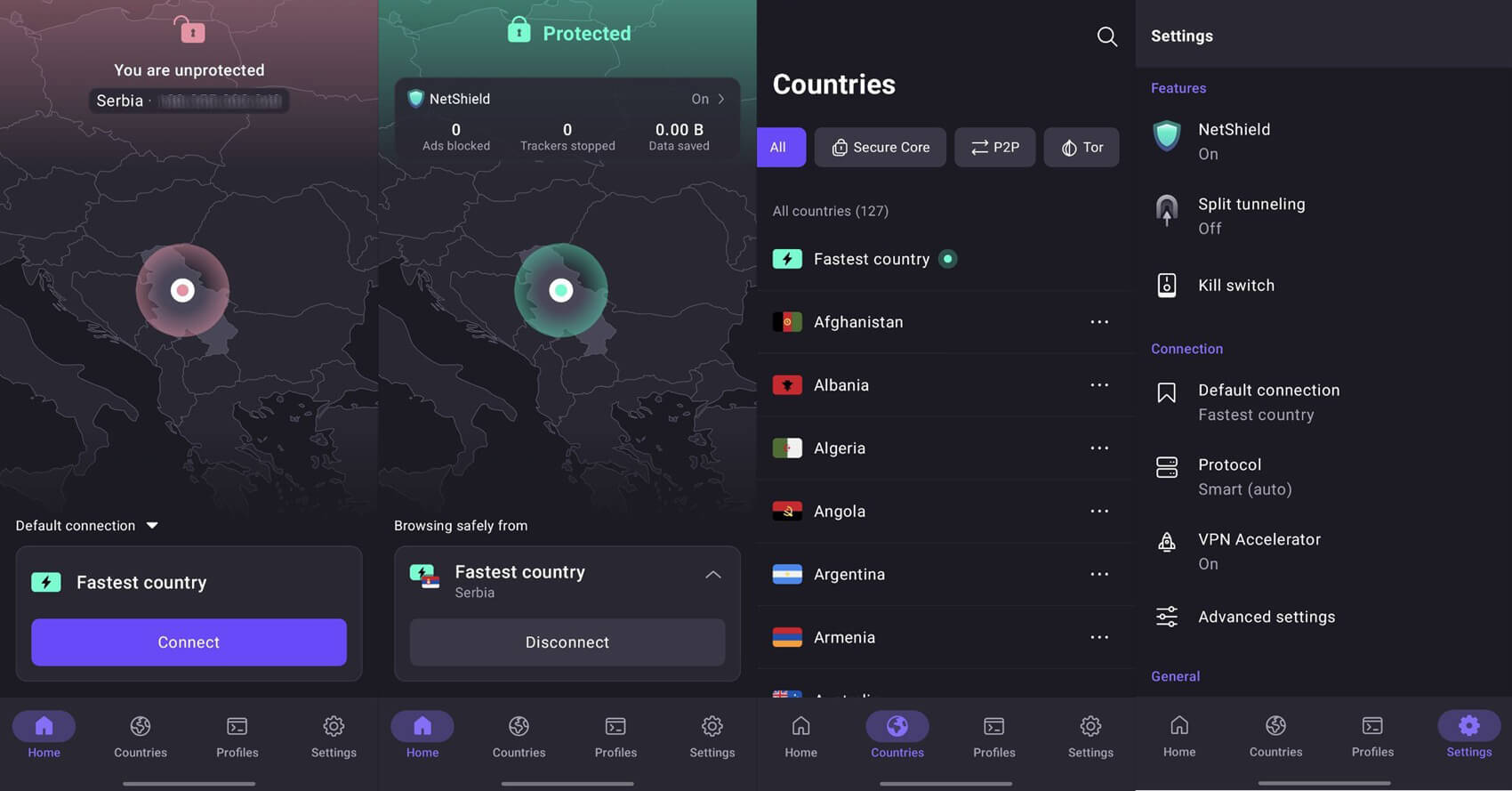
Proton VPN offers a free plan and a paid one, and paying unlocks the full Proton VPN, backed by a 30-day refund. For under $3 a month, it adds the NetShield ad blocker, 149 countries, 10 devices, and port forwarding, which helps torrents connect to more peers. Secure Core passes your traffic through a second server for extra privacy. On our Galaxy S26 Ultra, the paid app lost 19.4% of its speed, unblocked seven of the nine streaming services, and used only 4% of the battery over 20 minutes of video.
The free plan never expires and has no data cap, and Guest Mode connects without an account, so you can install it from Google Play and connect straight away. It’s basic, though. It covers one device, assigns the server for you, and blocks streaming and torrenting. If you want those without paying, install PrivadoVPN instead. Server changes are random: the first few come 10 seconds apart, but after four or five tries, the app makes you wait 45 minutes, so if you need a specific country, the paid plan is the reliable choice.
The US server it assigned tested at 34.0 Mbps, a 37.8% speed loss, still fine for HD video, and the free plan couldn’t unblock any of the nine streaming services. Securitum’s yearly audits of its no-log policy, five so far, put Proton VPN among the top no-log VPNs for privacy.
3. ExpressVPN: Best Free Android VPN for Battery Life
Pros
- No extra battery drain
- Low ping to the UK
- BBC iPlayer unblocked
- Free trial on Google Play
- Simple one-tap app
- Ad and tracker blocking
Cons
- No multi-hop
- Not free forever
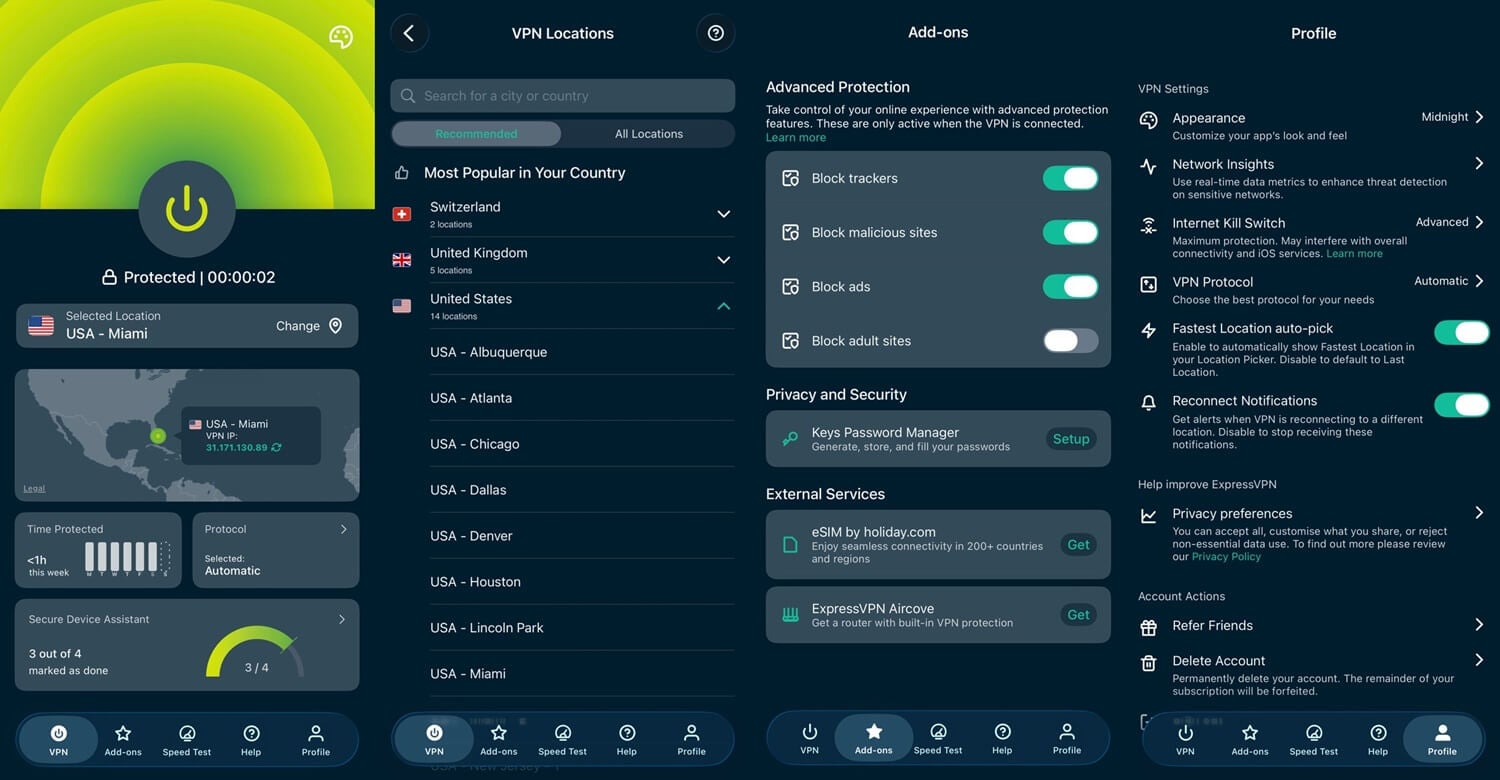
ExpressVPN offers two ways to use it free on Android: a 3-day trial through Google Play, which requires a card, and the 30-day money-back guarantee on every plan. Its Android app keeps things minimal, with a single connect button and the location list one tap away. Our ExpressVPN review covers the desktop apps. ExpressVPN came close behind NordVPN on speed, with a 14.6% loss on the phone, and it also unblocked the full streaming set.
Its ping to London was 43 ms, the lowest we recorded on the phone. Ping measures the delay between your phone and the server, and lower ping means less lag in gaming with a VPN, including PUBG Mobile and BGMI. Battery was the surprise. Twenty minutes of video used 3% of the battery with ExpressVPN connected, the same as with no VPN, so any extra drain was too small for Android’s battery meter to show.
Advanced Protection blocks ads and trackers, KPMG audited the no-log policy in 2025, and its servers span 113 countries, with 10 to 14 devices depending on the plan. Pricier plans also include ExpressKeys for storing passwords. There’s no multi-hop, and the settings are thinner than PIA’s, though on a phone, that simplicity is part of the appeal.
Try ExpressVPN Risk-Free for 30 days
4. Private Internet Access: Longest Free Trial on Android
Pros
- Week-long Android trial
- Low long-term price
- No device limit
- Port forwarding
- Court-tested no-log policy
Cons
- Cluttered interface
- Patchy streaming access
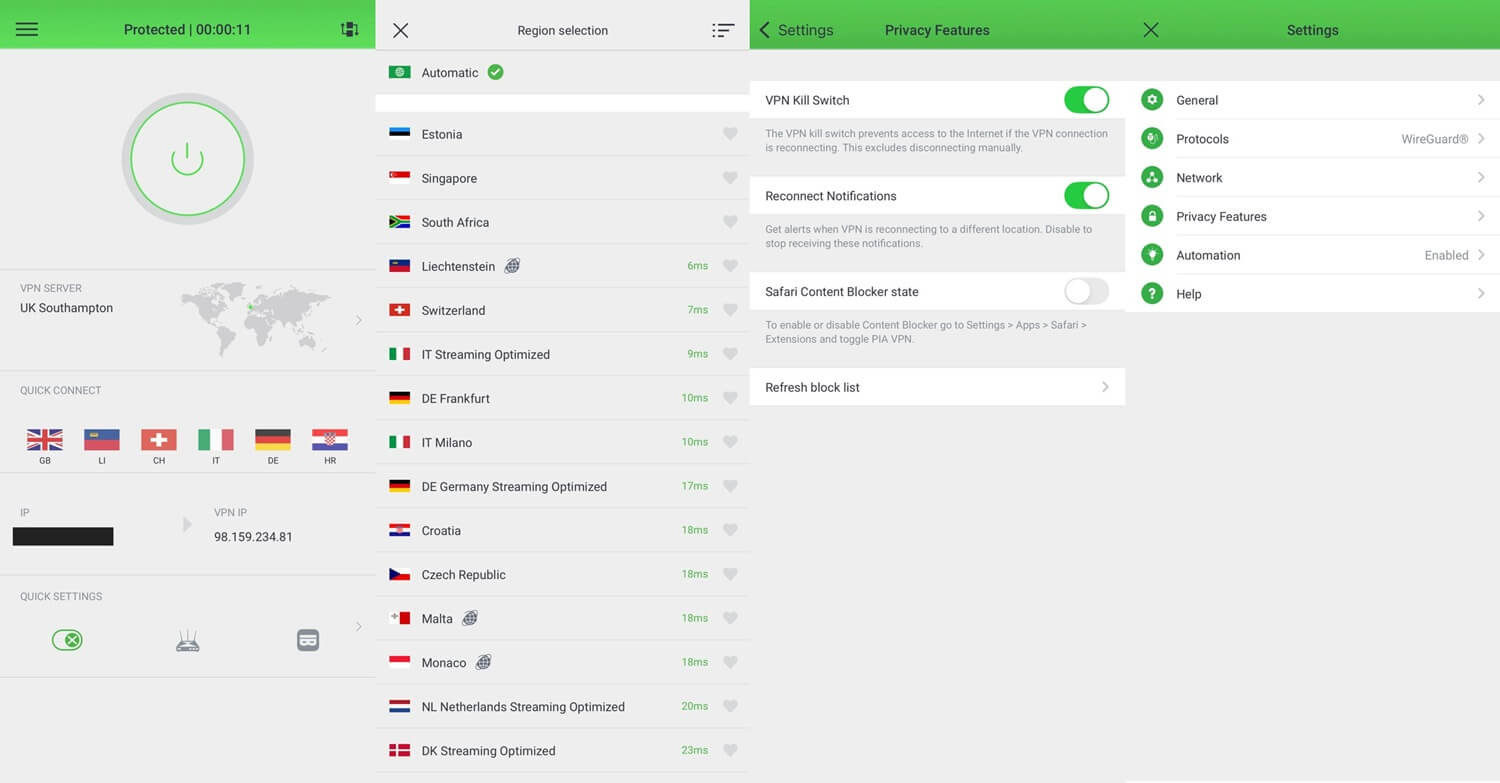
Private Internet Access (PIA) offers a 7-day Android trial through Google Play, longer than the 3 days from NordVPN or ExpressVPN, plus a 30-day refund. On the two-year plan, it costs just over $2 a month, the lowest paid price in our ranking, and one subscription covers unlimited devices. On WireGuard, a fast modern protocol, it lost 19.3% of its speed and unblocked six of the nine streaming services.
It also unblocked Netflix US on every attempt. Its automation rules stand out: the app connects by itself when the phone joins an untrusted Wi-Fi network and stays off at home. The interface is cluttered, so set those rules up once, and you’ll rarely need to open it again. MACE blocks ads and trackers, port forwarding speeds up torrenting with this VPN, and Shadowsocks obfuscation, which disguises VPN traffic, helps on censored networks.
Though it works only on OpenVPN, so switch protocols first. PIA’s no-log claim has been tested in US courts and audited by Deloitte in 2022, 2024, and 2025, and its servers are RAM-only.
Try PIA VPN Risk-Free for 30 days
5. Hide.me: Best Free Mobile VPN With Unlimited Data
Pros
- No data cap
- Choose your own location
- No card required
- Working kill switch
Cons
- No streaming
- No torrenting
- One device only
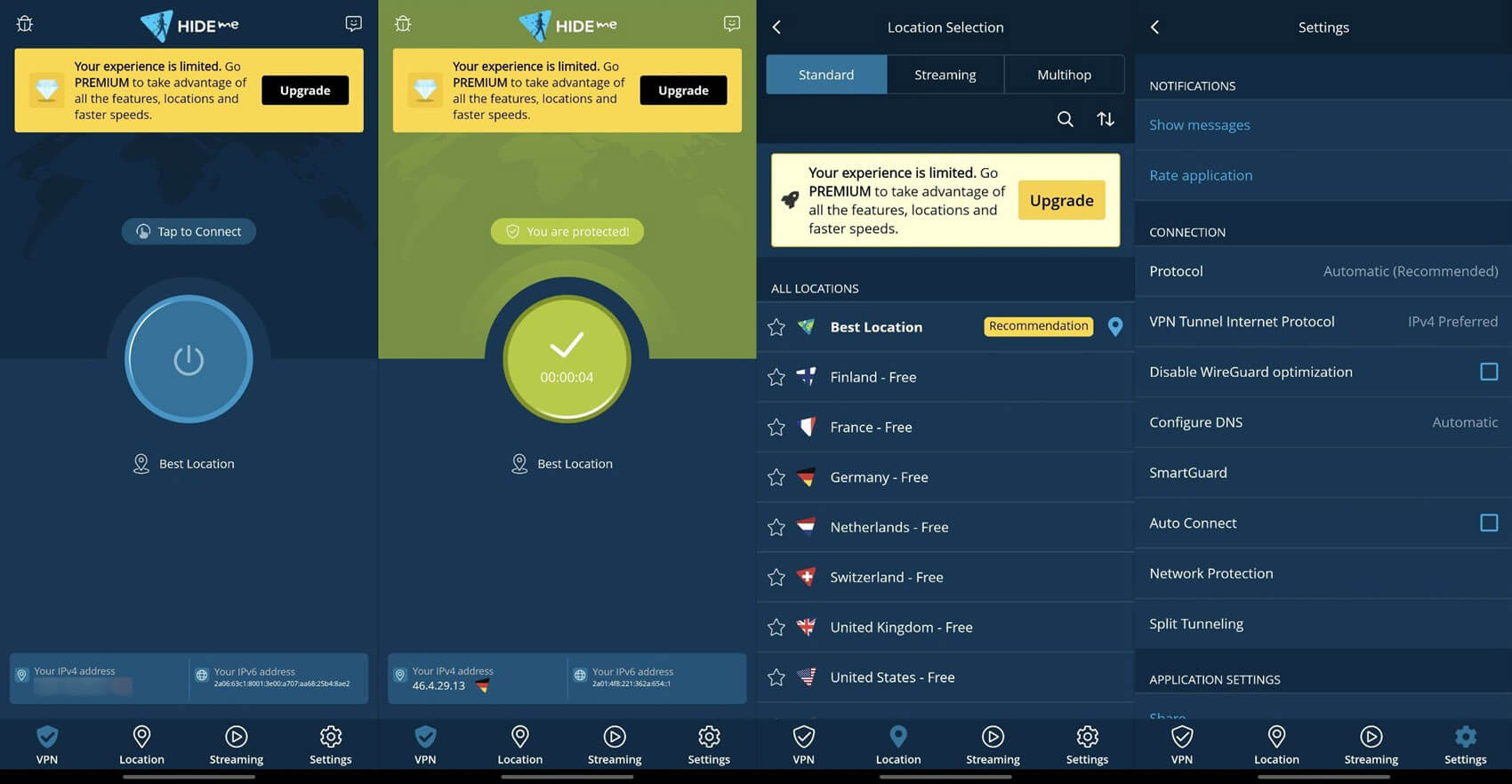
Hide.me is free without a card, sets no data limit, and lets you choose where to connect: eight locations in seven countries, including the UK, the US, Germany, and Switzerland. The company is based in Malaysia, outside the intelligence-sharing alliances, and its no-log policy has passed an outside audit. Paid Hide.me plans are covered in our Hide.me review.
The free plan has clear limits. It connects one device, blocks streaming and torrenting, and keeps MultiHop servers for paying users. For streaming without paying, look at PrivadoVPN’s free plan. Speed was its weak point, with a 27.8% loss on the phone and the US server down to 33.12 Mbps. Big downloads are noticeably slower. The kill switch worked, cutting the connection as soon as a server dropped.
6. PrivadoVPN: Best No-Cost Android VPN for Streaming
Pros
- Fastest free plan on the phone
- Netflix US and iPlayer unblocked
- Torrenting allowed
- Keeps working after the cap
Cons
- Monthly data cap
- No independent audit
- One device only
- Few free countries
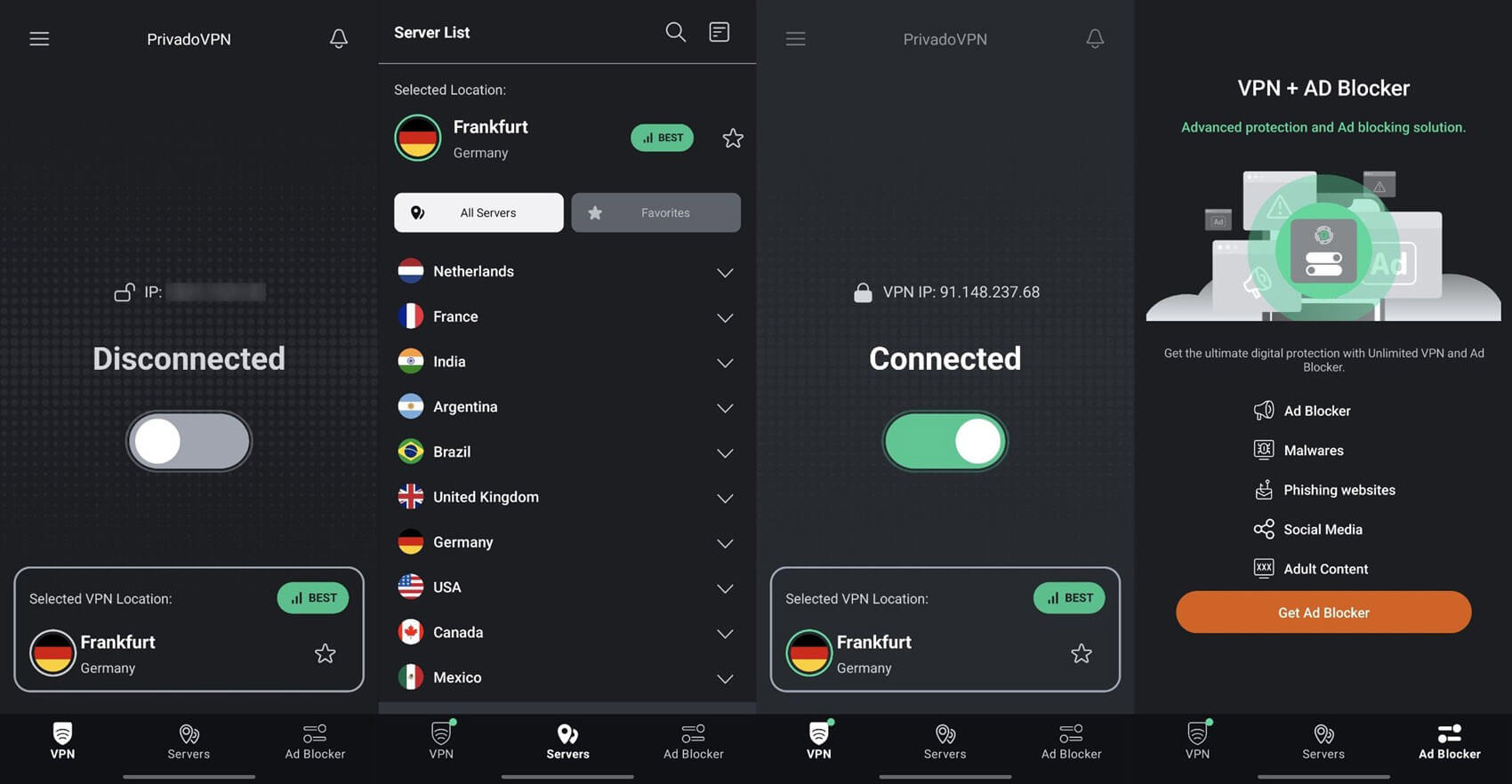
PrivadoVPN was the fastest free plan we tested on the Galaxy S26 Ultra, with a 23.0% speed loss, and unlike the free plans from Proton VPN and Hide.me, it unblocked streaming: Netflix US and BBC iPlayer on a free account. It also allows torrenting on every server. Its Android and desktop apps look the same, and it’s also an excellent free VPN for Windows.
The limit is 10 GB of data a month, roughly 5 hours of HD streaming. After that, it slows to 1 Mbps, enough for messages and email. The free plan covers 10 countries across 13 locations and one device, and the Iceland-based company’s no-log claim has never been independently audited. Use it for streaming, and keep online banking for an audited VPN. Our PrivadoVPN review covers the paid plan, and the best premium VPNs have no data cap.
Paid vs Free VPN on Android: Key Differences
Speed and Data
On a phone, the paid VPNs were clearly faster, losing 11.7% to 19.4% of their speed on UK and US servers, while the free plans lost 23.0% to 37.8%. US servers showed the biggest difference: Hide.me’s free plan dropped to 33.12 Mbps there, while NordVPN kept 46.5 Mbps. Both are fine for HD video, but the difference shows on large downloads and app updates.
On data, the paid trials have no cap, and neither do Proton VPN’s and Hide.me’s free plans, while PrivadoVPN limits free users to 10 GB a month. Every completely free VPN for Android has a limit, whether on data, speed, or locations.
Streaming and Torrenting
Streaming is one of the main reasons to use a VPN, and free plans rarely deliver it. NordVPN and ExpressVPN unblocked all nine streaming services on Android, Proton VPN’s paid app seven, and PIA six. On the free side, Proton VPN and Hide.me couldn’t unblock any, and PrivadoVPN unblocked Netflix US and BBC iPlayer. For Android TV, only the paid trials unblock streaming reliably.
Torrenting is blocked on the free plans from Proton VPN and Hide.me, while PrivadoVPN allows P2P, the file-sharing method torrent apps use, within its 10 GB monthly allowance.
Security and Privacy
The no-log policies behind Proton VPN and Hide.me are independently audited, and PrivadoVPN publishes one without an audit behind it. Each keeps some features for paying users. Proton VPN’s free plan has no Secure Core or NetShield, Hide.me’s has no MultiHop or ad blocking, and PrivadoVPN’s has no Control Tower DNS filtering.
Beyond our ranking, Hola VPN, Betternet, Urban VPN, and Turbo VPN log activity, and Urban VPN also leaks users’ IP addresses. A safe free VPN for Android publishes a no-log policy and uses modern encryption, and Proton VPN, Hide.me, and PrivadoVPN meet both tests. For a sense of what a paid VPN adds, see our NordVPN review.
Simultaneous Connections
Free Android plans protect one device, so using the VPN on a laptop means disconnecting your phone first. NordVPN and Proton VPN cover 10 devices, ExpressVPN 10 to 14, and PIA unlimited, so a paid trial is the only free way to protect several devices at once.
How to Download a Free VPN for Android: Tutorial
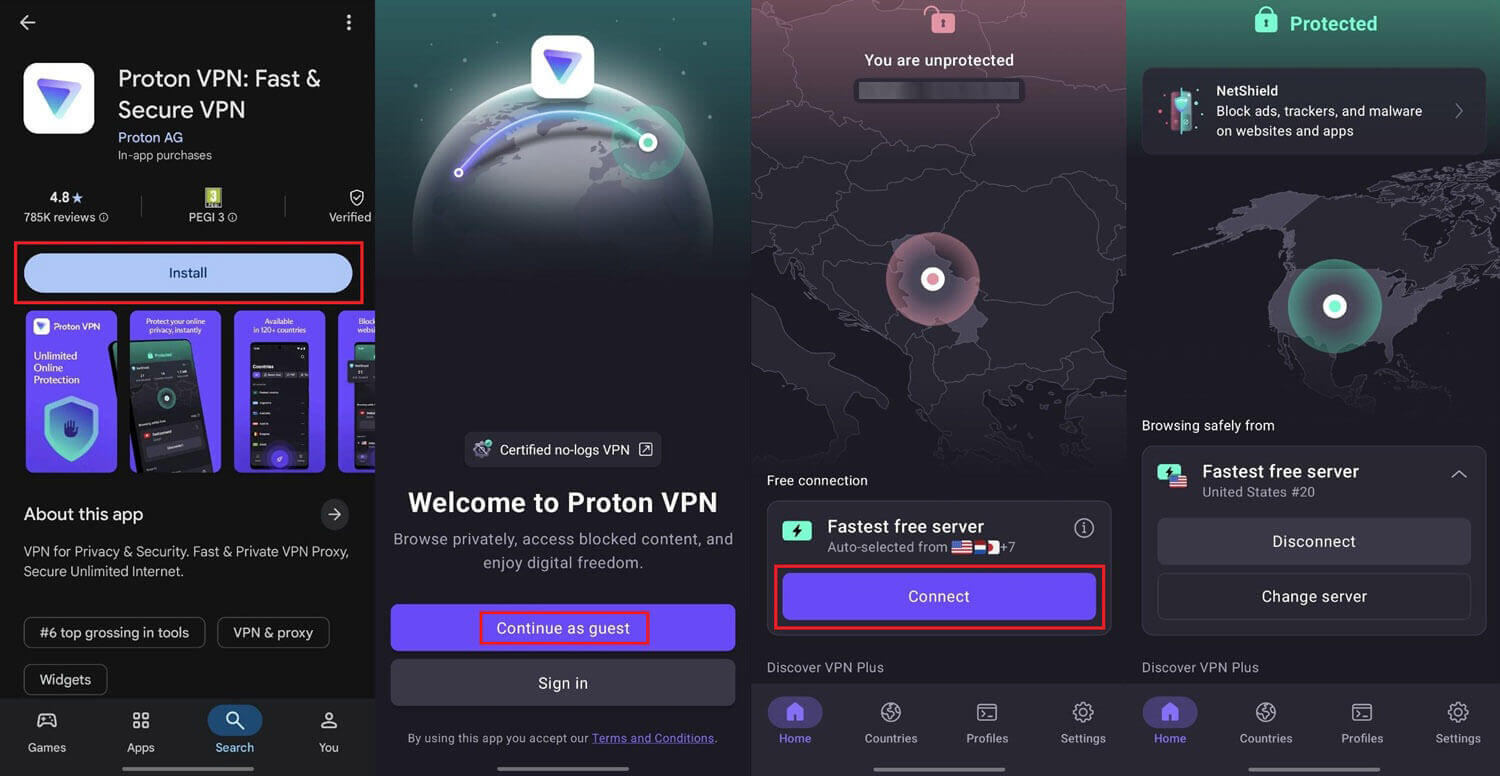
Installing a VPN on Android works like installing any other app from Google Play.
- Subscribe to a VPN from our ranking. NordVPN is our top pick. For a free plan with no payment, sign up for Proton VPN, Hide.me, or PrivadoVPN.
- Open Google Play and search for the VPN you chose. You can also download the app from the VPN company’s own website.
- Tap Install and wait for it to finish.
- Tap Open.
- Sign in with the account from step 1, or choose Continue as a Guest on Proton VPN.
- Connect to a server, and tap OK when Android requests permission to set up a VPN connection.
Final Thoughts
For a free month with no limits, subscribe to NordVPN and use its money-back guarantee. It was the fastest VPN on our phone and unblocked every streaming service we tried. ExpressVPN and PIA work the same way, with ExpressVPN easiest on the battery and PIA offering the longest trial. If you’d rather never pay, install Proton VPN’s free plan.
It has no data cap, requires no account, and has an audited no-log policy, though you can’t pick the server, and it couldn’t unblock streaming in our tests. For Netflix US and BBC iPlayer without paying, use PrivadoVPN, as long as 10 GB a month covers your viewing, and choose Hide.me if you’d rather pick your own location. For banking or work on public Wi-Fi, use an audited VPN, and our safest VPN guide lists the strongest ones.
Frequently Asked Questions
Is there a completely free VPN for Android?
Yes. Proton VPN’s free plan has no data cap and no expiry date, and Hide.me and PrivadoVPN also offer free Android plans that don’t require a payment card.
Can I use a free VPN on Android without an account?
Yes. Proton VPN’s Guest Mode connects without an account, so the app can be installed from Google Play and used straight away, though it assigns the server automatically.
Are free VPN apps on Google Play safe?
Some are, but not all. Free VPNs from companies with paid plans and audited no-log policies, such as Proton VPN, are safe, while ad-funded apps may log and sell browsing data.
Can a free VPN on Android be used for torrenting?
Yes, with some free plans. PrivadoVPN’s free plan allows torrenting within its monthly data cap, while Proton VPN and Hide.me block torrenting on their free Android plans.
Does a free VPN work on Android TV?
Rarely for streaming. Free plans usually can’t unblock streaming services on Android TV, so a paid VPN such as NordVPN or Proton VPN, used through a money-back guarantee, is more reliable.
How does a 30-day free VPN trial work on Android?
The user subscribes, uses the full app, and cancels within the guarantee period for a full refund. NordVPN and ExpressVPN also offer short free trials through Google Play, which require a card.