You open Netflix on a trip and the series you were halfway through is missing. Or a friend in another country recommends a film your catalog doesn’t have. Netflix licenses films and series country by country, so every country has its own catalog, and the one you see depends on where Netflix thinks you are. It reads that from your IP address.
So there’s no region option in your account settings. To change your Netflix region, you change the country your IP address shows, and a VPN does that in a few minutes. Here’s how, plus the methods that work without one.
Note for Standard With Ads Subscribers
Netflix sells its Standard with ads plan in 12 countries: the US, the UK, Canada, Australia, Japan, South Korea, France, Germany, Italy, Spain, Mexico, and Brazil. A small number of titles aren’t available on that plan because of licensing, so a region change on it won’t show the full catalog.
Change Your Netflix Region in 4 Steps
- Subscribe to NordVPN, which unblocked the US, Canadian, Japanese, and Brazilian libraries in our tests.
- Install the app on the device you watch Netflix on, and sign in.
- Connect to a server in the country whose Netflix catalog you want.
- Restart Netflix and check that the Top 10 row names the new country.
How to Change Netflix Country With a VPN
A VPN sends your connection through a server in the country you choose, so Netflix sees that server’s IP address and loads that country’s library. Our guide on how to switch your IP address to another country explains the mechanism. Netflix blocks the VPN servers it recognizes, and results differ from library to library.
Choose a VPN That Works With Netflix
We recommend NordVPN first. It includes Smart DNS for TVs without VPN apps, and a browser extension that unblocked libraries its app couldn’t. For privacy, Proton VPN adds Swiss jurisdiction and an audited no-logs policy, and it unblocked the American, Canadian, Japanese, and British catalogs. Our ranking of VPNs that work with Netflix compares five of them library by library.
Free VPNs are hit and miss on Netflix. Two did better than the rest in our tests. Windscribe’s free plan unblocked the American, Canadian, and Japanese libraries, and PrivadoVPN’s unblocked two of them. On Netflix US, Proton VPN’s free tier didn’t work. Our list of free VPN apps covers their data limits, and our free Netflix VPN guide covers which libraries each one unblocks.
Install the VPN
Install the VPN on the device you watch Netflix on. NordVPN has apps for Windows, macOS, Android, iPhone, Fire TV, Apple TV, and Android TV, and one subscription covers 10 devices. Download the app from the VPN’s own site or your device’s app store, install it, and sign in.
Connect and Change Your Netflix Region
Pick the library you want, then connect to a server in that country. To access Australian Netflix, for example, find Australia in the server list and connect. Restart the Netflix app, or refresh the page in a browser, and the home screen switches to the Australian catalog.
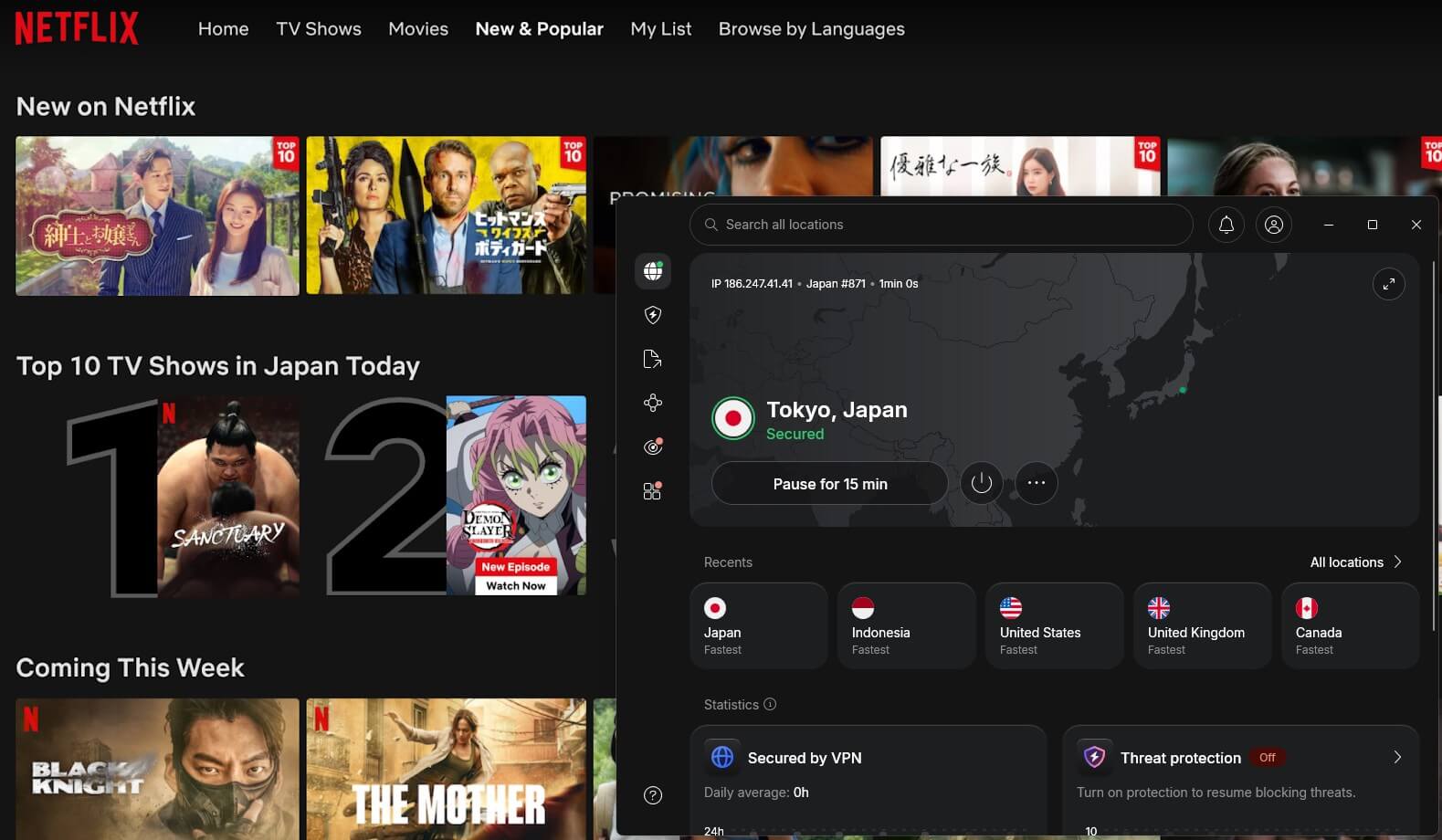
To switch again, disconnect, choose another country, and restart Netflix. If the catalog doesn’t change, connect to another server in the same country and restart Netflix again. The Top 10 row names the country, which confirms the change.
Change Your Netflix Region With NordVPN
Which Method Works on Which Device
| Device | Method |
| Windows, Mac, Android, iPhone | VPN app |
| Fire TV Stick | VPN app from the Amazon Appstore |
| Apple TV | VPN app on tvOS 17 or newer, or Smart DNS |
| Android TV and Google TV | VPN app from Google Play |
| Samsung and LG TVs | Smart DNS or a VPN router |
| PlayStation and Xbox | Smart DNS or a VPN router |
| Roku | VPN router |
On our Apple TV 4K, NordVPN’s tvOS app unblocked Netflix US, and its Smart DNS unblocked the same library without the app. Our guides to VPNs for Fire TV Stick, Apple TV, and Android TV cover setup on each.
How to Change Netflix Region Without a VPN
Every method without a VPN still has to change the location Netflix sees. Here’s how each one performed.
Change Netflix Region With Smart DNS
Smart DNS sends only the requests that reveal your location through a server in another country, so it requires no app. That makes it the method for smart TVs, game consoles, and other devices without VPN apps. NordVPN, ExpressVPN (as MediaStreamer), and Private Internet Access include it with a subscription, mostly for US content.
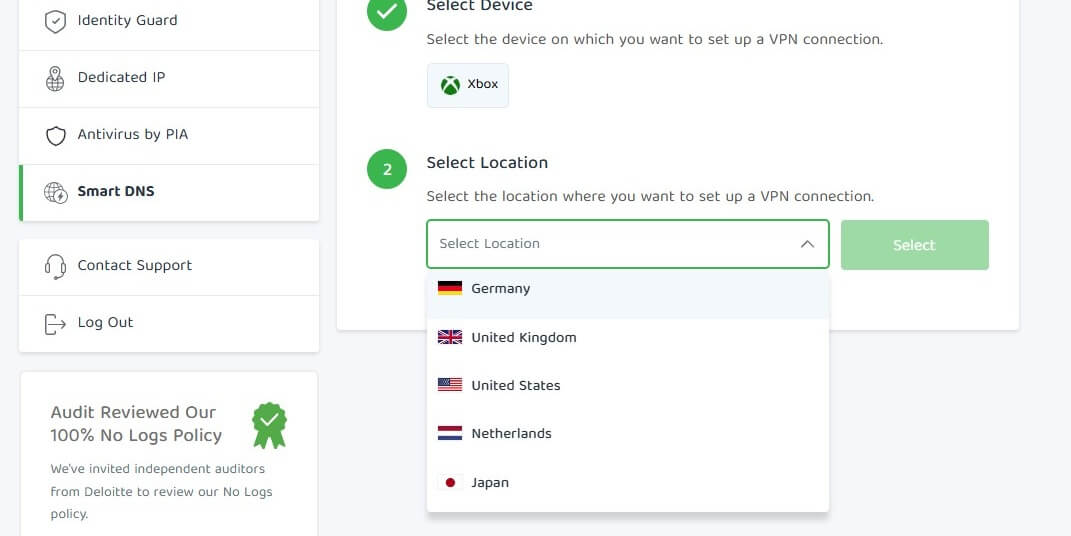
Proton VPN and Surfshark don’t offer one, so with those two, a Samsung or LG TV requires a VPN router. To use it, enable Smart DNS in your VPN account and register your home IP address if asked. Then enter the two DNS servers it lists in your device’s network settings. On an iPhone, they go under Settings > Wi-Fi > your network > Configure DNS. Smart DNS doesn’t encrypt your traffic or hide your IP address.
In our tests, Smart DNS unblocked Netflix US in 9 of 10 attempts, while NordVPN’s app unblocked it 10 times out of 10. Titles also started faster on the app, in 2 to 3 seconds compared to 5 to 6 seconds with Smart DNS.
Change Location on Netflix With Meshnet
NordVPN’s Meshnet lets you send your traffic through another device you’ve linked, such as a friend’s computer in the US. Netflix then sees that device’s IP address. It’s free: download the NordVPN app and create an account, with no subscription required. The other device requires the NordVPN app with Meshnet enabled, and Meshnet links up to 60 devices.
The catch is household detection. Netflix checks whether devices on an account share a home network, and connecting through a friend’s network can trigger a verification request. Our guide to Netflix’s password-sharing restrictions covers how household checks work.
Change Country on Netflix With a Proxy
Proxies are often confused with VPNs, and free web proxies rarely work with Netflix. Netflix recognizes their shared IP addresses, and many can’t play video. Free web proxies such as Hide.me’s and CyberGhost’s also offer only a few European locations. Browser extensions from VPN companies work better, because most of them are proxies too.
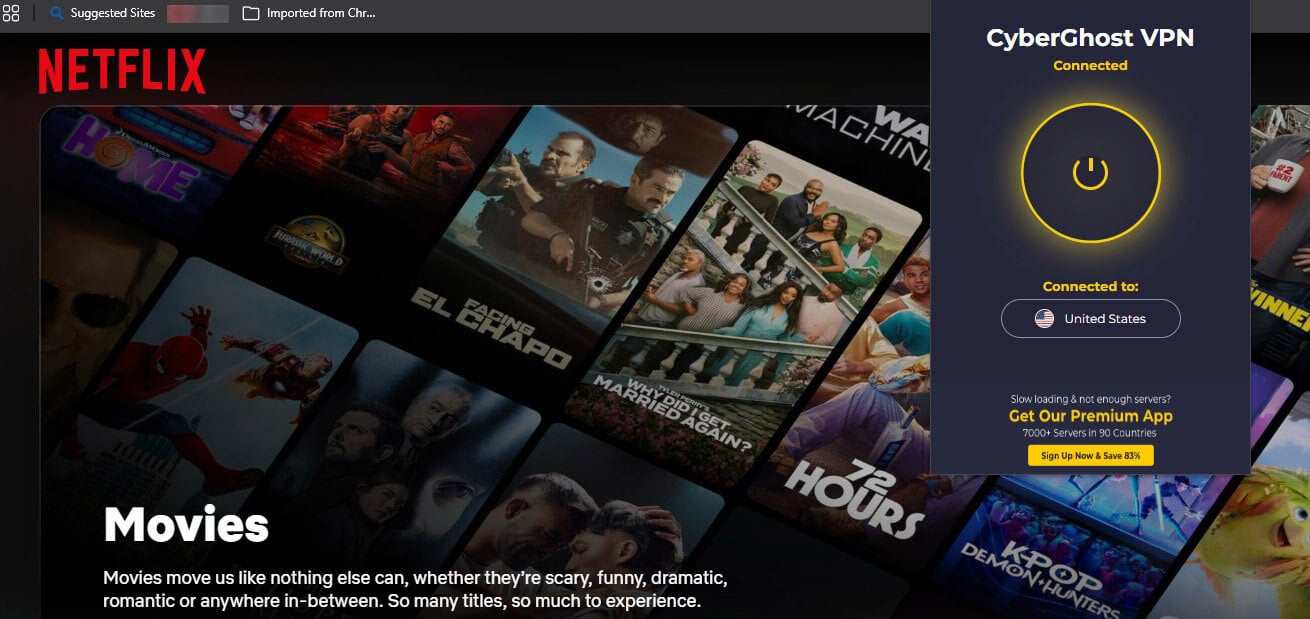
The NordVPN, Surfshark, and ExpressVPN extensions, with location spoofing enabled, unblocked libraries their desktop apps couldn’t. Location spoofing makes the browser report the server’s location instead of yours, and on NordVPN, it unblocked Netflix Taiwan. They require a VPN subscription, though, and cover only the browser.
Change Country on Netflix With Tor Browser
Tor Browser assigns a random country, and Netflix blocks most Tor relays anyway. When we tried it on our home library, Netflix’s home page took 16 seconds to load. With no VPN it took 2 seconds, and on NordVPN 3 seconds. Even HD playback can buffer on it. Tor Browser is built for other jobs, such as accessing the dark web.
Move or Change Your Billing Country
Netflix shows the local catalog of the country you’re in, so traveling changes your region for as long as you’re there. The billing country of an account can’t be changed in the settings. To switch it, cancel the membership and sign up again from the new country, which sets the price and payment options. The catalog still follows your location.
Popular Netflix Region Changes
- American Netflix: Connect to a US server. Our guides cover unblocking American Netflix from abroad and US Netflix from Canada.
- UK Netflix in the US: Connect to a UK server. NordVPN and Proton VPN unblocked Netflix UK in our tests, and our guide to watching UK Netflix abroad covers the setup.
- Japanese Netflix: Connect to a server in Japan for its anime catalog. Our Japanese Netflix guide has the details.
- Netflix Philippines in the US: Connect to a server in the Philippines. NordVPN, Proton VPN, and ExpressVPN unblocked Netflix Philippines in our tests, and Full HD and 4K played smoothly.
Why Can’t I Change My Netflix Region?
Netflix has detected the VPN server when it shows a proxy error, keeps your home catalog, or lists only Netflix Originals. Try these fixes:
- Switch servers: Connect to another server in the same country, then restart Netflix.
- Clear cookies and cache: Old location data can keep the previous catalog in place. Proton VPN unblocked Netflix Sweden only after I cleared them.
- Try the browser extension: With location spoofing enabled, NordVPN’s Chrome extension unblocked Netflix Taiwan after the desktop app was detected.
- Change the protocol: If WireGuard or NordLynx is detected, OpenVPN on the same server sometimes isn’t.
- Use a dedicated IP address: Only you use it, so Netflix is less likely to flag it as a VPN.
- Switch VPNs: Some libraries block certain VPNs on every server. Netflix Brazil and Turkey blocked Proton VPN but not NordVPN.
Is Changing My Netflix Country Legal?
Yes, in most countries. Using a VPN to work around geo-blocks isn’t a crime where VPNs themselves are legal. It does break Netflix’s terms of use, which limit viewing to the country where the account was set up and to titles licensed there. In practice, Netflix responds by blocking the VPN server, and there are no known cases of it closing accounts for this.
How Many Netflix Libraries Are There?
Netflix offers a different catalog in each of its 190+ countries, and library sizes change every month as licenses start and end. Netflix Originals appear in most of them, while licensed films and series differ from country to country, so a title missing from one library can be available in the next.
Can I Find Subtitles in My Language?
Netflix offers a set of subtitle languages for each title, based on the region and a few widely spoken languages. After a region change, yours may be missing. Open Manage Profiles, set your preferred language, and check the title again.
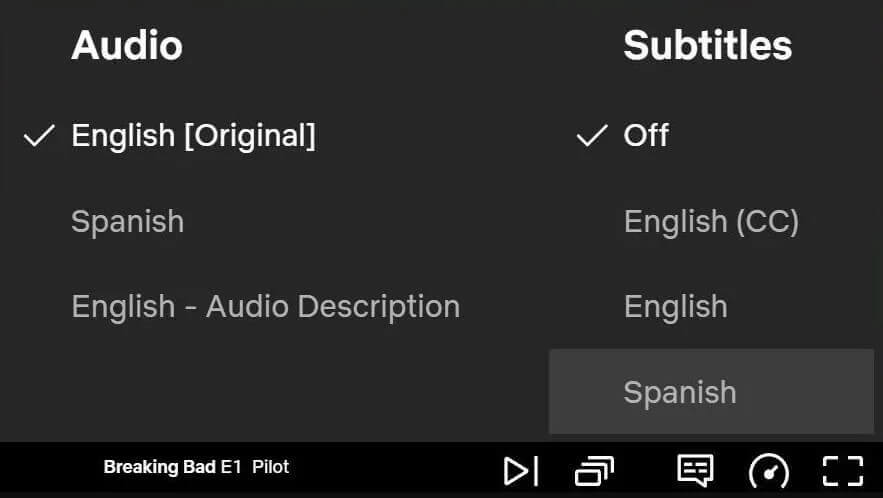
If that doesn’t help, Substital, a free extension for Chrome and Firefox, detects the title you’re watching and lets you load subtitles in your language. You can also change their position, color, and size.
Summary
Netflix follows your IP address, so changing that IP address is the only way to bring back a series missing from your catalog. The setup is quick. On phones, computers, Fire TV, and Apple TV, a VPN app does it in a few seconds. Samsung and LG TVs and game consoles require Smart DNS or a VPN router, which mostly unblock the US library.
Proxies, Tor, and a new billing country won’t change the catalog on their own. For most people, we’d install NordVPN. It unblocked the most libraries in our tests, works on the most devices, and its browser extension helped where the app was detected. If privacy comes first, Proton VPN is the stronger choice, and it unblocked the US and UK catalogs.
FAQ About Netflix Region Change
How do you watch Netflix from other countries?
Connect a VPN to a server in the chosen country, then restart Netflix. The app loads that country's catalog as long as Netflix doesn't recognize the VPN server.
Can you change your Netflix region without a VPN?
Yes, with Smart DNS, which reroutes location checks without encryption. It works best for the US library on smart TVs and consoles. Proxies and Tor Browser are far less reliable.
Can you change your Netflix region on a TV?
Yes. Fire TV Sticks and Android TV, Google TV, and Apple TV devices support VPN apps. Samsung and LG TVs don’t, so they require Smart DNS or a router with a VPN configured.
How does Netflix know you're using a VPN?
Netflix compares IP addresses against lists of known VPN and data center IP addresses. Heavy traffic from one IP address and a location that doesn't match the account's history also flag a connection.
Why is Netflix showing another country's catalog?
Netflix follows the location of the current IP address. A connected VPN, a mobile network registered abroad, or an outdated geolocation record can point Netflix to another country.
Can you change your country in Netflix account settings?
No. Netflix has no country setting. The billing country changes only by canceling and signing up again from the new country, and the catalog still follows the current location.
Does a free VPN work with Netflix?
Yes, but only a few do. Windscribe's and PrivadoVPN's free plans unblock some Netflix libraries within a monthly data limit. Most free VPNs use shared IP addresses that Netflix already blocks.