The dark web sounds more mysterious than it is. It’s simply a set of websites hidden from Google and from ordinary browsers, with addresses that end in .onion instead of .com. Some people go there out of curiosity. Others use it to read news that’s censored where they live, or to use privacy tools and forums privately.
Getting in is free and takes a few minutes. Staying safe takes a little more care, because a fake copy of a site or the wrong download can expose who you are or infect your computer. Whether a VPN helps on top depends on where you live and who can see your connection. Here’s how to access the dark web safely, one step at a time.
How to Access the Dark Web Safely: The Short Version
- Download Tor Browser from the official site, torproject.org.
- Set its security level to Safest before browsing.
- Connect a VPN first if you want to hide Tor use from your internet provider. NordVPN has an independently audited no-logging policy.
- Open Tor Browser and click Connect.
- Enter a .onion address you’ve verified from a source you trust.
What Is the Dark Web and How Does It Work?
The dark web is a part of the internet that search engines don’t index and ordinary browsers can’t open. Type a dark web address into Chrome, Edge, Firefox, or Safari, and nothing loads. These addresses end in .onion and look nothing like a normal web address. Instead of something like facebook.com, you see 56 random-looking letters and digits. Each onion address is generated from the site’s own encryption key, so no company registers it, and it reveals nothing about where the server is.
Those sites load in Tor Browser instead. Tor is short for The Onion Router, and Tor Browser is a version of Firefox built for onion sites. It wraps your traffic in several layers of encryption and sends it through three relays, which are volunteer-operated servers. The first relay sees your IP address but not the site you’re visiting. The last one sees the site but not who you are. No single relay knows both, so none of them can link you to what you’re reading.
Accessing the dark web is legal in the US, the UK, Canada, Australia, and most of Europe. The same laws apply on the dark web as on the ordinary internet. Reading forums, using privacy tools, and visiting news sites that are censored in other countries are lawful. Buying illegal goods isn’t, and a VPN won’t change that.
How to Access the Dark Web Safely in 4 Steps
Step 1: Download Tor From the Official Site
The safe source is the official site, torproject.org. Fake copies have turned up on download sites, in forum links, and in unofficial app stores, and a tampered Tor Browser can undo the protection you installed it for. On Android, the official app is also on Google Play, published by The Tor Project. There are Tor Browser versions for Windows, macOS, Linux, and Android, but none for iPhone or iPad.
Step 2: Set the Security Level to Safest
Before you visit a single site, click the shield icon next to the address bar and choose Settings. Then set the security level to Safest. This disables JavaScript on every site. JavaScript is the code that makes web pages interactive, and it’s the most common way attackers break into a Tor user’s browser.
Some pages will look broken without it. A few fonts, icons, and images won’t show, and audio and video play only after a click, a fair trade for the protection.
Step 3: Choose Whether to Add a VPN
A VPN isn’t required to browse the dark web. It changes who can see that you use Tor. Without one, your internet provider can. With one, only the VPN company can. That trade makes sense in two cases. The first is a country or network where using Tor draws attention, such as a workplace that monitors its network.
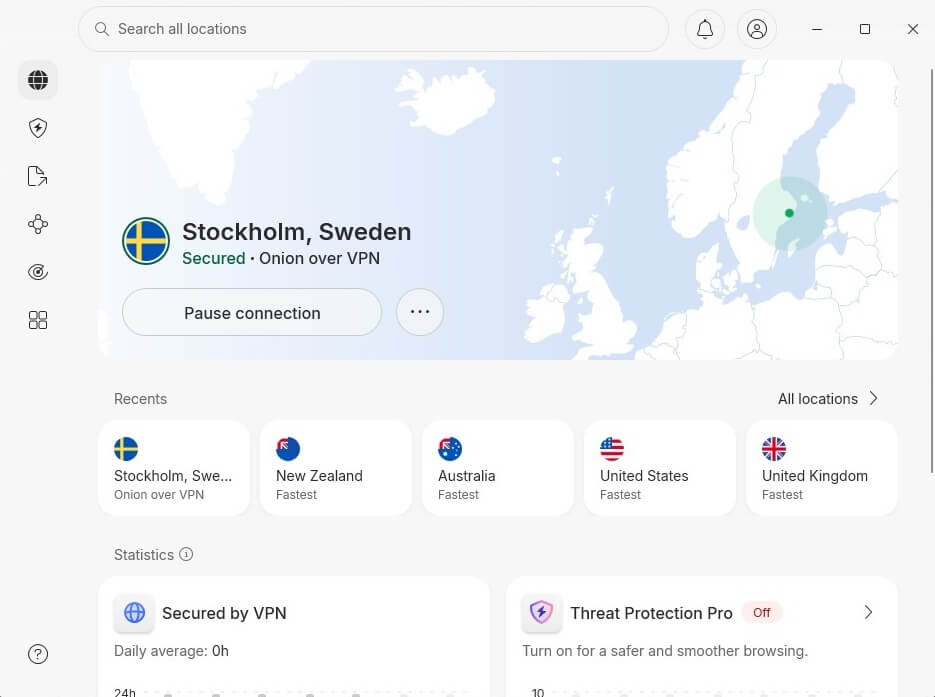
The second is when you don’t want Tor’s entry relay, the first relay in the chain, to see your IP address. Volunteers operate the relays, and a few have turned out to be malicious. In either case, connect the VPN before you open Tor Browser, never after. If Tor Browser is already open from step 2, close it, connect the VPN, and then reopen it.
Choose a VPN with an audited no-logging policy, a promise not to keep records of what you do that an outside firm has checked, because the VPN company now sees your connection to Tor. NordVPN‘s policy is independently audited. Use one of its regular servers with Tor Browser. NordVPN also has Onion Over VPN servers, but skip them for this setup.
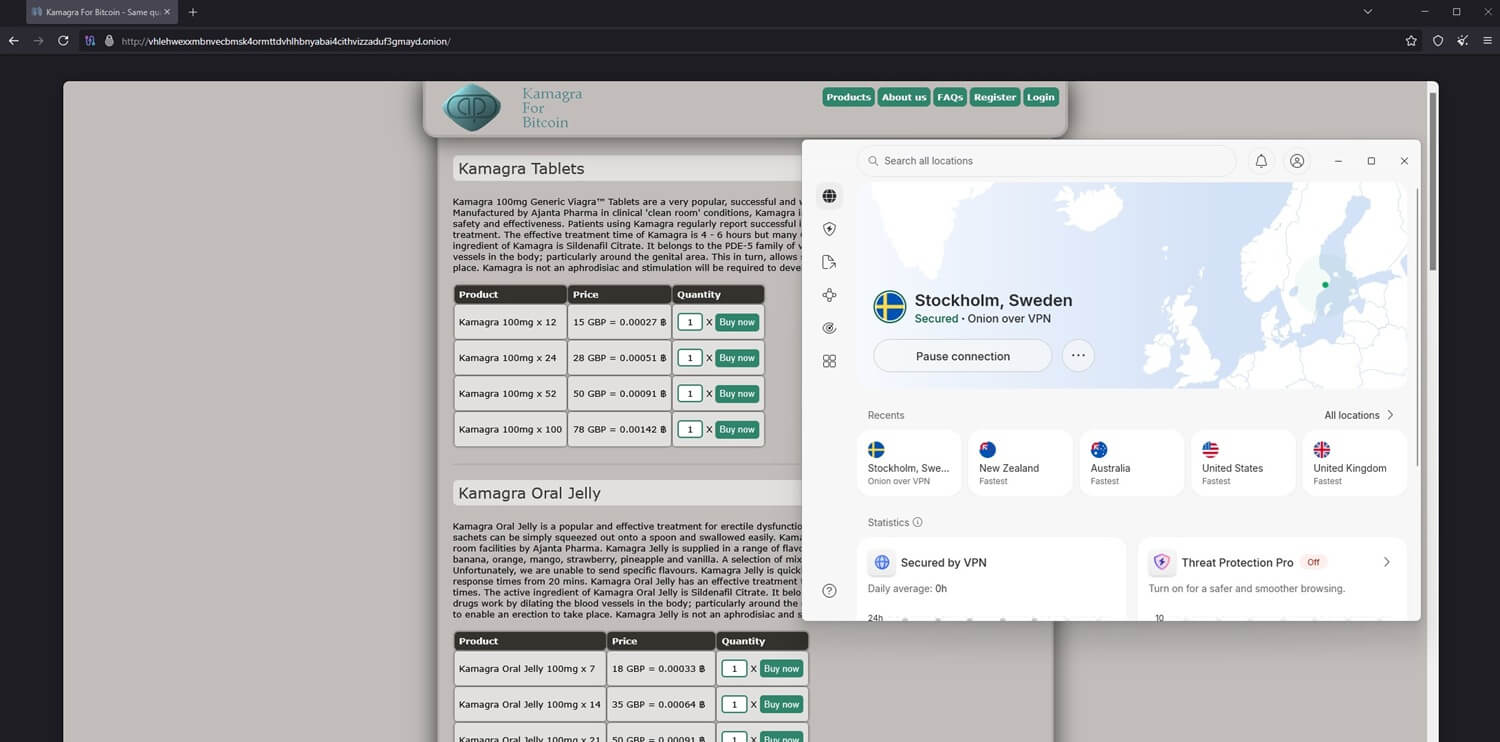
They already send your traffic into the Tor network, so using Tor Browser on top of them sends it through Tor twice and slows pages down. They don’t replace Tor Browser either: we tried Chrome, Firefox, and Edge on those servers, and onion sites failed to load in every one. Our best VPN for the dark web list compares other VPNs for this.
Step 4: Open Tor and Browse the Dark Web
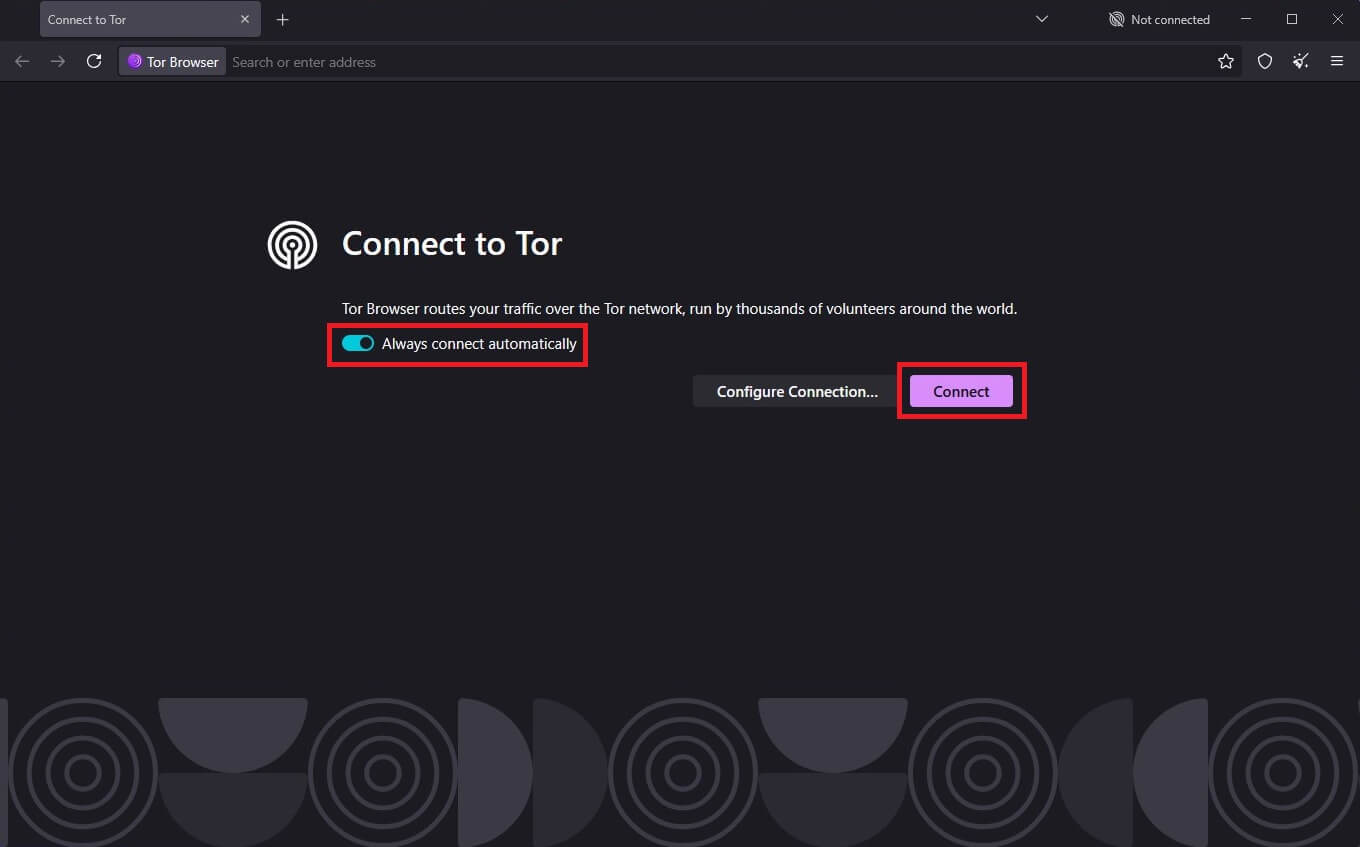
Open Tor Browser and click Connect. Tor Browser takes a few seconds to build a circuit, a chain of three relays. Expect pages to load more slowly than you’re used to. A wait of several seconds per page is normal, because every request passes through those relays first.
Then paste an onion address into the address bar. Check every address before you use it. Onion addresses are impossible to read at a glance, and fake copies of well-known sites are common, so compare each one with two independent sources. A site you already know is a safer place to start than a link directory: the BBC and ProPublica, for example, publish onion versions of their own sites.
How to Connect to the Dark Web When Tor Is Blocked
Some networks and countries block Tor relays, so Tor Browser won’t connect. Bridges fix that. A bridge is a relay that isn’t on Tor’s public list, so a network filter can’t block it by its IP address. To use one, open Settings, then Connection, then Bridges, and try obfs4 first, which disguises Tor traffic so filters don’t recognize it.
If a school or office network still blocks it, switch to Snowflake, which makes the connection look like an ordinary video call. Bridges and VPNs do different jobs. A bridge connects you to the Tor network when it’s blocked, while a VPN hides that you’re using it.
Tor Over VPN or VPN Over Tor
You can combine a VPN and Tor in two ways, and we recommend only one.
Tor Over VPN, the Practical Choice
Pros
- Simple to set up
- ISP can’t see Tor use
- Entry relay never sees your IP address
Con
- Some sites block Tor
Connect the VPN first, then open Tor Browser. Your internet provider sees only an encrypted connection to a VPN server. Tor’s entry relay sees the VPN’s IP address instead of yours, so even a malicious relay can’t trace the connection to your home. The one downside is the same as with Tor alone: sites that block Tor exit relays, the last relay in the chain, still block you.
For those sites, close Tor Browser and use a normal browser with the VPN connected, knowing you lose Tor’s protection for that visit.
VPN Over Tor, and Why We Skip It
Pros
- Works on sites that block Tor
- ISP can’t see the VPN
Cons
- Tedious manual setup
- VPN sees your activity
- Entry relay sees your IP address
- ISP sees Tor use
With this method, you connect to Tor first and the VPN second. Few VPNs support this, so it usually means setting up a specific server by hand. Your internet provider can see you’re using Tor, because nothing encrypts that connection first, and the entry relay sees your own IP address. Worse, the VPN company sees every site you visit through it, which undoes the point of Tor.
The main advantage is access to sites that block Tor exit relays. It also hides VPN use from your internet provider, though VPNs are legal in most countries, so that rarely helps.
Deep Web vs Dark Web
People often mix up the two. The deep web is everything a search engine can’t index but an ordinary browser can open once you log in: your email inbox, your bank account, a company intranet, or a hospital’s patient records. It makes up the vast majority of the internet, and you probably use it every day.
The dark web is a small part of it that requires Tor. Its addresses are deliberately hard to find, and its sites choose not to show up in search results.
How to Get on the Dark Web on an iPhone
Not with Tor Browser, which has no iPhone version. Outside the EU, Apple requires every iOS browser to use WebKit, its own browser engine, and WebKit blocks the privacy protections Tor relies on. For iPhone, the Tor Project lists Onion Browser and Orbot, two apps made by developers who work with the project. It also says that neither matches the desktop browser.
Phones are harder to lock down, too. Background apps can send data outside Tor, so use a computer for sensitive browsing. For a quick look out of curiosity, Onion Browser with a VPN on the iPhone lowers the risk, though it doesn’t remove it.
Is It Safe to Use the Dark Web?
Parts of it are, and the risk depends on what you do there. Reading is low risk, since most onion sites work like any other website. The risk starts when you interact. Marketplaces and any site requesting personal details or payment attract scams, and there’s no way to recover your money when a scam succeeds. Malware is also more common on the dark web than on the ordinary web.
The Safest setting disables JavaScript, which blocks most malware before the first page loads. A few habits lower the risk further: download no files, share nothing that identifies you, and don’t reuse a username or an email address from other sites.
How to Access the Dark Web: Conclusion
Accessing the dark web safely takes one download, one setting, and a few careful habits: the official Tor Browser, set to Safest. For most people browsing onion sites out of curiosity, a VPN adds little. A VPN helps in two situations: when Tor use draws attention where you live or work, and when you’d rather Tor’s entry relay never saw your IP address.
The VPN company then sees your connection instead, so use one with an audited no-logging policy. NordVPN is our choice on that count, with six independent audits behind its policy. Once you’re in, verify every onion address with two sources before you paste it. Fake copies of popular sites are common, and that check catches them.
Dark Web FAQ
Is it illegal to access the dark web?
No. Opening Tor and browsing onion sites is lawful in the US, the UK, Canada, Australia, and most of Europe. Buying illegal goods there remains a crime.
Is a VPN necessary alongside Tor?
No, not usually. Tor hides the user's IP address on its own. A VPN helps where Tor use draws attention, or keeps the IP address hidden from Tor's entry relay.
Can I be tracked on the dark web?
Yes, but rarely. With the IP address hidden by Tor, tracking usually relies on a browser exploit, a downloaded file opened outside Tor, or personal details typed into a site.
What is actually on the dark web?
Mostly ordinary sites: onion versions of the BBC and ProPublica, privacy tools, discussion forums, and research archives. Illegal marketplaces exist too and draw most of the attention.
Why does Tor load pages so slowly?
Tor sends each request through three volunteer relays, often on different continents, and every relay adds delay. Onion sites add three more relays, and no VPN or setting removes that wait.
Can visiting an onion site infect my device?
Yes, more easily than on the ordinary web. Malicious scripts and downloaded files are the main risks. Tor Browser’s Safest level blocks scripts, but it can’t make a downloaded file safe.
Is there a Tor Browser for iPhone?
No. The Tor Project publishes no iPhone version and recommends Onion Browser instead, which sends traffic through Tor but can’t match the desktop browser’s protections on iOS.