The VPN Chrome extension you install is not the VPN the reviews scored. We tested all five against the same ad blocker list in Chrome. ExpressVPN’s extension blocked 87% of tracker domains while its desktop app stopped 71%. Private Internet Access went the other way: 96% in the app, and 8% in the extension.
A Chrome VPN extension is a separate product from the app it shares a name with, and the two numbers are never published together. We also found no kill switch in any of the five and WebRTC leaks in none of them. One extension stops working the moment the desktop app is closed: ExpressVPN.
Best VPN for Chrome in 2026: The Shortlist
- NordVPN: Best Chrome VPN extension overall, and the most installed by a wide margin
- Surfshark: Best all-round extension, blocking 79% with no desktop app open
- ExpressVPN: Best ad blocking in the browser, at 87% of tracker domains
- Proton VPN: Secure Core and split tunneling in Chrome, with no ad blocker
- Private Internet Access: Most browser controls, weakest blocking
Chrome VPN Extensions Compared
Every figure here comes from the extension itself, tested in Google Chrome with no other blocker installed. These five are the Chrome VPN add-ons worth installing. None of the five includes a kill switch. That is the clearest difference between a Chrome VPN extension and a desktop app.
| Extension | Works without the app | Ad blocking | Per-site control | WebRTC | Price |
| NordVPN | Yes | 52% | Exclude from VPN | No leaks | $3.49/mo |
| Surfshark | Yes | 79% | Bypass list | No leaks | $2.49/mo |
| ExpressVPN | Proxy Mode only | 87% | None | No leaks | $2.99/mo |
| Proton VPN | Yes | None | Split tunneling | No leaks | $2.99/mo |
| Private Internet Access | Yes | 8% | Whitelist | No leaks | $1.99/mo |
The 5 Best VPN Chrome Extensions in 2026
Each entry covers what the extension does in Chrome, not what the desktop app does elsewhere. Here’s the full list:
1. NordVPN: Best Chrome VPN Extension Overall
Pros
- Works without the app
- Site exclusion built in
- Scam and phishing blocking
- No WebRTC leaks
- Widest country coverage
- Most installed extension
Cons
- Weak ad blocking
- Requires download access
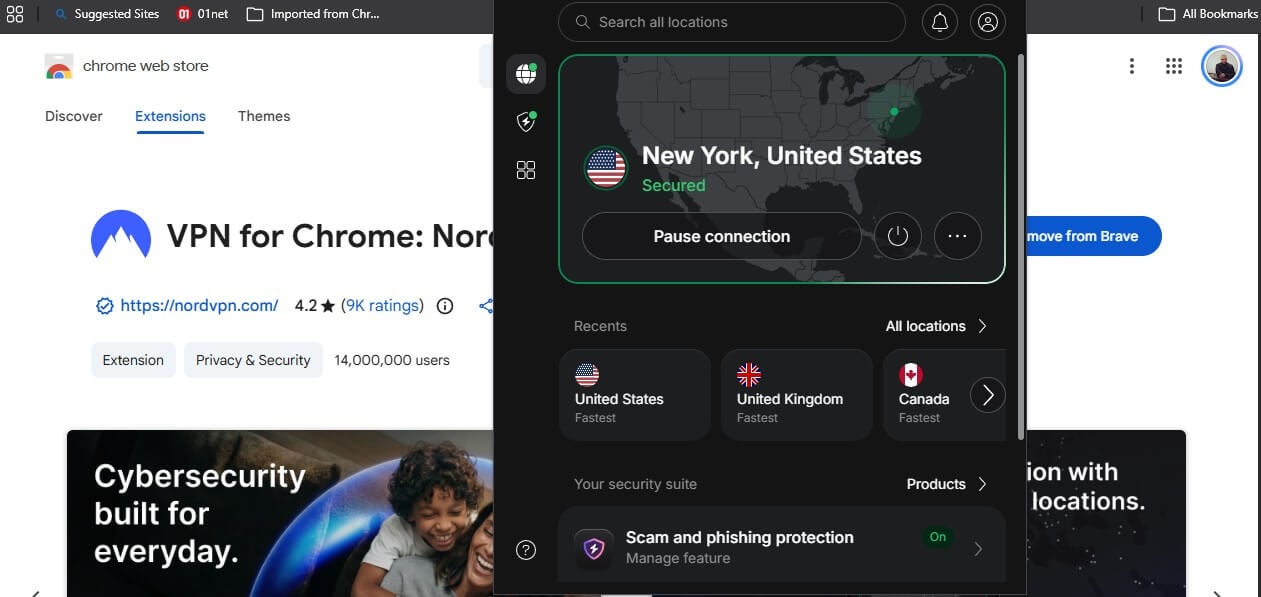
NordVPN’s Chrome extension has 14 million users, more than the other four combined, and a 4.2 rating from 9,000 reviews. It connects on its own with the desktop app closed. That is what most people expect from a browser extension, and not what all do. In the extension, you get the full country list, 152 in the app itself, and scam and phishing protection. An Exclude from VPN panel takes a domain or an IP address and keeps it outside the tunnel.
Subdomains can be included with a checkbox. Our NordVPN review covers the desktop side, and the browser tools are enough to open Netflix libraries without opening the app. It falls short in ad blocking. Threat Protection in the extension stopped 70 of 135 domains on d3ward’s test, or 52%, against 76% for Threat Protection Pro on the desktop. The extension also requests permission to manage your downloads, which none of the others do.
The Basic plan costs $3.49 a month with a 30-day money-back guarantee, and the subscription covers the apps as well as the extension.
2. Surfshark: Best All-Round Chrome Extension
Pros
- Blocks cookie pop-ups
- Bypass list per site
- Gmail scam checker
- Unlimited devices
- Leanest permissions
Cons
- Largest install size
- Lowest store rating
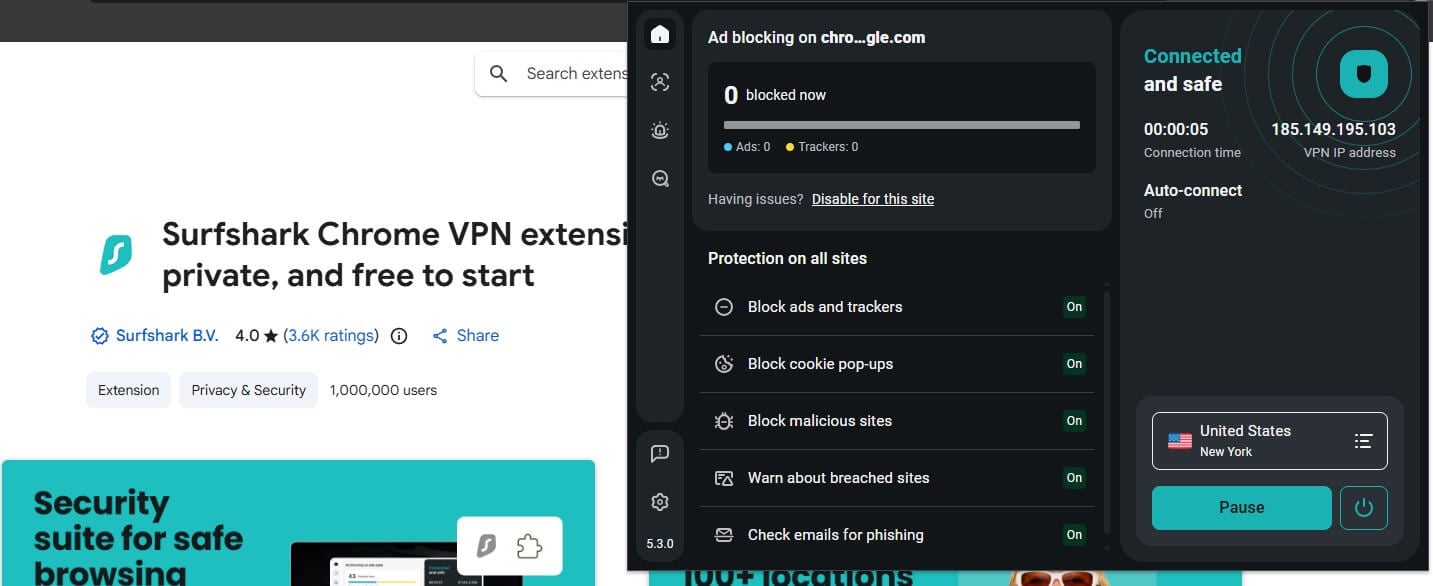
Surfshark does the most of any extension here, and it does it with no desktop app present. Alongside the VPN, there is ad and tracker blocking, cookie pop-up blocking, malicious site blocking, and breach warnings. A scam checker reads Gmail messages for phishing patterns. The bypass list turns off the VPN, the ad blocker, or both, for sites you name. On d3ward, it blocked 107 of 135 domains, or 79%. That figure matches CleanWeb on the desktop exactly
It makes Surfshark the only one of the five where the extension and the app block the same amount. Two things count against it. The extension is 96.9 MB, roughly nine times the size of NordVPN’s or ExpressVPN’s, and it has the lowest store rating of the five at 4.0 from 3,600 reviews. Permissions are lean: read and change data on sites, and change privacy settings, with no download access and no native messaging.
Our Surfshark review covers the rest, and one subscription still covers unlimited devices. The Starter plan costs $2.49 a month with a 30-day guarantee.
3. ExpressVPN: Best Ad Blocking in the Browser
Pros
- Best blocking score measured
- Location spoofing included
- No WebRTC leaks
- Highest store rating
Cons
- Requires the desktop app
- No site exclusion
- Proxy mode is limited
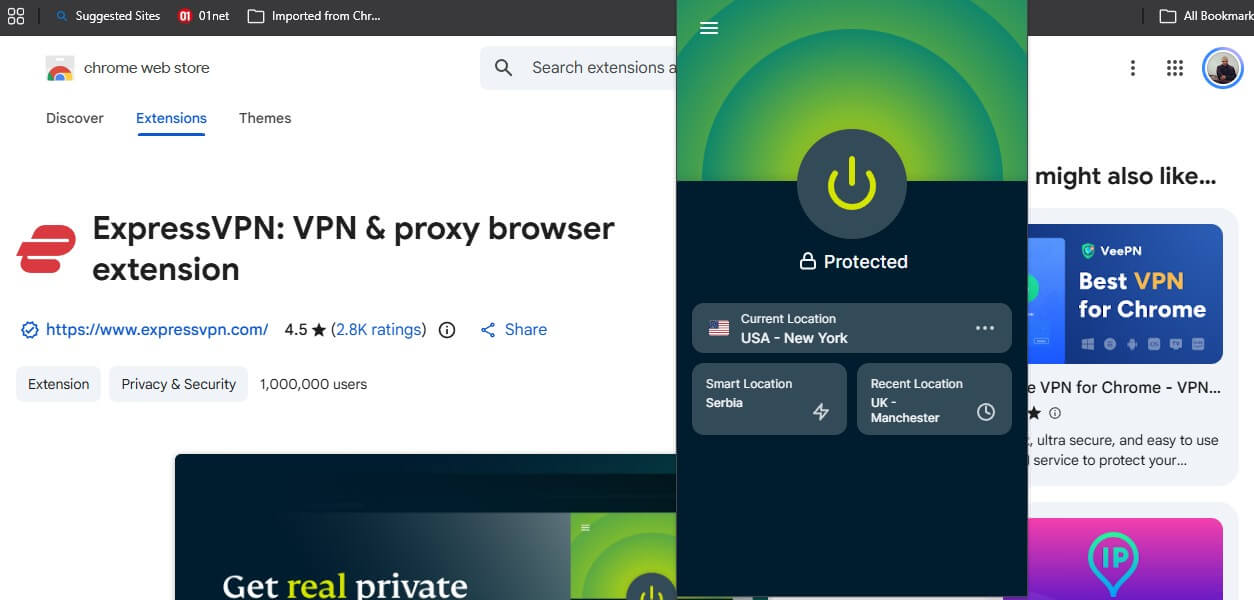
ExpressVPN’s extension blocked 118 of 135 domains, or 87%, the best result of the five and better than ExpressVPN’s own desktop app, which manages 71%. For a browser-first setup, that alone is a reason to pick it. The catch is how it connects. The extension opens in Remote Control Mode by default, where it drives the desktop app instead of connecting by itself. Close ExpressVPN’s processes and the extension stops working. No other extension here behaves that way.
Switching to Proxy Mode makes it standalone. ExpressVPN’s own description of that mode is blunt: limited privacy protection, and coverage for this browser only. Proxy Mode still blocked WebRTC leaks in our testing. That design shows in the permissions, where it is the only one asking to communicate with native apps, which is how it controls the desktop app.
Our ExpressVPN review covers the app, and the extension includes location spoofing to stop sites from using browser geolocation to place you. It has the highest rating of the five at 4.5 from 2,800 reviews, with 1 million users. The Basic plan costs $2.99 a month. There is no site exclusion in the extension, so unblocking specific sites means the whole browser goes through the VPN.
4. Proton VPN: Best Chrome Extension for Privacy Tools
Pros
- Secure Core in Chrome
- Split tunneling by site
- Free version available
- Works without the app
- Swiss jurisdiction
Cons
- No ad blocker
- No malware blocking
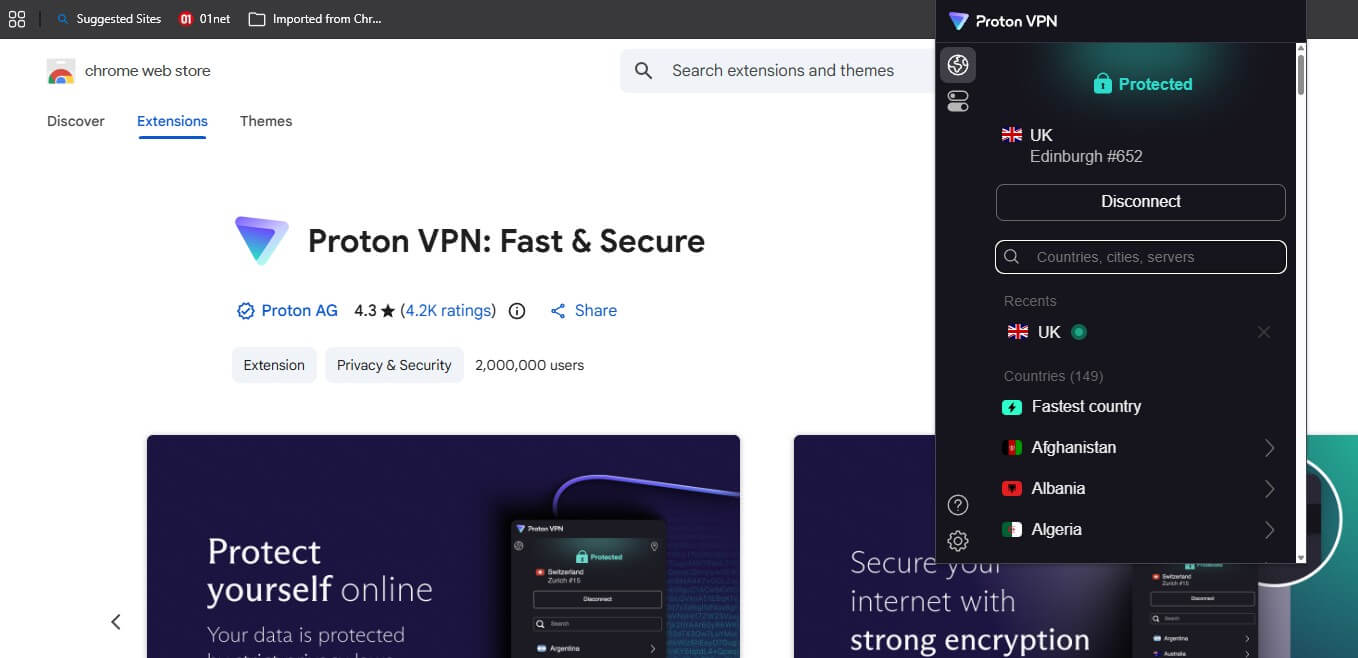
Proton VPN drops to fourth on one missing feature, and it is a feature people install a browser extension to get. Everything else it does, it does better than the rest. Secure Core passes the connection through a second server in Switzerland before it exits, and split tunneling lets you name sites that should skip the VPN, which solves the bank that blocks VPN addresses. The country list covers 149.
The shortfall is clear. Proton VPN’s extension has no ad blocker, and our d3ward result reflects that. It stopped 10 of 135 domains, roughly what an unprotected browser does. NetShield exists on the desktop, where it blocks 93%, and it does not come to Chrome. If ad and tracker blocking is why you want an extension, this is the wrong one. Everything else is strong.
No WebRTC leaks, a 4.3 rating from 4,200 reviews, 2 million users, and verification as Proton AG. Our Proton VPN review has the full picture, and the free version works in Chrome with unlimited data and a country chosen for you. The paid plan starts at $2.99 a month and is refundable for 30 days.
5. Private Internet Access: Most Browser Controls
Pros
- Blocks camera and microphone
- Strips tracking parameters
- Disables autofill data
- Smallest install size
- Lowest price
Cons
- Ad blocking barely works
- Broadest permissions
- No verified publisher badge
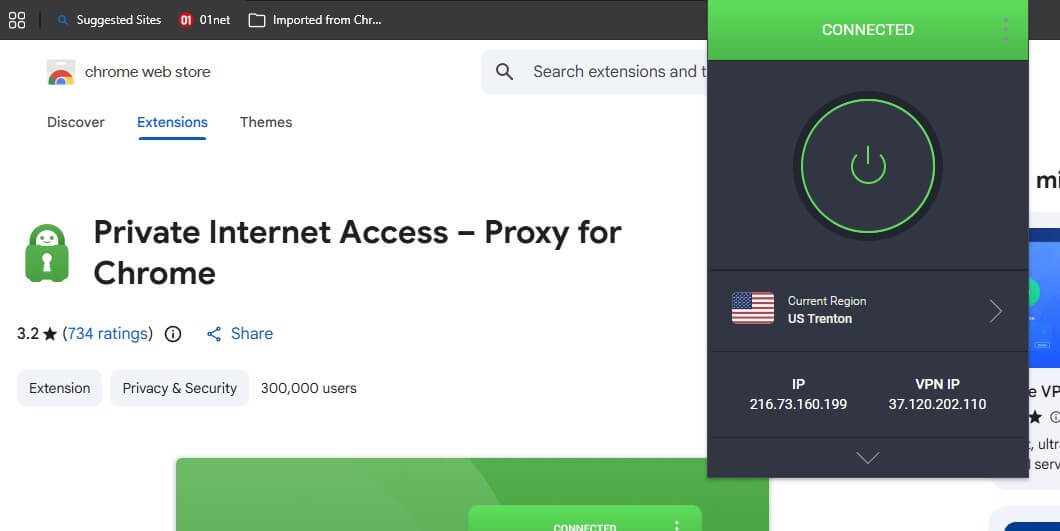
PIA’s extension has 14 toggles across Security, Privacy, and Tracking, the widest set of browser controls of the five. It blocks camera, microphone, and location access, and disables network prediction and autofill for cards and addresses. It also removes third-party cookies and referrers, strips UTM and FBCLID parameters from links, and includes MACE. MACE is where it falls apart.
With every other toggle switched off and MACE on, it stopped 11 of 135 domains, or 8%. On the desktop, MACE blocks 96%. The MACE name covers a different thing in Chrome, and we repeated the test six times to be sure. The permissions are the broadest of the five, covering geolocation, microphone, camera, and cookies across all sites and extensions, which powers those toggles.
PIA is also the only one of the five without a verified publisher badge on the store listing. It has 300,000 users and a 3.2 rating from 734 reviews, the lowest here. Changing your IP address works cleanly, with no WebRTC leaks, and the extension is the smallest at 5.6 MB. PIA is also the cheapest at $1.99 a month during the current sale, which our low-cost ranking covers alongside the alternatives.
Chrome VPN Extension vs VPN App
A Chrome VPN extension covers Chrome. The desktop app covers the device. Everything outside the browser keeps using the normal connection while an extension is active, including email clients, torrent clients, games, and video calls. The blocking difference is the part competing guides leave out. Here is each extension against its own desktop app on the same test:
| VPN | Chrome extension | Desktop app |
| ExpressVPN | 87% | 71% |
| Surfshark | 79% | 79% |
| NordVPN | 52% | 76% |
| Private Internet Access | 8% | 96% |
Proton VPN is absent because its extension has no blocker to measure, while NetShield on the desktop blocks 93%. Three other differences matter. No extension here has a kill switch. A dropped connection exposes browser traffic with nothing to catch it. Extensions don’t support WireGuard or OpenVPN, since they work through Chrome’s proxy settings.
A Chrome extension also does nothing for Chromecast, since the stream passes to the Chromecast device and leaves the browser behind. Use both, which every subscription here allows: the app for the device, the extension for quick switching inside Chrome.
Are Chrome VPN Extensions Just Proxies?
Mostly, yes, and the VPNs say so themselves. NordVPN’s listing is titled “VPN for Chrome: NordVPN proxy protection”. PIA’s is “Private Internet Access – Proxy for Chrome”. ExpressVPN calls its standalone setting Proxy Mode and warns that it provides limited privacy protection. A proxy site changes where your traffic appears to come from without the device-wide encryption a VPN app applies.
A proxy browser extension works the same way. For browsing, streaming, and getting past geo-blocks, that is enough. For work where a dropped connection matters, it isn’t. Install an extension from the VPN company you already subscribe to, and treat a free standalone proxy extension from an unfamiliar publisher as a data collection tool until proven otherwise.
Free VPN for Chrome: What You Actually Get
- CyberGhost’s Chrome extension is free, with no subscription and no account. It is also the most basic tool here. A plain proxy with a short location list, no ad blocking, no malware blocking, and none of the browser controls the paid extensions include. It changes your apparent location in Chrome and stops there.
- Proton VPN’s free plan works in the extension with unlimited data, which no other free VPN matches. The country is chosen for you, streaming services stay blocked, and the ad blocker is absent on the free tier, as it is on the paid one.
Our free Chrome VPN guide covers the rest. Apply the permissions check described further down to every other free VPN in the Web Store.
Chrome Privacy Problems a VPN Extension Won’t Fix
Chrome has three habits that no VPN can undo, and an extension addresses only the first.
- WebRTC leaks expose your real IP address through the browser’s real-time communication feature, even with a VPN connected. Every extension here blocks it, and that is the best reason to use one alongside the app.
- Chrome’s own DNS-over-HTTPS can send your lookups to Google instead of your VPN’s resolvers, telling Google every site you open while the VPN is on. Switch it off under Settings, Privacy and security, Security, Use secure DNS.
- Chrome Sync keeps building a profile from your bookmarks, history, and open tabs while you are signed into a Google account. Signing out, or using a guest window, does more here than any extension.
- Extension permissions are worth reading before any install. Open chrome://extensions, click Details, and check what the add-on can access.
All five here ask to read and change data on all sites, which a proxy requires. The rest differs: NordVPN wants download access, ExpressVPN wants to talk to native applications, and PIA wants control of the camera, microphone, geolocation, and cookies across every site.
How to Install a VPN Extension in Chrome
- Subscribe to a VPN, since almost all premium Chrome extensions require an account before you can use them.
- Open the Chrome Web Store and search for the VPN by name, checking that the listing shows the company’s verified domain.
- Select Add to Chrome, then pin the icon to the toolbar.
- Sign in with the account details from step one.
- Open the extension settings and confirm WebRTC protection is on before you connect.
- Pick a country and connect.
A VPN download for Chrome is free from the Web Store, and the subscription unlocks it. Chrome extensions exist on desktop only, so on Android and iOS a VPN app from the app store is the only option.
Best VPN for Chrome: Conclusion
NordVPN takes the top spot for standalone operation, site exclusion, the widest country list, and clean WebRTC results. Weak ad blocking is the trade-off. Surfshark comes second because it does everything without the desktop app: 79% blocking, cookie pop-ups, breach warnings, and a bypass list. ExpressVPN blocks more than any other extension here and requires its desktop app to do it.
Proton VPN brings Secure Core and split tunneling into Chrome, and no ad blocker. Lastly, Private Internet Access offers the most browser controls and the weakest ad and malware blocking. Whichever you choose, the extension is a proxy for Chrome, and the app is the VPN. Install both.
Frequently Asked Questions
What is the best VPN extension for Chrome?
NordVPN. Its Chrome extension works without the desktop app, blocks WebRTC leaks, excludes individual sites from the tunnel, and has 14 million users.
Are Chrome VPN extensions safe?
From established VPN companies, yes. Every extension can read and change data on all sites, so install one from a publisher with a verified domain.
Is a Chrome VPN extension a real VPN?
No, it's a proxy. It covers Chrome traffic and leaves everything else on the normal connection, and none of the major extensions include a kill switch.
Is there a free VPN for Chrome?
Yes. CyberGhost's free VPN Chrome extension requires no account, and Proton VPN's free plan works in its extension with unlimited data.
Does a Chrome VPN extension block ads?
Some do. NordVPN, Surfshark, ExpressVPN, and Private Internet Access block ads, malicious websites, and trackers. The efficiency goes up to 87% on ExpressVPN, making it the best pick for ad-blocking specifically.
Does a VPN extension work on Chrome for Android?
No. Chrome supports extensions on desktop only, so Android and iOS require the VPN app instead.