
A Windows PC or laptop is usually where a VPN does most of its work. It’s the laptop you open on hotel Wi-Fi to check your bank account, the desktop you download files on, and the browser you stream from when a show won’t play abroad. Nearly every VPN has a Windows app, and on the download page, they all promise the same protection. Day to day, though, they behave differently.
A fast home connection makes even a small speed drop easy to see. An old VPN or security app left on the PC can stop a new one from connecting. And when Windows starts up, some VPNs leave your connection unprotected for a few seconds before they reconnect. Out of the 20+ VPNs we’ve tested on a Windows 11 PC, six did well on all three counts. Here’s our ranking of the best VPN for Windows, starting with the list.
Best VPN for Windows: Six We Recommend
- NordVPN: Best VPN for Windows 11 overall, and the fastest US server we tested
- Proton VPN: Best Windows VPN for privacy, and the quickest to reconnect on blocked networks
- ExpressVPN: Easiest Windows app, with no settings to change
- Private Internet Access: Most adjustable Windows VPN for hands-on users
- Surfshark: Best value for streaming, with no device limit
- CyberGhost: Best for online gaming, with servers sorted by task
Windows VPNs Compared
| Average speed loss | Streaming services unblocked | Devices at once | Strongest Windows feature | Starting price | |
| NordVPN | 7.8% | 14 of 14 | 10 | Next-gen antivirus scans downloads | Under $3.50/mo |
| Proton VPN | 10.2% | 10 of 14 | 10 | Secure Core multi-hop | Under $3/mo |
| ExpressVPN | 7.8% | 14 of 14 | 10 | Obfuscation on every connection | Under $3/mo |
| Private Internet Access | 12.7% | 8 of 14 | Unlimited | Protocol and encryption controls | About $2.20/mo |
| Surfshark | 9.6% | 13 of 14 | Unlimited | Rotating and static IP addresses | About $2.50/mo |
| CyberGhost | 13.3% | 11 of 14 | 7 | Servers sorted by task | About $2.20/mo |
The Best VPNs for Windows PC and Laptop
All our tests took place on a Windows 11 desktop over Ethernet in October. With no VPN connected, the PC downloaded at 190.36 Mbps and uploaded at 19.37 Mbps, with 10 ms ping, the delay you’d feel in online games and video calls.
We checked speeds on UK, US, and Japanese servers and tried 14 streaming services, clearing cookies and cache before each session. We also looked for IP, DNS, and WebRTC leaks, which expose your IP address despite the VPN. None of the six leaked.
1. NordVPN: Best VPN for Windows 11 Overall
Pros
- Next-gen antivirus scans downloads
- App-level kill switch
- Post-quantum encryption
- NordWhisper obfuscation
- P2P on every server
- Dedicated IP option
Cons
- Clashes with other installed VPNs
- Slow to connect on blocked networks
- Steep renewal price
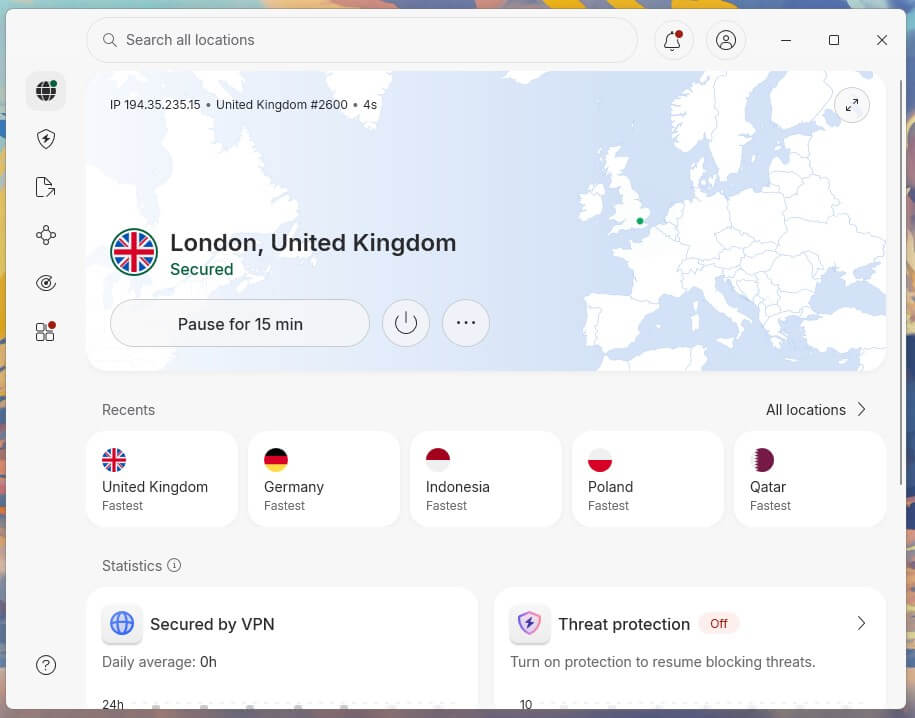
NordVPN lost 7.8% of its speed on average across UK, US, and Japanese servers, barely noticeable on a fast home connection. Its US server came out on top in our tests at 181.50 Mbps. It unblocked all 14 streaming services we tried, one of them only through the Chrome extension’s location spoofing setting. It also unblocked Netflix in 15 countries, so it’s our first choice to change your Netflix region.
On the Complete plan, next-gen antivirus checks every downloaded file for malware. The App Kill Switch closes only the programs you pick, a torrent client for example, as soon as the VPN disconnects. When I blocked VPN traffic with a Windows Firewall rule, NordVPN fell back to NordWhisper on its own, but only after about 90 seconds. NordWhisper makes VPN traffic harder to recognize, so on filtered office or campus Wi-Fi, select it yourself and NordVPN connects straight away.
Once connected there, it came in at 164.11 Mbps, ahead of Proton VPN and ExpressVPN. The Windows fault was more frustrating: the app often won’t connect while a second VPN is merely installed, and the restart that fixes it also signs you out. Signing back in each time slowed my testing, so uninstall unused VPNs before setting up NordVPN.
Deloitte last audited the no-log policy in late 2025, and our NordVPN review has more on its features. On a two-year term, the Basic plan is under $3.50 a month, and renewal is about $139 a year. NordVPN covers 152 countries.
2. Proton VPN: Best Windows VPN for Privacy
Pros
- Open-source clients
- Secure Core multi-hop
- Swiss jurisdiction
- Port forwarding
- Stealth obfuscation
- VPN Accelerator
Cons
- No Smart DNS
- No post-quantum encryption
- Couldn’t unblock Hulu or ITVX
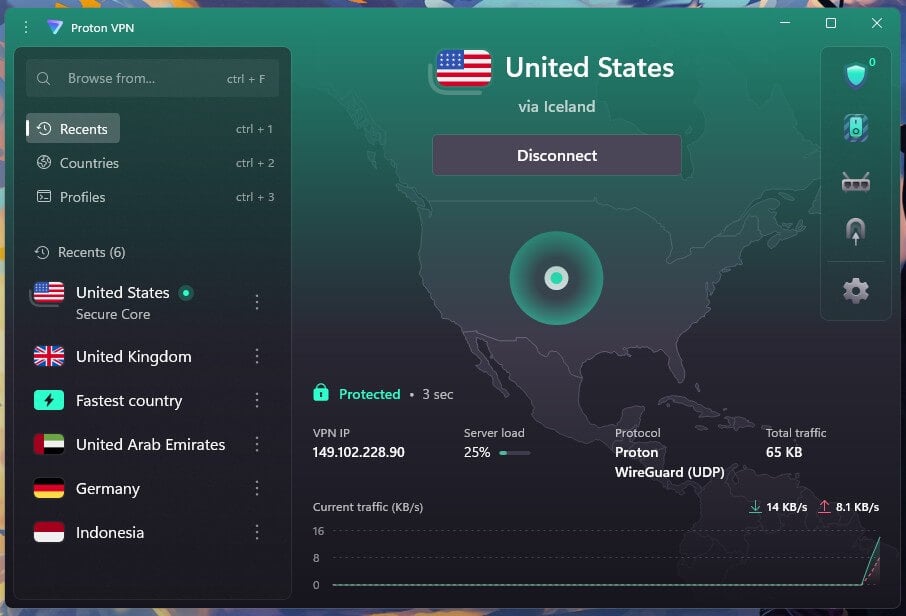
Proton VPN’s 10.2% average speed loss is slightly higher than NordVPN’s, though not enough to feel in everyday use. On the UK server, it kept 178.89 Mbps. When I pulled the Ethernet cable or force-closed the app, no packets got past its kill switch. With standard VPN traffic blocked, it switched to WireGuard over TCP, a slower form of the protocol that passes most firewalls, in under 10 seconds. No other VPN I tried recovered as quickly.
The privacy case starts with the apps: they’re open source, meaning security researchers can read the code. The company is based in Switzerland, which has strict privacy laws, and Securitum has audited its no-log policy every year since 2022. Secure Core sends traffic through a company-owned server in Switzerland, Iceland, or Sweden first, which cost 12.1% of the speed of a direct connection in our test.
Its Tor servers didn’t load .onion sites in Chrome, Firefox, or Edge, though, so use Tor Browser for the dark web. Streaming results were mixed: Proton VPN couldn’t unblock Hulu, Pluto TV, or ITVX. There’s no Smart DNS either, a feature that changes your location on devices without VPN apps, so a game console requires a VPN router instead. It also lacks post-quantum encryption, an extra layer designed to resist future quantum computers, which NordVPN, ExpressVPN, and Surfshark offer.
For everyday browsing today, that makes no difference. Expect to pay under $3 a month for the VPN Plus plan on the longest term, and about $84 a year after that. Proton VPN covers 149 countries.
3. ExpressVPN: Easiest Windows App to Live With
Pros
- Automatic obfuscation
- Quickest connections we timed
- Audited no-log policy
- RAM-only servers
- Smart DNS included
- Installs on Windows 7
Cons
- No multi-hop servers
- Few manual settings
- Occasional connection failures
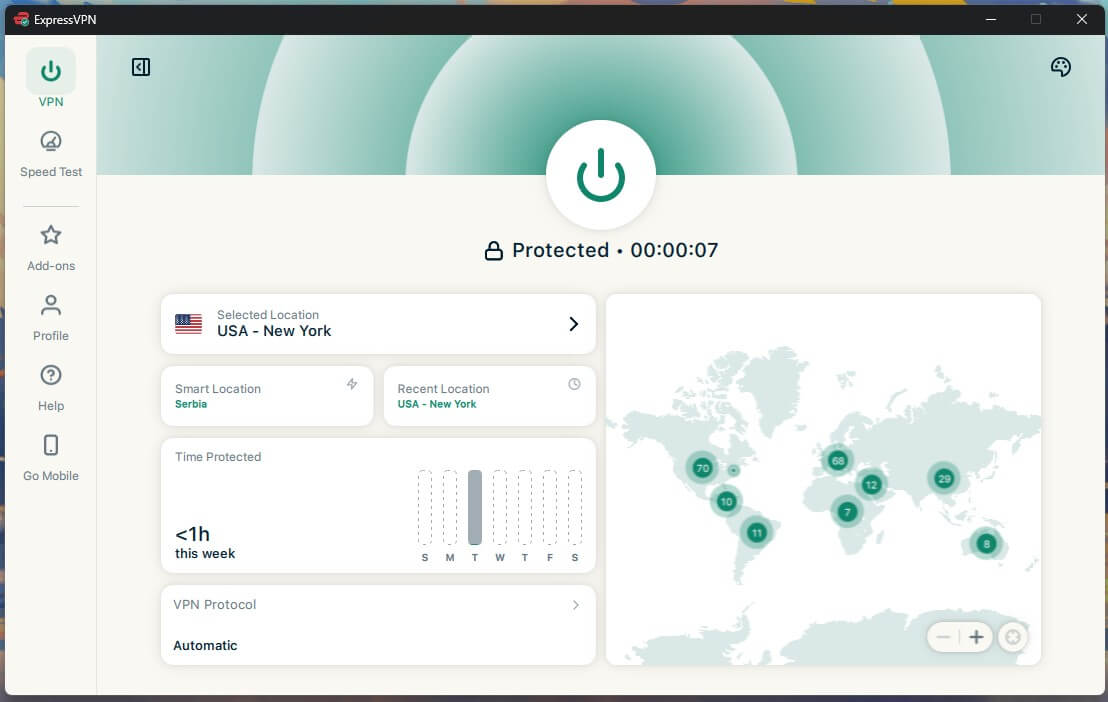
On the Japanese server, the most distant location we tested, ExpressVPN kept 163.94 Mbps, more than any other VPN in that location. Its average speed loss tied NordVPN’s at 7.8%, and its streaming results matched too: every service on our list, one of them through the browser extension. It connected in one to two seconds, faster than any other VPN we timed. Every connection is also obfuscated automatically: ExpressVPN disguises its traffic as ordinary browsing, which helps on filtered networks.
Lightway Turbo, a mode that uses several connections at once, brought no speed increase on our 190 Mbps connection. It also disables split tunneling, which keeps selected apps outside the VPN, so keep standard Lightway as your default. The no-log policy has been independently audited, and its RAM-only servers keep no data after a restart. That simplicity has a cost: there’s still no multi-hop, which chains two VPN servers for extra privacy, and the app has far fewer manual controls than PIA.
If you want either, NordVPN and Proton VPN offer more. On our test PC, it failed to connect twice. A PC restart fixed it the first time, and stopping other VPNs from launching at startup fixed the second. On its longest term, the Basic plan costs under $3 a month, rising to about $100 a year at renewal. It covers 10 devices, with servers in 113 countries.
4. Private Internet Access: Most Adjustable Windows VPN
Pros
- No device limit
- Port forwarding on Windows
- Shadowsocks obfuscation
- MACE blocker
- Adjustable encryption
- Automation rules
Cons
- Cluttered Windows app
- Patchy streaming access
- OpenVPN default on Windows
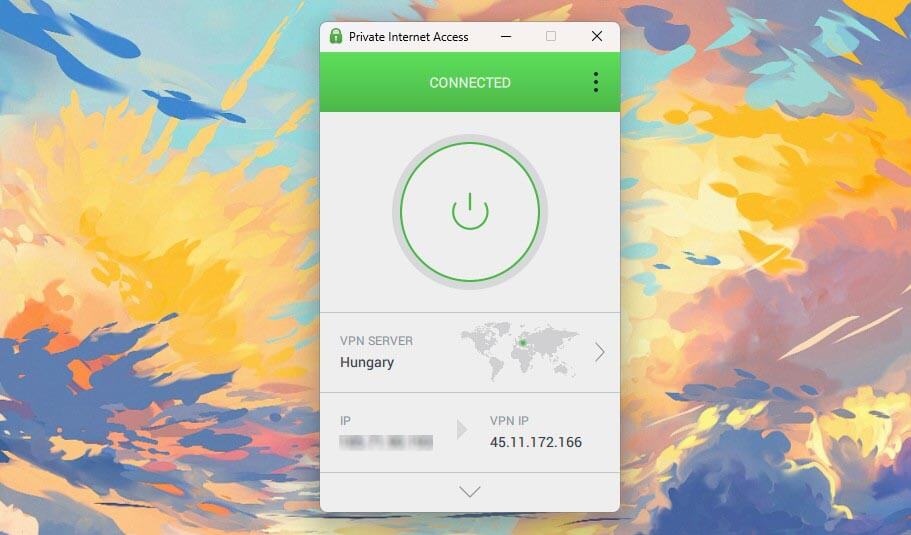
PIA’s average speed loss was 12.7%. The UK server kept 181.15 Mbps, close to NordVPN, while the Japanese server dropped to 141.61 Mbps, so pick the closest location you can. Its strength on Windows is control. You can switch between WireGuard and OpenVPN, choose 128-bit or 256-bit encryption on OpenVPN, and use port forwarding for torrent clients on Canadian and European servers, which helps slow torrents find more peers.
Its Windows app starts on OpenVPN with no automatic option, so switch to WireGuard in the settings for speed. MACE blocked 96% of the ad and tracker domains on our blocklist test, the highest score of any VPN blocker we’ve tested, so most ads disappear from the pages you visit. The main drawback is the app itself: its Windows app is my least favorite of the six, cluttered and dated next to the rest.
Enable its Advanced Kill Switch, too, which passed the PC restart test that the standard one failed. Streaming is its weak area: it couldn’t unblock Netflix Japan, Prime Video, HBO Max, JioHotstar, or Hulu, so look elsewhere if streaming is your main reason for a VPN. Its no-log policy stood up in US court cases and a Deloitte audit, as our PIA review explains.
The two-year plan is about $2.20 a month and renews at about $57 a year, so the monthly rate roughly doubles after the first term. It covers 91 countries.
5. Surfshark: Best Value for Streaming on Windows

Pros
- Unblocks Netflix, Hulu, and iPlayer
- Free static IP
- IP Rotator
- Dynamic MultiHop
- Antivirus add-on
- Unlimited devices
Cons
- Long connection times
- Higher renewal price
- Netherlands jurisdiction
For about $2.50 a month, Surfshark unblocked every streaming service on our list except ITVX, and for that channel, CyberGhost is the better choice. Its UK server was also the quickest in our tests at 186.96 Mbps, and its average speed loss was 9.6%, so nearby servers feel close to your normal connection. CleanWeb, its ad and tracker blocker, comes with every plan, and there’s no device limit, so one subscription covers every computer in the house.
Static IP addresses come at no extra cost, which cuts down the verification prompts banking sites show when an IP address keeps changing. IP Rotator changes the visible IP address at intervals without dropping the session, and Dynamic MultiHop lets you combine any two servers into a double connection. Antivirus for the same PC comes with the Surfshark One plan. Surfshark was a positive surprise overall, but connecting took noticeably longer than on the other five.
It’s a short wait if you connect once and leave it on, though. Renewal also costs much more than the first term. The Netherlands belongs to the 9 Eyes alliance, an intelligence-sharing agreement between nine countries. Even so, Deloitte’s audit found that Surfshark stores no IP addresses, browsing history, or connection timestamps, as our Surfshark review covers. Surfshark’s Starter plan costs about $2.50 a month on its longest term, with servers in 100 countries.
6. CyberGhost: Lowest Ping and Task-Based Servers
Pros
- Lowest UK ping
- Smart DNS for TVs
- Servers labeled by activity
- Company-owned NoSpy servers
- Audited by Deloitte
Cons
- Seven-device limit
- No obfuscation
- Kill switch leaked on restart
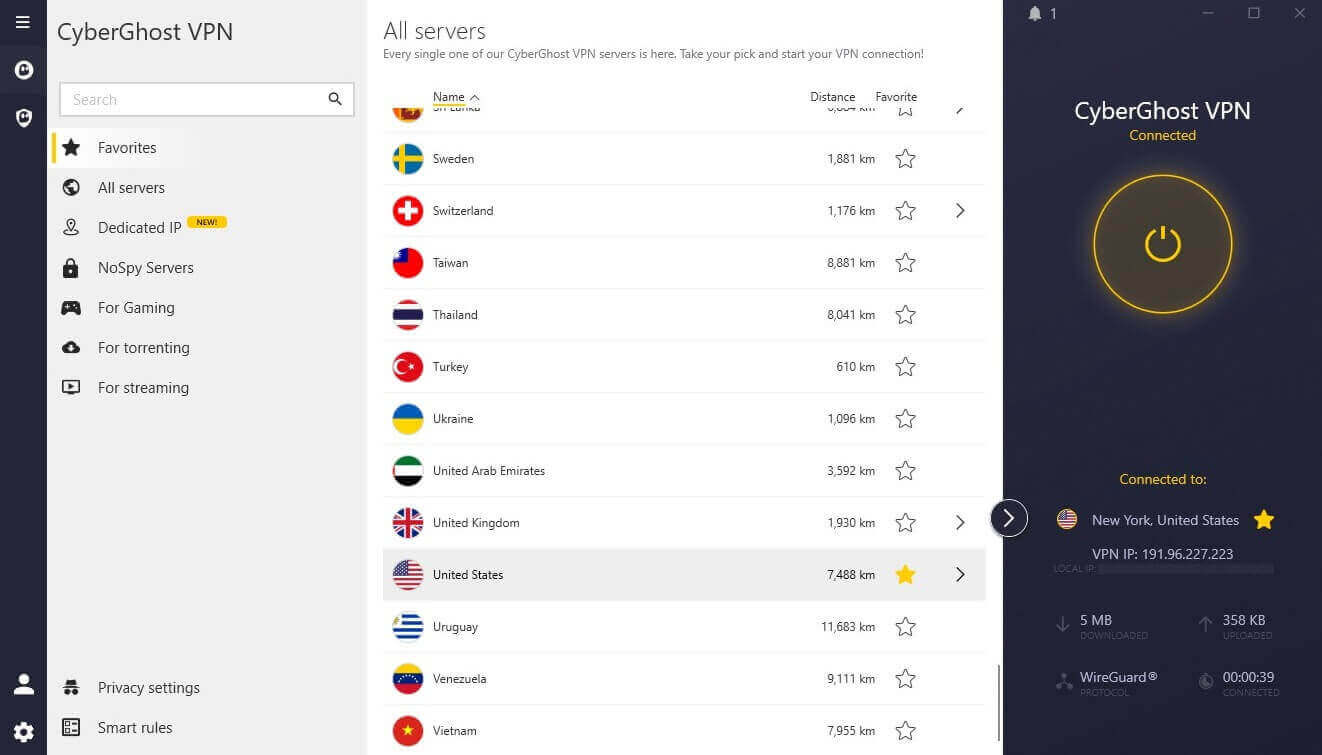
CyberGhost’s speed dropped 13.3% on average, with 178.95 Mbps on the UK server and 149.74 Mbps on the Japanese one. Its 39 ms UK ping was the lowest we recorded, two milliseconds ahead of NordVPN. Low ping keeps online gaming responsive on nearby servers. The Windows app sorts servers by task, with lists for streaming, torrenting, and gaming, so there’s less guessing about which one to pick. NoSpy servers are owned and operated by CyberGhost in Romania, so no outside data center company has access to them.
Its streaming record was good but not complete: it didn’t work with Netflix Japan or JioHotstar. It unblocked ITVX on a dedicated UK server, while Surfshark and Proton VPN couldn’t unblock it. Smart DNS covers a smart TV that doesn’t support VPN apps, and its no-log policy has a Deloitte audit behind it. Its automatic kill switch passed the cable and process tests, but a PC restart exposed traffic before the app reconnected, and there’s no stricter mode to fix it.
For a laptop you often use on public Wi-Fi, NordVPN or Proton VPN is the safer choice. The subscription covers seven devices, fewer than the 10 that NordVPN, Proton VPN, and ExpressVPN allow. There’s no obfuscation either, so a filtered office or campus network can block it, and ExpressVPN or Proton VPN connect more reliably there. Pricing matches PIA at about $2.20 a month on the two-year plan, across 100 countries.
Kill Switch Results on Windows
A kill switch cuts off the internet until the VPN reconnects, so a dropped connection never exposes your IP address. With a continuous ping open to show whether any traffic escaped, I tested three ways a connection fails on Windows 11:
| VPN | Ethernet cable pulled | App process killed | PC restarted, default kill switch | PC restarted, strictest mode |
| NordVPN | Passed | Passed | Passed (Internet Kill Switch) | One setting only |
| Proton VPN | Passed | Passed | Leaked | Passed (advanced kill switch) |
| ExpressVPN | Passed | Passed | Leaked | Passed |
| Private Internet Access | Passed | Passed | Leaked | Passed (Advanced Kill Switch) |
| Surfshark | Passed | Passed | Leaked (Soft mode) | Passed (Strict mode) |
| CyberGhost | Passed | Passed | Leaked | No stricter mode |
Every kill switch blocked traffic when I pulled the cable or killed the app. The restart is harder, because Windows goes online before the VPN app starts. NordVPN’s Internet Kill Switch was the only default setting that kept traffic blocked through a restart. It’s a single setting, and once it’s enabled, Windows has no internet access unless the VPN is connected.
Proton VPN, ExpressVPN, PIA, and Surfshark leaked on their default settings and passed in their strictest modes. CyberGhost has only an automatic kill switch, with no stricter mode, so a restart exposes your IP address until the app reconnects. On a PC that joins public networks, enable the strictest mode your VPN offers.
WireGuard or OpenVPN on Windows?
A protocol decides how the VPN connection is built and encrypted, and most Windows apps let you pick one. For speed, leave the app on its default protocol, which is WireGuard-based on most VPNs. In our tests, NordVPN’s OpenVPN setting cost only a little more speed than NordLynx:
| NordVPN protocol | UK | US | Japan |
| NordLynx (WireGuard) | 184.73 Mbps | 181.50 Mbps | 160.47 Mbps |
| OpenVPN | 183.25 Mbps | 179.04 Mbps | 154.64 Mbps |
OpenVPN lost 9.5% of NordVPN’s speed on average, compared to 7.8% for NordLynx, and both lost the most on the Japanese server. ExpressVPN’s protocols were just as close on its UK server: Lightway came in at 185.74 Mbps and WireGuard at 184.44 Mbps.
Switch to OpenVPN over TCP when a network blocks WireGuard’s UDP traffic. UDP and TCP are two ways of sending data, and secure websites use TCP on port 443, so firewalls rarely block it.
How to Set Up a VPN on Windows
- Download the app from the VPN’s website or your account dashboard. Surfshark also lists its app in the Microsoft Store.
- Open the installer and approve the network driver when Windows prompts you.
- Sign in and enable the kill switch, in its strictest mode if the app offers one.
- Connect to a server, nearby for speed or in a specific country for that region’s sites.
- Check the connection on a lookup site such as ipleak.net, which should show the server’s IP address and no DNS servers from your ISP.
Windows also has a built-in VPN client under Settings > Network & internet > VPN. It connects to a work or school VPN server you already have the details for, but it doesn’t include servers, a kill switch, or leak protection.
Which Windows Versions These VPNs Support
Windows 10 lost Microsoft support in October 2025, and many older PCs still use Windows 7 and 8. An older VPN build installs and works, but it no longer receives updates or security fixes. For Windows 7 and 8, the choice narrows to NordVPN, ExpressVPN, and Surfshark.
| Current app | Older Windows | ARM64 build | |
| NordVPN | Windows 10 64-bit, Windows 11 | Older build for 7, 8.1, and 32-bit 10 | Yes |
| Proton VPN | Windows 10, Windows 11 | None | Yes |
| ExpressVPN | Windows 10, Windows 11 | Older build for 7, 8, and 8.1 | Yes |
| Private Internet Access | Windows 10, Windows 11 | None | Yes |
| Surfshark | Windows 10 64-bit, Windows 11 | Older build for 7, 8, 8.1, and 32-bit 10 | Yes |
| CyberGhost | Windows 10, Windows 11 | Manual OpenVPN for 7 and 8 | No |
The older builds keep the kill switch and leak protection, while CyberGhost’s manual OpenVPN setup has neither. NordVPN and Surfshark keep 32-bit PCs on the older app. Proton VPN’s support page lists Windows 10 64-bit as its minimum.
For a Surface Pro or a Snapdragon laptop, five of the six publish a native ARM64 build, and Proton VPN’s has the same features as its standard app. CyberGhost’s documentation rules out Microsoft SQ and Snapdragon processors.
Free VPNs for Windows
Free VPNs can’t compete with paid ones on streaming, but some are surprisingly fast on a PC. On the same 190 Mbps connection, PrivadoVPN’s free plan lost 9.5% of its speed on UK and US servers, and Windscribe’s lost 10.0%, close to the paid VPNs. The limit is data. After 10 GB a month, about three hours of HD video, PrivadoVPN slows to 1 Mbps and Windscribe cuts the connection.
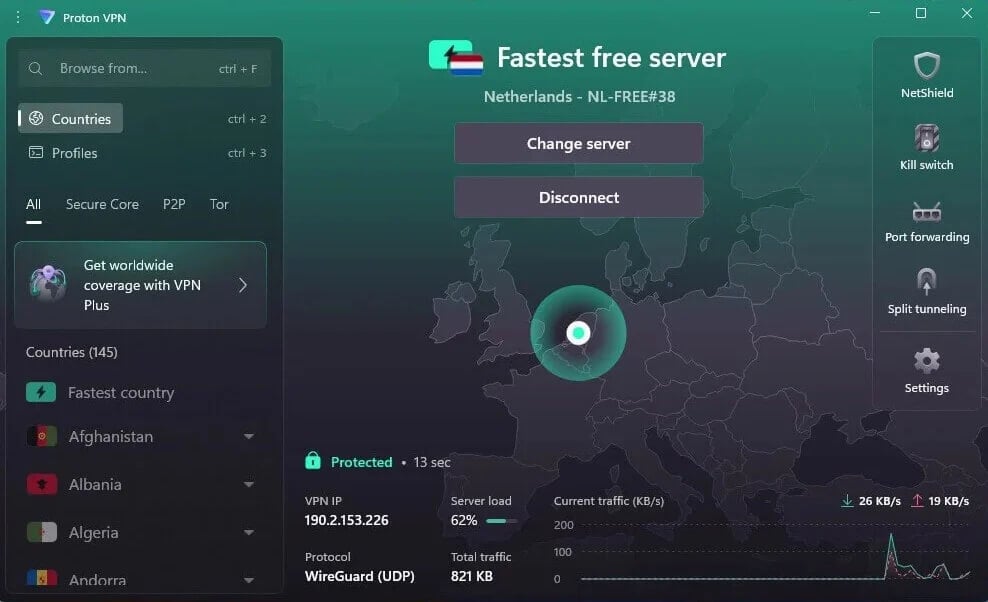
Windscribe’s free plan also sets no device limit, and I had five devices connected at once. Proton VPN’s free Windows app sets no data limit, but the country it assigns determines your speed, and its US server tested at 131 Mbps. The full list is in our free VPN guide.
When a VPN Won’t Connect on Windows
- Check for a second VPN. A rival VPN merely installed and idle was enough to stop NordVPN from connecting on our test PC. Uninstall the ones you no longer use, then restart the PC.
- Switch protocol. WireGuard is the fast default, but some networks block its UDP traffic. OpenVPN over TCP is slower and passes those filters more often.
- Give obfuscation time. With outgoing UDP blocked on our test PC, Proton VPN switched protocols in under 10 seconds, ExpressVPN recovered after about 40, and NordVPN switched to NordWhisper after about 90. Wait two minutes before changing other settings.
- Check your security software. Third-party firewalls can block VPN drivers and background services. Add the VPN app to the allowlist instead of turning protection off.
- Stop VPNs launching at startup. ExpressVPN failed to connect twice on our PC, and a restart plus disabling other VPNs at startup fixed it. A full reinstall clears a driver broken by a failed update.
Best VPN for Windows: Final Thoughts
So which VPN stays fast, connects reliably, and keeps a Windows PC covered from startup? NordVPN came closest. It barely slowed our connection, unblocked the full set of streaming services, and blocked traffic through a restart without any extra setting. Its weak point is other VPNs: keep a second one installed, and expect connection problems. Proton VPN doesn’t have that problem.
It connected normally next to other VPNs, recovered fastest on a blocked network, and backs its privacy claims with public code and yearly audits. If you’d rather not touch a single setting, ExpressVPN is the simplest to live with, while Surfshark costs less and unblocked nearly every streaming service.
Whichever you choose, uninstall the VPNs you no longer use and enable the strictest kill switch mode on the first day.
Frequently Asked Questions
What is the best VPN for PC?
The best VPN for PC is NordVPN, which combines fast WireGuard-based speeds with malware scanning for downloads. Second place goes to Proton VPN, whose Windows client code is published on GitHub.
Does Windows have a built-in VPN?
Yes, but only as a client. Windows connects to VPN servers set up by an employer or school, and it has no servers of its own, so changing location requires a VPN service.
How do you use a VPN on a PC?
Install the VPN’s Windows app from its official website, sign in, and enable the kill switch. Then pick a server: a nearby one is fastest, while one abroad changes the country websites see.
Can a VPN work on Windows 7 or Windows 8?
Yes, on older builds. Windows 7 and 8 PCs can install legacy apps from NordVPN, ExpressVPN, and Surfshark, which no longer receive updates. Proton VPN and PIA require Windows 10 or 11.
Is there a free VPN for Windows?
Yes. Proton VPN's free tier is unlimited in data, though the app assigns the country. Windscribe's and PrivadoVPN's free plans allow country choice but cap monthly data.
Is a VPN for a laptop different from one for a desktop PC?
No. The same Windows app works on laptops and desktops, and one subscription covers both. NordVPN caps the number of devices, while Surfshark and Private Internet Access set no limit.
Which VPN protocol is best for Windows?
WireGuard and its variants, such as NordLynx, are the best default for speed on Windows. OpenVPN over TCP is the fallback for networks that block WireGuard's UDP traffic, at a small speed cost.
Why won't a VPN connect on Windows?
A second VPN app installed on the same PC is a common cause, followed by firewall software blocking the VPN driver. Switching from WireGuard to OpenVPN over TCP fixes most network-related failures.