CyberGhost is one of the cheapest well-known VPNs. At just over $2 a month, it sells itself on simplicity, with servers labeled by task. For this CyberGhost review, I checked whether the low price costs it speed or streaming access, measuring its task-based servers against standard ones in October and trying 14 streaming services.
It turned out to be an easy VPN to recommend for speed on nearby servers and streaming: its speed dropped 13.3% on average, its 39 ms UK ping was the lowest we’ve recorded, and it unblocked 11 of the 14 services. The gaming servers, however, measured slower than a standard server in the same city, and there’s no obfuscation for censored networks.
CyberGhost VPN
CyberGhost offers 45 days to change your mind on its longer plans, a free desktop trial with no card, and near-full speed on nearby servers. Its NoSpy servers in Romania, owned and staffed by CyberGhost, cost under 4% of the connection. It has no obfuscation, no port forwarding, and no desktop split tunneling, and it covers only seven devices.
Pros
- Fast on nearby servers
- NoSpy servers cost little
- 45-day refund window
- Free trial without a card
- Servers grouped by task
- Audited by Deloitte
- App connects reliably
Cons
- No traffic obfuscation
- Only seven devices
- Weak ad blocking
- Kill switch leaked on PC restart
CyberGhost Review: Quick Look
| Starting price | $2.19 per month, $56.94 for 26 months |
| Renewal | $56.94 a year, so $4.75 per month |
| Money-back guarantee | 45 days, or 14 days on the monthly plan |
| Protocols | WireGuard, OpenVPN TCP and UDP, IKEv2 |
| No-log policy | Yes, audited by Deloitte and backed by quarterly transparency reports |
| Countries | 100, counted in the app |
| Download speed loss | 13.3% averaged across our three server locations |
| Upload speed loss | 8.4% averaged |
| Obfuscation | None |
| Streaming | 11 of the 14 streaming services we tested |
| Port forwarding | No |
| Ad and tracker blocking | Block Content, 68% on d3ward’s test |
| Simultaneous connections | 7 |
| Supported devices | Windows, macOS, Linux, iOS, Android, Fire TV, Android TV, routers, browsers |
| Customer support | 24/7 live chat, email, help center |
CyberGhost Speed Test Results
In our October tests, we measured on a 190.36 Mbps connection on Windows 11 from Europe, via Ethernet, using Speedtest. Each location was checked at three times of day across three days, on WireGuard.
| Server | Download | Upload | Ping | Download loss |
| No VPN | 190.36 Mbps | 19.37 Mbps | 10 ms | n/a |
| UK | 178.95 Mbps | 18.25 Mbps | 39 ms | 6.0% |
| US | 166.23 Mbps | 17.76 Mbps | 139 ms | 12.7% |
| Japan | 149.74 Mbps | 17.20 Mbps | 288 ms | 21.3% |
| Average | 164.97 Mbps | 17.74 Mbps | 8.4% upload loss | 13.3% |
CyberGhost is at its best on nearby servers. The 39 ms British ping is the lowest figure we have recorded from any VPN, and a 6.0% download loss on that connection is barely visible in use. Distance costs it more than most. Japan at 21.3% is the steepest drop in this table, and the 288 ms ping rules out real-time gaming at that range. For streaming, 149.74 Mbps covers 4K.
NoSpy and Gaming Servers Measured
Two specialty categories deserve their own numbers, so we tested both against ordinary servers in the same cities.
| Server | Download | Upload | Ping |
| NoSpy, Bucharest | 183.00 Mbps | 18.63 Mbps | 30 ms |
| Standard, Frankfurt | 185.73 Mbps | 18.66 Mbps | 30 ms |
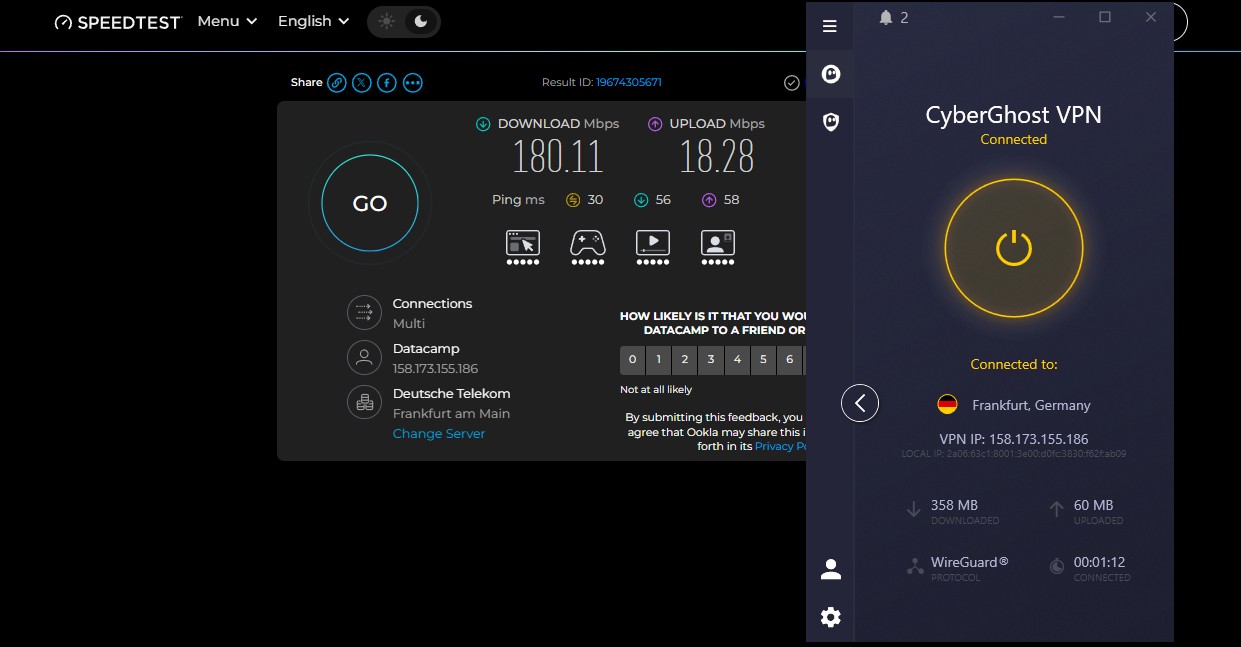
| Gaming, Frankfurt | 180.11 Mbps | 18.28 Mbps | 30 ms |
The gaming server measured 5.62 Mbps less than the standard server in the same city, at the same ping. Under load, the difference was 4 ms on upload ping, 58 ms compared to 62 ms, which no player will feel.
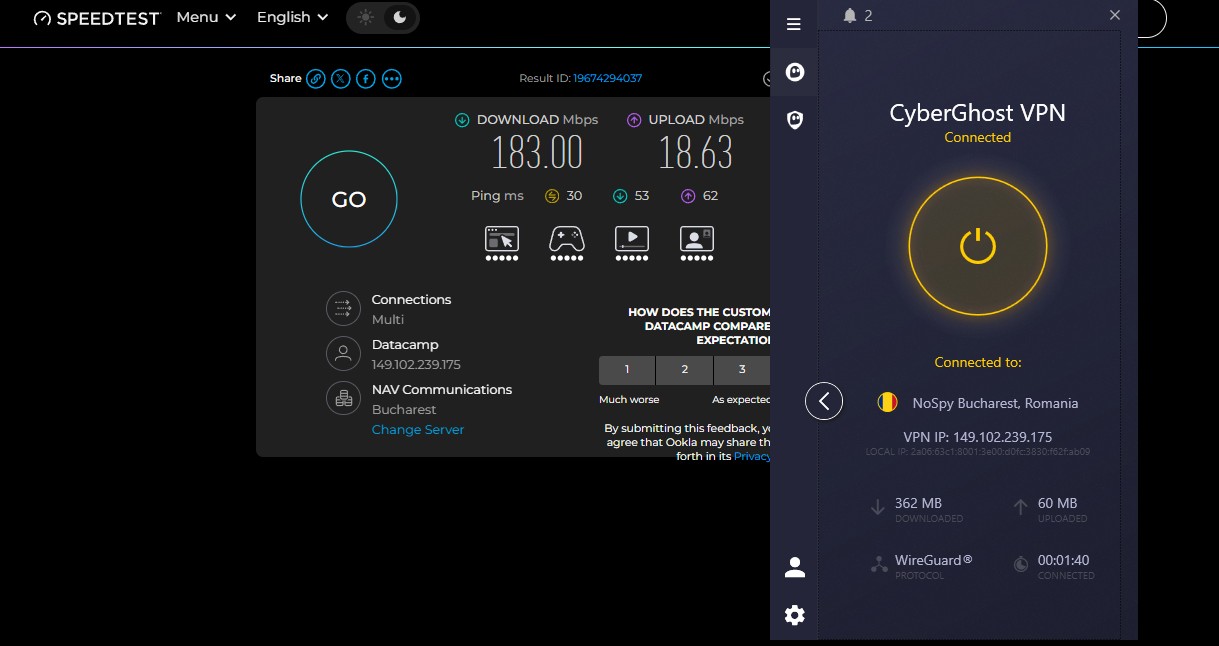
The gaming label doesn’t lower ping, and choosing one costs a little download speed. NoSpy is the opposite. These servers are in a data center CyberGhost owns and staffs in Romania, so no third-party host has physical access to them. At 183 Mbps and 30 ms, the privacy upgrade costs 3.9% of the connection.
That makes it usable as a default instead of a setting reserved for sensitive work, and the figures back the claim in a way the gaming label doesn’t. Connection times were 4 seconds on WireGuard, 4 on IKEv2, and 6 on OpenVPN.
CyberGhost Price and Plans
The 2-year plan with two extra months costs $2.19 per month, which is $56.94 for the full 26 months. It renews at $56.94 a year after that, or $4.75 a month, a gentler increase than most VPNs apply. The 6-month plan costs $6.99 a month and renews at $41.94 every six months. The monthly plan is $12.99.
Two add-ons appear at checkout. The Security Suite for Windows bundles antivirus and a security updater at $1 a month, and a dedicated IP address costs $2.50 a month. Both are discounted alongside the main plan. The pricing is at the bottom of the market, and our low-cost ranking covers the rest of that market. Current promotions appear on our CyberGhost coupons page.
Refunds and Free Trials
The 45-day money-back guarantee on the 2-year and 6-month plans is the longest in the category, where 30 days is the norm. The monthly plan allows 14 days. For this review, we requested a refund through live chat, paid by PayPal. The money was back in about 30 minutes. The agent asked for a reason from a dropdown and processed it without a retention pitch.
The free trials are unusually generous: 24 hours on Windows and macOS with no card required, 3 days on Android and 7 days on iOS. Most VPNs require payment details before a desktop trial, and CyberGhost doesn’t.
CyberGhost Security Review
On Windows 11, the security setup is solid at the basics and thin at the top end, and one absence shapes the whole product.
The Kill Switch Leaked on Restart
We tested the kill switch on Windows 11 in three ways, with a continuous ping running. No packets escaped when the Ethernet cable was pulled mid-session or when the app process was killed from Task Manager. A PC restart was different: traffic got out before the app reconnected, and CyberGhost offers no stricter kill switch mode to prevent it.
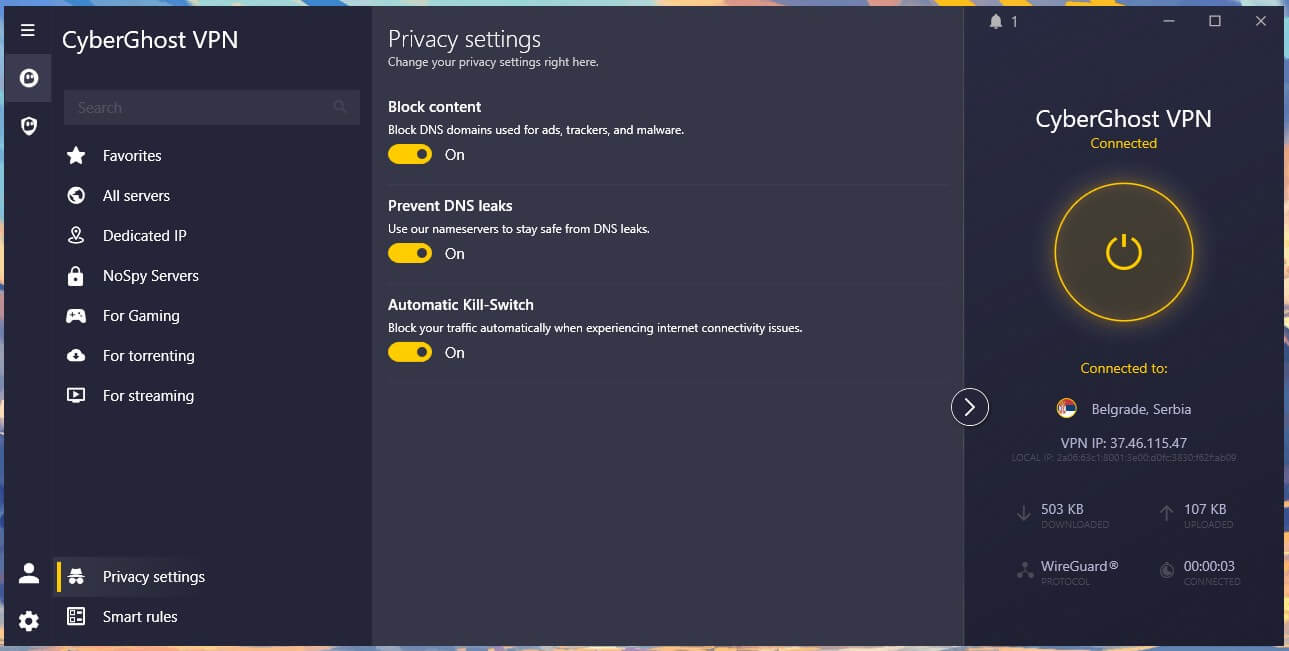
It works automatically on macOS and mobile, where there’s no toggle to forget. The kill switch guide explains what each version protects.
Block Content Scored 68%
Block Content filters domains used for ads, trackers, and malware at the DNS level. On d3ward’s blocklist test, it stopped 92 of 135 domains, or 68%. Here is that figure beside the other ad blockers we have measured on the same test:
| Blocker | Domains blocked |
| PIA MACE | 96% |
| Proton VPN NetShield | 93% |
| Surfshark CleanWeb | 79% |
| NordVPN next-gen antivirus | 76% |
| CyberGhost Block Content | 68% |
Letting 43 domains through is enough to notice on an ad-heavy news site. The app shows no counter for what was stopped. Treat it as a light filter and keep a browser blocker installed.
No Obfuscation, and What That Rules Out
CyberGhost offers no obfuscation. There’s no stealth protocol, no Shadowsocks, no traffic disguising of any kind. On a network using deep packet inspection, plain WireGuard or OpenVPN is identifiable and blocked. That rules out China and makes Russia, Iran, and the UAE unreliable. CyberGhost says as much on its own site. For school and workplace filtering, where the blocking is simpler, plain WireGuard unblocked every site we tried.
Smart Rules and Split Tunneling
Smart Rules is the automation panel. It covers Wi-Fi Protection for open networks, App Rules that connect when a named application launches, and Exceptions for excluding domains from the tunnel. App Rules worked, connecting to a chosen server whenever the paired application opened.
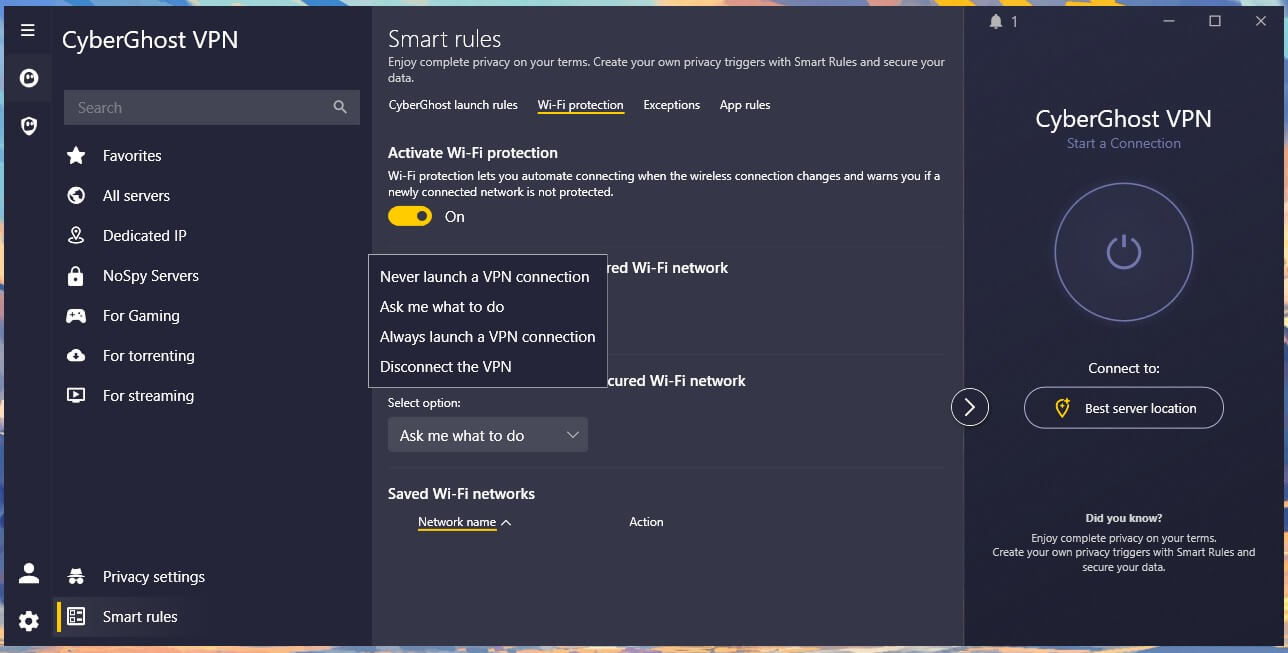
One limitation: App-level split tunneling is available only on Android.
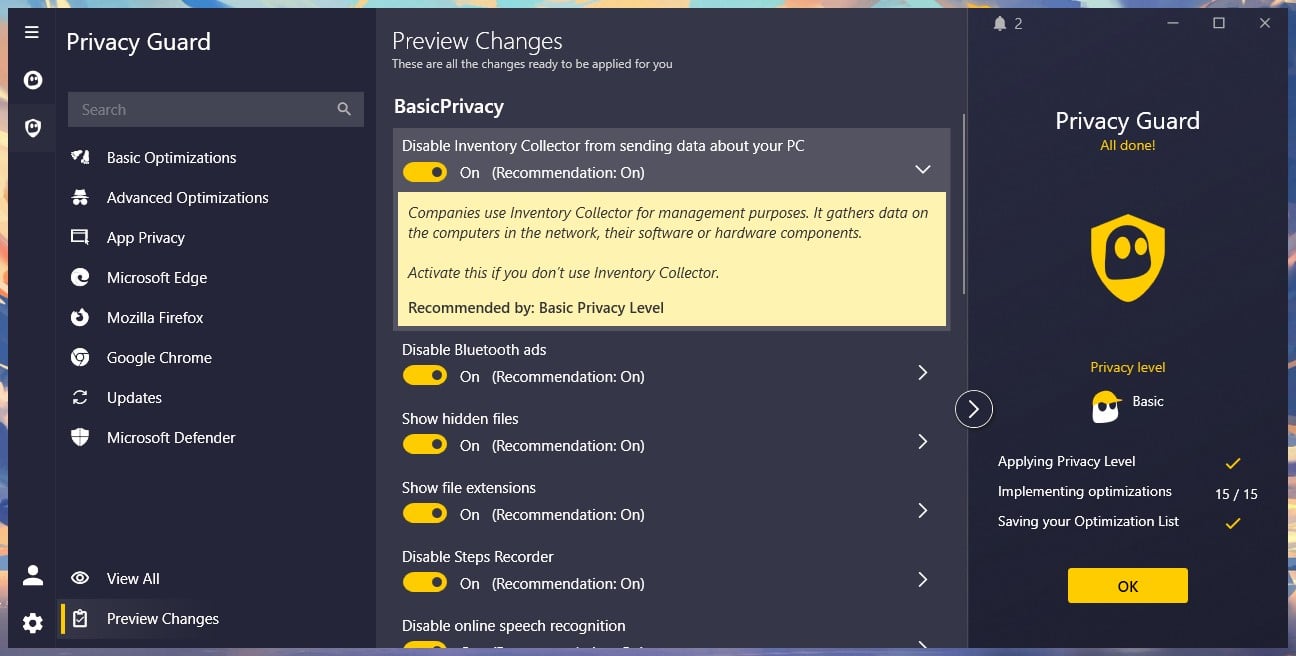
On Windows and macOS, Exceptions cover domains and IP addresses only. Keeping a single application outside the tunnel isn’t possible on the desktop. Privacy Guard comes with the Windows Security Suite. It disables Windows telemetry, background camera and microphone access, and typing data collection, with individual toggles under each category.
CyberGhost Review: IP and DNS Leak Test Results
For this review, we checked ipleak.net and browserleaks.com on the British, American, and Japanese servers. Windows 11, with the browser cache deleted between sessions. No IP address leaks, no DNS leaks, and no WebRTC exposure. Our home IP address appeared nowhere, including the IPv6 test.
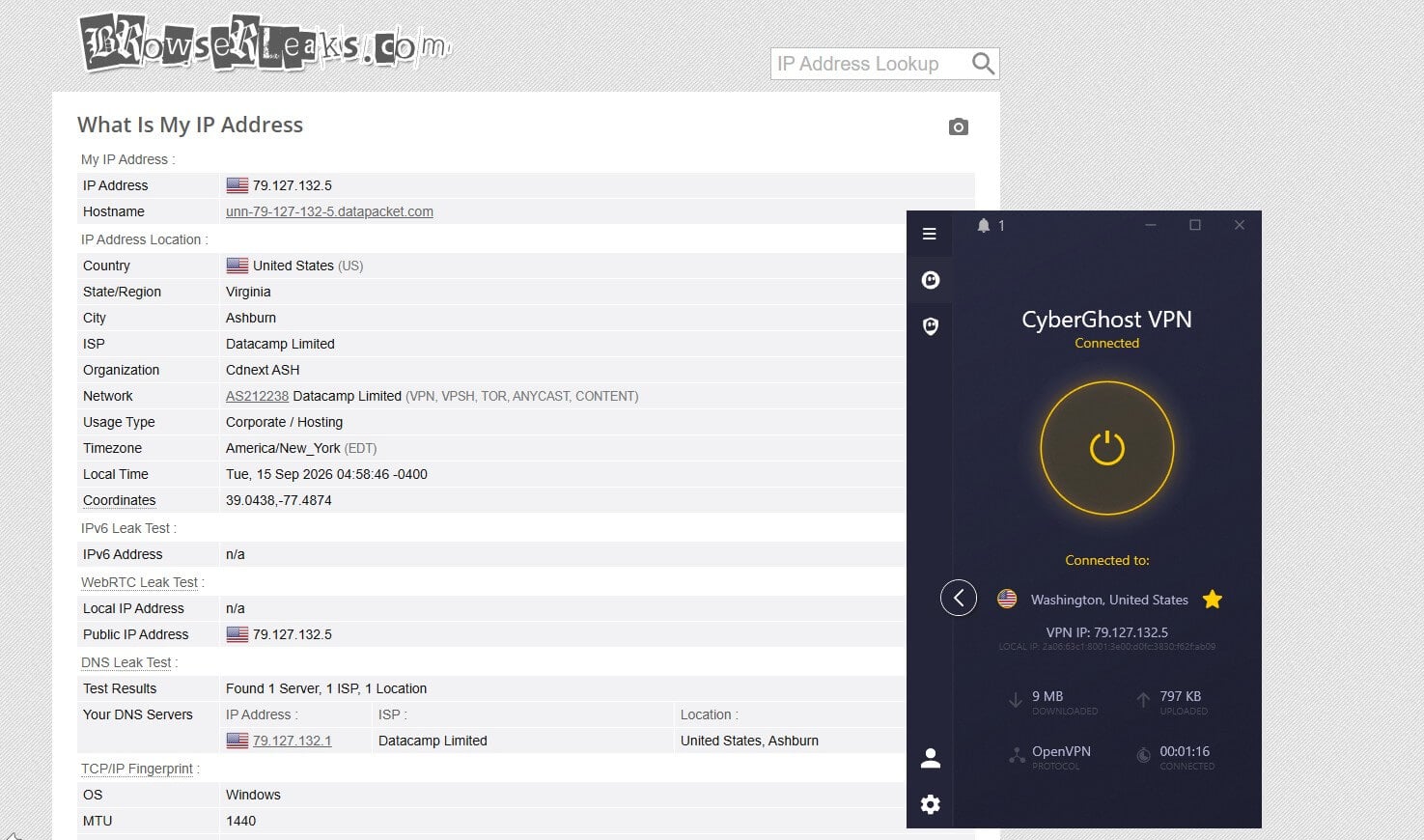
CyberGhost operates its own DNS resolvers instead of passing queries to a third party. The NoSpy server in Bucharest produced identical results to the standard ones, so the owned data center introduces no behavior that could expose traffic.
CyberGhost Privacy Review: Romania and the Audit Record
CyberGhost operates from Romania, an EU member outside the 5, 9, and 14 Eyes intelligence-sharing arrangements, with no mandatory VPN logging. The country struck down its own data retention law as unconstitutional, which is a stronger position than most European jurisdictions offer. The privacy policy states that CyberGhost stores no browsing history, traffic destination or content, search history, connection logs, IP addresses or timestamps.
It keeps an email address, anonymized troubleshooting data, and aggregate service metrics. None of it links to an individual session. The company publishes transparency reports four times a year, listing legal requests received and the responses given. It started doing so long before the audits began. Deloitte has examined the operation three times: the no-log policy, then the server infrastructure, and most recently the token system behind dedicated IP addresses.
That token keeps an account unlinked from its IP address. CyberGhost belongs to Kape Technologies, which also owns ExpressVPN and Private Internet Access. Each brand commissions its own independent audits, and the Deloitte record has continued under that ownership. For a closer look at jurisdiction, our most secure VPN guide compares the approaches.
CyberGhost Review: Streaming and Torrenting
CyberGhost unblocked 11 of the 14 streaming services we tested. The streaming-labeled servers are the centerpiece of CyberGhost’s pitch, and they work more often than not. ITVX is the standout: CyberGhost unblocked it on its dedicated British server after ITVX blocked two rival apps. That’s the labeled-server system doing exactly what it promises. Netflix US and the British libraries were reliable.
| Netflix US | Netflix Japan | BBC iPlayer | ITVX | JioHotstar | Disney+ |
| Unblocked | Blocked | Unblocked | Unblocked | Blocked | Blocked |
The three failures matter to different people. Netflix Japan stayed blocked even on CyberGhost’s own Japanese server, JioHotstar stayed blocked throughout, and Disney+ blocked the desktop app, as it does with most VPN apps.

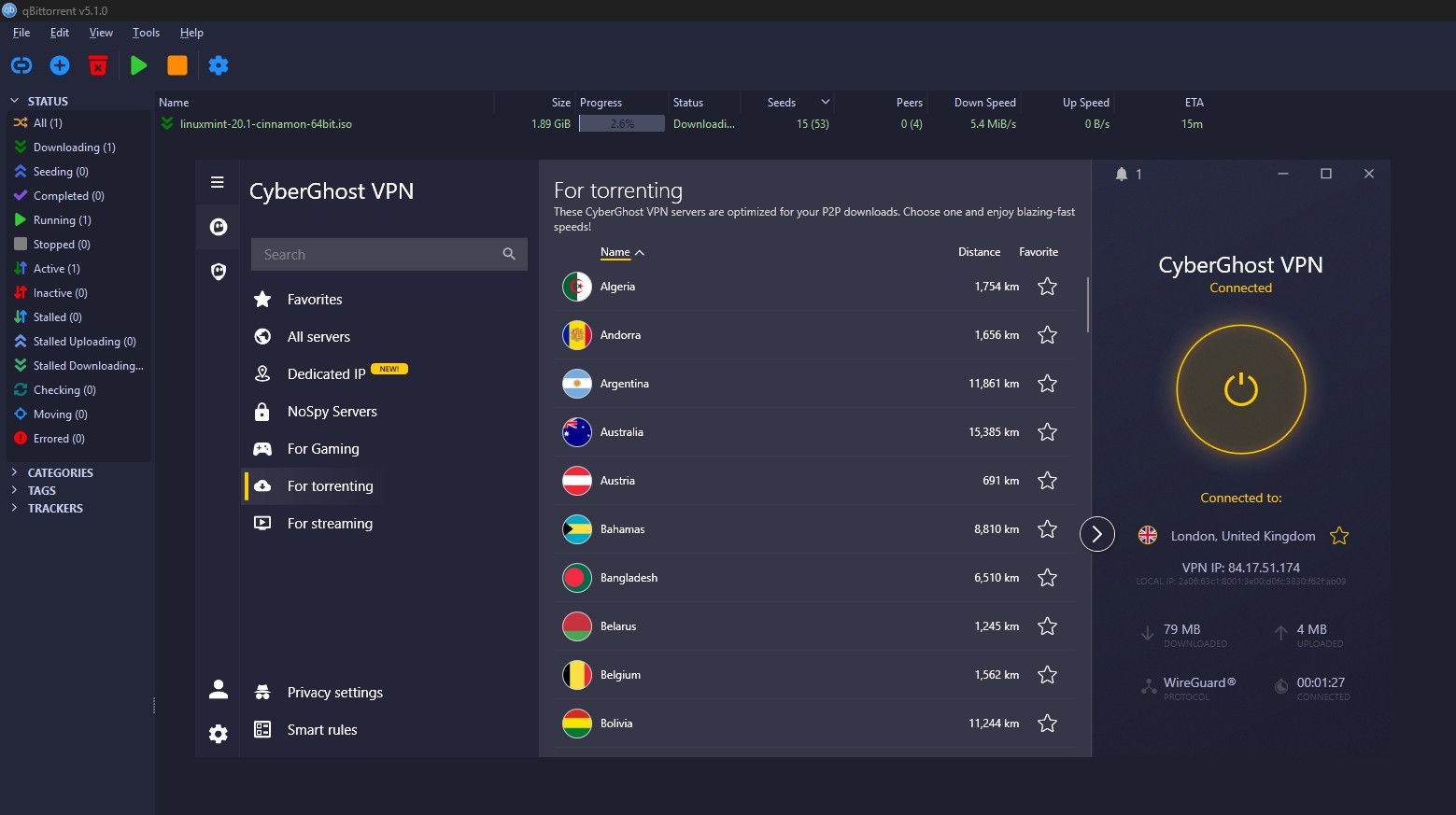
For torrenting, dedicated P2P servers cover most countries, and downloads move at the speed the tunnel allows. Port forwarding is absent, so seeding ratios on private trackers suffer, and that audience is better served elsewhere.
CyberGhost Review: Server Network and Categories
The app lists 100 countries, and CyberGhost publishes a server count over 11,000, which no part of the app displays. Every server is RAM-only, so a reboot wipes it, and the servers use 10 Gbps connections. The categories are the organizing idea: streaming servers labeled by service, P2P servers, gaming servers, and the NoSpy group in Romania. Our figures show that the labels vary in value.
The streaming labels proved useful, and the gaming ones didn’t. Dedicated IP addresses cost $2.50 a month, in a list that includes Canada, Switzerland, Australia, France, the UK, the US, and Japan. Smart DNS covers devices without VPN app support, with servers for the US, the UK, Germany, the Netherlands, and Japan. It changes the streaming location and encrypts nothing.
CyberGhost App Review: Ease of Use
The desktop app looks good and grows denser the further in you go. The main screen is a connect button and a server list. The settings panel has grown with each release, and finding a specific category takes more clicking than it should. Connections took 4 seconds on WireGuard.
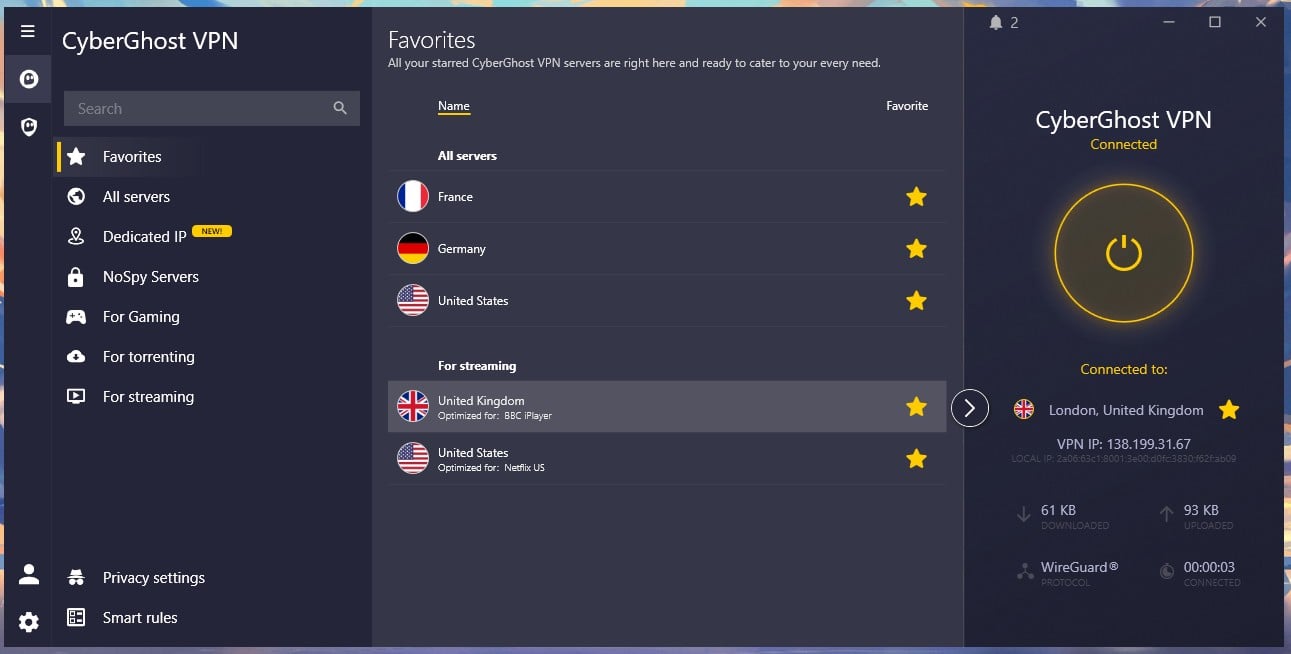
Leaving the protocol on Automatic occasionally selected OpenVPN, which stretched that to 6 seconds. Setting WireGuard by hand takes one trip into settings and avoids that. One point in the app’s favor: it connected every time across the test period, including with other VPN apps installed and idle in the background.
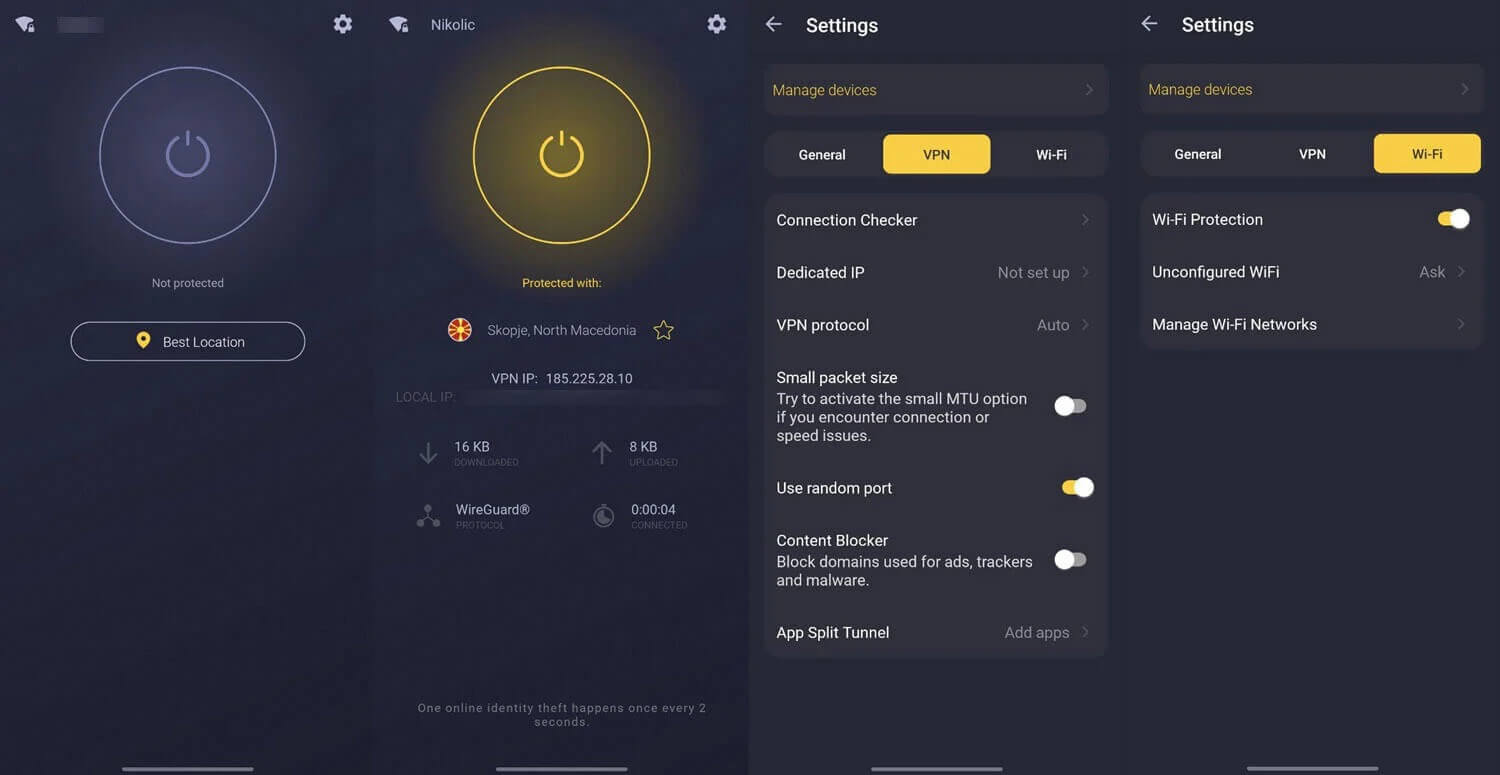
The mobile apps are cleaner and quicker to move through, and Android includes the app-level split tunneling the desktop lacks. The subscription covers 7 devices. That’s the lowest allowance among the major VPNs, and the clearest weakness here.
Compatibility
- Windows, macOS and Linux (command-line only)
- iOS and Android phones and tablets
- Fire TV, Android TV and Nvidia Shield
- Routers, including DD-WRT, Tomato and AsusWRT
- Game consoles through a router or Smart DNS
- Chrome and Firefox extensions
CyberGhost Support Review
For this review, live chat proved reachable from the main site around the clock, with no detour through the Help Center. Agents answered product questions accurately, including a protocol-specific one, with no escalation. Support covers English, German, French, and Romanian, which few VPNs match. The Help Center is well organized, with illustrated setup guides covering router configuration, Smart Rules, and streaming server troubleshooting.
CyberGhost Review: Conclusion
CyberGhost is a VPN for people who want the thing to be obvious. The categories make the server list readable, and the 45-day guarantee removes the risk from trying it. NoSpy is a genuine piece of privacy engineering that costs almost nothing in speed. The trade is a thin top end: no obfuscation, no port forwarding, no app-level split tunneling on the desktop, a kill switch that leaked on restart, only 7 devices, and an ad blocker that lets 43 domains through. The gaming servers are only a label.
- Get CyberGhost if you want the longest refund window and a free desktop trial with no card, you connect mostly to nearby servers, you want a privacy server with no speed penalty, or you prefer a server list organized by task.
- Skip CyberGhost if you travel to censored countries, you seed on private trackers, you want app-level split tunneling on a desktop, or 7 devices won’t cover your household.
For speed comparisons across the category, see our fastest VPN ranking, and the best VPN guide covers the full field. An ExpressVPN vs NordVPN comparison is the better starting point where obfuscation is required.
Frequently Asked Questions
Is CyberGhost good?
Yes, for nearby servers and streaming. It loses very little speed close to home and works well for torrenting, but it lacks obfuscation and covers only seven devices.
How much does CyberGhost cost?
CyberGhost costs $2.19 a month on the two-year plan, $56.94 for 26 months, and renews at $56.94 a year. The monthly plan costs $12.99.
Does CyberGhost keep logs?
No. CyberGhost stores no IP addresses, browsing history, connection logs, or timestamps. Deloitte has audited the policy three times, and quarterly transparency reports list every legal request.
Does CyberGhost work in China?
No. CyberGhost offers no obfuscation, so deep packet inspection identifies and blocks its traffic. The company states this on its own site.
What are NoSpy servers?
NoSpy servers are hosted in a data center CyberGhost owns and staffs in Romania, with no third-party host involved. They cost about 4% of download speed.
Does CyberGhost work with Netflix?
Yes, for most libraries. CyberGhost unblocks the American and British Netflix libraries reliably, while Netflix Japan stays blocked even on its Japanese server.
How many devices does CyberGhost cover?
Seven. That's the lowest allowance among the major VPNs, though a router installation counts as one connection and covers every device behind it.
Does CyberGhost have a free trial?
Yes, on every platform. The desktop trial requires no payment details and lasts for 24 hours. Mobile trials are 3 to 7 days with credit card information.