NordVPN and Surfshark have shared a parent company since 2022, and they still compete on almost every feature. NordVPN won five of our nine rounds, Surfshark won three, and one ended in a draw. NordVPN kept more speed on a PC, two phones, and a Fire TV Stick, and its obfuscation cost far less speed. Surfshark’s strengths are cost and convenience.
For example, it renews for less, covers unlimited devices, and blocks more tracker domains. It also unblocked Disney+ in its desktop app, which NordVPN could only manage through its browser extension.
Surfshark vs NordVPN in Brief
- Choose NordVPN for higher speed on every device, better performance on networks that block VPNs, and servers in 152 countries.
- Choose Surfshark for a $79 yearly renewal, unlimited devices, and Disney+ in the desktop app.
- Skip Surfshark for ITVX. It couldn’t unblock ITVX, its only miss in our streaming tests.
- Skip NordVPN for a large household. It caps connections at 10 devices.
Surfshark vs NordVPN Compared
| NordVPN | Surfshark | |
| Our current ranking | #1 | #5 |
| Starting price | $3.49 a month | $2.49 a month |
| Entry plan renewal | $139.08 a year | $79 a year |
| Free trial | 3 days on Android | 7 days on iOS and Android |
| Jurisdiction | Panama | Netherlands |
| Protocols | NordLynx, NordWhisper, OpenVPN, IKEv2 | WireGuard, OpenVPN, Dausos on macOS |
| Servers | 9,000+ in 152 countries | 4,500+ in 100 countries |
| Download loss on PC | 7.8% | 9.6% |
| Multi-hop | Double VPN, preset pairs | MultiHop, custom pairs |
| Ad blocking on d3ward | 76%, Complete plan and above | 79%, every plan |
| Streaming services unblocked | 14 of 14 | 13 of 14 |
| Smart DNS | Yes | No |
| Port forwarding | Paid Dedicated Server add-on only | No |
| Simultaneous devices | 10 | Unlimited |
How We Tested
All results come from our September 2026 testing. Desktop figures were measured on a wired Windows 11 PC on a 190.36 Mbps connection, with 19.37 Mbps upload and a 10 ms ping. We checked UK, US, and Japanese servers at three times of day across three days, with NordVPN on NordLynx and Surfshark on WireGuard. For mobile results, we repeated the server checks with an iPhone 17 Pro and a Galaxy S26 Ultra on 54.7 Mbps Wi-Fi.
We also added a Fire TV Stick 4K Plus wired to the desktop connection. Ad blocking was scored on d3ward’s 135-domain list and leaks on ipleak.net and browserleaks.com. We deleted the browser cache and cookies before testing each of the 14 streaming services. Refunds were requested over live chat on PayPal purchases.
Same Owner, Separate Networks
Nord Security and Surfshark merged in 2022, so one parent company owns both VPNs. However, the apps, server networks, prices, and audits remain separate, and our results differ enough to show it. NordVPN is still registered in Panama, and Surfshark operates from the Netherlands.
Speed: NordVPN Lost Less on Every Device
| Server | NordVPN (NordLynx) | Surfshark (WireGuard) |
| UK | 184.73 Mbps | 186.96 Mbps |
| US | 181.50 Mbps | 170.38 Mbps |
| Japan | 160.47 Mbps | 158.84 Mbps |
| Average download | 175.57 Mbps | 172.06 Mbps |
| Download loss | 7.8% | 9.6% |
| Upload loss | 5.5% | 5.9% |
Surfshark was faster on the UK server, the closest one to our PC, while NordVPN was faster on the US and Japanese servers. Ping was also lower on NordVPN in all three countries, at 41, 134, and 215 ms, compared to Surfshark’s 51, 144, and 241 ms.
Every Protocol on the UK Server
| Download/upload | NordVPN | Surfshark |
| Main protocol | NordLynx: 184.73/18.69 Mbps | WireGuard: 186.96/18.93 Mbps |
| OpenVPN UDP | 183.25/18.61 Mbps | 185.56/18.47 Mbps |
| OpenVPN TCP | 167.79/18.61 Mbps (Obfuscation) | 87.51/18.38 Mbps (Camouflage Mode) |
| Web-tunnel protocol | NordWhisper: 161.13/16.07 Mbps | Not offered |
| Multi-hop | Double VPN: 179.43/15.93 Mbps | MultiHop: 181.59/18.60 Mbps |
- OpenVPN finished close to the main protocol on both VPNs, which makes it a usable fallback on networks that block WireGuard.
- OpenVPN TCP produced the widest difference. NordVPN’s obfuscated servers retained most of their speed, and Surfshark’s TCP connection, where it applies Camouflage Mode, was the slowest result in either app.
- NordWhisper was NordVPN’s slowest option, and Surfshark offers no web-tunnel protocol to compare it with.
- Surfshark’s Dausos protocol is available on macOS only, so it wasn’t part of our Windows tests.
Phones and Fire TV: NordVPN’s Margin Widened
| Device test | NordVPN | Surfshark |
| Galaxy S26 Ultra, download loss | 20.3% | 25.9% |
| iPhone 17 Pro, download loss | 13.6% | 21.4% |
| Fire TV Stick 4K Plus, download loss | 3.0% | 5.8% |
| Battery used, Android | 5% | 5% |
| Battery used, iPhone | 4% | 5% |
On both handsets, Surfshark connected over WireGuard and NordVPN over NordLynx. Surfshark’s weakest phone result came from the iPhone’s Japanese server, where it measured 33.81 Mbps and NordVPN 42.29 Mbps. Each battery figure is the charge used during 20 minutes of 1440p YouTube at full brightness.
Winner: NordVPN
NordVPN lost less on average on all four devices, although Surfshark recorded the fastest UK result.
Streaming and TV: NordVPN Unblocked Every Service
| Streaming service | NordVPN | Surfshark |
| Netflix US | Unblocked | Unblocked |
| Netflix Canada | Unblocked | Unblocked |
| Netflix Japan | Unblocked | Unblocked |
| BBC iPlayer | Unblocked | Unblocked |
| ITVX | Unblocked | Blocked |
| Channel 4 | Unblocked | Unblocked |
| Now TV | Unblocked | Unblocked |
| Pluto TV | Unblocked, occasional blocks | Unblocked |
| Peacock | Unblocked | Unblocked |
| Hulu | Unblocked | Unblocked |
| HBO Max | Unblocked | Unblocked |
| Prime Video | Unblocked, occasional blocks | Unblocked |
| Disney+ | Browser extension only | Unblocked in the app |
| JioHotstar | Unblocked | Unblocked |
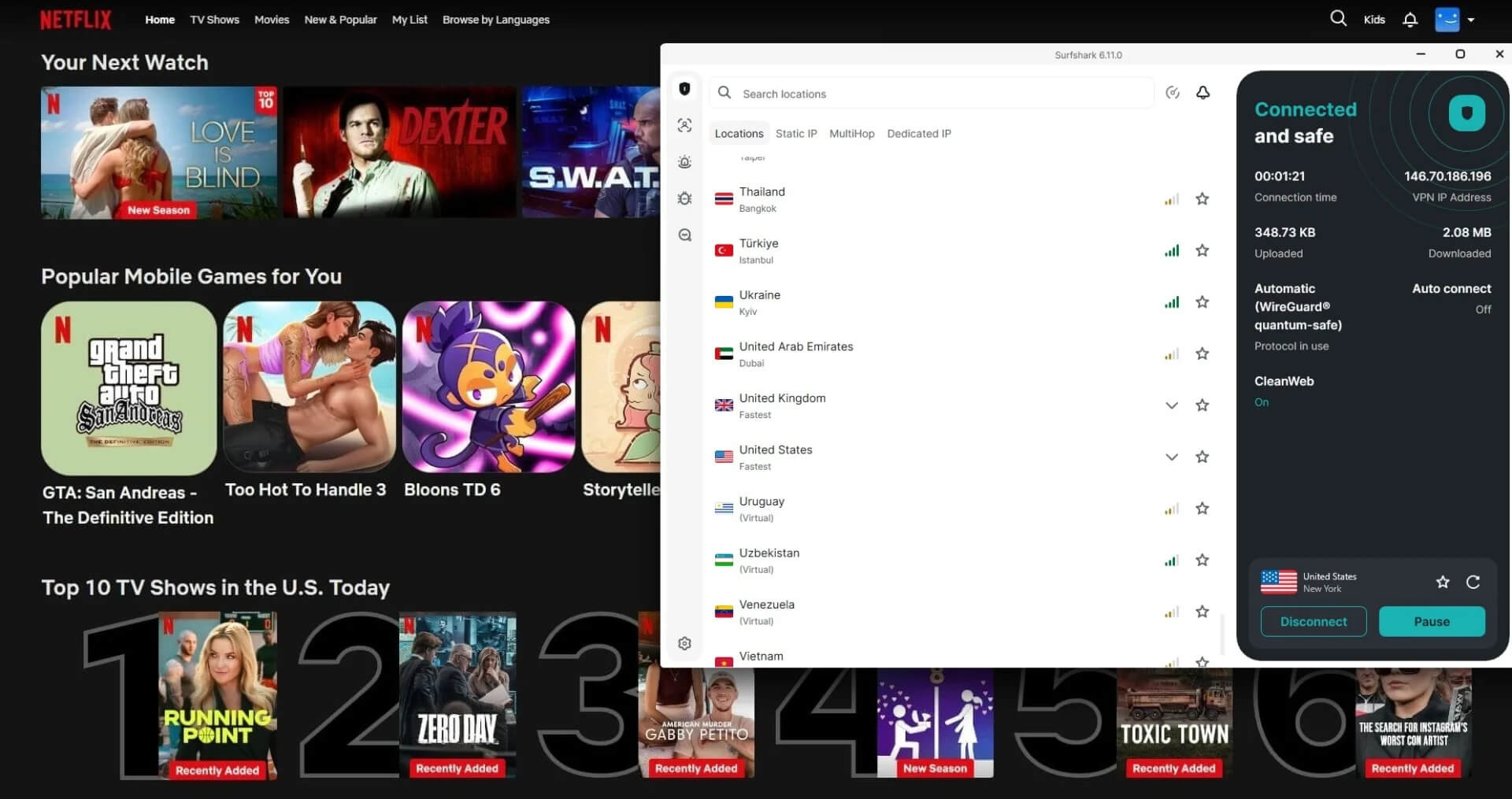
Surfshark unblocked Disney+ in its desktop app, while NordVPN required its Chrome extension with location spoofing switched on. Surfshark couldn’t unblock ITVX on any British server we tried, but NordVPN unblocked it.
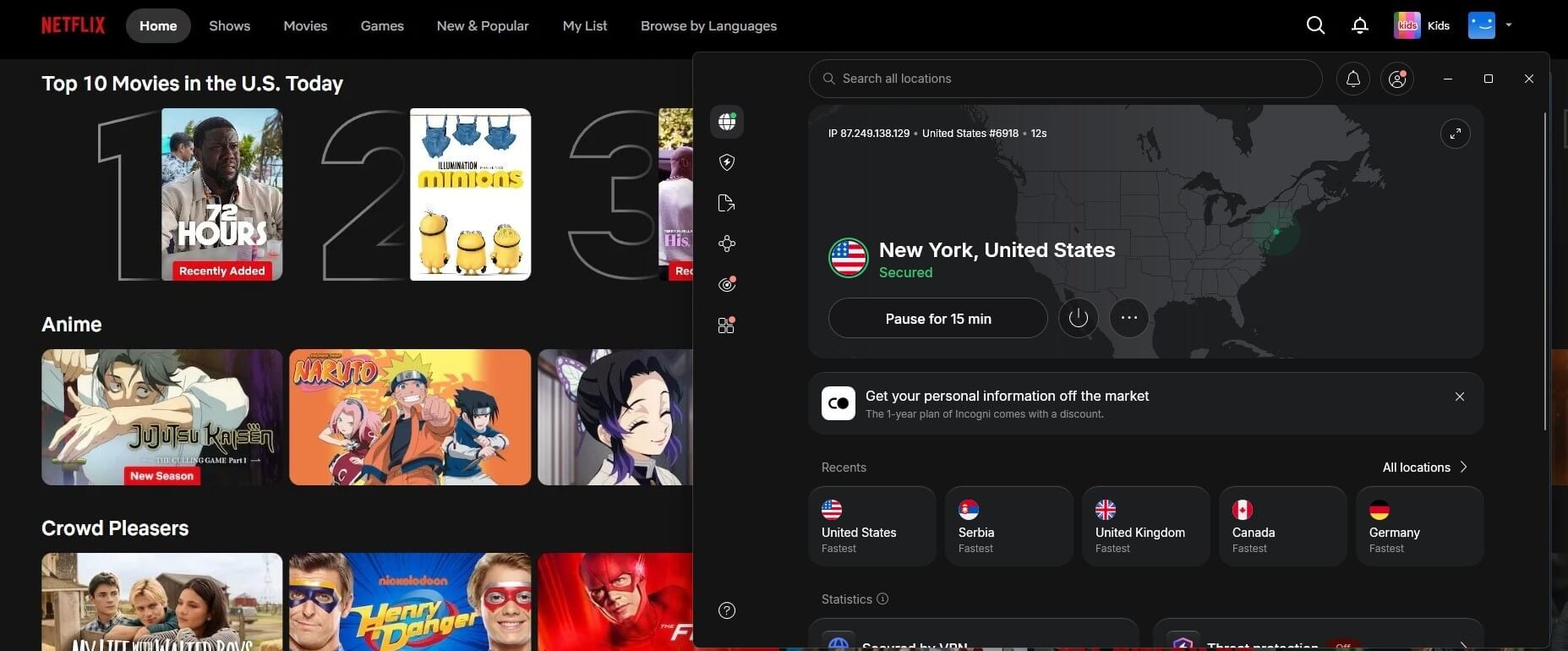
Neither VPN has dedicated streaming servers. Instead, a regular server in each country unblocked its local catalog.
Smart TV and Fire TV
Both VPNs have Fire TV Stick apps, including builds for the newer Vega OS sticks. For Samsung and LG televisions without VPN apps, NordVPN offers Smart DNS, which changes the streaming location without encrypting traffic. Surfshark dropped its Smart DNS service, so those sets now require a VPN router or a connection shared from a computer.
Winner: NordVPN, Narrowly
NordVPN unblocked all 14 services and still supports Smart DNS for televisions. Surfshark’s in-app Disney+ access is the better result on that one service.
Security and Features: Surfshark Includes More for Less
Both VPNs cover the basics expected of privacy-focused VPNs: RAM-only servers, post-quantum encryption, and no IP, DNS, or WebRTC leaks on any server we checked. Post-quantum protection covers NordLynx connections on NordVPN, while it covers WireGuard and Dausos on Surfshark.
Kill Switch: Both Passed Three Tests
Each kill switch faced a pulled network cable, a force-closed VPN process, and a full PC restart. No traffic escaped either VPN. For the restart, Surfshark was in Strict mode, and NordVPN in its equivalent setting, and both modes block all internet access until the VPN connects. NordVPN also offers an app-level kill switch that cuts only the apps you name.
Ad Blocking and Malware Protection
| Feature | NordVPN next-gen antivirus | Surfshark CleanWeb |
| Domains blocked on d3ward | 76% | 79% |
| Plans that include it | Complete and Prime | Every plan |
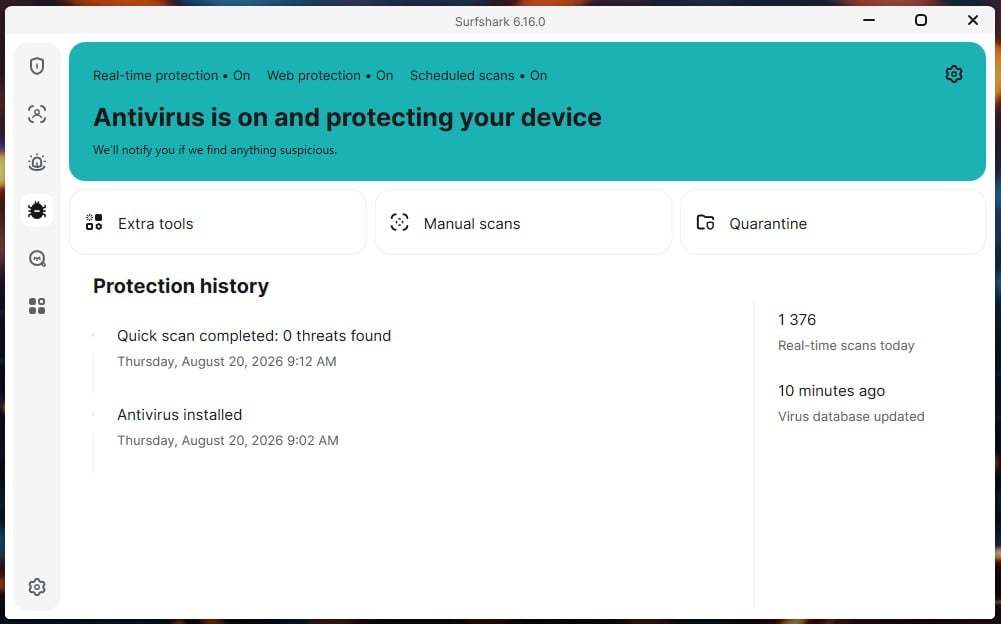
| Malware protection | Download scanning | Real-time antivirus on One and One+ |
| Content category blocking | Adult sites, Android and iOS only | Adult, gambling, weapons, and drugs |
CleanWeb comes with the $2.49 Starter plan, while NordVPN’s next-gen antivirus starts on the Complete plan at $4.49 a month. Surfshark’s One plan adds a real-time antivirus scanner for 30 cents more than the Starter plan. NordVPN’s tool, by contrast, scans downloaded files, and it stays active even with the VPN disconnected.
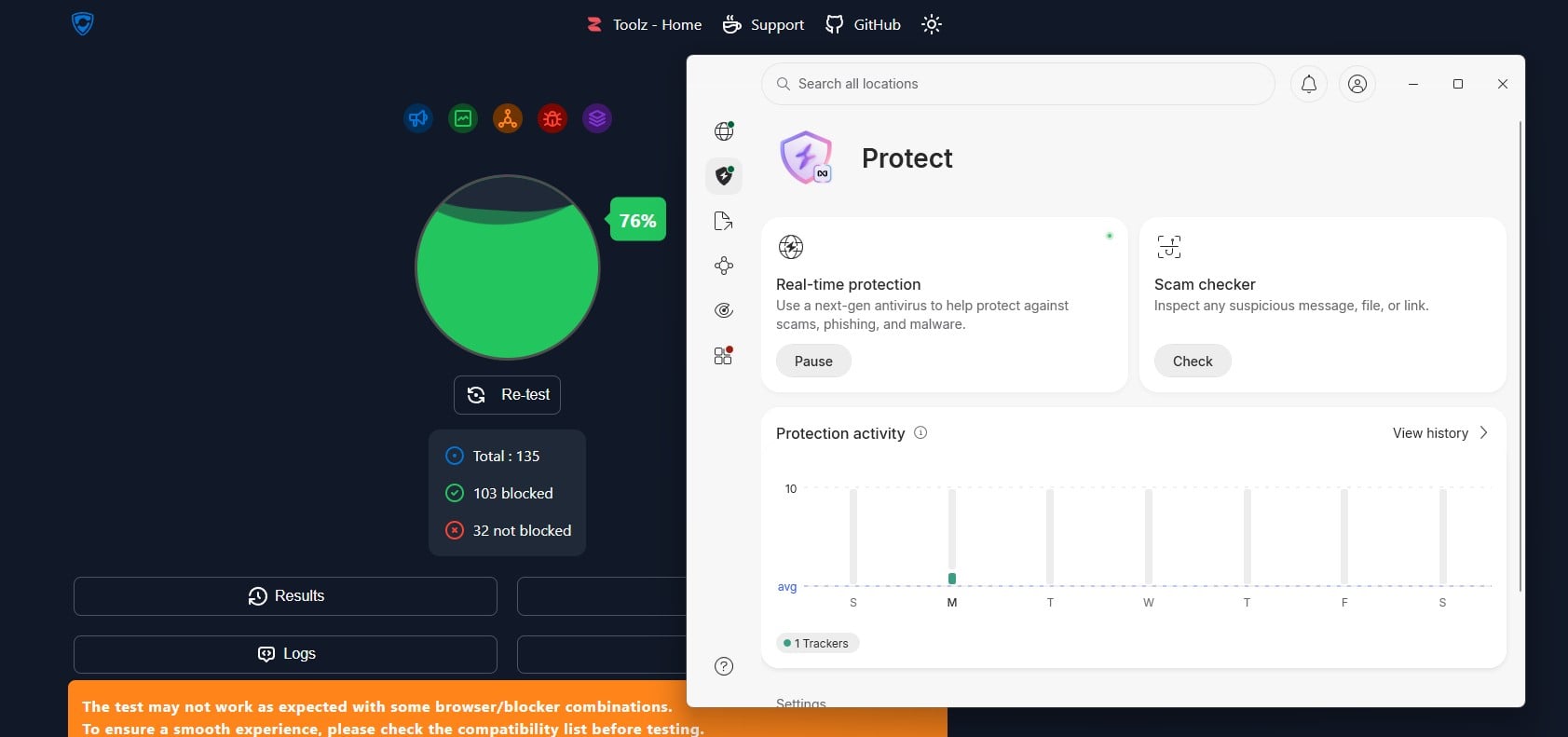
Surfshark’s bundle has one fault. Its Scam Text Protection flagged a telecom bill reminder as a scam during testing, so check the spam folder in the first weeks.
Multi-Hop, Split Tunneling, and Extras
Both multi-hop options cost 2.9% of download speed on our UK tests. NordVPN’s Double VPN uses preset server pairs and connects in 3 seconds. Surfshark’s MultiHop lets you build your own pair instead. Our Manchester and Frankfurt pair took 10 seconds to connect. On Windows, Surfshark’s Bypasser excludes websites as well as apps from the tunnel.
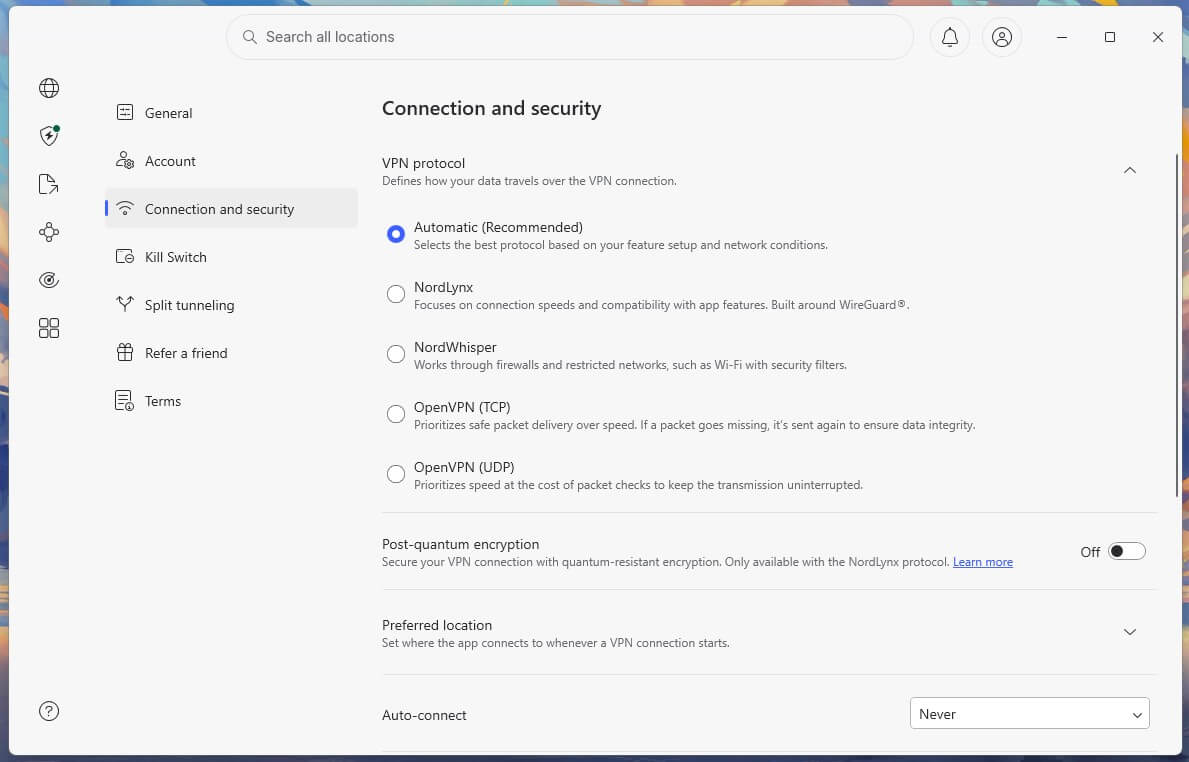
NordVPN’s app, however, excludes apps only, while its browser extension covers websites. Surfshark also includes Alternative ID, a generated persona with a forwarding email address, on every plan. Its Rotating IP changes your IP address without disconnecting, and turning it on costs no measurable speed.
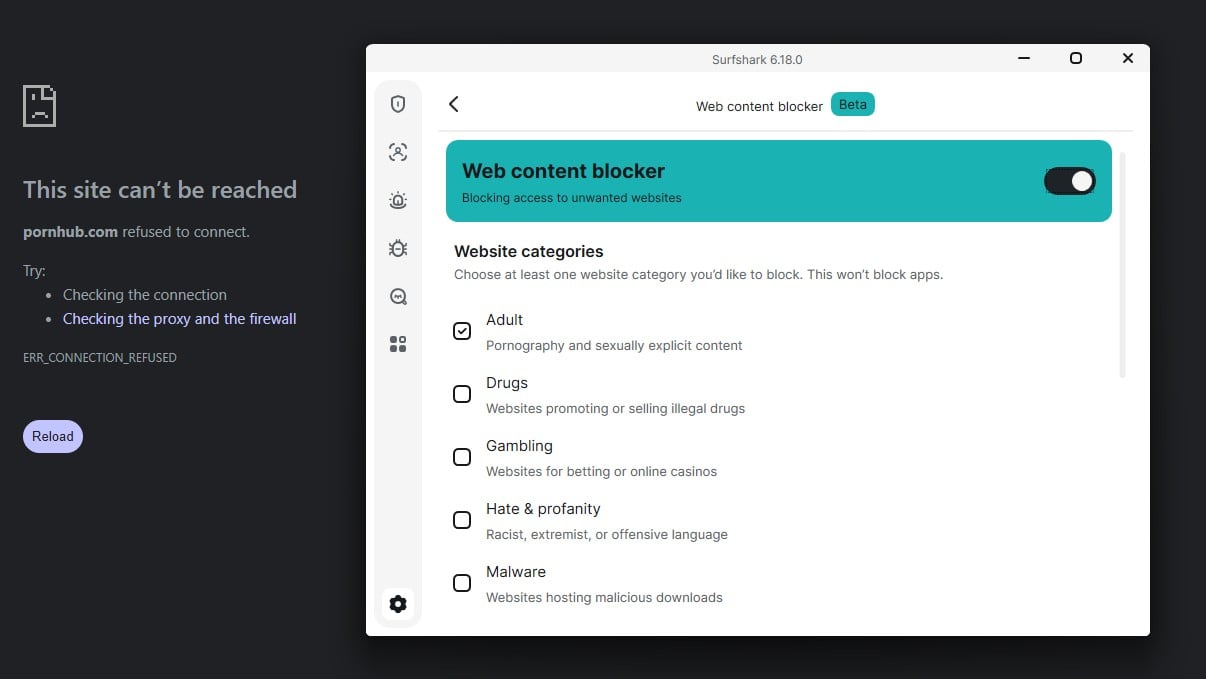
Surfshark also filters by category. Its Web Content Blocker, found next to CleanWeb in the settings, can block adult, gambling, weapons, and drug sites. Both categories we tested, adult and gambling, were blocked on the first try, which makes it a practical parental filter on a PC. In contrast, NordVPN offers adult site blocking only, and only in its Android and iOS apps.
NordVPN counters with Meshnet, which links up to 60 of your devices for file transfers and LAN parties when gaming with a VPN. Its Onion Over VPN servers add Tor access without a separate browser.
Winner: Surfshark, Narrowly
A stronger blocker on every plan, wider content filtering, a full antivirus for 30 cents more, and more flexible multi-hop and split tunneling. NordVPN still leads on the app-level kill switch, Meshnet, and Onion Over VPN.
Privacy: Panama and a Longer Audit Record
Neither VPN keeps browsing or DNS records, and both back their no-log policies with audits. Each retains one short-lived record. Surfshark stores your IP address for up to 15 minutes after a session, with no timestamps, to prevent account abuse. NordVPN records the time of your last session for a similar period to enforce its ten-device limit. NordVPN operates from Panama, outside every Eyes alliance.
Surfshark, however, is based in the Netherlands, a Nine Eyes member whose courts can order stored data handed over. NordVPN’s policy has gone through six audits since 2018: PwC in 2018 and 2020, then Deloitte every year from 2022 to 2025. Deloitte also audited Surfshark’s policy in 2023 and 2025, and the 2025 audit confirmed the 15-minute deletion window. Cure53 and SecuRing have also tested Surfshark’s extensions and infrastructure.
Winner: NordVPN
Panama places NordVPN outside the Eyes alliances, and its audit record is longer. Surfshark’s 15-minute IP window is short and audited.
Torrenting: A Draw on Shared Servers
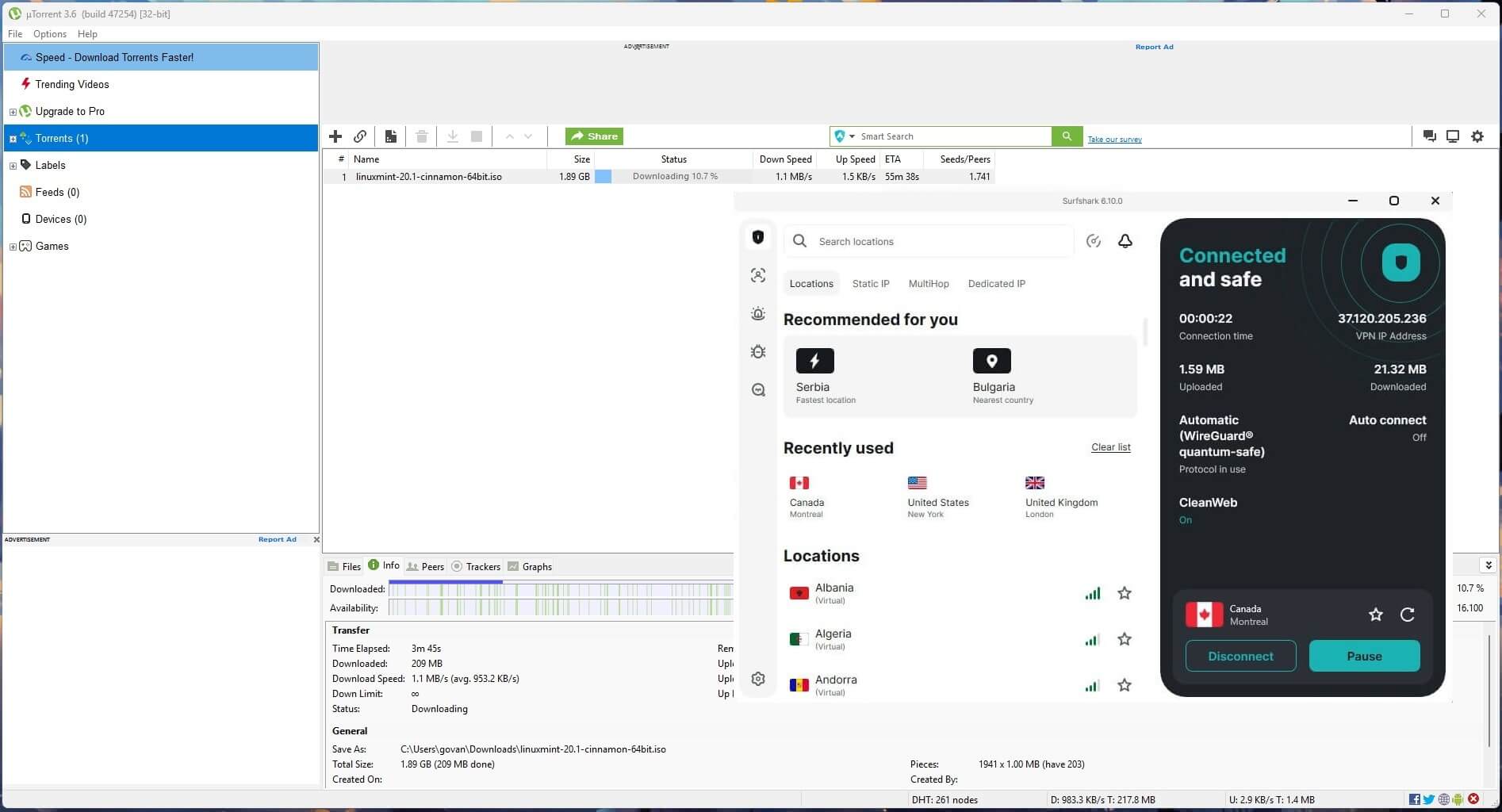
P2P traffic is allowed network-wide on NordVPN and Surfshark alike, and neither VPN includes port forwarding on a standard plan. NordVPN sells it through a separate Dedicated Server add-on, which assigns you a private server in Boston, Manchester, Frankfurt, or Paris and works on NordLynx only.
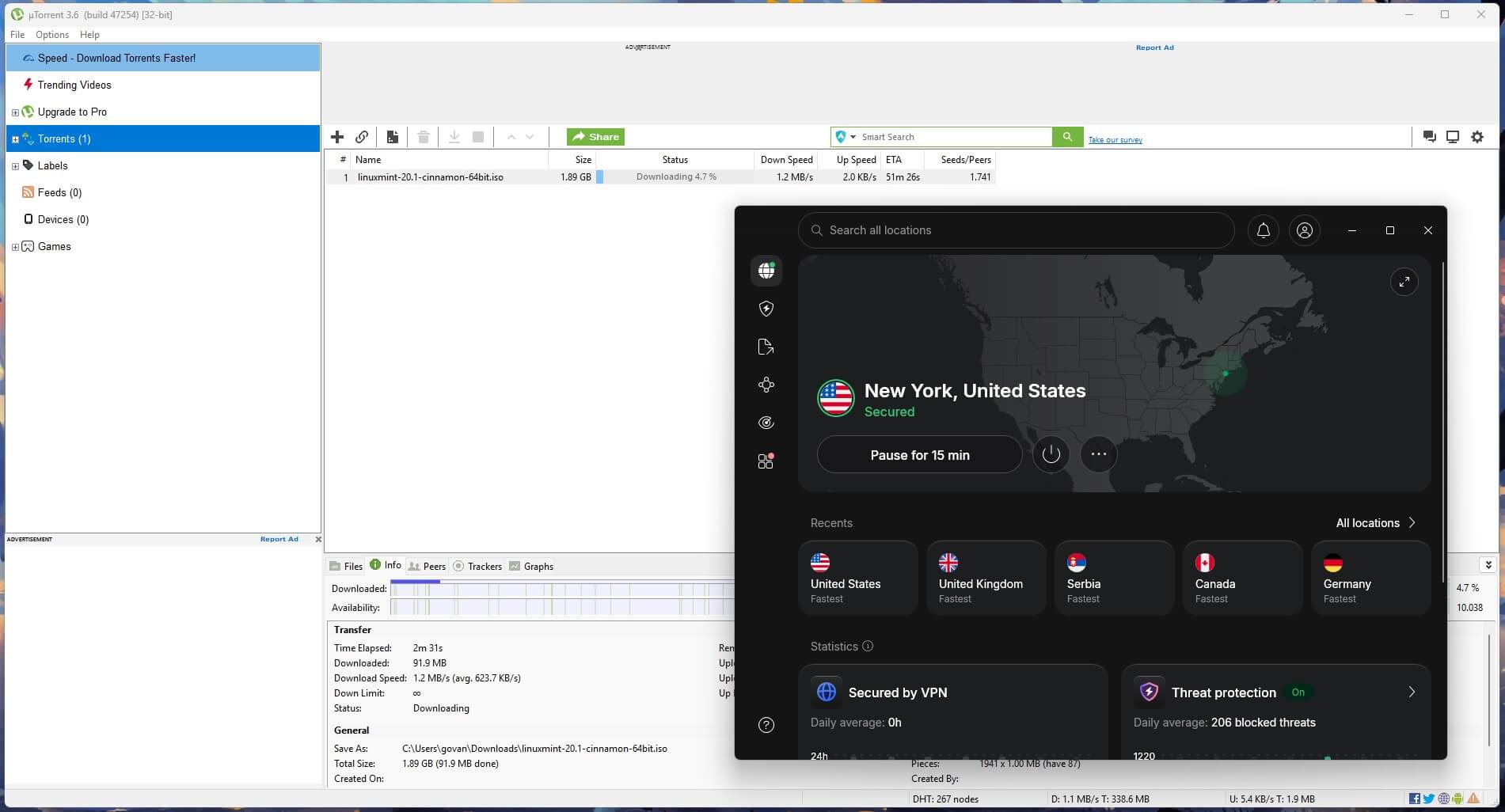
Surfshark has no equivalent. Private trackers score members on how much they upload. Since peers can only connect to a client through an open port, port forwarding helps seeding. Our VPNs for torrenting list compares port forwarding across more VPNs.
Winner: Tie
Shared servers allow P2P on both, and port forwarding costs extra on NordVPN and isn’t available on Surfshark.
Restricted Networks: NordVPN’s Obfuscation Kept More Speed
China isn’t part of our testing, but we measured each obfuscation method on the UK server. NordVPN offers two. Obfuscated servers disguise OpenVPN TCP traffic, and NordWhisper is a web-tunnel protocol for networks that block VPNs. Surfshark, by contrast, applies Camouflage Mode to OpenVPN TCP automatically. Both NordVPN methods were much faster than Surfshark’s OpenVPN TCP connection.
| Obfuscation method | Idle ping | Ping under load, down/up |
| NordVPN obfuscated servers | 77 ms | 227/817 ms |
| NordVPN NordWhisper | 42 ms | 180/808 ms |
| Surfshark OpenVPN TCP with Camouflage Mode | 82 ms | 149/851 ms |
Every obfuscated connection had an upload ping above 800 ms while the connection was busy, so video calls and games are affected on all three during heavy use. On a hotel network that blocked NordLynx, NordVPN connected after we switched to obfuscation. Meanwhile, Surfshark’s NoBorders mode is on by default, and it connected on filtered work and hotel networks without any setup. For the Gulf states, our UAE VPN rankings track which VPNs connect there.
Winner: NordVPN
Both NordVPN methods left more speed available than Surfshark’s OpenVPN TCP connection, though NoBorders required no setup.
Servers: 52 More Countries on NordVPN
| NordVPN | Surfshark | |
| Countries in the app | 152 | 100 |
| Servers | 9,000+ | 4,500+ |
| Dedicated IP locations | 51 in 32 countries | 18 in 15 countries |
| Dedicated IP price, 2-year term | $4.19 a month | $3.75 a month |
| Shared static IPs | No | 6 countries, no extra charge |
NordVPN covers all 50 US states. A dedicated IP reserves one IP address for you alone, while Surfshark’s static IPs stay the same between sessions but are shared with other subscribers. Surfshark’s Everlink rebuilds the connection after a server failure, and during testing it reconnected twice, in under 3 seconds each time.
Apps and Browser Extensions
Both VPNs appear in our Windows VPN rankings, and Windows showed the clearest difference between them. NordVPN connected in 2 seconds, but on some days it wouldn’t connect while another VPN was installed, and fixing it took the diagnostics tool, an app restart, and a new sign-in.

Surfshark detected NordVPN and ExpressVPN installed and idle, warned us, and connected anyway on most attempts. However, it took 4 to 5 seconds per connection. Both apps show features the cheapest plan lacks, particularly Surfshark, whose sidebar icons often open upgrade prompts.
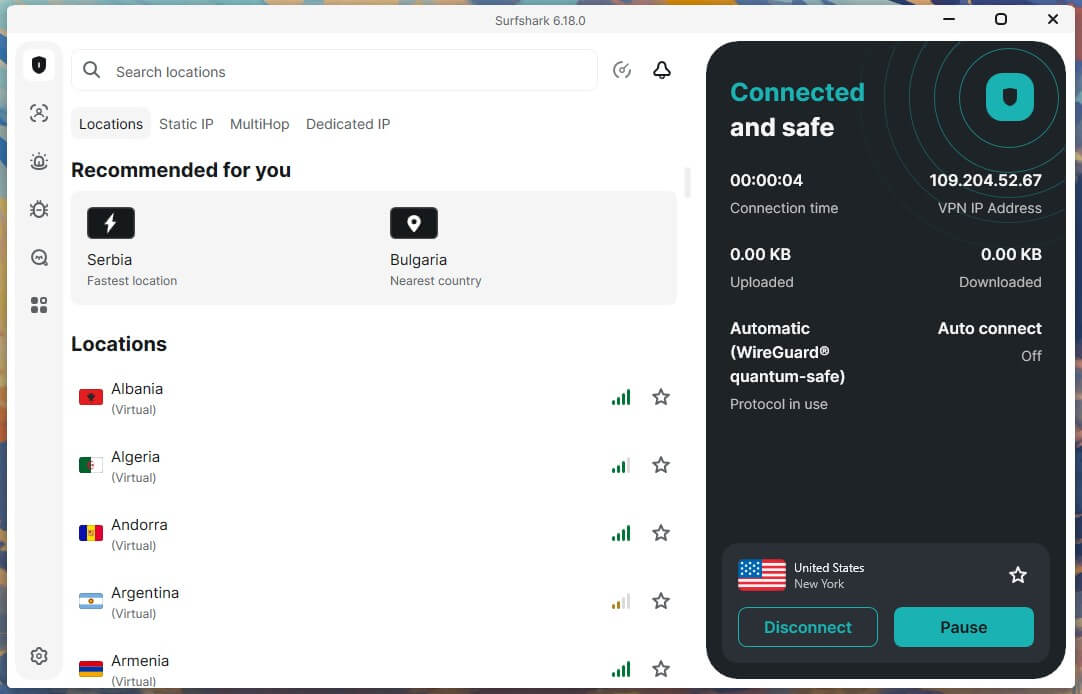
Surfshark allows unlimited devices, and nine stayed connected for 72 hours in our test, while NordVPN caps connections at ten. Surfshark’s Chrome extension scored 79% on d3ward, compared to 52% for NordVPN’s. Surfshark’s extension also requests fewer permissions, although it’s the larger download at 96.9 MB, compared to 10.6 MB for NordVPN’s.
Winner: Surfshark
Unlimited devices, steadier connections alongside other VPNs, and a stronger browser extension. NordVPN connects faster.
Price: Surfshark Costs Less in the Long Term
| Plan | NordVPN | Surfshark |
| Entry plan, 2 years | Basic, $3.49 a month, $94.23 for 27 months | Starter, $2.49 a month, $67.23 for 27 months |
| Entry plan renewal | $139.08 a year | $79 a year |
| Middle plan, 2 years | Complete, $4.49 a month | One, $2.79 a month |
| Middle plan renewal | $219.48 a year | $99 a year |
| Top plan, 2 years | Prime, $7.49 a month | One+, $4.49 a month |
| Annual entry plan | $5.49 a month for 12 months | $3.39 a month for 15 months |
| Monthly entry plan | $14.99 | $16.45 |
Surfshark’s One plan adds the antivirus, Alert breach monitoring, and Surfshark Search. NordVPN’s Complete plan bundles its next-gen antivirus with NordPass and a terabyte of NordLocker cloud storage. NordVPN’s top Prime plan includes Coveron identity protection, while Surfshark’s One+ plan adds Incogni data removal and identity theft coverage.
NordVPN’s Basic plan, by contrast, includes the VPN alone. The monthly plan is the one where NordVPN costs less, and it increases to $21.99 in its second year. Neither VPN has a free tier like the free VPNs in our guide, and both mobile trials require a payment method. Surfshark also refunds crypto payments. Both also refunded our PayPal purchases in about 10 minutes. For lower-cost alternatives, see our budget VPN rankings.
Winner: Surfshark
Lower prices on long terms and at renewal, and a middle plan that costs less than NordVPN’s entry plan.
Surfshark vs NordVPN: Round-by-Round Results
| Round | Winner |
| Speed | NordVPN |
| Streaming and TV | NordVPN |
| Security and features | Surfshark |
| Privacy | NordVPN |
| Torrenting | Tie |
| Restricted networks | NordVPN |
| Servers | NordVPN |
| Apps and browser extensions | Surfshark |
| Price | Surfshark |
Surfshark vs NordVPN: Final Verdict
- NordVPN is the better VPN when speed and coverage decide it. It lost less speed on all four devices we tested, covers 52 more countries, and both of its obfuscation methods are faster on a filtered network. Our NordVPN review lists the speed and connection time for each protocol.
- Surfshark wins when cost and household size decide it. Its entry plan renews at $79 a year, it has no device cap, and its antivirus adds 30 cents a month to the entry price. Still, ITVX and distant servers on an iPhone are its weak points. Our Surfshark review covers its antivirus and Alternative ID.
Both appear in our best VPN rankings, with NordVPN first and Surfshark fifth.
Frequently Asked Questions
Is NordVPN better than Surfshark?
Yes, for most people. NordVPN loses less speed on phones and distant servers and unblocked every streaming service tested. Surfshark costs less, though, and covers unlimited devices.
Which works better for streaming, NordVPN or Surfshark?
NordVPN unblocks more, including ITVX, and offers Smart DNS for smart TVs. However, Surfshark is the better choice for Disney+, which it unblocks in its desktop app without an extension.
Which is faster on distant servers, NordVPN or Surfshark?
NordVPN is faster on distant servers and on phones. Surfshark matches it on nearby servers, so the difference shows mostly on long-distance connections, such as Europe to Japan.
Are NordVPN and Surfshark owned by the same company?
Yes. Nord Security and Surfshark merged in 2022, but each VPN keeps its own apps, servers, prices, jurisdiction, and independent audits.
Is Surfshark cheaper than NordVPN?
Yes, over the long term. Surfshark’s entry plan costs about $2.50 a month and renews at $79 a year, while NordVPN’s renews at about $139.
Which is better for public Wi-Fi, NordVPN or Surfshark?
Both encrypt traffic on public Wi-Fi and passed every leak test. Surfshark’s NoBorders mode connects on filtered hotel networks automatically, while NordVPN offers NordWhisper for networks that block VPNs.
Does Surfshark have port forwarding?
No. Surfshark offers no port forwarding on any plan, and NordVPN offers it only through a paid Dedicated Server add-on that works on NordLynx.