
Most people start looking for antivirus software after something has already gone wrong: a pop-up that won’t close, a text from a “bank” that looked a little too real, or a laptop that suddenly takes forever to open Chrome. Others are staring at a renewal notice that costs twice what they paid last year, and wondering whether the free Microsoft Defender built into Windows would do the job just as well. To answer those questions, I ran the big names on my own PC, timed their scans, fed them malware samples and phishing links, and went through the latest independent lab reports.
This guide covers the five products I would recommend for a household in 2026 (the family laptop, a few phones, the tablet nobody remembers the password to), what each one is good at, where each one falls short, and what it will really cost you after the first year. There’s also one well-known antivirus that I strongly advise against installing, for reasons that have nothing to do with how well it catches malware.
Best Antivirus Software 2026: Shortlist
These are the five antivirus packages I would spend my own money on today. Prices are first-year rates in USD.
- Norton 360: Best antivirus software overall. The most complete suite here and the fastest scanner I timed, with an uncapped VPN, a real firewall, 50 GB of cloud backup, dark web monitoring, and your money back if a Norton technician can’t clean up an infection. From $49.99 for the first year on five devices, 60% off.
- Bitdefender: Best value and lightest on system resources. By far the lightest client I measured, and the fewest false alarms at AV-Comparatives, although the bundled VPN stops at 200 MB a day per device unless you upgrade. From $24.99 for the first year.
- Avast One: Best free antivirus and best for gamers. The strongest free tier on the market, with the same real-time engine as the paid version and a modular app where you only switch on the extras you want. Free, or $49.99 for the first year.
- NordVPN Next-Gen Antivirus: Best antivirus and VPN in one. It blocks phishing, scams and infected downloads from inside the VPN app, so if you already pay for a VPN, you don’t need a second subscription. From $4.49 a month on the Complete plan.
- McAfee+: Best for unlimited devices and mobile. The pick for households that have lost count of their devices, with unlimited coverage and the best mobile apps of the five. From $39.99, or $49.99 for unlimited devices.
What I Found
All five handle real-time scanning and ransomware protection, every one of them has a money-back guarantee, and most let you try them first, either with a free tier (Avast, McAfee) or a trial (Norton, Bitdefender). On detection alone, the gap between them is smaller than the marketing suggests.
What really separates them comes down to two questions that sound boring but decide most of the bill: how many devices you need to cover, and what you’ll pay in year two. The gap between the first-year price and the renewal price is wider in antivirus than in almost any other consumer software, and that’s where most of your money ends up going.
Best Antivirus Software of 2026: Reviewed in Depth
I ranked them on five things, from the one that weighs most to the one that weighs least: independent lab results, the slowdown I measured on my own PC, whether the extras are actually useful, the cost over two years, and support. Whenever a number comes from my own bench I say so, and lab figures always come with the lab’s name.
1. Norton 360: Best Antivirus Software Overall
Rating: 4.8/5
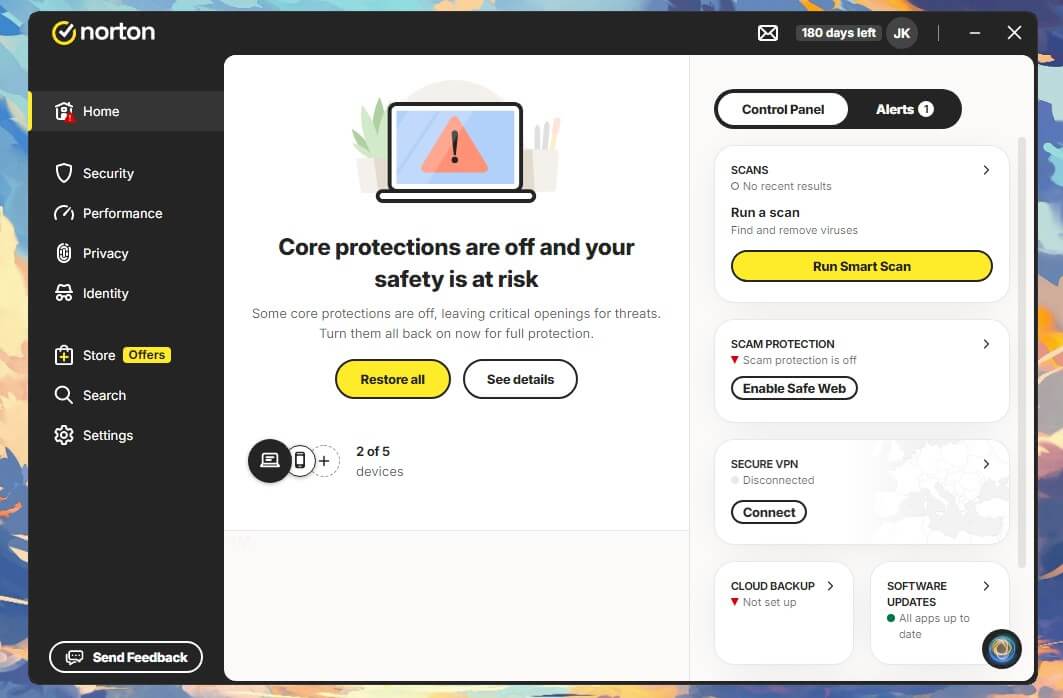
Norton is the safe answer, and I mean that as a compliment: no other consumer suite goes through as many independent labs as regularly, and nothing else here covers as much ground. It’s also the only one that refunds you if its own technicians can’t clean up an infection, on every plan, at every price, with no conditions.
See Norton 360’s Current Deals
What You Get With Norton
| Operating Systems | Windows, macOS, Android, iOS |
| Devices | 1 on AntiVirus Plus, 3 on Standard, 5 on Deluxe, 10 on Select Plus |
| Standout Features | Smart Firewall, uncapped Secure VPN, up to 250 GB cloud backup, Norton Family, dark web monitoring, Privacy Monitor, deepfake detection, Scam Protection Pro, Virus Protection Promise |
| Free Trial | 7 days |
| Refund Window | 60 days |
Norton Malware Detection Results in Testing
In my Norton review, detection came to 99.8% with 3 false alarms, two of them on perfectly ordinary documents, which is the kind of thing that slowly trains you to click “allow” without reading. AV-Comparatives’ March 2026 Malware Protection Test recorded 96.3% offline detection, 98.7% online, a 99.97% online protection rate and 9 false alarms, while AV-TEST’s June 2026 Windows 11 round gave Norton a perfect 6 out of 6 for protection, performance and usability, with a Top Product award.
Norton Scan Speed and System Impact
Norton’s quick scan took 58 seconds, and a full scan of both my drives took 13 minutes 22 seconds, the fastest of the four scanners I timed. It got there by working the machine hard, though: CPU peaked at 23%, memory at 384 MB, and disk throughput reached 220 MB/s.
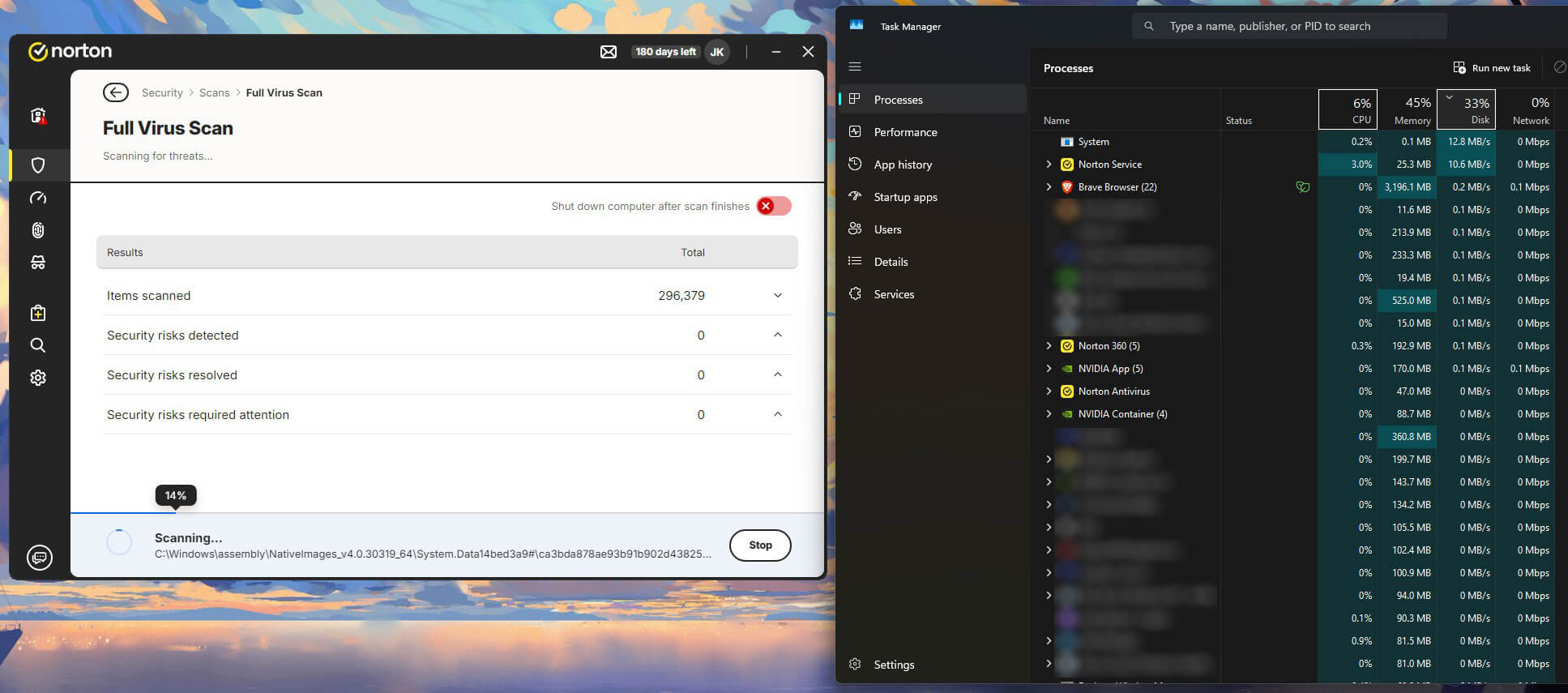
AV-Comparatives’ April 2026 performance test gives Norton 5.3 against Bitdefender’s 9.6 (lower is better), which looks like it contradicts my numbers until you realize we measured different things: the lab times everyday tasks like copying files and opening apps, not the peak load during a scan. In practice, Norton is the lighter of the two while you work and the hungrier one while it scans.
Norton Extras: VPN, Firewall and Privacy Tools
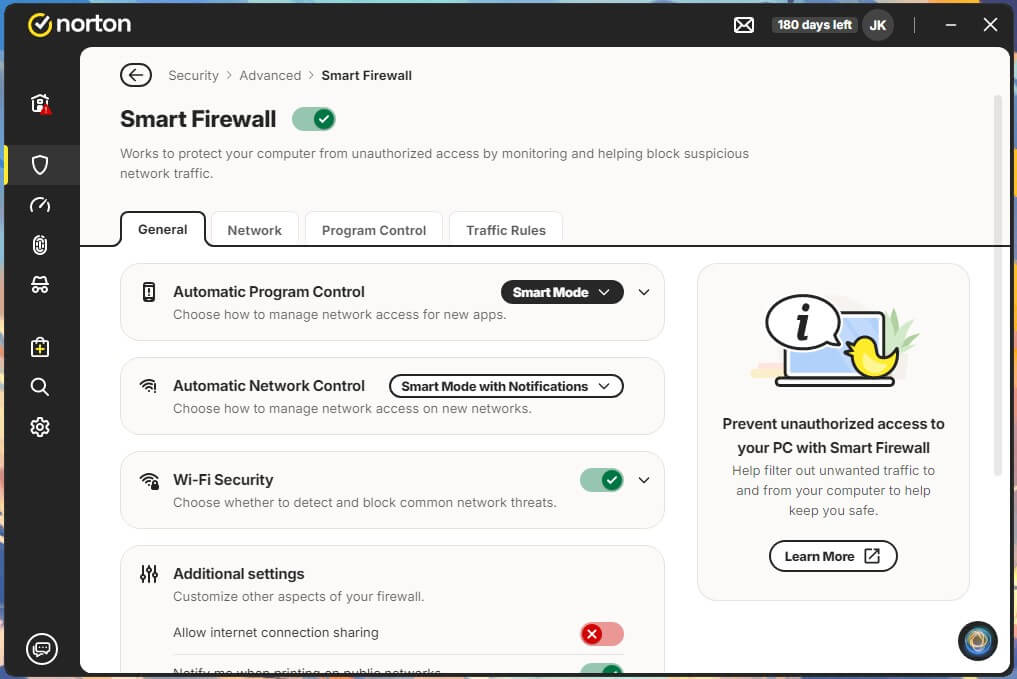
Three of these are worth having. The Smart Firewall is the best of the five, detailed enough when you want to dig in and sensible enough by default that most people will never open it. Secure VPN has no data cap, which is rare for a bundled VPN, and Norton recently rebuilt it around more than 100 server locations (including 25 cities in 18 US states), with multi-device plans that now cover smart TVs. It also runs Mimic, Norton’s own protocol that hides the fact you’re using a VPN at all, which comes in handy on hotel or office networks that block them.
The cloud backup (2 GB to 250 GB depending on the plan, Windows only) is the least exciting feature on the list and the one I’d miss most: if ransomware ever encrypts your photos, a backup the malware can’t reach is the only thing that gets them back, which makes it the real ransomware defense here.
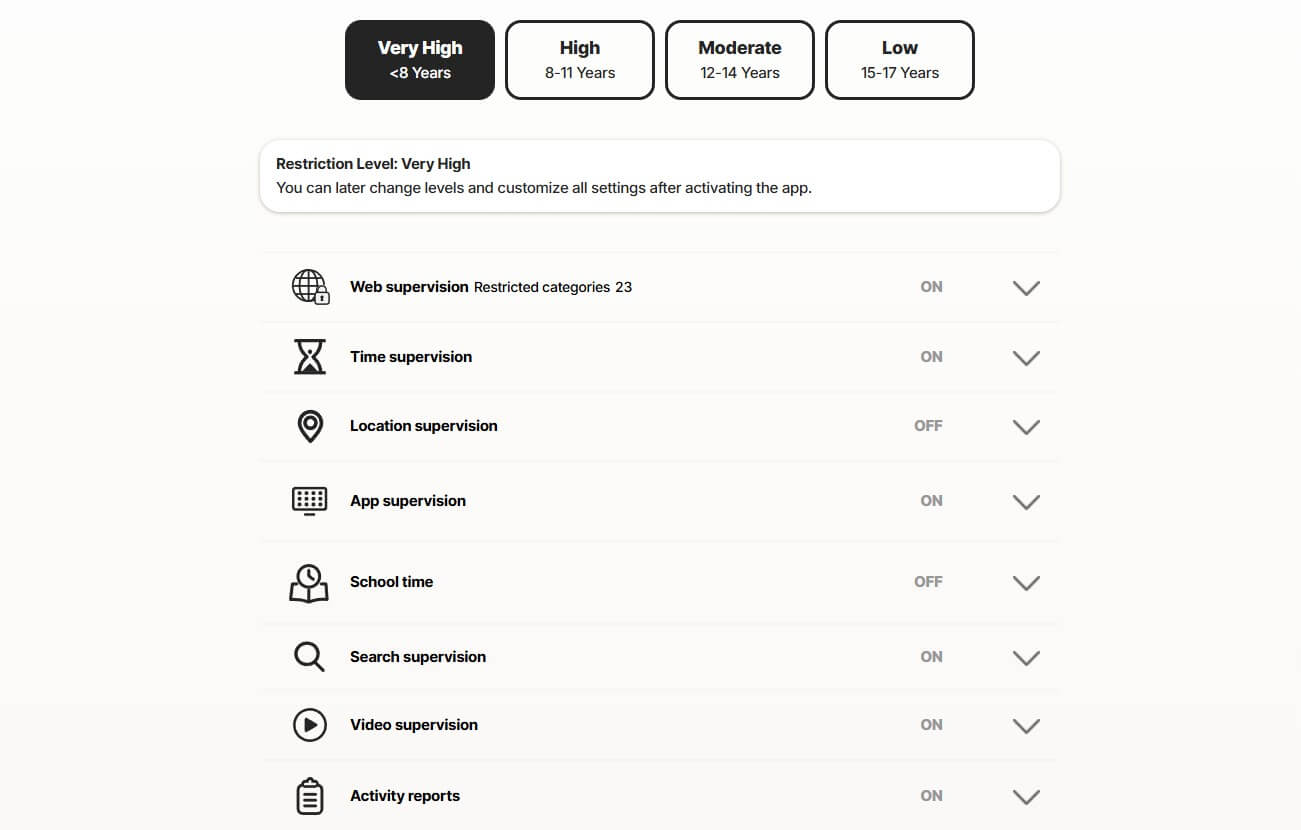
The rest is thinner. The password manager does the job without matching a dedicated one, and dark web monitoring is useful the first time it tells you your email has leaked, then mostly repeats itself. Norton Family, on Deluxe and above, is a full parental control suite, which starts to matter the day your kids get their own tablets.
Deepfake detection is now on every plan, including the $29.99 entry tier, and it checks videos for synthetic manipulation. That sounds like science fiction until a relative forwards you a “video” of a celebrity promoting a crypto scheme, and moving it down from the premium plans is the most useful change Norton made this year.
Select Plus goes further with Scam Protection Pro, which covers email, calls, texts and browsing, adds Norton Genie (an AI assistant you can ask “is this a scam?”), and pays back up to $10,000 if you get scammed anyway, say by the “your package is held at customs, pay $2 here” text. That cover is separate from the $25,000 stolen funds protection attached to the same tier’s LifeLock features.
What Norton Costs After the First Year
| AntiVirus Plus | Standard | Deluxe | Select Plus | |
| First Year Price | $29.99 (50% off) | $39.99 (57% off) | $49.99 (60% off/$10.00 per device) | $99.99 (47% off) |
| Renewal Price (Year 2+) | $59.99 | $94.99 | $124.99 | $189.99 |
| Devices Covered | 1 device | 3 devices | 5 devices | 10 devices |
| Cloud Backup | 2 GB | 2 GB | 50 GB | 250 GB |
| VPN & Dark Web Monitoring | ❌ No | ✅ Yes | ✅ Yes | ✅ Yes |
| Privacy Monitor & Parental Controls | ❌ No | ❌ No | ✅ Yes | ✅ Yes |
| Scam Protection | ✅ Standard | ✅ Standard | ✅ Standard | ✅ Pro, up to $10,000 cover |
| Identity & Credit Protection | ❌ No | ❌ No | ❌ No | ✅ Yes (LifeLock ID protection, 1-bureau credit monitoring) |
| Stolen Funds Reimbursement | ❌ No | ❌ No | ❌ No | ✅ Up to $25,000 (US residents only) |
| Recommendation | One machine only | Basic plan | ⭐ Best Tier to Buy | Only in US and utilizing ID features |
Two things to know before you pay: the 60-day refund window is twice what most rivals give you, and Norton charges you before the renewal date rather than on it, so decide on the year-two price ($124.99 for Deluxe) and don’t wait until the last day to cancel.
Protect 5 Devices With Norton 360 Deluxe
Should You Buy Norton?
Yes, if you want one subscription that covers everything and you’re fine setting a reminder before it renews. It’s the most complete package in this comparison and the fastest scanner I timed.
Pros
- Fastest full scan of the four measured, at 13:22
- Uncapped VPN and the best firewall in this group
- Deepfake detection on every tier, including the $29.99 entry plan
- Up to 250 GB cloud backup, the most effective ransomware fallback
- Refund pledge if a technician cannot remove infection
Cons
- Peak CPU and memory roughly double Bitdefender’s
- Deluxe renewal is 150% above the first-year price
- No VPN or dark web monitoring on the entry tier
- Features split across two dashboards
- LifeLock identity features are US-only
2. Bitdefender: Best Value and Lightest on System Resources
Rating: 4.7/5
Bitdefender is what I recommend to anyone whose computer is more than a few years old, the kind of laptop that already takes a while to open a browser. It was the lightest client I measured on every count and had the fewest false alarms of the five at AV-Comparatives, so what keeps it in second place is the bundle rather than the protection, which is excellent.
Check Bitdefender’s Price Today
What You Get With Bitdefender
| Operating Systems | Windows, macOS, Android, iOS |
| Devices | 1 or 3 on Antivirus Plus, 5 on the individual tiers, 25 across 5 accounts on the Family tiers |
| Standout Features | Advanced Threat Defense, multi-layer ransomware remediation, Safepay banking browser, Autopilot, gaming and movie profiles, Scam Protection Pro with Scamio, cryptomining protection |
| Free Trial | 30 days, plus 14 days on Mobile Security for Android |
| Refund Window | 30 days |
Bitdefender Malware Detection Results in Testing
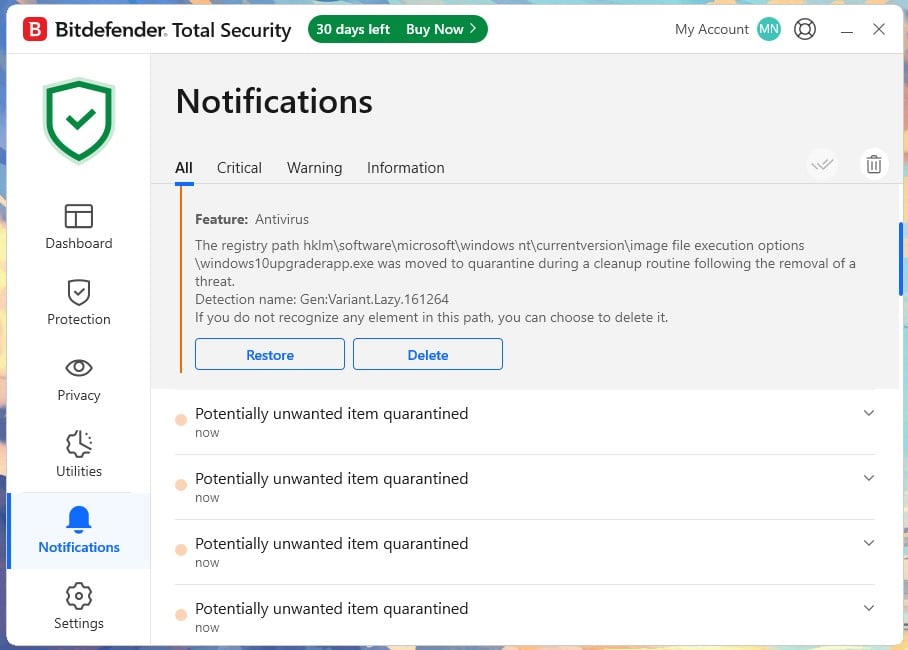
On my own bench, detection was 99.8% with 5 false alarms, which doesn’t match the lab: AV-Comparatives recorded 4 for Bitdefender in March, against 9 each for Norton and Avast, along with 97.6% detection and a 99.94% protection rate. On my PC the order flipped (Norton 3, Avast 4, Bitdefender 5, with McAfee last at 7 in both), but my sample set is much smaller than a lab’s, so on false alarms I’d trust their ranking over mine. AV-TEST’s June 2026 round gave Bitdefender 6 out of 6 in all three categories.
Bitdefender Scan Speed and System Impact
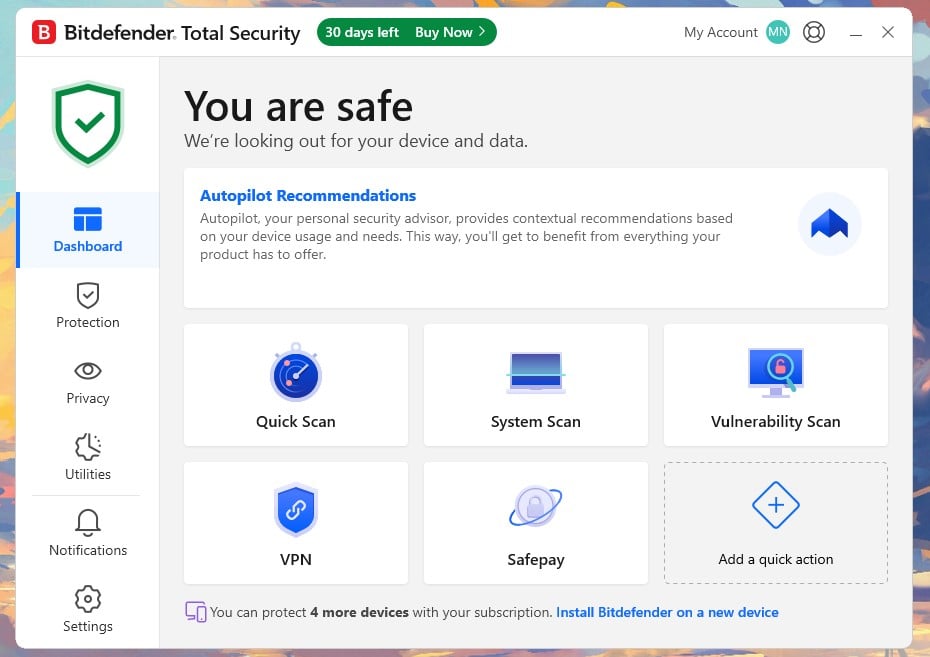
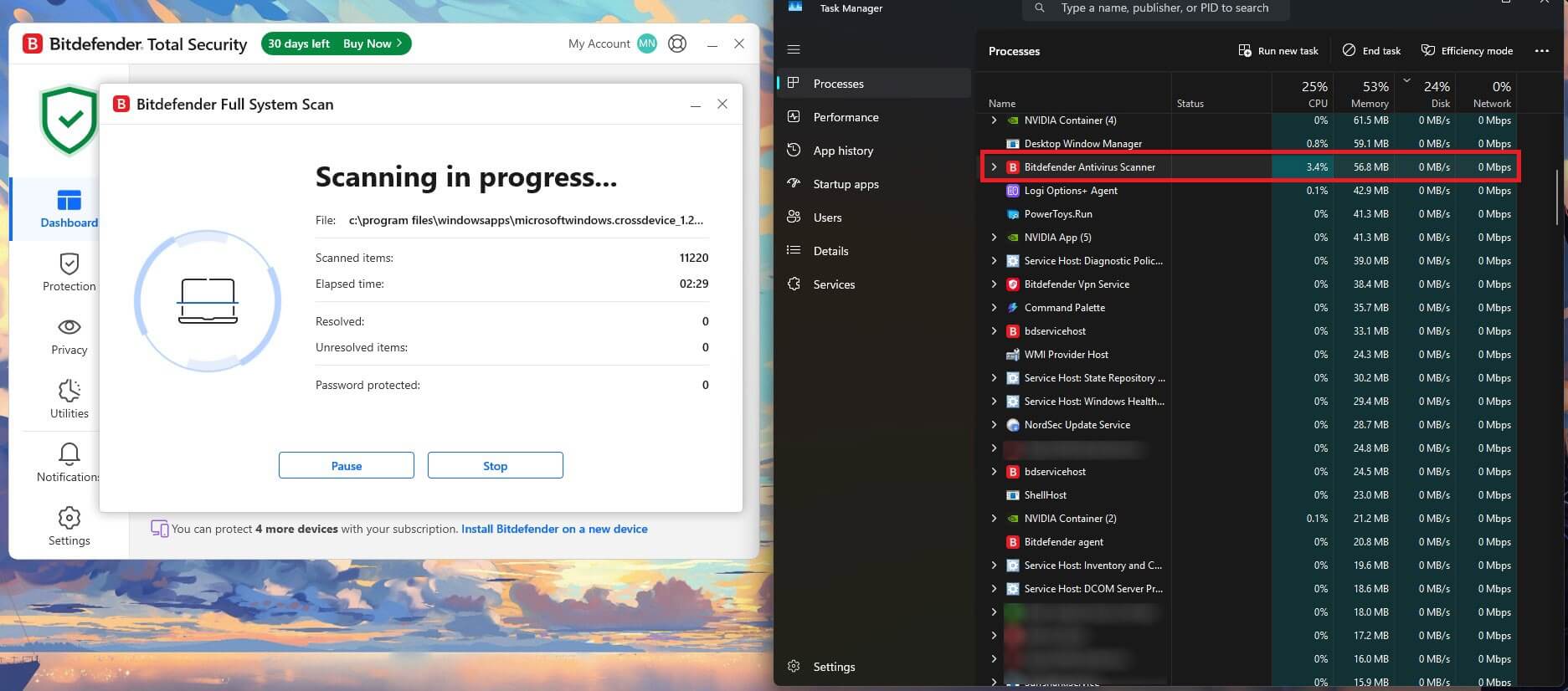
Bitdefender’s quick scan took 1 minute 4 seconds and a full scan took 14 minutes 3 seconds, with CPU peaking at 11%, memory at 183 MB, and disk throughput between 40 and 121 MB/s. Every one of those is the lowest of the four full scanners here, mostly because Bitdefender sends much of the analysis to its own cloud, so the app on your computer has less work to do. The first full scan after you install it is the slow one, since it has to go through the whole drive from scratch, and later scans skip files that haven’t changed.
Bitdefender Extras: VPN, Firewall and Privacy Tools
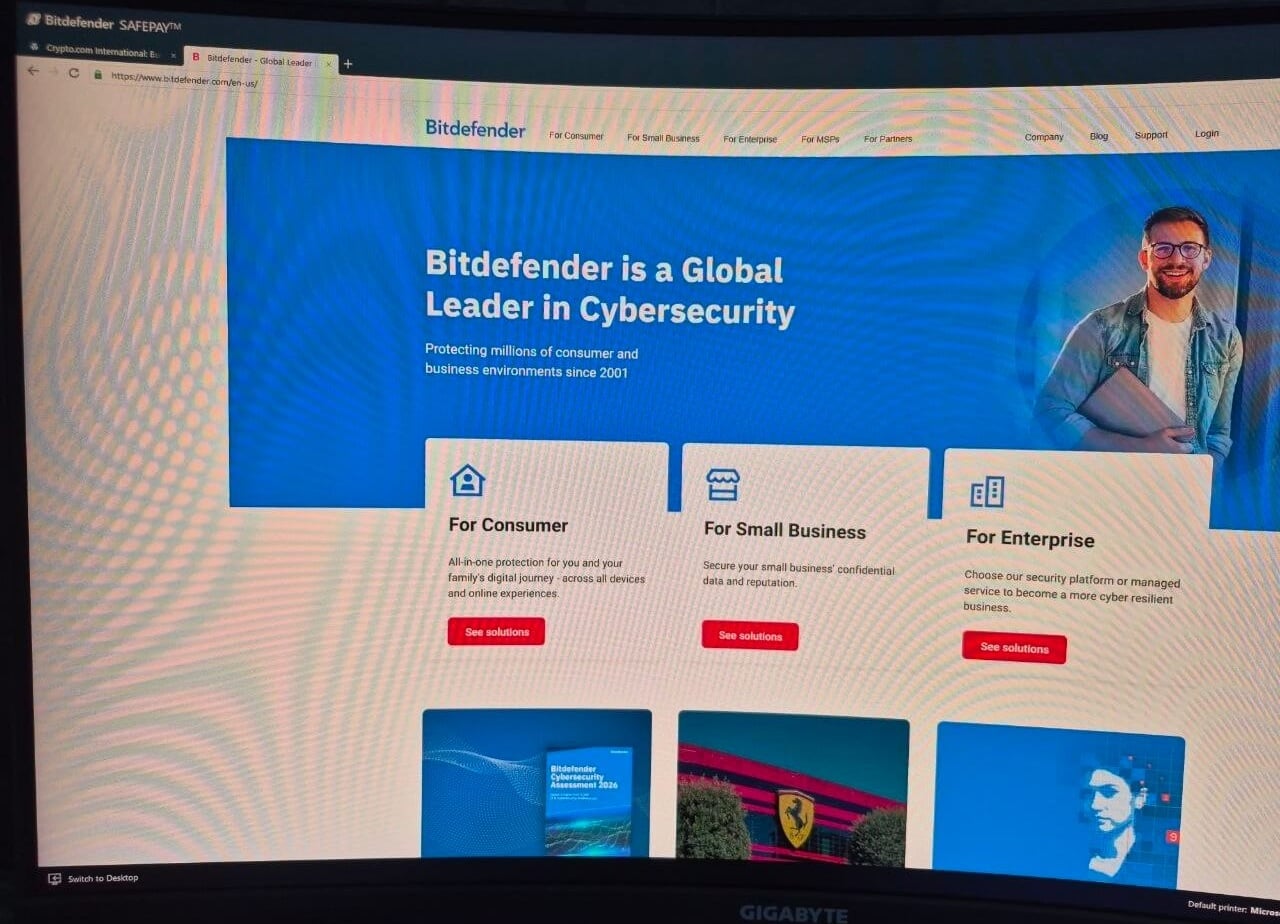
Safepay opens your banking sessions in an isolated browser that blocks screenshots and keyloggers, at no extra cost. It blocks screenshots so well, in fact, that I had to find another way to capture it for this page (see the caption below). Autopilot makes security decisions without asking you, which is the real reason non-technical people end up with Bitdefender set up correctly, and gaming, movie and work profiles hold off scans while a full-screen app is open, so nothing interrupts your movie night or your video call.
The VPN on Total Security is capped at 200 MB per day per device, which is enough to check your email on hotel Wi-Fi but not to watch an episode of anything. I used to say the upgrade to the uncapped version wasn’t worth it, and I’ve changed my mind: Premium Security costs $20 more than Total Security, while Bitdefender’s standalone VPN alone costs $34.99 for the first year, and the upgrade also adds Scam Protection Pro, an anti-tracker and email protection on two addresses.
Bitdefender’s Scam Protection, and Why the Pro Tier Differs
This is the feature Bitdefender pushes hardest, and it comes in two versions that are easy to mix up. The standard version, included with Total Security, only runs on Android and iOS and covers texts, chat apps, notifications, calendar invites, call blocking and web protection, plus Scam Radar, which tracks scam campaigns spreading in your area.
Scam Protection Pro, on Premium Security and above, adds Windows and macOS and four tools the standard version doesn’t have. Scamio Pro is an AI assistant you paste a message, link, QR code or screenshot into to get a verdict, Email Protection marks incoming Gmail and Outlook mail as safe or unsafe, and Web Scam Protection blocks fake ads and malicious sites. The fourth one is the reason I’d pay for it: Remote Access Scam Protection warns you if remote desktop software is running while a banking session is open. It goes straight at the fake tech support call, where someone claiming to be from “Microsoft” phones your parents, gets them to install a remote access app, then asks them to log in to their bank “to process a refund”, and nothing else on this list catches that.
What Bitdefender Costs After the First Year
| Individual Plans | First Year Price | Full Price (Yr 2+) | Devices Covered | Details and Notes |
| Antivirus Plus (1 Device) | $24.99 | $49.99 | 1 device | Lowest entry price; multiplatform despite the name; includes Scam Protection. |
| Antivirus Plus (3 Devices) | $34.99 | $69.99 | 3 devices | 200 MB/day VPN; no password manager. |
| Total Security | $59.99 | $109.99 | 5 devices | Adds password manager; Scam Protection is mobile-only at this tier. |
| Premium Security | $79.99 | $129.99 | 5 devices | ⭐ Adds unlimited VPN, Scam Protection Pro, anti-tracker, email protection. |
| Ultimate Security | $89.99 | $159.99 | 5 devices | Adds dark web monitoring and breach alerts. |
| Ultimate Security Plus | $119.99 | $189.99 | 5 devices | Adds $1M ID theft insurance for one adult, 1-bureau credit monitoring. US only. |
| Family Plans | First Year Price | Full Price (Yr 2+) | Coverage | Details and Notes |
| Total Security Family | $79.99 | $139.99 | 25 devices, 5 accounts | ⭐ Includes parental controls, which the individual tiers do not. |
| Premium Security Family | $99.99 | $169.99 | 25 devices, 5 accounts | Unlimited VPN across 4,000+ servers, Scam Protection Pro, ad-blocker. |
| Ultimate Security Family | $119.99 | $199.99 | 25 devices, 5 accounts | Adds dark web monitoring and identity protection score. |
| Ultimate Security Plus Family | $179.99 | $269.99 | 25 devices, 5 accounts | $1M ID theft insurance per household. |
Here’s the math most people skip: Total Security costs $59.99 for five devices and renews at $109.99, while Norton 360 Deluxe covers the same five for $49.99 and renews at $124.99. Norton is $10 cheaper in year one and Bitdefender $15 cheaper in year two, so over two years Bitdefender comes out $5 ahead. If you knew the old Bitdefender Family Pack, note that it has been discontinued and replaced by Total Security Family, which covers the same 25 devices for the same $79.99.
Get Bitdefender Total Security
Should You Buy Bitdefender?
Yes, and for most households it’s the smarter buy. If your laptop is getting old, or you’re the kind of person who notices when security software is running, this is the one to install.
Pros
- Lowest CPU, memory, and disk use of the four measured
- Fewest false alarms of the five at AV-Comparatives
- Safepay isolates banking sessions at no extra cost
- Total Security Family covers 25 devices across 5 accounts for $79.99
- Remote Access Scam Protection is unique on this list
Cons
- Bundled VPN capped at 200 MB per day per device below Premium
- Total Security costs $10 more than Norton Deluxe for the same five devices
- Scam Protection is mobile-only until you reach Premium Security
- Parental controls need a Family tier, not an individual one
- Support starts with a bot and takes work to escalate
3. Avast One: Best Free Antivirus and Best for Gamers
Rating: 4.3/5
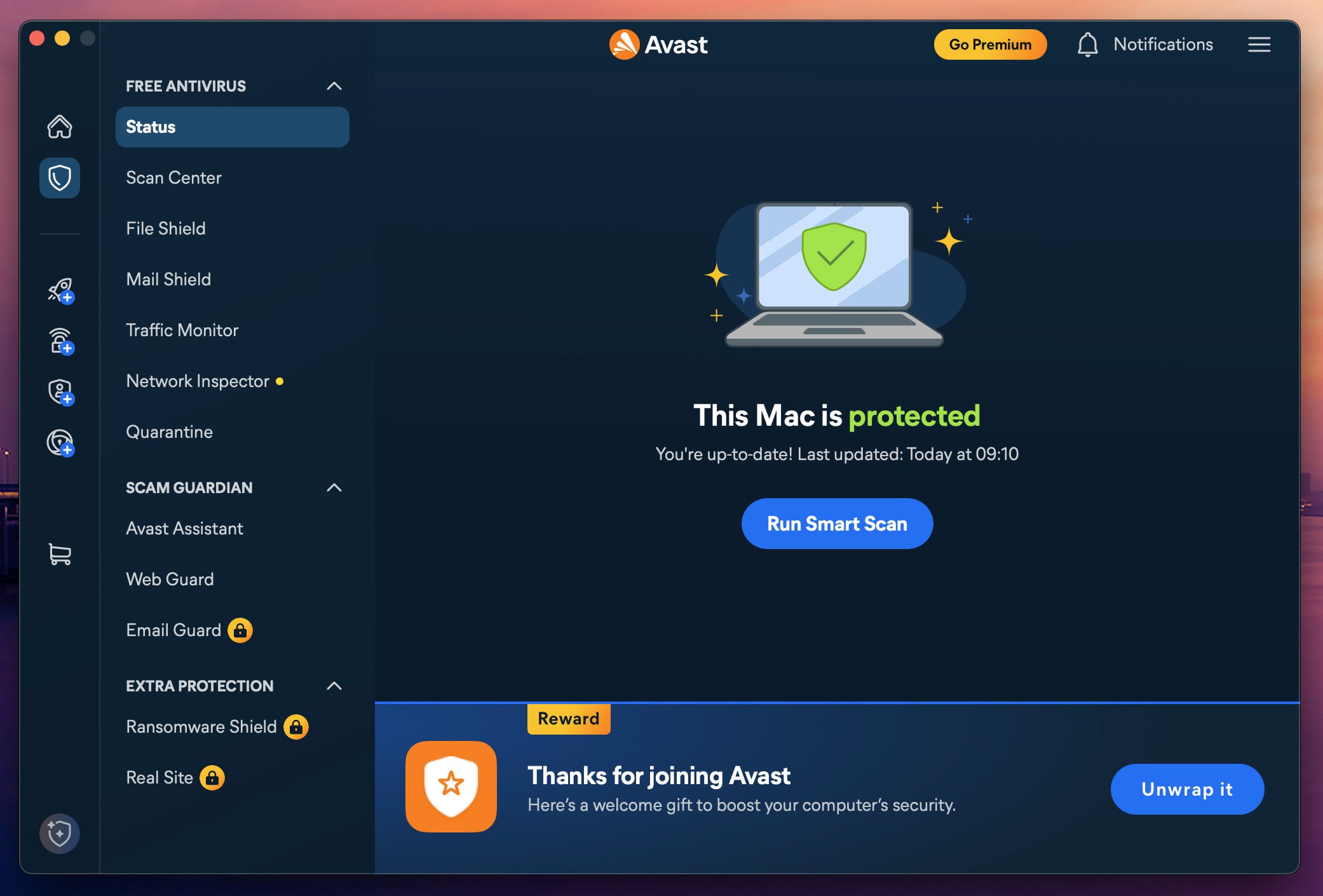
Avast One’s free tier is the best free antivirus you can get, and the reason is simple: it uses the same real-time engine as the paid version, so “free” here means the same scanner with fewer things around it, not a weaker one. In May 2026, Avast rebuilt the app around that idea, with a free base and paid modules you switch on one by one in the same dashboard.
Avast’s 2024 FTC Settlement, and What It Means Now
In February 2024, the US Federal Trade Commission settled with Avast over the sale of browsing data through its Jumpshot subsidiary, with a $16.5 million payment and a ban on selling browsing data for advertising. The penalty was deserved, but Jumpshot was shut down in January 2020, and Avast now operates under a binding FTC order that forbids doing it again. Also worth knowing: Avast and Norton have the same parent company, Gen Digital, which also owns AVG and Avira.
What You Get With Avast
| Operating Systems | Windows, macOS, Android, iOS |
| Devices | One desktop plus one mobile on the entry paid plan, or 10 on the larger one |
| Standout Features | Free real-time engine, Scam Guardian, AI Agent Protection, Avast Assistant, Ransomware Shield, Do Not Disturb, modular add-ons |
| Free Version | Permanent, no card |
| Free Trial of Paid | 30 days, no card |
| Refund Window | 30 days |
Avast Malware Detection Results in Testing
In my testing, detection was 99.78% with 4 false alarms, combining online and offline results. AV-Comparatives has Avast at 96.3% offline, 98.7% online, a 99.97% protection rate and 9 false alarms in March 2026, and Avast also holds the lab’s Top-Rated Product award for 2025.
AV-TEST tells the same story. In June 2026, Avast scored 6 out of 6 for protection, performance and usability, with a Top Product award, and here’s the part I like: the product AV-TEST certified is Avast Free Antivirus, which got the same 18 out of 18 as Norton 360 and Bitdefender Total Security.
Avast Scan Speed and System Impact
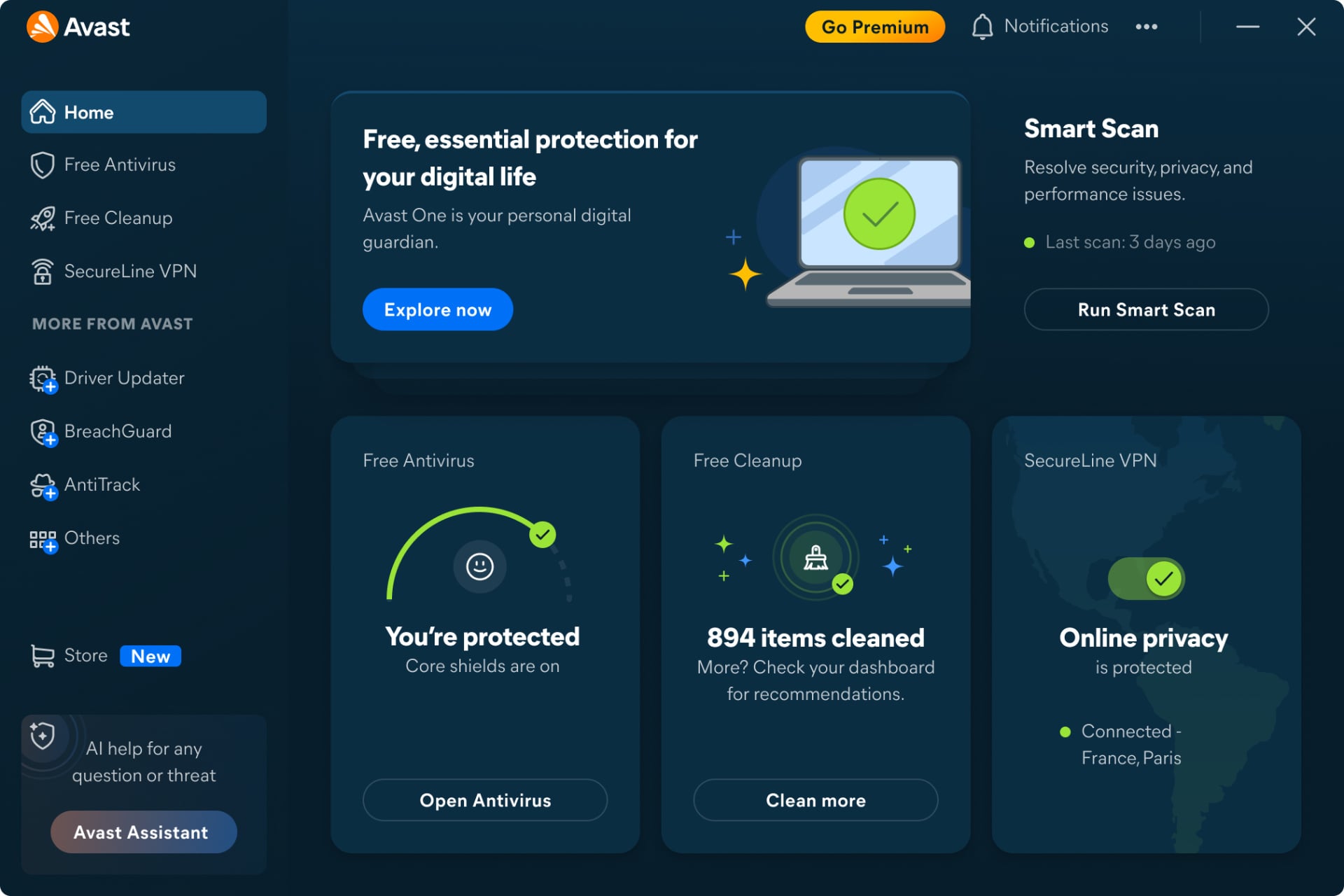
Avast’s Smart Scan took 1 minute 12 seconds and a full scan took 14 minutes 38 seconds, while CPU never went above 12%, memory peaked around 200 MB, and disk throughput stayed between 50 and 135 MB/s. That puts it second only to Bitdefender on resource use and third of four on speed, which is a very respectable result for something that costs nothing.
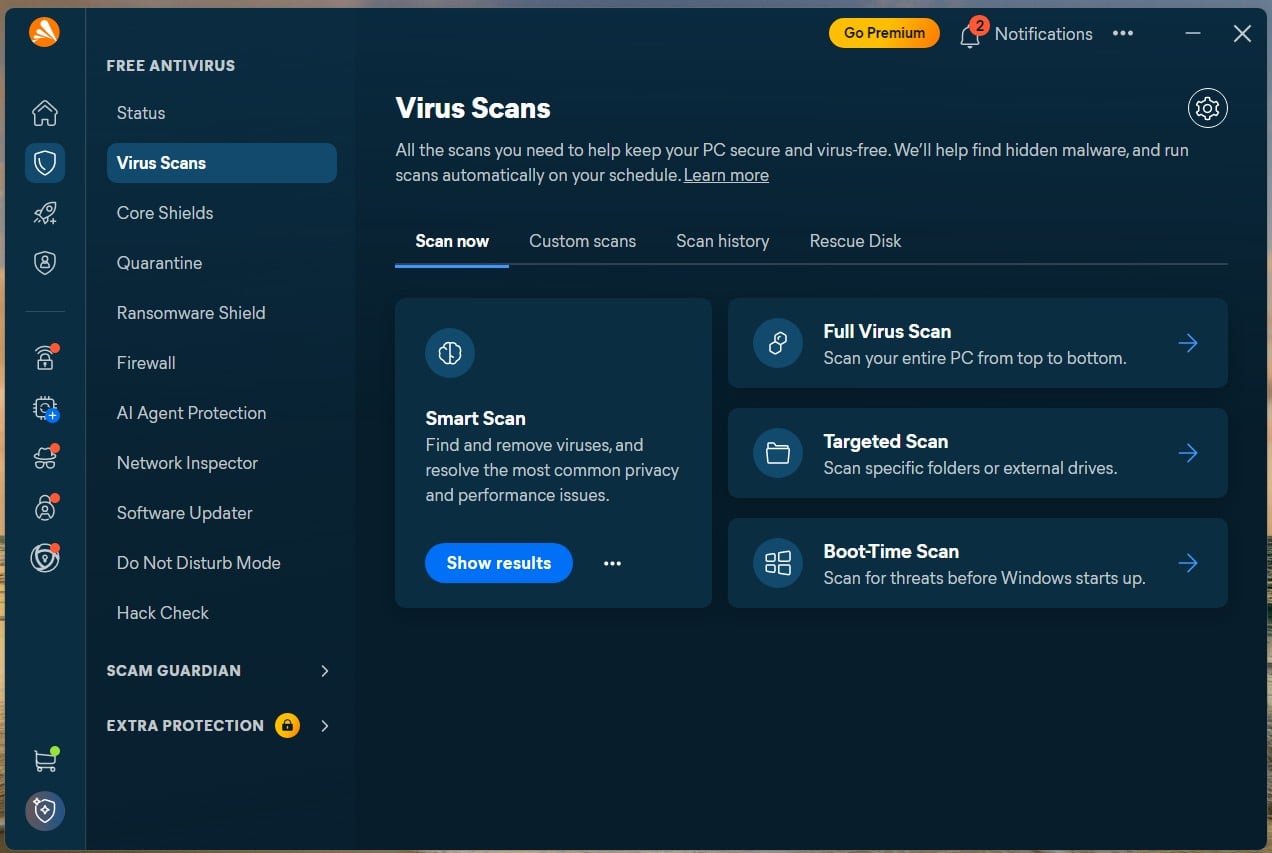
If you game, Do Not Disturb matters more than scan speed: it holds off scheduled scans and hides notifications while a full-screen app is open, including Avast’s own upsell prompts, which is exactly the kind of pop-up you don’t want in the middle of a ranked match.
Avast Extras: VPN, Firewall and Privacy Tools
The free version does a lot more than free tiers usually do. Scam Guardian checks pages as they load to catch phishing sites and fake online stores (the too-good-to-be-true sneaker shop from an Instagram ad, for example), Avast Assistant is an AI tool you can ask whether a link or message is safe, and Ransomware Shield locks the folders you choose so nothing can modify them without permission.
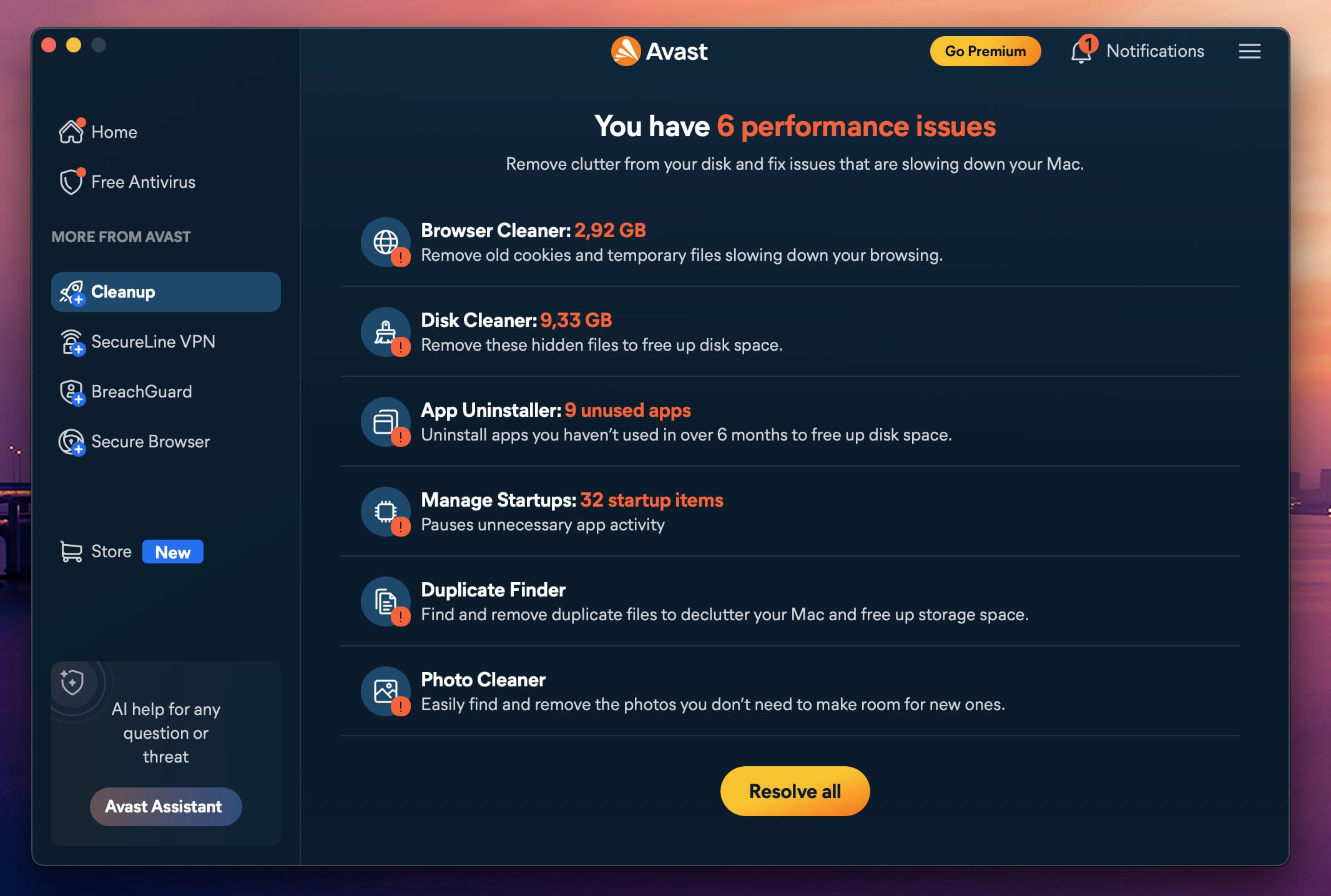
Then there’s AI Agent Protection, which is worth a look if you’ve started letting an AI assistant read your files or send emails for you. It watches those assistants and flags workflows that look tampered with, for instance when a booby-trapped email slips hidden instructions to your agent, and only Avast deals with that in this comparison. SecureLine VPN is a paid module (with a 60-day free version), and the installer offers Avast Secure Browser already ticked, so untick it if you don’t want it.
What Avast Costs After the First Year
| First Year Price | Renewal Price (Yr 2+) | Devices Covered | Included Features and Notes | |
| Avast Free | N/A | N/A | 1 device | Free forever; no credit card or time limit required. |
| SecureLine VPN (Standalone) | $3.99/mo | $99.99/year | 10 devices | Standalone modular add-on for encrypted privacy. |
| Cleanup Premium (Standalone) | $2.75/mo | $65.99/year | Varies | Standalone modular add-on for device optimization. |
| BreachGuard (Standalone) | $3.67/mo | $43.99/year | Varies | Standalone modular add-on for dark web monitoring. |
| Paid Tier (1 Desktop + 1 Mobile) | $49.99 | $77.99 | 2 devices | Adds scam call/SMS/email & unsafe Wi-Fi protection. |
| Paid Tier (10 Devices) | $69.99 | $99.99 | 10 devices | Better buy for >1 user ($7 per device in Year 1). |
| Avast Ultimate | $49.99 | $109.99/year | Varies | Bundles the paid tier with the VPN and cleanup modules. |
Compare Avast One’s Paid Plans
Should You Buy Avast?
Use the free version if you’re the only person on one computer and you’re careful with links, and add modules only when you have a reason to. If you need one subscription for a big household with mixed devices, look elsewhere, but not because of detection: it matches Norton exactly in the AV-Comparatives table.
Pros
- Free tier uses the same real-time engine as the paid product
- Modular pricing, so you pay only for what you switch on
- AI Agent Protection is the only defence of its kind here
- Gentlest renewal on this page, up 56% against Norton’s 150%
Cons
- SecureLine is a paid module (except the 60-day free version)
- The headline $49.99 covers two devices; ten costs $69.99
- Pushes Avast Secure Browser during install
- Second slowest full scan of the four measured
4. NordVPN Next-Gen Antivirus: Best Antivirus and VPN in One
Rating: 4.0/5
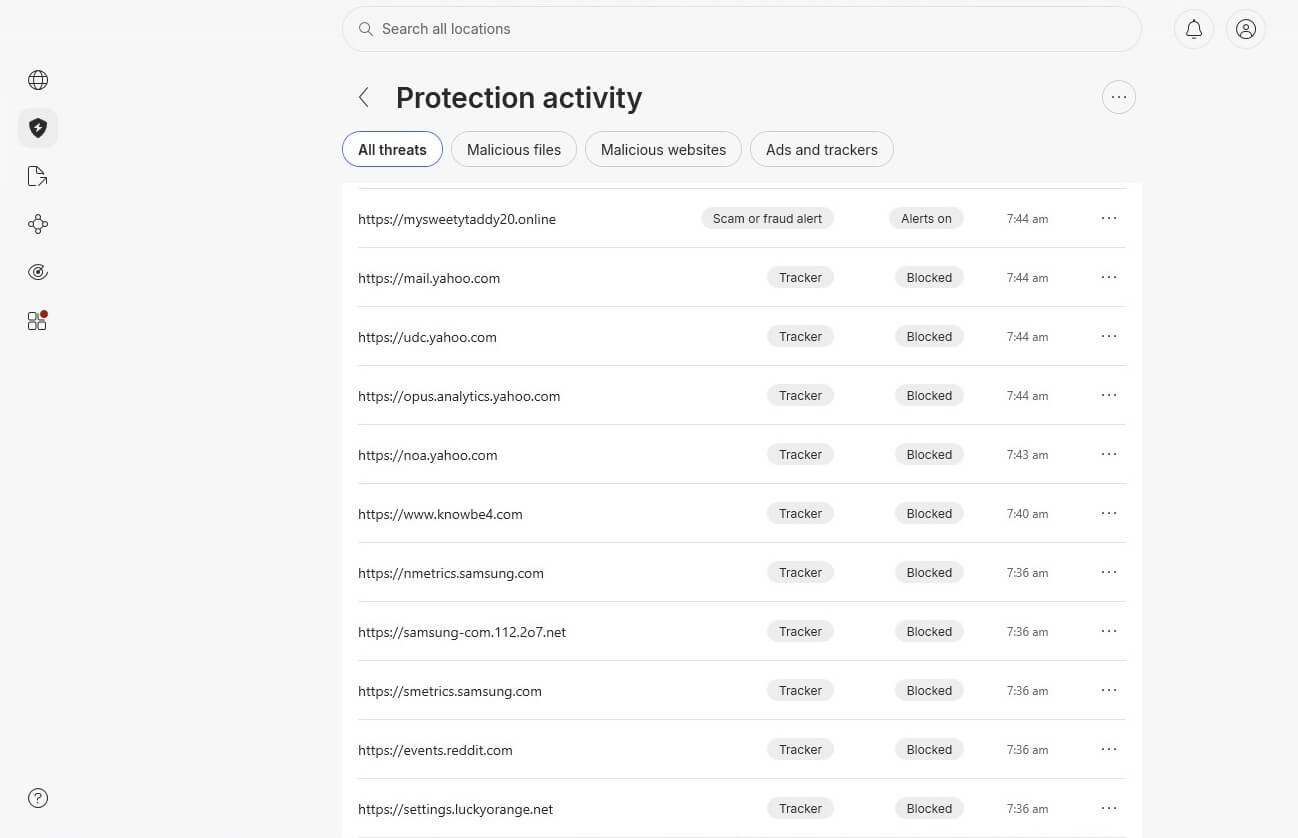
NordVPN’s next-gen antivirus isn’t an antivirus suite the way most of us picture one, with a big scan button that grinds through your drive for fifteen minutes. It works earlier than that: it stops the fake bank page before you type your password, and the infected download before it lands in your Downloads folder. Looking at the phishing links I pulled from my old Yahoo mailbox for this test, that’s where most of the fight happens now.
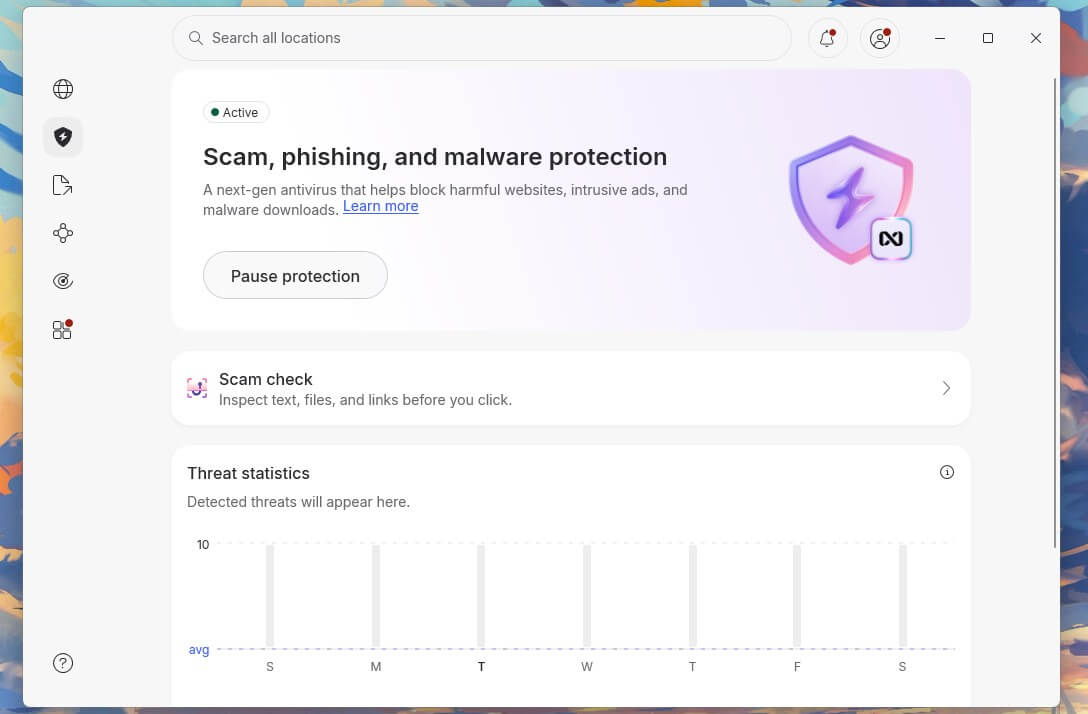
In practice, it scans downloads, blocks malicious and phishing sites, warns you about scam pages, checks the links in your Gmail and Yahoo Mail, and blocks ads and trackers, all from inside the NordVPN app and whether the VPN is connected or not (the mobile apps get a smaller set of features than Windows and macOS). If you already pay for a VPN, it’s the best antivirus and VPN combination you can get, because one subscription covers both. NordVPN hasn’t announced a full-disk scanner yet, but given how fast the feature list has grown this year, I wouldn’t be surprised to see one in the coming months.
You might know it under its old name: until May 2026, NordVPN sold it as Threat Protection Pro, and it now shows up in the Windows and macOS apps as “Scam, phishing, and malware protection,” with a single toggle instead of three. The rename came with a marketing push to match, since in October 2026 NordVPN signed former NBA star Shaquille O’Neal as the global face of its next-gen antivirus. A celebrity doesn’t make software better, sure, but it tells you where NordVPN is putting its money: this isn’t a side feature tucked into a VPN app anymore.
Get NordVPN’s Next-Gen Antivirus
What You Get With NordVPN
| Operating Systems | Full feature set on Windows and macOS, limited features on mobile |
| Devices | 10 simultaneous connections |
| Standout Features | Download scanning, vulnerability scanner, malicious URL and phishing blocking, email link checks in Gmail and Yahoo Mail, hijacked session alerts, ad and tracker blocking, works with the tunnel disconnected, Dark Web Monitor |
| Free Trial | None directly, 3 days via Google Play |
| Refund Window | 30 days |
| Tier Needed | Complete or Prime. Basic is VPN only and carries no anti-malware layer |
NordVPN Malware Detection Results in Testing
Against 50 malware samples downloaded through a browser, NordVPN’s next-gen antivirus blocked 45 and let 5 reach the disk, a 90% block rate and the weakest malware figure on this page. Two things put that in context: my sample set was much smaller than the one I used on the full scanners, because each file had to be downloaded separately, and NordVPN checks files while they’re being downloaded rather than once they’re sitting on your drive, which is a different kind of miss.
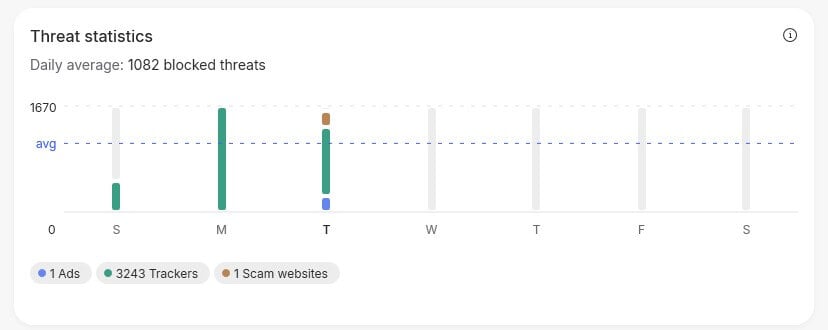
Phishing is where it shines. Against live phishing links from that old Yahoo mailbox, it warned me on 95% of them with a full-page warning you can’t miss, and AV-Comparatives’ anti-phishing comparative for Q1 2026 puts it in the same range, at 92%. It isn’t in AV-TEST’s Windows table yet, so the lab record is still thin, but one thing the labs don’t measure works in its favor: Nord Security builds its detection engines in-house and uses no third-party SDKs, whereas several mid-tier brands license someone else’s engine and put their own logo on it.
NordVPN Scan Speed and System Impact
With the next-gen antivirus on and the VPN disconnected, the app sat at 0.2% CPU and 282 MB of memory, with disk activity at basically zero (0.1 MB/s) because it isn’t scanning your drive. In plain terms, you won’t feel it running. The 282 MB is a fixed cost and it’s more than Bitdefender uses at the busiest moment of a full scan (183 MB), but that figure covers the whole app, interface included, and on a computer with 8 GB of RAM or more you won’t notice it.
NordVPN Extras: VPN, Firewall and Privacy Tools
This is where the usual bundle logic flips: everywhere else in this comparison, the VPN is an afterthought bolted onto a security suite, while here the security layer comes with a VPN that’s worth buying on its own. The list of tools around it also keeps getting longer. A vulnerability scanner flags known flaws in the software you have installed, email protection checks every visible link in Gmail and Yahoo Mail on the web (so the “your account will be suspended” email gets flagged before you click), and a hijacked session alert tells you if your session cookies are being sold on the dark web, which is how accounts get taken over without anyone knowing your password. Add a crypto wallet address checker, a URL cleaner and a cookie banner hider, plus ad and tracker blocking that scored 96 out of 100 on AdBlock Tester, very close to a dedicated blocker.
NordVPN documents three gaps itself: ad blocking doesn’t work on YouTube, because YouTube serves ads from the same servers as the video, it stops working when a proxy is active, and on macOS files downloaded in Chrome’s incognito mode aren’t scanned. There’s also no firewall, no parental controls, no cloud backup and no webcam protection.
How NordVPN Handles Your Data
Antivirus software sees a lot by nature, and NordVPN’s May 2026 whitepaper on how its detection works without profiling users is more concrete than the usual privacy page. Files are checked by their hash rather than their content where possible, URLs are stripped of query parameters and personal path fragments before any cloud lookup, and for login cookies only the first eight characters of a hash leave your device. According to NordVPN, the detection data format has no field for user identifiers at all, so privacy is built into the structure instead of depending on a policy someone has to follow. It’s a vendor document, but the technical claims are specific enough to be checked, which is more than most of this industry offers.
What NordVPN Costs After the First 27 Months
| Promotional Rate Total Cost | Renewal Price (Yr 2+) | Key Features and Included Tools | Recommendation/Notes | |
| Basic | $3.49/mo, $94.23 (first 27 months) | $139.08/year | VPN service only | ❌ Skip: Lacks the next-gen antivirus |
| Complete | $4.49/mo, $121.23 (first 27 months) | $219.48/year | VPN + Next-gen antivirus + Password Manager + 1 TB Cloud Storage + bank transaction, email, phone, card and SSN monitoring + call and message protection | ⭐ Relevant Tier: $53.88 a year on the promotional rate; replaces both a VPN and antivirus |
| Prime | $7.49/mo, $202.23 (first 27 months) | $296.28/year | Includes all Complete features + Coveron | Choose only if identity protection is needed |
Get VPN + Antivirus in One With NordVPN
Should You Buy NordVPN?
Buy it if you already pay for a VPN (or were about to) and want phishing, scam and malware protection in the same app. I wouldn’t make it the only security product in a house with kids or if you need a firewall, and for now it won’t sweep a drive you already think is infected.
Pros
- Replaces two subscriptions with one, at $53.88 a year on the promotional term
- Protection works with the VPN tunnel disconnected
- Warned on 95% of live phishing URLs, with a full-page interstitial
- In-house detection engines, no licensed third-party SDKs
- No periodic full-scan performance spike
Cons
- No classic full file-system scanner
- Renewal at $219.48 is the steepest rise here
- Ad blocking fails on YouTube and whenever a proxy is active
- Chrome incognito downloads go unscanned on macOS
- Absent from AV-TEST, so the independent record is thin
5. McAfee+: Best for Unlimited Devices and Mobile
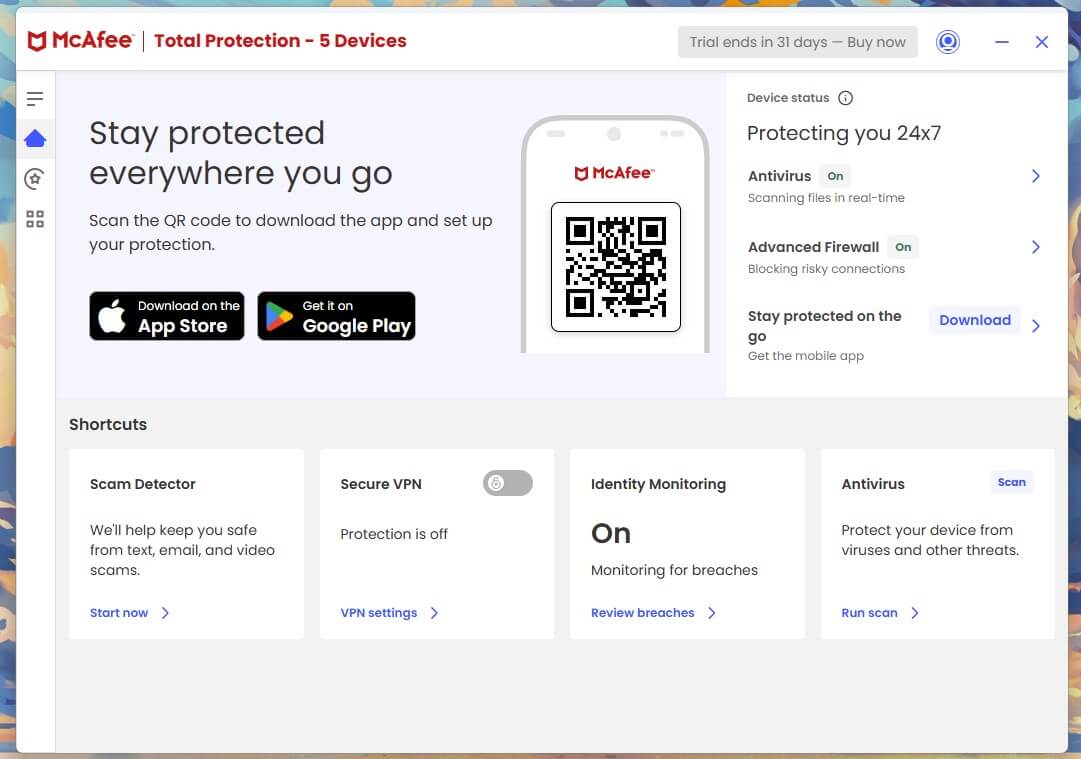
Rating: 3.9/5
McAfee answers a question the other four can’t: what do you install when nobody in the house actually knows how many devices there are? Between two phones each, the kids’ tablets, the old laptop in a drawer and the work laptop that’s “only for work”, the per-device math stops being close past six or seven devices. Its mobile apps are also the best here, and I don’t say that lightly, because most vendors treat Android and iOS as a chore.
What You Get With McAfee
| Operating Systems | Windows, macOS, Android, iOS, ChromeOS |
| Devices | 5 on Essential, unlimited on Premium and Advanced, one user per plan |
| Standout Features | Scam Detector, Personal Data Cleanup, Online Account Cleanup, Social Privacy Manager, identity monitoring, unlimited Secure VPN |
| Free Antivirus Tier | Yes, plus a 30-day trial of the paid plans |
| Refund Window | 30 days |
McAfee Malware Detection Results in Testing
In my testing, McAfee caught around 87% of samples offline and 99.4% online, for an overall figure of 99.71%, with 7 false alarms, the most of the five on my bench. The 87% is the number to pay attention to, because it almost exactly matches AV-Comparatives’ 86.1% offline result for McAfee in March, against 96.3% for Norton and Avast and 97.6% for Bitdefender.
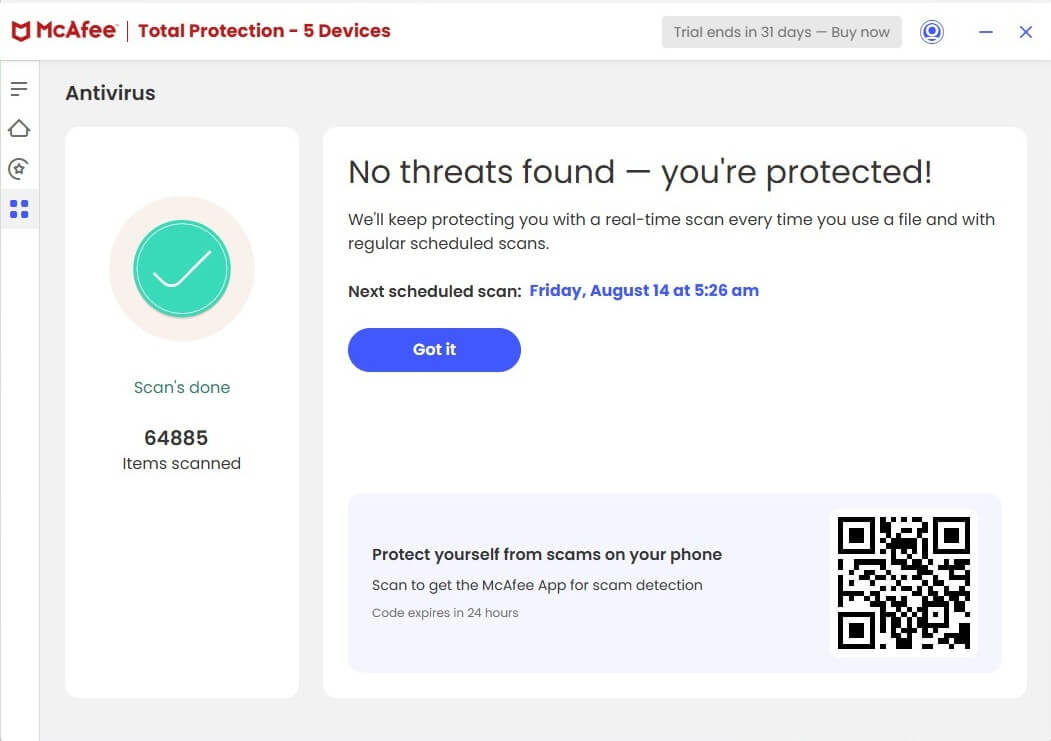
In other words, McAfee is about ten points behind its rivals when it has to recognize a threat without asking the cloud, which matters if your laptop spends hours offline on trains and planes, or if something on it is already blocking its network access. Online, its 99.97% protection rate and its 6 out of 6 in AV-TEST’s June round are both strong.
McAfee Scan Speed and System Impact
McAfee’s quick scan took 1 minute 26 seconds and a full scan took 16 minutes 47 seconds, with CPU peaking at 33%, memory at 415 MB, and disk throughput between 63 and 220 MB/s. That’s the slowest and heaviest result of the four I measured (Norton was hungry too, but at least it was fast), although AV-TEST is right that McAfee stays out of the way in daily use and only gets demanding during a full scan.
McAfee Extras: VPN, Firewall and Privacy Tools
If you’ve ever Googled your name and found your home address on a people-search site, Personal Data Cleanup is for you: it finds your details on data broker sites and, on higher tiers, sends the removal requests for you. Online Account Cleanup digs up accounts you forgot you had, like the forum you joined in 2014, each of them a password waiting to show up in someone else’s data breach.
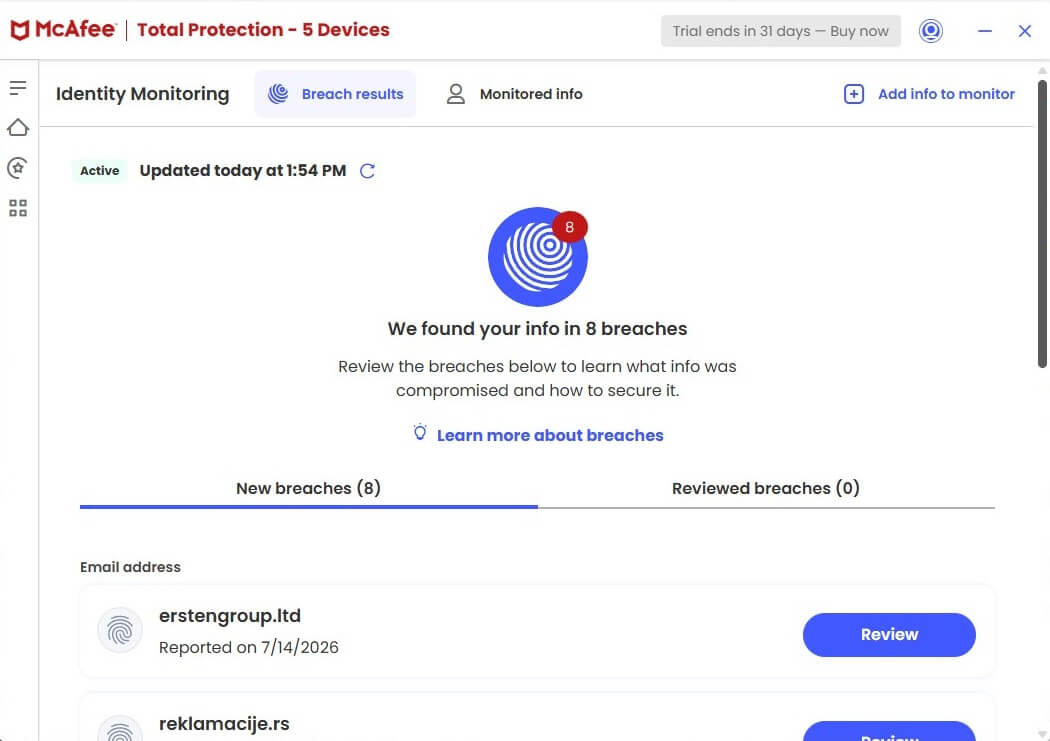
Scam Detector checks suspicious texts, emails and links, and it’s the extra most likely to save you actual money. The VPN is uncapped but more basic than NordVPN’s, and parental controls are sold separately as McAfee Safe Family, which is a real gap next to Norton at similar prices.
What McAfee Costs After the First Year
| Plan Tier | First Year Price | Renewal Price | Devices Covered | Key Features and Notes | Recommendation/Verdict |
| Essential | $39.99 | $119.99 | 5 devices | Basic coverage capped at 5 devices; removes the primary advantage over Norton. | ❌ Skip: Capped limit negates McAfee’s main selling point. |
| Premium | $49.99 | $149.99 | Unlimited | Covers unlimited devices; does not include the marketed $1M identity theft coverage. | ⭐ Most Recommended Tier: Best choice for most buyers with multiple devices. |
| Advanced | $89.99 | $199.99 | Unlimited | Adds US-only identity features: up to $1M ID theft protection, credit/transaction monitoring, ID restoration & credit freeze. | Only buy if you need US-specific identity protection. |
Should You Buy McAfee?
Buy it if you have a lot of devices (or honestly have no idea how many), or if your family lives on phones more than laptops. Look elsewhere if you want parental controls included, if your main computer is very old, or if it spends a lot of time offline.
Pros
- Unlimited devices on Premium and Advanced
- Best mobile apps of the five
- Personal Data Cleanup automates data broker removals
- Scam Detector targets the most common real-world attack
Cons
- Slowest and heaviest of the four measured
- Offline detection of 87% is behind its rivals
- Renewal is 200% above the first-year price
- One user per plan, however many devices
- Parental controls cost extra, and identity features are US-only
Antivirus Comparison: Protection, Price and Device Limits Side by Side
| Norton 360 | Bitdefender | Avast One | NordVPN Next-Gen Antivirus | McAfee+ | |
| Best For | Overall | Value and low impact | Free tier and gaming | Antivirus and VPN in one | Unlimited devices and mobile |
| AV-C Protection Results | 99.97%, 9 FA | 99.94%, 4 FA | 99.97%, 9 FA | N/A | 99.97% |
| Full Scan | 13:22 | 14:03 | 14:38 | N/A | 16:47 |
| Peak CPU | 23% | 11% | 12% | 0.2% idle | 33% |
| Peak RAM | 384 MB | 183 MB | 200 MB | 282 MB idle | 415 MB |
| Max Devices | 10 (Select Plus) | 5, or 25 on Family | 2 or 10 | 10 | Unlimited |
| Scam Reimbursement | Up to $10,000 on Select Plus | None | None | None | None |
| First Year | $49.99 | $59.99 | Free/$49.99 | $4.49/mo | $49.99 |
| Renewal | $124.99 | $109.99 | $77.99 | $219.48 | $149.99 |
| My Rating | 4.8 | 4.7 | 4.3 | 4.0 | 3.9 |
Scam Reimbursement: The Feature That Changed This Category in 2026
A year ago, the headline number in any antivirus comparison was the malware detection rate. It still matters, but it isn’t where these companies compete anymore, because every product here detects malware well enough that the differences barely matter for a home user, and four of the five scored a perfect 18 out of 18 at AV-TEST in June.
What changed is that the industry finally admitted that most people who lose money online aren’t infected with anything: they’re talked into sending it, by a fake invoice, a “your account has been locked” phone call or a stranger on a dating app who suddenly needs help with a plane ticket. So vendors have started paying people back. Norton put up to $10,000 behind Scam Protection Pro on Select Plus, LifeLock added scam reimbursement in August ($5,000 on its mid tier and $10,000 on its top one), and Bitdefender built its 2026 pitch around Scam Protection Pro, though it detects and blocks rather than paying out.
Before those figures sway you, keep three things in mind. The ceilings are low compared with real losses, since LifeLock’s own February survey put the average identity theft loss at $8,401, with some victims losing $75,000. The cover is US-only, and New York is excluded from Norton’s and LifeLock’s scam benefits, a footnote that rules the feature out for a lot of readers. And the policies are underwritten by HSB Specialty Insurance rather than the software company, so any claim goes through an insurer with its own exclusions.
For most people, the detection side matters more than the payout: Bitdefender’s Remote Access Scam Protection, which flags remote desktop software during a banking session, will prevent more losses than a $10,000 check will ever repair.
What Counts as Antivirus Now?
It’s fair to ask what NordVPN is doing on an antivirus list, and the company has published its own answer in a May 2026 whitepaper: the industry has always defined antivirus by how it detects malicious files, while most attacks that reach people today don’t involve a file at all. Under NordVPN’s definition, a next-gen antivirus covers scam protection, phishing protection, identity and account takeover protection, tracker and ad blocking, and file and device protection, and the first four are where it’s strongest.
I think the argument holds up better than most marketing repositioning does, and my 95% phishing result backs it. Where it reaches its limit is the idea that file scanning can be pushed to the background, because a scanner matters most in exactly the situation a network-level tool can’t help with: a computer that was infected before you installed anything, or through a USB stick. The two approaches complement each other, which is awkward for a ranking but true, and if you want both, Avast’s free version next to a NordVPN subscription costs nothing extra and closes the gap.
Best Antivirus for Windows 11 PCs and Laptops
The best antivirus for Windows 11 is Norton 360, and the reason has little to do with detection rates: Windows 11 already protects the file system well, but it protects the person using it badly.
What Windows 11 Already Protects
Windows 11 has Smart App Control, which blocks unsigned and untrusted apps on clean installs, hardware features like TPM 2.0 and virtualization-based security (VBS) with HVCI that protect your credentials and kernel memory, and a blocklist against signed but flawed drivers. What it doesn’t do is cover what happens around the computer: Windows won’t check the shortened link in a text message, warn you when your email shows up in a breach, protect your Android phone, or restore your files after ransomware. Norton covers all four, and Bitdefender is the better buy if price matters most or your hardware is getting old.
Note on Windows 10: Now that mainstream support has ended, a computer still on Windows 10 needs third-party protection more than ever, and the picks above apply here too.
Does Microsoft Defender Still Cut It?
For plenty of people, yes. AV-TEST’s June 2026 Windows 11 round gave Defender a Top Product award (6 for protection, 5.5 for performance, 6 for usability), and AV-Comparatives logged only 3 false alarms, so the old idea that Windows quarantines your legitimate files doesn’t hold up. Its limits are elsewhere:
- Online Dependency: It detects 98.1% of threats online, but only 89.2% offline.
- Browser and Platform Limits: Scam-site blocking relies on SmartScreen in Edge, and there’s nothing for your phone or Mac.
- Gaps: No dark web monitoring, no identity tools, and ransomware rollback is off by default (Controlled Folder Access relies on OneDrive).
The Verdict: Pay for a suite if you need parental controls, do your banking on that computer, share a household full of devices, or want a reliable way to get your files back. If your PC is mostly for Netflix, email and the occasional online order, Defender plus a password manager and a healthy dose of suspicion is a reasonable setup, and better than a paid product nobody configured.
Free vs Paid Virus Protection: Where the Free Tiers Stop
AV-TEST’s June 2026 round gave Avast Free Antivirus the same 18 out of 18 as Norton 360 and Bitdefender Total Security, which shows that free and paid versions from the same company usually share the exact same detection engine.
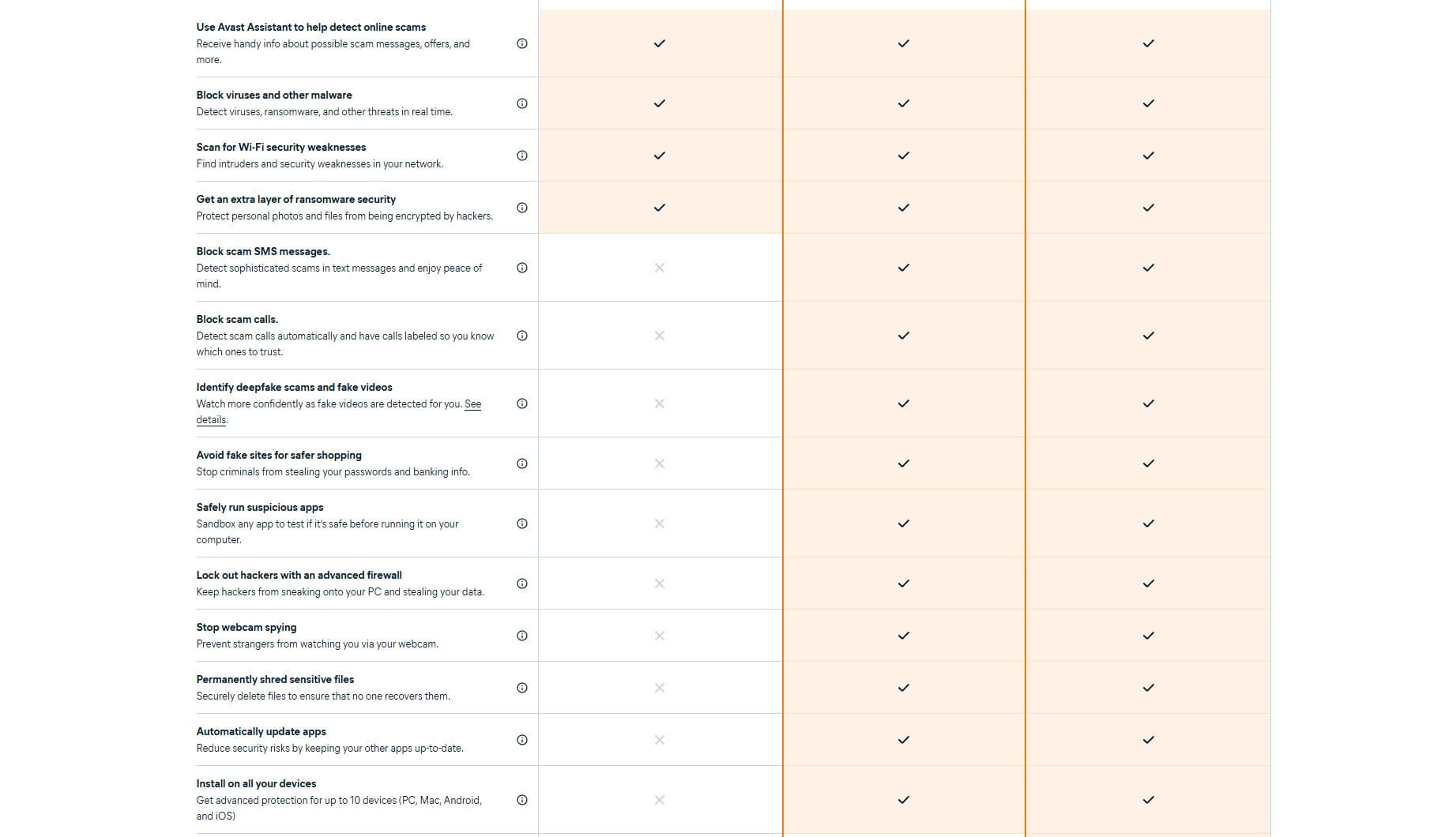
What you pay for is everything built around that engine, and what free versions leave out is pretty much the same from one company to the next: no firewall, no ransomware rollback, a VPN that’s missing or capped so tightly it’s useless, no parental controls, no identity monitoring, and support through a community forum. Coverage also often stops at Windows, which leaves every phone in the house unprotected, and free apps tend to show ads for the paid upgrade (the thing they’re really selling, silly as it is).
When Free Is Enough ✅
- Single-user setups: You’re the only person using one Windows PC.
- Safe habits: You don’t install software from random sites, you check links before clicking, and you keep backups somewhere else.
- Top pick: Avast One Free covers the basics without asking for a cent.
When It Stops Being Enough ❌
- Shared or mixed devices: Your kids use the PC too, or the house runs a mix of Windows, macOS and Android.
- High-stakes tasks: You do your banking, run a business or work from that computer.
- Direct help: You want a real person to talk to when something goes wrong.
- The cost: Paid protection costs $25 to $60 for the first year, about the price of two takeout dinners.
The Testing Process: How This Ranking Was Built
Every figure in this comparison is either something I measured myself or something a named lab published, and I keep the two apart because they weren’t produced the same way.
The Bench: My PC Specs
My own numbers come from one desktop with a Ryzen 7 5800X and 32 GB of DDR4-2666 running Windows 11 Pro, with two M.2 SSDs: a 222 GB drive with 79 GB free and a 931 GB drive with 541 GB free (free space affects scan times, so I note it). Scan durations are timed from the moment a scan starts to the moment its summary appears, with nothing else open, and peak CPU, memory and disk throughput were recorded during those scans.
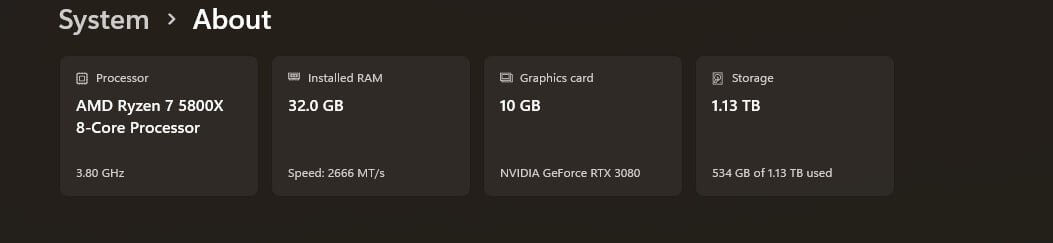
The sample sets weren’t the same size: NordVPN’s next-gen antivirus was tested against 50 files, because it only checks what comes in over the network and each sample had to be downloaded one by one, while the full scanners ran against a much larger set, which is why their figures have decimals.
Which Labs, and Why More Than One
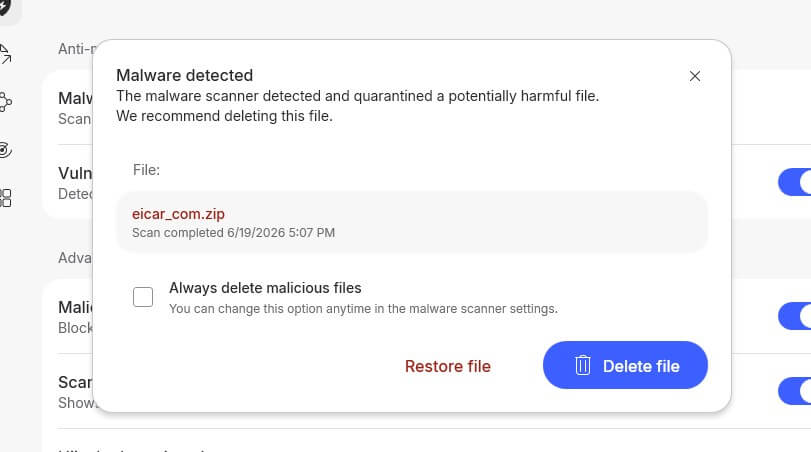
AV-TEST scores protection, performance and usability out of six, while AV-Comparatives tests against live URLs and a fixed sample set and publishes false alarms. A product can be tuned to do well on one lab’s method, so doing well on both says a lot more. I used AV-Comparatives’ Malware Protection Test of March 2026, Performance Test of April 2026 and Anti-Phishing Comparative of Q1 2026, plus AV-TEST’s Windows 11 home user round of June 2026, each linked where I cite it. I didn’t use the EICAR test file, which every antivirus company has agreed to detect: it tells you a scanner is switched on, and nothing about how good it is.
Independence. I bought every product at retail. Affiliate links earn us a commission, and they have no effect on the ranking or the ratings.
Antivirus Brands to Avoid in 2026
Kaspersky. This is the one I strongly advise against. In June 2024, the US Department of Commerce banned Kaspersky from selling software or providing updates to people in the US, citing supply chain risk, and the company left the US market. The product itself isn’t the issue, since Kaspersky scored 6 out of 6 in all three AV-TEST categories in June 2026 and had the second-lowest false alarm count in AV-Comparatives’ March round, but software that can’t legally receive security updates where you live will slowly stop protecting you, however well it scores today.
Security suites bundled by your internet provider. The free security software that comes with a broadband package is usually an older engine with the provider’s logo on it, updated on the provider’s schedule: better than nothing, worse than anything on this list.
Anything that makes cancelling hard. Some products hide the auto-renewal setting behind several menus, or make you call to cancel something you bought in two clicks, and that usually tells you how the rest will go.
Conclusion: Best Antivirus Summary
Norton 360 is the best antivirus of 2026, because it’s the only one that’s strong at everything instead of excellent at one thing: the fastest full scan I timed, the broadest lab record, the best firewall and cloud backup of the five, deepfake detection on every plan, and a refund pledge nobody else matches. Plan for the renewal price and it stays the right call.
Bitdefender is the one I’d hand most people, and the better choice on an older computer, since 11% CPU and 183 MB is about a third of what Norton asks for. Avast One‘s free version now scores as well as paid suites at AV-TEST, and NordVPN’s next-gen antivirus is the obvious pick if you already pay for a VPN, as well as the best here at stopping the scams and phishing pages that cost people real money.
McAfee+ is the only one where a household with 12 devices pays the same as one with two, even if it’s the slowest of the group and covers a single user. All five catch malware well enough that your choice really comes down to how many devices you have, what you’ll pay in year two, and which scams worry you most.
Try Norton 360 With a 60-Day Refund
FAQ
What Is the Best Antivirus Software?
Norton 360 is the best antivirus software. It combines the broadest independent lab record with the most complete feature set: uncapped VPN, firewall, cloud backup and parental controls in one subscription. It also produced the fastest full scan of the products measured, at 13 minutes 22 seconds. Bitdefender is the value alternative, matching Norton's detection results with a third of the system impact and the fewest false alarms of the group.
Norton or Bitdefender: Which Should You Choose?
Norton wins on completeness and speed: uncapped VPN, better firewall, cloud backup, stronger parental controls, longer refund window, faster scans. Bitdefender wins on restraint, with 11% peak CPU against Norton's 23% and 4 false alarms against 9 at AV-Comparatives. On price, the two are level at 5 devices, separated by $5 across two years. Older hardware points to Bitdefender; a household wanting one product for everything points to Norton.
Which Antivirus Blocks the Most Malware?
Bitdefender and Norton trade the top position. In AV-Comparatives' March 2026 Malware Protection Test, Bitdefender recorded a 99.94% online protection rate with 4 false alarms against Norton's 99.97% with 9. Differences at that level sit within normal variation. Consistency across several months is a better guide to best anti-malware software than any single result.
Can You Rely on Free Antivirus Alone?
Sometimes. Free versions typically use the same detection engine as their paid counterparts. AV-TEST certified Avast Free Antivirus at a perfect 18 out of 18 in June 2026, matching two paid suites. Free is defensible for one adult on one Windows PC with backups elsewhere. It stops being enough once children share the device, once phones and Macs need covering, or once banking happens on that PC.
Will Antivirus Software Slow Down Your PC?
Less than reputation suggests. On a Ryzen 7 5800X with 32 GB of RAM, peak CPU during a full scan ranged from 11% for Bitdefender to 33% for McAfee. Full scans finished between 13 and 17 minutes. Idle cost for modern AV software is far lower. The fix for the heavy ones is scheduling. Set full scans for a time the machine is powered on but unused, and leave real-time protection to handle everything else.
Is Antivirus Software Still Necessary in [year]?
Yes, though the reasoning has changed. Classic file viruses are no longer the main threat. Infostealers harvesting browser-saved passwords and session cookies are, along with ransomware sold as a service to people with no technical skill. Phishing kits clone a bank login in minutes and malvertising arrives through legitimate sites. AI-generated scam messages no longer carry the tells that used to give them away.
Which Antivirus Comes With a Good VPN?
NordVPN Threat Protection Pro suits anyone who wants the VPN to be the better half of the bundle. Norton 360 suits anyone who wants a complete suite where the VPN happens to be uncapped. One is a VPN with malware protection, the other antivirus with a VPN attached, and that shapes which part is stronger. Bitdefender's bundled VPN is capped at 200 MB per day per device and does not belong in the comparison.