Windows is the only desktop platform where antivirus software still has “real” work to do. Microsoft closed most of the obvious holes years ago, but the machine still runs installers from anywhere, opens attachments and sits on networks it has no reason to trust. Norton 360 is the best antivirus for Windows in 2026 with the widest feature set and the fastest full scan I recorded. Bitdefender costs slightly more and asks a third as much from the hardware, which makes it the better pick on an older PC.
Best Antivirus for Windows 2026: Shortlist
Five paid packages plus the one Microsoft gives you for nothing. All figures were measured on a Windows 11 machine, and prices are first-year rates in USD.
- Norton 360: Best Windows antivirus overall. Finished a full scan in 13 minutes 22 seconds, faster than anything else here, and pairs it with the strongest firewall of the group and up to 250 GB of cloud backup.
- Bitdefender: Best for older PCs. Held peak CPU to 11% and memory to 183 MB during a full sweep. Nothing else came close.
- Avast One: Best free Windows antivirus. The free build is what AV-TEST certified at a perfect score in June, not a cut-down version of it. Free or paid.
- NordVPN Threat Protection Pro: Best if you already pay for a VPN. Windows gets the full version rather than the cut-down Lite build most platforms receive.
- McAfee+: Best for households that lost count of their devices. Unlimited coverage on one subscription, at the cost of the slowest scan here.
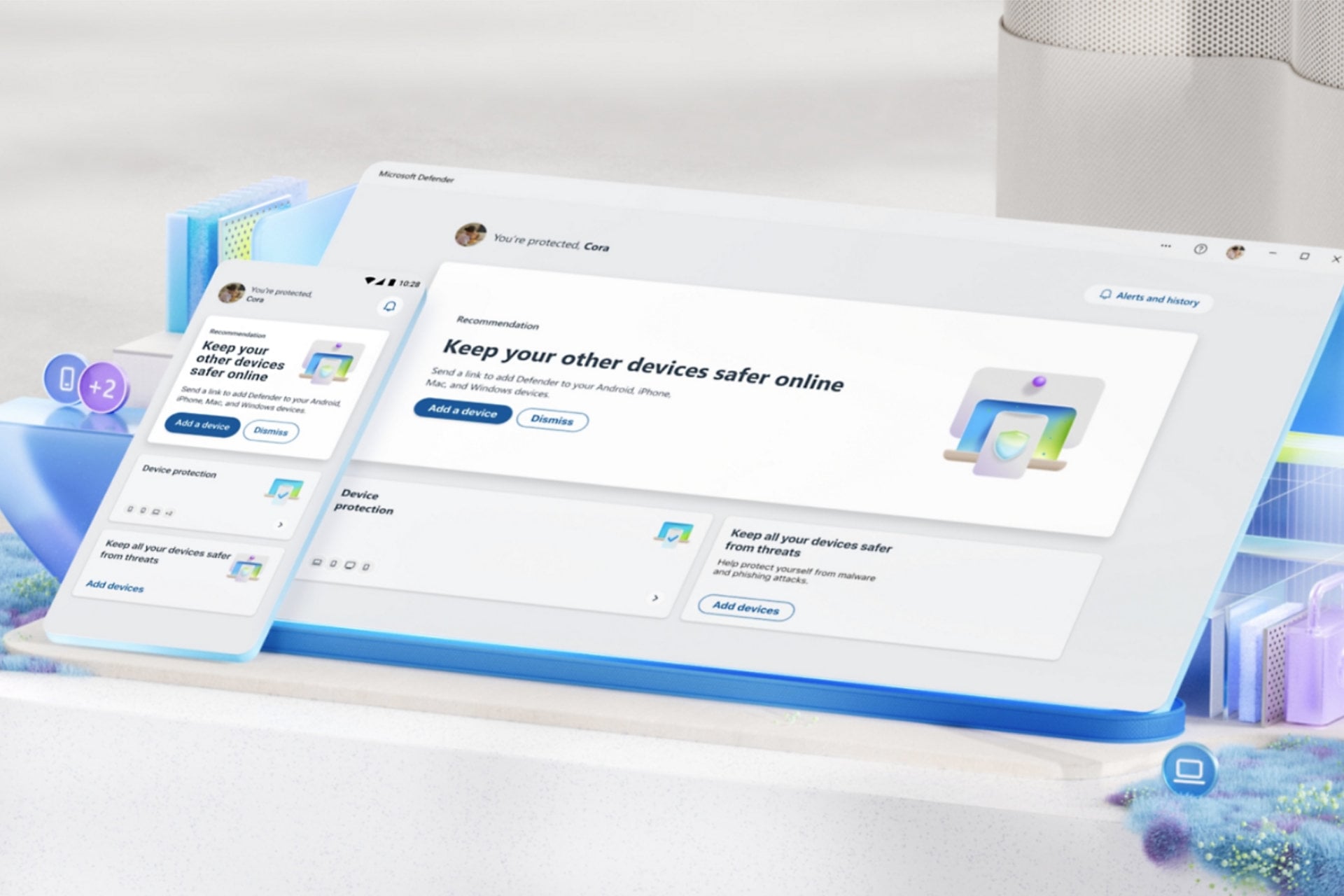
- Microsoft Defender: Best free option you already have. Took a Top Product award from AV-TEST in June and costs nothing, with real gaps once you leave the PC. Included with Windows.
Best Antivirus for Windows: The Full Reviews
Ranking order follows five things, weighted roughly in this sequence: what the independent labs found, what the software cost my machine in performance, whether the bundled extras justify their presence, the two-year price, and how easy the vendor is to deal with. Bench numbers are mine and were taken on the Windows 11 desktop described at the end (and lab numbers are attributed wherever they appear).
1. Norton 360: Best Antivirus for Windows Overall
Rating: 4.8/5⭐
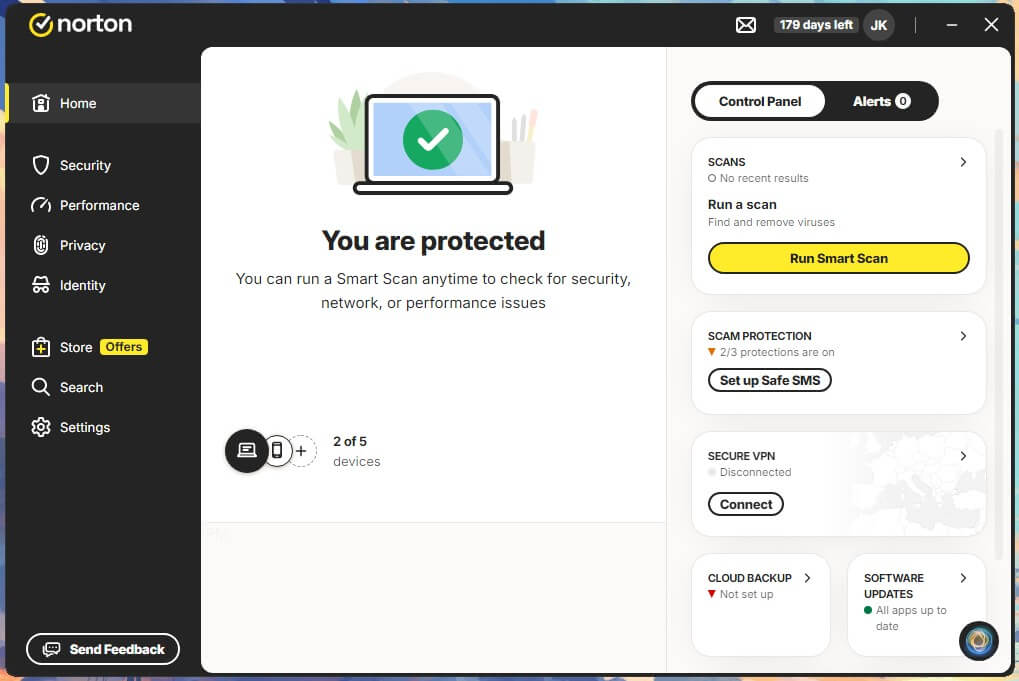
Norton wins this on coverage rather than any single number, and you can read our 2026 complete Norton review here. It submits to more independent labs, more consistently, than anything else sold to consumers, and it is the only vendor here that will refund your subscription if its own technicians cannot get an infection off your PC. That pledge applies to every tier, including the $29.99 one (dubbed AntiVirus Plus).
Norton on Windows: The Specifications
| Windows Versions | Windows 11 and Windows 10 |
| Devices | 1 on AntiVirus Plus, 3 on Standard, 5 on Deluxe, 10 on Select Plus |
| Windows-Specific Features | Smart Firewall, cloud backup up to 250 GB, Norton Family parental controls |
| Free Trial | 7 days |
| Refund Window | 60 days, the longest here |
| First Year | $29.99, $39.99, $49.99, $99.99 by tier |
| Renewal | $59.99, $94.99, $124.99, $189.99 |
How Norton Performed Against Malware
My own run put Norton at 99.8% detection with 3 false alarms, and two of those three were unremarkable documents rather than anything that looked suspicious. The labs broadly agree. AV-Comparatives’ Malware Protection Test from March 2026 recorded 96.3% offline and 98.7% online, an online protection rate of 99.97%, and 9 false positives; while AV-TEST’s June 2026 round on Windows 11 handed Norton 6 out of 6 in all three categories and a Top Product award.
The offline figure is the one to remember if you use a laptop on trains or planes. Norton’s 96.3% without a cloud connection is among the better results in that table, and it is nearly ten points clear of McAfee.
What Norton Costs Your PC
A quick scan completed in 58 seconds and the full sweep across both drives took 13 minutes 22 seconds, which no other scanner here matched. Norton buys that speed by leaning on the machine: CPU peaked at 23%, memory at 384 MB, and disk throughput hit 220 MB/s.
Set against that, AV-Comparatives’ April 2026 performance test rates Norton at 5.3 where Bitdefender scores 9.6, and lower is better on that scale. The two results are not in conflict: The lab measures ordinary work such as copying files and opening applications, not the load during a deliberate scan. In daily use Norton is the lighter of the two. When a full scan runs, it is the heavier.
The Extras Worth Having on Windows
The Smart Firewall is the best implementation in this group, detailed enough to be genuinely useful and sensible enough by default that most people never need to open it. Windows Firewall does the basic job, but it will not show you which application just opened an outbound connection in the same readable way.
Cloud backup is Windows-only, running from 2 GB on the entry tiers to 250 GB on Select Plus. It also happens to be the single most effective ransomware defence anyone here offers, because an encrypted drive stops mattering when a clean copy sits somewhere the malware cannot reach.
The Secure VPN has no data cap, which separates it from nearly every other bundled VPN. Norton rebuilt it around more than 100 server locations, including 25 cities across 18 US states, and multi-device plans now cover Smart TVs as well. It runs WireGuard, OpenVPN and IPsec, plus Mimic, a Norton protocol designed to hide the fact that a VPN is running at all.
Deepfake detection now appears on every plan, checking video for synthetic manipulation, where it used to be reserved for the expensive tiers. Select Plus goes further with Scam Protection Pro, which covers email, calls, texts and browsing, adds an AI assistant called Norton Genie, and reimburses up to $10,000 if a scam gets through.
Two things are weaker: The password manager works but does not match a dedicated one, and dark web monitoring is interesting the first time it reports something and repetitive after that.
Norton Pricing and the Renewal Problem
| AntiVirus Plus | Standard | Deluxe | Select Plus | |
| First Year | $29.99 | $39.99 | $49.99 | $99.99 |
| Renewal | $59.99 | $94.99 | $124.99 | $189.99 |
| Devices | 1 | 3 | 5 | 10 |
| Cloud Backup | 2 GB | 2 GB | 50 GB | 250 GB |
| VPN and Dark Web Monitoring | ❌ | ✅ | ✅ | ✅ |
| Parental Controls | ❌ | ❌ | ✅ | ✅ |
| Scam Reimbursement | ❌ | ❌ | ❌ | ✅ Up to $10,000 |
| Verdict | One PC only | No parental controls | ⭐ The tier to buy | US identity features only |
Deluxe at $49.99 is the sensible purchase for most Windows households, and it is the cheapest tier that includes parental controls and a useful amount of backup. What you should actually budget for is $124.99, because that is what year two costs. Norton also bills a few days ahead of the renewal date rather than on it, so a reminder set for the date itself arrives too late.
Should You Put Norton on Your PC?
Yes, if you want one subscription that covers the whole house and you are willing to handle the renewal. Nothing else here is as complete, and nothing else scanned my drives faster.
Pros
- 13:22 full scan, the fastest result recorded
- 96.3% offline detection, which matters on a laptop
- Best firewall here, and cloud backup no rival matches
- Deepfake detection included even at $29.99
- 60-day refund window against 30 elsewhere
Cons
- Peak CPU and RAM roughly double Bitdefender’s
- Deluxe renews 150% above the first-year price
- Entry tier has no VPN and no dark web monitoring
- Settings are split across two separate dashboards
2. Bitdefender: Best Windows Antivirus for Older Machines
Rating: 4.7/5⭐
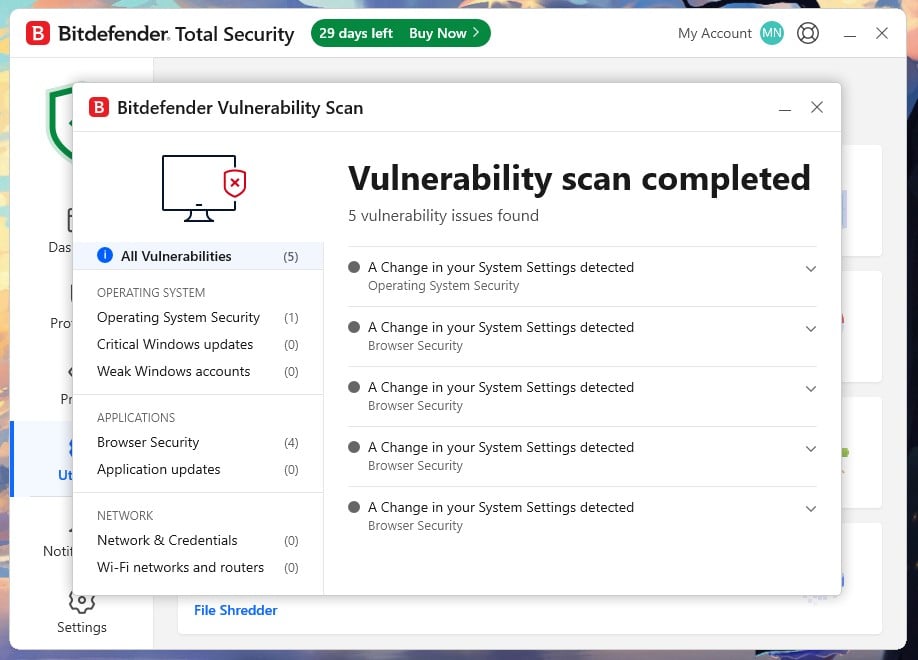
If your PC is old enough that you notice background software running, this is the answer: Bitdefender was the lightest client I measured on every metric I tracked, and it logged the fewest false alarms of anyone at AV-Comparatives (so it’s also definitely among the best antivirus software out there). What keeps it in second place is what surrounds the engine, not the engine itself, which is excellent.
Bitdefender on Windows: The Specifications
| Windows Versions | Windows 11 and Windows 10 |
| Devices | 1 or 3 on Antivirus Plus, 5 on the individual tiers, 25 across 5 accounts on Family |
| Windows-Specific Features | Safepay isolated browser, multi-layer ransomware remediation, Advanced Threat Defense, gaming and movie profiles |
| Free Trial | 30 days |
| Refund Window | 30 days |
| First Year | $24.99 Antivirus Plus, $59.99 Total Security, $79.99 Premium Security |
| Full Price | $49.99, $109.99, $129.99 |
How Bitdefender Performed Against Malware
On my bench it reached 99.8% detection with 5 false alarms, which is one more than Avast and two more than Norton. The lab found the reverse: AV-Comparatives logged 4 false positives for Bitdefender in March against 9 each for Norton and Avast, alongside 97.6% detection and a 99.94% protection rate. AV-TEST gave it a clean 6 out of 6 across protection, performance and usability in June.
The 97.6% offline figure is the highest in this comparison and the reason I recommend it for machines that spend time disconnected. Bitdefender pushes a great deal of analysis to its cloud, but it clearly retains more local capability than McAfee does.
What Bitdefender Costs Your PC
Quick scan: 1 minute 4 seconds. Full scan: 14 minutes 3 seconds, forty-one seconds behind Norton. Then the numbers that matter: CPU peaked at 11%, memory at 183 MB, and disk throughput stayed between 40 and 121 MB/s. Every one of those is the lowest figure recorded here and the CPU result is less than half of Norton’s and a third of McAfee’s. Expect the first scan after installation to take longer than the number above, because nothing on the drive has been catalogued yet.
The Extras Worth Having on Windows
Safepay opens banking sessions inside an isolated browser that blocks screenshots and keylogging, and it costs nothing extra. On Windows, where most banking trojans live, that is the most useful thing in the package.
Autopilot makes security decisions without prompting, which sounds like a marketing feature and is actually why non-technical people end up with Bitdefender configured correctly. Gaming, movie and work profiles push scans and notifications out of the way when a full-screen application has focus.
The catch on Windows is scam protection. The version included with Total Security runs on Android and iOS only. To get it on your PC you need Premium Security, where Scam Protection Pro adds Windows and macOS along with Scamio Pro, an AI assistant you paste a suspicious message or link into for a verdict, plus email protection for Gmail and Outlook. It also adds Remote Access Scam Protection, which warns you when remote desktop software is running during a banking session. That is aimed squarely at the fake tech support call, and nothing else in this comparison does it.
I used to advise against that upgrade but the arithmetic has changed. Premium Security costs $20 more than Total Security, while Bitdefender’s standalone VPN alone runs $34.99 for a first year, so buying the two separately is now the expensive route.
Bitdefender Pricing
| Plan | First Year | Full Price | Coverage | Notes |
| Antivirus Plus | $24.99 / $34.99 | $49.99 / $69.99 | 1 or 3 devices | Cheapest way onto a single PC. VPN capped at 200 MB a day. |
| Total Security | $59.99 | $109.99 | 5 devices | Adds the password manager. Scam protection stays mobile-only. |
| Premium Security | $79.99 | $129.99 | 5 devices | ⭐ Uncapped VPN, Scam Protection Pro on Windows, anti-tracker. |
| Ultimate Security | $89.99 | $159.99 | 5 devices | Adds dark web monitoring and breach alerts. |
| Total Security Family | $79.99 | $139.99 | 25 devices, 5 accounts | The only route to parental controls. Replaces the old Family Pack. |
Total Security costs $10 more than Norton Deluxe for the same five devices in year one, then $15 less in year two, so across a full two years Bitdefender ends up ahead by $5. Note also that the old Bitdefender Family Pack has been discontinued, with Total Security Family replacing it at the same $79.99 and the same 25 devices.
Should You Put Bitdefender on Your PC?
Yes, and for a lot of people it is the better buy. On any machine where you can feel security software running, this is the one that will disappear into the background.
Pros
- 11% CPU and 183 MB, the lightest results measured
- 97.6% offline detection, the highest here
- Safepay isolates banking at no extra cost
- Remote Access Scam Protection is unique in this group
- 25 devices across 5 accounts for $79.99 on Family
Cons
- Scam protection does not reach Windows until Premium Security
- VPN capped at 200 MB a day below that tier
- Parental controls require a Family plan
- Support opens with a bot and takes persistence to escalate
3. Avast One: Best Free Antivirus for Windows 11
Rating: 4.3/5⭐
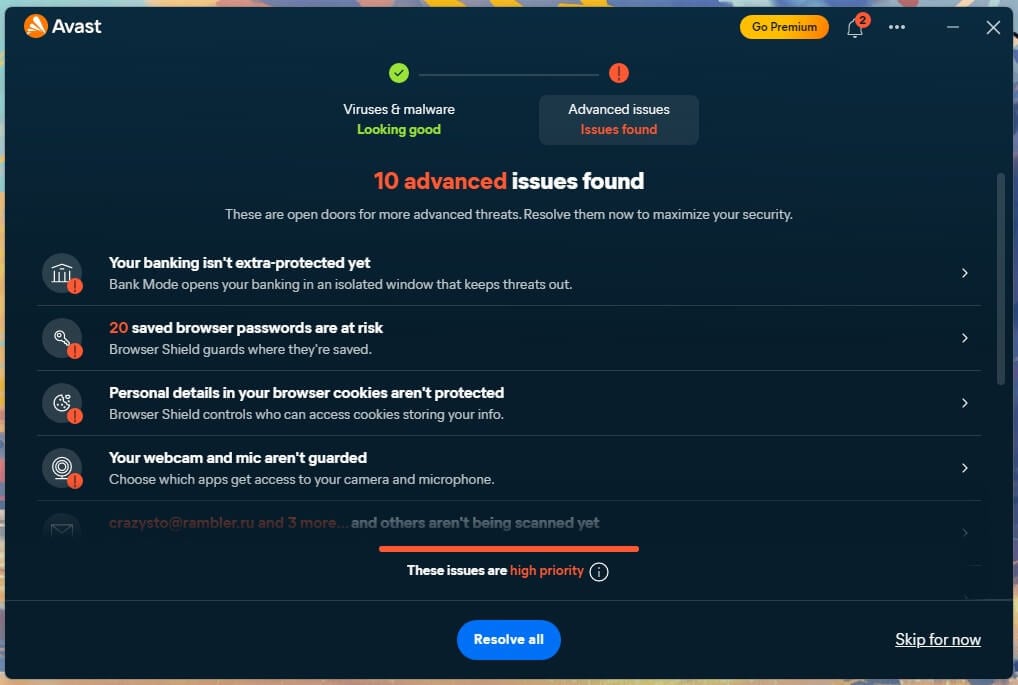
There is a detail about Avast that most write-ups miss: When AV-TEST certified Avast at a perfect score on Windows 11 in June 2026, the product it tested was Avast Free Antivirus, not a paid tier. The free build does not run a weaker engine: It runs the same engine with less bolted around it which makes it the strongest no-cost option on this page apart from Defender.
Avast rebuilt the application in May 2026 around exactly that idea (you can check out our updated Avast review here). There is a free foundation, and paid modules switch on individually inside the same window rather than arriving as one bundle you half use. Avast is also our Top 1 pick among the best free antivirus for Windows.
Avast on Windows: The Specifications
| Windows Versions | Windows 11 and Windows 10 |
| Devices | 1 desktop plus 1 mobile on the entry paid plan, 10 on the larger one |
| Windows-Specific Features | Ransomware Shield folder locking, Do Not Disturb for full-screen apps, AI Agent Protection, Avast Secure Browser |
| Free Version | Permanent, no card required |
| Refund Window | 30 days |
| Paid Plans | $49.99 for two devices, $69.99 for ten |
| Renewal | $77.99 and $99.99 |
How Avast Performed Against Malware
My combined online and offline run produced 99.78% detection with 4 false alarms. AV-Comparatives, whose figures are taken with the cloud connected and therefore sit higher for everyone, recorded 96.3% offline, 98.7% online, a 99.97% protection rate and 9 false alarms in March 2026. Those are the same numbers Norton posted, to the decimal, which is what happens when two brands under one owner share detection infrastructure.
At AV-TEST in June, Avast took 6 out of 6 for protection, performance and usability with a Top Product award, the same 18 out of 18 as Norton 360 and Bitdefender Total Security. It also holds AV-Comparatives’ Top-Rated Product award for 2025, announced in January.
What Avast Costs Your PC
Smart Scan finished in 1 minute 12 seconds and a full scan in 14 minutes 38 seconds. CPU never exceeded 12%, memory peaked near 200 MB, and disk throughput ran between 50 and 135 MB/s. That places it second to Bitdefender on economy and third of four on raw speed, ahead only of McAfee.
For anyone gaming on the same PC, the scan time matters less than what the software does while a game is running. Do Not Disturb defers scheduled scans and silences notifications when a full-screen application has focus, and it silences Avast’s own upgrade prompts as well, which are the interruptions that actually break concentration.
The Extras Worth Having on Windows
The free foundation is unusually generous. Scam Guardian inspects pages as they load and catches phishing sites and fake storefronts. Avast Assistant is an in-app AI tool for checking whether a link or message is safe. Ransomware Shield locks folders you nominate against unauthorised modification, which is the Windows feature most worth switching on the day you install.
Then there is AI Agent Protection, which watches assistants that can read your files or send mail on your behalf and flags workflows that look tampered with. Prompt injection against agents is a real problem and Avast is the only vendor in this comparison addressing it.
SecureLine VPN is a paid module, though a 60-day free version exists. The installer will also offer you Avast Secure Browser on an opt-out basis, so read the install screens.
Avast Pricing
| Plan | First Year | Renewal | Devices | Notes |
| Avast Free | Free | Free | 1 | No card, no expiry. The build AV-TEST certified. |
| Paid, 2 devices | $49.99 | $77.99 | 1 desktop + 1 mobile | Adds scam call, SMS and email protection. |
| Paid, 10 devices | $69.99 | $99.99 | 10 | ⭐ $7 per device in year one. |
| SecureLine VPN | $3.99/mo | $99.99/yr | 10 | Standalone module. |
| Cleanup Premium | $2.75/mo | $65.99/yr | Varies | Standalone module. |
Avast has the gentlest renewal on this page. Going from $49.99 to $77.99 is a 56% rise, against Norton’s 150% and McAfee’s 200%.
Should You Put Avast on Your PC?
Use the free version if you are the only person on one PC and you are careful about what you install. Add modules when a specific need appears, which is what the new structure is designed for. Look elsewhere if one subscription has to cover a mixed household, though not because of detection, where it matches Norton exactly.
Pros
- The free build is the one AV-TEST certified at 18 out of 18
- Modular pricing, so you pay only for what you enable
- Ransomware Shield folder locking on the free tier
- AI Agent Protection has no equivalent here
- 56% renewal increase, the mildest on this page
Cons
- The headline $49.99 covers two devices, not ten
- SecureLine is a separate paid module
- Pushes its own browser during installation
- Second slowest full scan of the four measured
4. NordVPN Threat Protection Pro: Best If You Already Pay for a VPN
Rating: 4.0/5⭐
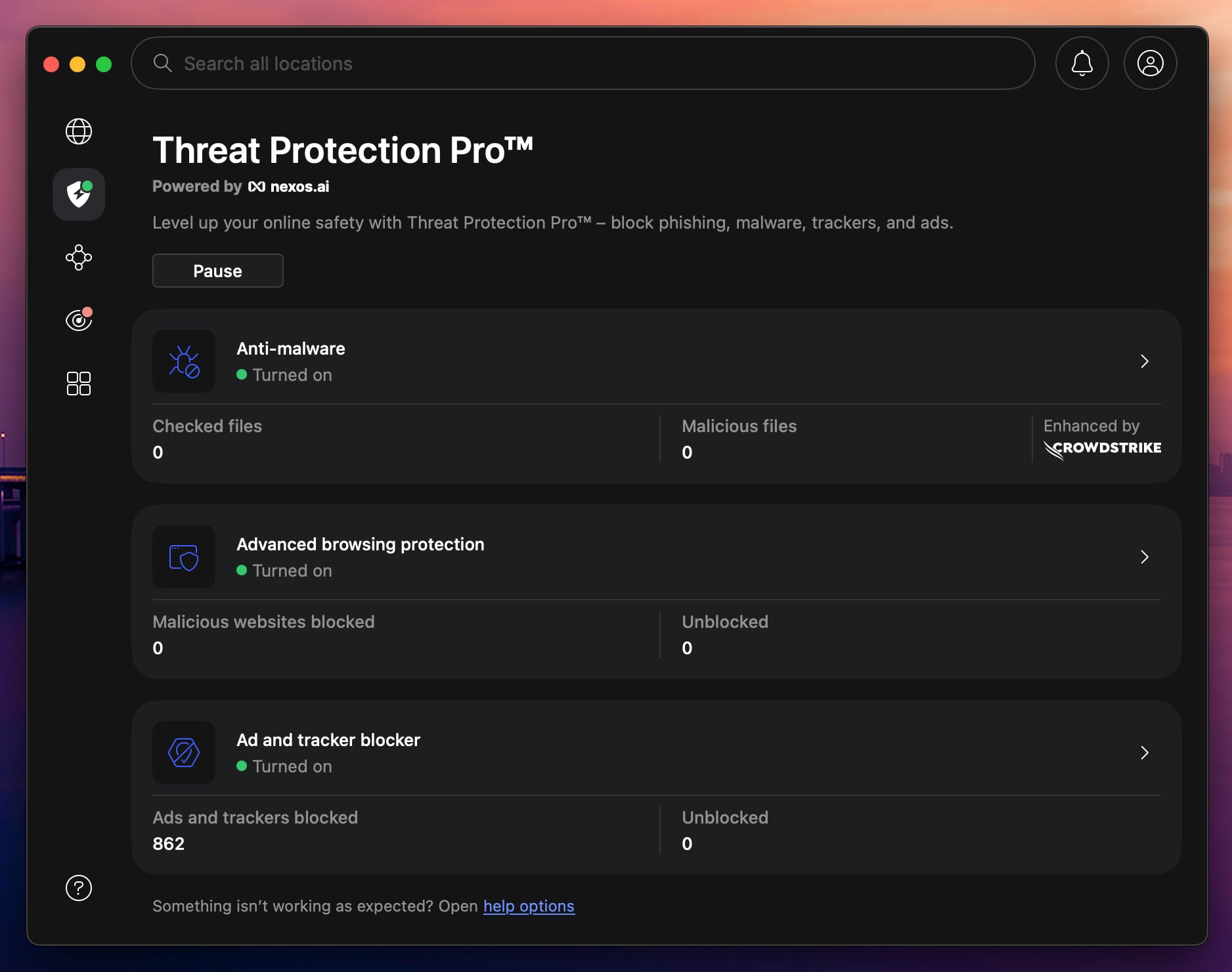
Be clear about what this is before buying it: Threat Protection Pro is not a conventional antivirus for Windows and nothing crawls your file system on a schedule. What it does is inspect things as they cross the network: downloads, URLs, phishing pages, ads and trackers, all from inside the NordVPN client, and all of it working whether or not the tunnel is connected.
Windows users get a better deal here than most. The full Threat Protection Pro build runs on Windows and macOS, while every other platform receives the cut-down Lite version. You may also see it called something else: NordVPN now markets this layer as its next-gen antivirus, and the app lists it under “Scam, phishing, and malware protection”.
NordVPN on Windows: The Specifications
| Windows Versions | Windows 11 and Windows 10, full Threat Protection Pro build |
| Devices | 10 simultaneous connections |
| What It Does | Download scanning, malicious URL and phishing blocking, ad and tracker blocking, Dark Web Monitor |
| What It Does Not Do | No scheduled file system scan, no firewall, no parental controls, no backup |
| Refund Window | 30 days |
| Tier Required | Complete or Prime. Basic is the VPN alone |
| Price | $4.49 a month on Complete, $121.23 for 27 months |
How NordVPN Performed Against Malware
I pulled 50 malware samples through a browser: Threat Protection Pro stopped 45 and let 5 reach the disk that is a 90% block rate and the weakest raw detection figure on this page. Two caveats sit with that number: The sample set is smaller than the one used against the full scanners, because each file had to be downloaded individually rather than dropped onto a drive in bulk. And a file slipping past a network filter is a different kind of failure from a scanner missing five that are already sitting on your PC.
Phishing is where it justifies itself: Against live phishing URLs harvested from an abandoned Yahoo mailbox, it warned on 95%. AV-Comparatives’ Anti-Phishing Comparative for Q1 2026 puts it at 92%, close enough to confirm the result. It does not appear in AV-TEST’s Windows table at all, so the independent record behind it is thinner than for anything else here.
What NordVPN Costs Your PC
This is where it looks different from everything else. With the protection layer active and the tunnel disconnected, the client sat at 0.2% CPU, 282 MB of memory, and effectively no disk activity at 0.1 MB/s. There is no periodic scan, so there is no periodic spike.
The memory figure deserves a second look, though. 282 MB at idle is more than Bitdefender uses at the peak of a full scan. In fairness, that covers the whole NordVPN application including its interface rather than the protection layer alone, but it is a cost you pay continuously rather than for fifteen minutes a week.
The Extras, and Three Documented Gaps
The VPN is the actual product here, which inverts the usual problem. Everywhere else in this comparison the bundled VPN is an afterthought attached to security software. Here the security layer is attached to a VPN worth paying for on its own. Ad and tracker blocking scored 96 out of 100 on AdBlock Tester, which is close to what dedicated blockers manage.
Three limitations are worth knowing, and NordVPN documents all three itself rather than leaving you to find them. Ad blocking does not work on YouTube, where ads are served from the same domain as the video. It stops working entirely when a proxy is active on the machine or in the browser. And on macOS, downloads made in Chrome’s incognito mode go unscanned, a limitation that does not affect Windows but tells you something about how the download inspection works.
How NordVPN Handles Your Data
Security software reads everything by design, so the architecture underneath matters. NordVPN published a paper in May 2026 describing how its detection operates without profiling users, and the detail is more concrete than the average privacy page.
Files are checked by hash rather than content wherever possible. URLs are stripped of query parameters and personal path fragments before any cloud lookup. Authentication cookies are hashed and only the first eight characters ever leave the device. The detection schema, according to the paper, contains no field for a user identifier at all, which turns the privacy promise into a structural property rather than a policy someone has to remember to follow.
Detection runs on several small models with single jobs each, one for phishing URLs, one for fraudulent storefronts, one for file behaviour, one for social engineering patterns in messages, with the lighter models executing on the device itself. It is a vendor document and reads like one in places, but the claims in it are specific enough that someone could check them.
NordVPN Pricing
| Plan | Promotional Term | Renewal | Included | Verdict |
| Basic | $3.49/mo, $94.23 for 27 months | $139.08/yr | VPN only | ❌ No anti-malware layer at all |
| Complete | $4.49/mo, $121.23 for 27 months | $219.48/yr | VPN, anti-malware, password manager, 1 TB storage | ⭐ $53.88 a year on the promotional rate |
| Prime | $7.49/mo, $202.23 for 27 months | $301.08/yr | Everything in Complete plus Coveron | Only for US identity protection |
Complete works out to $53.88 a year while the promotional term runs, which is cheaper than any paid suite here. Then it renews at $219.48, a rise of more than 300% and the steepest on this page by a wide margin.
Should You Put NordVPN on Your PC?
Buy it if you were already paying for a VPN and want the malware and phishing layer included rather than as a second subscription. Do not make it the only security software on a family PC, and do not expect it to clean a machine you already suspect is infected.
Pros
- Windows gets the full build, not the Lite version
- Two subscriptions collapse into one at $53.88 a year
- Warned on 95% of live phishing URLs in testing
- Protection keeps working with the tunnel disconnected
- In-house engines with no licensed third-party SDKs
Cons
- No scheduled scan of your file system
- 282 MB at idle, more than Bitdefender’s peak
- Renews at $219.48, the sharpest increase here
- Ad blocking fails on YouTube and behind a proxy
- Absent from AV-TEST’s Windows results
5. McAfee+: Best for Households That Lost Count
Rating: 3.9/5⭐
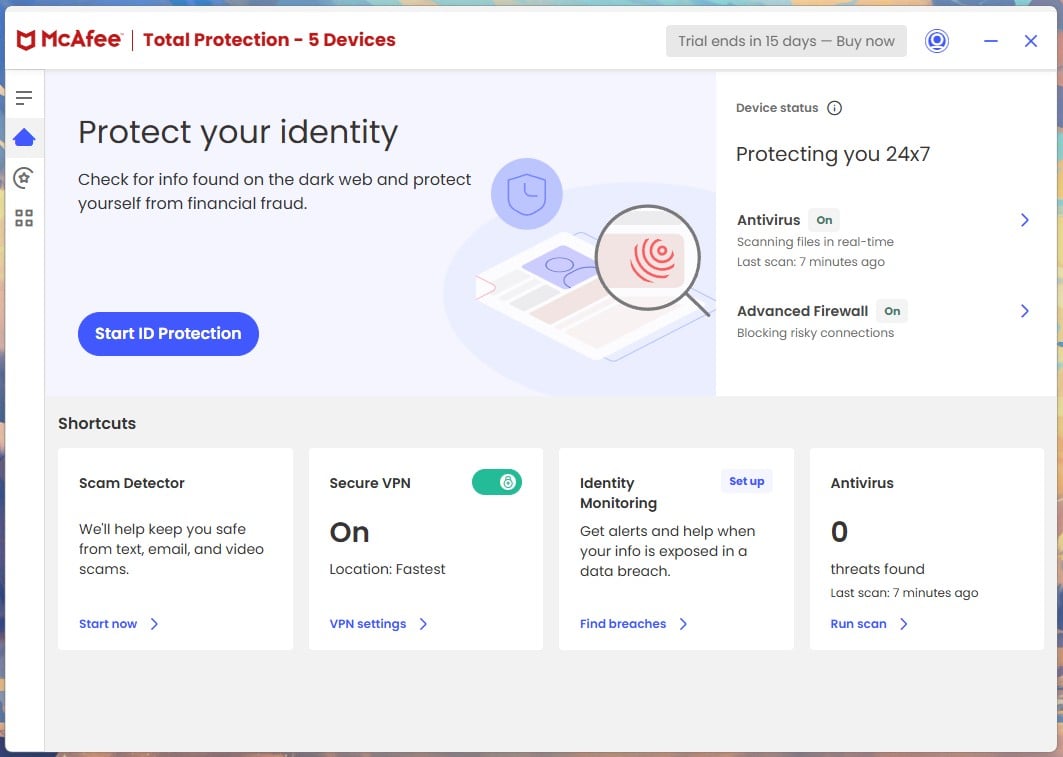
McAfee exists on this list to answer one question the other four cannot: What do you install when nobody in the house can say how many devices there are? Past six or seven, per-device arithmetic stops being a close contest, and McAfee’s unlimited tiers win it outright.
Compare Windows Antivirus Prices
McAfee on Windows: The Specifications
| Windows Versions | Windows 11 and Windows 10 |
| Devices | 5 on Essential, unlimited on Premium and Advanced, one user per plan |
| Windows-Specific Features | Scam Detector, Personal Data Cleanup, Online Account Cleanup, uncapped Secure VPN |
| Free Tier | Yes, plus a 30-day trial of the paid plans |
| Refund Window | 30 days |
| First Year | $39.99, $49.99, $89.99 by tier |
| Renewal | $119.99, $149.99, $199.99 |
How McAfee Performed Against Malware
Online, it does what everything else does. My run recorded 99.4% online detection and 99.71% overall, with a 99.97% protection rate at AV-Comparatives and a clean 6 out of 6 across AV-TEST’s June categories.
Offline is the problem. I measured 87% detection with the cloud unavailable, and AV-Comparatives independently recorded 86.1% in March. That is roughly ten points behind Norton and Avast at 96.3% and eleven behind Bitdefender at 97.6%. It also logged 7 false alarms on my bench, the most of the group.
Two situations make that gap matter on a Windows machine. A laptop working offline for hours is running on the weaker half of its detection. So is a desktop already compromised in a way that interferes with its own network access, which is precisely when you want the local engine at full strength.
What McAfee Costs Your PC
Quick scan: 1 minute 26 seconds. Full scan: 16 minutes 47 seconds, more than three minutes behind Norton. CPU peaked at 33%, memory at 415 MB, and disk throughput ranged from 63 to 220 MB/s. That is the slowest and the heaviest result recorded on this page. Norton was demanding too, but it converted the load into speed. McAfee does not.
AV-TEST is right that McAfee keeps out of the way during ordinary work. Both things can be true, and on an older PC the full scan is the part you will notice.
The Extras Worth Having on Windows
Three of its extras beat the equivalents elsewhere. Personal Data Cleanup locates your details on data broker sites and, on the higher tiers, files the removal requests for you, which is the tedious part worth automating. Online Account Cleanup surfaces dormant accounts you have forgotten, and every forgotten account is a set of credentials waiting to appear in somebody else’s breach.
Scam Detector examines suspect texts, emails and links, and of everything McAfee bundles it is the feature most likely to stop a real financial loss. The VPN is uncapped but noticeably thinner than NordVPN’s.
The gap is parental controls, sold separately as McAfee Safe Family. Norton includes equivalent tools at $49.99, so if there are children in the house McAfee is more expensive than the headline suggests.
McAfee Pricing
| Plan | First Year | Renewal | Devices | Verdict |
| Essential | $39.99 | $119.99 | 5 | ❌ The cap removes the only reason to choose McAfee |
| Premium | $49.99 | $149.99 | Unlimited | ⭐ The tier that makes sense |
| Advanced | $89.99 | $199.99 | Unlimited | Adds US-only identity protection and $1M cover |
Premium at $49.99 matches Norton Deluxe on year one and covers as many devices as you own, then renews at $149.99 against Norton’s $124.99. One detail that catches households out: McAfee counts devices, not people. There is one user per plan however many machines it covers, so each family member does not get their own dashboard.
Should You Put McAfee on Your PC?
Buy it when the device count is high or genuinely unknown, or when most of the household’s exposure sits on phones rather than PCs. Avoid it if you need parental controls included, if the main PC is elderly, or if that PC spends real time offline.
Pros
- Unlimited devices on Premium and Advanced
- The strongest mobile apps of the five, which matters for a mixed household
- Personal Data Cleanup files broker removals automatically
- Scam Detector targets the attack people actually lose money to
Cons
- 16:47 full scan at 33% CPU, the heaviest here
- 87% offline detection, ten points behind the leaders
- Renews 200% above the first-year price
- One user per plan regardless of device count
- Parental controls cost extra
Also Ranked: Microsoft Defender, the One You Already Have
Rating: 4.1/5⭐
Defender sits outside the numbered list because you do not buy it and cannot uninstall it, but leaving it out entirely would misrepresent where Windows security stands in 2026.
In AV-TEST’s June 2026 Windows 11 round it took a Top Product award with 6 for protection, 5.5 for performance and 6 for usability. AV-Comparatives logged just 3 false alarms, which quietly kills the old complaint that Windows quarantines your own files. If your mental model of Defender dates from the Security Essentials era, it is a decade out of date.
Where it falls short is not detection.
- Offline detection of 89.2% against 98.1% online. Better than McAfee, well behind Bitdefender and Norton. A laptop that spends hours disconnected is running on the weaker figure.
- Scam blocking is tied to Edge. SmartScreen does the work, so the protection weakens or disappears in Chrome and Firefox, where most people actually browse.
- Nothing leaves the PC. No Android coverage, no iOS coverage, no Mac coverage. If the household has phones, and it does, Defender protects none of them.
- Ransomware rollback is off by default. Controlled Folder Access exists but ships disabled, and its recovery path leans on OneDrive rather than a separate backup.
- No identity layer. No dark web monitoring, no breach alerts, no data broker removal, no scam reimbursement.
When Defender Is Genuinely Enough
One person, one Windows PC, software that comes from the Microsoft Store or known publishers, updates applied promptly, and a separate password manager. In that configuration, Defender plus reasonable judgement is defensible security, and it will outperform a paid suite that somebody installed and then misconfigured.
It stops being enough the moment the picture widens. Children on the machine, a mix of Windows and Android in the house, online banking or business work done on that PC, or any need for file recovery after an incident. Those are the situations the paid products on this page are built for, and none of them is solved by a better scanner.
The honest summary: Defender is the best free antivirus for Windows on protection scores, and the most limited option here on everything that happens around the scanner.
Windows Antivirus Comparison: All Six Side by Side
| Norton 360 | Bitdefender | Avast One | NordVPN TPP | McAfee+ | Defender | |
| Best For | Overall | Older PCs | Free and gaming | VPN owners | Device count | Doing nothing |
| Full Scan | 13:22 | 14:03 | 14:38 | No scanner | 16:47 | Not measured |
| Peak CPU | 23% | 11% | 12% | 0.2% idle | 33% | Not measured |
| Peak RAM | 384 MB | 183 MB | 200 MB | 282 MB idle | 415 MB | Not measured |
| Offline Detection | 96.3% | 97.6% | 96.3% | N/A | 86.1% | 89.2% |
| AV-C False Alarms | 9 | 4 | 9 | N/A | Not published | 3 |
| Firewall | ✅ Best here | ✅ | ✅ | ❌ | ✅ | ✅ Basic |
| Cloud Backup | ✅ Up to 250 GB | ❌ | ❌ | 1 TB storage | ❌ | ❌ |
| Covers Phones | ✅ | ✅ | ✅ | ✅ Lite build | ✅ | ❌ |
| First Year | $49.99 | $59.99 | Free or $49.99 | $4.49/mo | $49.99 | Free |
| Renewal | $124.99 | $109.99 | $77.99 | $219.48 | $149.99 | Free |
| Rating | 4.8 ⭐ | 4.7 ⭐ | 4.3 ⭐ | 4.0 ⭐ | 3.9 ⭐ | 4.1 ⭐ |
What Windows 11 Already Protects You From
Before paying anyone, it helps to know what the operating system handles on its own, because a fair amount of antivirus marketing describes problems Windows solved some time ago. Smart App Control blocks unsigned and untrusted applications, though only on clean installations, since it cannot be switched on retroactively without reinstalling. TPM 2.0 and virtualisation-based security with HVCI protect credentials and kernel memory from tampering. A vulnerable driver blocklist shuts down a whole class of attack that abuses signed drivers with known flaws. Controlled Folder Access provides ransomware shielding, with the caveat noted above that it arrives switched off.
Taken together, that is a competent defence of the file system. What Windows does not defend is everything around it. It will not check a shortened link in a text message, tell you your email turned up in a breach, protect the Android phone on the same Wi-Fi, or restore documents after an encryption event. Those four gaps are the honest case for buying antivirus software for Windows in 2026, and they have almost nothing to do with detection rates.
Windows 10 After End of Support
Mainstream support for Windows 10 has ended, which changes the calculation rather than ending it. An operating system no longer receiving regular security fixes accumulates known, unpatched vulnerabilities over time. Third-party software cannot patch the kernel, so nothing on this page turns an unsupported Windows 10 machine into a supported one. What a good suite does is narrow the routes attackers use to reach those vulnerabilities in the first place: blocking the malicious download, the phishing page, the drive-by script.
If you are staying on Windows 10 for now, the practical advice is unchanged in kind but sharper in degree. Run something with strong offline detection, because you are relying more heavily on the local engine. Bitdefender at 97.6% offline is the strongest choice on that specific measure, with Norton close behind. Keep a backup that is not connected to the machine. And treat the arrangement as temporary rather than permanent.
Free vs Paid Antivirus for Windows
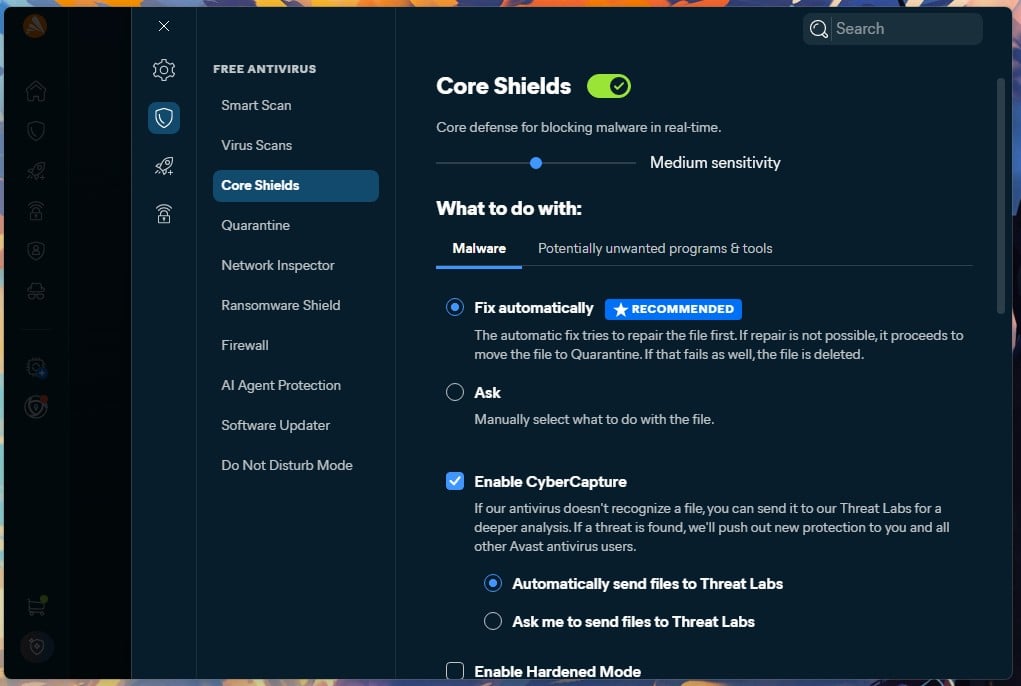
Start from an uncomfortable fact for anyone selling security software. In AV-TEST’s June 2026 Windows 11 round, Avast Free Antivirus scored 6 out of 6 for protection, performance and usability, the same 18 out of 18 as Norton 360 and Bitdefender Total Security, both of which cost money. Microsoft Defender took a Top Product award in the same round.
Free and paid products from the same vendor generally share one detection engine. You are not buying better malware detection. You are buying the layer built around it. What the free tiers consistently withhold is the same list everywhere. No configurable firewall. No ransomware layer with folder shielding and rollback enabled by default. A VPN that is either absent or capped so tightly it covers checking email on hotel Wi-Fi and nothing beyond that. No parental controls, no identity monitoring, no dark web alerts. Support through a community forum rather than a person. And coverage that frequently stops at Windows, leaving every phone in the house uncovered.
Free Is Enough When
- One person uses one Windows PC.
- You install software from known sources and read links before clicking them.
- Backups live somewhere the PC cannot reach.
- You are willing to run a separate password manager.
Free Stops Being Enough When
- Children use the machine, or the household mixes Windows with Android and macOS.
- You bank, run a business, or handle client work on that PC.
- You want file recovery rather than just detection.
- You want support from a human being when something breaks.
- The cost of avoiding all of the above is $25 to $60 for a first year.
Scam Protection Has Become the Real Battleground
A year ago, the number that sold antivirus software was the detection rate. It still matters but it has stopped being where these companies compete, for a simple reason: four of the five paid products here scored a perfect 18 out of 18 at AV-TEST in June, and the fifth was not far off. At that level the differences stop being meaningful for a home user.
What changed is that the industry finally accepted something it spent years avoiding. Most people who lose money on a Windows PC are not infected with anything. They are persuaded to send it. Norton attached up to $10,000 of reimbursement to Scam Protection Pro on its Select Plus tier. LifeLock, also owned by Gen Digital, added scam reimbursement in August at $5,000 on its mid tier and $10,000 at the top. Bitdefender built its entire 2026 pitch around Scam Protection Pro, detecting and blocking rather than paying out. NordVPN went furthest in argument, publishing a paper in May that proposes redefining the word antivirus to cover scams, phishing and identity theft rather than files.
How to Choose Antivirus Software for Windows
Reading Lab Scores Without Being Misled
Scan any comparison table for repeated rows. In AV-Comparatives’ March 2026 round, Avast, AVG and Norton post identical figures in every column, as do F-Secure and TotalAV, and Total Defense and VIPRE. Engines get licensed and rebadged constantly, so a table listing twenty brands may contain closer to a dozen independent results. Knowing which rows are the same product wearing different branding tells you more than the ordering does.
Notice also which lab can still separate products. AV-TEST caps each category at 6, and in June four of the five paid products here hit the ceiling in all three, so that scale stopped discriminating at the top. AV-Comparatives reports to two decimal places and separates detection from protection from false alarms, which is where differences remain visible. Use AV-TEST to rule products out and AV-Comparatives to pick between what survives. Treat any single month as noise, and distrust any score quoted without a report date attached.
What a Scan Should Cost in Performance
My working thresholds: idle CPU below 5%, scan CPU below 40% on a current processor, and a full scan finishing inside an hour. All four full scanners here cleared both comfortably, from Bitdefender’s 11% up to McAfee’s 33%.
Checking your own takes a minute. Open Task Manager, sort by CPU, and watch the antivirus process both during a scan and while the machine sits idle. Idle usage that stays high means something is misconfigured or the software is a poor match for that hardware. On a laptop, watch the battery estimate for the same reason.
Device Coverage in a Mixed Household
The PC is rarely the most exposed thing in the house. The old laptop in a drawer still holds signed-in sessions. So does the child’s tablet, and any work phone. Buying for the Windows machine alone is the common mistake, and several entry tiers cover Windows only, so check before assuming a licence stretches to a Mac or a phone.
Check also how family plans count, because the two vendors built for households count differently. McAfee counts devices and gives you unlimited ones, but allows a single user per plan. Bitdefender counts people, at 25 devices spread across five separate accounts, which is what you want when each person needs their own dashboard and their own settings. Past eight or nine devices, Bitdefender’s Total Security Family at $79.99 also undercuts Norton Deluxe per device and includes the parental controls McAfee charges extra for.
Which Bundled Extras Justify Themselves
Worth paying for: a firewall, cloud backup, and a password manager if you do not already run one. Backup matters most of all, because it is the only feature here that actually recovers you after ransomware rather than trying to prevent it.
Usually filler: file shredders, registry cleaners, system optimisers and software webcam covers. Bundled VPNs deserve their own warning. They are generally slower and less audited than standalone services, and several are capped tightly enough to be unusable. NordVPN is the obvious exception, and Bitdefender’s Premium tier is now the rare case where the upgrade costs less than buying the VPN on its own.
What the Software Collects
Antivirus software reads your files, watches your processes and inspects every URL you open, because it cannot function otherwise. Telemetry normally covers file hashes, detection events, suspicious URLs and system configuration.
In a privacy policy, look for whether browsing data is collected at all and whether anything reaches third parties. Check retention periods, and whether the vendor publishes a transparency report or submits to external audit. NordVPN’s May 2026 paper is the most specific document any vendor here has produced on the subject, down to how many characters of a hashed cookie leave the machine.
How I Tested
Every number on this page is either something I measured or something a named laboratory published, and the two are kept separate because they were not produced the same way.
The Test Machine
All in-house figures came from one Windows 11 Pro desktop: a Ryzen 7 5800X with 32 GB of DDR4-2666 and two M.2 SSDs, a 222 GB drive with 79 GB free and a 931 GB drive with 541 GB free. Free space affects scan duration, so it is worth recording alongside the times.
Scan durations are wall-clock, measured from the moment a scan begins to the moment its summary appears, with nothing else open. Peak CPU, memory and disk throughput were sampled during those runs.
The sample sets were not uniform, and that matters. Threat Protection Pro was tested against 50 files, because it only inspects what crosses the network and each sample had to be fetched individually. The four full scanners ran against a substantially larger set, which is why their percentages carry decimals and NordVPN’s does not.
Which Labs and Why Both
AV-TEST scores protection, performance and usability out of six each. AV-Comparatives tests against live URLs and a static sample set and publishes false alarm counts. A product can be tuned to satisfy one methodology; performing across both is a stronger claim.
Reports used here: AV-Comparatives’ Malware Protection Test of March 2026, Performance Test of April 2026 and Anti-Phishing Comparative for Q1 2026, plus AV-TEST’s Windows 11 home user round of June 2026.
Why the EICAR File Proves Nothing
The EICAR test file is a 68-character string every vendor agrees to detect. It has never been malware. Dropping it on a drive confirms that a scanner is switched on and reacting, which is worth doing once after installation, and tells you nothing whatsoever about how that scanner handles a real threat.
Independence. Products were bought at retail. Affiliate links earn commission and have no influence on the ranking or the ratings.
Windows Antivirus to Avoid
Kaspersky. In June 2024 the US Department of Commerce barred Kaspersky from selling software or issuing updates to US persons on supply chain grounds, and the company withdrew from the market. Product quality is not the issue. Kaspersky scored 6 out of 6 in all three AV-TEST categories in June 2026 and posted the second-lowest false alarm count in AV-Comparatives’ March round. Security software that cannot legally receive updates in your jurisdiction is unusable there whatever its scores say.
Conclusion: Which Antivirus Is Best for Windows 11 in 2026?
Norton 360 is the best antivirus for Windows for most people, because it is strong at everything rather than excellent at one thing: It scanned faster than anything else I timed, carries the best firewall and the only meaningful cloud backup in the group, now includes deepfake detection even on its cheapest tier, and backs itself with a removal pledge nobody else offers.
Bitdefender is the one I would install on an older machine without hesitating, because 11% CPU and 183 MB is roughly a third of what Norton asks and its 97.6% offline detection is the best here. Go to Premium Security if you want scam protection on the PC itself rather than only on your phone.
Avast One free is the best free antivirus for Windows 11 that also covers a phone, and the build AV-TEST certified at a perfect score. NordVPN Threat Protection Pro makes sense if a VPN subscription already exists, with the caveat that it will not sweep a drive. McAfee+ is the answer when the device count has genuinely got away from you, provided nobody needs parental controls.