TL;DR: Avast Free Antivirus is the best free antivirus for Windows in 2026, and the reason is easier to state than most conclusions on this site. When AV-TEST awarded a perfect 18 out of 18 on Windows 11 in June, the build it certified was the free one: You are not running a weaker engine than people who pay, you are running the same engine with less around it.
This comparison covers six products that cost nothing and keep costing nothing, tested on one Windows machine and reset between each. It also covers one you should skip, and a few free trials that get mistaken for free software.
Best Free Antivirus for Windows 2026: The Shortlist
Six free options, ranked on what they protect and what they cost your PC.
- Avast Free Antivirus: Best free antivirus for Windows overall. Perfect AV-TEST score on the free build, plus a ransomware shield and scam checking nobody else gives away.
- Bitdefender Antivirus Free: Best for older PCs. 11% CPU during a full scan, and it asks you for money exactly once.
- Microsoft Defender: Best if you want to install nothing. Already switched on, and only 3 false alarms at AV-Comparatives.
- AVG AntiVirus Free: Best for Windows 7 and old hardware.
- Avira Free Security: Best free bundle. A VPN, password manager and cleaner alongside the scanner, on the lightest idle footprint I measured.
- Malwarebytes Free: Best second-opinion scanner. Excellent at cleaning an infection, and not real-time protection after day 14.
What Free Actually Means on Windows
Free antivirus is never charity. Every product here is funded by upselling, bundled software, or data collection, and each entry below says which. That is not a reason to avoid them – iIt is a reason to read the install screens. Windows changes the ranking: On a general list, Bitdefender Free gets marked down for covering Windows and nothing else. On this page that limitation does not exist, so it climbs. The same logic pushes Microsoft Defender up: it is the benchmark every other product on a Windows PC is measured against, not an afterthought.
Best Free Antivirus for Windows: The Full Comparison
Four inputs built this ranking: 1) lab results from AV-Comparatives and AV-TEST, 2) my own measurements taken on one Windows 11 machine restored to a clean image between products, 3) what each free tier withholds and 4) how hard each one pushes you toward paying, which decided most of the order, because on protection the top four are close to interchangeable.
1. Avast Free Antivirus: Best Free Antivirus for Windows Overall
Rating: 4.6/5⭐
Avast gives away more than anyone else in this comparison: Real-time blocking, a separate Ransomware Shield, network scanning that checks your Wi-Fi configuration, a breach lookup, and an assistant that reads suspicious messages for you. Half of that list sits behind a paywall at most rivals.
It also has the strongest lab result of the six, and the detail that matters is which product earned it. AV-TEST scored the free edition 6/6/6 in June 2026, the same 18 out of 18 that paid suites from Norton and Bitdefender took in the same round.
What You Get With Avast Free on Windows
| Windows Versions | Windows 11 and Windows 10 |
| Other Platforms | macOS, Android, iOS |
| Devices | One per install, no cap on installs |
| Real-Time Protection | Yes, permanently |
| Account Required | No |
| Included Free | Malware and ransomware blocking, Wi-Fi Network Inspector, Avast Assistant scam checking, Hack Check, Do Not Disturb, AI Agent Protection |
| Locked Behind Paid | Firewall, Sandbox, webcam protection, file shredder, software updater, scam call and SMS blocking, deepfake detection |
Avast Free Test Results on Windows
The lab record is the strongest here: AV-TEST, June 2026: 6 for protection, 6 for performance, 6 for usability, with a Top Product award. AV-Comparatives, March 2026: 96.3% offline detection, 98.7% online, a 99.97% protection rate and 9 false alarms.
On my own machine, Avast blocked 99.78% of samples with 4 false alarms. Malicious URLs were stopped at the browser before anything reached the disk. Phishing blocking measured 93% with zero false positives, against 95% for Norton and 89% for Bitdefender on the same bench.
The 9 false alarms are the weak spot in an otherwise excellent set of numbers. Bitdefender managed 4 in the same AV-Comparatives round and Microsoft managed 3.
What Avast Free Costs Your PC
A quick scan finished in 1 minute 12 seconds while a full scan took 14 minutes 38 seconds, peaking at 12% CPU and around 200 MB of memory. Idle usage settled between 160 MB and 170 MB, with one brief spike to 326 MB during background maintenance that cleared in half a minute. Boot is where it charges you: Startup went from 18 seconds on a clean install to 27 seconds with Avast present, a 50% increase and the largest in this comparison. The application also opens itself every time Windows starts, which is unnecessary: protection runs identically with the window closed.
Installation took 2 minutes 35 seconds including the download, and it wanted a restart.
The Catch: How Avast Free Makes Money
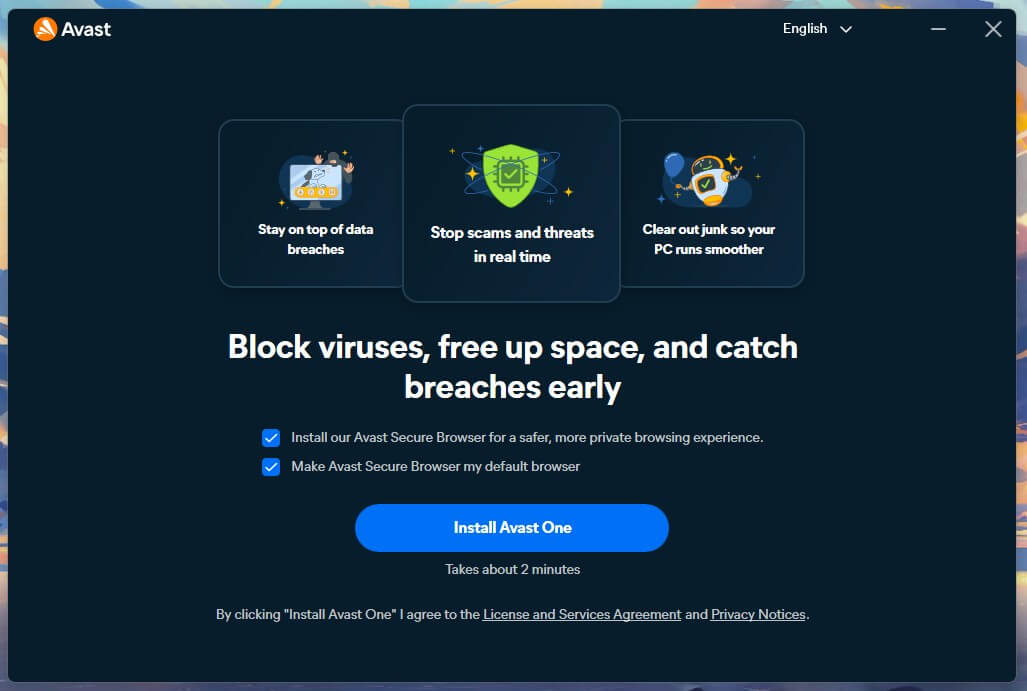
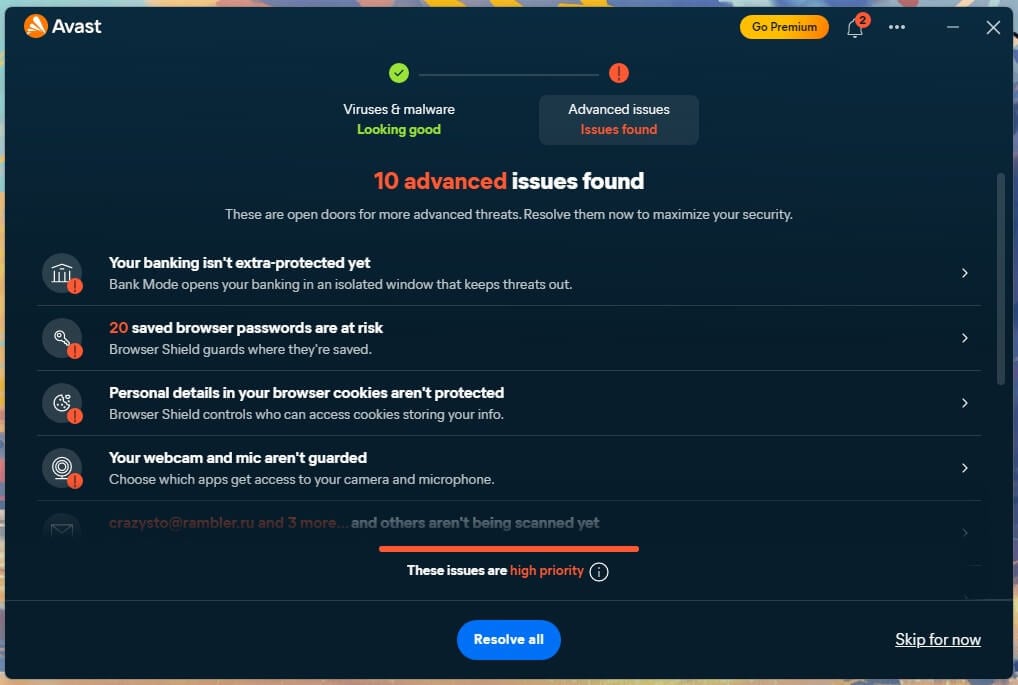
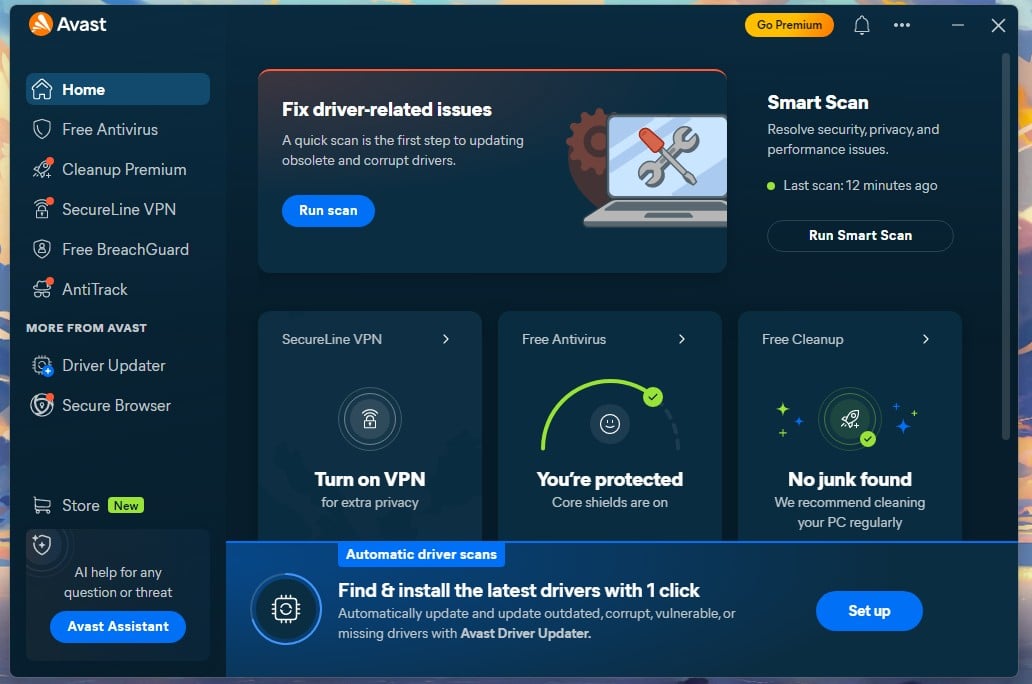
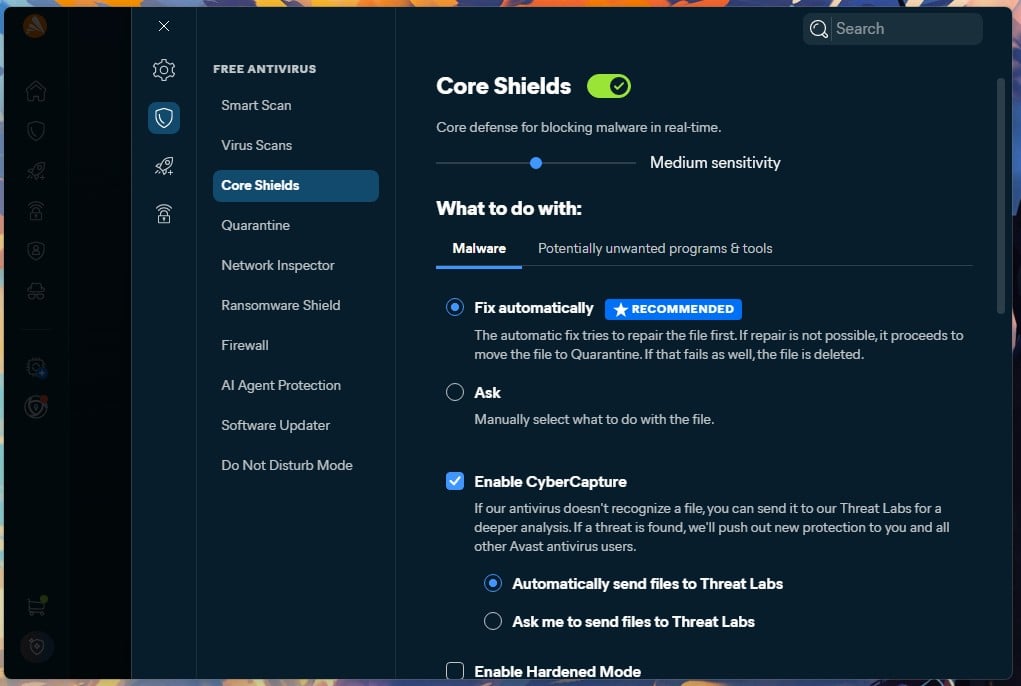
The installer arrives with Avast Secure Browser pre-ticked, which you can clear in one click. Inside the app, a Driver Updater panel sits on the home screen and will not go away: There is no dismiss option. It clears only if you buy Driver Updater at $43.99 a year or start its trial. A permanent Go Premium button and a shopping cart icon complete the picture. To Avast’s credit, the padlocked features in the sidebar stay quiet when clicked, and there are no advertisements inside the app. Our full Avast review will help you make a choice.
✅ Should You Use Avast Free on Windows?
Yes, for most people. It protects as well as software you would pay for, covers every platform in a normal household, and asks nothing except patience with one nagging panel.
Rating: 4.6/5 ⭐ (Protection 4.8 ⭐. Performance 4.5 ⭐. Features 4.7 ⭐. Transparency 3.3 ⭐. Value 5.0 ⭐). Pay if: you want a firewall and webcam protection on the same PC, which starts at $49.99 for the first year.
2. Bitdefender Antivirus Free: Best for Older Windows PCs
Rating: 4.5/5⭐
Bitdefender takes the opposite approach to Avast (read our complete Bitdefender review here): Its free edition runs the same detection engine as Total Security and puts almost nothing else on screen. On a general comparison of free antivirus, being Windows-only counts against it but on this page that objection disappears which is why it sits second rather than further down.
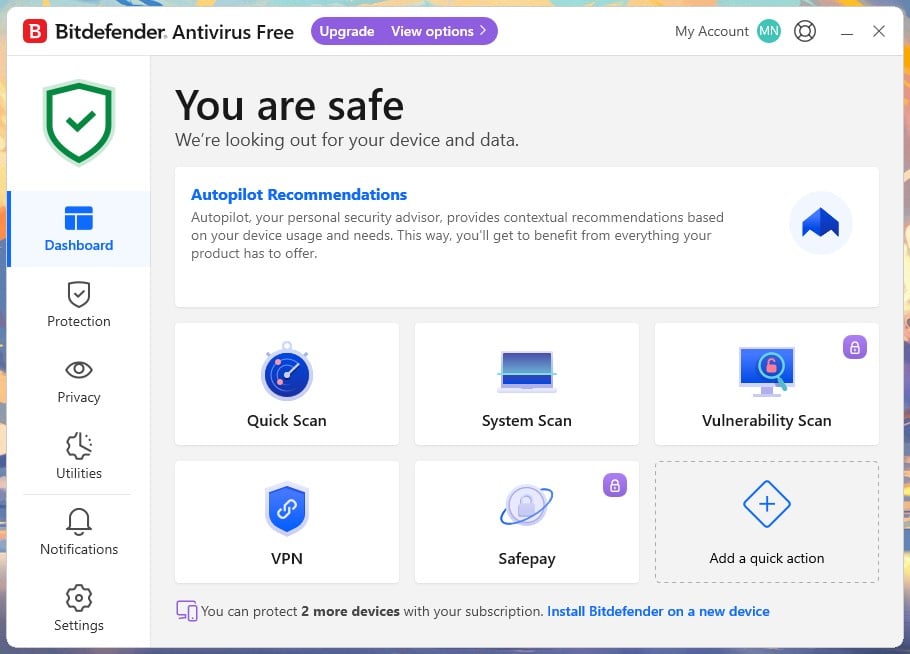
I installed it on a brand new account holding no subscriptions, and it behaved exactly as advertised. The dashboard offers Quick Scan, System Scan and a VPN entry, with Vulnerability Scan and Safepay padlocked. Full-drive scanning is present in the free edition, which surprised me given how much else has been stripped out.
Get Bitdefender Antivirus Free
What You Get With Bitdefender Free on Windows
| Windows Versions | Windows 11 and Windows 10 |
| Other Platforms | None, Windows only |
| Devices | Up to 3 |
| Real-Time Protection | Yes, permanently |
| Account Required | Yes, a Bitdefender Central account |
| Included Free | Real-time protection, quick and full system scanning, quarantine, a capped VPN entry |
| Locked Behind Paid | Multi-layer ransomware remediation, Safepay banking browser, firewall, device optimizer, vulnerability scanning, macOS and mobile coverage |
Bitdefender Free Test Results on Windows
AV-Comparatives, March 2026: 97.6% offline detection, 97.6% online, a 99.94% protection rate, and 4 false alarms, the second-lowest false alarm count in a twenty-product table. My own run produced 99.8% detection with 5 false alarms, the highest detection figure among the four products where I measured both.
That 97.6% offline result is the best number in this comparison, and it is the one that matters on a laptop that spends hours away from a connection. Bitdefender pushes a lot of analysis to its cloud, but it clearly keeps more capability on the machine than Defender or Malwarebytes do.
What Bitdefender Free Costs Your PC
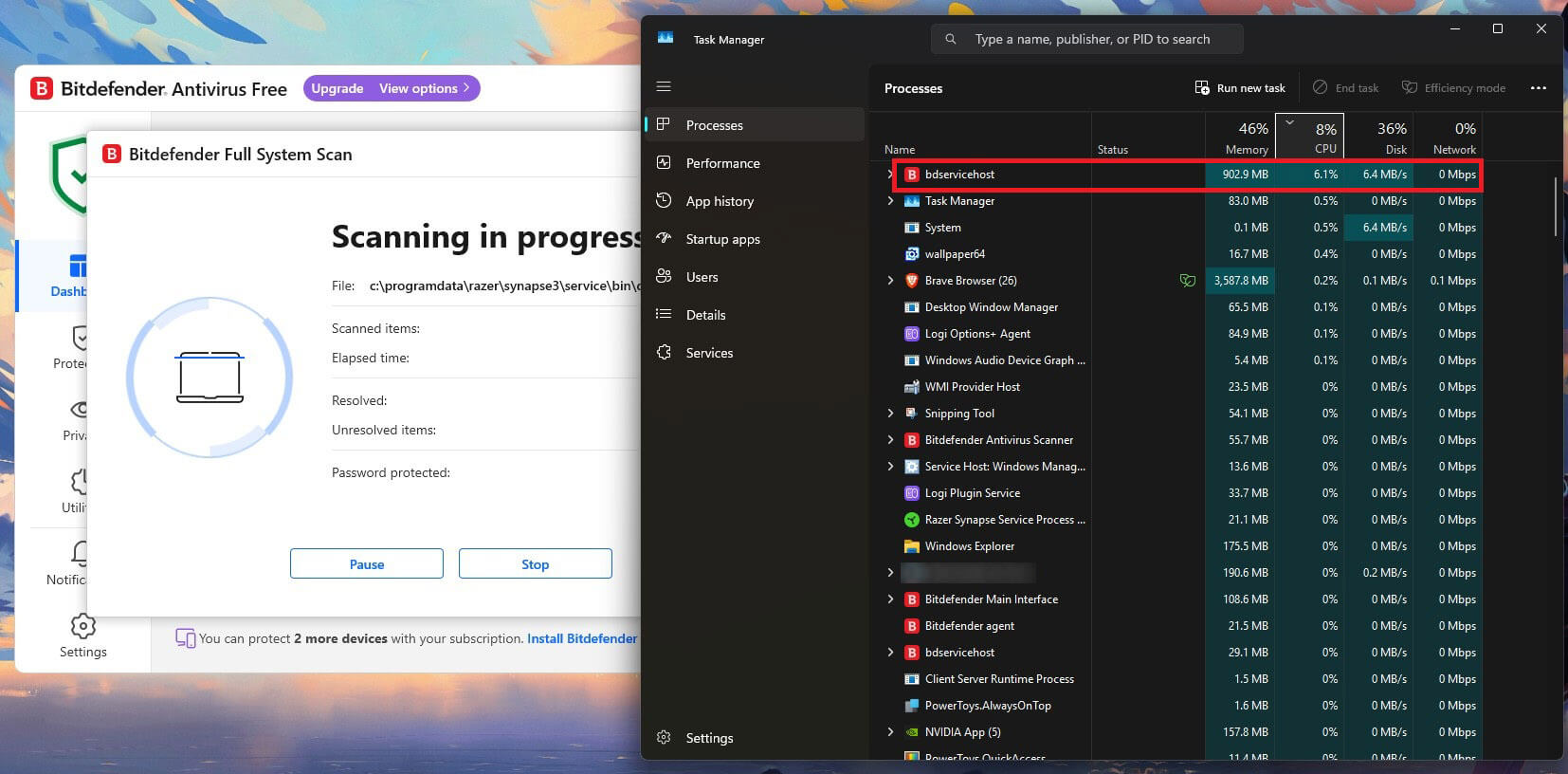
Quick Scan finished in 1 minute 4 seconds (the fastest traditional quick scan I timed), while a full System Scan took 14 minutes 3 seconds, peaking at 11% CPU and 183 MB of memory. Both of those are the lowest figures recorded anywhere in this comparison, and the CPU result is less than a third of what Defender demanded. Idle usage sat at 190 MB across all Bitdefender processes, and boot time went from 18 to 26 seconds, an increase of 44%.
The Catch: How Bitdefender Free Makes Money
The installer is an 843.3 MB web download that took 3 minutes 58 seconds on my connection. It pre-ticks two boxes, the subscription agreement and a browser, and the browser is easy to clear. Telemetry, listed as Send product reports, arrives switched off, which nothing else here matches.
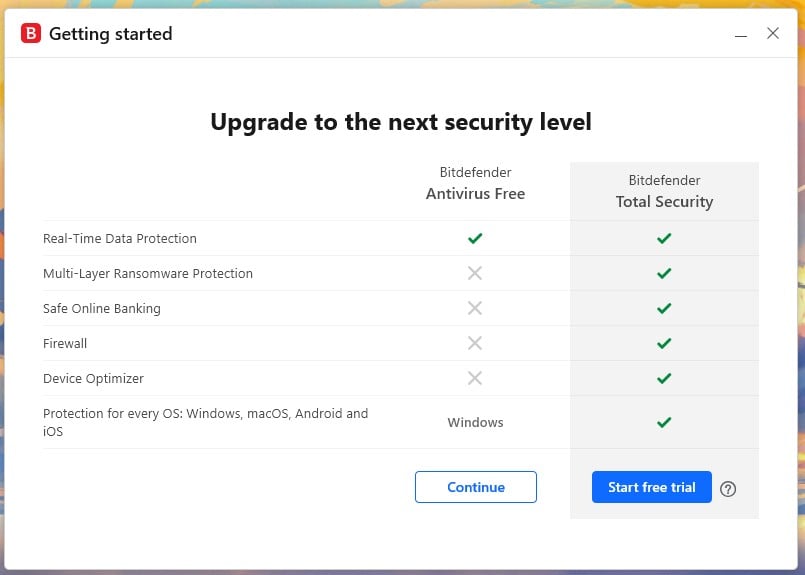
The single upgrade attempt comes when you sign in, as a dialog comparing Antivirus Free against Total Security: Clicking “Continue” dismisses it, the app configures itself for about a minute, and then it stops asking. Over the entire test period, nothing else appeared beyond a small Upgrade pill in the title bar. Requiring a Bitdefender Central account is the real price, since it puts an email address on file.
✅ Should You Use Bitdefender Free on Windows?
Yes, if this is a Windows-only household and you want protection you can forget about. It is the least intrusive free antivirus in this comparison and the lightest under load. The cost is everything it leaves out, and the fact that a second PC in the house running macOS gets nothing.
Rating: 4.5/5 ⭐ (Protection 4.8 ⭐. Performance 4.9 ⭐. Features 3.5 ⭐. Transparency 4.9 ⭐. Value 4.4 ⭐). Pay if: you need the same protection on a Mac or a phone, since the free edition will never reach them.
3. Microsoft Defender: Best Free Antivirus You Already Have
Rating: 4.3/5⭐
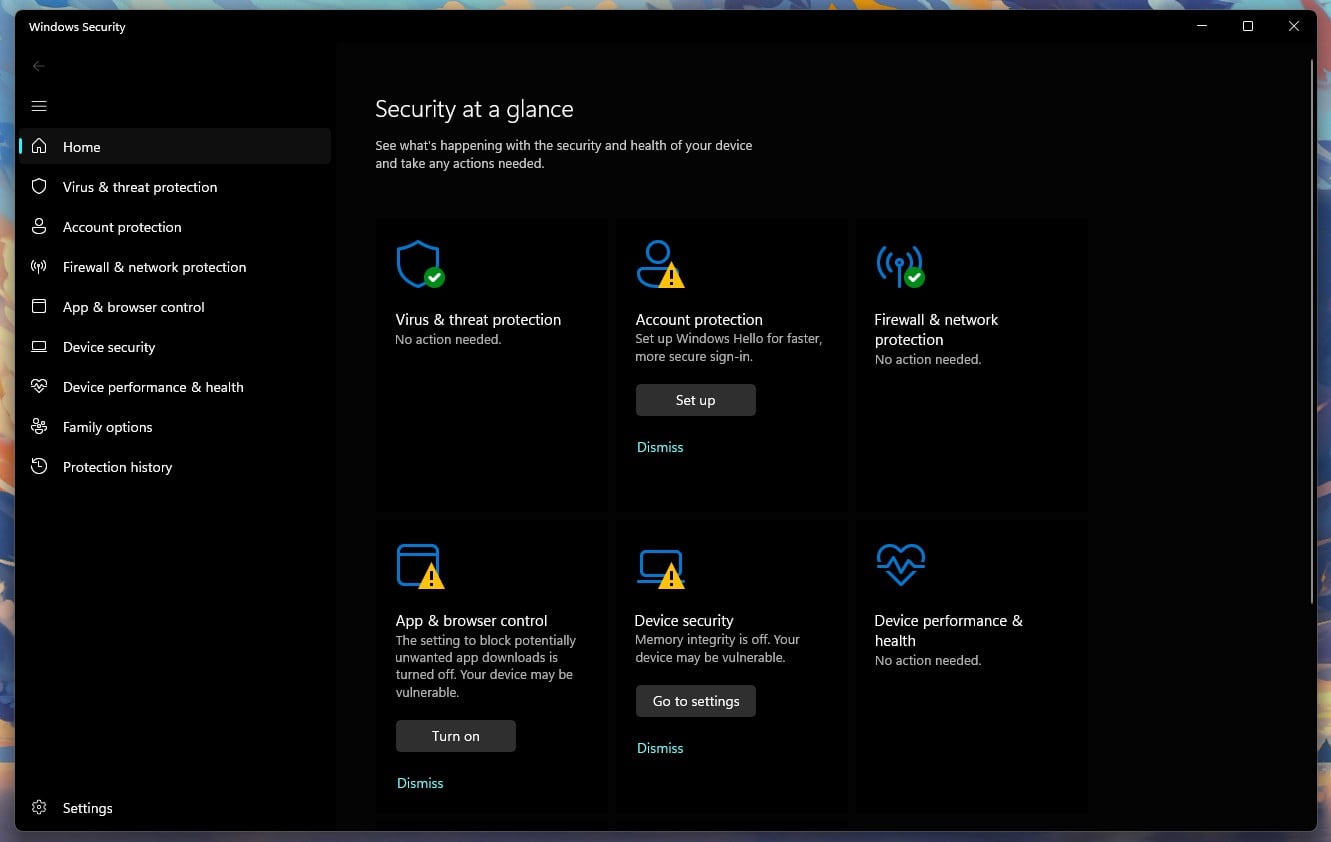
For a large share of people reading this, Defender is the correct answer and the page could stop here. It is already installed, already switched on, and costs nothing in money, attention, or disk space. There is no upsell because Microsoft has nothing to sell you.
Its scores now sit close to the top of the field. AV-TEST gave it 6 for protection, 5.5 for performance and 6 for usability in June 2026, with Top Product status, and the half point it dropped came on performance rather than detection. If your impression of Defender dates from the Security Essentials era, it is a decade out of date.
What You Get With Microsoft Defender
| Windows Versions | Windows 11 and Windows 10 |
| Other Platforms | None |
| Devices | Every Windows device you own |
| Real-Time Protection | Yes, on by default |
| Account Required | No, and nothing to install |
| Included Free | Real-time and cloud-delivered protection, Controlled Folder Access, Smart App Control, SmartScreen in Edge, periodic scanning alongside another antivirus |
| Not Available at Any Price | Identity monitoring, deeper ransomware rollback, apps for other operating systems |
Microsoft Defender Test Results on Windows
AV-Comparatives, March 2026: 89.2% offline detection, 98.1% online, a 99.93% protection rate, and 3 false alarms. Those 3 false alarms are the second-lowest count in the entire table, so Defender is unusually careful about what it quarantines. The old complaint that Windows flags your own files does not survive contact with the data.
The 89.2% offline figure is the weakest in this comparison, and it is the number that decides whether Defender is enough for you. A desktop that stays connected is running on the 98.1%. A laptop used on a train, or a machine already compromised in a way that interferes with its own network access, is running on the 89.2%.
What Microsoft Defender Costs Your PC
A quick scan took 1 minute 9 seconds and a full scan 12 minutes 24 seconds, the fastest full scan of the six. Part of that is structural: Defender scans continuously in the background, so a scheduled pass has less new ground to cover than a third-party scanner starting cold.
The cost shows up in CPU. It peaked at 31% during that scan, second only to McAfee among everything I have measured, free or paid. On a modern desktop you will not notice. On a ten-year-old laptop you will. Idle memory was 158 MB, and boot time went from 18 to 22 seconds, an increase of 22% and the smallest in this comparison.
The Catch: How Microsoft Defender Makes Money
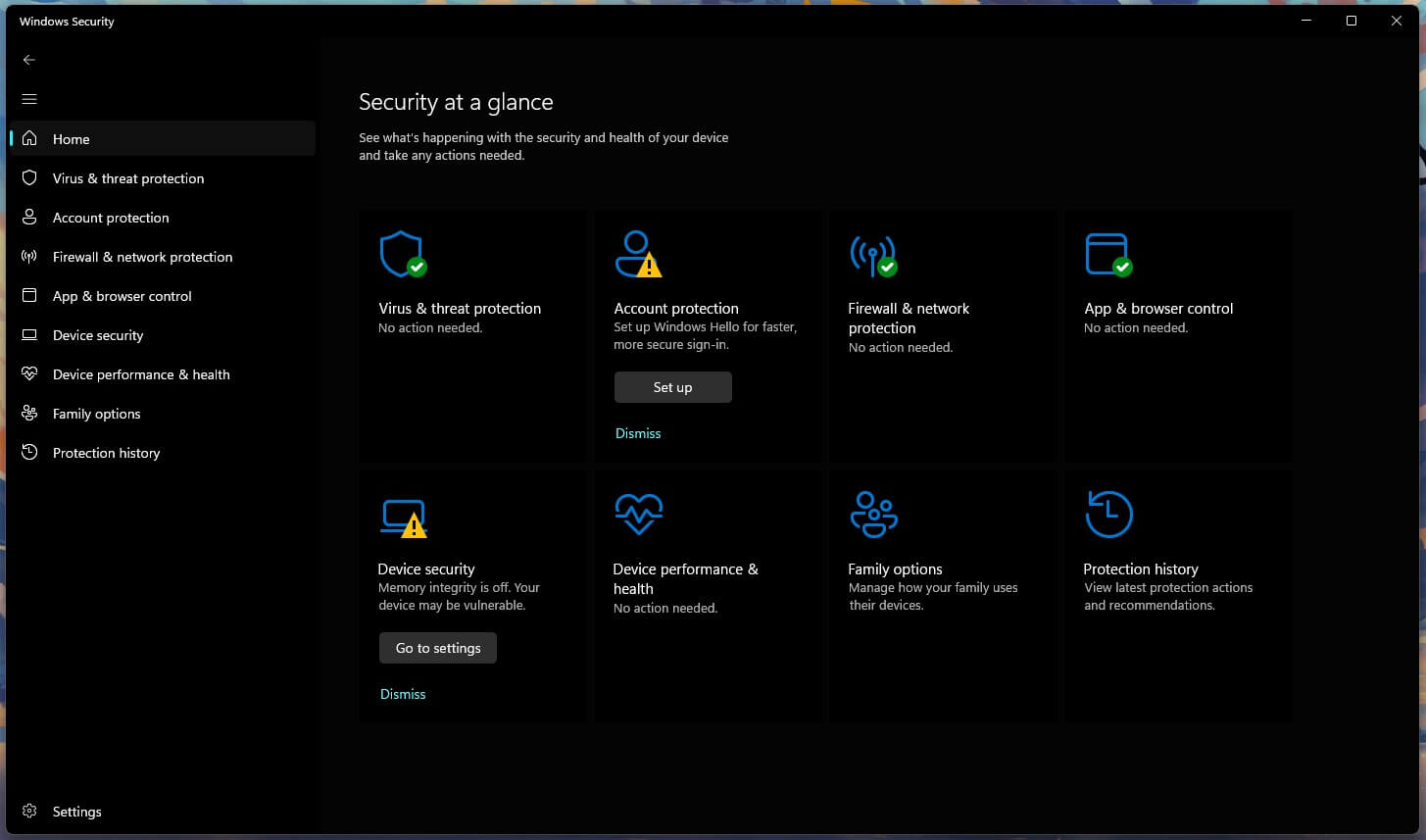
There is no paid tier, no upgrade prompt, no bundled software, and no advertising inside Windows Security. The trade sits somewhere else: Defender is a Windows component, and Windows collects data. Microsoft’s privacy statement is specific about it: collected data secures its products, improves them “including to develop and train our AI models”, and is used to “advertise and market to you, which includes sending promotional communications, personalized advertising, and presenting relevant offers”. The Windows section adds that Microsoft gathers data about you, your device, and how you use it.
None of that means your scan results feed advertising, and I have seen nothing to suggest they do. The price of Defender is a share of Windows telemetry, and the diagnostic settings sit under Privacy and security in Windows Settings.
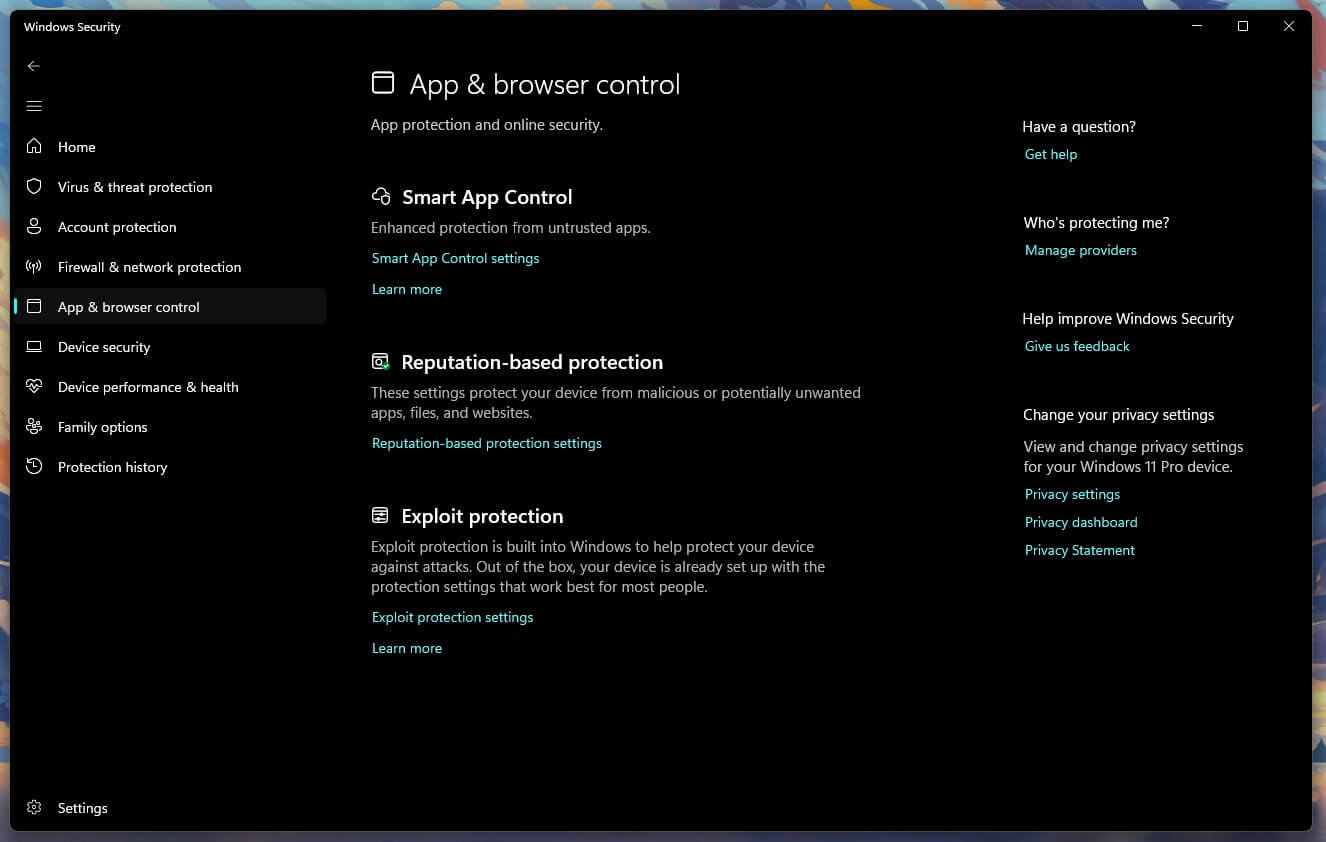
One setting is worth changing the moment you install anything else: Add a third-party antivirus and Windows hands over, with Defender stepping back. The Periodic scanning toggle that lets it keep checking in the background arrives switched off, and turning it on gives you a free second opinion you already own.
✅ Should You Use Microsoft Defender?
Stay on Defender if you use one Windows machine, keep it online, and want zero maintenance and zero prompts. Add something else if you own a Mac or a phone you also want covered, if the laptop spends real time offline, or if you browse in Chrome and want phishing protection that does not depend on Edge.
Rating: 4.3/5 ⭐ (Protection 4.2 ⭐. Performance 4.5 ⭐. Features 3.5 ⭐. Transparency 4.7 ⭐. Value 5.0 ⭐). Pay if: you have more than one kind of device, since Defender will never cover anything but Windows.
4. AVG AntiVirus Free: Best for Windows 7 and Aging Hardware
Rating: 4.4/5⭐
A note on the ordering, because AVG scores higher than Defender and sits below it: Defender ranks third on this page because it is the default every Windows reader already has, and recommending an installation over something already running requires a reason. AVG gives you one only in specific circumstances which is why it is here rather than higher.
AVG and Avast are owned by the same company (Gen Digital) and use an identical detection engine. At AV-Comparatives in March 2026 they posted identical figures in every column. On my machine they finished within one hundredth of a percent of each other with the same false alarm count. So you should treat them as two builds of one product, not as independent alternatives.
What AVG offers instead is a broader set of maintenance tools around that shared core, and one thing nothing else here has. It is the only product in this comparison that still supports Windows 7.
What You Get With AVG Free on Windows
| Windows Versions | Windows 7 through 11 |
| Other Platforms | macOS 10.13+, Android 5.0+, iOS 10+ |
| Devices | One per install, no cap on installs |
| Real-Time Protection | Yes, permanently |
| Account Required | No |
| Included Free | Malware and ransomware blocking, Smart Scan covering performance and system checks, web protection |
| Locked Behind Paid | Private document protection, safer shopping, Remote Desktop blocking, enhanced firewall, fake website protection, webcam protection, automatic app updates |
AVG Free Test Results on Windows
AV-Comparatives, March 2026: 96.3% offline, 98.7% online, a 99.97% protection rate, and 9 false alarms, matching Avast exactly. AV-TEST, June 2026: 6/6/6 with Top Product status for the free edition specifically. My own measurements gave 99.77% detection with 4 false alarms.
What AVG Free Costs Your PC
Smart Scan doubles as AVG’s quick scan and completed in 57 seconds and it’s the fastest of anything I tested for this comparison. A full scan took 15 minutes 13 seconds and peaked at 15% CPU with 220 MB of memory, which makes it the slowest of the top four. Idle usage was 161 MB with no measurable CPU.
The number that earns it a place is startup. Boot went from 18 to 23 seconds, an increase of 28%, which makes AVG noticeably lighter at launch than Avast despite running the same engine. On an old laptop where every second of boot is felt, that is a real argument.
The Catch: How AVG Free Makes Money
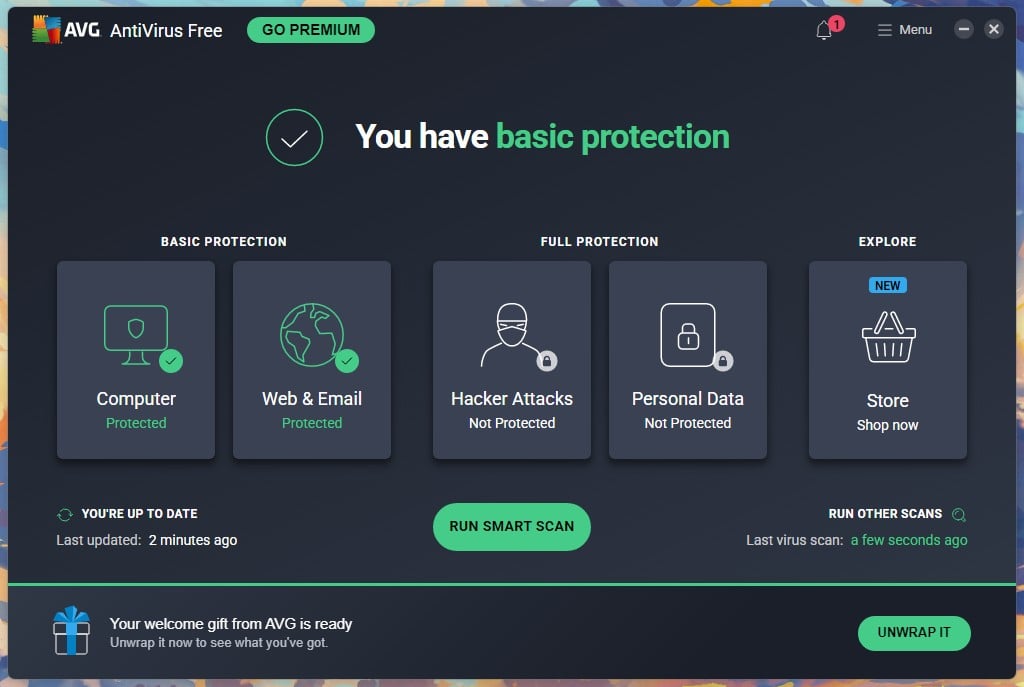
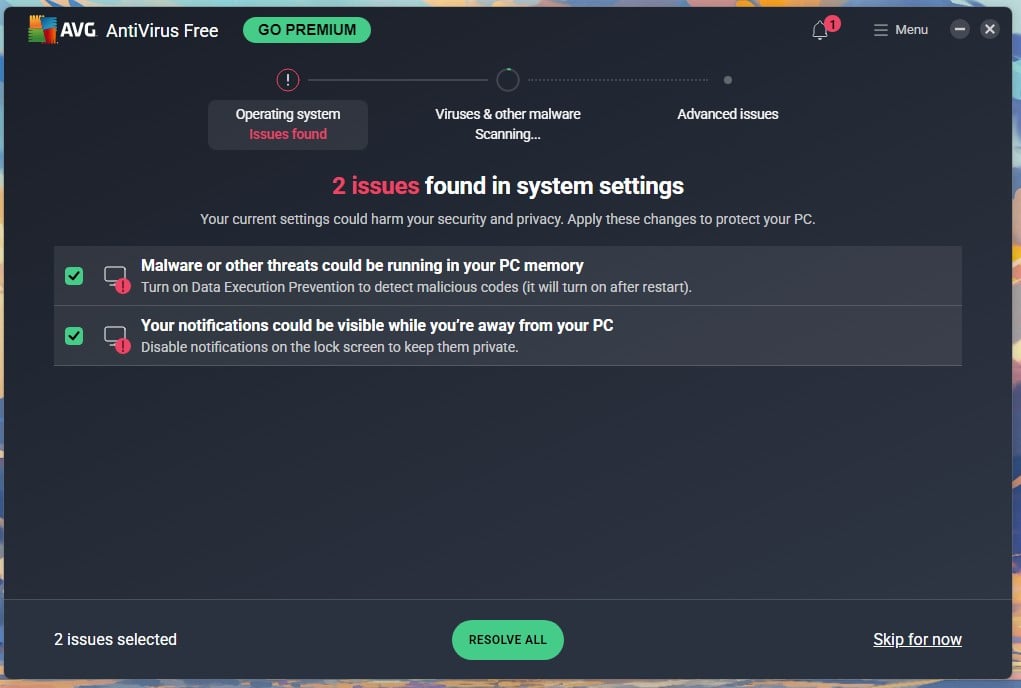
More aggressively than anything else on this page. The installer pre-ticks two boxes: install AVG Secure Browser, and make it your default browser. Both are easy to clear, and both are ticked when you arrive. Installation took 1 minute 12 seconds and opened into a three-slide carousel comparing AntiVirus Free against Internet Security. Waiting on the dashboard: a permanent GO PREMIUM button, a badge showing unread items, a Store tile marked NEW, and a welcome gift banner offering 61% off. On the same screen it flagged 7 advanced issues and marked them in red, then a modal interrupted offering to fix them with a free 60-day Internet Security trial.
✅ Should You Use AVG Free on Windows?
Only in two situations. If your PC runs Windows 7 or 8, AVG is one of the few remaining options with current detection. And if boot time is what you feel most on old hardware, it costs five seconds where Avast costs nine. Otherwise take Avast, which has the same protection and asks for money less often.
Rating: 4.4/5 ⭐ (Protection 4.8 ⭐. Performance 4.6 ⭐. Features 4.0 ⭐. Transparency 2.9 ⭐. Value 4.6 ⭐). Pay if: the advanced issues AVG keeps flagging actually concern you, since fixing them is precisely what Internet Security sells.
5. Avira Free Security: Best Free Bundle for Windows
Rating: 4.3/5⭐
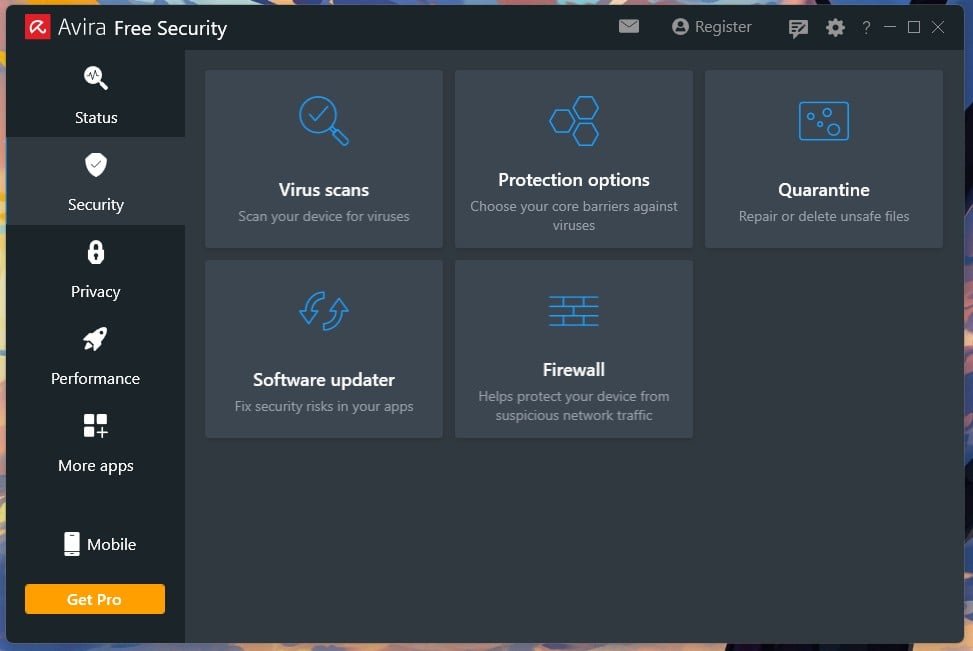
Avira gives you more separate tools than anything else in this comparison: Alongside the antivirus sit a VPN, a password manager, a software updater and a disk cleaner, all at no cost. None of them is the best version of that tool you could get but together they cover a lot of ground for nothing.
Avira belongs to Gen Digital as well, alongside Avast, AVG and Norton. Its detection results differ from theirs, so this is not the engine-sharing situation you get with Avast and AVG, but the ownership is worth knowing when you compare the four.
What You Get With Avira Free on Windows
| Windows Versions | Windows 7 SP1 through 11 |
| Other Platforms | macOS 10.15 to 14, plus separate Android and iOS apps |
| Devices | One per install, no cap |
| Real-Time Protection | Yes, permanently |
| Account Required | No |
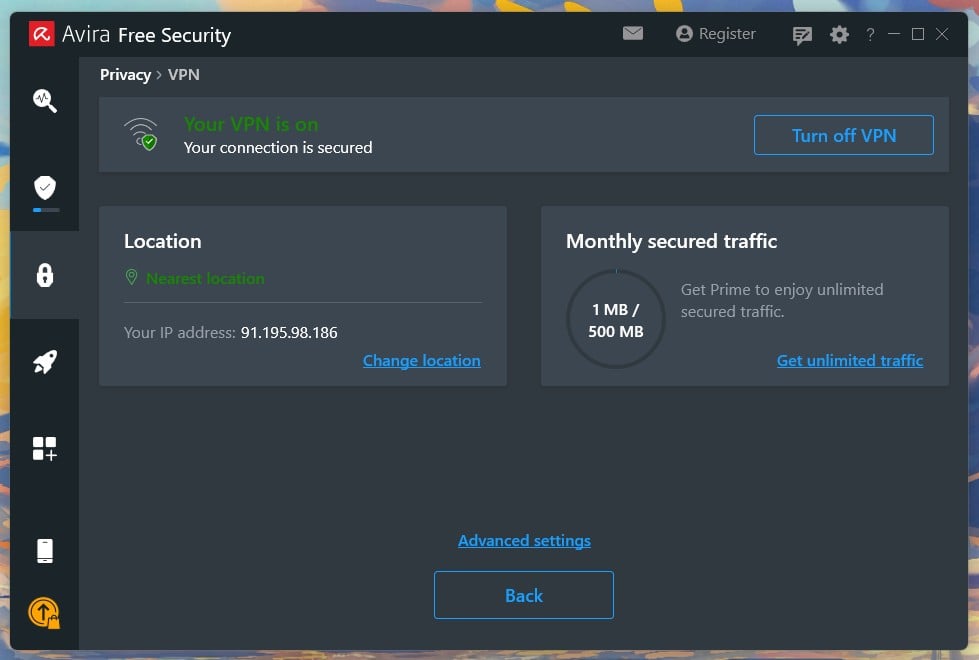
| Included Free | Real-time and manual scanning, Phantom VPN capped at 500 MB a month, a basic password manager, a software updater, a system cleaner |
| Locked Behind Prime | Firewall, unlimited VPN, automatic software updating, the full password manager, the tune-up suite |
Avira Free Test Results on Windows
Avira does not appear in AV-Comparatives’ March 2026 malware protection test which thins its lab record. Its current figure comes from AV-TEST, which certified it in June 2026 at 6 for protection, 4.5 for performance, and 6 for usability. That 4.5 is the only sub-6 performance mark among the products in this comparison.
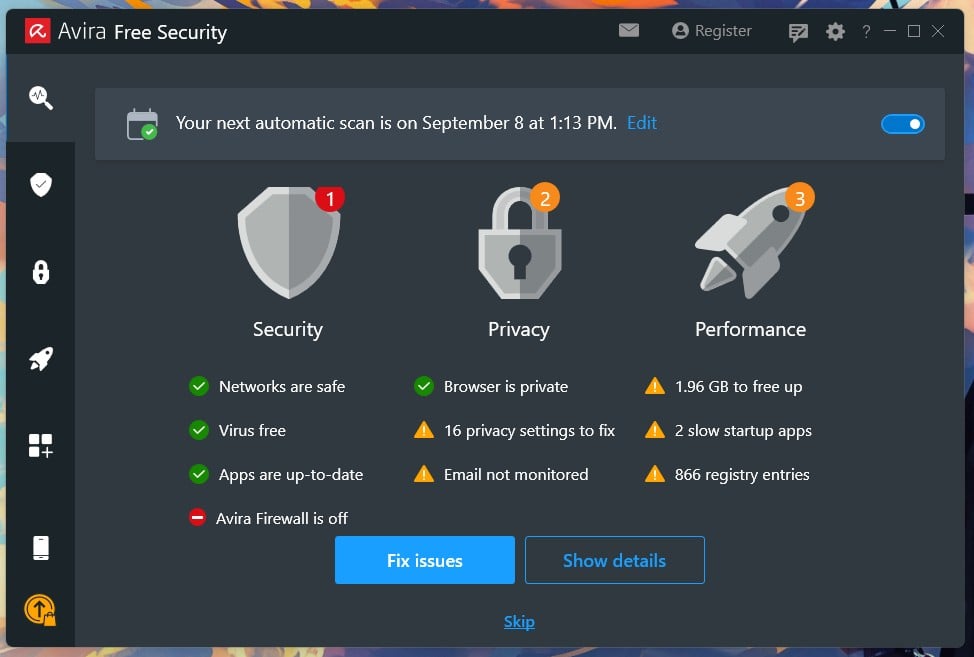
My bench tells a split story: Detection was 99.96%, the highest figure I recorded anywhere, and it came with 12 false alarms, the second-worst of the six. That combination points at aggressive heuristics. Avira catches more and flags more, and on a machine where you install a lot of unusual software you will meet the second half of that trade.
What Avira Free Costs Your PC
Idle memory was 65.9 MB, less than half of anything else in this comparison, and on a PC with 4 GB of RAM the idle figure is what you feel all day rather than during a scan you schedule overnight. The scan itself is the weak half: A smart scan took 30 seconds but a full scan took 18 minutes 14 seconds, peaking at 16.6% CPU and 230 MB, which is the second slowest here. Boot went from 18 seconds to 25, a 39% increase.
The lab and my bench agree once you notice they measured different things. Avira sits lighter than anything else when idle, and works longer than almost anything else when scanning.
The Catch: How Avira Free Makes Money
The welcome screen is a single Agree and Install button with no checkboxes at all: no bundled browser, no default search change, no telemetry tick. It cites GDPR Articles 13 and 14 and links its privacy policy on that same screen. Selling happens inside the app, and gently: Opening the VPN for the first time produced one upgrade offer, and that was the only prompt I saw. Prime costs $59.99 for the first year and renews at $109.99 for five devices.
One thing on that upgrade screen is misleading. It puts a dash beside the free tier for automatic software updates and for password management, while Avira’s own support pages say the free product includes both a software updater and a password manager. Both statements are technically true: Prime adds automatic updating and a fuller manager, while the free versions do less. The upgrade screen presents that limitation as absence.
✅ Should You Use Avira Free on Windows?
Yes, if your PC is old and the idle footprint matters more than scan speed, or if you want several tools without paying. It asks almost nothing of you at install and barely sells to you afterwards. The 12 false alarms are the reason it sits fifth instead of higher.
Rating: 4.3/5 ⭐ (Protection 4.2 ⭐. Performance 4.0 ⭐. Features 4.4 ⭐. Transparency 4.4 ⭐. Value 4.6 ⭐). Pay if: the 500 MB VPN allowance starts to annoy you, since it covers occasional use and nothing more.
6. Malwarebytes Free: Best Free Scanner for an Existing Infection
Rating: 3.7/5⭐
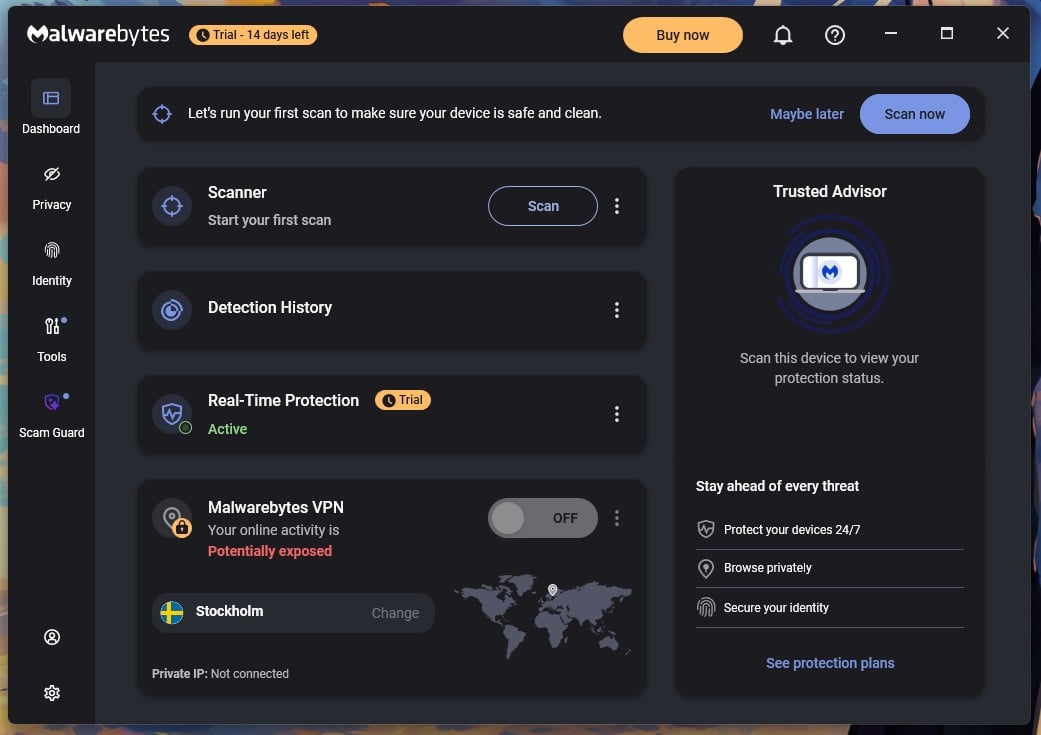
Malwarebytes does a different job from the five above, and the confusion around that costs people protection. Install it and you get 14 days of Premium, including real-time blocking (on day 15, the real-time layer stops and what remains is a manual scanner). The app says so plainly and asks you to upgrade, which is fair, but plenty of people never register the change and assume they are still covered.
As a free virus cleaner run alongside a resident antivirus, it earns its place in this comparison. As your only protection on a Windows PC, it leaves you exposed between scans.
What You Get With Malwarebytes Free on Windows
| Windows Versions | Windows 11 and Windows 10 |
| Other Platforms | macOS, Android, iOS |
| Devices | Unlimited |
| Real-Time Protection | 14 days only, then manual scanning |
| Account Required | Asks for an email, but you can skip it |
| Included After the Trial | Threat Scan, Deep Scan, detection history, quarantine, scan scheduler |
| Locked Behind Paid | Permanent real-time protection, web protection with scam and ad blocking, Browser Guard integration |
Malwarebytes Free Test Results on Windows
AV-Comparatives measured 92.4% offline and a 99.59% online protection rate in March 2026, with 23 false alarms. Read that with one caveat that matters here more than anywhere else in this comparison: the lab tests with real-time protection active, which free users lose after two weeks.
My own results tracked the lab closely: Detection came to 99.57% against the lab’s 99.59%, and 91.3% offline against its 92.4%. False alarms came to 14, the worst of the six, which is worth knowing before you let it quarantine something on a hunch.
What Malwarebytes Free Costs Your PC
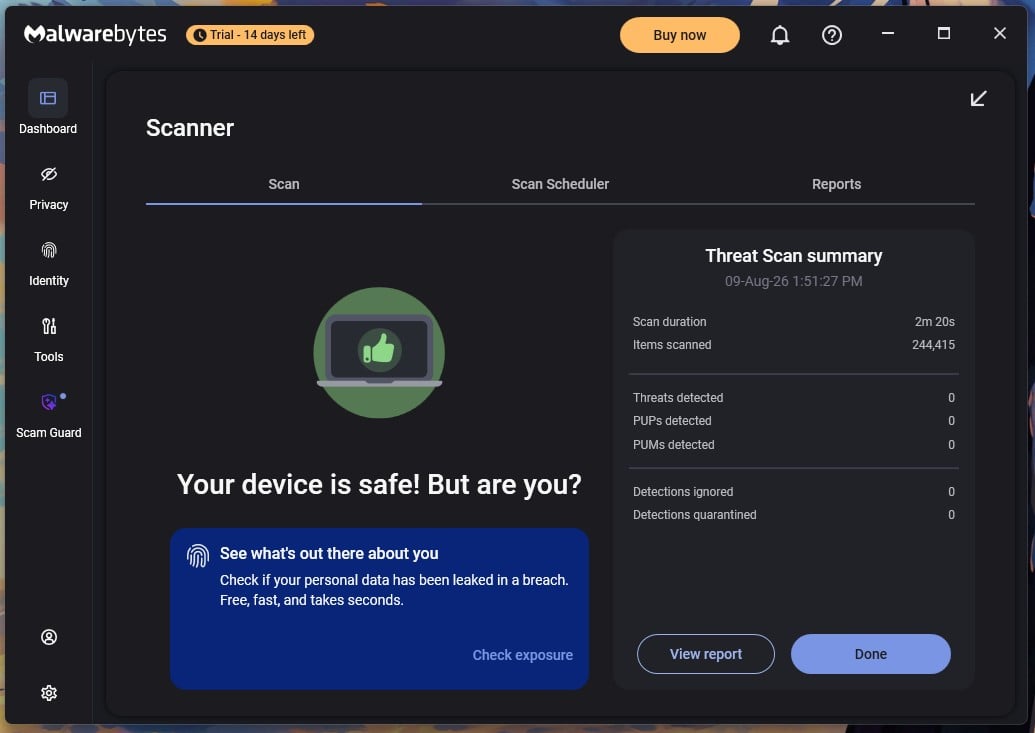
Speed is where it struggles: A Threat Scan took 2 minutes 20 seconds and a Deep Scan took 28 minutes 43 seconds, more than twice Defender’s full scan, and peaked at 645 MB of RAM. That is roughly three times what any other product in this comparison used.
Idle was reasonable at 147.3 MB, and boot rose from 18 seconds to 26. Since the tool is meant to be run deliberately rather than left watching, the Deep Scan figure matters less than it would elsewhere. Start it and go and do something else.
The Catch: How Malwarebytes Free Makes Money
Setup finished in 38 seconds with no pre-ticked boxes, and Browser Guard is offered as its own step, unticked. The first-run screen asks for an email before it will start a scan, but clicking “I’ll scan later” opens the dashboard immediately, and scanning works there with no email at all. After that the selling is constant but quiet. A Buy now button sits in the title bar with a trial countdown beside it. Notification dots mark four sidebar items.
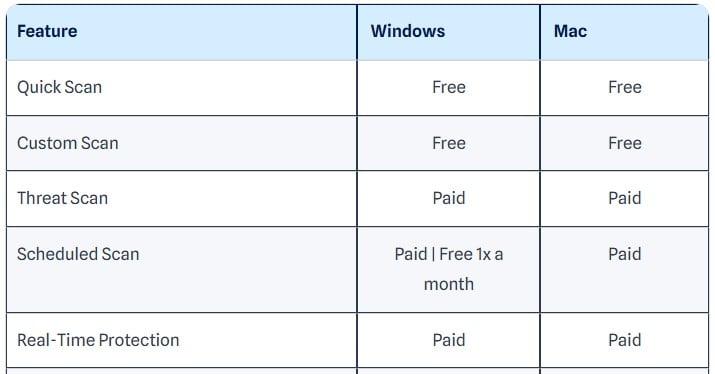
Standard costs $59.99 a year for three devices, or $44.99 for one. Plus adds a VPN at $79.98, and Total adds identity cover with $1M insurance at $89.99.
✅ Should You Use Malwarebytes Free on Windows?
Yes, as a second opinion. Keep it installed, run a scan when something feels wrong, and let one of the five above handle the constant watching. As a primary antivirus after day 15 it is the wrong tool, and its false alarm rate means it will occasionally flag files that are perfectly fine.
Rating: 3.7/5 ⭐ (Protection 3.7 ⭐. Performance 3.5 ⭐. Features 3.2 ⭐. Transparency 4.2 ⭐. Value 4.0 ⭐). Pay if: you want it watching constantly, because free Malwarebytes stops doing that on day 15.
The One to Avoid: Kaspersky
Kaspersky turns up in searches for free antivirus for Windows, and the company’s own site does nothing to discourage that. The breadcrumb on its trial page reads Home Products, then Kaspersky Free. The headline underneath says: keep your devices safe with free antivirus, try it for 30 days.
Read the second half of that sentence. There is no free version of Kaspersky. What is on offer is a 30-day trial of Kaspersky Standard, a paid product, presented under a URL and a breadcrumb that say otherwise. On a page about software that costs nothing permanently, that alone disqualifies it.
The larger problem is legal rather than technical, and the distinction matters. In June 2024 the US Department of Commerce prohibited Kaspersky from selling software or providing updates to US persons, citing supply chain risk, and the company withdrew from the American market.
Product quality is not the issue, and pretending otherwise would be dishonest. Kaspersky took 6 out of 6 across all three AV-TEST categories in June 2026 and posted the second-lowest false alarm count in AV-Comparatives’ March round. Those are excellent results.
Security software that cannot legally receive updates in your jurisdiction is unusable there, whatever its scores say. An antivirus without current definitions degrades every week. If you are outside the United States the ban does not apply to you, and you should still know that what Kaspersky calls free is a trial with a card at the end of it.
Free Antivirus for Windows Compared: All Six Side by Side
Every figure below came from the same Windows 11 machine, restored to a clean image between products. The last column in this comparison table is the one worth reading twice, because it describes what you will actually live with day to day.
| Best for | Real-time | Offline detection | Full scan | Boot impact | Idle RAM | How it makes money | Rating | |
|---|---|---|---|---|---|---|---|---|
| Avast Free | Overall | Yes | 96.3% | 14:38 at 12% CPU | +9 sec (+50%) | 160-170 MB | Pre-ticked browser, permanent Driver Updater prompt | 4.6 ⭐ |
| Bitdefender Free | Older PCs | Yes | 97.6% | 14:03 at 11% CPU | +8 sec (+44%) | 190 MB | One sign-in dialog, then nothing | 4.5 ⭐ |
| Microsoft Defender | Installing nothing | Yes | 89.2% | 12:24 at 31% CPU | +4 sec (+22%) | 158 MB | Nothing directly, Windows telemetry instead | 4.3 ⭐ |
| AVG Free | Windows 7 | Yes | 96.3% | 15:13 at 15% CPU | +5 sec (+28%) | 161 MB | Two pre-ticked boxes, scan alarms, discount pop-ups | 4.4 ⭐ |
| Avira Free | Tool bundle | Yes | Not published | 18:14 at 16.6% CPU | +7 sec (+39%) | 65.9 MB | One in-app VPN upsell | 4.3 ⭐ |
| Malwarebytes Free | Cleaning an infection | 14 days only | 92.4% | 28:43 at 645 MB | +8 sec (+44%) | 147.3 MB | 14-day trial, then constant upgrade prompts | 3.7 ⭐ |
Three things fall out of this comparison. Protection is close enough across the top four that it should not decide your choice. System impact varies far more, and Defender’s 31% CPU peak is the figure to watch on an old laptop, while Avira’s 65.9 MB at idle is the figure to watch on one with little memory. The money column separates them most clearly, running from Bitdefender asking once to AVG asking constantly.
Free Trials Are Not Free Antivirus
Several major vendors have no free tier at all, and their trial pages are written in a way that blurs the difference. A trial ends, and most end with a charge unless you act. A money-back guarantee is not a free trial either, since it means paying first and asking for a refund afterwards.
Norton offers 7 days, the shortest of the major suites and considerably less than the 30 people expect. Norton’s own FAQ is refreshingly blunt about what that means: there are no free versions of Norton 360, and once the trial expires a paid subscription is required to keep using the software. You also cannot start a trial without creating an account. What Norton does give away permanently is a set of standalone tools rather than an antivirus: a free privacy scan, a free anti-tracking scan, a free password manager app, a free email leak scan, and a free password generator. Useful, and none of them protects a PC in real time. Our Norton review covers the paid tiers.
Bitdefender offers 30 days of Total Security, which is the natural next step from the free edition reviewed above. The trial adds precisely what the free version omits: multi-layer ransomware protection, the Safepay browser for banking, a firewall, the device optimizer, vulnerability scanning, and coverage for macOS, Android and iOS. Total Security costs $59.99 for the first year and renews at $109.99.
What Windows 11 Already Gives You
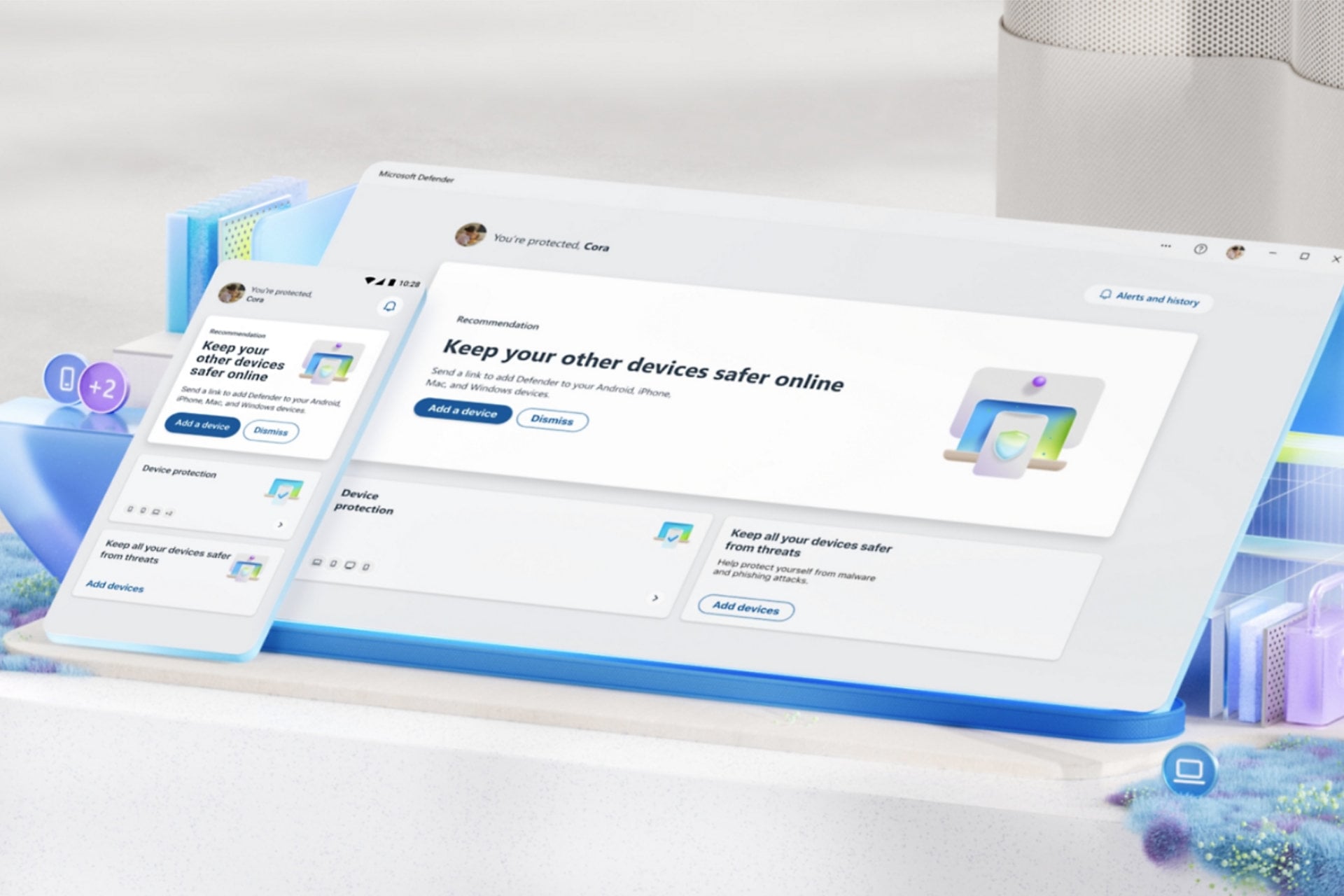
Before installing anything, it helps to know what the operating system already handles, because a fair amount of free antivirus marketing describes problems Windows solved some time ago.
SmartScreen checks downloads and websites against Microsoft’s reputation data. Smart App Control blocks untrusted applications outright, though only on clean installations, since it cannot be enabled retroactively without reinstalling Windows. TPM 2.0 and core isolation protect credentials and kernel memory, and a vulnerable driver blocklist stops attacks that abuse signed drivers with known flaws. Controlled Folder Access provides ransomware shielding, though it ships switched off.
With Defender on top of that, Windows 11 is a reasonable baseline, and it is why Defender ranks third in this comparison rather than last.
What it misses is the gap the top two fill: Defender’s phishing protection is strongest inside Edge and weaker elsewhere, which matters because most people browse in Chrome. Its offline detection dropped to 89.2% in AV-Comparatives testing. It covers no other platform, so a household with a Mac or an Android phone needs something else anyway. And scam-specific protection, which is where most money is actually lost, is thin.
Avast adds scam detection, a ransomware shield, network scanning and breach checking on top of that baseline, at no cost.
Best Free Antivirus for Windows 10 After End of Support
Windows 10 left mainstream support in October 2025, and that changes the calculation rather than ending it. An operating system that stops receiving security patches accumulates known, unpatched holes over time, and no third-party product can patch the kernel. What a good scanner does is block the malware trying to reach those holes, which helps, while the holes stay open.
If your hardware supports Windows 11, upgrading beats any antivirus decision you could make. For machines that cannot make the jump, two things change the ranking above. Lean on offline detection, because you are depending more heavily on the local engine. Bitdefender Antivirus Free at 97.6% is the strongest choice on that measure, with Avast and AVG close behind at 96.3% and Defender well back at 89.2%.
Free vs Paid Antivirus for Windows: What You Give Up
Start from a fact that is awkward for anyone selling security software. Free and paid versions from the same vendor share one detection engine. Bitdefender Antivirus Free and Bitdefender Total Security identify malware identically. So does Avast against Avast Premium Security. Paying more buys no better detection from the same company, and nothing in my testing contradicted that.
You are paying for the layer above detection. Judge any subscription against a free product on that layer alone.
- Firewall. Windows includes one, so this matters less than vendors imply.
- Ransomware rollback. Restoring encrypted files, not just blocking the attack.
- Banking protection. A hardened browser session for financial sites.
- A VPN without a cap. Free tiers offer 500 MB a month at best.
- Parental controls and identity monitoring. Absent from every free tier in this comparison.
- Human support. Free users get a knowledge base and a forum.
- Cross-platform coverage from one subscription rather than several installs.
When Paying Is Actually Worth It
Most people reading this should stay free. A single adult on one Windows PC, downloading from normal places, gets essentially the same malware protection at no cost as they would at $60 a year.
Five situations change that answer.
- Children use the machine. Parental controls and content filtering do real work, and no free tier has them.
- You bank or invoice on that PC. A compromise costs money directly rather than time.
- You have been infected before. Being hit once suggests exposure the free tier is not covering.
- More than three devices across different systems. Per-device cost turns in favour of a subscription.
- You are on an unsupported operating system. Ransomware rollback starts to earn its price.
If any of those describe you, our comparison of the best antivirus for Windows covers the paid options in detail, including their trials and renewal prices.
How to Download Free Antivirus for Windows Safely
Searching for a free antivirus download is one of the riskier things you can do on a Windows PC, because those results are exactly where attackers expect you to be. Download antivirus only from the vendor’s own website or an official app store.
Fake download pages copy real branding, buy advertising above the organic result, and serve an installer carrying something extra. Cracked installers promising a paid product at no cost are the same trap with a different hook.
Four checks before clicking anything:
- Read the domain character by character. Typosquatted addresses swap letters, add hyphens, or change the extension.
- Scroll past the ads. Sponsored results are bought, not verified. The organic result below is usually the real one.
- Check the publisher signature. When Windows asks permission to install, the publisher name should match the company. Unknown or blank is a stop signal.
- Untick the extras. Four of the six products in this comparison pre-tick a browser install, and one tries to make it your default.
The five addresses worth bookmarking are avast.com, bitdefender.com, avg.com, avira.com and malwarebytes.com. Microsoft Defender needs no download, since it is already in Windows.
How I Tested
Everything on this page came from one machine, and every product went onto a clean image, was tested, then removed before the image was restored for the next one.
The Test Machine
A Ryzen 7 5800X with 32 GB of DDR4-2666, running Windows 11 Pro, with two M.2 SSDs holding roughly 530 GB of data between them. Boot times run to a usable desktop, measured against an 18-second baseline taken with no antivirus installed and Defender disabled, averaged over three restarts.
One limitation is worth stating plainly. This is a fast PC, and a lot of people reading a page about free antivirus are not using one. Weigh the idle memory figures more heavily than the scan times if your hardware is older, because the idle cost applies all day while a scan is something you can schedule overnight.
Detection Testing
The EICAR test file was used only to confirm each scanner was awake and responding. It proves nothing about capability, because every vendor whitelists it deliberately, and a product that fails EICAR is broken rather than weak.
Real figures came from a set of live malware samples delivered through browser downloads, plus malicious URLs tested at the point of access. Percentages are given without a sample count, in line with how the labs themselves report.
Performance and Upsell Auditing
Scan durations were timed from start to completion on the same data set. CPU and memory peaks were captured during full scans, and idle figures taken after 30 minutes with no user activity.
Every installer was stepped through screen by screen, with each checkbox photographed before any of them were changed. Inside each app I logged every distinct place the product asked for money: title bar buttons, dashboard cards, modal dialogs, notification badges, and locked features. That is reported as surfaces rather than a count of prompts per day.
Labs and Independence
Lab figures come from AV-Comparatives’ Malware Protection Test of March 2026 and AV-TEST’s Windows 11 home user round of June 2026. Where my results disagreed with theirs, both appear on this page.
Nobody paid for a review, no vendor saw this comparison before publication, and it gets revisited when either lab publishes a new round.
Verdict: The Best Free Antivirus for Windows in 2026
Avast Free Antivirus is the best free antivirus for Windows you can install today. It protects more thoroughly than any other free tier, matches paid suites at AV-TEST with the free build, and covers every platform in a normal household. All it asks is that you tolerate one prompt you cannot close.
Bitdefender Antivirus Free is the pick if you want silence. It has the best offline detection in this comparison at 97.6%, the lightest scan at 11% CPU, and it asks for money exactly once. Windows-only is not a limitation on a Windows-only PC.