Overall Rating: 4.3/5 ⭐
- Protection: 4.8/5 ⭐
- Performance: 4.3/5 ⭐
- Features: 4.8/5 ⭐
- Support: 3.0/5 ⭐
- Value: 4.6/5 ⭐
From $49.99 for the first year, renewing at $77.99. Free version available.
Avast Antivirus Review: Ratings, Pros and Cons
Readers searching Avast antivirus reviews or Avast security reviews want two answers: does it work, and can it be trusted. This Avast security review takes them in that order. Avast antivirus blocked 99.78% of my malware samples and scored a perfect 18 out of 18 at AV-TEST in June 2026. Almost nothing here is wrong with the software. The Avast rating above is held down by one thing, and it is the reason most people arrive on this page.
👍 Where Avast Wins
- 99.78% detection on my sample set. Only 4 false alarms
- Full marks from AV-TEST across all three categories, June 2026
- Phishing blocking measured 93%, with zero false positives
- 12% CPU during a full scan. Among the lightest measured
- The free tier gives away more than any rival’s
- Ten devices renews at $99.99. That is $10 per device
👎 Where It Falls Short
- The FTC fined Avast $16.5 million in 2024 over data selling
- The firewall arrives in Trusted mode. Avast’s own tool objects
- Driver Updater prompts after every scan. It will not dismiss
- Boot time rose 50%, from 18 seconds to 27
- Support is email only, even on a paid plan
Buy it if you want the strongest free antivirus available, if you game, or if a household needs covering cheaply. Look elsewhere if privacy is the reason you are shopping, or if you want support you can reach without an argument.
Is Avast Safe to Use After the Jumpshot Scandal?
Yes, the antivirus software is safe to install, and it does its job. Whether the company deserves your data is a separate question, and it needs the full account. Mac owners tend to type what is Avast Security, this product under its macOS name. Is Avast Security safe has the same answer as everything below.
What Jumpshot Was, and What the FTC Settlement Covered
Avast collected browsing data through its antivirus and its browser extensions. That data went to Jumpshot, a subsidiary it owned, which sold it on. Reporting in January 2020 identified more than 100 clients buying it, among them Google, Pepsi and Home Depot. The material covered searches, clicks and site visits from 2014 to 2020. Avast shut Jumpshot down within days of the reporting.
Four years later, in February 2024, the Federal Trade Commission issued a $16.5 million penalty and a consent order. The order bars Avast from selling or licensing browsing data for advertising. It also requires deleting the data Jumpshot held, with any models built from it, and notifying affected users. The FTC’s specific finding matters more than the fine. Avast had told users the software would block online tracking.
The Commission concluded it collected and sold that information instead. Calling the data de-identified did not hold up either, since the records were detailed enough to point back at individuals.
Browser Extension Problem
The extensions were the collection route. Avast Online Security and its companion shopping extension read the pages users visited. That is how a security tool works. It was also what fed the data broker business.
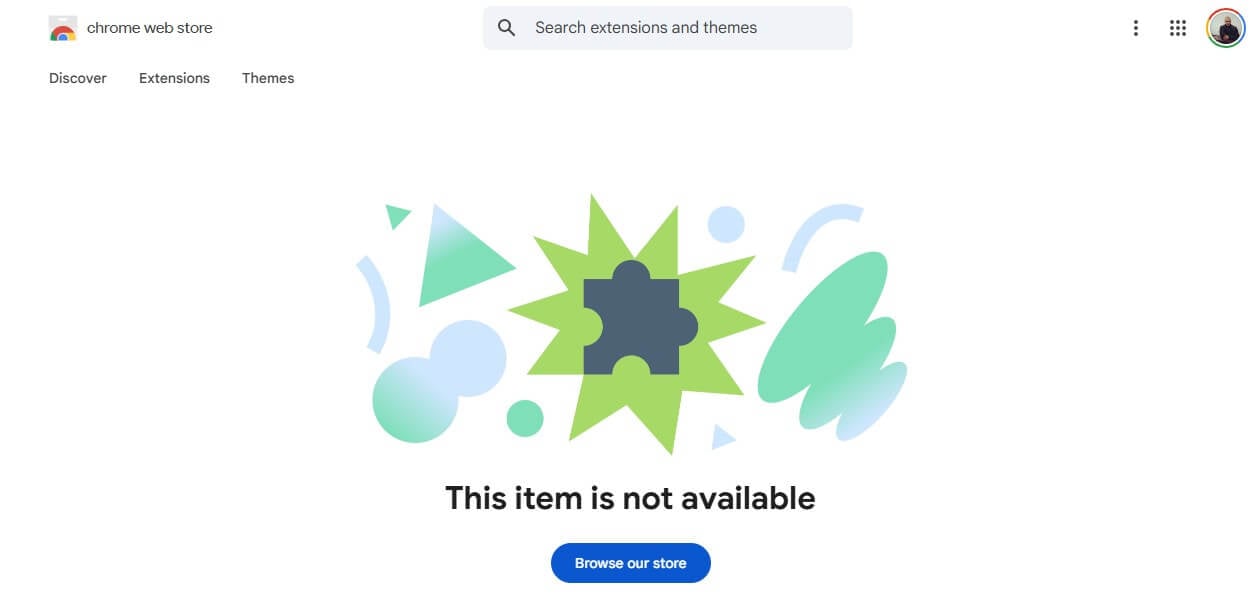
Today those extensions are gone. I checked the Chrome Web Store and the Firefox add-ons directory in November 2026, and Avast’s browser extensions are no longer listed on either. The company sells its Secure Browser, which I cover further down, and it is not a neutral replacement.
What Avast Changed Afterwards
Jumpshot no longer exists. The consent order lasts 20 years and has an annual compliance requirement, so the constraint is legal, not voluntary. Ownership changed too. Avast merged with NortonLifeLock in 2022 to form Gen Digital. The company answering for that order is now a US-listed corporation, though the software is still built in Prague. Avast publishes a transparency report, and I would not lean on it.
The most recent edition dates to 4 August 2025 and logs customer privacy requests: 4,941 for the Avast brand, resolved in 19 days on average. Those are subject access and deletion requests under GDPR. The report says nothing about government demands, and it is a year old.
The privacy policy is more specific than most, and the VPN policy in particular states that originating IP addresses, DNS queries, and browsing history never reach Avast servers. No outside firm has verified any of it.
Can Avast Be Trusted in 2026?
Here is my position. Install it if you want the protection, because detection is excellent and there is no evidence of current wrongdoing. Don’t install it if privacy is why you are shopping for security software. Avast is the one major vendor carrying a regulator’s finding that it sold the thing it promised to protect. Is Avast secure as a piece of software? Yes, it really is. Is Avast legitimate as a company? Yes, and it has been since 1988. Finally, is Avast trustworthy today?
Legally constrained, which is not the same as chosen restraint. One setting to change immediately after installing. Open Settings, General, then Privacy, and turn off the personal data sharing options. The common Avast reviews complaints are worth naming. Aggressive upselling, auto-renewal at prices well above the first year, and bundled extras nobody asked for.
What Is Avast SafePrice, and Should You Keep It?
Avast SafePrice was a shopping extension bundled with other products. It watched the retail pages you opened and offered coupons and cheaper listings, earning commission when you followed one. What is Avast SafePrice, in plain terms: a price comparison tool that Avast was paid to put in front of you. The spaced spelling, what is Avast safe price, reaches the same thing.
SafePrice belonged to the same extension family that fed browsing data to Jumpshot. A tool built to watch what you shop for is, by design, a tool that knows what you shop for. The answer is short. SafePrice is discontinued. I checked the Chrome Web Store and the Firefox add-ons directory in November 2026, and it is listed on neither. I also ran a clean install of Avast One, and it was never offered.
How to Remove Avast SafePrice
If you installed Avast years ago, SafePrice may still be sitting in your browser. Removing it takes a minute.
- Chrome: open chrome://extensions, find Avast SafePrice, click Remove, confirm.
- Edge: open edge://extensions, locate the entry, select Remove.
- Firefox: open the menu, choose Add-ons and themes, then Extensions, click the three dots beside SafePrice and choose Remove.
What Is Avast, and Who Owns It Now?
Avast Software began in Prague in 1988 as Alwil, founded by Pavel Baudiš and Eduard Kučera, which makes it one of the oldest antivirus companies. It went free-to-use in 2001, a decision that built the enormous install base the brand trades on. Two acquisitions shaped what you buy today. Avast bought AVG in 2016. In 2022, it merged with NortonLifeLock, and the combined company renamed itself Gen Digital.
Gen Digital now owns Norton, Avast, AVG and Avira. That ownership has a practical consequence, and it is the most useful thing to understand before comparing products. Avast anti virus and AVG use the same detection engine. At AV-Comparatives in March 2026, the two posted identical figures in all four columns, and Norton matched them. They are one engine with three badges.
It still develops in Prague, and the Czech Republic remains its home, though corporate control now sits in the United States. For business buyers, Avast Business is a separate product line with its own console and pricing.
Avast Plans and Pricing: Free, Premium Security, One and Ultimate
Prices checked November 2026, in USD.
| Devices | Platforms | Key additions | Year one | Renewal | |
| Avast Free Antivirus | 1 per install, uncapped | Win, Mac, Android, iOS | Real-time protection, Ransomware Shield, Network Inspector | Free | Free |
| Avast Premium Security | 1 PC + 1 mobile | Win, Mac, Android, iOS | Firewall, Bank Mode, Real Site, Sandbox, Sensitive Data Shield | $49.99 | $77.99 |
| Avast Premium Security | 10 | Win, Mac, Android, iOS | As above, across the household | $69.99 | $99.99 |
| Avast Ultimate | 1 PC + 1 mobile | Win, Mac, Android, iOS | Adds SecureLine VPN, Cleanup Premium, AntiTrack | $49.99 | $109.99 |
| Avast Ultimate | 10 | Win, Mac, Android, iOS | As above, across the household | $69.99 | $139.99 |
Avast One is not a separate product from Avast Premium Security. It is the platform the paid tiers now sit inside, and the tiers are Premium Security and Ultimate. There is no Family plan often mentioned in Avast One reviews.
Avast Free Antivirus
Included in the package: Real-time malware blocking, Ransomware Shield, Wi-Fi network scanning and Smart Scan, all free. So are the Avast Assistant scam checker, Hack Check for breached credentials, AI Agent Protection and Do Not Disturb mode. Most rivals charge for half that list.
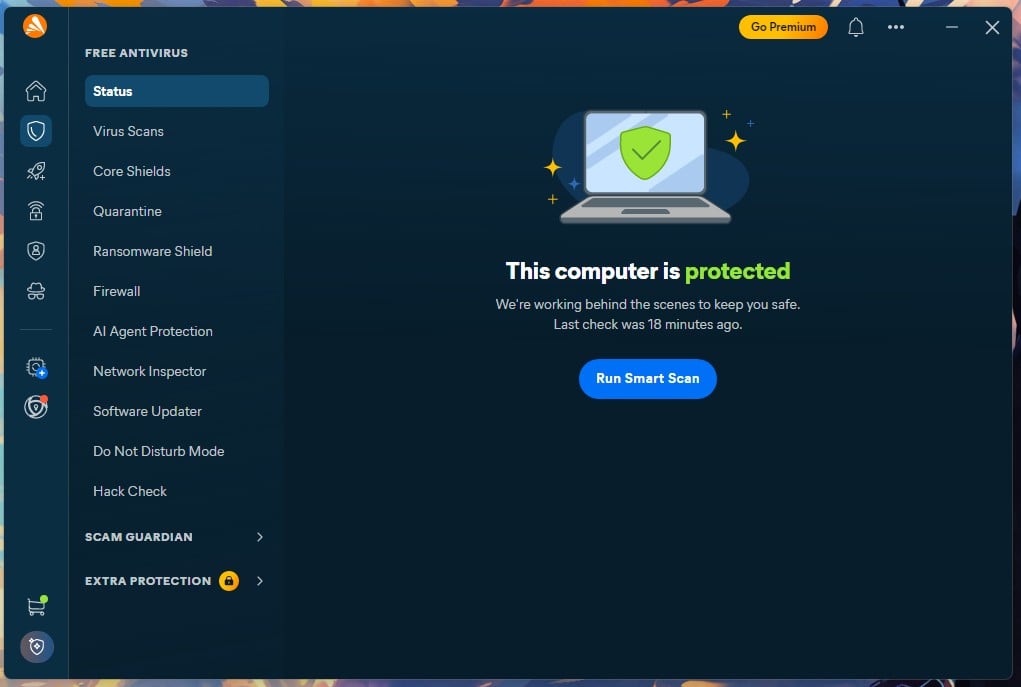
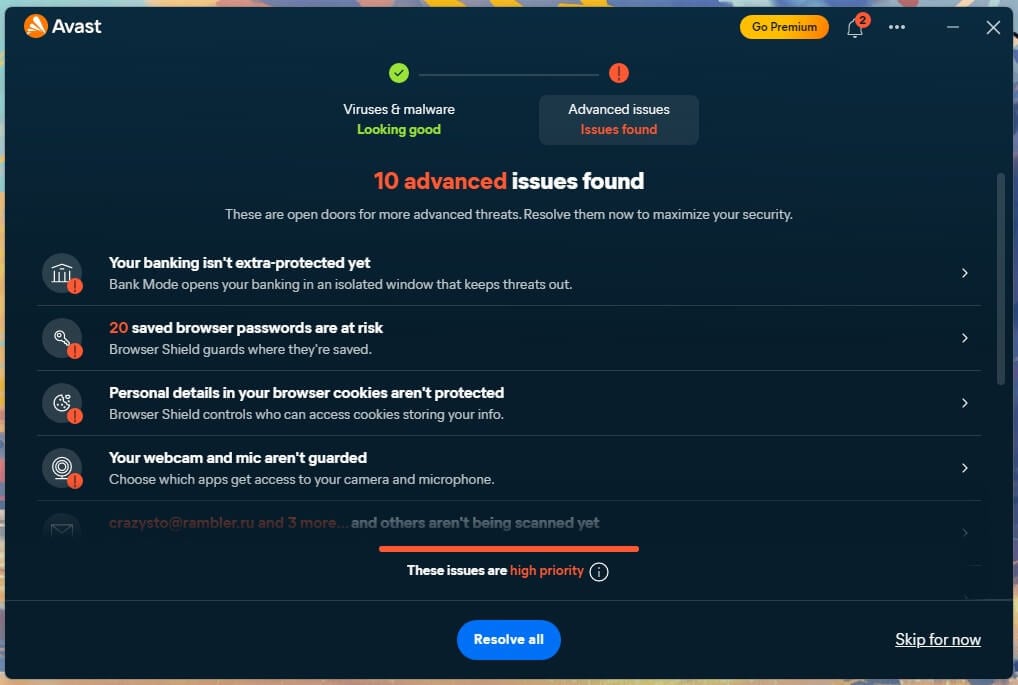
Withheld: the firewall, Bank Mode, Real Site, Sandbox, Sensitive Data Shield, webcam protection, scam call and SMS filtering, and automatic app updates. It also pushes upgrades constantly, which the free versus paid section covers.
Avast Premium Security
The classic paid suite, sold as Avast antivirus premium in some regions, and what Avast premium security reviews are describing. It adds the firewall, the Ransomware Shield’s full configuration, and Bank Mode for financial sites. Then Real Site against DNS hijacking, Sandbox for suspicious files, and Sensitive Data Shield to stop other applications reading personal documents.
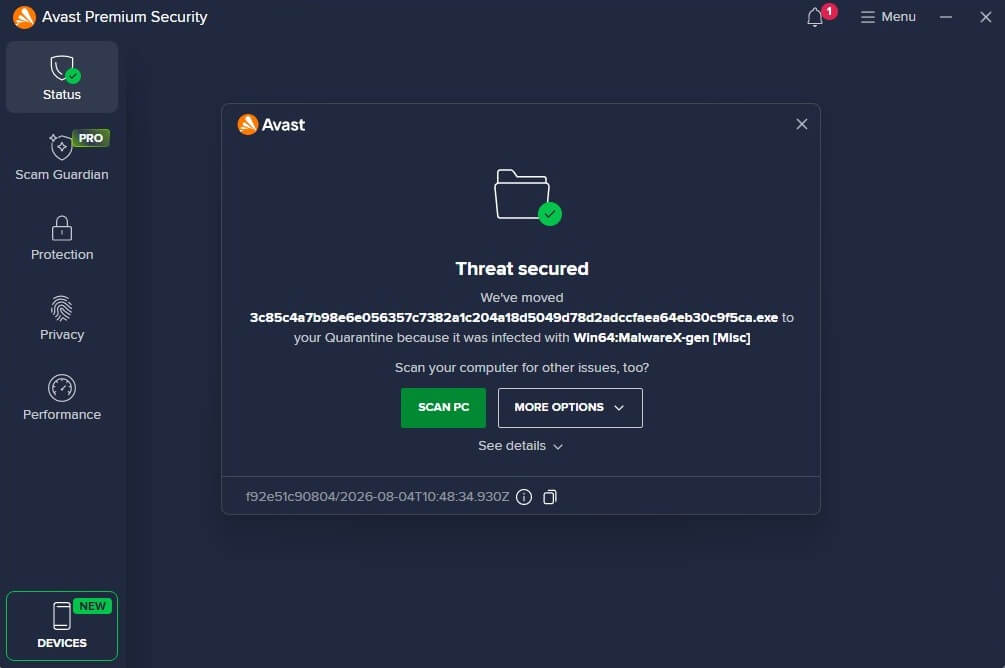
Is Avast Premium Security worth it depends on the renewal. Single-device pricing covers one PC plus one mobile at $49.99, renewing at $77.99. Ten devices cost $69.99 and renew at $99.99. That is $10 per device per year at full price, which makes the multi-device plan the obvious buy for a household.
Avast One
Avast One is the interface, not a tier, and searches for Avast 1 land on the same product. Install any paid plan, and the app is branded Avast One, with the tier shown in the sidebar. Is Avast One good? It’s the same engine and the same shields as Premium Security, so the answer depends entirely on which tier you bought.
Is Avast One safe to install is the same question as the trust section above, and gets the same answer. On mobile, the naming differs again, with tiers called Basic, Premium and Ultimate, and a 7-day free trial toggle at checkout. The desktop and mobile ladders do not line up neatly, a genuine annoyance when buying.
Avast Ultimate
Ultimate has Premium Security with SecureLine VPN, Cleanup Premium and AntiTrack. At $49.99 for the first year, it costs the same as Premium Security alone, so in year one the bundle is free money. The renewal tells a different story at $109.99 against $77.99. Does the bundle beat buying the parts?
Comfortably. Bought separately, SecureLine costs $59.88 for a year, Cleanup Premium $32.99, and AntiTrack $54.99. That is $147.86 before the antivirus, against $109.99 for everything.
Avast Internet Security and Pro Antivirus: What Happened to Them
Both are retired. Avast Internet Security was folded into Avast Premium Security, and existing subscribers were migrated there at renewal. Avast Pro Antivirus was discontinued, with its capabilities absorbed into Avast Free Antivirus. One more naming point: there is no such thing as Avast Total Security.
Which Avast Plan Is Actually Worth the Money
Is Avast Premium worth it depends on which of these describes you.
- One computer, careful habits. Stay free. The free tier detects threats identically and covers realistic threats.
- Online banking, several devices. Premium Security on 10 devices, at $10 per device per year on renewal.
- You want a VPN too. Ultimate, but only if you use the VPN. Otherwise you pay $32 a year extra for nothing.
- Privacy is the priority. None of them. See the alternatives section.
What Avast Costs After the First Year
Premium Security goes from $49.99 to $77.99, a 56% increase. Ultimate goes from $49.99 to $109.99, a 120% increase. Those are among the gentler renewal jumps in this market, where 150% and higher is common, and it deserves credit for it. Auto-renewal is on by default, and it charges the card on file before the term ends. The Avast trial lasts 30 days with no card required.
It’s generous, and every paid plan has a 30-day guarantee. Cancelling is straightforward, and I did it. Sign in to your Avast account, open Order History, click Request a Refund, confirm on Continue, choose a reason, and confirm again. The status then reads Refund in Progress and settles within a few business days.
Avast Free Antivirus vs Paid: What You Give Up by Not Paying
Avast Free Antivirus and Avast Premium Security share one detection engine, so protection quality is identical. Paying does not buy better malware blocking from Avast. It buys the layer above it. What free withholds, precisely: the firewall, Bank Mode, Real Site, Sandbox, Sensitive Data Shield, Webcam Shield, scam call and SMS filtering, software updating, and any human support.
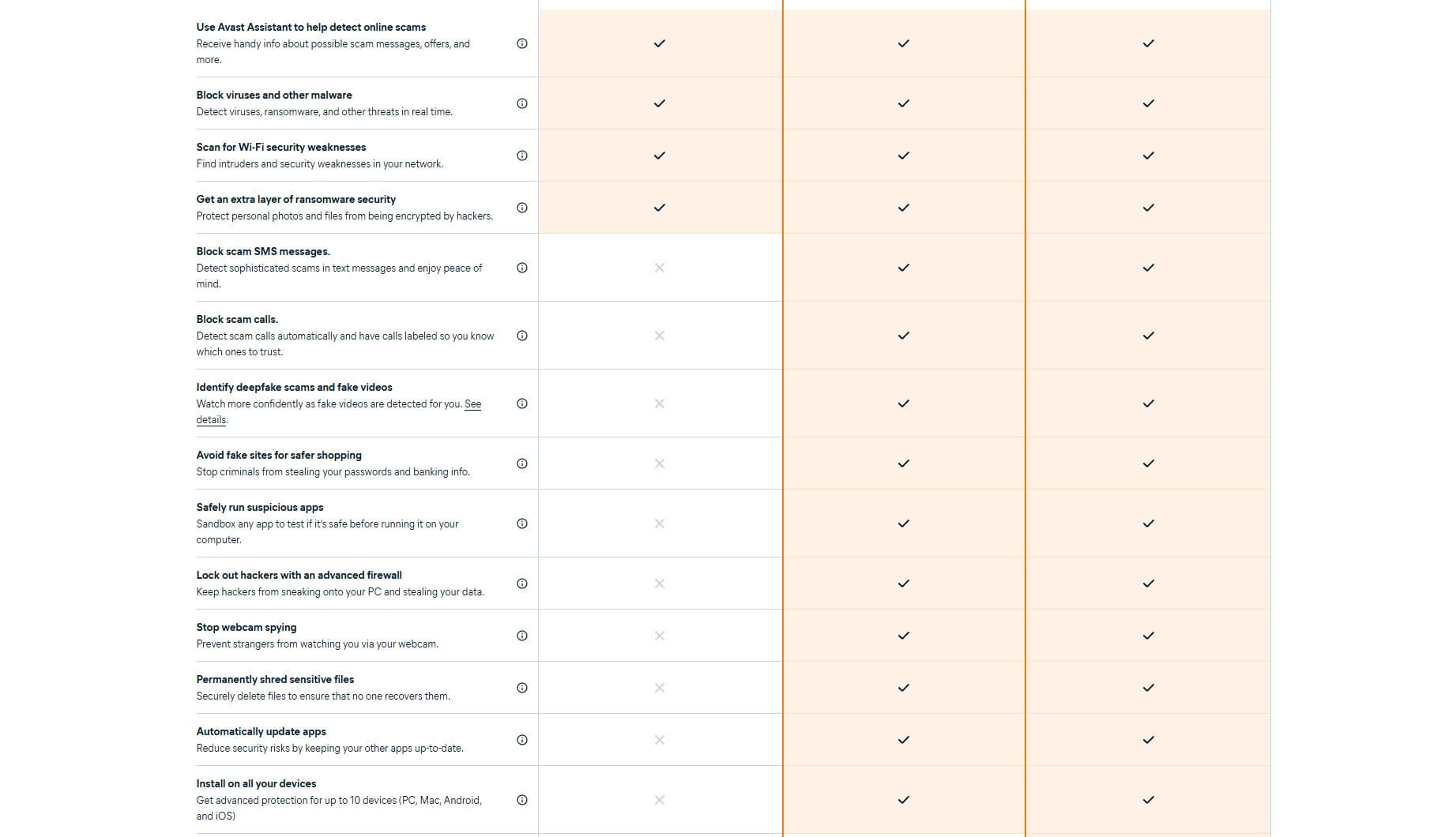
Is Avast free antivirus good? Better than any rival’s free tier, and identical in detection to the paid. Is Avast free antivirus safe? Yes, from Avast’s site. The risks are not malware. They are the pre-ticked Secure Browser at install, the Driver Updater prompt that will not dismiss, and a free tier that treats every scan as a sales opportunity.
That is the real cost, and whether it is tolerable is a matter of temperament. Is Avast free? Genuinely, permanently, with no card and no expiry. For Avast free antivirus download, use avast.com. Third-party mirrors offering an Avast antivirus free download are a malware route. A repackaged installer from an unofficial host is the exact thing antivirus exists to stop.
Installing Avast: Setup, Bundled Extras and Daily Use
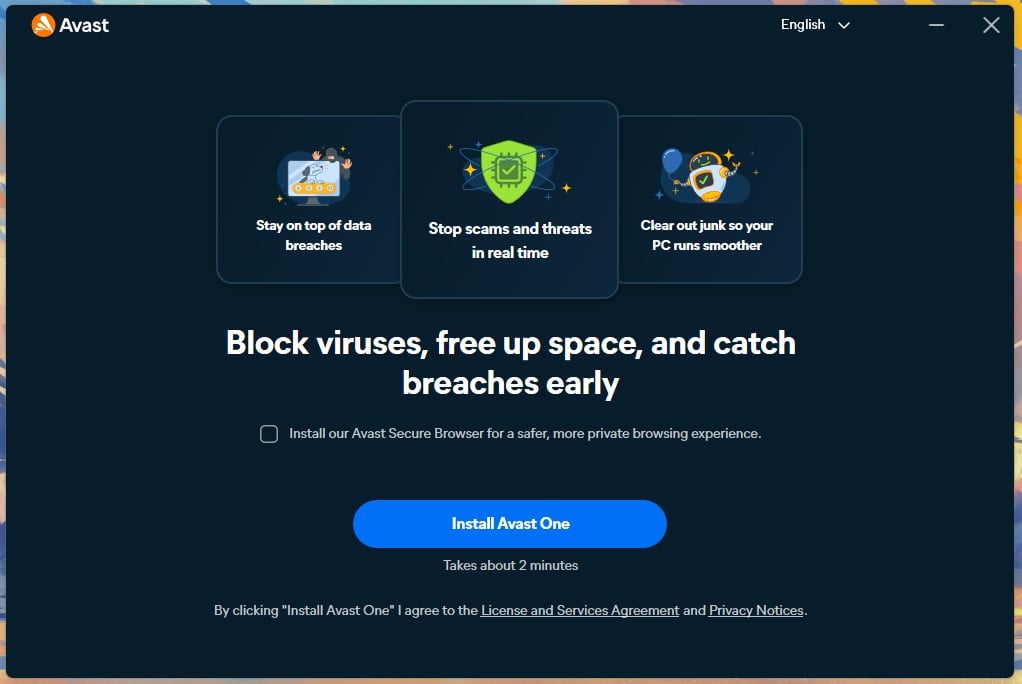
The installer estimates two minutes. Mine took 2 minutes 35 seconds, including download, and it required a restart. Setup presents exactly one opt-out, pre-selected: Install our Avast Secure Browser for a safer, more private browsing experience. Untick it, and nothing else comes with it. No default search change, no separate telemetry screen.
Avast One opens itself on every boot, taking over the screen before you have asked it for anything. Protection would work perfectly well without announcing itself. The dashboard is busy. A sidebar covers Virus Scans, Core Shields, Quarantine, Ransomware Shield, Firewall, AI Agent Protection, Network Inspector, Software Updater, Do Not Disturb Mode and Hack Check.
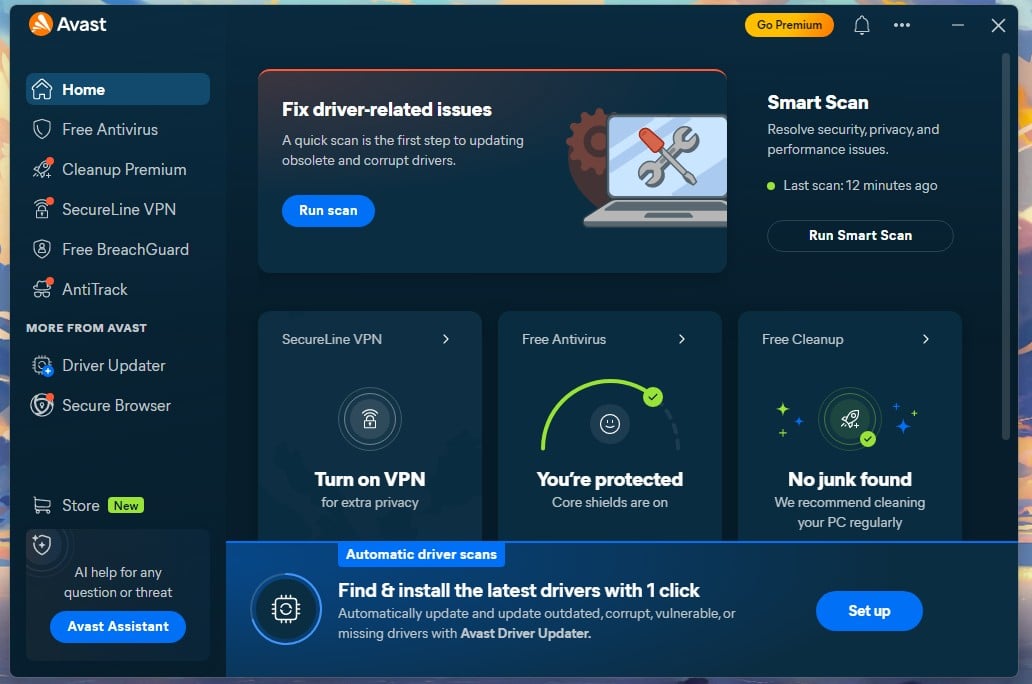
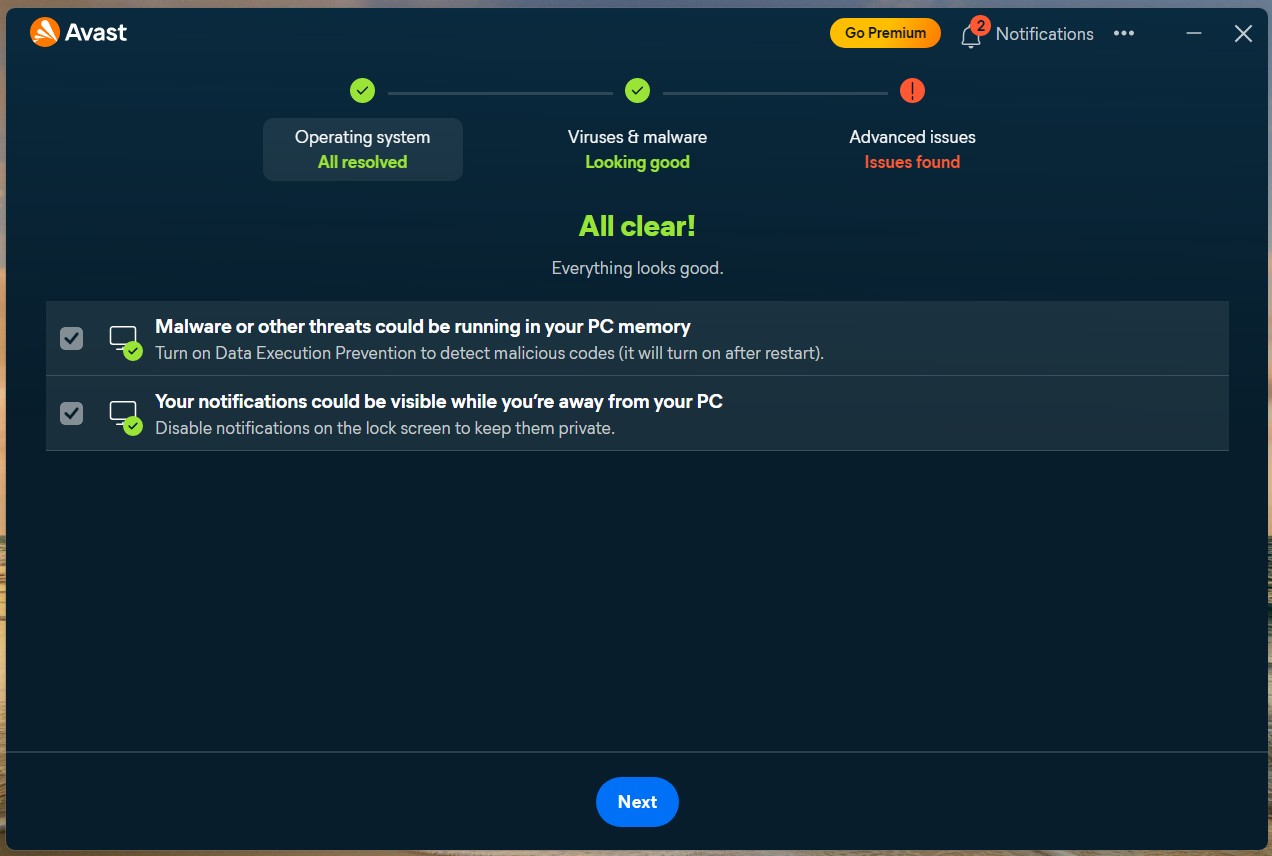
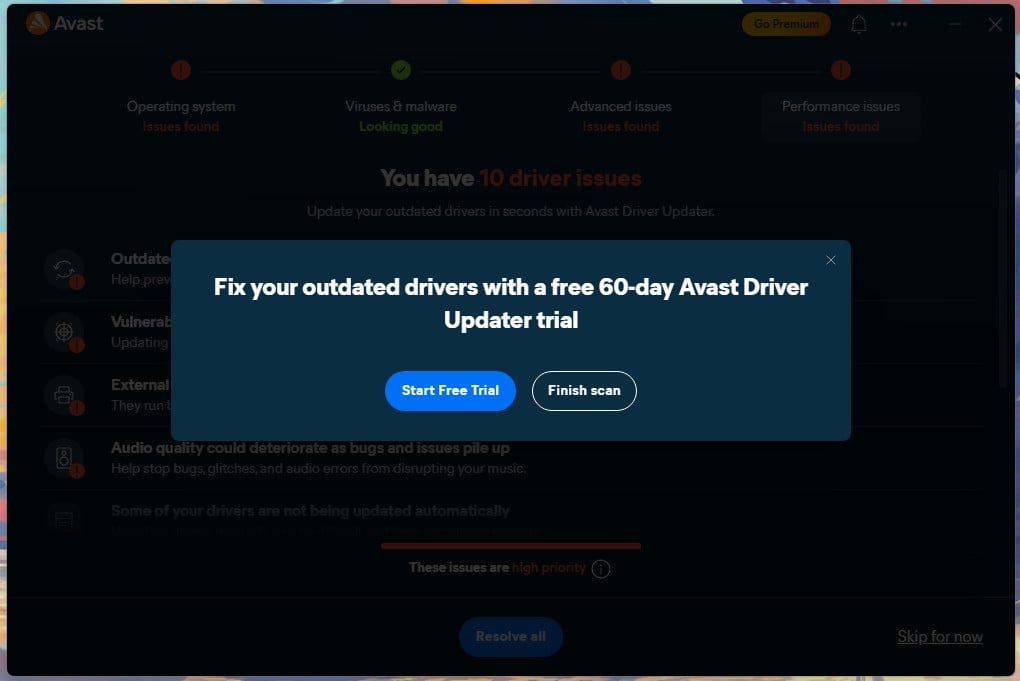
Scam Guardian Pro and Extra Protection sit below as expandable groups. Nothing is buried. There is simply a lot of it, and the home screen shows most of it at once. A shopping cart icon is in the sidebar. The Driver Updater prompt appears after every Smart Scan, with a trial and a discount, and it will not dismiss permanently until you buy the tool or start its trial.
Avast Protection Test Results: What It Actually Blocks
Is Avast antivirus good at the thing it exists to do? The evidence says yes, from both the labs and my own machine. Does Avast work against current threats is the practical version of that question, and the numbers below settle it.
Independent Lab Scores: AV-TEST and AV-Comparatives
AV-TEST scored Avast 6 for protection, 6 for performance, and 6 for usability in its June 2026 Windows 11 home user round. That is a perfect 18 out of 18 and a Top Product award, matching paid suites costing over $100 a year. Notably, the product AV-TEST certified was the free edition.
AV-Comparatives put Avast at 96.3% offline detection and 98.7% online in its Malware Protection Test of March 2026, with an online protection rate of 99.97% and 9 false alarms. The false alarm count is the weak spot: Bitdefender managed 4 and Microsoft 3 in the same round.
Malware and Phishing Blocking on My Bench
Avast blocked 99.78% of the malware samples I ran at it, with 4 false alarms. Delivery was through browser downloads and malicious URLs tested at the point of access, so the numbers reflect the full chain. Phishing came in at 93% with zero false positives, which matches AV-Comparatives. For context from the same bench, Norton reached 95% and Bitdefender 89%.
Avast landing on Norton’s figure is what the shared Gen Digital engine predicts. How good is Avast antivirus against the alternatives, and is Avast any good next to the leaders? On detection, it sits at the top of the market, and the gap between it and the other leaders is actually very small. Is Avast good antivirus for a home machine, on this evidence, it’s not in doubt.
Core Shields, Ransomware Shield and Behavior Detection
Core Shields is Avast’s name for four always-on layers. File Shield checks files as they open. Behavior Shield watches processes for suspicious activity. Web Shield filters pages and downloads, and Mail Shield scans attachments. All four arrive enabled. Ransomware Shield guards nominated folders against unauthorized encryption.
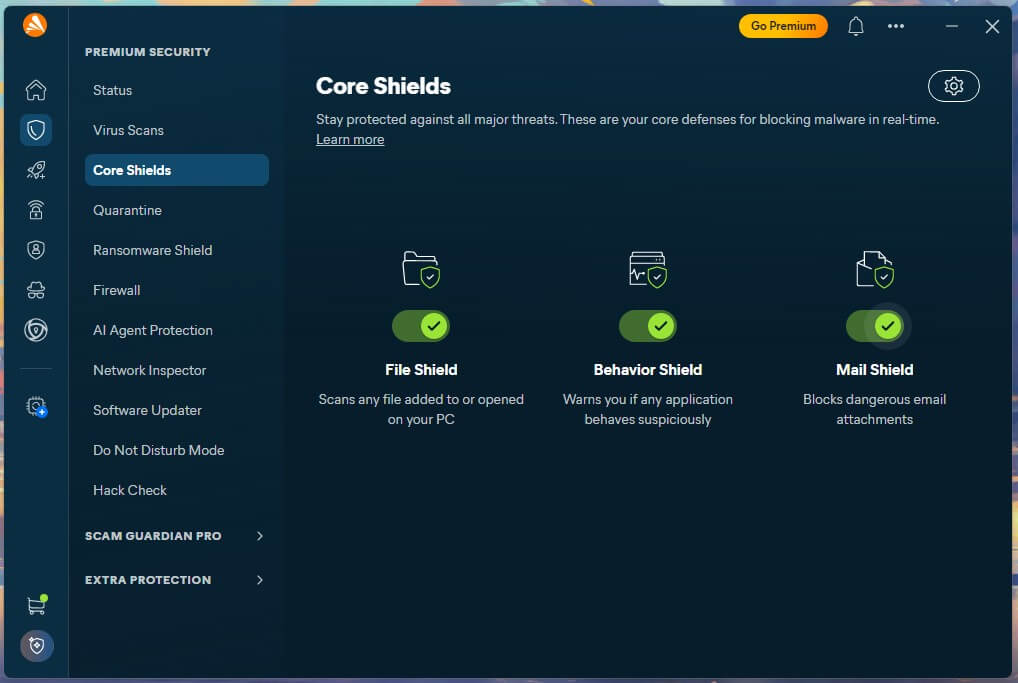
I tested it against a live sample, and my files survived intact. It is enabled by default on paid tiers and on the free version. CyberCapture handles the unknowns, sending unrecognized executables to Avast’s cloud for analysis before letting them run. With heuristic and machine learning detection, it catches zero-day threats the signature database has never seen.
Smart Scan and How Long Each Scan Takes
Four scan types, with real durations from my machine.
- Smart Scan: 1 minute 12 seconds. Checks common infection paths, outdated software, and network weaknesses.
- Full virus scan: 14 minutes 38 seconds across roughly 530 GB on two SSDs.
- Boot-time scan: 41 minutes 48 seconds, running before Windows loads.
- Targeted scan: depends entirely on what you point it at.
Smart Scan deserves a note. It is a check, but it always ends somewhere commercial. On my clean machine, it reported no threats and offered the Driver Updater trial, which I found annoying most of the time.
The boot-time scan at 42 minutes is the one to schedule overnight. It matters if something is already resident, since it starts before the infection can load.
Avast Speed and System Impact on a Real Machine
Test machine: Ryzen 7 5800X, 32 GB of DDR4-2666, Windows 11 Pro, two M.2 SSDs holding around 530 GB between them.
| Avast | Reference | |
| Idle RAM | 160-170 MB | Bitdefender 190 MB |
| Idle CPU | Under 1% | Negligible on both |
| CPU during full scan | 12% | Bitdefender 11%, Defender 31% |
| RAM during full scan | ~200 MB | Bitdefender 183 MB |
| Boot time | 27 sec (+50%) | 18 sec with no antivirus |
| 3.54 GB file copy | 13 sec | 11 sec with Shields off |
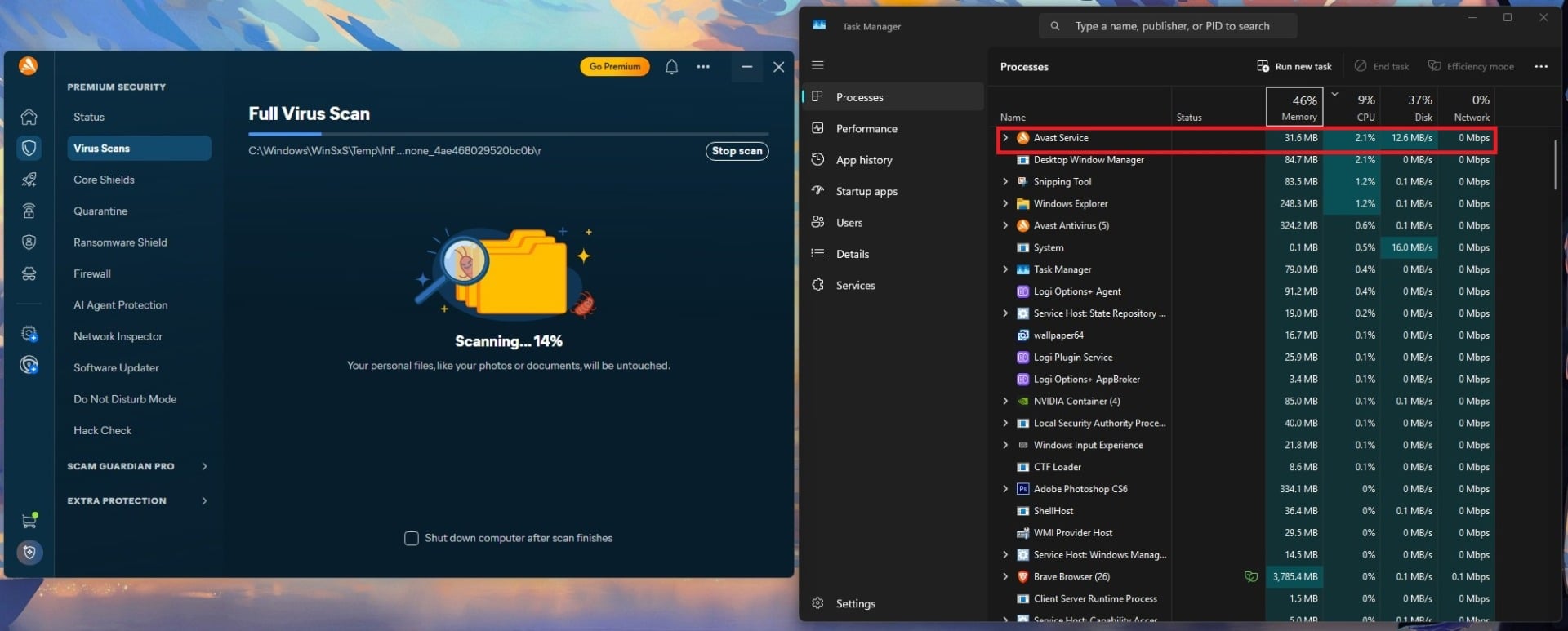
During work, Avast is light. 12% CPU during a full scan is among the lowest I have measured, and idle memory sits below Bitdefender’s. Real-time scanning added 2 seconds to a 3.54 GB file copy. Boot is the exception. 9 extra seconds is a 50% increase and the largest of any free antivirus I tested. Does Avast slow down your PC? Marginally during use, noticeably at startup.
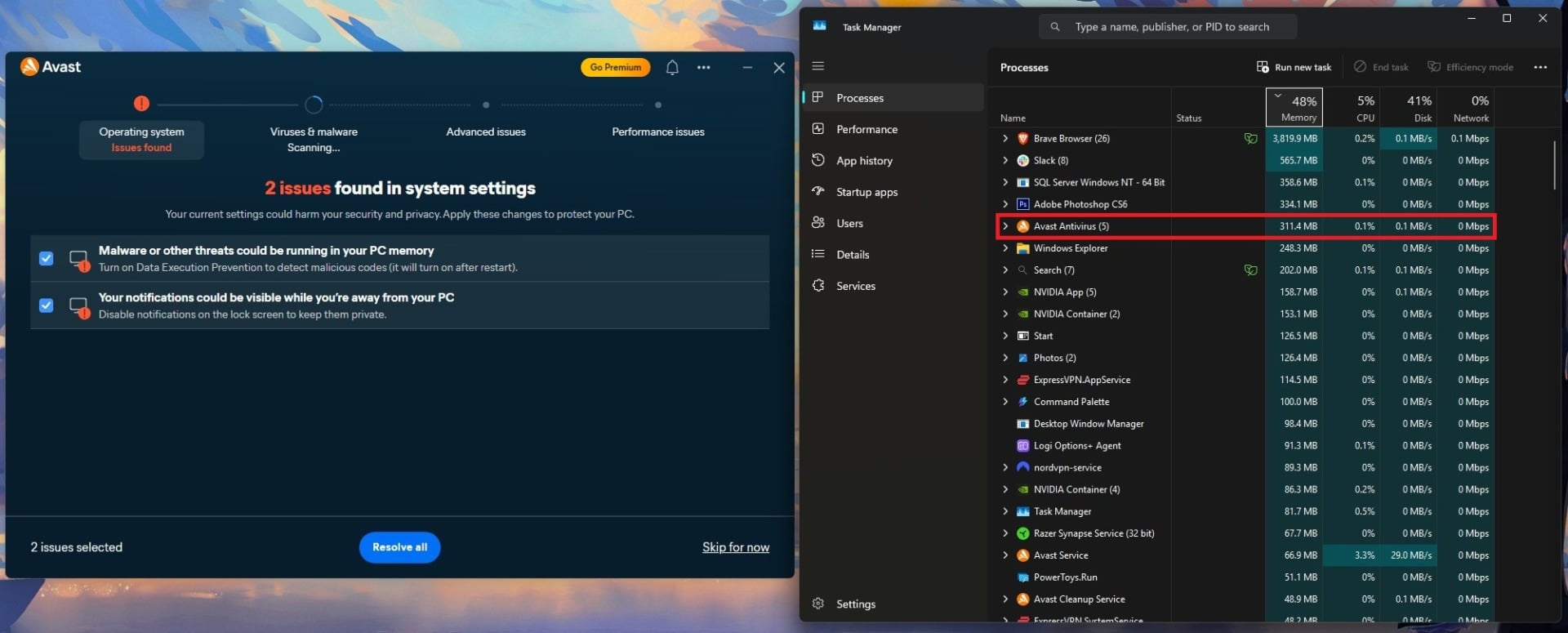
One brief 326 MB memory spike appeared during background maintenance and settled within 30 seconds. Do Not Disturb is good, and gaming mode is one of Avast’s selling points. It mutes notifications from Windows, other apps, and Avast itself when a nominated app goes full screen.
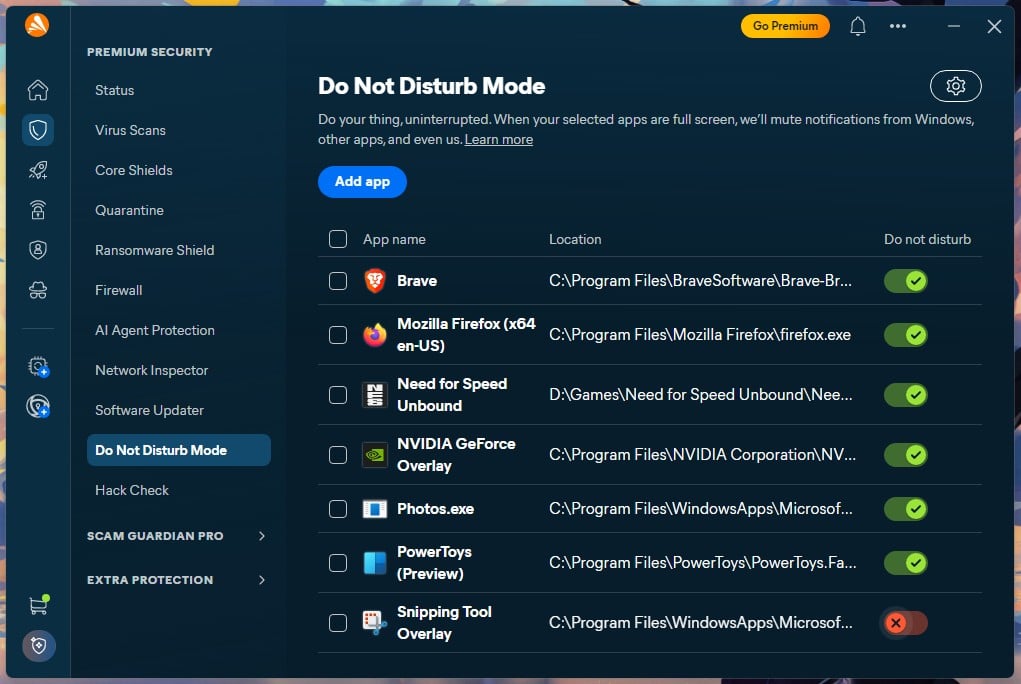
During a gaming session, I received zero interruptions from the apps I selected.
Everything Bundled With Avast, Rated Tool by Tool
The Avast key features list is long. Here is what each one is worth.
Avast Firewall and Network Inspector
The Avast firewall replaces the Windows one with per-app control and a visible traffic log. On my machine, it listed 24 applications, 13 active and 11 inactive, and had blocked precisely none of them. “Ask Me Mode” exists but is opt-in per app, so the defaults are permissive, but not noisy. Network Inspector scans your network in about 35 seconds. Mine has surfaced something better than a rogue device.
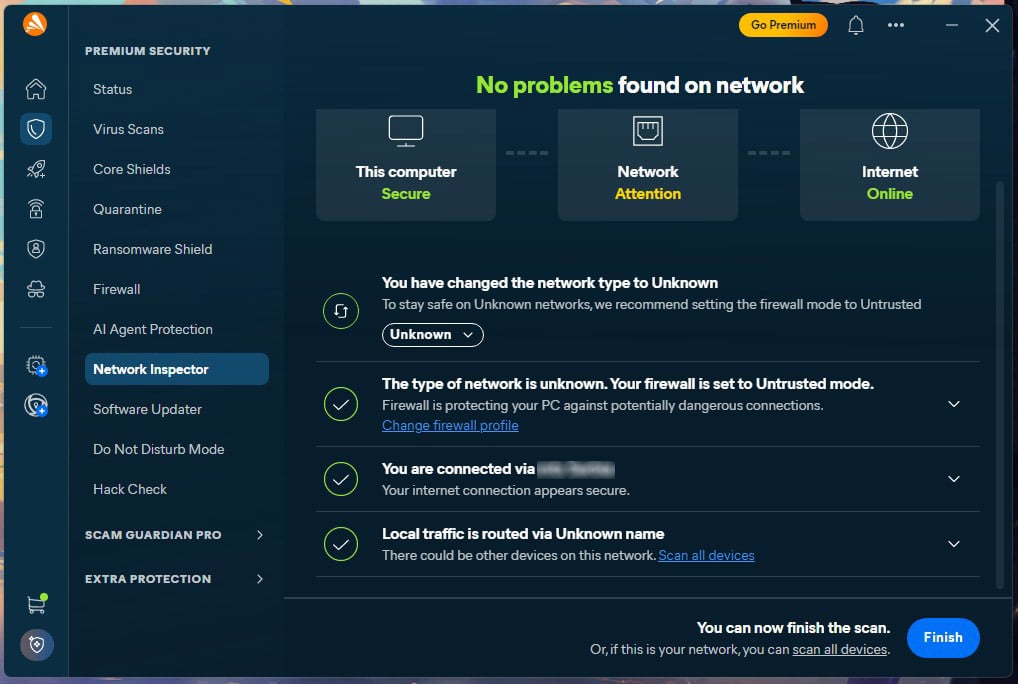
Avast could not identify the network type, left it Unknown, and kept the firewall in Trusted mode. Its own report then flagged: Your firewall is set to Trusted mode. This setting is not recommended; your device is visible on the network, and incoming connections from other devices are allowed. Setting the network type manually moved the firewall to Untrusted, and it reported it was protecting the PC properly.
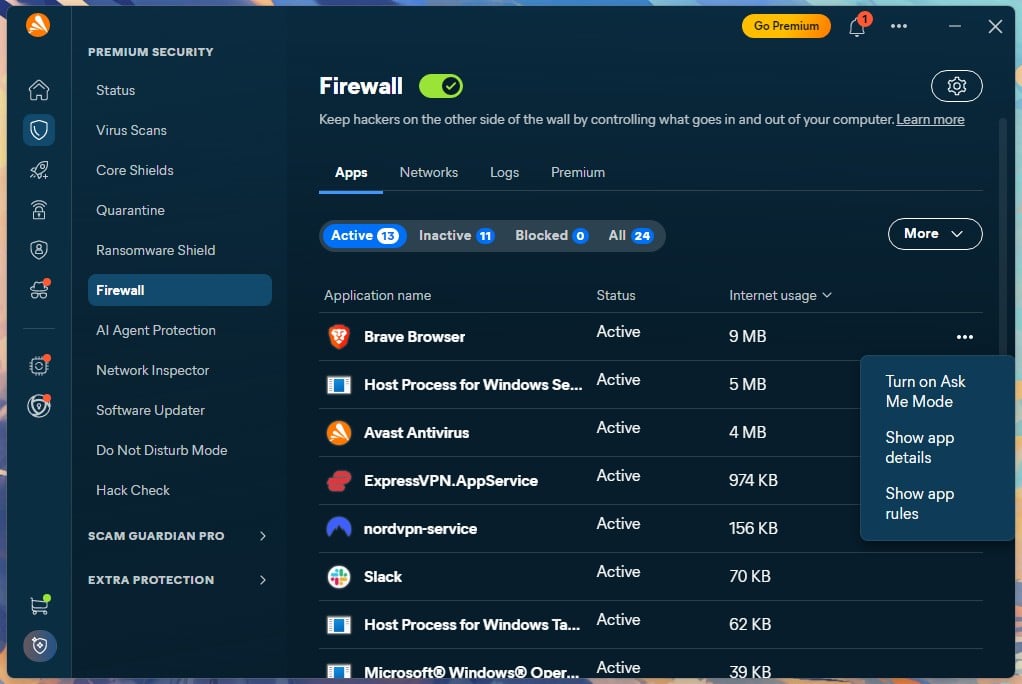
So, Avast’s default on an unrecognized network is the open profile, and Avast’s diagnostics disagree with it, which I found odd.
🎯 Verdict: worth using, once you fix the profile it hands you.
Bank Mode, Real Site and Sandbox
Bank Mode opens a separate virtual desktop with its taskbar, isolating a banking session from anything else. It blocks screen capture, which I discovered when trying to screenshot it. That is a real defence against screen-scraping malware. The catch: it works exclusively in Avast Secure Browser.
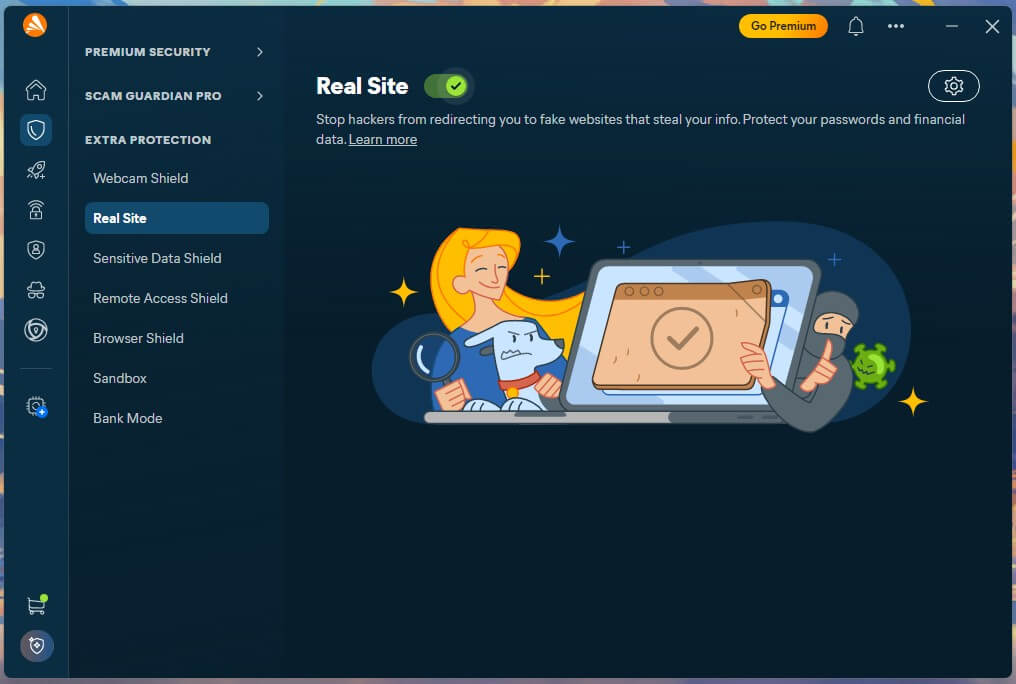
Real Site guards against DNS hijacking, routing lookups through Avast’s own servers so a poisoned entry cannot send you to a convincing fake. I left it enabled throughout, and it never raised anything, though I also never went looking for trouble; treat that as untested. Sandbox opens suspicious applications in isolation.
I pushed it hard, launching several Steam games while inside it. They ran perfectly, with no slowdowns and no frame drops, which tells you the isolation layer costs very little, at least for my mid-range PC.
🎯 Verdict: Bank Mode and Sandbox are worth using. Real Site is fine and invisible.
Avast SecureLine VPN
SecureLine covers 103 countries and offers WireGuard, OpenVPN and Avast’s own Mimic protocol. In separate testing, it lost 22.5% of download speed on average, well behind the leading standalone services (I even benchmarked it against NordVPN). Its no-logs policy has never been examined by an outside company. It is included with Ultimate and sold separately at $59.88 for the first year, renewing at $99.99.
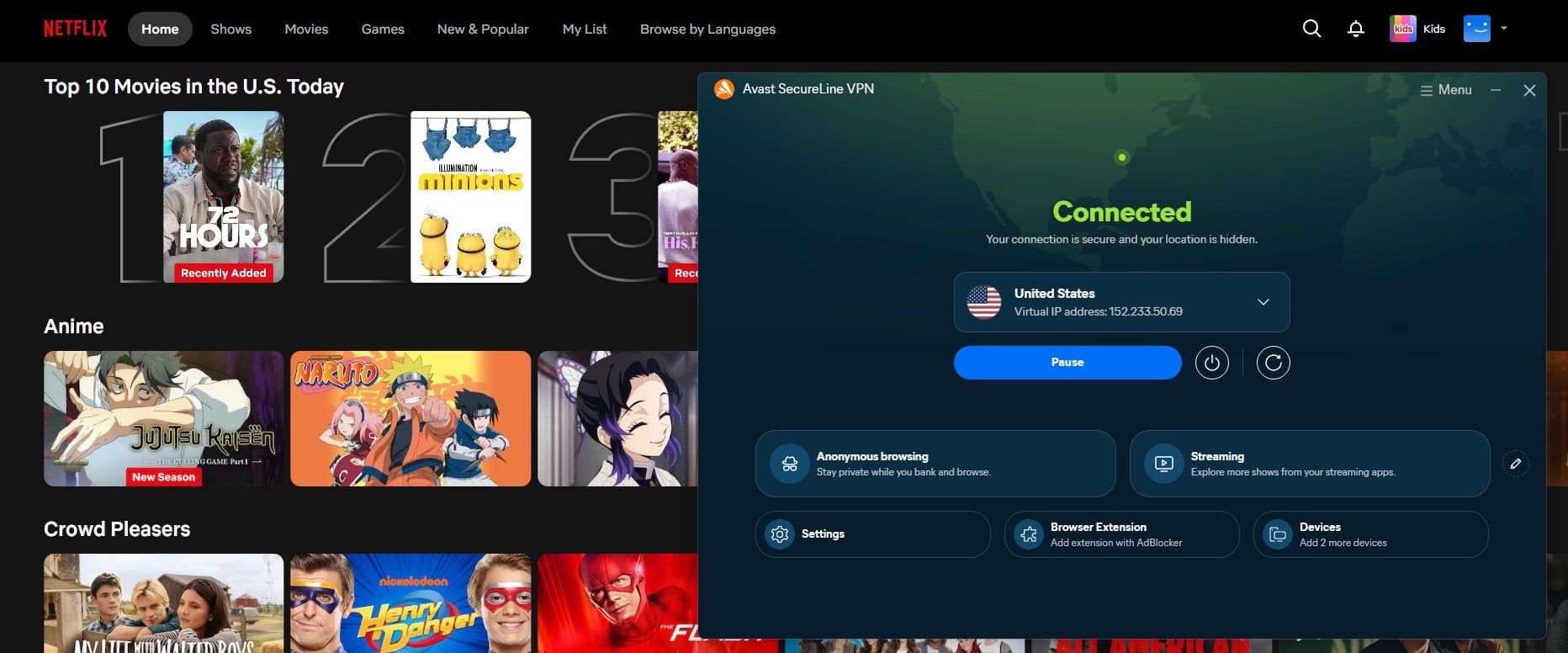
As a convenience for public Wi-Fi, it does the job. With recent upgrades, Avast really brought up its VPN to another level, so now, it’s great for security, streaming, torrenting, or just private and safe browsing.
🎯 Verdict: useful if bundled, but even as a standalone purchase, it’s worth the price, though my gripe is the higher renewal cost.
Avast Cleanup and Driver Updater
Is Avast Cleanup safe? Yes, and it is quick. It offered to remove 5.4 GB across 3,545 items, then cleaned 4.5 GB and 3,502 items in roughly three seconds because I unchecked the browser cache portion worth slightly under 1 GB. Cleanup Premium costs $32.99 for the 1st year, renewing at $65.99.
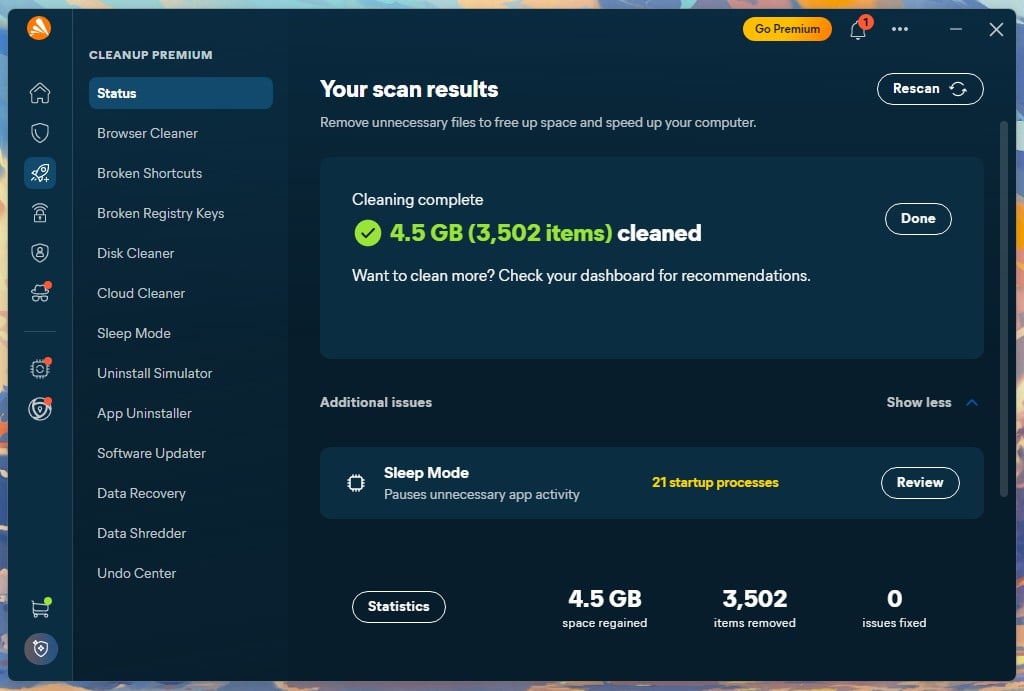
I did not test Driver Updater because it is a separate purchase at $43.99 per year. Avast promotes it relentlessly, after every Smart Scan, with a prompt that will not dismiss until you buy it or start the trial. Driver updating is also the classic optimizer upsell, and Windows Update handles it for most people.
🎯 Verdict: Cleanup is competent but replaceable. Skip Driver Updater.
BreachGuard, Hack Alerts and Sensitive Data Shield
The free BreachGuard tier greeted me with “You have 9 privacy issues” in red. Reading them is instructive. They are advice items, not detections: default privacy settings could overshare, reused passwords are risky, outdated recovery methods can expose accounts. Clicking Resolve All routes to the paid upgrade. Paid BreachGuard, at $43.99 a year, does genuine work.
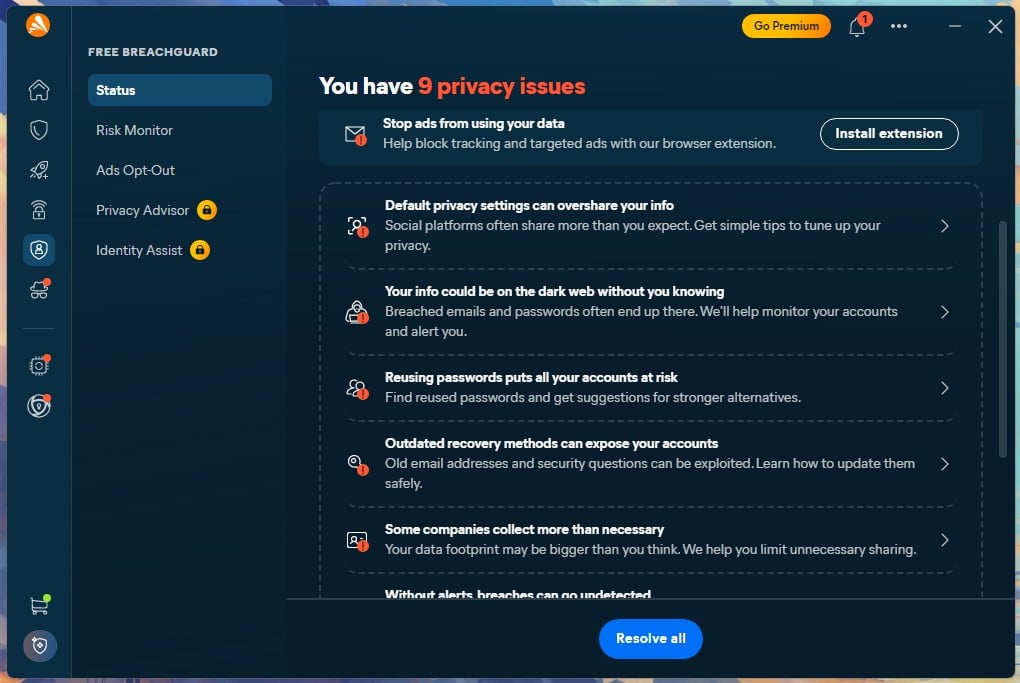
Monitoring email addresses against breach databases and submitting removal requests to data brokers. Hack Alerts and Hack Check cover the monitoring side and worked as advertised. Sensitive Data Shield stops other apps reading documents with personal information, and likewise did what it claims without drama.
🎯 Verdict: paid BreachGuard has value. The free tier’s issue counter is marketing.
Avast Secure Browser and Search
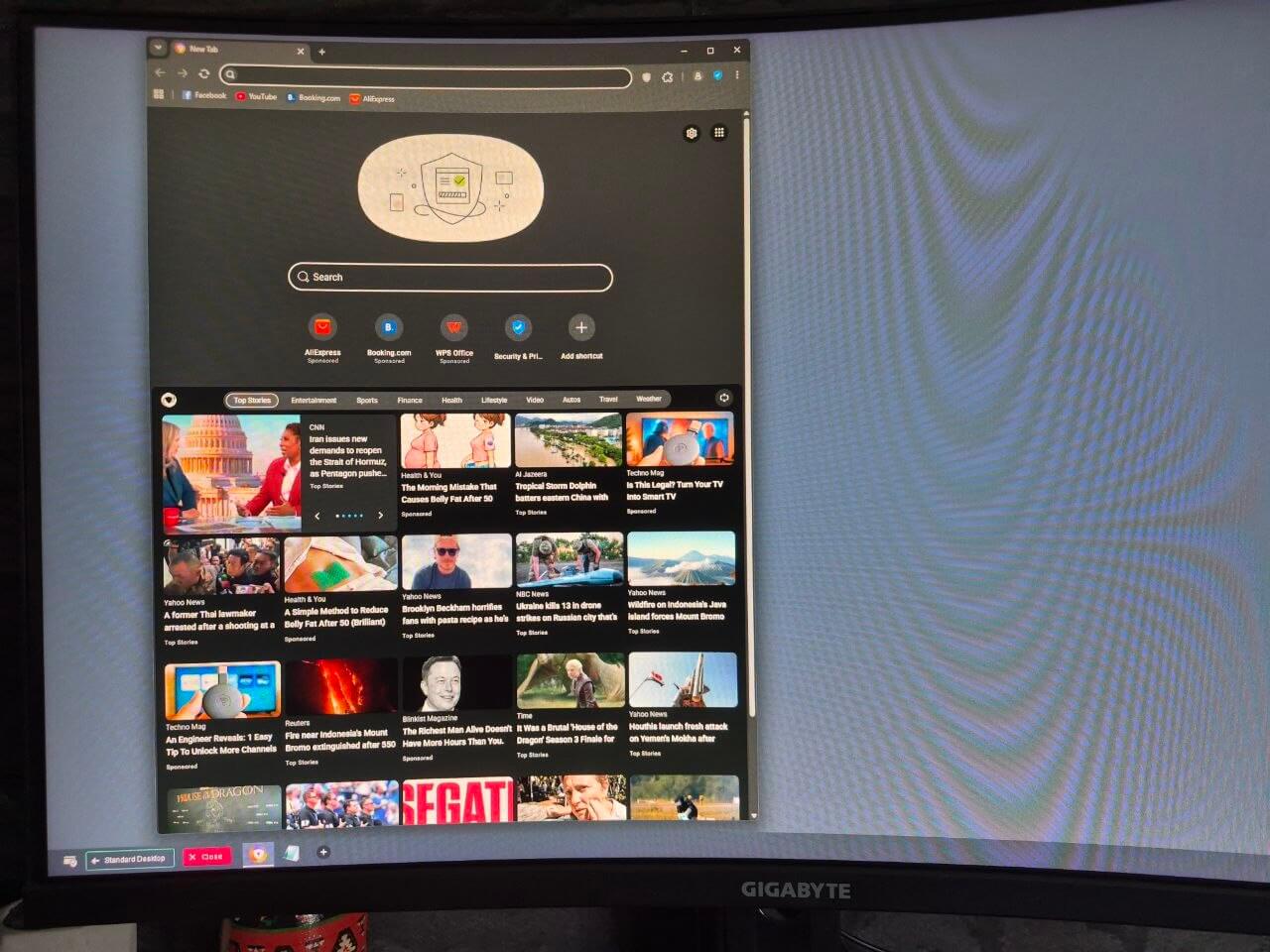
The Avast Secure Browser is Chromium with privacy features layered on, and it is required for Bank Mode. It is fast, and it works well. First, the Avast search engine question: it defaults to Bing, not to anything Avast built and not to a privacy-focused option. Second, the new tab page you see. It carries sponsored shortcuts to AliExpress, Booking.com, and WPS Office.
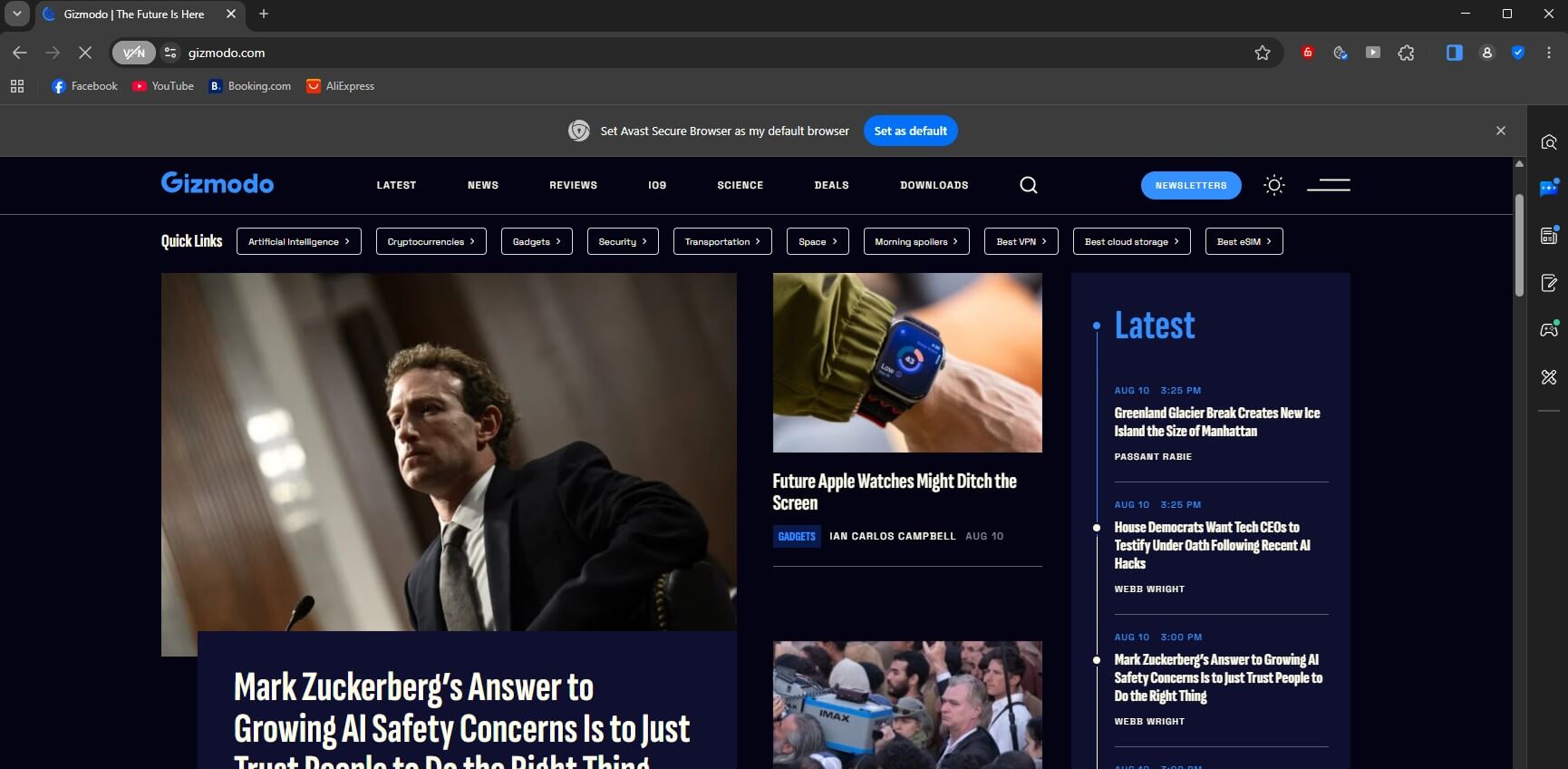
Each is labelled Sponsored, above a news feed mixing real headlines with sponsored clickbait about belly fat and unlocking TV channels. This is the browser Avast tells you to use for online banking, and its landing page is monetized with affiliate placements and chumbox advertising. It is also, functionally, where SafePrice went.
🎯 Verdict: use it for Bank Mode, then close it.
Webcam Shield, AntiTrack and the Remaining Extras
Webcam Shield blocks applications from reaching your camera without permission and works exactly as described. Software Updater scans installed apps for outdated versions, and on my machine it found nothing needing attention, which is a fair result. AntiTrack I did not test, as it is a separate $54.99-a-year subscription.
It works by randomizing your browser fingerprint to make cross-site tracking harder, and it is included with Ultimate. Passwordless sign-in is available for the Avast account itself. Do Not Disturb is covered above.
🎯 Verdict: Webcam Shield and Do Not Disturb earn their place. The rest is pretty much padding unless bundled with Avast One Antivirus.
Avast on Windows, Mac, Android and iPhone
🪟 Windows gets everything, and it is where all the numbers on this page come from. Every shield, the firewall, Bank Mode, Sandbox, and the full scan suite.
🍎 Mac loses the firewall, Sandbox, and Bank Mode, keeping real-time protection, Web Shield, Ransomware Shield, and the VPN. I did not test the Mac build, so treat that as Avast’s published specification.
🤖 Android impressed me, and I tested it on a Galaxy S26 Ultra. Installation is quick, and the permission requests are modest: background operation and threat notifications, with real-time detection needing an Accessibility permission you grant separately. The layout mirrors the desktop, with Smart Scan, Network Inspector, Scam Guardian, VPN and Junk Clean. The VPN is a full port with the same locations, protocols and features, including split tunneling and the kill switch.
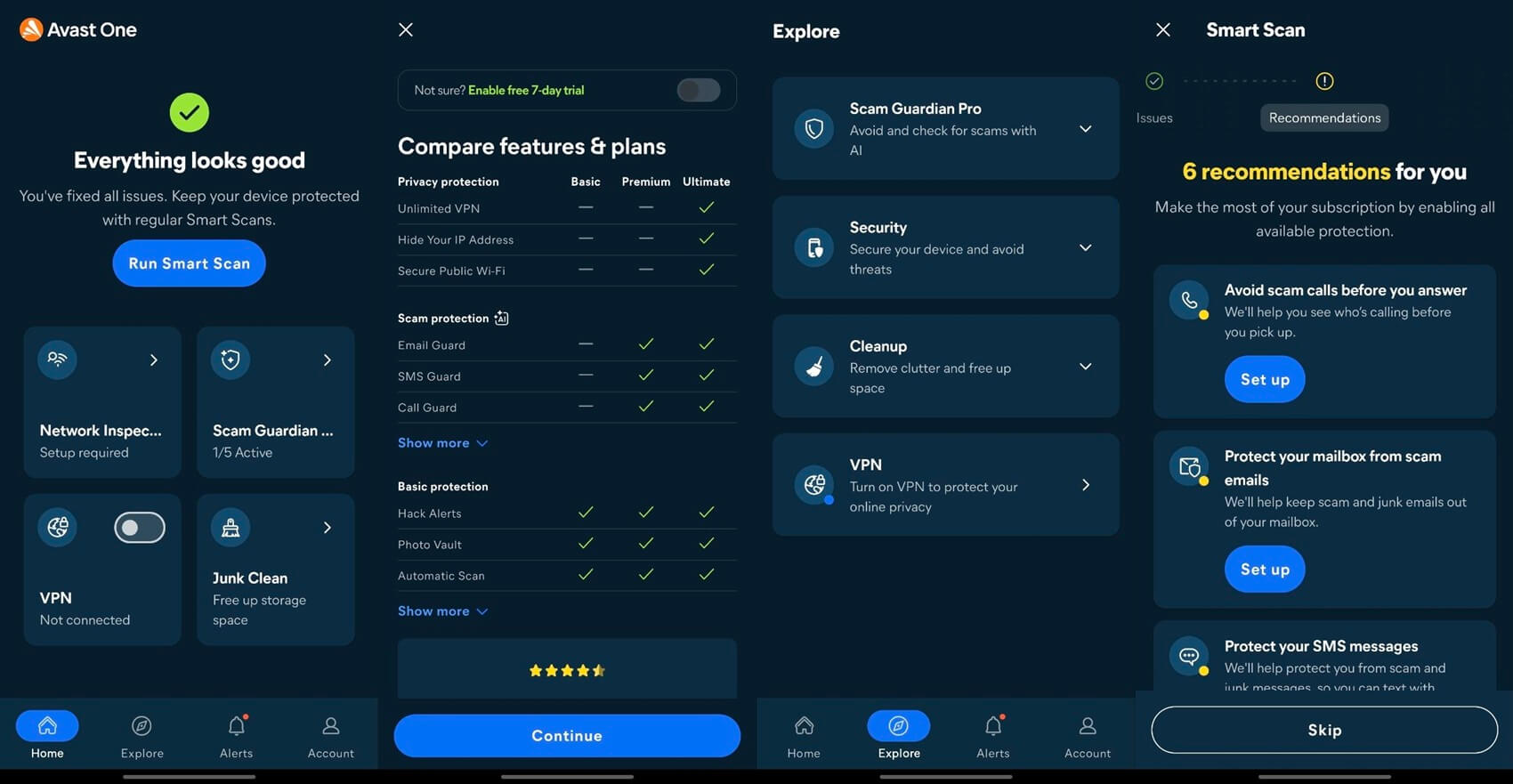
Is Avast mobile security safe? Yes, and the free Android version has no advertising, which is rare. Smart Scan reported no issues and immediately presented six recommendations for paid setup. And Junk Clean’s headline result deserves reading closely: it freed 9.63 GB, but 9.53 GB of that was emptying my Trash folder of my own videos. Actual system junk came to about 70 KB.
🍏 iPhone gets no file scanning, because iOS does not permit it. The app has web protection, breach monitoring, a photo vault, and VPN access. Useful, but not antivirus, and no iOS app from any vendor is.
Customer Support Put to the Test
Support is where Avast is weakest, and the structure is the problem. Clicking Contact Us and selecting an issue does not produce a contact option. It produces a knowledge base article and a link to the Avast forum. Only after marking the suggested article unhelpful did a contact route appear, and the only one offered was email. No chat, no phone, and I have a paid Ultimate plan.
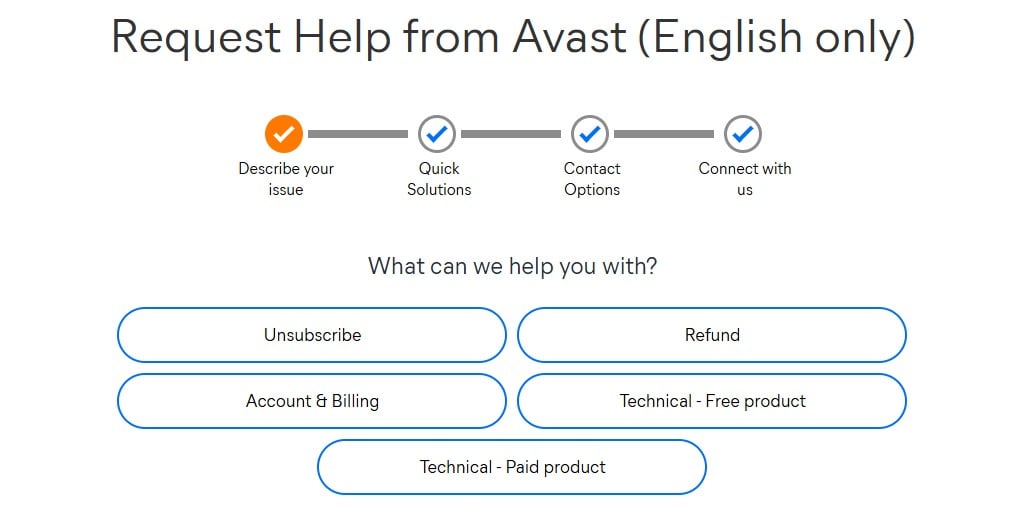
The email reply arrived in about six hours and answered the question correctly. That is a reasonable turnaround for email and a poor showing for a paid security product in [ year]. Phone support exists, and it costs extra. Simple Fix is $79.99 for a call on one device. Total Care is $204.99 a year for unlimited 24/7 calls across three devices. Both are pitched at general PC problems rather than Avast itself.
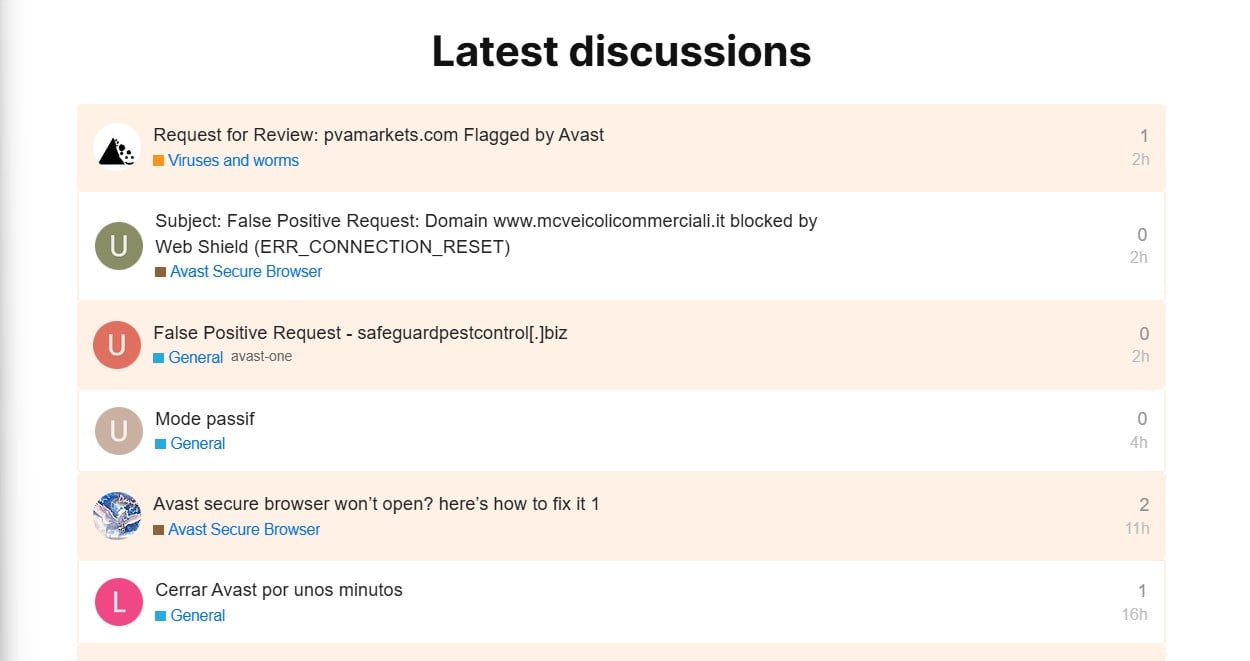
So, a paid subscriber with an Avast question still gets email. The Avast forum is better than the official channel. Topics are visible without an account, threads have between one and ten replies, and answers come from both other users and Avast staff. For configuration questions and “why is this happening” problems, it is useful, and often faster than the ticket route it sits beside.
Avast Compared With the Main Alternatives
Here’s what to expect from alternatives.
🆚 Avast vs AVG: Same Engine, Different Badge
Is AVG antivirus legit? Yes, and the reason that question keeps appearing is that AVG looks like a budget imitation of Avast. It is not an imitation. Gen Digital owns both, and they run the same detection engine. The evidence is unambiguous. At AV-Comparatives in March 2026, the two returned identical figures.
On my own bench, Avast detected 99.78% with 4 false alarms and AVG 99.77% with 4 false alarms, the same result inside measurement noise. AVG boots faster, adding 5 seconds against Avast’s 9. Avast has the larger toolset and the cleaner UI. AVG pushes harder, with seven distinct upsell surfaces against Avast’s four, including a scan that labels non-malware findings critical.
🎯 Verdict: Avast, on interface and restraint. Buying both is buying the same protection twice, so it makes very little sense.
🆚 Avast vs McAfee
McAfee vs Avast comes down to breadth against efficiency. McAfee sells unlimited-device plans and stronger identity tools, including $1M identity theft coverage on its top tier. Avast counters on everything measurable. On my bench, McAfee detected 99.71% with 7 false alarms against Avast’s 99.78% with 4.
Its full scan took 16 minutes 47 seconds against 14:38, drawing 33% CPU against 12% and 415 MB against 200 MB. AV-Comparatives found McAfee’s offline detection at 86.1%, behind Avast’s 96.3%, which matters on a laptop that spends time disconnected. McAfee renews much harder, tripling in price against Avast’s 56% increase on Premium Security.
🎯 Verdict: Avast, unless you specifically need identity theft insurance.
🆚 Avast vs Microsoft Defender
Defender is the real competition for Avast Free Antivirus, and it is closer than it used to be. AV-TEST gave it 6/5.5/6 in June 2026, and it adds 4 seconds to boot against Avast’s 9, with a faster full scan at 12:24. Where Avast pulls ahead: offline detection of 96.3% vs Defender’s 89.2%. It also covers Mac, Android and iOS, where Defender covers Windows only, with a few more tools on top.
It adds scam detection, network scanning and breach checking that Defender has no answer for. Stay on Defender if you use one Windows PC, keep it online, and want zero prompts ever.
🎯 Verdict: Avast for capability, Defender for quiet.
Alternatives Worth Considering Instead of Avast
Bitdefender is the pick if the privacy history is what stops you. Its policy publishes retention limits, states that it does not sell customer data, and its practices carry ISO 27001 and SOC 2 Type 2 certification. It also posted 4 false alarms at AV-Comparatives against Avast’s 9, and used the least CPU of anything I have measured.
Norton shares Avast’s detection engine under the same parent, so protection is a wash, but it adds cloud backup, LifeLock identity monitoring and a Virus Protection Promise. It costs considerably more at renewal.
Microsoft Defender remains the straightforward answer for a lot of people, at no cost and with no company to trust beyond the one that already made your operating system (if you use Windows, actually). Our best antivirus software guide ranks the full field in case you’re interested.
Who Avast Suits, and Who Should Look Elsewhere
✅ Use Avast if you want the best free antivirus. Nothing else gives away this much, and the free tier detects exactly as well as the paid one.
✅ Use it if you game. Do Not Disturb works, and 12% CPU during a full scan is as light as this category gets. You can also pair it with Avast SecureLine VPN to reduce latency and play more smoothly (it’s how a VPN benefits gaming).
✅ Use it if you need several devices covered cheaply. Ten devices for $69.99, renewing at $99.99, is $10 per device per year.
❌ Look elsewhere if privacy is your first question. Avast is the only major vendor with a regulator’s finding that it sold browsing data while promising to block tracking. The order constrains it. That is not the same as never having done it.
❌ Look elsewhere if prompts irritate you. Four sales surfaces sit inside a product you have paid for, and one of them will not close.
Is Avast worth it? On the free tier, unreservedly. On paid, Premium Security across 10 devices is the tier that makes sense, and Ultimate only if you will genuinely use the VPN and want more privacy.
Final Verdict for 2026
Avast antivirus is very good software from a company that has to keep earning back trust. My test results show detection at the top of the market, a free tier no rival matches, and a system impact light everywhere. The Avast rating of 4.3 reflects that, held down by a privacy score that a 2024 settlement makes unavoidable.
The fuller picture is that you are choosing between excellent protection and a company whose restraint is currently a legal obligation. For most people, that trade is acceptable. If it is not acceptable to you, that is a reasonable place to land, and Norton is where I would send you next.
Common Questions About Avast
🔒 Is Avast Safe to Use?
Yes, it is safe. The software carries current certification from AV-TEST and AV-Comparatives and shows no signs of wrongdoing today.
🛡️ Is Avast Antivirus Safe for a Windows PC?
Yes, downloaded from avast.com. It's good to change the firewall profile from Trusted once Network Inspector runs. It takes seconds and improves the default configuration to make Avast Antivirus even safer.
💻 Is Avast Good, and How Does It Rank Against Rivals?
Yes, on the evidence. Avast scored a perfect 18 out of 18 at AV-TEST in June 2026 and blocked 99.78% of samples on an independent bench, with 93% phishing detection. That puts it among the strongest products available. Its 9 false alarms at AV-Comparatives trail Bitdefender's 4.
📊 Is Avast a Good Antivirus?
Yes, it's good, and it comes down to one number: a perfect 18 out of 18 at AV-TEST. The free version is the best free antivirus available and detects identically to the paid tier. The paid product is competitive, and its main additions are convenience and containment features instead of better malware blocking.
🔎 Is Avast Antivirus Legit and Trustworthy?
Yes, Avast is legit: founded in Prague in 1988, now part of Gen Digital, and a participant in independent lab testing. Is Avast Security good and is Avast Security legit both get the same answer. Is Avast reliable on privacy is the harder question. The settlement means that answer carries a caveat.
🤝 Is Avast Free Antivirus Safe to Download?
Yes, from avast.com. Third-party mirrors are a known malware distribution route and should be avoided on any device you own.
💎 Is Avast Premium Security Worth the Money?
Yes, on the 10-device plan, and no on a single computer. Judge it against $77.99 at renewal, not $49.99 in year one. At that price, it is worth paying, where it works out to $10 per device annually. On a single PC, the free tier detects identically, so the paid upgrade buys just more features.
🌐 Who Owns Avast Now?
Gen Digital, formed when Avast merged with NortonLifeLock in 2022. The same company owns Norton, AVG, and Avira. Avast itself was founded in Prague in 1988 and still develops there.
🐢 Does Avast Slow Down Your PC?
Yes, at startup, barely during use. Boot time went from 18 seconds to 27, a 50% increase. A 3.54 GB file copy took 13 seconds with protection active against 11 without, and a full scan drew 12% CPU, which is among the lightest measured.
⚙️ Is Avast Cleanup Safe and Does It Do Anything?
Yes, it is safe, and it is fast: 4.5 GB across 3,502 items removed in about three seconds. Whether it does anything worth $32.99 is doubtful, since Windows Storage Sense clears most of the same junk at no cost.
⚖️ Avast or McAfee: Which Should You Buy?
Avast, for most buyers. It detected more on an independent bench with fewer false alarms, used a third of the CPU during scans, and renews at a far gentler increase. McAfee wins only on unlimited device counts and identity theft insurance.
🔄 How Do You Cancel Avast and Get a Refund?
Sign in to the Avast account, open Order History, select Request a Refund, confirm on Continue, choose a reason, and confirm again. The status shows Refund in Progress and completes within a few business days.