Overall Rating: 4.7/5 ⭐
- Protection: 4.8/5 ⭐
- Performance: 5.0/5 ⭐
- Features: 4.5/5 ⭐
- Support: 4.9/5 ⭐
- Value: 4.3/5 ⭐
From $24.99 for the first year. Pricing verified November 2026.
Bitdefender Review: Ratings, Pros and Cons
Every figure below came off one desktop. That puts these Bitdefender ratings on the same footing as every other suite I have benched. The short version of the Bitdefender pros and cons: it’s exceptional, the system cost is the lowest I have measured, and the feature set carries more asterisks than the marketing admits.
👍 Where Bitdefender Wins
- 99.8% detection on my sample set. Nothing scored higher.
- Full marks from AV-TEST across all three categories, June 2026.
- Boot time rose by 8 seconds. The nearest rival added 12 seconds.
- Idle draw of 0.1% CPU and 190 MB. It disappears between scans.
- Family tiers cover 25 devices. That is $5.60 per device per year at renewal.
- Autopilot decides almost everything. The right default for most buyers.
👎 Where It Falls Short
- The bundled VPN allows 200 MB per device per day.
- Protections Bitdefender markets hardest arrive switched off, on Windows and Android both. You have to enable it manually
- Parental controls on the Family variants only.
- Phishing blocking measured 89%, six points behind Norton 360.
- Antivirus Plus on three devices renews 133% higher.
Buy it if your machine is older, your household spans several platforms, or you want security software that never asks you anything. Look elsewhere if an unlimited VPN inside the bundle matters, or if you want to configure things by hand.
What Is Bitdefender, and Who Makes It?
Bitdefender, which a good share of readers type as bit defender, is a Romanian cybersecurity company founded in 2001. It was spun out of SOFTWIN, a software house that has sold antivirus software in Eastern Europe since 1990. Florin Talpeș led that spin-out and still leads the company.
Bitdefender SRL remains privately held and headquartered in Bucharest. It sells to consumers and businesses, with GravityZone covering enterprise and Bitdefender Labs handling threat research. Bitdefender not only sells antivirus; it builds. Its detection engine has been licensed to other security vendors for years, appearing in products sold under different brands.
Independent labs publish tables where two or three unrelated names post figures matching to the decimal. Licensing is the reason. It also explains why Bitdefender antivirus software, and the anti-spy software layered on top, scores well in every comparative test. A large part of the industry is being graded on the same engine.
What the product does in 2026 is straightforward. A real-time scanning engine backed by heuristic and behavior-based detection, a firewall, a VPN, a password manager, and an identity layer on the upper tiers. Bitdefender security is administered from two places. The Windows app handles protection, and Bitdefender Central, its web console, covers licenses, devices, and account matters.
Is Bitdefender Safe, Legit, and Worth Trusting?
Bitdefender is legitimate software from a company trading for 25 years. It takes part in every major public lab test and sells to enterprises and governments. It also publishes free ransomware decryption tools through the No More Ransom project. Nobody asking is Bitdefender a scam or whether Bitdefender is a virus is going to find evidence for either. The question is asked often enough to deserve a proper answer, and the doubt traces to three separate sources we’ll explain.
Where Bitdefender Is Based, and Why That Question Comes Up
Romania joined NATO in 2004, and the European Union in 2007, so Bitdefender operates under GDPR and under EU data protection enforcement. Readers who hesitate here are pattern-matching from Kaspersky. The US Commerce Department banned Kaspersky from sale in June 2024, on national security grounds tied to Russian jurisdiction. The comparison crumbles on the facts. That action rested on the legal reach one government has over a company inside its borders.
Romania is an allied EU member, subject to the same privacy regime as any German or Irish vendor. No equivalent restriction exists against Bitdefender in any Western market. American and Western European security companies license its engine, and they audit what they license. Being headquartered outside Silicon Valley leaves a company inside the rule of law.
What Data Bitdefender Collects
The scanning engine reports threat detections, file hashes, and product telemetry to Bitdefender’s cloud. Cloud-based scanning works that way across every vendor in this category. Product usage data and crash reports sit under a separate switch. The installer leaves it off unless you turn it on, which is a better default than most of the industry manages.
Retention is published, which most of this industry avoids. Version 10.3 of the policy from 17 June 2026 sets an outer limit for each category: 10 years for technical telemetry, 5 years past the last message for support records, 2 years for flagged scam messages, a year for App Anomaly data. 10 years is a long time. Bitdefender at least commits to it in writing.
The policy states that Bitdefender does not sell customer data, and its security practices carry ISO 27001 and SOC 2 Type 2 certification. Processing spans the EU and the United States across hosting, support, e-commerce and marketing.
Security Incidents and How They Were Handled
Bitdefender’s consumer products have carried disclosed vulnerabilities over the years, as every suite with a large attack surface does. Each went through coordinated disclosure and got patched. There is no public record of Bitdefender’s own infrastructure being breached, and no incident in which customer credentials or vault contents were exposed.
Bitdefender Antivirus Free vs Paid: What the Free Version Covers
Bitdefender Antivirus Free is still available and still open to new users. It is Windows only, and the gap between it and the paid line is wider than the shared branding implies. What you get is the same core scanning engine, real-time protection, and basic ransomware protection. That is a capable scanner, and on raw malware blocking, it comes close to what the paid tiers deliver.
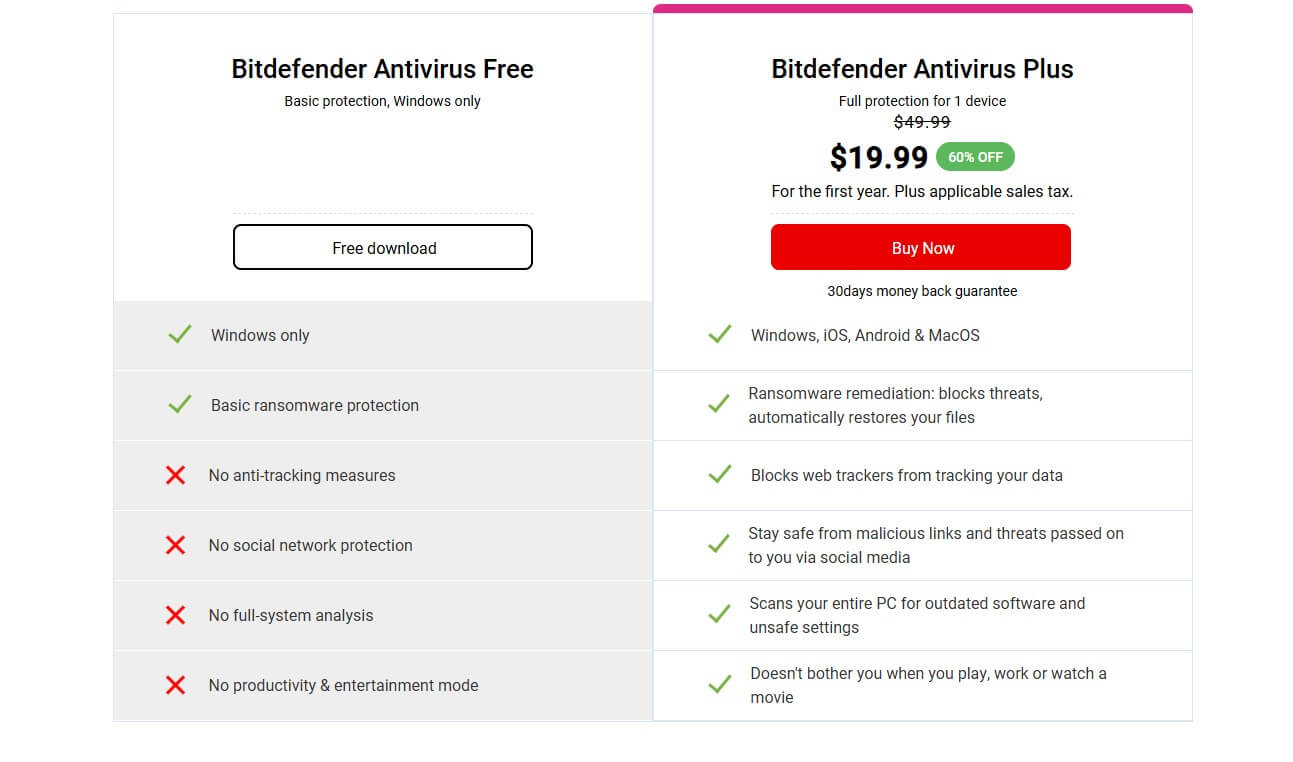
What Bitdefender withholds from the free edition:
- Anti-tracking, so nothing stops web trackers following you between sites
- Social network protection, which filters malicious links passed through social platforms
- Full-system analysis, the vulnerability sweep that flags outdated software and unsafe settings
- The productivity and entertainment profiles that suppress interruptions during work, gaming or video
- Every platform other than Windows, so no Mac, Android or iOS coverage
- The VPN, password manager, Safepay, parental controls and identity tools
The free edition suits one person on one Windows machine who browses carefully, keeps software patched, and wants a scanner that outperforms what comes with the OS. The trigger to upgrade is any second device, since the free edition cannot follow you onto a phone or a Mac. Antivirus Plus covers three devices across all four platforms for $29.99.
If the budget is zero, Microsoft Defender is installed and costs nothing. It took 6/5.5/6 from AV-TEST in the same June round. Bitdefender Antivirus Free is the better scanner. Defender is the better answer for anyone who would otherwise install nothing.
Bitdefender Plans and Pricing: Which Version Is Worth Buying
Bitdefender sells 8 antivirus software packages under 4 product names. The differences are not obvious from the shelf. Every price below shows the first-year cost followed by what the same plan costs 12 months later. All figures in USD, verified November 2026 for maximum accuracy.
| Plan | Devices | Platforms | Key additions | Year one | Renewal |
|---|---|---|---|---|---|
| Antivirus Free | 1 | Windows | Scanning engine, basic ransomware protection | Free | Free |
| Antivirus Plus | 1 | All four | Scam Protection, capped VPN, breach detection | $24.99 | $49.99 |
| Antivirus Plus | 3 | All four | As above, three devices | $29.99 | $69.99 |
| Total Security | 5 | All four | Password manager, cryptomining protection | $59.99 | $109.99 |
| Total Security Family | 25 | All four | Parental controls, 5 accounts | $79.99 | $139.99 |
| Premium Security | 5 | All four | Unlimited VPN, Scam Protection Pro, ad blocker | $79.99 | $129.99 |
| Premium Security Family | 25 | All four | As above plus parental controls | $99.99 | $169.99 |
| Ultimate Security | 5 | All four | Digital Identity Protection, dark web monitoring | $89.99 | $159.99 |
| Ultimate Security Plus Standard | 5 | All four | Identity theft protection, $1M insurance | $119.99 | $189.99 |
| Ultimate Security Plus Extended | 5 | All four | $2M insurance, three-bureau monitoring | $139.99 | $249.99 |
Two structural points. Parental controls appear only on the Family variants. And the identity protection stacked on Ultimate Security requires a Social Security number, which restricts those tiers to buyers in the United States.
Bitdefender Antivirus Plus
The entry tier costs $24.99 for one device or $29.99 for three. Despite a reputation that will not die, it is multiplatform. Windows, macOS, Android and iOS count against the license. That makes the three-device version the cheapest way to cover a phone and a laptop. Scam Protection, the 200 MB daily VPN, and data breach detection are included. The password manager is not.
Neither is Safepay, the parental layer, or any identity monitoring. Renewal is where this tier turns awkward. Three devices cost $69.99 in year two, a 133% rise and the steepest in the Bitdefender range. Total Security covers five devices and adds the password manager for $59.99, renewing at $109.99. That is $40 more for two extra devices and a materially better feature set.
Bitdefender Total Security
Five devices for $59.99, renewing at $109.99, across Windows, macOS, Android and iOS. This is the tier most should buy and the one Bitdefender’s product design points toward. Over Antivirus Plus, it adds the password manager, cryptomining protection and the optimization layer.
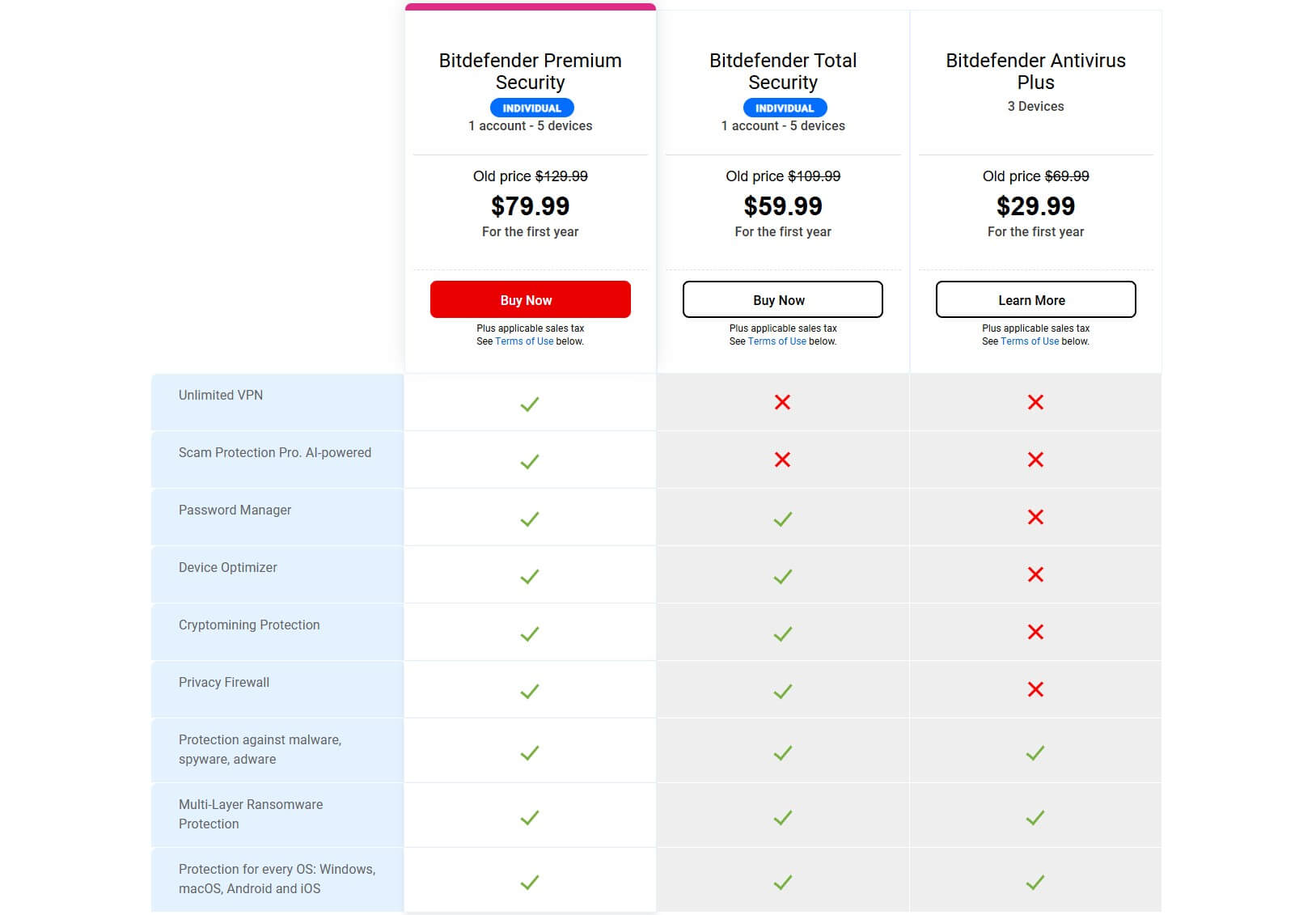
The full scanning stack stays: Advanced Threat Defense, Online Threat Prevention, the firewall, the vulnerability scanner, and Ransomware Remediation. The VPN stays capped at 200 MB per device per day, the single thing that pushes people up a tier. The Family variant is the more interesting purchase.
For $20 more in year one, it covers 25 devices across five separate accounts. It also adds parental controls, which the individual plan omits. At renewal, that works out at $5.60 per device per year against $22.00 on the individual plan.
Bitdefender Premium Security
Premium exists to lift the VPN cap. Five devices cost $79.99 for the first year and $129.99 at renewal. That is exactly $20 more than Total Security. The $20 converts a crippled 200 MB allowance into unlimited data across 3,000 servers in over 100 countries. It also brings Scam Protection Pro, the AI-assisted layer that extends scam detection into email and messaging.
A system-wide ad blocker and anti-tracker come with it. A standalone VPN costs $40 to $60 a year. Bitdefender charges $20 for the same removal of limits. If you would otherwise pay for a VPN, Premium undercuts Total Security plus any separate provider. The math holds at renewal as well as on the introductory price.
Bitdefender Ultimate Security
Three tiers sit above Premium, and Bitdefender badges the cheapest as its best value. Ultimate Security at $89.99 adds Digital Identity Protection, dark web monitoring, digital footprint visualisation and real-time breach alerts to everything Premium carries. Ultimate Security Plus at $119.99 adds identity theft protection. That brings stolen wallet cover, an SSN tracker, $1 million of insurance and single-bureau credit monitoring.
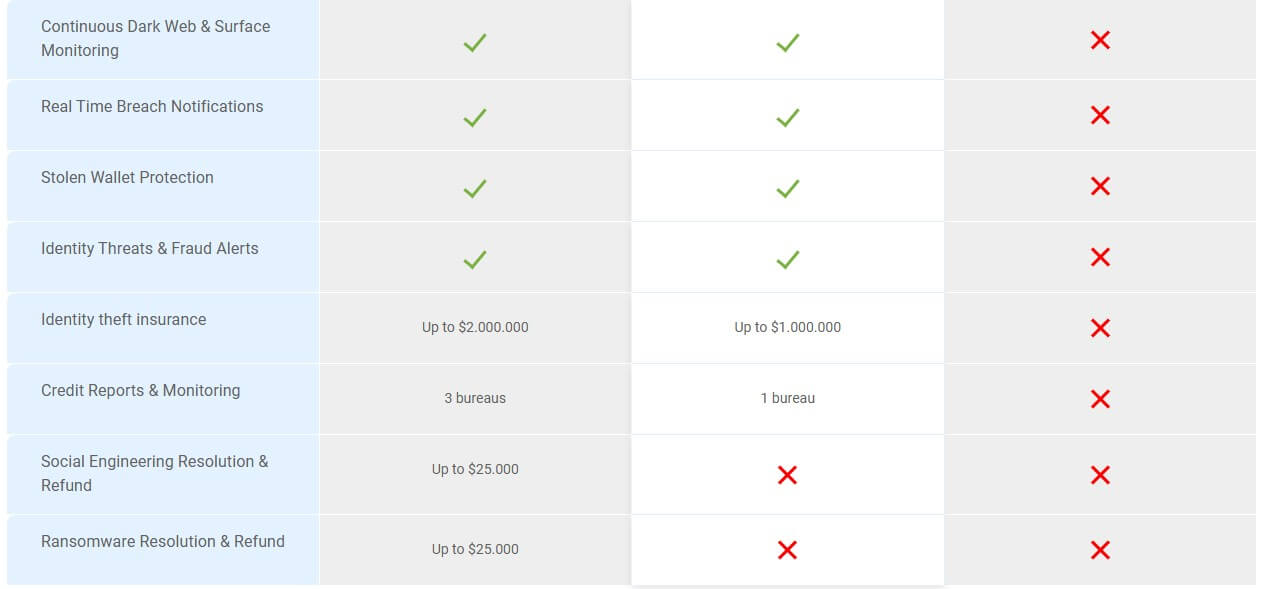
Ultimate Security Plus Extended at $139.99 raises the insurance to $2 million per household and the monitoring to three bureaus. It also adds social engineering and ransomware resolution, investment account alerts, and court records monitoring. The identity layer is built on Social Security number monitoring, so these tiers only function for buyers in the United States.
Bitdefender Family Pack
Family Pack was Bitdefender’s multi-device household plan, and the name survives in search long after the product stopped using it. The current equivalents are the Family variants of Total Security and Premium Security, each covering 25 devices across five accounts. Per device, those are the two cheapest things Bitdefender sells.
Total Security Family works out at $5.60 per device per year at renewal, Premium Security Family at $6.80. Both include the parental controls.
Which Bitdefender Plan Do You Actually Need?
Four profiles cover almost everyone asking which Bitdefender do I need.
- One Windows PC, careful browsing, no budget. Antivirus Free, or Microsoft Defender.
- A phone and a laptop, no children, no VPN habit. Antivirus Plus on three devices in year one, then reconsider before that 133% renewal lands.
- A household, several platforms, children to filter. Total Security Family. The parental controls and the per-device cost settle it.
- Anyone who already pays for a VPN. Premium Security, because $20 undercuts every standalone subscription on the market.
What Bitdefender Costs After the First Year
Bitdefender cost is two numbers. The Bitdefender discount that gets you in the door applies to year one, and no promotion carries into the second year.
- Antivirus Plus, 3 devices: $29.99, then $69.99. A 133% rise.
- Total Security: $59.99, then $109.99. An 83% rise.
- Total Security Family: $79.99, then $139.99. A 75% rise.
- Premium Security: $79.99, then $129.99. A 63% rise.
The cheapest plans carry the harshest renewals, and the increase softens as you move up the range. Someone buying Antivirus Plus to save money in year one pays a larger proportional penalty in year two than someone who bought Premium. A Bitdefender subscription renews automatically.
Auto-renewal is switched off inside Bitdefender Central under your subscriptions. The 30-day money-back guarantee covers the charge if you act inside the window. Set a reminder two weeks before the anniversary. The renewal charge arrives at full price with no second discount.
Setting Bitdefender Up: Install, Autopilot and Daily Use
Install Time and What the Installer Asks For
Bitdefender uses a web installer. Install time depends on your connection more than on the software. On a 21.5 MB/s network, pulling 843.3 MB and installing took 3 minutes 58 seconds. I had no other antivirus present and background processes closed. The install screen itself deserves credit.
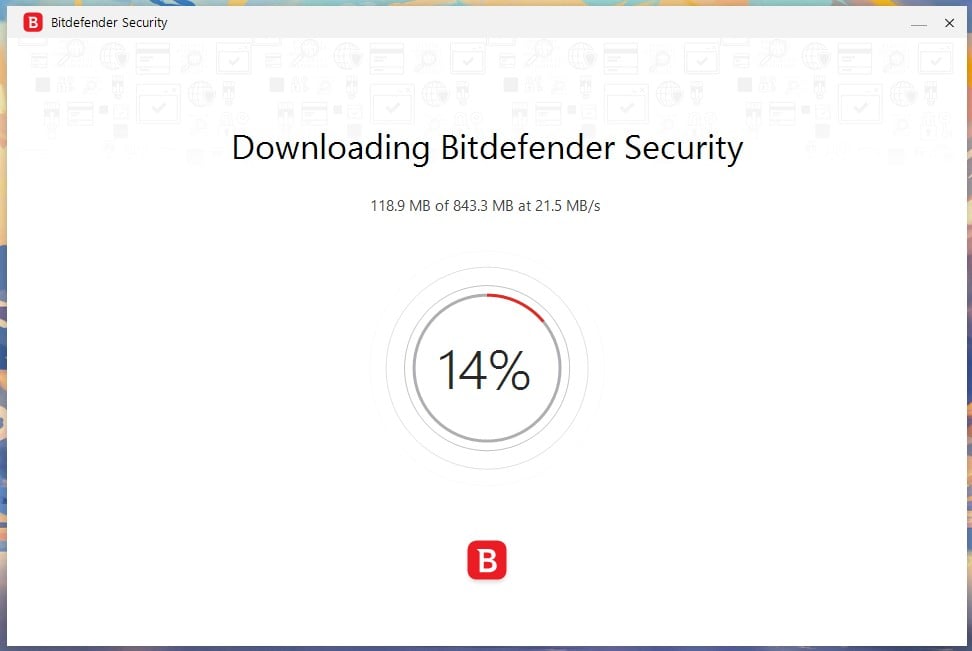
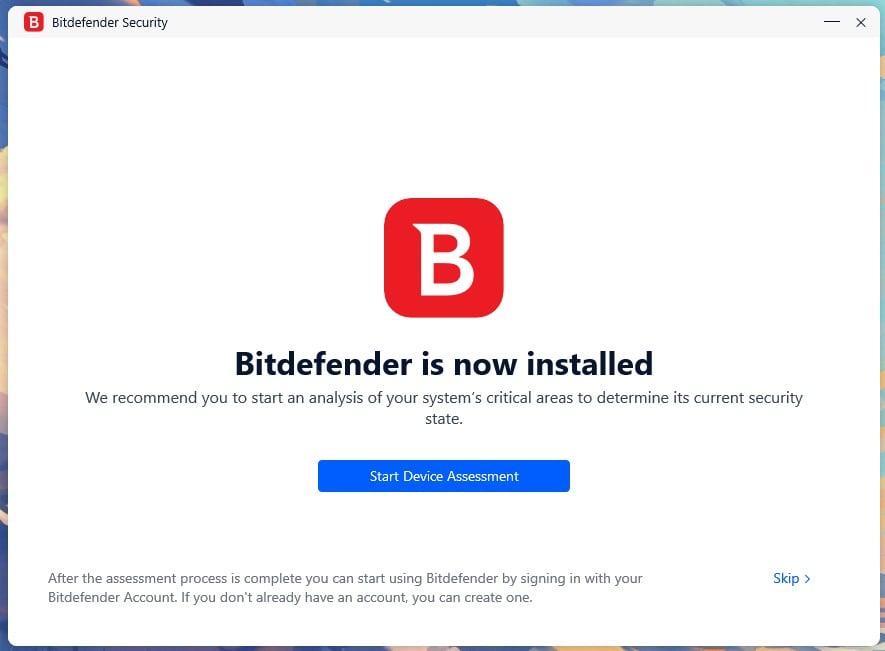
One checkbox, the subscription agreement and privacy policy, ticked. There are no bundled extras, no browser to opt out of, and no upsells anywhere in the flow. Installation cycles through explainer cards covering features like Network Threat Prevention while it works. At the end, Bitdefender offers a device assessment, with a Skip link beside it for anyone who wants to get to the app.
The Dashboard, and What Autopilot Hides
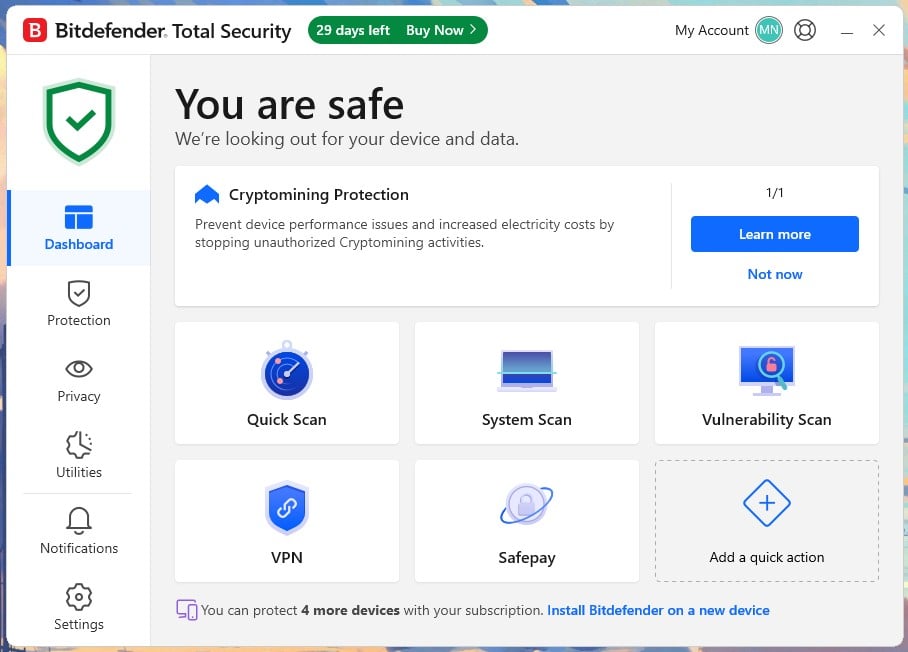
The dashboard is the best-organized app in this category. Navigation sits down the left as Dashboard, Protection, Privacy, Utilities, Notifications, and Settings. The main panel opens on a status line and an Autopilot recommendation card. Below it sits a grid of quick actions: Quick Scan, System Scan, Vulnerability Scan, VPN and Safepay, plus one slot you assign yourself.
Remaining device slots are shown at the foot of the page. Autopilot is a design philosophy wearing the clothes of a feature. It makes decisions on your behalf and surfaces them as recommendations, which is why the suite can go weeks without demanding attention. The cost is discoverability.
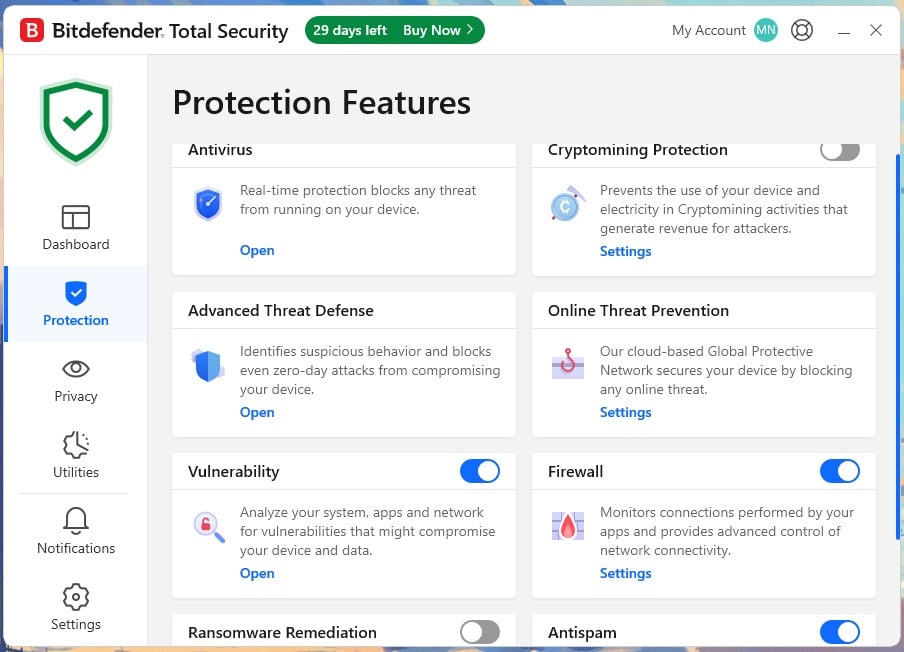
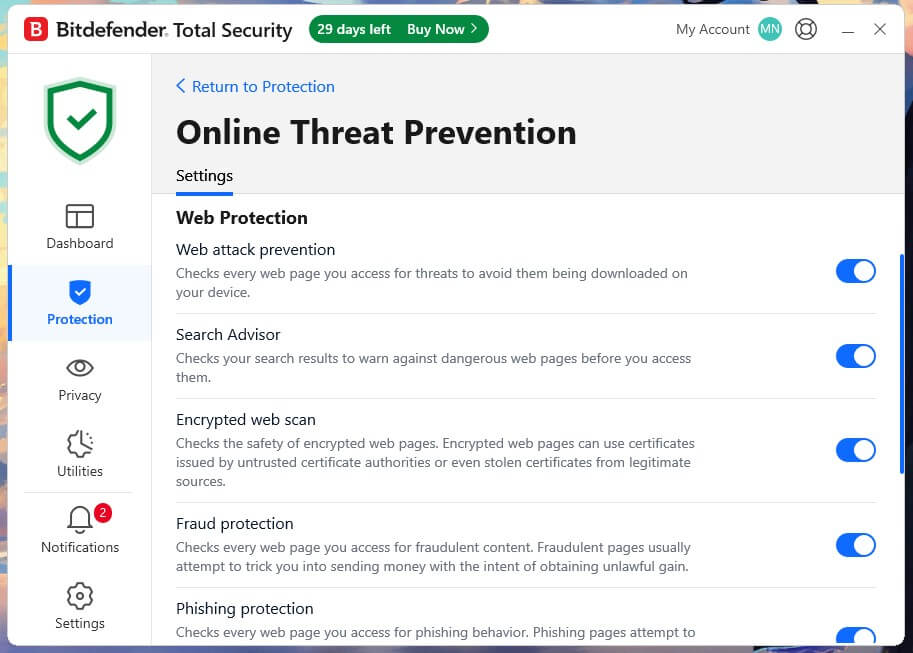
Settings that Autopilot has decided are in the Protection and Privacy pages. Ransomware Remediation, the rollback layer Bitdefender markets as a headline defense, arrives switched off. Cryptomining Protection is disabled too. Both wait on the Protection page behind a toggle nothing in setup points you toward. A large share of buyers are paying for a feature they never enable.
For a less technical reader, the split between the app and Bitdefender Central is the main complexity. Licenses, device management, and subscription changes are on the web, so anything administrative means leaving the app. The app itself is about as approachable as security software gets.
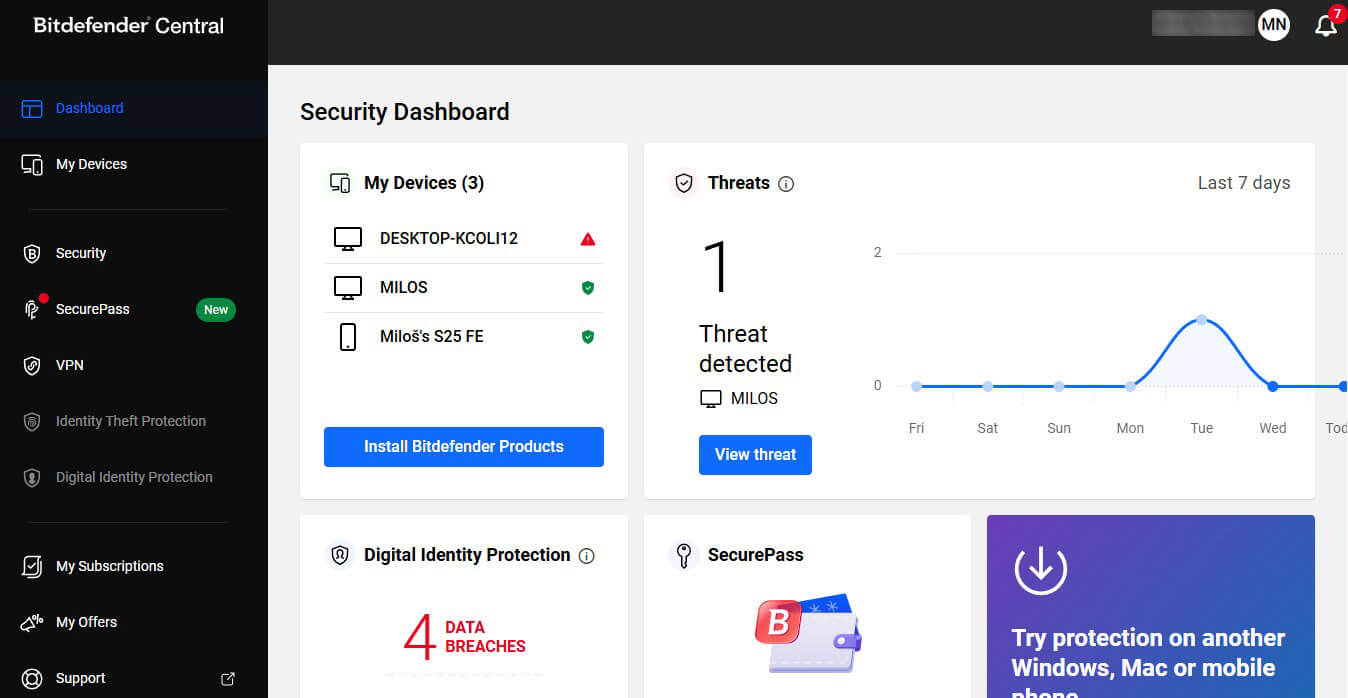
Bitdefender Protection Test Results: What It Blocks
Detection is the reason antivirus Bitdefender sells so well, and the numbers hold up under every method I have. Independent labs, my malware set, and a separate phishing run point the same way. Anyone asking is Bitdefender good will find the engine is the least arguable part of this product.
Independent Lab Scores: AV-TEST and AV-Comparatives
AV-TEST tested Bitdefender Total Security for full marks in protection, performance, and usability in its June 2026 round for Windows 11 home users. Norton, ESET, F-Secure, Kaspersky and McAfee all reached the same result, so a perfect score buys parity at the top of this market instead of separation. AV-Comparatives applies much harder conditions.
Its March 2026 Malware Protection Test recorded 97.6% offline and 97.6% online for Bitdefender, with a 99.94% online protection rate and 4 false alarms. That false alarm count is the lowest of the mainstream suites in that round, and it matters more than the protection rate. The gap between 99.94% and 100% translates to roughly six misses in ten thousand samples.
Malware and Phishing Blocking in Testing
On my malware set, Bitdefender virus protection averaged 99.8% combined detection, the joint highest figure of the four suites I measured on this rig. False alarms came to five, one more than AV-Comparatives recorded and two more than the cleanest product in my testing, Norton 360. Phishing tells a different story. Bitdefender blocked 89% of live phishing pages on my set and raised no false positives.
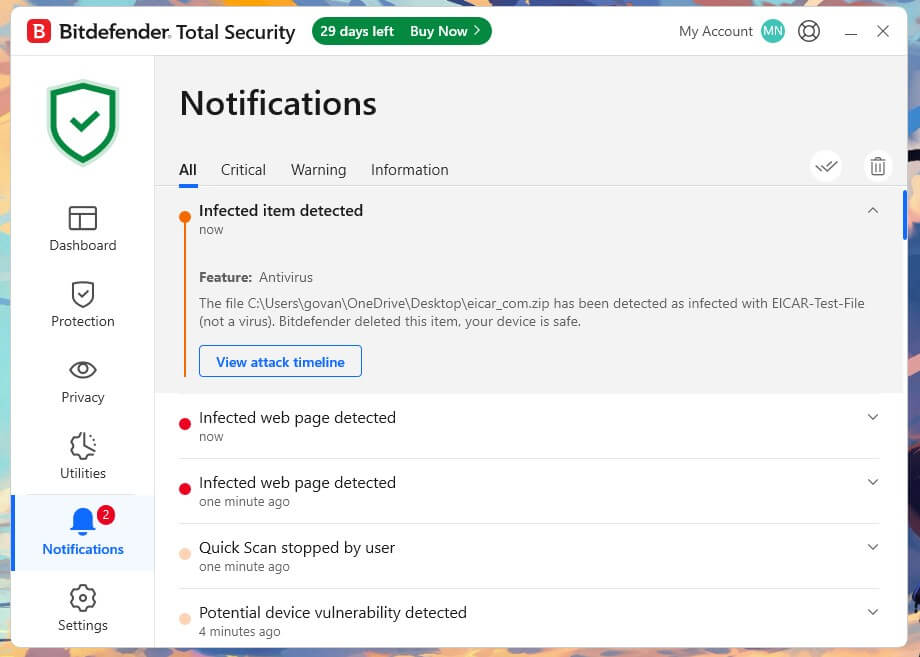
AV-Comparatives certified it at 87% with zero false positives in a report published on 12 June 2026. Two independent methods landing two points apart puts both figures on solid ground. Bitdefender antivirus stops malware as well as anything sold. On the fraudulent link that arrives in an email, it is a step behind.
Advanced Threat Defense and Ransomware Remediation
Advanced Threat Defense watches process behavior instead of file signatures, scoring actions like bulk encryption, injection into other processes, and tampering with shadow copies. Anything crossing the threshold gets stopped even if the sample has not been cataloged. Ransomware Remediation sits behind it. When encryption starts, Bitdefender copies the targeted files before they change, then restores the originals after the process is blocked.
In testing, it returned every file it had backed up, the outcome the feature is sold on and one that not every competitor delivers. Ransomware Remediation arrives disabled, so the rollback most buyers assume they are getting does nothing until somebody finds the toggle on the Protection page.
Scan Types and How Long They Take
Four scan modes cover different jobs, and the naming is clear.
- Quick Scan. Memory, startup items, and common infection paths. 1 minute 4 seconds on my machine.
- System Scan. Every file on every drive. 14 minutes 3 seconds across two SSDs holding around 530 GB.
- Vulnerability Scan. Missing patches, weak Windows accounts, and unsafe system settings. A maintenance tool that finds problems no malware scanner would.
- Rescue Environment. Boots outside Windows to remove infections that survive a normal scan. The tool you want when nothing else works.
Both timed scans placed second of four on this rig, a few seconds behind the fastest (Norton 360) and comfortably ahead of the slowest (McAfee). The first System Scan is the slow one, since Bitdefender has nothing cached yet. Subsequent full scans finish faster because Photon has learned which files are stable and stopped re-reading them.
Bitdefender Speed and System Impact on Test Hardware
System impact is the strongest argument for buying this suite. Figures come from a Ryzen 7 5800X, 32 GB of DDR4-2666, Windows 11 Pro, and two M.2 SSDs, the same desktop every product in my testing went through. At idle, Bitdefender draws 0.1% of CPU, roughly 190 MB of memory across all its processes, and 0.1 MB/s of disk.
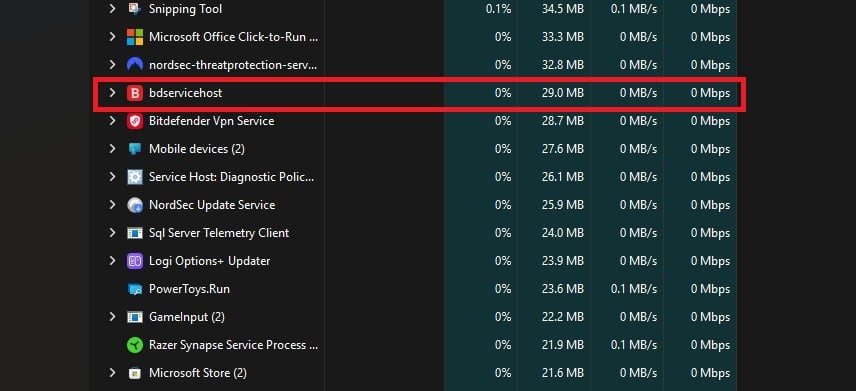
The main service, bdservicehost, accounts for 29 MB of that at 0% CPU with no disk activity. During a full scan, the peaks are 11% CPU and 40 to 121 MB/s of throughput, and memory barely shifts from where it rests. Set that beside the heaviest suite I measured, which peaked at 33% CPU and 415 MB (McAfee), and the difference is huge on any older machine.
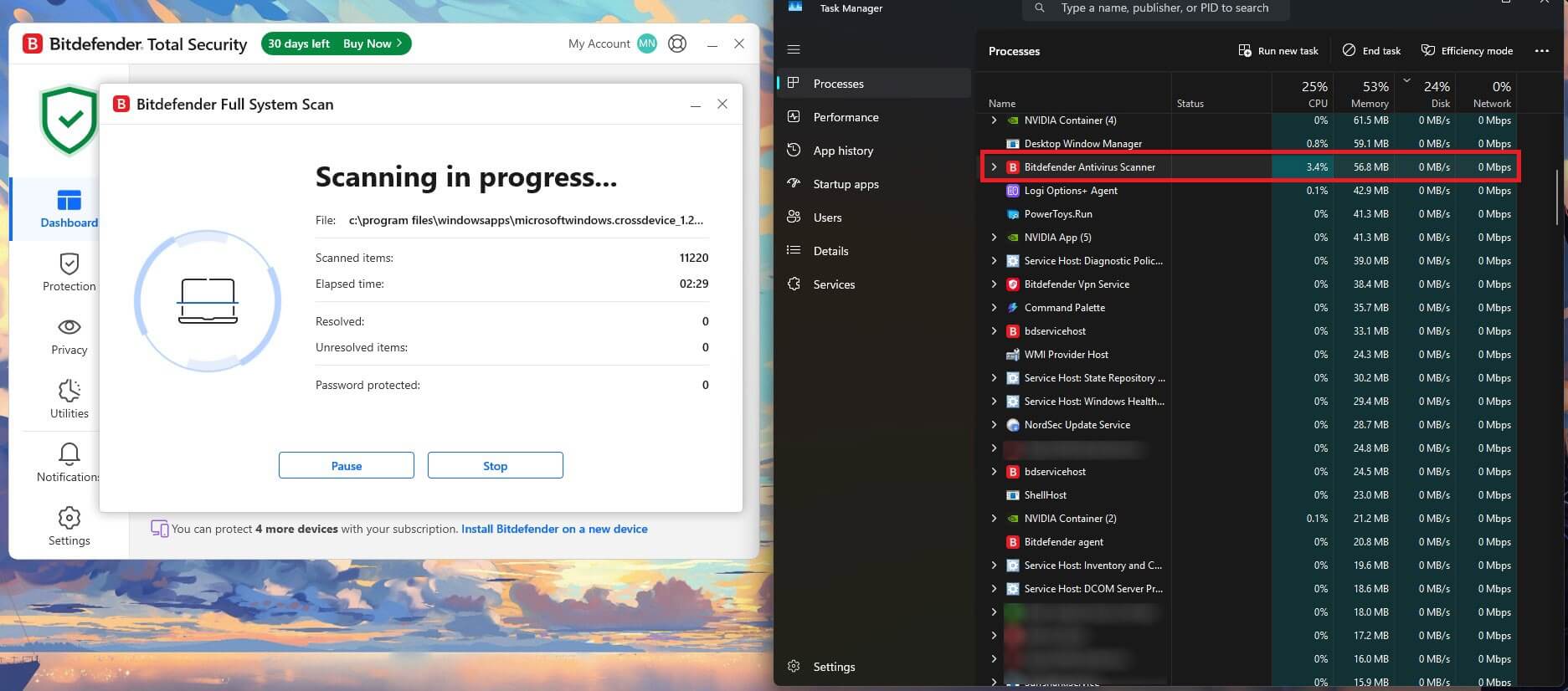
Stripped of antivirus entirely, with Defender off, the desktop became usable 18 seconds after power-on. Bitdefender pushed that to 26 seconds, an increase of 8 seconds or 44%. Does Bitdefender work quietly enough to forget about? On this rig, yes. Photon adapts scanning to how the machine gets used, and the gaming, movie, and work profiles defer background tasks when a full-screen application is open
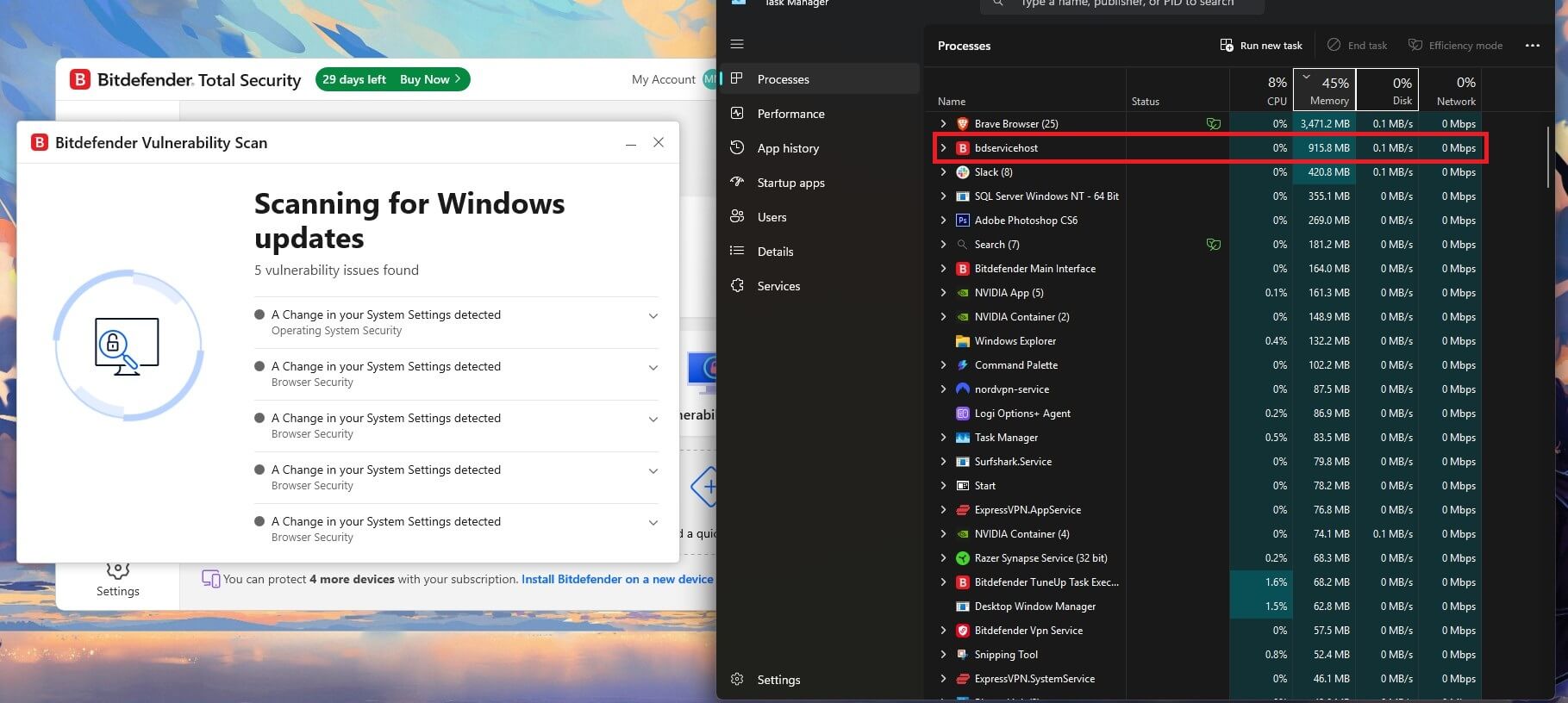
With a System Scan going, video playback and browsing are unaffected. AV-Comparatives scored Bitdefender at 9.6 in its April 2026 Performance Test against 5.3 for Norton, where lower is better. That test measures everyday file operations and application launches, not scan load or boot. The two methods are measuring different things, and my figures describe the situations most buyers notice.
Everything Bundled With Bitdefender, Rated Tool by Tool
Bitdefender bundles a lot beyond the scanner, and the quality varies more than the marketing admits. Each tool below gets judged on whether it earns its place or wastes a line on the feature list.
Bitdefender VPN and the Daily Data Cap
The bundled VPN allows 200 MB per device per day on Antivirus Plus and Total Security. Unlimited data starts at Premium Security, and the underlying service is respectable: around 3,000 servers across more than 100 countries, working with mainstream streaming platforms, and losing 28% of connection speed in testing.
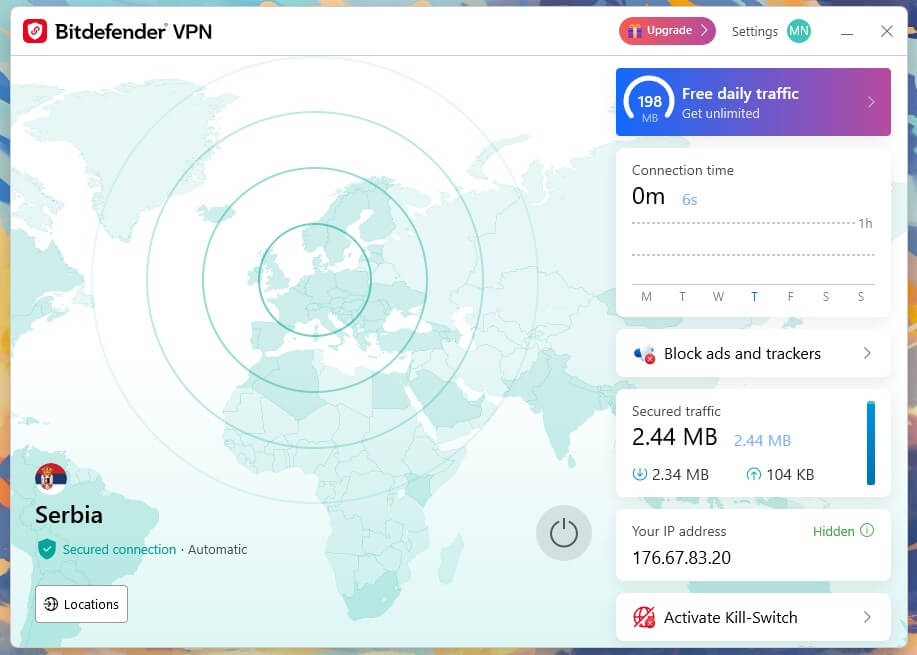
That places it below the dedicated VPN providers but well inside usable territory for a bundled tool. As a capped feature, it is close to decorative. As the unlimited version, it is a genuine VPN that costs $20 a year, which undercuts every standalone subscription worth having.
Safepay: The Hardened Banking Browser
Safepay opens a separate, isolated browser for banking and payments, sealed off from the rest of the desktop interface. Screenshots are blocked, keylogging is defeated by a virtual keyboard, and no extension or add-on can reach the session. It works, and the isolation goes deeper than cosmetic.
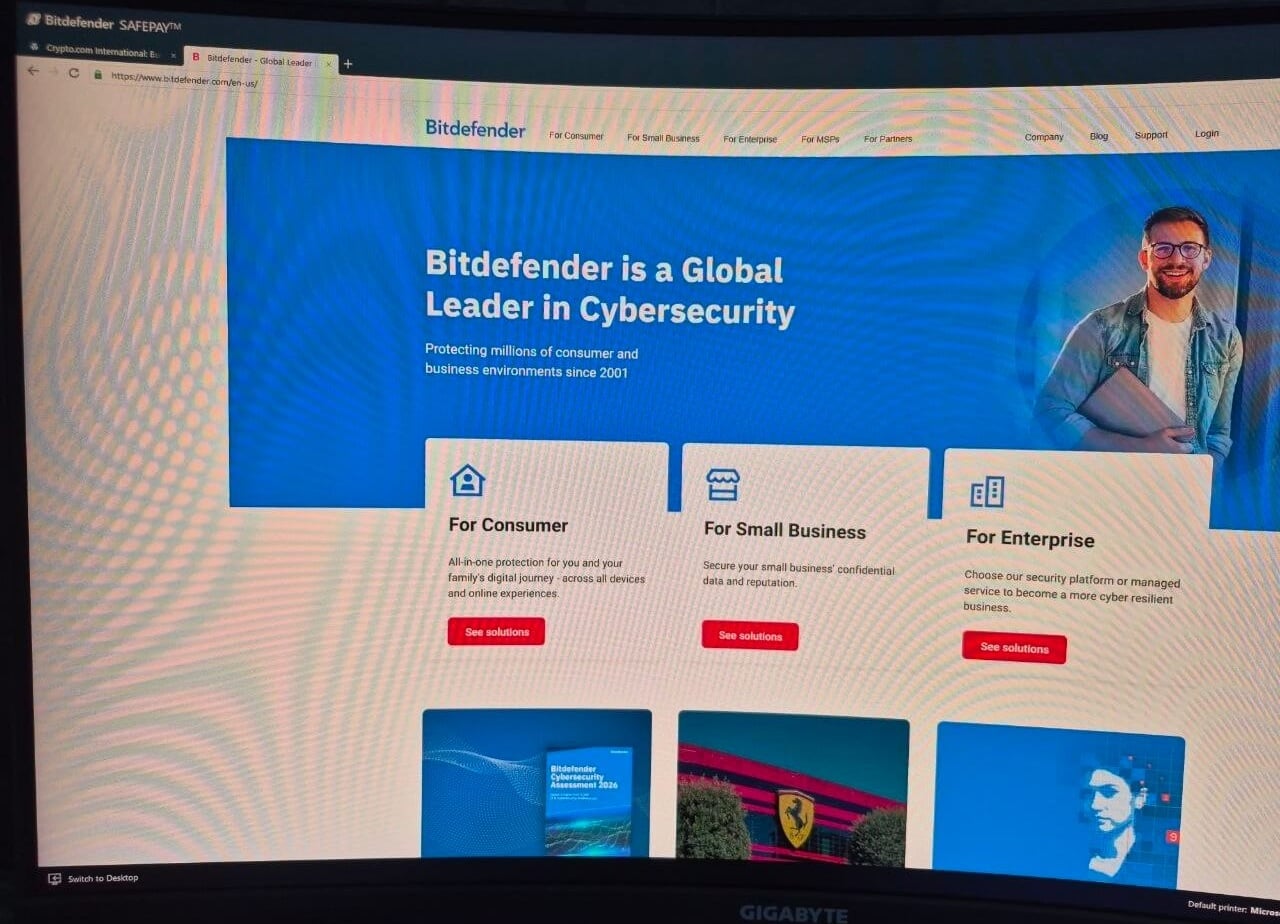
Launching a second browser to check an account balance can be tiresome, and most people abandon the habit quickly. Keep it for the transactions that would hurt to lose and let ordinary browsing stay where it is.
Anti-Tracker and Ad Blocking
Any Bitdefender Anti-Tracker review starts with what it is: a browser extension that blocks trackers by category and reports what it stopped on each page, along with the load time it saved. Chrome, Firefox, and Edge are covered. Premium Security and above add a system-wide ad blocker that works outside the browser.
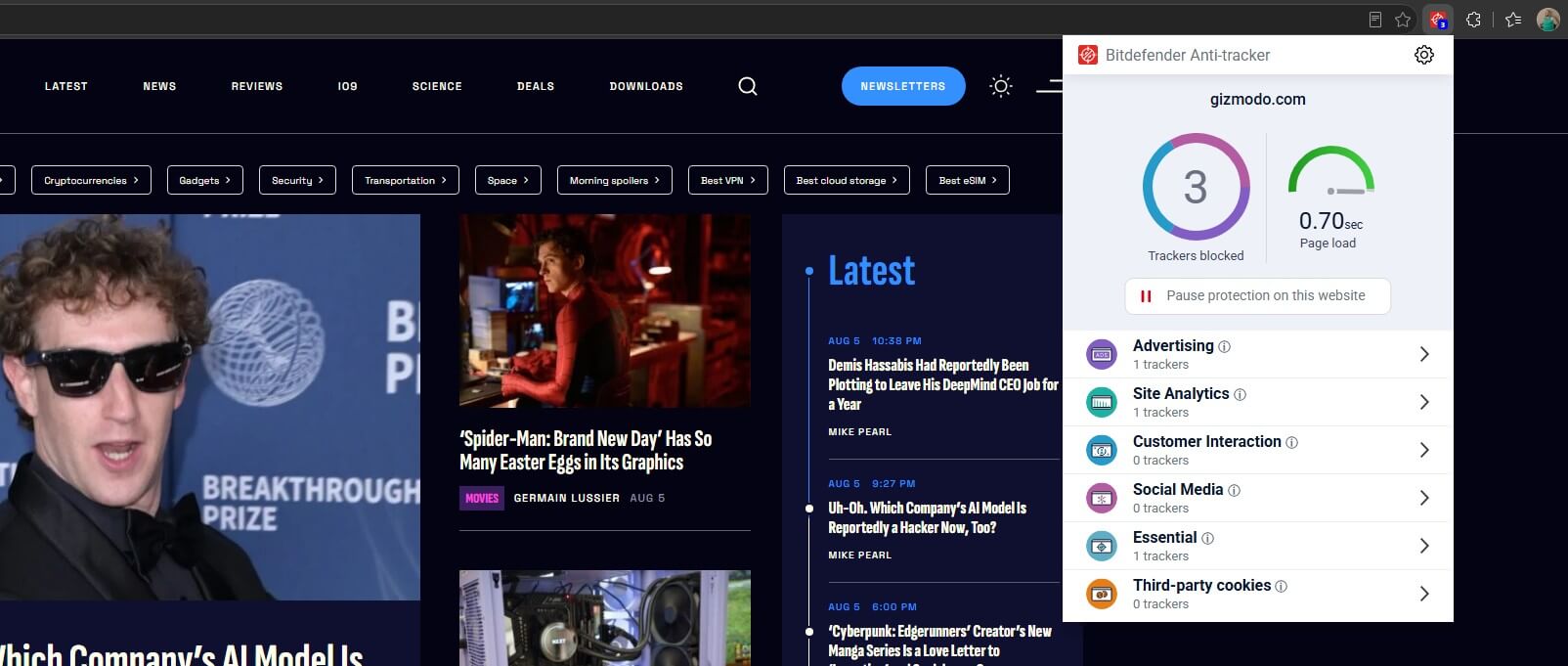
Blocking accuracy is solid, and pages load noticeably faster on tracker-heavy sites. It does less than uBlock Origin does for nothing, and it is unlikely to convince anyone already using a dedicated blocker. For readers who have never installed one, having it appear in the suite is a net gain.
Password Manager (SecurePass)
Available from Total Security upward, with browser extensions across the major browsers and apps on mobile. Import works from browsers and CSV files, autofill is dependable, and the vault uses standard strong encryption with a master password Bitdefender can’t recover. Dedicated managers go deeper.
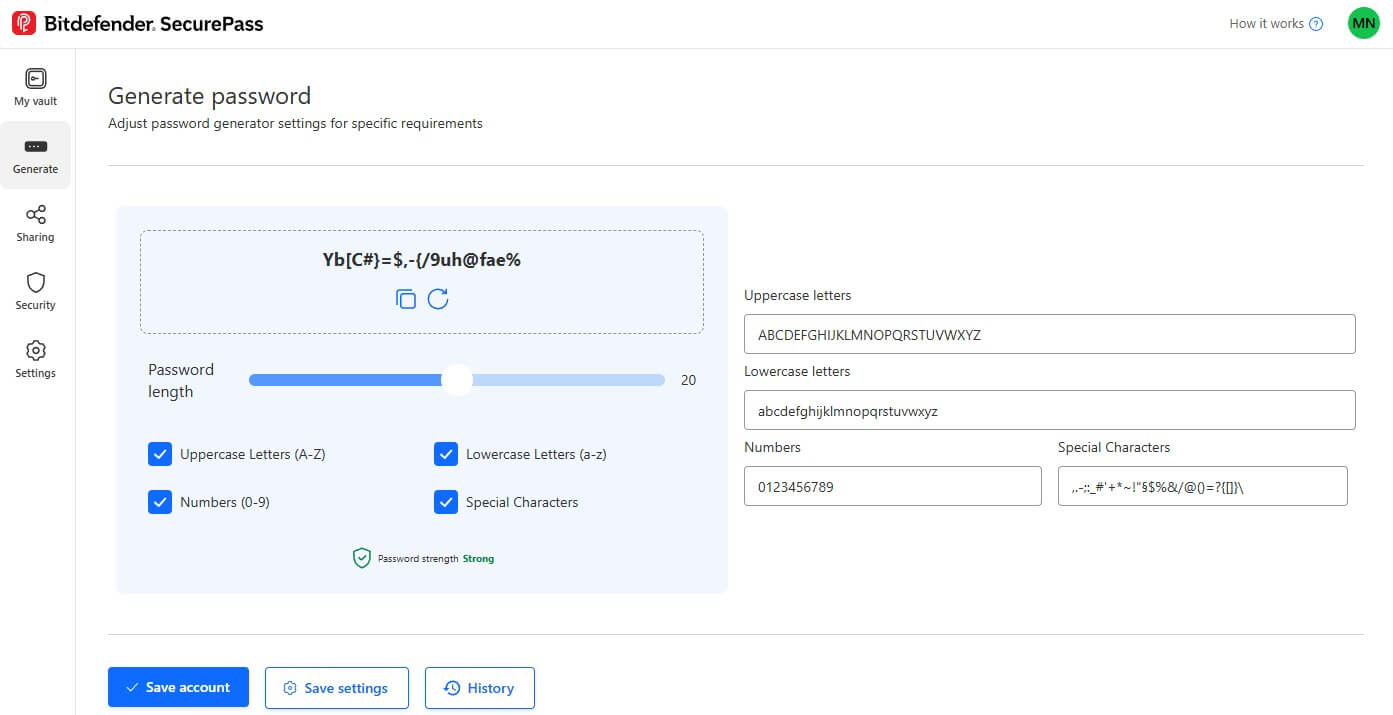
They offer features like vault sharing, emergency access, encrypted file storage, and fuller passkey support. Anyone already using Bitwarden or 1Password will find this a step backward. NordPass, which I recently reviewed, offers more security features, encryption, and passkey support.
Digital Identity Protection and Dark Web Monitoring
Ultimate Security adds identity monitoring that scans breach databases and dark web sources for your email addresses, phone numbers, and account details, then maps what it finds as a digital footprint you can work through.
The monitoring is broader than the basic breach alerts on lower tiers, and the footprint visualisation is genuinely useful for finding forgotten accounts. Geography limits it severely. It requires your SSN, so it only works in the United States.
Scam Copilot and Email Protection
Scam Protection Pro is in Premium Security and extends detection to email, messaging, and links, using an AI layer trained on scam patterns instead of known-bad lists. Email Protection scans webmail in Gmail and Outlook directly, flagging fraudulent messages before they are opened.
This is the layer that partly answers the phishing deficit measured earlier, since it judges the message itself instead of waiting for the click. It also explains why Bitdefender pushes buyers toward Premium: the anti-fraud stack on the lower tiers is much thinner than the branding implies.
Parental Controls
Content filtering by category, screen time limits, routines and schedules, location tracking, activity reports and a rewards system for extending allowances. Coverage spans Windows, macOS, Android and iOS. The tooling is competent, and the reporting is clear. Two things hold it back.
Parental controls are only on the Family variants, and the category leader, Norton 360, still offers more granular supervision, including a dedicated school mode, for example. For most households this is enough. For a parent who wants tight control, it is a reason to look elsewhere.
Vulnerability Scan, OneClick Optimizer and Anti-Theft
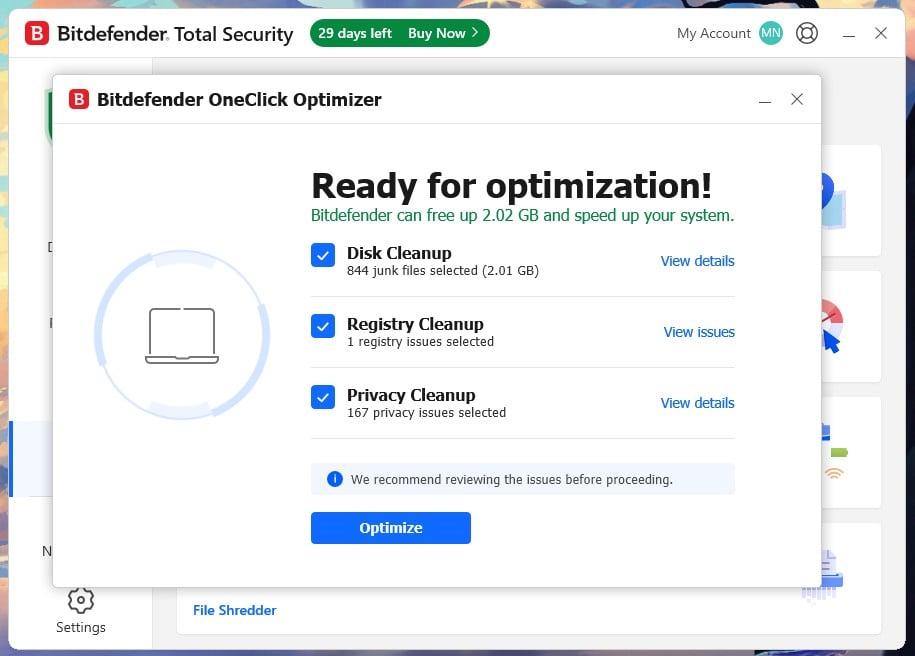
The maintenance layer catches what the scanner doesn’t. Vulnerability Scan flags missing Windows updates, outdated applications, and weak account passwords, which closes the doors most infections actually use. OneClick Optimizer clears junk files and startup clutter very well.
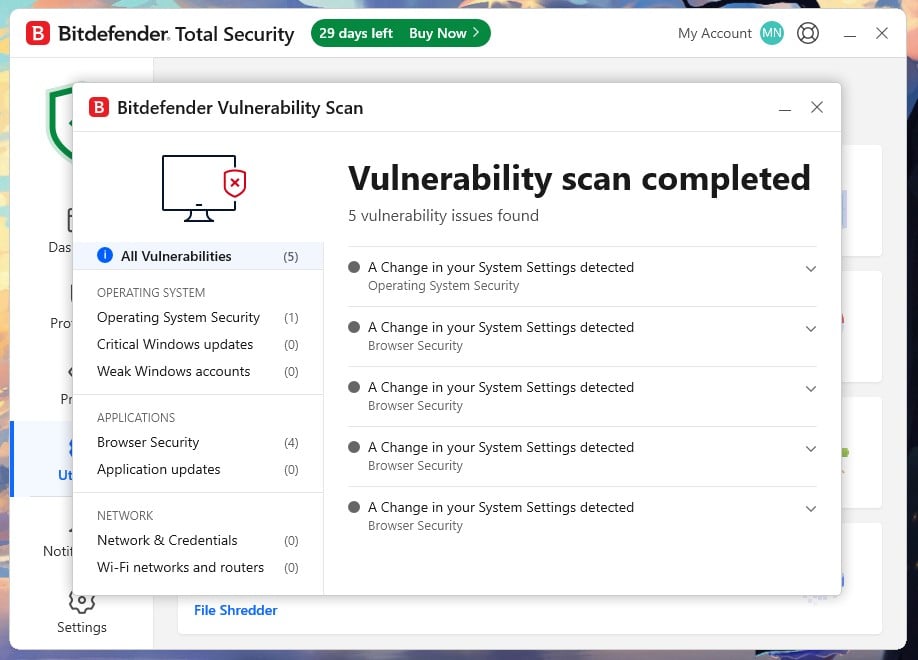
Anti-Theft locates, locks, or wipes a missing device from Bitdefender Central. Vulnerability Scan is the one worth scheduling.
Unpatched software causes more compromises than novel malware does, and this is the only tool that addresses the cause instead of the symptom.
Bitdefender on Windows, Mac, Android and iPhone
One subscription spans Windows, macOS, Android and iOS from Antivirus Plus upward, and licenses move between them freely.
- Windows. The complete product. Every measured figure in this Bitdefender review came from the Windows build, and every tool described exists here. Safepay, Firewall, OneClick Optimizer and the Rescue Environment are Windows-only, a recurring complaint from buyers who assumed a license meant identical software everywhere.
- macOS. Real-time scanning, Traffic Light web filtering, ransomware protection, the VPN and Anti-Tracker all work. Safepay and the Windows optimization tools do not cross over. Mac coverage is solid for what Macs actually face, though it is a smaller product than the Windows edition.
Bitdefender for Android and iPhone
📱 Android. The better of the two mobile apps by a wide margin, and it is laid out like the desktop build: a status dashboard, then Malware Scanner, Web Protection and Scam Protection along the bottom bar, with the rest behind a More menu. Web Protection covers seven browsers including Chrome, Firefox, Brave, DuckDuckGo, Edge and Samsung Internet, broader than most rivals
Scam Protection splits in two: Chat Protection inspects links in messaging apps, and Scam Radar pushes warnings when new scams spread in your area. Call Blocking, Anti-Theft, Account Privacy, App Lock and activity reports sit in the More menu. Two defaults need changing the moment it is installed.
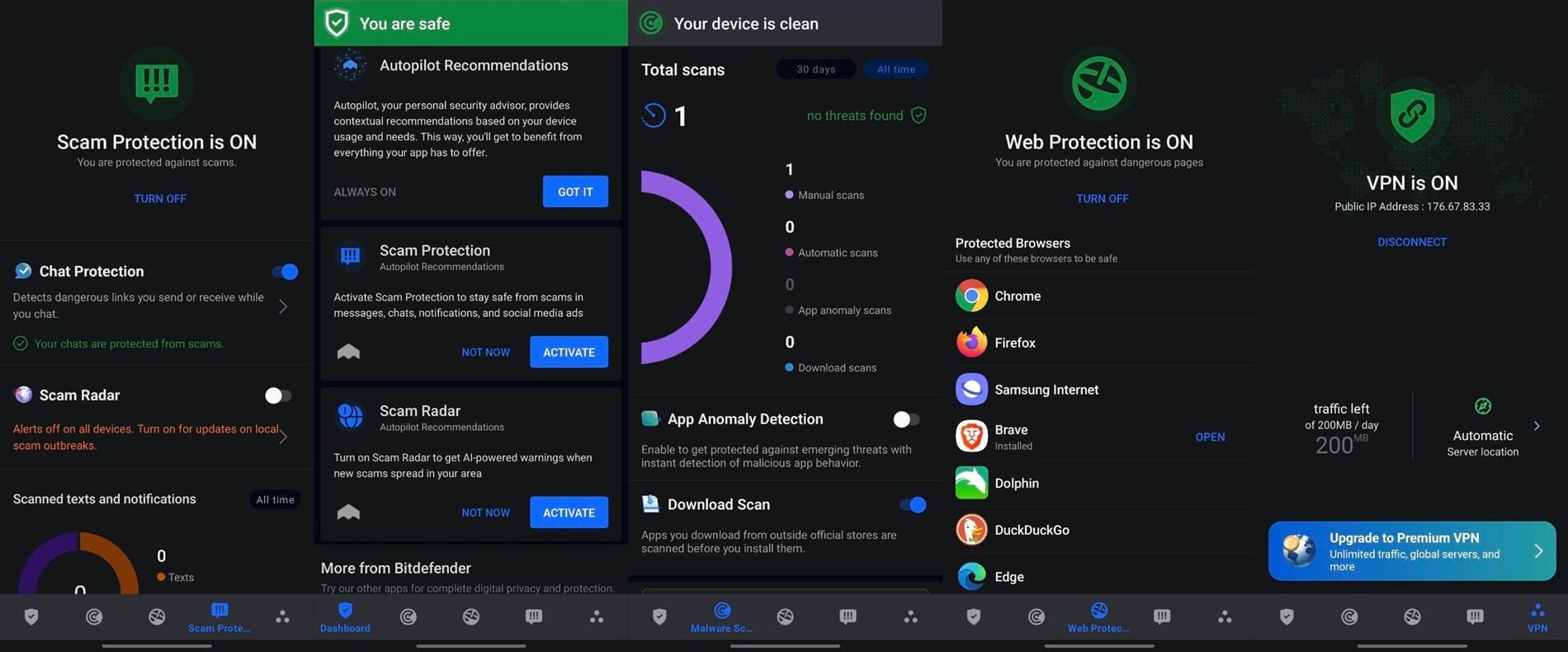
App Anomaly Detection, which watches for installed apps that start behaving unlike themselves, arrives switched off. So does Scam Radar. The mobile app repeats the habit seen on Windows, including some of its better protections disabled and leaving you to find them on your own.
🍎 iOS. Apple prevents any app from scanning another app’s files, so there is no malware scanning on iPhone from Bitdefender or anyone else. What arrives instead is Web Protection, the VPN, Scam Alert for message filtering and account privacy checks against breach databases. Nothing sold on the App Store can scan an iPhone for viruses, whatever its listing says.
Free tools, no subscription needed. Bitdefender publishes a Link Checker for a Bitdefender website check on any suspicious URL, plus free decryption tools for several ransomware families. Both work without an account and both are worth bookmarking whatever antivirus you end up buying.
Bitdefender Customer Support Put to the Test
Support is structured to keep you out of a queue, and it succeeds. The help center is large and covers nearly every question a normal user will have, which meant my questions were answered without contacting anybody. The community forum is the second layer, and it is unusually good.
Bitdefender staff answer alongside experienced users, threads cover the VPN and the antivirus across every platform, and the responses carry detail instead of links back to the knowledge base. When the articles fall short, 24/7 chat, phone, and email are all available. Live chat connected me to an agent in 3 minutes 21 seconds. Email came back in 1 hour 13 minutes.
Both answers were accurate, and neither attempted to sell me a higher tier. Cancelling takes six clicks and no conversation. Sign in to Bitdefender Central, choose My Subscriptions, then My Payments, Subscription and Continuous Protection, then View Details, then End Auto-Renewal. Cover carries on until the term you paid for expires, so acting early costs nothing.
The 30-day money-back guarantee covers a charge already taken. Support here is better than the category norm in every dimension I measured, and the self-service layer is the part doing most of the work.
Bitdefender Compared With the Main Alternatives
Bitdefender loses to each of these rivals at something, and beats each at something else. The best antivirus software reviews come down to which trade-off suits the machine in front of you.
🆚 Bitdefender vs Norton
Norton vs Bitdefender is decided on two axes, and each owns one. Malware detection is a dead heat at 99.8% for both on my sample set. Phishing goes to Norton by six points on my testing and six at AV-Comparatives. System impact goes the other way and by a wider margin. Bitdefender peaks at 11% CPU and 183 MB during a scan against Norton’s 23% and 384 MB, and it adds 8 seconds to boot against Norton’s 12.
Norton counters with a more complete suite: parental controls on individual plans, cloud backup, and double the refund window. Older or lower-powered hardware points to Bitdefender. A household with children, or anyone who clicks enough links that six points of phishing coverage earns its money, points to Norton.
🆚 Bitdefender vs Microsoft Defender
Microsoft Defender is a competent scanner, and it costs nothing, which makes this a close contest. On raw malware protection, the gap is small enough to ignore for a careful user. Bitdefender pulls ahead in four specific places: phishing and scam blocking, ransomware rollback that restores encrypted files, coverage across macOS, Android and iOS from one license, and the maintenance layer that flags unpatched software before anything exploits it.
Defender is enough for a single Windows machine that gets patched promptly, browsed carefully, and has no children to filter. Move to Bitdefender the moment a second platform enters the household.
🆚 Bitdefender vs McAfee
McAfee sells unlimited device coverage from $49.99, which nothing in the Bitdefender range matches on raw device count. That is the entire case for it. On everything measurable, Bitdefender is the better product. It scanned faster, drew a third of the CPU, used less than half the memory, and produced five false alarms against McAfee’s seven on my bench.
At AV-Comparatives in March 2026, the split was 14 false alarms to 4, in Bitdefender’s favor. Only a huge household counting more than 25 devices should take McAfee on the arithmetic alone.
Alternatives Worth Considering Instead of Bitdefender
- Norton 360. The more complete suite, with better phishing blocking and parental controls that do not require a Family plan.
- Microsoft Defender. Free, already installed, and enough for a single well-maintained Windows PC.
- Malwarebytes. Worth pairing with anything as an on-demand second opinion when a machine is already misbehaving. The full antivirus rankings cover where each of these places.
Who Bitdefender Suits, and Who Should Look Elsewhere
Is Bitdefender worth it depends less on the software than on the hardware you are putting it on. Here’s what I concluded in my review.
✅ Older or lower-spec machines. This is the clearest case. A laptop four or five years old will notice a 12-second boot penalty and a suite peaking at a third of its CPU. Bitdefender costs less of both than anything else I measured.
✅ People who want protection to stay quiet. Autopilot decides instead of asking, and the profiles suppress interruptions during work, gaming and video. Weeks pass without the software requiring anything.
✅ Multi-platform households. Total Security Family covers 25 devices across Windows, macOS, Android and iOS for $79.99, which works out at $5.60 per device per year even at renewal pricing.
❌ Who should look elsewhere? Anyone wanting an unlimited VPN without paying the Premium step. Anyone outside the USA considering an Ultimate tier; identity protection only works there. And anyone who wants granular manual control, because Autopilot’s whole design is to take those decisions away.
The tier to buy is Total Security, or Total Security Family if there are children or more than five devices in the household.
The Bottom Line on Bitdefender
This Bitdefender review closes at 4.7/5. The engine is as good as anything sold to consumers, the false alarm rate is the lowest of the mainstream suites, and no other antivirus I measured asks so little of the machine it protects. On an older laptop that is the whole argument, and it wins. Two things stop it going higher. Phishing blocking trails Norton 360 by 6 points.
The feature set is gated aggressively: no parental controls without a Family plan, a VPN that is decorative until Premium, and a ransomware rollback disabled out of the box. Buy Total Security, switch on Ransomware Remediation the day you install it, and set a reminder before the renewal doubles the price.
Common Questions About Bitdefender
Is Bitdefender Good?
Yes. AV-TEST awarded full marks across protection, performance, and usability in June 2026, and AV-Comparatives recorded a 99.94% online protection rate with only four false alarms in March. Detection on an independent sample set reached 99.8%. The one caveat is phishing, where Bitdefender trails the strongest product in this category, Norton 360, by about 6%.
Is Bitdefender a Good Antivirus for Everyday Use?
Yes, it is because it asks for so little in terms of computing resources. Idle draw measures 0.1% of CPU and 190 MB of memory, boot time rises by 8 seconds, and Autopilot handles decisions without prompting.
Is Bitdefender Safe to Install?
Yes. Bitdefender is a 25-year-old Romanian company operating under GDPR, since Romania is an EU and NATO member. Its engine is licensed by other Western security vendors who audit what they license, and no Western government has restricted its sale. There is no public record of Bitdefender's own systems being breached.
Is Bitdefender Legit, or a Scam?
Bitdefender is legitimate. The company was founded in 2001, sells to enterprises and governments through its GravityZone line, submits its products to every major independent lab, and publishes free ransomware decryption tools through the No More Ransom project. Asking whether Bitdefender is a virus or a scam returns nothing because there is nothing to find.
How Much Does Bitdefender Cost per Year?
Between $24.99 and $139.99 in the first year, and between $49.99 and $249.99 every year after. Antivirus Plus on one device sits at the bottom, Ultimate Security Plus Extended at the top. Total Security, the tier most households should buy, costs $59.99 and then $109.99.
Is Bitdefender Free, and What Does the Free Version Include?
Bitdefender Antivirus Free exists and stays open to new users. It covers the core scanning engine, real-time protection, and basic ransomware protection, on Windows only. Anti-tracking, social network protection, full-system analysis, and the interruption-suppressing profiles are all withheld, along with every platform other than Windows.
Is Bitdefender the Best Antivirus Right Now?
It is the best on system impact and among the best on detection, which makes it the right pick for most buyers without making it right for everyone. Norton leads on phishing by 6% and includes parental controls a tier lower.
Bitdefender Total Security vs Premium Security: What's the Difference?
The VPN cap. Total Security allows 200 MB per device per day; Premium Security removes the limit and adds Scam Protection Pro and a system-wide ad blocker. The gap is $20 a year at first-year and renewal pricing, less than any standalone VPN subscription costs. If you have a VPN already, take Premium.
Does Bitdefender Slow Down Your Computer?
Less than any competing suite measured on the same hardware. Boot time goes up by 8 seconds against a machine with no antivirus installed, and full scans peak at 11% of CPU. The comparable figures for the heaviest suite tested were 33% CPU and 415 MB of memory (McAfee), so the difference becomes obvious on aging hardware.