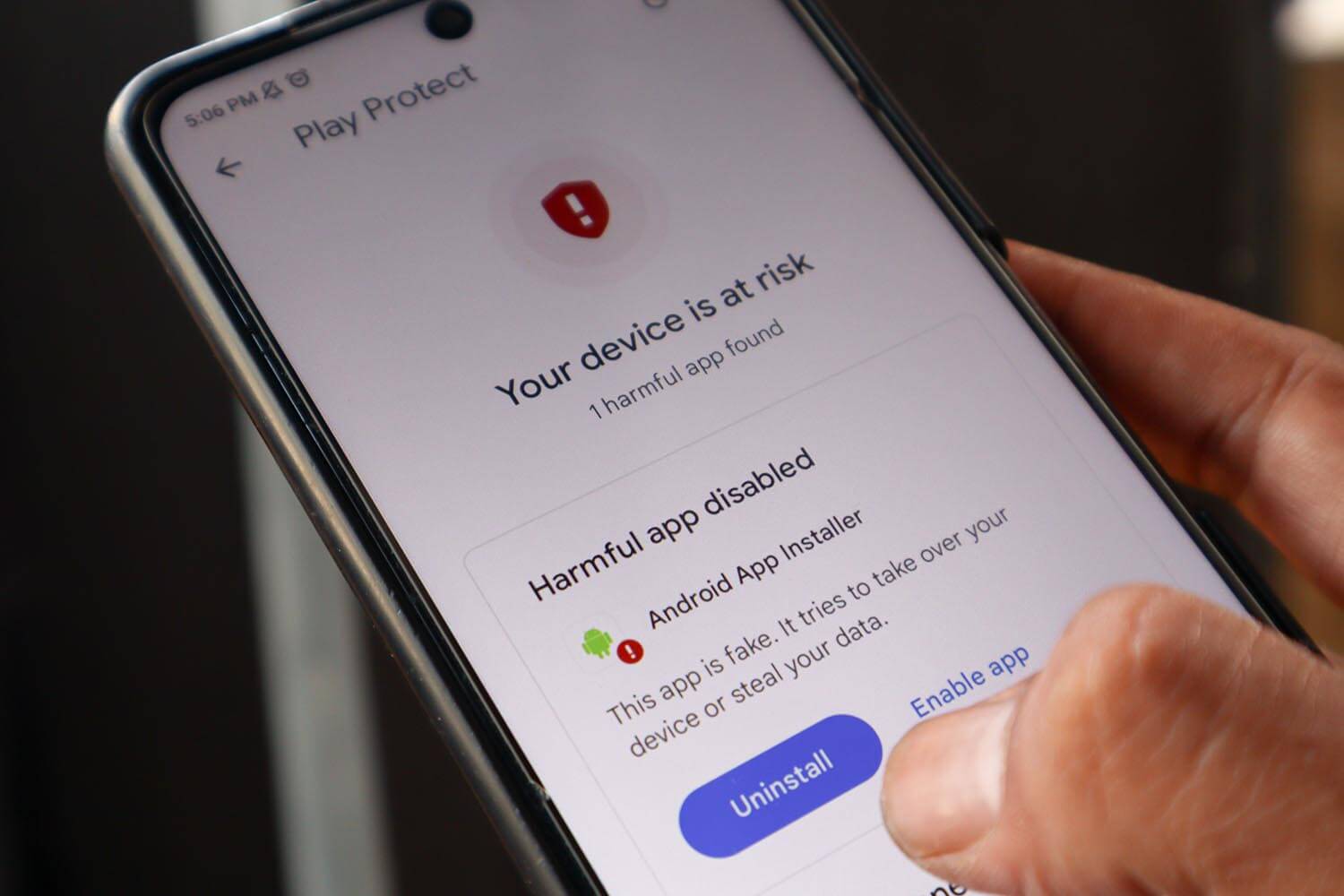
Your phone probably has more of your life on it than your laptop does: banking apps, work email, photos, and the sign-in codes for your other accounts. When a text arrives with a strange delivery link, or ads appear on the lock screen, one question comes up quickly. Is an antivirus app worth installing on Android?
Android already comes with a free malware scanner, and for many people, it covers the basics. Security apps add protection against scam texts, fake websites, and apps from outside Google Play. In return, they request broad permissions and use some battery. Here’s how five Android security apps compare, and when Play Protect is enough without one.
Best Antivirus for Android at a Glance
- Norton 360 for Mobile: Best overall. It stays quiet unless a Wi-Fi network looks risky.
- Bitdefender Mobile Security: Best for detection. A perfect score in my malware tests.
- Avast Mobile Security: Best free Android antivirus. Real-time scanning at no cost, supported by ads.
- McAfee Mobile Security: Best for scam calls and texts. Its Text Scam Detector checks incoming messages.
- NordVPN Next-Gen Antivirus: Best for web and Wi-Fi protection. It requests the fewest permissions.
Every detection, battery, and scan result comes from one phone, tested in November 2026 and checked against the independent labs AV-TEST (July 2026) and AV-Comparatives (June 2026).
What Android Already Protects Against
Google Play Protect scans every app you install; it’s enabled by default, and it costs nothing. On many recent phones, it also watches how apps behave after installation, so it can detect an app that turns malicious later. Android keeps apps separated, so one can’t read another’s data. An app must also ask your permission before using a sensitive capability, such as your location or camera.
If you stick to Google Play for apps, keep Android updated, and think twice before tapping links, your risk is low.
What Play Protect Misses
The labs don’t fully agree on Play Protect. In AV-TEST’s July 2026 mobile test, it earned full marks in protection, performance, and usability, the same score as Norton, Bitdefender, Avast, and McAfee. AV-Comparatives was stricter in June 2026, recording 98.9% detection with eight false positives, meaning safe apps flagged by mistake. Bitdefender, by comparison, scored 100% with two false positives.
On detection alone, the difference is small. However, Play Protect also covers fewer threats. Its main job is checking apps, so it does little against phishing links in texts and messaging apps, or against scam calls. Google Messages now flags some scam texts, and Pixel phones can warn about scam calls, but a security app covers more phones and more sources.
When Installing One Makes Sense
- You sideload apps. APK files, the app installers you download from websites, skip Google Play’s review, so Play Protect is their only check.
- Scam texts and calls are frequent. Scam filtering flags fake delivery and bank messages before you tap the link.
- You look after a relative’s phone. The same filters protect people who tap links without thinking.
- Banking and shopping happen on your phone. Web protection flags fake shopping and banking sites before you type a password.
- Public Wi-Fi is part of your routine. A bundled VPN encrypts your connection on networks you don’t control.
If none of those describe you, keep Play Protect and save your money.
Best Android Antivirus Apps, Tested and Ranked
1. Norton 360 for Mobile: Best Android Antivirus Overall
Rating: 4.7/5 ⭐
Norton is the app I expected to complain about, and I didn’t. It alerted me only when something looked risky, and it includes almost every feature a phone security app can have.
Pros
- Very fast scans
- Wi-Fi Security alerts
- Dark web monitoring
- Long money-back guarantee
- Included with Norton 360 Deluxe
Cons
- Higher price at renewal
- Phone-only on the mobile plan
- Identity features are US-only
What You Get With Norton on Android
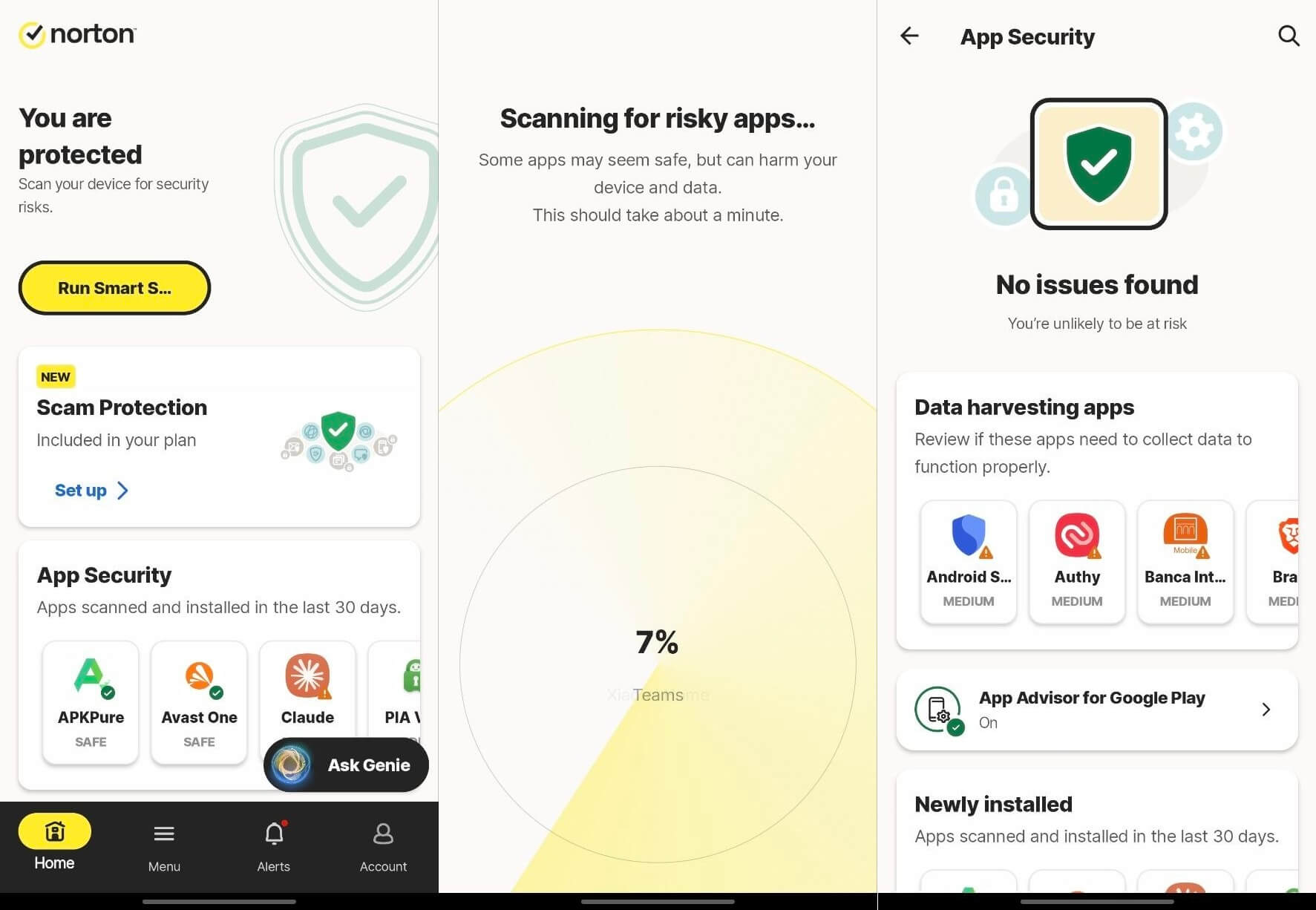
Norton’s app includes malware scanning, Web Protection, Wi-Fi Security, Scam Protection, App Advisor, a VPN, and dark web monitoring. App Advisor checks apps on Google Play before you download them, so you can avoid a risky one. Dark web monitoring and the identity tools work only in the US, so outside it, you’ll use the security features alone.
Norton Malware Detection Results on Android
On my phone, Norton detected 99.9% of the malicious apps with one false positive. AV-Comparatives recorded 99.6% for Norton in June 2026, and Avast and AVG, which use the same engine, scored identically. Norton also earned full marks from AV-TEST in July 2026.
Its full scan took 24 seconds, the quickest on my phone. Even the slowest scanner finished in 34 seconds, so scan speed shouldn’t decide your choice.
Norton Battery Drain and Permissions
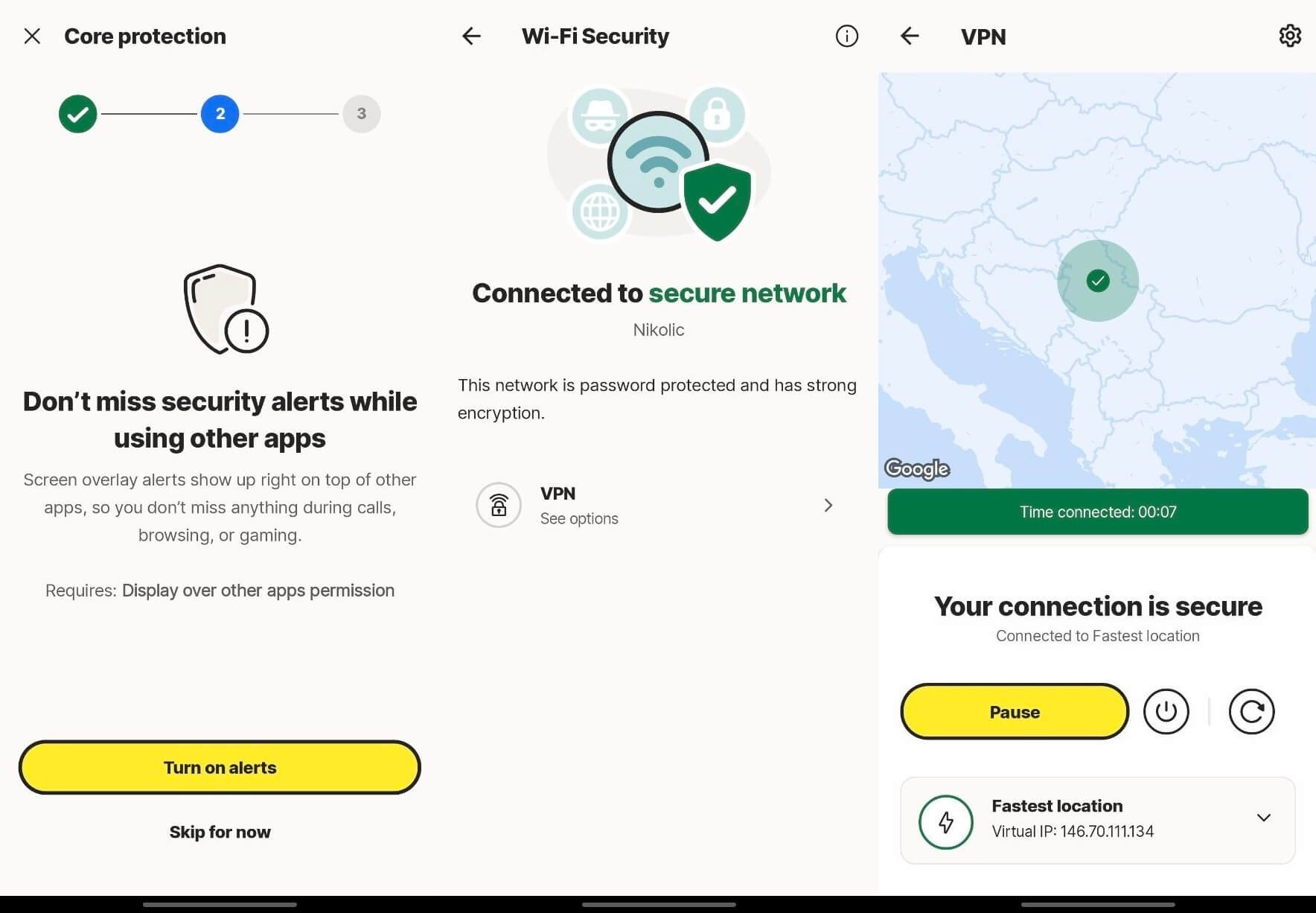
Norton used 0.9% of the battery during testing, more than every app except McAfee. It requests access to all files, accessibility, display over other apps, location, SMS and notifications, and a VPN connection.
Living With Norton Day to Day
Norton alerted me when I joined an unknown or suspicious Wi-Fi network and otherwise left me alone. Unlike some rivals, it shows no permanent banner and no upgrade prompt during a scan.
What Norton Costs on Android
Norton Mobile Security for Android costs about $20 for the first year on one mobile device. As with most antivirus apps, the renewal price is higher. However, the 60-day money-back guarantee is longer than most.
Norton 360 Deluxe and Norton 360 with LifeLock come with the mobile app. If you pay for one of those, install the app from your Norton account. If you also want to protect a laptop, the full Norton 360 plans cover computers as well.
Should You Install Norton on Your Phone?
Yes. App Advisor checks apps before installation, and the quiet notifications make Norton the easiest app to live with.
2. Bitdefender Mobile Security: Best for Detection
Rating: 4.6/5 ⭐
Bitdefender pairs the strongest detection on my phone with the widest browser support, and it stays light on battery.
Pros
- Very light on battery
- Web protection in most major browsers
- Scam protection for texts and chats
- Offers the VPN on financial sites
- Long free trial
Cons
- Permanent notification in the shade
- Limited daily VPN data
- Mobile plan covers a single phone
What You Get With Bitdefender on Android
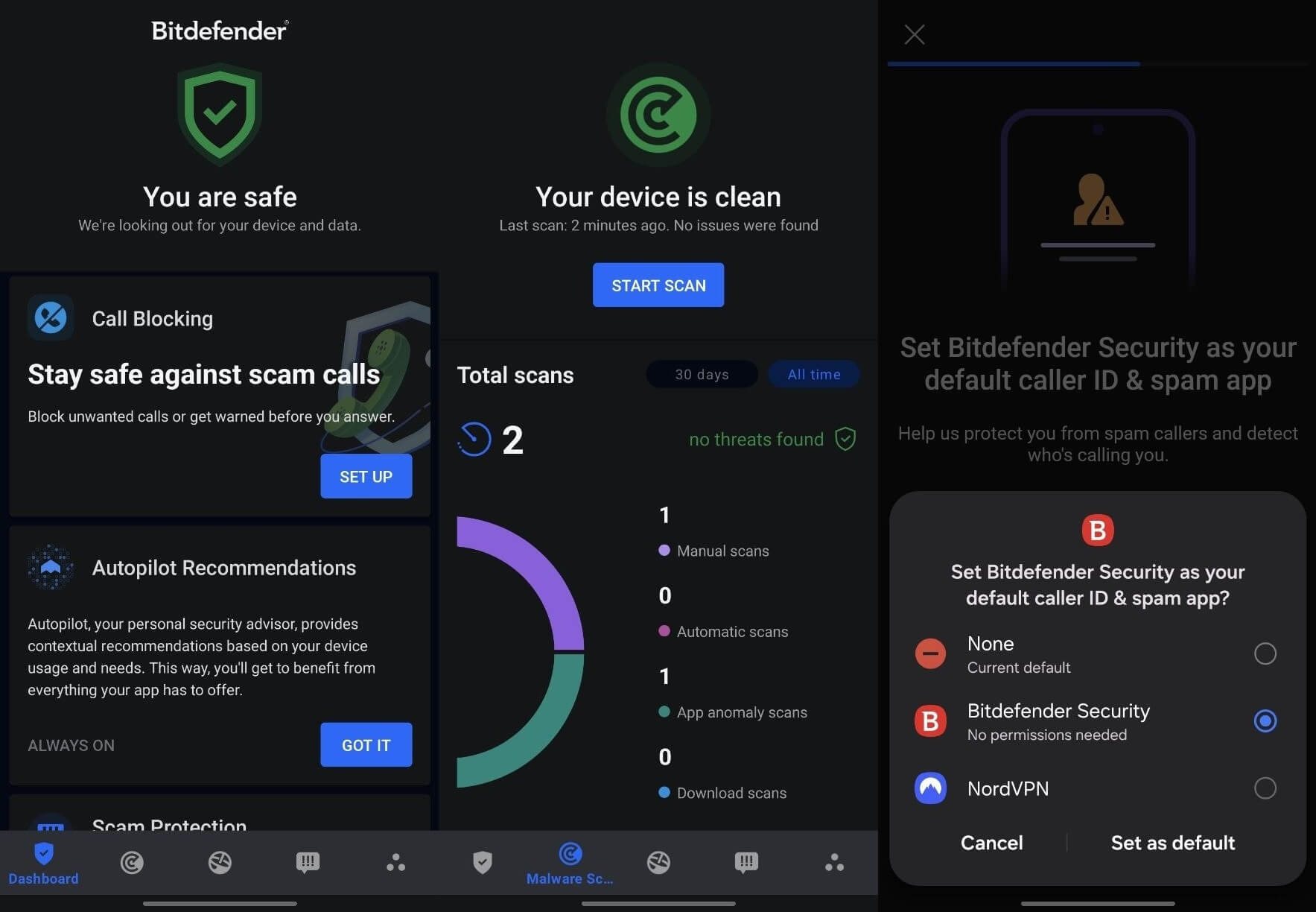
Bitdefender’s app includes a Malware Scanner, Web Protection, Scam Protection (split into Chat Protection and Scam Radar), Call Blocking, App Anomaly Detection, and a VPN. Web Protection works in Chrome, Firefox, Samsung Internet, Brave, Dolphin, DuckDuckGo, and Edge, a longer list than its rivals support.
Bitdefender Malware Detection Results on Android
Bitdefender scored 100% on my malicious APKs with zero false positives, and its full scan lasted 31 seconds. AV-Comparatives also recorded 100% in June 2026, with two false positives, and AV-TEST’s July results show a perfect score.
Bitdefender Battery Drain and Permissions
Battery use came to 0.5% over my test period. Bitdefender requests seven permissions, as many as McAfee: storage, location, camera, phone, SMS, internet access, and accessibility.
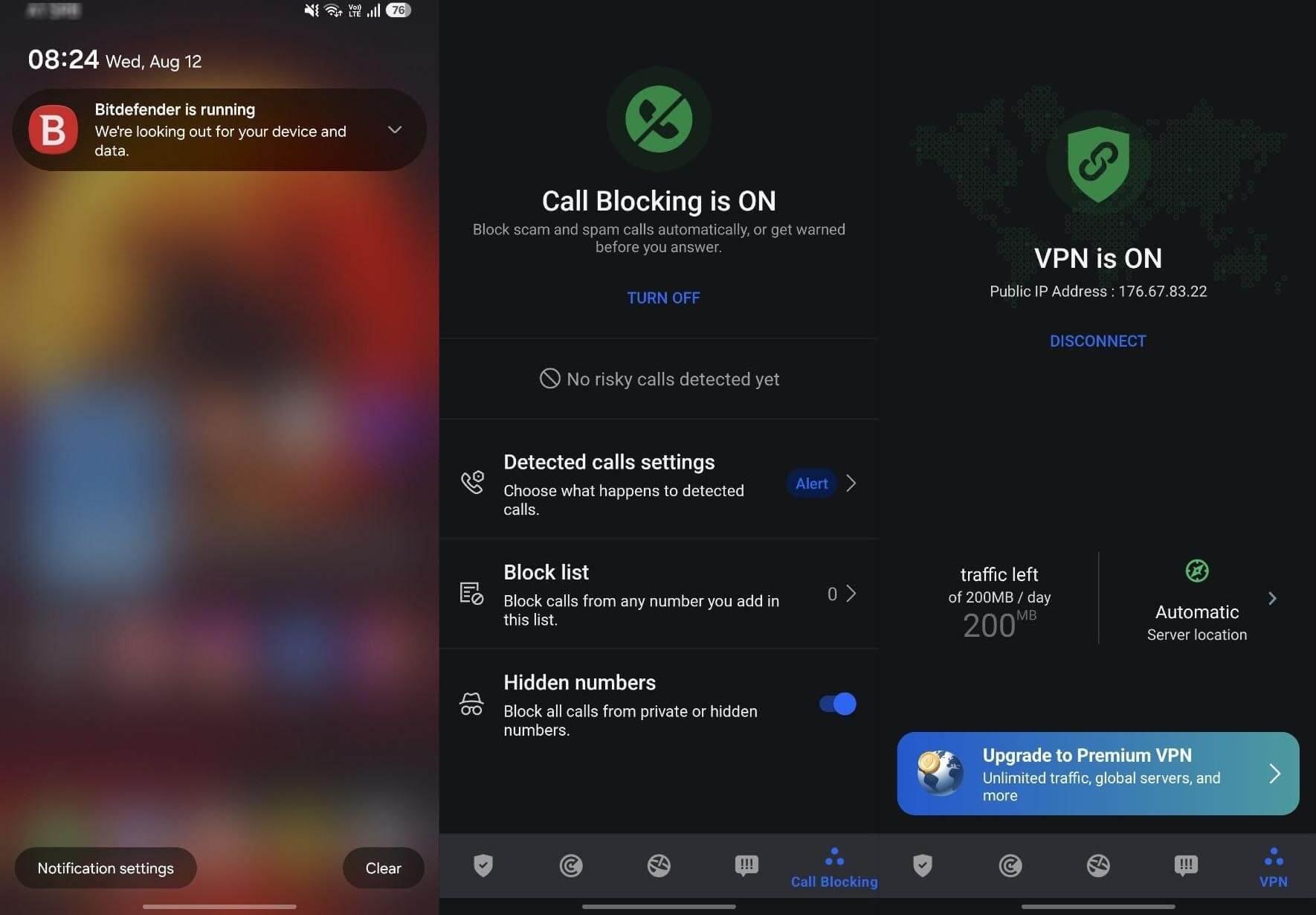
Each permission belongs to a feature. For example, accessibility powers Web Protection, which reads the web addresses you open in a browser, and storage access lets the Malware Scanner check your files. Call Blocking also checks your contacts, so it doesn’t block people you know.
Living With Bitdefender Day to Day
One thing annoyed me: a notification saying Bitdefender is running never leaves the notification shade. Otherwise, the app keeps out of the way. When I opened a trading site, it offered to enable the VPN to protect the transaction.
The bundled VPN is limited to 200 MB a day with no choice of location, but it was fast and reliable within that limit. That’s enough for messaging and some browsing, but too little for video. For more, Bitdefender’s Premium VPN removes the data cap.
What Bitdefender Costs on Android
Bitdefender Mobile Security costs about $18 for its first year and covers one device. Its 14-day trial is the longest of the paid apps, and the price goes up at renewal. Covering a laptop as well requires one of the all-in-one plans in the Bitdefender Antivirus review.
Should You Install Bitdefender on Your Phone?
If detection comes first for you, yes. No app on my phone was more accurate, and the long trial lets you decide whether the notification bothers you.
3. Avast Mobile Security: Best Free Android Antivirus
Rating: 4.5/5 ⭐
Avast’s free Android app includes real-time scanning, web protection, and scam detection. It also shows you ads, which is how Avast pays for the free version.
Pros
- Web Shield and Scam Guardian in the free tier
- Near-perfect malware detection
- Network Inspector for Wi-Fi checks
- Every paid plan covers several devices
Cons
- Ads in the free version, even during scans
- Paid suggestions after a clean scan
- SecureLine VPN could be faster
- Long permission list
What You Get With Avast on Android
The free tier includes malware scanning, Web Shield, Scam Guardian, Network Inspector, and Junk Clean. Paid tiers add scam call and SMS filtering, and the Ultimate plan includes a VPN with unlimited data. Avast’s mobile plans are called Basic, Premium, and Ultimate, which don’t match its desktop plan names.
That VPN is a full version of Avast SecureLine, the same app Avast sells for computers. It could be faster, so test it on the networks you use most during the trial before you rely on it.
Avast Malware Detection Results on Android
Avast detected 99.9% of the threats with a single false positive, the same result as Norton. It matched Norton at AV-TEST as well, and its full scan finished in 26 seconds.
Avast Battery Drain and Permissions
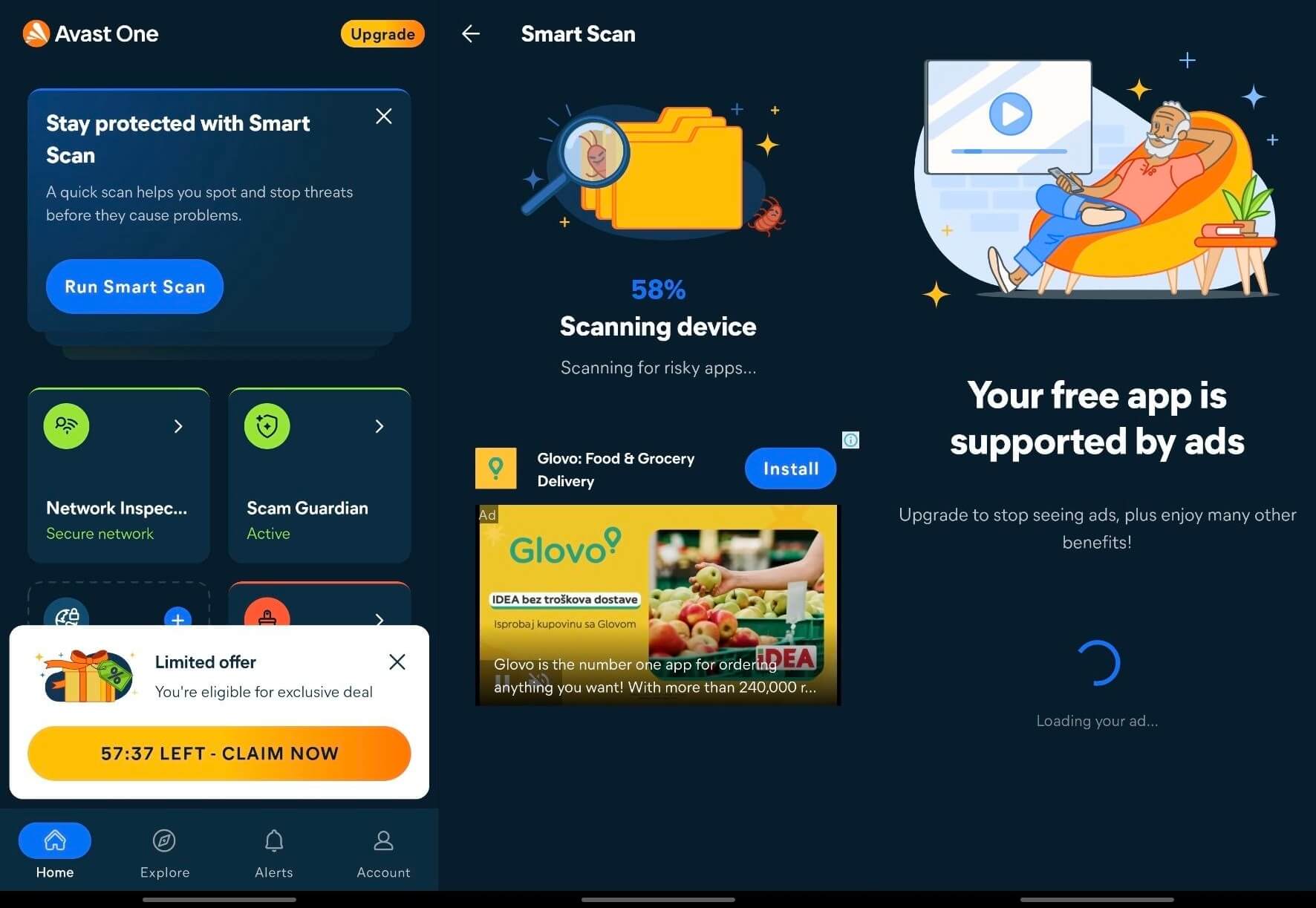
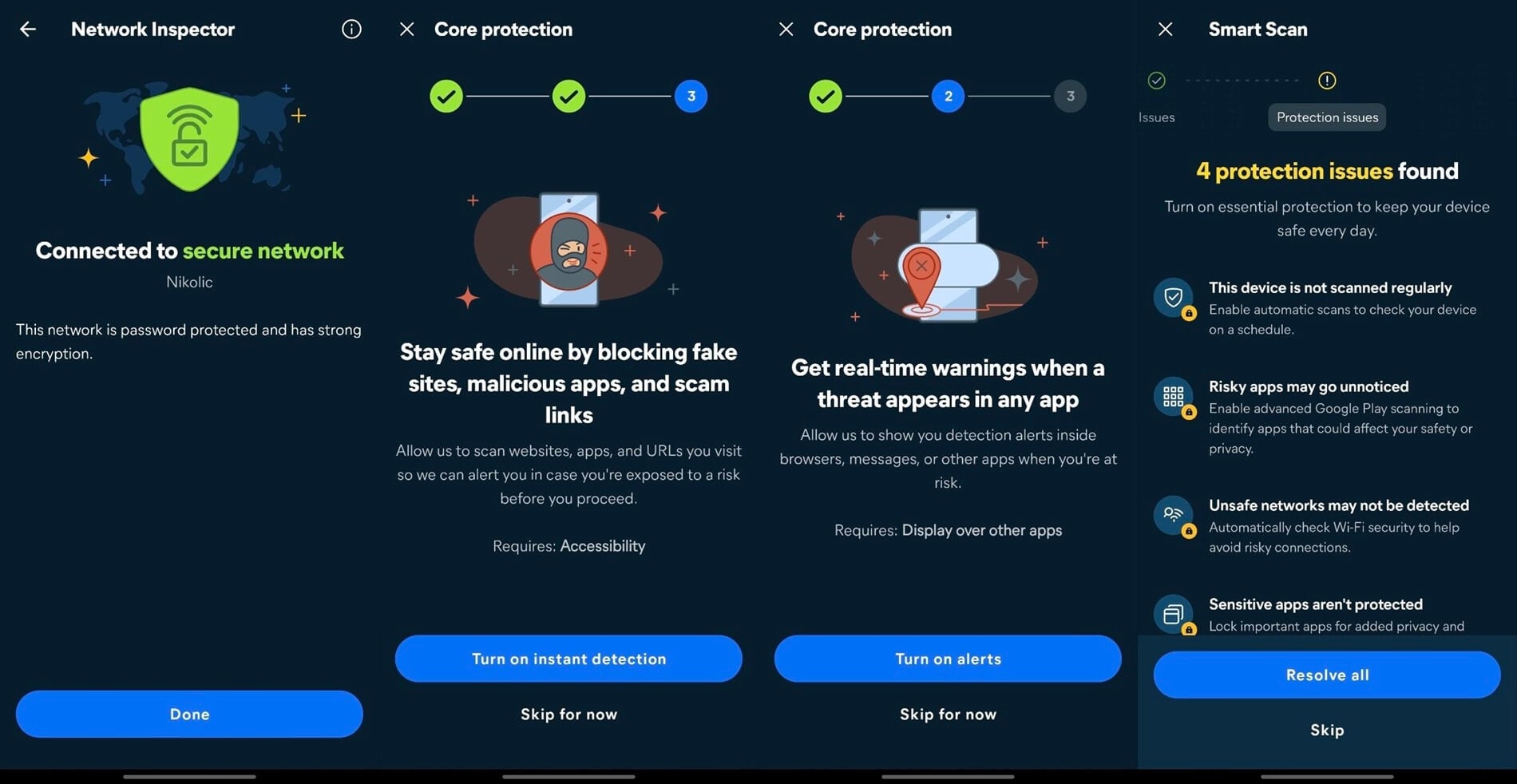
Avast used 0.7% of the battery, and its permission list matches Norton’s. Real-time detection relies on accessibility access, which Avast requests in a separate step and explains first. If a permission covers a feature you won’t use, such as call filtering, you can decline it.
Living With Avast Day to Day
The free version is ad-supported, and Avast says so on a full-screen card when you first open the app. A food delivery ad appeared in the middle of a scan for risky apps, and a countdown banner on the home screen offered a limited-time deal. If ads bother you, the paid plans remove them.
A Smart Scan on my clean phone found no issues but still suggested six fixes for paid features. You can ignore them, because the free scan still covers the basics. Junk Clean also overstated its result: it freed 9.63 GB, but only about 100 MB of that was actual junk. The rest came from emptying my own Trash folder.
What Avast Costs on Android
Avast has no mobile-only plan. Instead, every paid tier covers several devices, so the phone comes bundled with your computers. That makes Avast better value than Bitdefender or Norton for several devices and worse value for a phone alone, as the tiers in the Avast review show.
Should You Install Avast on Your Phone?
For a free app, yes. Its free tier is the most generous on Android, as long as the ads don’t bother you.
4. McAfee Mobile Security: Best for Scam Calls and Texts
Rating: 4.2/5 ⭐
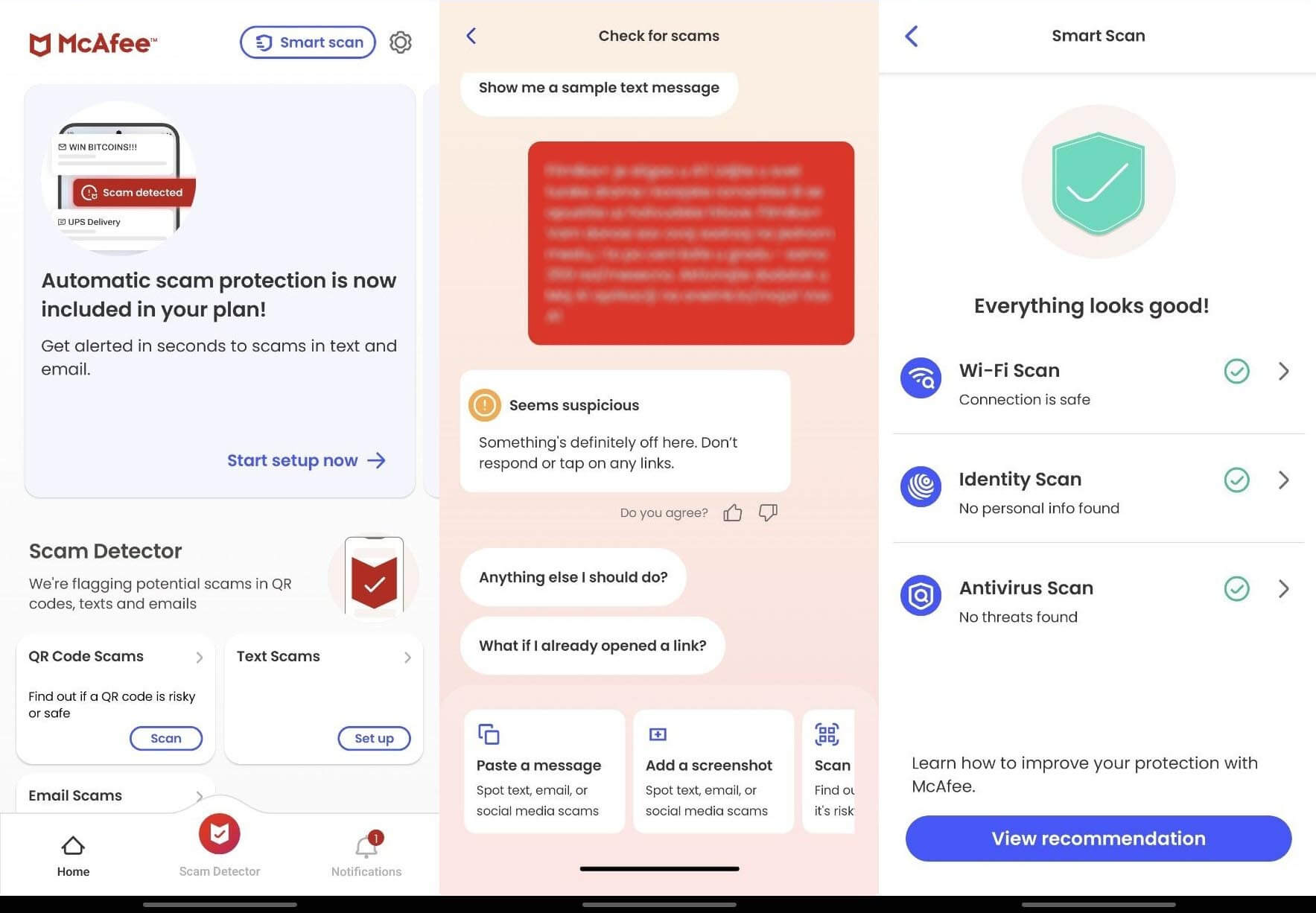
McAfee used the most battery on my phone, and filtering scam calls and texts is its strongest feature.
Pros
- Strong filtering for scam calls and texts
- Wi-Fi scanning
- Identity monitoring
- Unlimited devices on McAfee+ plans
Cons
- Expensive for a single phone
- Slower full scans
- Not quite perfect detection
- No AV-Comparatives mobile results
What You Get With McAfee on Android
McAfee bundles filtering for scam calls and texts with Web Protection, malware scanning, Wi-Fi scanning, identity monitoring, and a VPN. Text Scam Detector reads incoming messages for signs of a scam, such as a fake delivery notice or a bank alert with a suspicious link.
McAfee Malware Detection Results on Android
McAfee detected 99.78% of the malware samples on my phone, with three false positives. That’s the lowest result among the four scanners, but still a strong score, and AV-TEST awarded it full marks in July 2026. AV-Comparatives doesn’t include McAfee in its mobile test, so its detection has one lab result behind it. If lab scores guide your choice, Norton, Bitdefender, and Avast are covered by two labs. Full scans took a few seconds longer than on the other apps.
McAfee Battery Drain and Permissions
McAfee’s battery share was 1.0%. It requests accessibility, display over other apps, a VPN connection, background battery use, notifications, phone state, and, optionally, the microphone.
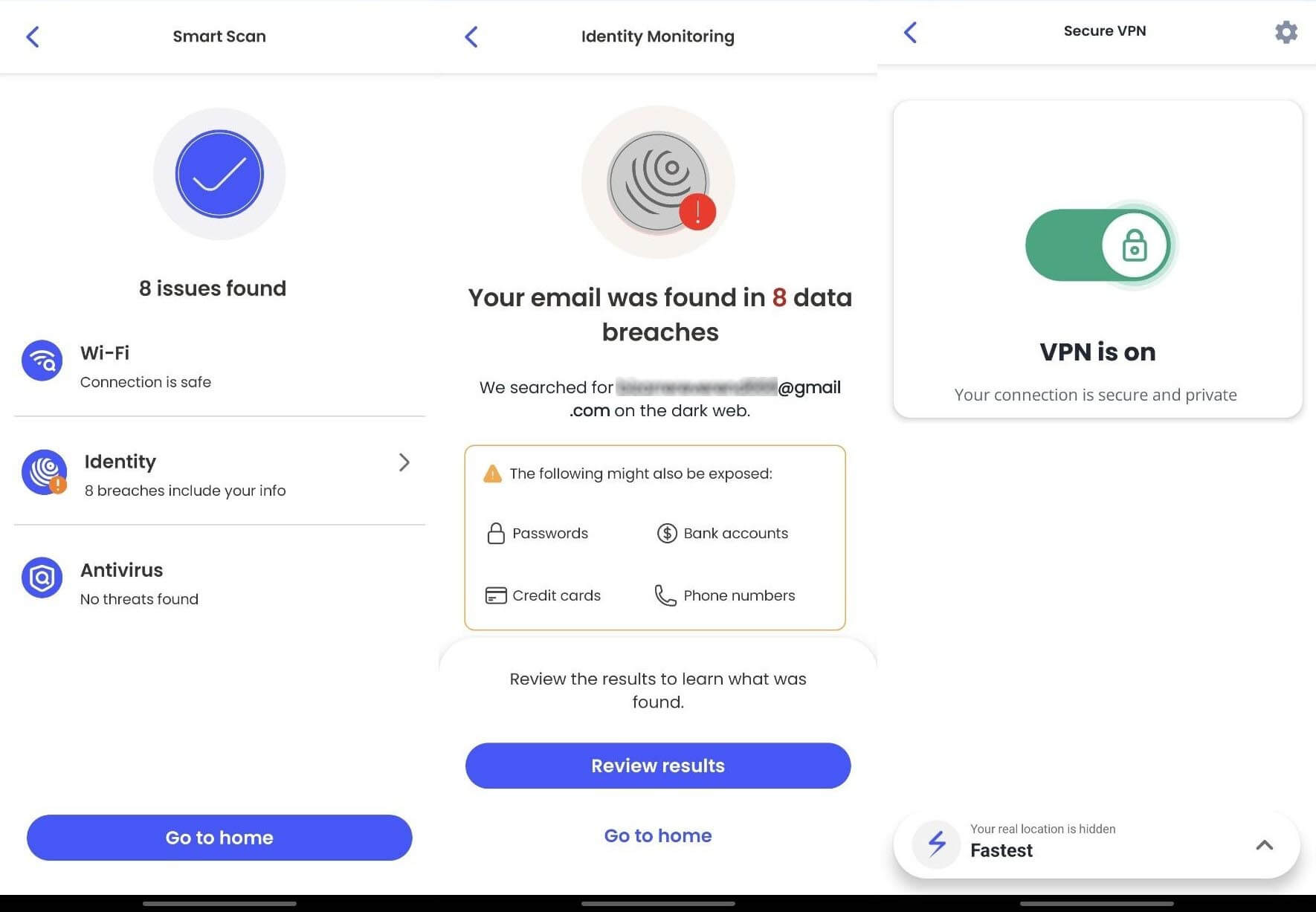
McAfee on Samsung Galaxy Phones
On Samsung Galaxy phones, the built-in app protection is powered by McAfee, so McAfee’s engine already checks your apps with no McAfee app installed. As a result, installing Mobile Security on top mainly adds scam filtering and a VPN for public Wi-Fi. The malware protection remains much the same.
What McAfee Costs on Android
McAfee doesn’t sell a mobile-only plan, and every McAfee+ tier covers unlimited devices:
- Premium Individual plan: about $50 for the first term
- Advanced Individual plan: about $90 for the first term
- Ultimate Individual plan: about $200 for the first term
For a household with many devices, that’s strong value. For a single phone, Bitdefender or Norton costs far less.
Should You Install McAfee on Your Phone?
Only if scam calls and texts are your main problem. As a malware scanner, its battery use and slower scans count against it.
5. NordVPN Next-Gen Antivirus: Best for Web and Wi-Fi
Rating: 4.0/5 ⭐
The next-gen antivirus in NordVPN’s app, which NordVPN used to call Threat Protection Pro, isn’t a full antivirus app. I ranked it anyway, because it blocks scam sites and warns about risky Wi-Fi, two threats phone owners face often.
Pros
- Barely affects battery life
- Very few permissions
- Scam checker works beyond English
- Tapjacking and Wi-Fi alerts enabled by default
Cons
- No file scanner
- Blocks some safe sites
- Adult filter misses gambling and betting sites
- Not in NordVPN’s Basic plan
What You Get With NordVPN on Android
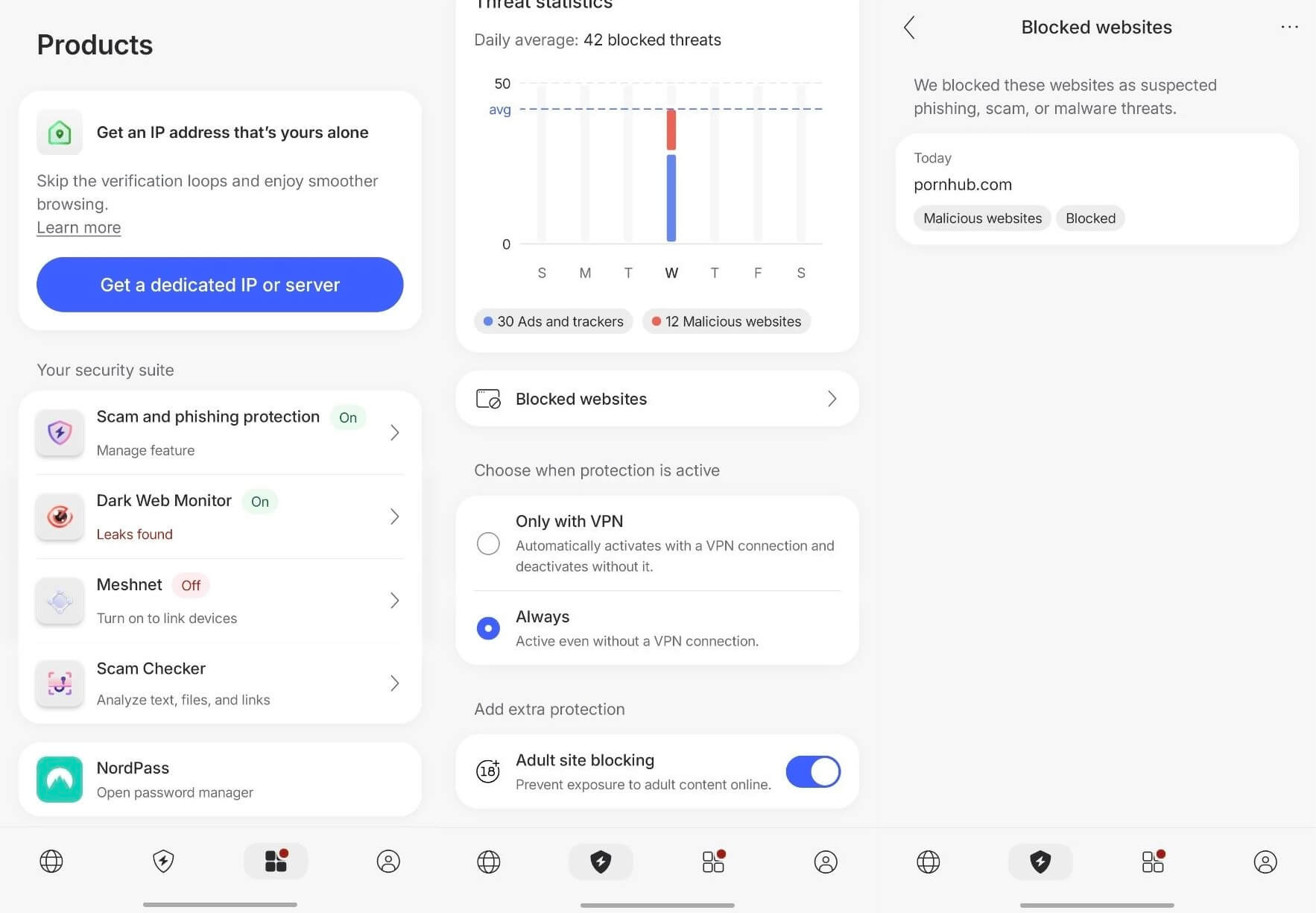
NordVPN’s next-gen antivirus includes malicious site blocking, tracker and ad blocking, Wi-Fi Security, Identity Monitoring, and web-based Link, File, and Scam Text checkers. However, there’s no on-device file scanner, so it never checks an APK in your downloads folder.
Get NordVPN Threat Protection Here
NordVPN Malware Detection Results on Android
NordVPN blocked 95.60% of the malicious sites I tested and flagged five safe sites by mistake, a few too many for something sold as antivirus. These figures can’t be compared directly with the four scanners, because blocking a web address and scanning a file are different jobs. No lab tests it as a mobile antivirus either.
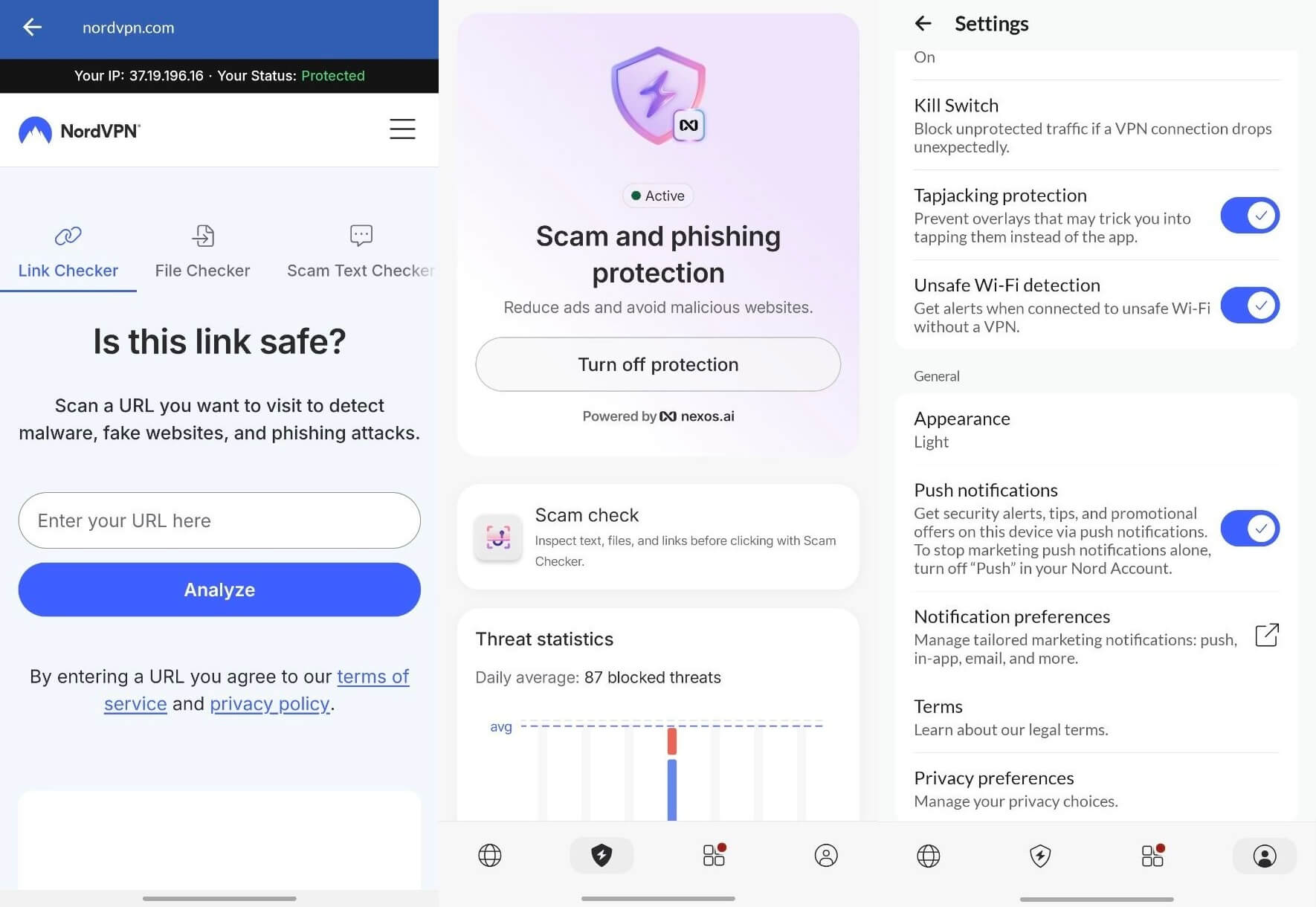
The Block adult sites filter covers pornography only. Gambling and betting sites aren’t blocked, so parents who want to block them should add a separate content filter.
NordVPN Battery Drain and Permissions
NordVPN used 0.2% of the battery, less than any other app. It requests only three permissions: caller ID, phone calls, and SMS, which Call and Message Protection uses. It has no storage, accessibility, or location access.
Living With NordVPN Day to Day
Tapjacking protection, which stops apps from hiding a fake button over a genuine one, and Unsafe Wi-Fi detection are enabled by default. Push notifications start enabled too, and that single setting mixes security alerts with promotional offers. You can disable the marketing messages in your Nord Account.
The scam checker also handled a message in a language other than English. I sent it a promotional SMS, and it flagged the message as suspicious with an explanation. Most scam filters can’t do that outside English.
What NordVPN Costs on Android
You’ll find it on NordVPN’s Complete plan and higher tiers, at about $4.50 a month for the first term. There’s no mobile-only option and no standalone purchase. If you already use NordVPN’s Basic plan, upgrading to the Complete plan adds the next-gen antivirus to the same app.
Should You Install NordVPN Next-Gen Antivirus on Your Phone?
As a second layer, yes, especially if you want NordVPN’s privacy features anyway. It stops web threats without scanning files, so use it alongside a scanner such as Play Protect.
Android Antivirus Compared: Detection, Battery, and Permissions
AV-TEST’s July 2026 scores rate protection, performance, and usability out of 6 each.
| My detection (FP = false positives) | AV-TEST July 2026 | Battery | Scan time | Permissions | Rating | |
| Norton | 99.9%, 1 FP | 6/6/6 | 0.9% | 24 sec | 6 | 4.7⭐ |
| Bitdefender | 100%, 0 FP | 6/6/6 | 0.5% | 31 sec | 7 | 4.6⭐ |
| Avast | 99.9%, 1 FP | 6/6/6 | 0.7% | 26 sec | 6 | 4.5⭐ |
| McAfee | 99.78%, 3 FP | 6/6/6 | 1.0% | 34 sec | 7 | 4.2⭐ |
| NordVPN | 95.60% web, 5 FP | Not in AV-TEST | 0.2% | No file scanner | 3 | 4.0⭐ |
| Play Protect | 98.9% (AV-Comparatives) | 6/6/6 | Built in | Automatic | Built in | Free |
Detection is close across the four scanners, while battery use and permissions vary more.
Battery Drain and Permissions: What These Apps Cost You
I wanted these numbers most when I started testing on my Galaxy S26 Ultra, because the marketing never mentions them.
What the Battery Numbers Mean
On the same usage-by-app screen that recorded the antivirus figures, YouTube used 3.5% and Instagram 2.0%. The heaviest antivirus app, McAfee, used 1.0%. In other words, if your phone drains quickly, your antivirus is unlikely to be the cause.
AV-Comparatives came to the same conclusion in June 2026. Every app it tested, including Norton, Bitdefender, and Avast, scored in its best band. That band allows up to 3% extra drain over a simulated day of social media, calls, browsing, and video.
What the Permission Requests Mean
Permissions vary much more than battery use, from three for NordVPN to seven for Bitdefender and McAfee. Each one maps to a feature, such as accessibility for web protection and SMS access for scam text filtering. In an app from a well-known security company with lab certification, none of this is sinister.
Decline accessibility, for instance, and you lose web filtering while on-demand scans keep working. Decline SMS, and you lose scam text detection. The same list deserves suspicion on an app from a developer you’ve never heard of.
How to Spot a Fake or Fraudulent Android Antivirus App
Fake security apps work because they request exactly the permissions a genuine one does. You tell them apart by who made them.
Why an Android Antivirus Free Download Search Ends Badly
Cloned apps copy a genuine vendor’s colors and icon. Some show a fake scan animation and detect nothing. Others hide adware that shows ads outside the app, or start a free trial that turns into a recurring charge through Play Store billing.
The worst ones request accessibility services they have no use for, which lets them read everything on your screen. Google removes these apps in batches, but new ones keep appearing because the scheme pays.
5 Checks Before Installing Any Security App
- Start from the vendor’s own website. Go to bitdefender.com or norton.com and follow the link to the Play Store listing. This is the most reliable check.
- Natural install counts and reviews. Hundreds of five-star reviews written in one week, all in the same voice, are a warning sign.
- Recent updates. A security app untouched for a year isn’t keeping its threat list current.
- Independent lab results. AV-TEST and AV-Comparatives publish full lists, and established security companies appear in them.
- A permission list that makes sense. Read it before you install, and compare it with the features the app offers.
Run those checks, and the most recommended antivirus for Android becomes obvious: the apps with a long record of lab results behind them.
Sensitive Permissions and When to Worry
A reputable antivirus app for Android requests several permissions that sound alarming.
- Accessibility services let an app read everything on screen. Legitimate apps use it for web protection. In the wrong hands, it captures passwords and banking sessions, and it’s the most abused permission on Android.
- SMS access supports scam text filtering, but a malicious app can use it to send premium-rate texts.
- Contacts and call logs support call blocking, and they’re valuable to scammers on their own.
- Device administrator rights are the clear exception. Very few security apps require them, and an app with them is hard to uninstall.
Be wary when a developer with no lab history and no verifiable identity requests them.
What to Do If a Fake Security App Is Already Installed
Treat it like any other malware. Revoke its device admin rights, uninstall it, and use Safe Mode, which starts Android without third-party apps, if the uninstall fails. Removing the app doesn’t stop the billing, so also cancel any subscription it started in the Play Store, under Payments and subscriptions.
Built-In Protection on Samsung Galaxy Phones
Samsung adds its own security on top of Android, so Galaxy owners have more than Play Protect from day one. Auto Blocker, under Settings, Security and privacy, blocks apps from unofficial sources. It also stops commands sent to the phone over a USB cable, which helps at public charging stations.
Samsung’s built-in app scanner also checks installed apps. For Galaxy owners who stick to Google Play and the Galaxy Store, those tools and Play Protect cover malware well. A security app adds scam text filtering and browser protection.
Best Free Antivirus for Android in 2026
Free tiers on Android are more generous than on desktop.
What a Free Antivirus App for Android Includes
Free antivirus for Android from a named vendor uses the paid version’s detection engine, so it detects the same malware. The same is true on desktop, as my best free antivirus software rankings show.
However, free virus protection for Android usually leaves out the extras. Those include protection from scam calls and texts, unlimited VPN data, anti-theft tools, app locking, identity monitoring, and human support. Most free tiers offer the scanner and a few basic tools.
How Free Mobile Antivirus Apps Make Money
- Upgrade prompts. Free scans often end on a list of paid fixes, and Bitdefender’s trial ends on a purchase screen.
- Advertising. Some free apps show ads in the app itself, sometimes during a scan.
- Bundled subscriptions. A free antivirus for Android phone users often exists to sell a VPN, and a small free VPN allowance is meant to lead you to the paid plan.
The Best Free Antivirus App for Android Right Now
- Avast Mobile Security is the best free Android antivirus, with Web Shield, Scam Guardian, and Network Inspector on top of real-time scanning.
- AVG AntiVirus for Android is effectively the same product. Avast owns AVG, and the two apps are nearly identical, so pick whichever interface you prefer.
- Google Play Protect is the zero-install option, already active on your phone and free.
Android Virus Scan: How to Scan Android for Viruses and Clean It Up
If your phone already seems infected, go through these checks before you buy an app. Together, they take about 10 minutes.
Signs an Android Phone Is Infected
- The battery drains faster, with no change in how you use the phone.
- Mobile data use climbs while you’re on Wi-Fi.
- Pop-ups appear outside apps, on the home screen or lock screen.
- Apps you didn’t install show up, or an icon disappears, but the app keeps working in the background.
- The browser opens pages you didn’t request.
- Your phone feels warm while idle, or apps crash repeatedly.
- Premium SMS charges appear on your bill.
Running a Scan With Google Play Protect
Begin with the free tool that’s already on your phone. In the Play Store, select your profile picture, choose Play Protect, then Scan. Play Protect checks every installed app and flags harmful ones. While you’re there, tap the settings gear and confirm that “Scan apps with Play Protect” and “Improve harmful app detection” are enabled.
The second setting sends unknown apps to Google for analysis. That way, it can detect a sideloaded APK that isn’t on any known-threat list yet.
Running a Deeper Scan With an Android Malware Scanner
If Play Protect finds nothing but the phone still misbehaves, a second opinion helps, because another vendor’s engine looks for different patterns. Any anti-malware app from an established vendor on the Play Store will do.
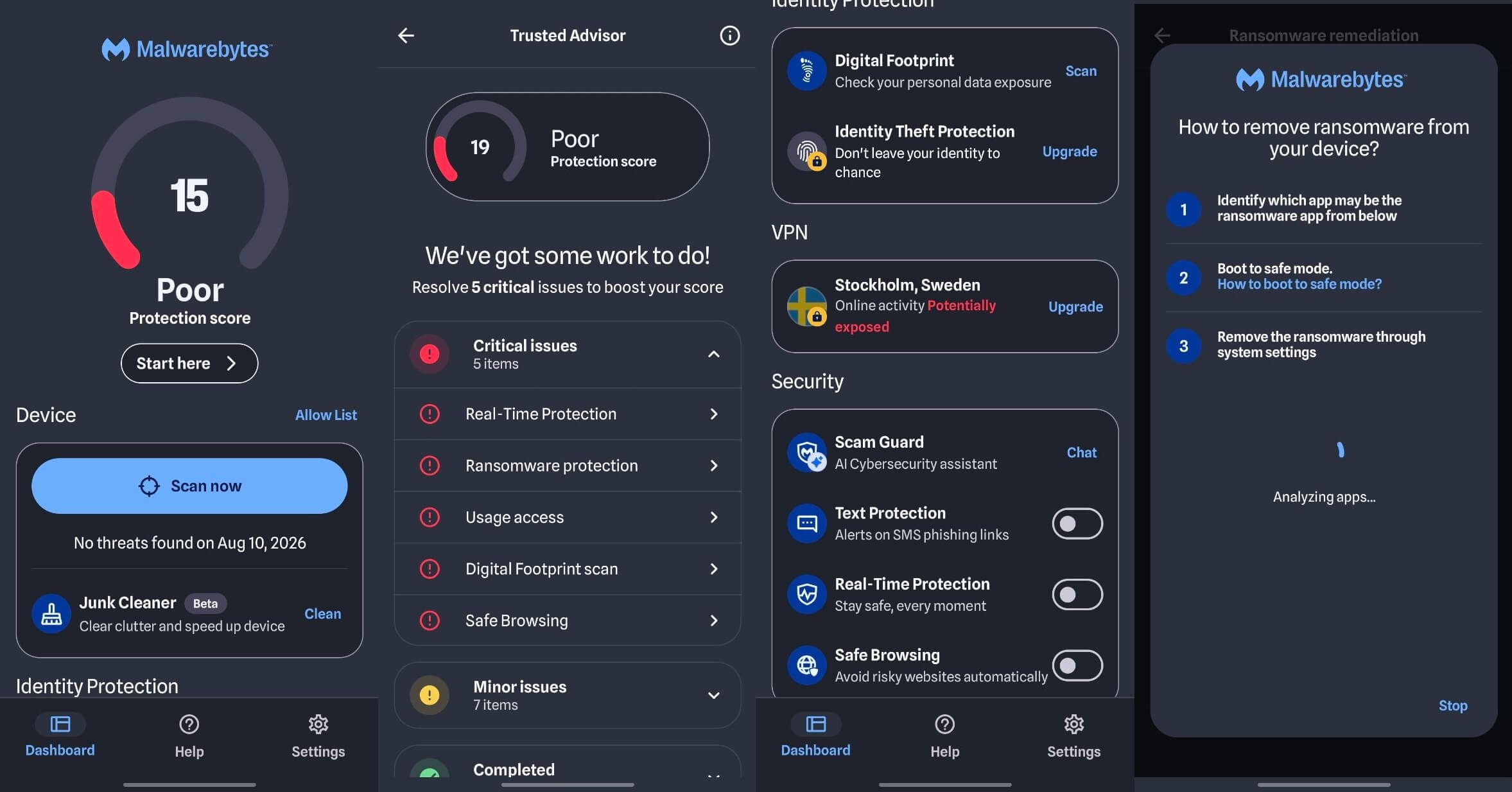
Grant storage access when the app requests it. Without it, a scanner can check installed apps but not your downloads folder, where malicious APKs usually end up. Then run the scan, read the result, and uninstall the scanner afterward if you don’t want a subscription.
How to Remove Malware From Android in Safe Mode
Uninstall a suspicious app through Settings>Apps. Some malware hides its home screen icon, so the app list is more reliable. If the Uninstall button is grayed out, the app has device administrator rights, so remove them first. On many phones, they’re under Settings, Security, Device admin apps, but the path varies by brand.
If you still can’t uninstall it, restart in Safe Mode so the malware can’t work while you remove it. To do this, long-press the power button, then long-press Power off until the Safe Mode prompt appears. Uninstall the app, then restart normally. Afterward, clear your browser cache, and check Settings, Accessibility to see which apps can read your screen. Remove access from any app you don’t recognize.
When a Factory Reset Is the Only Answer
Reset the phone if the same threat comes back after removal or if even Safe Mode won’t let you uninstall the app. A reset also makes sense when the phone came to you second-hand with an unknown history. Back up photos, documents, and contacts first. After the reset, reinstall apps one by one from the Play Store. Don’t restore a full backup, which could bring the infected app back.
What to Do After the Phone Is Clean
Malware may have seen your passwords before you removed it. For this reason, change your Google account password first, ideally on a different device, then your email and banking passwords. Next, sign out of unfamiliar sessions in your Google account and run Google’s Security Checkup. Finally, enable Play Protect notifications again if you disabled them.
What the Best Paid Antivirus for Android Costs
Norton Mobile Security and Bitdefender Mobile Security are mobile-only plans that cover a single phone, with higher renewal prices. Avast, McAfee, and NordVPN don’t, so their protection comes with a multi-device subscription. Android tablets use the same apps as phones, so a tablet requires a second license or a multi-device plan.
The cheapest plan depends on how many devices you own. For one phone, it’s Bitdefender. For a household, on the other hand, an all-in-one plan from McAfee or Avast is better value than buying phone licenses one at a time.
| Mobile-only price | Covers | Trial | |
| Norton | About $20 for the first year | 1 device | 7 days, card required |
| Bitdefender | About $18 for the first year | 1 device | 14 days, card required |
| Avast | No mobile-only plan | Multi-device | 7 days, card required |
| McAfee | No mobile-only plan | Unlimited devices | 7 days |
| NordVPN | No mobile-only plan | Multi-device | 3 days, card required |
Before paying, check one more thing: a desktop security subscription may already include the mobile app. For example, Norton 360 Deluxe and every paid Avast tier include it. Paying for the phone separately means buying the same thing twice, and my best antivirus guide shows which desktop plans include mobile protection.
What the Best Security App for Android Does
On a phone, most threats now arrive as scam texts and fake websites.
What to Judge a Mobile Security App On
McAfee’s strongest feature is scam protection.
- Scam call and text filtering flags a smishing message, a phishing attempt sent by text, before you open the link. These messages work because they arrive with no sender reputation attached.
- Phishing and malicious link blocking helps on a small screen. A fake banking page with a shortened address bar is much harder to spot on a phone than on a computer.
- App permission checks show which apps have accessibility, SMS, and location access, a check few people do on their own.
- Anti-theft and remote wipe cover the more likely problem, because losing a phone is more common than having it infected.
- Public Wi-Fi checks warn when a network has weak or no encryption. Norton, Avast, McAfee, and NordVPN flag these.
- Breach and dark web monitoring alerts you when your email address appears in a leak. NordVPN’s Identity Monitoring found mine in eight breaches.
- App lock and photo vaults put specific apps behind a second password, which helps on a shared phone.
- A VPN protects your traffic on public Wi-Fi. Bitdefender’s bundled VPN has a daily cap, and Avast includes one only on the Ultimate plan.
McAfee is on the list for its scam filtering, while Norton and Bitdefender lead on detection and daily use.
iPhone Security Apps: Why No iPhone Antivirus Exists
Apple doesn’t let one app inspect another, so an iPhone scanner would have nothing to check. That rules out true antivirus on iOS, despite what some App Store listings promise. Instead, those apps offer a phishing filter, unsafe Wi-Fi warnings, and breach alerts, often with a VPN. That helps, but none of it scans for viruses.
Norton, Bitdefender, and Avast publish iOS apps on that basis, and the scam-link filtering helps if you receive scam texts often. Still, Apple’s own defenses do more. Install iOS updates as soon as they arrive, because Apple patches exploited flaws quickly. If you might be a target for spyware, enable Lockdown Mode, which disables some iPhone features to make advanced attacks harder.
How I Tested These Android Antivirus Apps
I used a Galaxy S26 Ultra running the current version of One UI, Samsung’s version of Android, over one week in November 2026. I installed each app on its own, tested it, then removed it before installing the next.
- Detection. I installed malicious APKs from third-party sites, opened phishing links, and received scam text messages, then recorded what each app blocked and what it flagged by mistake.
- Battery. Figures come from Android’s own usage-by-app screen, so the operating system recorded them.
- Scan speed. I timed full scans from tap to finish on the same phone with the same apps installed.
- Permissions. I logged every request during setup, then checked each app’s permissions in Android settings afterward.
Using one handset means these results describe a current flagship. A mid-range phone with a smaller battery would show larger percentages, but the order between apps should remain the same.
Phishing results come from my Windows tests. Each app blocked this share of phishing pages:
- Norton: 95%
- NordVPN: 95%
- Avast: 93%
- Bitdefender: 89%
I don’t have a phishing figure for McAfee. The lab figures come from AV-TEST’s July 2026 and AV-Comparatives’ June 2026 mobile reports. No company paid for coverage, and no vendor saw these reviews before publication.
Summary
Play Protect already detects most malware on Android. A security app is worth installing when scam texts, sideloaded apps, or mobile banking are part of your routine: those are the risks Play Protect covers least. Norton 360 for Mobile, Bitdefender Mobile Security, Avast Mobile Security, McAfee, and NordVPN’s next-gen antivirus passed my tests.
The four scanners detect malware at nearly the same rate, so compare them on scam filtering, battery use, permissions, and device coverage. After installing any of these apps, run one full scan right away. A clean first result confirms the phone had no malware before real-time protection started.
If the scan does find something, you can remove it right away.
Common Questions About Android Antivirus
Is Norton Mobile Security free to use?
No. Norton Mobile Security for Android is a paid subscription with a free trial. Subscribers to Norton 360 Deluxe or Norton 360 with LifeLock can install it at no extra cost.
Does the free version of Avast Mobile Security show ads?
Yes. Avast Mobile Security's free version shows ads, which pay for its real-time scanning and web protection. Upgrading to a paid plan removes the ads and adds scam call filtering.
Do virus cleaner apps work?
Yes, if they come from an established vendor. Norton, Bitdefender, and Avast remove genuine threats, while many unknown virus cleaner apps show fake warnings to sell subscriptions.
Is free Android antivirus safe to install?
Yes, when it comes from a known security company through the Google Play Store. The risk comes from copycat apps with cloned branding, no lab history, and permissions they have no use for.
Are premium antivirus APKs from third-party sites genuine?
No. Cracked premium APKs from unofficial sites often contain malware, and even a clean copy misses the vendor's threat updates and account-based protection features.
Does a VPN protect an Android phone on public Wi-Fi?
Yes. A VPN encrypts traffic between the phone and the VPN server, so other people on the same public network can't read it.