
Bitdefender has built a reputation as one of the most reliable names in cybersecurity. If you’ve ever used their antivirus, you already know they take security seriously. Naturally, when a trusted brand offers a VPN, it feels like a safe bet. But does Bitdefender Premium VPN deliver the same top-tier experience?
Whether you’ve already tried a few or are just starting your search, chances are you’re looking for a VPN that balances privacy, performance, and ease of use. You want to know if Bitdefender VPN can truly protect your online activities without sacrificing speed or convenience. Let’s break it down in this in-depth Bitdefender Premium VPN review and see if it lives up to its trusted name.
Bitdefender Premium VPN
Bitdefender Premium VPN is not inherently bad, but it falls short of being considered good or excellent. For instance, it remains unreliable when bypassing geo-restrictions on streaming platforms, and its no-log policy has yet to undergo an audit.
Pros
- Offers strong encryption
- Provides a user-friendly interface
- Experience seamless privacy
- Excellent regional speeds
- Feature to boost bandwidth speeds
- Support up to 10 simultaneous devices
Cons
- A few features missing on PC versions
- Underperforming ad-blocker
- Struggles to bypass geo-restrictions
- Lacks third-party audits
- Subscription has high renewal costs
- Limited Double-hop networks
Is Bitdefender VPN Affordable?
The VPN pricing can make or break the decision. Bitdefender VPN offers a competitive entry point, especially for those familiar with its reputation for reliable cybersecurity solutions.
When we reviewed Bitdefender VPN pricing, the monthly plan costs $6.99, which is ideal for users who want a short-term option to test its capabilities. For those aiming for more savings, the annual plan at $39.99 for the first year is hard to overlook, breaking down to just $2.92 per month.

This is notably lower than the industry average, offering an enticing deal for budget-conscious users seeking a reliable VPN.
Are There Renewal Costs?
Yes, and this is something to consider in the long term. After the first year, the annual plan renews at $69.99. This increase might feel steep compared to the initial discount, making it essential to weigh how Bitdefender VPN fits into your long-term budget.
During our in-depth review and analysis of Bitdefender VPN, we found that while the initial price offers a great opportunity to experience the service. the renewal cost could encourage users to evaluate other VPNs like NordVPN, ExpressVPN, or PIA VPN for more consistent pricing.
Security Features: How Secure Is Bitdefender VPN?
When looking for the best VPN service available, security features are non-negotiable. They form the backbone of your privacy and ensure that your data stays safe from cyber threats.
Let’s analyze Bitdefender VPN’s basic and advanced security features and find out if their offerings are up to standard.
Basic Security Features
- AES-256 Encryption: Industry-standard encryption that ensures your data is practically impenetrable. This is the same encryption used by governments and banks worldwide for maximum security.
- Kill Switch: Safeguards your privacy by cutting off internet access if the VPN connection drops. It ensures that no data is accidentally leaked during an unstable connection. If you want to learn more, we have an article that explains how a VPN’s kill switch works.
- DNS and IP Leak Protection: This prevents accidental exposure of your IP address and browsing data. It guarantees that your online activities remain hidden even if the network experiences disruptions.
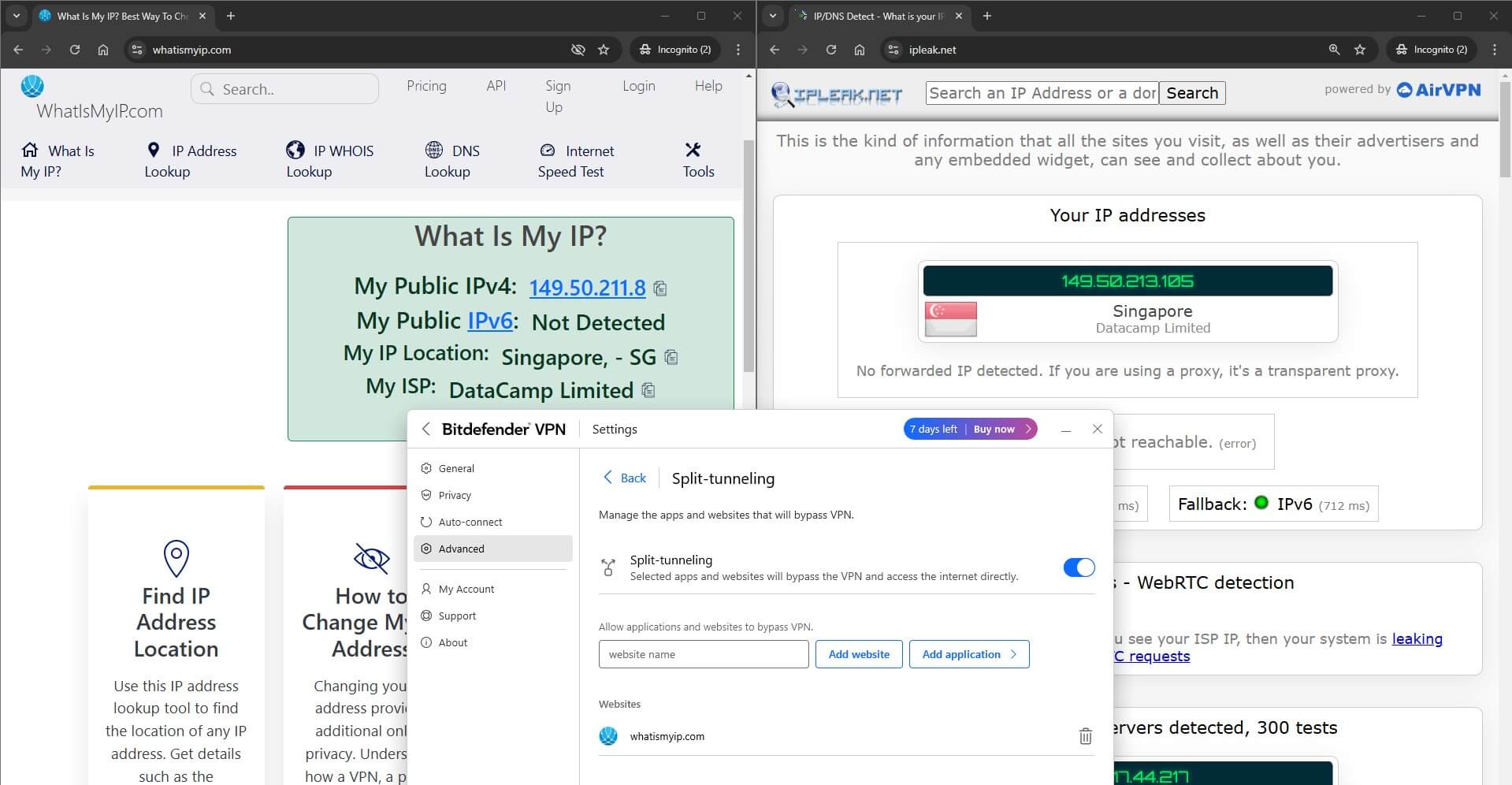
- Split Tunneling: This lets you decide which apps or websites bypass the VPN for direct internet access. It’s perfect for optimizing speeds while securing sensitive traffic.
Note: When testing out the Bitdefender VPN Split Tunneling website option, we noticed that it wasn’t working. Despite adding a website to bypass, the VPN remained active, and split tunneling worked only with the apps, so keep an eye out.
Advanced Security Features
- Proprietary Hydra Catapult Protocol: A fast and secure tunneling protocol that is designed for gaming and streaming needs.
- App Traffic Optimizer: Prioritizes specific apps for optimal performance during high-bandwidth usage. This feature is handy for avoiding lag in critical applications like video conferencing or gaming.
- Suite of Auto Features: Includes tools like Auto Connect, Unsecure Wi-Fi Protection, P2P App Detection, and more for automated privacy protection. These features eliminate the need to manually connect, offering a seamless user experience.
- Ad Blocker and Anti-Tracker: This tool blocks intrusive ads and trackers, enhancing privacy and reducing advertisers’ data collection. It also ensures faster browsing by cutting down unnecessary data load.
- Double Hop: Routes your connection through two VPN servers, adding an extra layer of encryption and anonymity. This makes it significantly harder for anyone to trace your activity back to you.
These features demonstrate the provider’s commitment to robust security. However, as we progress in this Bitdefender VPN review, we’ll examine how these tools perform in real-world tests and whether they offer the experience users expect.
Does Bitdefender VPN Keep Logs?
A strict no-logs policy is the foundation of any trustworthy VPN. After all, what’s the point of using a VPN to protect your online activities if the provider keeps a record of everything you do? We reviewed Bitdefender VPN logging practices, and here is what we have gathered from our analysis.
Before we dive deep, Bitdefender VPN operates from Romania, a country outside the jurisdiction of the 5/9/14 Eyes alliances, known for its surveillance practices. This jurisdiction already gives Bitdefender a strong advantage for privacy-conscious users.
While Bitdefender VPN follows a no-traffic-logs policy, it does collect minimal data for service maintenance and performance optimization. This is common with most VPNs, but if you find that specific data being gathered affects your privacy, consider NordVPN or ExpressVPN, as these VPNs delete the data collected upon request.

While Bitdefender VPN’s no-logs policy is clear, the lack of an independent audit is a noticeable gap.
Many leading no-log VPNs, such as NordVPN, ExpressVPN, and PIA VPN, have undergone third-party audits to validate their claims. Bitdefender would greatly benefit from such transparency, especially for those seeking verified assurance of their security practices.
Bitdefender VPN Auto Features: Are They Any Good?
While most VPNs offer auto-connect features, Bitdefender VPN brings something extra to the table. Its suite of automated tools ensures you’re protected without constantly adjusting settings. Let’s take a closer look at the standout features that Bitdefender VPN offers in our in-depth review.
Suite of Auto Features:
- Auto Connect: Automatically enables the VPN when connecting to a network. This ensures that your traffic is encrypted the moment you go online, even if you forget to turn the VPN on manually.
- Unsecure Wi-Fi Protection: Triggers the VPN on unsafe or public Wi-Fi. This feature protects your data from potential threats when using unsecured networks, such as those in cafes or airports.
- P2P App Detection: Starts the VPN automatically when peer-to-peer apps like torrent clients are opened. It adds an extra layer of privacy by securing your connection as soon as you launch apps like uTorrent.
- Turn On VPN for Specific Websites or Apps: First, you need to select the websites or applications and manually add them. The VPN connects to a nearby server automatically right after opening the website or the app.
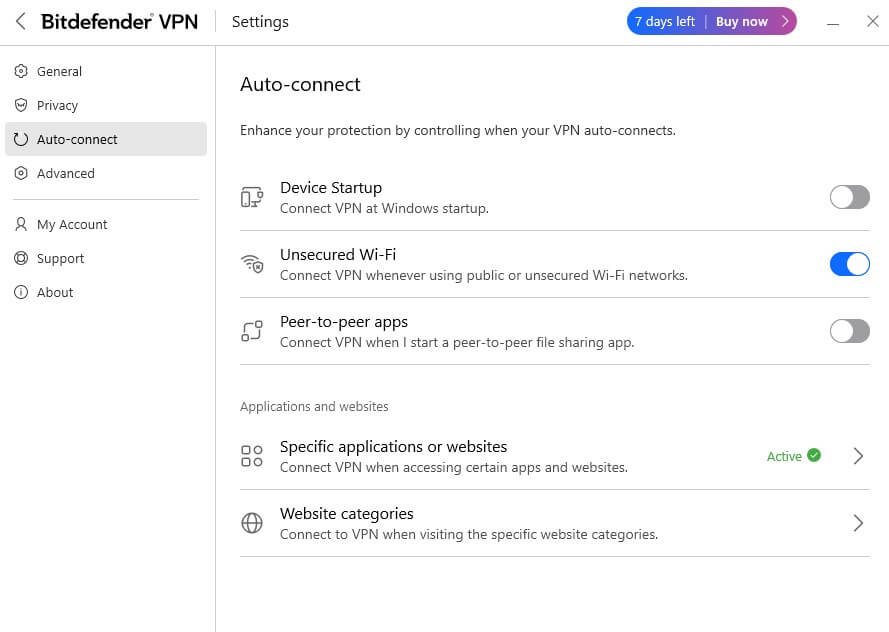
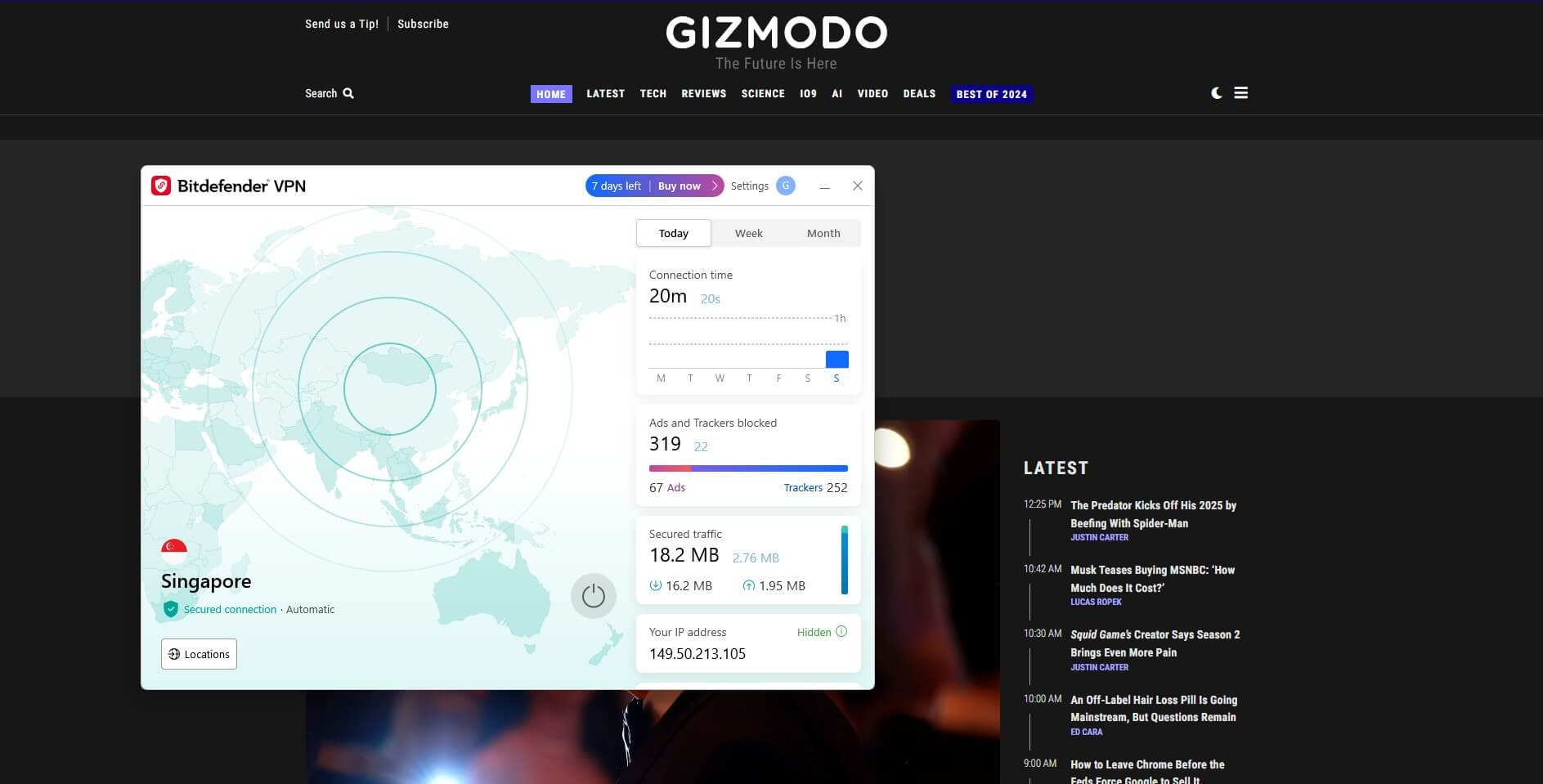
While features like Auto Connect and Unsecure Wi-Fi Protection are fairly standard, the ability to auto-enable VPN for specific apps or websites truly sets Bitdefender apart. During our analysis, we tested the VPN auto-enabling feature with uTorrent (app) and Gizmodo (website) to the list of specific apps and websites.
In both results, the VPN auto-connected to the nearest server right after they were opened. Our experience shows that Bitdefender’s automation features are convenient and reliable.
How Does Bitdefender VPN Perform?
When it comes to choosing a VPN, performance can be the deciding factor. You’re likely wondering if Bitdefender VPN lives up to its promises in real-world use.
In this section, we’ll provide a comprehensive Bitdefender Premium VPN review, covering its speed, encryption, and everyday usability based on our analysis and experience. Let’s see how it measures up to expectations.
Speed Tests: Performance Evaluation
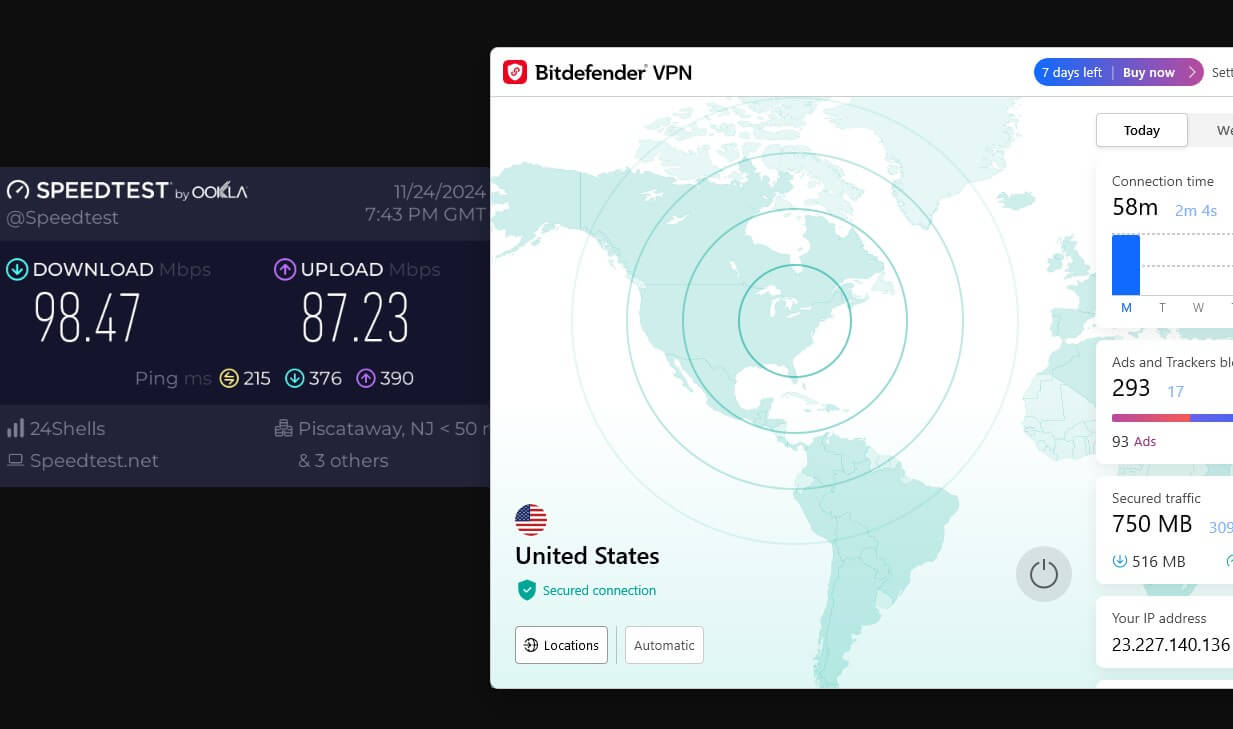
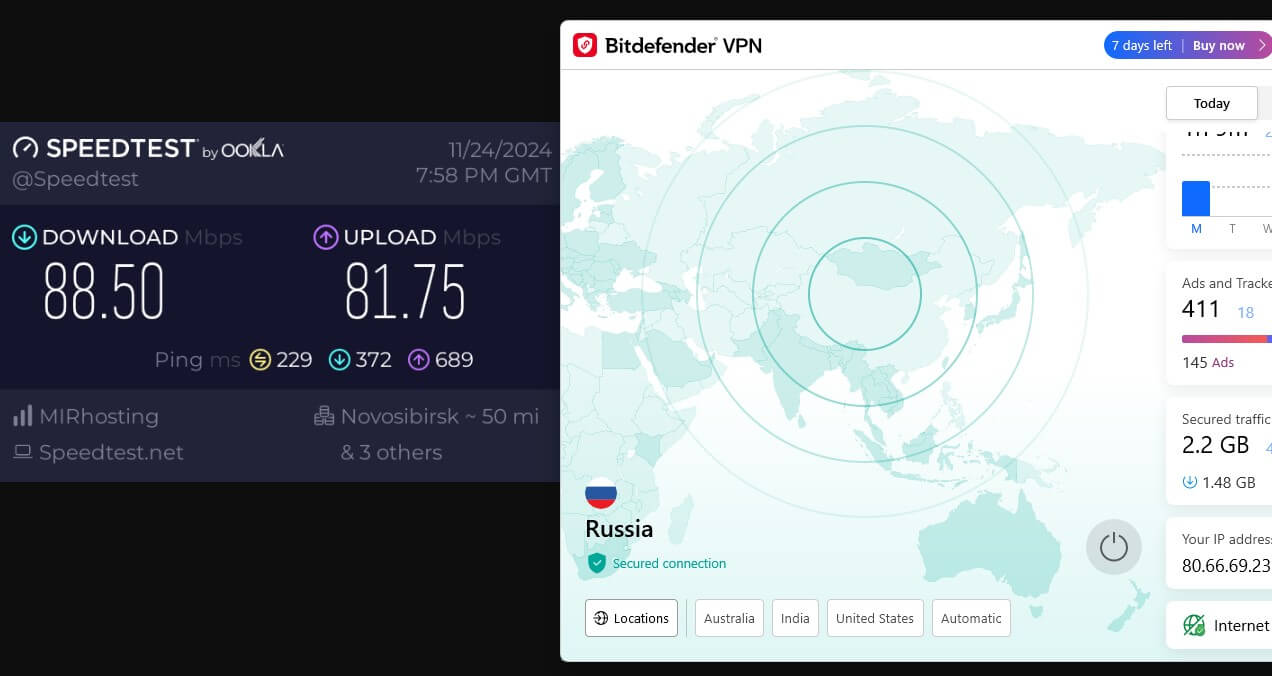
Performance is crucial when deciding on a VPN, and Bitdefender VPN’s speed tests offered an insightful analysis. Starting with a baseline speed of 110 Mbps, we ran multiple speed test results to evaluate its regional and long-distance server performance. Here’s what we found based on our experience:
Regional Servers
When connected to local servers, the speed drop was only around 8–10%, which is very promising. This means you can browse, stream, and download files with minimal impact on your internet speed. If you prioritize consistent and fast connections for everyday use, regional servers deliver an impressive experience.
Long-Distance Servers
When we switched to far-off servers, such as those in Asia and Australia, we observed a 12–18% speed drop. While these reductions are slightly more noticeable, the connections remained stable for most tasks, including streaming and casual browsing. However, real-time activities like online gaming may experience minor latency.
Protocol Efficiency
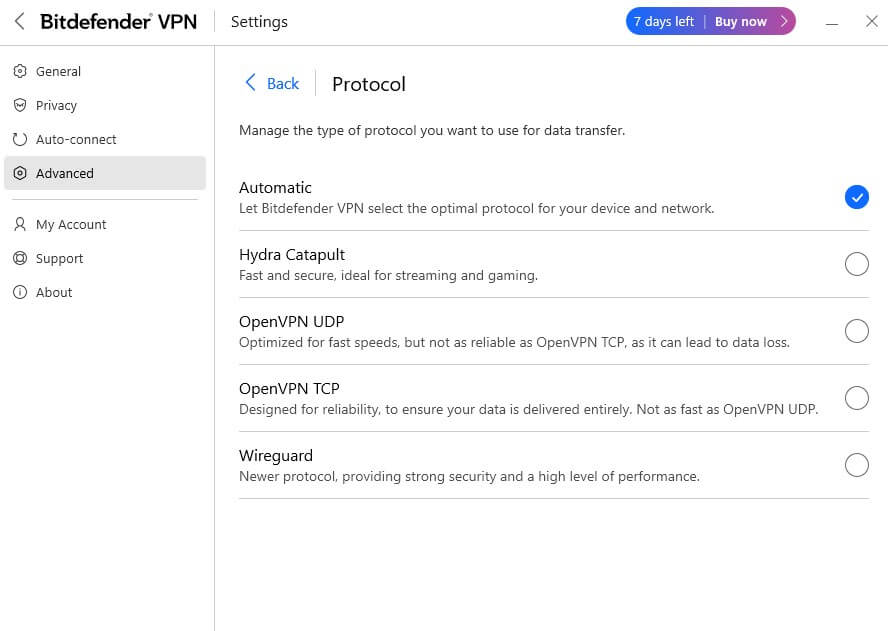
Bitdefender VPN offers multiple protocols to suit your needs. WireGuard impressed us in our test with fast, efficient performance, especially on long-distance servers. The Hydra Catapult protocol worked well in regional servers offering the best speeds and less latency, making it ideal for streaming and gaming.
The OpenVPN (TCP and UDP) has the best stability with balanced speed and security, while IPSec is exclusive to iOS. Switching between protocols was smooth, requiring only a quick reconnection, making the overall experience hassle-free.
That being said, these results should be taken with a grain of salt, as we have demonstrated that there are even faster VPNs. This is particularly true for NordVPN, which holds the top spot in 2026. Feel free to read the NordVPN vs. Bitdefender VPN showdown for a more detailed comparison of the two services.
App Traffic Optimizer: Can It Really Boost Your Speeds?
As we’re comparing speed test results, it’s the right time to mention Bitdefender VPN’s unique offering — App Traffic Optimizer. This feature prioritizes bandwidth for specific apps, ensuring smoother performance during high-demand activities like streaming or gaming. It’s particularly useful when multiple apps are competing for your connection.
During our Bitdefender VPN review, we ran a speed test with base speeds of 100-110Mbps. Without the App traffic optimizer enabled, speeds dropped by 10-12%. However, once activated, it significantly improved performance, reducing the speed drop to under 5-8%.
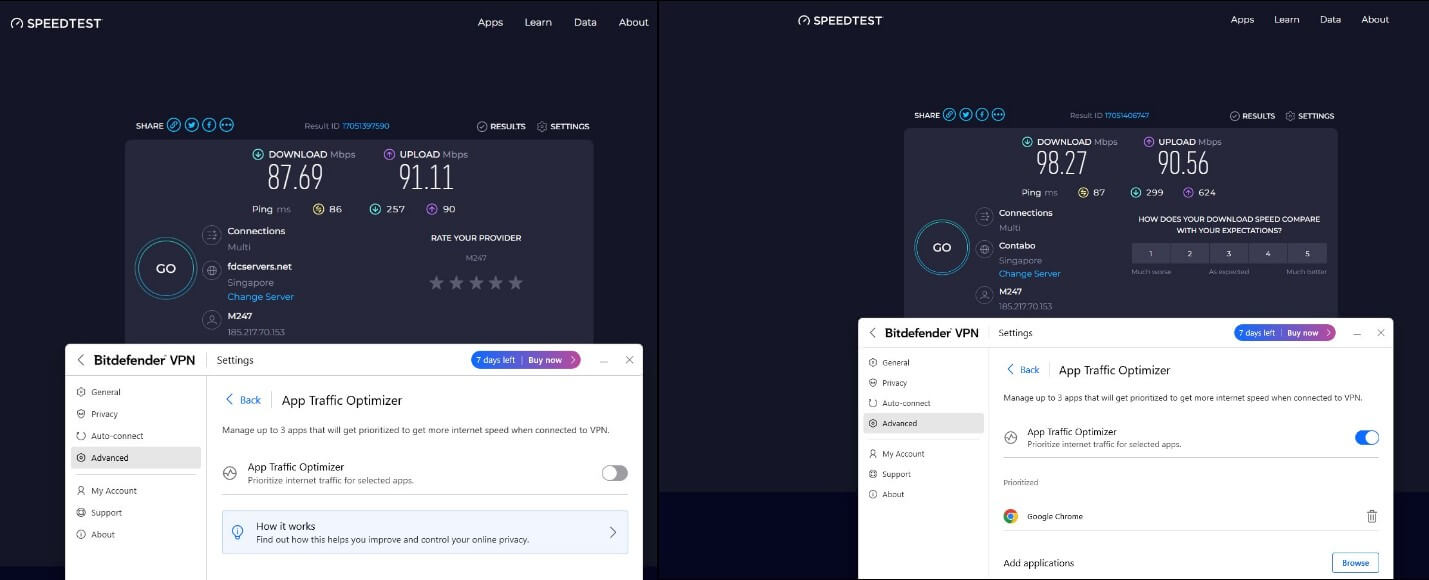
While this feature felt like a hoax, after analyzing the speed test results, it’s clear that it works as promised. We would recommend enabling this feature if you want to squeeze all available bandwidth to get the best speeds.
Encryption and Leak Test: How Reliable Is Bitdefender VPN?
A VPN is only as good as its ability to protect your identity and data. That’s why we conducted a detailed analysis and test of Bitdefender VPN’s encryption standards and leak protection to see if it stands up to the competition.
Encryption Test
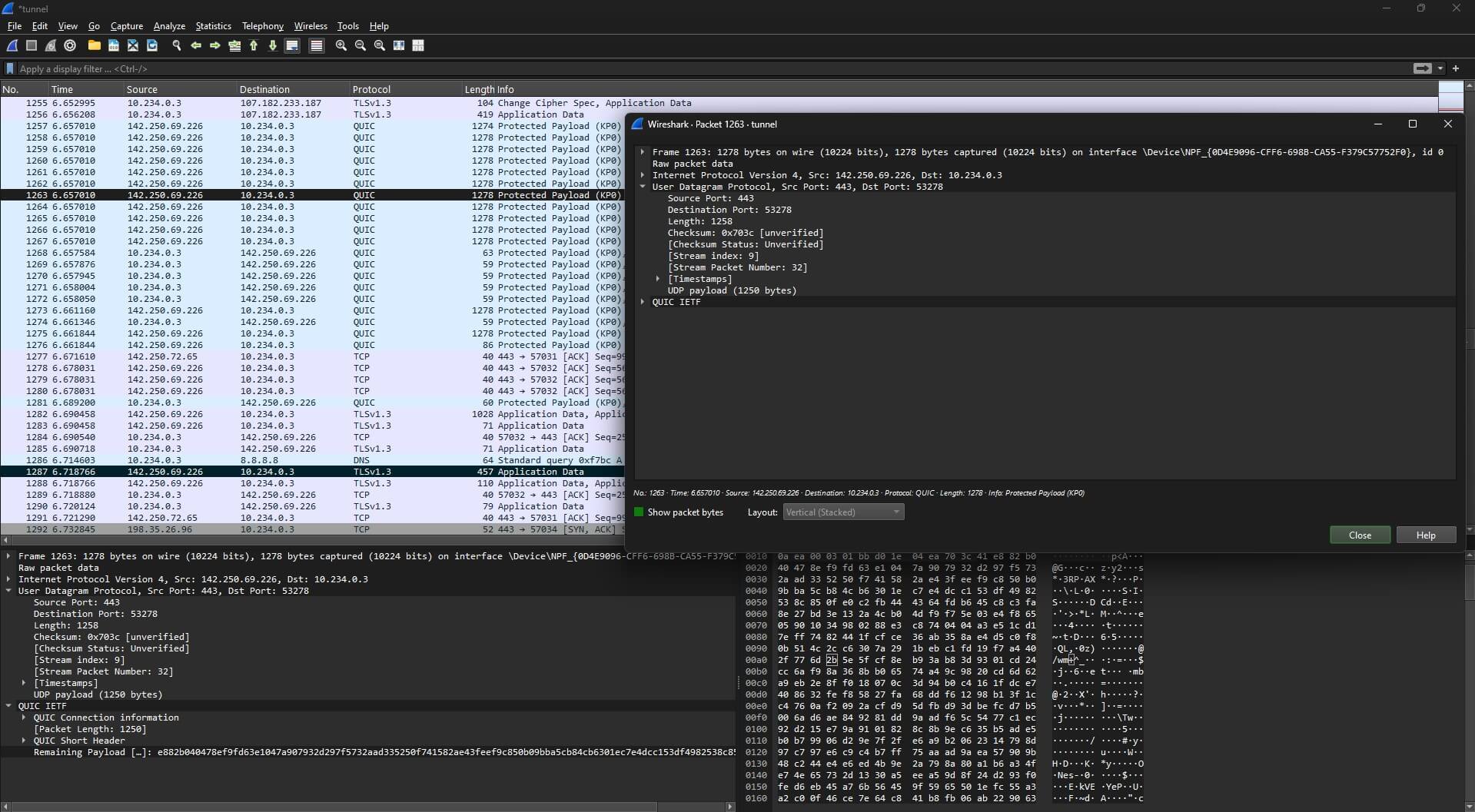
Bitdefender VPN uses AES-256 encryption, the gold standard for securing data. This level of encryption is arguably virtually unbreakable, providing peace of mind for online activities. During our review, the encryption was consistent across all tested protocols, including WireGuard, Hydra Catapult, and OpenVPN.
Additionally, its Double Hop feature (which is also referred to as a double VPN or Multi-hop) adds an extra layer of security by routing your connection through two servers, making it even harder to trace your activity. This is beneficial and reduces the risk of unsecured packets, but the catch is that it can be slow, and only a few server networks are available.
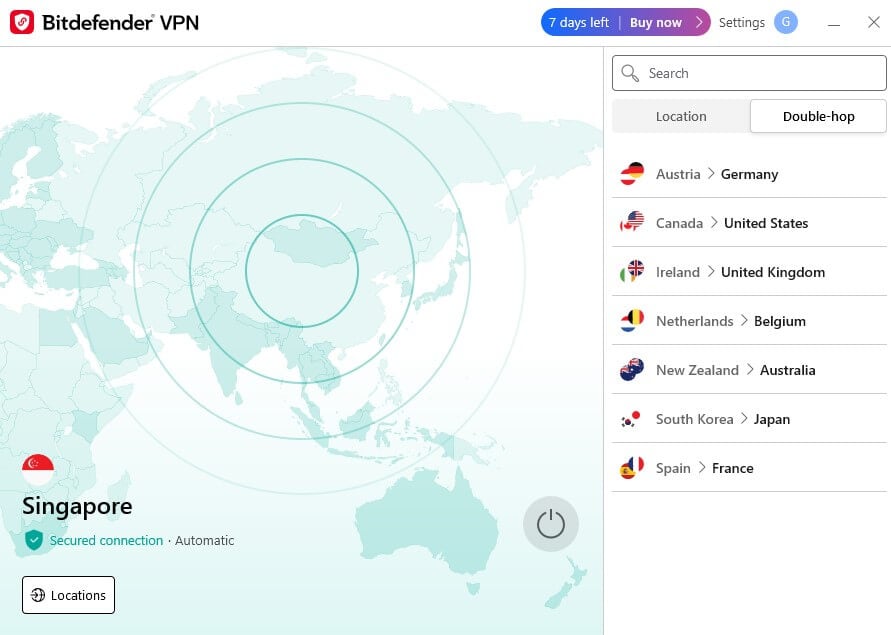
Note: When analyzing and testing Double Hop, we noticed that the Bitdefender VPN PC versions don’t have customizable options to select servers like those that are available on Android and iOS.
IP Leak Test
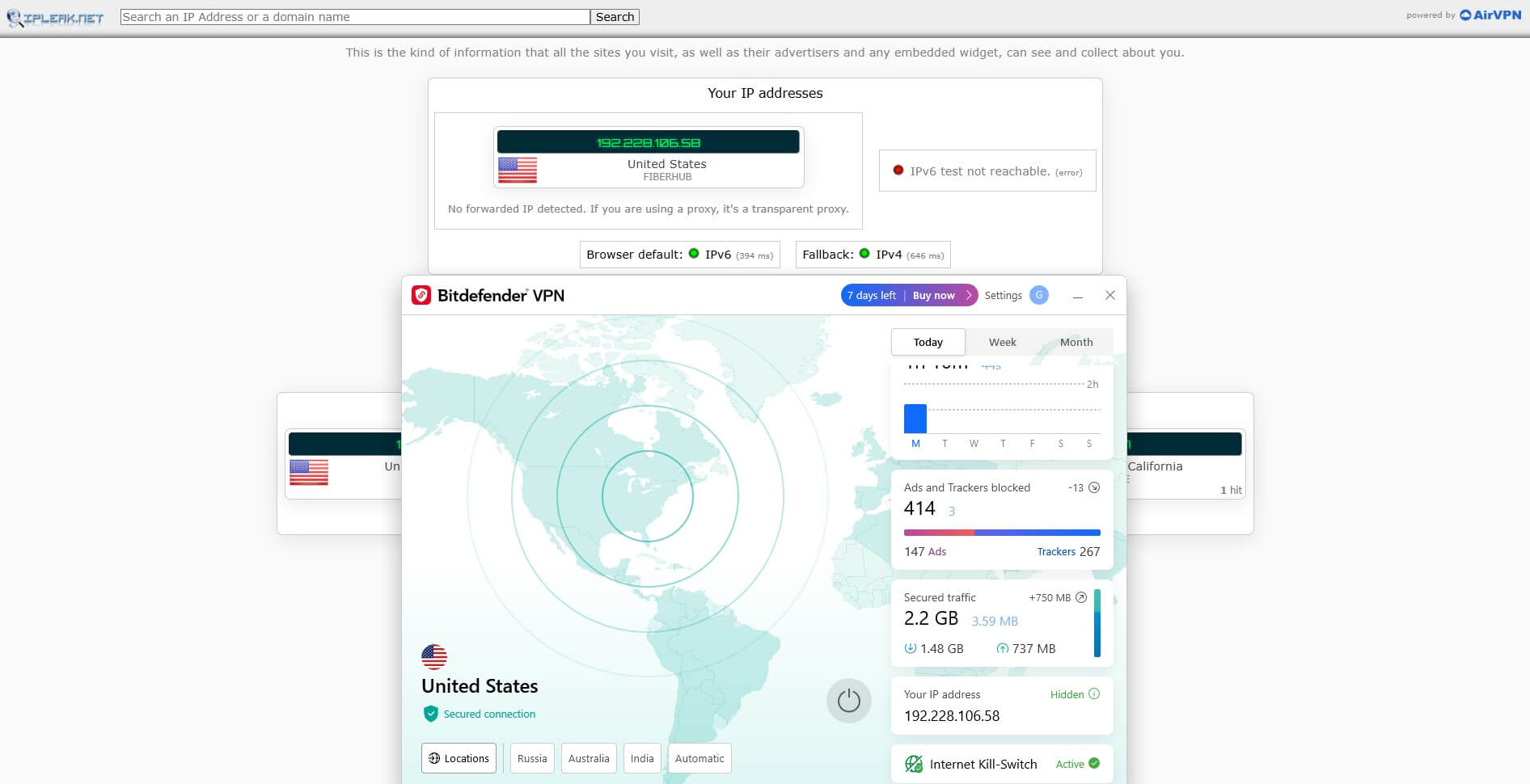
In our experience, Bitdefender VPN effectively masked real IP addresses during every test. We used ipleak.net for a detailed evaluation, and even after changing servers frequently, no IP address leaks were detected, reaffirming the VPN’s reliability.
DNS Leak Test
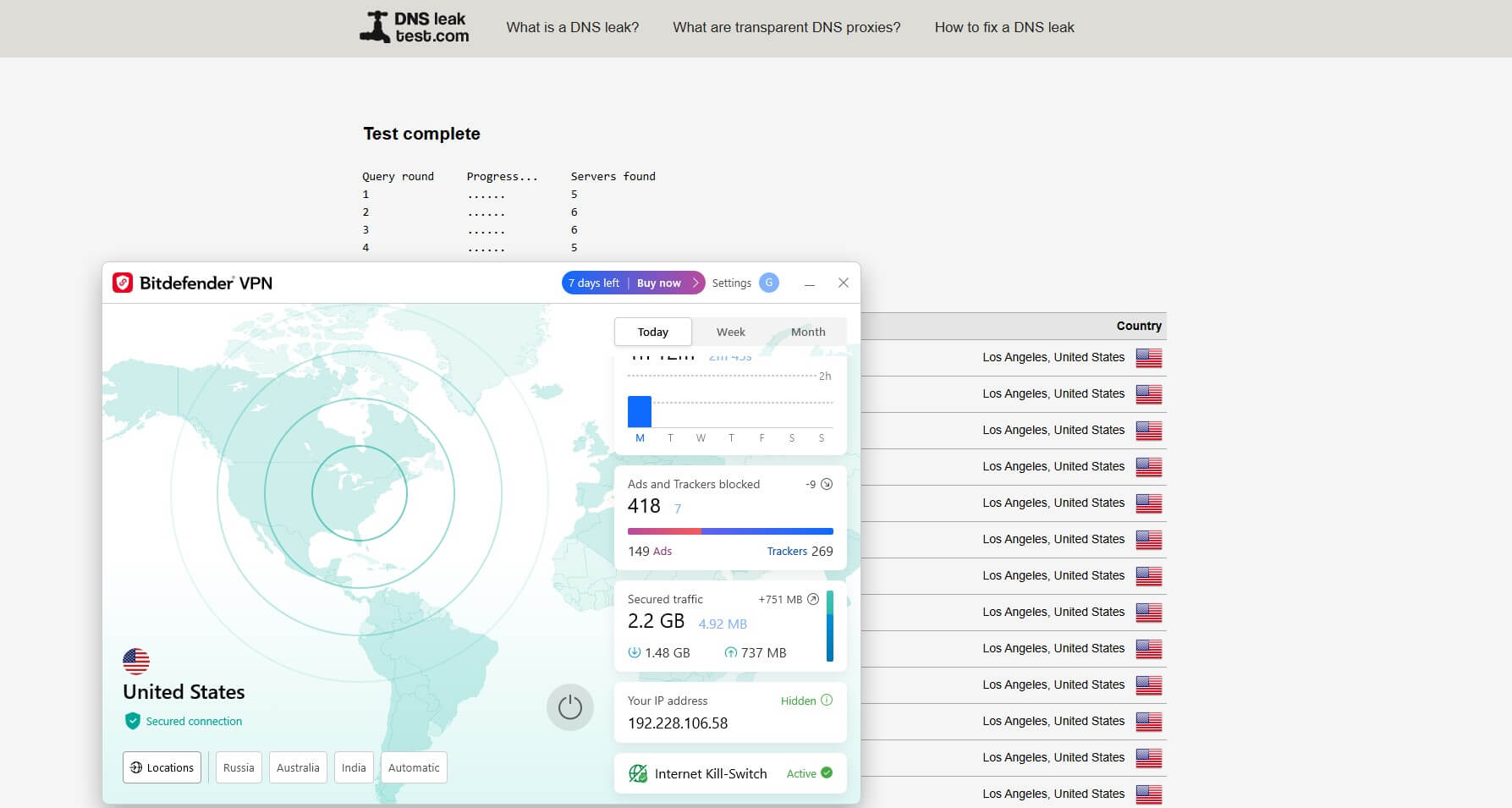
We tested Bitdefender VPN on browserleaks.com to ensure DNS requests were securely routed. The results were flawless—our DNS queries were encrypted and routed exclusively through Bitdefender’s servers. Even when switching between servers and performing additional tests, no DNS leaks were found.
WebRTC Leak Test
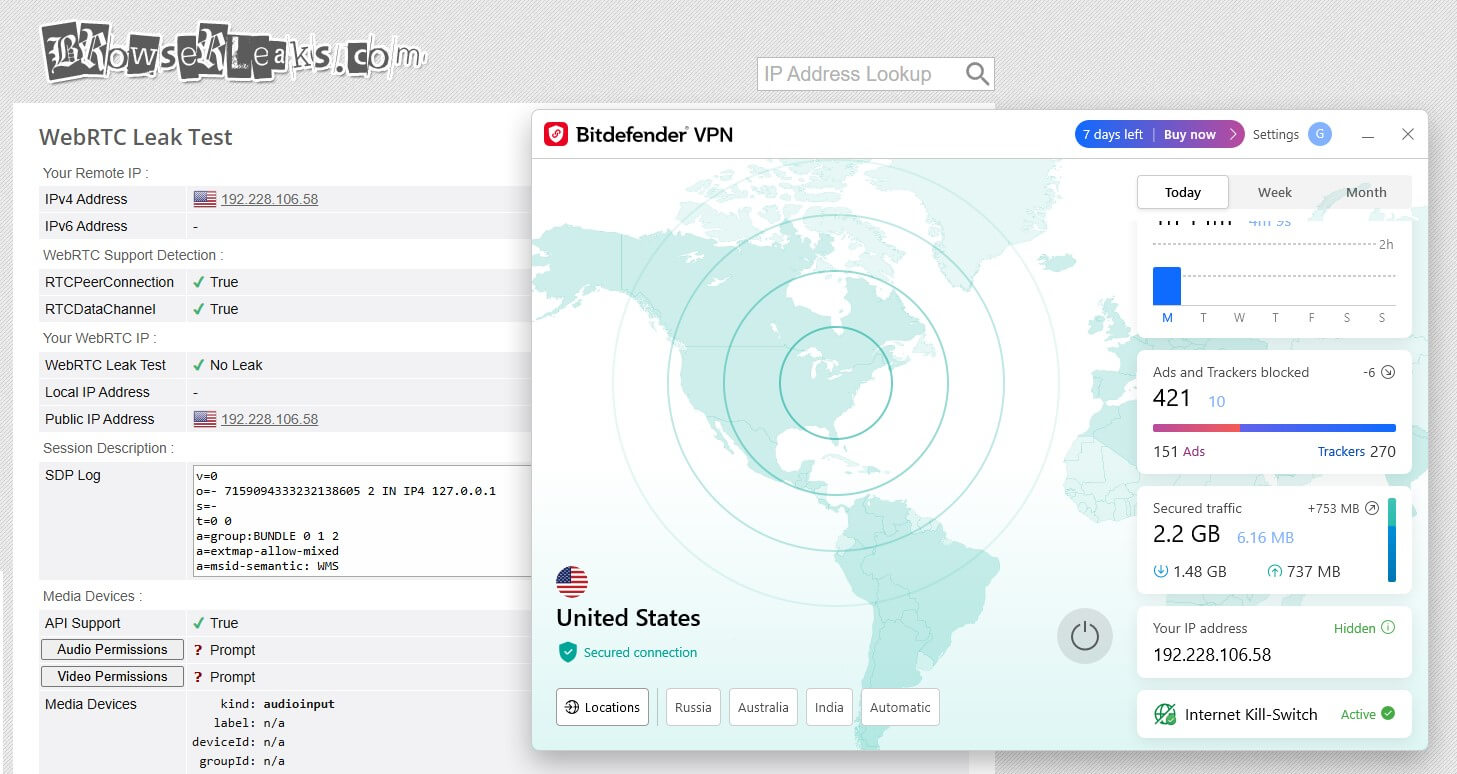
WebRTC leaks, which are common with browsers like Chrome and Firefox, were also thoroughly tested. Bitdefender VPN, when tested using BrowserLeak’s WebRTC test across multiple browsers, detected no WebRTC leaks.
Through our in-depth review, Bitdefender VPN clearly offers robust leak protection and top-notch encryption, standing out as a reliable choice for safeguarding your online privacy. However, if you ask us, VPNs like NordVPN, ExpressVPN, and PIA leave no room for inconsistencies with the stability that Bitdefender VPN has let through.
How Does Bitdefender VPN Keep Up with Everyday Use?
When choosing a VPN, it’s essential to understand how it performs in real-world scenarios like streaming, torrenting, and gaming. Based on our in-depth review and testing experience, here’s how Bitdefender VPN stacks up.
Streaming and Bypassing Censorship
Bitdefender VPN unblocks content from the most prominent streaming platforms. For instance, when connected to a server in Japan, it successfully unlocked Netflix’s Japanese library, delivering smooth playback with minimal buffering.

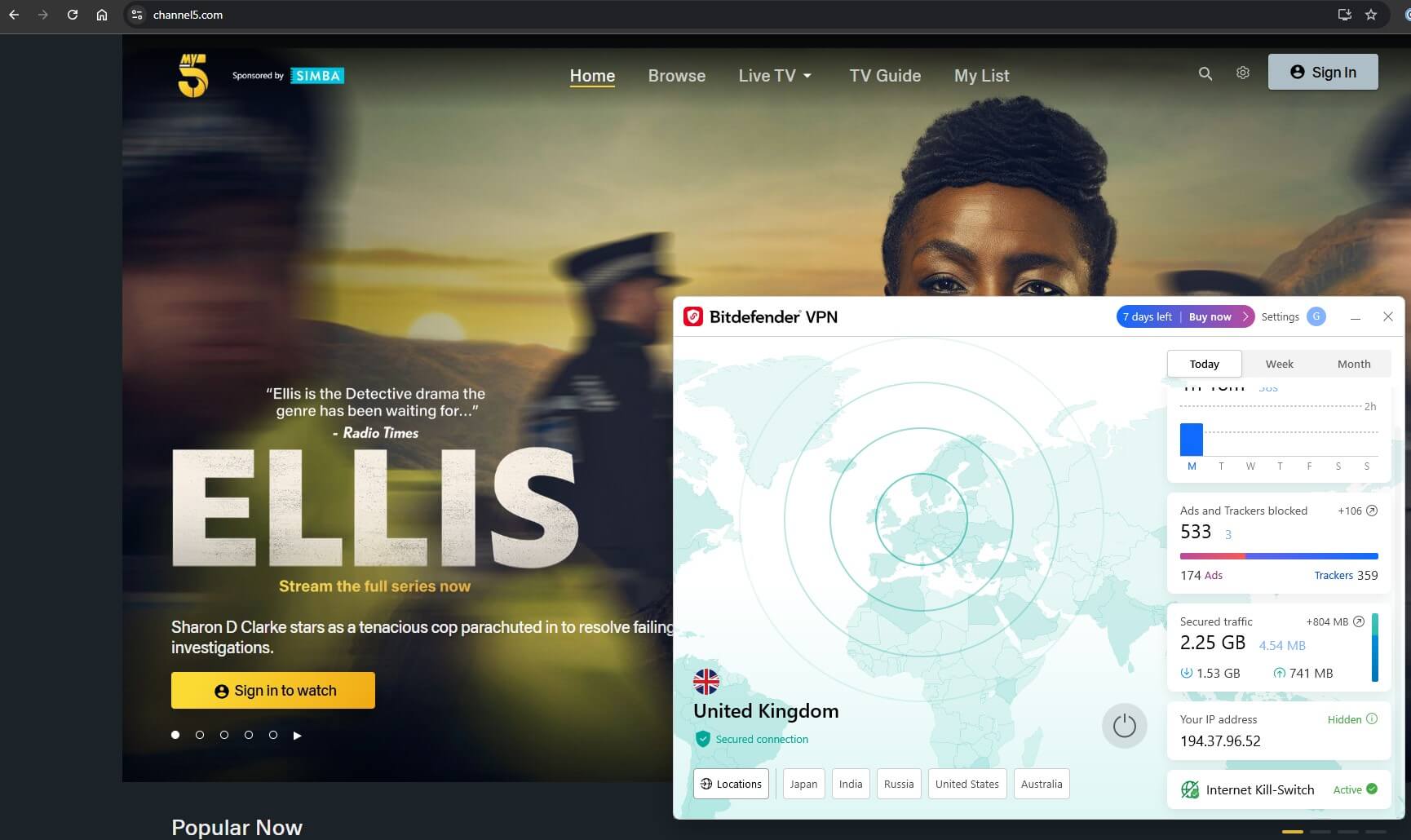
When accessing regional websites, Bitdefender VPN performed well. We connected to a UK server and were able to access Channel 5. The VPN was neither detected nor blocked, and streaming was seamless.
You won’t have any trouble watching Channel 4 from the United States, or even watching Wimbledon for free on a British TV channel.
However, Bitdefender VPN struggles to bypass restrictions in countries with heavy censorship, such as Russia, China or UAE. This limitation might be a dealbreaker if you’re looking for consistent streaming capabilities worldwide.
For seamless streaming experiences, you might consider NordVPN, which offers dedicated streaming servers optimized for unblocking libraries globally. We also consider it the best VPN for China, one of the countries with the strongest censorship in the world.
ExpressVPN and PIA (Private Internet Access) are also excellent options, consistently bypassing censorship and geo-restrictions, regardless of the country.
Can It Block Ads?
Bitdefender VPN’s built-in ad-blocker and anti-tracker work efficiently, reducing intrusive ads and preventing trackers from collecting your online activity. It also allows flexibility by letting you trust specific websites, ensuring an uninterrupted browsing experience when needed.
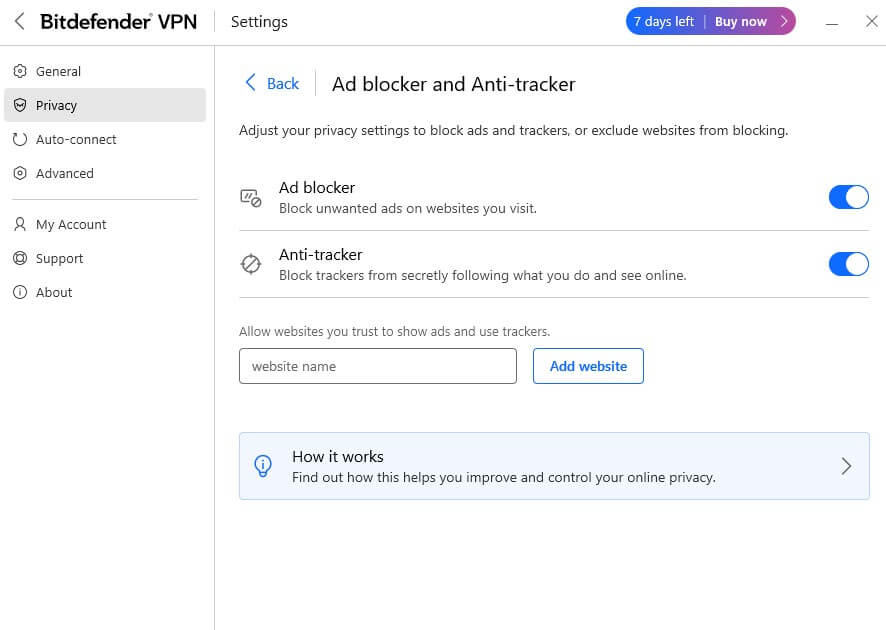
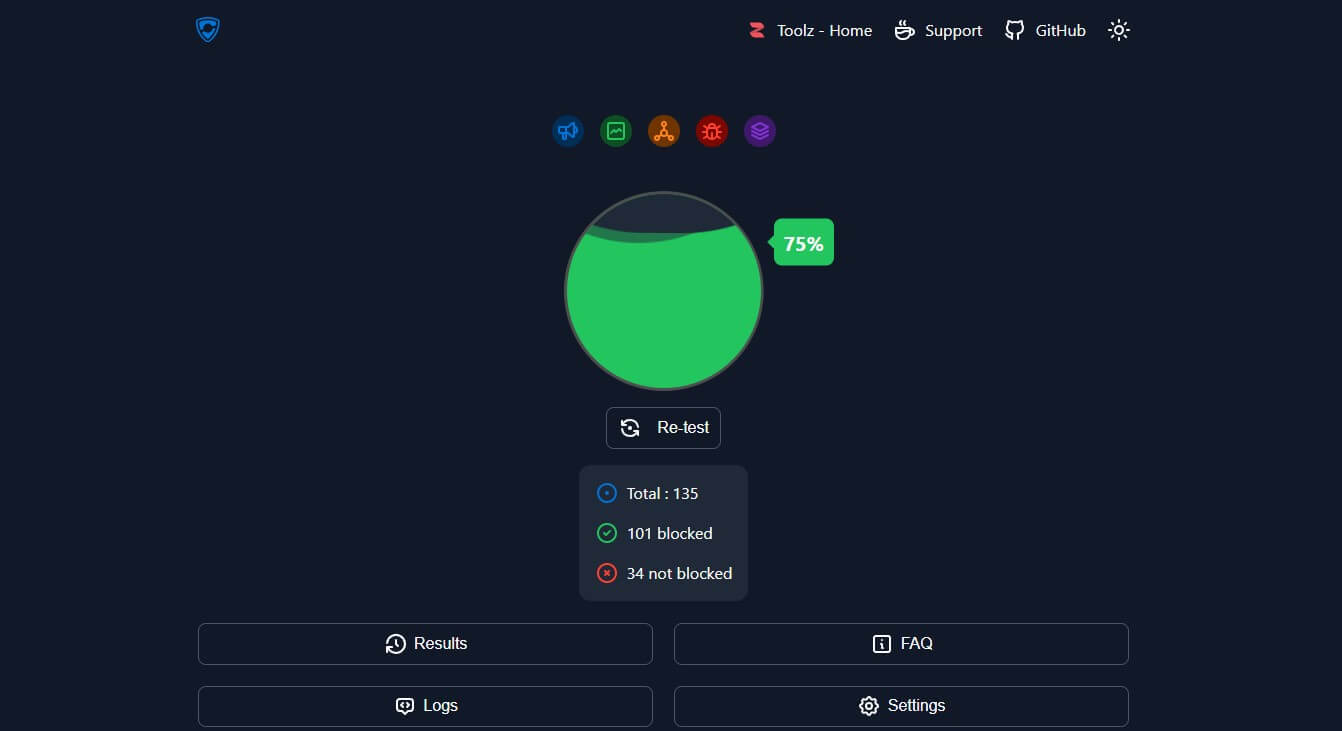
However, the ad-blocker falls short in tests. For example, on the d3wards Adblock Test, it scored just 75%, which is below average compared to competitors.
Moreover, it lacks individual options for blocking trackers and ads, features that are part of NordVPN’s Threat Protection, which scored above 95% in the same test. NordVPN is currently offering the best ad blocker integrated into a VPN app.
Are the Servers Torrenting Capable?
Bitdefender VPN supports P2P, making it suitable for torrenting. In our testing, torrenting speeds were great on most servers, but the inconsistencies were persistent in a few servers.
Also, when torrenting is done by connecting to distant servers, expect interruptions during large file downloads.

If torrenting is a priority, NordVPN is a better option. It offers dedicated P2P servers and consistent speeds optimized for file sharing. Its ability to handle high-traffic P2P connections makes it the best VPN for uTorrent and other P2P clients.
What About Gaming?
Low latency is critical for gaming, and Bitdefender VPN delivers satisfactory results for casual gamers. In our speed test results, local servers showed minimal increases in ping, making them ideal for non-competitive gaming. However, on long-distance servers, latency spikes became noticeable, which could hinder competitive play.
To get the best gaming performance, you should enable Bitdefender’s proprietary Hydra Catapult protocol, which provides stability and speed.
For demanding gamers, NordVPN might be a better choice, offering ultra-low latency across regions. This is also why it is one of the favorite VPNs among Xbox owners.
Ease of Use & Compatibility
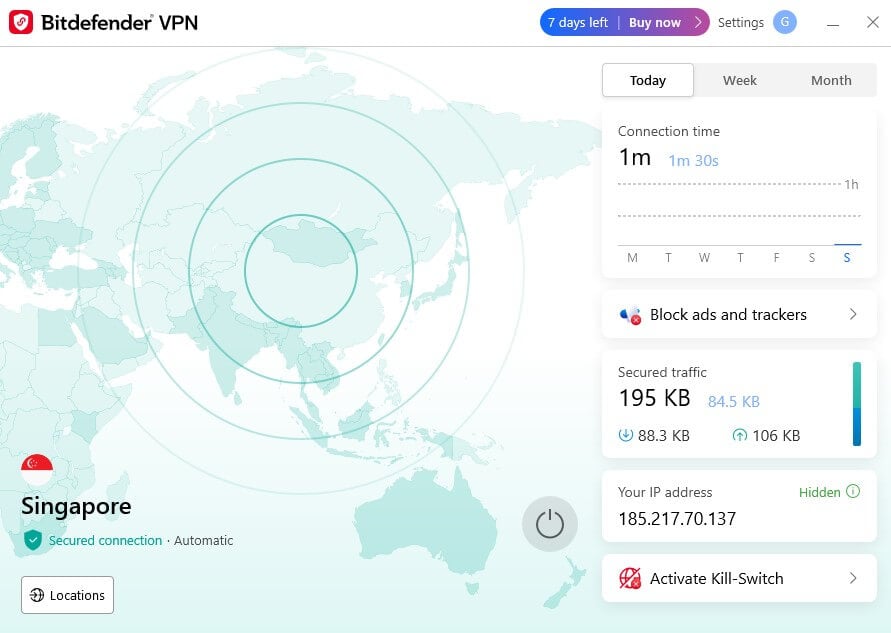
The Bitdefender VPN app is designed with simplicity in mind, making it accessible even for first-time users.
Whether you’re on Windows, macOS, iOS, or Android, the interface is clean and straightforward, ensuring you don’t have to fumble around for key features. It’s a no-nonsense approach that prioritizes ease over flashy design.
While the app does an excellent job of offering customization capabilities for all advanced tools, the sad part is that the dashboard itself isn’t customizable or can be hidden. Additionally, the inability to select specific servers directly from the map feels like a missed opportunity.
Therefore, we can only encourage you to find a better option by browsing our comparison of VPNs compatible with Windows, or our list of the best VPNs for Android devices.
Device Compatibility
Bitdefender VPN offers a wide range of compatibility, covering all major platforms, including Windows, macOS, iOS, and Android. This makes it versatile for securing your favorite devices, whether it’s your smartphone, laptop, or tablet. The app is optimized for each platform, offering a smooth and consistent experience across devices.
However, it doesn’t extend support to less common operating systems like Linux, which may be a limitation for some users. Additionally, certain smart devices, such as gaming consoles or streaming devices, require manual router configuration since native apps aren’t available for these platforms.
Simultaneous Device Connections
With up to 10 simultaneous connections, Bitdefender VPN offers plenty of flexibility for users managing multiple devices, ideal for families or small teams. Whether you’re protecting your entire household’s gadgets or your personal collection of tech, the generous offering makes sure you don’t need to worry about juggling connections.
Router Compatibility
Bitdefender VPN falls behind in router compatibility. While it technically supports manual installation on routers, there isn’t any direct support or streamlined process. Although guides are available, they aren’t curated for all levels of readers, which can make the setup feel complicated for those unfamiliar with router configurations.
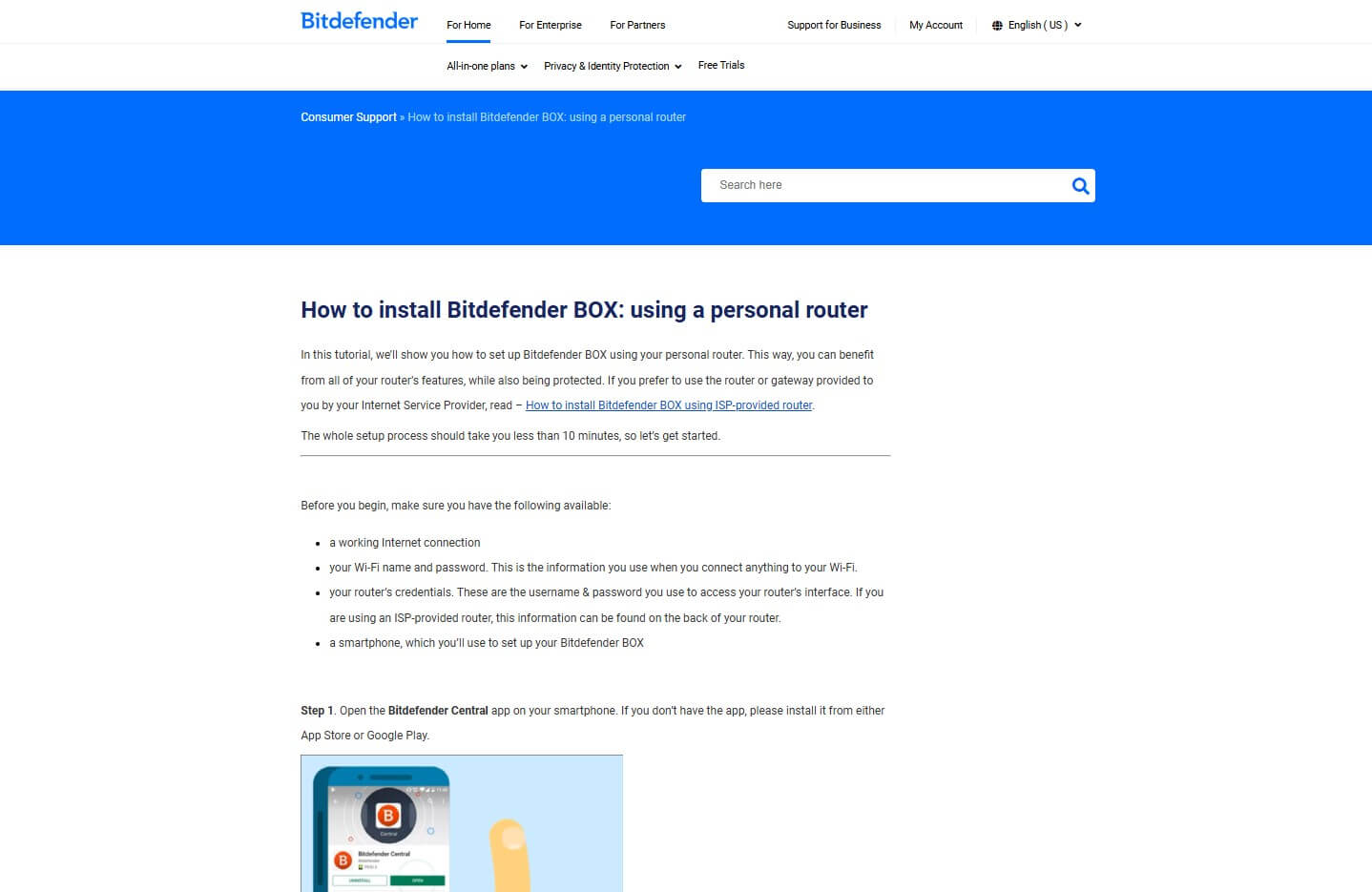
For a smoother experience, you might want to consider NordVPN or ExpressVPN. Both offer detailed guides, dedicated installation features, and better management options. These make securing your entire home network easier compared to the more complex setup required with Bitdefender VPN.
Customer Support
When it comes to VPNs, good customer care can make or break your overall experience. Whether you’re setting up the service for the first time or troubleshooting technical issues, reliable support ensures you can resolve problems quickly and get the most out of your VPN.
Let’s explore how Bitdefender VPN fares in this area and where it could improve based on our review and analysis.
Available Support Channels
Bitdefender VPN provides multiple support options, including live chat, email, and phone support. For those who prefer self-service, there’s also an active community forum where users frequently share solutions and tips. Interestingly, this community resource often offers more useful answers than Bitdefender VPN help guides.
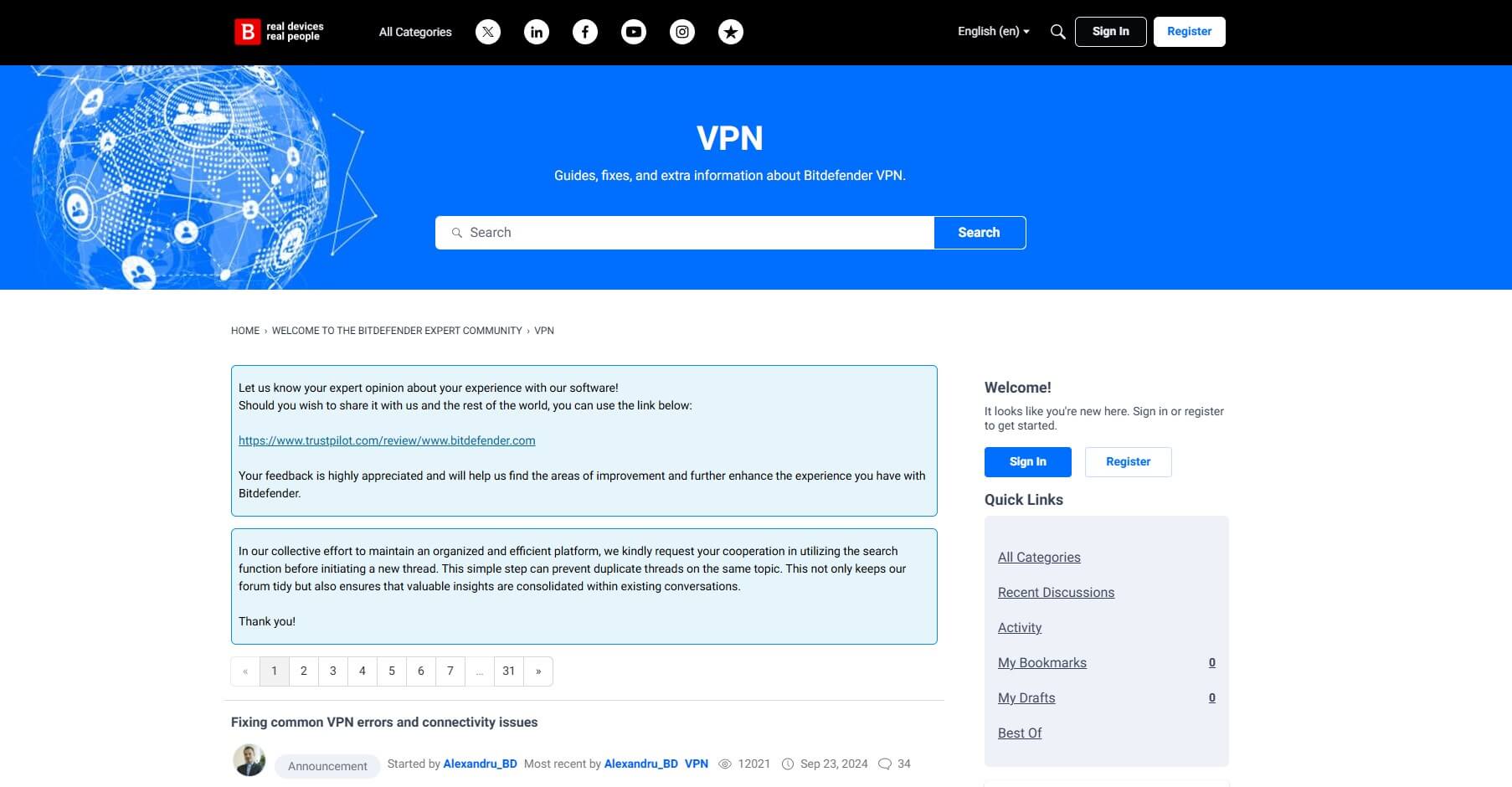
While the range of options is adequate, other top-tier VPN providers like NordVPN, ExpressVPN, and PIA have more detailed guides and specialized knowledge bases that cater better to users seeking step-by-step assistance.
Response Quality
The live chat feature is instant, but it’s handled by AI bots. While these bots are decent for resolving basic queries and even complex issues, they fail when a user needs additional assistance. In such a scenario, you can opt for handy phone support, but expect waiting during peak hours.
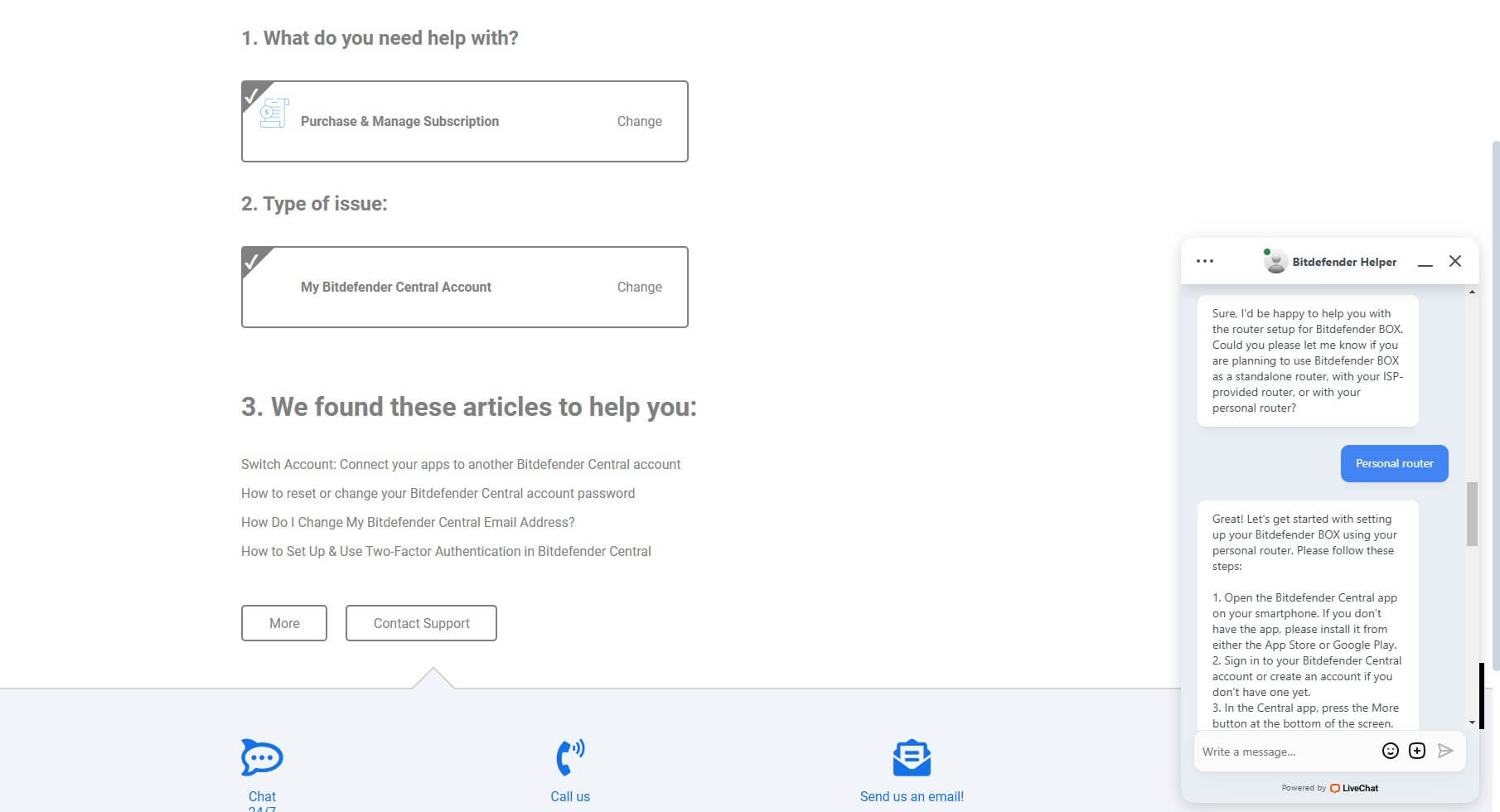
Based on our in-depth review and experience, competitors like NordVPN, ExpressVPN, and PIA outperform Bitdefender VPN in this area. Their live agents provide faster, more effective responses and show a deeper understanding of technical queries—an aspect where AI bots just don’t measure up.
Final Verdict: Should You Choose Bitdefender VPN?
Bitdefender VPN tries to cover all bases but ends up feeling more like a side offering rather than a standout player in the VPN market.
Bitdefender Premium VPN delivers solid basics, like strong encryption, decent regional speeds, useful automation features, and unique features like App Traffic Optimizer and Double Hop. However, it struggles with streaming restrictions, lacks robust router compatibility, and hasn’t undergone independent audits to verify its no-logs claims.
While affordable and convenient for casual users, its inconsistent torrenting and unblocking capabilities, below-par ad-blocker, and AI-driven customer support fall short compared to top-tier VPNs.
For a more reliable and feature-rich experience, NordVPN, ExpressVPN, or PIA VPN are better alternatives, especially if you value streaming, privacy, and polished support.