
Does VPN block ads? Yes, but not all VPNs. We tested over 50 VPN Ad Blocker options and learned that NordVPN is the #1 in 2026. It shields you from tracking, malicious sites, ads, and malware. However, ExpressVPN, Private Internet Access, Surfshark, and Proton VPN are alternatives. All 5 VPN block ads on all devices and have other qualities we highlighted in this 2026 guide.
Best VPN Ad Blocker 2026: Top 5 VPNs That Block Ads and Malware
- NordVPN – Best VPN ad blocker with malware protection
- Private Internet Access – Cheap ad blocking VPN
- ExpressVPN – Fastest VPN with ad blocker
- Surfshark – Most secure VPN with ad blocking
- Proton VPN – Feature-rich VPN with ad blocker
Best VPN With Ad Blocker October 2026: Detailed List
Most VPNs nowadays block ads, but very few do so as efficiently as we’d like. We dodged those with iffy performance and false claims. After testing over 50+, we settled on the 5 best VPN Ad Blocker options that simultaneously protect against tracking and malware. Here’s all you must know in 2026.
| NordVPN | PIA VPN | ExpressVPN | Surfshark | Proton VPN | |
| Ad Blocking Efficiency | 99% 🥇 | 98% | 94% | 98% | 95% |
| Malware Protection | Yes ✅ | No ❌ | No ❌ | Yes ✅ | Yes ✅ |
| Tracker Protection | Yes ✅ | Yes ✅ | Yes ✅ | Yes ✅ | Yes ✅ |
| Virus Protection | No ❌ | Yes, optional ✅ | No ❌ | Yes, optional ✅ | No ❌ |
| Countries | 137 | 91 | 105 | 100 | 145 |
| Speeds | Fastest ⚡ | Good | Fastest ⚡ | Fast | Good |
| Start Price | $3.09/mo | $1.75/mo | $2.79/mo | $1.99/mo | $2.99/mo |
1. NordVPN: Best Ad Blocker VPN (With Malware Protection)
Pros
- Malware protection
- Tracker blocking
- Displays blocked threats
- Double VPN routing
- Scam call protection
- No-logging policy
- Cheap VPN ad blocker
Cons
- Higher cost on renewal
- Complex app UI
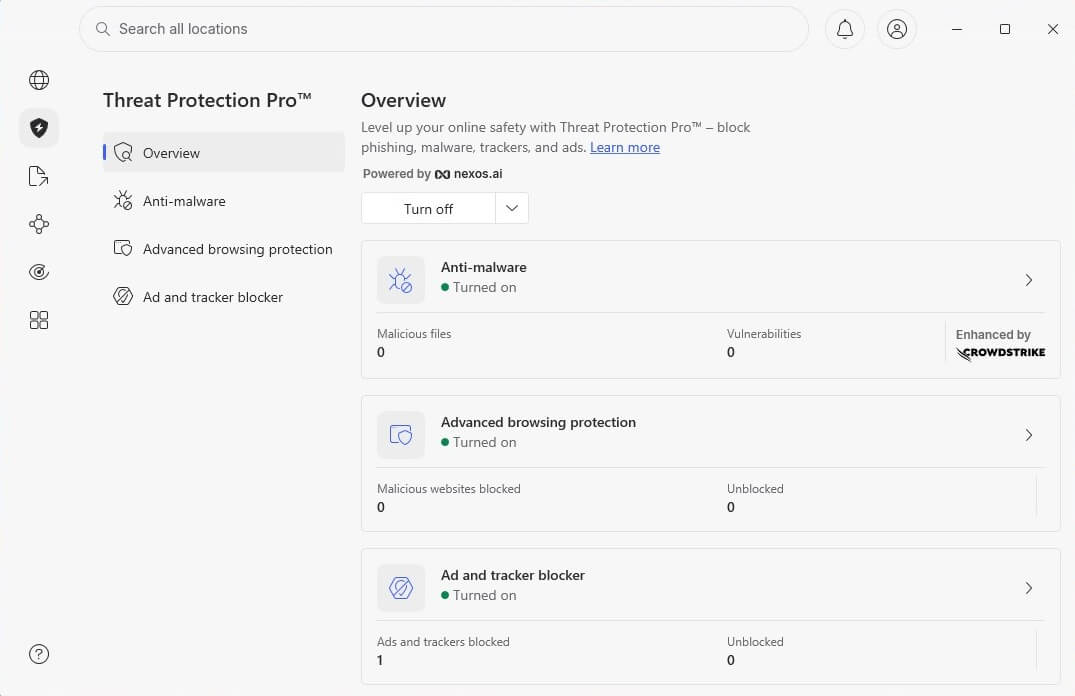
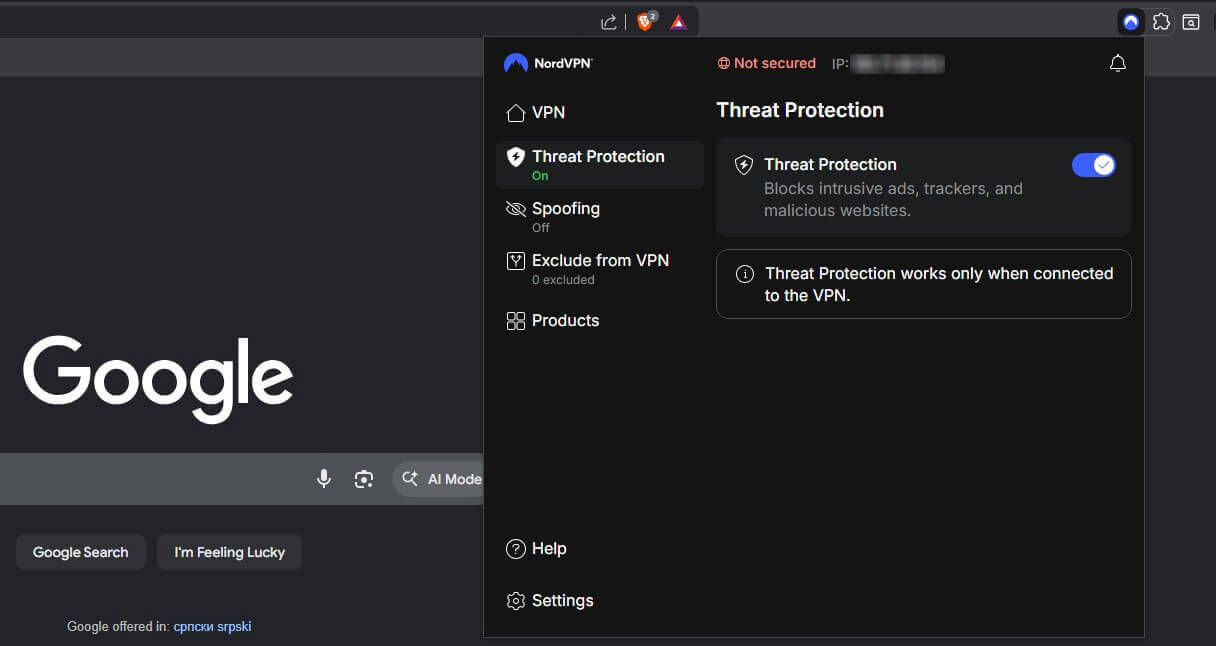
With Threat Protection Pro, NordVPN has the best VPN ad blocker in 2026. It comes in two iterations: Pro and Lite. The Pro version is for desktop systems and is the most impressive. It blocks ads, trackers, and malware in real-time, offering protection against all kinds of online threats.
Threat Protection Lite is designed for iOS and Android and blocks malicious sites, trackers, ads, scam calls, and phishing attempts. To use this VPN ad blocker, you first must connect to a server. Ad-blocking is immediately effective and starts working. We also like that it lists all the blocked threats in the app.
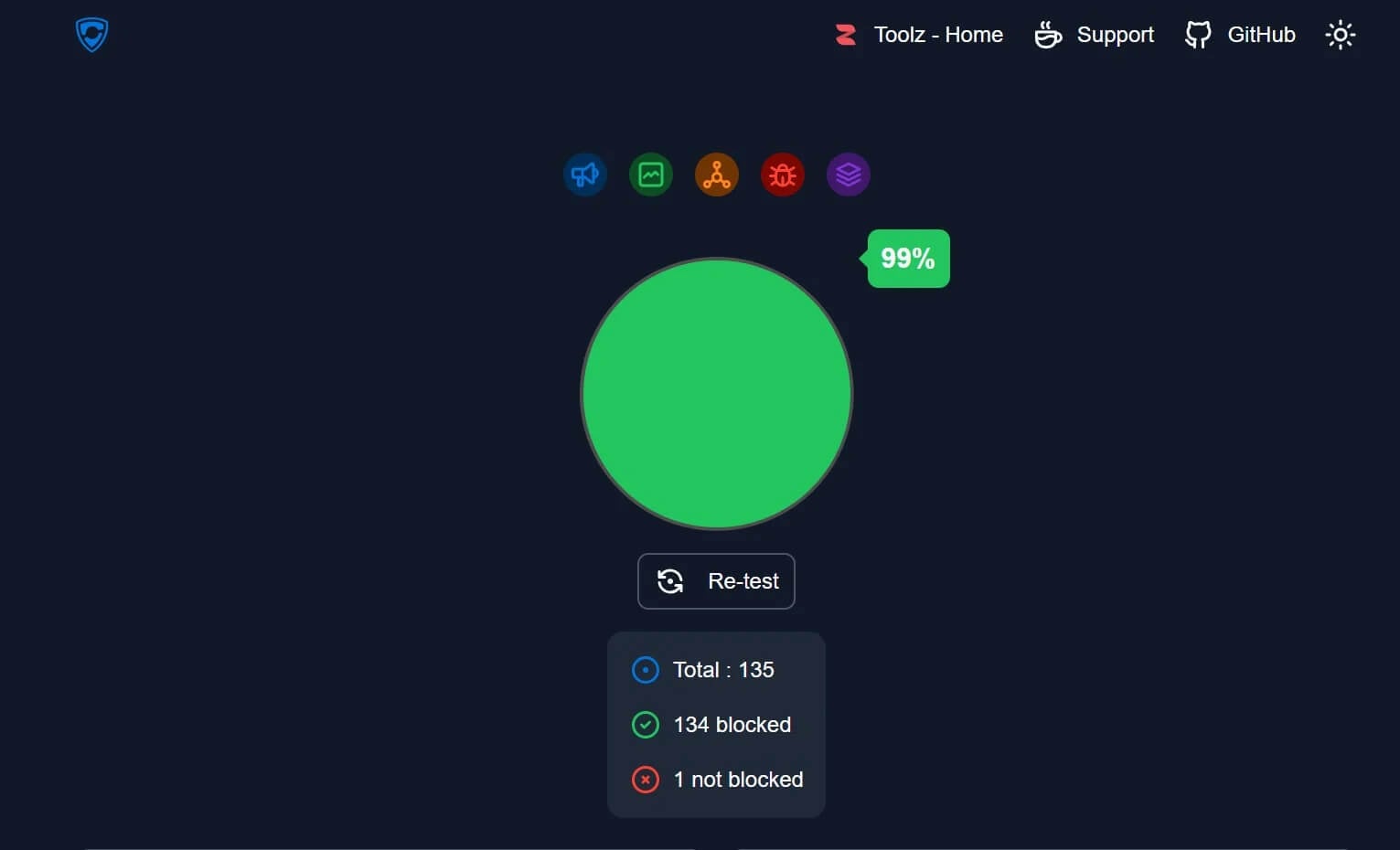
This makes it easy to see which threats you’ve dodged. We tested this VPN ad blocker, and it performed well, blocking 99% of ads, as displayed below. During our testing, we whitelisted some sites where we didn’t want to block pop-ups and ads. NordVPN offers a customizable experience you’ll like.
Apart from ad-blocking, it’s among the most secure VPNs, and thanks to NordLynx, an in-house protocol, it’s very fast. Unblocking streaming services, torrenting, and enjoying top-tier privacy is non-negotiable here. It keeps zero logs and uses the best and most advanced security features you’ll find
Don’t like it? You can get a refund within the first 30 days. Plus, if you’re short on money, you can claim a 73% discount on all 2-year plans and spend pennies.
2. Private Internet Access: Cheap and Secure Adblock VPN
Pros
- Unlimited devices
- Effective ad blocking
- Tracker protection
- MultiHop routing
- Servers for streaming
- Affordable VPN
Cons
- Not the fastest
- Confusing app UI
Try Private Internet Access Risk-Free
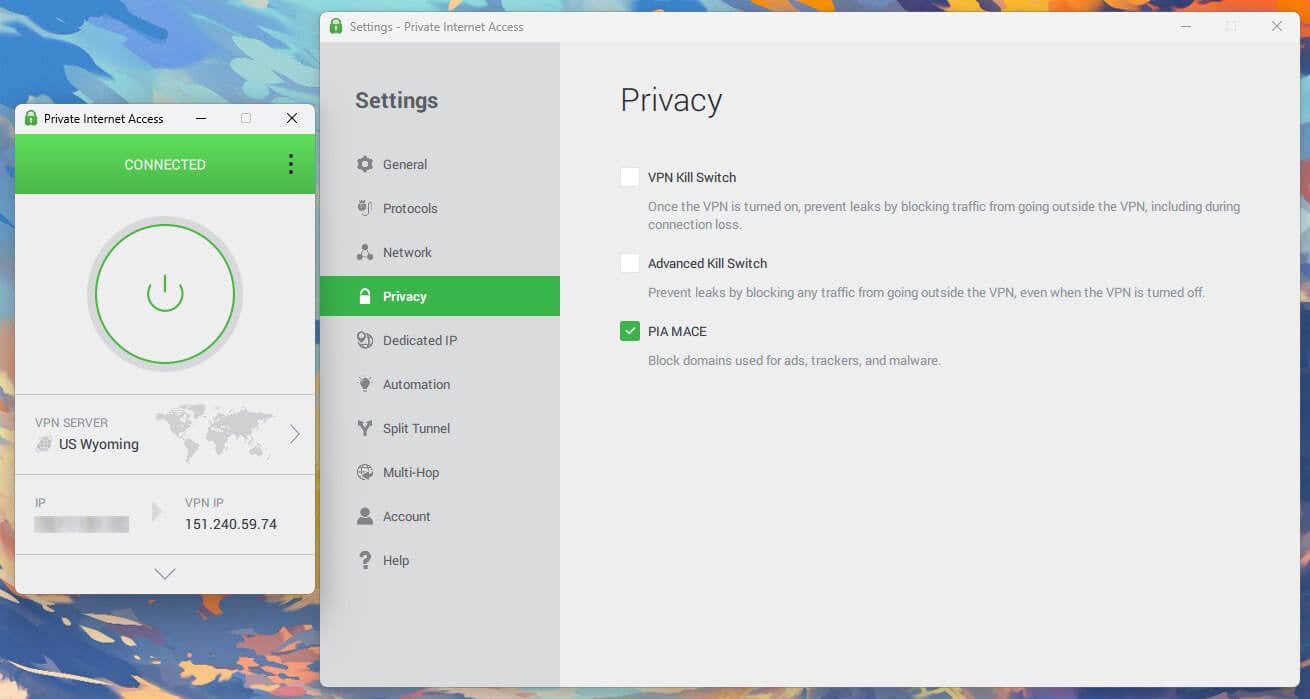
Private Internet Access offers MACE. MACE is a comprehensive ad blocker VPN feature that blocks phishing scams, ads, trackers, and malicious sites. It cross-checks IP addresses against a regularly updated database of adware domains. As for trackers, MACE misdirects those requests away from you.
Instead, sites can’t access your personal information. It may sound complicated, but the tool is easy to use. Enable MACE in Settings and watch the magic. We tested this VPN with ad blocker functions, and it worked flawlessly, blocking 98% of threats. During our testing, it also restricted malicious sites.
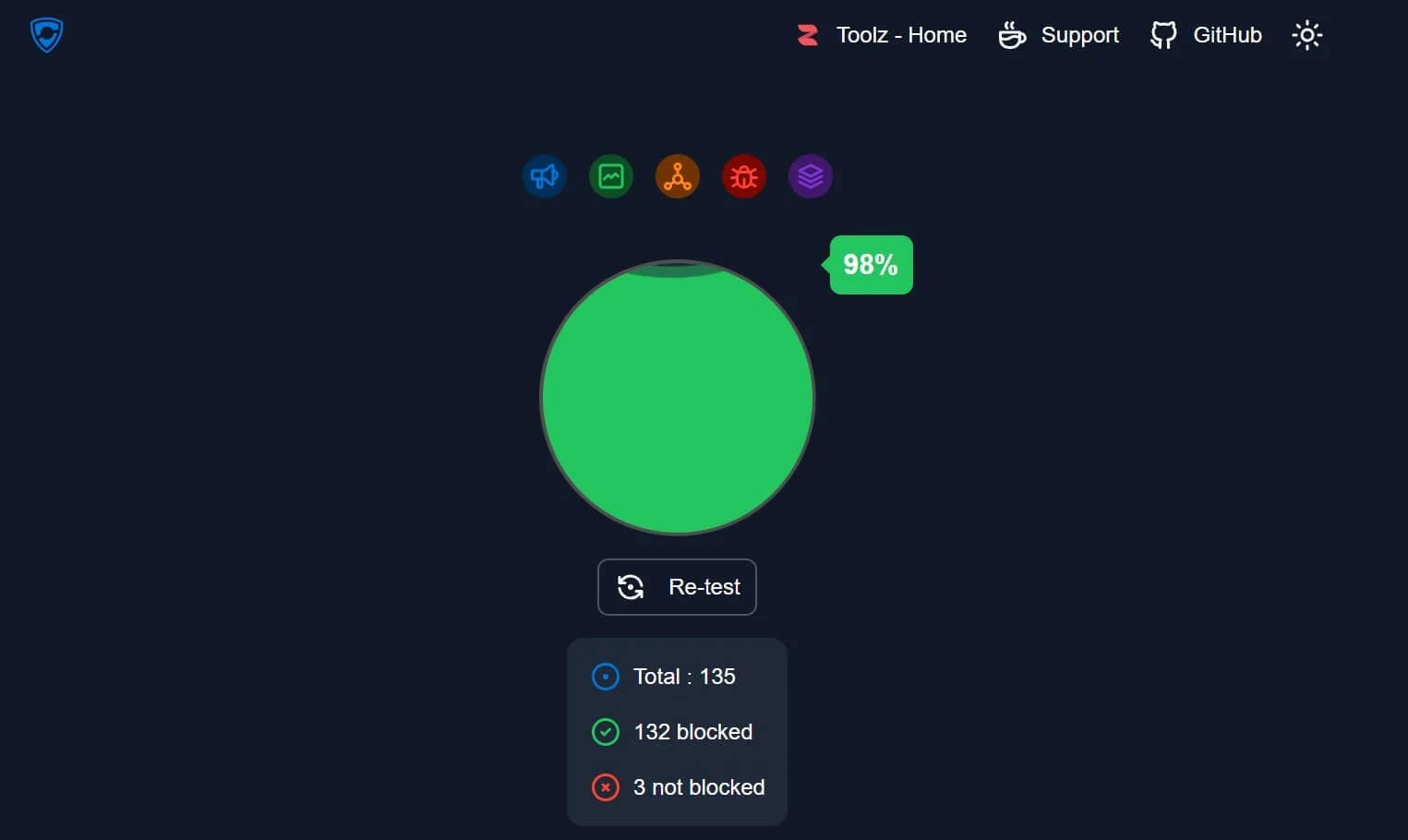
On the downside, you’ll still see ads from safe servers because MACE focuses on spammy and malicious domains; it isn’t tweakable like Threat Protection Pro. On the brighter side, this cheap VPN ad blocker protects unlimited devices at a time and offers customizable and high-end features and protocols.
You can even use MultiHop connections to double your encryption. It’s a US-based VPN but a secure one, with a proven and audited no-log policy. This ad-blocking VPN costs $1.75 to $2.19 per month for 2 years. If that’s insufficient, it guarantees to give you a refund in 30 days if you don’t like it.
3. ExpressVPN: Fastest VPN That Blocks Ads
Pros
- Beginner-friendly app
- Parental control
- Blocks ads and pop-ups
- Fastest VPN ad blocker
- Internet kill switch
Cons
- Some ads still appear
- Higher renewal price
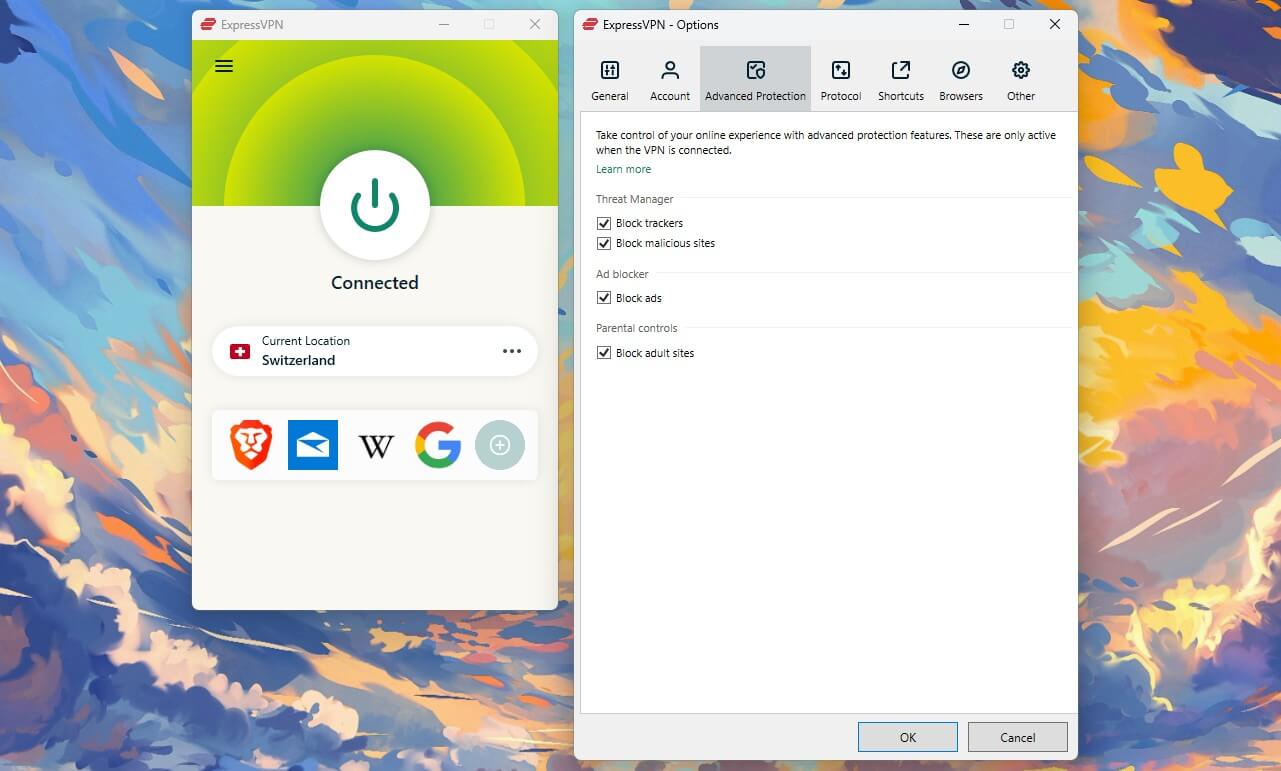
Here’s a fast VPN to block ads very effectively. Its Advanced Protection suite, also known as Threat Manager on iOS and Android, blocks ads, trackers, and malicious sites. Plus, it also has Parental Control, which optionally blocks porn sites. Unlike many adblock VPN services, it doesn’t charge you extra.
It targets display ads using a regularly reviewed and updated curated blocklist. The feature only works when you’re connected to a VPN server. When we tested Advanced Protection (Threat Manager), it blocked 94% of ads, which isn’t the best result, but still good for a VPN that blocks ads on all devices.
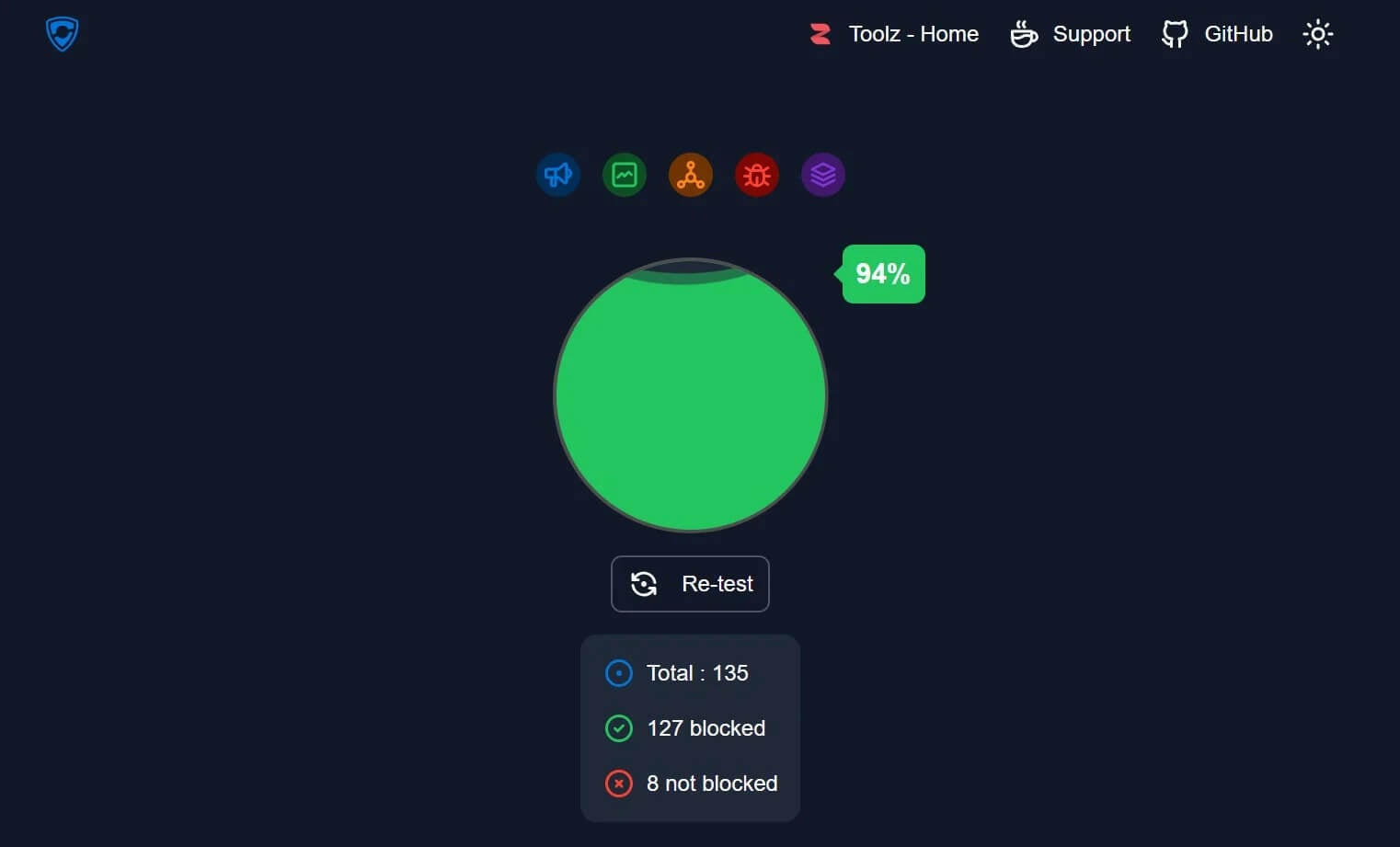
It works by preventing your device from communicating with third-party servers that track activity or engage in malicious behavior. Meanwhile, Parental Control isn’t a gimmick, and it really blocks those sites. If you want, you can also unblock Pornhub with this VPN or use adult sites unrestricted.
Apart from this, ExpressVPN is known for speed with the Lightway Turbo protocol, unlimited data, a no-log policy, and a powerful kill switch. It’s not as equipped as NordVPN, but it’s still extremely safe and secure. Want to check it out? Do so below to get a discount and spend only $2.79 per month
4. Surfshark: Best VPN With Ad Blocking on Unlimited Devices
Pros
- Unlimited devices
- Effective ad blocker
- Virus protection
- Best for streaming
- Priced under $2/mo
Cons
- Occasional slow speed
- Expensive renewals
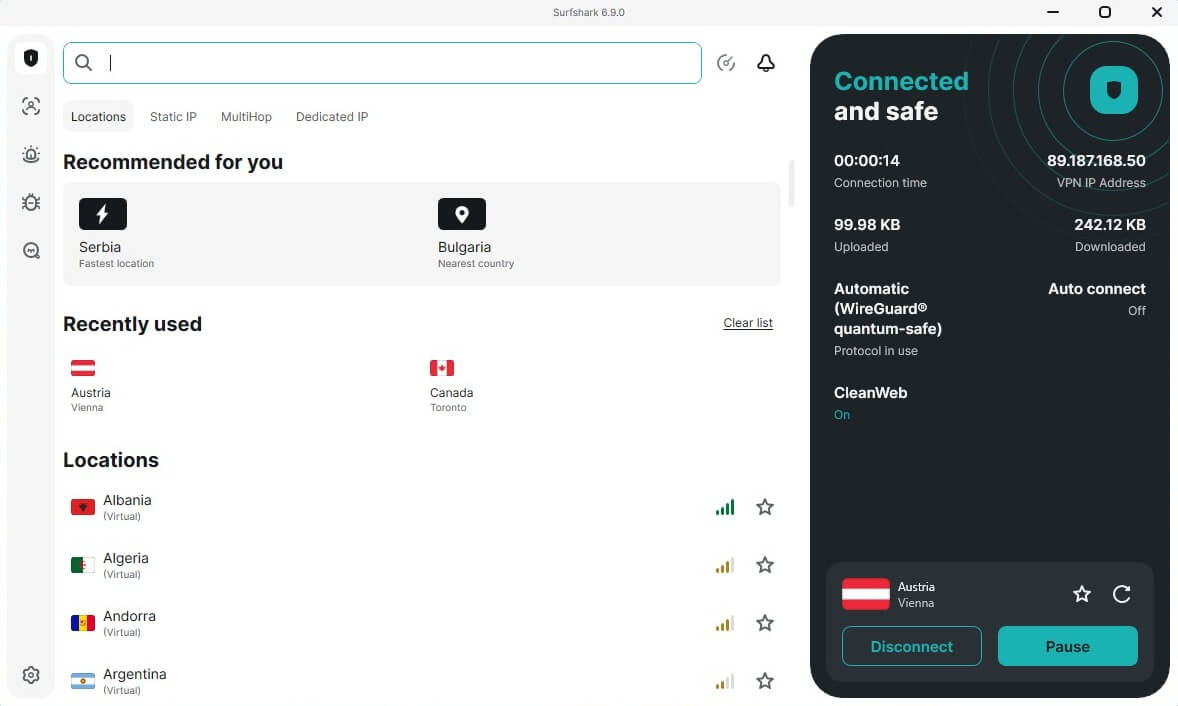
The Surfshark ad blocker is one of the most popular VPN ad blocker choices in 2026. It’s the best VPN overall for under $2 per month. Fast, reliable, and streaming-ready, this VPN with ad blocker has all you need. CleanWeb is enabled by default and blocks all ads and pop-ups, trackers, and malicious sites.
Any DNS query sent from your device is cross-referenced against that database. While CleanWeb is available on all Surfshark apps, it rolled out CleanWeb 2.0 on its browser extensions with an advanced malware alert feature. The new version also comes with a data breach alert for privacy.
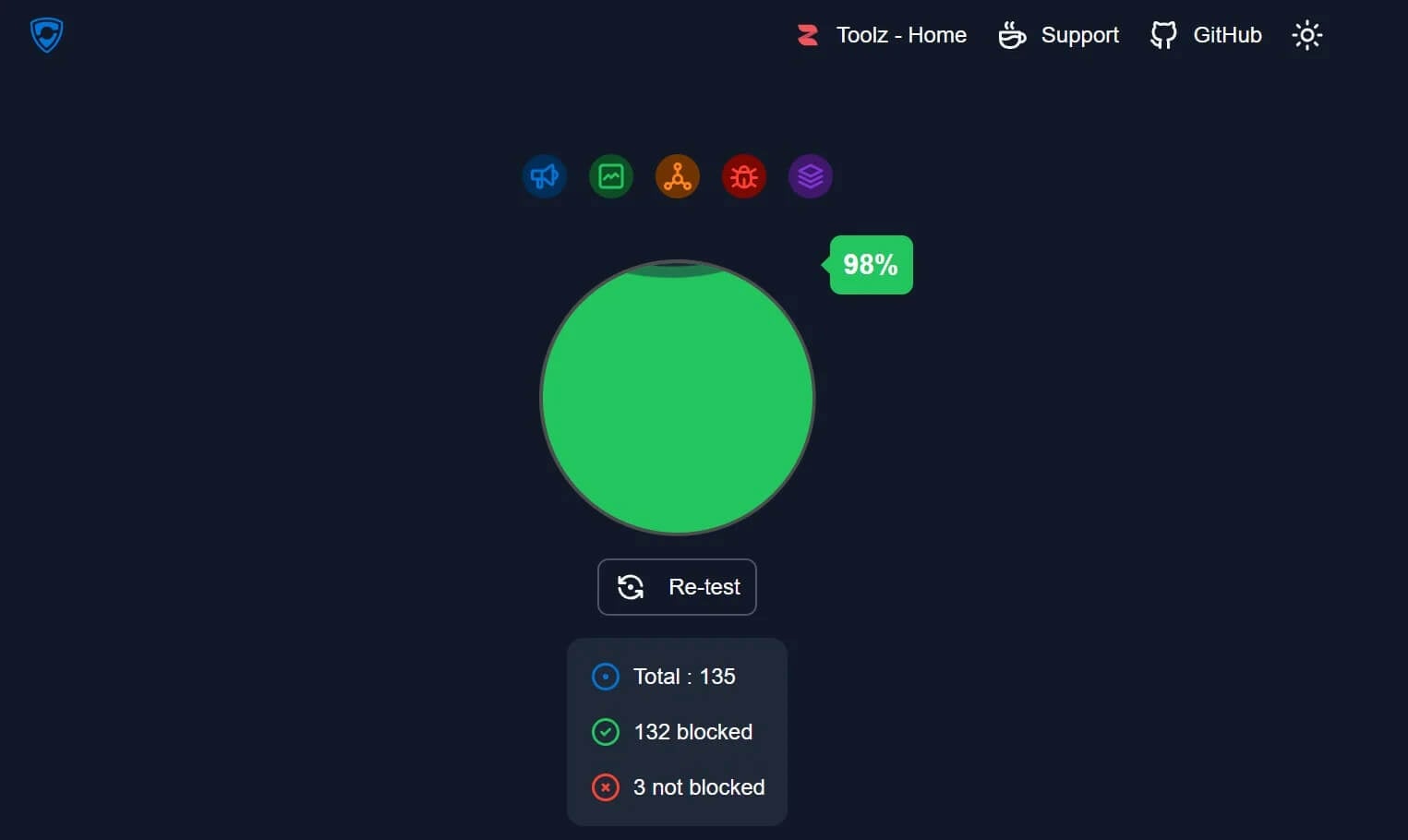
CleanWeb cleared out most ads and performed extremely well during testing. Surfshark is more than just an ad-blocking VPN. It’s one of the best VPNs for streaming for its fast connection speeds and excellent unblocking prowess. The mid-tier plan includes antivirus protection on all devices.
On top of that, Surfshark throws in Web Content Blocker, essentially Parental Control, which blocks adult sites (gambling, pornography, weapons, tobacco, etc.). Despite being a cheap VPN that blocks ads, it doesn’t limit your simultaneous connections. You also get a 30-day money-back guarantee.
5. Proton VPN: Privacy-First VPN for Ad Blocking
Pros
- Customizable ad blocker
- Double Hop connections
- Audited no-log policy
- Optional free plan
Cons
- No SmartDNS
- Lacks virus protection
- Very complex UI
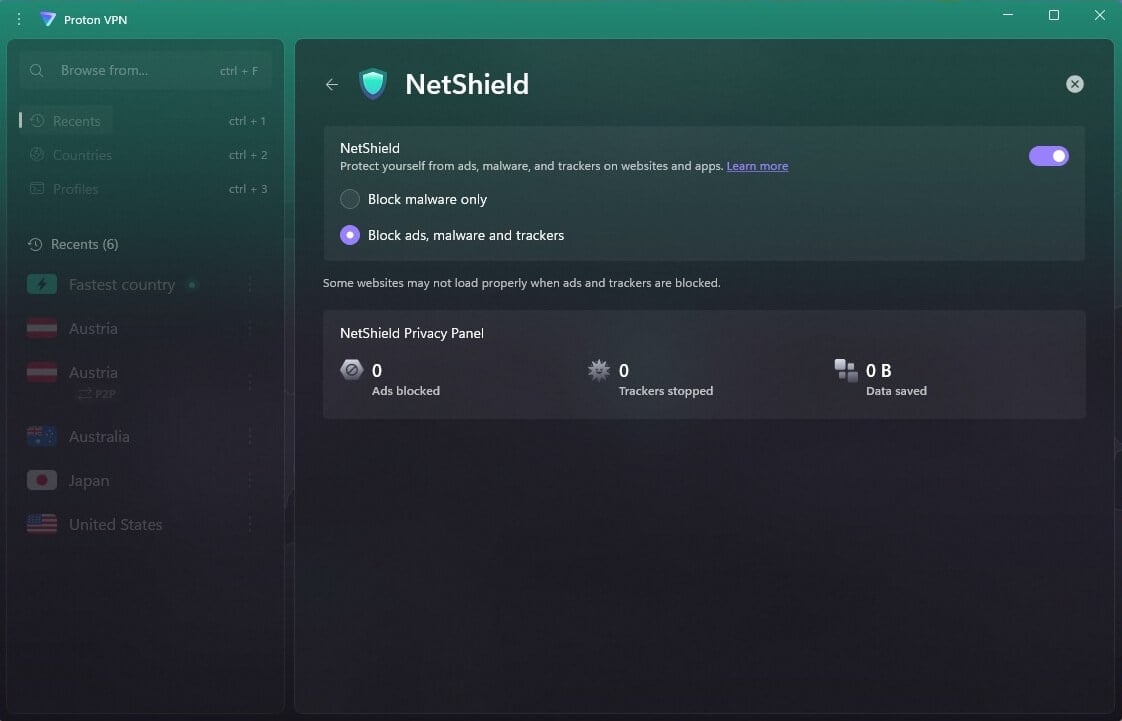
For us, this is the best free VPN, but unfortunately, that version lacks ad-blocking. The good news is that you can unlock the VPN ad blocker by paying for it, and the price isn’t that high. NetShield, as the provider calls it, uses DNS filtering to speed up browsing by removing intrusive ads and stopping trackers.
After matching your domain requests to a database of malicious sites, it automatically blocks any flagged resources from loading. NetShield is customizable. It comes with a Privacy Panel that allows you to monitor the blocked ads, trackers, and malware. You can also choose the level of protection you prefer.

NetShield offers two levels of protection. The first prevents your browser from loading websites with malware, spyware, and malicious scripts. The second blocks ads and trackers from AdTech companies, as well as malware. The latter is also set by default when you enable NetShield in the app.
Proton VPN’s premise is privacy, and as a Swiss-based service, it prides itself on its no-log policy, advanced security features, and obfuscation for bypassing censorship. We tested Proton VPN recently and were very satisfied. It’s cheap, affordable, and with a free plan that lets you test it before splurging money.
VPN With Ad Blocker: Essential Benefits
Using a VPN with an ad blocker offers more than just relief from those annoying pop-up and banner ads. Let’s break down precisely what you get to enjoy:
- Better Privacy: If you know how a VPN works, it encrypts your traffic and hides your IP address, so it’s way harder for third parties (hackers, snoops, and the like) to intercept and monitor what you do online.
But there’s more. Ads weren’t just designed to annoy you (or exclusively to sell). They’re also tracking you and collecting data on your browsing habits. An ad-blocking VPN stops that, and advertisers have a tougher time tracking you.
- Improved Security: There’s also the security angle. Most ads are harmless, but that means some are potentially dangerous. You never know what’s lurking behind a banner, ready to inject malware infections or phishing attacks.
On one hand, a VPN with ad blocker stops ads from loading, reducing the chances of you accidentally clicking them. Some (like NordVPN) scan your device or downloaded files for malware and remove them before they take root.
- Faster Connection Speeds: Ads can cause a website to load slowly, especially when it contains videos or heavy images. Using an ad-blocking VPN speeds things up by kicking out those resource-hogging elements.
VPN Ad Blocker vs. Ad Blocking VPN Browser Extension
If you’re tired of seeing ads, you’ve considered a few solutions. In most cases, these are web browser extensions like uBlock and Ghostery. But what’s the difference between that and a regular VPN with an ad blocker? One is restricted to a browser, and the other is usable across the device.
For instance, if you install Ghostery on Chrome, it won’t block ads on other browsers, let alone any apps outside your browser. An installed VPN with ad-blocking covers your entire device. In some cases, it may block ads on your browsers and other platforms and applications.
A VPN with an ad blocker offers a broader approach. It not only blocks ads within your browser but also protects your online privacy by encrypting your traffic and masking your IP address. Some even come with an antivirus.
Whatever the case, you’re shielded from ads, malicious websites, and other privacy and security threats, making an ad blocking VPN more comprehensive.
Free VPN With Ad Blocker: Does Free VPN Block Ads?
We understand the allure, but you get what you pay for. For this guide, we tested more than 50 providers, including non-paid options. Here’s the result: there’s no free VPN that blocks ads, or at least effectively. Some VPNs offer separate ad-blocking extensions, but they don’t perform very well.
You get what you pay for, and when you don’t pay, you get nothing worthy. Free VPNs, apart from lacking ad-blocking, often lack security features and may also log your data and sell it to third parties. Minuses like small server networks, slower speeds, or even P2P blocking are always there.
That means free VPNs are useful for basic browsing, but they still don’t deal with ads and potentially infringe on your privacy. The worst offender is limited data with a few popular VPNs like Windscribe and PrivadoVPN. That results in the inability to use the VPN unless your data renews next month.
You’re better off sticking to the VPNs we discussed for quality ad blocking. With 2 services for one price, you get good value for your money, especially if you choose an affordable option like NordVPN or PIA VPN.
Conclusion
The web is clogged with all kinds of ads, and they can ruin your browsing experience or even infect your device with malware. But when you use a reliable VPN ad blocker, which merges ad-blocking with full-on VPN protection, there’s little to worry about. What is the best VPN that blocks ads? Easy decision: NordVPN.
Thanks to its Threat Protection Pro, you shield yourself from ads, trackers, malware, spyware, and other threats. Private Internet Access, ExpressVPN, Surfshark, and Proton VPN have strong alternatives to explore. Finally, there’s a 30-day refund policy to confirm your ad blocking VPN works.
Frequently Asked Questions
🛑 Does VPN block ads on all devices?
Yes, in most cases, it does, though it depends on the ad-blocking VPN solution it relies on. NordVPN's Threat Protection blocks ads on iOS and Android, but it doesn't block malware as it does on Windows and macOS.
🦈 Is Surfshark ad blocker good?
Yes, it's a good ad blocker VPN with solid efficiency against ads, pop-ups, trackers, and malicious sites. In the Surfshark One plan, you get antivirus software, which helps clear out threats and keep you and your device safe.
🔴 Does VPN block ads on YouTube?
No, a VPN that blocks ads doesn't block them on YouTube, not directly. However, it may work if you connect to a location where YouTube doesn't display ads (Albania). It's the only way to remove ads on YouTube videos.
⛔ What is the best VPN with ad tracker blocking?
NordVPN is the best VPN with ad and tracker blocking. It works in real-time, blocking all kinds of threats, from ads and trackers to malicious sites, malware, dangerous downloads, or even scam calls on Android.