The Mac App Store looks like the obvious place to download a VPN, but the version on the VPN’s own website often has more features. NordVPN’s app-level kill switch and ExpressVPN’s split tunneling, for example, come only with the website downloads. We’ve tested 30+ VPNs, and only five worked well enough on macOS to recommend.
NordVPN is the best VPN for Mac: on a MacBook Air M1 wired to our 190 Mbps connection, it lost 7.2% of its speed, the smallest drop we recorded, and unblocked all 14 streaming services we tried. Proton VPN ranks second on the strength of its privacy protections. NordVPN has no split tunneling on macOS, though, so Mac users who want it should look at ExpressVPN, PIA, or Surfshark.
Top Mac VPNs for 2026
- NordVPN: Best VPN for Mac overall, with the smallest speed loss on our Mac
- Proton VPN: Best for privacy, with open-source macOS apps and a Swiss base
- ExpressVPN: Best for ease of use, with the fastest Japanese server on our Mac
- Private Internet Access: Best budget Mac VPN, with split tunneling and port forwarding
- Surfshark: Best for unlimited devices, plus the macOS-only Dausos protocol
Speed, Split Tunneling, and Streaming Compared
Speed loss is the average download loss on UK, US, and Japanese servers, measured in October on a MacBook Air M1 in Europe over Ethernet against a 190.36 Mbps baseline. We tried 14 streaming services in the same tests, clearing cookies and cache before each session.
| VPN | Speed loss | Split tunneling on macOS | Streaming services unblocked | Devices |
| NordVPN | 7.2% | No | 14 of 14 | 10 |
| Proton VPN | 9.4% | Yes (experimental) | 10 of 14 | 10 |
| ExpressVPN | 7.8% | Yes (website version) | 14 of 14 | 10-14 |
| PIA | 12.7% | Yes | 8 of 14 | Unlimited |
| Surfshark | 9.6% | Yes (Bypasser) | 13 of 14 | Unlimited |
Each VPN on macOS, Reviewed
1. NordVPN: Best VPN for Mac Overall
Pros
- Post-quantum NordLynx protocol
- NordWhisper for restrictive Wi-Fi
- Double VPN on every plan
- Meshnet links your own devices
- Independently audited no-log policy
Cons
- No split tunneling on macOS
- App Store version lacks the app-level kill switch
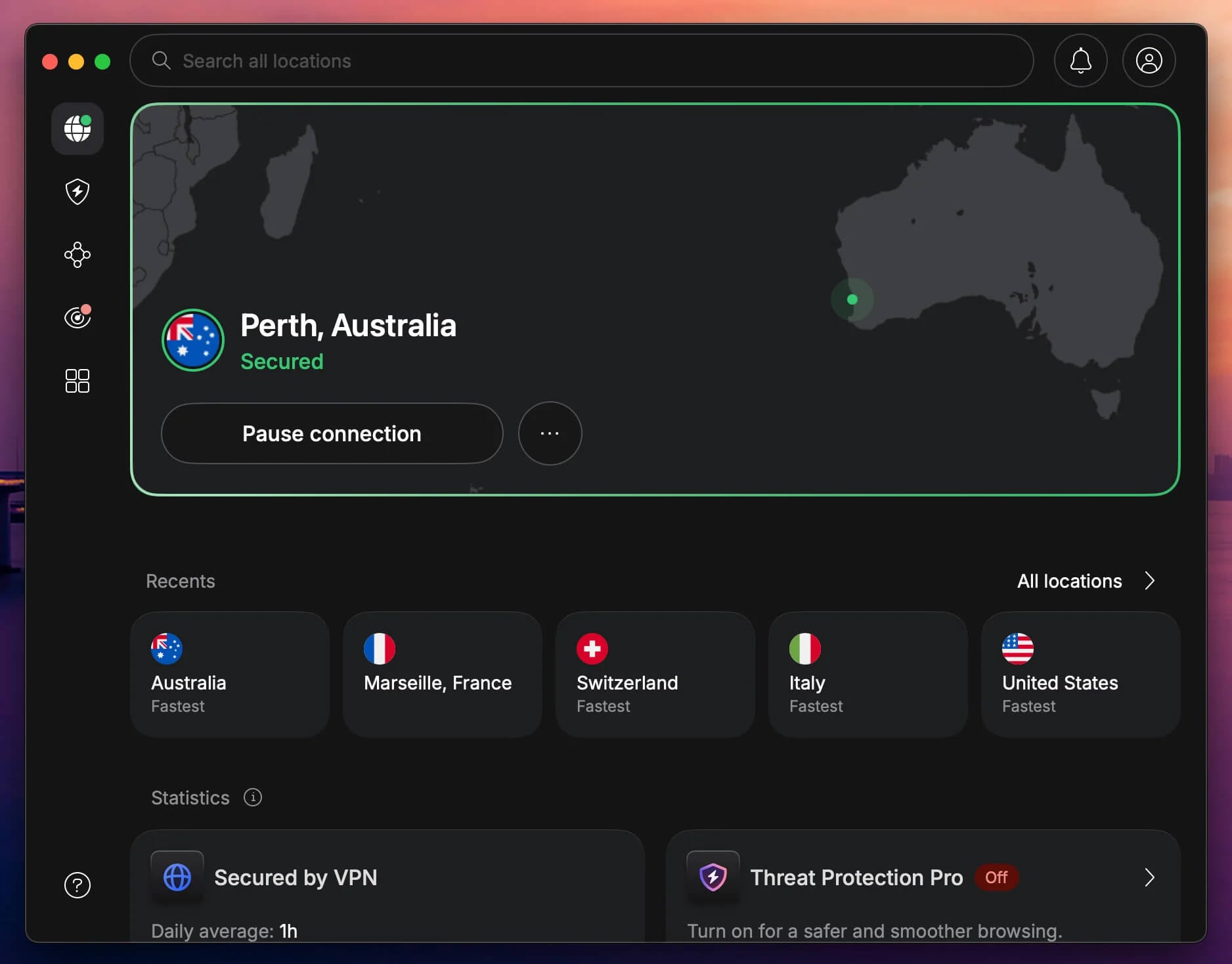
On our Mac, NordVPN measured 183.97 Mbps on the UK server, 180.41 on the US one, and 165.35 to Japan, a 7.2% average speed loss and the best US result we recorded on the Mac. It also unblocked all 14 streaming services we tried, Disney+ through its browser extension, and its network covers 152 countries. Where you download NordVPN changes its kill switch.
The version from NordVPN’s website adds an app-level kill switch that shuts chosen apps when the connection drops, while the Mac App Store version has only the system-wide one. Neither version offers split tunneling, so every app on the Mac uses the VPN, including work tools that block VPN traffic. The Complete plan adds next-gen antivirus to the macOS app.
NordVPN is based in Panama and keeps no logs of your activity, a policy that has passed repeated independent audits. On a two-year term, the Basic plan costs under $3.50 a month and covers 10 devices.
2. Proton VPN: Best Mac VPN for Privacy
Pros
- Open-source macOS app
- Swiss jurisdiction
- Secure Core servers
- Stealth protocol on restricted networks
- NetShield blocks ads and malware
Cons
- No post-quantum encryption yet
- Hulu and Disney+ blocked
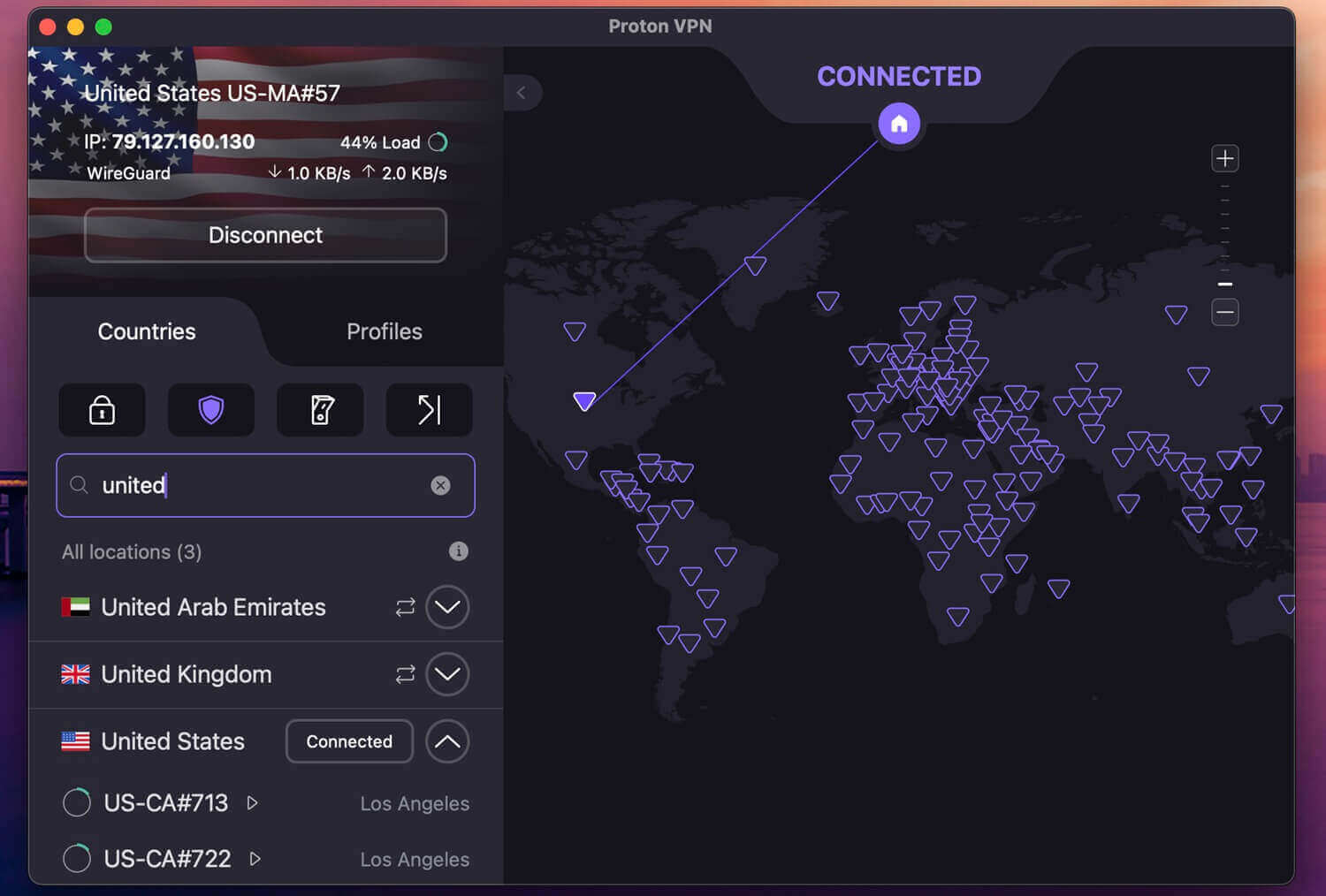
Proton VPN recorded 181.19 Mbps on the UK server, 177.23 on the US one, and 158.99 to Japan on our Mac, a 9.4% average speed loss. VPN Accelerator, Proton’s speed feature for distant servers, is on by default. The Mac app received split tunneling in late 2025, still labeled experimental, so you can exclude a banking app or a work client from the VPN. Privacy puts this top-rated VPN in second place.
Proton AG is based in Switzerland, and Securitum has audited its no-log policy every year since 2022. Secure Core passes your traffic through a server in Switzerland, Iceland, or Sweden before the server you picked. Our privacy VPN ranking compares it with other privacy-focused VPNs. Streaming is weaker. Proton VPN unblocked 10 of the 14 services we tried, while Hulu, Disney+, Pluto TV, and ITVX blocked it.
Viewers who mainly want Hulu or Disney+ should choose NordVPN or Surfshark. It also lacks the post-quantum encryption NordVPN, ExpressVPN, and Surfshark offer. Two years of VPN Plus cost under $3 a month for up to 10 devices.
3. ExpressVPN: Easiest Mac VPN to Use
Pros
- Automatic obfuscation on every server
- Lightway with post-quantum encryption
- WireGuard and OpenVPN on macOS
- Split tunneling in the website version
- Advanced Protection blocks ads and trackers
Cons
- Few advanced settings
- No multi-hop servers
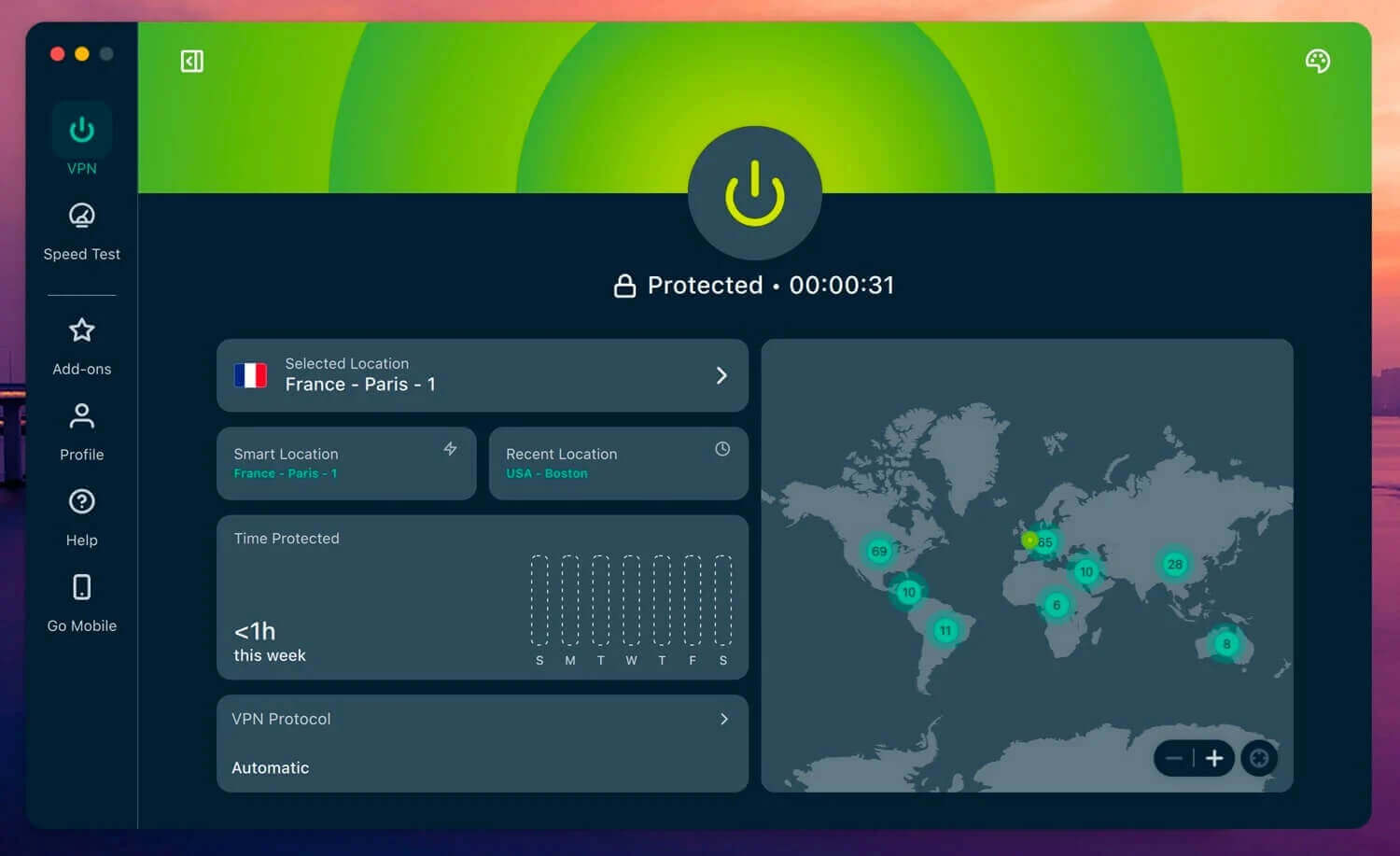
ExpressVPN had the fastest Japanese result on our Mac, 166.51 Mbps, plus 184.88 Mbps on the UK server and 175.33 Mbps on the US one, for a 7.8% average speed loss. Streaming matched NordVPN’s result, with Disney+ again requiring the browser extension. The Mac app connects in one click and disguises every connection automatically, so a hotel or office network that blocks VPNs requires no setting change.
Split tunneling arrived on the Mac in late 2025, but only in the version from ExpressVPN’s website. Advanced Protection filters ads, trackers, and malicious sites, though the Basic plan’s lighter version leaves trackers unblocked. Its Chrome VPN extension works with the Mac app and adds location spoofing and WebRTC leak protection.
The trade-off is control: there are few protocol settings to adjust and no multi-hop servers, so Mac owners who want to fine-tune encryption should look at PIA. On a 28-month term, the Basic plan costs under $3 a month for 10 devices, and our ExpressVPN review covers the higher tiers.
4. Private Internet Access: Best Budget Mac VPN
Pros
- App-based split tunneling on macOS
- Port forwarding outside the US
- MACE ad and tracker blocking
- Unlimited simultaneous connections
- Open-source apps
Cons
- Dated macOS interface
- Hulu, Disney+, and Prime Video blocked
- US jurisdiction
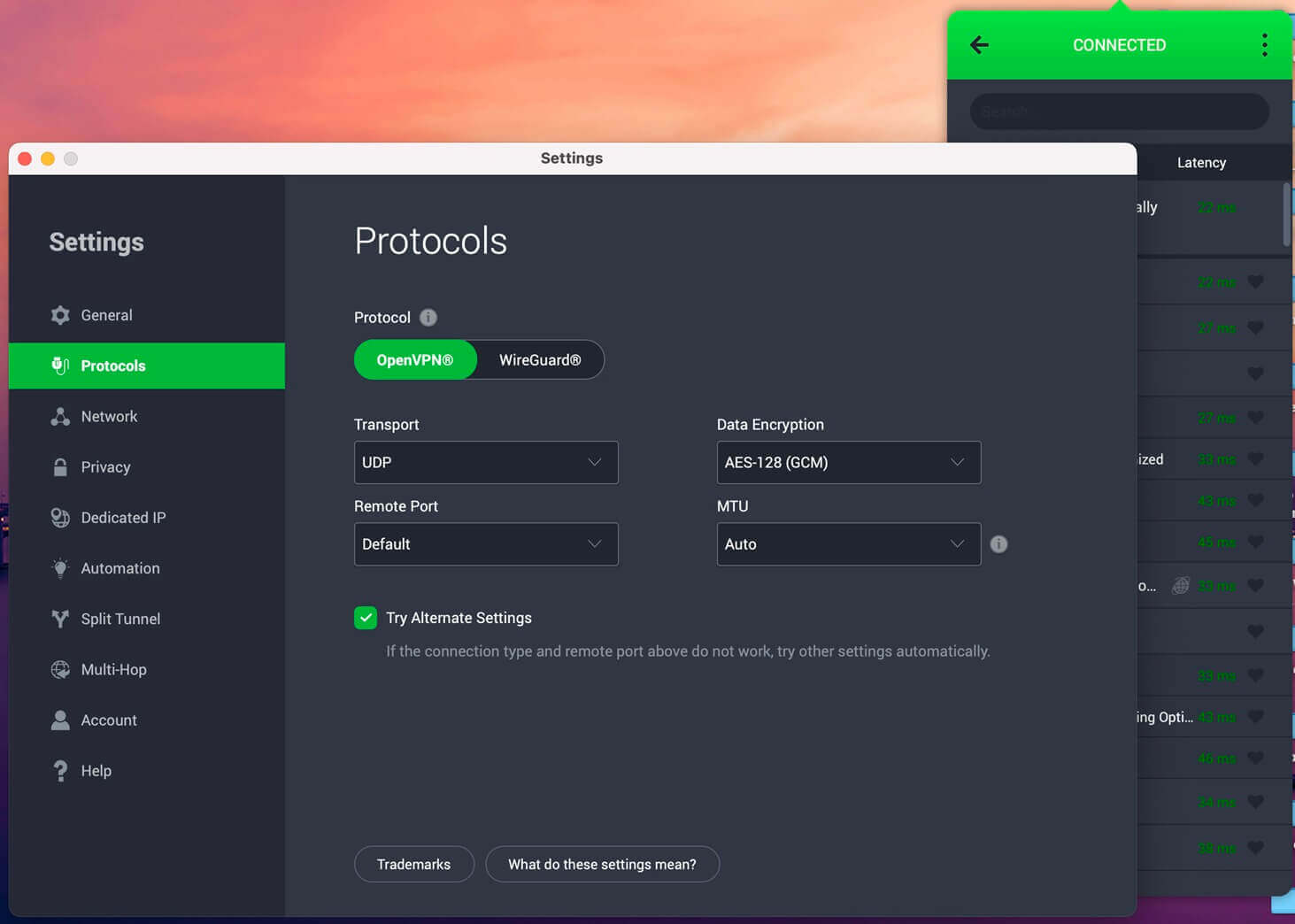
On our Mac, Private Internet Access lost 12.7% of its speed on WireGuard, with 141.61 Mbps to Japan as its weakest result, still far above what 4K streaming requires. It unblocked Netflix US, Netflix Canada, and BBC iPlayer, and our Netflix VPN ranking compares it with VPNs that unblocked more libraries. Hulu, Disney+, Prime Video, HBO Max, Netflix Japan, and JioHotstar blocked it.
PIA was the first major VPN to bring split tunneling back to macOS, in early 2024. Its Mac app also offers port forwarding on servers outside the US for torrent clients. MACE blocked 96% of the ad and tracker domains in d3ward’s test. The interface looks dated and crowds its settings menus, which made it my least favorite Mac app to use.
PIA is based in the US, a Five Eyes member, but subpoenas in 2016 and 2018 found no logs to hand over. On a two-year term, PIA costs about $2.20 a month and covers every device you own.
5. Surfshark: Best Mac VPN for Unlimited Devices
Pros
- Dausos, a post-quantum macOS protocol
- Unlimited simultaneous connections
- Bypasser split tunneling
- Disney+ unblocked in the desktop app
- Antivirus on the One plan
Cons
- Longer connection times
- ITVX blocked
- Netherlands jurisdiction
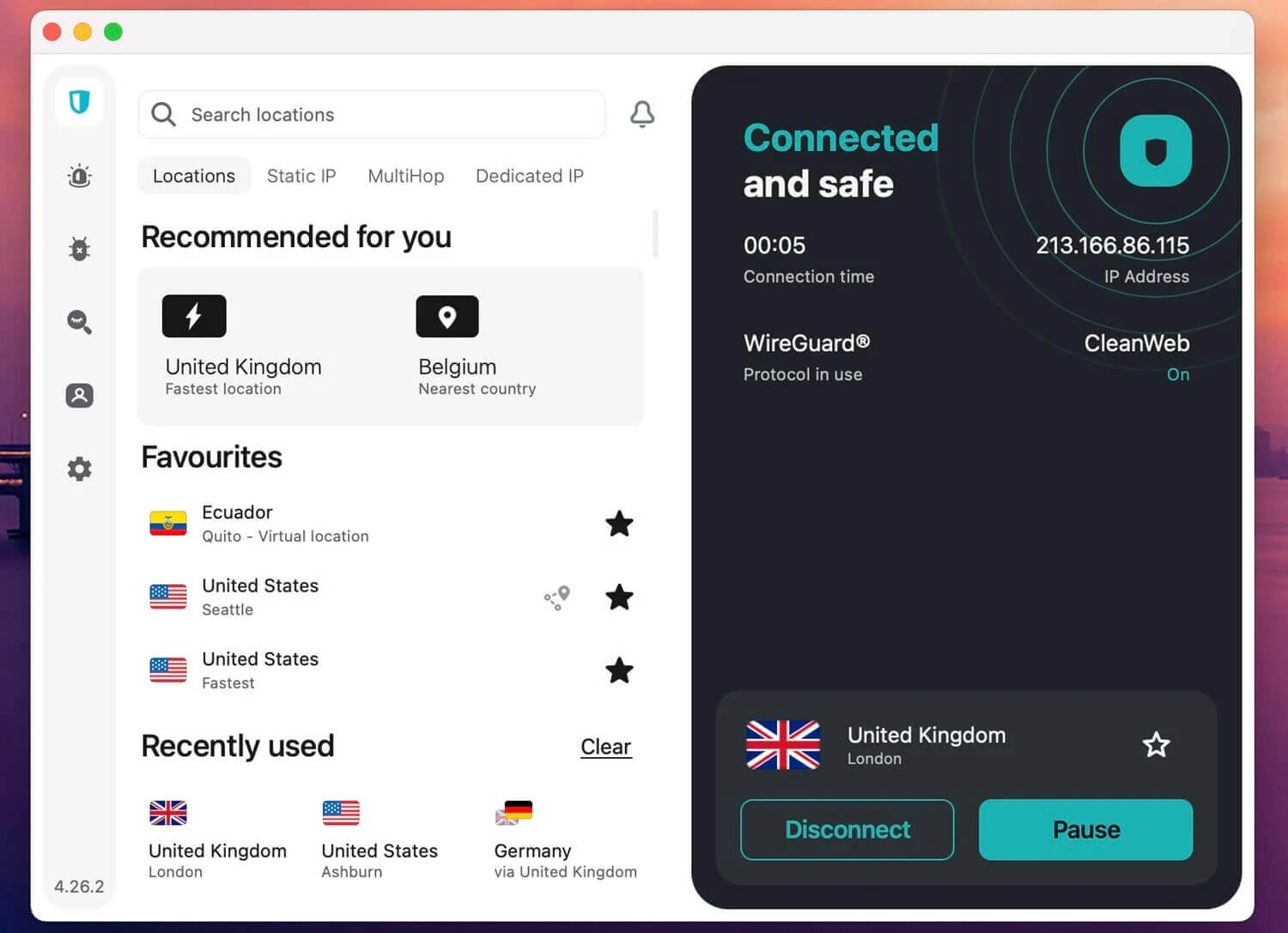
On our Mac, Surfshark lost 9.6% of its speed on WireGuard, and its UK server measured 186.96 Mbps, the fastest UK result we recorded and only 1.8% below our baseline. Its Dausos protocol measured faster still. Dausos assigns each user a dedicated tunnel, uses AEGIS-256X2 encryption, resists post-quantum attacks, and was audited by Cure53. It’s available only on macOS. It unblocked 13 of the 14 streaming services, with ITVX the one failure.
No other VPN in our tests unblocked Disney+ in its desktop app. One subscription covers every Mac, iPhone, and iPad in a household, since Surfshark sets no device limit. RAM-only servers and a Deloitte-audited no-log policy put it among the most secure VPNs we’ve tested.
Connections sometimes took longer to establish, and the company is based in the Netherlands, part of the Nine Eyes group. On a 27-month term, the Starter plan costs about $2.50 a month.
How to Install a VPN on a Mac
- Subscribe to a VPN with a native Mac app. NordVPN is our top recommendation for macOS.
- Download the app from the VPN’s website. For NordVPN and ExpressVPN, that version has features the App Store one lacks.
- Open the .pkg or .dmg file in Downloads, follow the installer, and enter your Mac password when asked.
- Launch the VPN and sign in to your account.
- Click Allow when macOS asks to add VPN configurations, and approve the system extension in System Settings if prompted.
- Connect to a server in the country you want to appear in.
To confirm the VPN is working, load whatismyipaddress.com in Safari. It should show the server’s country.
What a VPN Adds to a Mac
On café, hotel, or airport Wi-Fi, a VPN encrypts everything the Mac sends, so the network’s operator and other users see only scrambled data. Your ISP sees a connection to a VPN server instead of the sites you load. Our explainer on how a VPN works covers the encryption in more detail.
A VPN also changes the IP address websites see. Connect to a server abroad, and streaming services treat the Mac as local, which is how fans stream Formula 1 live while traveling. Game stores, airlines, and hotels sometimes price by country as well, as our guides to changing your Steam region and VPNs for travel explain.
Is There a Good Free VPN for Mac?
Proton VPN has the strongest free plan for Mac, with no data cap and the same no-log policy as its paid plan. The catch is choice: the app assigns a server at random from 10 countries. On my MacBook, it assigned me Amsterdam and US servers, with a 20.8% average speed loss, and Netflix US blocked it.
Hola, by contrast, makes free users share their device’s bandwidth and IP address through Bright Data, so it’s a free VPN to avoid. Our ranking of the best free VPNs for Mac compares the other free plans.
Verdict
Every VPN here kept at least 87% of our speed on the Mac, so the macOS features make the difference. NordVPN kept the most speed on our Mac and had no streaming failures. Its one macOS weakness is the missing split tunneling. Our NordVPN review covers its Windows and phone results too. Proton VPN brings open-source apps and Swiss privacy law for 2.2% more speed loss.
Meanwhile, ExpressVPN is the most hands-off app on a MacBook. PIA offers split tunneling and port forwarding on a Mac for the lowest price. Surfshark covers every Apple device in a home and adds Dausos, a protocol no Windows PC can use.
Mac VPN FAQ
What is the best VPN for Mac?
NordVPN is the best VPN for Mac, with NordLynx speeds and an app-level kill switch in the website version. Proton VPN leads on privacy, with Secure Core servers and yearly no-log audits.
What is the fastest VPN for Mac?
NordVPN is the fastest VPN for Mac, using NordLynx, a WireGuard-based protocol with post-quantum encryption. Proton VPN is close behind on WireGuard, and its VPN Accelerator feature reduces speed loss on long-distance connections.
Does a Mac have a built-in VPN?
No. macOS includes a client for IKEv2, L2TP, and IPSec connections, but Apple operates no VPN servers, so the built-in client requires server details from a VPN subscription.
Is NordVPN good for Mac?
Yes. NordVPN’s macOS app includes NordLynx, NordWhisper for restricted networks, Double VPN, and Meshnet. Its main limit on a Mac is the lack of split tunneling, a feature its Windows app offers.
Does a VPN slow down a Mac?
Slightly. NordVPN’s NordLynx and Proton VPN’s WireGuard connections keep most of a Mac’s connection speed on nearby servers, and distant servers cost more speed because of the added latency.
Does a VPN work on a MacBook Air and MacBook Pro?
Yes. NordVPN, Proton VPN, and other major VPNs offer native apps for Apple silicon and Intel Macs, including the MacBook Air and MacBook Pro, though Proton VPN requires macOS 14 or later.