
To take advantage of Steam regional pricing, you must change Steam region, and that’s what bothers most gamers. How to do it and what are the implications? We explain all here, but the gist of it is that you can change your Steam store country with a VPN and a valid credit card once every 3 months. When you confirm that your credit card belongs to a new Steam account region, you can get games for a lower price and with better discounts.
Steam region change has its limitations, not just advantages, and we’ll explain them as we go. I tested this trick in October 2026 and can confirm it still works well, with a few caveats explained in the tutorial.
Change Steam Region and Get Cheaper Games: Quick Tutorial for 2026
- Get a VPN. I recommend NordVPN with 137 countries and 75% discounts for all 2-year plans. It’s also the best VPN for gamers, with low-latency connections and DDoS protection for safer gaming.
- Set up the VPN on your device.
- Connect to a server in the country you want to use for your Steam store. Go to the server list, find it, and click on it to connect.
- Launch Steam, sign in if needed, and add a game to your cart.
- Click the Currency Dropdown menu and change your currency to the one that matches the desired Steam region.
- Provide a payment method from the new country. Once you buy the game with that credit card, Steam country change is complete.
How to Change Your Steam Region?
You can change your region once every 3 months, but you need a payment method from the new country. If you change your Steam store country to, say, Italy, you must have a credit card from there. Users relied on Steam Gift Cards to take advantage of the Steam regional pricing, but it no longer works. Steam’s Gift Cards are currency-locked, not region-locked. So you first must change your Steam store country and then use one if you want.
Setting Up a VPN
You’ll need an IP address from the country whose store you want to use. You can change your IP with a VPN service such as NordVPN, which offers over 137 countries on the list. This VPN is also gaming-friendly thanks to fast speeds and uncapped and unthrottled bandwidth.
Change Your Steam Region With NordVPN
You can subscribe to this VPN through Gizmodo and get exclusive discounts on its 2-year or 1-year plans. 2-year plans are recommended for their 75-plus percent price reduction. Once you subscribe to the VPN, install it on your device. After that, open the app and sign in with your credentials.
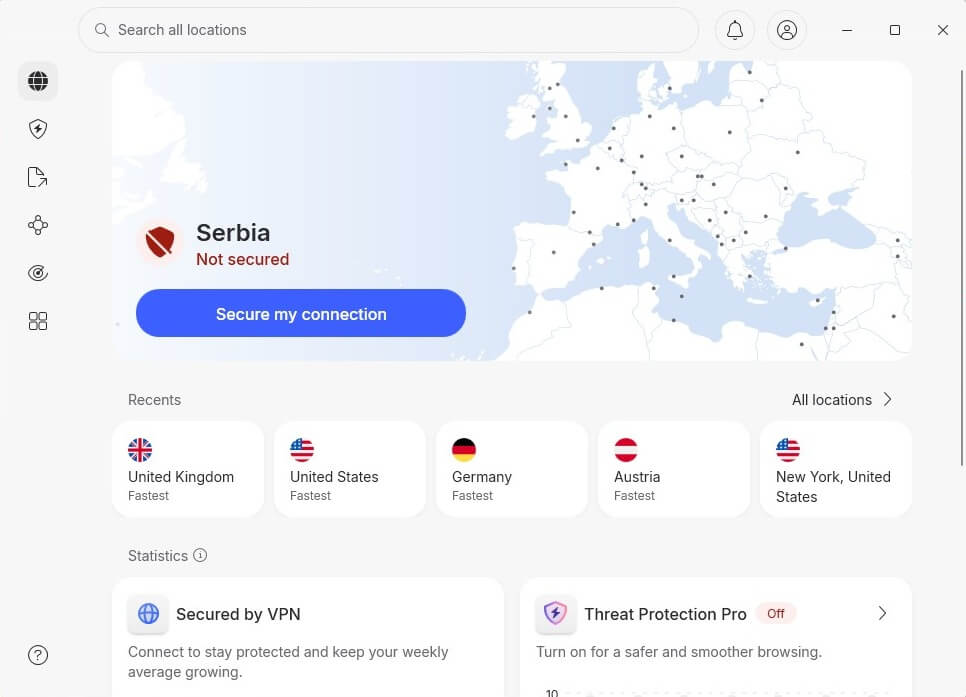
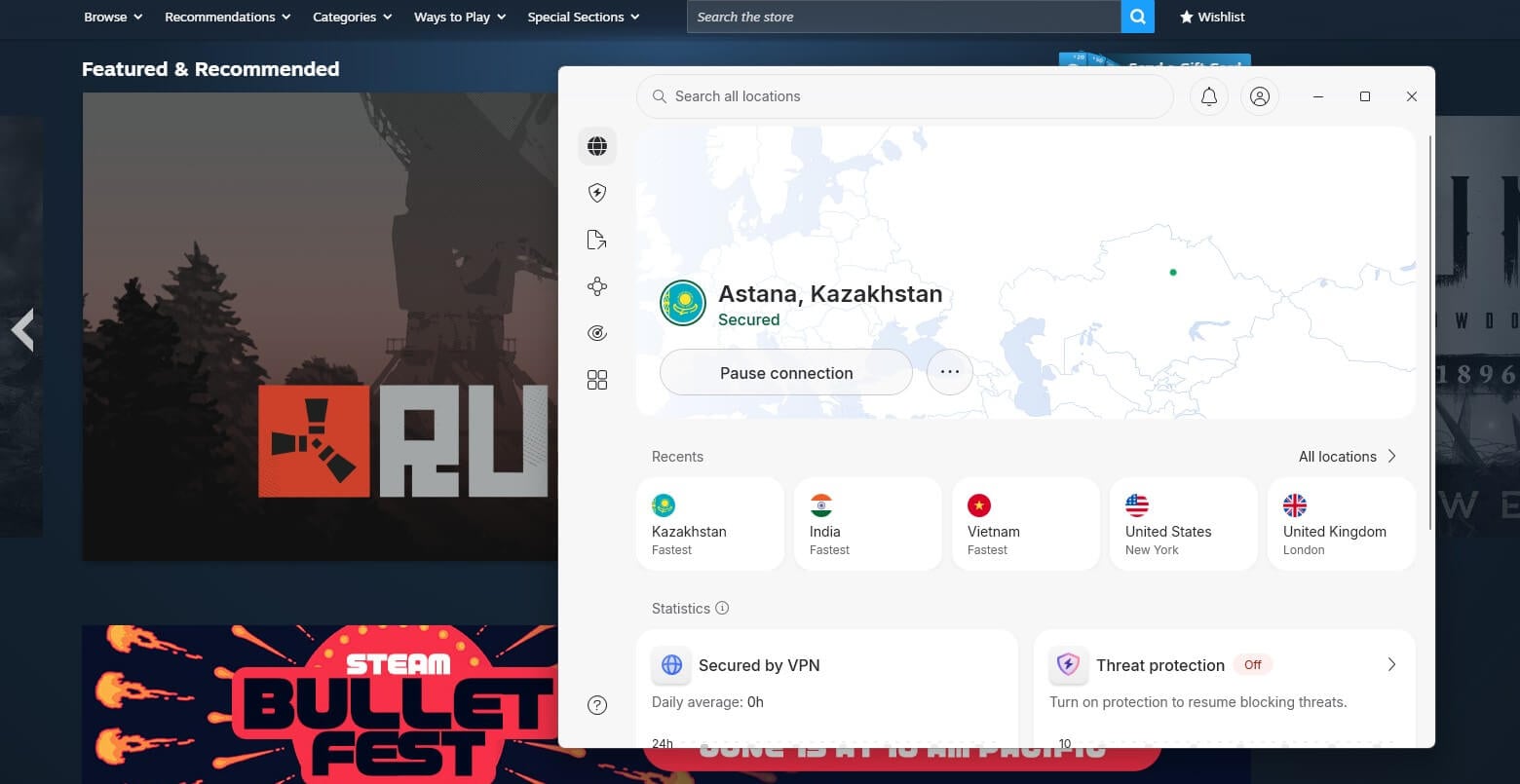
With the app opened and ready to use, we’ll perform another step before changing our Steam region. We’ll connect to a server in the country we want to use later. Let’s say we want to use Kazakhstan, which, according to many, is one of the cheapest Steam countries.
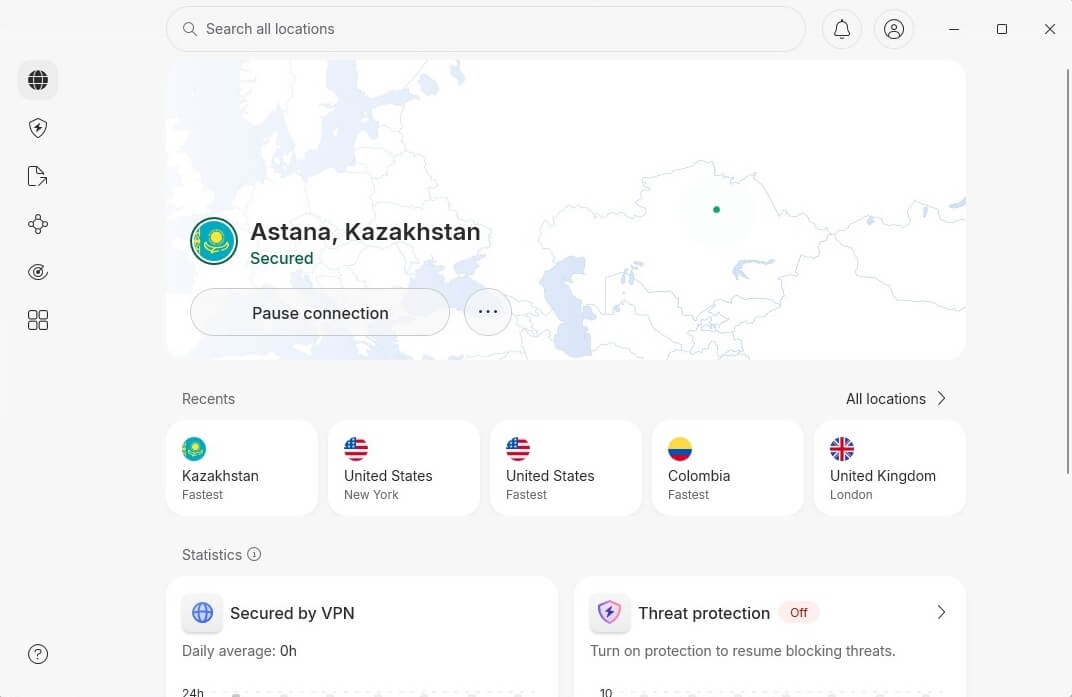
We’ll open the server list in NordVPN, find Kazakhstan, and click on it to connect. Setting up a VPN is simple, so even beginners are welcome to try.
Changing Your Steam Store Country
It’s time to change your Steam store region. We’ll assume you already have this app installed, so after connecting to a VPN server, open it and sign in. From here, follow these simple steps to get it working.
- In the store, find the game or app you want to buy and add it to the cart.
- Visit your cart and instead of selecting Continue to Payment, click your country.
- In the drop-down menu, you’ll see the new country – for us, it’s Kazakhstan.
- Click on the new country, and when prompted to convert your store and wallet, confirm the new billing address.
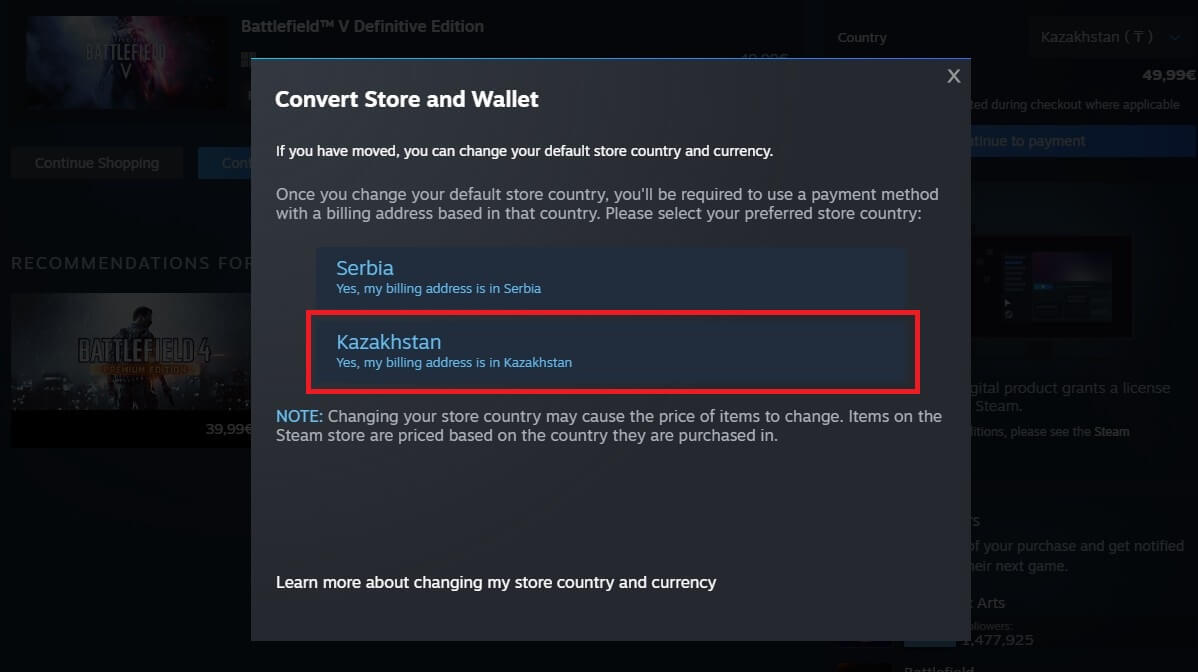
© Steam - Press Continue to Payment now.
- In the new menu, provide credit card information and your address from the new country, and click Continue.
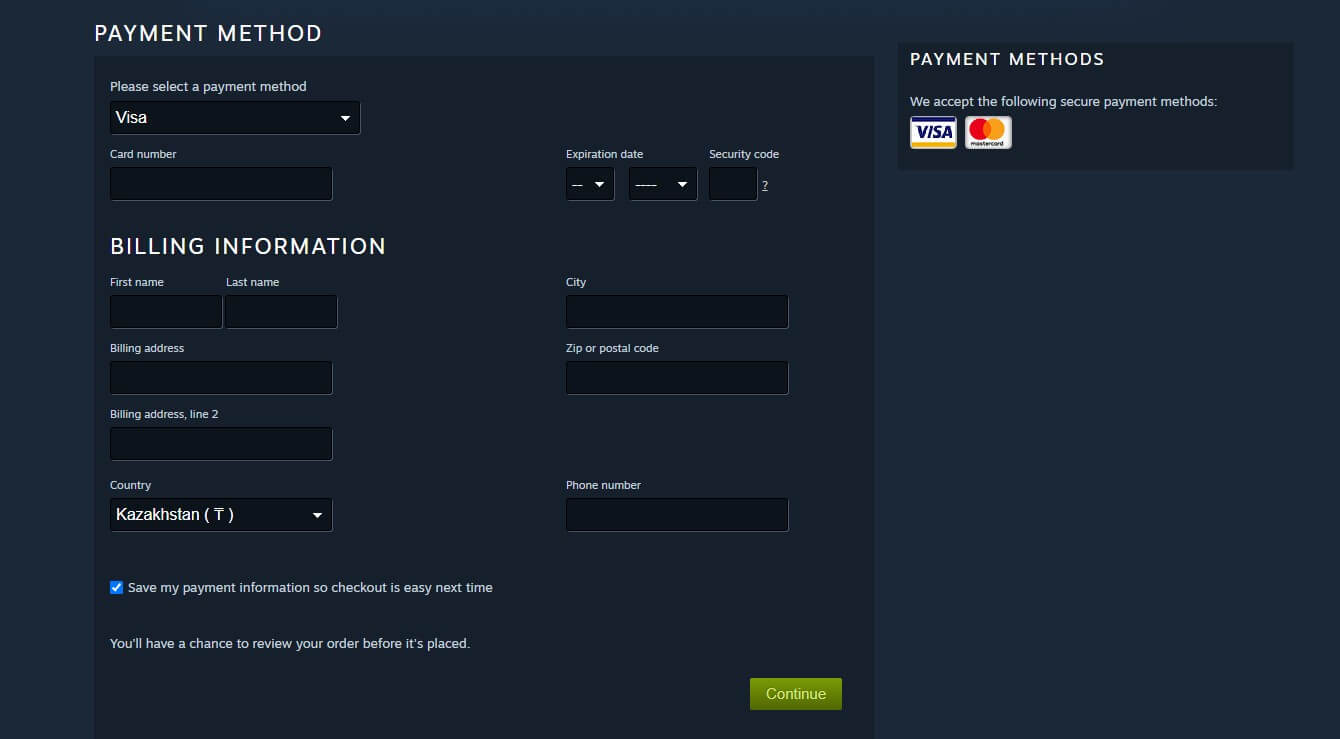
© Steam - When the purchase is complete, the Steam region change process is done. You can do this once every three months, so don’t rush your decision.
🚨 Steam Region Change: Important Things to Know
You’ve seen that changing your Steam store region is easy, and with a VPN plus an adequate credit card, it’s really not challenging. But before you do this, I’ll warn you that Steam has its anti-VPN policy set in place, and if you check its Terms and Conditions, it’s easy to see that changing your Steam region with a VPN is prohibited. In fact, Steam explains that it can permanently BAN your account if you’re detected. I personally tested this at least 10 times.
So far, I’m not banned, and I don’t know anyone who is, but in theory, Steam has the right to do this. Another thing I mentioned, but is important, is that Steam allows region change once every 3 months.
Can I Change My Steam Region Without a VPN?
In recent years, this platform has made the process of altering your store location complex. Without a VPN, it’s even harder because you have to rely on Steam’s customer support. Now, VPNs have many benefits, and one of them is a location change. On top of that, NordVPN is risk-free and has a 30-day money-back guarantee. This is ideal to test it and be refunded if you no longer need it. If this doesn’t work for you, you can try customer support.
It’s slower and not guaranteed to work. You can ask Steam’s customer service to change your Steam region. Our experience implies that waiting times are long (24+ hours). Beware that you’ll need to provide a reason for your country change request and proof that you’re in another country. This proof is usually a government-issued ID or payment method. If you don’t have any, they won’t change your Steam country.
After experimenting and chit-chatting with our experts, we concluded that using a VPN is the best and most effective way. Of course, a certain way to do this is to pack your bags and travel overseas, but changing your country on Steam surely isn’t a good enough reason to do this.
Steam Regional Pricing: Which Steam Countries are the Cheapest?
To find the best Steam countries for the cheapest games, I used a VPN and dug around on Reddit. While Turkey used to be the cheapest region, in 2026, the situation has dramatically changed, and the lowest-priced games can now be found in Vietnam, Kazakhstan, Brazil, Ukraine, South Africa, Mexico, India, and the Philippines. Prices depend on the games and current deals, but generally, you’ll get the lowest prices in these regions in October 2026.
To compare how much you can save when you change Steam country, I listed the prices of a few popular games in October from the US Steam version and compared them to prices in Vietnam, Kazakhstan, and India:
| USA Price | Kazakhstan Price | Vietnam Price | India Price | |
| 007 First Light | $69.99 | $44 | $39 | $37 |
| Forza Horizon 6 | $69.99 | $61 | $57 | $58 |
| Crimson Desert | $69.99 | $57 | $53 | $48 |
| Elden Ring | $59.99 | $37 | $38 | $38 |
| Resident Evil Requiem | $69.99 | $52 | $55 | $46 |
I just confirmed what I said. These three countries offer the best prices on some of the most popular games around. I observed the largest discount on 007 First Light, which was $69.99 in the USA at the time of writing, and only $37 in India; that’s about 47% cheaper. These are just a few games. But when you dig deeper and test other titles, you see that discounts sometimes go over 60% in different Steam regions.
Best VPN to Change Steam Region in 2026
Gamers can vastly benefit from a VPN. Apart from using another PSN country or changing your region on this platform, you get anti-DDoS protection, the ability to get cheaper deals, ISP throttling prevention, etc. The VPNs we included offer hundreds of locations for endless possibilities, plus, they’re fast and have low latency, which makes them ideal for gaming.
1. NordVPN: Best Steam Region Change VPN in 2026
Pros
- Wide server selection
- DDoS protection
- Meshnet for gamers
- Fast and no-lag connections
- Unlimited data
Cons
- Higher renewal cost
- Complex UI
NordVPN is my #1 VPN to change Steam region. It has over 137 countries and 210 city-level locations. This is great to bypass geo-blocks and unblock content. It’s one of the safest VPNs you can use across all devices. Gamers also take advantage of its router support, which allows them to set it up on PS and Xbox consoles. With 10 connections at a time, it’s easy to protect all devices, regardless of the router setup.
The NordLynx protocol, based on WireGuard, is famous for speed, crucial when you change your Steam account country and play online games. I tested NordVPN on local and distant servers, and rarely lost more than 15% of the initial speed. For gamers, its DDoS p protection offers reassurance that nothing bad will happen during intense sessions. Plus, it offers obfuscation, so you can play games even in China.
NordVPN starts at $3.49 per month for 2 years, and you have a 30-day money-back guarantee and a 3-day free trial to test it out without paying up front. This NordVPN free trial guide explains everything.
2. ExpressVPN: Easy-to-Use Steam Country Changer
Pros
- User-friendly VPN
- Fast speed for gaming
- Apps for all devices
- IP leak protection
- Works with routers
Cons
- Not many advanced features
- Higher renewal price
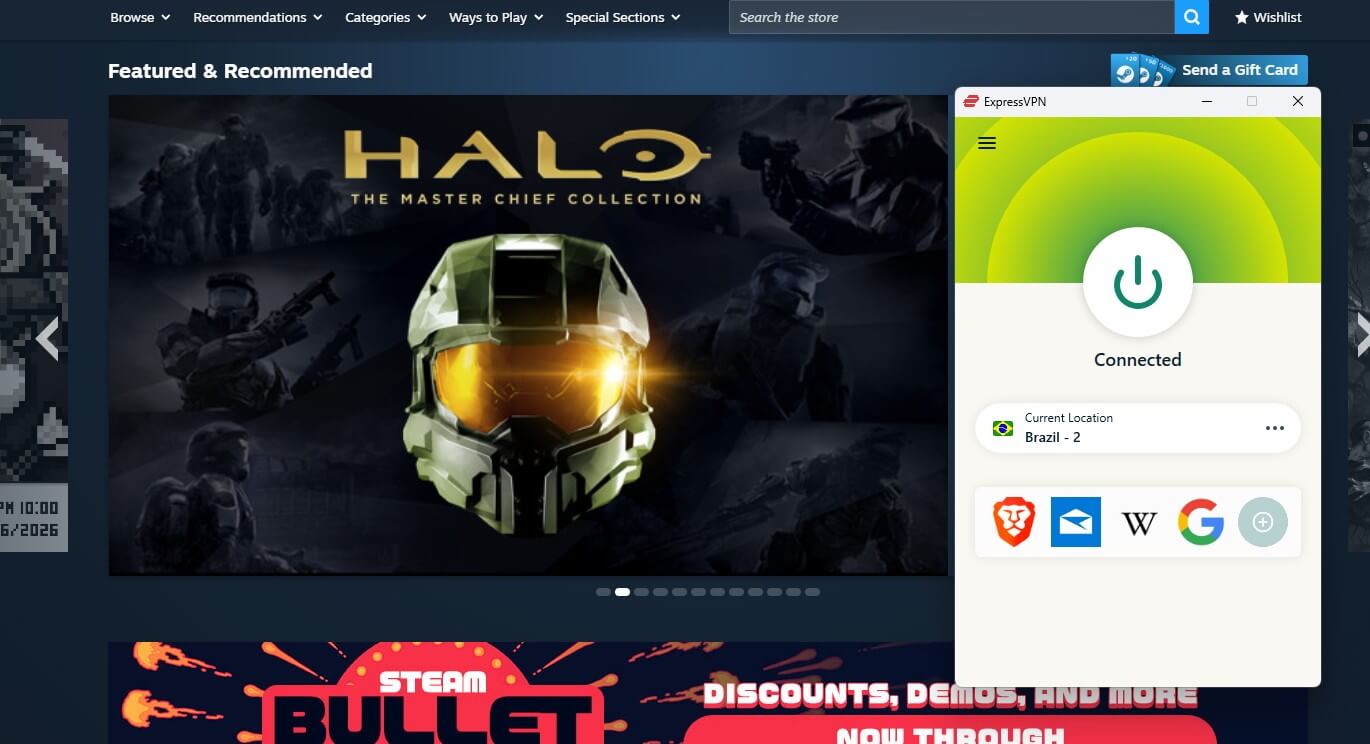
ExpressVPN is a great VPN for privacy, safety, gaming, and streaming. We used it to change our Steam country with servers in 105 countries and over 170 cities. ExpressVPN is a gamer’s best friend, at least for me, given its consistently fast speeds with Lightway Turbo that never dipped by more than 20% from native speeds. DDoS protection keeps things tight, and its leak protection offers strong privacy.
One thing I like is the ease of use. ExpressVPN connects with a click, and that’s really useful if you’re a beginner. Plus, it works on all gaming-friendly platforms, including Xbox and PS. The VPN also supports up to 14 connections at a time, depending on the plan. ExpressVPN doesn’t cost a lot, and the 2-year plan at $2.49 per month with 4 free months is my go-to. It includes a 30-day money-back guarantee to test ExpressVPN risk-free and see how it fits.
3. Private Internet Access: Change Steam Account Region for Cents
Pros
- Unlimited devices
- Affordable VPN
- Strong privacy
- Port forwarding
Cons
- Not the fastest VPN
- Dated interface
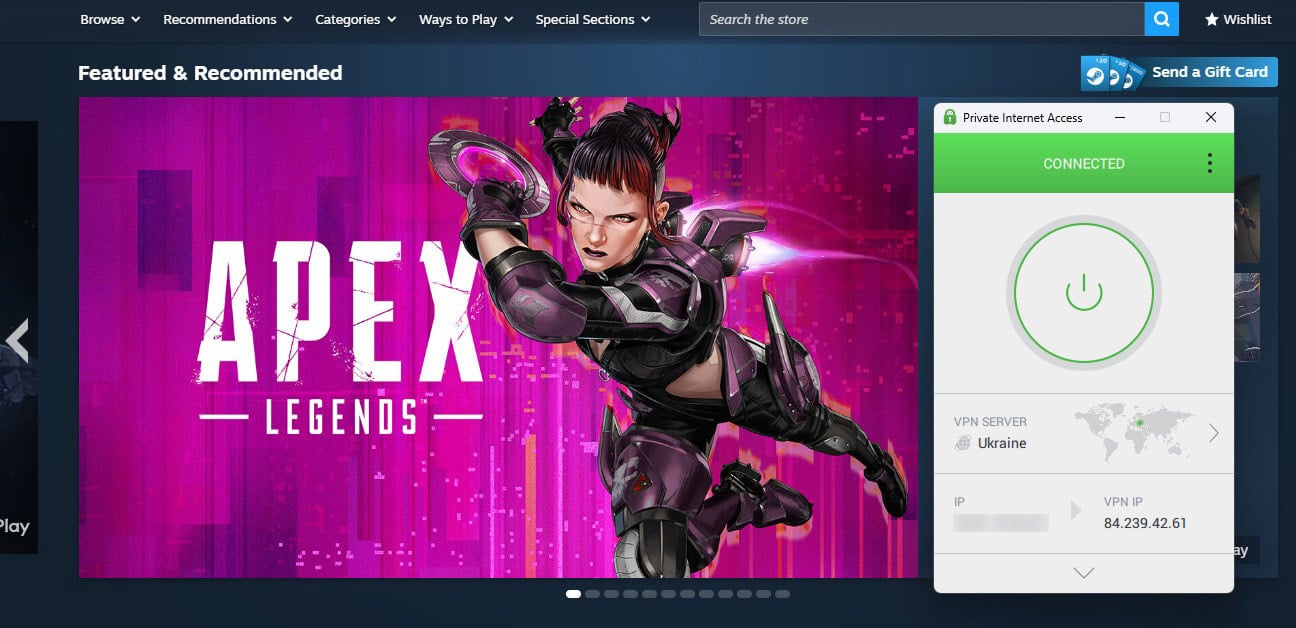
PIA VPN is often my choice when I need a fast VPN for gaming, with a touch of privacy on the side. It’s a cheap option to change Steam region with over 30,000 servers in over 91 countries globally. WireGuard powers all connections, so it’s fast, though it can lose up to 25% of the speed in some cases. Still, I found it to be sufficient for low-ping gaming and downloading torrents on all devices.
PIA blocks DDoS attacks and uses MultiHop to further secure your connection. When using MultiHop, it enables Shadowsocks to bypass censorship. PIA also works on all devices, but this time, you can protect an unlimited number of them. At $2 per month, often less, PIA is perfect when you want to quickly change country on Steam and grab games for lower prices. It also has a 30-day refund policy.
Conclusion About Steam Region Change
If you want cheaper games, access to restricted content, or better discounts, changing your country on Steam is the only way. Using a VPN like NordVPN, ExpressVPN, or PIA ensures you’re doing it safely and have many countries to pick from. However, the solution isn’t without its flaws, with Steam’s anti-VPN terms and conditions. Using a VPN to protect your privacy or prevent DDoS attacks is fine and won’t result in a permanent ban.
Buying games for a lower price is different, and you risk getting your account banned forever. Whatever lies behind your desire to change your Steam region, we get it. Now that you know how to make it work, do it, but at your discretion. Gizmodo doesn’t condone violating Steam’s terms and conditions.
Frequently Asked Questions
💸 What are the cheapest Steam regions?
The cheapest Steam regions are Vietnam, India, Brazil, China, Kazakhstan, Mexico, Ukraine, and the Philippines. While game prices still vary, they're much lower than prices in the major libraries (US, UK, Canada, etc.)
💳 Do I need a credit card to change my Steam region?
Yes, you need a credit card from the Steam region you want to get. If you're changing your Steam region to, say, Indonesia, you need an Indonesian credit card. A gift card won't work unless you provide a credit card first.
🌎 Do I need a VPN to change my Steam country?
Yes, you need a VPN to change your Steam country if you're not moving to another country. If you're moving, you don't need a VPN. Just contact customer support and provide proof of your location change.
🏷️ Can I change Steam Store region?
Yes, you can, by using a VPN and providing a credit card from the region you want to get in Steam. Note that you can only do this once every 3 months, and if you use a VPN, Steam can permanently ban your account.