In October 2026, there are two ways to get a NordVPN free trial: a genuine 3-day trial on Android, or a 30-day money-back guarantee on any plan. Both let you test one of the best VPNs in full, including AES-256 encryption, an audited no-logs policy, and speeds fast enough for streaming and P2P. A VPN this good is never truly free, but that doesn’t mean there’s no way to try it without paying. This guide walks through both options and examines the standout features worth checking while you test it.
How to Get NordVPN Free Trial in 2026: Quick Summary
- Go to Google Play and download NordVPN.
- Launch NordVPN and select Sign Up.
- Choose any plan and select Try for $0.
- Provide your credit card info and subscribe.
- Now, your 3-day NordVPN free trial has started. You can use NordVPN for free on all devices after you sign up for it on Android.
Want a 30-day NordVPN free trial instead? Subscribe to the VPN and get a full refund within 30 days. That’s how you can test NordVPN free of charge and get a flagship experience for a lot longer.
NordVPN Free Trial 2026: Detailed Guide
As a premium VPN, you must accept that it won’t be free forever. If you’re interested, you can go to our free VPN ranking and test some of these. But NordVPN is better than the rest, making its free trial worthwhile. It lets you test it for free for 3 days if you sign up on Android. iOS users don’t get this. They, and all others, have to use a 30-day money-back guarantee. It’s a bit like a free trial, but you have to pay up front and get a refund later.
We’ll explain how to use both and test it without losing a penny. You can combine them and get 33 days of NordVPN for free in 2026.
⭐ How to Get a 3-day NordVPN Free Trial?
If you want to test NordVPN and pay nothing, this is the best option. You have to sign up on any Android device, but the best thing is that, once you make an account and start the trial, you can use NordVPN on any other device. You need an Android device, but if you don’t have one, you can borrow one from a friend.
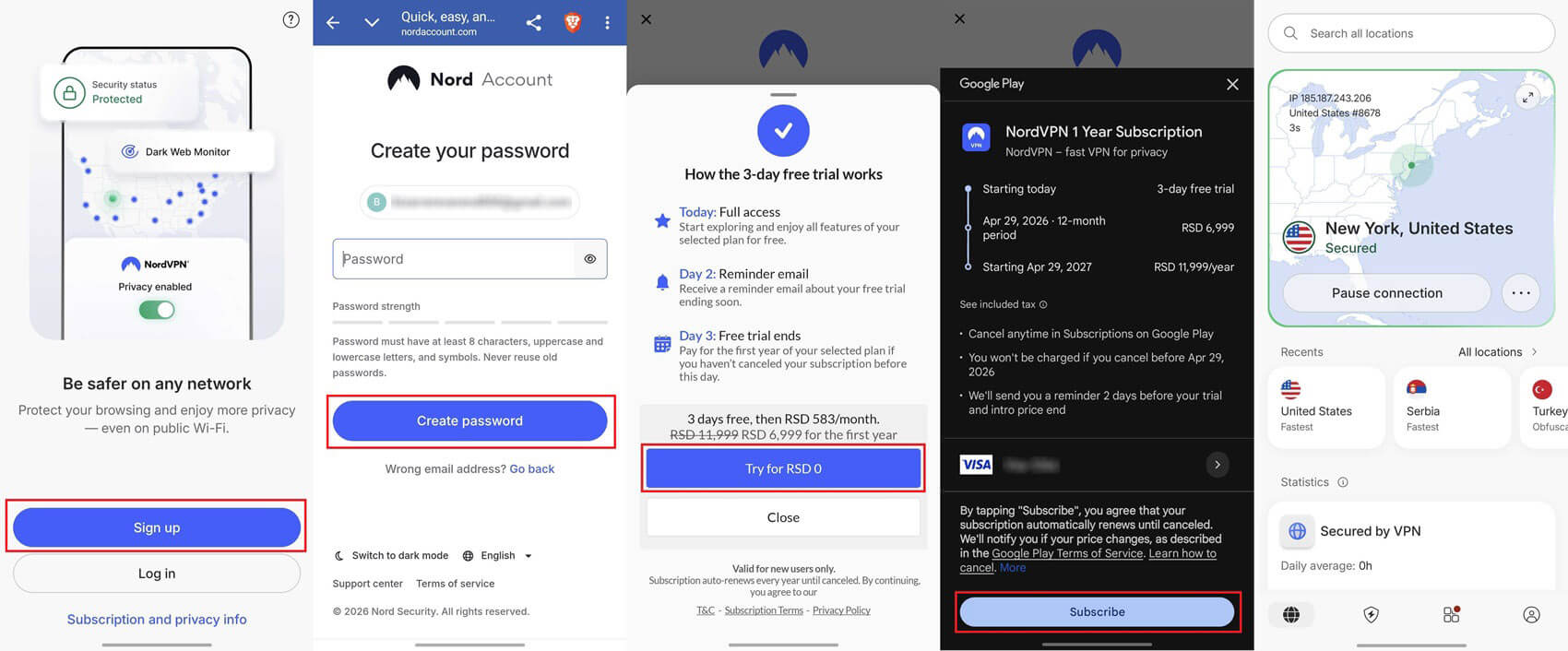
To get this NordVPN free trial for 3 days, you have to go to Google Play, search for NordVPN, and install it like any other app. From here, follow these steps:
- Open the NordVPN app on your Android device.
- Press Sign up and make a new account.
- When offered a NordVPN free trial for 3 days, tap Try for $0.
- Add your payment method and tap Subscribe.
- NordVPN’s dashboard will open and be ready for use. Remember that you can also use it on other platforms like Windows, iOS, and macOS during this period.
⚠️ Things to Consider
You will not be charged right away. However, you must have a valid payment method that can be used for charging after 3 days. If you want to avoid getting charged, you must cancel the NordVPN free trial before this period. If not, you can allow it to charge you. In that case, you can take advantage of a 30-day money-back guarantee. This equals roughly 33 days of risk-free use if you get a refund in due time. Another thing is the price.
In our NordVPN review, we clarified it’s affordable, but with a discount through our site that you now won’t have available. You’ll get a smaller discount and pay about $6 per month for the 1-year plan. But with our links, you save over 73% for 2 years, typically with a few free months (usually three), and spend as little as $3 per month after your NordVPN free trial. Since we touched on it, we have another popular NordVPN free trial 2026 offer for 30 days.
⭐ How to Get a 30-day NordVPN Free Trial?
If you want to use it for longer, consider a 30-day money-back guarantee. It’s not a trial because you need to pay up front. As you’ll be getting a full refund if you request it in the first 30 days, in the end, you lose nothing. Here’s how to use NordVPN for free for 30 days in 3 simple steps:
1️⃣ Subscribe to the VPN
Use the button below or above to go to the website, where you can get an exclusive discount. You can pick from any of the 2-year plans. If not, you can pick the monthly plan, also subject to a 30-day money-back guarantee. Select the plan, provide your email address, and add a payment method. Once you pay for it, you’ll get a confirmation email. It’ll also let you create a new password to use the VPN.
2️⃣ Install and Use the VPN
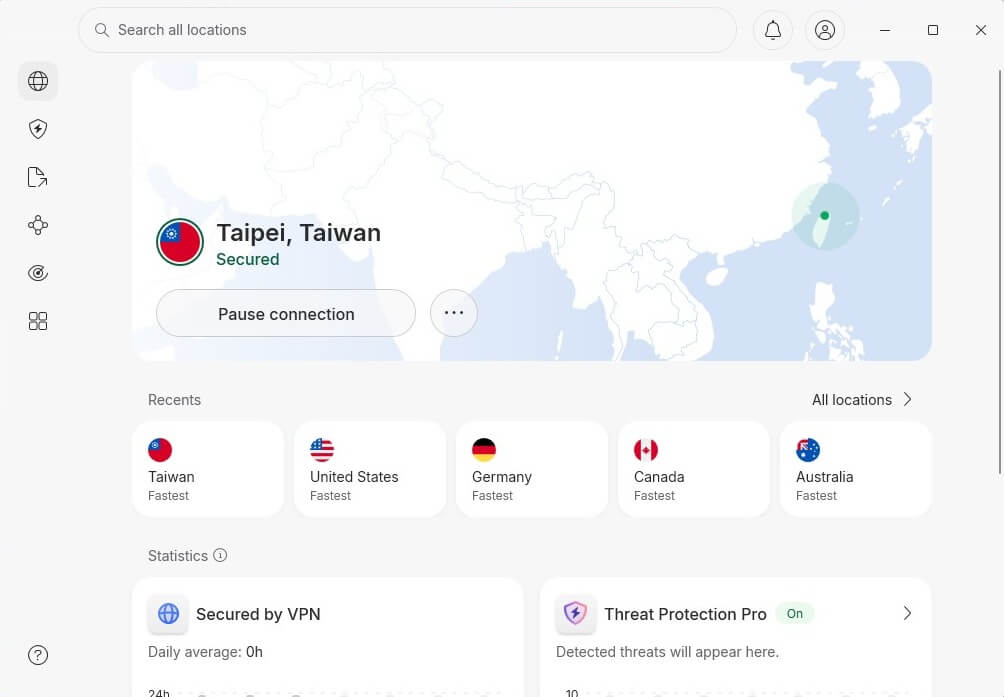
Now that you’ve paid for it, you can install and use it on all your devices in the same fashion, thanks to 10 simultaneous connections. When you sign in, you’re ready to enjoy all its benefits. Connect to a server, and your traffic will be encrypted.
3️⃣ Request a Refund
To enjoy this NordVPN free trial and not lose money, request a refund. Contact the support team or request a refund through the website by logging in to your account. You must request a refund within the first 30 days.
Canceling NordVPN After a Free Trial
There are two cases, as we said. However, the process of canceling the trial is pretty similar, if not identical, in both scenarios. Here are the required steps.
- Visit NordVPN’s website. You can do it on any device.
- Click on Log In in the top-right corner.
- Enter your email and password and sign in.
- On the left-hand side, you’ll find the Billing menu. Click on it.
- You’ll now see your active subscription, and underneath, there’s Auto-Renewal that should be ON. To disable it, click Cancel.
- If prompted again, click Cancel Auto-Renewal to confirm your choice.
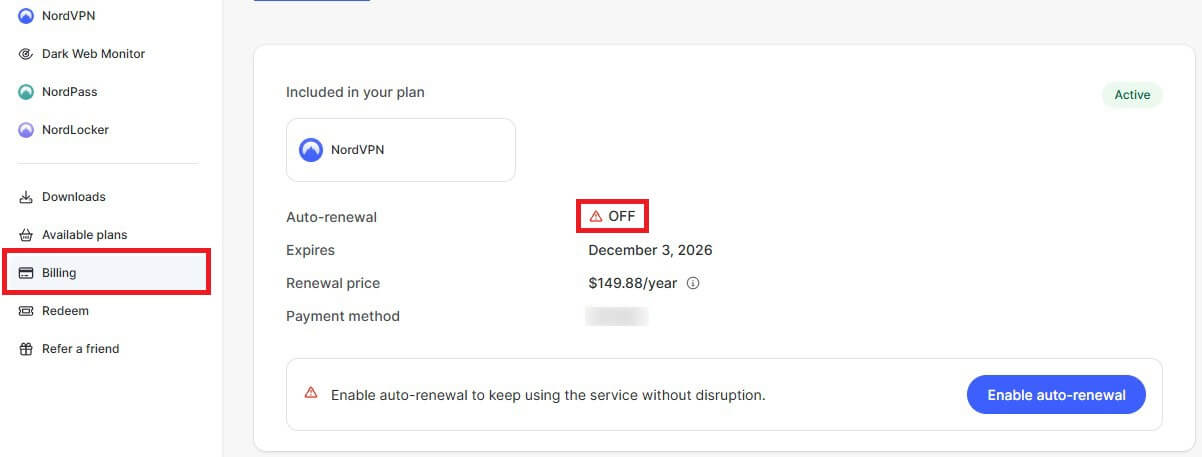
In doing so, you disabled auto-renewals, so when the 3 or 30 days expire, NordVPN will not charge you. You’ll lose access to it unless you pay for it again.
In the latter case of a 30-day money-back guarantee, you will also need to obtain a refund. You can do it in two ways, and both are straightforward. One would be to contact NordVPN via email and request reimbursement, in which case, you’ll be refunded the same day. Another way is to use NordVPN’s automated refund system, which is also simple. Follow these steps:
- Sign in to your account and click on Billing on the left.
- You’ll see which payment is refund-eligible. Click the Refund button.
- Specify the reason for a refund and click Submit and Continue.
- After the refund summary appears, click Refund to complete the process.
🔄 Refund Conditions
Canceling your NordVPN free trial can’t always be done this way. If you’ve bought it through the App Store or Google Play, they are 3rd party vendors responsible for handling refunds. You can’t request them from NordVPN.
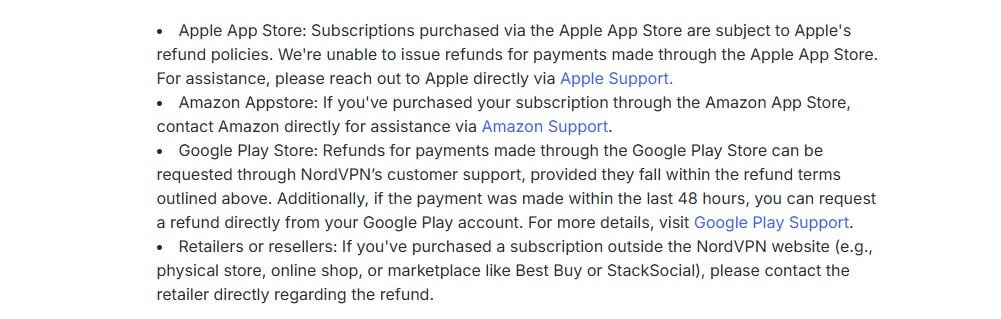
In this case, the Apple App Store and Google Play Store will refund the payment if you request it within 48 hours after purchase. The same policy applies to the Amazon App Store, where you’ll need to contact their support team to process the refund. Crypto payments are refundable, which is great about NordVPN.
How to Get a NordVPN Free Trial Without a Credit Card?
If you opt for its 3-day trial, you must provide a valid payment method. There’s no way to use it for free otherwise. Can you do it without a credit card, specifically? In our experience, no. Google Play will process the payment after your 3-day NordVPN free trial, but you still must provide credit card data.
A 30-day money-back guarantee option can also be good, and in this case, you don’t have to use a credit card. You can use crypto, Union Pay, and Amazon Pay. CyberGhost offers a free trial without a credit card, in case you’re interested. However, it lasts 24 hours and is available on macOS and Windows.
Why Use NordVPN?
As the largest VPN company around, this provider prides itself on offering some of the best and most advanced features. Let’s discuss some of them and see why many people are interested in a free trial on NordVPN.
Widespread Server Network
The VPN offers over 9,400 servers in 137 countries, one of the most impressive providers if you need a vast 10 Gbps server network. Another aspect is server variety, which is why many gravitate toward NordVPN. These servers include:
- Double VPN servers for two encryption layers
- Obfuscated servers for bypassing censorship
- Onion Over VPN servers for accessing the dark web in privacy
Audited and Proven Security and Privacy
No provider is safer. It has dozens of big and small security features that would take hours to explain. Essentially, it uses AES-256 encryption (post-quantum), a kill switch, RAM servers, and IPv6 leak protection to keep you away from snoopers and hackers.. A NordVPN free trial also protects you from ads, trackers, and malware. Plus, you can use its NordWhisper protocol to combat network filtering. NordVPN uses Private DNS servers to hide your DNS requests.
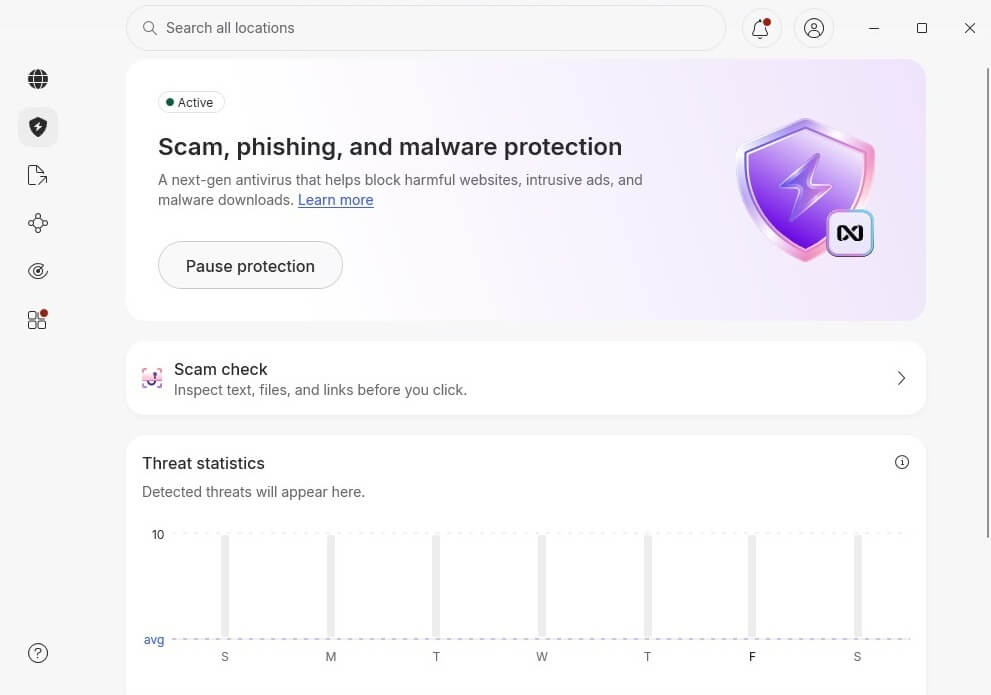
NordLynx, a speed-first protocol based on WireGuard, also emphasizes security. NordVPN even offers dedicated IP addresses for bypassing CAPTCHA and preventing other users from sharing the IP address with you. NordVPN doesn’t store any logs, which has been proven in an audit from Deloitte in February 2026. There are some mobile extras, such as blocking adult sites, a scam checker, tapjacking protection, and scam call protection.
Bypassing Censorship and Geo-Blocks
Your NordVPN free trial lets you navigate censorship in China. Connect to any of the obfuscated servers and go online. NordVPN’s strong performance is preserved, making it usable for bypassing geo-blocks, streaming, torrenting, or even gaming.
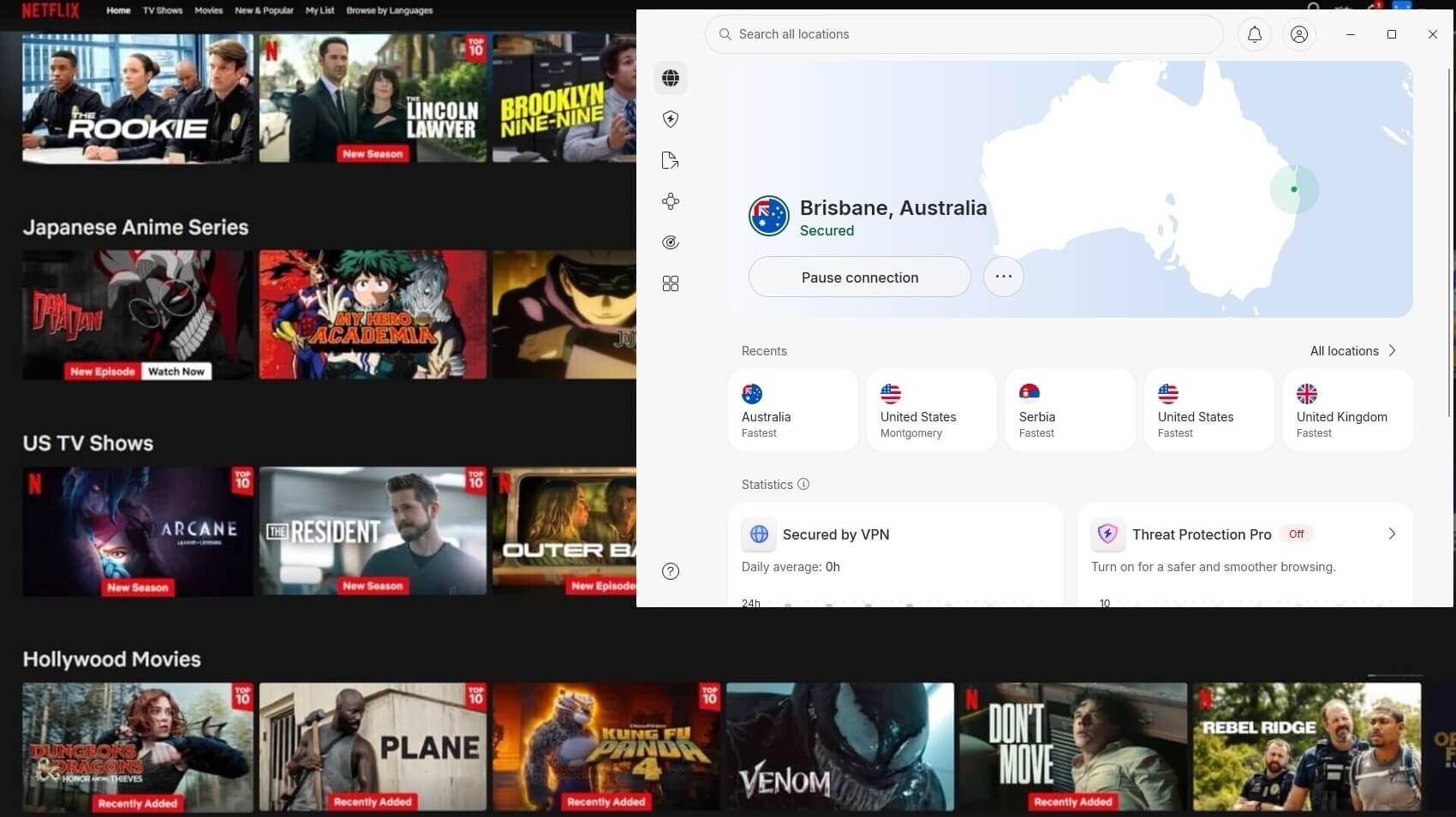
NordVPN works with streaming services and unblocks HBO Max, Netflix, BBC iPlayer, and plenty more. Rest assured, you can access all the content you want with this free trial offer, no matter your location.
Speed and Performance
In our tests, NordVPN excels in speed, with minimal impact on our native internet speeds. You can see proof of that in our list of the fastest VPNs in 2026, where NordVPN lost 18% of speed across the test, ranking it above ExpressVPN, also one of the most popular VPNs for fast speeds. NordVPN navigates ISP throttling and lets you play online games lag-free.
Support for All Platforms
NordVPN’s apps work on all devices and systems. From iOS and Android phones to Windows, macOS, and Linux computers and laptops. That’s not all, as it has a Fire TV Stick and Smart TV app accessible from NordVPN’s website. And your NordVPN free trial protects 10 devices at a time.
NordVPN Free Trial 2026: Conclusion
Getting a NordVPN free trial is quick and low-risk. Use the 3-day Android trial, then a plan with the 30-day money-back guarantee, and you get over a month at no real cost, enough to test torrenting, streaming, and gaming. If you just want a quick look, start with the Android trial. It’s free and sets up in a minute.
If you want to test it properly, take the 30-day route so you have time to refund. Want the 30-day option? Click below for the discount and request your refund within the window. Want the 3-day version? Sign up on Android and pay nothing up front.
Frequently Asked Questions
🆓 Is NordVPN free?
No, it's not free, and to use it indefinitely, you must subscribe. However, a NordVPN free trial makes it free for a limited period. You have a 3-day trial on Android and a 30-day money-back guarantee on all other devices.
🎁 Can I get a NordVPN free trial more than once?
No, you can't. The offer applies only to first-time users. If you've already tried it, it won't let you do so again for free. If you like the VPN, consider its cheapest plan, which starts at about $2.99 to $3.39 per month.
🍏 Can I get a 3-day NordVPN free trial on iOS?
No, you can't. The 3-day free trial on NordVPN is for those who download the VPN using Google Play and sign up directly from the app. This offer also comes with a small discount after the NordVPN free trial ends.
🔓 Is there a NordVPN free trial or free version?
There's only a free trial. The VPN doesn't have a free version, so you can use it for 3 days without a credit card or 30 days by subscribing to it and getting a refund later.
7️⃣ Is there a NordVPN free trial for 7 days?
No, there's no NordVPN free trial for 7 days. This offer is no longer available and has been replaced by the 3-day trial on Android devices. While sign-up is on Android, users can install and use the VPN on other platforms.