Most people meet Proton through its free plan: it has no data limit (which almost nobody else offers) so you install it, it works, and you never think about paying. So the question for this Proton VPN review is whether the paid version is worth the money, or whether the free one is the whole point. I’ve connected to its servers in more than 30 countries for our tests, and this year’s round gave me a clearer answer than I expected.
What I’ve always liked about Proton VPN is that you don’t have to take its word for anything: it’s a Swiss company that has outsiders check its no-log policy every year and leaves the reports in public. The good news this year is speed: It has caught up with NordVPN and ExpressVPN to the point where browsing and streaming feel the same on all three, and I’ll admit that was a nice surprise.
It now does most things very well and the paid plan suits you best if privacy or torrenting is why you want a VPN. If your evenings are mostly Disney+ or Hulu on the living-room TV, there are a couple of things to know first, and I cover them below.
Proton VPN
Proton VPN is our number two VPN. It lost 10.2% of its speed across three server locations and unblocked 10 of the 14 streaming services we tried, both better than the last round. Smart DNS and post-quantum encryption are still missing, and refunds cover only unused time.
Pros
- Owned Secure Core servers
- Open-source apps
- Audited no-log policy
- Swiss jurisdiction
- Free plan with no data cap
- Port forwarding
- Stealth on every plan
Cons
- No Smart DNS
- No post-quantum encryption
- Refund paid pro rata
Proton VPN Review: Quick Look
| Starting price | $2.99 per month for 24 months |
| Money-back guarantee | 30 days, refunded pro rata |
| Protocols | WireGuard, OpenVPN, Stealth, plus an automatic Smart setting |
| No-log policy | Yes, audited by Securitum in five consecutive years |
| Servers | 20,798 across 149 countries |
| Average speed loss | 10.2% download, 2.7% upload |
| Multi-hop | Yes, 125 Secure Core servers |
| Ad, tracker, and malware blocking | NetShield, paid plans only |
| Streaming | 10 of 14 services unblocked |
| Torrenting | Allowed, with port forwarding |
| Post-quantum encryption | Not available |
| Smart DNS | Not available |
| Supported platforms | Windows, macOS, Linux, Android, iOS, Android TV, Apple TV, browsers, routers |
| Simultaneous connections | 10 on paid plans, 1 on the free plan |
| Customer support | Live chat for paid accounts (9 AM to midnight CET), email, help center |
Proton VPN Pricing and Plans
Proton VPN keeps this part simple, and I appreciate that: there is one consumer plan, called VPN Plus, and the only thing you choose is how long you commit. The two-year term costs $2.99 per month (70% off the $9.99 list price), which comes to $71.76 for the first 24 months. The one-year term costs $3.99 per month, or $47.88 up front. The one-month term costs $9.99, the full list price, and I’d only pay that to cover a short trip or to try the paid features for a few weeks.

The thing I always check before typing in a card number is what happens after the first term. Here, both the two-year and one-year terms renew at $83.88 every 12 months, or $6.99 a month. That’s lower than NordVPN’s renewal but higher than most budget VPNs, so the first term is the cheap part, and I’d put the renewal date in my calendar the day I subscribe.
There is a 30-day money-back guarantee, and it’s worth knowing how it works. It’s pro rata, so it covers the part of the term you haven’t used. Say you change your mind on day 17 of a two-year subscription: you get back the remaining days, which at this price is nearly everything (the 17 days you used come to less than two dollars). NordVPN, Surfshark, and PIA return the whole amount within 30 days. To ask for it, you downgrade the account to the free tier and send a request. And since the free plan lets you try the apps for as long as you like first, I doubt many people will need the refund at all.
One more option: Proton Unlimited costs $7.99 a month on the two-year term, compared to a $12.99 list price, and adds Proton Mail, Drive, Pass, and Calendar to the same VPN. If you already use Proton for email, that’s the one I’d look at.
Proton VPN Free Plan
This is how most people arrive, so I tested it like a real plan and not like a demo. Proton VPN’s free VPN plan is one of the few with no data limit. On the same 190.36 Mbps line I use for the paid plan, I got 176.41 Mbps on the Netherlands server at 32 ms ping, and 131.00 Mbps on the American server at 253 ms. That averages a 19.3% speed loss, roughly double what the paid plan costs, and still far more than a video call or a film needs.
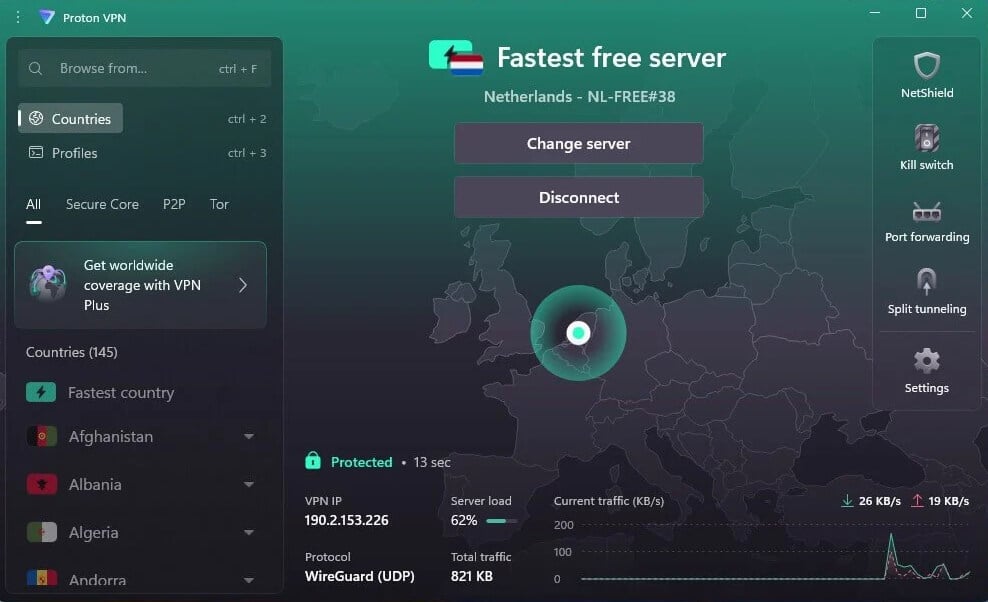
The limits show up as soon as you want something specific. Free accounts connect one device at a time, and server choice is removed: you press connect, the app gives you one of 10 countries at random, and that draw decides what your session looks like. Netflix US blocked the free plan when I tried, and P2P is blocked as well. So it’s a good fit for protecting what you do on a cafe or airport Wi-Fi, and picking a country is what the paid plan is for.
One thing I didn’t expect on a free plan: it keeps the Stealth protocol, which disguises the connection. If you’re on a school, dorm or office network that blocks VPN traffic, that is exactly the tool you need, and you get it without paying.
There is no separate desktop trial. The free Proton VPN plan is the trial, and I think that’s the right way to use it: install it on your own devices, live with the apps for a week, and you’ll know whether they suit you before you pay anything.
Proton VPN Speed Test Results
With no VPN connected, my line measures 190.36 Mbps down, 19.37 Mbps up, and 10 ms ping. I tested over Ethernet on a Windows 11 desktop, using WireGuard with VPN Accelerator, in our October 2026 round.
| UK server | US server | Japan server | |
| Download | 178.89 Mbps | 173.68 Mbps | 159.99 Mbps |
| Download loss | 6.0% | 8.8% | 16.0% |
| Upload | 19.21 Mbps | 19.01 Mbps | 18.31 Mbps |
| Ping | 49 ms | 109 ms | 249 ms |
Averaged across the three locations, I got 170.85 Mbps, a 10.2% download loss. Put simply, out of roughly 190 Mbps I kept about 171, and while browsing or streaming I couldn’t tell the VPN was on. Upload cost 2.7% on average, from 0.8% on the UK server to 5.5% in Japan, which matters if you send large files or sit in video calls all day.
VPN Accelerator is on by default, and I’d leave it there. I switched it off to see, and it dropped the same American server to 165.58 Mbps at 112 ms ping, a 4.9% penalty next to the figure in the table.
Ping is the number to look at if you play online. At 49 ms, the UK server is comfortable for gaming on European servers. At 249 ms, the Japanese server isn’t, and no VPN fixes that distance.
Speed on Android
I also tested on a phone, because that’s where a lot of us use a VPN most: on the sofa, on Wi-Fi, not plugged into anything. Home Wi-Fi on the Galaxy S26 Ultra measures 54.7 Mbps down and 37 ms ping with no VPN, so the percentages below are calculated against that figure. The 27.0% average loss looks bad next to the desktop result (roughly triple), but every VPN app I measured on the phone showed the same pattern, so I don’t hold it against Proton VPN.
| UK server | US server | Japan server | |
| Download | 48.8 Mbps | 39.33 Mbps | 31.7 Mbps |
| Download loss | 10.8% | 28.1% | 42.0% |
| Ping | 52 ms | 128 ms | 205 ms |
A couple of things went better on the phone than on the PC. The Japanese server returned 205 ms ping compared to 249 ms on the desktop, and connections completed in one to three seconds where Windows took two to three. I also watched the battery, because that’s the usual worry with a VPN left on all day: a 20-minute YouTube session at 1440p used 4%, compared to 3% with no VPN connected. One extra percent, so I wouldn’t bother switching it off to save power.
Streaming and Torrenting
I tried 14 services, each in a new browser session after clearing cookies and cache. Proton VPN unblocked 10 of them: Netflix in the US, Canada and Japan, BBC iPlayer, Channel 4, Prime Video, HBO Max, Peacock, Now TV and JioHotstar. The part I liked is that all three Netflix libraries loaded on standard servers with no switching, so I didn’t have to hunt for the one server that works. Four services blocked it: Hulu, Disney+, Pluto TV and ITVX.
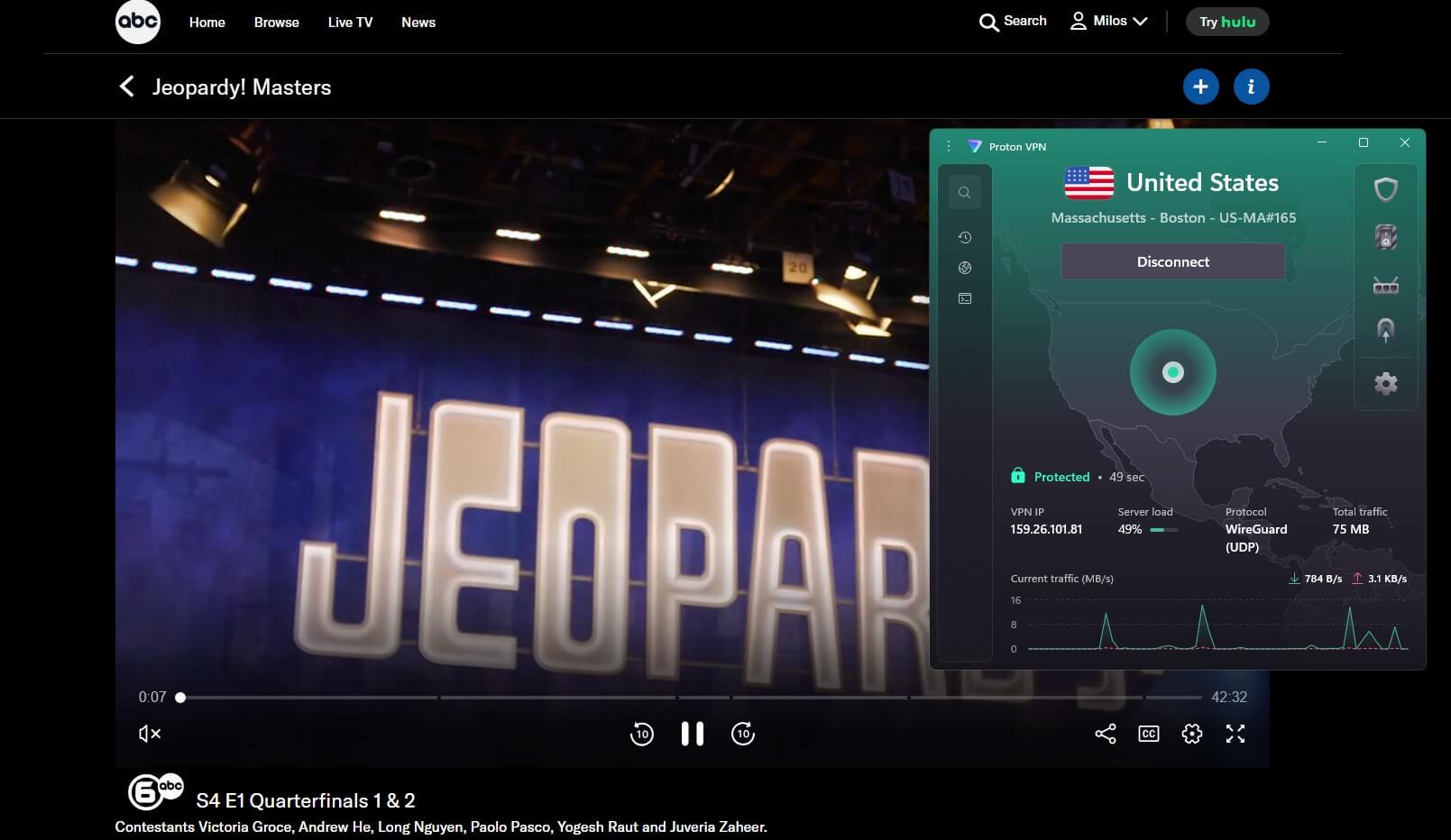
Disney+ is a hard one for everybody: it blocked most desktop VPN apps I tried, and Proton VPN’s browser extension has no location spoofing to get around it. ITVX blocked it too, so if you’re British and abroad you get BBC iPlayer and Channel 4, which already covers a lot.
| Netflix US | BBC iPlayer | Disney+ | Hulu | HBO Max | Prime Video |
| Unblocked | Unblocked | Blocked | Blocked | Unblocked | Unblocked |
So if what you want is an American IP address for Netflix, you’re well served, and 10 out of 14 is a good score. If the household runs mainly on Disney+ or Hulu, that’s the one case where I’d compare with another VPN first.
Torrenting is where Proton VPN is stronger. It marks its P2P servers clearly, so you don’t have to guess which ones allow it, and it supports port forwarding on paid plans. I switched it on from the settings, with no support ticket to open. Few of the best VPNs still offer it.
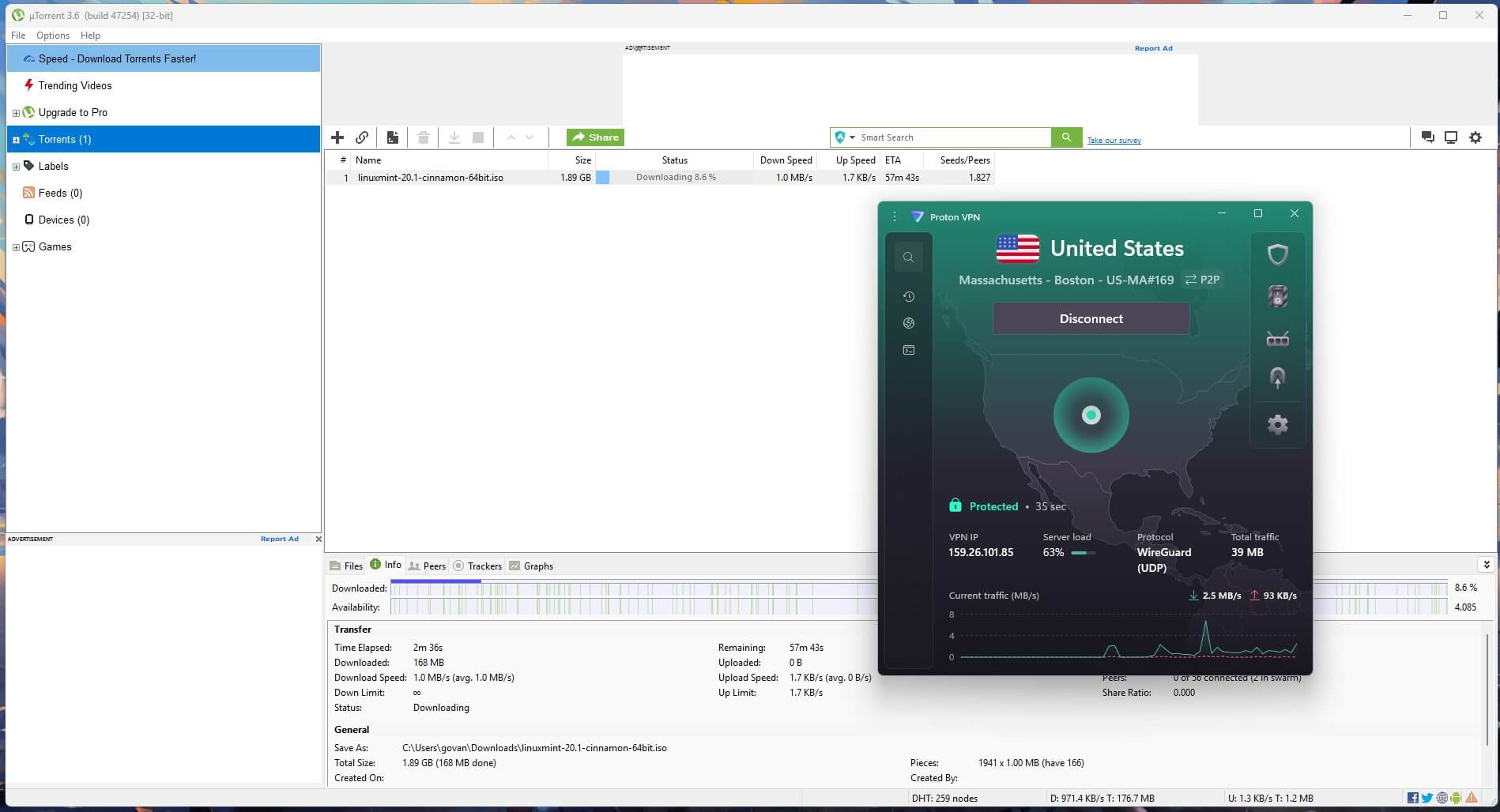
Seeding depends on upload speed, and Proton VPN cost me only 0.8% to 5.5% of it.
Is Proton VPN Good for Gaming?
Mostly yes, with one caveat if you play competitively. On a Vienna server I measured 179.86 Mbps with 21 ms of ping, and Xbox Cloud Gaming loaded and played without a single dropped game. The stream’s own stats showed 70 ms of latency, within a few milliseconds of the other VPNs I tried.
Even so, and this is harder to put a number on, I could feel slightly more input delay than on some other VPNs. In a single-player game I stopped noticing after a few minutes. In competitive multiplayer, where every millisecond counts, you might notice it more. For Warzone, Battle.net sign-in worked on every Proton VPN server I tried, from Egypt to Cambodia, and I didn’t see a single captcha.
Proton VPN Security and Privacy
Everyday Protection
Encryption is standard for the price category: 256-bit AES-GCM on OpenVPN sessions, ChaCha20-Poly1305 on WireGuard. What I care about more is the kill switch, the feature that cuts your internet if the VPN drops, so that nothing goes out unprotected (think of a laptop on train Wi-Fi that disconnects every few minutes). I tried to break it twice on Windows 11: I pulled the Ethernet cable mid-session, then I killed the app from Task Manager, with a continuous ping running the whole time. No packets escaped either time. There is also an Advanced Kill Switch mode that blocks all internet access until the VPN is connected, including after a reboot.
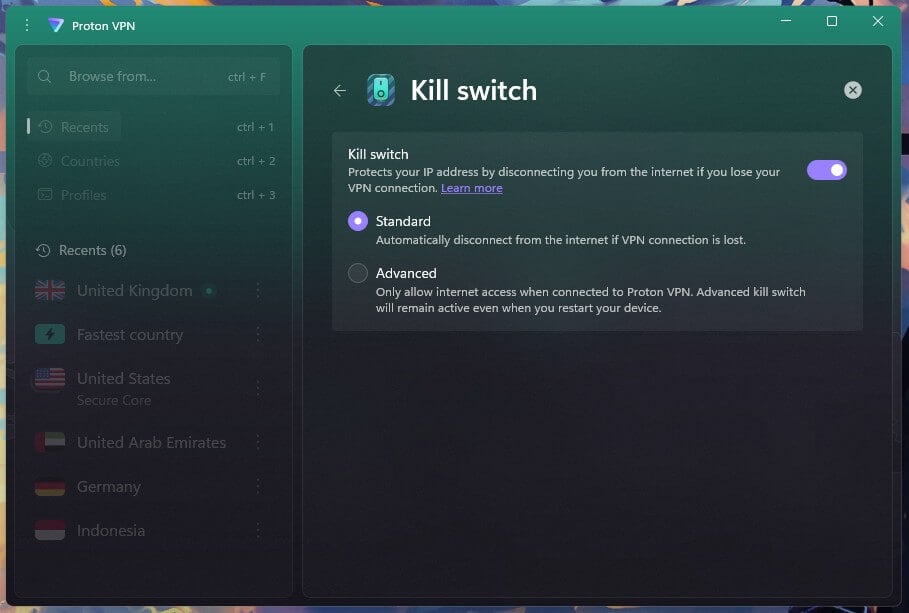
Leak tests came back clean. On eight server locations, ipleak.net and browserleaks.com showed no IP address, DNS, or WebRTC leaks, so the sites I visited saw the VPN’s address and never mine.
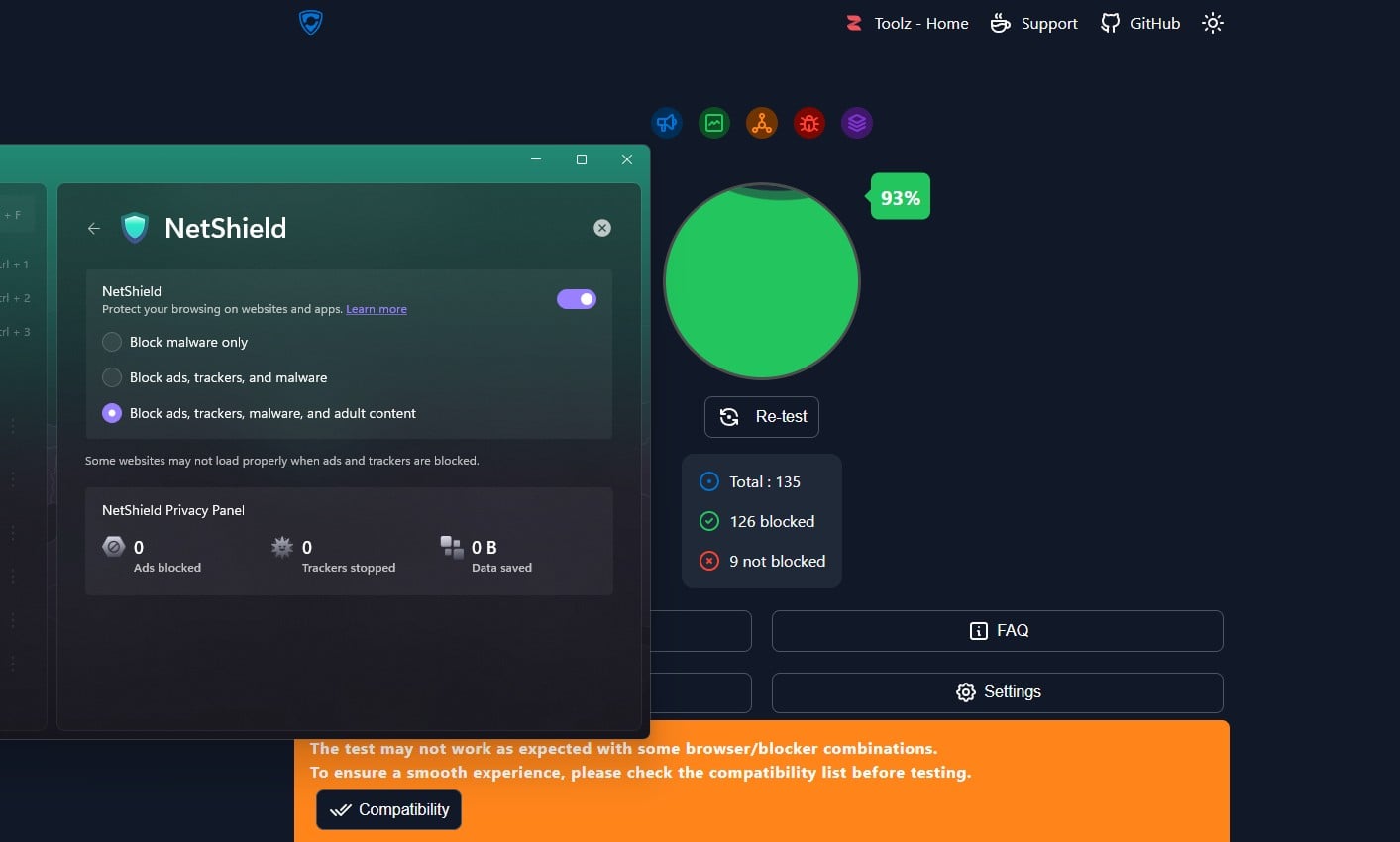
NetShield blocks ads, trackers, and malware in three strengths, on paid plans only. On the strictest setting, it scored 93% on d3ward’s ad-block test, blocking 126 of 135 elements. It works for every app on the device, so it also covers the ads inside phone apps that a browser extension never touches. One odd detail: the in-app privacy panel still read zero ads and zero trackers after my run, so I’d go by the test result and not by that counter.
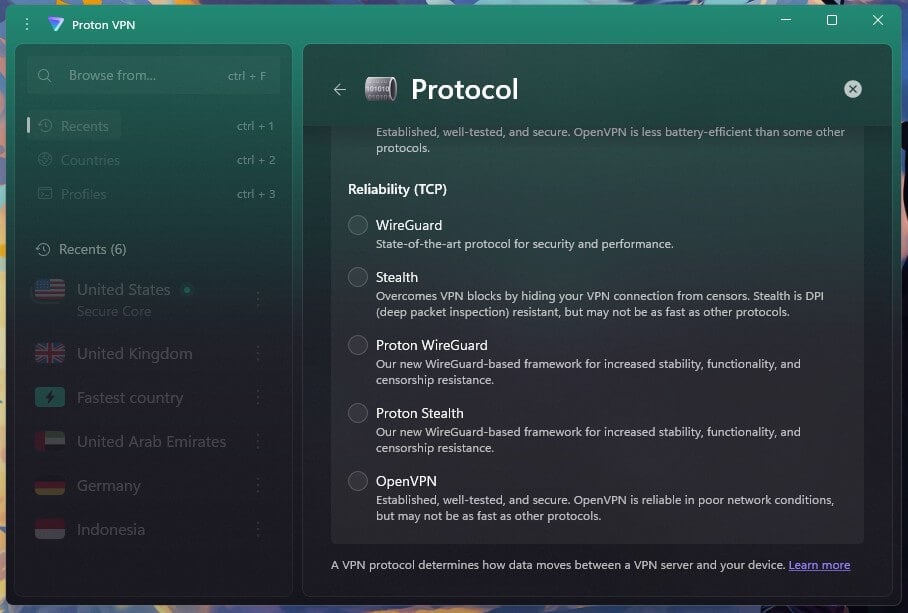
Stealth makes VPN traffic look like ordinary web traffic, for networks that block VPNs. I expected to pay for that in speed and barely did. It cost 1.9%: 175.41 Mbps on the UK server compared to 178.89 Mbps on plain WireGuard, with ping at 56 ms instead of 49 ms.
Split tunneling lets you choose which apps go through the VPN and which don’t, handy when one app (a banking app, for example) refuses to work with a VPN on. It covers apps and IP addresses on Windows and Android, and the macOS version is labeled experimental. iOS has none, because of how Apple isolates apps.
Secure Core
Secure Core is Proton VPN’s multi-hop feature: your connection passes through two servers. Traffic enters through a server in Switzerland, Iceland, or Sweden, then goes out through a standard server in the country you picked. Proton VPN owns and operates those entry servers itself.
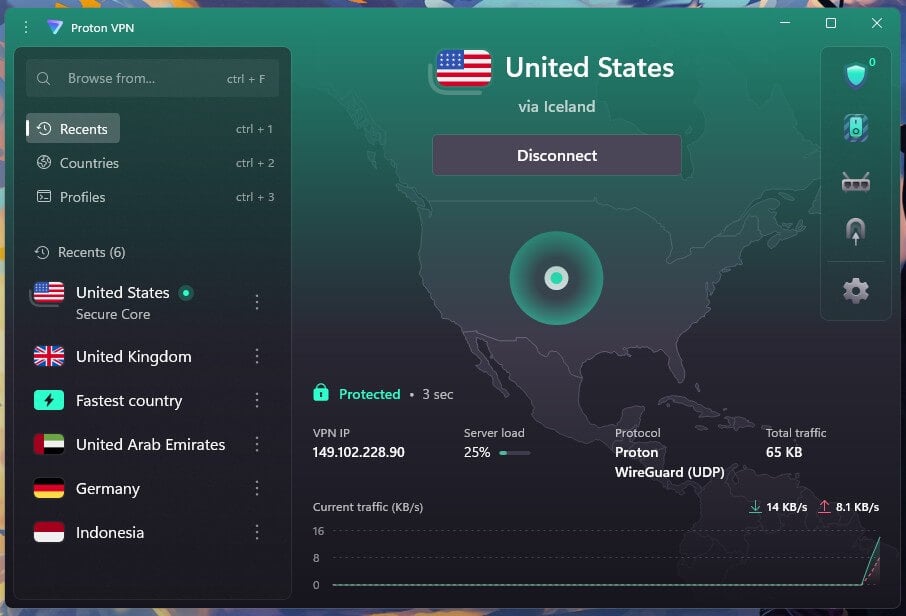
125 Secure Core servers cover 68 countries, on paid plans. I wanted to know what the second server costs, so I measured it. Entering through Switzerland and going out in the US, I got 152.71 Mbps at 193 ms ping, compared to 173.68 Mbps at 109 ms on the same American location without it.
That is 12.1% slower with 84 ms of extra ping, and upload came in at 17.34 Mbps. I wouldn’t game on it, but for reading, writing and sending files, I’d leave it on and forget about it. For a second encrypted stage on servers Proton VPN owns, 12.1% is a small price.
Owning the entry servers, in countries outside the surveillance alliances, removes a data center operator from the chain of trust. For a journalist or a researcher, that distinction is the product.
Post-Quantum Encryption: On the Roadmap
Proton VPN doesn’t have post-quantum encryption yet. NordVPN, ExpressVPN, Surfshark, and Mullvad all have it working in their apps today. Proton VPN lists it as groundwork on its roadmap, tied to a codebase rewrite that entered beta in August, though there’s no release date yet.
Why it matters, in plain words: someone can record your encrypted traffic today and wait until future computers are able to open it. Most of us will never be a target for that. Still, it’s a threat Proton VPN’s audience cares about, so I’d like to see it arrive soon, and a company built by cryptographers at CERN is one I trust to do it properly.
Audits, Swiss Law and the 2019 Court Case
Every VPN says it keeps no logs, and normally you just have to believe it. With Proton VPN you don’t. Securitum has audited the no-log policy in five consecutive years, from 2022 through May 2026. The most recent inspection took place from May 20 to 27, 2026, at Proton AG’s Zürich headquarters, where two consultants spent six person-days examining production servers on free and paid tiers, configuration files, and deployment procedures. A SOC 2 Type II attestation followed in July 2025, and SEC Consult audited the Windows, macOS, Android, and iOS apps in 2020.
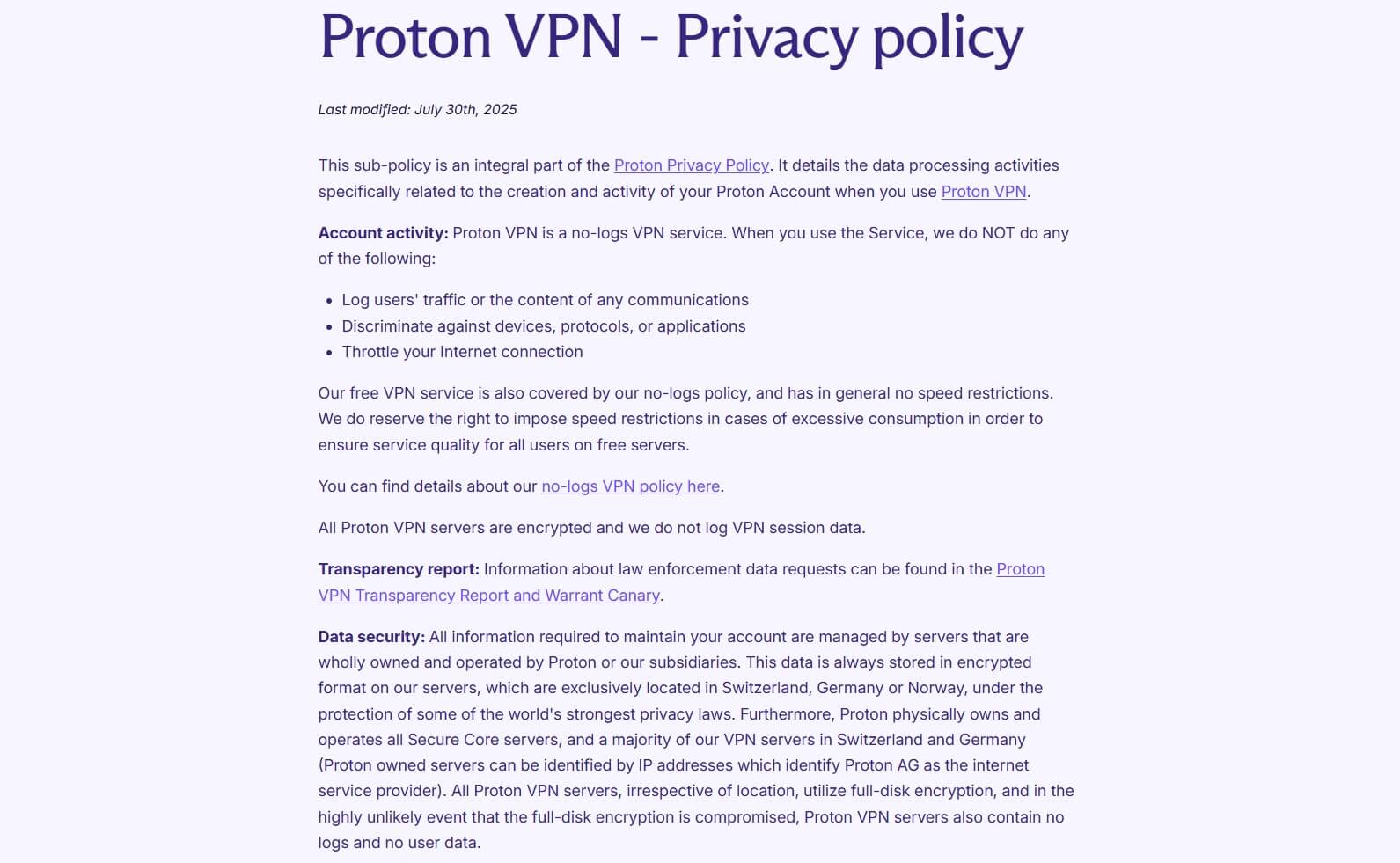
You can download every report without an account or an email address, which I wish were normal. Every client is open source on GitHub, so the auditors looked at code that any researcher can read too. Switzerland belongs to none of the 5 Eyes, 9 Eyes or 14 Eyes agreements and imposes no data retention requirement on VPN companies.
The no-log policy was also tested in court in 2019, and this is the story I tell when people ask me whether “no logs” means anything. Swiss authorities ordered Proton to identify a user in a climate activist case. Proton supplied the recovery email address on file, which the user had registered with Gmail. No VPN connection records existed to hand over. The case concerned ProtonMail, and the two products store different things: the VPN stored nothing.
Five consecutive infrastructure audits, publicly readable code, and a legal proceeding that produced nothing add up to the most verifiable privacy record in the consumer VPN category. Most companies in this industry ask to be believed, but Proton VPN has been checked by outsiders, repeatedly, with the reports left in public.
Proton Protocols and the 2026 Rebuild
Proton VPN spent 2026 rebuilding the part of its apps that makes the connection, in Rust. The result, called Proton Protocols, entered beta in August across Windows, iOS, iPadOS, Android and the Linux desktop app, replacing platform-specific WireGuard implementations with one shared codebase. The Stealth protocol also arrived on the Linux app, years after Windows and mobile received it.
What you’ll notice as a user is smaller than that sounds, but useful. The apps now detect network conflicts automatically, and you probably know that failure even if you don’t know the name: the VPN says “connected” and no page loads. Connection times also dropped. The longer-term work is still in progress: a networking layer that hides VPN API connections from internet providers, and the foundation for post-quantum encryption. I’ll test both as soon as they ship.
Apps, Devices and Smart TVs
The Windows app opens on a map, with server categories for P2P, Secure Core and Tor in the sidebar. It’s well built and there is a lot on screen, so if it’s your first VPN, give yourself five to ten minutes to find your way around. Connecting took me two seconds on WireGuard and three seconds on OpenVPN or Stealth.
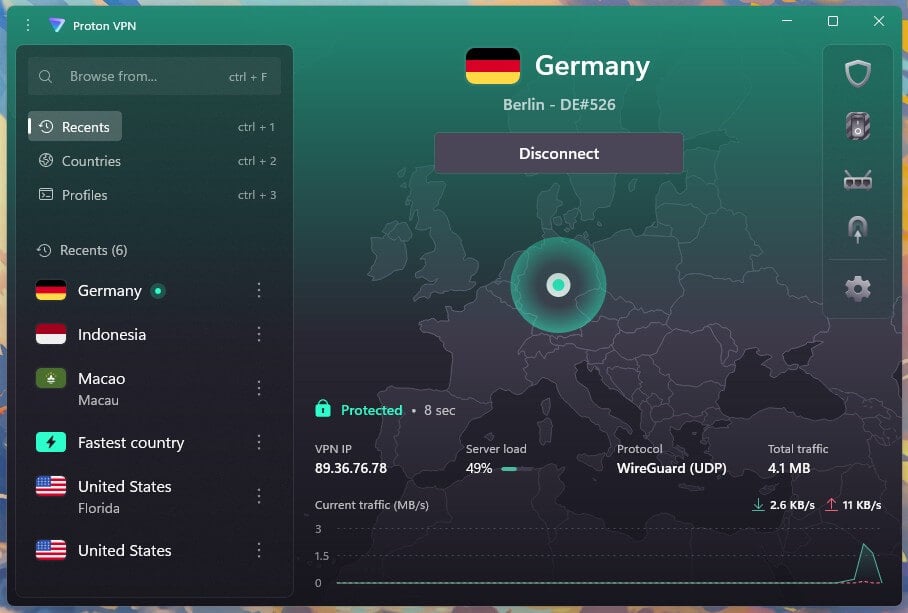
A small thing that matters to me because my test PC is full of VPN apps: Proton VPN connected normally with another VPN installed and sitting idle in the background, which not every VPN manages. And on Linux you get a full graphical app, where many competitors hand you a command-line tool and wish you luck.
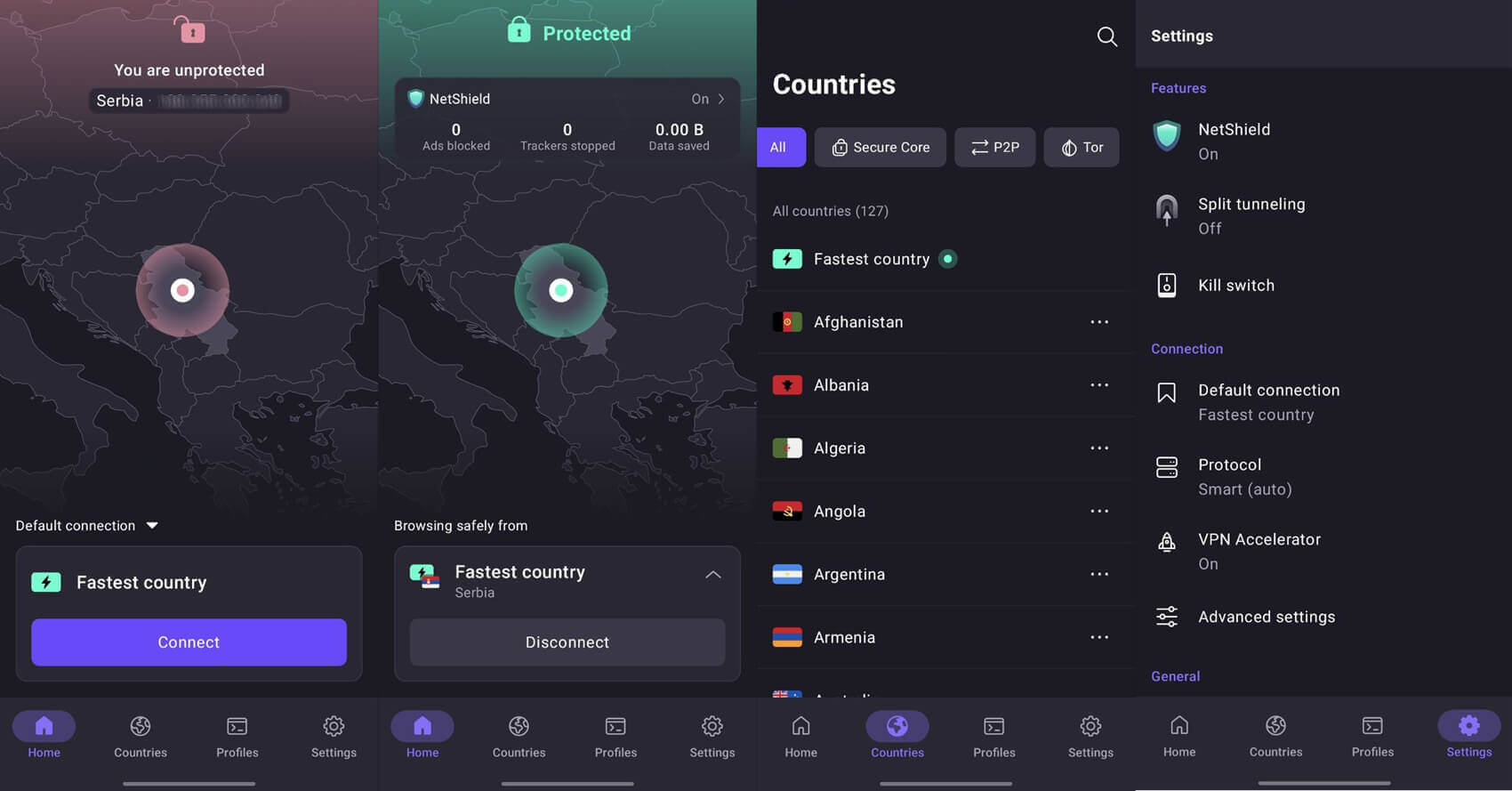
The macOS app and the mobile apps have the same feature set as Windows, apart from split tunneling on iOS. Coverage is broad:
- Windows, macOS and Linux desktops and laptops
- Android and iOS phones and tablets
- Android TV, Apple TV and Amazon Fire TV
- Chrome and Firefox extensions
- Routers, including AsusWRT, DD-WRT, OpenWRT, pfSense and MikroTik
- PlayStation, Xbox and Nintendo Switch, through a router
Paid plans cover 10 devices at once. That’s enough for most homes: two phones, two laptops, a tablet and the TV box still leave room. PIA and Surfshark both allow unlimited connections at comparable prices, so a very large household may prefer one of those.
The one thing I’d like Proton VPN to add is Smart DNS. Picture the Samsung or LG TV in your living room: it has no VPN app, and you can’t install one. Smart DNS is the workaround, because it changes only the traffic a streaming service uses to check where you are, and that’s how such a TV loads an American Netflix library.
NordVPN and ExpressVPN both supply it. With Proton VPN there are other routes: Android TV, Apple TV and Fire TV all have a proper app, and for other televisions you can set the VPN up on a router, which takes a compatible router and a bit of patience. Proton VPN’s streaming has improved so much that Smart DNS feels like the natural next step, and I hope it comes.
Server Network
Proton VPN operates 20,798 servers across 149 countries and 196 locations, with 17,984 of them on the paid tier. In practice I never had trouble finding a server in the country I needed. The app separates categories cleanly: P2P servers with port forwarding, Tor Over VPN servers for .onion access without a separate browser, and the 125 Secure Core servers. A Chinese location arrived on September 3, 2026. Careful with that one: it gives a Chinese IP address to users elsewhere and does nothing for people inside the country.
Proton VPN also avoids RAM-only servers, the setup most of the category uses. It applies full disk encryption instead, with certificates stored on the server to block interception at the server itself, and uses the hardened configuration in high-surveillance countries such as Russia. Wiping a disk on reboot is simpler and easier to verify, but Proton VPN’s approach is a serious one, and the yearly audits examine those servers.
Proton VPN in China
Proton VPN works in mainland China on some networks and not on others, and it’s better to know that before you fly. The Stealth protocol and Alternative Routing connect on some networks and fail on others, and the outcome varies by city and by internet provider. Proton VPN says so on its own site, to its credit, and our guide to using Proton VPN in China covers the settings that improve the odds. If you’re traveling there and need your email and messaging to work from day one, NordVPN or Surfshark are the safer picks for that trip.
Customer Support
Proton VPN’s support page lists live chat from 9 AM to midnight CET, and only for paid accounts. Outside those hours, or on the free plan, you write an email. Chat opens with a bot, as it does everywhere now. Getting past it to a human took me about a minute. Most VPNs I tested were quicker (under 20 seconds), but a minute is fine by me.

Email is slower: replies took up to a full day. That’s fine for a billing question and a little long when the VPN isn’t working and you need it that evening, so this is the area where I’d most like Proton VPN to speed up.
The written documentation is a real strength. The help center covers router setup and protocol behavior in unusual technical depth, and Proton VPN’s engineers often answer questions directly on Reddit. I’d search there first, before opening a ticket.
Proton VPN Review: Verdict
After this round, I find Proton VPN very easy to recommend and it sits second in our ranking for good reasons. If you’re buying for privacy, I don’t know anything in the category that matches five consecutive infrastructure audits, source code any researcher can read, Swiss jurisdiction, and a court case that produced nothing. If you download torrents, you get port forwarding, which most VPNs dropped years ago. And the speed gap that used to hold me back from recommending it is gone.
There are a few things to know before you subscribe: without Smart DNS, a smart TV with no VPN app needs a router setup, Disney+ and Hulu didn’t work for me, post-quantum encryption is still on the roadmap, and the refund is pro rata – but none of that changes my view for most people.
Frequently Asked Questions
Is Proton VPN good?
Yes, especially for privacy. Proton VPN combines Swiss jurisdiction, open-source apps, and yearly no-log audits with near-top speeds, though it doesn’t unblock Hulu and has no Smart DNS.
Is Proton VPN safe?
Yes. Proton VPN uses AES-256 and ChaCha20 encryption, an always-on kill switch mode, and Secure Core servers, and a Swiss court case produced no VPN connection records.
Is Proton VPN good for gaming?
Yes, for casual and single-player games. Nearby servers keep ping low, but competitive players may notice extra input delay, and Proton VPN offers no dedicated gaming servers.
Is Proton VPN free?
Yes, Proton VPN has a free plan with no data cap. It covers one device, assigns a server at random from a short list of countries, and blocks P2P traffic.
Does Proton VPN work with Netflix?
Yes, on paid plans. Proton VPN unblocks the American, Canadian, and Japanese libraries on standard servers, while the free plan can't access Netflix US.
Is Proton VPN faster than NordVPN?
No. NordVPN keeps more of a connection's speed on nearby and distant servers, though VPN Accelerator narrows the difference enough that browsing and HD streaming feel the same on both.
Does Proton VPN work in China?
No, not reliably. Stealth and Alternative Routing connect on some Chinese networks and fail on others, so results vary by city and ISP. NordVPN and Surfshark are more dependable there.