
Until recently, using a well-known VPN on Linux meant typing commands into a terminal. Windows and Mac users, meanwhile, just clicked a button. Over the past two years, that changed, and most major VPNs now offer a full desktop app for Linux.
Even so, support still varies by distro, and some Linux apps leave out tools their Windows versions have. Linux’s open code makes the system itself hard to attack, but it does nothing for the data leaving your computer. Streaming catalogs still change by country, and some networks filter what you can reach.
On shared Wi-Fi, your connection is also as exposed as it would be on Windows. A VPN encrypts that traffic and assigns you an IP address in another country, as long as its Linux app works properly. Here’s how the five with the strongest Linux support compare.
Top 5 Linux VPNs
- NordVPN: Best for Most Linux Users, with an open-source desktop app and the best Ubuntu speeds we recorded.
- Proton VPN: Best for Privacy on Linux, with open-source apps and traffic disguise for filtered networks.
- Private Internet Access: Best for Tweaking Settings, with app builds for Arch and ARM boards.
- ExpressVPN: Best for Arch and Raspberry Pi Users, with the widest official distro list.
- Surfshark: Best for Other Distros on a Budget, with Snap and Flatpak packages and no device limit.
Linux VPNs Compared
| Official distros | Protocols in the Linux app | Split tunneling | Devices | Starting price | |
| NordVPN | Ubuntu, Debian, Mint, Fedora, Raspberry Pi OS, plus Snap | NordLynx, OpenVPN, NordWhisper | By port or subnet | 10 | About $3.50/mo |
| Proton VPN | Debian, Ubuntu, Fedora (Arch via command line) | WireGuard, OpenVPN, Stealth | By app (paid plans) | 10 | About $3/mo |
| Private Internet Access | Ubuntu, Mint, Debian, Fedora, Arch, plus ARM builds | WireGuard, OpenVPN | By app | Unlimited | About $2/mo |
| ExpressVPN | Ubuntu, Debian, Fedora, Mint, Arch, Raspberry Pi OS | Lightway, OpenVPN | Yes | 10-14 | About $3/mo |
| Surfshark | Ubuntu, Debian, Mint, plus Snap and Flatpak | WireGuard, OpenVPN | Yes | Unlimited | About $2.50/mo |
Best VPN for Linux: Our Top 5
1. NordVPN: Best Overall VPN for Linux
Pros
- Open-source desktop app
- Fastest on Ubuntu in our tests
- Links your devices in a private network
- Kill switch works after a reboot
- Post-quantum encryption on Linux
Cons
- Split tunneling limited to ports and subnets
- Higher renewal price
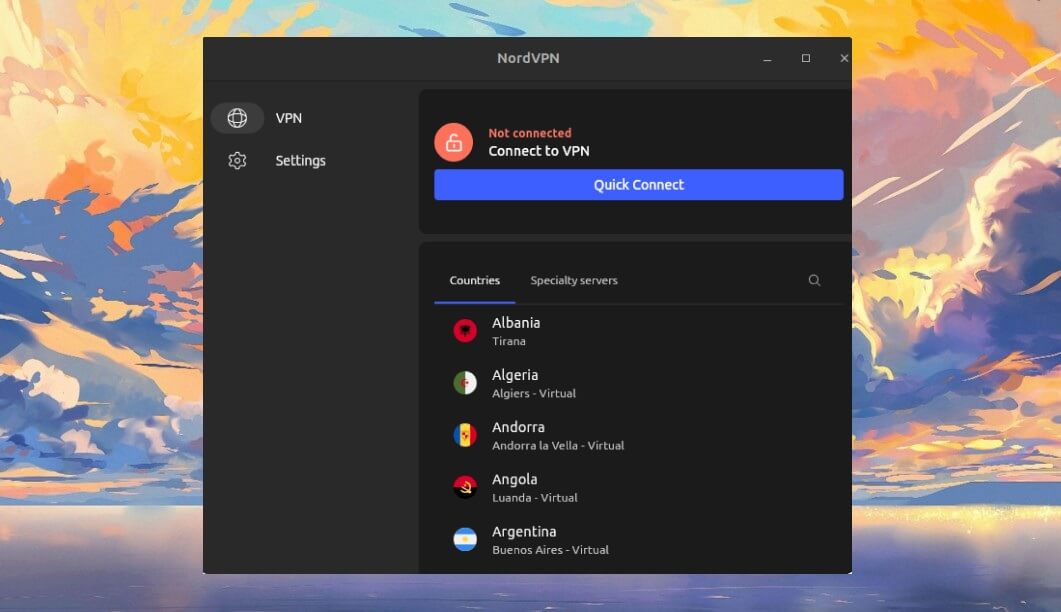
NordVPN was terminal-only on Linux until 2025, when it released a full desktop app. Since version 5.3.0, that app installs automatically with the background service. As a result, the first launch shows a server list, a search bar, and a connect button. The app’s code is open source, too.
NordVPN, our top-rated VPN overall, also publishes packages for Ubuntu, Debian, Mint, Fedora, Raspberry Pi OS, and Snap. As for speed, it was the fastest VPN we tested on Ubuntu, with an 8.3% average speed loss. Its kill switch cuts your internet if the VPN drops.
In my tests, it blocked every packet when I pulled the network cable, and again after a reboot. We found no IP or DNS leaks either. On top of that, Meshnet works on Linux. It links your computers into a private network, so you can reach files on a home PC from a laptop elsewhere.
Double VPN and NordWhisper, its protocol for networks that block VPNs, are available too. That convenience comes at a cost: with the window open, NordVPN took close to half a gigabyte of RAM. On older hardware, you can install the command-line version on its own instead.
2. Proton VPN: Best for Open-Source Privacy
Pros
- Open-source apps on every platform
- Disguises VPN traffic on filtered networks
- Split tunneling by app
- Independently audited no-logs policy
- Port forwarding for torrent clients
Cons
- Slow on servers in Asia in our tests
- Desktop app officially covers three distros
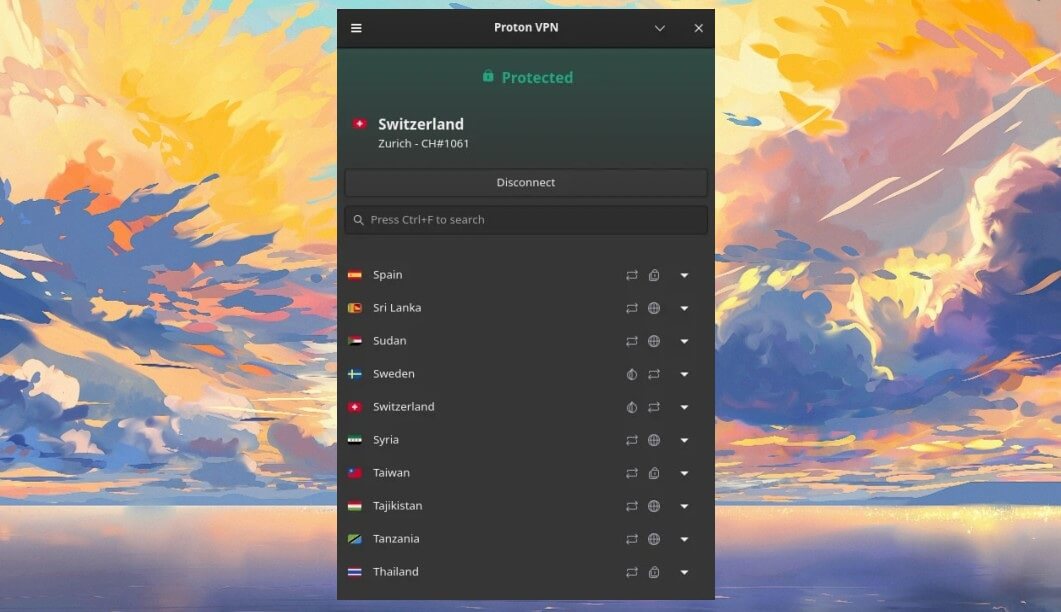
Proton VPN treats Linux as a priority. Its desktop app officially supports Debian, Ubuntu, and Fedora, while Arch is covered by the command-line version. Every Proton VPN app is open source. It’s also based in Switzerland, and its no-logs policy has passed independent audits. That’s why it ranks among the most secure VPNs we’ve reviewed.
Linux support has improved fast as well. Stealth, Proton VPN’s protocol that makes VPN traffic look like ordinary web traffic, reached the stable Linux app in 2026. So it now works on networks that block websites and VPN connections. Paid plans add split tunneling by app and NetShield, which blocks ads and trackers.
They also include port forwarding and Secure Core, which sends your traffic through Switzerland, Iceland, or Sweden first. Speed is where it falls behind. On Ubuntu, it lost only 6.3% in the UK and 9.4% in the US, close to NordVPN.
The Japanese server, however, lost almost half the speed, and a retest gave the same result. So if you often connect to servers in Asia, test them within the 30-day money-back window.
3. Private Internet Access: Best for Customization
Pros
- Same features as the Windows app
- Supports Arch and ARM devices
- Split tunneling by app
- No limit on devices
- Open-source apps
Cons
- Cluttered settings window
- Slower on distant servers
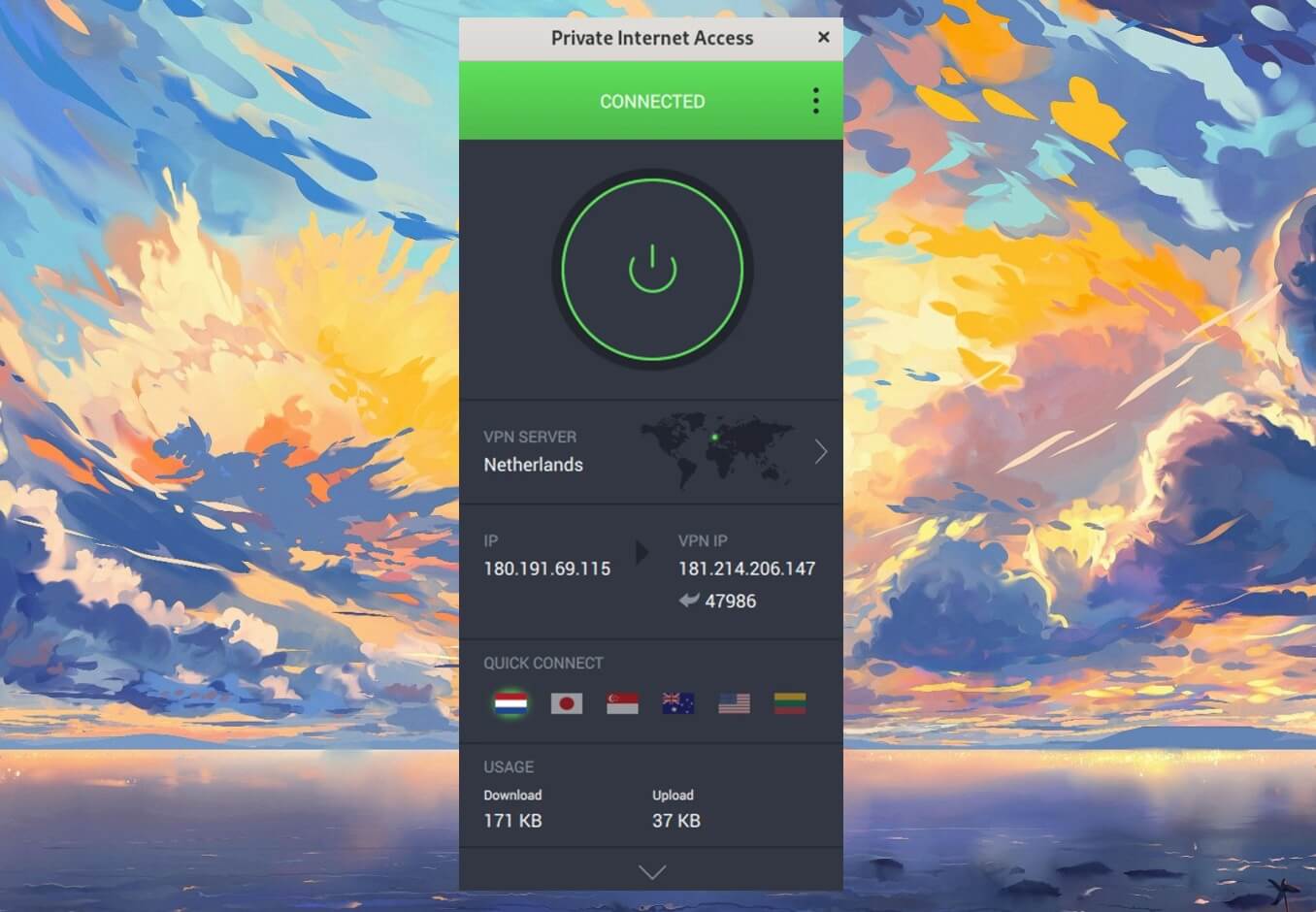
Private Internet Access had a full Linux desktop app long before most rivals, and it still offers the same settings as its Windows version. The official app covers Ubuntu, Mint, Debian, Fedora, and Arch. PIA also publishes ARM builds for a Raspberry Pi or a similar board. Like Proton VPN, it makes its app code public.
Its no-logs policy has also faced court cases, where PIA had no user data to hand over. The settings go deep. For example, you can choose which apps skip the VPN and block ads and trackers with MACE. Port forwarding, which helps torrent clients and game servers accept incoming connections, is there too, except on US servers.
Its Shadowsocks proxy also disguises VPN traffic, but only on OpenVPN, so switch protocols first on a filtered network. Beyond that, one subscription covers unlimited devices. At about $2 a month, it’s also one of the cheapest VPNs worth paying for.
All those options make the settings window cluttered, and it’s my least favorite design of the five. Speed was also the weakest of the five, with a 12.7% average loss in our tests, mostly on distant servers. For nearby servers, you won’t notice it.
4. ExpressVPN: Best for Wide Distro Support

Pros
- Packages for six major distros
- Split tunneling by IP address
- Command line works alongside the app
- Ad and tracker blocking on Linux
Cons
- No WireGuard in the Linux app
- Few advanced settings
ExpressVPN replaced its terminal-only Linux client with a desktop app in 2025. It now supports Ubuntu, Debian, Fedora, Mint, Arch, and Raspberry Pi OS, the widest official list of the five. The command line also works alongside the app, including on systems without a desktop.
On Ubuntu, speed came in at a 14.2% average loss, behind NordVPN but ahead of Proton VPN, and its kill switch passed the cable-pull and reboot tests. Split tunneling works by IP address, so you can keep a local printer or a work server outside the tunnel, and Advanced Protection blocks ads and trackers.
The Linux version does have limits. Its protocol menu stops at Lightway and OpenVPN, so users who prefer WireGuard will miss it, and there’s little to tweak beyond the basics. For most desktop users, Lightway is quick enough that the missing protocol goes unnoticed.
5. Surfshark: Best Value for Linux
Pros
- Clean, simple desktop app
- Snap and Flatpak packages
- Split tunneling on Linux
- Unblocks most major streaming services
- No limit on devices
Cons
- No kill switch in the Flatpak version
- Connections sometimes slow to start
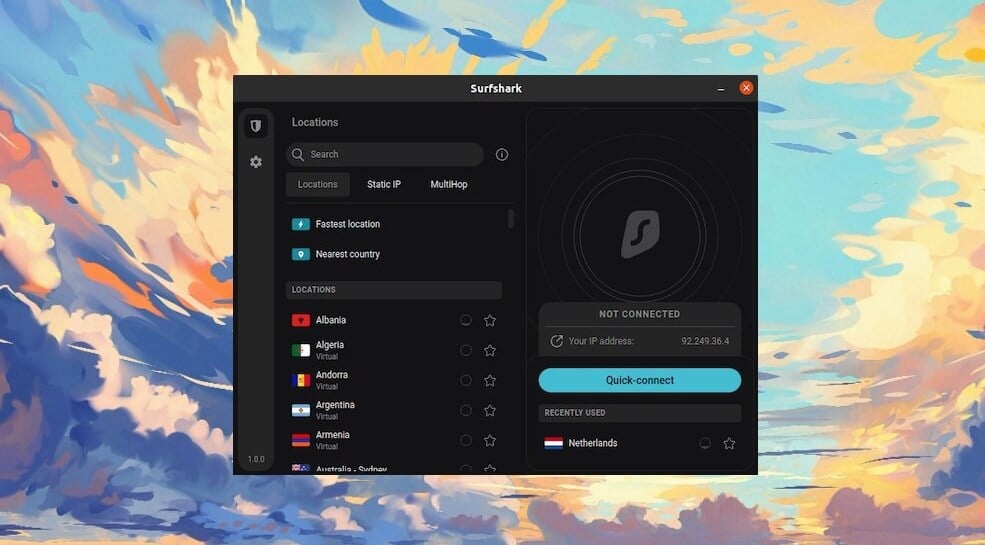
Surfshark was the first major VPN to release a Linux desktop app, and it remains one of the simplest. It offers .deb packages for Ubuntu, Debian, and Mint. Thanks to its Snap and Flatpak versions, it also works on Fedora, Arch, and most other distros.
The app includes WireGuard, OpenVPN, and Bypasser, its split tunneling tool. It’s also among the strongest VPNs for streaming we’ve tested. Surfshark unblocked 13 of 14 streaming services we tested, with no browser extension required.
In our speed tests, it had a 9.6% average speed loss, and one subscription covers unlimited devices for about $2.50 a month. However, the Flatpak version has no kill switch, so a dropped connection can expose your traffic. Install the .deb package or the Snap instead, where your distro supports them.
What to Look For in a Linux VPN
A good Linux VPN does the same job as on any other system, but a few points deserve extra attention on Linux:
- A desktop app or a solid command line: Beginners usually prefer a window with a connect button. Server users, on the other hand, require a command-line version that works without a desktop.
- Packages for your distro: Check for .deb, .rpm, Snap, or Flatpak packages before subscribing. Ubuntu users can compare more options in our list of VPNs for Ubuntu.
- A kill switch that works after a reboot: It should block traffic from the moment the system starts until the VPN connects.
- IPv6 and DNS leak protection: In 2025, a researcher found that PureVPN’s Linux apps leaked IPv6 traffic after a Wi-Fi reconnect. PureVPN later patched it. Run a leak test after installing any VPN.
- ARM builds: If you use a Raspberry Pi, choose a VPN with an ARM package, such as NordVPN, PIA, or ExpressVPN.
Using a VPN on Linux Without an App
Linux has no VPN service of its own. However, NetworkManager, the network tool in most desktop distros, can import OpenVPN and WireGuard configuration files. NordVPN, Proton VPN, and most other VPNs let you download those files from your account.
The connection then appears in your system’s network menu. This method works on almost every distro. Even so, you lose the app’s kill switch, automatic server selection, and split tunneling. For that reason, we’d use it only where no official app exists.
Free VPNs on Linux
Free VPNs come with data caps, fewer servers, or no server choice, and many hide their privacy terms. On Linux, we trust two of them. Proton VPN’s free plan includes Stealth on the desktop app, while Windscribe’s free plan unlocks every protocol within a 10 GB monthly allowance.
Our list of the best free VPNs for Linux compares them in detail. Still, a free plan works best as a backup. Proton VPN’s free tier chooses the server for you, and data caps are used up fast once you stream.
For Windows, Mac, and phones, our ranking of the top free VPNs covers more options.
Conclusion
The question used to be which VPNs had a Linux app with a window. Now that the major ones do, the better test is how much of the Windows version each Linux app keeps, and which distros it officially supports.
NordVPN comes out ahead on both, so it’s the VPN we’d install on a typical Ubuntu, Mint, or Fedora desktop. Proton VPN makes more sense if open-source code and traffic disguise come first for you.
On Arch or a Raspberry Pi, PIA and ExpressVPN offer more official options, while Surfshark’s Flatpak covers almost every other distro.
FAQs
Does NordVPN work on Linux?
Yes. NordVPN supports Linux through a graphical app plus a terminal client, packaged for popular Debian- and Fedora-based distributions, Raspberry Pi OS, and the Snap Store.
Does Linux have a built-in VPN?
No. Linux doesn't include a VPN service, although its NetworkManager tool can load OpenVPN and WireGuard config files. Those files still come from a VPN company and a subscription.
Which VPNs have a GUI on Linux?
NordVPN, Proton VPN, Private Internet Access, ExpressVPN, and Surfshark offer graphical apps on Linux. Their command-line versions also work on servers and systems without a desktop.
Is WireGuard or OpenVPN better on Linux?
WireGuard is usually faster on Linux because it's built into the kernel. OpenVPN remains useful on networks that block WireGuard, since it can use TCP on common web ports.
Can a VPN work on a Linux server without a desktop?
Yes. Most major VPNs offer command-line versions that work on headless systems, including Ubuntu Server and Raspberry Pi OS Lite, with commands to log in, connect, and enable a kill switch.
Do you need a VPN on Linux?
Yes, for privacy on shared networks or access to other countries' content. Linux protects the system itself, but it doesn't encrypt traffic leaving the computer or change its IP address.