Private Internet Access is one of the older names in VPNs, and it’s especially popular with people who torrent or care a lot about privacy. It also comes with an obvious question. PIA is an American company, and the US is the last place most privacy-minded people want their VPN based. So can you trust it with your traffic, and is it good at everything else?
I tested it on the things most people buy a VPN for: keeping their browsing private, watching shows from abroad, and downloading torrents. The trust question has a clear answer, and it comes from a courtroom. Streaming was a different story, and there’s one setting I’d change right after installing it. My quick verdict is in the box below, and the rest of this review explains why.
Private Internet Access
PIA is a VPN I’d trust with my privacy. Its no-log policy has been tested in US court, it includes port forwarding for torrenting, one subscription covers every device you own, and it stays cheap after the first term. Streaming is its weak side: on a computer, it couldn’t unblock several big US services. The desktop apps also look dated and start on a slower protocol, so switch to WireGuard right away.
Pros
- Court-tested no-log policy
- Unlimited devices
- Port forwarding included
- Protocol and cipher choice
- Shadowsocks obfuscation
- Strong built-in ad blocker
- Low long-term price
Cons
- Dated desktop interface
- Doesn't unblock Hulu or HBO Max on desktop
- Bigger speed loss on distant servers
- Slower OpenVPN protocol by default
- Standard kill switch leaked on PC restart
Private Internet Access Review: Quick Look
| Starting price | $2.19 per month, $56.94 for 26 months |
| Renewal | $56.94 every 12 months, so $4.75 per month |
| Money-back guarantee | 30 days |
| Protocols | OpenVPN (UDP and TCP) and WireGuard |
| Default protocol | OpenVPN at AES-128, with no automatic setting |
| No-log policy | Yes, Deloitte-audited and tested in US federal court |
| Countries | 91, counted in the app |
| Download speed loss | 12.7% averaged across my three server locations |
| Upload speed loss | 7.4% averaged |
| Streaming | 8 of the 14 streaming services I tested |
| Multi-hop | Yes, through a Shadowsocks or SOCKS5 proxy |
| Port forwarding | Yes, though not on American servers |
| Ad and tracker blocking | MACE, 96% on d3ward’s test |
| Simultaneous connections | Unlimited |
| Supported platforms | Windows, macOS, Linux, iOS, Android, Apple TV, Android TV, Fire TV, routers, browsers |
| Customer support | 24/7 live chat, email, help center, community forum |
PIA Pricing: Among the Lowest Long-Term Rates I Found
PIA sells three plan lengths, and I’d go with the two-year plan, which comes with two extra months. The price to watch is the renewal. Most VPNs in this price range renew at $79 to $139 a year after the first term. PIA renews at about $57, so it stays cheap long after the welcome deal ends.
| Plan | Monthly cost | Billed | Renewal |
| 2 years + 2 months | $2.19 | $56.94 for 26 months | $56.94 a year ($4.75 a month) |
| 6 months | $7.50 | $45 for 6 months | $45 every 6 months |
| Monthly | $11.99 | $11.99 a month | $11.99 a month |
The six-month and monthly plans make sense only for a short subscription, and the 30-day refund covers that case better anyway. Antivirus by PIA costs under $1.50 a month on the two-year term and protects Windows PCs only.
A dedicated IP address costs $2.50 a month, in 26 locations. It’s an IP address only you use, so your bank or your company’s network sees the same one every time, and you’re less likely to face extra security checks. Other VPNs in the low-cost ranking charge between $3.75 and $4.19 for the same add-on, so PIA’s is the cheapest I’ve found. You can pay by card, PayPal, Apple Pay, Google Pay, or Amazon Pay.
Money-Back Guarantee and Free Trial
I requested a refund through live chat on a second account, paid with PayPal. The agent asked me to pick a reason from a list, didn’t try to talk me out of it, and the money was back the same day. Card refunds take longer.
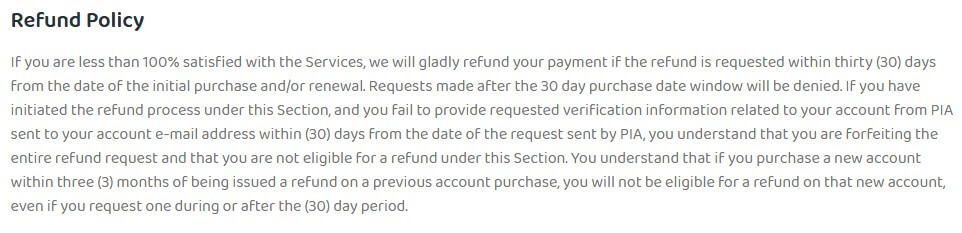
There’s no free plan and no free trial on desktop. The iOS and Android apps do include a 7-day free trial through their app stores, with every feature unlocked. No other VPN offers a longer one on mobile. The PIA free trial page has the signup steps. The mobile apps are the better half of the product anyway, so your phone is a good place to start.
PIA VPN Speed Test Results
For this review, my Windows 11 PC in Europe was wired to a 190.36 Mbps connection. I used Speedtest at three times of day across three days per location in October 2026. The app doesn’t select WireGuard for you, so I switched the protocol to WireGuard by hand.
| Server | Download | Upload | Ping | Download loss |
| No VPN | 190.36 Mbps | 19.37 Mbps | 10 ms | n/a |
| UK | 181.15 Mbps | 18.92 Mbps | 54 ms | 4.8% |
| US | 175.68 Mbps | 18.21 Mbps | 145 ms | 7.7% |
| Japan | 141.61 Mbps | 16.65 Mbps | 276 ms | 25.6% |
| Average | 166.15 Mbps | 17.93 Mbps | n/a | 12.7% |
On the UK and US servers, PIA kept more than 175 Mbps, so browsing and 4K streaming felt the same as without a VPN. Japan was the weak location, with a 25.6% speed loss, compared to NordVPN’s 15.7% and Proton VPN’s 16.0% on the same location. Even so, 141.61 Mbps is plenty for 4K, so you’d notice it mainly on large downloads.
Ping, the round-trip delay to the server, tells a similar story. At 54 ms, the UK server is fine for online gaming and video calls, while 276 ms to Japan is too slow for fast-paced games.
Upload was the nice surprise. The upload speed loss averaged 7.4%, in line with every other VPN I’ve tested, so sending large files or joining a video call won’t feel any different. The old reputation for collapsing upload speeds isn’t something my figures support.
WireGuard connected in about 3 seconds. Oddly, traffic took 2 to 3 seconds longer to start flowing than on OpenVPN, so wait a moment before you open a page.
Private Internet Access Security Features
PIA lets you adjust more security settings than any VPN I’ve tried at this price. The defaults aren’t great, though.
Protocols and the Default Setting
A protocol is the method a VPN uses to connect. PIA supports OpenVPN and WireGuard: WireGuard is newer and faster, and OpenVPN is older and easier to adjust. On OpenVPN, you can set UDP or TCP transport, AES-128 or AES-256 GCM encryption, a custom remote port, the MTU, and the configuration method. That helps on strict office networks and unusual router setups, though most people never have to touch these settings.
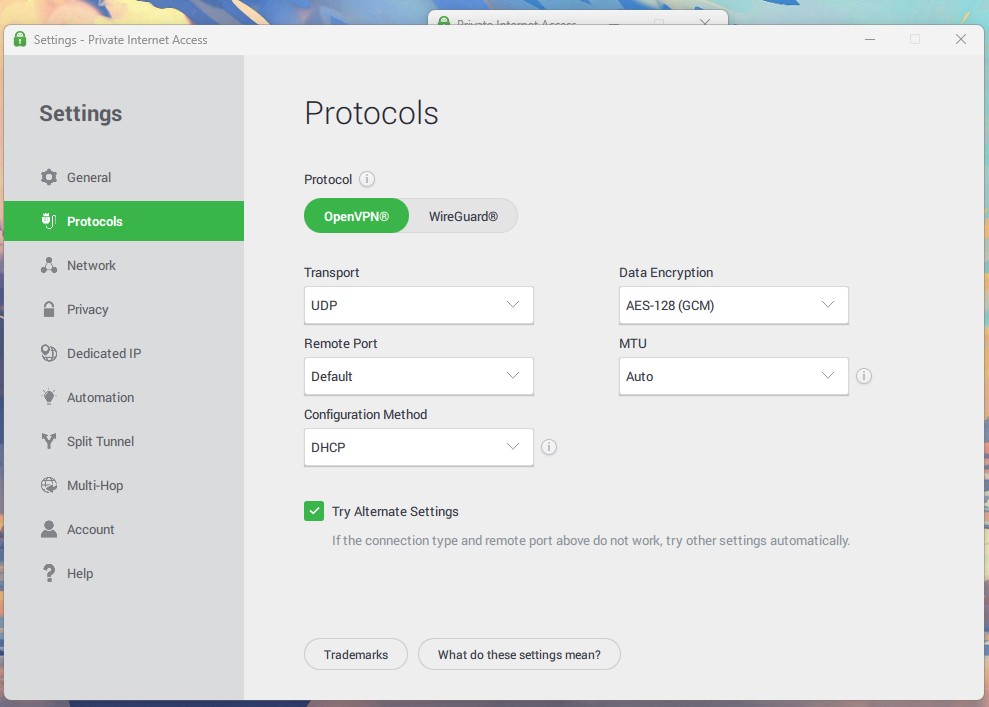
The problem is at the top of that same screen. The app opens on OpenVPN with AES-128 encryption, and there’s no automatic option. Most competing VPNs pick the fastest protocol for you. PIA requires a trip into Settings, and a subscriber who never goes there keeps the slower protocol and the lower encryption level for the life of the subscription. That’s a strange default for a VPN this focused on privacy, so the first thing I’d do after installing PIA is switch the protocol to WireGuard.
Every speed figure in this Private Internet Access review comes from WireGuard, which I selected by hand. On the default setting, those numbers would be lower, and the subscriber would never know why. An automatic option is the single easiest improvement PIA could make to its Windows app.
Kill Switch and Leak Protection
A kill switch cuts your internet if the VPN connection drops, so your traffic never goes out unprotected. PIA has two. The standard one does exactly that. The advanced one blocks traffic while the VPN is inactive, including when the app is closed. That’s right for high-privacy work, but on a normal day, it means no internet until you connect.
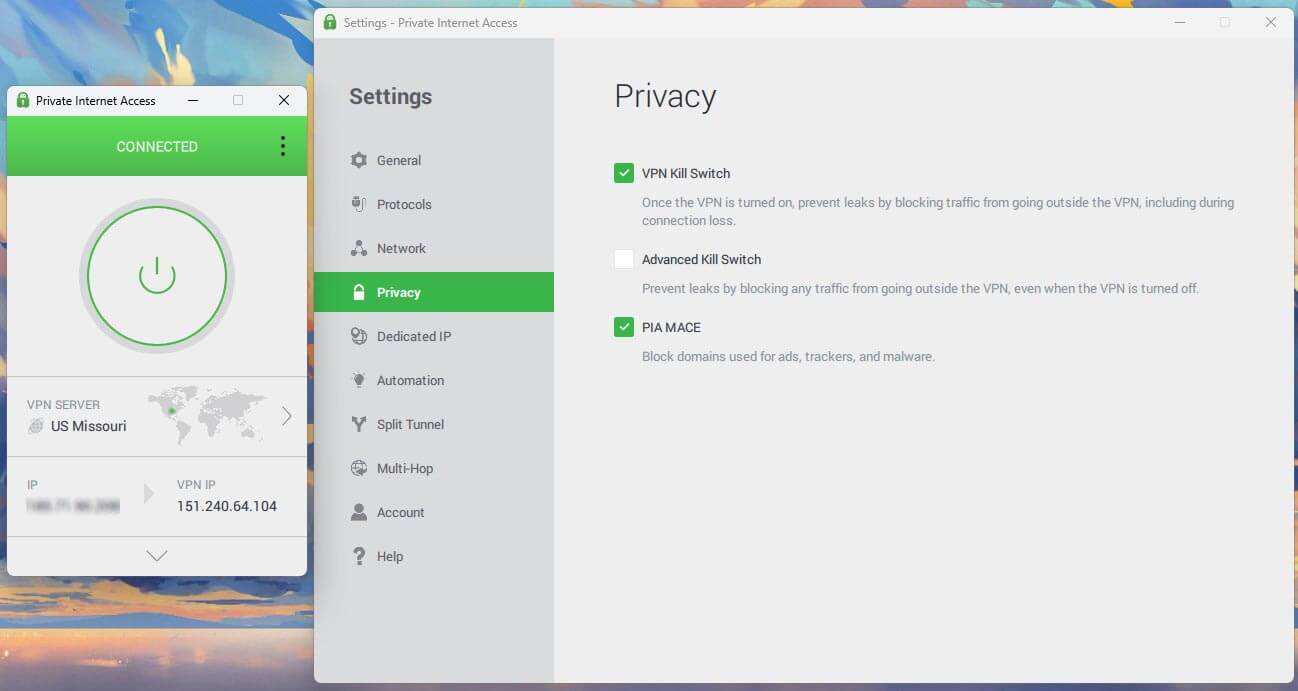
I tested the standard switch on Windows 11 in the two ways that break most apps: the Ethernet cable pulled mid-session, and the PIA process killed from Task Manager. A continuous ping was active. No packets escaped in either test. A third test, restarting the PC, went differently.
With the standard kill switch, unencrypted traffic left the computer while it booted. For a few seconds, apps that connect at startup, like cloud backup or a torrent client, could go online without the VPN. That surprised me on a VPN built around privacy. The Advanced Kill Switch blocked it, so enable that setting on a PC used for sensitive work.
MACE Ad and Tracker Blocking
MACE filters ads, trackers, and malware domains at the DNS level, so it covers every app on the device instead of one browser. On d3ward’s blocklist test, connected to a US Missouri server, MACE blocked 129 of 135 domains, a 96% score. That’s the highest score I’ve recorded on d3ward, ahead of Proton VPN’s NetShield at 93%, and it’s impressive for a feature that costs nothing extra. On an ad-heavy news site, it makes a visible difference.
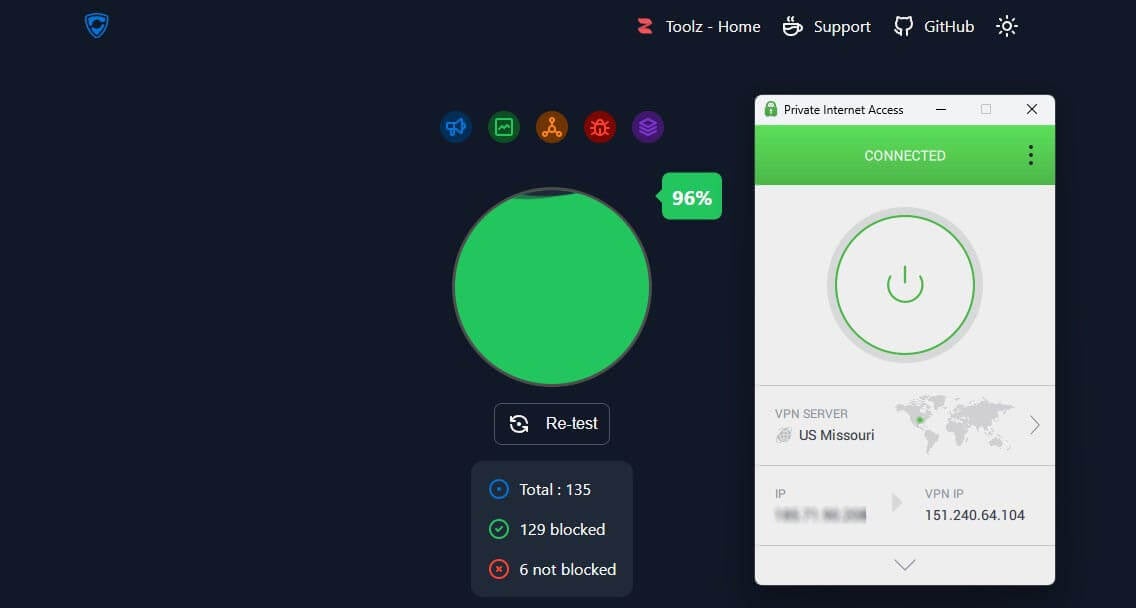
The reporting is the catch. PIA shows no counter for what MACE stopped, so you have to trust that it’s working. I tested it myself, as I did for my NordVPN review, and d3ward’s test takes only a few seconds in your browser if you want to check.
Split Tunneling, DNS and Automation
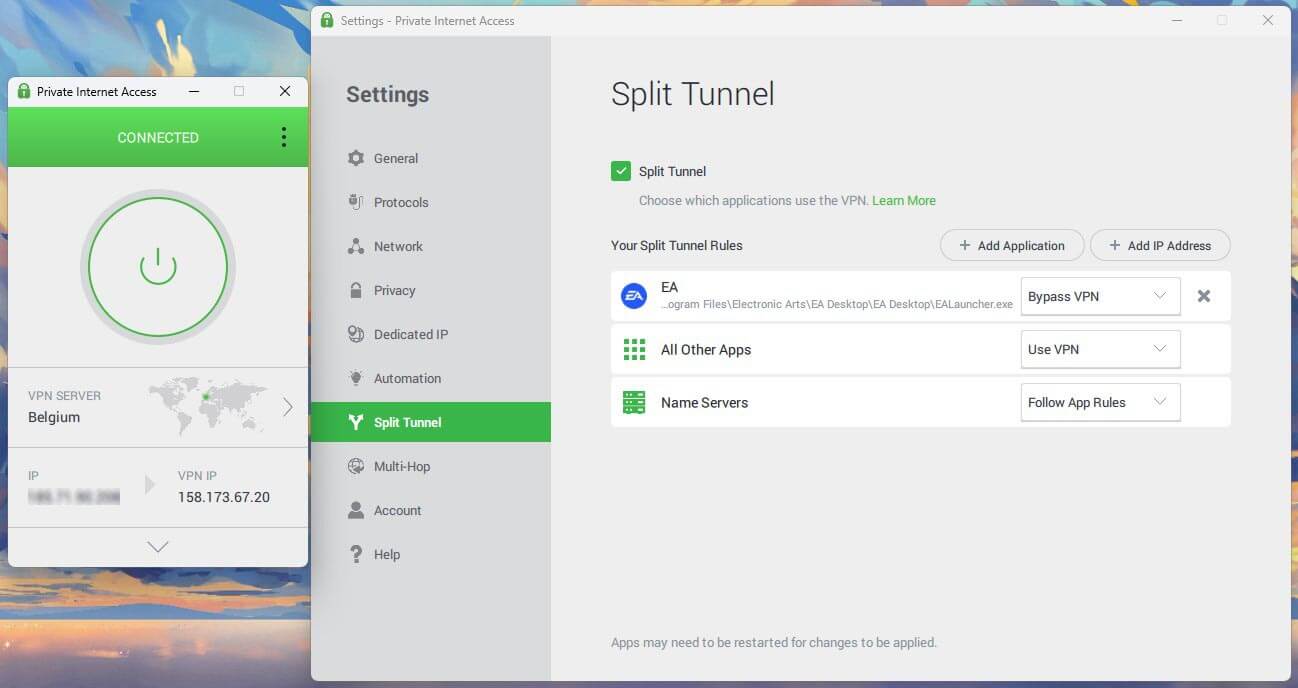
Split tunneling lets you choose which apps or websites skip the VPN. On Windows, PIA covers apps and individual IP addresses or domains, the wider of the two approaches. I excluded an internal work tool from the tunnel to stop it flagging unusual logins, and the change applied without restarting the app. PIA’s macOS app also offers split tunneling, which NordVPN’s Mac app doesn’t, and the best VPN for Mac ranking compares both.
DNS, the system that looks up website addresses, uses PIA’s own servers by default, with Handshake and custom resolvers as alternatives. Automation connects the VPN by network type, so café Wi-Fi can trigger a connection while your home network doesn’t. The limitation I’ve flagged for years is unchanged: you can’t tell Automation which country to connect to. It selects one on its own, and in my sessions it kept choosing the Hungarian server. When you want a specific country, for streaming or banking, connect manually.
Multi-Hop Through a Proxy
PIA’s multi-hop works differently from NordVPN’s Double VPN. Instead of a second VPN server, traffic passes through a Shadowsocks or SOCKS5 proxy, a relay that forwards your traffic. The app pairs any server with any proxy location. Shadowsocks also disguises VPN use, which helps on networks that block VPNs. It works only on OpenVPN, so switch protocols first. The Shadowsocks list covers the Netherlands, Switzerland, the UK, the US, Canada, and Japan.
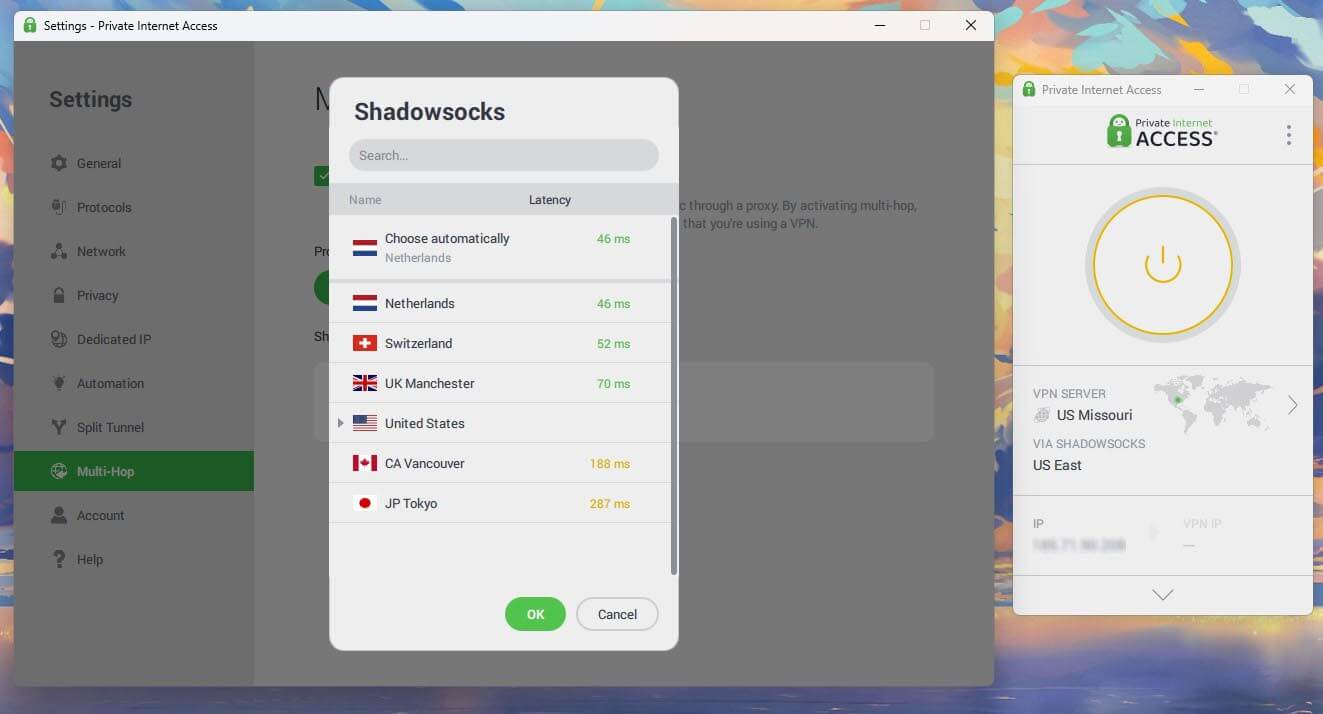
I tested the cost on a US Missouri server connected through the Dutch Shadowsocks proxy: 140.45 Mbps down and 267 ms ping, compared to 175.68 Mbps and 145 ms on the same server without it. That’s 20.1% of the download speed and 122 ms of extra ping. The speed is still fine for browsing and streaming, but the extra delay is noticeable on video calls.
PIA Review: IP and DNS Leak Test Results
A leak is when your own IP address or DNS requests escape the VPN and reveal where you are. I checked ipleak.net and browserleaks.com on the British, American, and Japanese servers, with MACE both enabled and disabled, on Windows 11 with the browser cache deleted between sessions. No IP address leaks, no DNS leaks, and no WebRTC exposure. My home IP address didn’t appear on any check, including the IPv6 test.
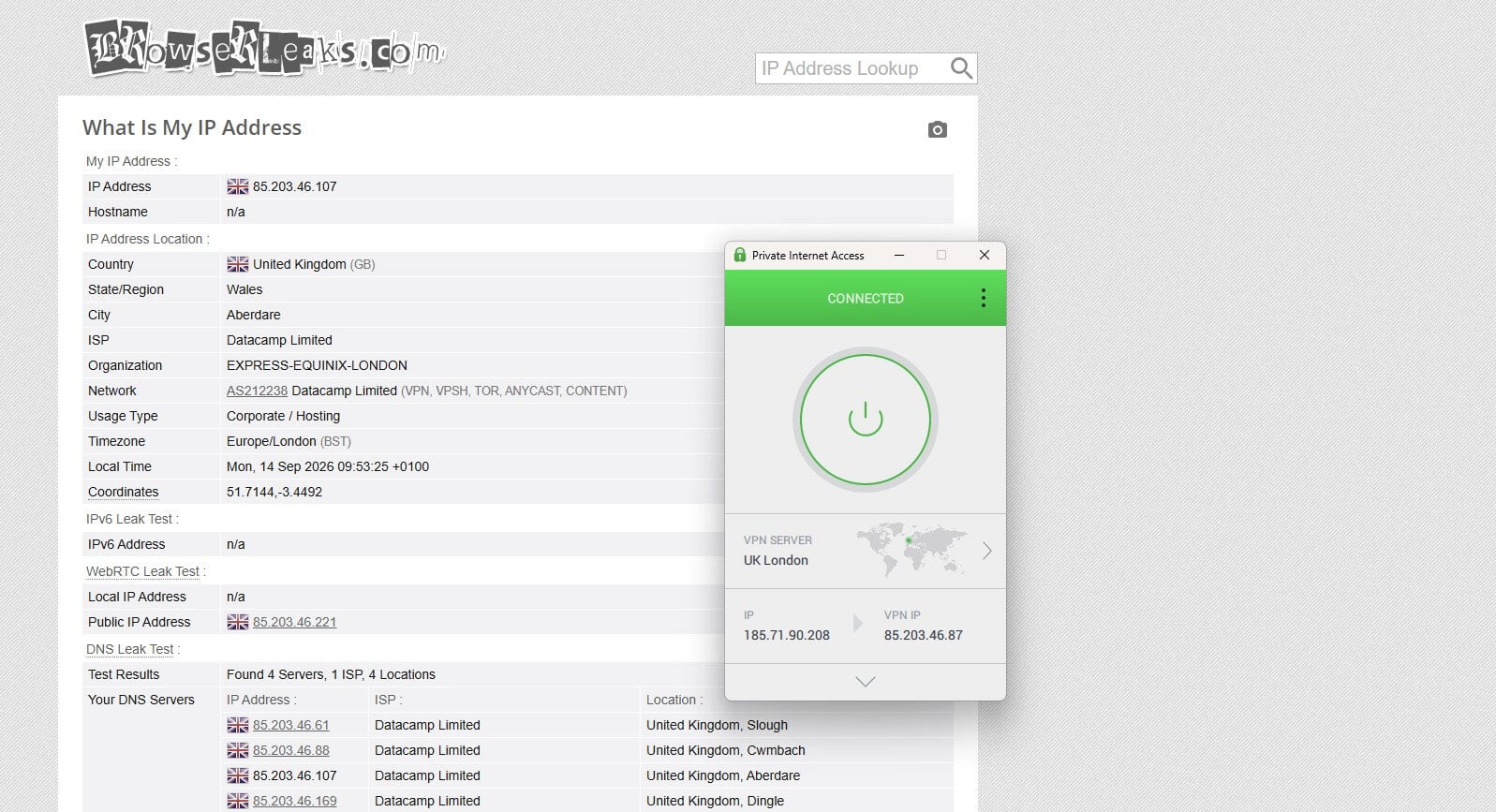
The results were identical with MACE on and off, so the ad blocker introduces no DNS behavior that could expose traffic. Every serious VPN passes these checks, so a clean result is expected at this level. If you want to change your IP address without surprises, PIA does it cleanly.
PIA Privacy Review: A No-Log Policy Tested in Court
PIA operates from the United States, a founding member of Five Eyes, the intelligence-sharing alliance with the UK, Canada, Australia, and New Zealand. That would normally end the privacy section of any VPN review. The public record changes that. In a 2016 criminal case in Virginia, the FBI requested connection logs for a named user. PIA had nothing to produce. A second federal request in 2018 produced the same result.
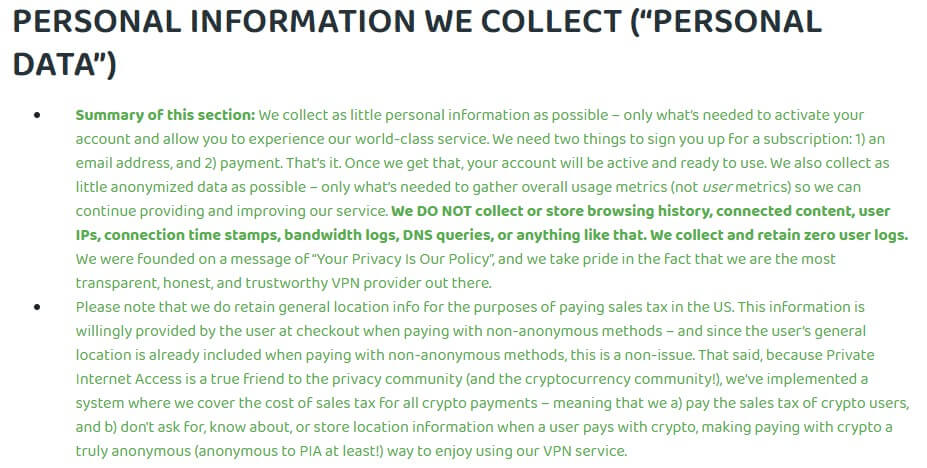
Neither outcome is marketing copy. Both appear in court filings, and few VPNs have that kind of outside proof of a no-log claim. I read the privacy policy in full. PIA states that it doesn’t store IP addresses, bandwidth used, browsing history, DNS requests, session timestamps, or connection logs.
It keeps an email address, payment data, and a ZIP code for tax purposes. Deloitte has audited the no-log policy, most recently in 2025.
A documented federal request that produced nothing is stronger evidence than an audit, because the auditor is invited and the subpoena isn’t. Few VPNs can point to both. PIA is owned by Kape Technologies, which also owns ExpressVPN and CyberGhost, and each brand publishes separate audits.
Streaming and Torrenting With PIA
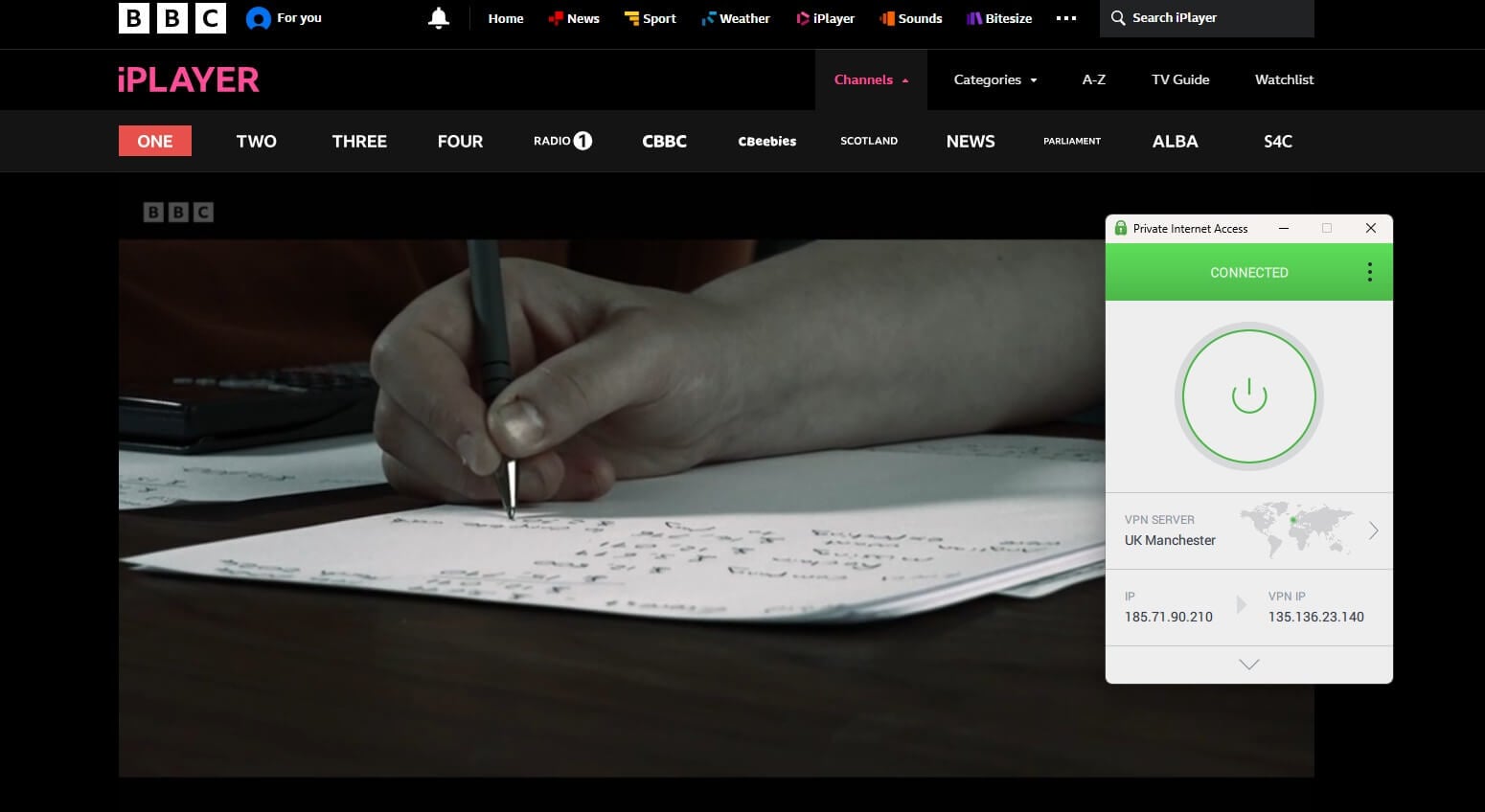
These two produce opposite verdicts, and the split explains who PIA is built for. Streaming disappointed me. PIA couldn’t unblock 6 of the 14 services I tried. It unblocked Netflix US and Netflix Canada on the first attempt, BBC iPlayer on a British server, and ITVX, which Surfshark and Proton VPN couldn’t unblock. Its failures included Netflix Japan, Hulu, Prime Video, HBO Max, and JioHotstar.
| Netflix US | Netflix Japan | BBC iPlayer | ITVX | Hulu | Prime Video |
| Unblocked | Blocked | Unblocked | Unblocked | Blocked | Blocked |
Three of those failures are American services. If you travel and want your US subscriptions to work on your laptop abroad, PIA will let you down often. Results on a TV were better.
PIA includes Smart DNS, set up from the account page, with locations in the US, UK, Germany, the Netherlands, and Japan. It changes the location your TV reports without a VPN app, and it unblocked Netflix US on my Apple TV 4K. The tvOS app also unblocked Hulu on that TV, after the Windows app was blocked. Torrenting is the opposite story.
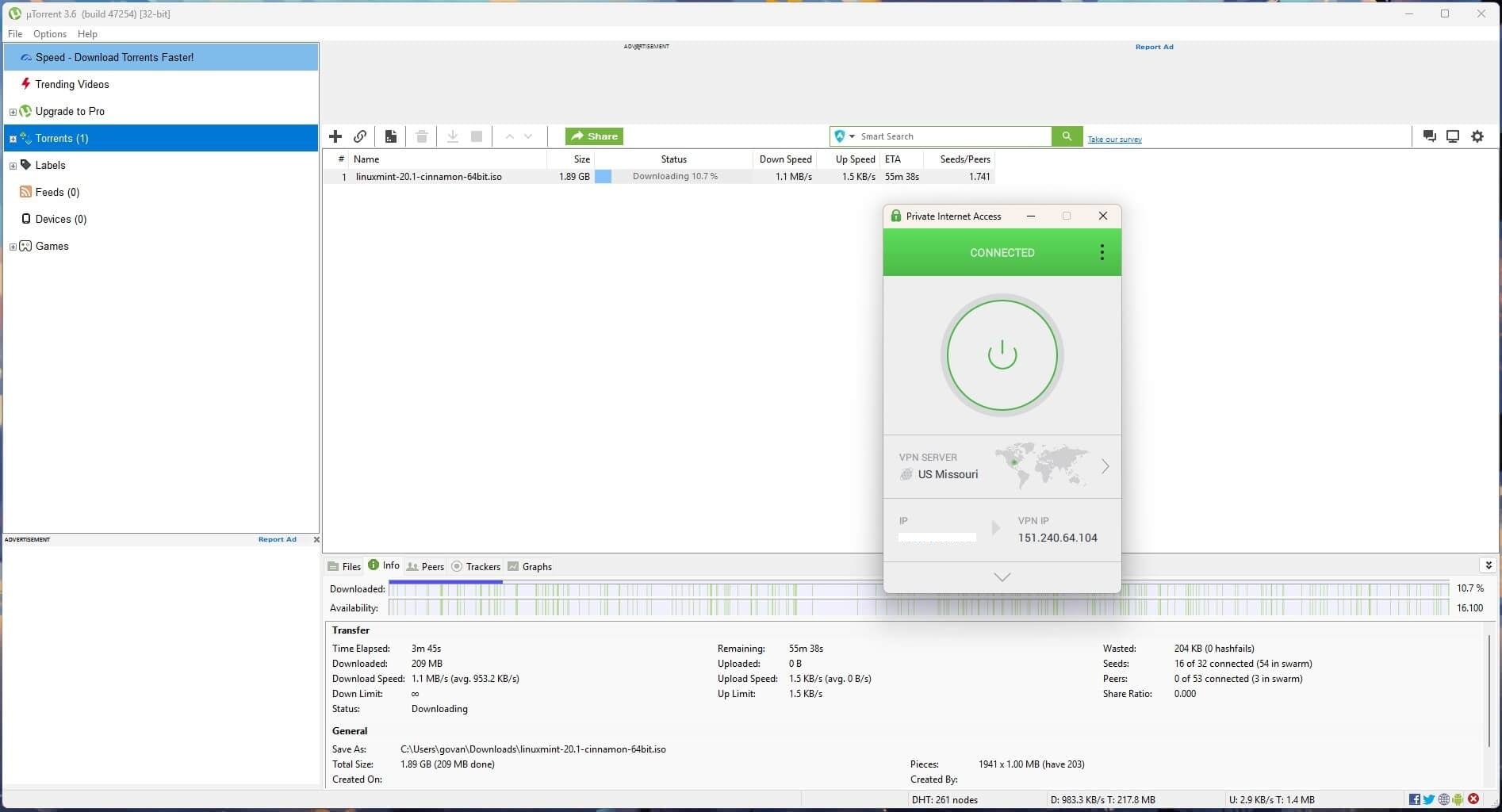
Every server supports P2P with no separate list to find, and port forwarding is available from the Network settings, which almost every major competitor dropped years ago. Port forwarding lets other users in a torrent connect to you directly, so files move faster. For private tracker users, who must maintain a good upload ratio to stay on those sites, that feature alone can justify the subscription.
There’s one catch, and PIA documents it poorly: port forwarding is unavailable on American servers. It’s an odd limit for an American company. Canadian and European servers support it, so seed from one of those.
PIA Server Network and Coverage
The app lists 91 countries, with city-level locations in the larger markets and American servers in all 50 states. Part of that coverage is virtual: the IP address belongs to the advertised country, but the server itself is in another country, so ping can be a little higher. PIA publishes which locations those are, which is more disclosure than most VPNs offer.
The network is RAM-only throughout, so a reboot wipes each server, and PIA operates its own DNS resolvers instead of passing queries to a third party. Dedicated IP addresses cover 26 locations and keep the same IP address on every connection, which reduces CAPTCHAs and streaming blocks. PIA also supports Fire TV Stick installs from the Amazon Appstore on Fire OS models, but not on Vega OS, so check your stick’s software first.
Does PIA Work in China?
I haven’t tested PIA in China for this review. PIA’s own support agents won’t guarantee the connection there, the app has to be installed before arrival because the website is blocked, and the Shadowsocks multi-hop mode is the setup PIA’s documentation points to. For softer restrictions, the picture is clearer.
The same obfuscation, which disguises VPN traffic as ordinary traffic, works on school and workplace filtering without difficulty, at the 20.1% speed cost from my Shadowsocks test. For China specifically, the China VPN guide is the better starting point.
Private Internet Access Support Review
Live chat opens with a bot, as it does at every VPN. The difference comes next: the Transfer to Agent button produced a human in 10 to 20 seconds on every attempt, which is quicker than most live chats I’ve used. The knowledge base covers the awkward topics, including router configuration, protocol customization, and SOCKS5 setup in qBittorrent.
Searching for port forwarding returns the right article in the first two results. There’s also a community forum with active threads and occasional staff replies, which no other VPN at this price maintains. A beginner section also explains how a VPN works for first-time VPN users.
PIA App Review: Ease of Use and Compatibility
The Windows and macOS apps are the ones I like least in this category. The desktop window extends downward when the server list opens, Settings is in a separate panel instead of the main window, and the visual design hasn’t been refreshed in years.
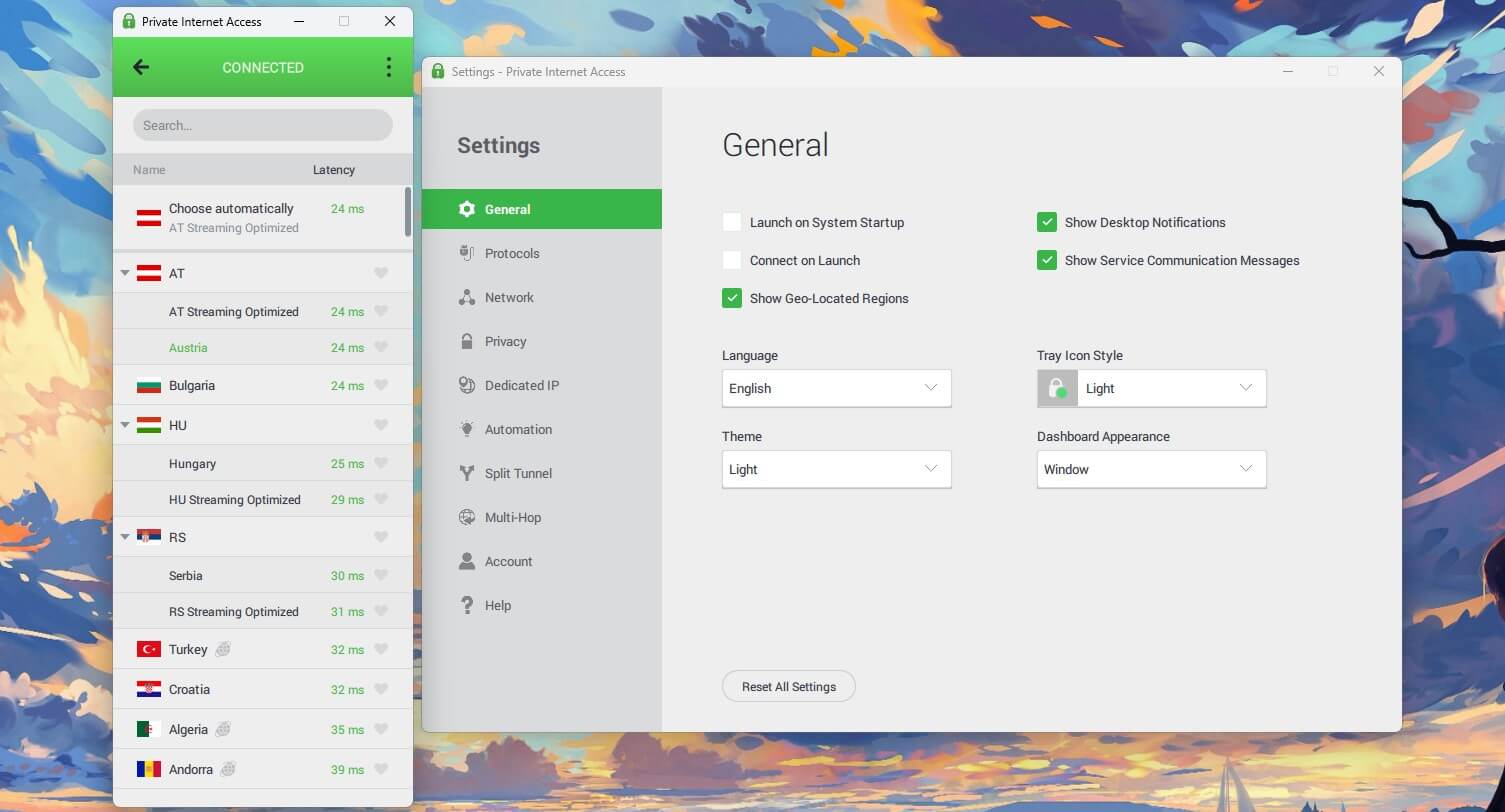
Nothing is broken. It simply looks like software that stopped being designed several years ago, which the newer apps don’t. The mobile apps are better. Everything is in one window, the server list is easier to move through with a thumb, and the 7-day trial applies there. If you mostly use a VPN on your phone, the dated desktop design won’t bother you.
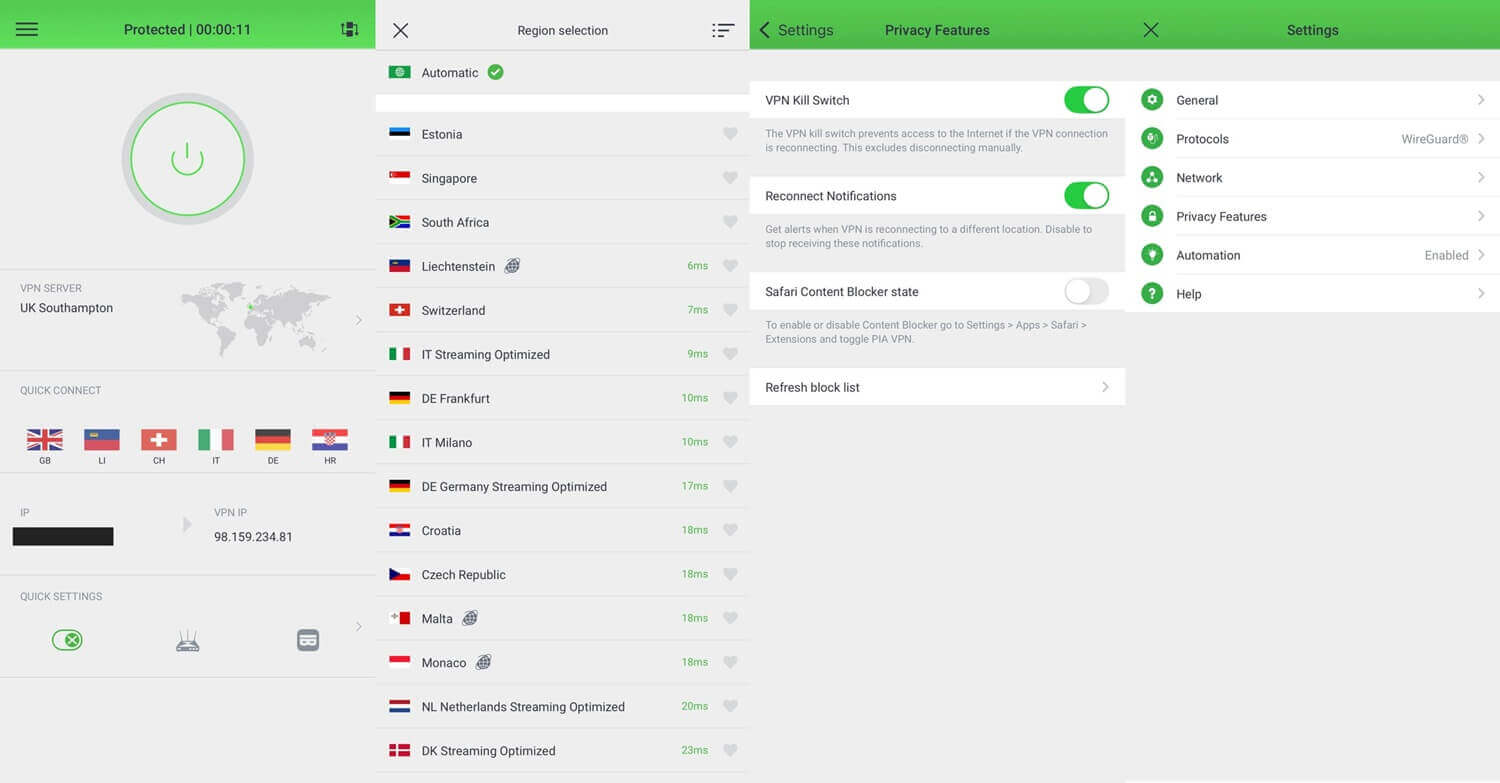
Compatibility covers what a serious subscriber requires:
- Windows, macOS and Linux, with a full graphical Linux app
- Android and iOS phones and tablets
- Fire TV Stick, Android TV, Nvidia Shield, and Apple TV
- Routers and consoles through a router
- Firefox, Chrome, Brave, Edge, and Opera extensions
Simultaneous connections are unlimited, with no cap on any plan, whereas most VPNs allow 10. A household covering a router, several phones, and a couple of televisions pays once.
Private Internet Access Review: Conclusion
Can you trust a US-based VPN? In PIA’s case, yes. Its no-log policy has been tested by two federal requests that produced nothing, Deloitte has audited it since, and none of my leak tests found a problem. Add port forwarding, unlimited devices, and one of the lowest renewal prices around, and it’s an easy VPN to recommend for privacy and torrenting.
It’s less convincing in other areas. It couldn’t unblock Hulu, Prime Video, or HBO Max on my PC. It also lost more speed on distant servers like Japan, and the desktop apps look years out of date.
- Get PIA if you torrent on private trackers, want full control over your settings, want a cheap dedicated IP address, or want a no-log policy proven in court.
- Skip PIA if you mainly stream US services like Prime Video or HBO Max, often connect to distant servers like Japan, or want a VPN that picks the best settings for you.
If streaming is the main reason you want a VPN, the ExpressVPN vs NordVPN comparison is a better starting point, and the fastest VPN ranking covers the speed side. If you do choose PIA, switch to WireGuard and enable the Advanced Kill Switch before your first session. Those two changes fix its weakest defaults.
Frequently Asked Questions
Is Private Internet Access a good VPN?
Yes, for privacy, torrenting, and large households. PIA has a court-tested no-log policy, port forwarding, and unlimited devices, though its streaming support trails NordVPN and Proton VPN.
What is Private Internet Access?
Private Internet Access is a US-based VPN owned by Kape Technologies, the company behind ExpressVPN and CyberGhost. It’s known for low prices and deep customization.
Is Private Internet Access safe?
Yes. PIA uses RAM-only servers and open-source apps, and its no-log policy produced nothing in US federal court cases. The Advanced Kill Switch also covers computer restarts.
How much does Private Internet Access cost?
PIA is one of the cheapest well-known VPNs. Its two-year plan costs around $2 per month, paid up front, and renews at a low price, while month-to-month billing costs the most.
Is PIA good for streaming?
Yes, partly. PIA unblocks Netflix US, BBC iPlayer, and ITVX on a computer, and its Smart DNS covers Netflix US on TVs, but its desktop app doesn’t unblock Prime Video or HBO Max.
Is PIA good for torrenting?
Yes. Every PIA server allows P2P traffic, and port forwarding is available on servers outside the United States, which helps seeders on private trackers keep their upload ratio.
How many servers does Private Internet Access have?
PIA doesn’t publish a server count. Its app lists dozens of countries, with a server in every US state, and every server operates from RAM, wiping its data on each reboot.