Private Internet Access has no free plan, but you can still use it without paying. There are two ways to do it: the free trial in the iPhone and Android apps, or the 30-day money-back guarantee when you buy on PIA’s website.
Each one has its own deadline and its own catch. Miss the deadline, and you’ve paid for a subscription you only meant to test. The steps for both are right below, and then I explain how to cancel in time.
How to Get a PIA Free Trial in 2026
- Install Private Internet Access from the App Store or Google Play on your phone or tablet.
- Choose the yearly plan in the app, since the monthly plan has no free trial.
- Confirm with your Apple or Google account. A payment method is required, but nothing is charged until the trial ends.
- Sign in on your other devices with the same PIA username and password.
- Cancel at least 24 hours before the trial ends if you don’t want to keep PIA, or buy on PIA’s website and use the 30-day money-back guarantee instead.
How to Get the Private Internet Access Free Trial
Start on your phone. Private Internet Access sells its free trial through Apple and Google, so it’s available only in the iOS and Android apps, with no trial on PIA’s website or desktop apps. Once the trial is active, the same login works on Windows, Mac, Linux, and TV apps.
The length depends on your phone. On iPhone and iPad, PIA’s free trial lasts seven days, and on Android, the trial is shorter at three days. Either way, it comes only with the yearly plan.
Here’s how to start the trial on either system:
- Open the App Store on iOS or Google Play on Android.
- Search for Private Internet Access, then install the app and launch it.
- Pick the yearly plan and look for the free trial label.
- Tap the Subscribe button and confirm with your Apple or Google account. You won’t be charged until the trial ends.
- Create your PIA account when the app asks, then connect to a server.
From then on, the clock is running. When the trial ends, Apple or Google charges the full plan price automatically, and PIA’s terms ask you to cancel at least 24 hours before the trial ends.
One more limit applies to trial users: a dedicated IP address, the paid extra that assigns you an IP address no other PIA user shares, isn’t sold on App Store or Google Play subscriptions.
PIA VPN Free Trial for 30 Days With the Money-Back Guarantee
A website purchase covers a full month, but it starts with a payment. Buy PIA on its own website, use it on every device for up to 30 days, and ask for a full refund if it isn’t for you. The guarantee covers new customers who pay PIA directly by card or PayPal.
It’s also the better option if you suspect you’ll keep PIA. PIA’s three-year plan costs around $2 a month, and the guarantee covers it the same way it covers a single month. Among the best VPNs we’ve tested, few cost less over the long term.
Try PIA VPN Risk-Free for 30 days
- Go to PIA’s website and choose a plan. The longest plan has the lowest monthly price.
- Pay by card or PayPal. Gift cards and purchases through deal sites aren’t covered by PIA’s guarantee.
- Install PIA on your devices and sign in.
- Request a refund within 30 days if you decide against it, with your order number ready.
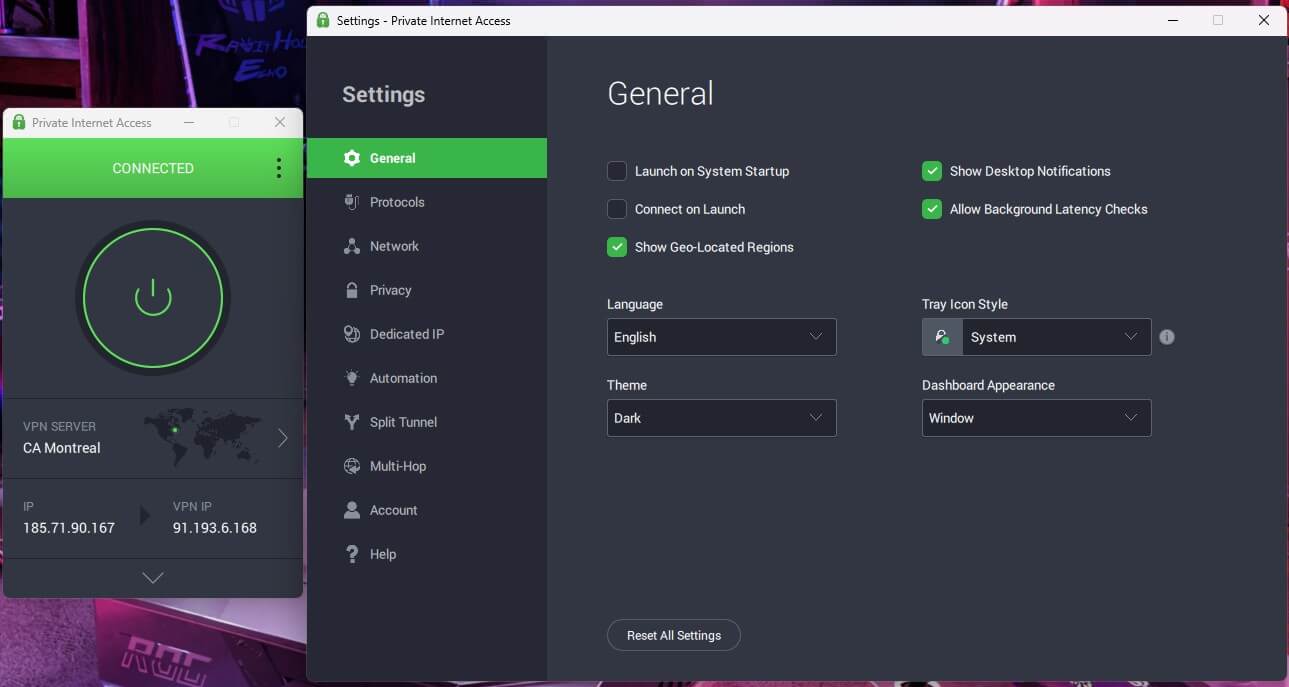
Keep in mind that the trial and the guarantee don’t add up automatically. If your mobile trial turns into a paid plan, that payment went to Apple or Google, so PIA’s 30-day guarantee doesn’t apply. A refund then depends on the store’s own refund rules, which is why canceling the trial on time is the safer habit.
Free Trial or Money-Back Guarantee: Which One to Pick
The two options suit different plans. The mobile trial is free from start to finish, while the guarantee offers more time in exchange for paying first.
| Free trial | Money-back guarantee | |
|---|---|---|
| Where to sign up | iOS and Android apps | PIA’s website |
| Length | 7 days on iOS, 3 days on Android | 30 days |
| Plans | Yearly plan only | Every plan |
| Payment | Payment method required, charged after the trial | Paid up front by card or PayPal |
| Who handles a refund | Apple or Google | PIA |
| Dedicated IP add-on | Not available | Available |
In practice, the trial is enough to check PIA on your phone and a laptop. If you mainly want it on a TV or for a trip that lasts a few weeks, the guarantee is the one that covers it.
Is There a Free PIA Account or Login?
No. PIA doesn’t offer a free plan, so the trial and the money-back guarantee are the only legitimate ways to use it without paying in the end. Usernames and passwords shared on forums and in video descriptions as a “free PIA login” are usually stolen or resold accounts.
Shared accounts break PIA’s terms and can stop working at any moment, and signing in with one puts your traffic on an account a stranger controls, which defeats the point of a VPN.
If you want a VPN that stays free with no card involved, look at a free plan from another VPN, and accept the limits that come with it.
How to Cancel the Private Internet Access Free Trial
Cancel through the store that bills you, at least 24 hours before the trial ends. Deleting the PIA app doesn’t stop the subscription, and you haven’t paid yet, so there’s no refund to claim. Canceling simply stops the charge.
On an iPhone or iPad:
- Open the App Store.
- Tap your profile picture in the top corner.
- Tap Subscriptions and select Private Internet Access.
- Tap Cancel Subscription and confirm your choice.
On an Android device:
- Open Google Play.
- Tap your profile icon in the top-right corner.
- Choose Payments & subscriptions, then Subscriptions.
- Select Private Internet Access and tap Cancel subscription.
Bought PIA on its website instead? Sign in to PIA’s Client Control Panel and turn off auto-renewal, which stops the next charge but doesn’t refund you. For the refund, contact PIA’s support team by live chat or a support ticket, with the email you signed up with and your order number.
Do it within 30 days of paying, because PIA won’t issue a refund once that window has passed.
Can You Get the PIA Free Trial Twice?
No. PIA’s terms limit the free trial to new users who have never had a PIA account, and a second trial sign-up is charged the yearly price straight away. The money-back guarantee has its own rule: if you buy a new account within three months of a refund, that account isn’t eligible for another one.
What to Check During the PIA Free Trial
A short trial goes quickly, so spend it on the things you’d pay for.
Servers in 113 Countries and Every US State
PIA has servers in 113 countries and all 50 US states. That helps when you want a server close to home for speed, or one in a specific state for local news, sports, or shopping sites. Its server list also marks streaming-optimized servers in more than 30 locations.
This is exactly where to start if a service shows a region error. Website subscribers can also add a dedicated IP address as a paid extra.
Security and Privacy
The basics are all there. The kill switch cuts your internet if the VPN connection drops, so your IP address doesn’t leak. Split tunneling lets you choose which apps skip the VPN, so your banking app can use your home connection while the browser stays protected.
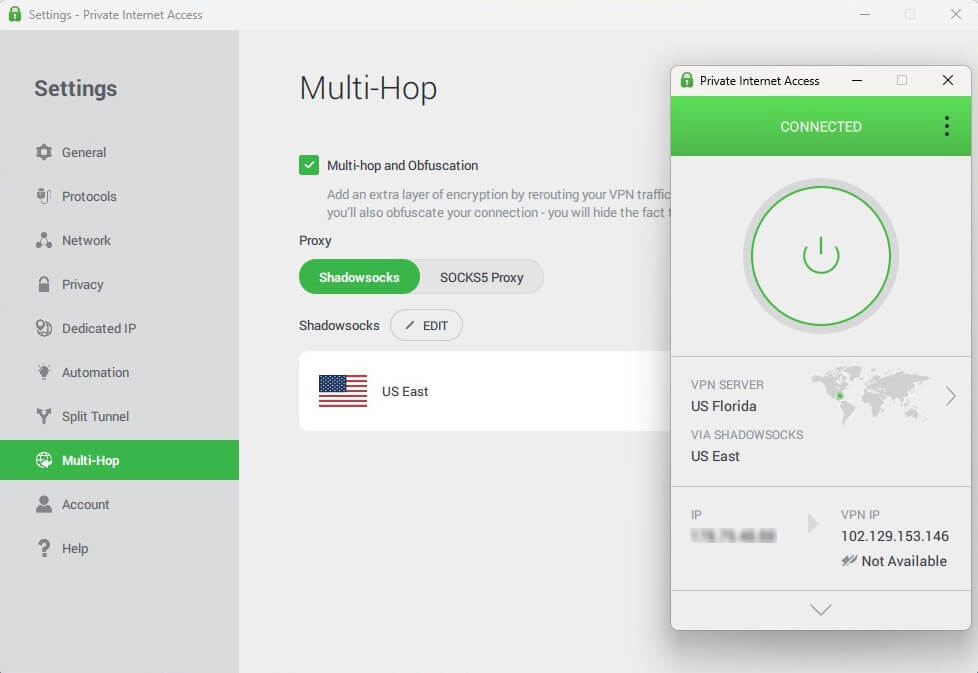
WireGuard, the fast connection method (protocol) PIA offers, keeps speeds high, and MACE blocks ads, trackers, and malicious sites. Multi-Hop sends your traffic through a proxy server before it reaches the VPN server.
With Shadowsocks selected, that first step also disguises your VPN traffic, which helps on hotel, school, or office networks that block VPNs.
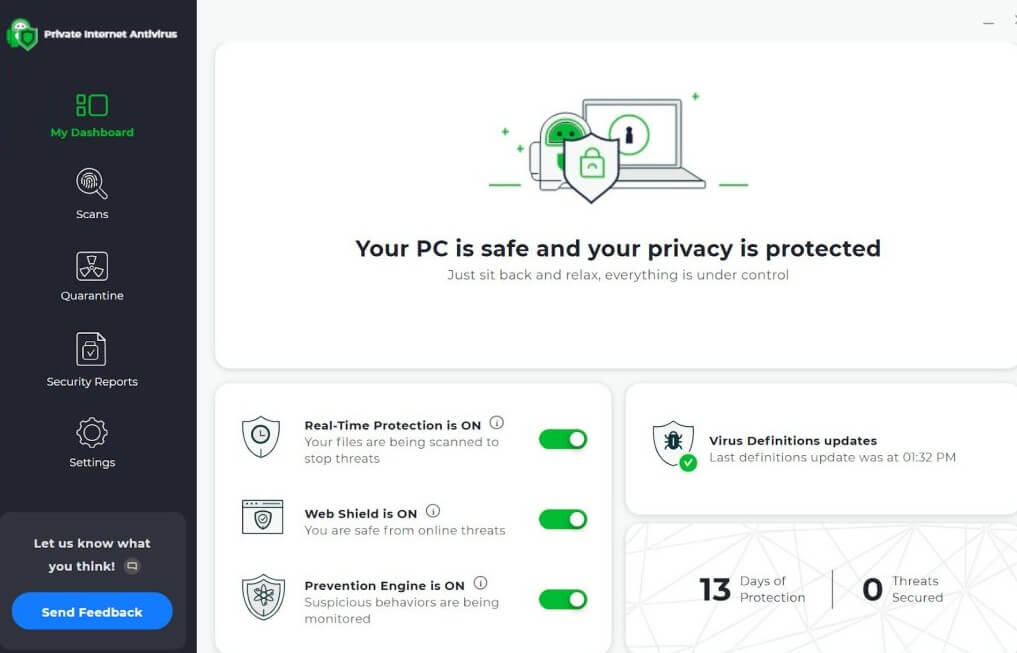
PIA also sells an antivirus add-on for Windows, so you can protect a PC with the same account. On privacy, PIA’s record is reassuring. Its no-logs policy has been independently audited and tested in US court twice, and both times PIA had no user activity to hand over.
Its servers use RAM only, so every restart wipes them. PIA has the same owner as ExpressVPN, and each brand commissions its own audits.
Streaming and Torrenting
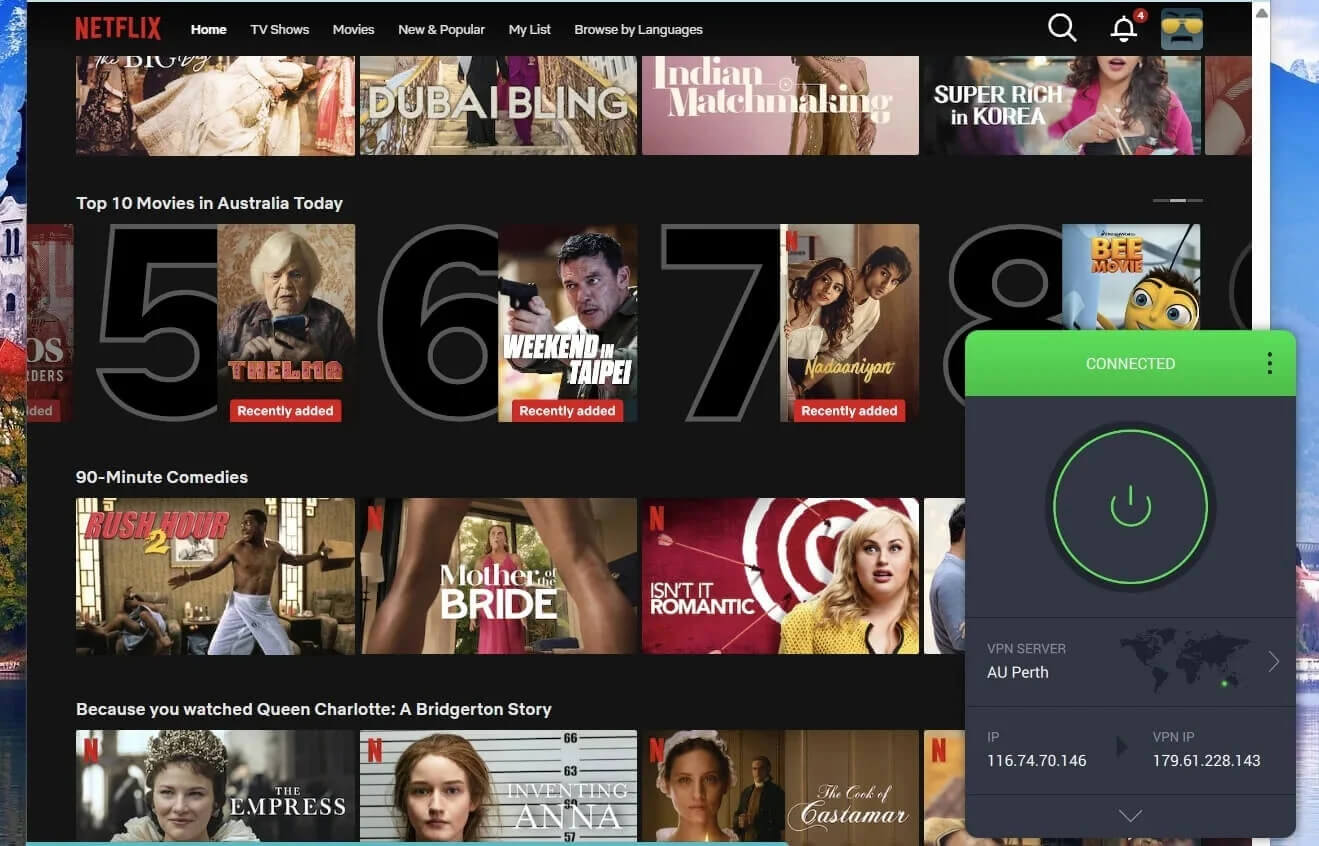
Test streaming early, since it’s what most people buy a VPN for. Connect to a streaming-optimized server in the country you want, such as the UK to watch BBC iPlayer outside the UK, and check that your service works before the trial ends.
In our speed tests, PIA had a 12.7% speed loss on average, which you won’t notice on HD streams or most downloads. Torrenting is allowed on every PIA server, so you can connect to the quickest one nearby.
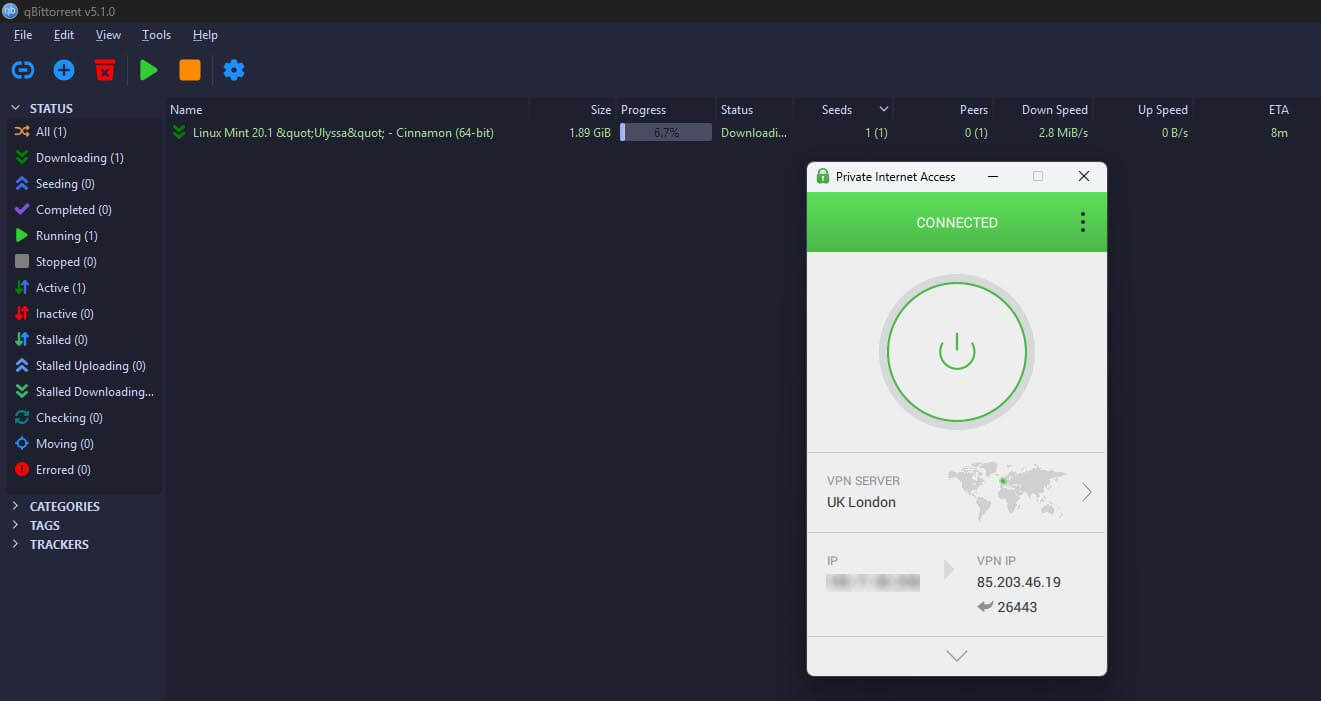
Its SOCKS5 proxy, a setting you add in your torrent client, changes the IP address your downloads use without the overhead of encryption, while port forwarding lets other peers connect to you directly for faster downloads.
Every Device on One Subscription
PIA doesn’t limit how many devices connect at once, so one subscription covers the whole household. Apps are available for Windows, macOS, Linux, iOS, and Android, and you can set up PIA on an Android TV or an Apple TV without disconnecting your phone or laptop.
During the trial, that’s the easiest way to see how PIA behaves on the TV before you pay for it.
Summary
Yes, you can try Private Internet Access for free, just not without handing over payment details. The mobile trial costs nothing if you cancel through Apple or Google at least a day before it ends, but it’s short, especially the three days on Android.
The money-back guarantee allows a full month on every device, as long as you buy on PIA’s website and ask for the refund within 30 days. Pick the trial if you only want to see how PIA works on your phone. Pick the guarantee if you want time to test it on a TV, a work laptop, or a trip abroad, or if you’d probably keep it anyway.
If you’d rather not share a card, PIA isn’t the right fit, and NordVPN’s free trial on Android works on similar terms. Either way, note the deadline on the day you sign up, and cancel or ask for the refund in the same place you paid.
Try Private Internet Access Risk-Free
Frequently Asked Questions
Does PIA VPN have a free trial?
Yes. Private Internet Access offers a free trial in its iOS and Android apps, while purchases on its website come with a 30-day money-back guarantee instead of a trial.
How long is the PIA free trial?
Seven days on iPhone and iPad and three days on Android. On both systems, the trial comes only with the yearly plan, which is charged automatically once the trial ends.
Does the PIA free trial require a credit card?
Yes. The trial runs through an Apple or Google account, so a payment method is required, and the plan is charged automatically unless it's canceled before the trial ends.
What happens if the PIA free trial isn't canceled?
The trial turns into the chosen paid plan, and Apple or Google charges the full price automatically. A refund then depends on the store's rules, not PIA's 30-day guarantee.
Can the PIA free trial be used on a PC?
Yes. The trial starts on a phone or tablet, but the same username and password work in PIA's Windows, macOS, and Linux apps once the subscription is active.
Is PIA's money-back guarantee no questions asked?
Yes, for website purchases. New customers who paid PIA directly get a full refund within 30 days, while App Store, Google Play, and gift card purchases follow those stores' own rules.