If you torrent, you already know the risk. Every peer in a swarm can see your IP address, and copyright enforcement companies join popular swarms to collect them. That’s where many ISP warnings and copyright letters come from. A VPN puts one of its servers between you and the swarm, so other peers see the server’s IP address instead of yours.
Not every VPN is good at it, though. Some slow your downloads, some block P2P traffic, and some expose your IP address the moment the connection drops. We’ve tested 30+ VPNs to find the best VPN for torrenting, and five are good enough to recommend. They’re ranked just below.
Best P2P VPN for Torrenting: Top 5 for October 2026
- NordVPN: Best P2P VPN overall
- Proton VPN: Best for port forwarding on P2P servers
- ExpressVPN: Simplest to set up
- Private Internet Access: Cheapest VPN with port forwarding
- Surfshark: Best for unlimited devices
Best P2P VPN Compared and Tested
P2P servers and P2P support aren’t the same thing. The five VPNs on our list allow torrenting on every server, but only Proton VPN still labels specific servers for P2P. NordVPN, for example, retired its labeled servers once its whole network began accepting the traffic.
| NordVPN | Proton VPN | ExpressVPN | PIA VPN | Surfshark | |
| Average speed loss | 7.8% | 10.2% | 7.8% | 12.7% | 9.6% |
| qBittorrent download, nearest server | 17.1 MiB/s | 16.8 MiB/s | 17.1 MiB/s | 16.5 MiB/s | 17.0 MiB/s |
| Port forwarding | No | Yes | No | Yes, except US servers | No |
| P2P servers | All servers | Labeled P2P servers | All servers | All servers | All servers |
| SOCKS5 proxy | Yes | No | No | Yes | No |
| Jurisdiction | Panama | Switzerland | British Virgin Islands | United States | Netherlands |
| Devices | 10 | 10 | 10 on Basic | Unlimited | Unlimited |
| Price | $3.49/mo | $2.99/mo | $2.99/mo | $2.19/mo | $2.49/mo |
1. NordVPN: Best P2P VPN Overall
Pros
- Near-zero loss on nearby servers
- SOCKS5 for torrent clients
- P2P across the network
- Download malware scanning
- App kill switch for qBittorrent
Cons
- Port forwarding unavailable
- Steeper second term
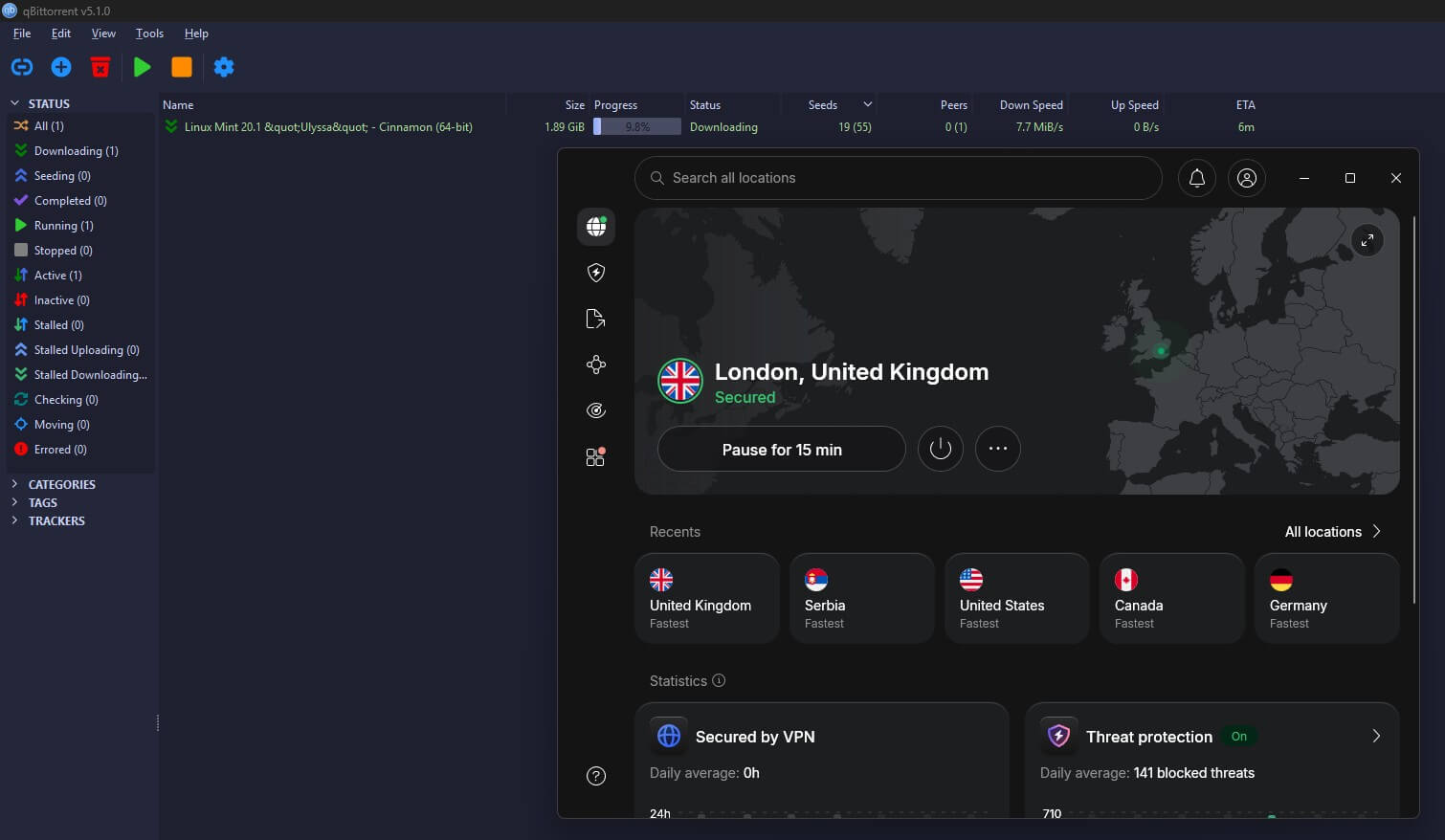
NordVPN lost 7.8% of its speed on average, the joint-lowest result in our tests, and its US server came in at 181.50 Mbps, the fastest US result we recorded. In qBittorrent, a free torrent client, I downloaded a 1.89 GiB Linux Mint ISO on its nearest server at an average of 17.1 MiB/s, and it finished in about two minutes. Without a VPN, the same file averaged 17.2 MiB/s, so the VPN made no practical difference to the download.
Its SOCKS5 proxy is useful for torrenting too. Pointing your torrent client at it changes your IP address without the encryption, which is slightly faster, though your ISP can see the traffic. NordVPN’s next-gen antivirus also scans downloads for malware, which helps when files come from strangers. One thing to fix first: both kill switches are off on a fresh install, so enable them before your first download.
With qBittorrent on the App Kill Switch list, the client closed the moment the VPN dropped. An ipleak.net torrent check, which shows the IP address a tracker sees, also showed only NordVPN’s IP address.
The no-log policy is independently audited, and our NordVPN review covers the rest. A two-year Basic plan costs under $3.50 a month. There’s no port forwarding, though, so private tracker users are better served by Proton VPN.
2. Proton VPN: Port Forwarding and Marked P2P Locations
Pros
- Port forwarding built-in
- P2P-marked locations
- Swiss registration
- Speed recovery feature
- Auditable open-source apps
Cons
- Lower download speeds
- Free plan blocks P2P
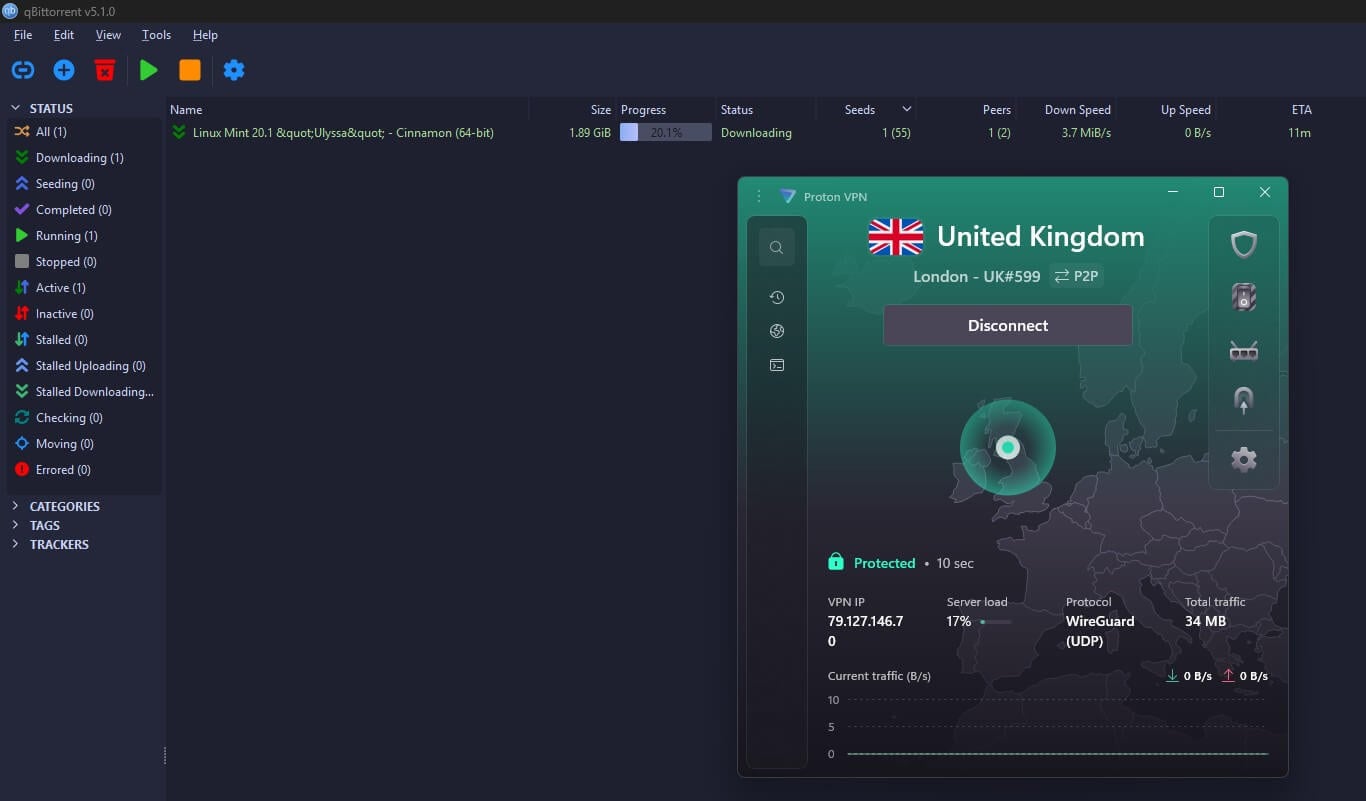
Proton VPN lost 10.2% of its download speed, more than NordVPN or ExpressVPN, but it kept the most upload speed in our tests. Seeding, which means sharing files back to the swarm, relies on upload speed. Our test file averaged 16.8 MiB/s on its nearest server, close enough to the others that a download wouldn’t feel any slower. No other VPN on our list combines port forwarding with servers labeled for P2P.
Port forwarding lets other peers connect to you directly, which speeds up torrents with few seeders, so Proton VPN ranks second, ahead of two faster VPNs. Switzerland has no data retention law for VPNs, and the apps are open source, so independent experts can inspect the code. Securitum also audits the no-log policy every year.
NetShield blocks malicious domains, and VPN Accelerator recovers speed on long-distance connections. The free plan blocks P2P, so torrenting requires a paid subscription, at under $3 a month over two years. Our Proton VPN review has the wider picture.
3. ExpressVPN: Simplest to Set Up VPN for Torrenting
Pros
- Fast Japanese server
- Traffic cut on disconnect
- Diskless servers
- Unlimited bandwidth
- One-button connection
Cons
- Port forwarding missing
- Few manual controls
ExpressVPN’s average speed loss was also 7.8%, and it’s the simplest VPN on our list to use. Open the app, press Connect, and start your torrent client. Every server accepts P2P traffic, so there’s nothing to configure and no server list to check. Its Japanese server came in at 163.94 Mbps on its Lightway protocol, the fastest Japan result we recorded. Windows users also have Lightway Turbo, which splits the connection into several parallel lanes.
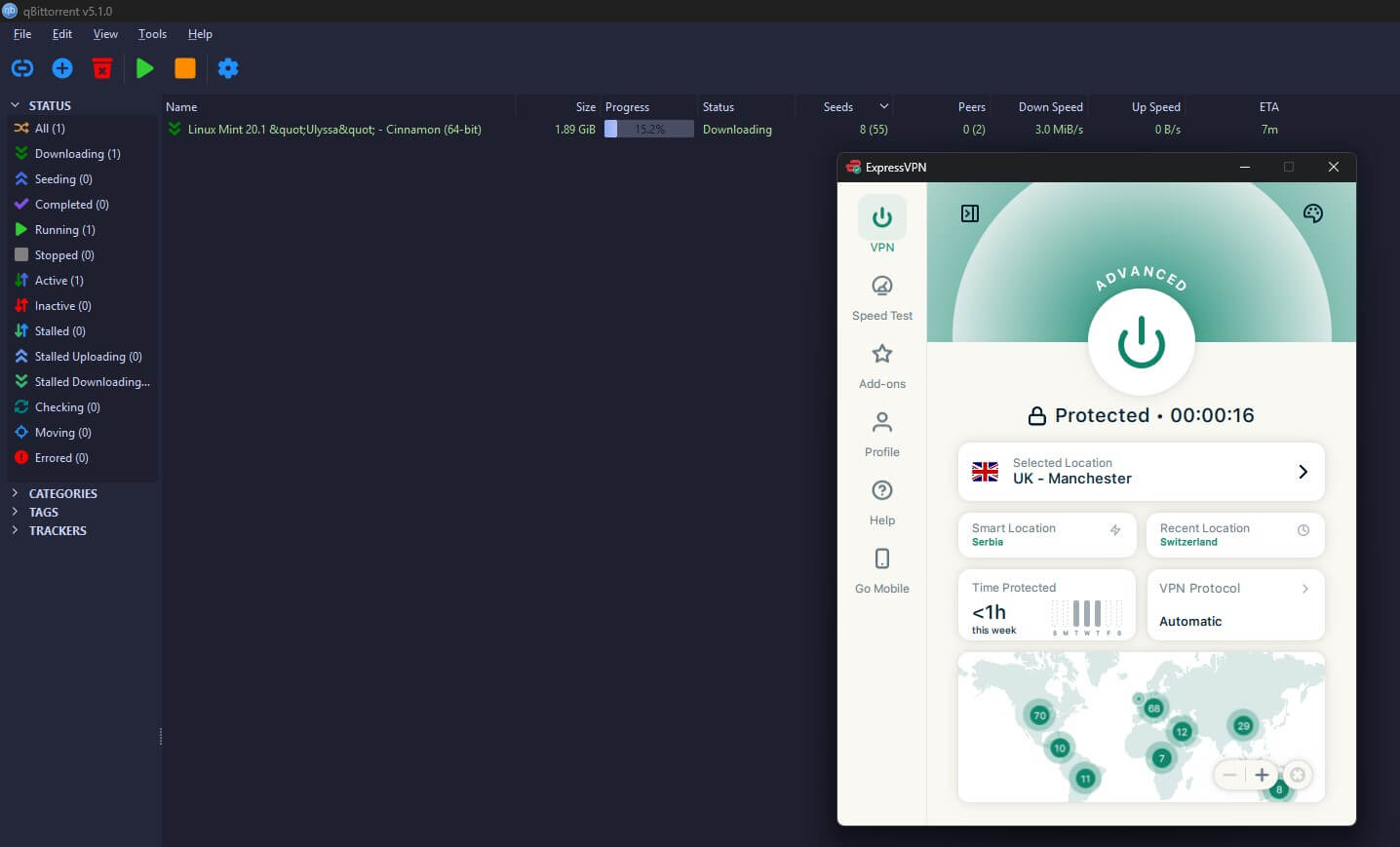
Though to be entirely honest, it made no difference to speed on our connection. In qBittorrent, our test file averaged 17.1 MiB/s on the nearest server, and Network Lock, ExpressVPN’s kill switch, cut every packet the moment I closed the app.
The servers are diskless, the no-log policy is independently audited, and bandwidth is unlimited, which a free VPN for torrenting rarely offers. There are few settings to adjust, so if you like to fine-tune your connection, NordVPN or PIA offer more control.
ExpressVPN’s Basic plan is under $3 a month over 28 months, a little less than NordVPN, its closest rival.
4. Private Internet Access: Cheapest Torrenting VPN With Port Forwarding
Pros
- One-click port forwarding
- SOCKS5 support
- No limit on devices
- Traffic obfuscation
- Court-tested logging claim
Cons
- Registered in the US
- No port forwarding on US servers
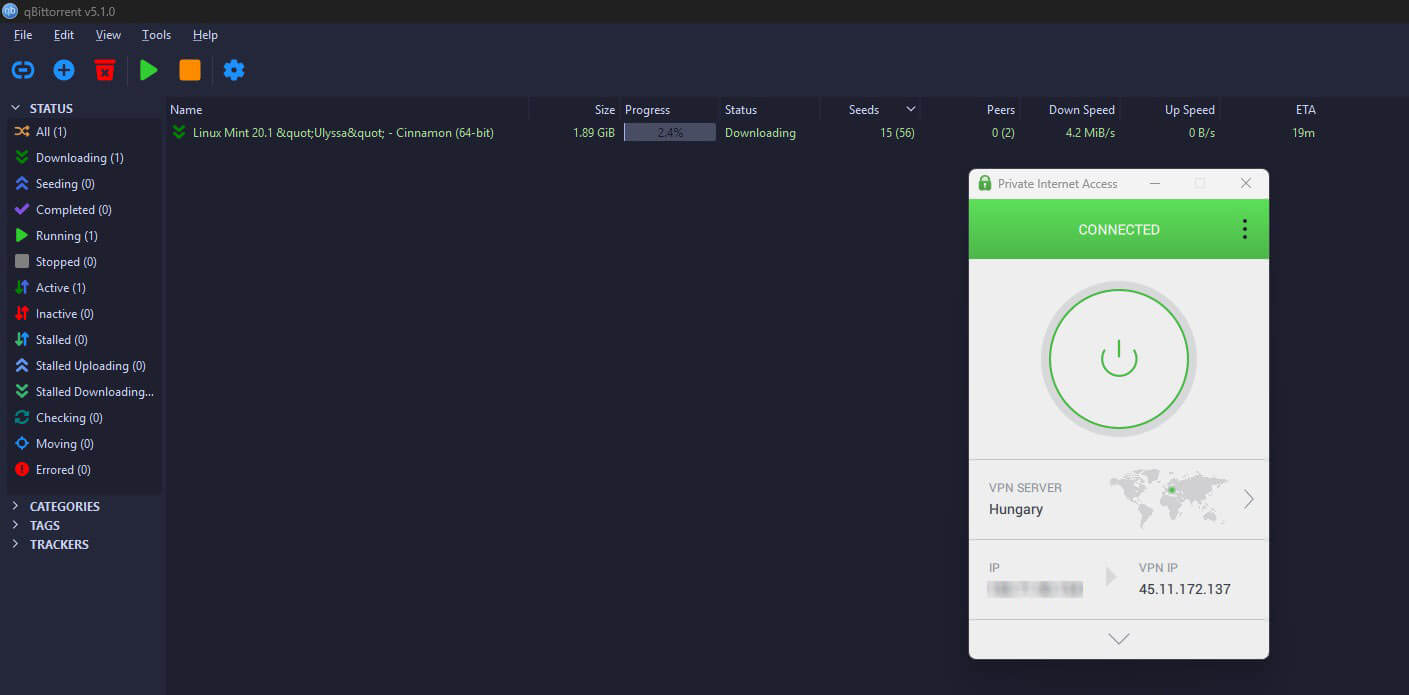
PIA is the cheapest way to get port forwarding, at about $2.20 a month on the long plans. It’s a single toggle in the app with no paid add-on. US servers don’t support it, though, so pick a Canadian or European location for seeding. PIA also offers a SOCKS5 proxy for clients that support one. It lost 12.7% of its speed on average, mostly on the Japanese server, and WireGuard kept it stable through long sessions.
Its Shadowsocks obfuscation, which works on OpenVPN only, makes it usable on networks that block VPN connections. The same torrent averaged 16.5 MiB/s on PIA, the slowest result in our torrent test. That’s still 96% of our no-VPN speed, so a two-minute download took only seconds longer. US registration is the fair objection.
Against it, PIA has a Deloitte-audited no-log policy and US subpoenas that produced nothing because nothing was stored. Its own DNS servers keep your lookups away from third parties, and there’s no limit on devices. A PIA coupon usually lowers the price even more.
5. Surfshark: Unlimited Devices
Pros
- Every device covered
- Malware scanning included
- Custom MultiHop pairs
- IP address rotation
- Quick downloads on nearby servers
Cons
- No port forwarding option
- Distant servers slow down
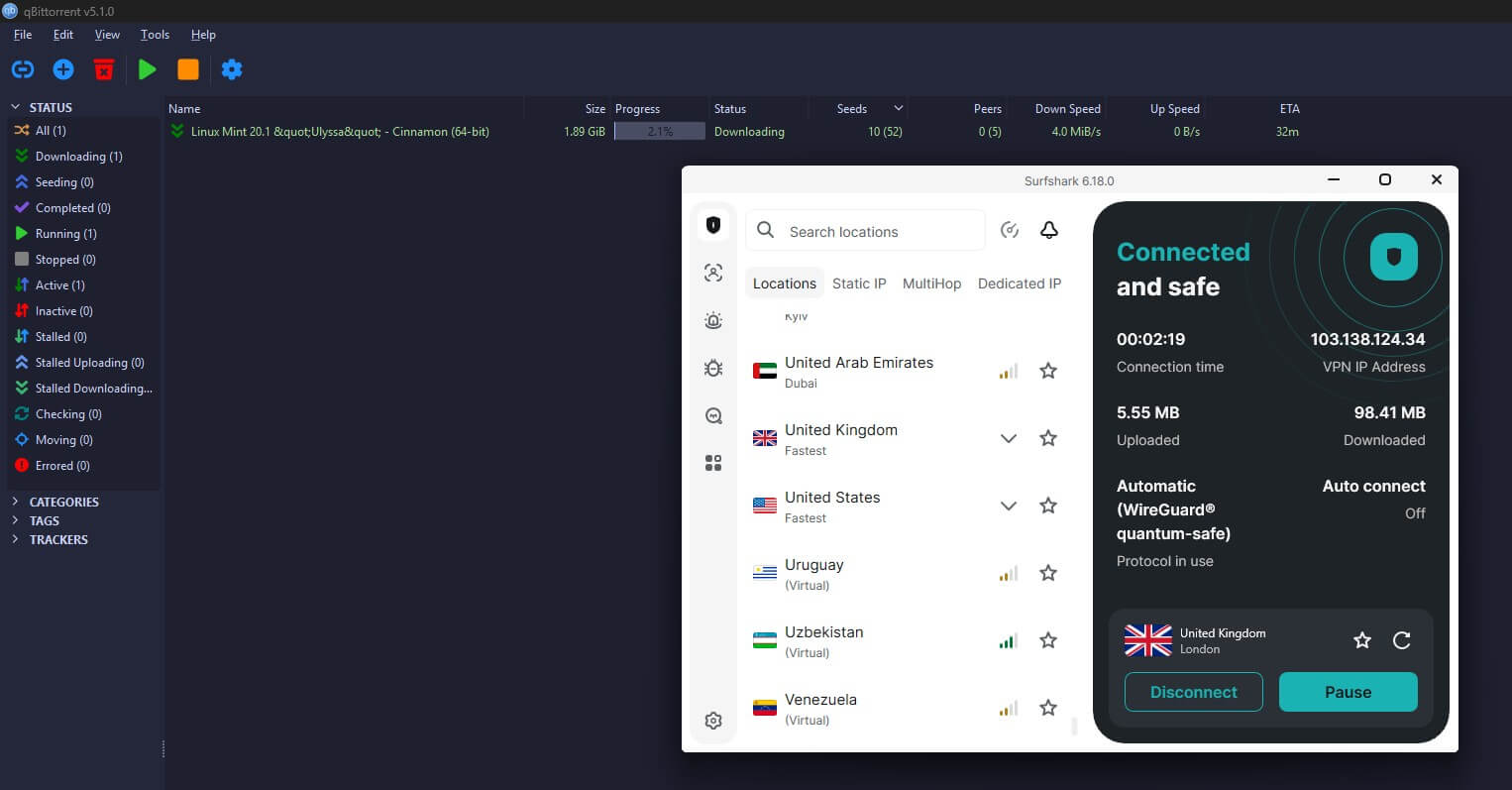
Surfshark’s UK server came in at 186.96 Mbps, our fastest nearby result, with a 9.6% average speed loss. It loses more on distant servers, so pick a nearby one for torrents. Our test torrent averaged 17.0 MiB/s on Surfshark, close to the no-VPN result. Surfshark also has no device limit, so a desktop seeding overnight, a laptop, a phone, and a router can share one subscription.
The One plan, priced just above the Starter plan, adds antivirus that scans what you download. MultiHop lets you choose both servers in a two-server chain, and Rotating IP assigns a new IP address every so often without disconnecting.
There’s no port forwarding, so Surfshark is a better match for public trackers than private ones. The Starter plan is about $2.50 a month over 27 months, and Deloitte has audited its no-log policy twice.
P2P VPN Speed Test Results
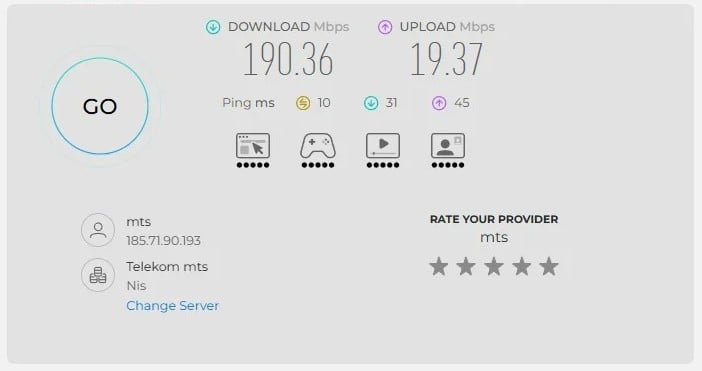
In October, we tested UK, US, and Japanese servers three times a day over three days, using a Windows 11 PC in Europe with a wired connection. Our baseline without a VPN was 190.36 Mbps download, 19.37 Mbps upload, and 10 ms of ping.
| NordVPN | Proton VPN | ExpressVPN | PIA | Surfshark | |
| UK download | 184.73 Mbps | 178.89 Mbps | 185.74 Mbps | 181.15 Mbps | 186.96 Mbps |
| US download | 181.50 Mbps | 173.68 Mbps | 177.03 Mbps | 175.68 Mbps | 170.38 Mbps |
| Japan download | 160.47 Mbps | 159.99 Mbps | 163.94 Mbps | 141.61 Mbps | 158.84 Mbps |
| Average download loss | 7.8% | 10.2% | 7.8% | 12.7% | 9.6% |
| Average upload loss | 5.5% | 2.7% | 8.9% | 7.4% | 5.9% |
On the UK server, only 8 Mbps separated the fastest and slowest VPN, so nearby speed won’t decide your downloads. Long distances cost more: PIA lost 25.6% of its speed on the Japanese server.
In practice, the number of seeders limits a torrent long before the VPN does. Seeding uses your upload speed, though, and Proton VPN kept the most of it, losing only 2.7%.
qBittorrent Download Test
We downloaded the same 1.89 GiB Linux Mint ISO in qBittorrent on each VPN’s nearest server, which every app picked on quick connect, and ran ipleak.net’s torrent check during each session.
| VPN | Average speed | Share of no-VPN speed | Finish time | ipleak.net torrent check |
| No VPN | 17.2 MiB/s | 100% | About 2 minutes | n/a |
| NordVPN | 17.1 MiB/s | 99% | About 2 minutes | Only the VPN’s IP address |
| ExpressVPN | 17.1 MiB/s | 99% | About 2 minutes | Only the VPN’s IP addresses |
| Surfshark | 17.0 MiB/s | 99% | About 2 minutes | Only the VPN’s IP address |
| Proton VPN | 16.8 MiB/s | 98% | Just under 2 minutes | Only the VPN’s IP address |
| PIA | 16.5 MiB/s | 96% | Just over 2 minutes | Only the VPN’s IP address |
Every VPN kept at least 96% of our no-VPN speed, so on a nearby server, the VPN won’t noticeably slow a torrent. The tracker also saw only VPN IP addresses in every session, and our own IP address never appeared.
Best VPN Server Location for Torrenting
The nearest one, because distance costs speed. To show how much, we repeated the download on NordVPN’s London, New York, and Tokyo servers. Each figure is the average download speed for the same 1.89 GiB file:
- No VPN: 17.2 MiB/s
- Nearest server: 17.1 MiB/s
- London: 13.4 MiB/s
- New York: 13.2 MiB/s
- Tokyo: 10.2 MiB/s
Tokyo was about 40% slower than the nearest server, so a file that finishes in two minutes nearby takes over three on a Tokyo server. Every VPN in our speed tests lost more on the Japanese server than on the UK one. So a user in Berlin should pick Germany or the Netherlands over Singapore, and one in Toronto should pick Canada or the northern US.
Connecting through a country with relaxed copyright enforcement doesn’t move you there legally, because the law where you live still applies. The VPN company’s home country, on the other hand, decides who can force it to hand over records. For example, Panama, Switzerland, and the British Virgin Islands put no data retention rules on VPNs.
The US and the Netherlands belong to intelligence-sharing alliances, so for PIA and Surfshark, the audited no-log policy is the key protection. In short, choose the closest server for speed, and choose the VPN company on its jurisdiction and audit history.
How to Enable Port Forwarding for Torrents
Port forwarding lets other peers start a connection with you, instead of you starting every one. On well-seeded torrents, it changes little. On rare ones with few seeders, it helps a stalled download start moving. Proton VPN and PIA are the two VPNs on our list that support it.
Use Port Forwarding With Proton VPN
- Enable it in the VPN app. PIA has a port forwarding toggle in Settings, while Proton VPN offers it on P2P servers for paid subscribers.
- Connect to a server that supports it. Proton VPN labels these servers P2P in the app. On PIA, choose any server outside the US.
- Note the port number. The app assigns one when the connection comes up. Some VPNs change it each session, so you’d update the client every time.
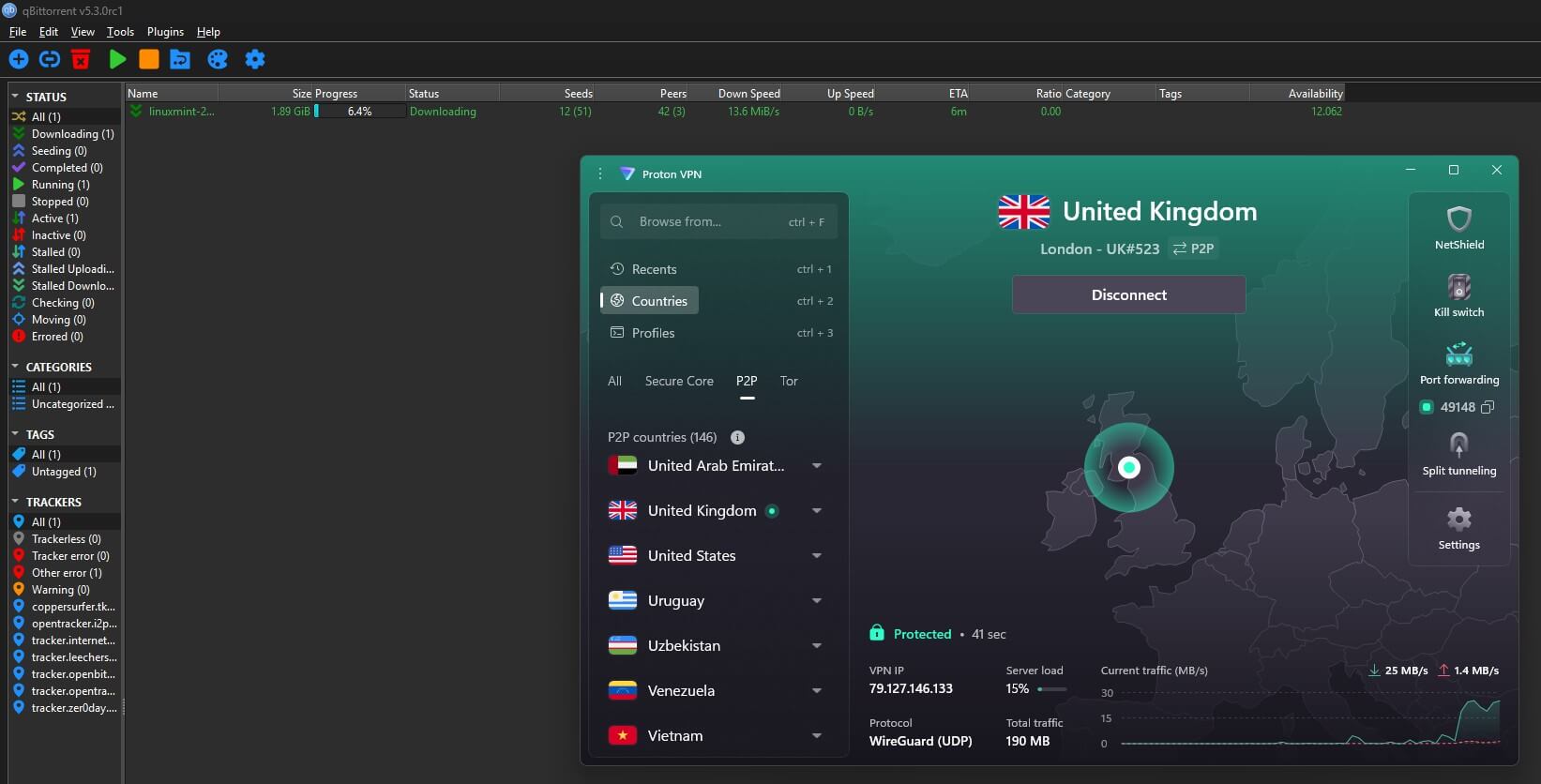
- Enter it in your torrent client. In qBittorrent, go to Options, then Connection, and replace the random listening port with the assigned number.
- Bind the client to the VPN adapter. In qBittorrent’s Options, under Advanced, set the network interface to the VPN’s adapter. The client then stops sending traffic if the VPN drops, a second layer of protection under the kill switch.
- Test it. Most clients have a port check built in. If it says the port is closed, add a firewall rule that allows incoming traffic on that port for the client.
Torrenting Problems and How to Fix Them
- Downloads are slow on every torrent. Check the server first, since a distant one costs far more speed. Then check the protocol: OpenVPN and IKEv2 are slower than WireGuard, NordLynx, or Lightway.
- Speeds are still throttled with the VPN on. Some networks slow down every connection that looks like a VPN. Obfuscation disguises the VPN as ordinary HTTPS traffic, with Camouflage Mode on Surfshark and Shadowsocks on PIA. NordVPN’s NordWhisper doesn’t support P2P, so it won’t help with torrents.
- The client won’t connect. Bind it to the VPN network adapter, which forces every request through the VPN. Every VPN on our list also publishes setup guides for qBittorrent and Deluge.
- Peers won’t connect to you. Without port forwarding, you can only make outgoing connections, so you can only connect with peers who have port forwarding enabled themselves.
- Your IP address shows up after a restart. A torrent client that starts with Windows can go online before the VPN connects. When we restarted our test PC, the default kill switch let traffic out on Proton VPN, ExpressVPN, PIA, and Surfshark, while NordVPN’s Internet Kill Switch blocked the leak. Enable the strictest mode: the advanced kill switch on Proton VPN and PIA, and Strict mode on ExpressVPN and Surfshark.
If none of that helps across several servers and protocols, the VPN isn’t suited to P2P. Some cheap VPNs limit it without saying so clearly.
Can You Torrent With a Free VPN?
Rarely, and not for long. Most free VPNs block P2P, including Proton VPN’s free plan, even though it has no data cap. PrivadoVPN’s free plan allows torrent clients, but torrents count toward its 10 GB monthly allowance, and a single large game or film can use most of it. After that, it slows to 1 Mbps. For regular torrenting, a paid VPN on a long plan costs about $2 to $3.50 a month.
Is Torrenting Legal?
BitTorrent itself is legal. It’s a way of sharing files, and a lot of legitimate downloads use it: Linux and BSD installers, game patches, Internet Archive collections, public-domain films and music, and large scientific datasets. Projects use it because it spreads the bandwidth cost across the people downloading.
Still, sharing copyrighted material without permission is unlawful in every country that signed the Berne Convention, the international copyright treaty. Enforcement varies by country. For example, in the US, it usually starts with a DMCA notice your ISP passes on, with the occasional lawsuit. In Germany, law firms send demand letters with bills in the hundreds of euros.
Japan, meanwhile, made downloading infringing material a criminal offense. Some countries allow private copies, but generally only from a source you obtained legally, and the Netherlands ruled out downloads from unauthorized sources in 2014.
A VPN changes none of this. It hides your IP address from the swarm and stops your ISP from seeing what you download. That protects your privacy, but an illegal download stays illegal. Our guide to torrenting safely goes further on the practical side.
How We Tested the Best VPN for Torrenting
- Speed: download and upload on UK, US, and Japanese servers, on a 190.36 Mbps connection.
- Torrents: the same 1.89 GiB Linux Mint ISO in qBittorrent on each VPN’s nearest server, compared with a no-VPN download. NordVPN also downloaded it on London, New York, and Tokyo servers.
- Leaks: an ipleak.net torrent check on every VPN.
- Kill switch: a forced disconnect and a PC restart on each VPN.
- P2P features: P2P on every server, port forwarding, and SOCKS5.
VPNs that throttled P2P or blocked it on most servers didn’t make the list.
Conclusion on the Best VPN for Torrenting
So can a VPN keep your IP address out of a swarm without slowing your downloads? Yes. On a nearby server, none of our five VPNs slowed our test torrent by more than 4%, and the tracker saw only VPN IP addresses. NordVPN is our pick for most people.
It tied for the lowest speed loss, accepts P2P on every server, and its kill switch kept our PC offline through a restart. If you seed on private trackers, choose Proton VPN, which pairs port forwarding with labeled P2P servers, or PIA for a lower price. Surfshark pairs the fastest nearby server with no device limit, and ExpressVPN is the one to install and forget.
Before your first download, enable the kill switch in its strictest mode and bind your torrent client to the VPN adapter. Those two settings close the most common leaks.
FAQ About P2P VPNs
What is a P2P VPN?
A P2P VPN allows peer-to-peer traffic, such as BitTorrent, on its servers. Other peers in a swarm see the VPN server's IP address instead of the user's own.
Which VPN is best for torrenting?
NordVPN is the best VPN for torrenting, with P2P on every server and a SOCKS5 proxy. However, Proton VPN is the better choice for port forwarding on P2P-marked servers.
Is torrenting with a VPN legal?
Yes, in most countries. VPNs and BitTorrent are legal, but sharing copyrighted material without permission is unlawful whether a VPN is connected or not.
Is there a free VPN for P2P?
Yes, but few are usable. Proton VPN's free plan blocks P2P, and PrivadoVPN's free plan allows it but counts torrents toward a monthly data allowance, then slows the connection sharply.
What's the cheapest VPN for torrenting?
Private Internet Access is the cheapest VPN for torrenting with port forwarding, which comes at no extra cost. Surfshark costs a little more and covers unlimited devices, but it lacks port forwarding.
Which VPN server location is best for torrenting?
The nearest server is best for torrenting, since distance costs speed. A server in the same country barely changes download speed, while one on another continent makes large files noticeably slower.
Is port forwarding necessary for torrenting?
No, not for well-seeded torrents. Port forwarding lets other peers connect directly, which helps on torrents with few seeders and on private trackers that monitor upload ratios.