Torrenting is the first thing a free VPN cuts. Seeding uses bandwidth that free users don’t pay for, so most free plans block P2P traffic. The app rarely says so until a download stalls at zero. The few that allow it limit something else instead: data, speed, devices, or which servers you can use.
That leaves two ways to torrent without paying. One is a free plan whose limit fits the files you download, and the other is a paid VPN used inside its refund window. Five VPNs made the cut, and two of them never require a card.
Which Free VPN to Torrent With in 2026
- NordVPN: Best overall, free for 30 days through the refund, with P2P on every server
- Proton VPN: Best for port forwarding, also free through its refund, since the free plan blocks P2P
- PrivadoVPN: Best free plan overall, with P2P on every free location
- Hotspot Shield: Best for small downloads, with no monthly data cap
- Private Internet Access: Best free trial on mobile, with unlimited devices once you subscribe
Free P2P VPNs Compared
Speed loss averages each VPN’s UK and US results against our connection with no VPN. Hotspot Shield’s free plan offers US servers only, so its figure covers that location alone.
| VPN | How it’s free | Data limit | P2P servers | Port forwarding | Speed loss |
| NordVPN | 30-day refund, 3-day Android trial | Unlimited | Every server | No | 3.8% |
| Proton VPN | 30-day refund | Unlimited | Marked P2P servers | Yes | 7.4% |
| PrivadoVPN | Free plan | 10 GB a month, then 1 Mbps | Every free location | No | 9.5% |
| Hotspot Shield | Free plan | 500 MB a day, then 2 Mbps | US only | No | 25.0% |
| Private Internet Access | 7-day mobile trial, 30-day refund | Unlimited | Every server | Yes, outside the US | 6.3% |
Top 5 Free VPNs for P2P
1. NordVPN: Best Risk-Free VPN for Torrenting
Pros
- P2P allowed on every server
- Unlimited data and ten devices
- Closes your torrent client if the VPN drops
- Independently audited no-logs policy
- Free Android trial
Cons
- Much higher price at renewal
- No malware scanning on the Basic plan
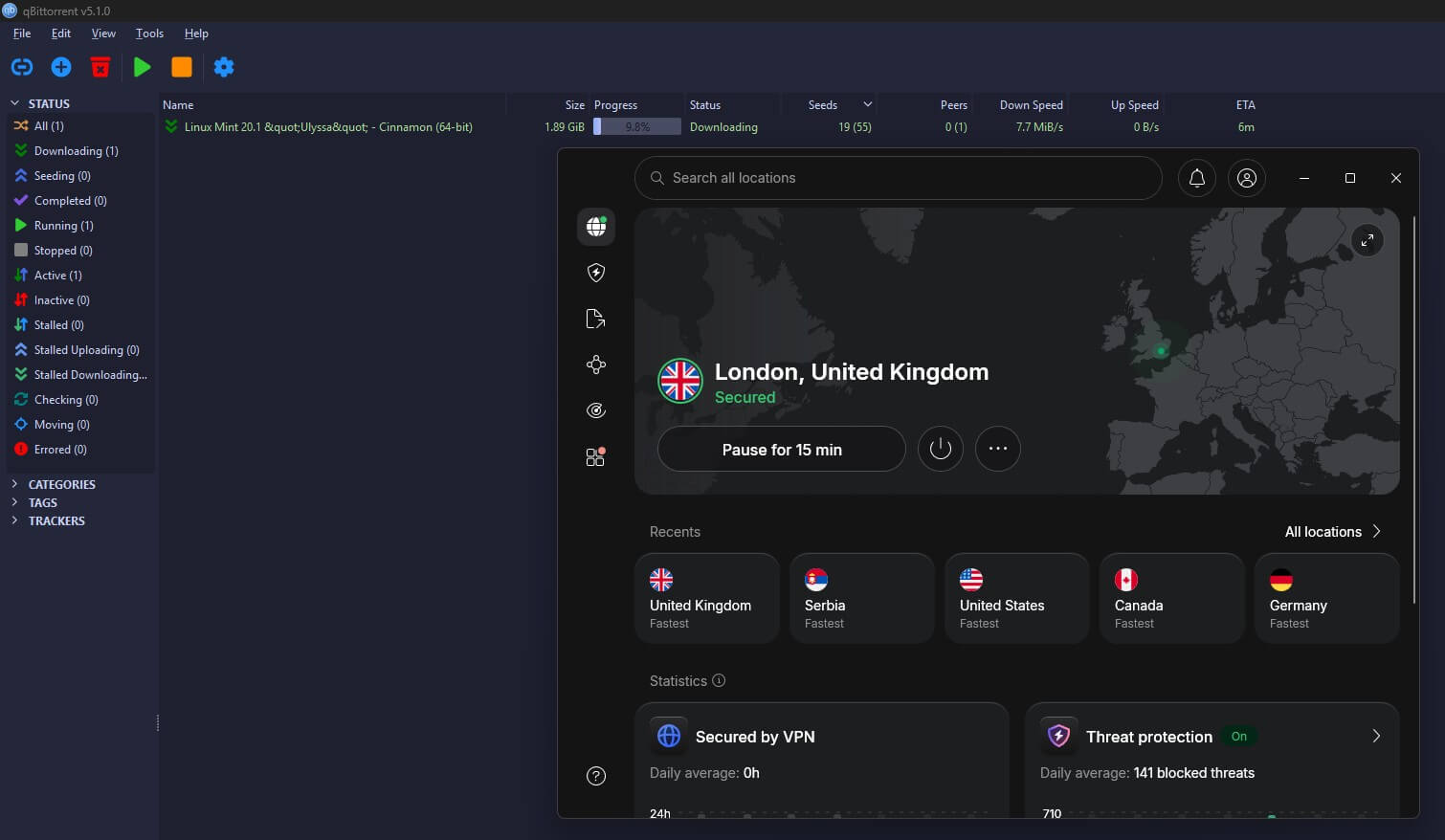
NordVPN allows P2P on every server in its 152 countries, so there’s no special list to find before a download starts. Speed is why it ranks first: it lost 3.8% on our UK and US servers, the smallest loss of the five. The refund window also covers the whole service, including unlimited data and ten devices.
If you’d rather not pay first, the Android app comes with a 3-day NordVPN free trial. For torrenting, its most useful tool is the app kill switch, which closes the apps you name when the VPN connection drops. With qBittorrent on that list, the client shut down the moment we cut the VPN instead of carrying on over our own IP address.
For files you’d rather keep extra private, Double VPN routing sends traffic through a second server with its own layer of encryption. As for price, the Basic plan comes to about $3.50 a month over two years and is refundable within 30 days.
Next-gen antivirus, which scans finished downloads for malware, starts at the Complete plan, so choose that tier if you download from public trackers. A dedicated IP address is also available as an add-on, which some private trackers require.
Try NordVPN Risk-Free for 30 Days
2. Proton VPN: Best for Torrents With Few Seeders
Pros
- Port forwarding for poorly seeded files
- Servers marked for P2P in the app
- Unlimited data on the paid plan
- Swiss privacy law
- Full refund within 30 days
Cons
- Free plan blocks P2P
- Torrenting limited to marked servers
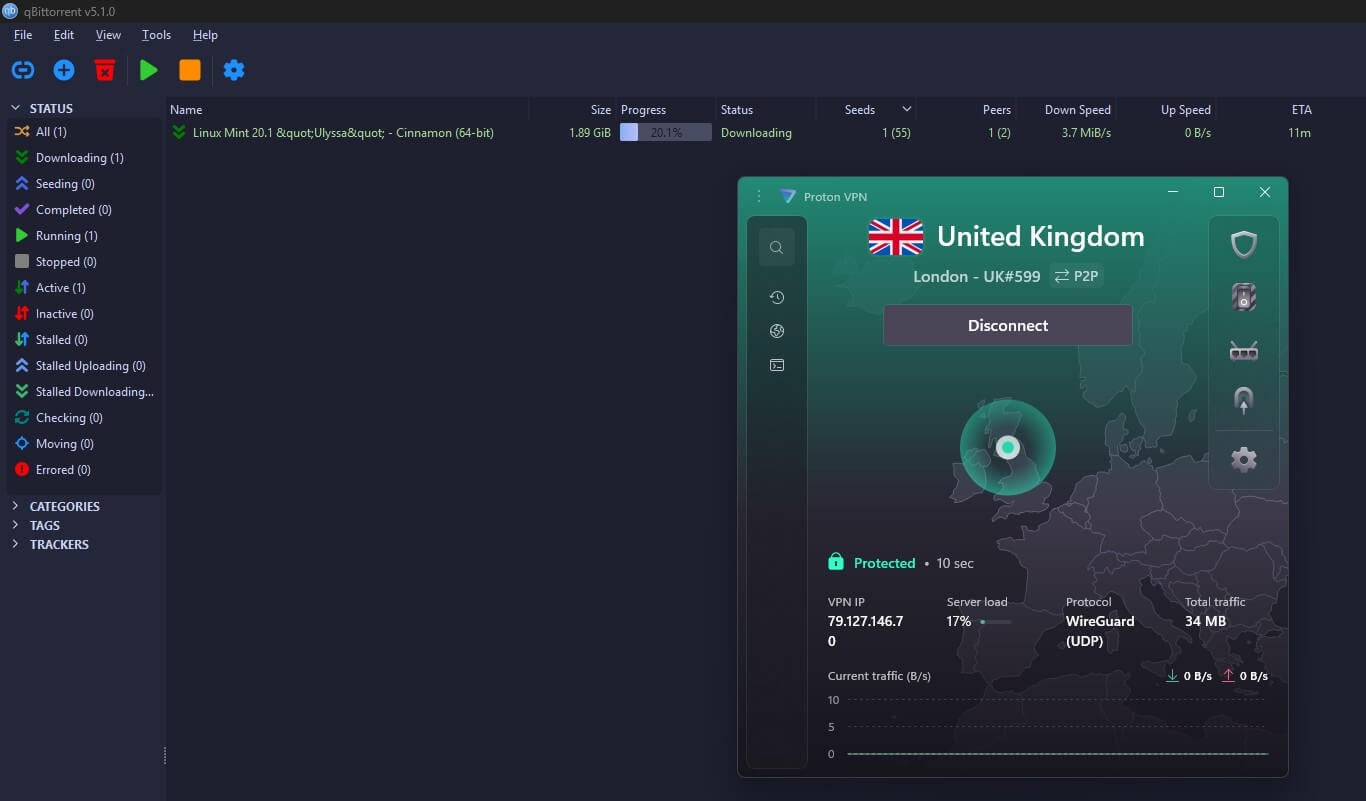
Proton VPN’s free plan blocks P2P. For torrenting, it’s a paid VPN you can use for free for a month, since Proton refunds the full amount within 30 days. The paid VPN Plus plan unlocks everything the free one lacks: servers marked for P2P, unlimited data, and a choice of country. Port forwarding is why it ranks second.
With it switched on, other peers can open connections to you instead of waiting for your client to connect to them, so files with only a handful of seeders start moving. No free VPN offers it, and on Proton VPN it’s a single toggle in the app’s settings. Beyond that, the paid plan lost 7.4% on UK and US servers.
Meanwhile, Proton VPN’s Swiss legal base keeps it under some of the strictest privacy law in Europe. NetShield blocks malicious domains, and the apps are open source. However, torrent traffic only works on the marked P2P servers, so connect to one of those before opening your client. VPN Plus costs about $3 a month on the two-year plan.
3. PrivadoVPN: Best Free Plan for Torrenting
Pros
- P2P on every free location
- Speed close to paid VPNs
- Disguises VPN traffic on the free plan
- Slows down after the cap instead of cutting off
- Sign-up with an email address only
Cons
- 10 GB monthly cap
- Single-device limit
- Allowance renewed by hand each month
- No independent audit
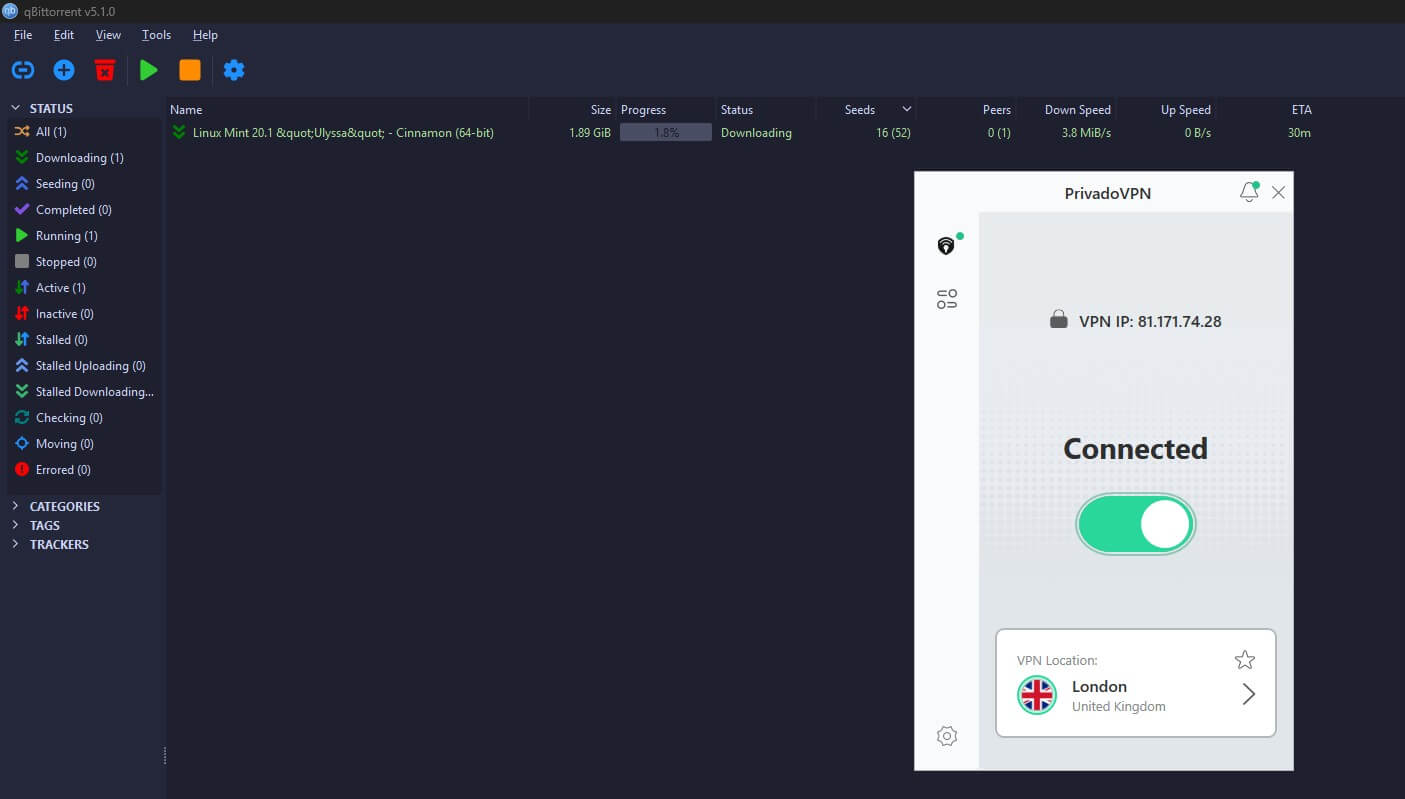
PrivadoVPN was the fastest free plan we tested, with a 9.5% loss on UK and US servers, so the data cap limits you long before speed does. It allows P2P on every free location across Europe and the Americas, and you don’t have to check a server list before starting a transfer. Security on the free plan covers what torrenting requires.
Traffic is protected with AES-256 encryption, and the kill switch, which cuts your internet if the VPN drops, passed our tests. Scramble, a tick box on OpenVPN, also disguises VPN traffic on networks that filter it. The company is based in Iceland, and PrivadoVPN’s paid plans remove the free plan’s limits.
The limit is 10 GB a month. Once it’s used, PrivadoVPN slows you to 1 Mbps instead of cutting you off, which keeps a download going but turns a 1 GB file into a two-hour wait. You also have to renew the allowance by hand each month, and one device at a time rules out protecting a laptop and a phone together.
Its no-logs claims haven’t been independently audited yet, so for anything sensitive, a paid VPN with an audit is the safer choice.
4. Hotspot Shield: Best Free VPN With No Monthly Cap
Pros
- No monthly data cap
- Ads restore the daily allowance
- Fast until the daily allowance runs out
- Passed our leak tests
Cons
- Slows sharply after 500 MB a day
- US servers only
- Logs some connection data
- Ads in the mobile apps
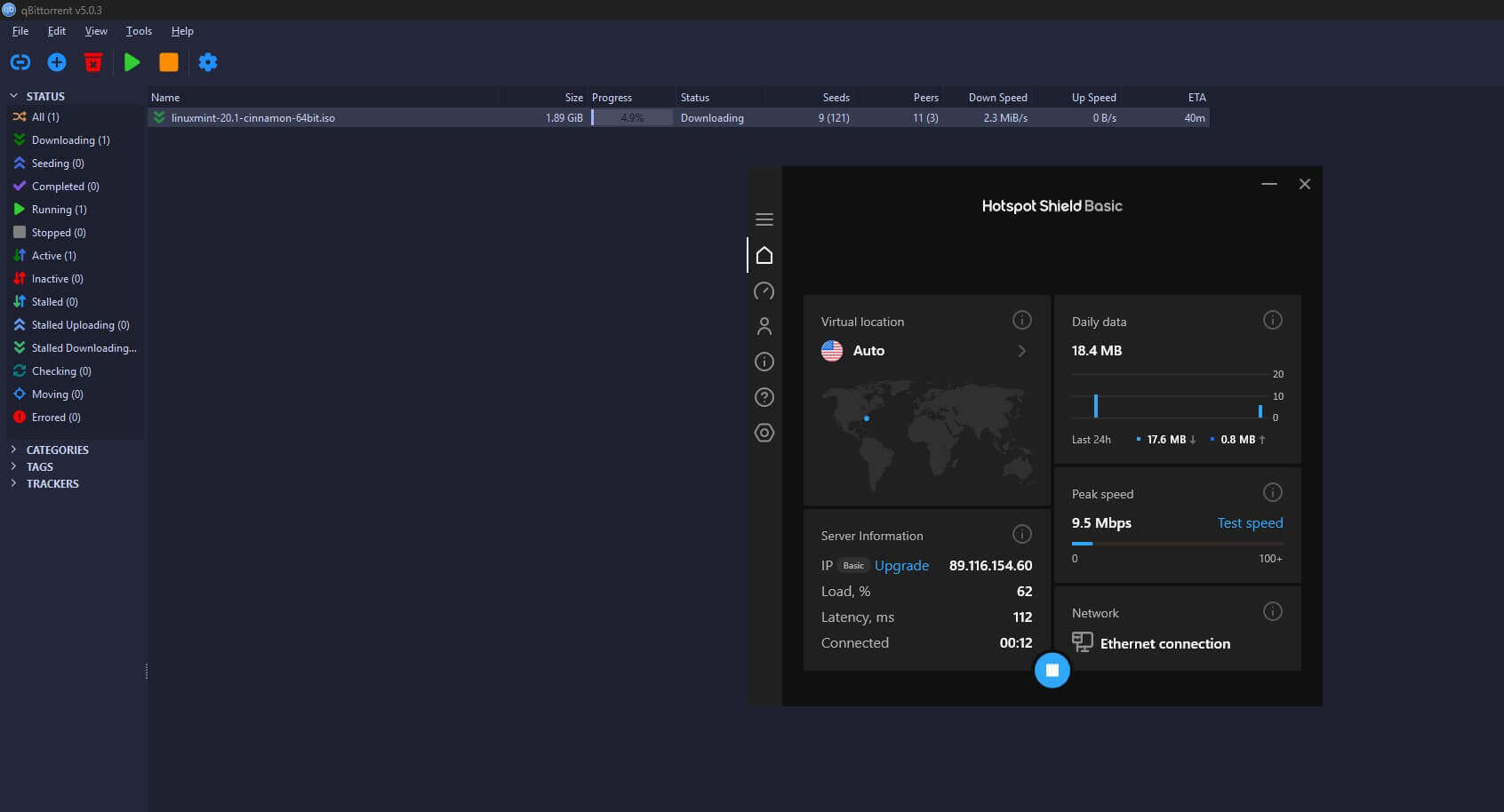
Hotspot Shield’s free plan has no monthly cap, but it limits each day instead: 500 MB at full speed, then 2 Mbps, about a quarter of a megabyte per second. At that rate, a 4 GB file takes around four hours, so it suits a small download you can start and leave running. Watching an ad adds data back, which turns a hard stop into a slower one.
On the security side, its Catapult Hydra protocol had no IP or DNS leaks in our tests, and the kill switch cut traffic when we force-quit the app mid-download. Free accounts receive US servers only, though, so from Europe or Asia every transfer crosses an ocean, which explains most of the 25% loss on its US server.
Privacy is the trade-off. Hotspot Shield’s policy lets it log some connection data, and the mobile apps show targeted ads, a familiar pattern among free VPNs on Android. So use it for occasional files you don’t mind being tied to an account, and choose PrivadoVPN or a paid VPN for downloads you want kept private.
5. Private Internet Access: Best for Torrenting on a Phone
Pros
- 7-day free trial on Android and iOS
- Port forwarding outside the US
- Torrenting on every server
- Unlimited devices
- Blocks ads and trackers
Cons
- Kill switch leaked during a restart
- Cluttered desktop app
- No port forwarding on US servers
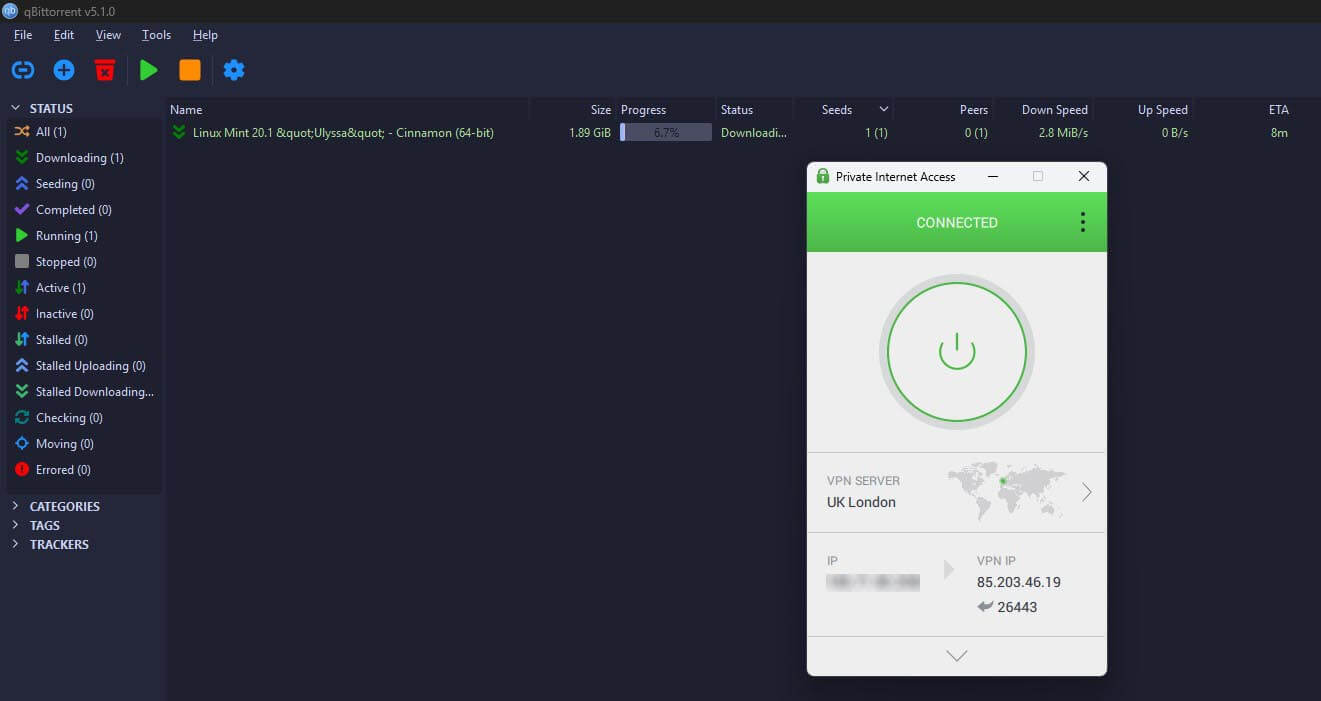
Private Internet Access suits torrenting from a phone, since its Android and iOS apps come with a 7-day free trial and no data limit. The trial is billed through the app store, so cancel there before it ends if you don’t want to be charged. After that, a 30-day refund covers the subscription, which costs around $2 a month on the long plan.
Like Proton VPN, PIA offers port forwarding, as a checkbox in the app’s network settings. It works on Canadian and European servers but not US ones, so connect outside the US when a file is slow to find peers. P2P is allowed on every server; its UK and US servers averaged a 6.3% loss, and one subscription covers unlimited devices.
One result surprised us from a VPN that leans so hard on privacy: with the kill switch on, PIA let unencrypted traffic out while the PC restarted. My advice is to enable the advanced kill switch right away, so your data remains intact. The desktop app is also the most cluttered of the five, so give it a bit of time.
Try Private Internet Access Free
Free VPNs That Block Torrenting
Several strong free plans block P2P traffic, and the apps rarely warn you before a transfer stalls. These are the ones to skip for torrenting:
- Proton VPN Free. Unlimited data and Stealth obfuscation, but no P2P on any free server. The paid plan allows it
- Windscribe Free. Windscribe’s support page says P2P is disabled on its free servers. The 10 GB plan is still a good free VPN for browsing and streaming, and torrenting requires Windscribe’s Pro plan
- TunnelBear. Blocks P2P on every device and caps free data at 2 GB a month
- Opera VPN. A browser proxy, so torrent traffic never passes through it, and the client keeps using your own IP address
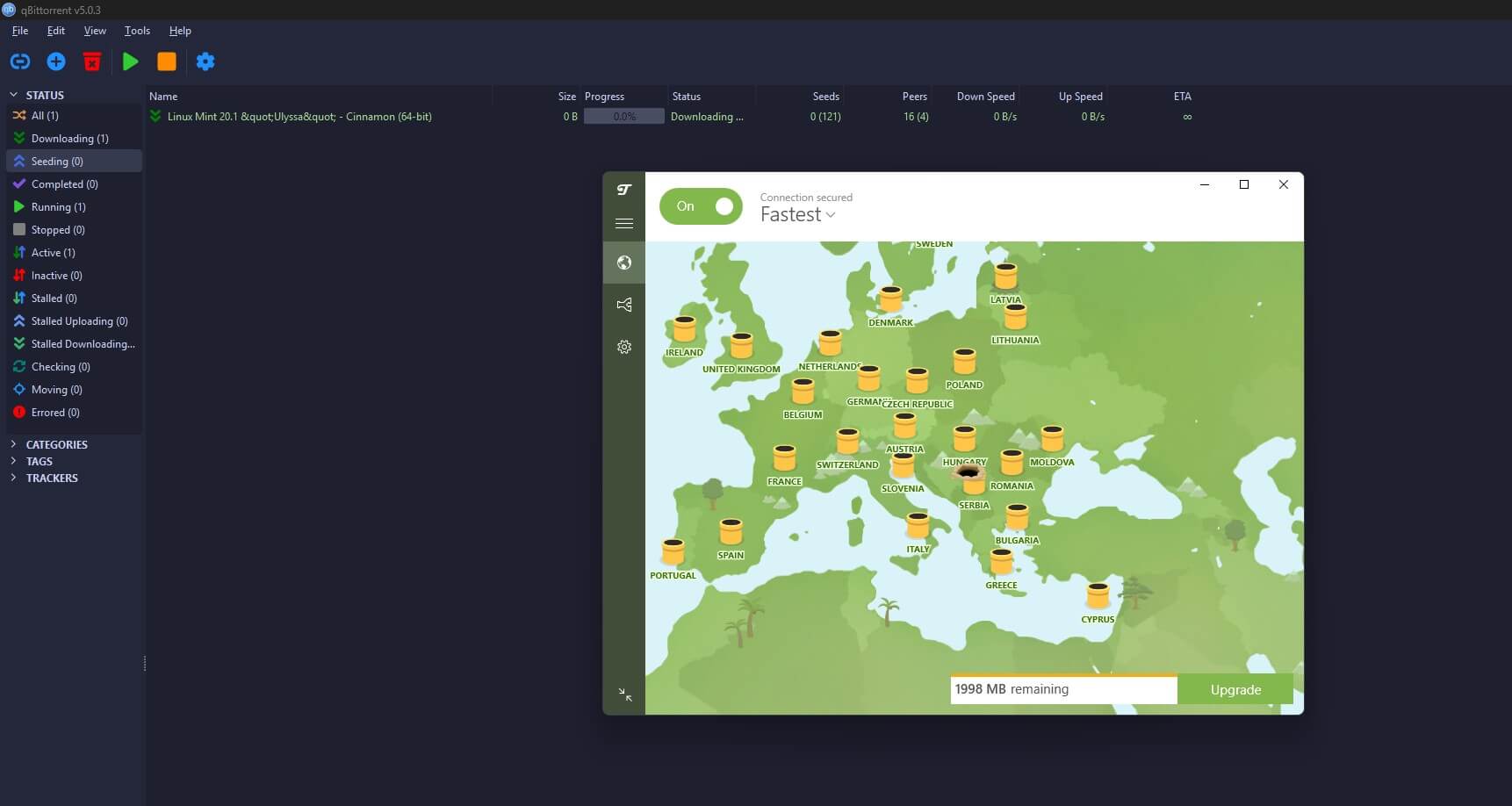
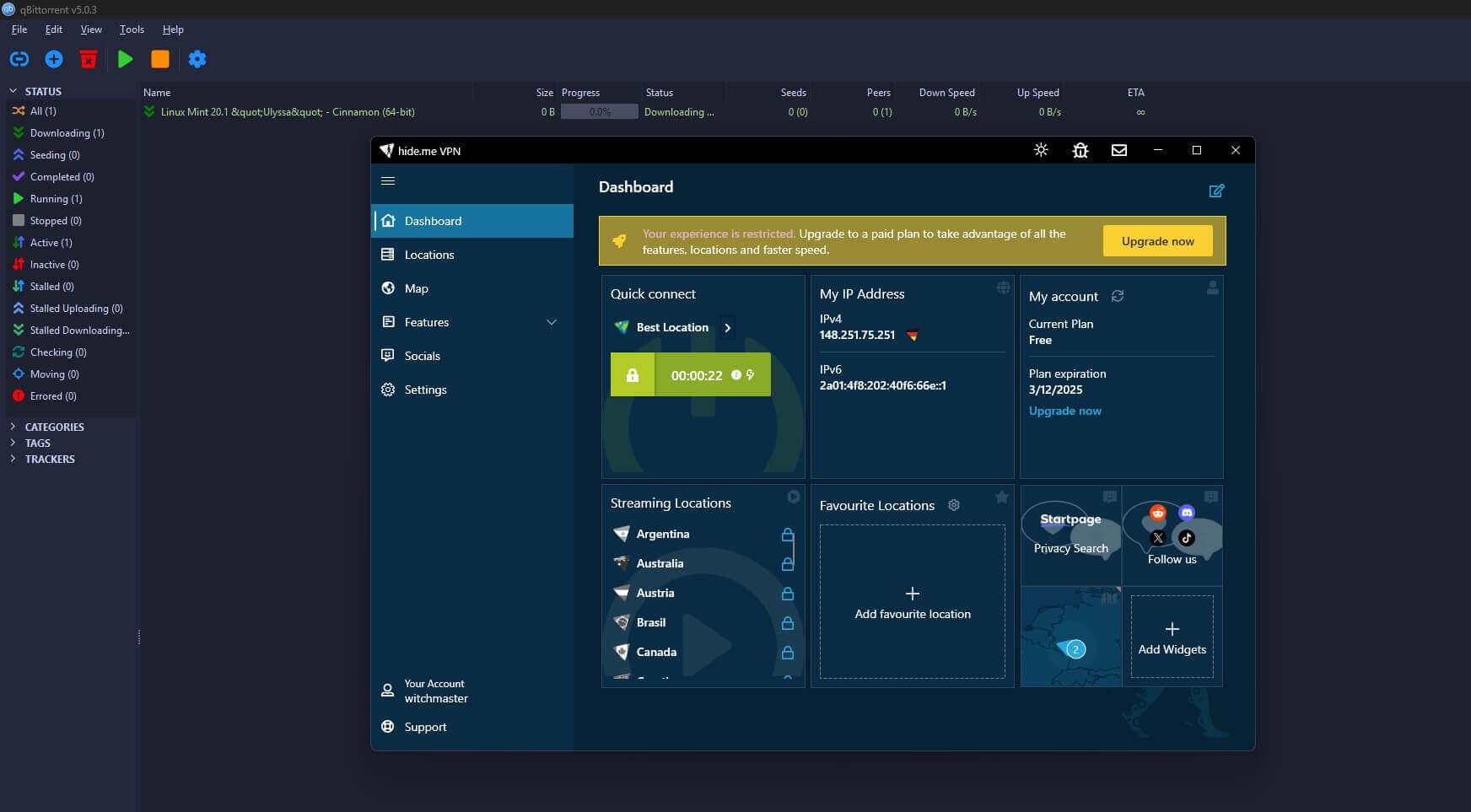
Hide.me blocks it too, which is easy to miss because its free plan is otherwise one of the best available, with uncapped data. We confirmed the block on the free tier, and the download never started.
None of this makes them bad VPNs. Our free VPN rankings cover what these plans do well when P2P isn’t the job.
Two Free VPNs to Avoid
- Hola sends traffic through other users’ devices instead of servers it owns, so another person’s activity can leave from your IP address. If that activity is criminal, the trail leads back to you
- Betternet shares a parent company with Hotspot Shield but has a weaker record. A CSIRO study of Android VPN apps found malware in its app, and its terms allow sharing data with third parties
What a Free P2P VPN Costs You
Every free plan in our ranking lacks something a subscription includes:
- Data. PrivadoVPN’s 10 GB covers a few large files a month, and uploads count against the allowance as well, so seeding uses up the same 10 GB
- Speed under load. Free servers serve every free user, and our evening tests were the slowest
- Server choice. A handful of free locations against a paid network spanning dozens of countries
- Devices. PrivadoVPN and Hotspot Shield cover one device, so a phone and a desktop can’t torrent at the same time
- Extras. Port forwarding and malware scanning on downloads are paid features
To make a free allowance last, limit the upload rate in your torrent client and stop seeding once a download finishes. Before you start, check a file’s size against what’s left. Our uTorrent guide covers client settings and proxy setup.
When those limits get in the way every week, a paid torrenting VPN removes them for about the price of a coffee a month. The refund window means testing one costs nothing.
How We Tested
We ran the same three torrents through more than 20 free VPNs on Windows and macOS, timed each transfer, and noted how much data each plan allowed before slowing or cutting off. Next came leak tests for IP and DNS, plus a force-quit mid-download to check that the kill switch cut the connection.
Any plan that blocked P2P, slowed it below usable speed, or leaked an IP address didn’t make the list. We ran the speed tests in the evening, when free servers are busiest.
Verdict
Free torrenting works for the occasional file, and that’s where it ends. If you download a few things a month and rarely seed, PrivadoVPN’s free plan is enough, and Hotspot Shield is a fallback for the odd small file. Weekly downloading is very different.
At that pace, the free plans cost you more in time than a subscription costs in money, and a refund window lets you find that out without paying. We’d use NordVPN for regular torrenting, and Proton VPN when a file has too few seeders to start.
Frequently Asked Questions
Which free VPN allows torrenting?
PrivadoVPN and Hotspot Shield allow torrenting on their free plans. PrivadoVPN limits data each month and slows down afterward, while Hotspot Shield limits data each day and then slows sharply.
Does Proton VPN’s free plan allow torrenting?
No. Proton VPN blocks P2P traffic on every free server. Torrenting requires a paid plan, which adds servers marked for P2P and port forwarding for files with few seeders.
Does Windscribe’s free plan allow P2P?
No. Windscribe has disabled P2P on its free servers. The free plan still covers browsing and streaming, while torrenting requires a Pro plan or paid locations through Build-a-Plan.
Is it safe to torrent with a free VPN?
Yes, with a reputable free VPN that has a kill switch and doesn’t leak IP addresses. Unknown free apps such as Hola and Betternet can expose users’ traffic or share their data.
Do free VPNs slow down torrents?
Yes, usually. Free servers are shared by many users, so speeds fall at busy times, and some free plans slow sharply once a daily or monthly data allowance runs out.
Can you use a free VPN for torrenting on Android?
Yes. PrivadoVPN and Hotspot Shield have free Android apps that allow P2P, and Private Internet Access offers a free trial in its Android app with no data limit.