
uTorrent has no VPN detection and no P2P restriction of its own. It uses the network interface Windows assigns it, so a tunnel can be active while the client keeps talking to peers over your ordinary connection. We tested 40+ services with this client, configured each one in uTorrent, then confirmed the IP address announced to the tracker. 5 passed. Our wider P2P downloading guide covers the legal side and port forwarding in general.
Best uTorrent VPN in October 2026
- NordVPN: Best VPN for uTorrent overall
- Proton VPN: Assigns uTorrent a listening port
- ExpressVPN: Least to configure
- Private Internet Access: Port forwarding and a proxy for less
- Surfshark: Best for a large household
Best VPN for uTorrent: 5 Tested in the Client
Only 2 of the 5 give uTorrent a port to listen on, and only 2 operate a SOCKS5 proxy the client can point at. With the other 3, connecting the app and attaching uTorrent to its adapter is the whole job.
| NordVPN | Proton VPN | ExpressVPN | PIA VPN | Surfshark | |
| Setup in uTorrent | Bind or proxy | Bind and paste port | Bind only | Bind, proxy or port | Bind only |
| Listening port | Client default | Assigned per session | Client default | Assigned in app | Client default |
| Obfuscation | NordWhisper | Stealth | On by default | Shadowsocks | Camouflage Mode |
| Kill switch | System or per app | Permanent mode | Network Lock | Firewall-grade | System-wide |
| Download scanning | Threat Protection Pro | NetShield domains | Lite Protection | MACE domains | Antivirus on One |
| Cost for the term | $94.23 / 27 months | $71.76 / 24 months | $83.72 / 28 months | $56.94 / 26 months | $67.23 / 27 months |
1. NordVPN: Best VPN for uTorrent Overall
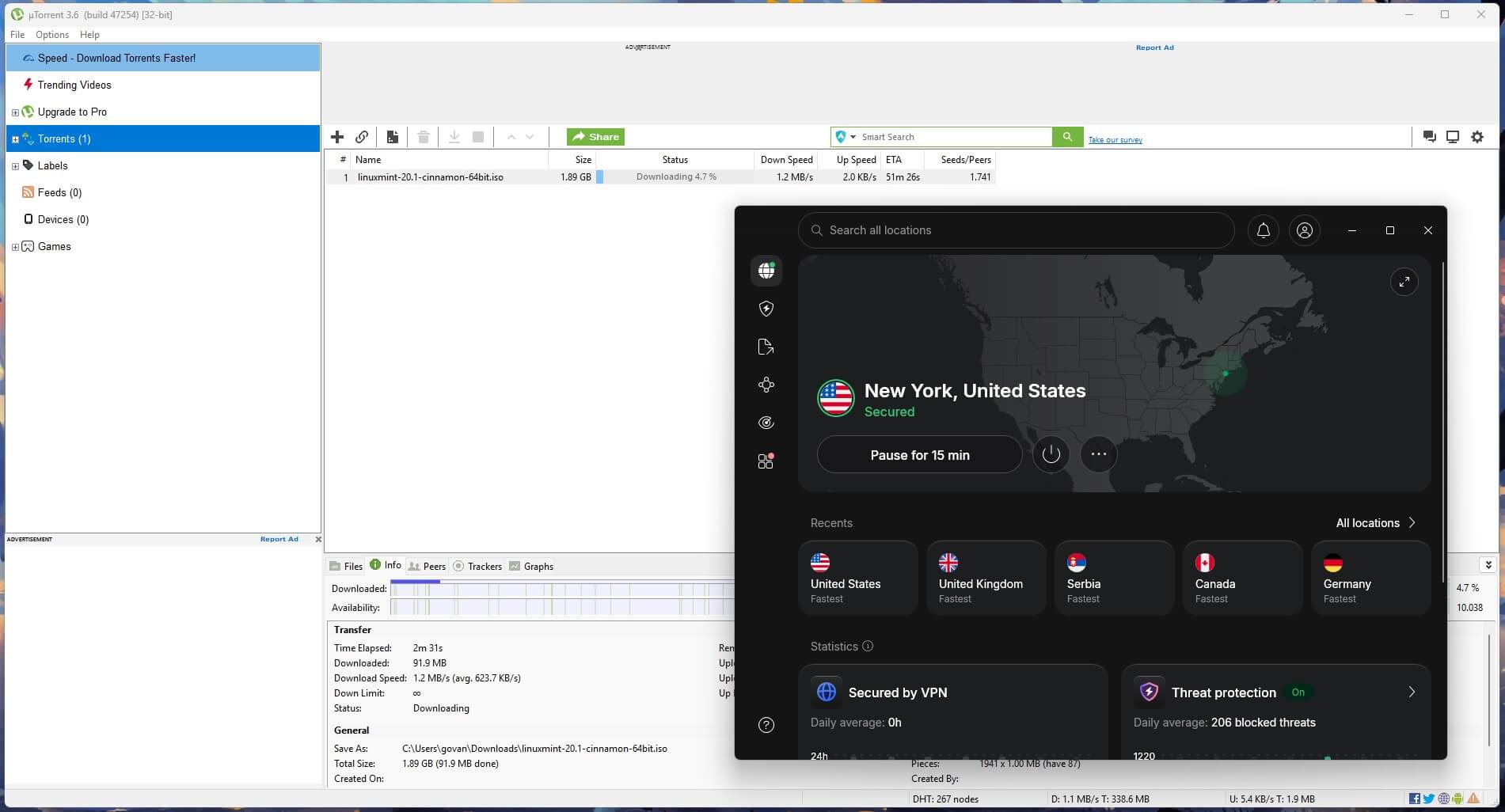
Pros
- Documented uTorrent proxy setup
- Split tunneling by app
- Threat Protection Pro included
- System-wide kill switch
- Post-quantum key exchange
- Meshnet for direct transfers
Cons
- No port to assign
- Proxy requires service credentials
NordVPN documents this client directly. Its support pages walk through uTorrent’s proxy screen, listing the SOCKS5 hostnames, port 1080, and the separate service credentials. Proxy setups usually fail on that last detail, since the account email and password won’t authenticate. Torrenting is allowed on the full network of 9,500+ servers in 149 countries.
NordVPN retired its marked P2P category in 2026 after making the traffic universal. Split tunneling on Windows and Android sends uTorrent through the tunnel while your browser keeps the ordinary connection. Threat Protection Pro scans finished files and flags the ones with malware in them. There are 2 kill switch modes, one covering the whole system and one covering chosen apps.
Both stopped traffic when we terminated the app mid-download. NordLynx uses post-quantum key exchange. Meshnet returned after NordVPN reversed its shutdown, and it moves files between your own devices with no swarm involved. Basic comes to $94.23 for the 27-month term. Our full NordVPN test results cover the rest.
2. Proton VPN: Assigns uTorrent a Listening Port
Pros
- Port forwarding built in
- Kill switch stays on
- NetShield domain filtering
- Client code published
- Annual no-logs audit
Cons
- No proxy option
- Port changes each session
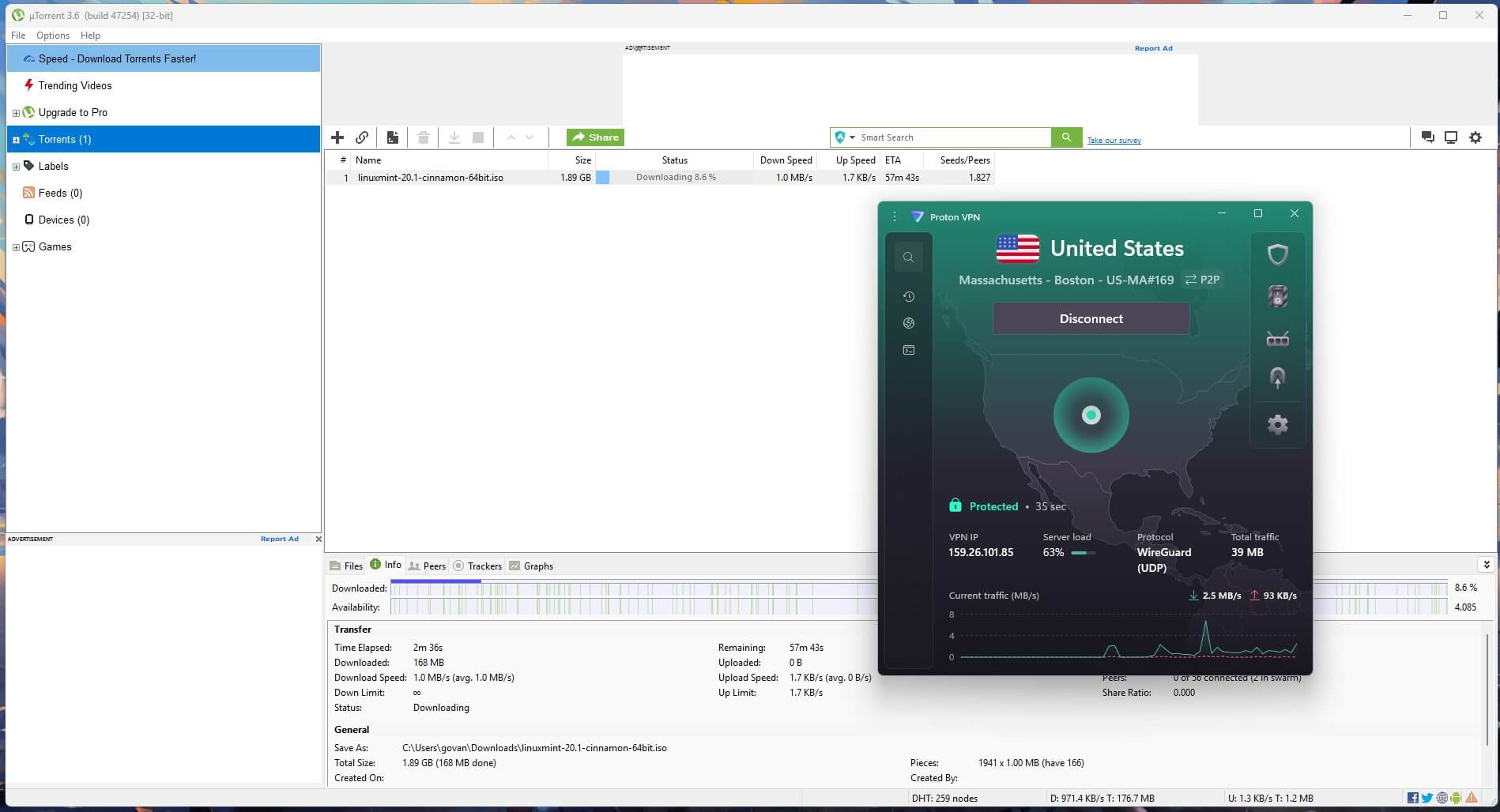
Proton VPN gives the client something to listen on. Enable port forwarding, connect to a P2P location, and the app displays a port number that goes into uTorrent’s listening port box. Peers can then open connections with you instead of waiting to be found, and on a torrent with a handful of seeders that lifts download speed noticeably. The number changes each session, so it requires re-entering. No SOCKS5 proxy, so the port and the adapter are the 2 things to set.
NetShield filters malicious domains before they resolve, and VPN Accelerator recovers part of the loss on distant locations. Proton VPN publishes every client in full, so the code can be compiled and inspected, and no other service here goes that far. An annual Securitum engagement covers the logging policy. Our comparison of independently audited no-logs services covers that ground in depth. A 2-year Plus plan costs $2.99 per month.
3. ExpressVPN: Least to Configure
Pros
- Obfuscation always applied
- Lightway Turbo on Windows
- WireGuard and Lightway both
- Apps for every platform
- Malicious-site blocking
Cons
- No port forwarding
- Limited advanced settings
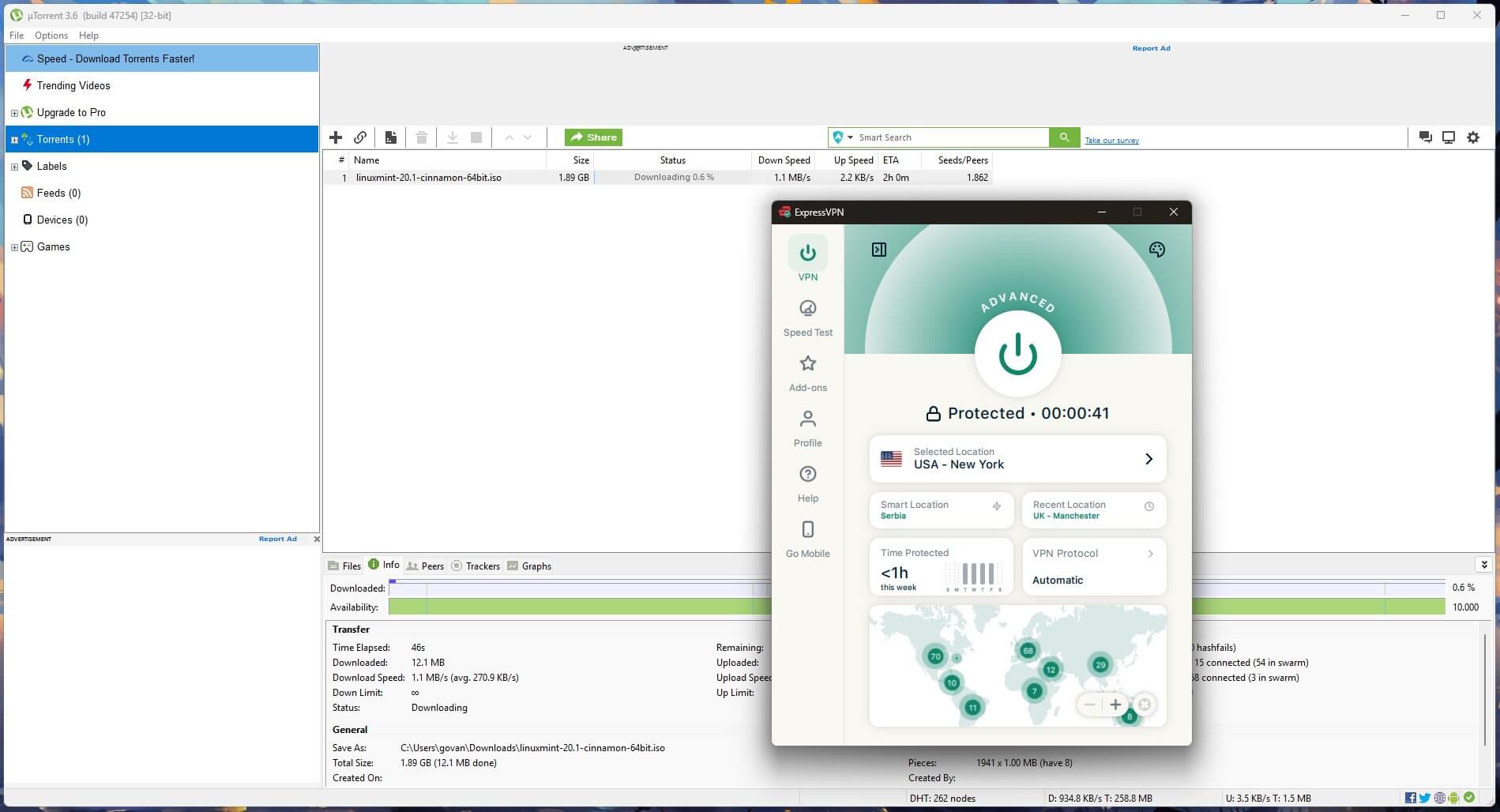
ExpressVPN requires the least setup work. Its 113 countries all accept torrent traffic, and the app connects in a few seconds, so there’s no location to look up and no proxy screen to fill in. Point uTorrent at the adapter and open a torrent. Obfuscation applies to every connection, with no toggle to find. Networks that throttle VPN traffic see ordinary HTTPS. Lightway is the fast protocol.
Windows has a Lightway Turbo option on top of it, sending data down several parallel lanes at once. WireGuard is selectable too. Network Lock blocked every packet when we ended the process during a transfer. What you give up is control. There’s no listening port to assign, no proxy screen, and no adjustable cipher. The Basic tier costs $2.99 monthly, with 4 free months.
4. Private Internet Access: Cheapest With Proxy and Port
Pros
- Port forwarding in settings
- Proxy hostnames published
- Uncapped device count
- Adjustable encryption strength
- MACE domain blocking
Cons
- Interface looks dated
- Speeds vary by location
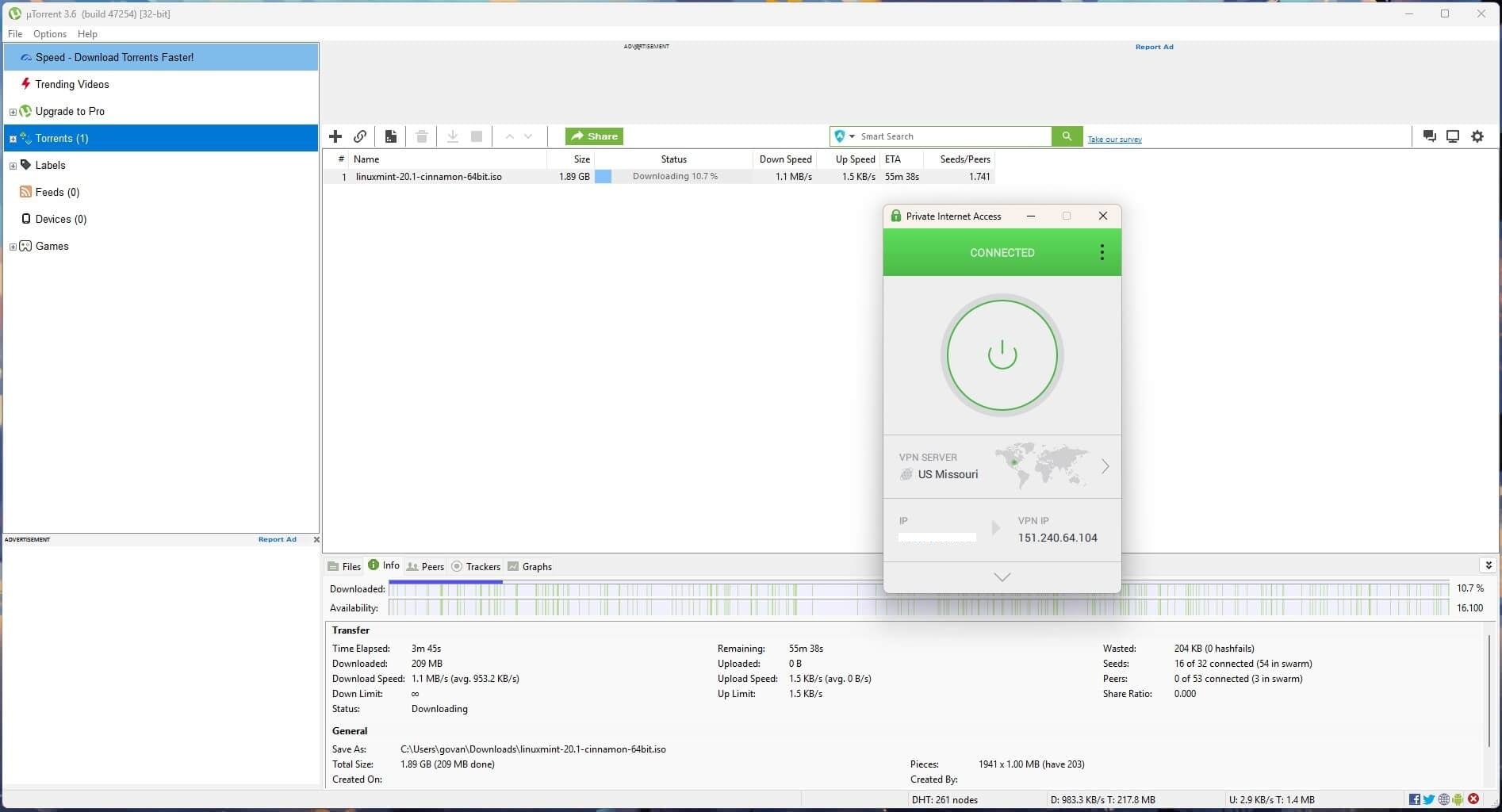
PIA is the only one of the five with both a forwarded port and a proxy, and it charges the least. Neither is a paid extra: port forwarding switches on in the app, and the proxy takes the same hostname and credentials treatment as NordVPN’s. There are 26,000+ servers in 91 countries, and torrenting works on each of them. The kill switch has an advanced mode that behaves as a system firewall. It blocks every non-VPN packet, so a momentary drop leaks nothing.
Encryption is AES-256-GCM, and the strength is adjustable, which recovers some speed on older hardware. The device count has no ceiling, making it one of the better options for households with a lot of hardware. PIA answers the US base with open-source clients and a Deloitte-audited policy. The long plan is $56.94 up front, and our PIA review weighs the trade-off.
5. Surfshark: Best for a Full Household
Pros
- Unlimited connections
- Antivirus on higher tiers
- Pick both hop ends
- CleanWeb ad filtering
- RAM-only servers
Cons
- No proxy for uTorrent
- Slow to connect
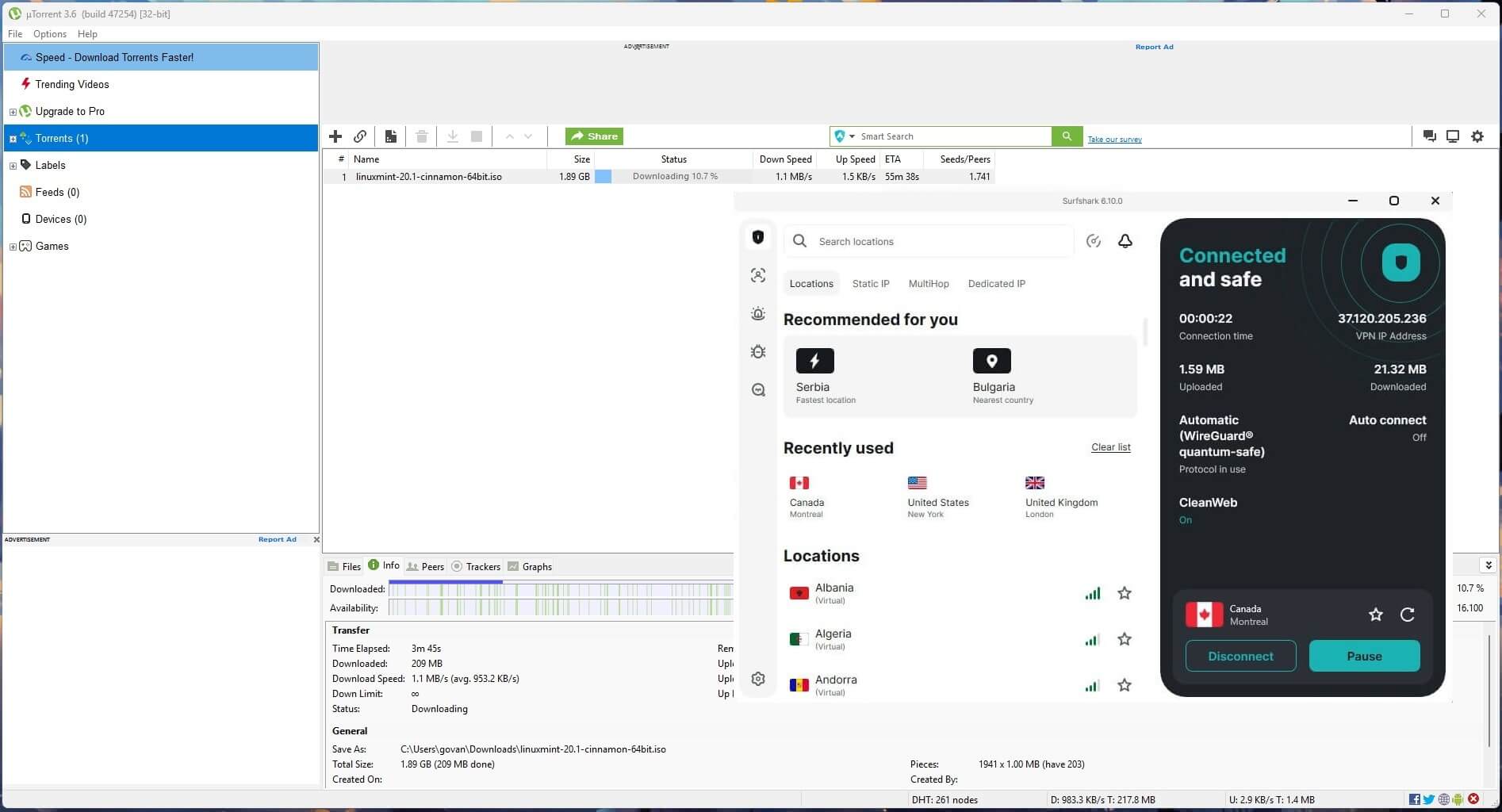
Install it everywhere at once, and nothing has to be disconnected when a 4th or 5th device wants the tunnel. Its 4,500+ servers in 100 countries all handle torrent traffic. Neither a proxy nor a forwarded port is offered. Dynamic MultiHop pairs any entry server with any exit instead of a fixed combination, and Rotating IP issues a new exit IP address every 10 minutes without dropping the session.
CleanWeb filters ads and trackers, and the Web Content Blocker handles whole categories of sites. Deloitte and Cure53 have both audited the no-logs policy, and the hardware keeps nothing on disk. Starter is $67.23 across 27 months, and $8.10 more over the same term moves you to One with the antivirus included. Our Surfshark review breaks down the tiers.
How to Set Up uTorrent With a VPN
Connect the VPN before opening uTorrent. The client builds its list of network interfaces at launch, so a tunnel that comes up afterwards won’t appear as an option.
- Install the VPN on the same machine as uTorrent. Installing on the router encrypts the traffic, though it gives the client no adapter to attach itself to. That removes a layer of protection.
- Connect to a server close to you. Every hop costs speed, and none of the 5 restricts torrenting by location.
- Confirm the connection took. Load a tool that reports your current IP address and check that it shows the server’s country.
uTorrent Settings to Change After Connecting
Every change here happens under Options, then Preferences.
Bind uTorrent to the VPN Adapter
Open the Connection tab. The Network Interface dropdown at the top defaults to Any interface, which lets uTorrent fall back to your ordinary connection the moment the tunnel drops. Change it to the VPN’s adapter, listed under a name such as NordLynx, Proton VPN, or Wintun depending on the service and protocol.
With the VPN adapter selected, transfers stop dead when the connection drops. That’s a second layer under the kill switch, and it works even where the switch is slow to react. Restart the client after changing it.
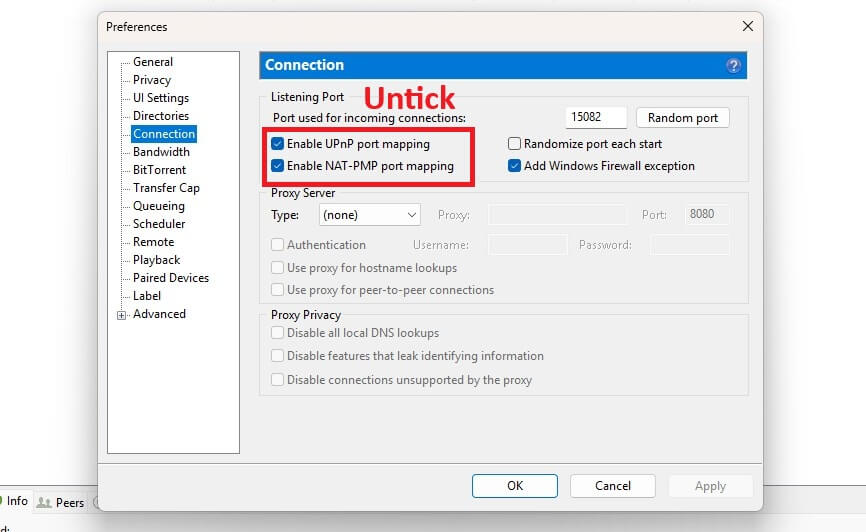
Turn Off UPnP and NAT-PMP
Both boxes are on the same Connection tab, and both are ticked by default. Each one tells the router to open a port on your local network, which conflicts with the VPN’s port handling and can publish your local IP to the swarm. Untick both. Also untick Randomize port each start if the VPN assigns a forwarded port. A new random port on every launch overwrites the one you entered.
Set Up the SOCKS5 Proxy
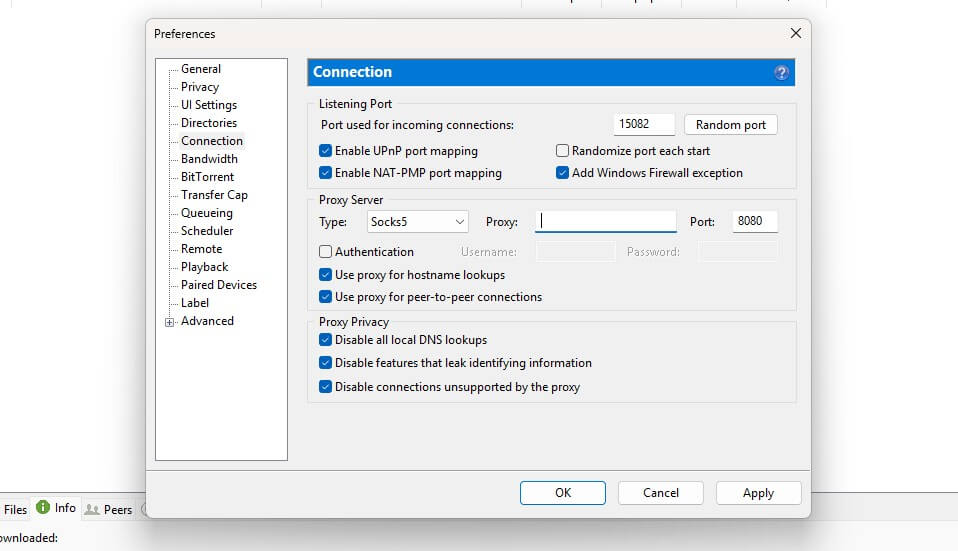
This applies to NordVPN and PIA, the two here that operate proxy servers. In the Proxy Server block on the Connection tab, set Type to Socks5, enter a proxy hostname, and set the port to 1080. NordVPN publishes hostnames for the Netherlands, Sweden, and 8 US cities. Authentication uses your service credentials, found under Set up NordVPN manually in the Nord Account dashboard. Then tick these five:
- Use proxy for hostname lookups
- Use proxy for peer-to-peer connections
- Disable connections unsupported by the proxy
- Disable all local DNS lookups
- Disable features that leak identifying information
A proxy on its own replaces the IP address peers see and encrypts nothing, leaving the transfer readable to your ISP. Keeping the VPN connected alongside it restores the encryption.
Enable Protocol Encryption
On the BitTorrent tab, set Outgoing under Protocol Encryption to Enabled. Forced also works and refuses unencrypted peers, which shrinks the pool of people you can download from. This obscures the shape of the traffic from equipment doing deep packet inspection. Other peers still see the connecting IP address, so it does no privacy work of its own.
How to Check That uTorrent Is Using the VPN
The torrent detection tool at ipleak.net gives you a magnet link. Add it to uTorrent, wait for the client to announce itself to the tracker, and the page reports the IP address it saw. A VPN server means the setup works. Your own IP address means the binding or the proxy isn’t applied.
As a second check, start a well-seeded download and then disconnect the VPN. A bound client stalls within seconds. A client that keeps transferring is using your ordinary connection, and the Network Interface setting didn’t take.
Configure NordVPN With uTorrent
When uTorrent Stops Working With a VPN
- Stuck on “Connecting to peers” after binding. The stored interface no longer exists. WireGuard-based apps can create a fresh adapter on each reconnect, which leaves the client bound to something gone. Reconnect the VPN, restart uTorrent, and select the adapter again.
- Proxy authentication keeps failing. The account email and password were used in place of the service credentials. Retrieve the correct pair from the dashboard.
- Trackers time out while peers still connect. Use proxy for hostname lookups is unticked, or local DNS is disabled without the proxy resolving names. Tick both together or neither.
- Downloads begin and stall near zero. Windows Firewall or your antivirus is treating the new adapter as an unknown network. Add an exception for the uTorrent application instead of opening a port.
- None of these settings appear. uTorrent Web has no Network Interface or Proxy Server options. The desktop client is required for this.
Free VPN for uTorrent: Two That Allow P2P
Only two free plans permit P2P. Torrenting is the first thing the rest tend to withhold, and the 2 strongest names in our free VPN rankings, Proton VPN and Hide.me, both refuse it completely.
Windscribe Free
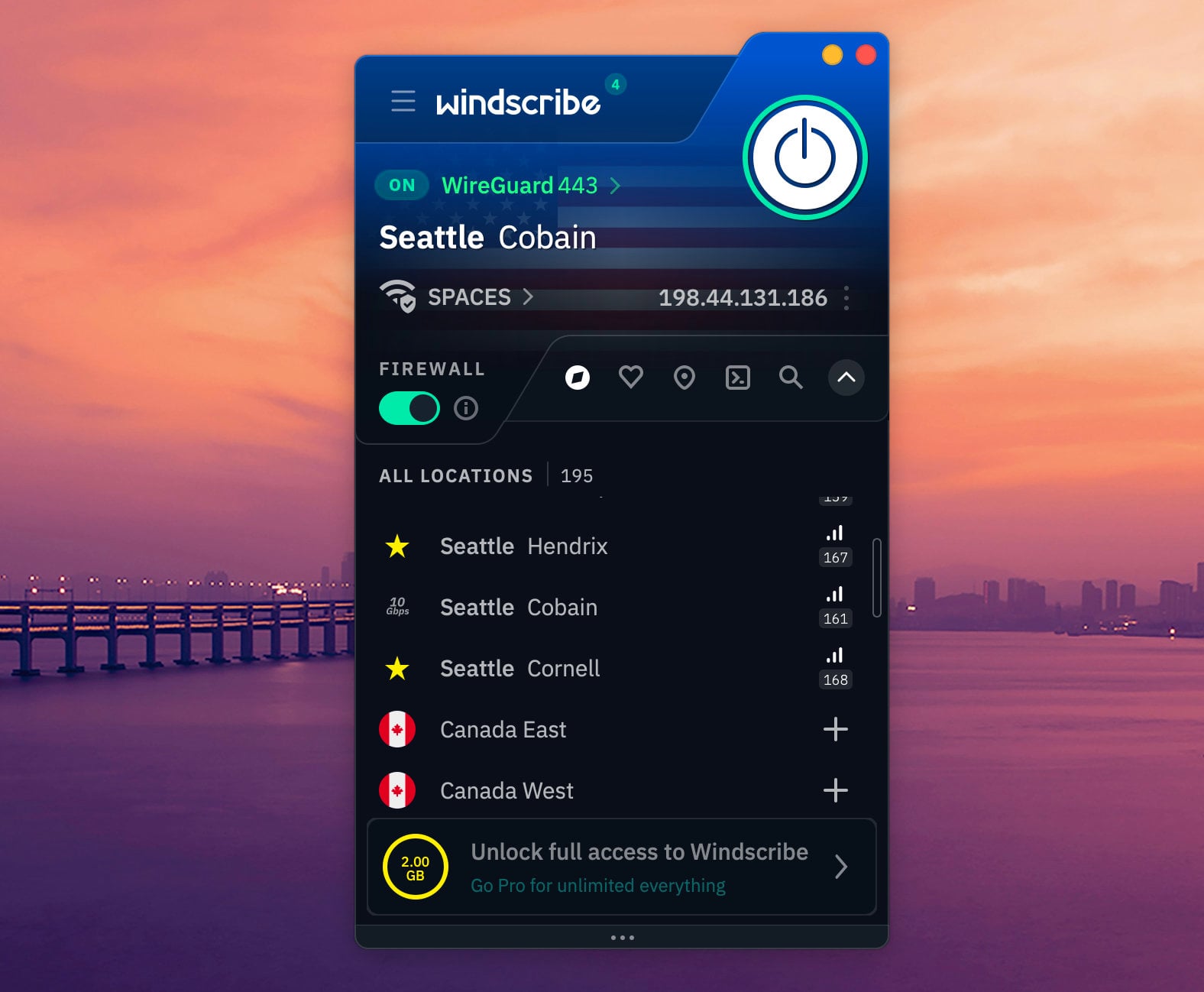
Windscribe’s free plan is close to the full product, and P2P is part of that. The allowance is 10 GB a month once you confirm an email address, or 2 GB without it, across 10 countries. There’s no cap on simultaneous connections, so a desktop and a phone are covered. The Firewall feature is a kill switch, and it’s active from the start. Port forwarding requires a paid static IP, priced from $2 a month, so free users have no listening port to assign. Ad and malware filtering is reserved for paying customers.
PrivadoVPN Free
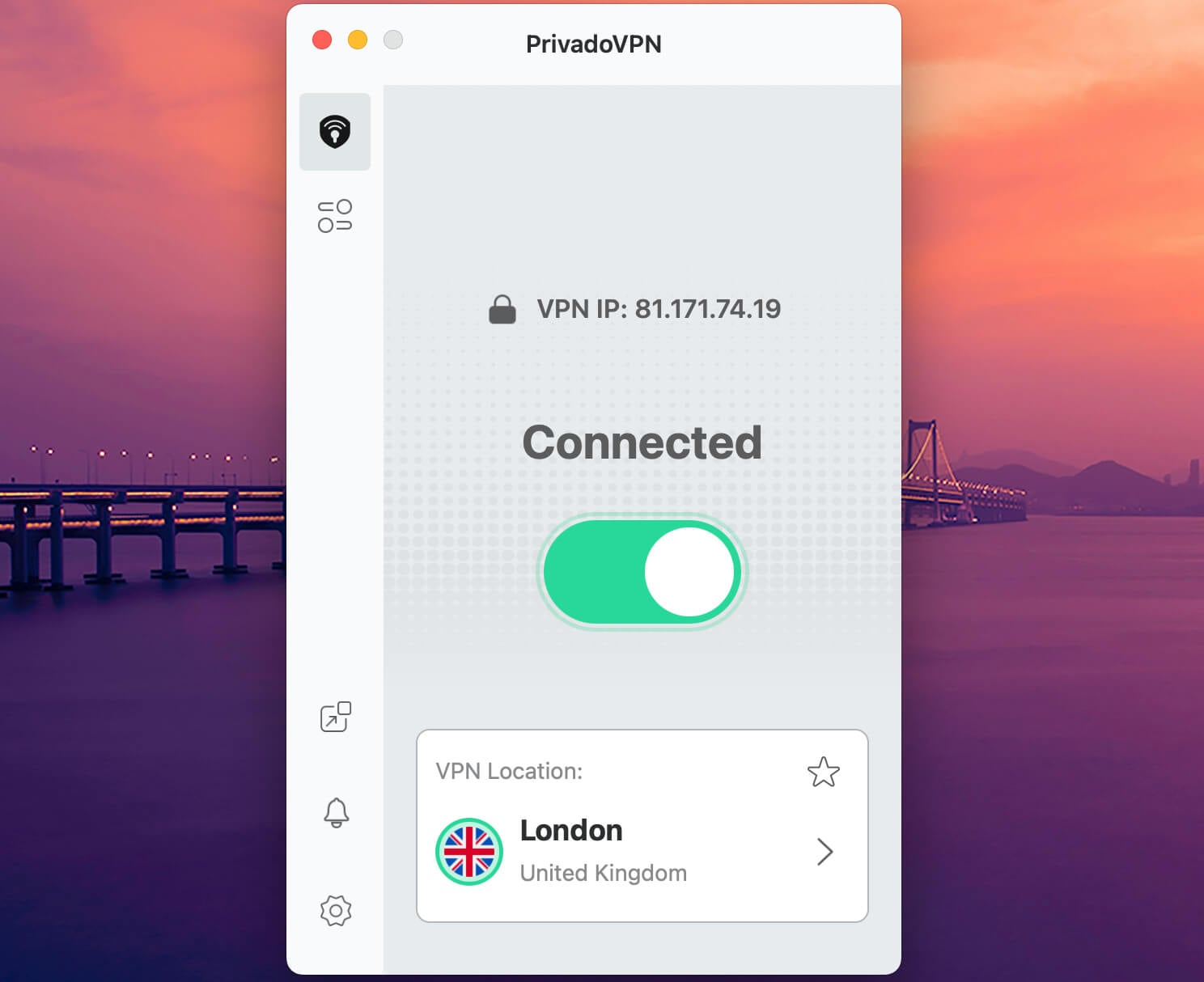
PrivadoVPN leaves torrenting unrestricted on the free tier, which is unusual, and it accepts the same SOCKS5 configuration in the client. The allowance is 10 GB a month across 13 locations, with speeds capped once you pass it. The company moved its legal base from Switzerland to Iceland in 2025 and now operates as Privado Networks ehf. Split tunneling and a per-app kill switch are present.
Only 1 device connects at a time, which rules out seeding on a desktop while a phone uses the same plan. No independent audit of the no-logs claims has been published. The company describes a migration to RAM-only hardware as in progress, so treat the servers as disk-based for now.
Conclusion
Our pick for uTorrent is NordVPN, on 3 counts: proxy instructions written for this client, torrenting allowed across the whole network, and malware flagged in finished downloads. Pick something else only for a specific need. Torrents with few seeders want a listening port, which comes from Proton VPN or PIA.
Proton VPN pairs that with inspectable source code and a Swiss base. PIA costs less and drops the device ceiling. ExpressVPN suits the person who wants to install it and leave it alone. Surfshark puts no limit on how many devices connect.
Frequently Asked Questions
🧲 Can uTorrent be used with a VPN?
Yes. The client does not restrict VPN use and cannot detect one either. The risk goes the other way: uTorrent hands transfers to whichever adapter it was told to use, so an unconfigured client can download outside a live tunnel while the app reports a successful connection.
🌐 What uTorrent settings should be changed after connecting to a VPN?
Naming the VPN adapter prevents a silent fallback to the ordinary connection. Switching off both port-mapping options keeps the router out of a job the tunnel already does. The other two are situational: encryption helps against throttling, a forwarded port against thin swarms.
❌ Why does uTorrent stop working with a VPN?
Because the client was pointed at something that later disappeared. Adapter names change between sessions on several protocols, and uTorrent keeps the old one. Symptoms resemble a dead tracker: peers never appear, and the status never moves past connecting. Reselecting the adapter after reconnecting resolves it.
🏴☠ Does a proxy replace a VPN for uTorrent?
No. Its failure mode is the problem: when a proxy stops responding, uTorrent falls back to the ordinary connection and keeps downloading, with nothing equivalent to a kill switch to catch it. It also covers the client alone, leaving every other application on the original IP address.
🆓 Which free VPN works with uTorrent?
Windscribe and PrivadoVPN, though neither suits regular downloading. Windscribe permits P2P across its free servers, and PrivadoVPN leaves it unrestricted, but both cap data at 10 GB a month.
📥 Does a VPN slow uTorrent downloads?
Yes, but barely on a short hop. Encryption adds work at both ends, and distance adds delay, costing a few percent with NordLynx, WireGuard, or Lightway. OpenVPN and IKEv2 cost considerably more.
🛡️ Is torrenting on uTorrent safe with a VPN?
Yes, within limits. The VPN conceals the IP from other peers and hides the traffic from an ISP. It inspects nothing inside the files themselves, so malware in a download passes through untouched unless the service scans finished files.