A torrent download looks simple. You open a magnet link in a torrent client, and the file arrives in small pieces from other people’s computers. While it downloads, though, those same people can see your IP address. Your internet provider can see the traffic too, and a fake movie file can install malware when you open it.
None of this requires technical skill. A few settings and habits cover most of the risk, and setting them up takes a few minutes. Here’s how to torrent safely, one step at a time.
Safe Torrenting Checklist for 2026
- Subscribe to NordVPN and enable its kill switch in the settings.
- Connect to a nearby server before you open your torrent client.
- Install qBittorrent from its official site and set it to use only the VPN connection.
- Run ipleak.net’s torrent test to confirm that only the VPN’s IP address is visible.
- Download from legal sources and scan every file before you open it.
Safe Torrenting in 8 Steps
1. Set Up a VPN and Enable Its Kill Switch
A VPN replaces your IP address with the server’s. The other people sharing a torrent, known as the swarm, then see the VPN server instead of your home connection. Companies hired by copyright owners join popular torrents to log those IP addresses.
A VPN also hides P2P (peer-to-peer) traffic from your internet provider, which can slow it down or forward copyright notices. Pick a nearby server, and change your VPN location later only if you have a reason to. We used NordVPN, and torrents downloaded about as fast on a nearby server as without a VPN.
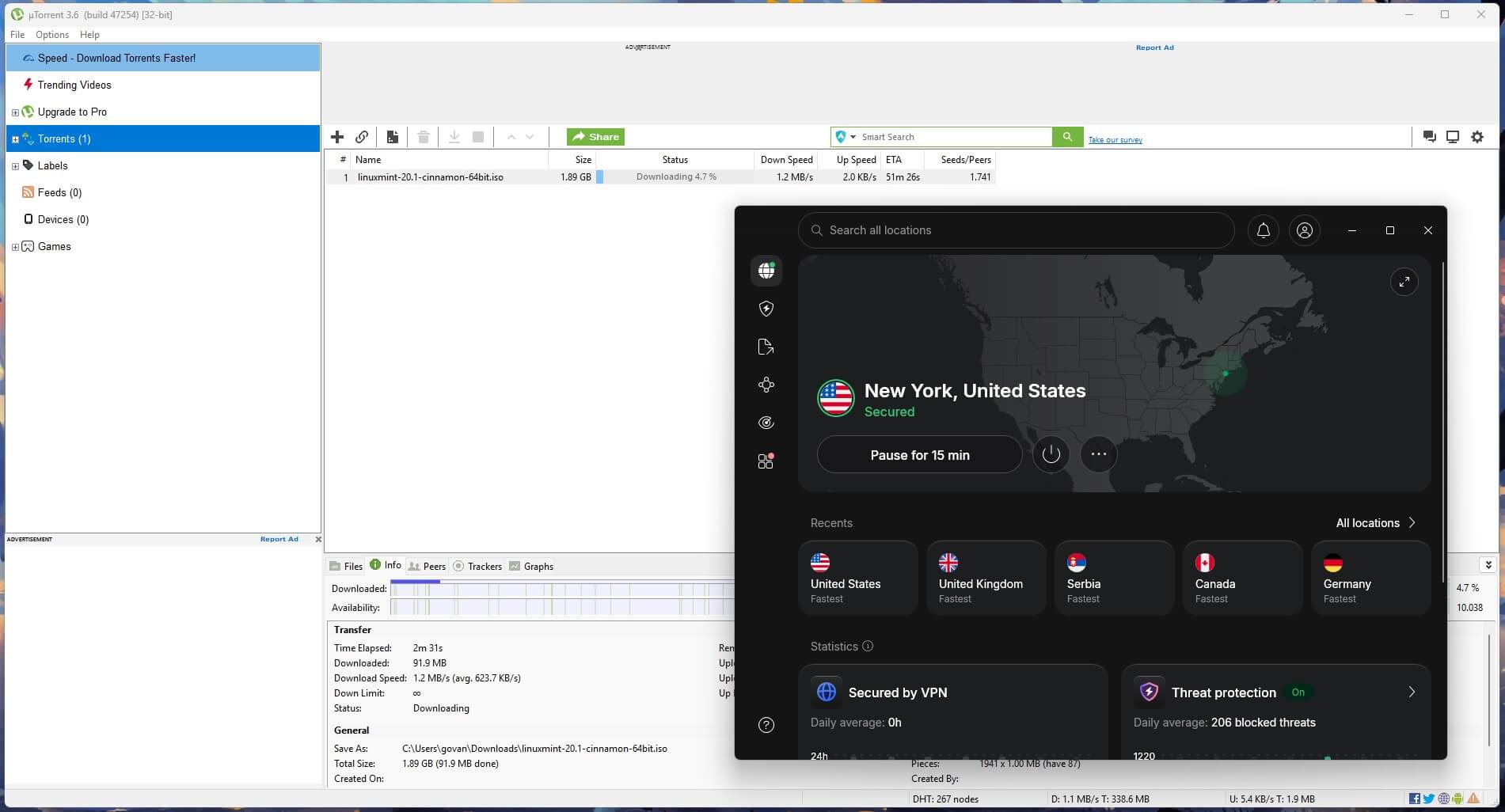
Next, enable the kill switch, which cuts your internet connection if the VPN drops, and choose its strictest mode. On some VPNs, the default setting lets traffic out while Windows starts up, and the strictest mode blocks it. Connect the VPN before opening the torrent client, and stop the client from launching with Windows.
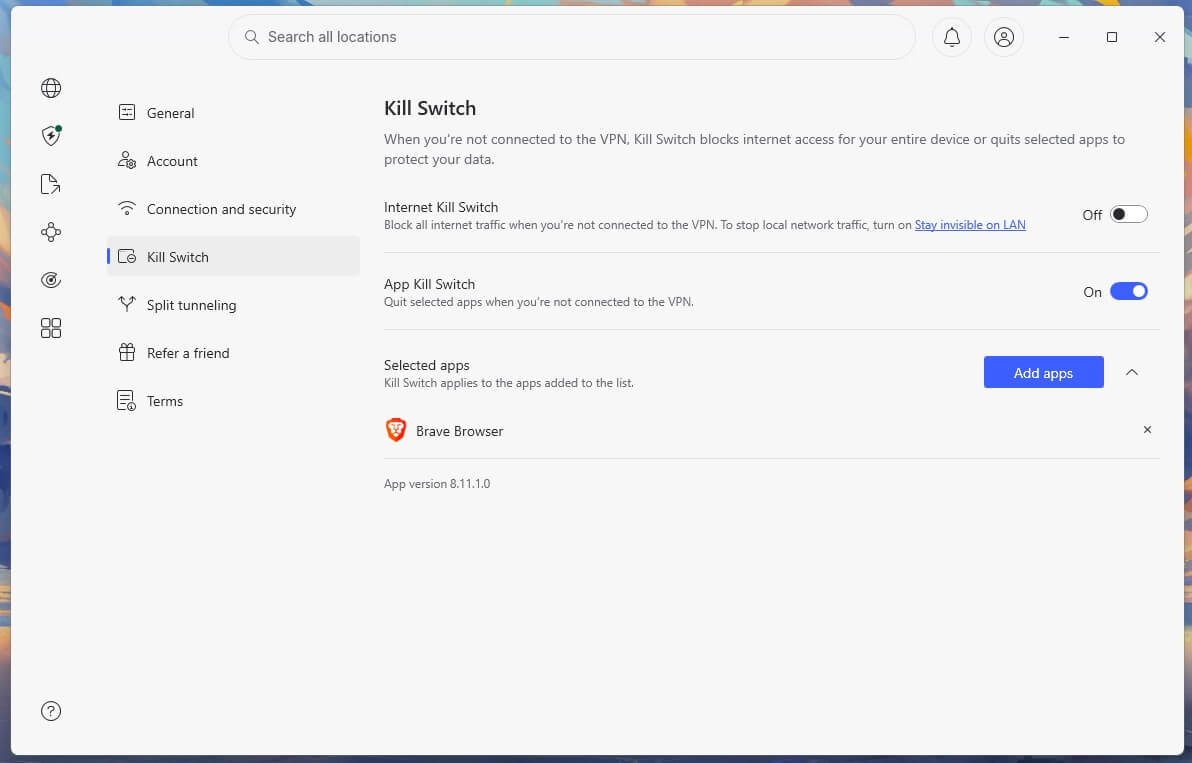
NordVPN also offers an App Kill Switch, which works on individual programs. With qBittorrent on its list, the client closes as soon as the VPN disconnects. Neither the App Kill Switch nor NordVPN’s Internet Kill Switch is enabled on a fresh install, though, so check both after installing it.
2. Use an Open-Source Torrent Client
The client is the app that downloads and shares the files. These four are open source, cost nothing, and show no ads:
- qBittorrent: the best choice for most people, with versions for Windows, Mac, and Linux
- Transmission: a simple client with a clean interface, popular on Mac
- Deluge: lightweight, with plugins and remote control for home servers
- BiglyBT: a feature-rich client built by the former Vuze developers
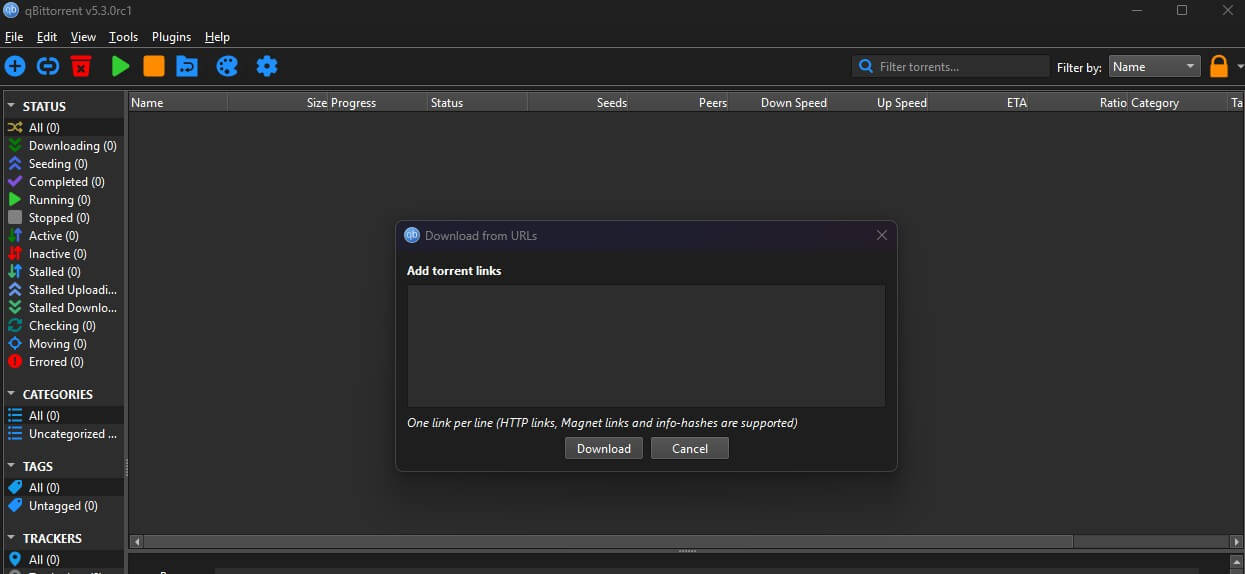
I use qBittorrent for all my downloads. Download it only from qbittorrent.org. Unofficial copies wrapped in adware circulate online. Vuze stopped receiving updates in 2017, so switch to BiglyBT if you still use it.
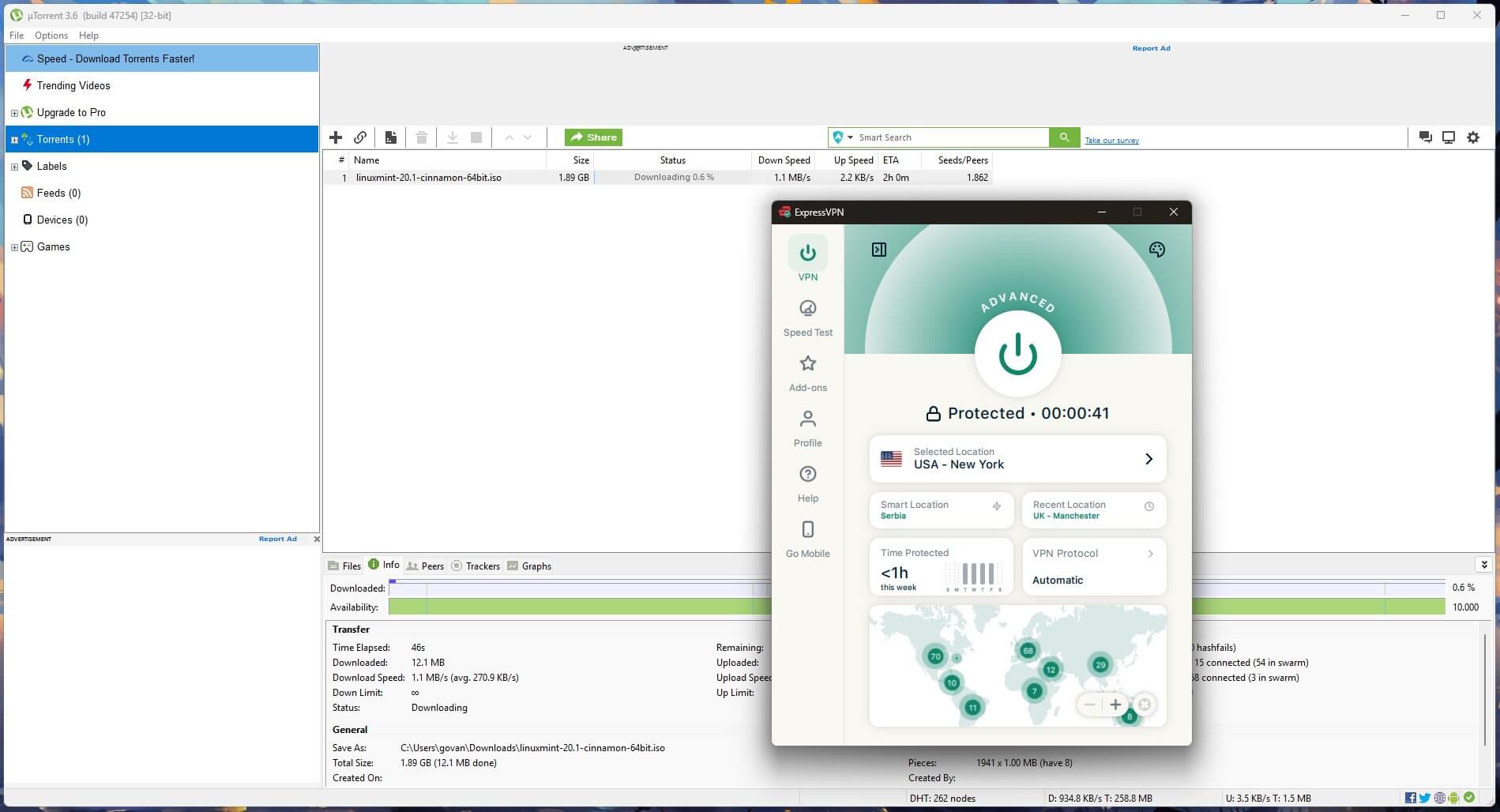
uTorrent works, but it’s ad-supported. Microsoft Defender also flags its installer as potentially unwanted software because of bundled offers.
3. Bind the Client to the VPN
Binding tells the torrent client to use only the VPN connection. If the VPN drops, downloads stop instead of moving to your regular connection, which adds a second layer of protection behind the kill switch. In qBittorrent, open Tools, then Options, and go to Advanced.
Under Network interface, select the VPN’s adapter, which usually shows the VPN’s or the protocol’s name, such as ProtonVPN or NordLynx. Leave it on “Any interface” and the protection is gone. If you change VPN protocols later, select the adapter again.
4. Check What the Swarm Sees
A regular IP check doesn’t show what your torrent client reports, so test the client itself. Open ipleak.net with the VPN connected, find the Torrent Address detection section, and select Activate. Add the magnet link it creates to your client, wait about a minute, and check the IP addresses ipleak lists.
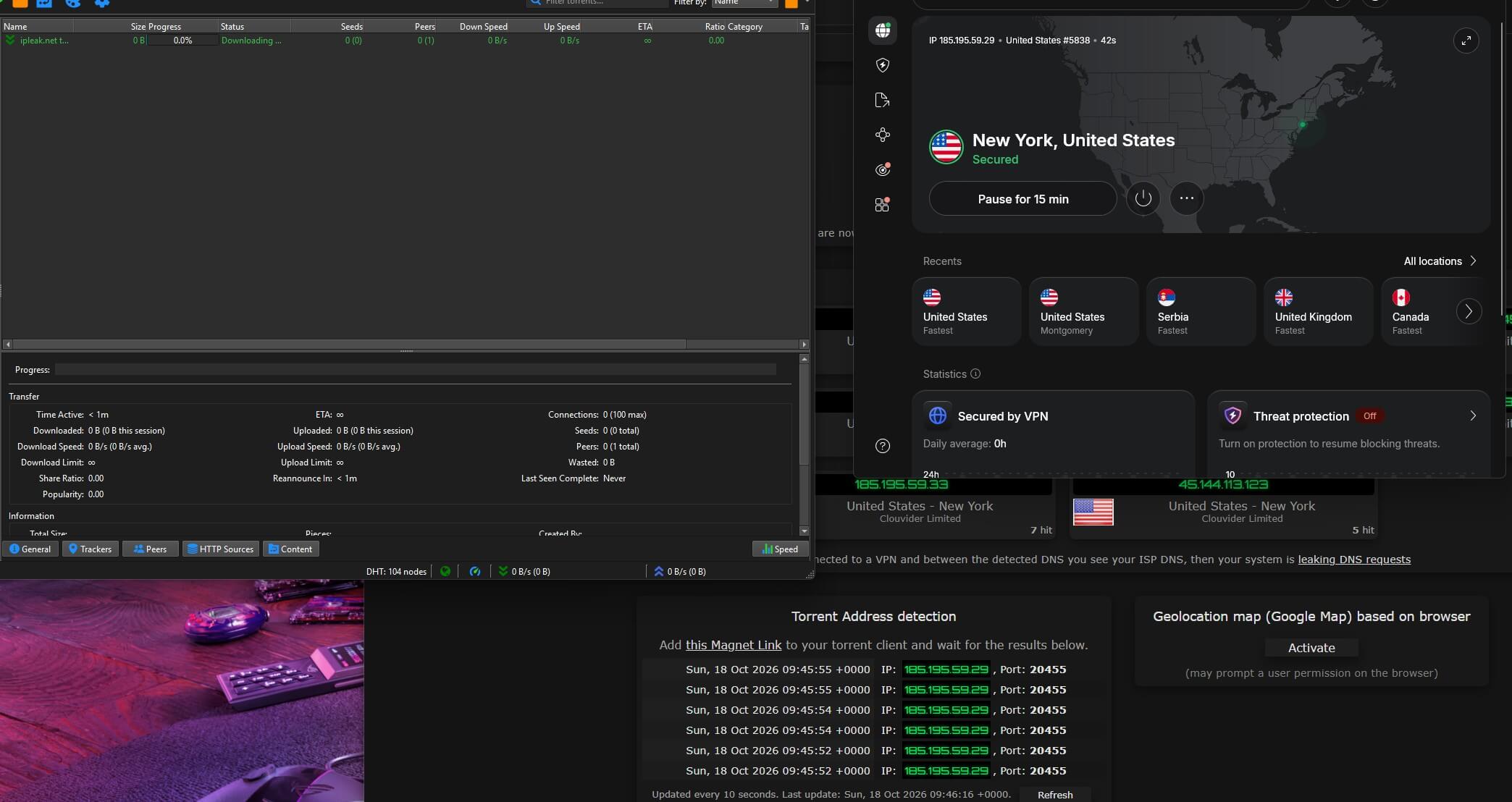
Only the VPN server’s IP address should appear. Delete the ipleak torrent once the check is done, and run the test again after you change VPN settings.
Torrent in Privacy With NordVPN
5. Download From Legal Sources
Sharing copyrighted movies, music, games, or software without permission is illegal in most countries, with or without a VPN. Still, a lot of content is free to download legally:
- Internet Archive: more than a million books, films, recordings, and software titles by torrent
- Linux distributions: official torrents for Ubuntu, Linux Mint, and others
- Public Domain Torrents: classic films that are out of copyright
For movies in particular, start with the Internet Archive and Public Domain Torrents. Every film there is legal to share.
6. Add Your First Torrent
In qBittorrent, open the File menu. Select Add Torrent Link to paste a magnet link, or Add Torrent File to open a .torrent file you downloaded. Choose a save folder, look through the file list, and select OK.
The download starts as the client finds people sharing the file. When it finishes, qBittorrent keeps uploading pieces to others, which is called seeding. Leaving a torrent to seed for a while helps the next person, and you can pause or remove it at any time.
7. Check Every File Before You Open It
Fake torrents are a common way to spread malware. In December 2025, a fake torrent of the film One Battle After Another included a shortcut disguised as the movie. Opening it ran a script hidden in the subtitles, which installed the Agent Tesla trojan, a password stealer. Most fakes show warning signs before you download them:
- The uploader: choose files from uploaders with a long history and a trusted or verified badge.
- Seeders and comments: a file with many seeders, people sharing the complete copy, and positive comments is rarely fake.
- The release date: a film or game that isn’t out yet is almost always malware.
- The file types: video comes as MKV or MP4, and music as MP3 or FLAC. An EXE, LNK, SCR, or BAT file in a movie torrent is a warning sign, and so is an archive with a password.
Read the file list in your client before the download starts, too. Fake movie files often use double extensions, such as “film.mkv.lnk”, which look like video files in Windows when extensions are hidden.
8. Scan Downloads for Malware
Antivirus software catches what a manual check misses. On Windows, Microsoft Defender is enough for most people, as long as it’s enabled and up to date. Some VPNs include antivirus as well, which saves you a separate subscription. NordVPN’s next-gen antivirus scans downloaded files and deletes infected ones.
It comes with the Complete plan and higher, while the Basic plan has phishing protection only. Our guide to the best VPNs with antivirus compares the others.
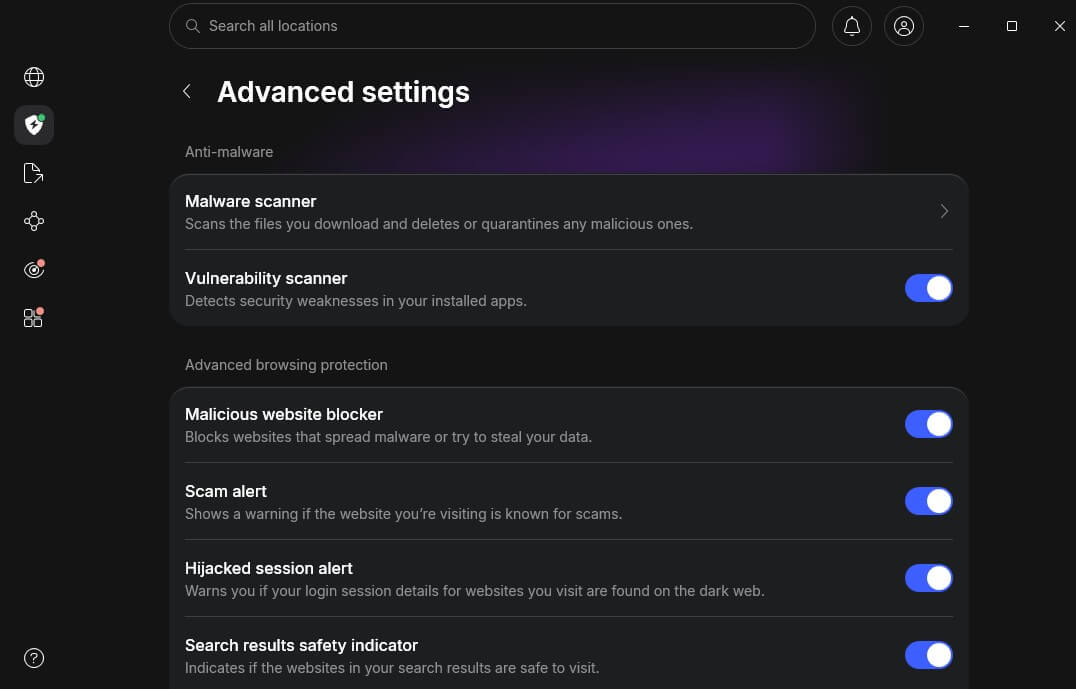
To double-check a single file, upload it to VirusTotal, which scans it with dozens of antivirus engines. Don’t upload private documents there. VirusTotal shares uploaded files with security companies.
What a VPN Can’t Hide
A VPN hides your IP address, yet a site where you log in still knows who you are. In 2020, the operator of a large movie torrent site handed user records, including email addresses, IP addresses, and download histories, to film companies’ lawyers, who then sued some of those users.
Create accounts on torrent sites with a separate email address, and never reuse a password there. A VPN also doesn’t change what a file contains or whether sharing it is legal, so the file checks and copyright rules still apply. For the wider picture, see the pros and cons of using a VPN.
Torrenting and Copyright Notices
BitTorrent itself is legal, and so is using it for legal files. Copyright owners in the US usually start with a notice that your internet provider forwards to you, and some file lawsuits against the subscriber behind an IP address. Damages can go up to $150,000 per work when the infringement is willful.
In Germany, law firms send demand letters with fees attached, while UK internet providers block the best-known torrent sites. If you receive a notice from your internet provider, stop sharing the file it names, and don’t reply with an admission.
A letter from a law firm demanding payment is a different matter, so get legal advice before you pay or sign a settlement. This is general information and doesn’t replace legal advice.
VPNs We Use for Torrenting
NordVPN, Proton VPN, and ExpressVPN work well for torrenting, and our best VPN for torrenting guide covers more options. In the table, port forwarding lets other peers connect to you directly, which helps on torrents with few seeders. A SOCKS5 proxy is a simpler relay you set up in the torrent client, and it doesn’t encrypt your traffic.
| VPN | P2P allowed on | Port forwarding | SOCKS5 proxy | Kill switch for single apps |
| NordVPN | Every standard server | No | Yes | Yes |
| Proton VPN | Servers labeled P2P | Yes | No | No |
| ExpressVPN | Every server | No | No | No |
NordVPN: Best App Kill Switch for Torrenting
Pros
- P2P on every standard server
- SOCKS5 proxy for torrent clients
- Two-server Double VPN
- No-log policy audited by Deloitte
Con
- No port forwarding on standard servers
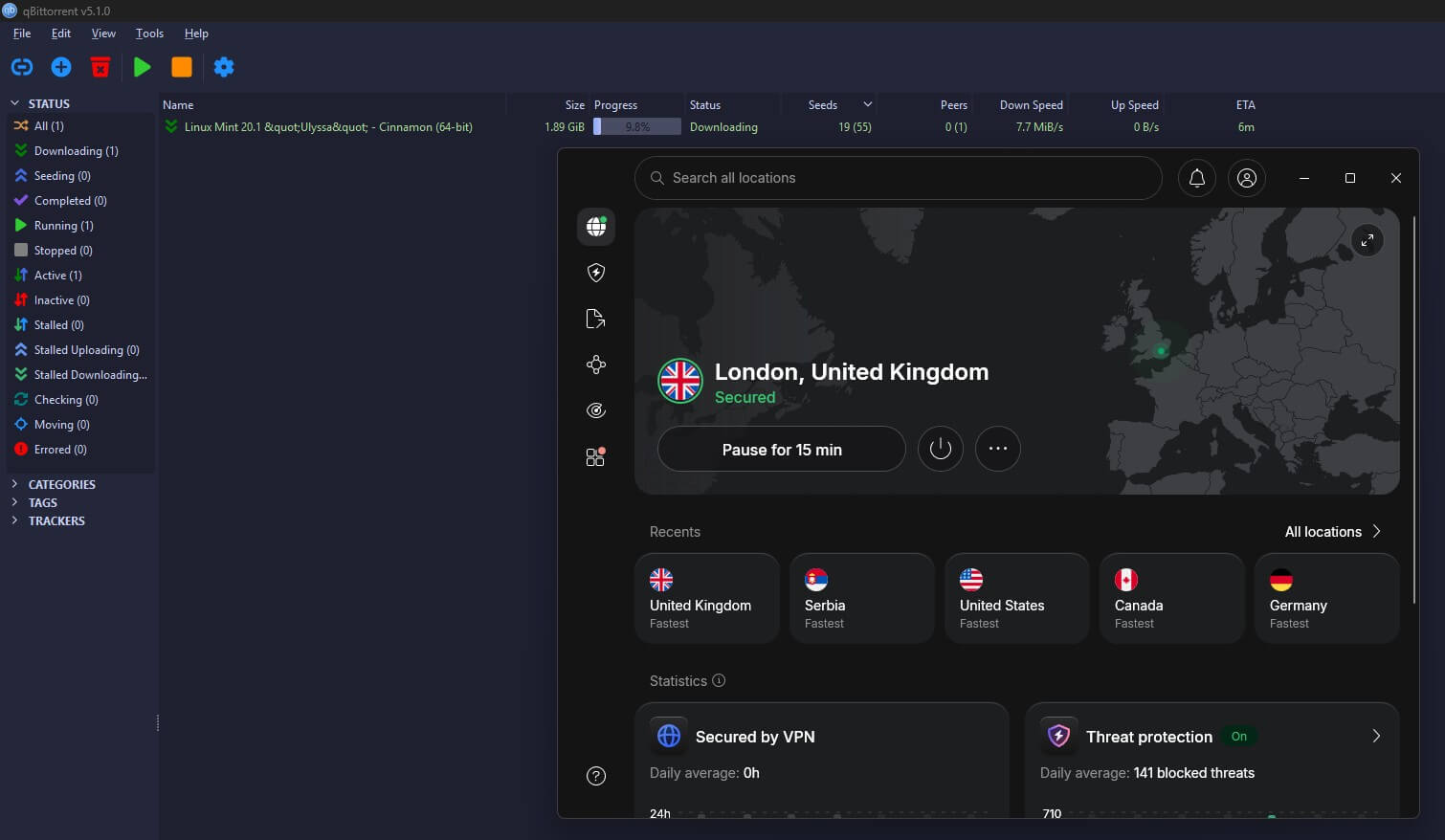
NordVPN downloads torrents about as fast as a connection without a VPN, and its Internet Kill Switch blocks traffic even while the computer restarts. The App Kill Switch goes further and closes the torrent client itself. On the Complete plan, its antivirus also scans finished downloads. You can install it on Windows, Mac, Linux, and Android.
Port forwarding is missing on its regular servers. Downloads with many seeders aren’t affected, but if you seed rare files on private trackers, look at Proton VPN instead. With a two-year subscription, the Basic plan is around $3.50 a month, and the money-back guarantee lasts 30 days.
Proton VPN: Best for Port Forwarding
Pros
- NetShield blocks malware domains
- Stealth protocol for restrictive networks
- Protected by Swiss law
- App exclusions on Windows and Android
Cons
- P2P only on labeled servers
- No P2P on the free plan
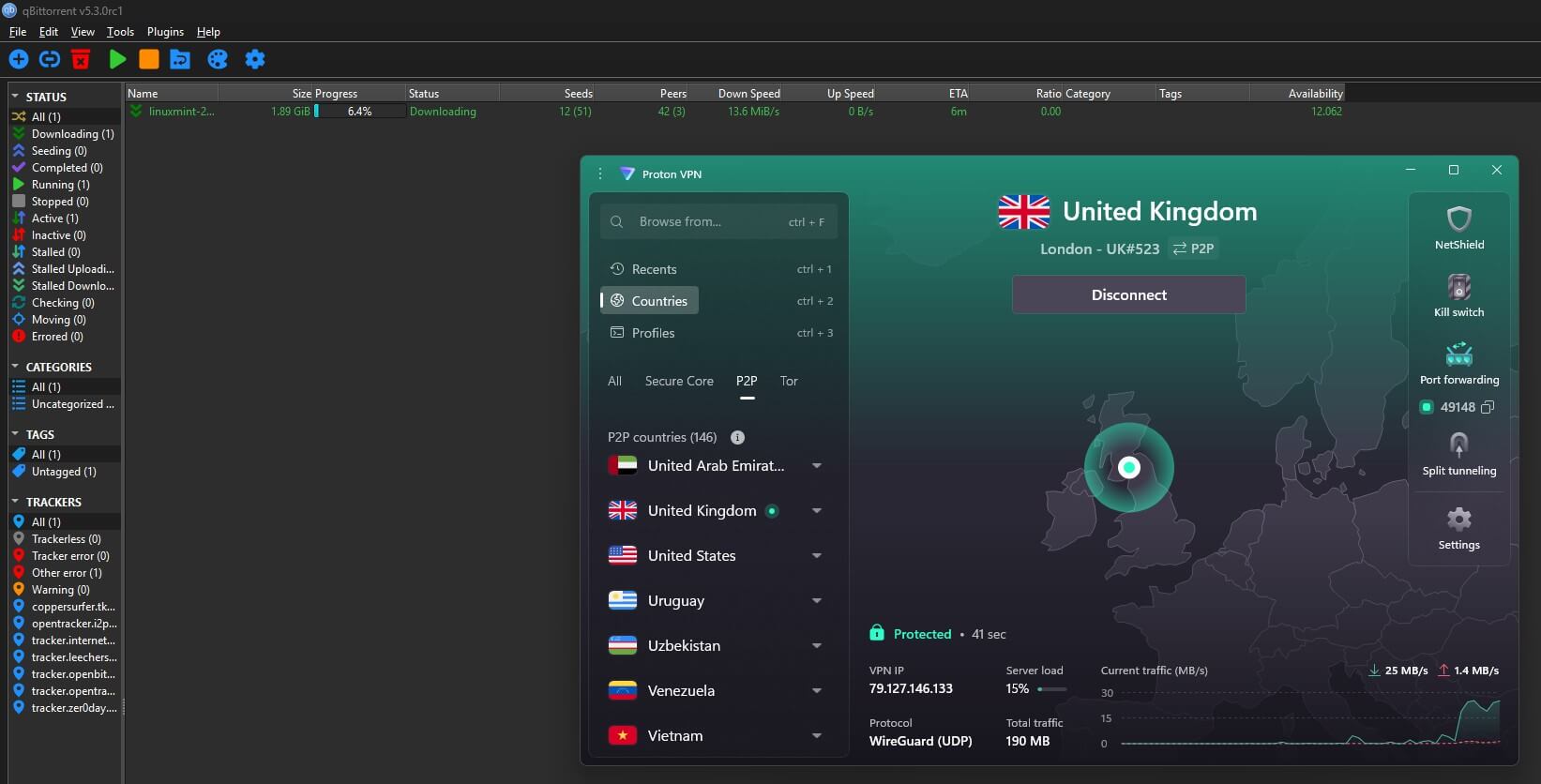
Unlike NordVPN and ExpressVPN, Proton VPN offers port forwarding. That helps with rare files and on private trackers, which expect members to share back. You enable it in the app’s settings, and it works on servers marked with a P2P icon, so pick one of those before you start a download.
Enable its advanced kill switch before your first torrent. The free plan doesn’t allow P2P, so torrenting requires a paid subscription.
ExpressVPN: Best for Simple Setup
Pros
- Torrenting allowed on every server
- Diskless TrustedServer design
- Simple one-click apps
- Router app
Cons
- Fewer advanced settings
- Renewal costs more
ExpressVPN is the simplest to set up: install it, connect, and it’s ready for qBittorrent. It’s fast on nearby servers, and KPMG has audited its no-log policy. Before your first download, set its kill switch to strict mode. It has fewer extras than NordVPN, with no SOCKS5 proxy or port forwarding.
Its price also increases after the first term, so pay for the longest term you’re comfortable with at signup. Our PIA vs ExpressVPN comparison covers PIA, a cheaper VPN with port forwarding.
Can You Torrent Without a VPN?
Yes, the download works the same way, but your IP address stays visible to the swarm. The alternatives each have a drawback. A SOCKS5 proxy masks your IP address from peers but doesn’t encrypt the traffic, and Tor is too slow for large files. The Tor Project also advises against using it for BitTorrent.
A seedbox, a rented server that downloads torrents for you, is the other option. You then copy the finished files to your computer over an encrypted connection. It costs more than a VPN, however, and doesn’t protect the rest of your browsing.
Summary
Torrenting safely starts before the first download. The essentials are a VPN with a strict kill switch, a nearby server, and an open-source client like qBittorrent bound to the VPN. After that, stick to legal sources and treat every unknown file as suspect until it’s scanned.
For the VPN itself, NordVPN is a strong choice: it keeps torrent speeds close to normal on a nearby server, and its App Kill Switch can close qBittorrent if the connection drops. Once it’s set up, a quick ipleak check confirms that the swarm sees only the VPN’s IP address.
Torrenting FAQ
Is torrenting safe?
Yes, with precautions. The protocol is safe, but peers can see the user's IP address and fake files can contain malware. A VPN, an open-source client, and antivirus software cover most risks.
How do you download a torrent?
Install a torrent client such as qBittorrent and add a magnet link or torrent file to it. The client then collects pieces from other users and rebuilds the complete download.
What is a magnet link?
A magnet link is a short text link that identifies a torrent by its hash. The client uses it to find peers and fetch the file details, so no torrent file is required.
Can an internet provider see torrenting through a VPN?
No. Through a VPN, the internet provider only sees encrypted data moving to a VPN server and how much of it there is. The torrent names and peers stay hidden.
Is Deluge safe to use?
Yes. Deluge is a free, open-source torrent client with no ads or bundled software. Downloading it from the official website avoids modified copies that can contain unwanted programs.