One VPN subscription covers your phone, but the app you install isn’t the same on every phone. Apple limits what VPN apps can do on an iPhone. So tools that are standard on Android, such as keeping your banking app outside the VPN, work differently on iOS or are missing. Phones are also harder on a VPN than a laptop.
They switch between Wi-Fi and mobile data many times a day, run on battery, and join networks you don’t control. So the best VPN for mobile has to keep its speed and protection on both systems without draining the charge. We tested 25 on an iPhone and an Android phone, and these 5 are the ones that kept up on both.
Top Mobile VPNs for iPhone and Android in November 2026
- NordVPN: Best overall, with the smallest speed loss on both phones
- Proton VPN: Best for privacy, with open-source apps on iOS and Android
- ExpressVPN: Best for battery life, with the lightest drain in our phone tests
- Surfshark: Best for ad blocking, with no limit on devices
- Private Internet Access: Best for custom settings, at the lowest price
Mobile VPNs Compared on iPhone and Android
Speed loss is the average across UK, US, and Japanese servers on each phone. Battery use is the extra charge each VPN added during 20 minutes of video, compared to the same video with no VPN connected.
| VPN | Speed loss (iPhone) | Speed loss (Android) | Extra battery use (iPhone / Android) | Devices | Mobile trial |
|---|---|---|---|---|---|
| NordVPN | 13.6% | 20.3% | 2% / 2% | 10 | 3 days (Google Play) |
| Proton VPN | 17.5% | 27.0% | 2% / 1% | 10 | Free plan |
| ExpressVPN | 16.2% | 22.9% | 1% / 0% | 10 to 14 | 3 days |
| Surfshark | 21.4% | 25.9% | 3% / 2% | Unlimited | 7 days |
| PIA | 24.2% | 28.5% | 3% / 2% | Unlimited | 7 days |
Best VPNs for iPhone and Android Phones
1. NordVPN: Best Mobile VPN Overall
Pros
- Smallest speed loss on iPhone and Android
- Kill switch always on for iPhone
- Scam call filtering on Android
- Blocks ads and unsafe sites even with the VPN off
- 3-day trial through Google Play
- Independently audited no-logs policy
Cons
- More battery use than ExpressVPN
- Higher renewal price
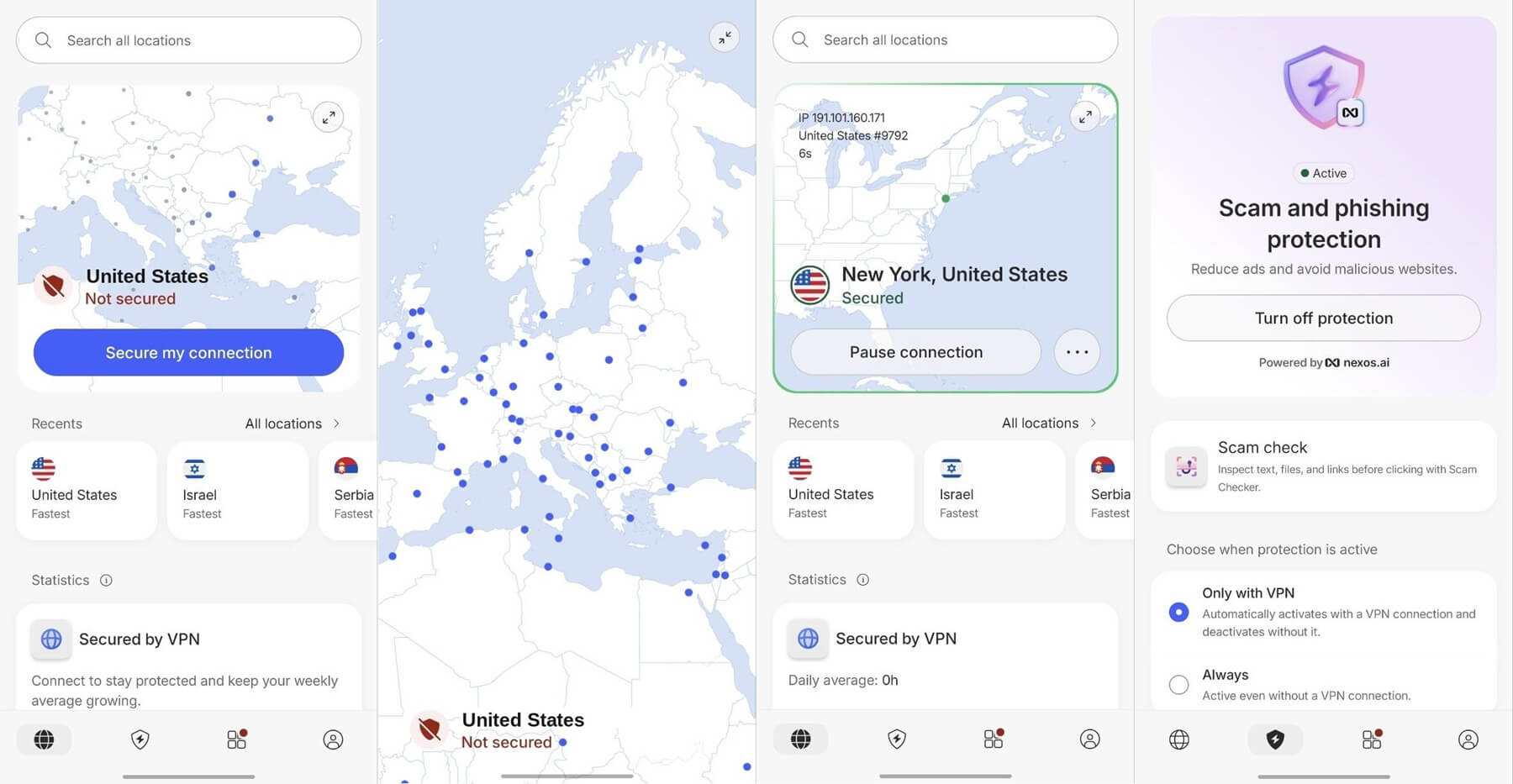
NordVPN lost the least speed on both phones, including a 13.6% speed loss on our iPhone, which you won’t notice on a video call. Its NordLynx protocol also reconnects quickly when the phone moves from Wi-Fi to mobile data, so apps keep loading through the switch. On an iPhone, the kill switch is permanently on and has no toggle.
Your real IP address remains hidden during that brief reconnect, with no setup required. The Android app goes further than the others. Tapjacking Protection flags apps that disguise a button to trick you into granting permissions, and scam call filtering checks unknown numbers before you answer.
On both systems, Real-time protection blocks ads, trackers, and unsafe sites, and on a phone it keeps working with the VPN switched off. Battery is the trade-off, since NordVPN used more charge than ExpressVPN in our video test. Auto-connect rules help with that.
Mark your home Wi-Fi as trusted, and the VPN connects only on other networks. In terms of costs, the two-year plan costs about $3.50 a month and covers 10 devices. On Android, you can start with NordVPN’s 3-day trial on Google Play, and the 30-day money-back guarantee applies on every platform.
2. Proton VPN: Best Mobile VPN for Privacy
Pros
- Open-source apps on iOS and Android
- Disguises VPN traffic on iPhone and Android
- Extra-secure servers in privacy-friendly countries
- Blocks ads and malware
- Swiss privacy law
Cons
- Bigger speed loss on Android
- Split tunneling and kill switch can’t run together
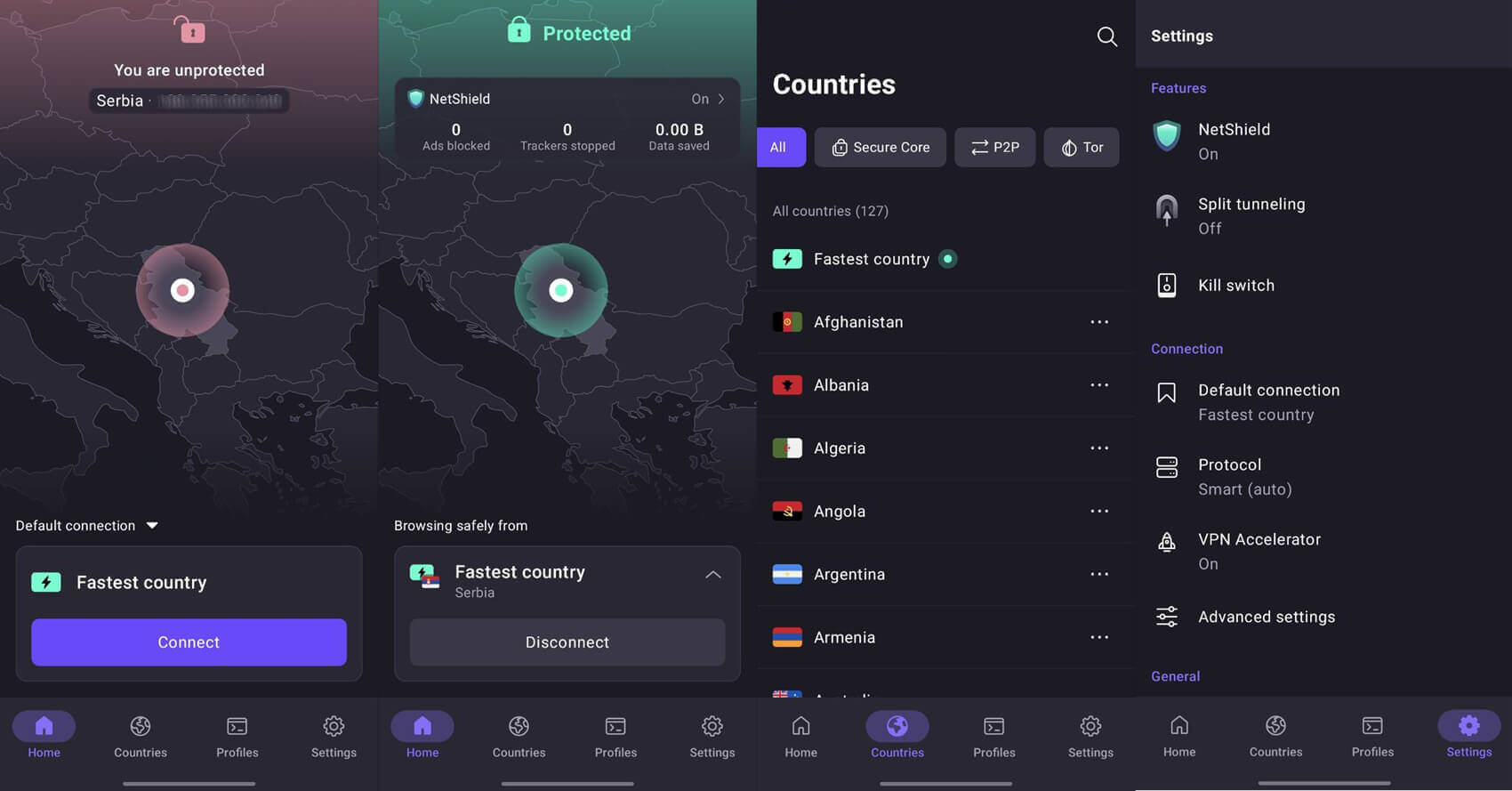
Proton VPN is the choice for privacy on a phone. Its iOS and Android apps are open source, so anyone can inspect the code, and its no-logs policy has been independently audited. On the VPN Plus plan, Secure Core sends your traffic through a hardened VPN server in Switzerland, Iceland, or Sweden before it exits in the country you chose.
That adds protection on networks you don’t trust, such as a conference or airport hotspot. Speed is its weaker side. It lost more speed than NordVPN and ExpressVPN on iPhone and Android, yet it kept enough for HD video and calls. Stealth, its protocol for disguising VPN traffic, is in the iPhone and Android apps too.
This specifically helps on hotel or office networks that block VPN connections. On Android, split tunneling lets you keep chosen apps or IP addresses outside the VPN. However, it can’t run alongside the kill switch on a phone.
So turn it on only when an app, such as a banking app, blocks VPN connections. As for price, the VPN Plus plan costs about $3 a month on the two-year term and covers 10 devices.
3. ExpressVPN: Best Mobile VPN for Battery Life
Pros
- Lightest battery drain in our phone tests
- Kill switch that can’t be turned off
- Can exclude IP addresses on iPhone
- Unblocked every streaming service in our Android tests
- One-tap app that’s easy to learn
Cons
- Few settings to adjust
- Higher renewal price
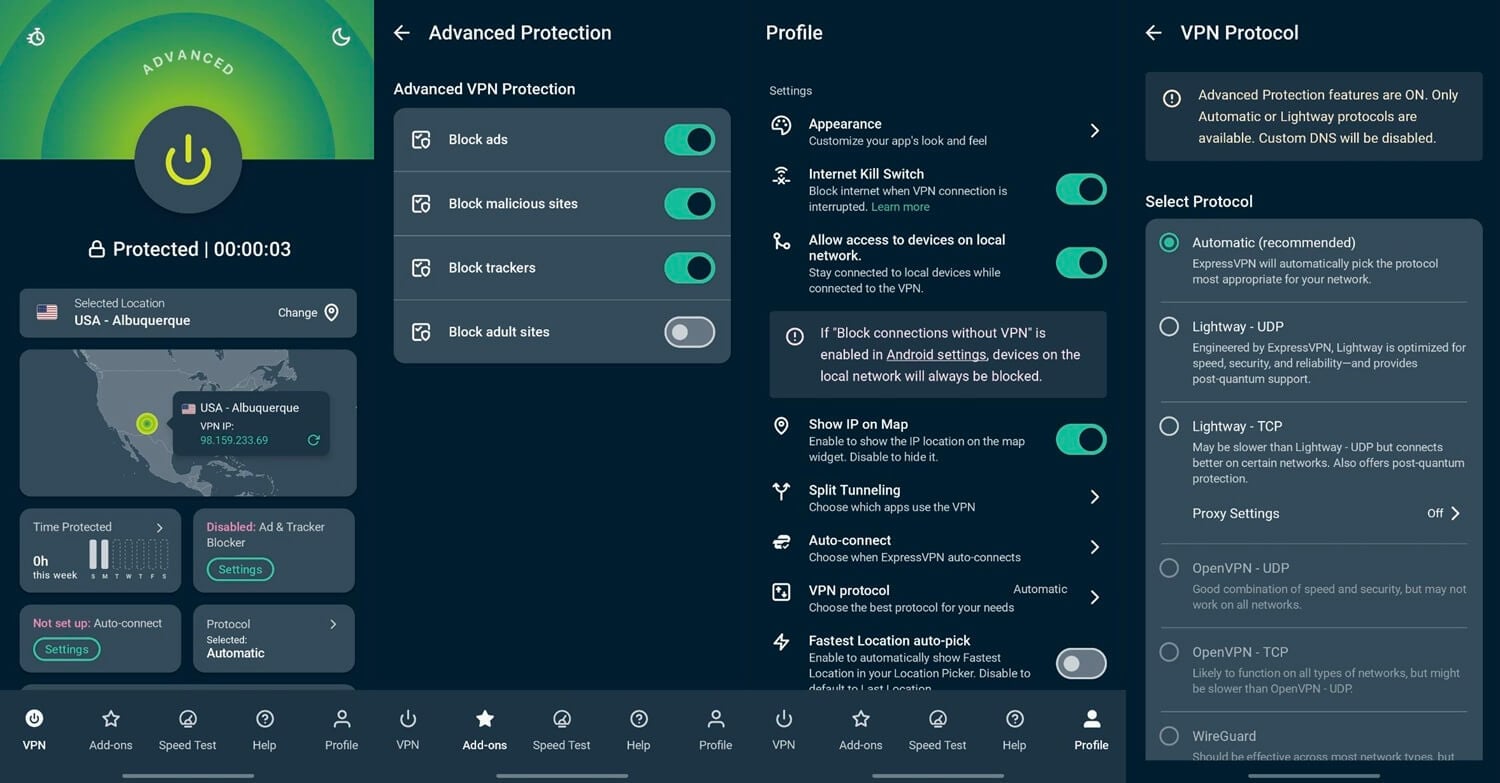
ExpressVPN used the least battery of the five. During 20 minutes of video, it added just 1% on the iPhone, and on the Android phone, the battery meter showed no difference with it connected. So if your phone is often low on charge by the evening, choose this one. Lightway, its own protocol, is part of the reason.
It’s designed to be light on the processor and to reconnect quickly when the network changes. Speed loss came close to NordVPN’s on iOS and Android, and it unblocked all nine streaming services in our Android tests, including Prime Video. The iPhone app is the simplest of the five, with one connect button, and its kill switch can’t be turned off.
Since a May 2026 update, it can also keep chosen IP addresses outside the VPN, a rare form of split tunneling on iOS. On the other hand, there’s little to adjust beyond that, so if you like changing protocols and ports, PIA has far more settings. ExpressVPN’s two-year plan is priced at about $3 a month, with 10 to 14 devices depending on the plan.
4. Surfshark: Best Mobile VPN for Ad Blocking
Pros
- Blocks ads and trackers inside the app
- No device limit
- Can exclude websites on iPhone
- 7-day trial on iPhone and Android
- Obfuscation on restrictive Wi-Fi
Cons
- Slower to connect on iPhone
- Bigger speed loss on distant servers
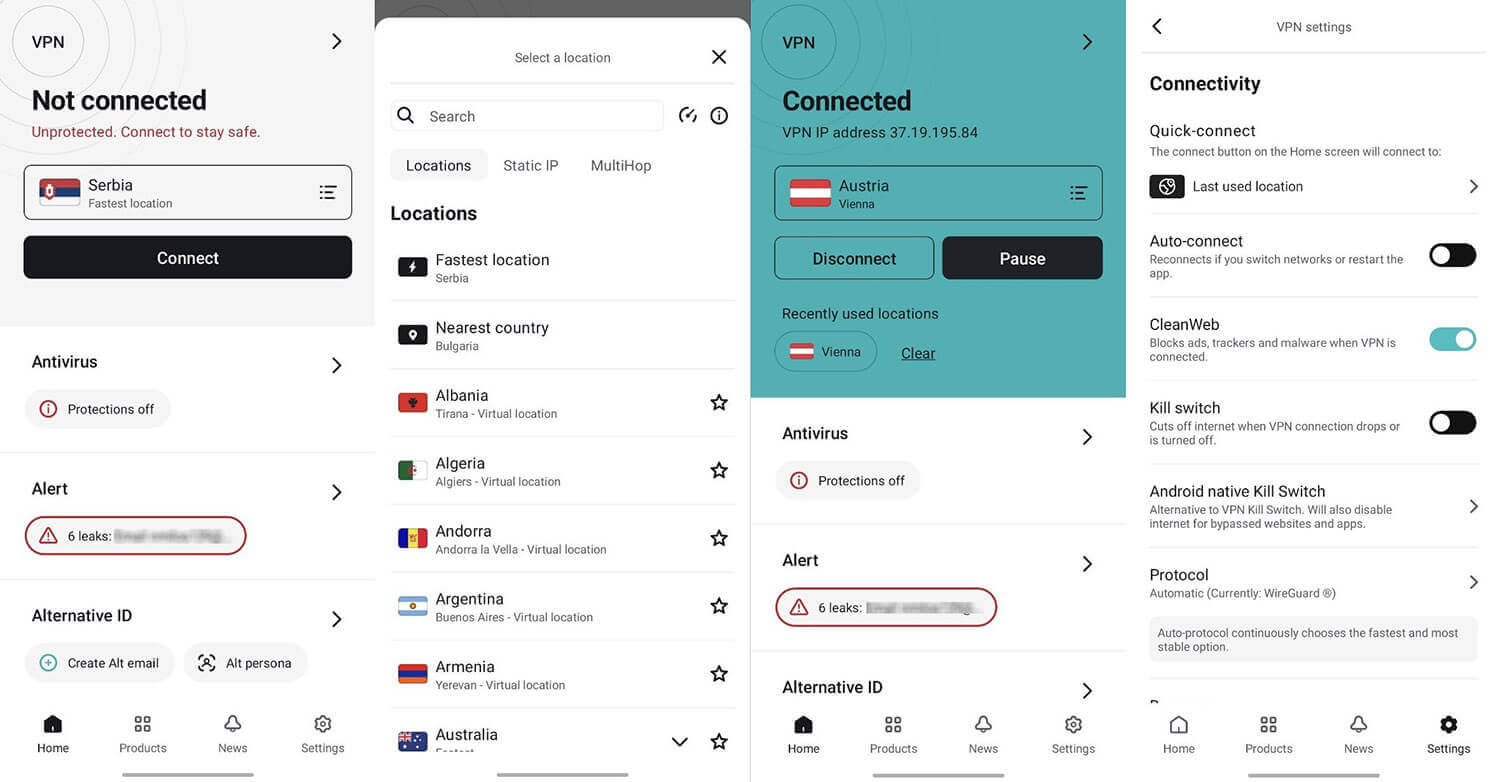
Surfshark suits phone users who are tired of ads. CleanWeb, its built-in blocker, removes ads, trackers, and malicious sites inside the app on iPhone and Android, with no browser setup. On top of that, a subscription sets no device limit, so a tablet or a second phone costs nothing extra. Bypasser, its split tunneling, also does more on iOS than most.
On Android, it can exclude apps and websites, and on an iPhone it can still exclude websites, such as a banking site that blocks VPN connections. Connecting was slower than on NordVPN or ExpressVPN, and it lost 21.4% of its speed on the iPhone. That’s noticeable if you reconnect often, so turn on auto-connect and let the app do it for you.
You can test it first with the 7-day trial on iPhone or Android, and Surfshark’s two-year plan comes to about $2.50 a month, so it’s very affordable.
5. Private Internet Access: Best Mobile VPN for Custom Settings
Pros
- Most settings to adjust
- Rules that connect on unknown Wi-Fi
- Unlimited devices
- Lowest price
- 7-day trial through the app stores
Cons
- Most speed loss in our phone tests
- Ad blocker limited to Safari on iPhone
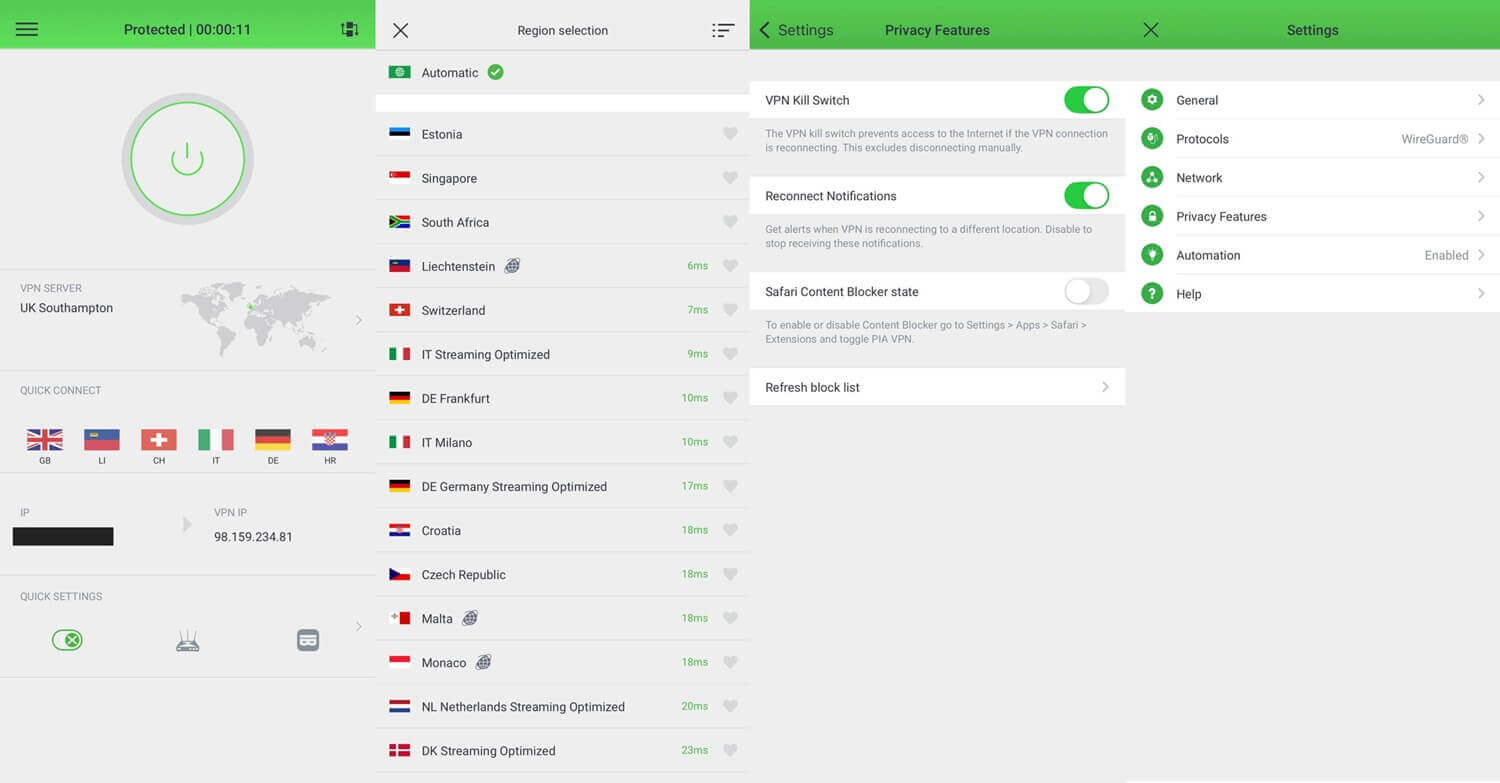
Private Internet Access has the most settings of the five, a good fit if you like to fine-tune a VPN. You can choose WireGuard or OpenVPN and change the encryption strength and port. Automation rules can also connect the VPN on unknown Wi-Fi and leave it off at home. Its ad blocker, MACE, covers the whole Android app.
On an iPhone, by contrast, it works only as a Safari content blocker that’s off by default, so switch it on in Safari’s extension settings. Split tunneling by app is Android-only as well. It’s also the cheapest of the five, at just over $2 a month on the two-year plan, which includes two extra months and unlimited devices.
First-time subscribers on the App Store or Google Play can also start a 7-day PIA trial. Speed is the trade-off: it lost the most speed of the five, so connect to the closest server when you can.
What VPN Apps Can and Can’t Do on iPhone and Android
The same subscription doesn’t behave the same way on both systems, and the differences show up in a few settings:
- Split tunneling: Apple allows excluding single apps from a VPN only on phones managed by a company. So no VPN app for iPhone can keep one app outside the tunnel. ExpressVPN excludes IP addresses, and Surfshark excludes websites instead, while on Android all five VPNs let you choose apps.
- Kill switch: Android has a system-wide setting, Always-on VPN with “Block connections without VPN”, that works with any Android VPN app. On an iPhone, protection depends on each app’s own kill switch, and NordVPN and ExpressVPN keep theirs on permanently.
- Auto-connect: NordVPN, Surfshark, and PIA can connect by themselves on Wi-Fi networks you haven’t marked as trusted. That way, a café or train hotspot is covered even when you forget to open the app.
In practice, Android users have more control, while iPhone kill switches require no setup. Either way, check these three settings once after installing, and the VPN takes care of the rest.
Free VPNs on a Phone: What to Watch For
Free VPN apps fill both app stores, and many earn their money from ads or from your data. An academic study of 283 VPN apps on Google Play found that 18% didn’t encrypt traffic and 38% were flagged for malware.
So before installing a free VPN on Android, check its permissions: a VPN doesn’t require access to your contacts, messages, or location.
- Proton VPN’s free plan is the free iPhone VPN we’d install, and it’s on Android as well. It has no data limit and includes Stealth. However, it chooses the server for you and doesn’t unblock streaming services.
- For streaming on a free plan, Windscribe and PrivadoVPN unblocked BBC iPlayer for free in our tests. However, their free accounts are limited to 10 GB a month. That’s a few hours of HD video on a phone.
A paid VPN such as NordVPN removes those limits: you choose the server, streaming services work, and nothing caps your data. The 30-day money-back guarantee also lets you test it on your own phone first.
Verdict
On a phone, a good VPN is one you forget about: it connects by itself on unfamiliar networks and recovers from every switch without interrupting your apps. NordVPN came closest to that on both systems, so for most people, we’d install it on every phone and leave it on.
If privacy comes before speed, Proton VPN is the better fit. On an iPhone, the five are closer together, since every one lost less speed on iOS than on Android. So if you only use an iPhone, price and extras can decide it.
Frequently Asked Questions
Is it worth using a VPN on a phone?
Yes, especially on public Wi-Fi and while traveling. A VPN encrypts traffic between the phone and the VPN server, hiding browsing from the network owner, and it changes the phone's IP address.
Can one VPN subscription cover an iPhone and an Android phone?
Yes. NordVPN, Proton VPN, and ExpressVPN accounts work on iOS and Android with the same login, within each plan's device limit, while Surfshark and Private Internet Access set no device limit.
Does a VPN work on mobile data?
Yes. A VPN encrypts traffic on mobile data in the same way as on Wi-Fi, and protocols such as WireGuard and Lightway reconnect automatically when the phone switches between the two networks.
Which VPN protocol is best for a phone?
WireGuard and protocols built on it, such as NordLynx, suit phones best, along with ExpressVPN's Lightway. They connect quickly, recover from network changes, and use less battery than OpenVPN.
Can a VPN stop apps from tracking a phone?
No, not completely. A VPN hides the IP address and encrypts traffic, but apps can still identify a user through device identifiers, account logins, and the permissions granted to them.
Should you leave a VPN on all the time on a phone?
Yes, on networks the owner doesn't control. Keeping it connected protects traffic during network switches, and auto-connect rules can turn it off on trusted home Wi-Fi to reduce battery use.