A free VPN for BBC iPlayer still exists. Windscribe and PrivadoVPN unblocked it on their London servers in our October tests. Hide.me’s free UK server was blocked, and Proton VPN’s free plan has no UK server. Half an hour of BBC One at iPlayer’s default quality used about 650 MB, so a 10 GB free allowance covers almost eight hours.
Free and Nearly Free iPlayer VPNs for 2026
- NordVPN: Free for 30 days through a full refund, with no data limit.
- Proton VPN: Paid UK servers that unblock iPlayer, plus a free plan to keep.
- Windscribe: Genuinely free, with 10 GB a month and unlimited devices.
- PrivadoVPN: Genuinely free, with a second 10 GB allowance.
Six VPNs Tested on iPlayer
Our October round used a Windows 11 PC in Europe with a 190.36 Mbps baseline, deleting cookies before each VPN. Download figures come from each VPN’s UK server.
| VPN | Plan tested | BBC iPlayer | UK download | Monthly data |
|---|---|---|---|---|
| NordVPN | Paid, full 30-day refund | Unblocked | 184.73 Mbps | Unlimited |
| Proton VPN | Paid, partial refund | Unblocked | 178.89 Mbps | Unlimited |
| Windscribe | Free | Unblocked | 182.21 Mbps | 10 GB |
| PrivadoVPN | Free | Unblocked | 180.04 Mbps | 10 GB |
| Hide.me | Free | Blocked | 152.31 Mbps | Unlimited |
| Proton VPN | Free | No UK server | Not applicable | Unlimited |
| Hotspot Shield | Free | No UK server | Not applicable | Not tested |
Among paid VPNs, iPlayer blocked only TunnelBear in our streaming round, so every failure we recorded came from a free VPN.
How Much BBC iPlayer 10 GB Covers
To see how long a free VPN for BBC iPlayer lasts, we watched BBC One on Windscribe with a free account and read the data counter in the app after 30 minutes at each quality setting:
- Highest quality, the default: about 650 MB, an average of 2.9 Mbps.
- Lowest quality: about 390 MB, an average of 1.7 Mbps.
A 10 GB allowance therefore lasts about 7.7 hours at the default quality and about 12.8 hours at the lowest. Without a confirmed email address, Windscribe allows 2 GB, which is about an hour and a half at the default setting. Change the quality from the gear icon in the iPlayer player, and keep an eye on the data counter in the VPN app.
The cap ends playback in two different ways. Windscribe disconnects when the allowance is used up. PrivadoVPN keeps the connection at 1 Mbps, below the 1.7 Mbps that even the lowest iPlayer quality uses.
Best Free VPNs for BBC iPlayer
1. NordVPN: Best for 30 Days of Unlimited iPlayer
Pros
- No data limit
- Fast UK servers
- Android free trial
- Quick PayPal refund
Cons
- Trial requires a card
- High renewal price
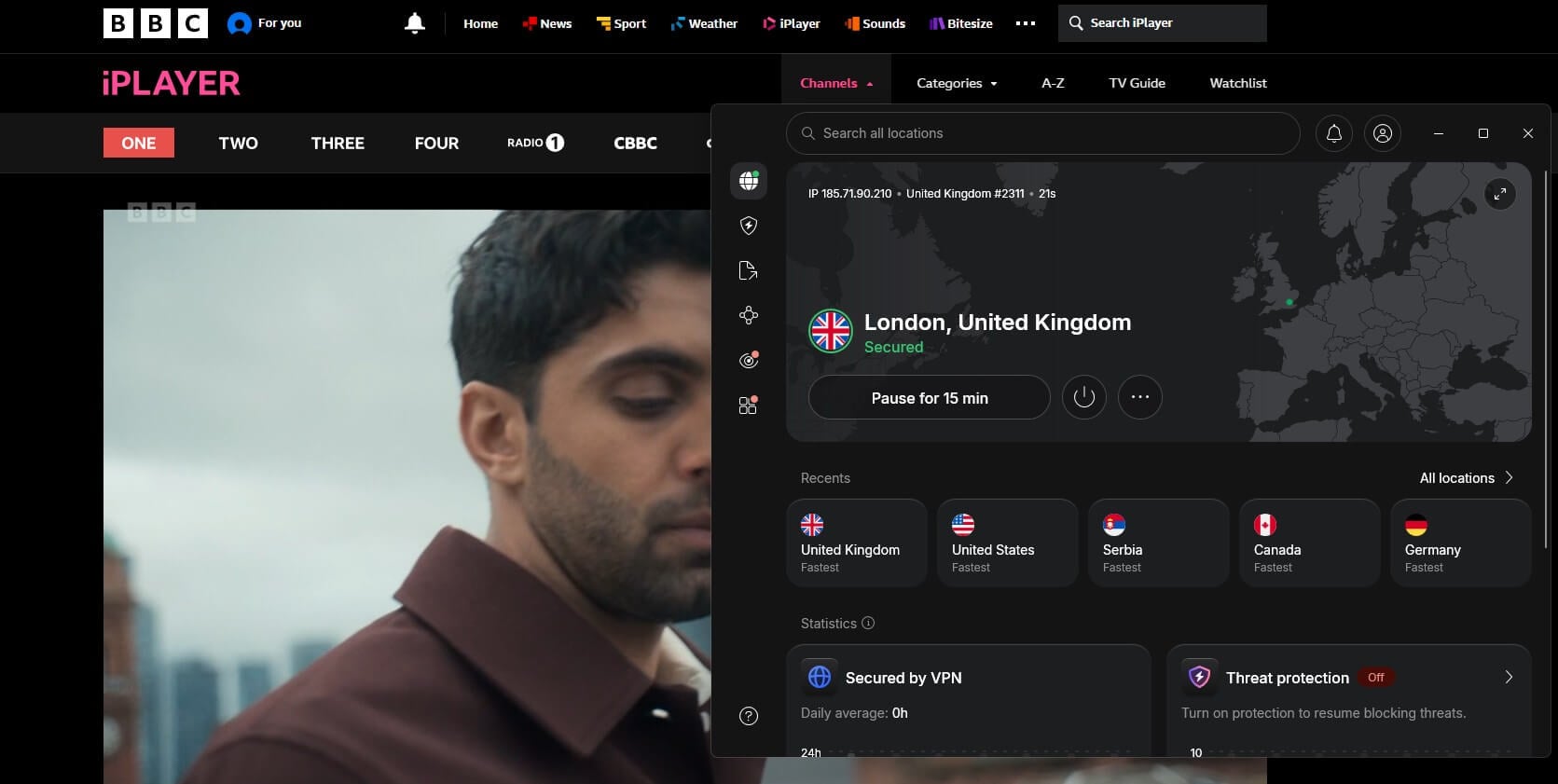
NordVPN unblocked BBC iPlayer on its UK servers in our streaming round and measured 184.73 Mbps on a UK server, ahead of Windscribe’s 182.21 Mbps and PrivadoVPN’s 180.04 Mbps. NordVPN isn’t free, but its 30-day money-back guarantee turns it into a free VPN for BBC iPlayer for the first month if you cancel, and our PayPal refund arrived in 10 minutes.
On Android, a 3-day NordVPN free trial is available through Google Play, and it requires card details, so cancel before it ends. An hour of iPlayer a day for a month uses about 39 GB at the default quality, compared to Windscribe’s 10 GB free allowance, and NordVPN sets no data limit. The Basic plan costs $3.49 a month for the first 27 months, then renews at $139.08 a year. Paid alternatives are compared in our VPN for BBC iPlayer rankings.
2. Proton VPN: Best for Keeping a Free Plan Afterward
Pros
- Paid plan opens iPlayer
- Keeps free plan afterward
- Unlimited free data
Cons
- Partial refund only
- No free UK server
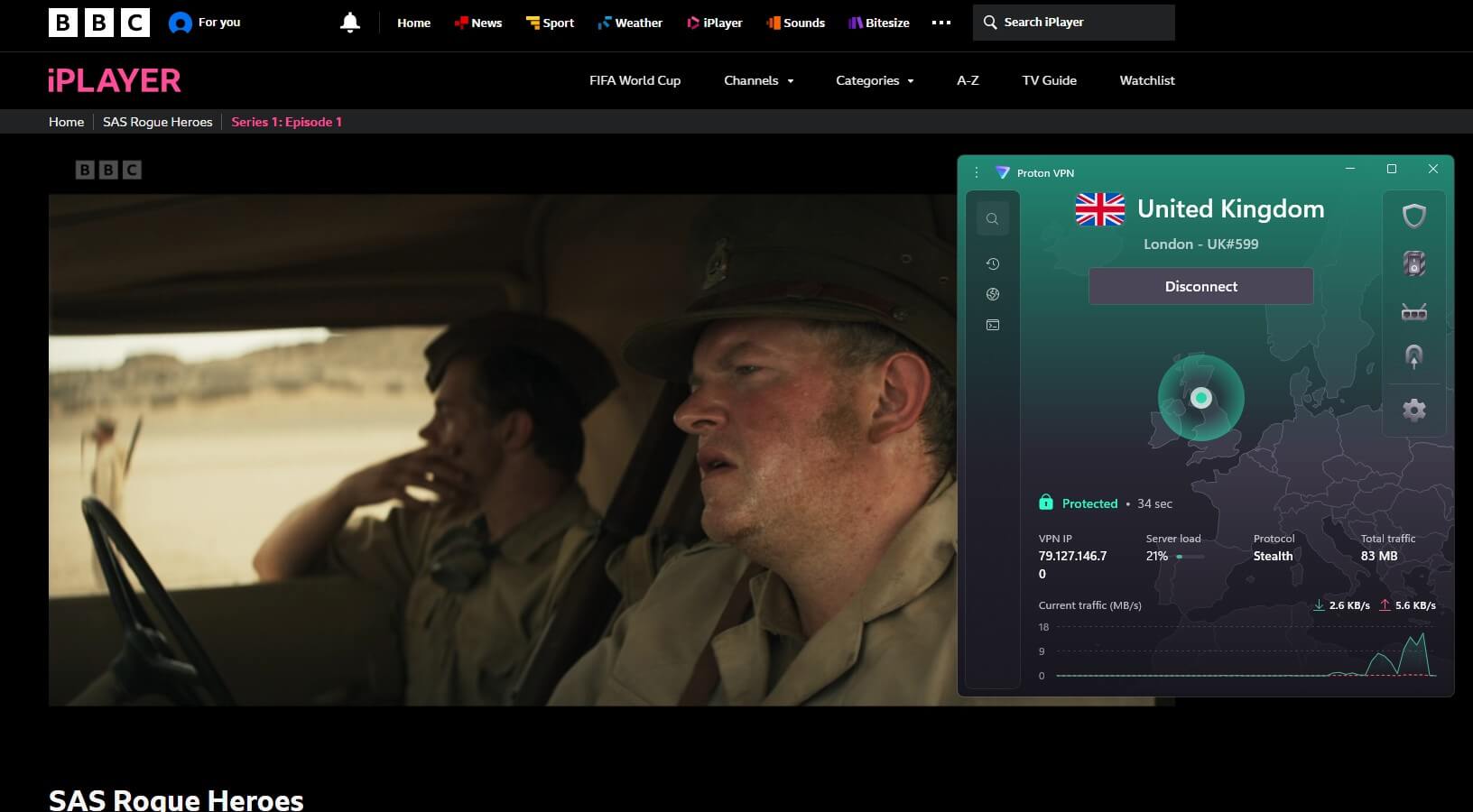
Proton VPN‘s paid UK servers unblocked BBC iPlayer in our streaming round, at 178.89 Mbps on a UK server. Its free plan can’t do the same. Free accounts are assigned one of 10 countries at random, and our tests never assigned a UK server. The refund works differently from NordVPN’s. Proton VPN refunds only the part of the term you haven’t used.
The account has to be moved back to the free plan before the request. A month of use therefore costs roughly one month’s share of the price, and the free plan remains afterward for browsing. The VPN Plus plan costs $71.76 for the first two years, $2.99 a month, and renews at $83.88 a year.
3. Windscribe: Best Genuinely Free VPN for BBC iPlayer
Pros
- Unlimited free devices
- Works without an email
- Chrome extension opens iPlayer
Cons
- Disconnects at the cap
- Cluttered interface
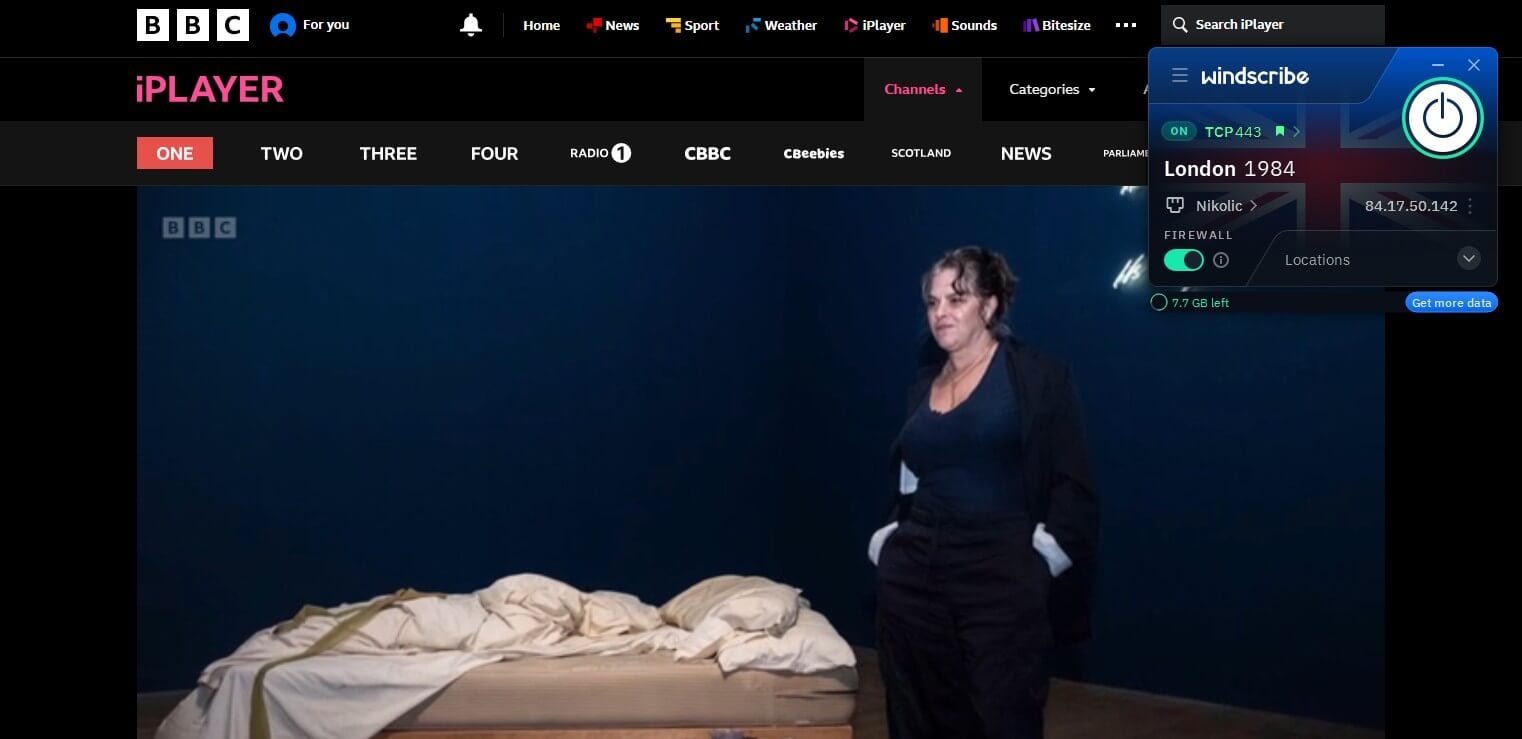
Windscribe‘s free London server unblocked BBC iPlayer, and BBC One played live. The free UK server measured 182.21 Mbps, ahead of Proton VPN’s paid 178.89. Windscribe’s free accounts receive 10 GB a month once the email address is confirmed, and 2 GB before.
We connected five devices at once on one free account, which no other free VPN we tested allows. The same allowance applies on its Android and free iPhone VPN apps. Its interface is cluttered, and some settings took us a while to find. Our Windscribe vs NordVPN duel covers what Windscribe Pro adds.
4. PrivadoVPN: Best Second Free Allowance
Pros
- Lowest UK ping measured
- Online after the cap
- Opens Channel 4 too
Cons
- Manual monthly renewal
- One device only
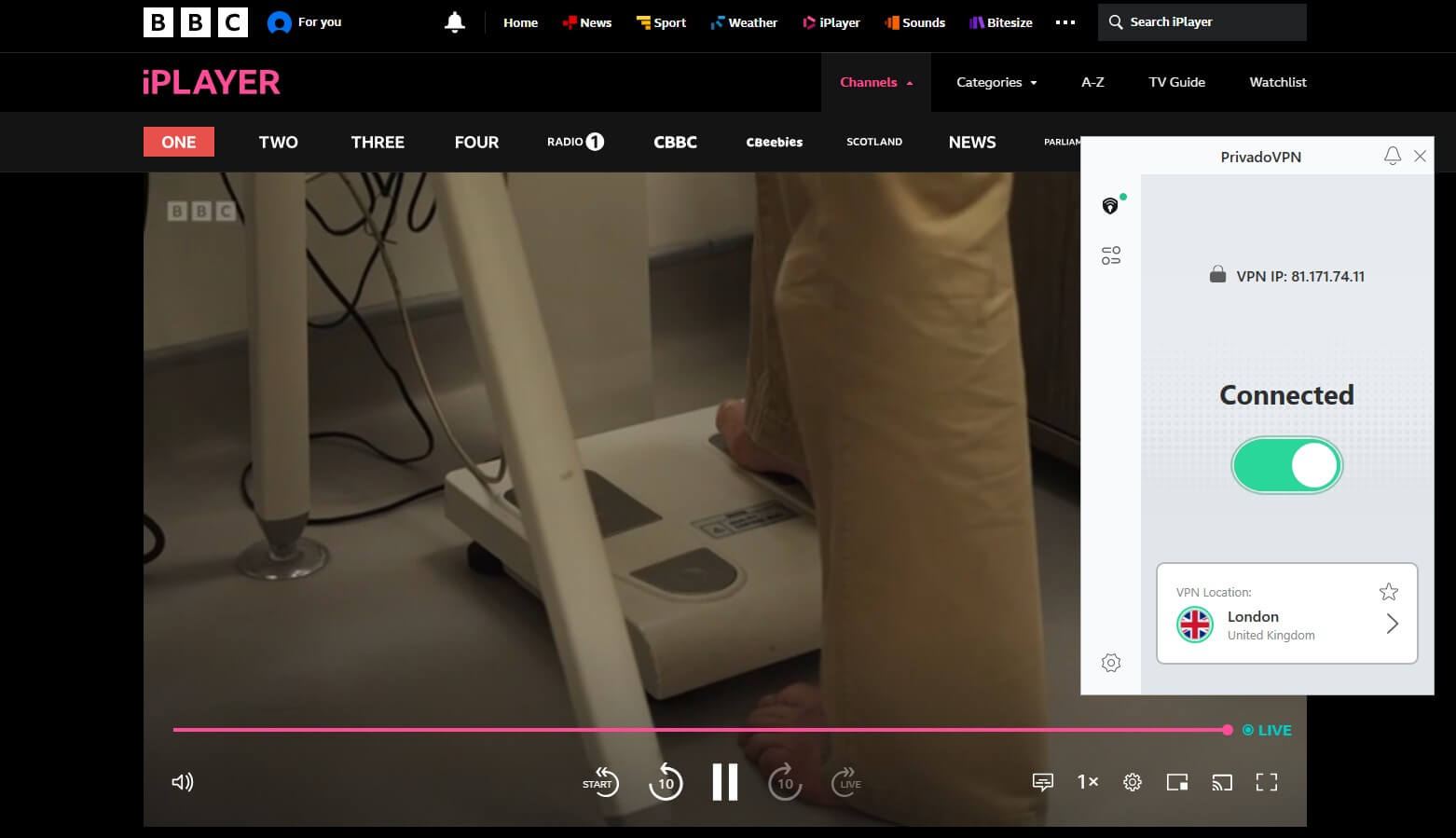
PrivadoVPN unblocked BBC iPlayer from its free London location, and the live BBC One stream played normally. It measured 180.04 Mbps with a 37 ms ping, the lowest ping of any VPN we measured on a UK server, paid ones included. Its 10 GB is a second allowance on top of Windscribe’s, so using the two covers roughly 15 hours of iPlayer at the default quality.
The allowance has to be renewed by hand each month, which we found annoying, and PrivadoVPN Free covers one device. The Iceland-based service offers free apps for Windows, macOS, iOS, and Android. Channel 4 also unblocked on PrivadoVPN, while ITVX blocked it, as it blocked Windscribe.
Using a Free Proxy for BBC iPlayer
Install Windscribe’s free Chrome extension, select London, and open iPlayer in Chrome. The extension unblocked BBC One on its London location, and it draws on the same 10 GB allowance as the Windscribe app. The extension works as a proxy. It changes the browser’s IP address and leaves other apps on your normal connection.
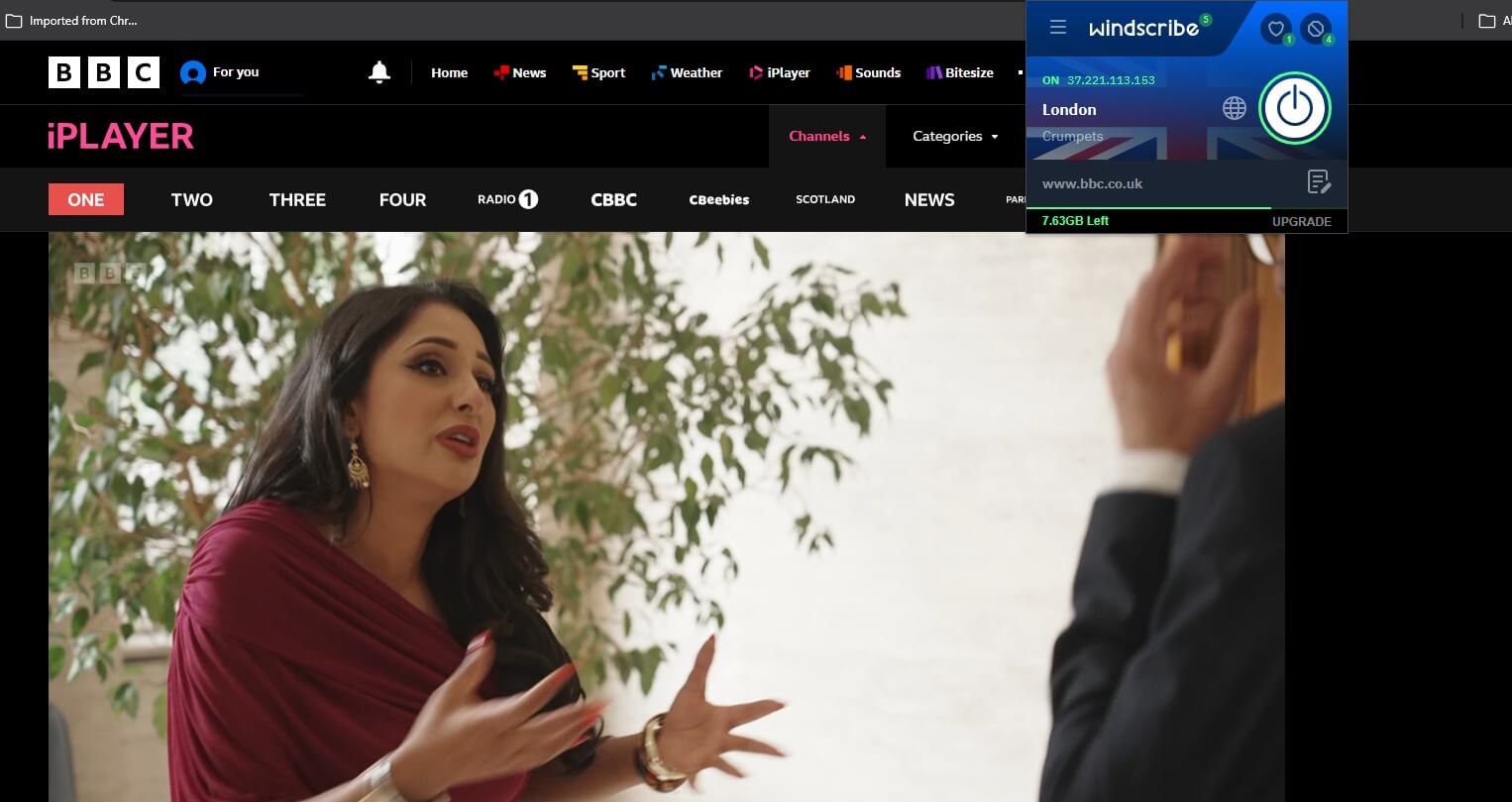
For iPlayer in a browser tab, that’s enough. Our free VPN for Chrome rankings test more extensions. Opera’s built-in browser VPN offers broad regions such as Europe, with no way to choose a UK IP address.
Free VPNs That Failed
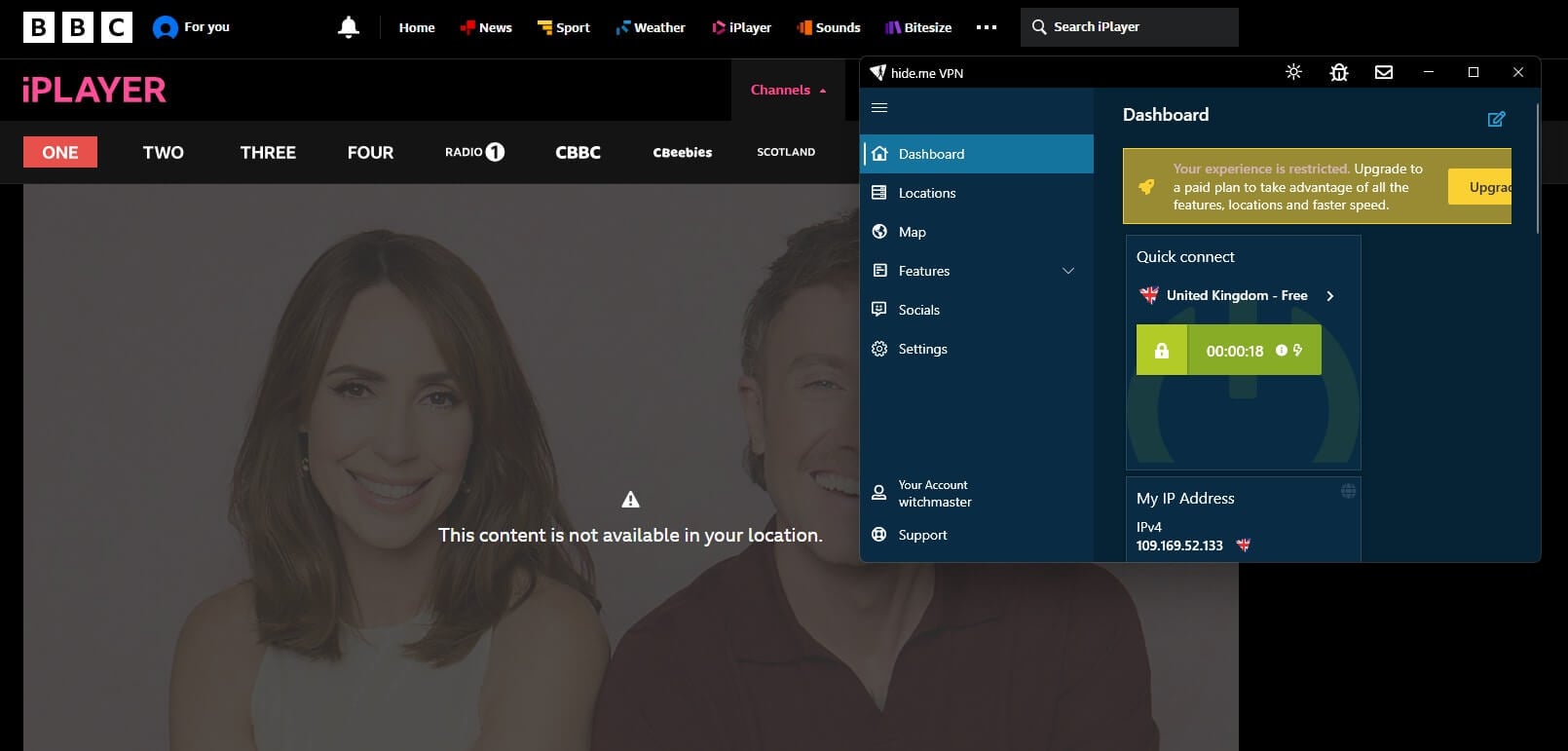
- Hide.me‘s free UK server connected, and iPlayer showed “This content is not available in your location.” Without a subscription, Hide.me opened none of the other streaming services in our round either, though the data is unlimited.
- Free Hotspot Shield accounts are limited to a US server, so they can’t provide a UK IP address. Free TunnelBear accounts include a UK server, but it measured 133.94 Mbps there, the slowest free UK result we recorded. We didn’t test a free TunnelBear account on iPlayer, since the paid version was already blocked.
- Two free extensions are worth avoiding for privacy reasons. In December 2025, Koi Security reported that Urban VPN Proxy had been collecting users’ AI chatbot conversations across extensions with about 8 million users. Hola sends other users’ traffic through your connection.
Signing Up for BBC iPlayer From Abroad
Connect to a UK server first, then create the account on bbc.co.uk. The form requires a UK postcode, and a randomly generated valid postcode worked in our test. Before playback, iPlayer requires you to confirm that you have a TV licence, and it doesn’t check the answer. A UK household legally requires a licence to use iPlayer, at £180 a year from April 2026.
Watching from outside the UK breaks iPlayer’s terms of use, and the BBC enforces that by blocking server IP addresses. iPlayer has no US or Irish version, so viewers there must have a UK IP address too. Our guide to watching BBC iPlayer abroad covers phones, TVs, and the app.
BBC iPlayer Not Working With a Free VPN
Start by picking a different UK server, which comes with a different IP address. Then match what you see:
| Problem | Cause | Fix |
|---|---|---|
| “This content is not available in your location.” | iPlayer has flagged the IP address, or the VPN has disconnected. | Change UK server, or move to Windscribe or PrivadoVPN. |
| Playback stops partway through | The monthly allowance is spent. | Check the data counter, then lower the quality or switch to the other free VPN. |
| The old location still appears | Cookies from an earlier session. | Clear bbc.co.uk cookies and reload. |
If the error stays after these steps, switch VPN. A free VPN with UK servers works for iPlayer only while those servers stay off iPlayer’s blocklist, and free VPNs offer few UK locations to move between. For viewing that keeps working, pay for a VPN. NordVPN and Proton VPN unblocked iPlayer on their paid UK servers, with no data limit on either.
Conclusion
As a free VPN for BBC iPlayer, Windscribe ranks first for its unlimited devices and working Chrome extension, with PrivadoVPN adding another 10 GB. At the default quality, each lasts almost eight hours, or about 15 hours combined, and the lowest quality extends each to almost 13 hours. At an hour a day, one free VPN lasts about a week and the two together about two weeks.
NordVPN ranks first overall for viewers who watch more than that. It unblocks iPlayer with no data limit, and its full refund makes the first month free. Proton VPN refunds only unused time but leaves a free account behind. Our best free VPN rankings cover free VPNs for other uses.
Free BBC iPlayer VPN FAQs
Is there a free VPN that works with BBC iPlayer?
Yes, two free VPNs unblock BBC iPlayer on London servers. Windscribe and PrivadoVPN include 10 GB of data a month, while Hide.me's free UK server is blocked.
Can I watch BBC iPlayer in the USA for free?
Yes, with a free VPN that has a UK server. iPlayer has no US version and checks for a UK IP address, but streaming costs nothing once connected.
Does BBC iPlayer block VPNs?
Yes, iPlayer blocks IP addresses it links to VPN servers and shows a location error. Some servers remain unblocked, including Windscribe's and PrivadoVPN's free London servers.
How much data does BBC iPlayer use?
About 1.3 GB an hour at the highest quality and about 0.8 GB an hour at the lowest. A 10 GB free VPN allowance covers roughly 8 to 13 hours.
Can I use a free proxy for BBC iPlayer?
Yes, Windscribe's free Chrome extension unblocks BBC iPlayer on its London location. It covers only the browser and shares the 10 GB monthly allowance of the Windscribe app.
Does BBC iPlayer check for a TV licence?
No, iPlayer requires a confirmation click and doesn't verify it. The license remains a legal requirement for iPlayer viewers in the UK, at £180 a year from April 2026.
Why can't I watch BBC iPlayer with my VPN?
The server's IP address is on iPlayer's blocklist. Switching to another UK server, clearing bbc.co.uk cookies, or moving to a VPN whose UK servers still work usually fixes it.