
Channel 4 played live and on demand on nine UK servers across NordVPN, Proton VPN, and ExpressVPN, with no failures. The ad blockers built into the three VPNs triggered no warnings, and strangely, no ads played. The only block came on Proton VPN’s Irish server, which Channel 4 stopped with an Access Denied page. NordVPN ranks first overall.
UK Server Setup Steps for 2026
- Subscribe to NordVPN and install it on a computer or phone.
- Connect to a UK server. Channel 4 played on London, Manchester, and Edinburgh servers in our tests.
- Register at channel4.com with an email address, a date of birth, and a UK postcode.
- Press play on an episode, or choose a channel under Watch Live.
Setting Up a Channel 4 Account
Connect the VPN to a UK server before you open channel4.com. Channel 4 streams to the UK and Ireland only. On a US IP address, the site loads. Pressing Play then shows “This programme is not available in your current location.” Like most foreign TV channels, it licenses its shows for its home market. Registration is free. The form requires a UK postcode, a date of birth confirming you’re 16 or older, and an email address.
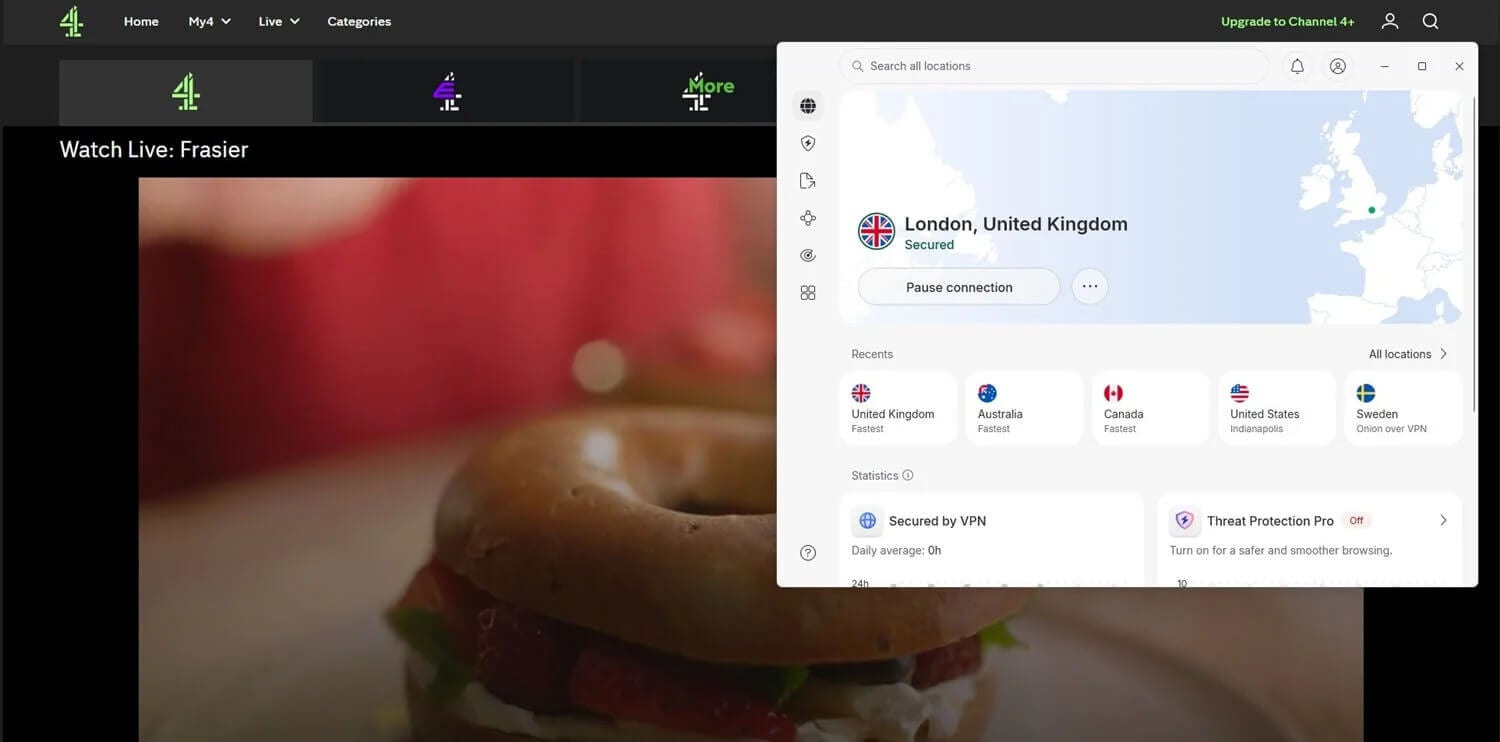
A random postcode passed registration in our test, and Channel 4 then emails a link to confirm the account. Channel 4 requires no payment details. After signing in, choose an episode or open Watch Live for channels such as Channel 4, E4, and More4. With a UK IP address in place, playback started within two to three seconds on every server we tried.
Channel 4 Results Compared by VPN
Our October tests used a Windows 11 PC in Europe whose connection measured 190.36 Mbps without a VPN. We played a Watch Live channel and a catch-up episode on every server, and reset the browser’s cookies between VPNs.
| VPN | UK servers that played Channel 4 | Irish server | With ad blocker enabled | UK download |
|---|---|---|---|---|
| NordVPN | London, Manchester, Edinburgh | Unblocked | Threat Protection Pro: no warning | 184.73 Mbps |
| Proton VPN | London, Manchester, Edinburgh | Access Denied | NetShield: no warning | 178.89 Mbps |
| ExpressVPN | London, Manchester, Tottenham | Unblocked | Advanced Protection: no warning | 185.74 Mbps |
We also played Channel 4 with Threat Protection Pro, NetShield, and Advanced Protection enabled, and the player showed no ad-blocker message.
Best VPNs for Channel 4
- NordVPN: Best overall, with Irish servers as a backup and Meshnet for a UK home connection.
- Proton VPN: Best for long-term cost, renewing at $6.99 a month.
- ExpressVPN: Best for speed, with 185.74 Mbps on its UK server.
1. NordVPN: Best All-Round VPN for Channel 4
Pros
- Dedicated UK IP option
- Obfuscated servers
- Threat Protection compatible
- Native Fire TV app
Cons
- Blocker costs extra
- Windows app conflicts
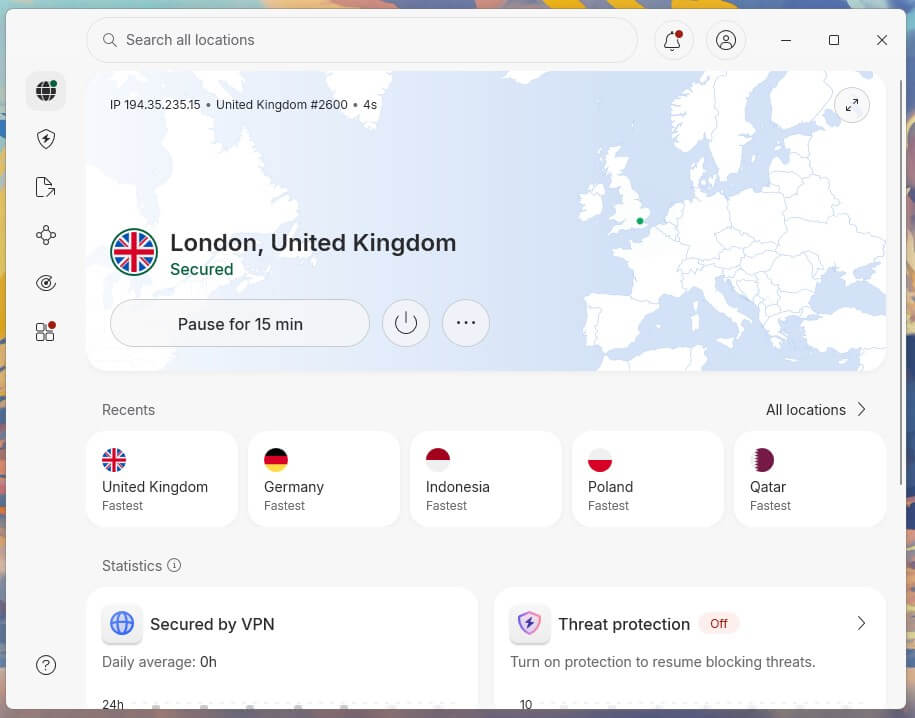
NordVPN unblocked Channel 4 on its London, Manchester, and Edinburgh servers for live TV and catch-up episodes. Its Irish server unblocked the service as well, a second country to try if UK servers are busy. Its UK download came in at 184.73 Mbps. Meshnet links devices you own. A laptop in the US can send its traffic through a computer left at home in the UK, so Channel 4 sees a household connection.
On Windows, NordVPN sometimes won’t connect while ExpressVPN is installed on the same PC. Its diagnostics tool and a fresh sign-in fix it, but users who keep a second VPN installed will see the fault again. Threat Protection Pro isn’t part of the Basic plan and starts on the Complete plan at $4.49 a month, renewing at $219.48 a year.
2. Proton VPN: Best for Long-Term Cost on Channel 4
Pros
- Secure Core option
- Stealth protocol
- Open-source apps
- Split tunneling
Cons
- Irish server blocked
- No Smart DNS
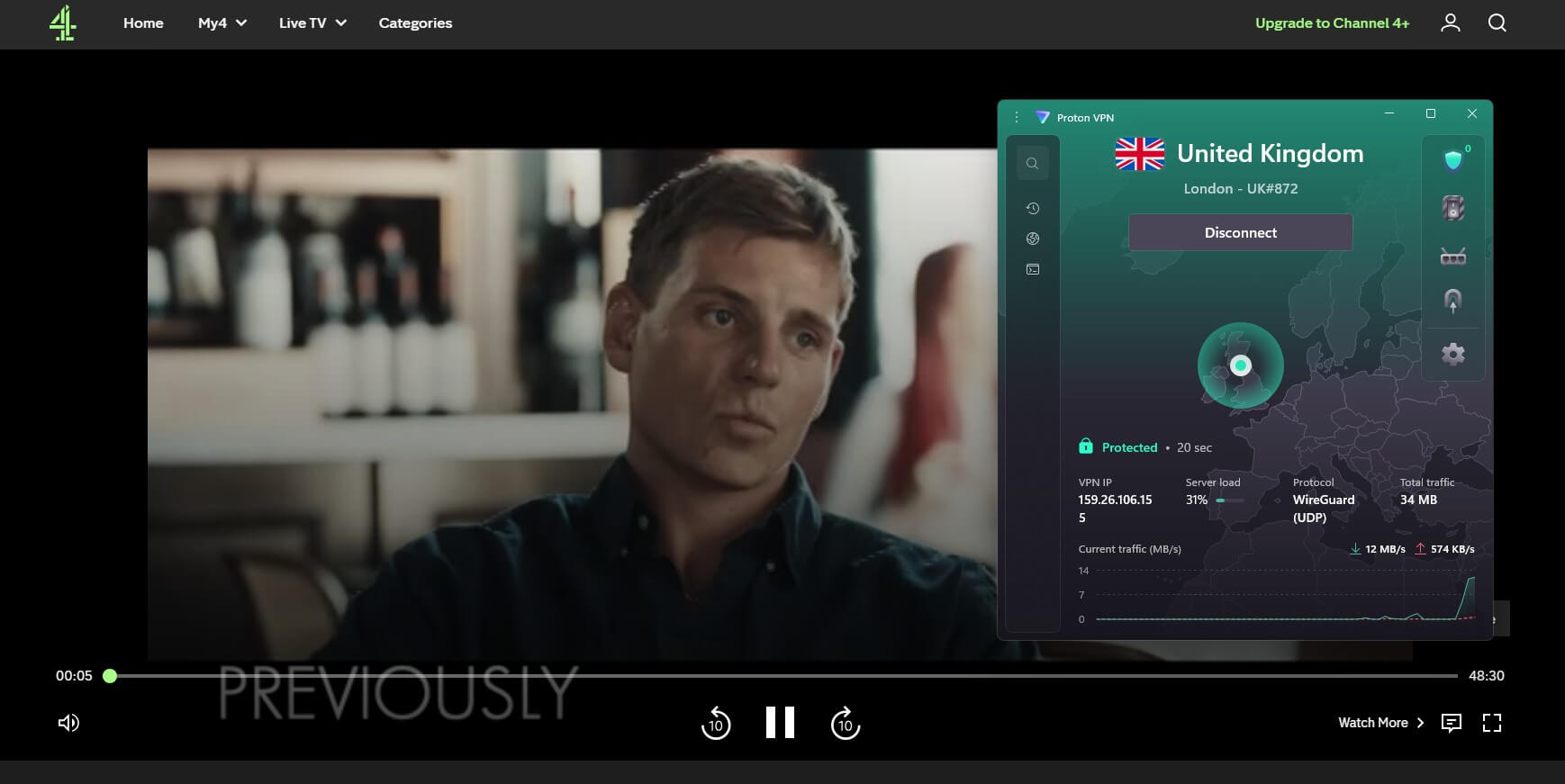
On Proton VPN, Channel 4 played from UK servers in London, Manchester, and Edinburgh, live and on demand. Proton VPN’s UK server measured 178.89 Mbps, and live channels started without buffering. Ireland is the exception. Its Irish server received an “Access Denied” page on channel4.com. Proton VPN users should stay on UK servers.
Viewers who want Ireland as a fallback should pick NordVPN. Proton VPN also has no Smart DNS for TVs and game consoles. Its VPN Plus plan renews at $6.99 a month after the first term, compared to $11.59 a month for NordVPN’s Basic plan at renewal. Our budget VPN guide compares it with other low-cost VPNs.
3. ExpressVPN: Best for Speed and Simplicity
Pros
- Lightway protocol
- Native Apple TV app
- Aircove router option
- Browser extension included
Cons
- Blocker requires Advanced plan
- Limited customization
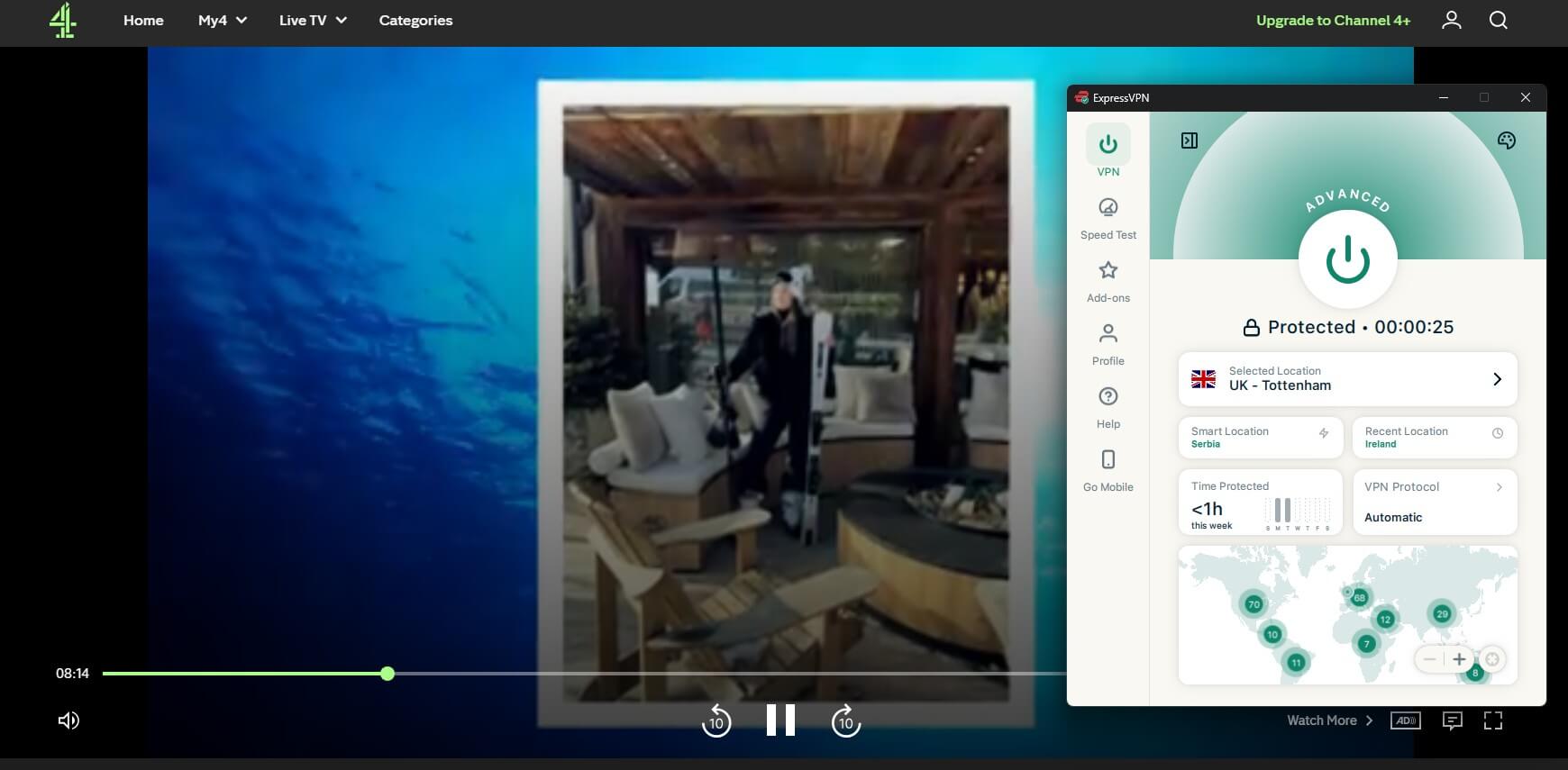
Channel 4 played on ExpressVPN‘s London, Manchester, and Tottenham servers, with Tottenham standing in for Edinburgh, which ExpressVPN doesn’t list. It recorded 185.74 Mbps on the UK speed test, and Channel 4 also played on its Irish server. The Windows app keeps the connect button, the selected location, and recent locations on one screen.
Users who like to adjust protocols and settings in detail will find less to change than on NordVPN. Advanced Protection, the blocker we enabled for the test, comes with the Advanced plan, priced at $4.49 monthly over 28 months and renewing at $119.95 a year. The Basic plan includes only Lite Protection. Check for ExpressVPN coupons before subscribing.
Channel 4 on Phones, TVs, and Streaming Sticks
Channel 4 streams through channel4.com and its own apps for phones, smart TVs, streaming sticks, and consoles. Outside the UK, the app isn’t listed in the Google Play Store, the App Store, or the Amazon Appstore on Fire TV. Use channel4.com in a browser instead:
- Phones: connect the VPN app to a UK server, then go to channel4.com in the phone’s browser. Channel 4 played in the browser on our Android phone.
- Computers: follow the setup steps in a desktop browser. An HDMI cable to the TV shows it on a larger screen.
- Fire TV Stick and Apple TV: NordVPN, Proton VPN, and ExpressVPN have apps for these devices, but the Channel 4 app isn’t in their stores outside the UK. Our Fire TV Stick VPN rankings compare apps for the device.
- Samsung and LG TVs: these sets don’t support VPN apps, and a TV bought outside the UK may not list the Channel 4 app. A laptop over HDMI or a VPN router is the alternative.
Channel 4 Errors and Fixes
- Location error on play: Channel 4 sees an IP address outside its service area. Check that the VPN is connected to a UK server, then reload the page.
- “Access Denied” with a reference number: the site blocked the VPN server’s IP address. Disconnect and connect to a different UK server.
- Endless loading: clear the cookies for channel4.com, or use a private window. Stored cookies from an earlier visit can override the new location.
- Still blocked: see our guide to unblocking restricted websites.
Is Channel 4 Free?
Yes. Advertising pays for Channel 4, and its streaming service charges viewers nothing, so a US viewer’s only cost is the VPN. Paying for Channel 4+ removes ads from most on-demand shows. It’s £3.99 a month or £39.99 a year after a 7-day free trial; its benefits apply only in the UK, and live channels keep their ads.
What You Can Watch on Channel 4
Channel 4’s streaming service includes shows from Channel 4, E4, More4, and Film4, among them The Great British Bake Off, Gogglebox, and Taskmaster. In 2026, it added shows from UKTV’s U service. Bergerac and Red Dwarf were available when we checked. The Office had a page but showed “No episode available to watch on demand.” The service launched as 4oD in 2006, became All 4 in 2015, and took the Channel 4 name in April 2023.
Free VPNs We Tried
Windscribe and PrivadoVPN unblocked Channel 4 on the UK servers in their free plans. Channel 4’s player adjusts quality to the connection, and 30 minutes on Windscribe used 493 MB, about 1 GB an hour. Windscribe’s free allowance is 10 GB a month once you confirm an email address, roughly ten hours of Channel 4.
PrivadoVPN also allows 10 GB, but users must renew the allowance by hand each month. Proton VPN‘s free plan assigns a random country and doesn’t let users choose the UK. Our best free VPN list compares more free tiers.
Verdict
UK expats with a computer at home benefit most from NordVPN. Meshnet sends their traffic through that household connection, and an Irish server offers a second country. Viewers planning to keep a VPN for years should look at Proton VPN, which has the lowest renewal price, as long as they stay on UK servers. For the least setup, ExpressVPN recorded the fastest UK speed and keeps its main controls on one screen.
For ITVX, iPlayer, and other British channels, start with our UK TV in the USA guide, plus the ITVX abroad and Sky Sports in the US pages. Our best VPN for the UK and streaming VPN rankings test these VPNs on more services.
Channel 4 VPN FAQs
Can you watch Channel 4 in the US?
Yes, with a UK IP address. Channel 4 checks the viewer's location, so a VPN connected to a UK server unblocks its live channels and catch-up catalog from the US.
Is Channel 4 free in the US?
Yes, it's free, but requires a UK IP address. Registration involves a UK postcode and an email address, with no payment details.
What is Channel 4?
Channel 4 is a British public broadcaster funded by advertising, separate from the BBC. In the US, "channel 4" usually means a local station, such as NBC's WNBC in New York.
Does Channel 4 block VPNs?
Yes, once it identifies a server's IP address as a VPN's. A flagged server shows an error or Access Denied page, and another UK server on NordVPN or Proton VPN usually restores playback.
How much does Channel 4+ cost?
Channel 4+ is £3.99 monthly or £39.99 annually. The subscription removes ads from most catch-up programs for UK viewers and doesn't apply to live channels.
Does Channel 4 work outside the UK?
Yes, from any country, once the VPN shows a UK location. The same setup applies to British TV in Spain and to Channel 4 in Australia.
Why does Channel 4 say "This programme is not available in your current location"?
It means Channel 4 places the connection outside its service area. The message appears if the VPN drops, points to another country, or uses a server Channel 4 has blocked.