TunnelBear is often the first VPN people install. The free plan, the cartoon bear, and an app that explains itself make it an easy start. Its paid Unlimited plan also costs less than most big names. The question is what you get once you start paying.
I subscribed to Unlimited and used it for browsing, streaming, torrenting, and speed tests, with the free version running on the side. Privacy turned out to be its strong suit, and I’d trust it on any network.
Other results were less flattering, and one of them is a deal-breaker if you plan to stream from abroad. Here’s my quick verdict and then the whole review.
TunnelBear VPN
TunnelBear is a safe, transparent VPN with the friendliest apps around and unlimited devices on one plan. It suits beginners who want simple protection on public Wi-Fi. Slow distant servers, weak streaming, and no refund window make it hard to recommend for the price.
Pros
- Unlimited simultaneous connections
- Free plan to try the apps
- Easiest apps to use
- Audited every year
- No IP or DNS leaks
Cons
- Slow on distant servers
- Unblocked few streaming services
- No Linux, Fire TV, or Apple TV app
- No money-back guarantee
TunnelBear Security Features
Privacy is TunnelBear’s strong suit, so that’s where I started. On features, it covers the basics and stops there. It has no Double VPN, no in-house protocol, and no dedicated streaming or torrenting servers. Its bear-named tools are standard features with friendlier labels:
- VigilantBear: a kill switch that blocks all traffic whenever the VPN connection fails.
- GhostBear: obfuscation, which makes VPN traffic harder to spot on networks that filter it.
- Protocols: WireGuard, OpenVPN, and IKEv2.
- SplitBear: split tunneling, which lets chosen apps and websites skip the VPN, on paid plans only.
- Two-factor authentication: a second code when you sign in to your account.

In the background, TunnelBear uses AES-256 encryption and its own private DNS servers. Perfect Forward Secrecy creates a fresh key for each session, so one stolen key can’t unlock earlier traffic. None of this is new, but it’s the right foundation.

VigilantBear is the first setting I’d enable, because it’s disabled by default. GhostBear is the one to try on a school or office network that blocks VPNs, a common problem when using a VPN at school. As for SplitBear, I liked that it covers websites as well as apps.
For example, a local news site that blocks foreign IP addresses can bypass the tunnel while everything else remains protected.
IP and DNS Leak Tests: Is TunnelBear Safe?
A VPN that leaks your real IP address or DNS requests defeats its purpose. So I ran TunnelBear through ipleak.net and browserleaks.com on several locations, switching protocols and running with the kill switch on and off.
The ipleak.net result below comes from a US VPN server:

Browserleaks.com showed the same clean picture:

TunnelBear passed every leak test I ran. Whatever the protocol or kill switch setting, my real IP address and DNS servers never appeared.
Does TunnelBear Keep Logs?
TunnelBear is based in Toronto, and McAfee has owned it since 2018. Canada belongs to the Five Eyes intelligence alliance, which puts off some privacy-focused users.
Still, a jurisdiction is only a risk if the VPN has user data to hand over, and according to TunnelBear’s privacy policy, it doesn’t record:
- Your original IP address
- The IP address the VPN assigns you
- DNS queries
- Apps and services you use
- Browsing history

It does keep account data: your email address, billing details, operating system, app version, and how much data you use each month. That’s the minimum it requires to manage accounts and apply the free plan’s 2 GB limit.
Third-Party Audits
TunnelBear says it was the first consumer VPN to publish an independent security audit, and it has commissioned one every year since. Cure53, a German security firm, performs them with full access to the apps, servers, and source code.
TunnelBear says it addressed every issue in its latest audit, and you can read the 2023 Cure53 report in full. These are security audits, though. They test the apps and servers for weaknesses, while the no-logs promise itself rests on TunnelBear’s privacy policy.
Even so, few VPNs have published a security audit every year for as long.
So, is TunnelBear safe? Yes. It didn’t leak, it keeps little data, and its code is examined every year. The free version uses the same apps and servers, so free users receive the same protection.
TunnelBear Speed Tests
Speed is where TunnelBear falls behind. I tested it on a Windows 11 PC in Europe with a wired 190 Mbps connection.
Over three days, I connected to servers in the UK, the US, and Japan three times a day, with WireGuard selected. Every VPN slows your internet a little, because of encryption and the extra distance, so the question is how much.
| Server Location | Download Speed Loss | Ping |
| United Kingdom | 9.1% | 53 ms |
| United States | 20.0% | 133 ms |
| Japan | 42.5% | 334 ms |
Nearby, TunnelBear is quick enough: the UK server cost me under a tenth of my speed, which won’t affect browsing or HD video. Distance is the problem. The US server cost a fifth, and on the Japanese server, the loss reached 42.5%, with a ping high enough to make online gaming frustrating.
Averaged across the three locations, TunnelBear had a 23.9% speed loss, the slowest result among the paid VPNs I tested. On the same connection, NordVPN lost 7.8% and Proton VPN 10.2%. On a fast home line, you’ll still have enough for 4K, but on a slower connection or a distant server, the difference shows.
Is TunnelBear Good for Streaming and Torrenting?
Streaming and torrenting tell two different stories. Torrenting works well on paid plans, while streaming was the most disappointing part of my tests.
Streaming Performance
I tested the paid plan on nine streaming services, and it unblocked only two: Netflix US and Channel 4. It couldn’t unblock Netflix Canada, Netflix Japan, BBC iPlayer, ITVX, Pluto TV, Prime Video, or HBO Max.
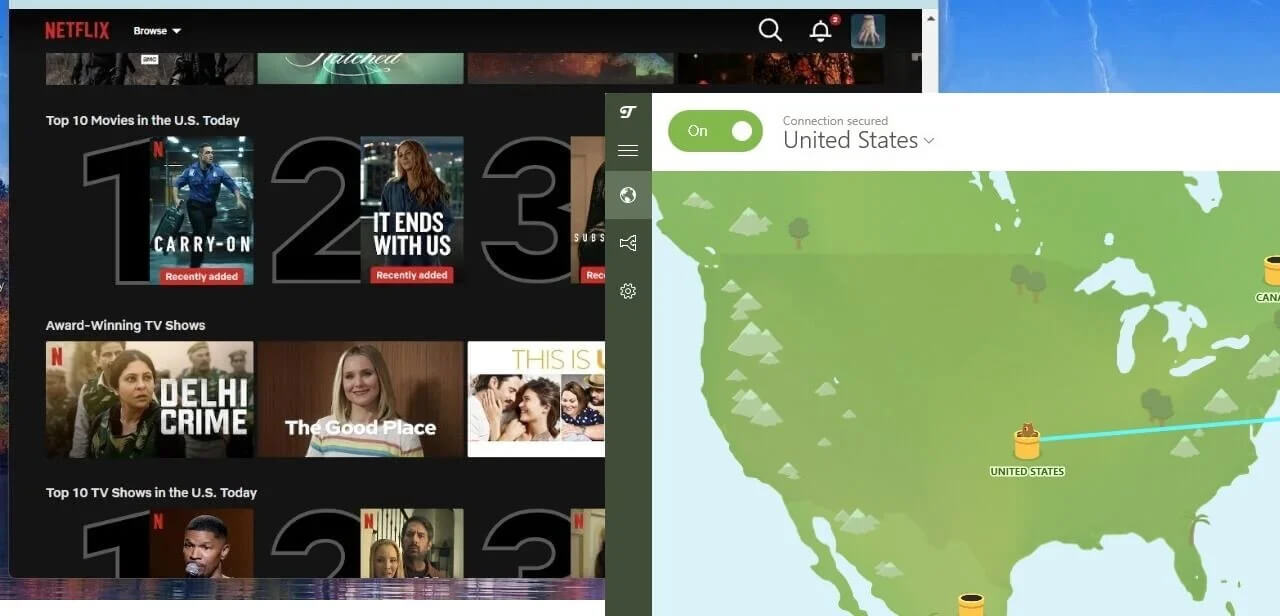
So you can watch American Netflix abroad with it, and that’s about it. TunnelBear has no Smart DNS, which lets a TV or console use a VPN location without an app. Its browser extension has no location spoofing either, and other VPNs rely on both tools for stricter services.
Since there are no TV apps either, its streaming is limited to phones and computers. Speed isn’t the obstacle on nearby servers, which were fast enough for Ultra HD. The library list is. If Netflix US is all you watch, TunnelBear does the job. If you travel and want your home services, it’s the wrong VPN for that.
Torrenting Performance
Paid plans allow P2P traffic on every server, and nearby servers were fast enough for large downloads. With the no-logs policy and kill switch on top, TunnelBear works for occasional torrenting.

Heavy torrent users will miss a few tools. There’s no port forwarding, which helps you connect to more peers, and no SOCKS5 proxy for routing a torrent client separately. For a few downloads a month, that’s no problem.
TunnelBear Pricing and Plans
After those speed and streaming results, the price has to justify itself. TunnelBear keeps pricing simple. There’s one paid plan, Unlimited, and it includes every feature, so the billing period is the only choice you make:
- Free: 2 GB of data a month, with the app choosing your server.
- Yearly Unlimited plan: about $3.30 a month, billed once a year, with unlimited devices.
- Three-year Unlimited plan: the same monthly rate, billed once for the whole term.
- Monthly Unlimited plan: about $10 a month.
- Teams: about $5.75 per user a month, with central billing and admin tools.
The yearly plan is the sensible choice. The three-year term costs the same per month, so it only locks you in for longer, and paying monthly costs three times as much.
As for value, the yearly plan is cheap, but it’s no longer the cheapest way into a well-known VPN. NordVPN‘s Basic plan costs about $3.50 a month on a two-year plan, and Proton VPN‘s VPN Plus plan about $3. They were faster in my tests and come with a 30-day money-back guarantee.
Payment Methods and Refund Policy
TunnelBear accepts Visa, Mastercard, and American Express only, with no PayPal or crypto option. Its terms treat every payment as non-refundable. Refund requests are reviewed case by case, and in practice, something has to stop the VPN from working altogether before TunnelBear agrees to one.
That’s a drawback next to VPNs with a 30-day money-back guarantee. The free plan softens it, since it uses the same apps and encryption, so I’d install it first and confirm TunnelBear connects on your devices before paying. If it doesn’t suit you, the paid TunnelBear alternatives I recommend come with a proper refund window.
What TunnelBear’s Free Plan Still Includes
The free plan remains, but a January 2026 update made it stricter. Free accounts can no longer choose a country or use split tunneling. The app chooses a server for you, and the allowance remains 2 GB a month, enough for browsing and email but not for an evening of video.
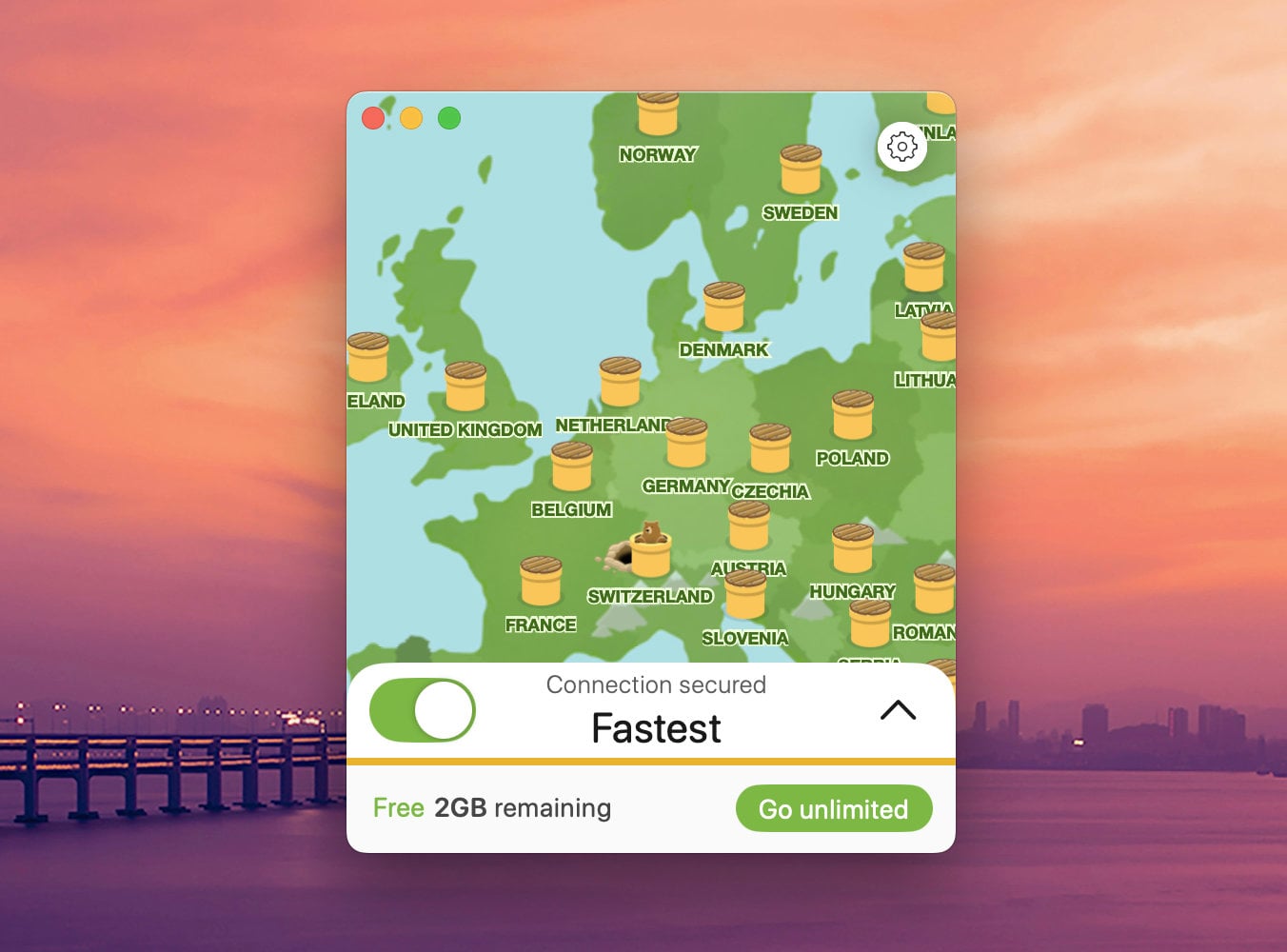
When I tested the free app, it placed me on servers in Romania and the Netherlands. Speeds were good on those servers. However, connecting took four to five seconds even on WireGuard, longer than the paid version, and it couldn’t unblock any streaming service.
Free accounts also block torrenting, so for downloads, one of the free VPNs that allow torrenting is the better option. Without country choice, the free plan works as a privacy layer on public Wi-Fi and as a trial of the apps.
Proton VPN’s free plan does that job with no data cap, and it’s the first of the best free VPNs I’d install instead.
Device Compatibility and Ease of Use
TunnelBear has apps for Windows, macOS, iOS, and Android, plus browser extensions for Chrome, Edge, and Firefox. The extensions protect only what happens in the browser, so they suit a quick session, while the app covers the whole device. That’s the full list.
There’s no Linux app, no router support, and no app for a Fire TV Stick or Apple TV, so TunnelBear can’t protect a TV or streaming stick.
On the other hand, one subscription covers unlimited devices. Every phone, laptop, and tablet in a household can share one account, and a friend or relative can split the cost with you. The apps are TunnelBear’s best quality.
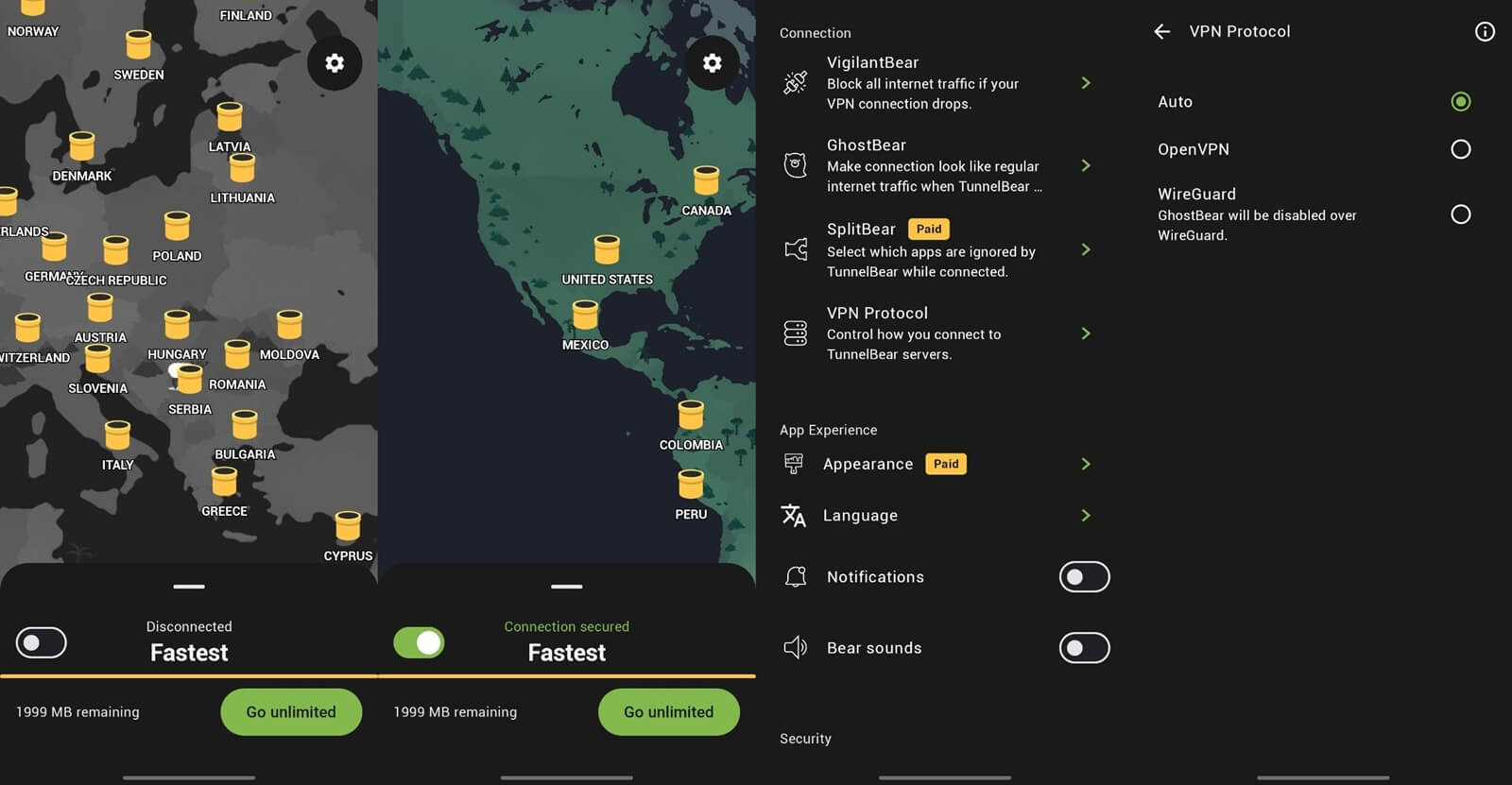
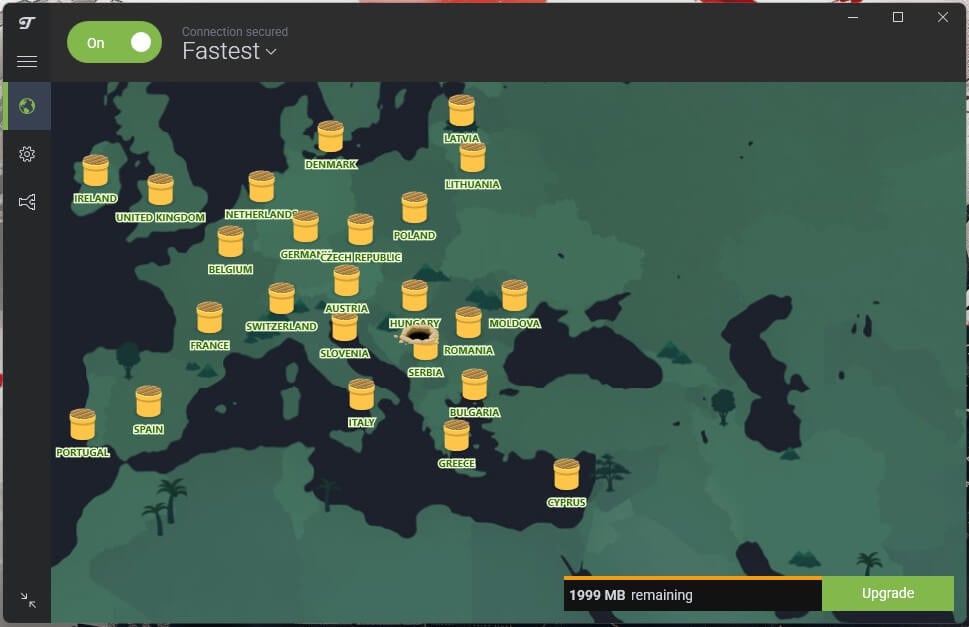
You choose a country on the map or from the list at the top, and a cartoon bear digs a tunnel to it while the gray map turns green. It’s playful, it never gets in the way, and nobody needs instructions to use it. Settings are in the left-hand menu: two-factor authentication, the kill switch, protocol choice, and split tunneling.
The macOS, Android, and iOS apps follow the same layout, and I had no app problems on any of them. If a Mac is your main computer, the best VPNs for Mac include faster options with apps nearly as simple.

Support works through a help center, the RoboCub chatbot, and email tickets, with replies within 48 hours. There’s no live chat with a person, so the help center is the quicker route for common problems.
Server Locations
TunnelBear has more than 8,000 servers in 47 countries, and paid users can choose a specific city in larger countries such as the US and Canada. The server count is impressive for a VPN of its size, but the country list is short: NordVPN covers 152 countries and Proton VPN 149. Europe and the Americas are well covered.
The missing countries are mostly in Asia and the Middle East. There are no servers in India, Hong Kong, Turkey, or the Gulf states, so TunnelBear can’t help with services based there. There are no dedicated IP addresses either, which NordVPN sells as an add-on.
When I put TunnelBear against NordVPN, the larger network and faster servers were a big part of why NordVPN came out ahead.
Using TunnelBear Where VPNs Are Restricted
GhostBear lets TunnelBear connect on networks that try to detect VPN traffic. TunnelBear also offers a Bandwidth Program for people in heavily censored countries. It increases the free allowance to 10 GB a month and keeps every feature available to them.
That’s a generous gesture, but obfuscation alone doesn’t guarantee a connection under the strictest filters, where blocks change from week to week.
In China and similar countries, a VPN with several disguise methods and nearby servers, such as NordVPN or Proton VPN, is the safer choice. The best VPNs for China are built for exactly that. For travel to countries with lighter restrictions, GhostBear is usually enough.
TunnelBear Alternatives
If TunnelBear’s limits rule it out, these VPNs fix the problems I ran into, and the paid ones refund you within 30 days:
- NordVPN: the straight upgrade. It tied for the fastest result in my tests, unblocked all nine streaming services, and has apps for Linux, Fire TV, and Apple TV.
- Proton VPN: the closest match on privacy, with a Swiss base, a yearly audited no-logs policy, and a free plan with no data cap.
- ExpressVPN: apps nearly as simple as TunnelBear’s, and the ExpressVPN vs NordVPN comparison shows how it differs from NordVPN.
- Windscribe and PrivadoVPN: free plans that let you choose a server and unblocked several streaming services, within a 10 GB monthly allowance.
Verdict
TunnelBear is safe, transparent, and easier to use than any VPN I’ve reviewed. I’d happily connect through it on a café network, and the yearly audits back up its privacy promises.
The problem is value. Distant servers were slow, streaming barely works beyond Netflix US, there’s no Linux or TV app, and getting a refund depends on TunnelBear agreeing to one.
If you want simple protection on public Wi-Fi across a house full of phones and laptops, the yearly plan is fair value. If you stream, connect to faraway servers, or want a refund window, one of the alternatives I listed is the better buy for a similar price.
FAQs
Is TunnelBear a good VPN?
Yes, for basic privacy. TunnelBear is safe, independently audited every year, and easy to use on unlimited devices, but it's slow on distant servers and unblocks few streaming services.
Who owns TunnelBear?
McAfee, the US cybersecurity company, owns TunnelBear. The VPN still operates from Toronto, Canada, and publishes its own security audits, privacy policy, and support resources.
Does TunnelBear keep logs?
No. TunnelBear doesn't record IP addresses, DNS queries, or browsing history, but it keeps an email address, billing details, and monthly data use for accounts.
Does TunnelBear allow torrenting?
Yes, on paid plans. TunnelBear permits P2P traffic on its servers, but the free plan blocks torrenting, and there's no port forwarding or SOCKS5 proxy for advanced users.
Does TunnelBear work on Linux or Fire TV?
No. TunnelBear offers apps for Windows, macOS, iOS, and Android, plus browser extensions, but it has no Linux, Fire TV, Apple TV, or router app.
Which free VPN is most like TunnelBear?
Proton VPN's free plan is the closest match. It's simple, keeps no activity logs, and has no data cap, though it also chooses the server for each user.
How many devices can use one TunnelBear account?
An unlimited number. One paid TunnelBear subscription covers every device in a household, and each device simply installs the app and signs in with the same account.