Run a speed test with a VPN switched on, and the result almost always comes in lower than without it. Your traffic is encrypted and passes through a VPN server on its way to the site, sometimes on another continent. So every VPN costs some speed.
On a fast VPN, that loss never shows up in a 4K film or a video call. On a slow one, streams switch to a lower resolution, online games lag, and large downloads take noticeably longer. Nearly every VPN calls itself fast, so the claim on a sales page settles nothing.
To find the fastest VPN, we ran 12 of them through the same speed tests on one connection, to servers nearby and far away. The nearby results were close. The distant ones were not, and they decided the ranking below.
Top 5 VPNs for Speed in 2026
- NordVPN: Best Overall for Speed, with the fastest US servers and the lowest ping to Japan
- ExpressVPN: Best for Distant Servers, with the quickest connections we timed
- Surfshark: Best for Streaming, with the strongest result on a nearby server
- Proton VPN: Best for Privacy, with the smallest upload loss
- Private Internet Access: Best Low-Cost Fast VPN, with no limit on devices
VPN Speed Comparison: 12 VPNs Tested
Each figure is the share of download speed a VPN lost compared with our connection without one, so lower is better. The last column averages the UK, US, and Japanese servers.
| VPN | UK Server | US Server | Japanese Server | Average Download Loss |
| NordVPN | 3.0% | 4.7% | 15.7% | 7.8% |
| ExpressVPN | 2.4% | 7.0% | 13.9% | 7.8% |
| Surfshark | 1.8% | 10.5% | 16.6% | 9.6% |
| Proton VPN | 6.0% | 8.8% | 16.0% | 10.2% |
| PIA | 4.8% | 7.7% | 25.6% | 12.7% |
| CyberGhost | 6.0% | 12.7% | 21.3% | 13.3% |
| Hide.me | 4.1% | 10.7% | 33.0% | 15.9% |
| Windscribe | 3.3% | 13.6% | 33.9% | 16.9% |
| VyprVPN | 8.2% | 21.7% | 32.5% | 20.8% |
| IPVanish | 2.9% | 23.5% | 38.6% | 21.7% |
| Hotspot Shield | 5.2% | 25.0% | 36.5% | 22.2% |
| TunnelBear | 9.1% | 20.0% | 42.5% | 23.9% |
On the UK server, almost every VPN lost under 10%, so a nearby connection tells you little about which one is faster. The Japanese column is where the field spreads out. ExpressVPN lost the least speed there, while TunnelBear lost more than three times as much.
Upload speeds, by contrast, finished within about 1 Mbps of each other across the top five. Our ranking therefore rests on download speed and ping.
How We Tested VPN Speeds
Every VPN went through the same setup, so the figures compare directly:
- Test PC: Windows 11 in Europe, wired to a 190.36 Mbps connection with 19.37 Mbps upload and a 10 ms ping.
- Servers: UK, US, and Japan, three times a day for three days: morning, midday, and evening.
- Speed figures: the average of those Speedtest by Ookla runs.
- Protocols: the fastest option on each VPN, NordLynx on NordVPN, Lightway on ExpressVPN, and WireGuard on Surfshark, Proton VPN, and PIA.
- Ping: tested separately, with the top five back to back in one session.
Distance explained most of the results. For every VPN, the UK server, closest to our PC, was the fastest, and the Japanese server was the slowest.
Outside the top five, CyberGhost’s speed results came closest, with a loss of only half a point above PIA’s. IPVanish shows the effect of distance clearly. It matched the leaders on the UK server, then lost more than a third of our speed in Japan.
Fastest VPNs in 2026: Our Top 5
All five retained most of our speed on nearby servers. They differ far from home, in ping, and once extra security layers are switched on.
1. NordVPN: Fastest VPN Overall in 2026
Pros
- Near-full speed on US servers
- Lowest ping to Japan
- Fast on OpenVPN too
- Double VPN costs little speed
- App-level kill switch
Cons
- Higher renewal price
- NordWhisper slows down under heavy load
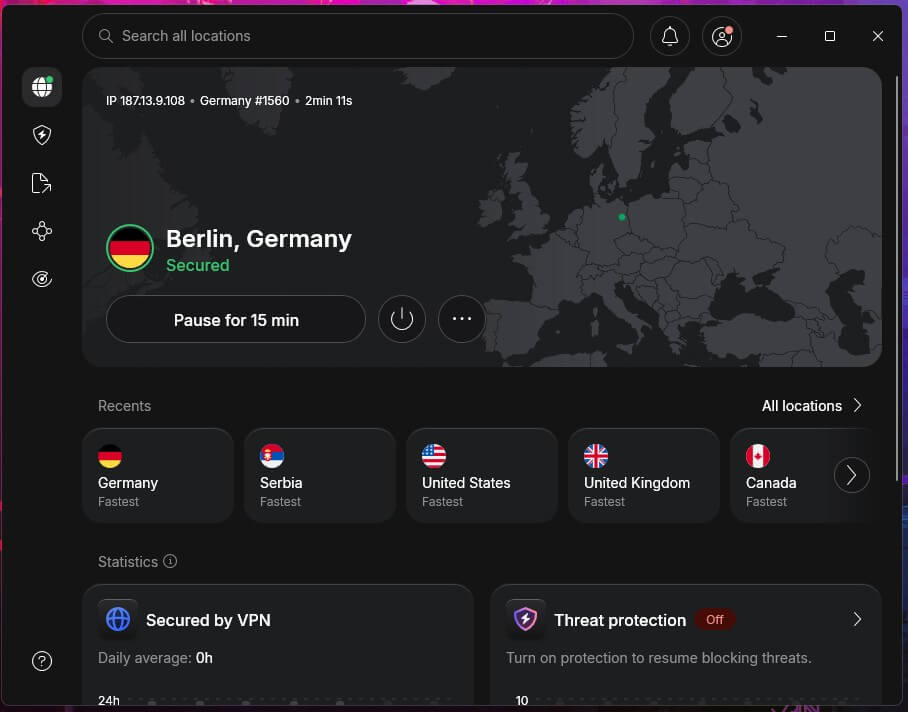
NordVPN tied ExpressVPN for the smallest average download loss, 7.8%, which you won’t notice in a 4K stream or a page load. It led all twelve VPNs on US servers, so US streaming sites load almost as fast as without a VPN.
NordLynx, NordVPN’s own version of the WireGuard protocol, was its fastest option, and plain OpenVPN trailed it by less than two points. Distance breaks the tie with ExpressVPN. NordVPN’s ping to Japan was the lowest of the five, and its upload loss was smaller as well.
Fast-paced games will still feel the delay on a server that far away, but video calls to Asia remain usable. Nearby, its 41 ms ping on UK servers makes it a solid VPN for gaming as long as you connect close to the game’s servers. Its extra security layers are just as light.
Double VPN encrypts your connection twice on two separate servers, and it barely slows NordVPN down. You can leave it on for banking on hotel Wi-Fi. NordWhisper, the protocol for networks that block VPNs, is the exception. Its ping climbed sharply during large uploads, so save it for networks where nothing else connects.
NordVPN Speed Test Results
| Server Location | Download | Upload | Ping |
| Baseline (no VPN) | 190.36 Mbps | 19.37 Mbps | 10 ms |
| UK | 184.73 Mbps | 18.69 Mbps | 41 ms |
| US | 181.50 Mbps | 18.66 Mbps | 134 ms |
| Japan | 160.47 Mbps | 17.57 Mbps | 215 ms |
Our Favorite Feature: Quick Connect
Quick Connect chooses a server for you based on your location and how busy each server is. It saves you from comparing servers yourself. For a particular country, choose it from the list, and NordVPN selects the least crowded server there.
2. ExpressVPN: Fastest on Distant Servers
Pros
- Fastest result on a Japanese server
- Near-instant connections
- Simple, plug-and-play apps
- Post-quantum encryption
- Native Apple TV app
Cons
- Lightway Turbo disables split tunneling
- Few settings to fine-tune
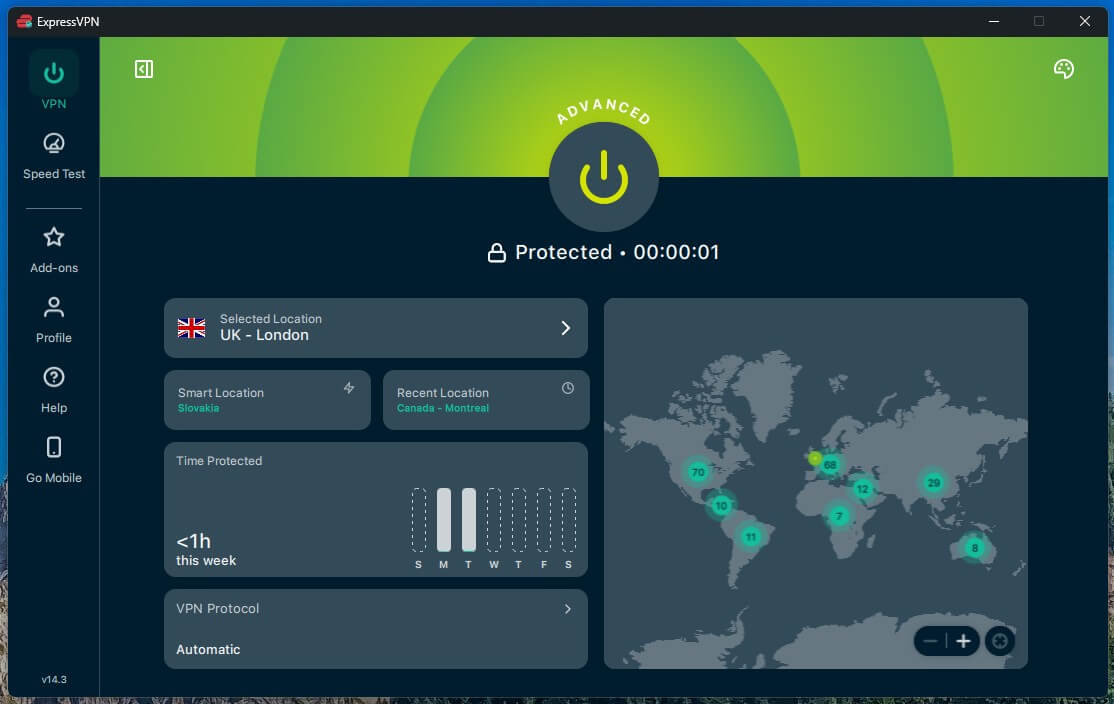
ExpressVPN matched NordVPN’s 7.8% average download loss, and it was the fastest of the twelve on the Japanese server. So if you often connect to another continent, it’s the VPN that loses the least on the way. Its connections also took one to two seconds, faster than any other VPN we timed.
That helps when you switch servers to find a working streaming library. It ranks second for two reasons. Its upload loss was the largest of the top five, and NordVPN had lower ping to Japan and faster US servers. Lightway Turbo, a Windows setting that splits your traffic across several connections, didn’t change that.
It added just 0.45 Mbps on our UK server, within normal test variation, while ping rose by 9 ms. Split tunneling also stops working while Turbo is on. Split tunneling lets chosen apps, such as a game, use your normal connection, so on a typical home line, leave Turbo off. The apps are simple to use, but the settings are thin.
If you like to fine-tune protocols or encryption yourself, NordVPN and PIA offer more control, and our ExpressVPN vs. NordVPN test compares the two leaders feature by feature.
ExpressVPN Speed Test Results
| Server Location | Download | Upload | Ping |
| Baseline (no VPN) | 190.36 Mbps | 19.37 Mbps | 10 ms |
| UK | 185.74 Mbps | 18.02 Mbps | 42 ms |
| US | 177.03 Mbps | 17.74 Mbps | 129 ms |
| Japan | 163.94 Mbps | 17.15 Mbps | 223 ms |
Our Favorite Feature: Smart Location
Smart Location chooses a server location when you open the app, based on download speed, ping, and distance. One click connects you, so ExpressVPN remains easy for people who don’t want to compare servers.
3. Surfshark: Best Fast VPN for Streaming
Pros
- Unblocks Netflix and BBC iPlayer
- Blocks ads and trackers
- Choose your own MultiHop pair
- Camouflage Mode obfuscation
- No device limit
Cons
- Slow to connect
- Much slower on OpenVPN TCP
Surfshark‘s UK server came closer to our speed without a VPN than any other server in the test, with a loss of just 1.8%. Distance cost it more, which is why its average loss rose to 9.6%. Even so, its US server retained enough speed for several 4K streams at once. Streaming is its strongest case.
It’s one of the best VPNs for streaming we’ve tested, and it unblocked every service in our streaming round except ITV. If you watch ITV, NordVPN unblocked it. CleanWeb, Surfshark’s ad and tracker blocker, also cuts the clutter that slows ad-heavy news sites. On top of that, Surfshark costs less than NordVPN or ExpressVPN.
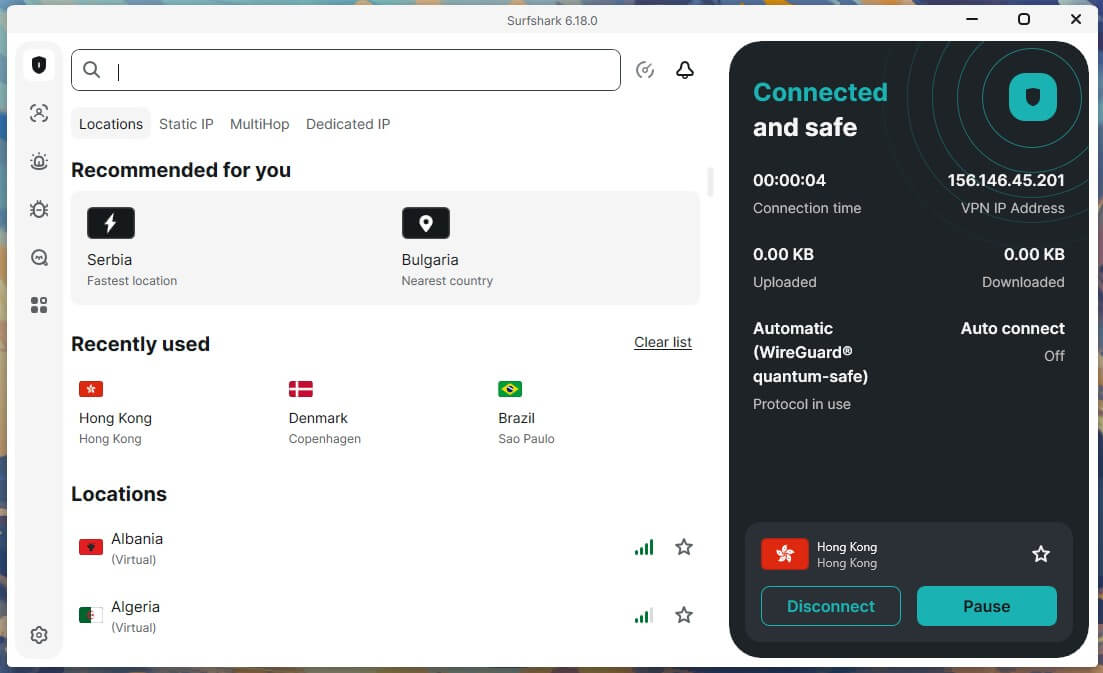
Connection time is its weak point. Each connection took 4 to 5 seconds, the longest of the top five. That’s a short wait, but it adds up when you hop between servers looking for a Netflix library that works. Once you find a server that unblocks your service, save it as a favorite so the next connection goes straight there.
Surfshark Speed Test Results
| Server Location | Download | Upload | Ping |
| Baseline (no VPN) | 190.36 Mbps | 19.37 Mbps | 10 ms |
| UK | 186.96 Mbps | 18.93 Mbps | 51 ms |
| US | 170.38 Mbps | 18.23 Mbps | 144 ms |
| Japan | 158.84 Mbps | 17.54 Mbps | 241 ms |
Our Favorite Feature: Custom MultiHop
MultiHop sends your connection through two Surfshark servers, and you choose the pair yourself, for example, a UK server followed by a German one. It cost only 2.9% of our speed, so you can use it for privacy without giving up smooth video.
4. Proton VPN: Fast VPN Built for Privacy
Pros
- Smallest upload loss
- Speed booster for distant servers
- Obfuscation on every plan
- Open-source apps
- Swiss privacy laws
Cons
- Secure Core adds noticeable ping
- No Smart DNS
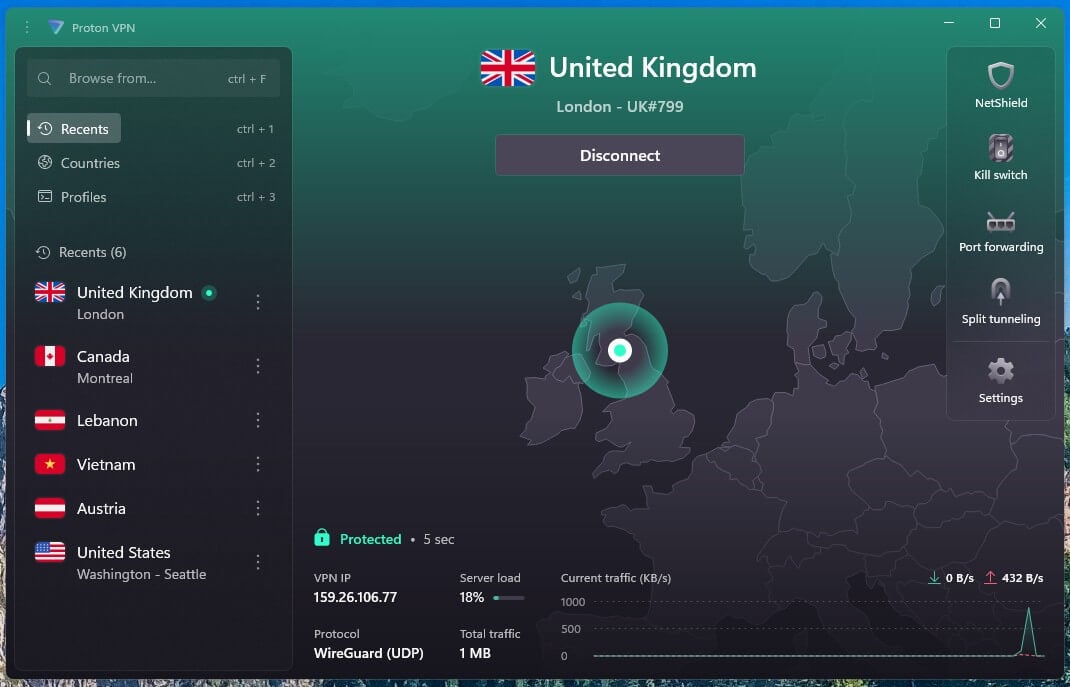
On download speed, Proton VPN finished just behind Surfshark, with a 10.2% average loss, a difference you won’t feel in daily use. Upload was a different story. It lost only 2.7%, the smallest upload loss in our tests. That helps when you send large files to cloud storage or share your camera on long video calls.
Its privacy tools come at different speeds. Stealth, Proton VPN’s protocol for school, office, and hotel networks that block VPN traffic, cost just 1.9% of our speed, and it’s available on every plan. Secure Core sends your connection through a Proton server in a privacy-friendly country such as Switzerland.
It’s built for sensitive work such as journalism, but it added 84 ms of ping, so switch it off for gaming and video calls. Our full Proton VPN review covers Stealth and Secure Core in more depth. Two features are missing. Proton VPN has no Smart DNS, a setting some VPNs offer to change a TV’s streaming region.
As a result, a Samsung or LG TV requires a VPN set up on your router. It also lacks post-quantum encryption, protection against far more powerful future computers that NordVPN, Surfshark, and ExpressVPN already offer. For a privacy-first VPN, that surprised us.
Proton VPN Speed Test Results
| Server Location | Download | Upload | Ping |
| Baseline (no VPN) | 190.36 Mbps | 19.37 Mbps | 10 ms |
| UK | 178.89 Mbps | 19.21 Mbps | 45 ms |
| US | 173.68 Mbps | 19.01 Mbps | 135 ms |
| Japan | 159.99 Mbps | 18.31 Mbps | 218 ms |
Our Favorite Feature: VPN Accelerator
VPN Accelerator is a set of Proton’s own network improvements that speed up connections, especially to distant servers. On our US server, it added 4.9% of speed compared with the same connection with Accelerator switched off. It’s on by default, so leave it enabled in the settings.
5. Private Internet Access: Cheapest Fast VPN
Pros
- Unlimited simultaneous connections
- Full Linux app
- Port forwarding on European servers
- Blocks ads and malware domains
- Choice of encryption strength
Cons
- Slower on Japanese servers
- Starts on OpenVPN on Windows
- Cluttered, dated app
PIA averaged a 12.7% speed loss, and its Japanese server explains most of it, with a quarter of our speed lost there. Its UK and US results were within 6 Mbps of NordVPN’s. Even its slowest server retained far more than Netflix recommends for 4K, so you’ll mainly notice the difference on large downloads from Asia.
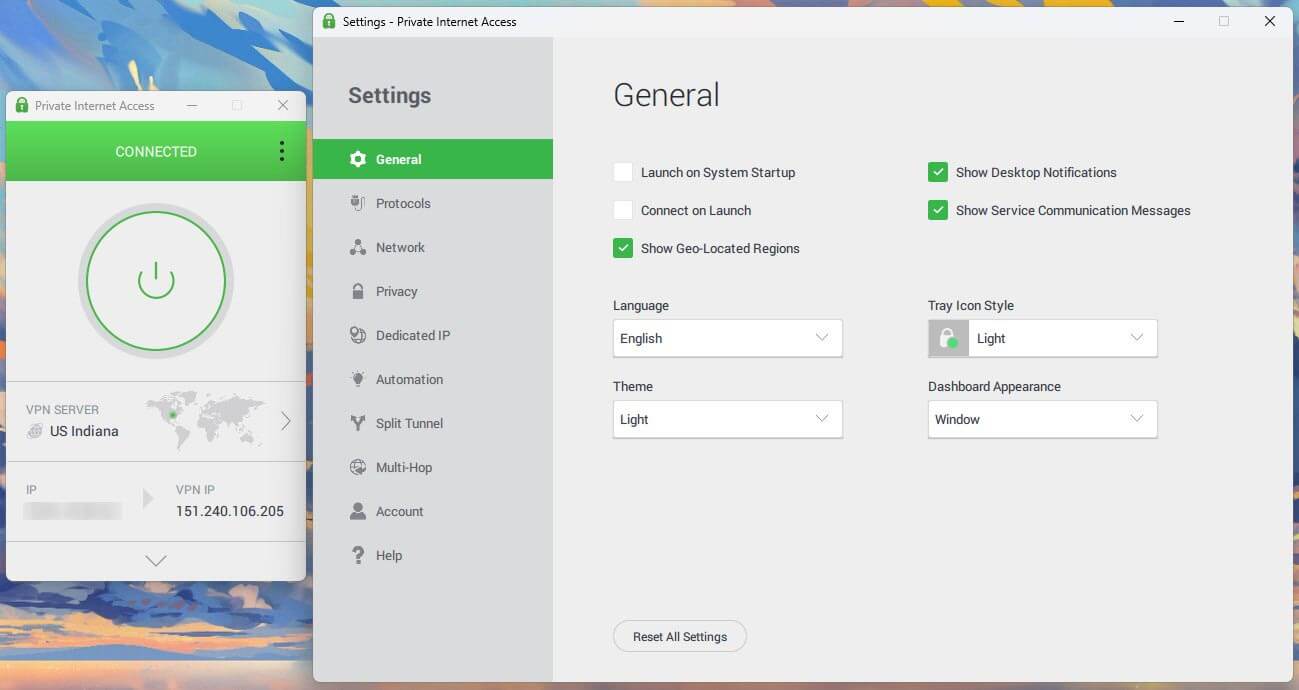
Setup takes one extra step. On Windows, PIA connects over OpenVPN out of the box and has no automatic protocol setting. So I switched it to WireGuard by hand for every test. Do the same before you start, since WireGuard gave PIA its fastest downloads.
The app looks cluttered and dated on Windows, but once WireGuard is set, you won’t spend much time in it. Its value lies in what the low price includes. Port forwarding helps with torrents that have few seeders, because other peers can start transfers with you directly.
It works on Canadian and European servers, not on US ones, so choose a European location for torrenting. MACE, PIA’s ad blocker, also filters known malware domains, and one subscription covers every device you own. If price comes first, PIA is one of the cheap VPNs that still retained most of our speed.
PIA Speed Test Results
| Server Location | Download | Upload | Ping |
| Baseline (no VPN) | 190.36 Mbps | 19.37 Mbps | 10 ms |
| UK | 181.15 Mbps | 18.92 Mbps | 48 ms |
| US | 175.68 Mbps | 18.21 Mbps | 150 ms |
| Japan | 141.61 Mbps | 16.65 Mbps | 270 ms |
Our Favorite Feature: Customizable Encryption
On OpenVPN, PIA lets you choose between two encryption strengths. The 128-bit default is secure, while 256-bit is the stronger alternative. The lighter setting puts less load on your device’s processor, which helps on older laptops and phones.
Which VPN Protocol Is the Fastest?
WireGuard, NordLynx, and ExpressVPN’s Lightway were the fastest protocols in our tests. OpenVPN came close in its UDP form, but its TCP form was much slower:
- NordVPN: a 7.8% average speed loss on NordLynx and 9.5% on OpenVPN.
- ExpressVPN: on the UK server, Lightway and WireGuard finished within 1.3 Mbps of each other.
- Surfshark: OpenVPN UDP was almost as fast as WireGuard, while OpenVPN TCP lost more than half the speed.
The difference comes from how OpenVPN sends data. UDP sends it without waiting for confirmation, which keeps it fast. TCP confirms every piece of data, which makes it slower but harder for some networks to block.
So start with WireGuard, NordLynx, or Lightway, switch to OpenVPN UDP if they won’t connect, and use TCP only on networks that block the rest.
Which Features Slow a VPN Down?
Extra security layers send your traffic further or wrap it in more encryption, and some cost far more speed than others. Compared with a direct connection to the same country, these were the results:
- Proton VPN Stealth: 1.9% slower
- NordVPN Double VPN: 2.9% slower, with 4 ms more ping
- Surfshark MultiHop: 2.9% slower
- Proton VPN Secure Core: 12.1% slower, with 84 ms more ping
- NordVPN NordWhisper: 12.8% slower, with ping up to 808 ms during uploads
- PIA Multi-Hop through a proxy: 20.1% slower, with 122 ms more ping
Stealth, Double VPN, and MultiHop cost the least, while Secure Core, NordWhisper, and PIA’s proxy cost the most. Enable those three when a network or a privacy concern calls for it, and switch them off for streaming, gaming, and large downloads.
Tor over VPN, which you’d use to access the dark web, is slower still, because your traffic also passes through three Tor relays.
Which Server Location Is the Fastest?
The fastest server is almost always the closest one. On German servers, close to our PC in Europe, NordVPN lost only 0.5% of its speed and Proton VPN 1.3%. In Japan, the same two VPNs lost about 16%, and ping there was above 200 ms on every VPN.
So no single country is the fastest VPN location for everyone. The fastest country is the one nearest to you, as long as its servers aren’t overloaded. A busy server slows down, so if a nearby server feels slow, reconnect to another one in the same country.
When a show is only available in one country, choose that country’s server closest to you, such as New York for a viewer in Europe.
Are VPNs Slower on Phones?
Yes. Our phone tests used home Wi-Fi at 54.7 Mbps, and the speed losses were larger than on the wired PC:
- iPhone 17 Pro: from a 13.6% speed loss on NordVPN to 24.2% on PIA
- Galaxy S26 Ultra: from a 20.3% speed loss on NordVPN to 29.2% on PIA
NordVPN was the fastest VPN on each phone. A phone has less processing power for encryption, and Wi-Fi adds delays of its own. A nearby server and a fast protocol help even more there. Our Android VPN rankings include battery results too.
Is a Free VPN Fast Enough?
Some are, on nearby servers. NordVPN was faster than every free VPN we tested, but PrivadoVPN and Windscribe came close. Most free plans have no Japanese server, so this table compares the UK and US:
| Free VPN | UK Server | US Server | Average Download Loss | Data Allowance |
| PrivadoVPN | 5.4% | 13.6% | 9.5% | 10 GB a month |
| Windscribe | 4.3% | 15.6% | 10.0% | 10 GB a month with a confirmed email |
| Proton VPN | 7.3% (Netherlands) | 31.2% | 19.3% | Unlimited |
| Hotspot Shield | No UK server | 25.0% | 25.0% | 500 MB a day on PC, unlimited on mobile with ads |
| Hide.me | 20.0% | 40.9% | 30.5% | Unlimited |
| TunnelBear | 29.6% | 32.7% | 31.2% | 2 GB a month |
PrivadoVPN and Windscribe come closest to paid speeds, so their limit is data rather than speed. In our tests, 10 GB lasted about five hours of HD video. At the limit, PrivadoVPN slows to 1 Mbps, while Windscribe cuts the connection off.
The unlimited plans have other limits. Proton VPN assigns its free server at random and never gave us a UK one, and Hide.me lost almost a third of our speed on average.
TunnelBear’s free plan doesn’t let you choose a server, and Hotspot Shield’s offers only a US location on PC, with a few more on mobile. Speed is only one of the differences between free and paid VPNs, since free plans also limit locations and streaming.
How Much Speed Do You Need for Streaming and Gaming?
Less than you might think. Netflix recommends 5 Mbps for Full HD and 15 Mbps for 4K. Every VPN in our top five retained over 140 Mbps on every server, about nine times Netflix’s 4K recommendation.
Live sports, such as a Formula 1 race, also play smoothly at those speeds.
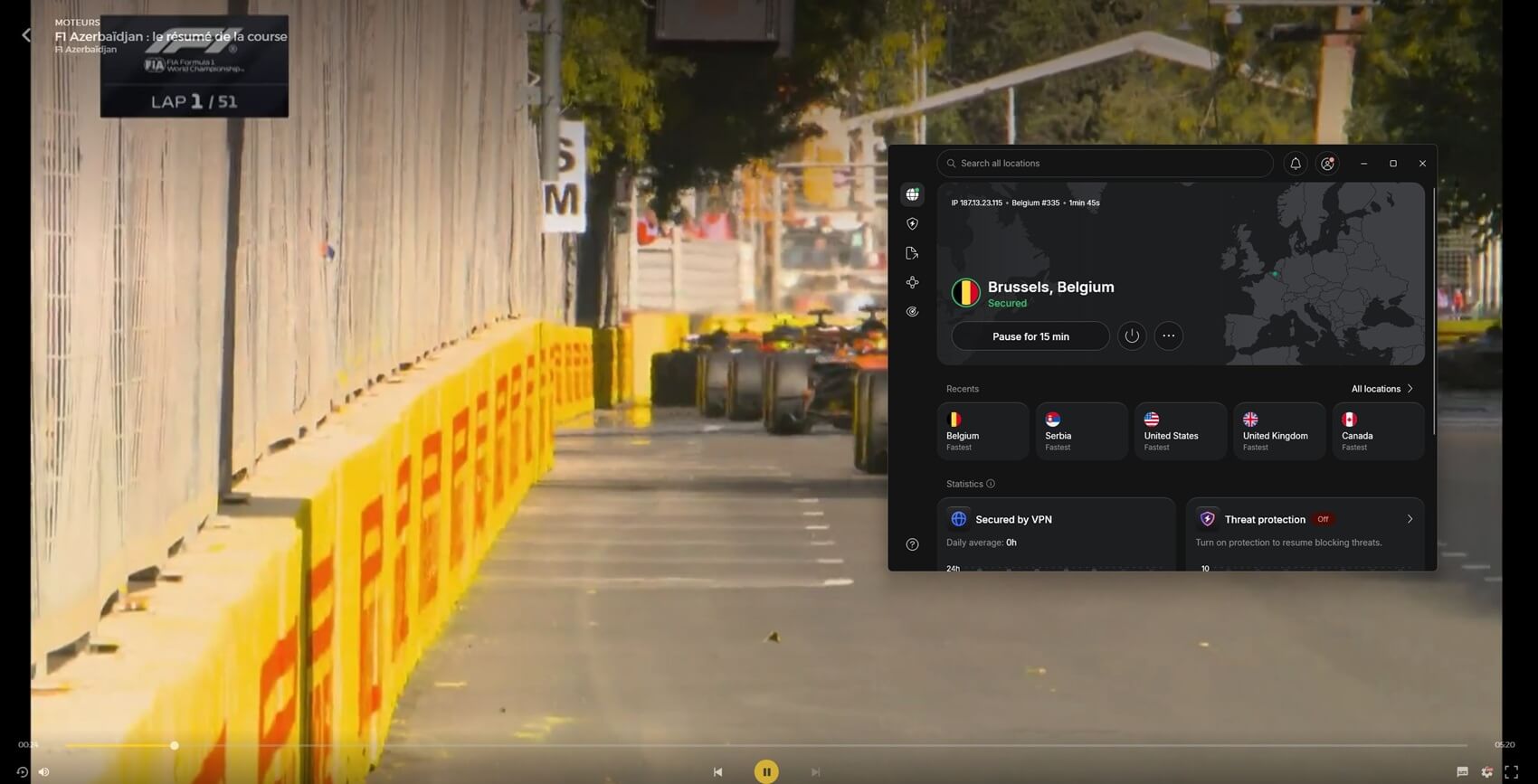
Catch-up services such as BBC iPlayer require even less, so download speed is rarely the limit for video. Games depend on ping instead.
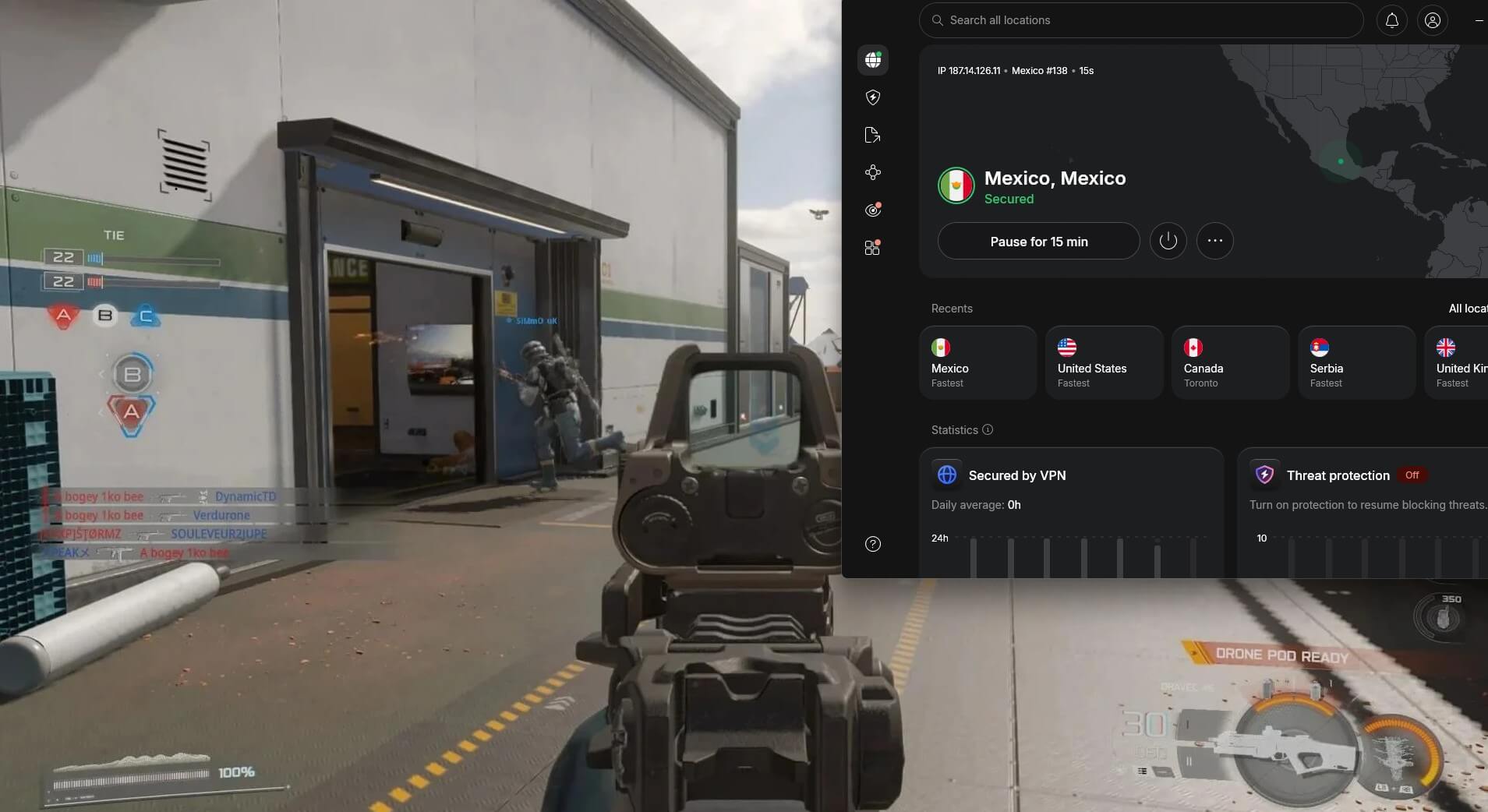
On nearby servers, the five VPNs added about 30 to 40 ms, which is acceptable for online shooters such as Black Ops 7. Servers on another continent added about 120 ms or more, too much for fast-paced games.
How to Speed Up Your VPN
A slow VPN connection is usually fixable in a few minutes:
- Connect to the nearest server. A nearby server keeps speed loss and ping low.
- Use WireGuard or the VPN’s own protocol. NordLynx and Lightway are the defaults on NordVPN and ExpressVPN, and they retained the most speed in our tests.
- Disable extra layers you don’t use. NordWhisper, PIA’s proxy, and Secure Core cost the most speed.
- Reconnect at busy times. Evening traffic can slow a crowded server, and reconnecting usually puts you on a quieter one.
- Use split tunneling. Send games or large downloads through your normal connection and keep the VPN for the rest.
- Use a cable where you can. A wired connection avoids Wi-Fi interference, which adds to the VPN’s own delay.
None of these steps will make a VPN faster than your connection without one, and no VPN beat our baseline. The exception is an ISP that slows specific traffic such as video. There, a VPN can stop ISP throttling, because the ISP can no longer tell what you’re streaming.
Conclusion
Distance decided our results. Nearby, the twelve VPNs lost similar amounts of speed. On a server across the world, the losses spread much wider, so a fast VPN copes with distance. NordVPN copes best. It matched ExpressVPN on average download speed, then won on US servers and on ping to Japan.
That makes it the safest choice for streaming, calls, and games in any region. Proton VPN is the better fit if you upload more than you download, for example, with daily cloud backups, and PIA is the low-cost option among the five.
Frequently Asked Questions
What is the fastest VPN?
NordVPN is the fastest VPN overall, with ExpressVPN close behind. Both retain almost all of a connection's speed on nearby servers, and NordVPN adds less ping on distant ones.
Is ExpressVPN the fastest VPN?
No, but it's close. ExpressVPN matches NordVPN on average download speed and connects faster than most VPNs, while NordVPN has lower ping and smaller upload losses.
Is NordVPN faster than free VPNs?
Yes. NordVPN is faster than free VPNs, although the best free ones come close on nearby servers. Free plans also limit data, server choice, or both, which restricts them more than speed does.
Does a VPN slow down your internet?
Yes, a little. Encryption and the distance to the VPN server add delay, so speed falls most on distant servers. Nearby, a fast VPN's loss is too small to notice.
What is the fastest VPN for gaming?
NordVPN is the fastest VPN for gaming, since it keeps ping low on nearby and distant servers. For the best results, connect to the server closest to the game's region.