A Chrome VPN extension is a proxy that covers the browser. For private browsing on public Wi-Fi or opening a regional site, that is enough. Some free extensions stay free permanently and limit locations, data, or features. Others belong to paid VPNs and cost nothing for 30 days through a refund. We installed 40+ free VPN extensions from the Chrome Web Store and kept only five. The rest leaked the real IP address, capped data too low to be useful, or requested permissions no proxy needs.
5 Best Free VPNs for Chrome Ranked
- NordVPN: Best free Chrome VPN extension overall, free for 30 days
- Proton VPN: Best permanently free Chrome extension, with no data limit
- ExpressVPN: Extension that covers the whole device, not only Chrome
- Windscribe: Free extension with the strongest ad and tracker blocking
- CyberGhost: Free Chrome VPN that needs no account
Best Free VPNs for Chrome in 2026 Reviewed
1. NordVPN: Best Free Chrome VPN Extension Overall
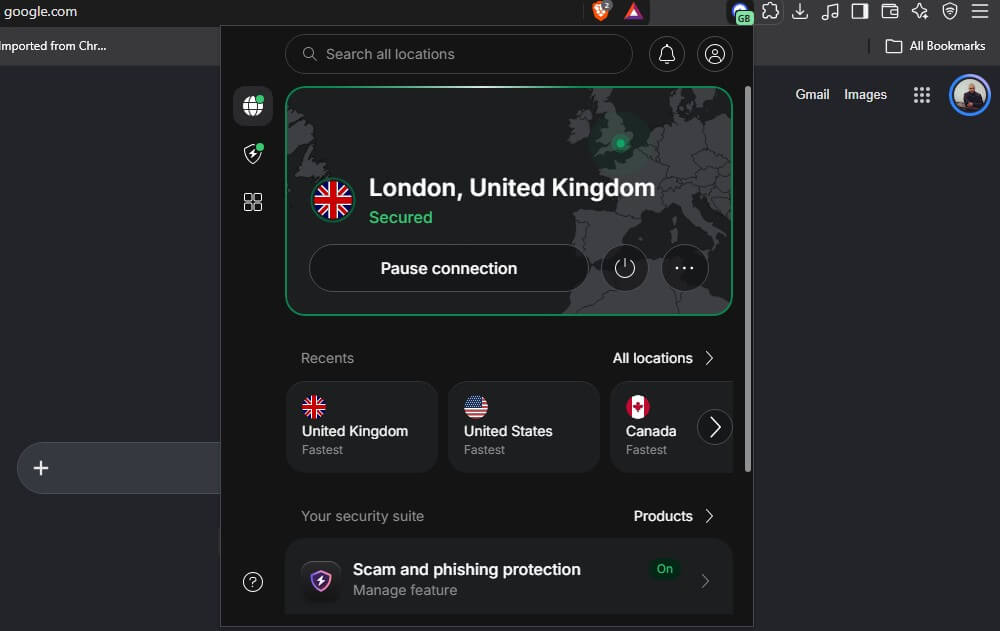
NordVPN’s extension works on its own, with no desktop app needed, and lists 224 locations worldwide. Swapping a blocked IP address takes a couple of clicks, so a streaming platform that refuses one server is answered with another. Threat Protection filters ads, trackers, and malicious domains inside the browser.
WebRTC leak prevention is built in, split tunneling lets named sites bypass the proxy, and location spoofing changes both the location and the time zone Chrome reports, so a site checking either gets the same answer. Streaming worked in our tests. We opened out-of-market NFL games and Hulu in Full HD through the extension. The subscription covers the app too.
This adds Double VPN, Onion Over VPN, NordWhisper, and Meshnet. NordVPN’s no-logs claim has been through 6 independent audits, the latest issued by Deloitte in December 2025. The company is registered in Panama. The Basic plan totals $3.49 per month for 10 devices. Refunds are open for 30 days.
Pros
- Full server list available
- Ad and tracker filtering
- WebRTC leak blocking
- Location spoofing
- Streaming access included
- Panama-based company
Cons
- Not free permanently
- Subscription needed upfront
2. Proton VPN: Best Permanently Free Chrome Extension
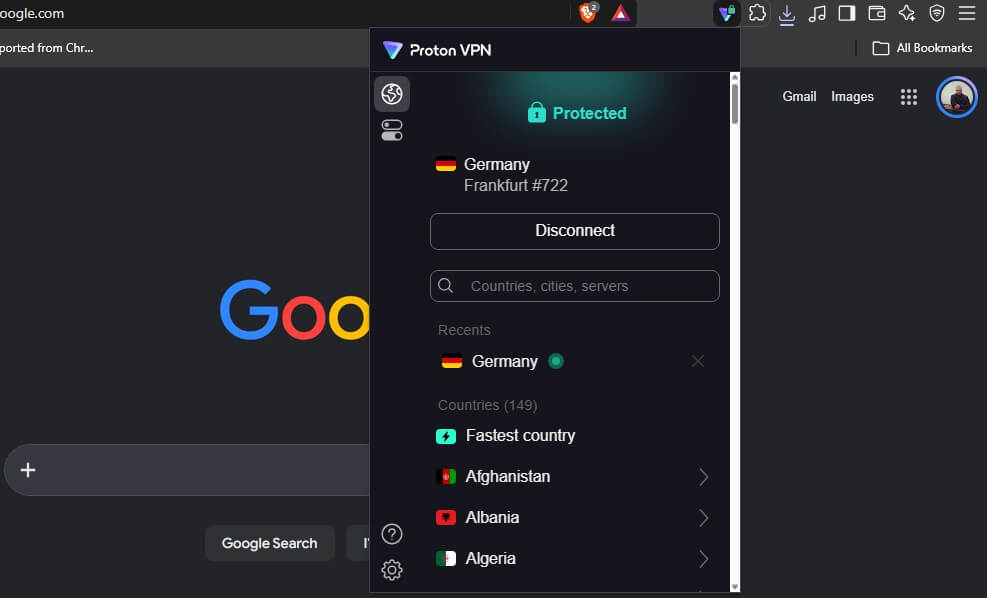
Proton VPN opened its browser extensions to free accounts in 2026, and the free version has no data limit. No other free extension gives unmetered browsing without a payment or a refund at the end. It works on its own. The extension doesn’t need the desktop app installed, which separates it from ExpressVPN’s, and signing up takes an email address and no card.
Free accounts get 10 countries: the Netherlands, Japan, Romania, Poland, Norway, Switzerland, Singapore, Mexico, Canada, and the United States. Proton assigns the server inside whichever country is picked, so a specific city isn’t available until the paid plan. Streaming isn’t guaranteed on the free plan either, and NetShield ad blocking stays paid.
Proton is Swiss, publishes its extension source code, and has passed independent no-logs audits. Paid plans open 20,000+ servers in 148 countries at $2.99 a month on the 2-year term, $71.76 up front. Our full Proton VPN review covers the apps and a 30-day guarantee if you pick the premium plan.
Pros
- Free forever, no card
- No bandwidth limit
- Works without the app
- Based in Switzerland
- Open-source extension code
- Independent security audits
Cons
- No manual server choice
- Ad blocking is paid
3. ExpressVPN: Best Extension for Covering the Whole Device
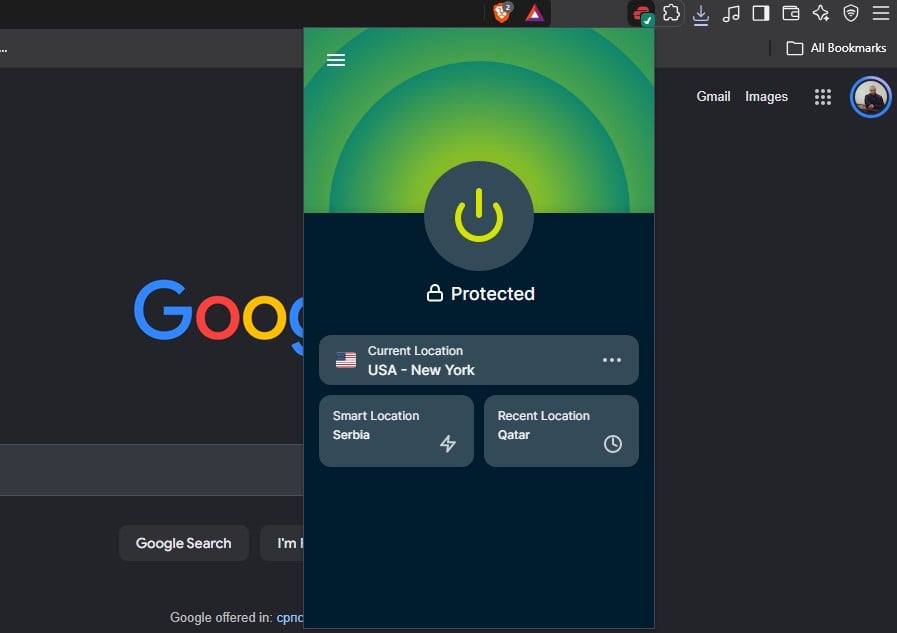
ExpressVPN’s extension works differently from the rest. It’s a remote control for the desktop app instead of a standalone proxy, so both have to be installed. Connecting from the Chrome toolbar then protects every app on the computer. The interface mirrors the desktop client almost exactly. Location spoofing overrides the geolocation Chrome hands to websites.
WebRTC blocking closes the leak most proxy extensions leave open. ExpressVPN listed 214 locations across 113 countries after its July 2026 expansion. Lightway is the house protocol, with post-quantum encryption, and Lightway Turbo pushes speeds higher still on Windows. Subscriptions also include ExpressVPN Keys, a password manager, at no extra charge.
Location spoofing makes it useful for regional sites. We used it for online bookmakers from abroad. Our ExpressVPN review has the audit record. The ExpressVPN Basic plan is $2.99 a month over 28 months, $83.72 up front, for 10 devices. Claiming the refund within 30 days keeps it free.
Try ExpressVPN Free for 30 Days
Pros
- Controls the desktop app
- Covers the whole device
- Matches browser geolocation
- Lightway protocol
- Password manager included
Cons
- Desktop app required
- Trial via refund only
4. Windscribe: Best Free Extension for Blocking Ads and Trackers
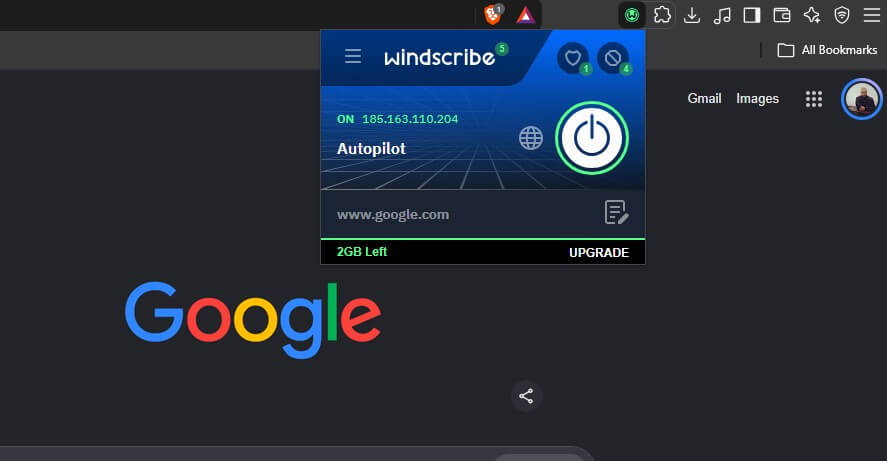
Windscribe packs more into a free extension than most paid ones offer. R.O.B.E.R.T., its filtering engine, blocks ads, trackers, and malware domains, and the block lists can be edited. Paid alternatives appear in our ranking of ad-blocking VPNs. The privacy tools go past what a proxy normally does. It spoofs the browser’s reported GPS position, rewrites the timezone so it matches the exit country, deletes first- and third-party cookies when a tab closes, and blocks notification prompts.
Each of those is a separate way a site identifies a visitor whose IP address says one thing and whose browser says another. Free accounts get 10 server locations and 10 GB a month, though the allowance is 2 GB until the email address is confirmed. Windscribe is Canadian, which puts it in the Five Eyes group. Its no-logs claim was tested in a Greek court in 2025, and the case was dismissed after the company produced no user data, and the extension’s source code is published on GitHub.
Paid plans remove the cap and open the full network. On the free plan, 10 GB covers a month of ordinary browsing, and video exhausts it far sooner.
Pros
- Blocks ads and trackers
- Spoofs browser location
- Rewrites the timezone
- Deletes cookies automatically
- Blocks notification prompts
- Source code published
Cons
- Data capped monthly
- Account signup required
- Canadian jurisdiction
5. CyberGhost: Best Free Chrome VPN Without an Account
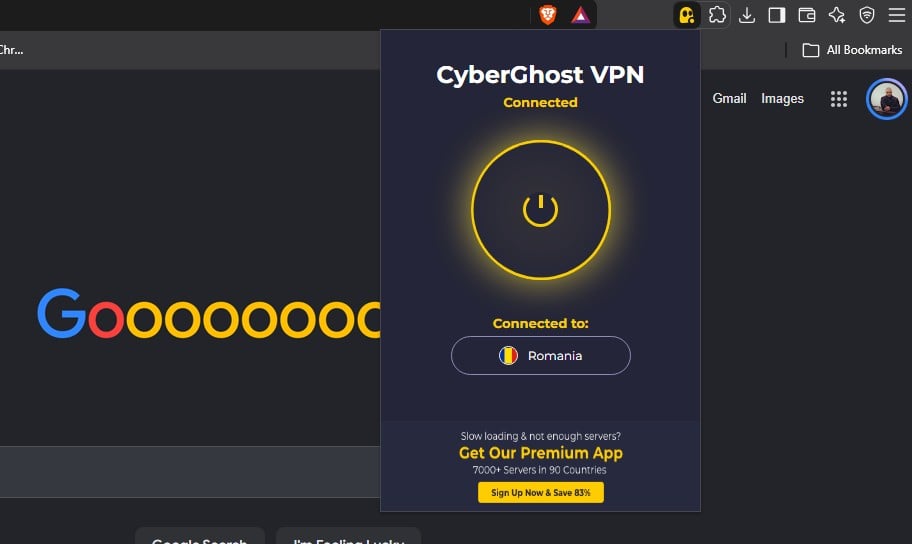
CyberGhost requires nothing. There’s no email address, no password, and no card: add the extension from the Chrome Web Store, pick a location, and browsing is proxied. The location list is short at 8 servers across 4 countries: Romania, the Netherlands, the United States, and Germany. The German entry opened German TV channels for us. Heavier streaming is beyond it. The extension encrypts browser traffic and blocks malicious domains.
It blocks WebRTC leaks but has no kill switch, and speeds dropped at peak hours on the shared free servers. Paid CyberGhost is a different product, with 12,000+ servers, streaming and torrenting locations, and a 45-day refund window instead of the usual 30. Long-term plans cost around $2 a month.
Pros
- No account needed
- Installs in seconds
- Blocks malicious domains
- Encrypts browser traffic
- Permanently free
Cons
- Four locations only
- No kill switch
- Slower at peak hours
Free Chrome VPN Extensions Compared
| VPN | Best for | How it’s free | Free locations | Extension extras |
|---|---|---|---|---|
| NordVPN | Overall pick | 30-day refund | 224 locations | Ad filtering, split tunneling |
| Proton VPN | Staying free | Free plan | 10 countries | Unlimited data, no card |
| ExpressVPN | Whole-device cover | 30-day refund | 113 countries | Controls the desktop app |
| Windscribe | Blocking ads | Free plan | 10 locations | GPS and timezone spoofing |
| CyberGhost | Instant setup | Free plan | 4 countries | No signup of any kind |
What a Chrome VPN Extension Covers
The extension protects Chrome. Firefox, Outlook, Steam, a torrent client, and every background process on the computer continue to use the ordinary connection, and an IP address check inside any of them returns the real one. These tools are usually described as proxies for that reason. Our explainer on how proxies and VPNs differ goes through the mechanics. ExpressVPN works the other way.
Its extension drives the desktop app, so it covers the device. WebRTC causes the leak specific to browsers. Video calling and some web apps use it to negotiate a direct connection, and it can reveal the real IP address around a proxy. All 5 picks block it, but not all VPNs do this. For coverage beyond the browser, install the desktop client. All 5 have one, including the free VPN apps for Mac.
Free Forever or Free for 30 Days?
Proton VPN, Windscribe, and CyberGhost cost nothing and stay that way. The trade-offs are a short location list, a monthly data allowance, no streaming guarantee, and ad blocking reserved for paying customers. NordVPN and ExpressVPN are paid products with a 30-day money-back guarantee. Subscribing, using the full service, then requesting a refund inside the window makes those 30 days cost nothing.
Support teams process the requests routinely. Our roundup of VPN free trials lists which companies do this cleanly. Permanently free extensions suit private browsing on public Wi-Fi and light regional access. Streaming, torrenting, or working across several devices runs into those limits within a day, and the refund is the cheaper answer. Repeating the refund at a different company each month is possible.
How to Install a VPN Extension in Chrome
Installation is the same for every pick, with one extra step for the paid plan.
- Subscribe first, for NordVPN or ExpressVPN only: Proton VPN requires a free account, and Windscribe needs an email address. CyberGhost requires neither. ExpressVPN also needs its desktop app installed before the extension has a client to control.
- Open the Chrome Web Store and search for the VPN by name. Check that the publisher matches the company before installing.
- Click Add to Chrome, then confirm with Add Extension when the permissions prompt appears.
- Pin the extension to the toolbar through the puzzle-piece icon, so the connect button is one click away.
- Sign in and connect: pick a country, or use the quick-connect button for the fastest available server.
- Allow it in Incognito if needed, through Extensions, then Details.
Free Chrome VPNs to Avoid
A free extension has to fund itself, and the ones below do it by selling what passes through them. NordVPN, Proton VPN, ExpressVPN, Windscribe, and CyberGhost cover their costs from paid subscriptions. All 5 publish a no-logs policy, and each has been audited. Our list of the most secure VPNs explains what an audit verifies.
- Hola VPN: routes traffic through other users’ connections instead of its own servers, so another user’s browsing can exit through your IP address.
- Urban VPN Proxy: unlimited data and a long location list, funded by collecting and selling usage data.
- Betternet Unlimited VPN Proxy: widely installed and heavily ad-supported, with logging that undercuts the point of installing it. Better options appear in our free VPN rankings.
- SuperVPN: advertises no logging and has been found storing connection records.
- iNinja VPN: retains browsing history, connection timestamps, and IP addresses.
⚠️ Before installing any extension, open its Chrome Web Store listing and read the privacy panel. A proxy needs permission to read and change site data. It has no reason to want a browsing history export.
Best Free VPN for Chrome: The Verdict
NordVPN is the strongest free Chrome VPN extension for 30 days. It brings the whole network into the browser, blocks ads and WebRTC leaks, opens streaming platforms the free extensions can’t, and costs nothing if the refund is claimed inside the window. Proton VPN stays free permanently, with unlimited data, no card, no desktop app, and Swiss privacy law behind it.
Windscribe repays the signup with its blocking tools, and CyberGhost installs fastest when an account is the part to avoid. ExpressVPN does a different job, driving whole-device protection from the Chrome toolbar. Paid options are compared in our guide to the best VPNs for Chrome.
Frequently Asked Questions
🌐 Does Google Chrome have a built-in VPN?
No. Chrome includes no VPN of any kind. Opera includes a browser proxy, and Brave sells one as a paid add-on, so neither is a free built-in alternative.
🛡️ Is a free VPN extension for Chrome safe?
Yes, some are. Extensions from companies with paid subscriptions and published audits are funded by customers. Services that are free with no paid product usually sell the traffic instead.
🕵 Do Chrome VPN extensions work in Incognito mode?
No, not by default. Chrome disables every extension in Incognito windows. Each one has to be enabled individually through its Details page before it applies to private browsing.
⭐ Can Chrome extensions be used in Brave or Edge?
Yes. Brave and Edge both run on Chromium and accept Chrome Web Store extensions. The installation steps and the features are identical across all three browsers.
🧩 Does a Chrome VPN extension protect other apps?
No. Only traffic from that browser passes through the proxy. Games, email clients, and background services need the VPN's desktop application for the same protection.