
Proton VPN, Windscribe, and Hide.me connected on free accounts in Ubuntu 24.04 with no IP or DNS leaks. Hotspot Shield worked on Linux only with a Premium subscription. NordVPN lost 4.8% of our download speed across UK and US servers, the smallest drop we recorded, though its app used the most memory. We rank it first for that result and for Meshnet, which works on Linux without a subscription.
Best Free VPNs for Linux
- NordVPN: Best overall, with the smallest speed loss we recorded on Ubuntu.
- Proton VPN: Best for pairing an uncapped free plan with a 30-day guarantee on VPN Plus.
- ExpressVPN: Best paid app for low memory use, with builds for Linux Mint and Raspberry Pi OS.
- Windscribe: Best free plan for servers and ARM devices, with a separate command-line build.
- Hide.me: Best free plan for choosing a server from seven countries.
Linux Test Results Side by Side
We tested each VPN in October on Ubuntu 24.04, installed in a VMware virtual machine on a Windows 11 PC in Europe. Without a VPN, the virtual machine measured 187.56 Mbps download, 18.04 Mbps upload, and 14 ms ping. Every kill switch passed a cable-pull test and a reboot test, and IP and DNS leak tests found nothing. Memory figures are for the connected app with ad blocking and other extras disabled.
| VPN | How it’s free | Linux app | Free data | Memory in use | Average speed loss |
|---|---|---|---|---|---|
| NordVPN | 30-day full refund, 3-day Android trial | Desktop and command line | No free plan | 457 MB | 4.8% (UK, US) |
| Proton VPN | Free plan, or VPN Plus with a 30-day guarantee | Desktop and command line | Unlimited | 377 MB | 7.8% paid (UK, US), 19.7% free (Netherlands, US) |
| ExpressVPN | 30-day refund, 3-day mobile trial | Desktop and command line | No free plan | 238 MB | 7.2% (UK, US) |
| Windscribe | Free plan, no time limit | Desktop and command line | 2 GB, or 10 GB with email | 174 MB | 15.5% (UK, US) |
| Hide.me | Free plan, no time limit | Command line | Unlimited | 158 MB | 30.1% (UK, US) |
Free Linux VPNs Tested on Ubuntu
1. NordVPN: Best Linux App to Try Free for 30 Days
Pros
- Desktop app and CLI
- Meshnet without a subscription
- .deb and .rpm packages
- Post-quantum NordLynx on Linux
- Full 30-day refund
Cons
- Highest memory use
- Conflicts with other VPNs
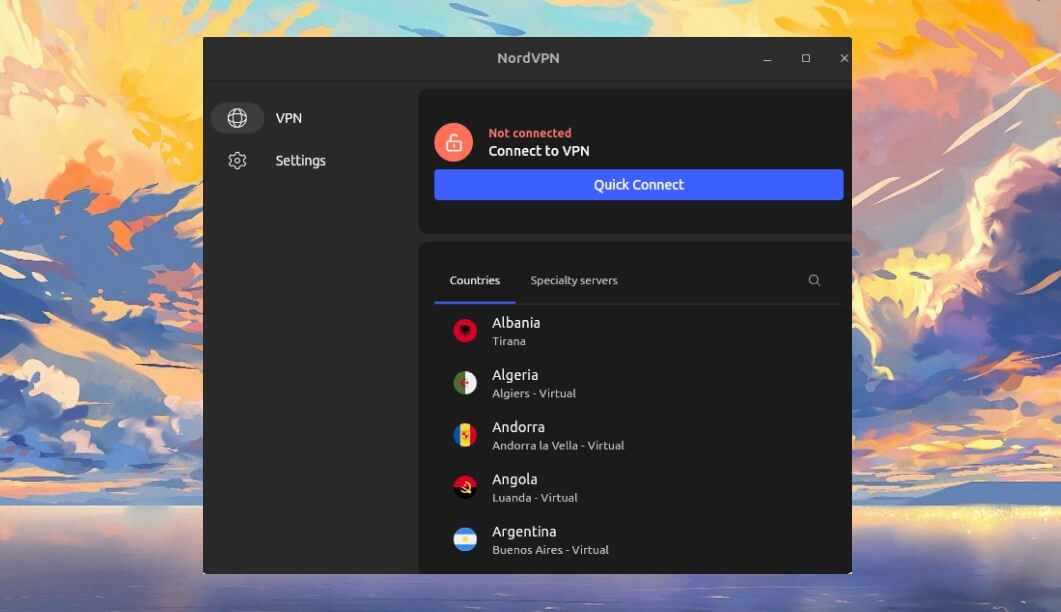
NordVPN is a paid VPN, but a full refund is available for 30 days after purchase. Android phone owners can also test it for 3 days, though the trial requires a card. Our NordVPN free trial guide explains the refund and the trial. On Linux, NordVPN offers a desktop app alongside its command-line tool. Meshnet, its private network for linking devices, worked in Ubuntu without a subscription.
The UK server recorded 181.48 Mbps, and download speed fell 8.3% on average across UK, US, and Japanese servers. Its package took 20 seconds to install. The app also used 457 MB of memory while connected, the most we measured on Linux. Having other VPNs installed caused a fault: after we connected and disconnected ExpressVPN, NordVPN wouldn’t connect until we reinstalled it.
NordVPN also leads our list of the best VPNs. The Basic plan costs $65.88 for its first year or $14.99 month to month, and the yearly renewal is $139.08.
2. Proton VPN: Best Linux App With Paid and Free Plans
Pros
- 30-day money-back guarantee
- No free data limit
- Stealth on free accounts
- Permanent kill switch
- Open-source Linux app
Cons
- Slow Japanese servers
- No free server choice
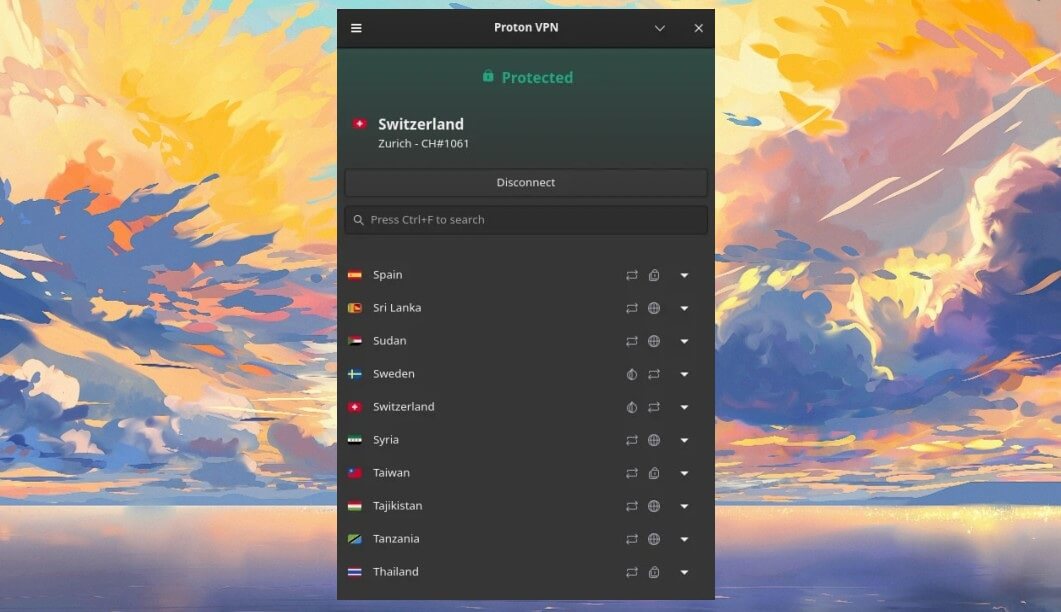
Proton VPN‘s paid VPN Plus plan recorded 175.78 Mbps on the UK server in Ubuntu. Speed on its Japanese server dropped to 99.84 Mbps, and a retest confirmed the drop. Memory use came to 377 MB, and installation took 24 seconds. The Linux app, built for Debian, Ubuntu, and Fedora, includes a permanent kill switch that blocks internet traffic while the VPN is disconnected.
A year of VPN Plus is $47.88 up front, and two years are $71.76, with renewal at $83.88 annually. Its 30-day money-back guarantee makes VPN Plus the better way to try Proton VPN, with server choice, Secure Core, and P2P support that the free plan lacks. The free plan sets no data limit and uses the same app. It chooses a server from ten free countries, and over several connections, it assigned us the Netherlands, the US, and Japan.
Amsterdam recorded 168.29 Mbps, the US 132.91 Mbps, and Japan 71.26 Mbps. Stealth, a protocol that hides VPN use from network filters, is available to free accounts in the Linux app (and all other apps).
3. ExpressVPN: Best Paid App for Low Memory Use
Pros
- Lean Linux desktop app
- Raspberry Pi OS support
- Split tunneling on Linux
- Lightway with post-quantum keys
Cons
- No WireGuard on Linux
- Fewer extra features
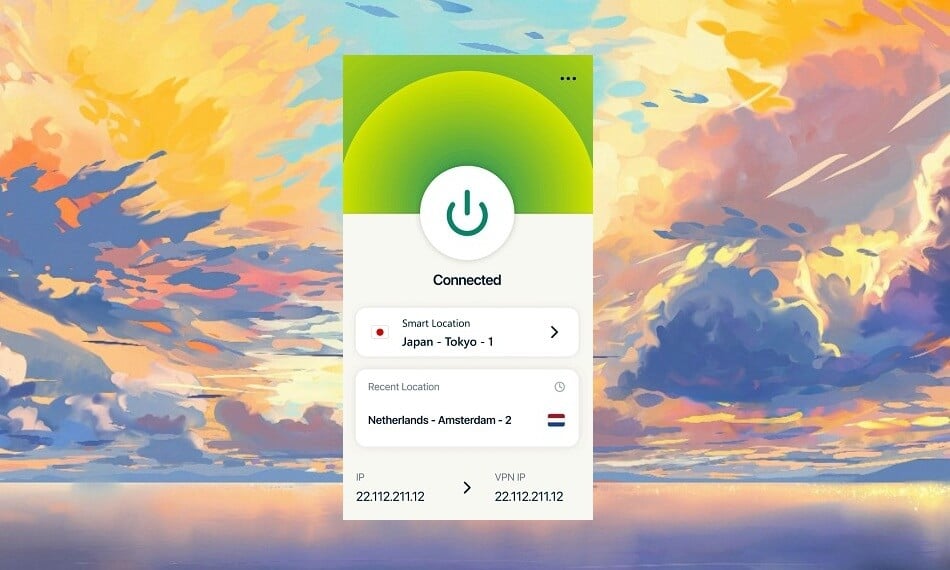
ExpressVPN has no free plan, but new subscribers can request a refund within 30 days. Its Linux desktop app, released in March 2025, supports Ubuntu, Debian, Fedora, Arch, Linux Mint, and Raspberry Pi OS. On Lightway, memory use was 238 MB, and installation finished in 16 seconds. ExpressVPN recorded 177.70 Mbps on the UK server and 134.84 Mbps in Japan, a 14.2% average loss across three servers.
The Linux desktop app offers Lightway and OpenVPN, with no WireGuard protocol. It also lacks NordVPN extras such as Double VPN servers and Meshnet. A 15-month Basic plan costs $74.85 and a 28-month plan costs $83.72. At renewal, the price of either increases to $99.95 a year.
4. Windscribe: Best Free Plan for Servers and ARM Devices
Pros
- Separate CLI build
- ARM64 packages
- Every protocol on free
- Config-only mode
Cons
- Cluttered interface
- Hard monthly data cap
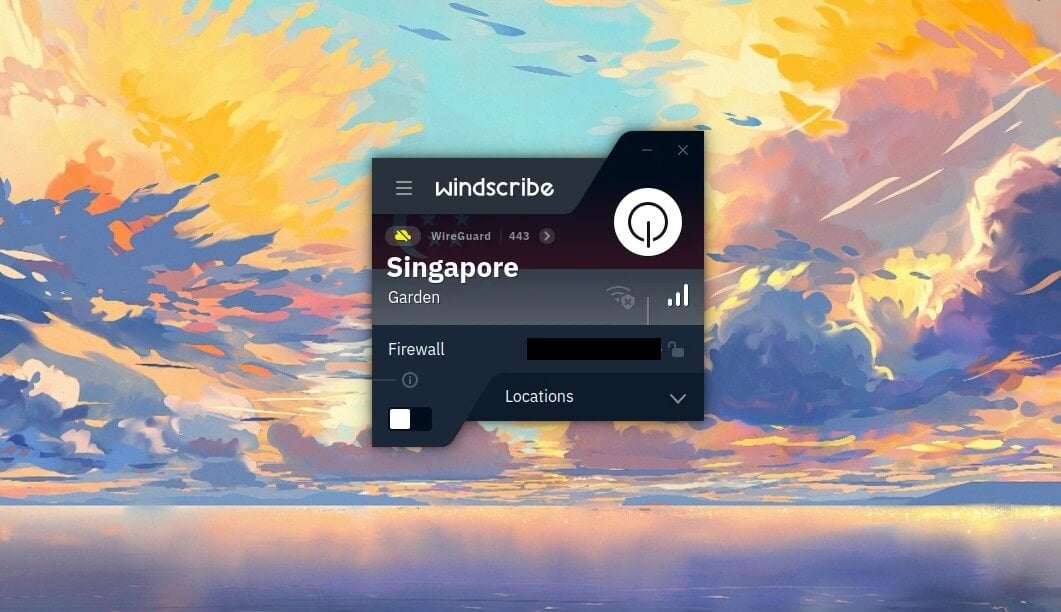
Windscribe’s Linux client comes in two versions, one with a desktop interface and one for the terminal. Packages cover Debian, Ubuntu, Fedora, Arch, and openSUSE, with ARM64 builds for boards such as a Raspberry Pi. Windscribe was the quickest to install, at 12 seconds, and its desktop app took up 174 MB of RAM. A config-only mode also lets the app load OpenVPN or WireGuard files without a Windscribe account.
The free plan offers servers in the US, Canada, the UK, Hong Kong, France, Germany, the Netherlands, Switzerland, Norway, and Romania. Every protocol is available, including Stealth and WStunnel. Without a confirmed email, the allowance is 2 GB a month, and confirming one increases it to 10 GB. The VPN disconnects at the limit. On the free UK and US servers, Windscribe lost 12.1% and 18.8% of our download speed.
The app worked well, but its menus are crowded. Even with regular use, we sometimes had to search for a setting. Our Windscribe review covers the Pro plan, priced at $9 a month or $69 a year.
5. Hide.me: Best Free Plan for Choosing a Server
Pros
- Uncapped free data
- Pick your free country
- Open-source WireGuard client
- Lowest memory use
Cons
- No Linux desktop app
- Small server network
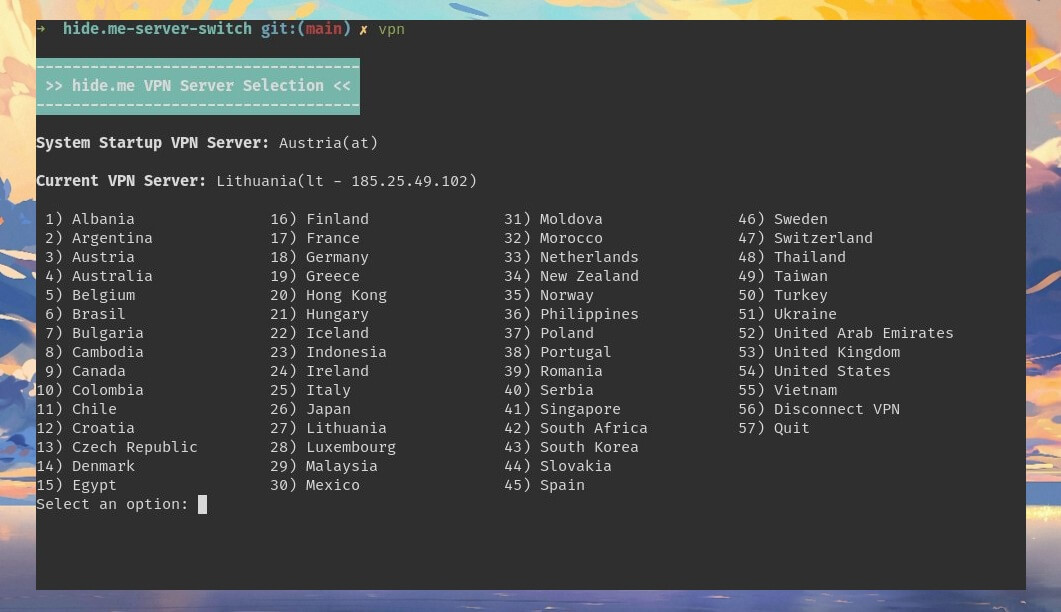
Hide.me offers free users seven countries to pick from: Finland, France, Germany, the Netherlands, Switzerland, the UK, and the US. Data isn’t capped. On Linux, it’s a command-line client built on open-source code, with WireGuard, a kill switch, and split tunneling. Hide.me was the slowest VPN in our Linux tests, and that’s why it ranks the lowest.
It lost 22.7% of download speed on the UK server and 37.5% on the US server, where upload fell to 9.47 Mbps. The client used 158 MB of memory, the lowest figure we recorded, while its install took 32 seconds, the longest we timed. The server network is also small compared to paid VPNs.
Free VPNs Without Linux Support
Hotspot Shield Requires Premium on Linux
Hotspot Shield offers a command-line client for Linux. It requires a Premium subscription, which we confirmed with a free account on Ubuntu. Hotspot Shield Basic, the free plan, offers one US location on one device. Premium costs $29 for the first year and $95.99 a year after that. Our Hotspot Shield review explains what the company logs, including anonymized domain names.
TunnelBear Has No Linux App
TunnelBear doesn’t make a Linux version. Its free plan, with 2 GB of data a month, isn’t available on Ubuntu, Fedora, or Arch.
What Free Linux VPNs Leave Out
- Torrenting: Proton VPN’s and Hide.me’s free plans block P2P traffic.
- Streaming: In our Windows streaming tests, Windscribe’s free plan unblocked 8 of 14 platforms, Hide.me’s free plan failed to unblock any platform we tried, and Proton VPN’s free plan failed to unblock Netflix US.
- Devices: Free accounts on Proton VPN and Hide.me connect one device, while Windscribe sets no device limit.
For sites that check the user’s country, our Proton VPN alternatives list covers paid VPNs that let users pick a server. Our free VPN rankings cover Windows, Mac, and phone apps.
Installing a VPN on Ubuntu, Fedora, or Arch
Download the package for your distribution from the VPN’s website, then install it from the terminal:
- Ubuntu, Debian, or Mint:
sudo apt install ./package-name.deb - Fedora:
sudo dnf install ./package-name.rpm - Arch:
sudo pacman -U package-name.pkg.tar.zst
NordVPN also installs with one command, sh <(curl -sSf https://downloads.nordcdn.com/apps/linux/install.sh). Windscribe’s command-line build for Ubuntu downloads with curl -L https://windscribe.com/install/desktop/linux_deb_x64_cli -o windscribe.deb. Once the package is in place, sign in, enable the kill switch, and connect.
On a server without a desktop, install the command-line version of NordVPN, Proton VPN, ExpressVPN, Windscribe, or Hide.me. Our Ubuntu VPN guide walks through the desktop setup.
Choosing a Free VPN for Your Linux Machine
For a Linux desktop, start with NordVPN, which kept the most speed on Ubuntu. For long-term free use, install Proton VPN, which has no data cap or end date, and upgrade to VPN Plus when Secure Core or a specific country becomes necessary. Our Proton VPN vs NordVPN comparison covers their paid plans in detail. On an older laptop, ExpressVPN‘s app used less memory than NordVPN’s or Proton VPN’s.
For a home server or Raspberry Pi, use Windscribe, whose terminal client includes ARM builds, within its 10 GB free allowance. Hide.me lets free users pick a country and uses the least memory, though its speeds were the lowest. Our Linux VPN rankings compare paid VPNs with more features.
Free Linux VPN FAQs
Is there a free VPN for Linux?
Yes. Proton VPN, Windscribe, and Hide.me offer free plans with native Linux clients. Proton VPN and Hide.me set no data cap, while Windscribe allows up to 10 GB a month.
What is the best free VPN for Linux?
The best free VPN for Linux is Proton VPN, with no data cap and Stealth obfuscation on free accounts. NordVPN is the stronger paid VPN, offering faster speeds and desktop and terminal apps.
Does Hotspot Shield work on Linux?
Yes, on the paid Premium plan only. Hotspot Shield supports Ubuntu, Debian, Fedora, and CentOS through a terminal client, and free Basic accounts can't connect through it.
Is a free VPN safe to use on Linux?
Yes, if an audited VPN company offers it. Proton VPN applies its audited no-logs policy to free accounts too. Ad-supported free plans, such as Hotspot Shield Basic, share device data with advertisers.