
NordVPN is the best VPN for Xbox, with the fastest US download and the lowest ping to Japan in our tests, for players who join lobbies on other continents. Its downside is nearby ping: on a Vienna server it measured 38 ms, where ExpressVPN, Surfshark, Proton VPN, and PIA measured 20 to 24 ms.
Xbox consoles don’t support VPN apps, so the VPN connects through a PC, a router, or Smart DNS. We tested Xbox Cloud Gaming from a European country where the service isn’t offered, and it loaded over each of the five VPNs.
Best VPN for Xbox in 2026
- NordVPN: Best for distant game servers, with 215 ms to Japan.
- ExpressVPN: Best for plug-and-play router setup, with its new Fortify router.
- Surfshark: Best for cloud gaming latency, with a 63 ms stream on a Vienna server.
- Proton VPN: Best for Secure Core privacy, with multi-hop servers in privacy-focused countries.
- Private Internet Access: Best budget option, at under $2 a month.
Xbox VPNs Compared
| VPN | Vienna download | Vienna ping | Cloud gaming latency | Smart DNS |
|---|---|---|---|---|
| NordVPN | 177.96 Mbps | 38 ms | 72 ms | Yes |
| ExpressVPN | 181.62 Mbps | 24 ms | 68 ms | Yes |
| Surfshark | 179.91 Mbps | 20 ms | 63 ms | No |
| Proton VPN | 179.86 Mbps | 21 ms | 70 ms | No |
| Private Internet Access | 147.06 Mbps | 22 ms | 69 ms | Yes |
Every figure comes from our Windows 11 test PC in Europe, on a 190.36 Mbps connection with 10 ms of ping. Cloud gaming latency is the figure Xbox Cloud Gaming reported in its stream stats, in a browser, over the same Vienna servers.
Best VPNs for Xbox
1. NordVPN: Best for Distant Game Servers
Pros
- SmartDNS for consoles
- Meshnet virtual LAN
- Post-quantum NordLynx
- App-level kill switch
Cons
- Higher ping on nearby servers
- Pricier renewals
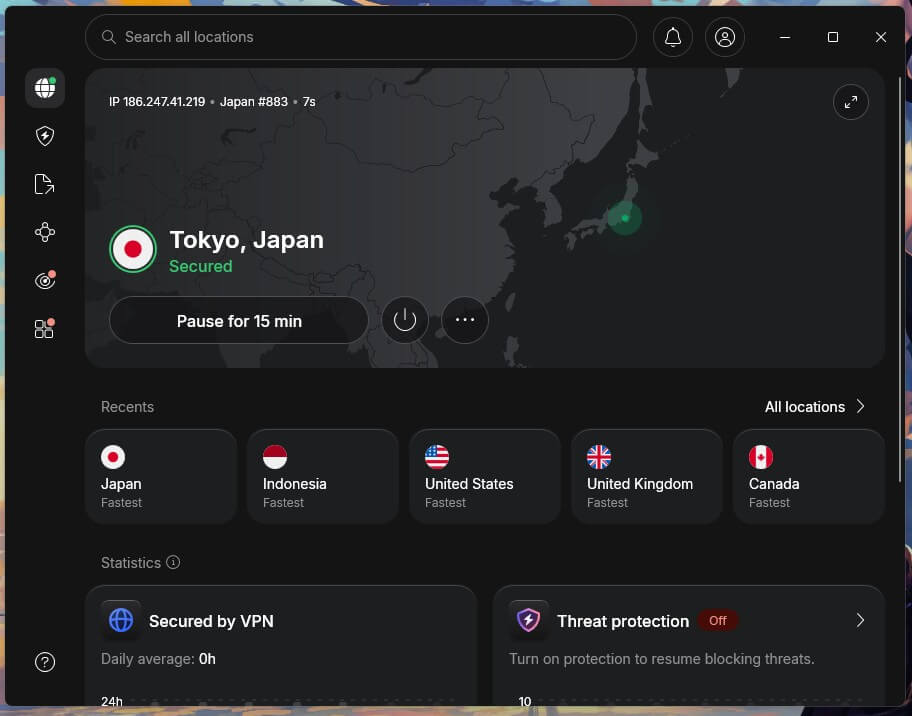
NordVPN had the lowest average ping to the UK, the US, and Japan in our ping round, at 130 ms, including 215 ms to Japan. Its US download of 181.50 Mbps was the fastest we measured. Both help in lobbies on another continent. To host a game server, you can also get a dedicated IP address. Nearby, the numbers were weaker. The Vienna server measured 38 ms of ping and 72 ms of cloud gaming latency, and we could feel slightly more input delay in games.
Single-player titles played normally, but competitive players may notice it. Its Windows app sometimes wouldn’t start a connection while other VPN software was on the PC, which also cuts off an Xbox that shares that PC’s connection. NordVPN’s 27-month Basic plan averages below $3.50 a month, and our NordVPN promotions list the current discounts.
2. ExpressVPN: Best for Plug-and-Play Router Setup
Pros
- Built-in speed test
- MediaStreamer Smart DNS
- Simple desktop apps
- Post-quantum Lightway
Cons
- No multi-hop servers
- Price rises at renewal
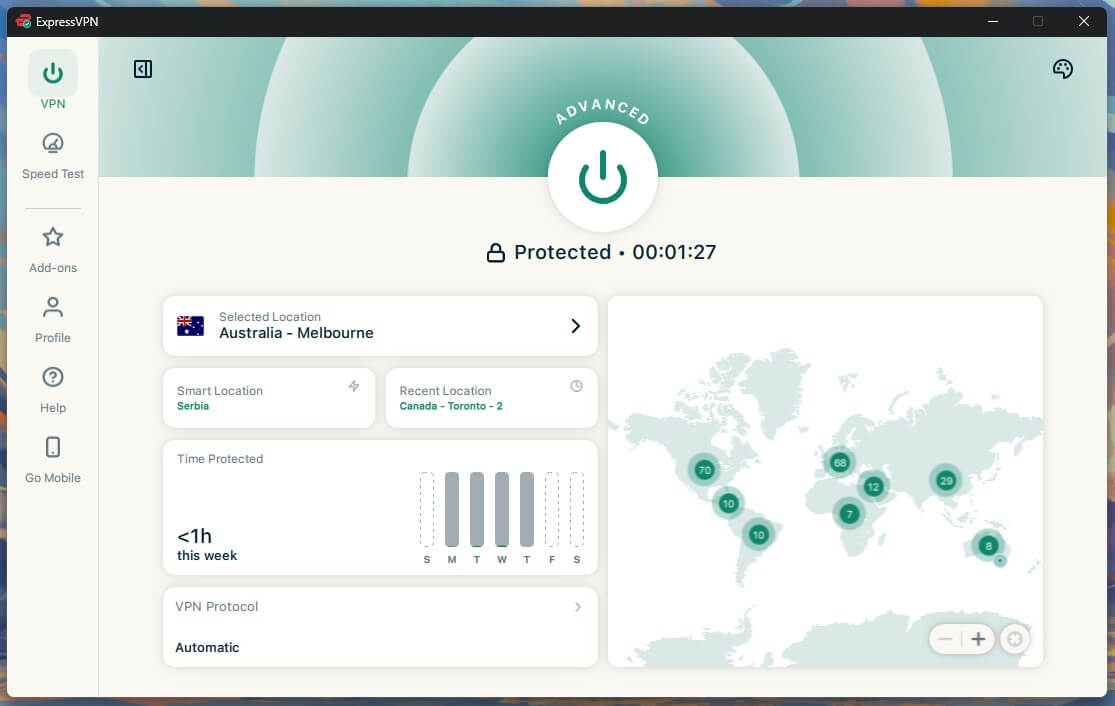
ExpressVPN recorded the fastest Vienna download at 181.62 Mbps, with 24 ms of ping and 68 ms of cloud gaming latency. Its new Fortify router, built with GL.iNet, replaces Aircove and is rated for up to 900 Mbps of VPN traffic. An Xbox connected to it is protected with no PC left on. It also appears in our Black Ops 7 VPN guide.
The Windows app connected within two seconds in our tests. Advanced settings are limited, and ad blocking starts on the Advanced plan. We also recommend it for PlayStation. ExpressVPN’s Basic plan is under $3 a month, as long as you pay for 28 months at once.
3. Surfshark: Best for Cloud Gaming Latency
Pros
- CleanWeb blocker
- Strict kill switch mode
- Quantum-safe WireGuard
- NoBorders mode
Cons
- Longer connection times
- Higher renewal prices
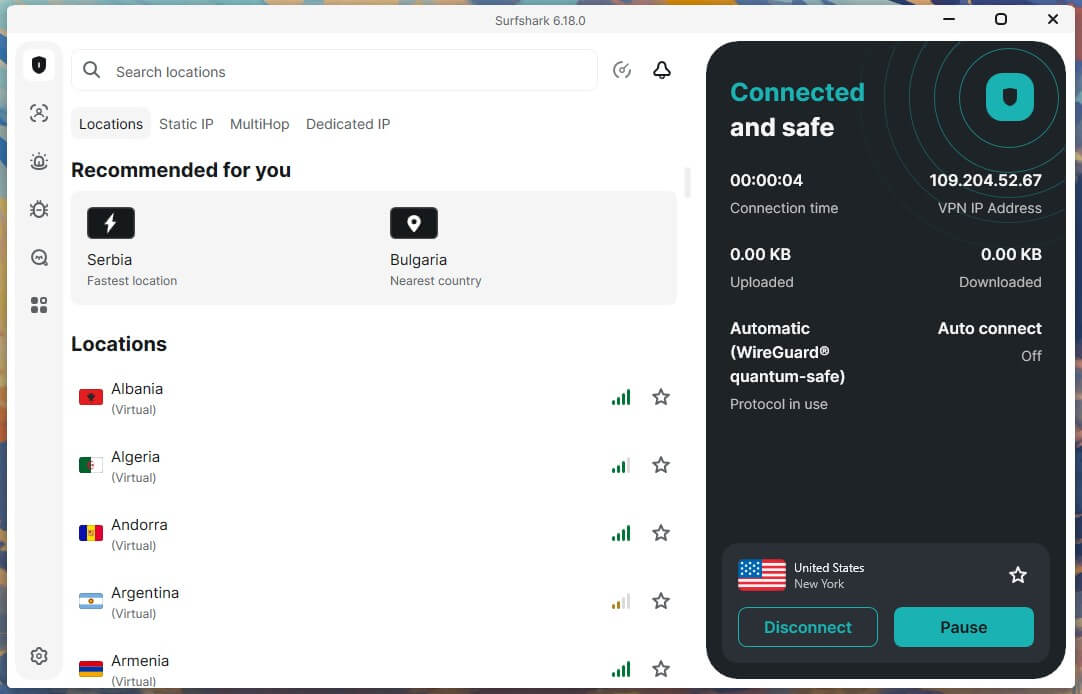
Surfshark had the lowest cloud gaming latency at 63 ms and the lowest Vienna ping at 20 ms, with 179.91 Mbps of download. Games streamed without drops or noticeable input delay. It allows unlimited devices, so one subscription covers a PC, a router, and the phones in the house. Its UK server was slower in an earlier ping round, at 51 ms next to NordVPN’s 41 ms, so results vary by location.
Surfshark doesn’t offer Smart DNS, which leaves PC sharing or a router as the ways to connect an Xbox. A 27-month Starter plan keeps Surfshark under $2.50 a month, and you can test Surfshark risk-free first. Its full test history is in our Surfshark review.
4. Proton VPN: Best for Secure Core Privacy
Pros
- Port forwarding support
- NetShield blocker
- Free tier included
- Independent no-logs audits
Cons
- Smart DNS absent
- Slow email support
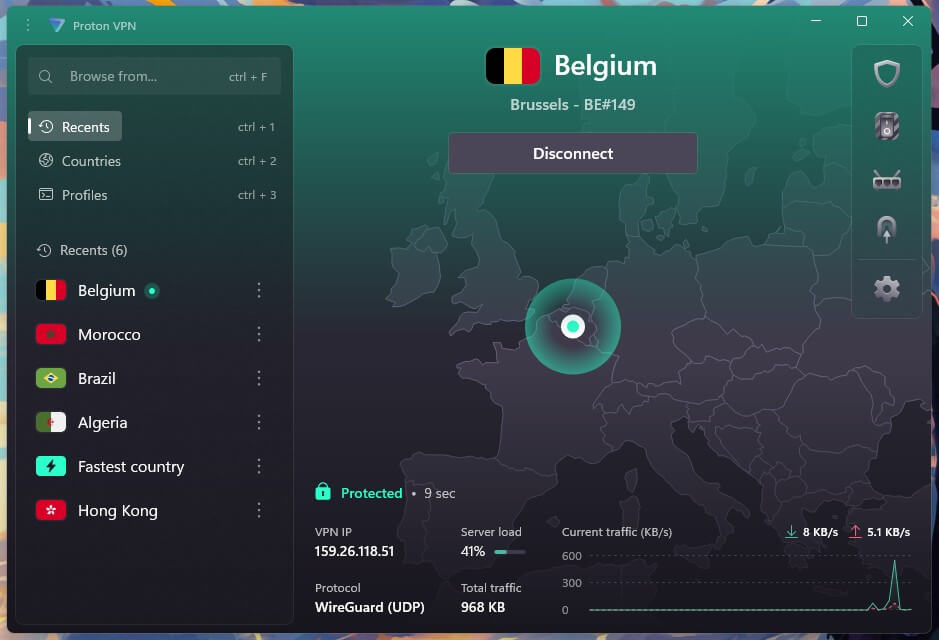
Proton VPN’s Secure Core first passes your connection through servers in privacy-friendly countries, then on to the server you chose. Our Switzerland-to-US test lost 12.1% of speed. Its Vienna server measured 179.86 Mbps with 21 ms of ping, nearly identical to Surfshark’s result. VPN Accelerator added 4.9% to its US speed.
Proton VPN’s cloud gaming latency was 70 ms, and like NordVPN, it added slight input delay. Solo games were unaffected, though fast multiplayer matches could feel it. Our Proton VPN review covers its no-logs audits. The VPN Plus plan is about $3 a month for a two-year prepayment.
5. Private Internet Access: Best Budget Option
Pros
- Port forwarding option
- MACE ad blocker
- Customizable encryption
- Per-app split tunneling
- Smart DNS option
Cons
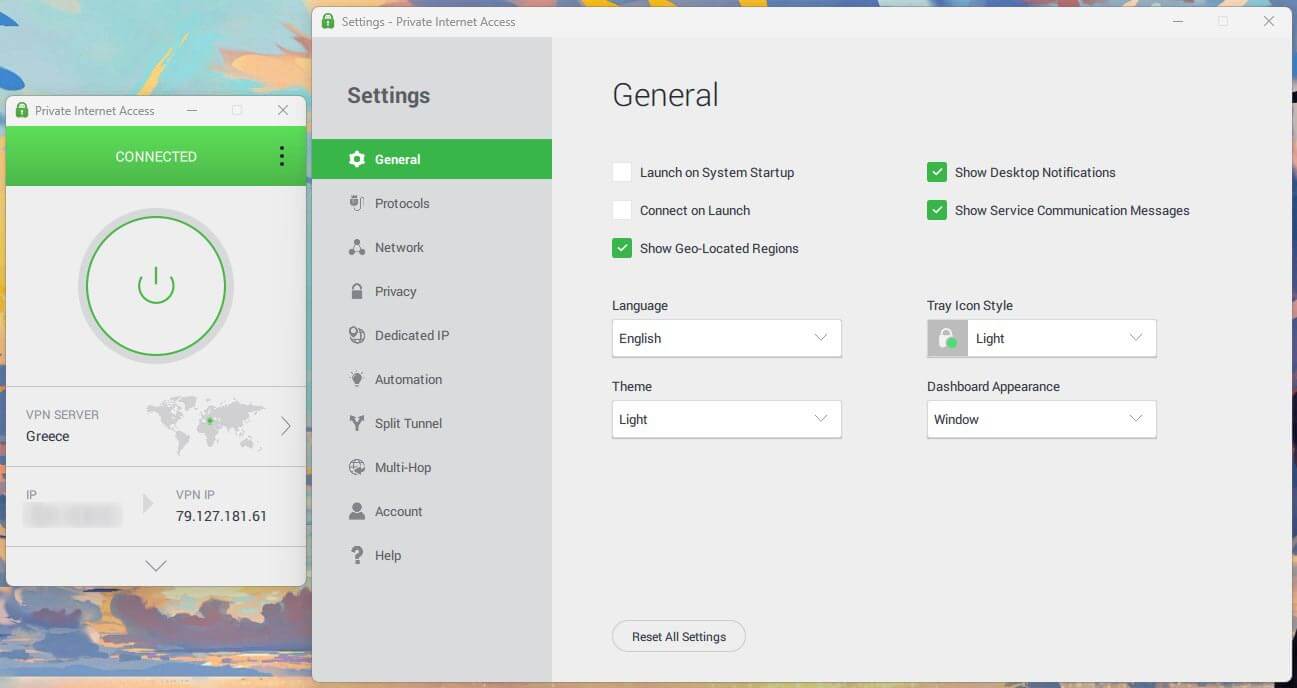
- Dated interface
- WireGuard not default
At below $2 a month for 26 months, Private Internet Access costs less than any other VPN we recommend for Xbox, and it has no device limit. Cloud gaming latency was 69 ms and Vienna ping 22 ms, close to ExpressVPN. Its server list shows the ping to each location, which helps you pick one before a match.
Its Vienna download was 147.06 Mbps on WireGuard, a 22.7% drop, where the other four lost 6.5% or less. The kill switch let unencrypted traffic out after a PC restart, and its ping to Japan was 270 ms in earlier tests, next to NordVPN’s 215 ms. Our Private Internet Access review covers its audits and apps.
How to Use a VPN on Xbox
The console has no VPN app, so connect it to a router or computer with the VPN active. Start with a VPN subscription. We’ve used this Windows sharing method with a Roku player, and a console connects the same way. After setup, open Microsoft Edge on the Xbox and load an IP check page to confirm the VPN country.
Share a VPN Over Wi-Fi From a Windows Laptop
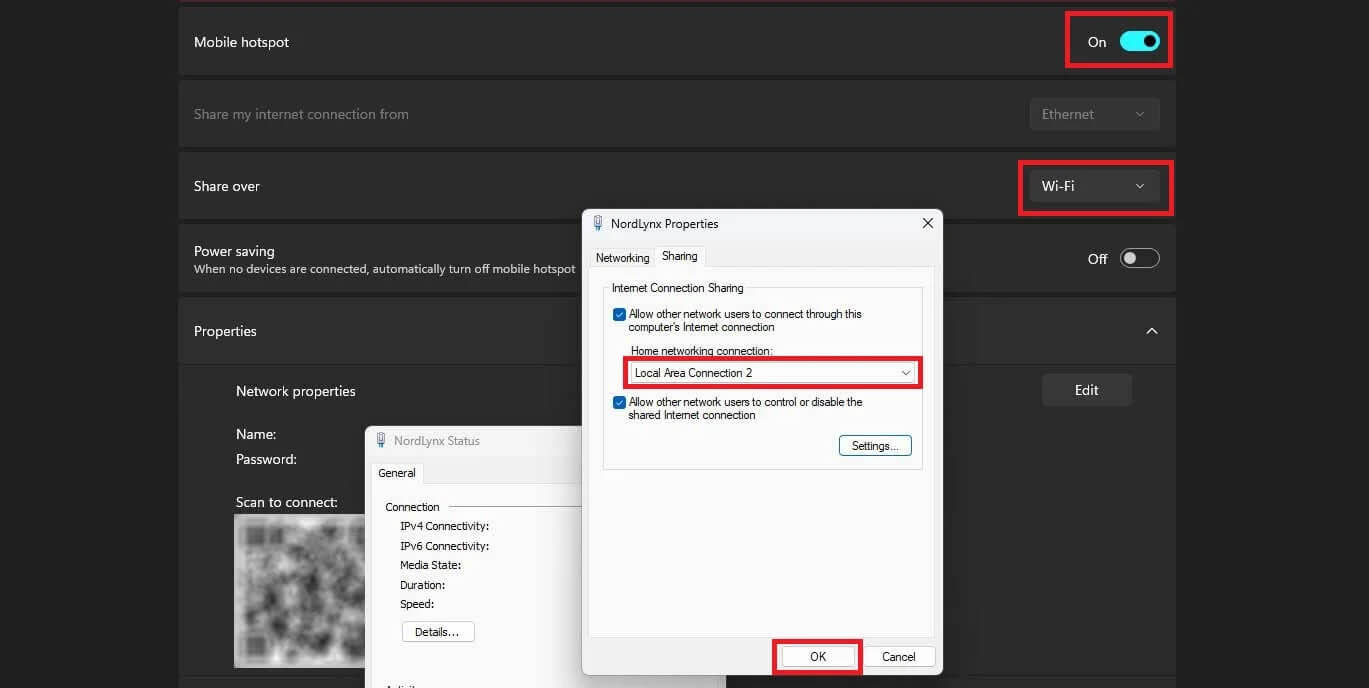
This method uses the laptop’s Wi-Fi as a hotspot. A desktop PC requires a Wi-Fi adapter for it.
- Open Settings, go to Network & internet, and enable Mobile hotspot.
- Set Share my internet connection from to Wi-Fi.
- Open Change adapter options in Control Panel, right-click the VPN adapter, and select Properties.
- On the Sharing tab, check Allow other network users to connect through this computer’s Internet connection.
- Under Home networking connection, pick the Local Area Connection entry marked with an asterisk.
- Connect the VPN to a server, then join the hotspot from the Xbox.
Share a VPN Over Ethernet From a PC or Mac
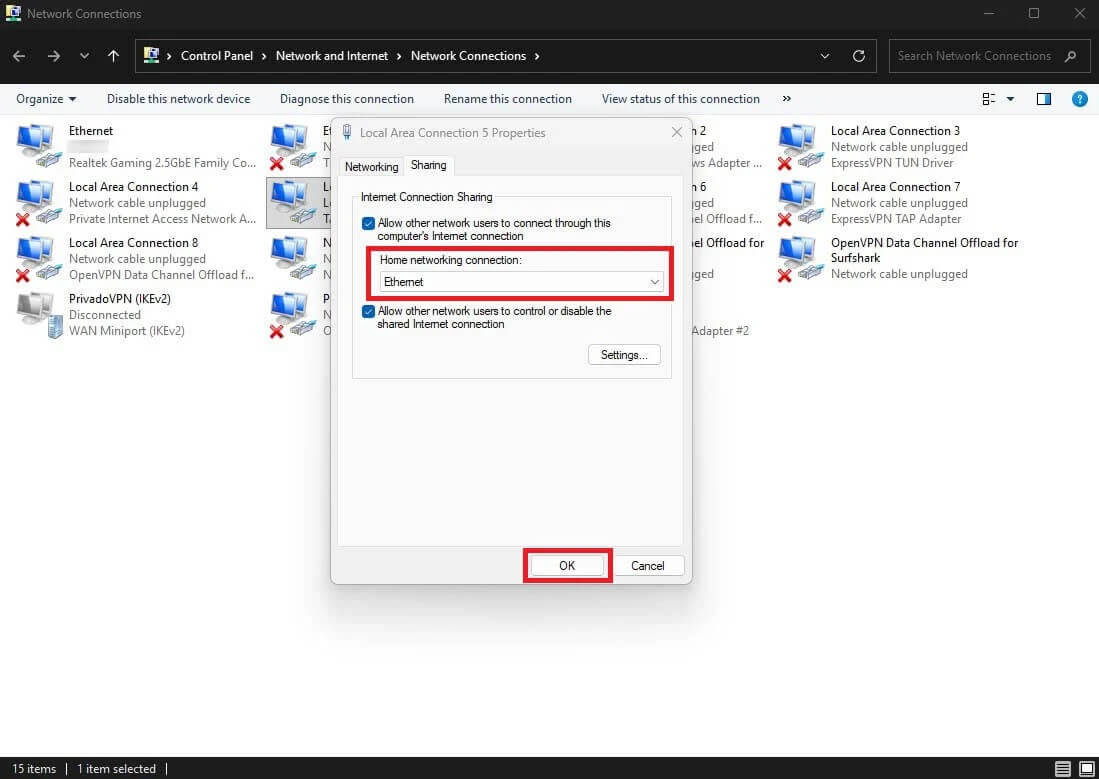
A cable has lower latency than Wi-Fi, but the PC has to stay on and connected while you play. On Windows:
- Connect the Xbox to the PC with an Ethernet cable.
- Open Network and Sharing Center and click Change adapter settings.
- Right-click the VPN adapter, select Properties, and check the sharing box on the Sharing tab.
- Select Ethernet under Home networking connection and click OK.
- Connect the VPN to a server.
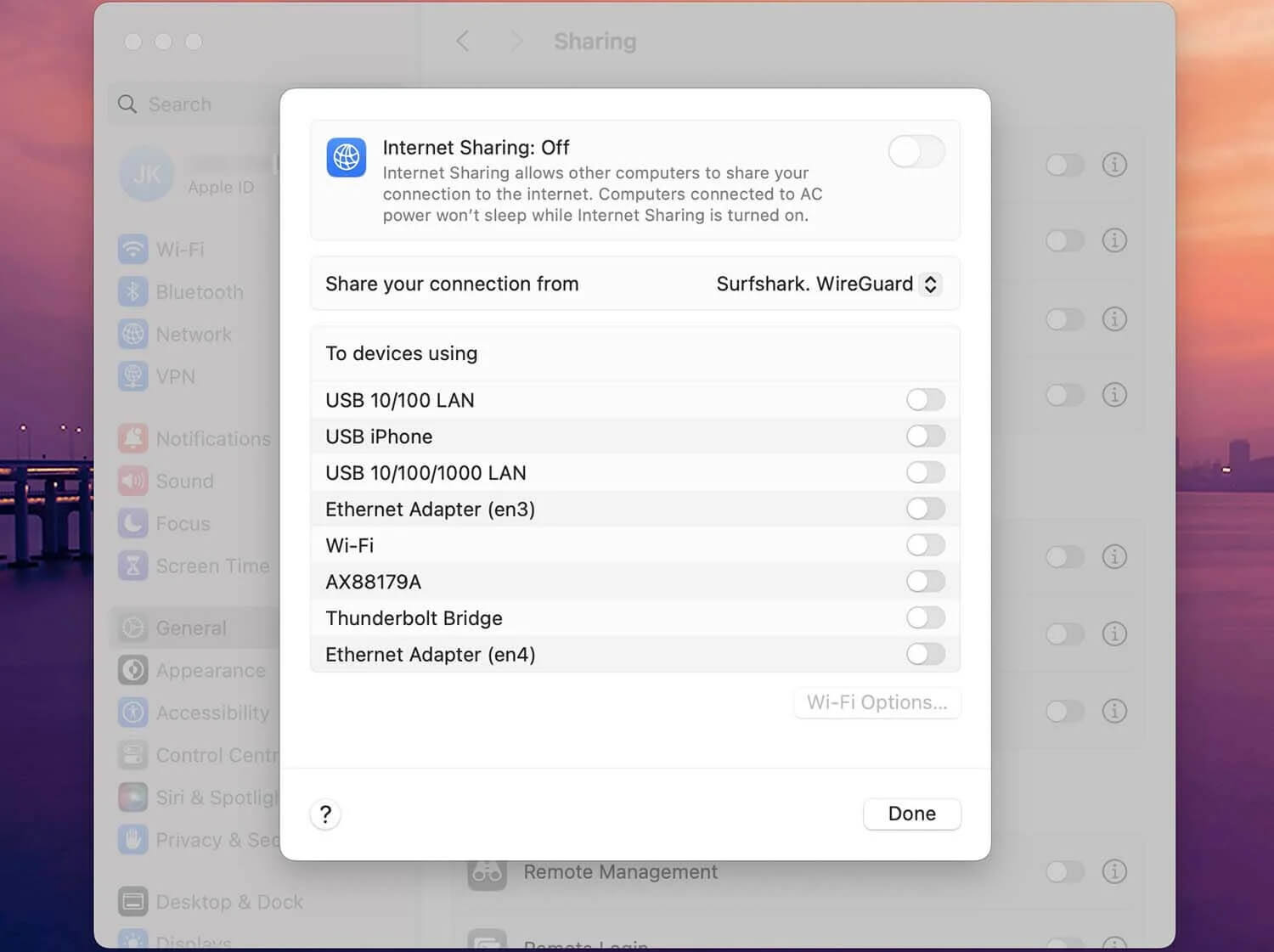
On a Mac, go to System Settings, General, Sharing, and Internet Sharing. Pick the VPN connection as the source and Ethernet as the destination, enable Internet Sharing, and connect the VPN.
Use a VPN Router
A VPN on the router covers the Xbox and every other device at home, with no PC to leave on. Routers supplied by an ISP rarely support VPN setup. ExpressVPN’s Fortify router comes ready to use, and the other four publish their own guides:
- Set up a router with NordVPN
- Set up a router with ExpressVPN
- Set up a router with Private Internet Access
- Set up a router with Proton VPN
- Set up a router with Surfshark
Use Smart DNS
NordVPN’s SmartDNS, ExpressVPN’s MediaStreamer, and PIA’s Smart DNS change the region of streaming apps on the Xbox with no PC or router setup. Register your home IP in your VPN account, then enter the DNS addresses it provides in the Xbox network settings. PIA’s account page lists Xbox.
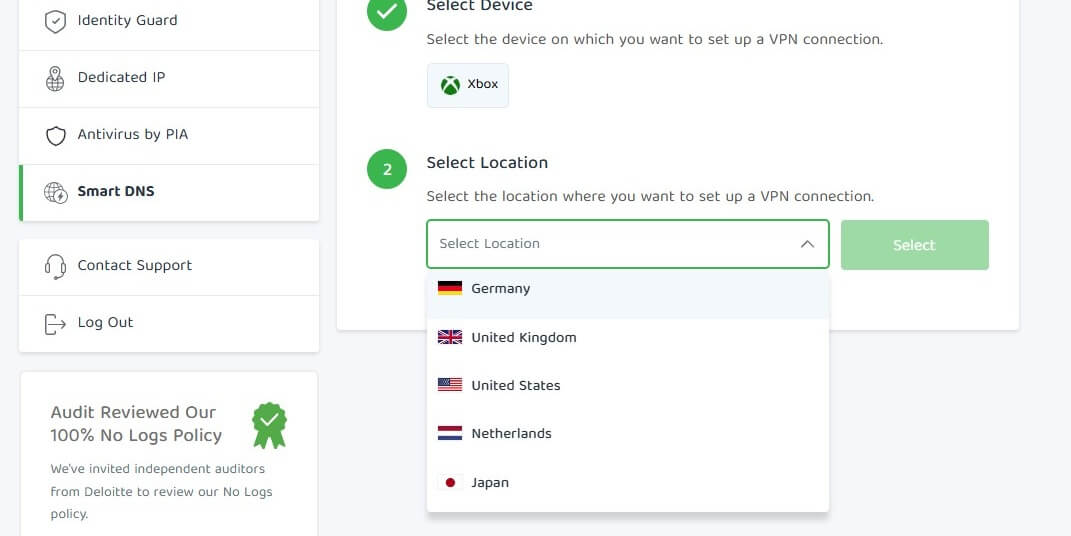
Its locations include the US, the UK, Germany, the Netherlands, and Japan. Smart DNS doesn’t encrypt your traffic, and other players still see your own IP address, so it’s a streaming tool only.
Xbox Cloud Gaming With a VPN
Connect to a server in a country where Xbox Cloud Gaming is available, then open xbox.com/play or the Xbox app. The service is offered in 29 countries, and it loaded on all five VPNs over a Vienna server from a European country outside that list. Our subscription tests showed the country check applies when you play:
- We subscribed over an Austrian IP address, and again over a US one, with a card issued in a country without cloud gaming. Both payments went through.
- After subscribing, cloud gaming worked from any supported country, so the signup country didn’t lock us to one region.
- Stream latency was 63 to 72 ms, well above the 20 to 38 ms Speedtest ping. The stream travels past the VPN server to Microsoft’s cloud gaming servers.
Game Pass Essential, Premium, and Ultimate include cloud gaming. From November, new subscriptions get monthly cloud gaming caps: 5 hours on Essential, 10 on Premium, and 15 on Ultimate. Microsoft’s terms don’t allow misrepresenting your location, so use this method at your own discretion.
Best DNS Settings for Xbox Series X
Go to Settings, General, Network settings, Advanced settings, then DNS settings, and choose Manual. Enter a primary and secondary server, such as Cloudflare’s 1.1.1.1 and 1.0.0.1 or Google’s 8.8.8.8 and 8.8.4.4. The same menu applies on Xbox Series S and Xbox One. A public DNS server can speed up lookups, but it doesn’t change your ping to a game server. Smart DNS from NordVPN, ExpressVPN, or PIA goes in the same menu when you want streaming apps from another region.
What a VPN Changes on Xbox
- IP address privacy: Games with peer-to-peer lobbies can expose your IP address to other players. A VPN shows them the server’s IP address, which limits DDoS attacks.
- Regional access: Cloud gaming, streaming apps, and some store content follow the country of your IP address.
- Throttling: Encryption hides the type of traffic, which stops an ISP from slowing gaming or streaming traffic by type.
- Ping: A VPN adds distance. Vienna servers increased our 10 ms ping to 20 to 38 ms, so a VPN lowers ping only when your ISP’s own routing to a game server is poor. For ping by server location, see our gaming VPN rankings.
Our overview of VPN pros and cons covers the trade-offs beyond gaming.
Best Free VPN for Xbox
A free VPN for gaming works on Xbox through PC sharing, but server choice and data limits get in the way. Two stood out in our free tests:
Proton VPN Free: No Data Cap
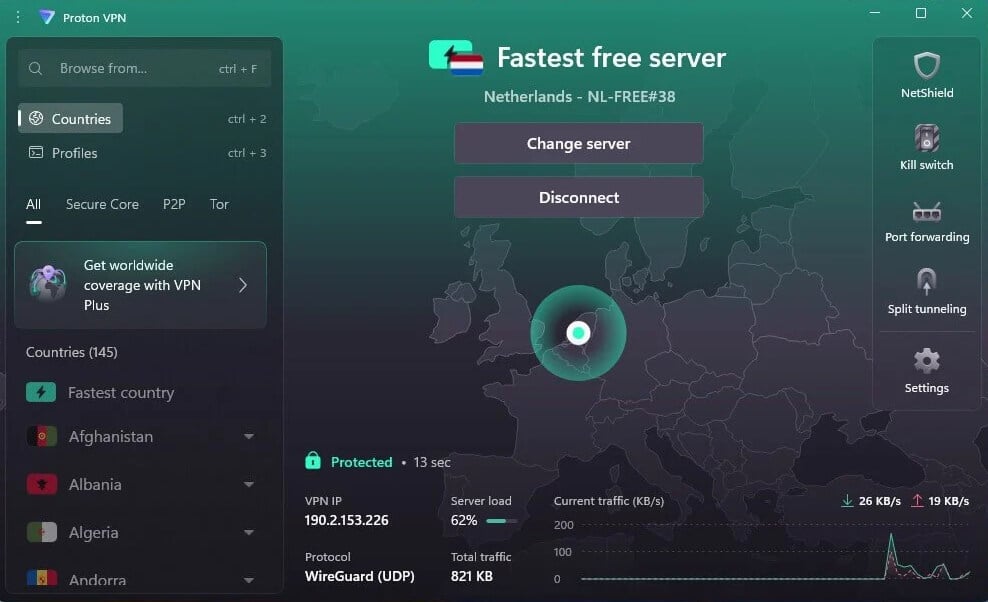
Proton VPN’s free plan comes with unlimited data and no ads, and the kill switch worked in our tests. It allows one device, which is enough when a PC shares the connection with the Xbox. The catch is server choice: the country is chosen for you from ten, so you can’t pick the nearest supported country for cloud gaming or low ping.
PrivadoVPN Free: Lowest Free Ping
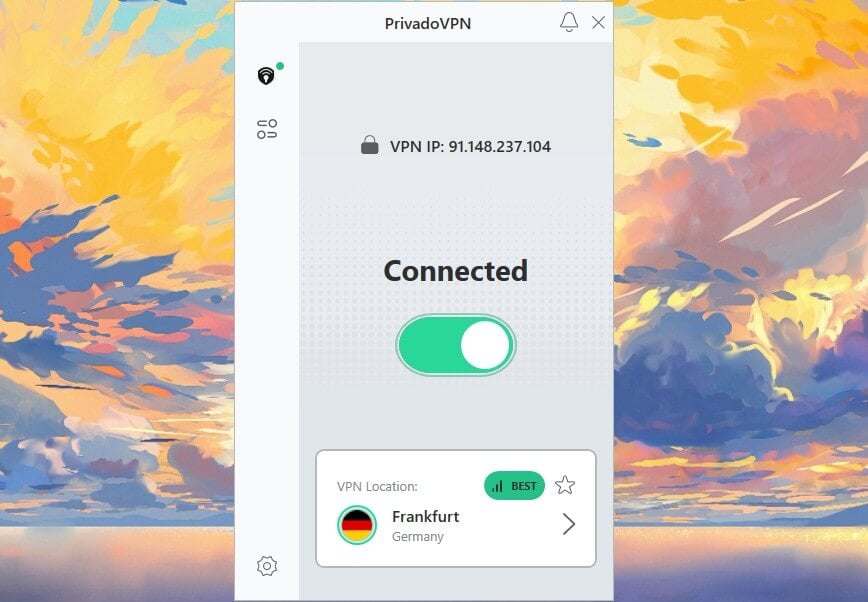
PrivadoVPN’s free plan lets you choose from ten countries and measured 37 ms of ping on a UK server, the lowest of any free VPN we tested. You have to renew its 10 GB allowance manually every month, and cloud gaming uses data quickly. After the allowance, it drops to 1 Mbps and keeps the connection. Other free VPNs we tested are in our best free VPN list.
Summary
The right VPN for Xbox depends on where your game servers are. NordVPN led on US download speed and Japanese ping, which makes it the strongest choice for distant lobbies, though its Vienna ping was the highest at 38 ms. Proton VPN pairs Secure Core with a free plan that has no data cap. For nearby servers and cloud gaming, Surfshark’s stream was 63 ms, the lowest latency we recorded.
ExpressVPN had the fastest Vienna download and the simplest router setup through Fortify. PIA VPN is the cheapest at under $2 a month, but its Vienna download dropped 22.7%. Xbox Cloud Gaming loaded on all five over a supported country, so any of them covers players outside the 29 supported countries. Paid alternatives are compared in our main VPN rankings.
Frequently Asked Questions
Can you get a VPN on Xbox?
Yes, but not as an app. The VPN is set up on a router or on a PC or Mac sharing its connection, and Smart DNS covers streaming apps.
What is the best VPN for Xbox?
The best VPN for Xbox is NordVPN, which offers fast long-distance connections, SmartDNS, and router support. Proton VPN is a strong alternative, adding multi-hop Secure Core servers and a free tier.
Is there a free VPN for Xbox One?
Yes, Proton VPN's free plan works with Xbox One through a shared PC connection and has no data cap. It assigns a server country automatically, which can increase ping.
Does a VPN work with Xbox Cloud Gaming?
Yes, a VPN server in a supported country such as Austria or the US provides access to Xbox Cloud Gaming from countries where the service isn't offered. A Game Pass subscription is required.
What DNS settings should I use for Xbox Series X?
Cloudflare (1.1.1.1, 1.0.0.1) and Google (8.8.8.8, 8.8.4.4) are widely used, entered under Network settings, Advanced settings, DNS settings, Manual. DNS doesn't reduce game ping.
Does a VPN lower ping on Xbox?
No, usually not. A VPN adds distance and increases ping, except when an ISP routes game traffic poorly. Connecting to the nearest server keeps the increase small.
Does a VPN work on Xbox 360?
Yes, the Xbox 360 connects to a VPN the same way as newer consoles, through a router or a shared PC connection. Its store has closed, but online play still works.