Many people choose a Mac partly because Macs are known for being safe from viruses. That reputation is only half right, because adware, fake downloads, and scam pages work on a MacBook the same way they do on a Windows laptop.
Choosing the best antivirus for Mac starts with how the Mac is used. A MacBook used for email and browsing faces far fewer risks than one that downloads software from the web. Apple’s built-in tools also focus mainly on threats Apple already knows about. You’ll find the ranked list below.
Best Antivirus for Mac 2026: Shortlist
- Norton 360 for Mac: Best overall. It tied for the best scam-page blocking in my tests.
- Bitdefender Antivirus for Mac: Best for set-and-forget protection. It detected the most malware with the fewest false alarms.
- Avast One for Mac: Best free antivirus for Mac. Its free tier scans files in real time.
- NordVPN Next-Gen Antivirus: Best for web and download protection. It blocks scam pages and infected downloads within the VPN app.
- McAfee Total Protection for Mac: Best for large Apple households. Its Premium plan covers unlimited devices.
- Malwarebytes for Mac: Best for cleaning up an infection. Its free scanner works alongside another antivirus app.
Do Macs Need Antivirus Software in 2026?
Most Mac owners don’t need third-party antivirus. Apple builds three layers of protection into macOS: XProtect, Gatekeeper, and System Integrity Protection. If you install apps only from the App Store, those layers are usually enough.
Things change once you download software from the web, swap files with Windows PCs, or keep sensitive work data on the Mac. Blocking a threat before it installs takes far less effort than removing malware after an infection.
What macOS Already Protects You From
Every Mac comes with an antivirus engine that Apple doesn’t advertise as one, plus several other layers of protection:
- XProtect checks apps against Apple’s list of known malware when they first open and again when they change. XProtect Remediator removes known infections in the background, and Apple updates the list separately from macOS, so protection improves between system updates.
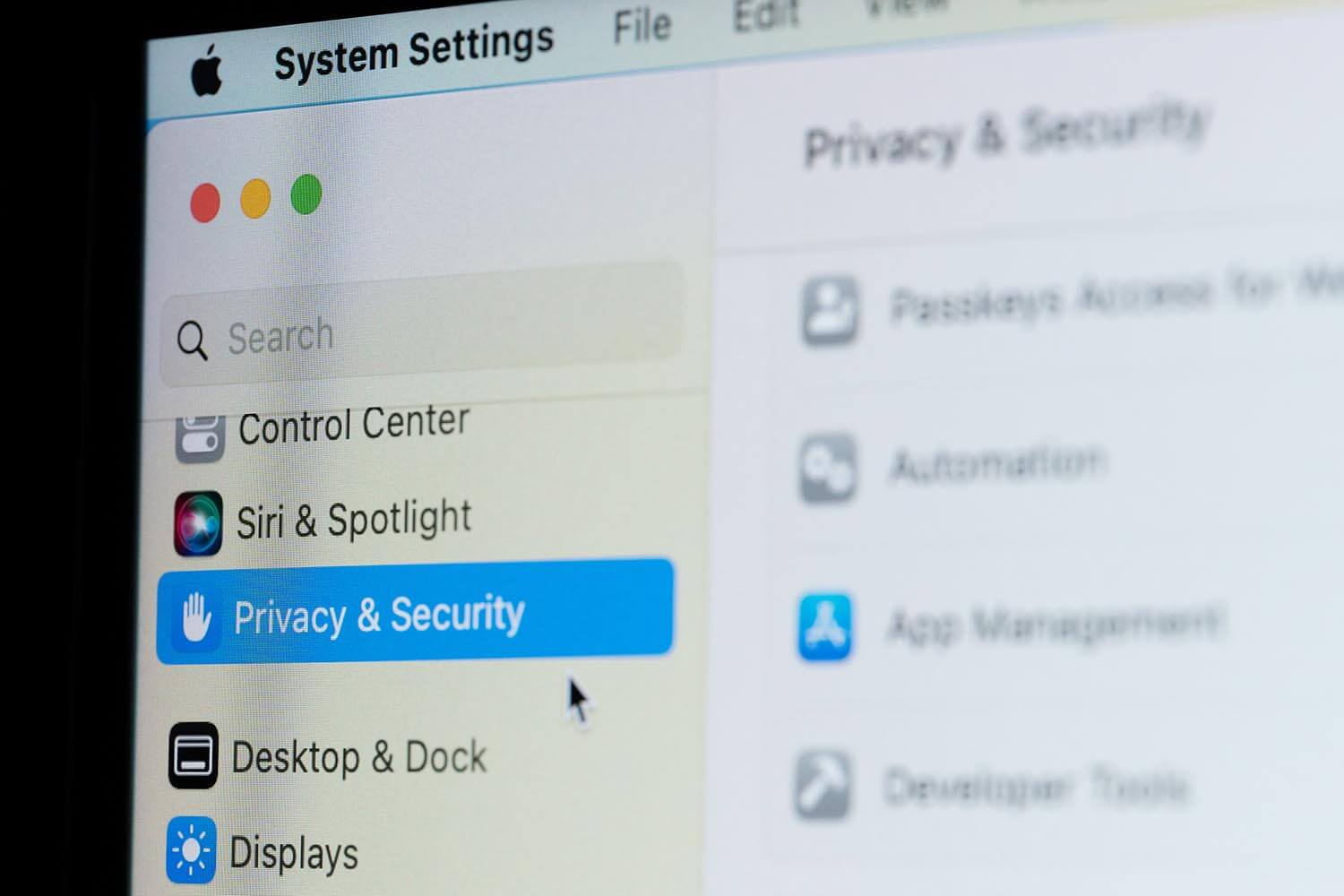
- Gatekeeper checks that an app downloaded from the web comes from an identified developer and has passed notarization, an automated malware check Apple performs before the developer distributes the app. Since macOS Sequoia, an app Gatekeeper warns about can only be approved in System Settings, Privacy & Security, which makes it harder to open a suspicious app by accident.
- System Integrity Protection locks the core system files.
- App sandboxing limits what each app can touch.
- Lockdown Mode exists for people facing targeted spyware.
Where Apple’s Built-In Protection Falls Short
XProtect reacts to threats Apple has already seen. That leaves several kinds of attack with little or no coverage:
- New infostealers. Fresh variants appear every week, and each one works until Apple adds a rule for it. Infostealers are apps built to copy saved passwords, browser cookies, and crypto wallets.
- Adware and browser hijackers. They go almost completely undetected, because most adware doesn’t count as malware under Apple’s rules.
- Configuration profiles. A profile is a settings file that can change how the Mac and its browsers behave, and one that redirects your searches triggers none of the three layers.
- Phishing. Protection against the fake pages built to steal logins is limited to Safari’s fraudulent-site warning, which flags far fewer pages than a dedicated web filter.
- Ransomware. There’s no rollback, so encrypted files remain locked unless you have a backup.
- Windows malware. macOS ignores it, so an infected attachment can pass through your Mac and infect the colleague you forward it to.
Some third-party apps check for Windows malware too. AV-Comparatives, an independent testing lab, ran a Mac test in June 2026, and Norton, Bitdefender, and Avast detected every Windows sample in it.
Common Mac Threats You’ll Face
Classic self-spreading viruses are rare on a Mac. You’re more likely to meet one of these threats:
- Adware. When a MacBook seems infected, adware is usually the cause. It isn’t a virus in the strict sense, but it still has to be removed. Families like Adload and Pirrit install browser extensions and configuration profiles that redirect your searches and fill pages with ads.
- Infostealers. They’re more dangerous than adware. Atomic Stealer, Poseidon, and Banshee go after browser passwords, session cookies, crypto wallets, and the Keychain, where macOS stores your passwords.
- Fake downloads. Infostealers usually arrive through cracked apps, fake installers, and sponsored search results that imitate the app you meant to download. A search for a free video editor, for example, can end on a fake download page.
- Fake updates and support scams. Fake update prompts and phone calls from scammers posing as Apple support are still common.
- ClickFix pages. This newer trick shows a fake verification page that asks you to paste a command into Terminal. No legitimate website requires that, so close the page.
Malicious ads deliver a large share of these threats, so I tested web protection alongside file scanning.
Who Needs Third-Party Mac Antivirus
- You install software from outside the App Store, especially cracked versions of paid apps.
- Files move between your Mac and Windows computers regularly.
- The drive stores client records, financial data, or files you’d have to report if they leaked.
- The Mac came second-hand, or several people share it.
- Malware has already infected the Mac once.
If none of these fit, keeping macOS updated and thinking twice about download sources is enough Mac virus protection on its own. A MacBook shared with a teenager who downloads games from torrent sites does need an antivirus.
Best Mac Antivirus Apps, Ranked and Scored
I narrowed 14 Mac antivirus software products down to six, ranked on my own tests, lab results, system impact, and what each Mac version leaves out.
1. Norton 360 for Mac: Best Mac Antivirus Overall
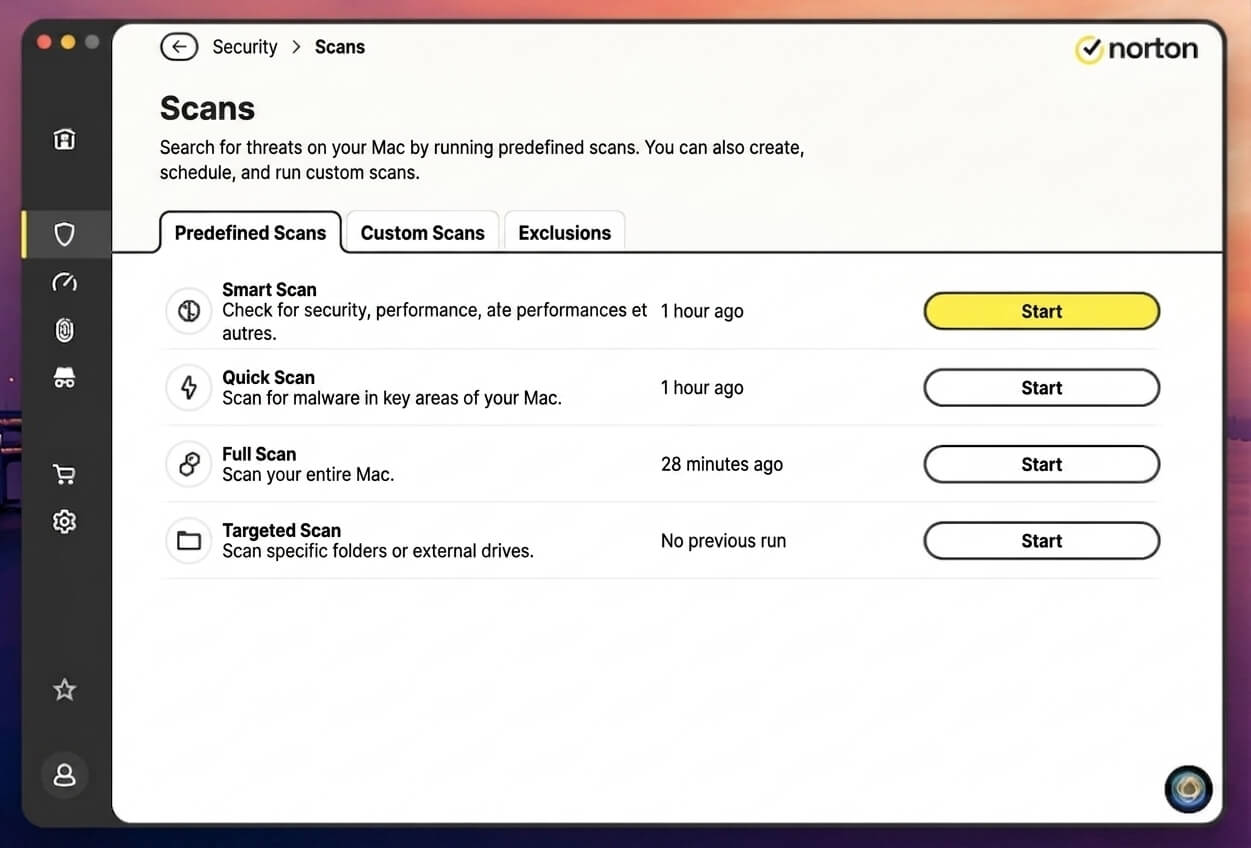
Norton covers the most ground on a Mac that downloads software from the web. Its main cost is the load it puts on an older MacBook Air.
Pros
- Blocks scam pages very well
- Fast quick and full scans
- Full firewall on macOS
- Perfect AV-TEST macOS score
- Wi-Fi safety check
Cons
- High memory use at idle
- Noticeable battery use on a MacBook
- Steep renewal price
Rating: 4.7/5 ⭐ One subscription for the Mac, the iPhone, and the family PC.
What Norton Includes on macOS
- macOS Version Support: High Sierra 10.13 or later.
- Native Apple Silicon Build: Yes.
- Devices: 1 to 10, depending on the plan.
- Features: Real-time protection, Safe Web, a full Smart Firewall, Secure VPN with no data cap, dark web monitoring, a password manager, and Norton Family. Cloud backup is Windows-only.
- Free Tier: None.
- Trial and Price: 7-day trial. About $30 for the first year with Norton AntiVirus Plus on 1 Mac, or about $50 for Norton 360 Deluxe on 5 devices. One license works across Mac, iPhone, Android, and Windows.
Norton Detection Results on macOS
On my MacBook Air, Norton detected 99.7% of the malware samples with two false alarms, meaning it flagged two safe files by mistake. It blocked 97% of adware and 95% of phishing pages without flagging a single legitimate site, a phishing result only NordVPN matched. In everyday use, that means a fake bank login page is blocked before you can type a password.
The independent labs agree. In the March 2026 macOS test by AV-TEST, a German testing lab, Norton 360 scored a perfect 6 out of 6 for protection, performance, and usability. In AV-Comparatives’ June 2026 results, Norton AntiVirus Plus scored 99.9% against Mac malware and 95% against unwanted apps.
Norton and Avast One returned identical malware, false-alarm, and adware results in my tests. The two brands belong to Gen Digital, the company behind several antivirus products, and the matching numbers point to a shared detection engine.
Norton Speed and System Impact on Apple Silicon
Norton had the shortest scan times: 48 seconds for a quick scan and 10 minutes 33 seconds for a full scan. That speed comes at a cost, however. During a full scan, it peaked at 60% CPU and 711 MB of memory. At idle, it still used 432 MB, about 5% of the Air’s 8 GB.
Startup grew from 15 to 23 seconds, and Norton accounted for 7% of battery use over a week. On an older 8 GB MacBook Air, schedule full scans for when the laptop is plugged in.
What the Mac Version of Norton Leaves Out
Norton’s Mac app keeps almost everything from its Windows version. Three things are missing:
- Cloud Backup, the biggest loss, because Norton 360 Deluxe advertises 50 GB of storage that a Mac-only subscriber can’t use. If backup is part of why you’re buying, Time Machine covers that job at no extra cost with an external drive.
- The PC Tune-up and Startup Manager tools.
- SafeCam, which blocks webcam access on Windows. macOS already asks before an app uses the camera, so it’s less of a loss.
The firewall is fully intact, while Bitdefender leaves its firewall out on Mac and McAfee simplifies its own. Norton also requests more macOS permissions than the other apps: full disk access, network content filtering, background items, and location. Location powers the Wi-Fi safety check, and none of the other five apps requires location access.
Should You Install Norton on Your Mac?
Yes, if one subscription has to cover a Mac, an iPhone, and a Windows PC, or if scam links are your biggest worry. Every Norton 360 plan includes the Mac app, so if you already pay for Norton on a PC, install it on the Mac from your account. The renewal price is much higher than the first year’s, so set a reminder before the subscription renews.
2. Bitdefender Antivirus for Mac: Best for Set-and-Forget Protection
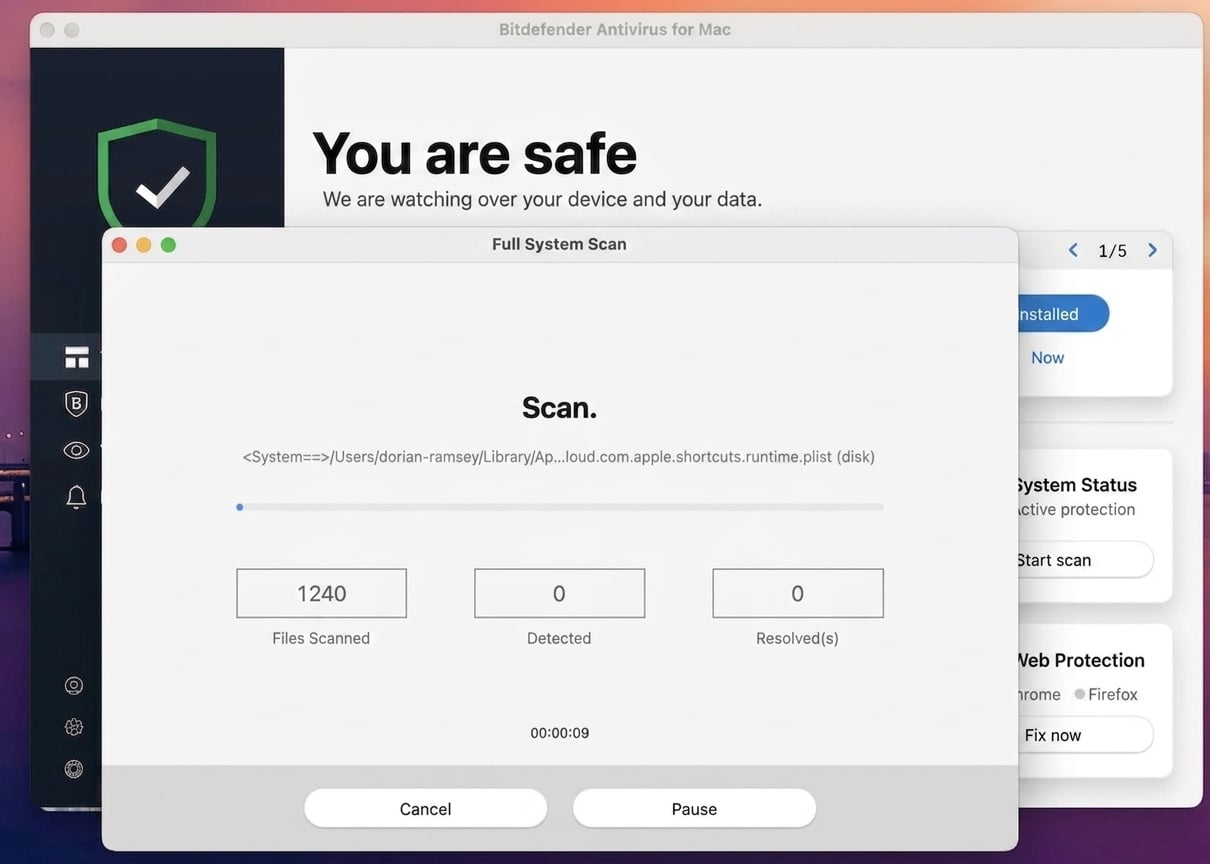
Bitdefender came close to first place, and it fits a Mac you set up once and leave alone. It ranks second because Norton blocks more scam pages.
Pros
- Excellent malware detection on macOS
- Very rare false alarms
- Small impact on startup time
- Light on battery
- Protects Time Machine backups
Cons
- Some scam pages go unflagged
- No firewall in the Mac version
- Daily data cap on the bundled VPN
Rating: 4.6/5 ⭐ Install it once, and it stays out of the way.
What Bitdefender Includes on macOS
- macOS Version Support: Yosemite 10.10 or later.
- Native Apple Silicon Build: Yes.
- Devices: 1 to 25 per plan.
- Features: Real-time scanning, Safe Files, Time Machine backup protection, Web Protection, Anti-Tracker, and adware removal.
- VPN: 200 MB a day per device on base plans, enough for email and banking on hotel Wi-Fi. The Premium Security plan removes the cap.
- Free Tier: None on macOS.
- Trial and Price: 30-day trial. About $25 for the first year.
Bitdefender Detection Results on macOS
Bitdefender blocked 99.9% of my macOS malware samples with one false alarm, the best result on both counts. Adware blocking came in at 95%. Phishing protection was lower at 89%, with no safe sites flagged, so roughly one scam page in ten went unflagged. If you open many email links, check the address bar before typing a password.
Bitdefender also scored well with the labs. AV-TEST certified Bitdefender Antivirus for Mac with full marks in March 2026. AV-Comparatives recorded 99.0% against Mac malware and 94% against unwanted apps in June 2026, slightly behind Norton.
Bitdefender Speed and System Impact on Apple Silicon
On the 8 GB M1 Air, Bitdefender added five seconds to startup and idled at 1.2% CPU and 328 MB of memory. A quick scan took 57 seconds, while the full scan finished in 12 minutes 45 seconds, peaking at 55% CPU and 689 MB.
Its share of the week’s battery use was 4%, tied with Malwarebytes for the lowest of the full scanners, the apps that scan files on the drive.
What the Mac Version of Bitdefender Leaves Out
The Mac version leaves out several Windows features, even though the two versions cost the same:
- Two-way firewall and network threat prevention. That costs little, because macOS already controls which apps can accept incoming connections.
- SafePay. On Windows, it opens banking sites in an isolated desktop that other apps can’t see. Mac users have the TrafficLight browser extension, which blocks dangerous pages but doesn’t isolate the session, so keep a separate browser just for your bank.
- Windows maintenance tools. There’s no vulnerability scanner, file shredder, Wi-Fi advisor, or cleanup tools.
In place of Windows’ ransomware rollback, the Mac version has Safe Files and Time Machine backup protection. They stop unknown apps from changing your protected folders and your backups.
Should You Install Bitdefender on Your Mac?
Yes, if you want protection you set up once and leave alone. Its malware results were the strongest in my Mac tests, false alarms were rare, and it cost the Air little in startup time and battery. If you also protect a Windows PC, the full Bitdefender suite covers Windows and Mac on one plan.
3. Avast One for Mac: Best Free Mac Antivirus
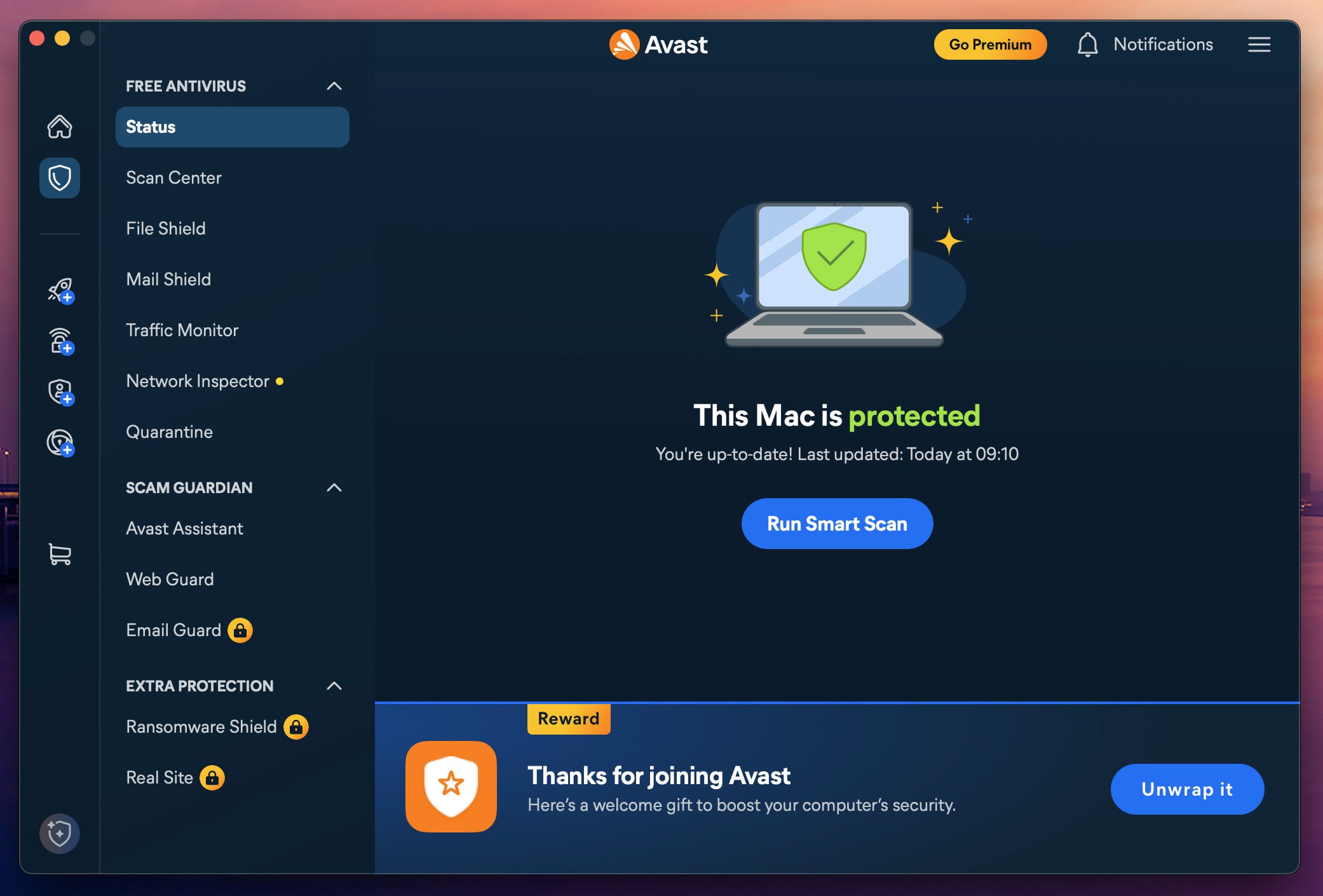
Avast One’s free tier protects a Mac in real time, scanning files as they arrive, with no expiry date and no card required. Avast One uses the same engine on its free and paid tiers, so my results apply to the free version.
Pros
- Free real-time protection
- Excellent adware blocking
- Web and email filtering on the free tier
- Strong AV-Comparatives Mac results
Cons
- Ransomware Shield costs extra on Mac
- Past FTC settlement over browsing data
- Frequent upgrade prompts after scans
Rating: 4.4/5 ⭐ Free protection that works, as long as you read the fine print.
What Avast One Includes on macOS
- macOS Version Support: High Sierra 10.13 or later.
- Native Apple Silicon Build: Yes.
- Devices: The free version covers 1 device. Paid plans cover 1 computer and 1 phone, or 10 devices.
- Features: File Shield, Mail Shield, Traffic Monitor, Network Inspector, Quarantine, Avast Assistant, and Web Guard.
- Premium Unlocks: Email Guard, Ransomware Shield, and Real Site. Cleanup, SecureLine VPN, BreachGuard, and Secure Browser cost extra.
- Price: The Premium Security plan costs about $50 for the first year and has a 30-day money-back guarantee.
Avast One Detection Results on macOS
My malware and adware results matched Norton’s: 99.7% malware detection with two false alarms and 97% adware blocking. Phishing protection was 93%, and no safe sites were flagged.
In AV-Comparatives’ June results, Avast One Free matched Norton’s product on both scores. AV-TEST’s March round tested Avast Security, a closely related build, which also earned full marks in all three categories.
Avast One Speed and System Impact on Apple Silicon
The Mac took 24 seconds to start, nine more than without it, and idle use was 301 MB and 1.4% CPU. A quick scan took 1 minute 3 seconds, and a full scan took 12 minutes 58 seconds, peaking at 51% CPU and 705 MB.
Avast accounted for 6% of battery use over the week, a fair cost for free protection. The slower startup, however, shows on every restart.
What the Mac Version of Avast One Leaves Out
Most of the missing pieces make sense. Behavior Shield, CyberCapture, AutoSandbox, the advanced firewall, and the Inspector tools are deep Windows monitors that macOS doesn’t let third-party apps operate in the same way. One difference is harder to accept. Avast’s extra ransomware layer is free in the Windows version of Avast.
On a Mac, Ransomware Shield requires a paid plan, along with Real Site and Email Guard. Avast’s own comparison page is built around a Windows PC, so it doesn’t make this clear. If ransomware worries you, keep Time Machine enabled. A recent backup protects your files, whichever antivirus you use.
Avast also pushes upgrades after scans. A Smart Scan that finds no malware still ends on a screen reporting issues found, which leads to the Cleanup Premium purchase. The prompts do no harm, and you can ignore them unless you want the cleanup tools.
Should You Install Avast One on Your Mac?
Yes, for free real-time protection on a Mac. Paying makes sense only for Ransomware Shield and Real Site, and at that price, Norton includes more and Bitdefender costs less. Avast also settled with the US Federal Trade Commission in 2024 over browsing data sold through its former Jumpshot subsidiary. If that history bothers you, Bitdefender is the closest paid alternative.
4. NordVPN Next-Gen Antivirus: Best for Web and Download Protection
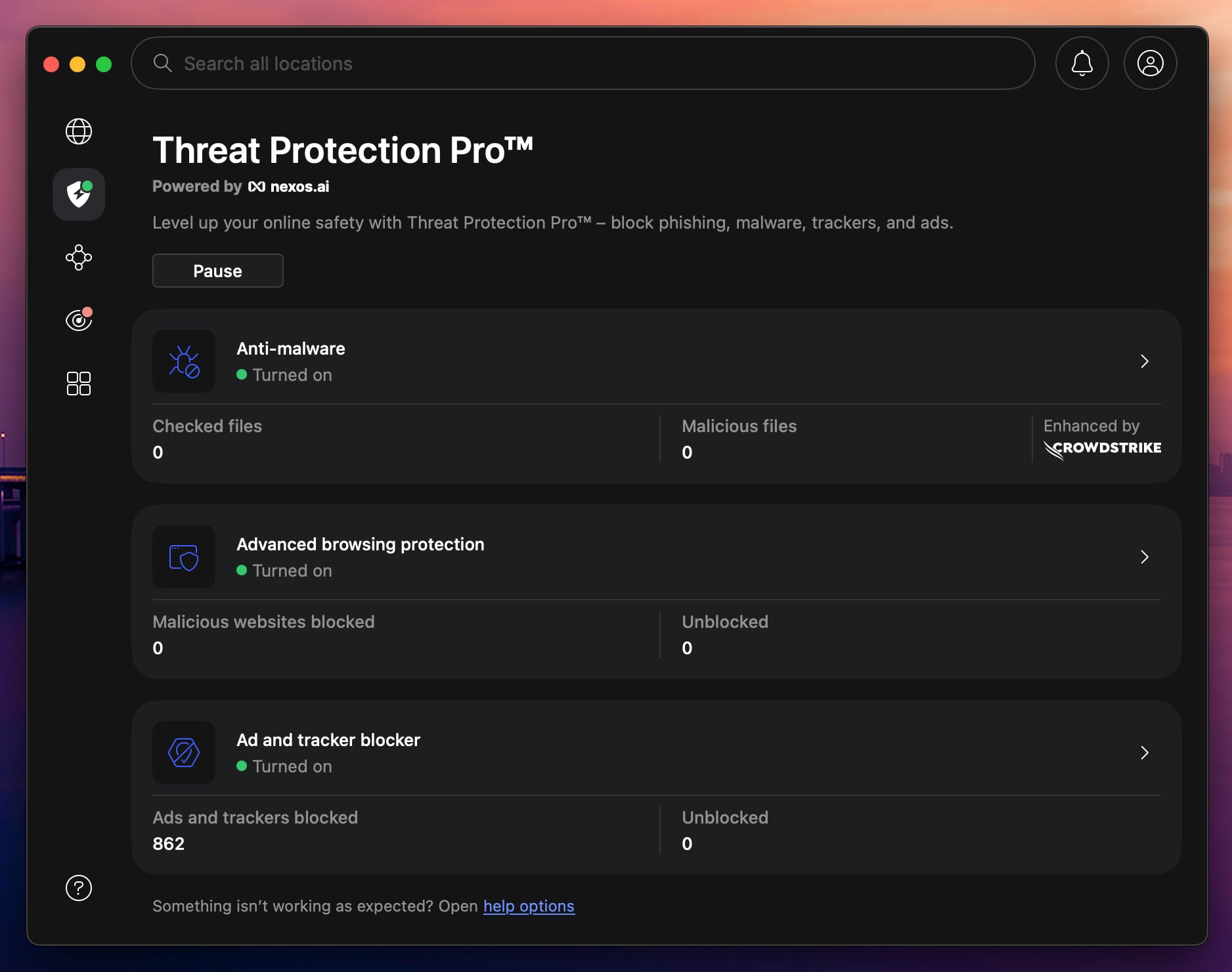
Once sold as Threat Protection Pro, NordVPN’s next-gen antivirus blocks dangerous websites, infected downloads, and trackers from within the VPN app. It can’t scan your drive, so it doesn’t replace a full antivirus. On a Mac, most infections arrive through fake download pages and cracked-app sites, which it filters.
Pros
- Excellent phishing protection
- Lowest idle CPU use
- Low battery use
- Wide set of web and scam tools
Cons
- Can’t scan files already on the Mac
- Misses some malicious downloads
- Requires the Complete plan
- Not in AV-TEST or AV-Comparatives Mac tests
Rating: 4.2/5 ⭐ A second layer for VPN users, alongside a full scanner.
What NordVPN Includes on macOS
- macOS Version Support: macOS 14 (Sonoma) or later.
- Native Apple Silicon Build: Yes.
- Devices: 10 devices.
- Features: The same set as on Windows. A download-time malware scanner, vulnerability scanner, malicious website blocker, and DNS filtering. Scam and fraud alerts, email link protection, search-result safety labels, and crypto wallet address checks. Hijacked-session alerts, ad and tracker blocking, link cleaning, and cookie banner hiding.
- Free Tier: None.
- Money-Back Guarantee: 30 days.
- Price: Requires the Complete plan, about $4.50 a month on a two-year subscription.
NordVPN Detection Results on macOS
Neither lab includes NordVPN in its macOS tests, so these results are mine. That’s less of a concern for a web filter, because its main job is blocking pages. It blocked 93% of the macOS malware I downloaded, with four false alarms, and the same 93% of unwanted apps. For a product sold as antivirus, 93% is a little low.
On phishing, it flagged 95% of my scam pages with no false alarms, matching Norton, and shows a full-page warning in place of the fake site.
NordVPN Speed and System Impact on Apple Silicon
Idle use was 0.9% CPU and 212 MB, the lowest idle CPU I recorded, and startup grew by only three seconds. Its share of battery use was 3%. There are no scan times, because there’s no scan to run.
What the Mac Version of NordVPN Leaves Out
Nothing is missing: I compared the macOS app with the Windows one, and the feature set is identical. NordVPN’s Basic plan includes the VPN only, and the next-gen antivirus comes with the Complete plan. If you already have a NordVPN subscription, check which plan you’re on before buying a separate antivirus.
Should You Install NordVPN on Your Mac?
Yes, if you were buying a VPN anyway. On its own, it won’t clean an infection. Next to a full antivirus app that scans in the background, it adds strong scam protection and costs the Air almost nothing.
5. McAfee Total Protection for Mac: Best for Multi-Device Apple Households
McAfee’s Premium plan and higher tiers cover unlimited devices, so a household with three Macs, four iPhones, and an iPad pays once. Protection is solid, and phishing blocking is good, but it adds more startup time and takes longer to scan than the other suites.
Pros
- Unlimited devices from the Premium plan up
- Good phishing protection
- Firewall in the Mac version
- Web filtering in Safari, Chrome, and Firefox
Cons
- Frequent false alarms
- Long startup delay
- Slow full scans
- No lab results for its Mac app
Rating: 3.9/5 ⭐ Built for families counting devices, less so for a single older MacBook.
What McAfee Includes on macOS
- macOS Version Support: macOS 13 (Ventura) or later.
- Native Apple Silicon Build: Yes.
- Devices: Unlimited on the Premium plan and higher tiers.
- Features: Real-time and on-demand scanning, a macOS firewall, and Safe Browsing with WebAdvisor in Safari, Chrome, and Firefox. Scam Detector for texts and links, identity monitoring, a VPN with no data cap, and Personal Data Cleanup.
- Free Tier: None.
- Trial and Price: 30-day trial. The Premium plan costs about $50 for the first year.
McAfee Detection Results on macOS
McAfee doesn’t appear in either lab’s macOS results, so the figures come from my own tests. For lab-tested protection, Norton, Bitdefender, and Avast have independent results. It blocked 99.2% of my macOS malware and 94% of unwanted apps. Phishing blocking was 94%, close to Norton, but with five safe sites flagged by mistake.
It also flagged seven safe files during malware testing, so review McAfee’s quarantine now and then, because a safe app you use may end up there.
McAfee Speed and System Impact on Apple Silicon
The Air took 26 seconds to start, the largest increase I recorded, and idle use was 2.4% CPU and 411 MB. Quick scans finished in 1 minute 14 seconds and full scans in 14 minutes 55 seconds, peaking at 62% CPU and 734 MB.
Its battery share was 7%, the same as Norton’s. Full scans also warmed the Air’s chassis more than any other app’s, so schedule them for times you’re away from the laptop.
What the Mac Version of McAfee Leaves Out
Real-time and on-demand scanning work on Windows and Mac, and web filtering works in the main Mac browsers, so Mac owners lose nothing there. The firewall, however, is simpler on a Mac, although Mac owners pay the same price as Windows users.
Windows has an advanced two-way firewall with rules for each program, while the Mac firewall works alongside macOS’s own network controls and has far less to configure.
Should You Install McAfee on Your Mac?
Yes, if you’re protecting a house full of Apple devices and the per-device price makes sense. On an 8 GB MacBook Air, a lighter app is a better match, because McAfee added the most startup time and flagged more safe files than most.
6. Malwarebytes for Mac: Best for Cleaning Up an Existing Infection
Malwarebytes is the name many Mac owners know, and it’s best at one job: removing malware that’s already installed. I tested the paid version, which adds real-time protection, a firewall, a VPN, and identity monitoring to the free scanner.
Pros
- Effective at cleaning up infections
- Light on memory
- Free scanning with no expiry
- Firewall and VPN on paid plans
Cons
- Misses some adware in real time
- Flags safe files by mistake
- Free real-time protection ends after the trial
- Mac app not lab-tested
Rating: 3.7/5 ⭐ Free cleanup on demand, and a fuller suite if you pay.
What Malwarebytes Includes on macOS
- macOS Version Support: macOS 11 (Big Sur) or later.
- Native Apple Silicon Build: Yes.
- Devices: 1 or 3, depending on the plan.
- Free Features: On-demand scanning and removal with no expiry, a scheduled monthly scan, and the Browser Guard web extension. Installing starts a 14-day Premium trial, and real-time protection stops when it ends.
- Scan Types: Quick Scan for common threat locations, Threat Scan for a full system check and now the default, and Custom Scan for chosen folders or an external drive. Scheduled scans work on the free and paid tiers.
- Paid Features: Real-time protection, a macOS firewall, a VPN, and Identity Theft Protection with dark web and social media alerts.
- Trial and Price: 14-day trial. The Standard plan is about $45 a year for 1 device, and about $60 covers 3 devices.
Malwarebytes Detection Results on macOS
Malwarebytes has no macOS lab results either, so my removal results are the better guide to it. On my Mac, it blocked 99.4% of the malware but produced eight false alarms, the most I recorded, so check what it quarantines before deleting it. It blocked 92% of unwanted apps and 89% of phishing pages, and it wrongly flagged five safe sites.
That 92% reflects real-time blocking, which means stopping adware before it installs, and that isn’t what Malwarebytes does best. As an on-demand remover, it cleaned up well in every removal test I ran. Keep it for removal jobs, and leave real-time blocking to a full antivirus such as Avast One or Bitdefender.
Malwarebytes Speed and System Impact on Apple Silicon
It was the second-fastest scanner and the lightest while working. A quick scan took 53 seconds, and a custom scan of the whole drive took 10 minutes 44 seconds. It peaked at only 47% CPU and 388 MB, about half the memory of the heavier suites. At idle, it used 1.3% CPU and 199 MB. Startup grew by four seconds, and its battery share for the week was 4%.
What the Mac Version of Malwarebytes Leaves Out
Exploit Protection, which blocks attacks on flaws in other apps, is Windows-only. The Mac app combines malware, web, and adware protection into one layer, and macOS already provides much of that protection with built-in safeguards such as System Integrity Protection and app sandboxing.
The Mac version has also added features of its own:
- A Mac firewall that works on top of Apple’s own and makes incoming connections easier to manage.
- A rebuilt scan engine for macOS, with a focus on infostealers and new malware.
- Device-level web protection on the Premium Security plan. It blocks dangerous domains and IP addresses, such as botnet servers, which the free Browser Guard extension doesn’t cover.
Should You Install Malwarebytes on Your Mac?
Keep the free version installed for checkups. It works alongside Norton, Bitdefender, Avast, or McAfee, costs nothing, and is ready to scan the Mac when it behaves oddly. The paid plan makes sense mainly for its firewall, VPN, and identity monitoring.
Mac Antivirus Compared: Detection, System Impact, and Price
| Best for | AV-TEST macOS | Phishing (tested) | Impact on M1 | Free tier | Devices | From | Rating | |
|---|---|---|---|---|---|---|---|---|
| Norton 360 for Mac | Overall | 6/6/6 | 95% | +8s boot, 432 MB idle | No | 1 to 10 | About $30/yr | 4.7⭐ |
| Bitdefender Antivirus for Mac | Set-and-forget | 6/6/6 | 89% | +5s boot, 328 MB idle | No | 1 to 25 | About $25/yr | 4.6⭐ |
| Avast One for Mac | Free protection | 6/6/6* | 93% | +9s boot, 301 MB idle | Yes | 1 to 10 | Free | 4.4⭐ |
| NordVPN Next-Gen Antivirus | Web and phishing | Not tested | 95% | +3s boot, 212 MB idle | No | 10 | About $4.50/mo | 4.2⭐ |
| McAfee Total Protection for Mac | Many devices | Not tested | 94% | +11s boot, 411 MB idle | No | Unlimited | About $50/yr | 3.9⭐ |
| Malwarebytes for Mac | Existing infection | Not tested | 89% | +4s boot, 199 MB idle | Yes | 1 to 3 | Free | 3.7⭐ |
*AV-TEST’s March 2026 macOS round covers Avast Security 16.3. AV-Comparatives tested Avast One Free in June 2026 at 99.9% Mac malware protection.
Paid plans renew at a higher price after the first year, so check the renewal figure before you subscribe. Households that mix Macs and Windows PCs can compare the Windows results for these brands in my best antivirus software rankings.
How to Set Up Mac Antivirus
Antivirus software for Mac protects only what macOS lets it see, so grant it the permissions it requests during setup. The whole process takes a few minutes:
- Update macOS first, so the antivirus starts on a patched system.
- Remove any older antivirus before installing a new one. Two real-time scanners on one Mac slow it down and can block each other. An on-demand scanner like Malwarebytes Free can remain.
- Download it from the vendor’s website, never from a link in a pop-up or ad.
- Grant Full Disk Access and allow the system extension in System Settings, Privacy & Security. Without them, real-time scanning can’t check most of your files.
- Enable the browser extension if your app has one, such as Bitdefender’s TrafficLight or Malwarebytes’ Browser Guard. Scam-page blocking often works through it.
How to Check for Malware on Mac and Remove It
These steps work on any Mac, and none of them requires a purchase. I wrote them on macOS Sonoma 14.5, the version on my test Mac. Later versions renamed and moved some settings, including the Login Items pane, so expect small wording differences on a newer Mac.
Signs a Mac Is Infected
Each of these symptoms can have an innocent cause, so look at the whole picture before you scan your Mac for viruses:
- The fans stay loud, or a fanless MacBook Air stays hot while idle
- The Mac slows down for no obvious reason
- Your browser homepage or search engine changed by itself
- Pop-ups appear on the desktop, outside the browser
- Login items you don’t recognize
- Safari or Chrome extensions you never installed
- Network activity when nothing is open
- Warnings about certificates or configuration profiles
A slow Mac usually has a full drive or an aging battery. Two or three of these signs at once, however, are reason enough to check your Mac for malware.
Getting Rid of a Fake Virus Pop-Up on a Mac
Close the tab, and don’t call the number on the screen or download what it offers. A browser warning that says your Mac is infected is almost always a scam page. macOS never shows virus alerts in a web page, and Apple doesn’t recommend any cleaner app.
If the page won’t let you close it, press Command-Option-Esc and force quit the browser. When you open Safari again, keep Shift pressed as you launch it so it doesn’t reopen the same page. A pop-up that keeps returning after a restart points to adware, so check Activity Monitor and Login Items next.
Checking Activity Monitor and Login Items
Open Activity Monitor from Applications, Utilities, and sort the list by CPU. If an unfamiliar name keeps using the processor, search the exact process name before you act, because most odd-looking names belong to macOS itself.
Next, open System Settings, General, Login Items. Sonoma splits this pane into Open at Login and Allow in the Background. Unwanted software usually hides in the second list, which few people scroll down to. You can safely disable an item from a developer you don’t recognize, and disabling it deletes nothing. This check takes two minutes and costs nothing, so do it before you run a scan.
Auditing Browser Extensions and Configuration Profiles
Mac adware usually comes back through a browser extension or a configuration profile. To check your extensions:
- Safari: open Safari, Settings, Extensions.
- Chrome: type chrome://extensions in the address bar.
- Firefox: type about:addons in the address bar.
Remove every extension you didn’t install, especially ones that call themselves search helpers, coupon finders, or download managers.
Configuration profiles are harder to spot. A profile can force your search engine, homepage, and DNS settings, and it remains after most cleanups. Open System Settings, Privacy & Security, and scroll to Profiles.
If there’s no Profiles section, none are installed. If there’s one, remove any profile you didn’t add yourself or receive from your employer.
Running a Malware Scan on a Mac
For a manual check, the best virus scanner for Mac is one of the apps I tested: Norton, Bitdefender, Avast One, McAfee, or Malwarebytes. A quick scan takes about a minute and covers the places malware usually hides. A full scan checks the whole drive, and on my MacBook Air, it took 10 to 15 minutes.
For a one-off check, Malwarebytes Free scans and removes malware at no cost. XProtect Remediator also scans the Mac on a schedule, but it never tells you when it does.
A clean result means no known threat turned up in the scanned locations. Every scanner works from known signatures and behavior patterns, so a brand-new infostealer can still go undetected. If the symptoms continue, move on to removing it by hand.
Removing Mac Malware and Adware Step by Step
If the suspicious app keeps relaunching, start the Mac in Safe Mode first, which loads only what macOS requires to start. On Apple Silicon, shut down, keep the power button pressed until the startup options appear, select your drive, then keep Shift pressed and click Continue in Safe Mode. On an Intel Mac, press Shift as it restarts and keep it pressed.
Here’s how to get rid of a virus on a Mac without special tools. If a step feels risky, stop and use a scanner:
- Force Quit the suspicious process in Activity Monitor
- Disable it in Login Items, under both Open at Login and Allow in the Background
- Drag the application to the Trash, then empty it
- Check ~/Library/LaunchAgents, /Library/LaunchAgents, and /Library/LaunchDaemons for .plist files (small settings files that launch apps automatically) matching the app’s name, and move those to the Trash
- Remove any configuration profile the software installed
- Reset the browser: remove unknown extensions, restore the homepage and search engine, and clear the cache
- Empty the antivirus quarantine once nothing legitimate is in it
- Restart and check Activity Monitor again
One warning about the LaunchAgents folders: they also contain files for software you use every day. Delete only files whose names clearly match the app you’re removing, and never touch the /System folder.
When a Clean Install Is the Right Call
Reinstalling macOS is the answer in three situations:
- Symptoms return after removal.
- Files you can’t account for reappear after a restart.
- The Mac was compromised while it stored data you can’t risk.
Back up documents and photos individually, and don’t restore a full system image, which would bring the problem back with it. Then reinstall macOS, restore your files, and reinstall every app from its source.
What to Do After the Mac Is Clean
Removing the malware is only half the job, because an infostealer’s goal was to take your logins before you noticed. Take these steps next:
- Change your passwords for email, banking, and accounts with saved payment details, from another device if you can.
- Secure your Apple Account: revoke app-specific passwords, sign out of sessions you don’t recognize, and check account.apple.com for unfamiliar sign-ins.
- Look through your subscriptions, because scareware often leaves one behind.
- Scan the Mac again a week later.
- Enable FileVault in System Settings, Privacy & Security to encrypt the drive.
Free Antivirus for Mac
What Free Tiers Include and Leave Out
Free antivirus for Mac is better than it used to be. A free antivirus Mac download from a known vendor uses the same detection engine as the paid version. Paid tiers usually add ransomware protection, a VPN, support, and coverage for several devices, while some free tiers, including Avast One’s, keep web and email filtering.
On macOS, those extras don’t always match the Windows version of the same product. A feature that’s free on a PC can cost money on a Mac. In most cases, the extra money buys features.
Best Free Mac Antivirus Right Now
Avast One for Mac is the free app I’d install. Its free tier includes real-time file scanning, mail scanning, network inspection, and web filtering.
Malwarebytes Free complements it. Its real-time protection stops after 14 days, but on-demand scanning and removal never expire; the monthly scheduled scan continues, and Browser Guard remains free. Together, Avast One for everyday protection and Malwarebytes for checkups cover a Mac well at no cost.
Fake and Shady Mac Cleaner Apps to Avoid
Scareware cleaners target Mac owners with the same routine every time:
- A scan you never asked for starts from a web page or pop-up.
- It reports hundreds of vague problems, junk files, or privacy issues without explaining any of them.
- Then comes pressure to pay right away, often with a countdown, for a subscription that renews at a higher price and is hard to cancel.
Before installing any Mac security software, ask four questions:
- Is there a real company with a physical address behind it?
- Has an independent lab tested the company’s products?
- Is the renewal price shown before checkout?
- Did you go looking for it, or did it find you through a pop-up? An app that arrives by pop-up is almost always scareware.
Antivirus for MacBook Air, MacBook Pro, and Apple Silicon
On a desktop Mac, a full scan costs time. On a MacBook Air, it also costs battery, and because the Air has no fan, it adds heat. A MacBook Pro has fans, so heat is less of a concern, but the battery figures still apply. The threats are the same on every Mac, so the question for a MacBook owner is how much battery and memory each app uses.
My battery figures come from a week of normal use on an M1 Air with 91% battery health after 648 charge cycles. Battery shares ranged from 3% for NordVPN to 7% for Norton and McAfee. The chassis warmed up during every full scan, but the Mac never slowed down from the heat.
Memory was the other concern on an 8 GB Mac, and it turned out fine. Scan peaks went up to 734 MB, and macOS never had to swap memory to the drive, the step that slows a Mac down when RAM runs out. Every app in my tests has a native version for M1 through M4 chips. To keep the impact low, rely on quick scans most of the time.
Norton keeps scan time short on a MacBook, but it used more memory and battery than most. On an older Air with an aging battery, Bitdefender is easier on the laptop.
Beyond Malware: What Mac Security Software Also Covers
The best virus protection for Mac covers much more than file scanning:
- Phishing and scam-link blocking. Many Mac owners who lose money never encounter malware. A convincing fake login page is enough to collect their password. Malware detection among the full scanners stayed above 99%, while phishing blocking ranged from 89% to 95%.
- Adware and hijacker removal. The most common Mac infection, and the cause of slow browsing, redirected searches, and injected ads. Apple’s own tools do the least against it.
- Ransomware protection. Less common on a Mac than on Windows. Mac tools focus on guarding Time Machine backups and selected folders, and file rollback is a Windows feature.
- VPN on public Wi-Fi. Handy on a laptop that leaves the house, for example in a hotel or café. Bitdefender’s bundled VPN allows 200 MB a day on base plans, while Norton, McAfee, and NordVPN include one with no data cap.
- Password managers and breach monitoring. Included with most suites. Infostealers target the Keychain and passwords saved in the browser, so a password manager locked with a strong master password limits what an infection can take.
- FileVault. Free, built into macOS, and often left disabled. It encrypts the whole drive, so the data on a stolen laptop is unreadable. No paid app replaces it.
How the Mac Antivirus Tools Were Tested
Test Machine and Baseline
I used one MacBook Air M1 from 2020 with 8 GB of memory and macOS Sonoma 14.5. I tested the apps one at a time on the same Mac, removing each one completely before installing the next.
For every app with a paid tier, I used the paid plan, so free and premium builds aren’t mixed in the results. With nothing installed, the Mac was ready to use 15 seconds after power-on.
How Detection Was Tested
Malware and adware samples came from live macOS campaigns, and I handled them in an isolated environment. Every app faced the same set, and I recorded detections at download, on launch, and when a malicious page opened.
I tested phishing protection separately with live scam links. I counted false alarms against known-safe files and legitimate sites.
How Performance Was Tested
I timed startup from power-on to a usable desktop. Idle CPU and memory figures came from Activity Monitor once the system settled. Scan times cover each app’s quick scan and full scan, and I recorded peak CPU and memory during full scans while watching memory pressure for swapping. Battery figures show each app’s share of total battery use over a week of normal use.
The Mac Feature Audit and Lab Sources
I compared each Mac app with its Windows version using the vendor’s documentation and the installed apps, and checked every missing feature in the Mac interface. Where a feature was missing, I looked at whether macOS already does that job or whether Mac buyers receive less for the same price.
Lab results come from AV-TEST’s March 2026 macOS round and the AV-Comparatives Mac Security Test from June 2026.
Verdict
Apple’s built-in tools protect a Mac well as long as its owner sticks to the App Store and installs updates. Adware and scam pages are harder for them to stop, and a third-party antivirus is built to block them. For a Mac that installs apps from outside the App Store, I’d choose Norton.
Its scam-page blocking matched the best result, its scans finished first, and one license also covers phones and Windows PCs. Its memory and battery use do show on the base MacBook Air, so owners of older laptops may prefer a lighter app.
On a tight budget, the free version of Avast One protects a Mac well enough on its own. If the Mac already shows signs of adware, scan it once with Malwarebytes Free before installing a full antivirus, so the new app starts on a clean system.
Try Norton: Best Antivirus for Mac
Common Questions About Mac Antivirus
Does McAfee Total Protection cover iPhones and iPads?
Yes. McAfee Total Protection covers Macs, iPhones, iPads, Windows PCs, and Android phones on a single subscription, and the higher plans allow unlimited devices for the whole household.
Can tracking software find a stolen Mac?
Yes. Apple's Find My can locate a lost or stolen Mac after the feature is enabled in System Settings, and it can also lock or erase the Mac remotely without extra software.
Is XProtect an antivirus?
Yes, a basic one. XProtect is the malware scanner built into macOS, and Apple updates its threat list in the background. It doesn't block phishing pages or restore files after ransomware.
What is real-time protection in Mac antivirus?
Real-time protection is the part of an antivirus that checks files and apps as they download, open, or change, and it blocks a threat before it can harm the Mac.
Can a Mac get a virus from a website?
Yes. Websites can deliver infected installers on fake download pages, malicious downloads, and unwanted browser extensions, and some scam pages trick visitors into pasting harmful commands into Terminal.
Does a Norton subscription cover a Mac and a Windows PC?
Yes, on Norton 360 Deluxe and higher plans, which cover several devices. One Norton account can then protect Macs, Windows PCs, iPhones, and Android phones.