To watch UK Netflix abroad, you need a UK IP address from a Netflix-friendly VPN, such as NordVPN, which unblocks British Netflix outside the UK in 2026, offering full access to its movies and series. Subscribe to NordVPN, connect to a British server, and stream Netflix UK smoothly while abroad in October 2026.
How to Watch UK Netflix in US and Abroad (Updated Guide for 2026)
- Subscribe to a VPN that works with UK Netflix. Use NordVPN with 440+ UK servers optimized for streaming and fast speeds.
- Set up the VPN on your device.
- Connect to a UK server to get a British IP address.
- Watch UK Netflix abroad by signing in to your account.
How a VPN Changes Your Netflix Location to UK
Let’s explain how a VPN works. It comes down to your IP address, a unique identifier that tells websites and apps like Netflix where you are. When you connect to a VPN server, say in the UK, it masks your device’s IP address and replaces it with one from a server there. To be clear, a VPN isn’t the only way to change your IP address.
It’s the best approach. To Netflix, it looks like you’re browsing from the UK, even if you’re chilling in, say, the USA. It switches the library to the one curated for the UK audience, and you can enjoy all the British titles you want.
How to Watch Netflix UK Outside the UK: Full Tutorial
Using a VPN to unblock Netflix might sound intimidating if you’re not tech-savvy. But most VPNs are designed to be user-friendly for users of all experience levels. Here’s everything you need to know:
1️⃣ Sign Up for a VPN Subscription
The VPN you choose can make or break your streaming experience. For starters, it must have servers in the UK. But more importantly, it must be powerful enough to unblock Netflix. We’ll highlight a few VPNs up to the task shortly, but we recommend NordVPN as the standout option.
It has a consistent track record of allowing users to change their Netflix region and access exclusive libraries, not just in the UK but across most regions. Plus, it has a 30-day money-back guarantee, so you can confirm if you can stream UK Netflix in the US and abroad before committing.
Unblock Netflix UK with NordVPN
2️⃣ Set Up the VPN and Connect
Once you’ve completed the first step, download the VPN to your device. Any VPN worth its salt has native apps for all systems, including Windows, macOS, Linux, Android, and iOS. With the VPNs we recommend, you can even download an app for your Android TV, Apple TV, Fire TV Stick, or Roku.
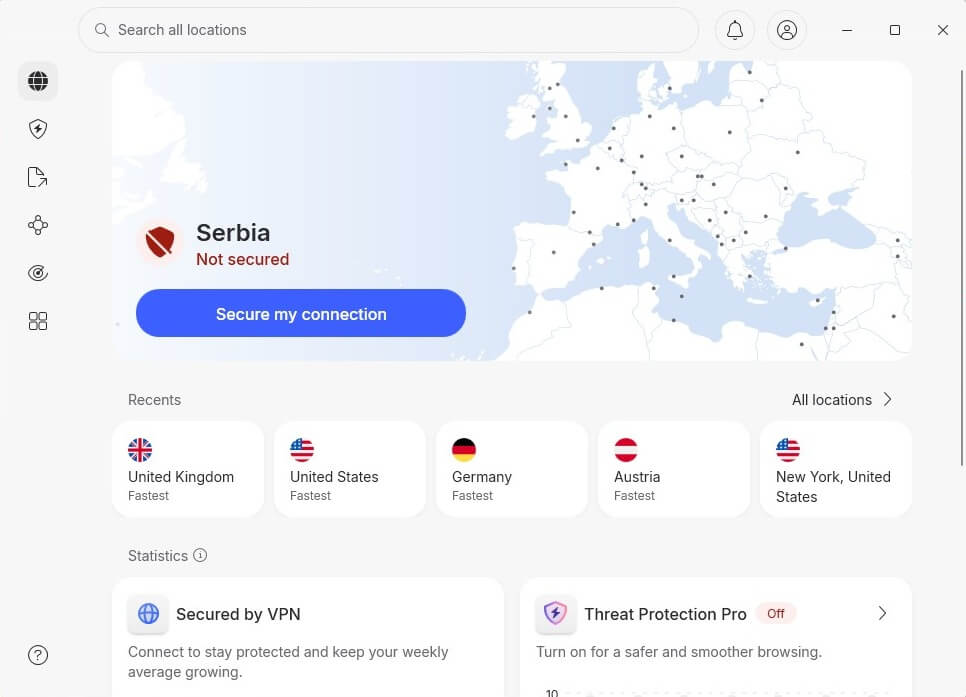
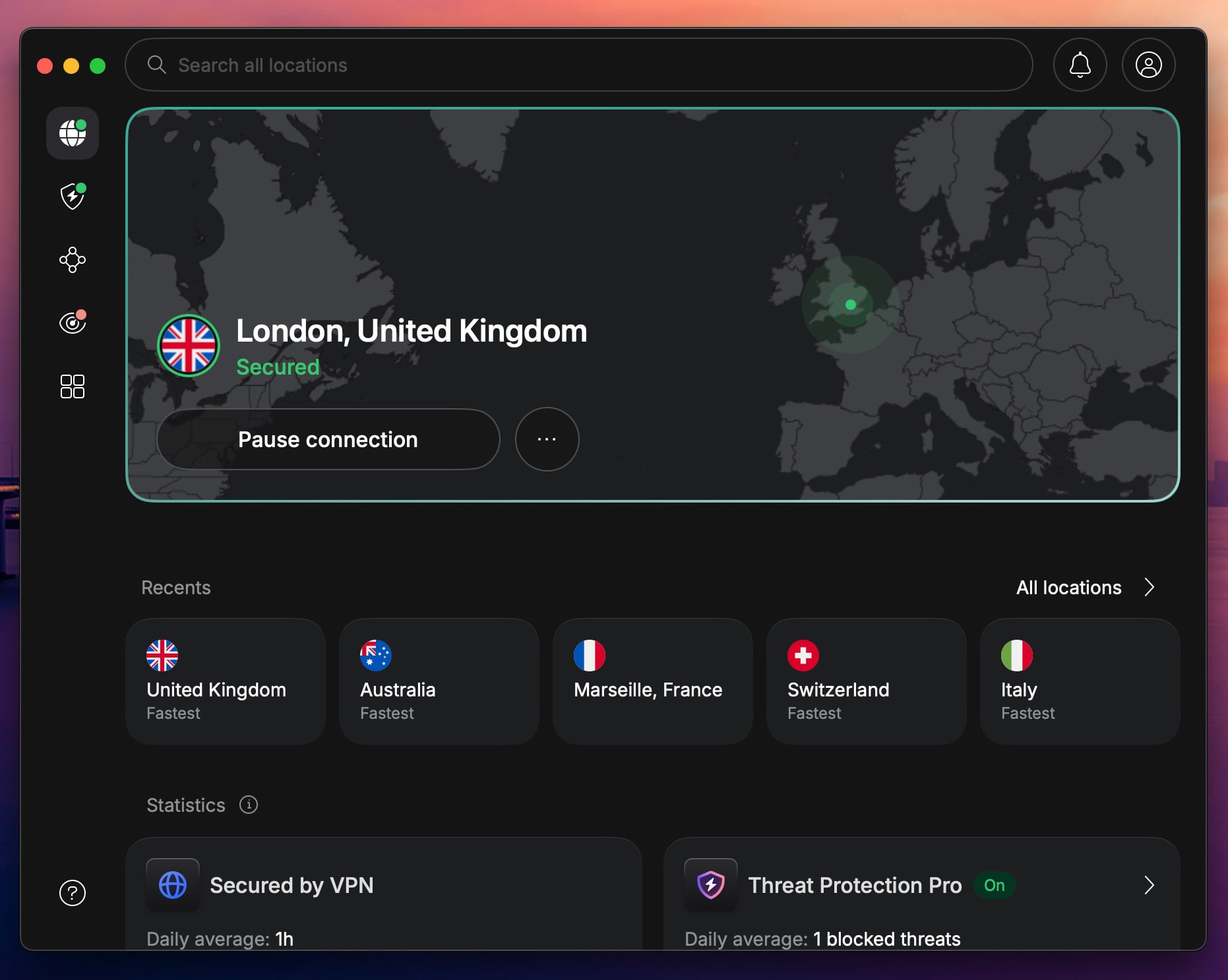
Launch the app and sign in. After that, you’ll see the dashboard, from where you can connect to the UK server. Scroll down the server list or use the search bar to find the UK. NordVPN will connect in seconds:
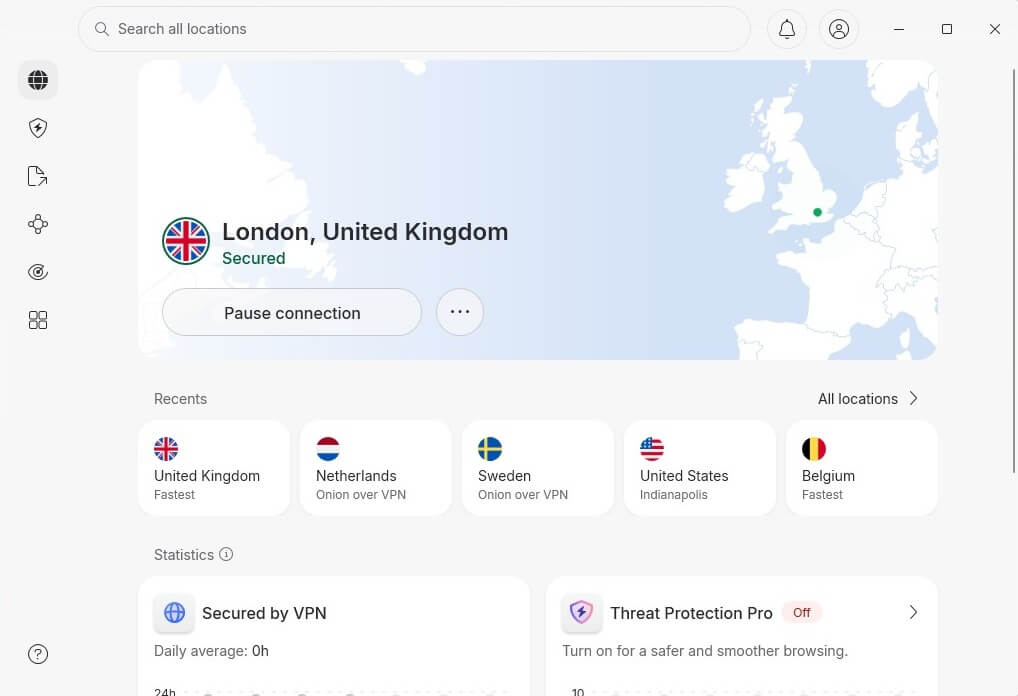
3️⃣ Watch UK Netflix in the US or Abroad
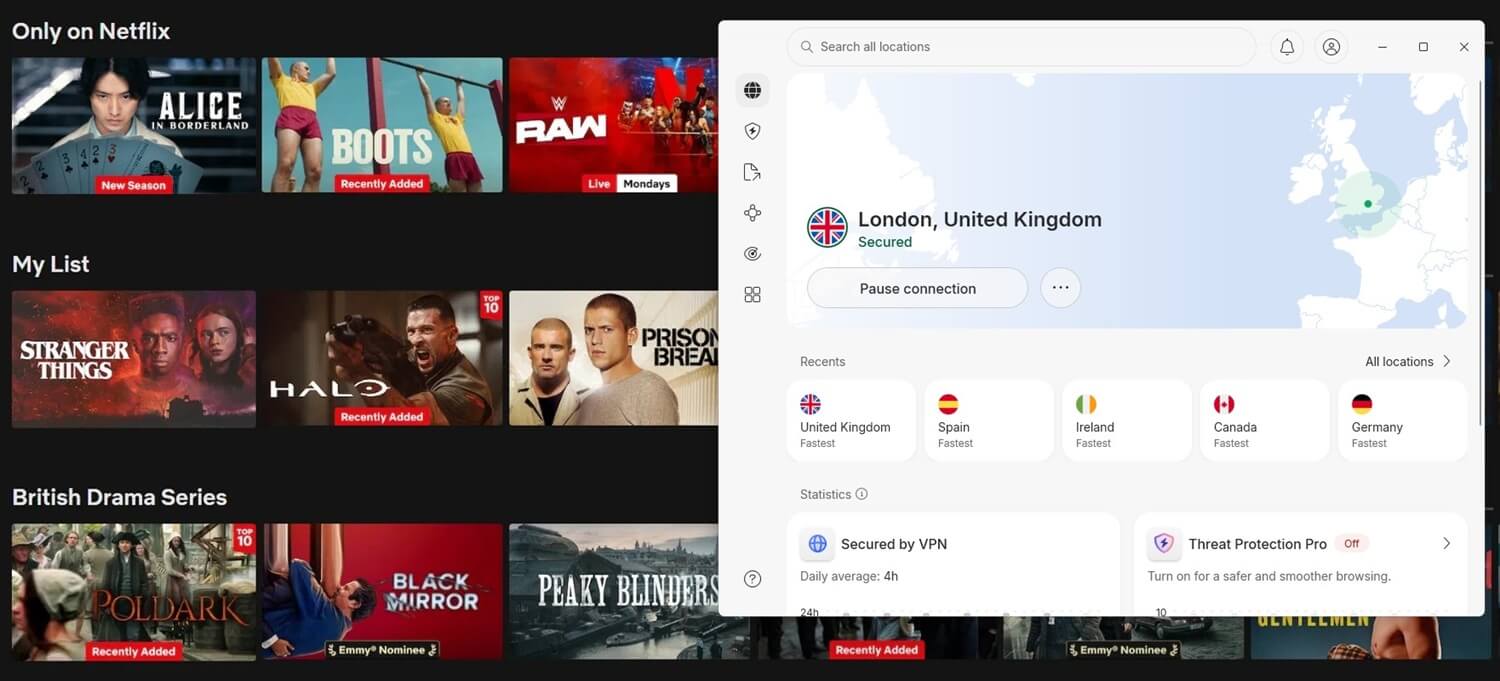
Now for the fun part. Once connected to a UK server, head to the Netflix website or open the app. Log in to your account, and voilà, your Netflix library will switch to the UK. Browse and watch the titles you’re interested in.
Best VPN to Watch UK Netflix in US and Abroad
Remember how we said your streaming experience depends heavily on the VPN you choose? There are hundreds of VPN services, but very few have what it takes to unblock Netflix UK abroad. Luckily, your trial-and-error days are over. These three are the right choices to use Netflix UK in the US and abroad reliably.
1. NordVPN: Best Netflix UK VPN Abroad
Pros
- Fast UK servers for Netflix
- Unlimited data
- Supports streaming devices
- Many security features
- SmartPlay technology
Con
- Higher price on renewal
NordVPN is our favorite VPN for Netflix, and pretty much any other streaming service. Of its massive network in 137 countries, 440+ servers are dotted across 4 British cities, so you’re spoiled for choice. We also like how easy the well-organized server section makes picking and choosing a server.
Most importantly, its broad server fleet is always streaming-ready. Whether you’re trying to watch from Netflix UK from the United States or abroad, NordVPN makes short work of the geo-restrictions. It also easily unblocks other Netflix libraries, from the US to Canada, France, Germany, Brazil, Argentina, and Australia.
Want to switch to UK TV channels instead? The provider unlocks live programming on BBC iPlayer, ITVX, and many more. On top of that, thanks to its fleet of speed-friendly servers and many optimizations, NordVPN is very fast. You can stream in the highest quality with no buffering, even far away from UK servers.
NordVPN’s highlight for streaming is SmartPlay, a technology that blends a VPN’s privacy with Smart DNS for immaculate unblocking and smooth streaming. It’s unique to NordVPN, which is why it’s our #1 VPN for UK Netflix in 2026. That, and the price of only around $3 per month, which is affordable.
2. ExpressVPN: Best for Smooth HD Streaming

Pros
- Easy-to-use apps
- Fast VPN connection
- Wide server network
- Affordable Basic plan
Cons
- Higher renewal cost
- Not many features
The self-proclaimed best VPN for the UK is another excellent choice for streaming British Netflix from the USA or any other country. While it has a strong focus on privacy, it excels in other areas, such as its exceptional unblocking capabilities. Connecting to any UK server will unblock UK Netflix abroad easily.
But that also applies to UK TV channels and online bookies. During our test, the VPN unblocked every platform we threw at it. A team member living outside the US could access American Netflix and other US-restricted services like Pluto TV. So, keep it in mind when you need a VPN on your trips abroad.
What’s more, ExpressVPN is reliable and fast, thanks to a well-serviced network of 10 Gbps servers and modern protocols (expect the best results from Lightway, its custom option). It has easy-to-use apps across every platform, so you’re covered on whatever device you want to stream with.
3. Private Internet Access: Best Cheap VPN
Pros
- Unlimited devices
- Streaming servers
- No-log policy
Cons
- Not the fastest VPN
- Cluttered UI
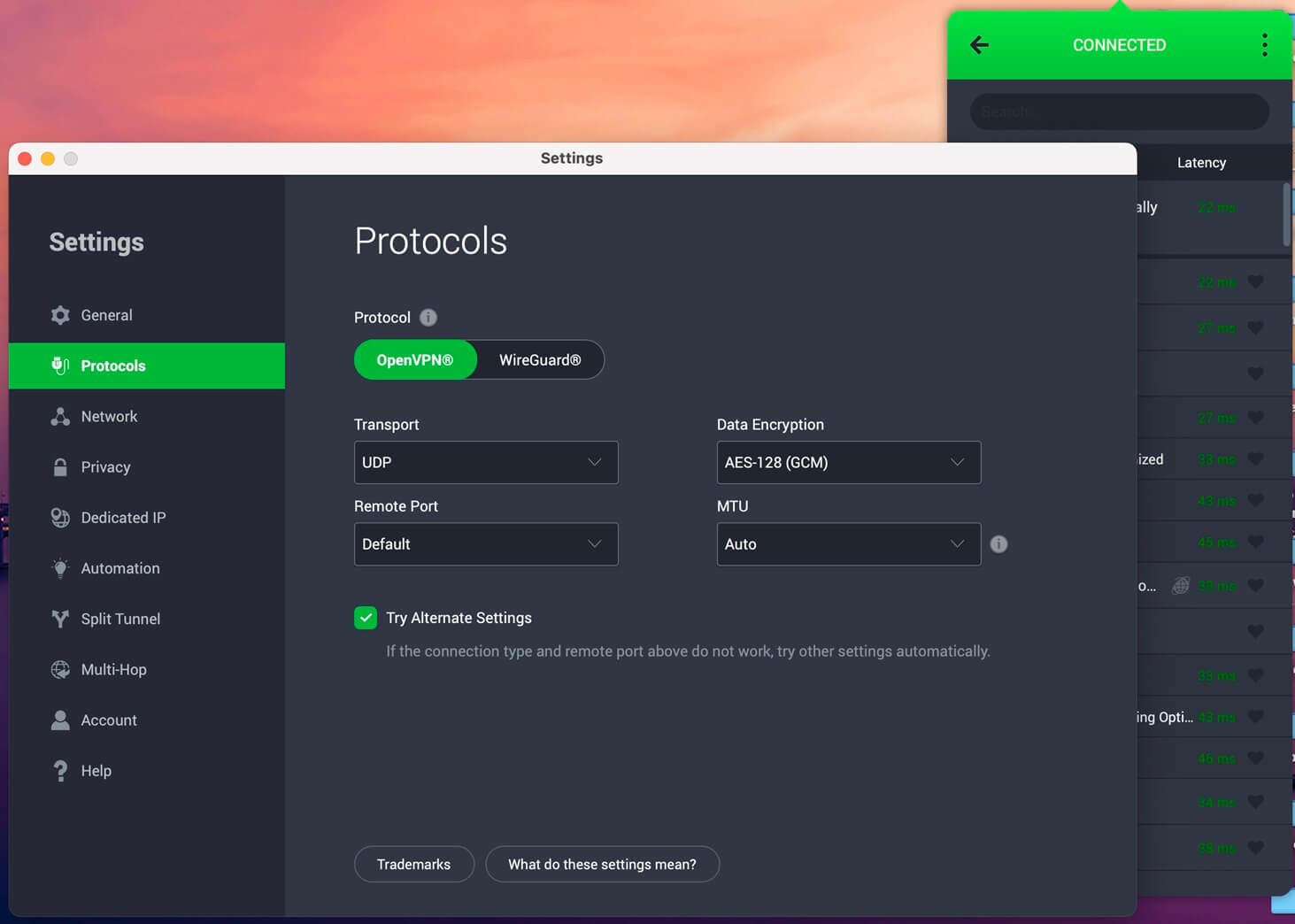
Consider PIA if you’re on a strict budget because it’s the most affordable VPN on this list. We also like its unlimited simultaneous connections, which means you can stream UK Netflix on all your devices if you want. Its servers in London and Southampton are optimized for performance when you get a UK IP address.
Granted, they don’t deliver the fast speeds of NordVPN or ExpressVPN, but you’ll have no issues enjoying bufferless streaming, even in 4K. It’s worth mentioning that PIA has been upping its game lately when it comes to unblocking. It previously struggled to beat Netflix blocks, but not anymore.
The VPN now unblocks UK Netflix and several other libraries. Connecting to its streaming-optimized UK location guarantees the smoothest experience on BBC iPlayer, ITV, and other UK-based services. PIA’s apps are open-source and available across just about every commonly used operating system.
Get Private Internet Access Today
Can You Use a Free VPN to Watch UK Netflix?
No, you can’t, and we don’t recommend a free VPN to watch UK Netflix in the US or abroad. The same applies if you want to watch American Netflix outside the US. Netflix is wise to subscribers changing their Netflix regions with VPNs and has become better at detecting and blocking VPN traffic.
Free VPNs can’t keep up with the measures used. Besides, even if they could find a way in, the limited server network you can access means you’ll endure slow speeds and constant buffering. Hardly the best way to enjoy a Netflix marathon, but you won’t be able to start it in the first place.
Conclusion
There’s no way to access British movies and shows on this streaming site outside the country unless you change your IP address to the UK. We walked you through the steps so you can watch UK Netflix in the US and abroad with a VPN (because that’s the most effective way to mask your IP address).
We also recommended a couple of VPNs. NordVPN is our top pick for its unparalleled unblocking prowess and fast connection speeds, not to mention its hundreds of servers in the UK. ExpressVPN and Private Internet Access are decent streaming alternatives to consider in 2026.
Frequently Asked Questions
✈️ Can I watch Netflix abroad?
Yes, you can, unless you're in a country that bans Netflix. If this happens, you can regain access with a reliable VPN that works for Netflix streaming, such as NordVPN, ExpressVPN, or Private Internet Access.
🎬 Can I watch films on Netflix UK overseas?
Yes, you can, but only if you use a VPN. When abroad, you don't have a UK IP address to access the British catalog, so you must get it from a VPN.
💂♂️ Can I use my UK Netflix account abroad?
Yes, you can use your UK account abroad, but you may see a different content library from that of your country. This can be fixed by getting an IP from the UK from a solid VPN for Netflix, such as NordVPN or ExpressVPN.
🌍 How to access Netflix United Kingdom without a VPN?
There's no way to do it without a VPN if you're abroad. You must have a British IP address to access it, so you have to be in this country or change your IP address to the UK with a VPN, such as NordVPN.