The best VPN for LG Smart TV enhances streaming and unblocks streaming apps. After lengthy tests of 40+ LG TV VPN options for 2026, we chose NordVPN, ExpressVPN, Private Internet Access, Proton VPN, and Surfshark. They excel at speed, unblocking prowess, and full LG TV VPN compatibility.
Since neither is a native WebOS VPN (that doesn’t exist), we included a setup guide explaining how to use a VPN on your LG Smart TV for streaming and accessing content. Here’s your Top LG TV VPN list for October 2026.
Best VPN for LG TV: Top 5 VPN for LG Smart TV Ranked in October 2026
- NordVPN – Best VPN LG TV 2026
- ExpressVPN – Fastest VPN for LG TV for UHD streaming
- Private Internet Access – High-security WebOS VPN
- Proton VPN – Best LG Smart TV VPN for privacy
- Surfshark – Best LG TV VPN for watching Netflix
Why Use a VPN With Your LG Smart TV?
An LG Smart TV is built for streaming, but without a VPN, you’re getting crumbs. Whether you are watching Netflix, Amazon Prime Video, ITVX, or SBS On Demand, your content is locked behind licensing borders. A reliable VPN for LG TV helps break through those walls by giving your TV a virtual location shift. This makes your TV look like it’s trying to access content from another location.
This swift and easy location change offers 3 primary benefits:
- Accessing regional content libraries on Netflix, Max, ESPN+, YouTube TV (see our guide on how to change your location on YouTube TV), etc.
- Watching live sports and news from your home country while traveling.
- Unblocking the entire streaming services like BBC iPlayer, Hulu, or Canal+ that aren’t available in your current region.
VPNs also add a layer of security and privacy, even on a smart TV. They encrypt traffic, making it harder for ISPs to log your activity or throttle your bandwidth during peak hours. If you’re running a media-heavy setup (with Plex, Kodi, or IPTV), a VPN also keeps your traffic private and your streams smooth.
In short, a VPN turns your LG Smart TV into a truly international streaming hub. But here’s the twist: not every LG TV handles VPNs the same way.
Best VPN for LG Smart TV 2026: Detailed List
Picking a VPN for LG TV isn’t just about speed; it’s about how it fits into your setup. Some users can install VPN apps on their Google TV. With webOS, you need SmartDNS or router-level support to make things work behind the scenes. These 5 topped our chart as the best LG Smart TV VPN for October 2026. Old or new LG TV models, our VPNs work on all of them.
| NordVPN | ExpressVPN | PIA VPN | Proton VPN | Surfshark | |
| Speeds | Fastest 🚀 | Fastest 🚀 | Good | Good | Fast |
| SmartDNS | Yes ✅ | Yes ✅ | Yes ✅ | No ❌ | Yes ✅ |
| Router Support | Excellent 🔴 | Excellent 🔴 | Good | Good | Good |
| Streaming | Excellent 🔴 | Excellent 🔴 | Good | Good | Excellent 🔴 |
| Countries | 137 | 105 | 91 | 145 | 100 |
| Free Trial | 3 days | 3 days | 7 days | No ❌ | 7 days |
| Free VPN | No ❌ | No ❌ | No ❌ | Yes ✅ | No ❌ |
| Starting Price | $3.09/mo | $3.49/mo | $1.75/mo | $2.99/mo | $1.78/mo |
| Connections | 10 | 10-14 | Unlimited | 10 | Unlimited |
1. NordVPN: Best VPN for LG Smart TV in 2026
Pros
- SmartDNS functionality
- Good router support
- Best for unblocking
- Servers in 137 countries
- Solid Netflix performance
- Fast and reliable speed
Cons
- Complex UI
- Higher renewal price
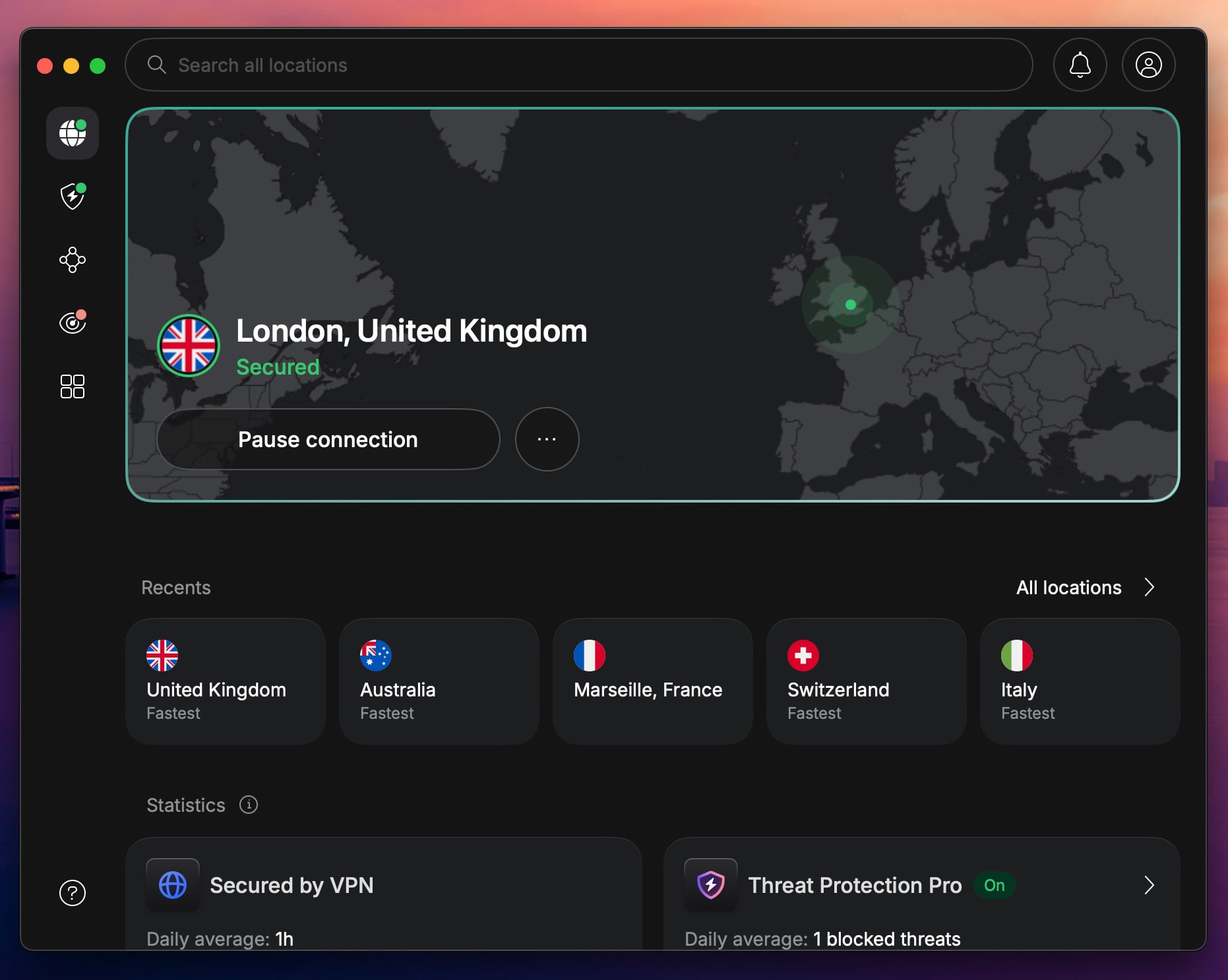
NordVPN is an LG TV VPN that checks every box. Speed, security, privacy, unblocking, and, above all, compatibility with an LG Smart TV. Since webOS doesn’t support VPNs, NordVPN offers two solutions: router setup or SmartDNS. We prefer the former, as it’s simple and offers all the benefits.
However, you can use SmartDNS, activate it via your account, and use your new SmartDNS addresses to unblock streaming services. When we tested them, they worked with ESPN Select outside the USA. If you connect this VPN for LG Smart TV via your router, you can access more streaming sites and libraries.
In that aspect, NordVPN is the best VPN for Netflix, as it works with over 25 libraries. Don’t fret if you don’t know how to set it up, as it has detailed guides for all routers and platforms on its site. Speed-wise, NordVPN still reigns thanks to its NordLynx protocol and reliable 10 Gbps server throughput.
Regardless of the resolution, streaming is buffer-free, and you can enjoy limitless binging, as data is unrestricted. So, how much is the best VPN for LG Smart TV? The most affordable Basic plan is $3.09 per month for 2 years, and has a 30-day refund policy, letting you test it risk-free.
2. ExpressVPN: Recommended LG TV VPN for UHD Streaming

Pros
- Router and SmartDNS setup
- Fast tunneling protocols
- Compatible with all devices
- Works with Netflix US
- Unlimited bandwidth
Cons
- Higher renewal prices
- Light on features
ExpressVPN is a good VPN for LG Smart TV if you prioritize speed. Like NordVPN, it’s easily set up through SmartDNS (MediaStreamer) or through a router. However, we prefer to set it up through a router, so we can enjoy its excellent performance thanks to the Lightway Turbo protocol and unlimited data.
With SmartDNS, ExpressVPN unblocks a variety of US-based channels and services, like Netflix US, Pluto TV, and ESPN+. In the same fashion, this LG TV VPN also unblocks many sports-streaming platforms, some of which let you watch Wimbledon for free or, for instance, enjoy MotoGP online risk-free.
If you want to protect more than your TV, ExpressVPN is also one of the best VPNs to set up on a router. With custom firmware for popular models, compatibility is at the highest level. At the same time, you can protect 14 devices simultaneously, making ExpressVPN very versatile and ready for all challenges.
All in all, ExpressVPN is a fast LG Smart TV VPN with unlimited bandwidth, easy-to-use and feature-rich apps, and solid unblocking power. You can get its 2-year plan at a discount and enjoy four free months below. Don’t like using this webOS VPN? Get a full refund within 30 days and pick another one.
3. Private Internet Access: Cheap and Secure LG Smart TV VPN
Pros
- Unlimited devices
- Broad router support
- WireGuard for speed
- Rock-solid encryption
- Affordable LG TV VPN
Cons
- Occasional slow speeds
- Dated interface
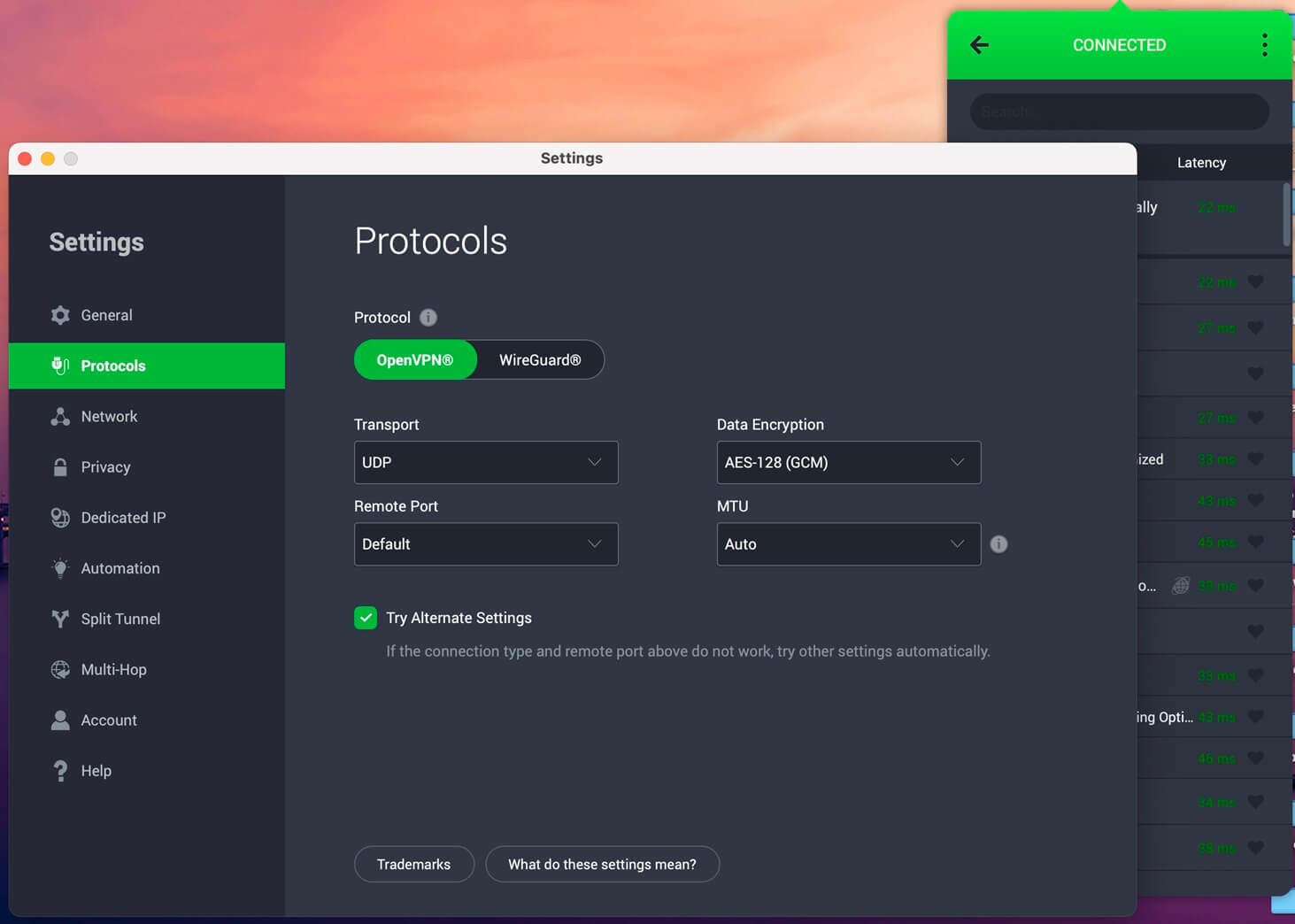
Private Internet Access is a surprisingly good VPN for LG TV in 2026. The setup goes two ways. You can use SmartDNS and enjoy unblocking streaming services without setting up the VPN. Conversely, you can set it up on a router, encrypt your traffic, and change your IP to bypass even more go-blocks.
When we tested this LG TV VPN app, we enjoyed streaming Channel 4 in the USA, watched some sports on ESPN in Europe, and used Netflix. Private Internet Access even has dedicated streaming locations that work wonderfully. If you ever switch to an Android TV, it has dedicated Android TV apps.
If not, you can still enjoy some of its best features, like WireGuard for speed or its MACE for blocking ads and trackers. Additionally, PIA has impeccable privacy, primarily via GCM-256-bit encryption and an audited no-log policy. At the same time, it doesn’t restrict simultaneous VPN connections.
When you see how much it costs, you’ll seal the deal. This is one of the top cheap LG TV VPN offers at only $1.75 to $2.19 per month for 2 years. Add two to four free months and a 30-day money-back guarantee, and you’re in for a treat. Not sure if you’ll like it? Read our full PIA VPN review before you decide.
4. Proton VPN: Privacy-First LG TV VPN App
Pros
- Stable performance
- Strong privacy
- Unblocks Netflix US
- Free VPN for LG TV
Cons
- No SmartDNS
- Higher renewal price
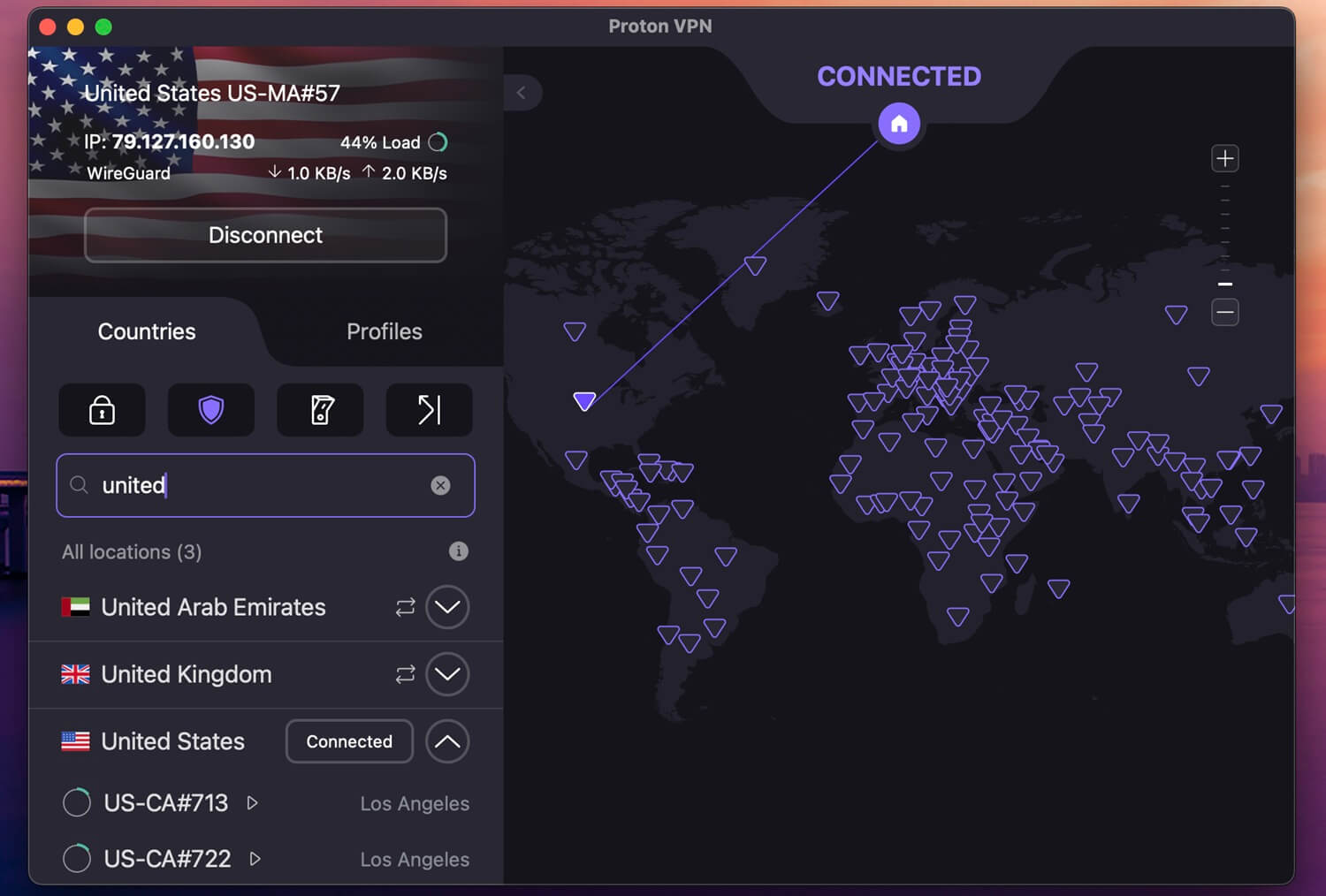
You can use Proton VPN on LG TV models with WebOS without issues. However, since it doesn’t have SmartDNS, you must either install it on a router or share your VPN on LG TV with a LAN cable from the PC. In any case, you can access over 20,000 servers in 145 countries for smooth streaming and unblocking.
We tested Proton VPN with more than admirable results. It unblocks Netflix US, BBC iPlayer, and Hulu abroad. Similarly, it offers exceptional speeds with WireGuard, thanks to its 10 Gbps servers and no data or bandwidth cap. A big plus is its privacy, exemplified through an audited zero-logs policy.
Proton VPN also blocks trackers, ads, and malicious sites for full control over the experience. It’s the only LG TV VPN with a free tier, but we don’t advise it because of its P2P and streaming limitations. The paid version unrestricts everything, making it a perfect VPN LG TV option for smooth streams.
Its price is among the lowest. At only $3 per month for 2 years, Proton VPN gives even pricier VPNs a run for their money. A 30-day refund policy makes it risk-free, while its free plan enables risk-free testing. For more information, see how Proton VPN compares to NordVPN, our #1 LG TV VPN in 2026.
5. Surfshark: Cheapest VPN for LG Smart TV
Pros
- 100 Gbps servers
- Under $1.8/mo
- SmartDNS LG TV setup
- Reliable unblocking
Cons
- Techy interface
- Long connection times
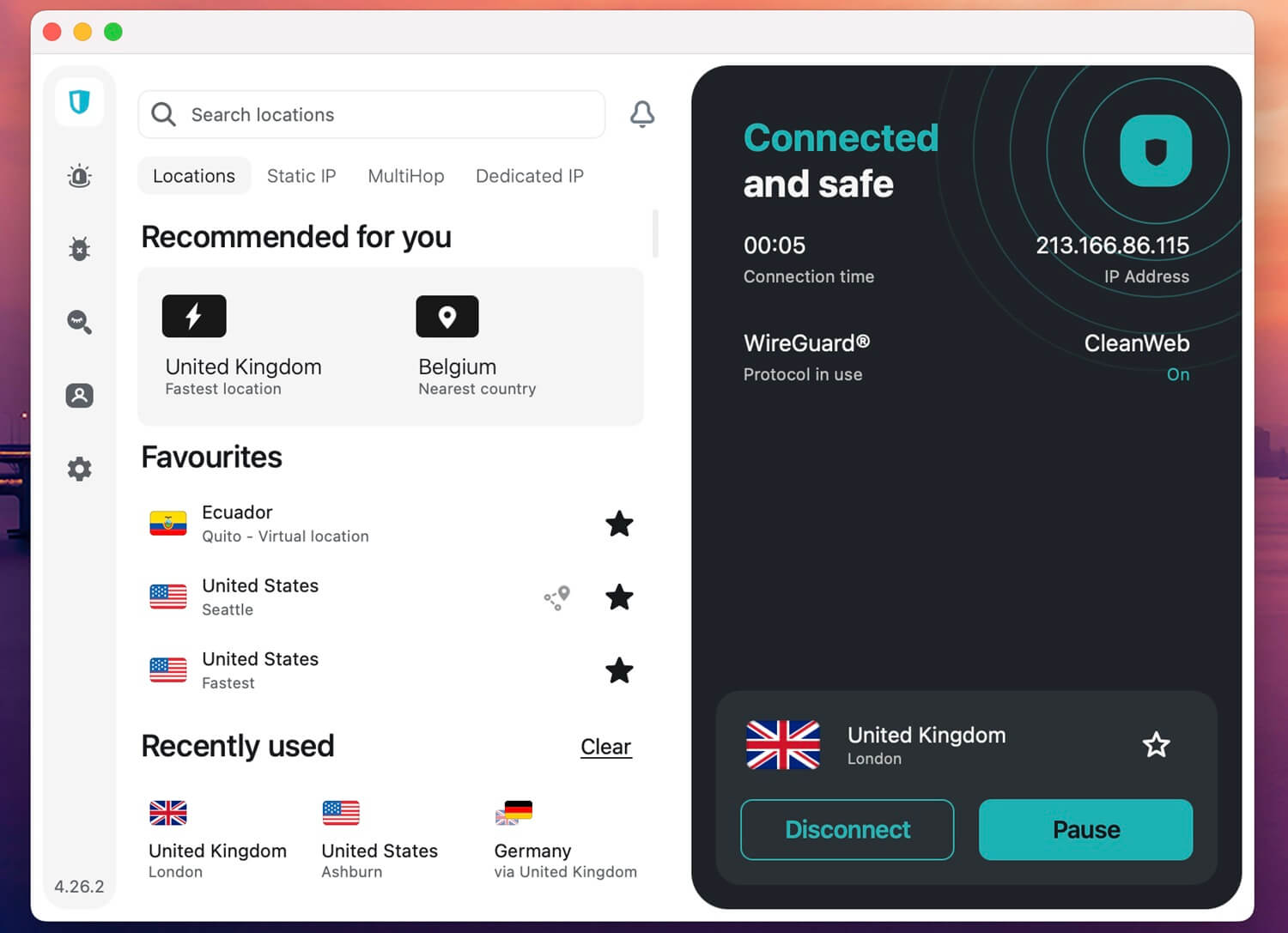
Surfshark belongs in an S-tier LG TV VPN category. It’s our favorite VPN for Netflix, as it works with over 30 libraries without a fuss. Above all, it’s the cheapest VPN for LG Smart TV, at only $1.78 per month for 2 years. Surfshark works on routers and has SmartDNS for unblocking US streaming sites.
Surfshark’s innovations make it quite fast. WireGuard is supported on WebOS, and macOS users can enjoy Dausos, an in-house protocol engineered for speed. The result is silky-smooth streaming without limits. Some servers, those in the Netherlands, have 100 Gbps ports for maximum speed.
This reputable LG TV VPN makes short work of geo-blocks, while shielding your privacy with an antivirus, MultiHop for two encryption layers, and a no-log policy audited by many third-party firms. Surfshark’s apps are confusing, but its LG Smart TV VPN setup guides are easy to put into practice.
Surfshark is the #1 low-cost VPN for WebOS, and if you need it available in censored regions, it’s also the best-rated VPN for China at this price. That said, you can still access your favorite streaming sites anywhere.
How to Install a VPN on LG TV: Setup Guide
As you know, an LG TV VPN cannot be installed directly on the TV. We’ll take Android TVs as an example. They use Android as their OS, and since VPNs work natively on it, you can download the app from Google Play. LG TV models rely on webOS. For those who don’t know, it’s LG’s in-house system.
It’s not designed to natively run VPN apps, and while it does have the app store, you won’t find any VPN for LG Smart TV. This leaves us with 3 possible setup variants. You can use SmartDNS, connect a VPN to your router, or share the internet via a hotspot. In this guide, we explore all 3 in detail.
✅ Option 1: Use SmartDNS
SmartDNS doesn’t encrypt your traffic like a VPN, but it does reroute specific DNS queries to trick streaming services into thinking you’re in a different region. It’s ideal for accessing geo-blocked content on streaming apps, especially on devices that don’t support VPN apps — like webOS TVs.
- Log in to your VPN provider’s dashboard (e.g., NordVPN, ExpressVPN).
- Head to the SmartDNS setup section, and register your current IP address.
- Your provider will then display primary and secondary DNS addresses.
- On your LG TV, go to Settings > Network > Advanced Wi-Fi Settings.
- Switch from automatic to manual DNS entry, and enter the DNS servers provided.
- Restart your TV.
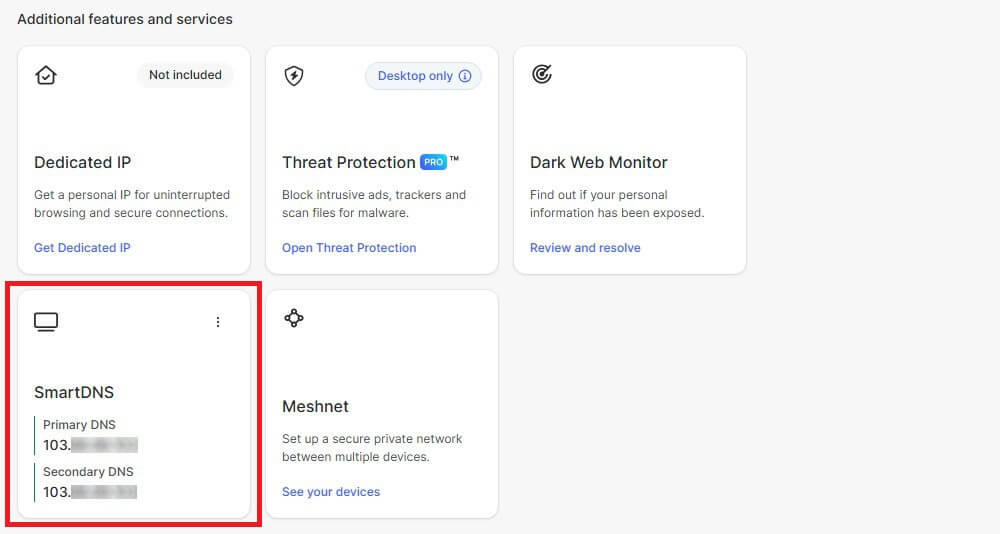
Once set, you can access platforms like Netflix US, BBC iPlayer, or Hulu, even if they’re normally unavailable in your region. Keep in mind that no encryption means no added privacy, as this is strictly for streaming access.
📶 Option 2: Install a VPN on Your Router
If you want full-device encryption (including for your webOS LG TV), the best route is to set up your VPN on your home router. This method covers every device connected to your Wi-Fi, no matter the platform.
- Check if your router is VPN-compatible. Many routers provided by ISPs are not. If it is, log in to your router admin panel (192.168.0.1 or 192.168.1.1)
- Locate the VPN section. Input your VPN provider’s server address, username, and password (your VPN provider will offer setup guides for your model).
- Alternatively, you can buy a pre-configured VPN router or flash your existing one with firmware like DD-WRT, Tomato, or OpenWRT.
- Once the VPN is running on the router, connect your LG TV to your home Wi-Fi.
This gives you true VPN protection, not just access. It’s more work upfront, but worth it for full privacy, bandwidth consistency, and seamless unblocking.
🛜 Option 3: Share a VPN Connection via Hotspot
For a quick, flexible fix, you can also share a VPN connection from your PC to your LG TV via a Wi-Fi hotspot. This is useful if you don’t want to tinker with your router or need a temporary setup while traveling.
💻 How to do it on Windows:
- Connect your PC to the VPN using the desktop app.
- Open Settings > Network & Internet > Mobile Hotspot, and enable it.
- Under “Share my Internet connection from,” select your VPN adapter.
- Connect your LG TV to the new hotspot.
🍎 How to do it on macOS:
- Connect your Mac to the VPN.
- Go to System Settings > Sharing > Internet Sharing.
- Share your VPN-connected interface over Wi-Fi.
- Connect your LG TV to the Wi-Fi network you’ve just shared.
While it uses more system resources and isn’t ideal for long-term streaming, it works well in a pinch and doesn’t require advanced networking knowledge.
Best VPN for LG Smart TV: Summary
The best VPN for LG Smart TV is essential for limitless streaming. It solves ISP throttling, but even more importantly, it bypasses geo-blocks on popular streamers. So, what’s the best LG TV VPN in October 2026? Based on our tests, NordVPN is the #1 VPN for LG Smart TV and WebOS.
With its easy setup via SmartDNS or routers, fast speeds, and thousands of servers, it’s almost a faultless choice. Other top choices? ExpressVPN, Private Internet Access, Proton VPN, and Surfshark make for very solid alternatives, with minor flaws but still essential streaming prowess.
Frequently Asked Questions
🏆 What is the best webOS VPN?
The best webOS VPN is NordVPN, but it doesn't have a webOS app since it doesn't support VPNs. Instead, a webOS VPN works through a router connection when the user connects their LG TV to a VPN-equipped router. This way, the user takes advantage of encryption, unblocking, and other benefits.
🆓 Is a free VPN for LG TV good for streaming?
No, it's not, because it restricts bandwidth and data, and isn't optimized to unblock streaming services. Free VPNs are rarely a good deal, and most lack SmartDNS or router support. Most also store logs and aren't privacy-friendly. These are some reasons why there's no best free VPN for LG Smart TV.
🤖 Does a VPN for LG Smart TV work on Android TV?
Yes, it does. The top LG Smart TV VPNs are also the best VPNs for Android TV. Android TVs are available from Xiaomi, Philips, TLC, and a few other manufacturers. If you use an LG or Samsung TV, you'll be locked to their native operating systems (webOS and Tizen) that don't support VPN apps.
📺 Can I install Surfshark on LG TV?
Yes, you can install Surfshark on LG TV models, but only by using its SmartDNS or installing it on a router first. LG TV models with WebOS don't natively work with VPNs, so you can't get a WebOS VPN app from the app store.