Why use a VPN when you’ve been without it for all these years? You’ve seen what VPNs can do if you’ve been reading around. Our VPN definition article explained what it is and how it works. Despite such guides, people still ask why they should use a VPN and whether they really need one. In short, the answer is: It depends.
We know you hate that one, but we promise a definitive answer. VPNs can do great things. They protect online privacy, unblock restricted sites, anonymize torrenting, and save money on online purchases. Do I need a VPN in that case? If this sounds attractive and beneficial to you, you do.
If not, you’re better off without that investment. Regardless, these simple-to-use apps are more powerful than they seem. If you’re unsure whether you should pay a few dollars, this article is for you. We’ll explore the reasons for using a VPN and recommend a few VPNs if you decide to take that step.
Why Use a VPN? 8 Reasons to Use a VPN Service
We won’t be angry if you stop reading now. If you’re in a rush, here’s what a VPN provides if you choose the right one (we recommend NordVPN):
- Online Security (Even on Public Wi-Fi)
- Privacy and Anonymity
- Unblocking Restricted Sites and Streaming Sites
- Anonymous Torrenting and P2P Activities
- Combating Censorship Worldwide
- Safe Dark Web Access (Through Tor over VPN)
- Saving Money on Online Shopping (Games, Ebooks, etc.)
- ISP Throttling Prevention
If you’re still here, let’s explore these eight benefits in depth and see how you can get them, and which VPN services to rely on to fully capitalize on these key aspects.
Why Use a VPN for Online Security?
We know that VPNs provide robust security. The safest VPNs (NordVPN, ExpressVPN, and Private Internet Access) use some of the most essential features, such as:
- 256-bit encryption
- Automatic kill switch
- IP and DNS leak protection
- Double VPN/Multi-hop routing
- Malware protection
- Ad + tracker blocking
- Obfuscation, and more…
These features secure your connection and prevent ISPs, authorities, and snoopers from tracking you. This means you can go online safely, shop, or enjoy browsing social media without anyone noticing. Such a level of security comes with even more perks. Many people ask if they need a VPN on public WiFi networks.
The answer is always positive because these networks are fundamentally unsafe and prone to hacking. Imagine buying something from Temu or eBay, only for your credit card information to be stolen by a hacker lurking around. You can prevent this with a Virtual Private Network and its encryption.
Secure Your Connection With NordVPN
Thanks to IP and DNS leak protection, your data remains safe at all times. Plus, encryption makes your connection a garbled mess of letters, numbers, and signs to anyone who intercepts it. That leaves the hacker empty-handed and unable to harm you. All you have to do is get a VPN, connect to a server, and enjoy.
NordVPN is a no-brainer with over 9,400 servers and dozens of security features at a price cheaper than a poorly sourced coffee. You can try it risk-free for 30 days using the link above (it also includes a generous discount).
Is a VPN Worth It for Privacy and Anonymity?
Why use a VPN for privacy? Isn’t privacy just a construct? It is to an extent, but you can still protect most of it. You’ll get encryption as the first line of defense. However, VPNs route your traffic through their servers, which begs the question of logging. Fortunately, the best VPNs do no such thing.
This means they handle your data privately by not keeping logs of your browsing history, personal information, DNS requests, timestamps, and so on. Privacy refers to how your data is handled, and this is essential. VPNs protect your privacy by not keeping tabs on your digital whereabouts and by avoiding the logging of sensitive data.
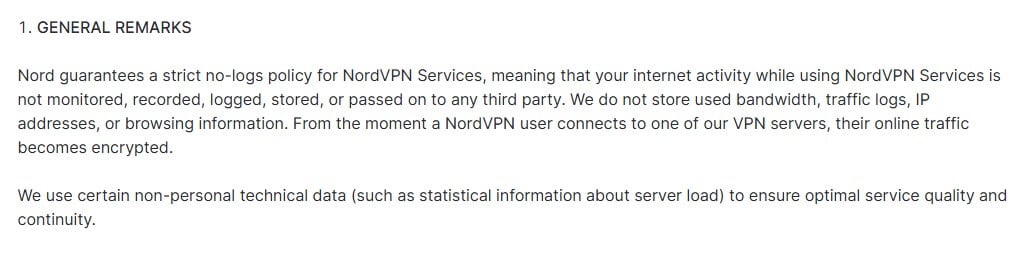
This is great if you frequently watch porn. In fact, there are great porn VPNs you can use to conceal your taboo adventures. The same applies to anything else. VPNs like NordVPN and ExpressVPN use RAM-only servers that also prevent logging. They lose all data with each reset, crucial for privacy.
These VPNs also have independent security audits on their no-log policies as affirmation of their practices. Let’s say a government body seizes the VPN’s servers. They’ll start digging, but because nothing is stored, they end up with nothing. You can see why whistleblowers and people in countries with poor freedom of speech rely on VPNs.
Protect Online Privacy With NordVPN
Why Get a VPN for Unblocking Restricted Sites?
Don’t you hate it when you want to use a website and come across this error?
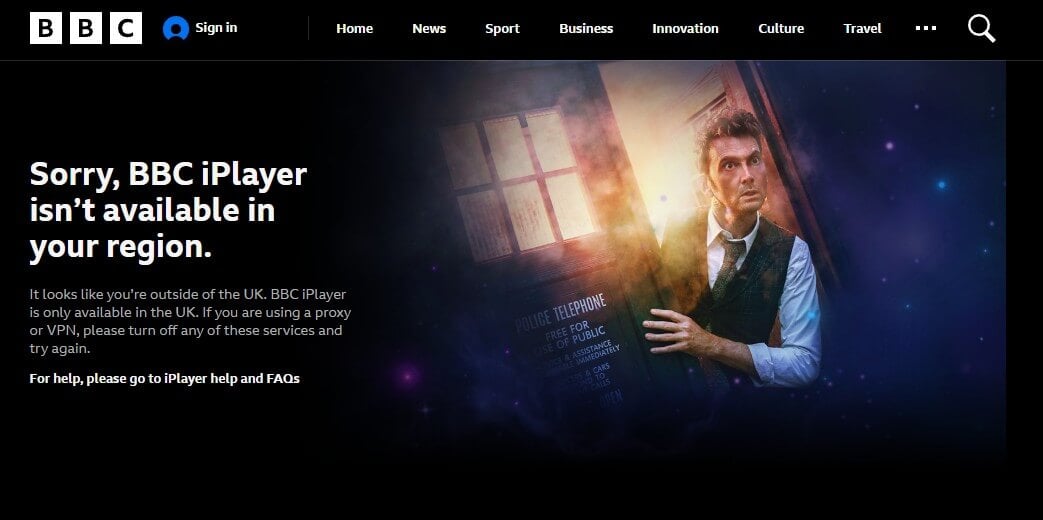
This happens with streaming sites whose licensing agreements and other legal obligations interfere with their ability to air content in specific regions. That’s why you can’t watch Sling TV outside the USA. That’s exactly why you can’t find specific movies, shows, and series on Netflix or Prime Video.
Blocked sites aren’t only streaming platforms. You’ll find gambling portals region-locked as well. Not to mention, again, pornography sites, which won’t work in every country or state. The question of whether you need a VPN for accessing restricted sites is now clear. A VPN changes your IP and makes you appear somewhere else entirely.
Sites detect your IP address and act accordingly. Sling TV works only in the USA. It knows if you’re in the USA by your IP. Is the IP from the US? Access is allowed! Is it from Europe, Asia, or anywhere else? Access is denied! When you connect to a foreign server, you’re assigned an IP from that country, which immediately unblocks the restricted site.
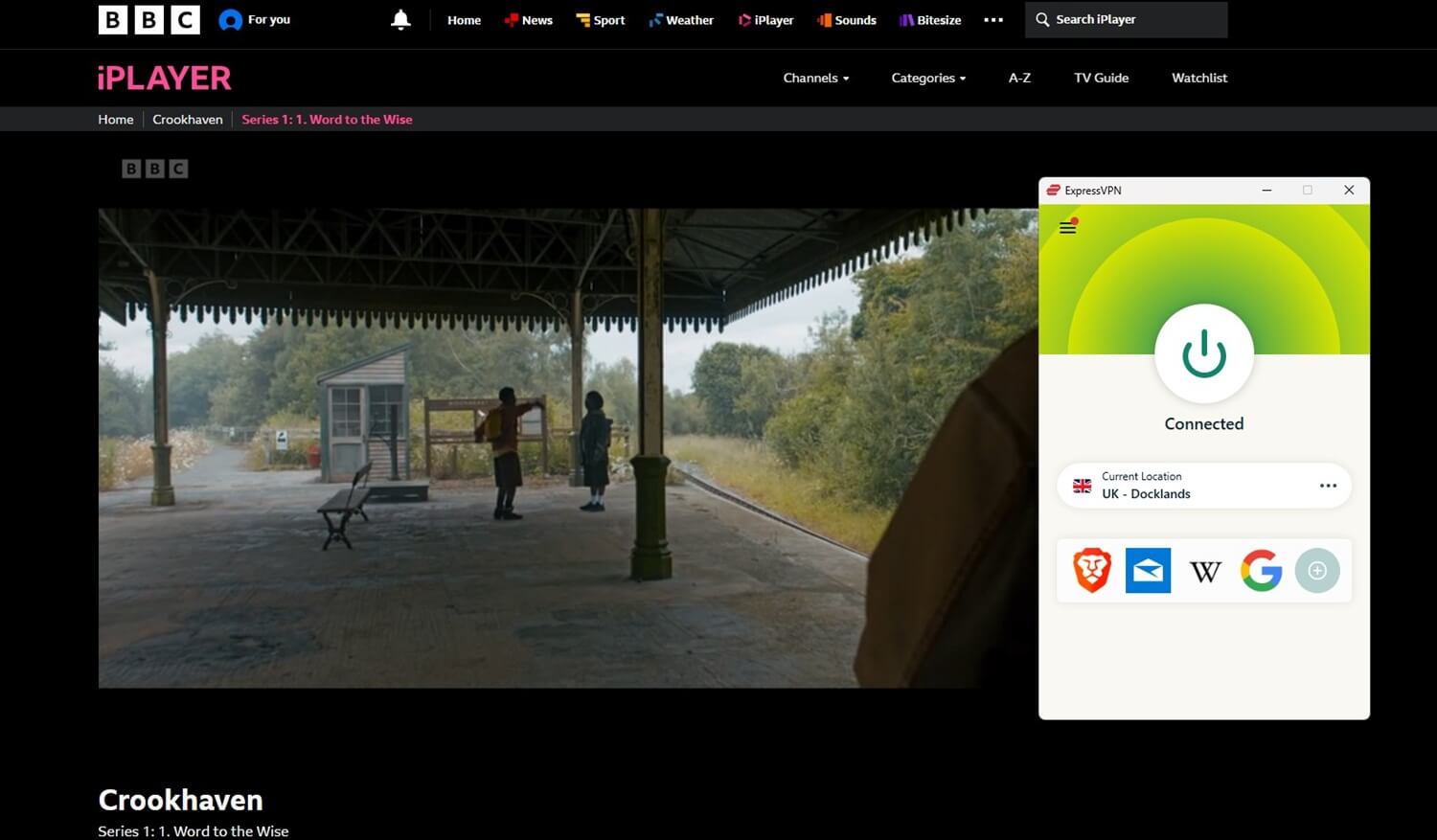
We explained how to alter your Netflix country this way and get far more out of it. The same goes for unblocking any geo-restricted website or app. Get NordVPN, ExpressVPN, or PIA, obtain another IP address, and you’re set.
Use ExpressVPN to Unblock Restricted Sites
What Can a VPN do for Anonymous Torrenting and P2P?
By now, it should be clear that VPNs keep you safe, private, and ready for streaming. What about torrenting? As you know, P2P file-sharing activities aren’t private by nature because you’re exposing your IP address to every peer in the network. Take torrenting as the clearest example of this.
When you engage in file downloading, you can see other users’ IP addresses in your torrent client. They can also see your IP, along with other data like your torrent client, location, and so forth. This isn’t great if you’re privacy-oriented. Another issue is the anti-torrenting stance that many governments take.
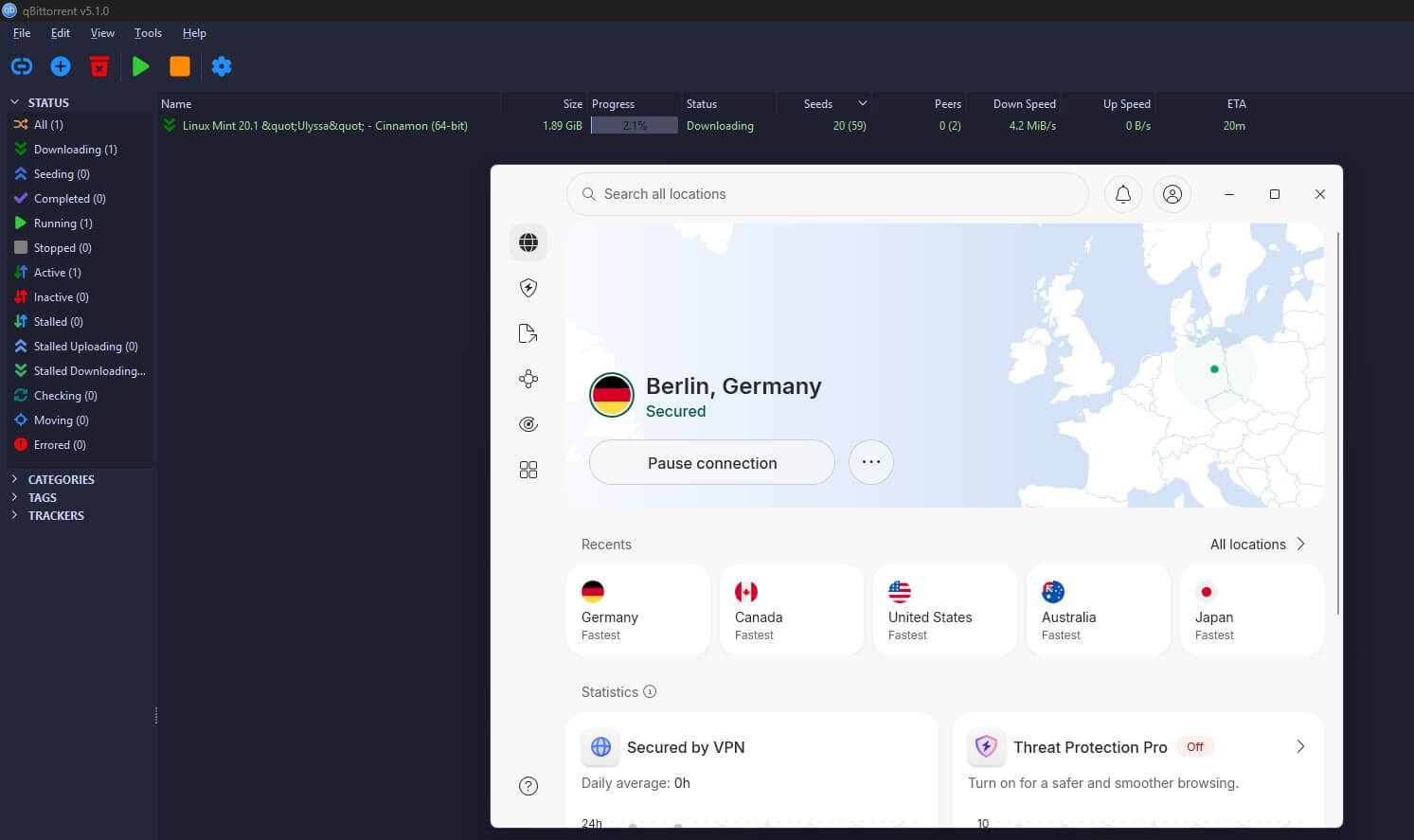
Torrenting is usually frowned upon and associated with illegal downloads and copyright violations. Remember that your ISP can and will see your IP address and your entire online history. This brings us to a VPN. As clarified, it secures your traffic, making it completely unreadable. Due to a no-log policy, it keeps your entire internet history classified.
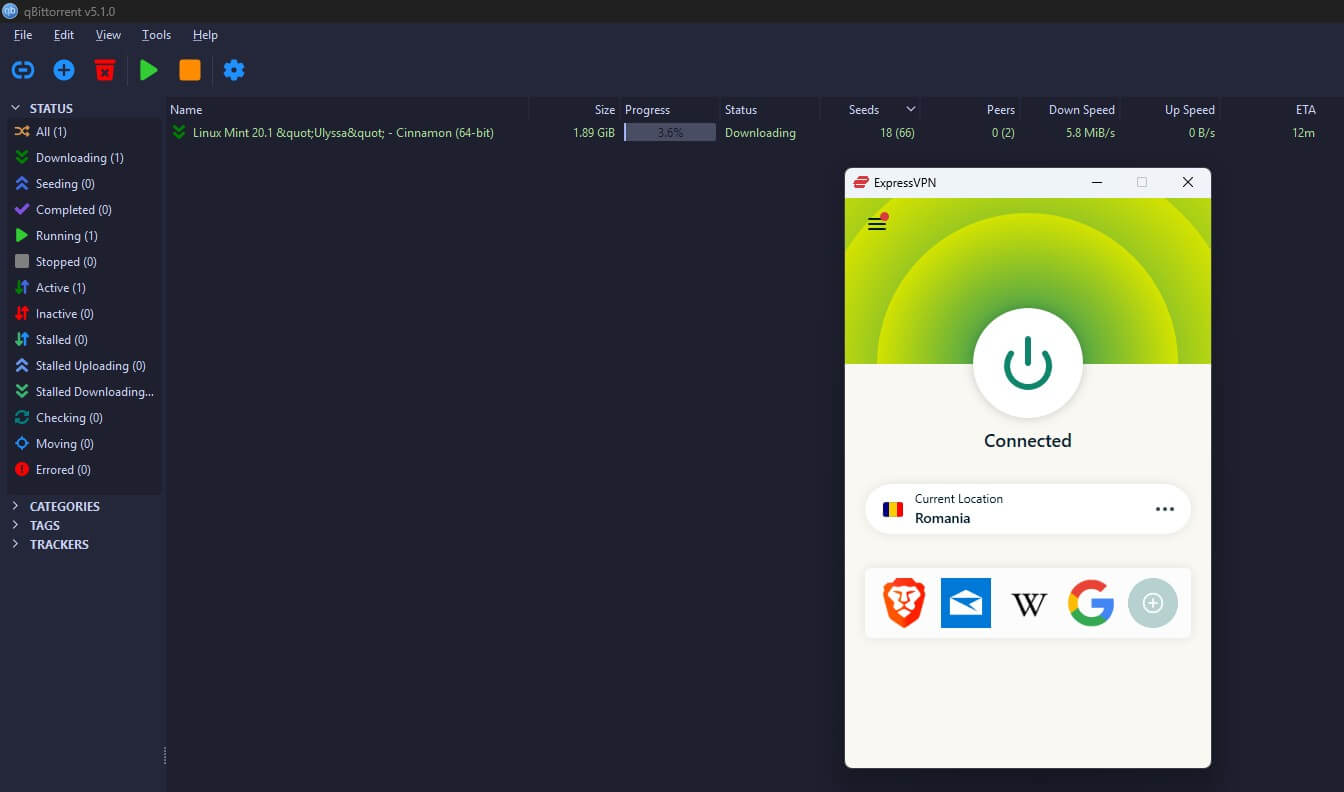
This is perfect for downloading torrents without anyone snooping around. Not even peers will discover your true identity. Your IP address will still be visible to others, but not the original one. This lets you connect and download freely without unwanted consequences. Of course, we don’t condone copyright violations in any form.
Download Torrents Safely With NordVPN
You should always be respectful of the law in your country and of copyright holders. There’s more information about the best VPNs for P2P on Gizmodo. Read it if you’re interested. We recommend NordVPN and its P2P-optimized servers. With great speed and unlimited bandwidth, downloads are consistently lightning-fast.
Advantages of a VPN for Combating Censorship
Censorship is closely related to the degradation of freedom of speech and widespread website blocking. Think about China, Iran, or North Korea. They all share these characteristics:
- Government surveillance 👁️
- No freedom of speech ❌
- Blocked sites (310,000+ domains) 🚧
These are massive issues, especially if you’re an expat who is accustomed to a free internet. Imagine being left without Instagram, Facebook, YouTube, WhatsApp (WhatsApp calls are not working in Dubai, for example), Skype, and many other sites and apps overnight. This is the purest, most oppressive form of censorship.
We can ask why we should use a VPN, but the answer is obvious. You need a VPN to bypass censorship. This is especially true for countries like China that use deep-packet inspection to tighten their grip on the internet. VPNs such as NordVPN and ExpressVPN bypass such firewalls and prevent connectivity issues.
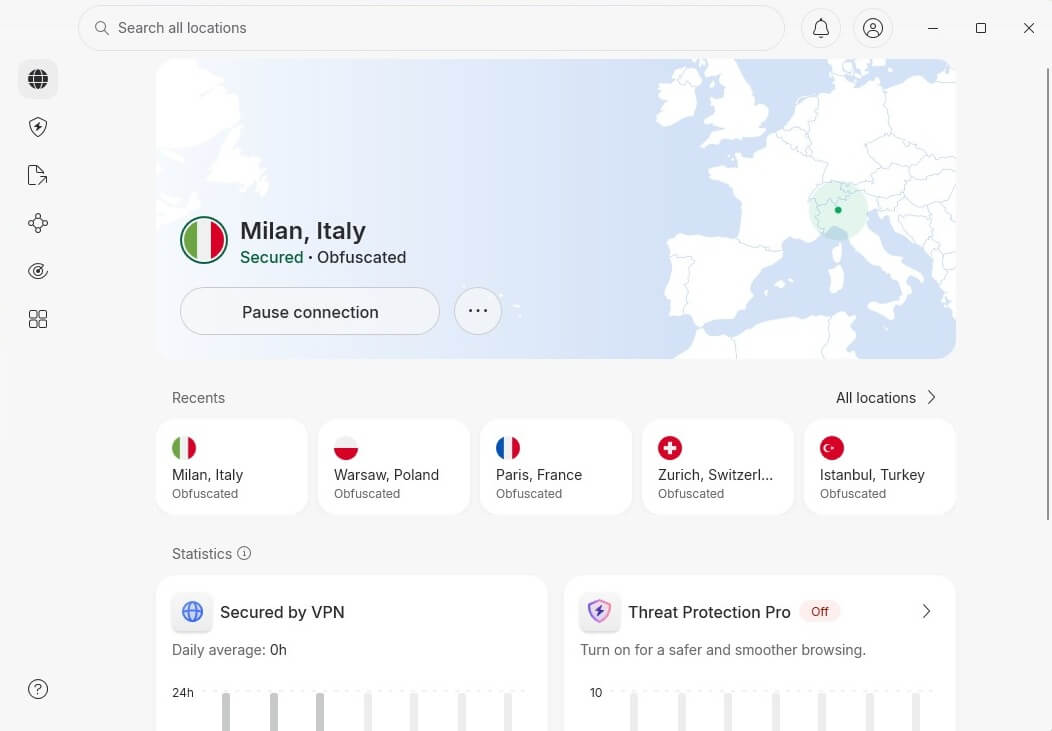
This means you can enjoy all the websites and apps you had before. The trick is to connect to a server, and everything revolves around that. NordVPN, in particular, has obfuscated servers for this purpose. ExpressVPN has built-in obfuscation, and Surfshark offers Camouflage Mode. All 3 fight censorship and help you reclaim your free and open internet access.
Why Use VPN for Safe Dark Web Access?
Tor isn’t enough to get you on the dark web safely. You can use it, and everything will work, so why use a VPN in that case? Here are a few compelling reasons. First, Tor isn’t as secure as you think, and its anonymity relies on problematic Tor nodes. They are maintained by volunteers around the world.
They make everything work, but many times these nodes are compromised, and your data is exposed to prying eyes. Second, Tor’s entry node can be an issue because it’s visible to your ISP. Your ISP sees when you connect to Tor, suspecting that you’re going to the dark web, often associated with unlawful activities.
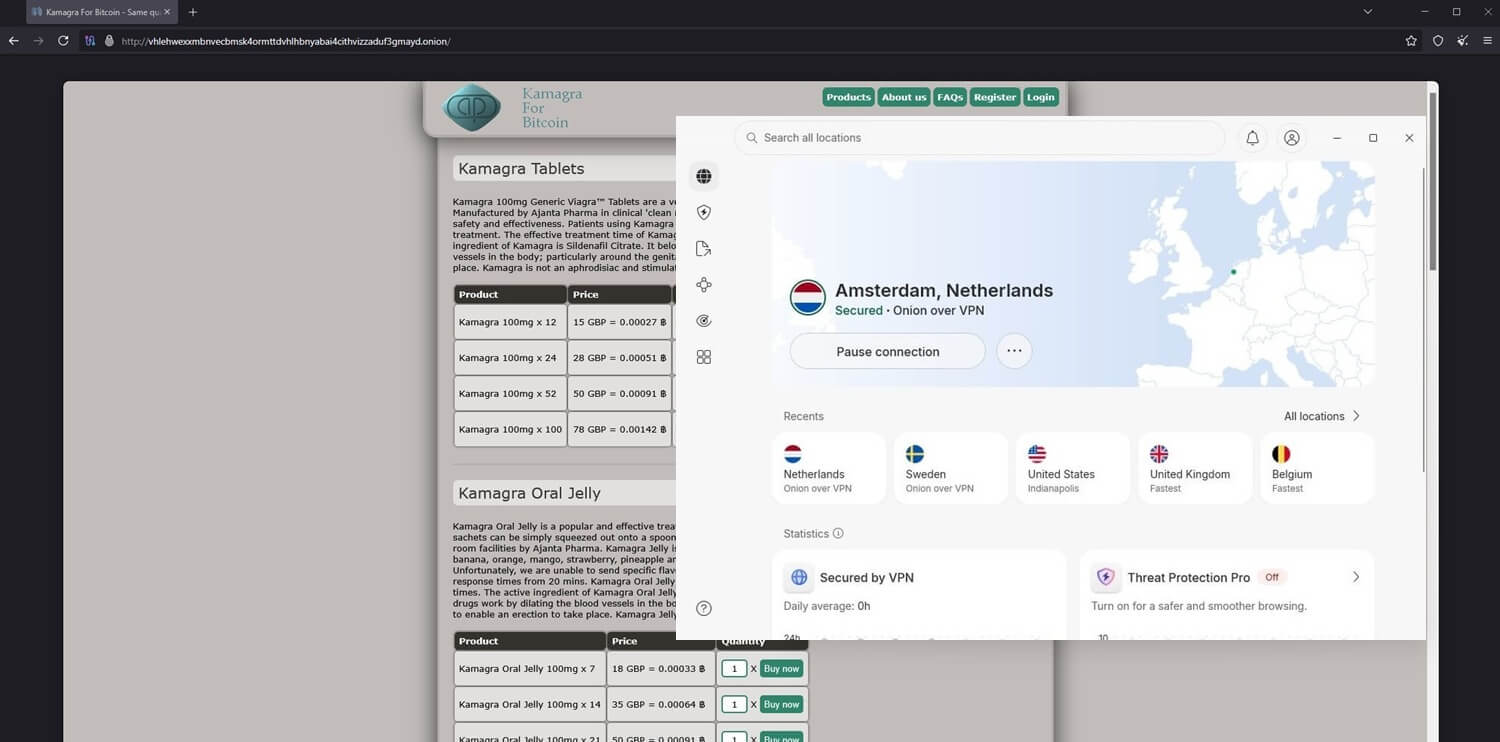
A VPN masks all of that and resolves these problems in seconds. You need to connect to a VPN first and then use Tor. This will effectively hide your Tor usage and provide much-needed anonymity. It’s not only about Tor. It’s the fact that you can browse the dark web and keep your data secure throughout all activities.
Use the Dark Web Privately With NordVPN
No one will see your true identity. All that can be seen is the VPN IP address, which shields your original IP address completely. Like torrenting, the dark web is illegal if you buy drugs, distribute copyrighted content, and so on. It’s easy to misuse VPNs in this way. Gizmodo and its team of experts are firmly against that.
Saving Money on Online Shopping: Hidden VPN Benefit
If you’re struggling to save money, you may be spending too much on things you could pay less for, without even knowing it. Are you still wondering why using a VPN is smart? Consider another compelling reason: saving money on online shopping. Did you know that a VPN lets you change your Steam country and save more than 50% on games?
Also, did you know that flights, hotels, and rental cars are cheaper in less developed countries? This means you can book a flight for much less by obtaining an IP address from less affluent regions (see our guide on how to use a VPN to get cheaper flight tickets). Many major sites function this way.
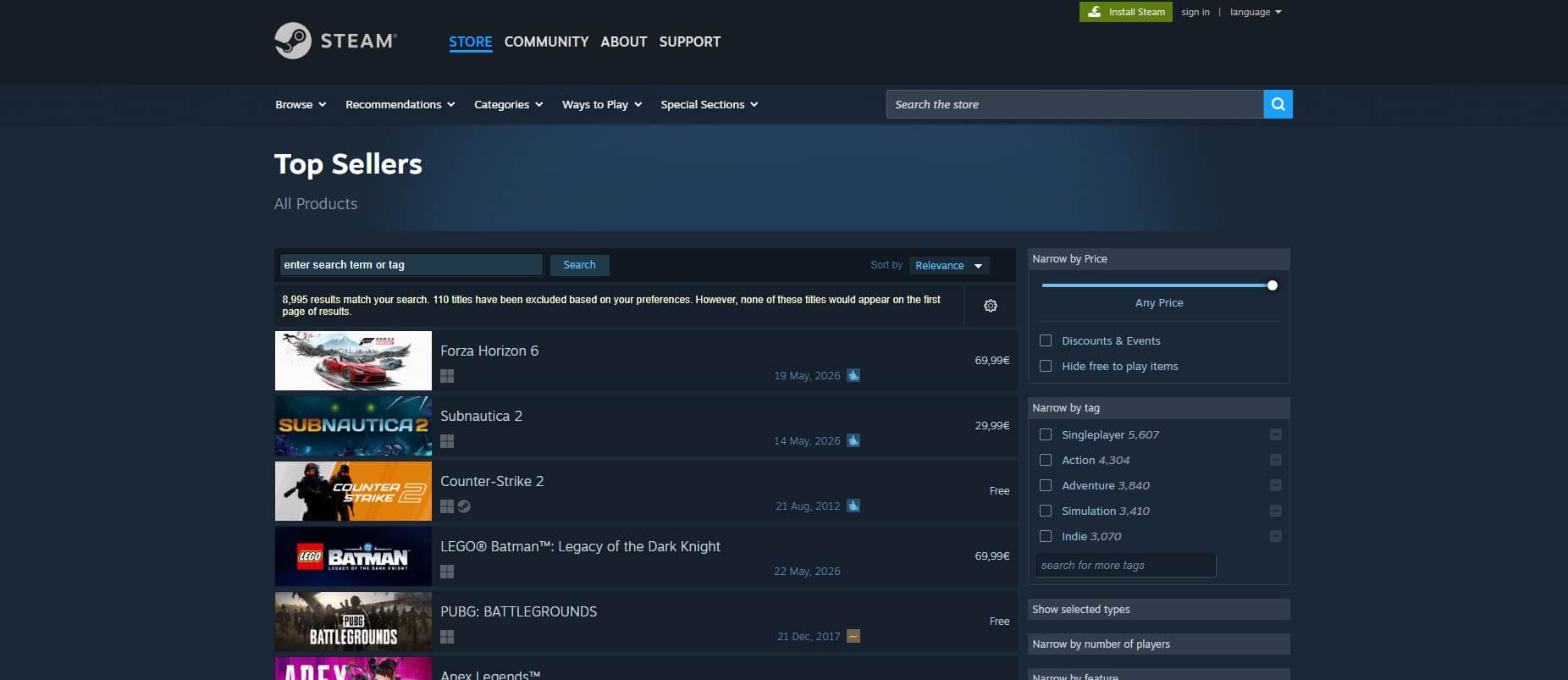
These platforms display different prices based on your region, which is usually influenced by local taxes, delivery costs, and purchasing power. We’ve used a VPN for online purchases many times and ended up saving a significant amount of money. Say you travel frequently. Now, imagine saving $50 to $100 on every single flight ticket. That’s already $300 or so back in your bank account.
⭐ Traveling frequently? Check out our top eSIM choices for international travels to stay connected worldwide and be able to use a VPN for safe browsing and streaming anywhere on the planet.
You can use this to buy something nice or invest in a business. Not to mention that you can save money on subscriptions to different channels and streaming platforms. Some have considerably lower prices in regions like Brazil, Mexico, Argentina, Turkey, and other countries. Switching your IP to one of these countries lets you take full advantage of that.
Purpose of VPN for ISP Throttling Prevention
We’ll mention ISP throttling as another issue. Have you noticed that your internet connection sometimes mysteriously slows down when you download torrents, watch Netflix, or play games online? This is no coincidence. When asking if you need a VPN, know that your ISP can control your internet.
If you consume plenty of bandwidth, it can slow your connection down to prevent abuse or enforce some of its policies. Read your internet contract, and you’ll see that this is typically allowed. The connection speed you pay for goes UP TO, say, 50 Mbps. It can be slower, and the ISP won’t be held accountable.
If you get 20 MB/s, it’s perfectly acceptable according to the contract. You can remedy this by stepping around your ISP. Connect to a VPN, and your ISP immediately loses sight of you. It can’t see what you’re up to or control the way you use the internet. If you use a VPN for Netflix or online gaming, you can do so at full speed without throttling interference.
Get the Best Speeds With ExpressVPN
What a VPN Can’t Do (Important)
We’ve explained why you need a VPN and what it can do for you. However, despite their prowess and considerable capabilities, these tools aren’t for everyone. You shouldn’t set expectations too high. Otherwise, you’ll end up disappointed. Here’s what VPNs aren’t designed to do, although some can handle these to an extent.
Virus and Malware Protection
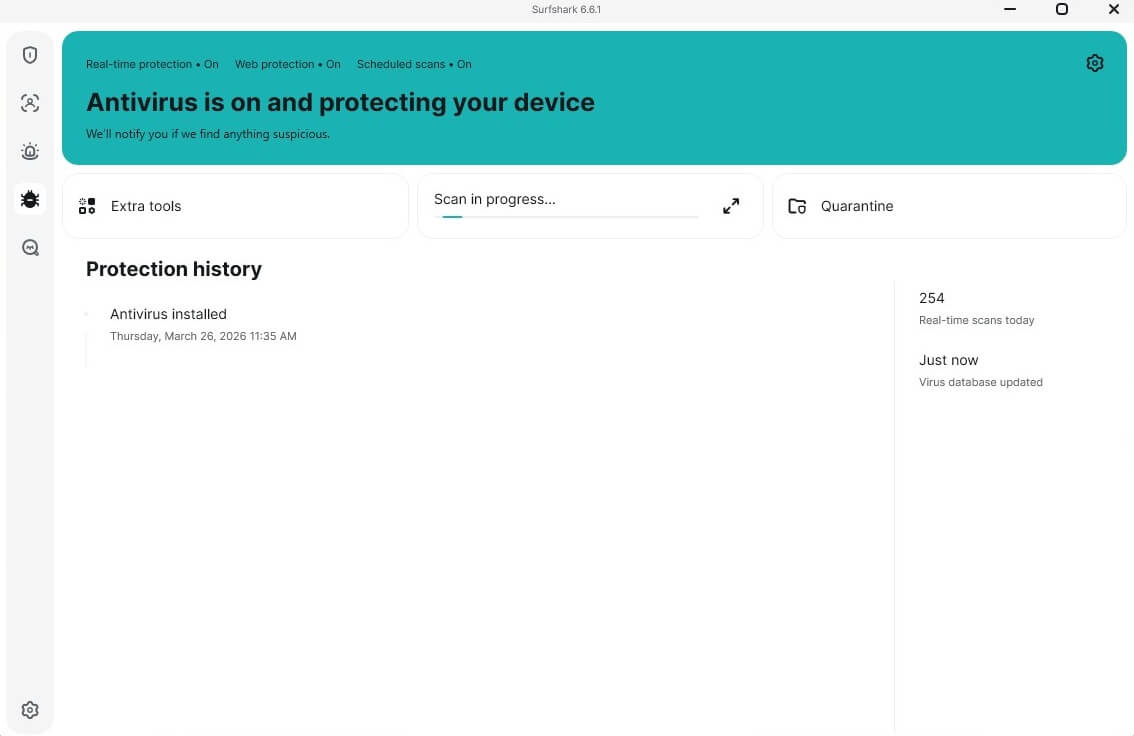
Virus and malware protection is something most VPNs can’t do well. Exceptions to this rule include NordVPN and Surfshark. These VPNs have malware protection that shields you to a meaningful extent. Surfshark even includes a full antivirus in specific plans. Such VPNs are more like comprehensive security suites designed to protect you on multiple fronts.
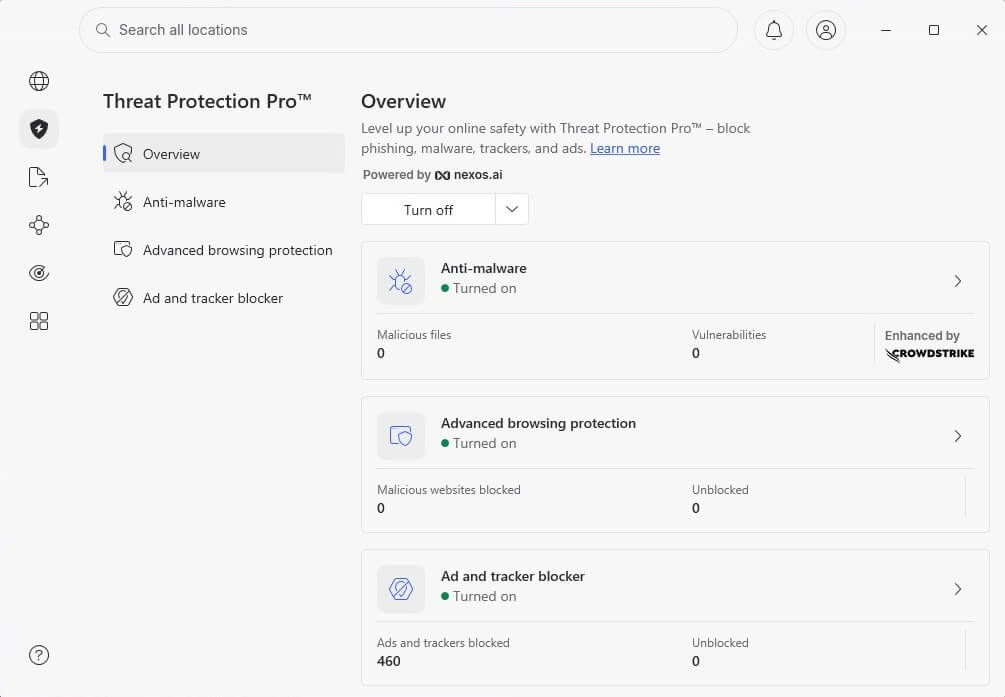
However, nothing’s going to beat a dedicated antivirus or malware protection app. They are purpose-built to fight viruses and malware and are more efficient at finding and removing them. In the same fashion, antivirus and anti-malware software won’t protect your online privacy. That remains a VPN’s job.
Identity Protection on Social Media
Social media usage comes up frequently in questions about why you need a VPN. We say VPNs are great tools for anonymity, but not on social media. For example, logging in to your Facebook account will still make you “you”. In fact, a VPN can sometimes prevent you from logging in to your account with an unexpected IP address from another country.
Posting on social media is also non-anonymous because you remain logged in to your account. That said, even when using a VPN, behave normally on social media platforms.
Erasing Browsing History
To be clear, this service can hide your browsing history from the ISP. It can’t erase your browsing history from Chrome, Firefox, and other browsers. If you use a VPN to watch porn, you’ll still see this in your browsing history unless you browse in Incognito mode. If you’ve made a mistake, you can always erase your browsing history manually.
Go to Settings and delete browsing data from the browser. As for your ISP, you won’t need to worry. No one can see what you’re up to online with the VPNs we mentioned above.
Top 3 VPN Services We Recommend in 2026
We mentioned them briefly, but let’s elaborate on the best VPNs to use to achieve all eight benefits and more. Note that you can get them with other providers, but the three presented below are genuinely a cut above the rest.



 9200 servers
 128 covered countries
 30 days money-back guarantee
 10 simultaneous connections
9.4 /10

20396 servers
148 covered countries
30 days money-back guarantee
10 simultaneous connections
9.2 /10

3000 servers
105 covered countries
30 days money-back guarantee
10 simultaneous connections
9.1 /10
1. NordVPN: Best Overall
Pros
- Malware protection
- Advanced security features
- Good privacy (no-log policy)
- Onion over VPN support
- Excellent for streaming
- Supports all systems
Cons
- Not beginner-friendly
- Higher renewal price
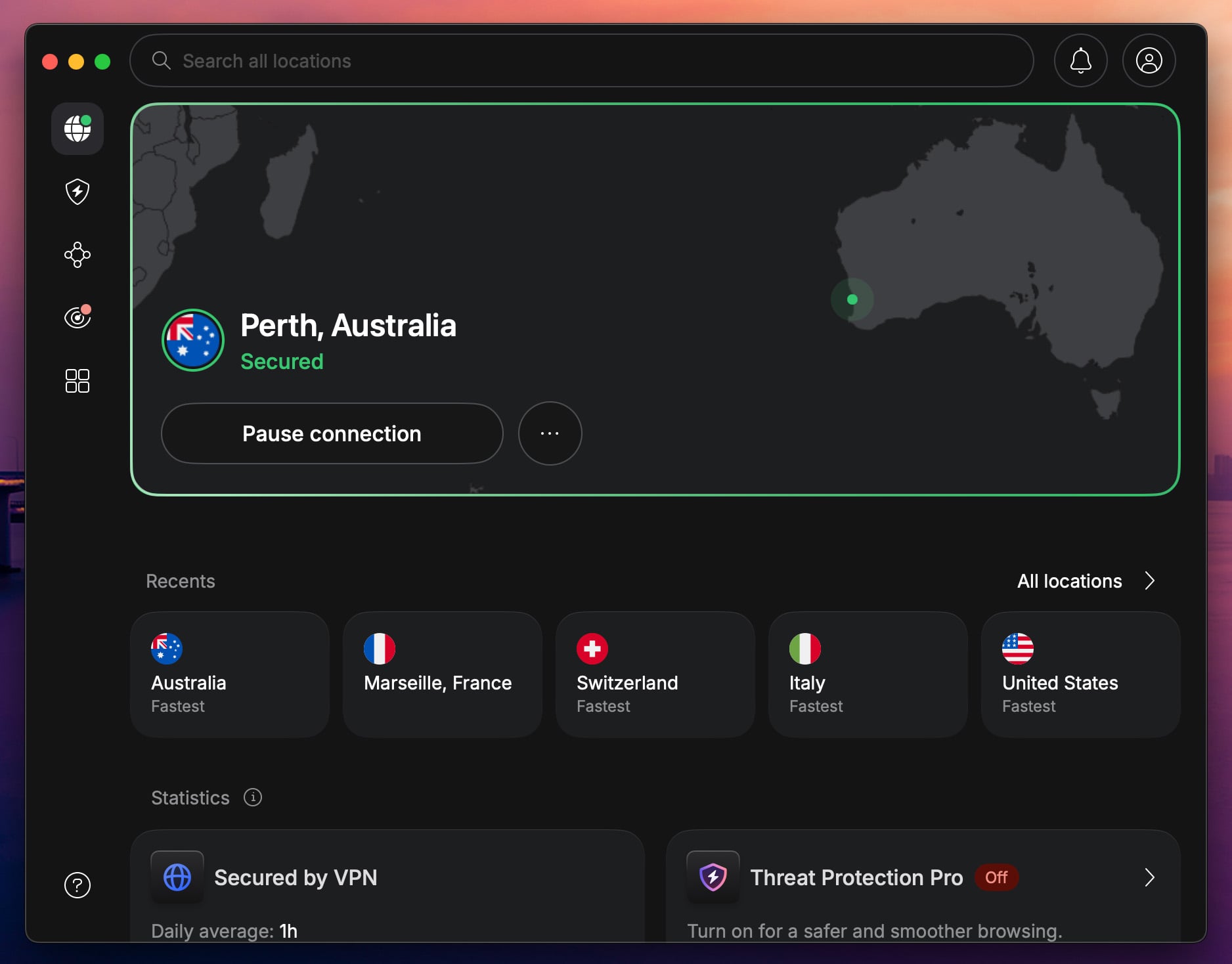
NordVPN has been our #1 from the start because it’s a genuinely all-around package. It’s great for privacy, security, streaming, torrenting, gaming, and even malware protection. This provider has 9,400 servers in 137 countries, unlimited bandwidth, and apps for all devices. Its best features include Double VPN servers, Threat Protection Pro, and Meshnet.
Double VPN servers provide two encryption layers, Threat Protection Pro shields against online threats and malware, and Meshnet, which allows remote device control and access, rounds out an already impressive feature set. NordVPN’s no-logging practices were audited by Deloitte in February 2026, the sixth consecutive independent verification, placing it among the most transparent providers.
NordVPN also stands out as the only provider with an app-level kill switch, letting you cut traffic for individual apps without disconnecting everything else. The macOS app received a complete interface redesign in April 2026, making it one of the most polished desktop VPN experiences available. As a result, it’s perfect to keep your ISP off your back and enjoy total privacy.
As the best overall option, it covers all use cases, from privacy and security to streaming, anonymous torrenting, and Tor over VPN connections. It also won’t cost much, and we recommend the Plus plan at $3.59 per month for two years to get the most out of it. A 30-day money-back guarantee comes as standard.
2. ExpressVPN: Best for Speed

Pros
- Strong speed and performance
- Great ad blocker
- Unlimited bandwidth and data
- Audited no-logs policy
- Affordable 2-year plans
Cons
- No Double VPN servers
- Higher renewal price
ExpressVPN’s streamlined apps are built for enjoyment and ease of use. They work on all devices, providing ample features to keep you safe and secure online. ExpressVPN is impressively fast, with 10 Gbps server ports and the Lightway Turbo VPN protocol. Another key perk is privacy. As you can guess, it has a no-log policy that guarantees exactly that.
Its no-log policy and TrustedServer infrastructure were independently audited by KPMG in February 2025, making it one of the most thoroughly verified services available. ExpressVPN also launched ExpressAI in March 2026, an AI platform exclusive to the Pro plan that runs inside secure enclaves with zero data access by ExpressVPN or the model providers.
The Pro plan additionally includes ExpressKeys, ExpressVPN’s built-in password manager. ExpressVPN includes an ad blocker that also blocks trackers, adding another important safety layer. Moreover, it has premium features like unlimited bandwidth, fully enabled P2P servers, streaming support, and browser extensions.
ExpressVPN is a powerful all-rounder with accessible prices. The biennial Basic plan is enough for most users, with an 78% discount and 4 free months. Its price ranges from $2.44 to $3.49 per month, with a 30-day money-back guarantee, which lets you use ExpressVPN for free if you request a refund.
3. Private Internet Access: Best Cheap VPN
Pros
- Unlimited devices
- Bypasses censorship
- WireGuard for optimal speeds
- Best privacy practices
Cons
- Inconsistent Netflix unblocking
- Virus protection is paid extra
When someone asks why use a VPN, we often show them Private Internet Access and its competitive pricing. At $1.75 to $2.19 per month, you can enjoy all the benefits without breaking the bank. The VPN covers 91 countries, protects unlimited devices simultaneously, and offers apps for all major desktop and mobile systems.
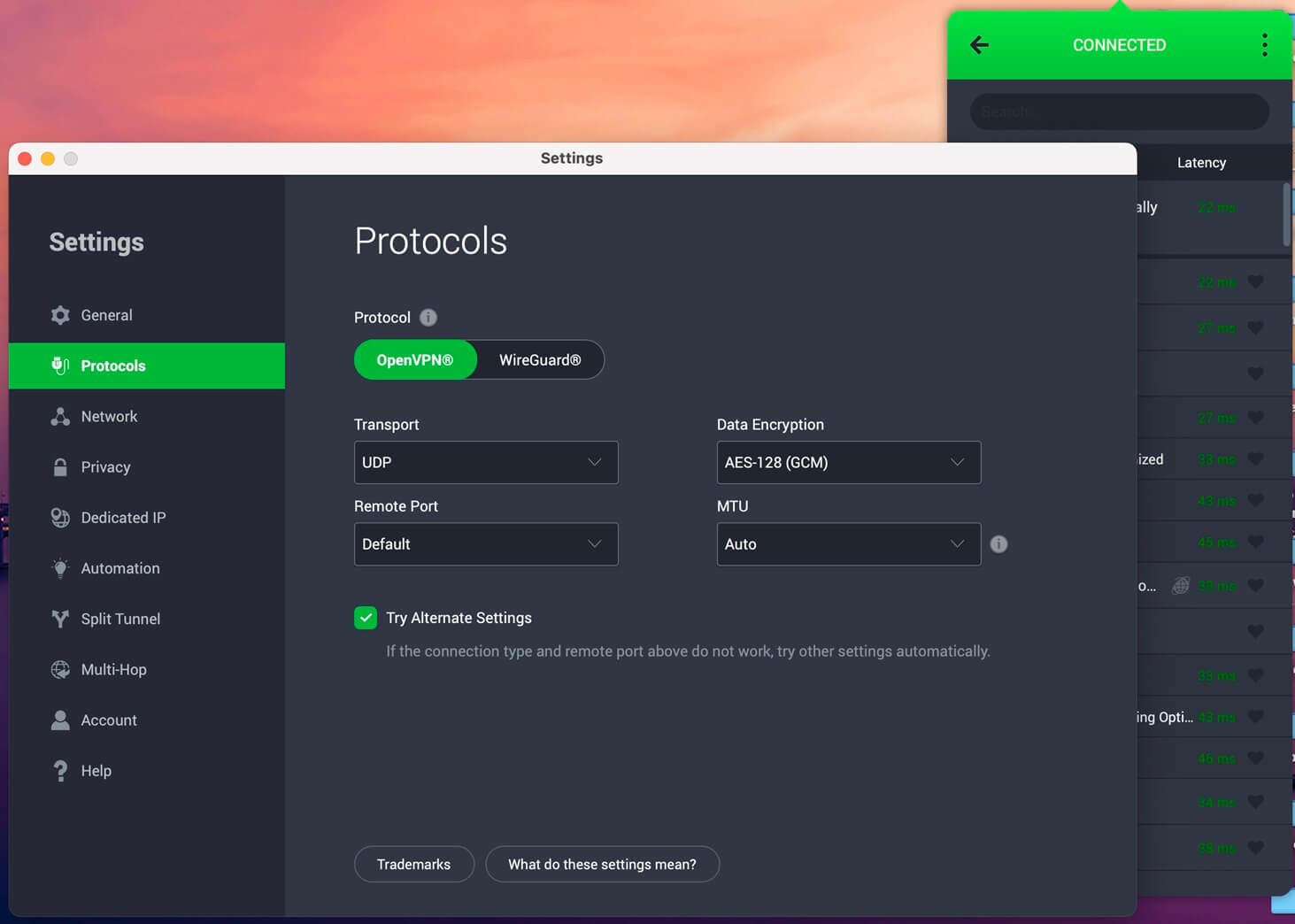
Its VPN app is free to download on Android, iOS, Windows, Linux, macOS, and other devices. On top of that, PIA includes Multi-hop, obfuscation, WireGuard, a no-log policy, a kill switch, and other modern security features. Its no-log claims are backed by Deloitte audits conducted in 2022, 2024, and 2025. The VPN is often used for torrenting, streaming on Netflix, and browsing the dark web securely.
Simultaneously, it’s fast enough for low-ping gaming and watching Ultra HD content on any streaming service. In short, Private Internet Access is well-equipped to handle all needs and remains one of the most respected providers on the market.
Why Use a VPN: The Bottom Line
Why do you need a VPN? Well, you don’t necessarily need one. Everyone can go online and make the most of what they already have, with no protection or ability to access restricted sites. However, if you want to level up and enjoy more of the internet, a VPN is the answer. The eight benefits we discussed are convincing for most users.
Apart from security and privacy, accessing more content is highly attractive, especially if you frequently use Netflix or gamble online. As powerful as they are, VPNs are fairly inexpensive. This means you’ll spend very little and gain quite a lot. In the end, we should reflect on our three recommended VPN services.
We recommend NordVPN as the best-value option, but feel free to explore and use any other reputable provider. ExpressVPN and Private Internet Access check all the right boxes and remain very popular choices in 2026.
Frequently Asked Questions
💎 Is a VPN worth it?
Yes, a VPN is worth it, particularly for your online privacy, security, and unblocking content. In most cases, VPNs are very affordable, costing as little as $2 per month. For this money (and it's really not a lot), you get some of the most advanced privacy and security tools, virtually essential in today's day and age.
🔐 Does a VPN hide your IP address?
Yes, a VPN hides your IP address and changes it to another location. In turn, you hide your true whereabouts, bypass geo-blocks, and access unavailable sites. For example, a VPN can unblock betting sites by changing your IP or provide access to streaming services and libraries otherwise unavailable in your country.
🚨 When is a VPN necessary?
A VPN is necessary when you want to bypass geo-blocks, protect your privacy, save money on online shopping, and torrent safely. There are some things you can't do without a VPN, and streaming is a prime example. For reference, Pluto TV works in the USA, but you can use a VPN to unblock it abroad.
🔛 Should you always use a VPN?
No, you shouldn't always use a VPN. When shopping online on a local site, you don't need it because it'll change your online location. Similarly, a (low-quality) VPN may slow down your internet connection for gaming. A high-quality VPN may be used 99% of the time and still improve your online experience.