
Saudi Arabia lifted its ban on internet calling apps in 2017, but WhatsApp wasn’t on the list of apps that came back. Chats, voice notes, and photos go through as normal. Voice and video calls are another story. They connect for a few weeks on some networks, then fail again without warning.
For the millions of expats calling family abroad, that turns the cheapest line home into a gamble. With a VPN, the call leaves Saudi Arabia through a server in a country without call restrictions, and the local network sees only encrypted data. After a one-time setup, calls connect whenever you dial.
WhatsApp Calls in Saudi Arabia: Quick Steps for 2026
- Subscribe to a VPN, ideally before your trip. We recommend NordVPN, which disguises VPN traffic on filtered networks.
- Install the app on the phone, tablet, or computer you call from.
- Connect to a server in Turkey or Cyprus, or another nearby country where calls are unrestricted.
- Open WhatsApp and make a call. Voice and video calls now go through the VPN server.
Do WhatsApp Calls Work in Saudi Arabia?
Only partly. The app isn’t banned, and chats, media, and WhatsApp Web behave normally on STC, Mobily, and Zain. Calls are the problem. When other calling apps came back in September 2017, they had met the regulator’s licensing rules. WhatsApp didn’t qualify, and since then its calls have worked for a while on some networks, then failed again.
The regulator has announced no change. The motive is largely commercial. Free calls compete with the international calls that local carriers sell to the Kingdom’s large expat population. For that reason, the regulator, now called the Communications, Space and Technology Commission (CST), has long been strict with free calling apps.
Its controls go well beyond calls, too: Freedom House rates Saudi Arabia 25 out of 100 in its Freedom on the Net 2025 report. Some apps do call normally, such as Zoom, Google Meet, and Botim, the licensed calling app. Travel eSIMs and roaming SIMs often connect WhatsApp calls as well, since their data leaves through a foreign carrier’s network.
However, Wi-Fi at home and in hotels uses local networks, and relatives abroad rarely use the same alternative app. That’s why a VPN is the simplest way to keep calling on WhatsApp itself. Using a VPN in Saudi Arabia isn’t illegal either, although the Kingdom’s laws on online content still apply.
How to Make WhatsApp Calls in Saudi Arabia With a VPN
Some VPN websites are blocked on Saudi networks, so subscribing from abroad is easier. After checkout, install NordVPN on the phone you call from and sign in. Besides its VPN app for Android, NordVPN covers iPhone, Windows, and Mac, so WhatsApp on a laptop works the same way.
Then choose the server. Distance sets the delay on a call, and Turkey, Cyprus, and Greece are close enough that voices arrive with no noticeable lag. The UAE, Qatar, and Egypt are near as well, but they restrict WhatsApp calls themselves, so they won’t help. Sometimes the VPN fails to connect, or a call cuts out after a few seconds.
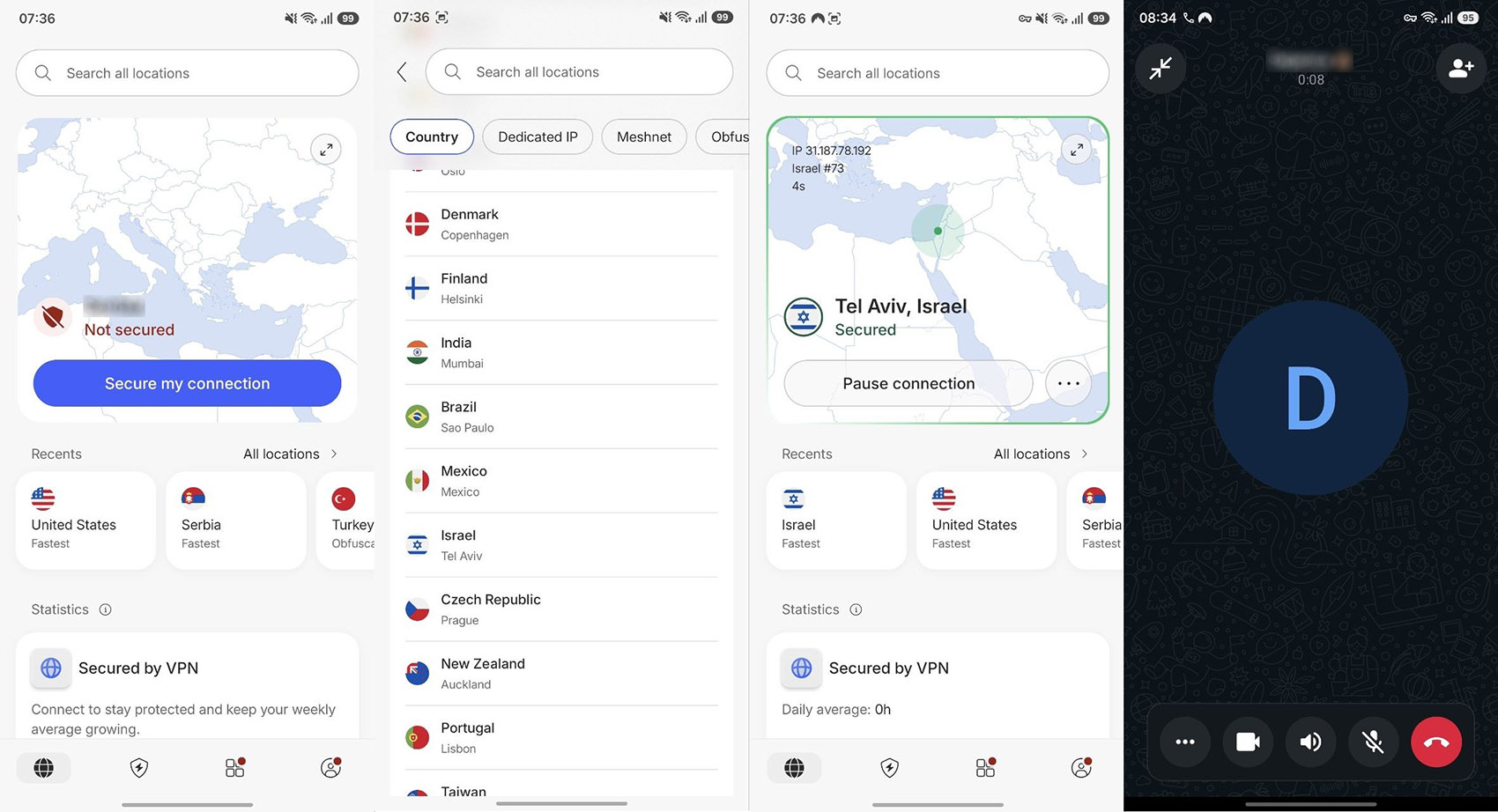
In that case, the network is probably filtering VPN traffic. NordVPN’s answer is in its Specialty servers menu: select Obfuscated Servers and connect to one of the countries there. That mode makes the VPN connection look like standard encrypted web traffic.
Get NordVPN for WhatsApp Calls
Once connected, call from WhatsApp as usual, and keep the VPN connected, because switching it off mid-call ends the conversation.
Tip on Wi-Fi and Mobile Data: Saudi home Wi-Fi, hotel Wi-Fi, and mobile data go through the same filtered networks. Use the VPN for calls on any of them. Enabling auto-connect also launches it whenever the phone restarts.
Best VPN for Saudi Arabia WhatsApp Calling
A VPN for calls from Saudi Arabia has to hide what it is and keep ping low. We chose these three for their obfuscation and their servers close to the Gulf. In addition, NordVPN and Proton VPN connected WhatsApp voice and video calls smoothly in our phone tests.
1. NordVPN: Best for Reliable Calls on Filtered Networks
Pros
- Disguised servers for filtered networks
- Servers in Turkey, Cyprus, and Greece
- Kill switch for dropped connections
- Blocks scam and malware sites on the Complete plan
- 10 devices per subscription
Con
- App menus take time to learn
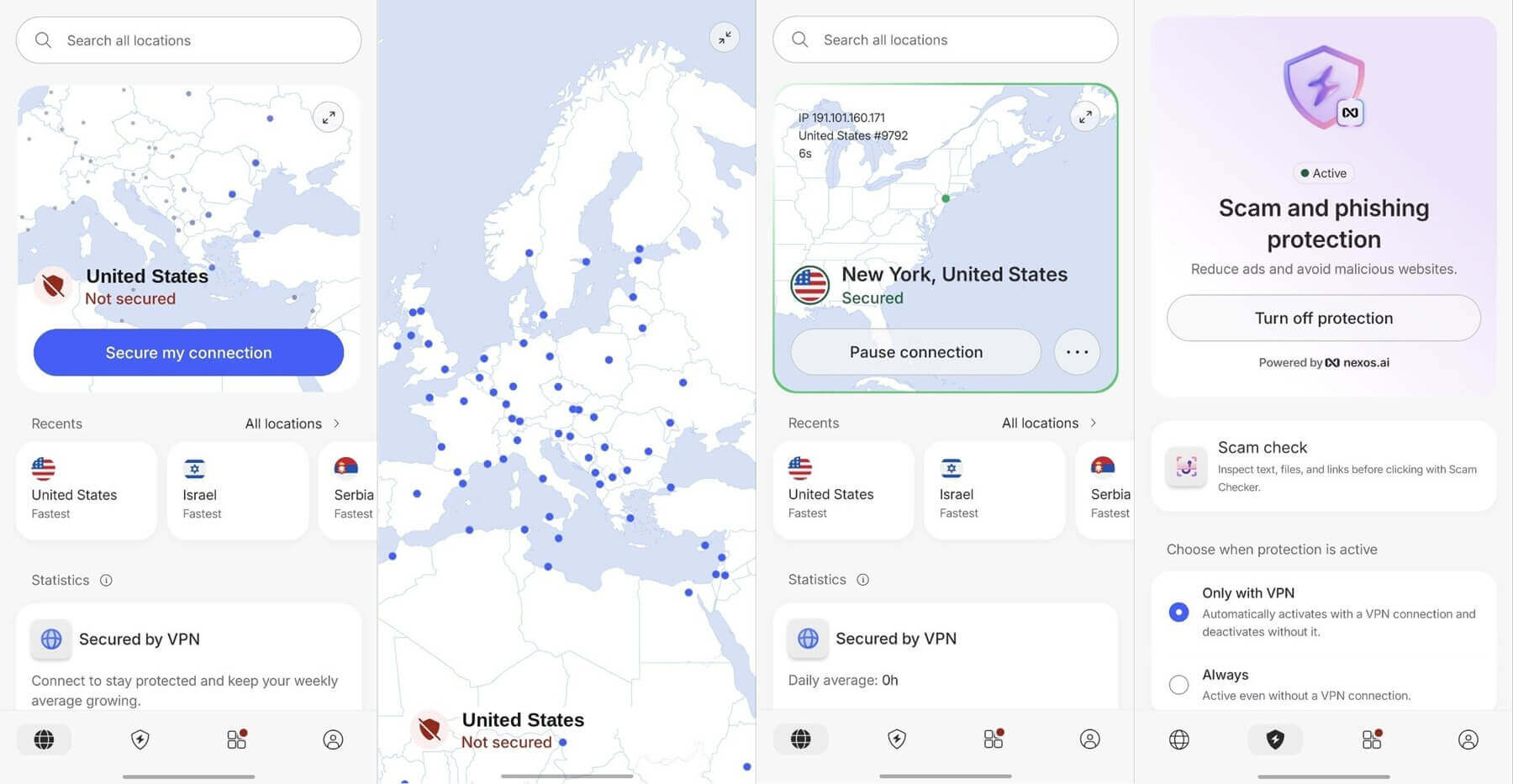
NordVPN, our best VPN overall, is the one we’d install for calls home from Saudi Arabia. When STC or Mobily blocks a standard VPN connection, its obfuscated servers switch to NordWhisper, a NordVPN protocol that makes the tunnel resemble everyday browsing.
That disguise costs some speed, however, so reserve it for days when the regular servers won’t connect. On normal days, the standard servers are quicker and keep video sharp. Calls on NordVPN had no lag or stutter in our phone tests, on voice or video.
In fact, NordVPN and ExpressVPN shared first place in our fastest VPN tests, each losing only 7.8% of the connection’s speed. NordVPN’s network spans 152 countries, so a nearby server is a tap away. As for price, its Basic plan works out to about $3.50 a month over two years, and a 30-day money-back guarantee applies.
2. Proton VPN: Best for Stealth on Every Server
Pros
- Ad and tracker blocking on paid plans
- Optional double-server connection
- Swiss privacy law
- Open-source apps
Con
- No post-quantum encryption
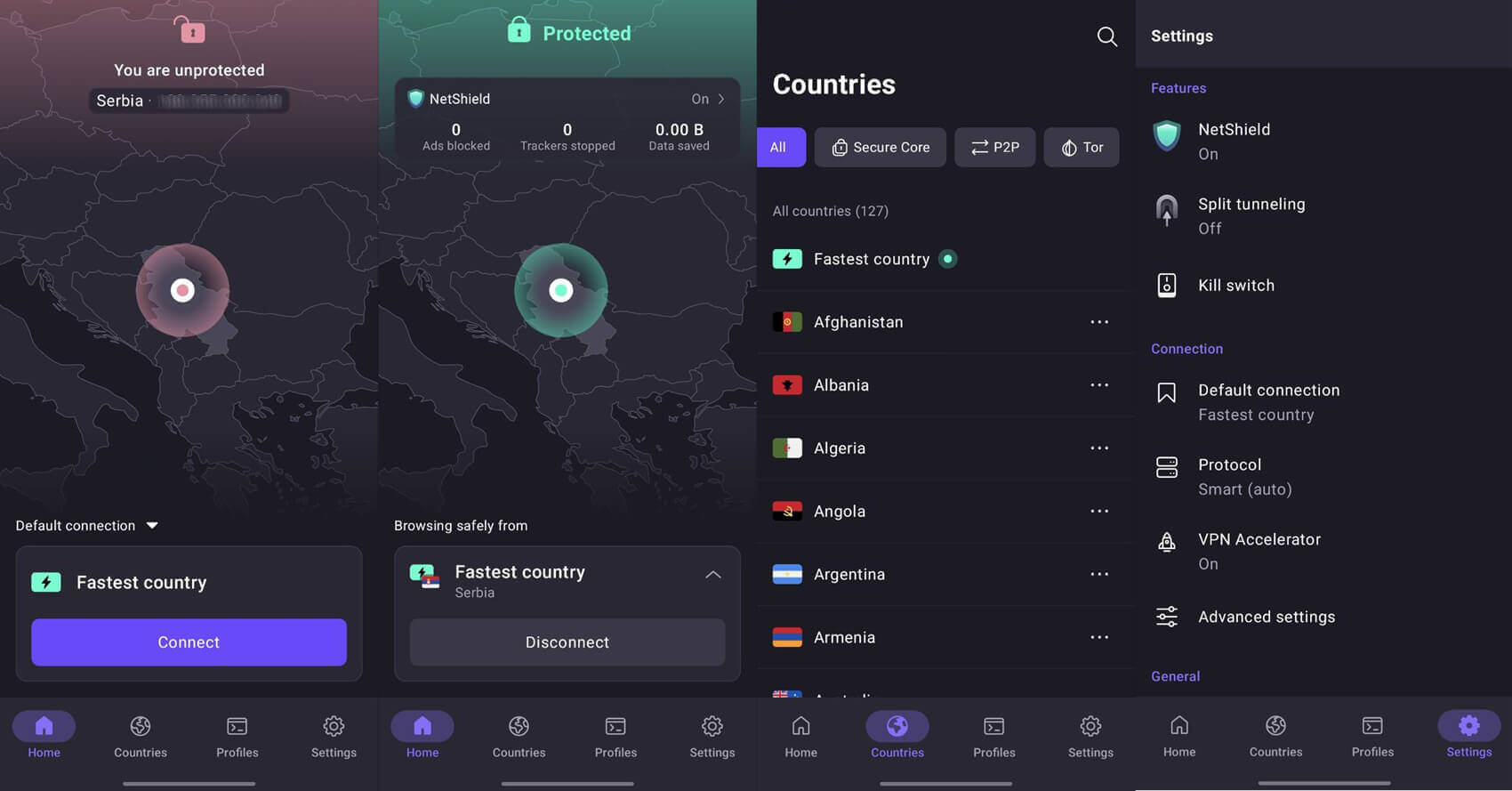
Proton VPN is the strongest alternative to NordVPN for calling from Saudi Arabia, mainly because of Stealth. This protocol hides the fact that you’re using a VPN, and it works on every server. As a result, you can connect to Turkey or Cyprus and still disguise the connection.
Its average speed loss was 10.2% in our tests, more than NordVPN’s, yet still far above what an HD video call uses. On VPN Plus, our test calls were smooth, with clear voices and no frozen video. Beyond calling, the Swiss company publishes its app code and has its no-logs policy audited every year, so it keeps no record of the connections you make.
A two-year VPN Plus subscription comes to about $3 a month. Proton VPN’s free plan also includes Stealth, but free accounts can’t choose a server.
3. ExpressVPN: Best for Automatic Obfuscation
Pros
- Simple one-button app
- Servers keep no data after a restart
- Apps for every major platform
Cons
- Few advanced settings
- Higher renewal price
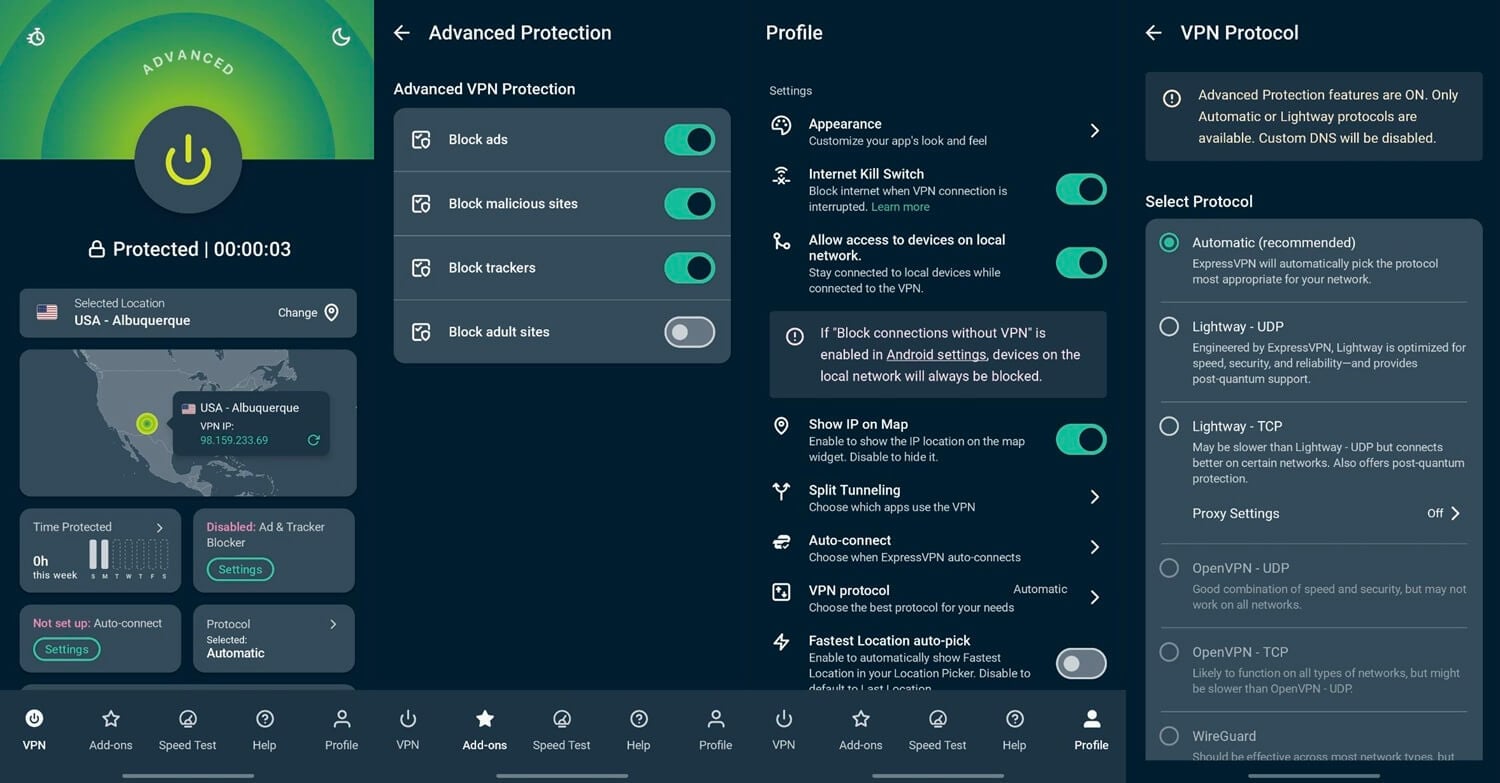
ExpressVPN takes the setup work out of calling. Its obfuscation turns on by itself when a network filters VPN traffic, so there’s no special server to look for before you dial. It also always connected in one to two seconds in our tests, so it was very reliable.
That helps when a relative calls and the VPN happens to be off. ExpressVPN has servers in Turkey, Cyprus, and Greece as well, so a short, low-ping connection is always available. ExpressVPN’s two-year Basic plan comes to roughly $3 a month for up to 10 devices.
Can a Free VPN Unblock WhatsApp Calls in Saudi Arabia?
Yes, for occasional calls, as long as it disguises its traffic. Proton VPN’s free plan offers Stealth with unlimited data, so it’s the one we’d start with. However, the app chooses your server for you, and a far-off one makes voices arrive late. Windscribe and PrivadoVPN, two of the best free VPNs for Android, let you choose from a short list of countries.
In our phone tests, their free plans connected WhatsApp calls as smoothly as paid VPNs, while Hide.me’s free plan lagged and froze on video. Their free plans also cap data at 10 GB a month. Since a video call uses roughly ten times more data than a voice call, daily video calls use up that allowance fast. Some free VPNs aren’t safe for private calls.
Hola VPN, for example, keeps activity logs, and its free Windows app turns your connection into part of its peer network. So for daily calls home, a paid VPN you can refund within 30 days costs little and removes the guesswork.
Conclusion
A VPN makes WhatsApp calls from Saudi Arabia dependable, and the setup takes a few minutes. Subscribe from abroad if you can, then connect to Turkey, Cyprus, or Greece before you dial. When a call still cuts out, the server is usually busy, so switching to another nearby country fixes it faster than changing settings.
NordVPN’s obfuscated servers are there for the rarer days when the network blocks the VPN itself. As for free VPNs, I suggest avoiding them if reliable calling matters. Or at least, don’t rely exclusively on them.
Frequently Asked Questions
Is WhatsApp banned in Saudi Arabia?
No, it doesn't. WhatsApp works for text messaging, but voice and video calls are blocked (they have been since 2019). A VPN unblocks Saudi Arabia WhatsApp call functions and reconnects you to your friends and family.
Why are WhatsApp calls restricted in Saudi Arabia?
While millions of residents and travelers use VPNs to bypass restrictions, the legality of VPN use in Saudi Arabia is a gray area. VPNs are not explicitly illegal, but using them to access restricted services may conflict with local regulations. Always weigh the risks before proceeding.
Is it legal to use a VPN in Saudi Arabia?
The most reliable method is to use a VPN. A VPN encrypts your internet traffic and reroutes it through a server in another country where WhatsApp calls are not restricted. This makes it appear as though you’re connecting from abroad, restoring full calling functionality.
Do WhatsApp video calls use more data through a VPN?
No, it's not banned. It's just restricted to chatting. You can download and use WhatsApp in Saudi Arabia, but by default, you can't make and receive calls. To unblock this function, you need a VPN and a foreign IP address.
Does WhatsApp Web work in Saudi Arabia?
Yes. WhatsApp Web and the desktop app send and receive messages normally. Calls from the desktop app face the same restriction as phone calls, so they also require a VPN.