Does NordVPN work with Netflix in 2026? Short answer: yes. We re-tested it in October 2026, and it unblocked every major Netflix library we tried, from the US to Japan, without tripping the platform’s proxy detection. That’s no small feat. Netflix runs libraries in 190 countries, licenses content region by region, and actively hunts down VPN IP ranges to keep viewers inside their local catalog.
Below, we’ll cover how NordVPN performed in our tests, how to set it up in 4 steps, which libraries it unblocks, and what to do on the rare occasion it hits a snag.
Does NordVPN Work With Netflix?
Yes, we can confirm that NordVPN works reliably with Netflix. We test NordVPN regularly and extensively, and it has proven to be the most effective option for changing region on Netflix. In our most recent testing, servers in New York, Dallas, London, Toronto, and Tokyo loaded region-exclusive titles on the first try, no proxy error and no drop in playback quality. 4K streams held their resolution throughout.
Part of the credit goes to SmartPlay, NordVPN’s built-in Smart DNS technology that runs automatically on every server and smooths out the unblocking process without any setup on your end.
How to Use NordVPN on Netflix: Step-by-Step Guide
Using NordVPN to access Netflix’s diverse content library is straightforward. Here’s a step-by-step guide to get you started:
1️⃣ Subscribe to NordVPN
Visit the NordVPN website to create an account. The VPN has various plans with different pricing options, including monthly, yearly, and multi-year plans. Once you’ve made your pick, complete the sign-up process on the checkout page and pay for the plan. To get the best price, check out the current promotions at NordVPN. If you’re reading this around Black Friday and Cyber Monday, you can also visit our page on the best VPN deals for Black Friday.
2️⃣ Download and Set Up the VPN App
The VPN provides apps for a wide range of devices, including Windows, Mac, iOS, Android, and some smart TVs and routers. Head over to the download section and select the appropriate software for your device. Follow the instructions to download and install it. The process is simple and only takes a few minutes. If you encounter any NordVPN Netflix setup issues, you have 24/7 live chat support.
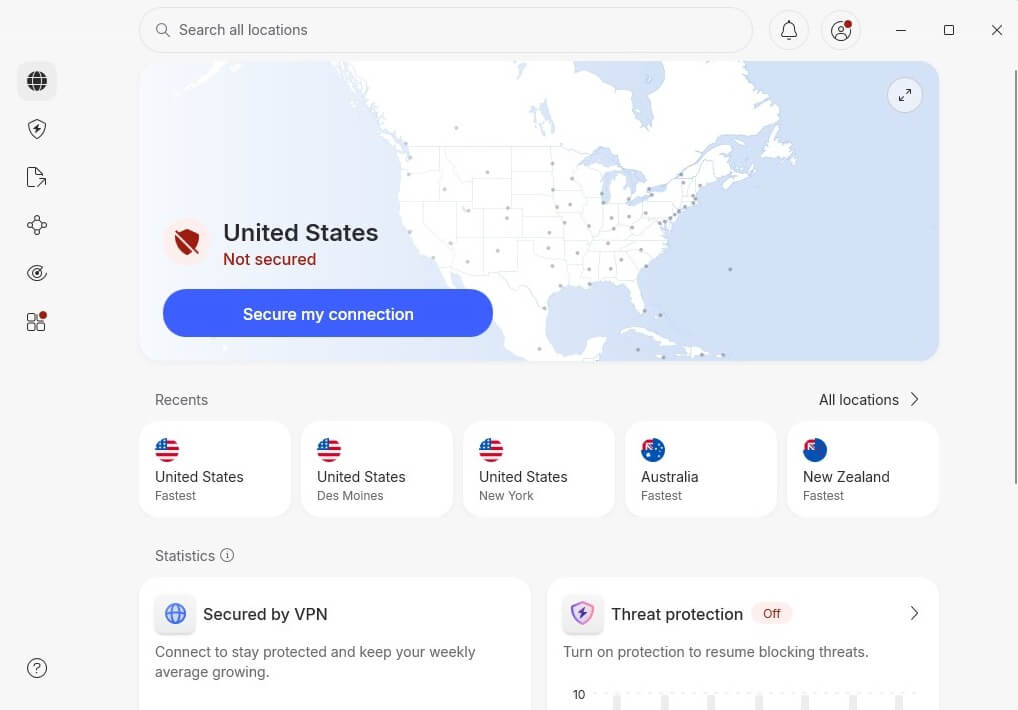
3️⃣ Connect to a VPN Server
To access content from a specific region, connect to a server in that country. For example, if you want to watch US Netflix, navigate to the server list and select that location. Simply clicking it will establish a VPN connection. For this NordVPN Netflix guide, I picked a server in Australia, as I’m currently in the USA.
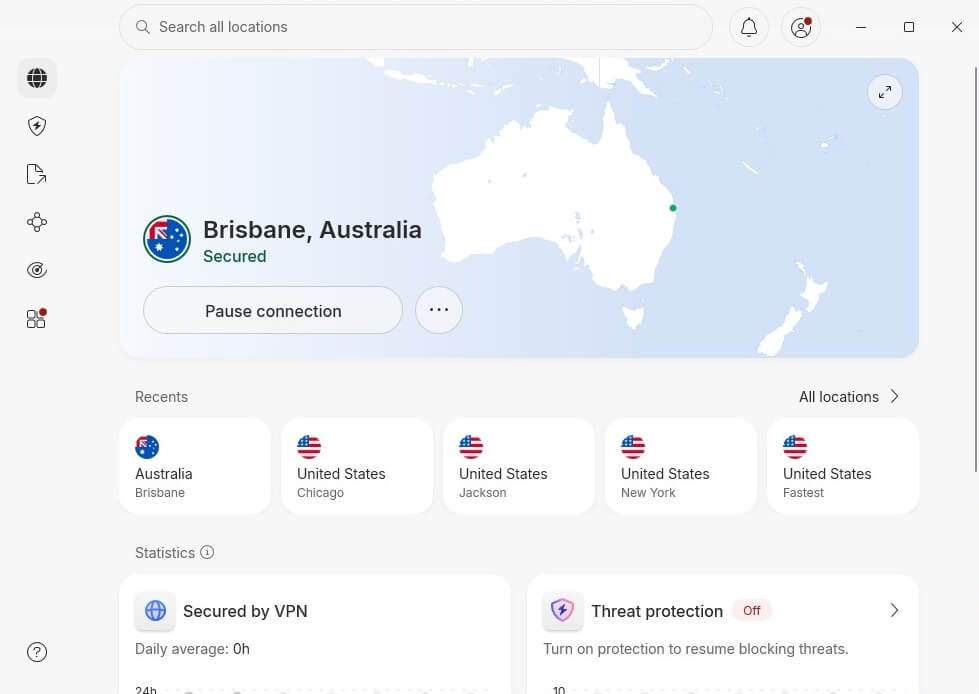
4️⃣ Visit Netflix and Start Streaming
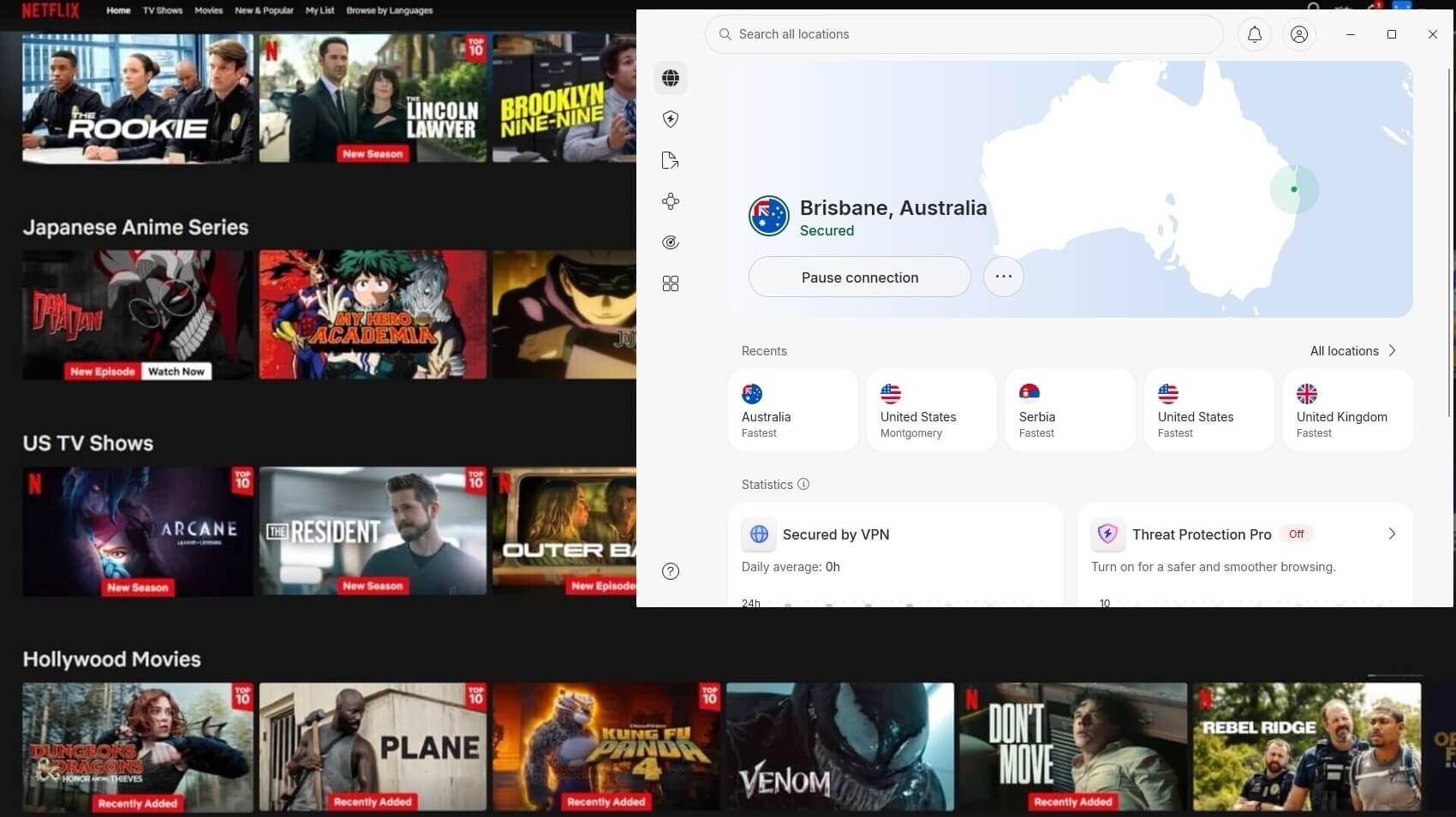
Launch the streaming app or head to its website, and you can now access the content library corresponding to the country of the server you selected.
Why You Should Use NordVPN With Netflix
What makes NordVPN such an excellent VPN choice for Netflix? Here’s where it earned its marks in our testing in October 2026.
Unblock Multiple Libraries
NordVPN unblocked over 20 Netflix libraries in our tests, more than any other provider we’ve put through the same routine. Connect to a server in the United States, Canada, Germany, France, Japan, Australia, and beyond, and the local catalog loads as if you were a resident.
4K Streaming Without Buffering
Streaming needs a stable, fast connection, and this is where NordLynx, a WireGuard-based protocol, does the heavy lifting. In our tests, it kept 4K playback smooth from start to finish, with no resolution drops mid-episode. It’s a big part of why we rate NordVPN as a top VPN for streaming. As a side benefit, the encrypted tunnel also stops your ISP from throttling your connection when it spots streaming traffic.
SmartPlay for Tricky Devices
SmartPlay is NordVPN’s Smart DNS layer, and it runs automatically whenever you connect. It reroutes only the DNS portion of your traffic, which is what lets Netflix unblocking work on devices that can’t run a full VPN app: Apple TV boxes, older smart TVs, and gaming consoles. Set it up once through your device’s DNS settings, and Netflix behaves as if you were in your chosen region.
Dedicated IP Address
Regular VPN servers use shared IP addresses. While that has security and privacy benefits, the streaming platform regularly blocks IP addresses associated with a high volume of VPN connections. NordVPN offers dedicated IPs (as a paid add-on) assigned to a single user. That significantly reduces the chances of running into roadblocks associated with shared IPs. You can get a dedicated IP address in 18 countries, including the US, UK, Germany, and Japan.
Compatibility
NordVPN supports the full spread of Netflix-capable devices. It has apps for Windows, macOS, Linux, Android, iOS, and Amazon Fire TV devices, plus a VPN extension for Chrome, Firefox, and Edge. And where there’s no native app, SmartPlay picks up the slack, so your Netflix sessions aren’t limited to one device.
Which Netflix Libraries Does NordVPN Work With?
During our extensive NordVPN tests, we attempted to unblock Netflix libraries in various regions around the world. We could successfully view exclusive content in over 20 libraries, more than any other provider. These are some of the most sought-after catalogs because of the wide and diverse range of titles available.
For example, as of 2026, the US library has more than 7,100 titles, and you’re spoiled for choice with the UK’s nearly 7,800-strong haul. Here are some of the regions you can unblock from anywhere in alphabetical order:
| Argentina | Australia | Brazil | Canada | France | Germany |
| Italy | Japan | Netherlands | Mexico | Poland | Singapore |
| South Africa | Spain | Sweden | Turkrey | United Kingdom | United States |
NordVPN Netflix Not Working: Possible Fixes
Yes, NordVPN works with Netflix, as we’ve highlighted. Every once in a while, you may connect to a NordVPN server and settle in to binge-watch your favorite show, only to run into an error message like this:
“You seem to be using a VPN or proxy. Please turn off any of these services and try again.”
Thankfully, there are several steps you can take to resolve this issue and get back to streaming. (If you’re troubleshooting a different provider, our guide on what to do when your Netflix VPN isn’t working covers the general fixes.)
- Switch servers. Netflix may have blocklisted the specific server you’re on. With over 9,500 servers in 137 countries, NordVPN makes this an easy fix: click the same country or city in the app, and you’ll land on a different server in that location.
- Clear cache and cookies. If you loaded Netflix before connecting the VPN, cached browser data can give away your real location. Clear both cache and cookies in your browser settings, restart the browser, and try again.
- Reset DNS settings. A custom DNS server outside NordVPN can interfere. Switch to NordVPN’s recommended addresses, 103.86.96.100 and 103.86.99.100, following the setup instructions on its website.
- Update the app. NordVPN regularly ships fixes that restore Netflix compatibility. Check your app store or the app itself for updates, install, restart, and reconnect.
- Disable Threat Protection. The ad and tracker blocker occasionally interferes with streaming. Turn it off in the VPN’s settings and reload Netflix.
- Contact support. As a last resort, NordVPN’s live chat and email support run around the clock and can point you to servers currently working with Netflix.
Free VPN or NordVPN for Netflix: Honest Truth
A free provider can never be a NordVPN alternative. This more so applies to Netflix, where free VPNs rarely, if ever, work. Their small, overcrowded networks are the first IP ranges Netflix blocks, their speeds struggle with HD (let alone 4K), and monthly data caps end a binge session fast. I tried them personally.
I only had luck with a few, like PrivadoVPN and Windscribe; their 10 GB data cap meant I couldn’t watch anything in high resolution, at least not higher than HD. NordVPN is the best option for effective unblocking, plus you have a 30-day money-back guarantee to practically test it for free.
Summary: Does NordVPN Work With Netflix After All?
NordVPN works with Netflix, and it does so more consistently than any other VPN we’ve tested, unblocking over 20 libraries with 4K playback. Between NordLynx speeds, SmartPlay for app-less devices, and a server network deep enough to sidestep any block, it’s the first VPN we’d point Netflix viewers to.
If you want to see it for yourself risk-free, the 30-day money-back guarantee makes it easy. And if you’d like a second opinion before committing, see how its closest rival handles the platform in our ExpressVPN Netflix guide.
Frequently Asked Questions
🔓 Can I unblock Netflix US with NordVPN?
Yes, you can. NordVPN offers over 3,400 servers in the USA alone, and all of them work with Netflix right now. Simply pick any server and connect. You can stream Netflix US anywhere and watch all the exclusive content.
🟢 Does NordVPN work on Netflix UK?
Yes, it does. NordVPN unblocks Netflix UK easily, anywhere, thanks to 440+ servers there. You just need to click the UK on the server list, and you're done.
🌐 What are the best NordVPN Netflix servers?
There are no best NordVPN Netflix servers, as almost all work if they're in the required location. For instance, for Netflix US, all servers work well, no matter the state. But the best ones would be the closest to you, which would minimize latency and offer the best speeds for Full HD and 4K streaming.
✅ Does NordVPN work on Netflix Australia?
Yes, NordVPN works on Netflix Australia very well, no matter your location. Servers in Perth and Brisbane work for streaming and unblocking Netflix Australia movies and series. Use NordLynx to get the best speeds since Australia is very far for people in most countries, except for a few, like New Zealand.