
Wondering if ExpressVPN works with Netflix in 2026? It does, and in our latest round of checks, it handled the platform’s proxy detection with fewer hiccups than most of its rivals. That reliability matters, because Netflix runs around 190 regional libraries shaped by their licensing deals, and it has spent years refining the technology that sniffs out VPN traffic and locks viewers into their local catalog. This guide exlpains how to get set up, what to do if a server gets flagged, and why it keeps earning its place among our streaming picks.
ExpressVPN Netflix: Does it Work in October?
Yes, ExpressVPN works with Netflix. In fact, based on numerous reviews, we’ve rated the provider as one of the best VPNs for Netflix. In practical terms, that gives you two options. You can keep your traffic encrypted while watching the catalog curated for your country, or you can switch to foreign libraries and browse titles that never made it to your region. When we last tested in October 2026, US, UK, Canadian, and Japanese libraries all loaded on the first attempt, and 4K playback held steady.
ExpressVPN Netflix Tutorial: How to Unblock Content?
Here’s a straightforward guide for watching Netflix with ExpressVPN.
1. Sign Up for ExpressVPN
Very simple. Click below, go to ExpressVPN’s site, and pick the plan that saves you the most. In my experience, the Basic plan is sufficient for this ExpressVPN Netflix setup. It offers the fewest features, but still works for streaming. Plus, it saves you over 80% and costs just $2.49/mo, with a 30-day refund policy.
2. Set Up ExpressVPN for Netflix
Once subscribed, download and install ExpressVPN on your device. This ExpressVPN Netflix setup applies to all devices and systems: Windows, macOS, Android, iOS, tvOS, Fire OS, etc. When installed, launch ExpressVPN and sign in to your account using your previously created account credentials. Finally, connect to a server location of the library you want to access; in my case, it was Netflix UK.
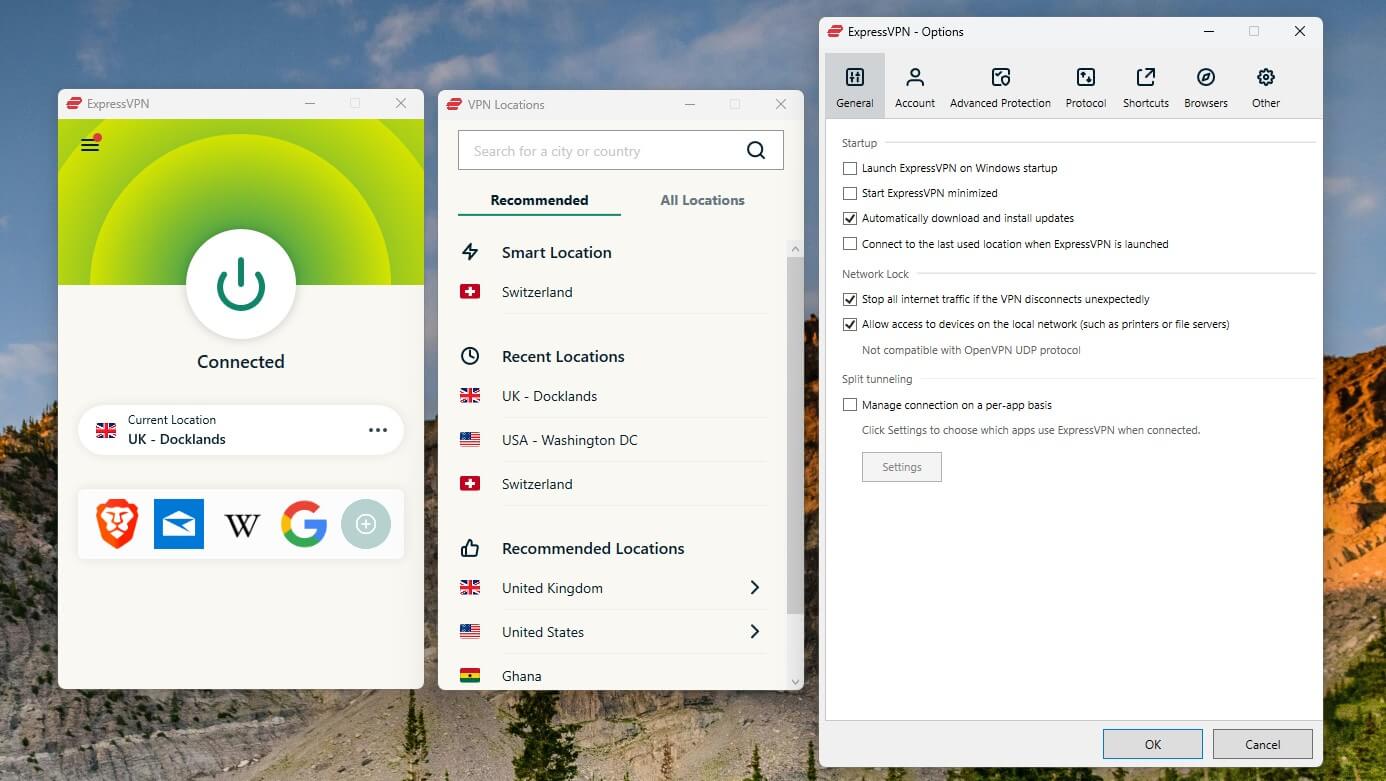
3. Watch Netflix With ExpressVPN
My UK server connection allowed me to access Netflix UK with ExpressVPN, while I was in the United States. However, you can pick virtually any popular server location, and it’ll likely work. In my tests, I could unblock Netflix US, Canada, Japan, Australia, and other content-rich movie and series catalogs.
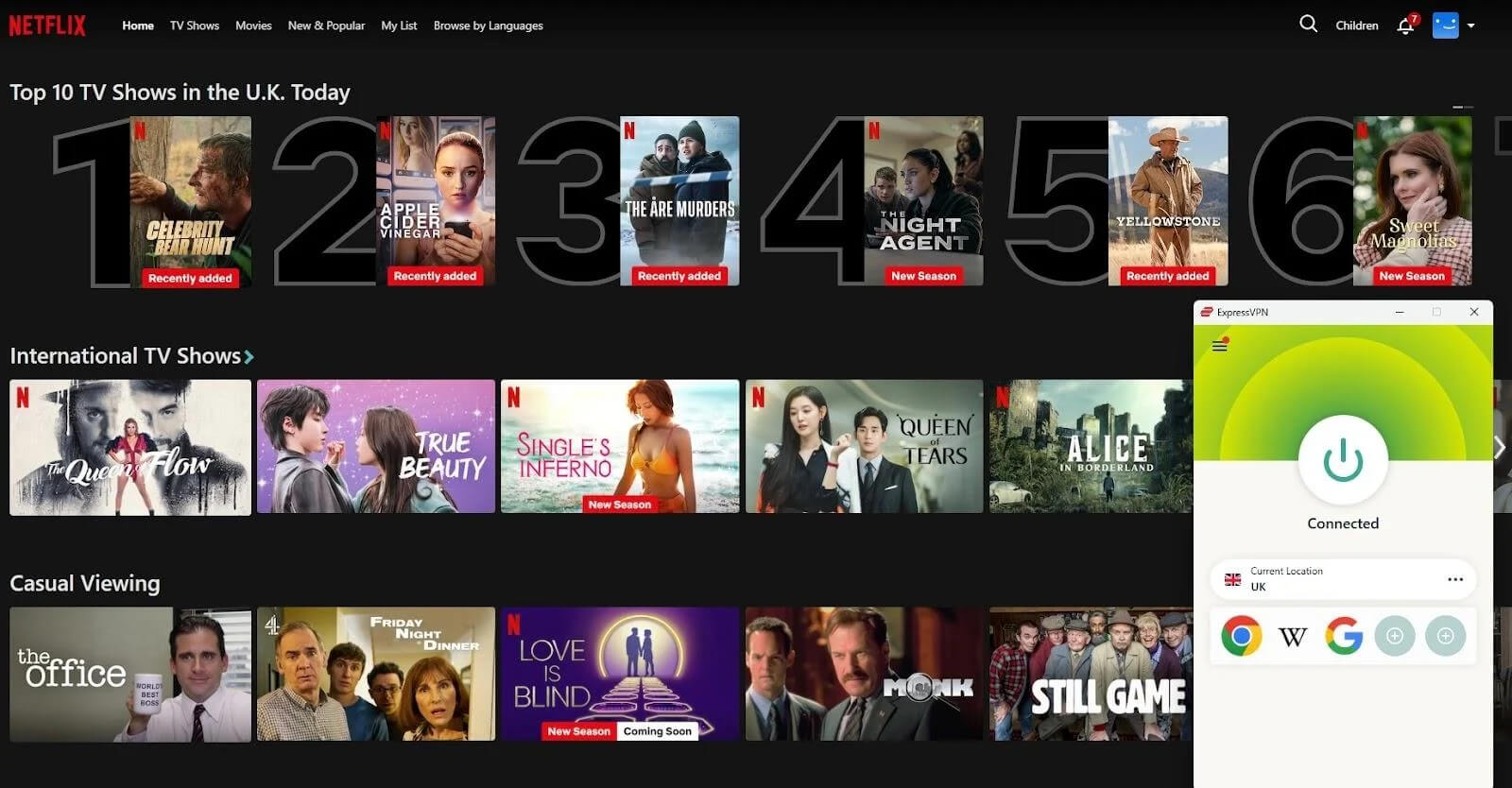
ExpressVPN Netflix Not Working: Possible Fixes
So, you’ve grabbed the popcorn and settled in for a fun evening of binge-watching your favorite show. However, upon opening the streaming service (via its app or website), you’re greeted with the dreaded error message:
“You seem to be using a VPN or proxy. Please turn off any of these services and try again.”
We know just how frustrating that can be. Fortunately, the fix is usually quick. Here are the measures to try, roughly in order of how often they work:
Sign Out and In Again
It’s a ridiculously simple fix, but you’d be surprised at how often it works. Logging out of your Netflix account and then signing back in will refresh your connection. Plus, it may resolve minor issues preventing ExpressVPN from working correctly.
Confirm Your IP Address
To access foreign Netflix catalogs, ExpressVPN must hide your IP address to spoof your location. It rarely happens, but it’s possible that the VPN failed to do so. Or you may have made a mistake. Either way, you can check your current IP address on a website whatismyipaddress.com. If it displays your original IP address, head back to the VPN and ensure it’s connected to your preferred server location.
Change the Server
As effective as ExpressVPN is for bypassing Netflix’s geo-blocks, it still has IP addresses on the streaming service’s blocklist. You may be having issues because you’re connected to one of the servers with those IPs. Just switch to a different server location in the same country. Here are some of the best ExpressVPN servers for watching Netflix. They’re locations that work well according to users and the VPN.
| Netflix Library | Server Location |
| United States | Washington DC San Francisco New York Denver New Jersey – 1 New Jersey – 3 |
| Canada | Vancouver Toronto – 2 |
| United Kingdom | London East London Wembley |
| Germany | Frankfurt – 2 |
| France | Paris – 1 Strasbourg |
| Japan | Tokyo |
| Australia | Sydney Melbourne |
| Italy | Milan Naples |
| Spain | Barcelona – 2 Madrid |
Clear Cache and Cookies
Your browser’s cache and cookies store data that can interfere with your VPN connection and reveal your actual location. Here’s what to do to remove that residual data: go to your browser settings, clear the cache and cookies, and then restart your browser. Now, reconnect to ExpressVPN and try accessing Netflix again.
Update the VPN App
ExpressVPN frequently updates its app to improve performance and bypass new blocks set by Netflix. You want to ensure you always have the latest version. The VPN’s apps have an option to download and install updates automatically. Go to settings and check the appropriate box to grant that permission.
Switch the Protocol
The VPN supports multiple VPN protocols: OpenVPN, IKEv2, WireGuard, and its own Lightway protocol. Sometimes, switching to a different protocol can resolve issues with Netflix. To do this, go to the protocol settings in your ExpressVPN app. The Automatic option may be selected by default. Manually switch between Lightway UDP/TCP, OpenVPN UDP/TCP, and IKEv2 (on Mac or iOS).
Use MediaStreamer Instead
A SmartDNS service built specifically for streaming. Based on our evaluations, it works well with Netflix and is the answer for gaming consoles, older smart TVs, and other devices that can’t run the VPN app at all. Two trade-offs to know about. It won’t encrypt your traffic, so the streaming service (and potentially other prying eyes) can detect your IP address. And it only works with the American catalog.
Check ExpressVPN’s website for instructions on configuring your device with MediaStreamer. If, despite all this, you still can’t get it to work, we recommend checking out our guide on one of the best alternatives to ExpressVPN.
Contact Support
The VPN’s responsive customer service team is available 24/7 and can provide you with an updated list of servers that work with Netflix or help you through other troubleshooting methods.
Why ExpressVPN is Great for Netflix
If you’re going to use a VPN with Netflix, you want one that improves your streaming experience rather than getting in its way. Here’s how ExpressVPN pulls that off:
- Consistent unblocking, year after year. We’ve been testing ExpressVPN for years, and its 3,000+ servers in 105 countries cover the most popular Netflix libraries. You can watch Netflix US or UK from outside those countries hassle-free.
- Speeds built for 4K. The 10 Gbps servers kept our HD and 4K test streams free of buffering, with the custom Lightway protocol delivering the smoothest results. Fast enough that we forgot the VPN was on.
- Wide compatibility. Apps or manual configurations for Windows, Mac, iOS, Android, Android TV, Amazon Fire TV, Linux, and routers, plus a native Apple TV VPN app, still a rarity. Browser extensions cover Chrome, Firefox, Edge, and Brave.
- No data caps or throttling. Every plan includes unlimited data, and AES-256 encryption hides your streaming from your ISP, so it can’t throttle you for heavy use either.
- Privacy that holds up. A strict no-logs policy audited by KPMG, RAM-only TrustedServer infrastructure, and Threat Manager blocking trackers and malware while you stream.
Does ExpressVPN Free Trial Work With Netflix?
Yes, the ExpressVPN free trial works with Netflix. The provider offers a 3-day free trial for its VPN, available on mobile devices. You can take advantage of it by downloading the app on your smartphone or tablet via the App Store or Google Play Store. Don’t forget to cancel before the trial period is up unless you’re impressed and want to continue, in which case the VPN will charge your payment method after 3 days.
Desktop users aren’t left out either: the 30-day money-back guarantee works as a full refund window on any plan, which gives you far longer to put Netflix streaming through its paces. It’s one of the ways to experience an ExpressVPN free trial and test the waters on Netflix or other streaming services.
Conclusion: Does ExpressVPN Work With Netflix?
Does ExpressVPN work with Netflix? Yes, and it’s one of the most dependable VPNs for the platform, whether you’re streaming at home or abroad. Between the setup, the working server list, and the troubleshooting fixes, you have everything needed to keep your watchlist running. Curious how it stacks up against our overall top pick? Our NordVPN and Netflix breakdown makes for a useful side-by-side.
Want to give the VPN a try? A generous 84% discount on its 2-year plan is too good a deal to miss, especially as it comes with 4 extra months for free.
Frequently Asked Questions
⛔ Why is ExpressVPN not working with Netflix?
Because it was detected and blocked by Netflix. To fix the problem of ExpressVPN not working with Netflix, you typically have to clear your browser data, change the server, or use a different protocol. You can also consider ExpressVPN's Chrome VPN extension with location spoofing. But in most cases, ExpressVPN works with Netflix out of the box, without special tweaks and complex configurations.
🗽 Does ExpressVPN work with Netflix US?
Yes, ExpressVPN works with Netflix US and unblocks this major library. Servers in New York, New Jersey, and Washington work particularly well. But even other, less popular servers can help you access Netflix US anywhere.
🚫 Is ExpressVPN blocked by Netflix?
No, it's not blocked by Netflix, though occasional detections happen. ExpressVPN unblocks all major Netflix libraries, so in most cases, it won't be detected and blocked. If it is, you can always use a different server, switch to Open VPN TCP, switch to another device, or enable spoofing in its web browser VPN.