Netflix is famous for its region-locked libraries, which never sit still. A series you’ve been enjoying can vanish from your library overnight, and to make matters worse, a Netflix VPN not working is a common issue on top of that. Few things deflate a planned binge-watching session faster. If you’re dealing with Netflix blocking VPN connections, a few things could be going on.
Maybe your VPN got detected, or maybe you’re not using a VPN good enough to unblock Netflix content. Our experts have gathered plenty of practical fixes. We’ll explain why the problem appears, how to solve it, and which VPNs dodge the Netflix proxy error reliably. Your struggle ends today.
How to Fix Netflix VPN Error: 7 Netflix Blocking VPN Fixes for 2026
- Use the best VPN for Netflix (we recommend NordVPN).
- Clear browser data (most efficient fix for Netflix VPN error).
- Use a different server in the same country.
- Switch VPN protocols (WireGuard, NordLynx, Lightway).
- Try a dedicated IP address (NordVPN offers it for cheap)
- Disable your IPv6 and use only your IPv4.
- Contact the VPN’s support team (24/7 live chat support)
Netflix VPN Not Working Explained
A Netflix VPN failure shows up in two distinct ways, and one of them is sneaky. The sneaky one: the wrong catalog. Say you connect to a server in the United States, which means you have a US IP address. In theory, Netflix US should load, and with a proper provider, it does. But sometimes everything appears fine until you search for the movie or show you wanted, and it’s nowhere to be found.
Netflix has quietly served you a limited or default catalog instead, and that counts as your VPN not working. The obvious one: the proxy error. “You seem to be using an unblocker or proxy” means Netflix detected your VPN outright, and nothing will stream until you fix it. Different symptoms, same diagnosis. Either way, your VPN isn’t getting past Netflix’s checks, so here are the actual fixes.
Netflix Blocking VPN: 7 Actually Good Fixes
Netflix is efficient at blocking VPN-originating IPs and detecting proxy users. Efficient, but not unbeatable. If your VPN still won’t work with Netflix, here are 7 tried and tested fixes we discovered in 2026.
1. Use a Reputable VPN for Netflix
The most effective fix is a VPN that works. We recommend these three:
- NordVPN: Best pick for streaming overall
- Proton VPN: Most secure VPN for Netflix unblocking
- ExpressVPN: Fast option for Ultra HD streaming
Having tested them repeatedly, we can confirm they unblock multiple popular libraries. With servers in 105 to 149 countries, switching your Netflix region is simple. All three come with unrestricted data, essential for high-resolution streaming, and 10 Gbps server ports backed by modern protocols like NordLynx, Lightway Turbo, and WireGuard. They also cover every device and offer browser extensions with location spoofing, so you can unblock Netflix US abroad on virtually any system.
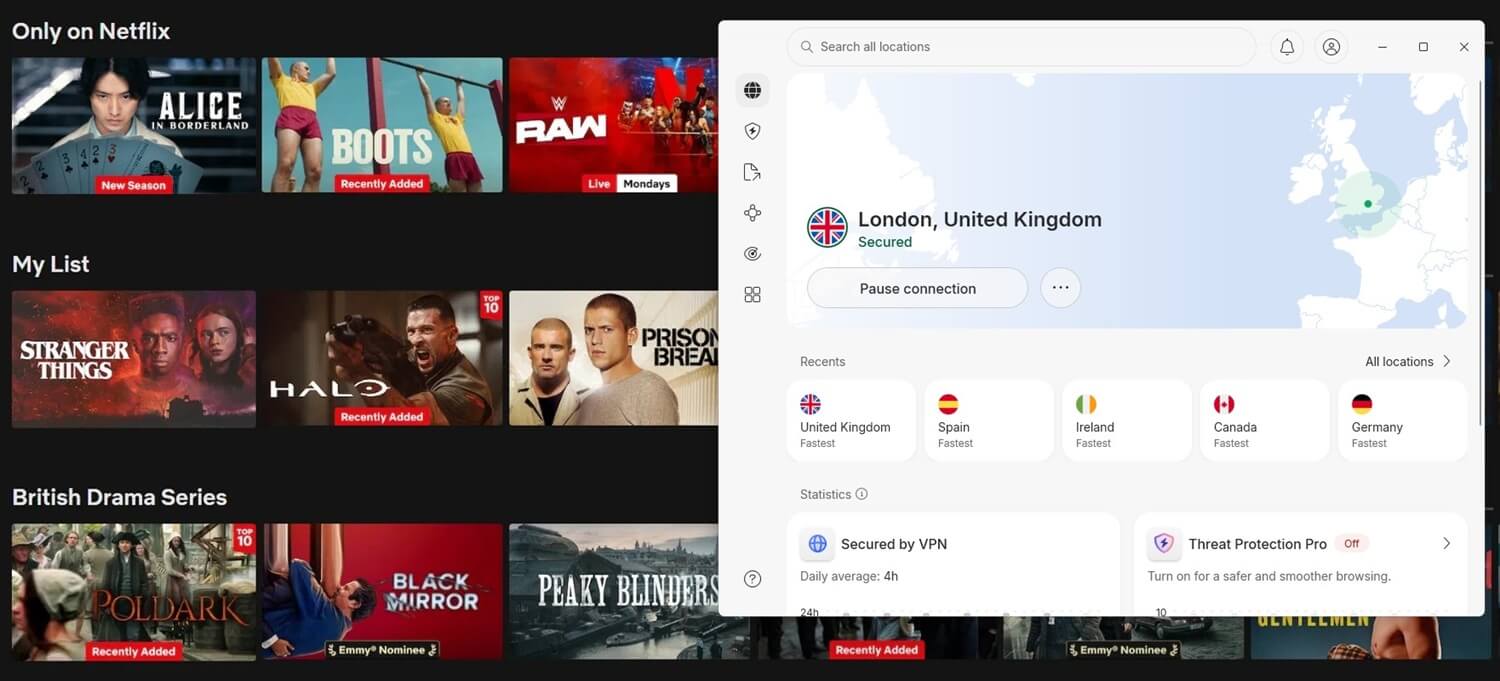
In our tests, all three were streaming-ready out of the box, so connecting to a server is usually all it takes. They’re also risk-free for 30 days, meaning you can get a full refund and try another if one disappoints. Just give free VPNs for Netflix a miss, as they rarely deliver on the unblocking front.
2. Clear Your Browser Data
Issues pop up even with the best Netflix VPN, and browser data is a common culprit. Cookies and cache carry location clues that contradict your VPN’s IP address, and when Netflix spots the mismatch, the proxy error follows. Clearing them is simple:
- Launch your browser (Chrome, Brave, Firefox, etc.). We use Brave.
- Go to Privacy and Security.
- Select Delete Browsing Data at the top.
- Under the Basic tab, select all three options.
- Pick a time range. We usually go with the last 24 hours.
- Click Delete Data.
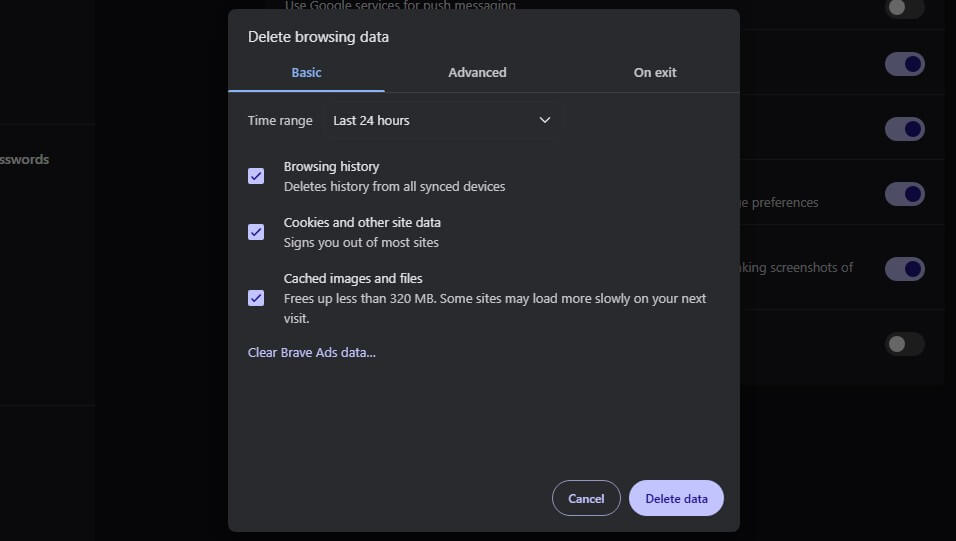
Restart the browser, reconnect to your VPN server, and check if the problem is gone. You should now be able to use Netflix normally.
PRO TIP: After clearing your browser data, also try to access the streaming platform through your browser’s Incognito window. It seems to have a positive effect for users struggling with a VPN not working on Netflix.
3. Use a Different Server
The simplest fix. It won’t always work, especially between servers in the same country, but it’s worth a shot. Instead of clicking the country, pick a specific city-level server. No luck? Try another. Experimenting usually lands you on one that works.
4. Experiment With Protocols
VPNs have several protocols, each with its own strengths:
- NordLynx, NordWhisper, and OpenVPN (NordVPN)
- WireGuard, IKEv2, Stealth, and OpenVPN (Proton VPN)
- Lightway, Lightway Turbo, and OpenVPN (ExpressVPN)
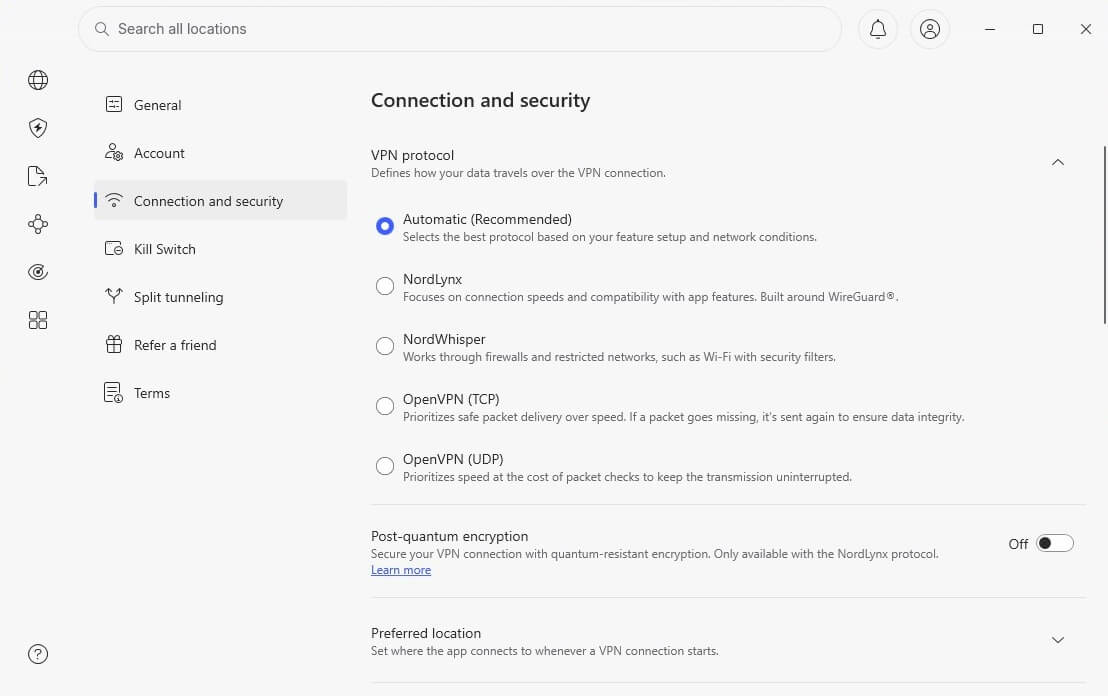
The proprietary options are worth trying first. NordLynx is great at overcoming geo-blocks, while NordWhisper slips past network filtering. Lightway focuses on speed, and the Turbo version adds multi-lane support for faster connections, with both UDP and TCP. TCP tends to unblock content more reliably, while UDP favors raw performance. OpenVPN and IKEv2 deserve a good look too.
Both were the standard before WireGuard took over. Letting the app pick automatically is best, but when Netflix is blocking your VPN, manual switching costs nothing. You can always return to Automatic afterward.
5. Try a Dedicated IP Address
Netflix detects shared VPN IPs by watching usage levels. When one IP sends a suspicious number of simultaneous requests, it’s clearly shared by many users, so Netflix blacklists it. Every future connection through that IP fails too. A dedicated IP solves this, since only you use it. The trade-offs: it’s tied to one location, costs extra per address, and requires an active VPN subscription.
If that works, NordVPN is the best VPN for dedicated IP, at $4.19/mo for 24 months per IP. Locations include the USA, the UK, Canada, Japan, Poland, Germany, France, Norway, and South Africa. The price covers one IP, so pick the catalog that matters most. Quick tip: start with a monthly plan to confirm your dedicated IP works with your target library, then extend to a year or two once you’re happy.
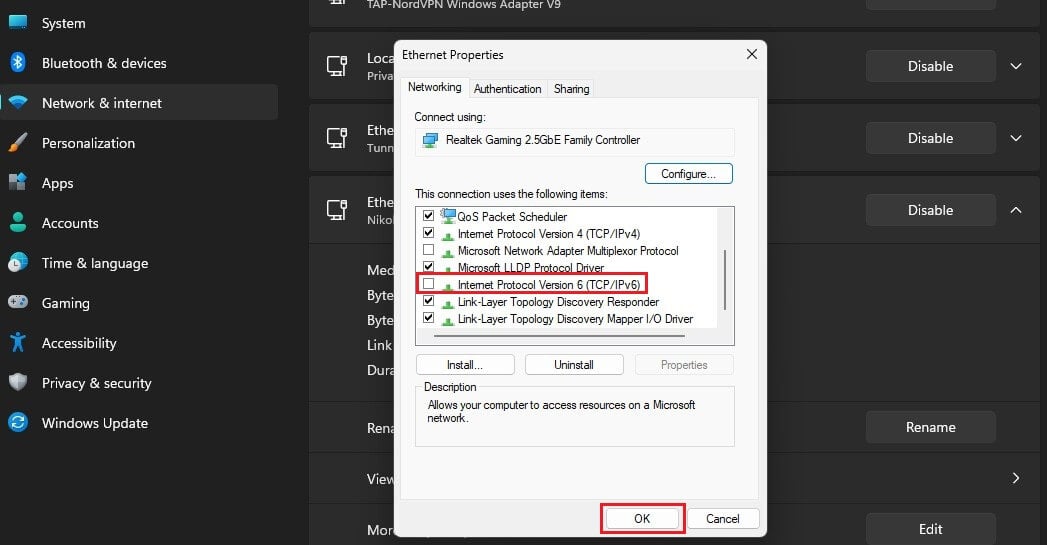
6. Disable Your IPv6 Address
If you’ve made it this far without success, disabling IPv6 might be the missing piece. IPv6 traffic can leak outside the VPN tunnel and expose your real location. Here’s how to turn it off pretty easily:
Windows 10 & 11
- Go to Settings.
- Select Network & Internet.
- Click Advanced Network Settings.
- Locate your adapter, and under More Adapter Options, click Edit.
- Uncheck Internet Protocol Version 6 (TCP/IPv6).
- Press OK.
macOS
- Open Terminal.
- Type networksetup -listallnetworkservices.
- Disable IPv6 for the network you’re using by typing sudo networksetup -setv6off “network_name”.
- Verify your IPv6 is disabled by typing networksetup -getinfo “network_name”.
- If the line reading IPv6: Off appears, you’re set.
7. Reach Your VPN’s Customer Support
If all else fails, contact your VPN’s support team. Mention the library you’re after, and they can point you to specific working servers. We’ve had good experiences here: NordVPN’s team once walked us through accessing ESPN Plus abroad, recommending the browser extension with a US server, and it worked on the first try.
Netflix Blocking VPN Connections: How Does it Work?
Understanding how Netflix detects VPNs makes beating the block much easier. The main weapon is IP blacklisting. Netflix watches how much traffic each IP address generates, and when a single IP sends an unusual amount, it’s almost certainly shared by VPN users. On to the blacklist it goes. A more cunning trick involves spotting discrepancies between your DNS settings and your IP address.
If your IP says Germany but your DNS requests point home, Netflix knows something’s off. This tends to catch mobile users on iOS and Android often. Netflix blocks IP addresses, not people. Detection never leads to account termination, so you can keep using an account normally no matter how many proxy errors you hit.
Why is Netflix Blocking VPNs and Proxies?
It comes down to licensing agreements. Netflix pays for the rights to stream titles in specific regions, and those contracts oblige it to keep viewers from elsewhere out. There’s a financial angle too. When someone streams a title outside its licensed region, neither Netflix nor the copyright holder earns from that view the way the contracts intended, which is why the company enforces its blocks actively.
So while geo-blocks are inconvenient, they exist for valid reasons. Hurdling geo-blocking is possible with a VPN, though it does go against Netflix’s terms of service, which is worth knowing before you connect.
Conclusion: How to Fix Netflix VPN Not Working?
A Netflix VPN not working can derail a whole evening, leaving your binge-worthy shows just out of reach. Luckily, the fixes above resolve the problem in nearly every case. The most important step is choosing a reliable provider, and our #1 is NordVPN, with Proton VPN and ExpressVPN following closely. With the right toolkit in hand, Netflix should work without a hitch, and if it ever stumbles, this guide has you covered.
Frequently Asked Questions
⛔ Why is my VPN not working on Netflix?
Because it's detected by Netflix. Most incapable VPNs are easily detected, so first make sure you have one that really works. Even that VPN can be detected; in which case, you can use another server, clear your browser data, or try another protocol. Netflix VPN issues are very common, but easy to solve.
🚧 Does Netflix block VPNs?
Yes, it does, and it's very good at that. It's one of the most challenging platforms to unblock, especially specific catalogs, like the USA or Japan. A VPN optimized to handle geo-blocks can bypass all restrictions without issue. At the very least, you may only have to clear browser data to make it work.
⚠️ What is the Netflix VPN error?
It's when Netflix detects a VPN and says you're using one, or you're using a proxy. It rarely happens with good VPNs, like NordVPN or Proton VPN, and more often with subpar VPNs, typically free ones.