Turn Conversation Awareness on
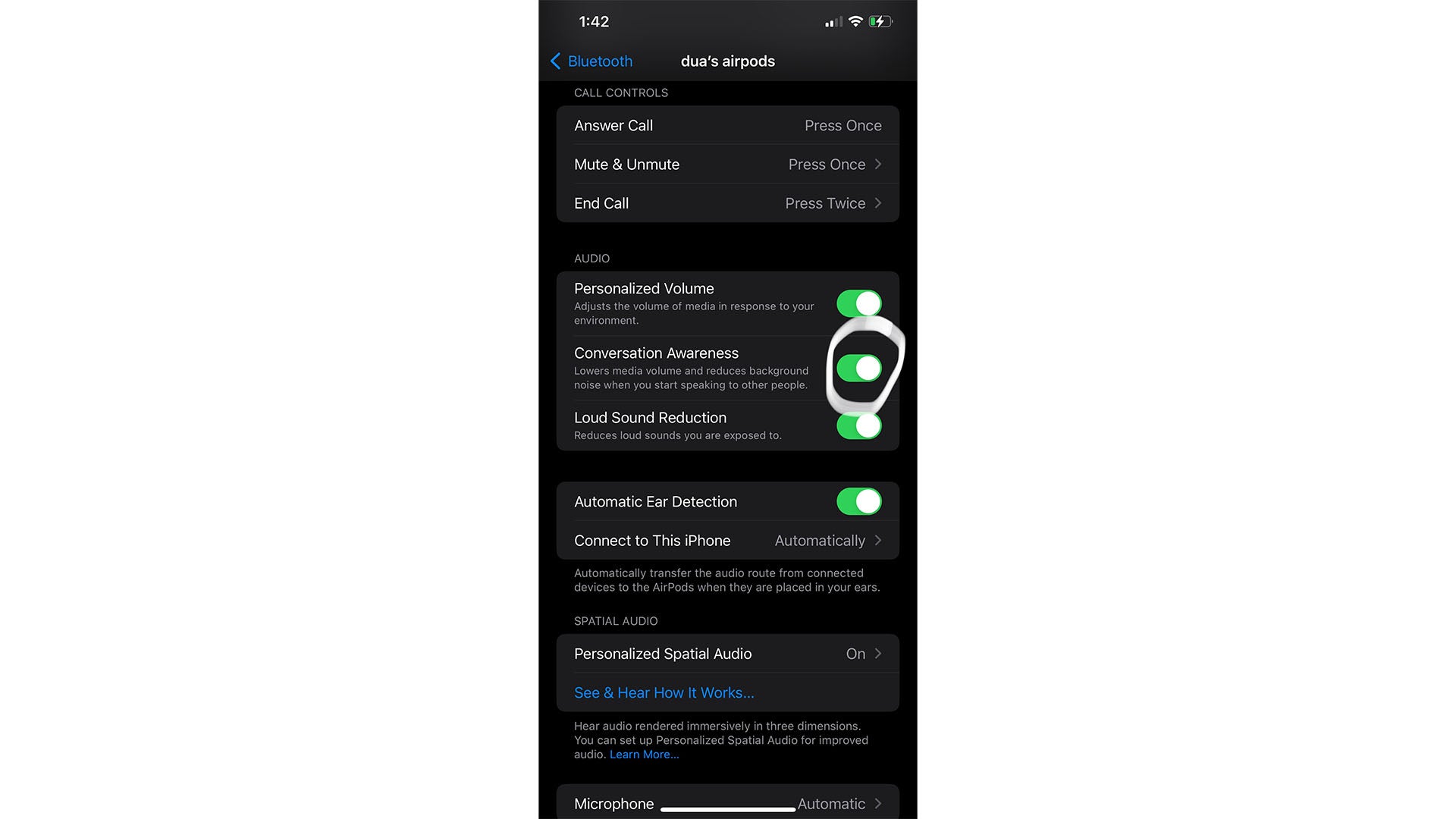
This one’s hidden deep in Settings, and many of us are unaware of it. Your AirPodscano automatically lowers the sound of your content when you engage in small talk. To get them to detect when you’re talking to someone, navigate to Settings > Bluetooth Settings and tap the little info icon next to your AirPods. Scroll down to Conversation Awareness and turn the toggle switch on.