Find your lost AirPods
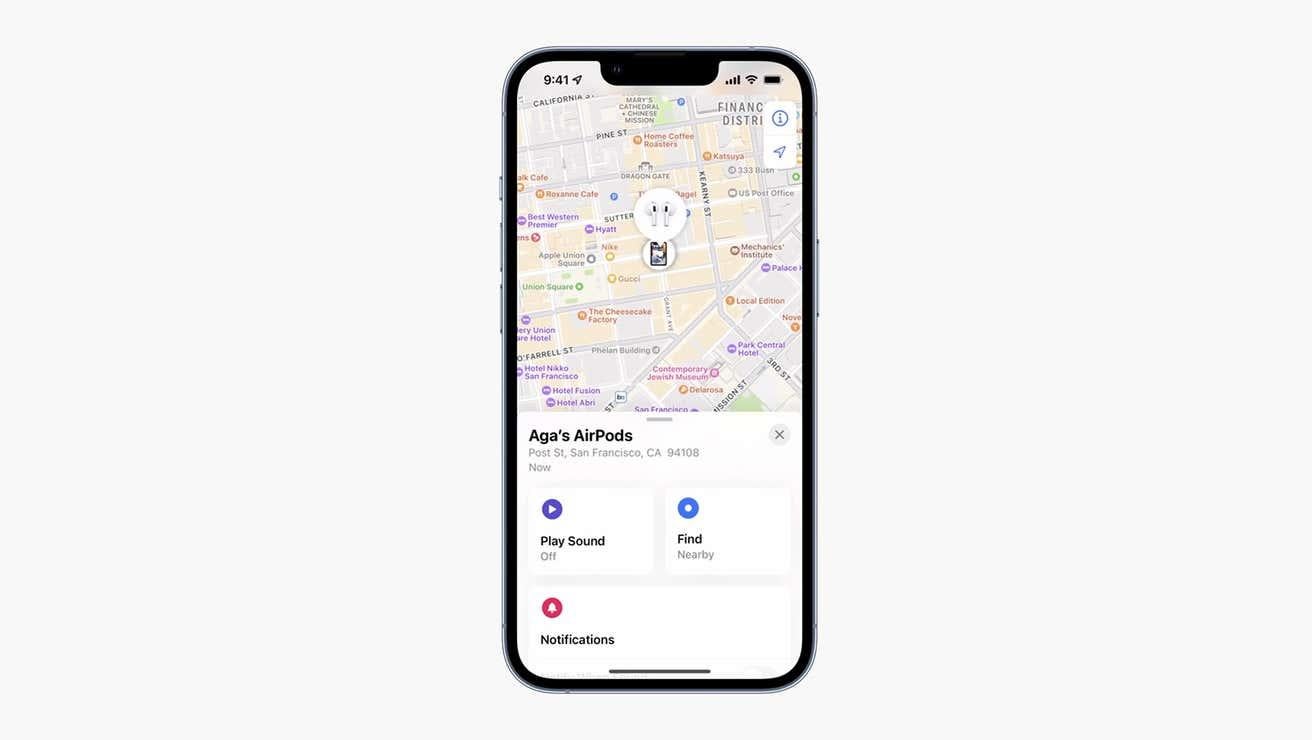
You can see where exactly your AirPods (any model) are when you lose them, and if you own the AirPods Pro 2nd Gen, you can also locate their charging case.
Just go to the Find My app on your iPhone and choose your AirPods from the list of connected devices. For situations where you lose a single bud (which happens far too often), you can separately click on left or right—whichever bud you lost. If you’re an AirPods Pro 2 owner, you can click on the charging case to locate that.
Your Find My app can help you in two ways. It will locate your AirPods on a map, which would be helpful if they’re far from where you are. The app also offers a Play Sound option under the map that you can tap to make your buds or case ring out loud. This helps when you’re within hearing distance of them and can follow the sound.