3. Pin Websites to the Dock or Taskbar
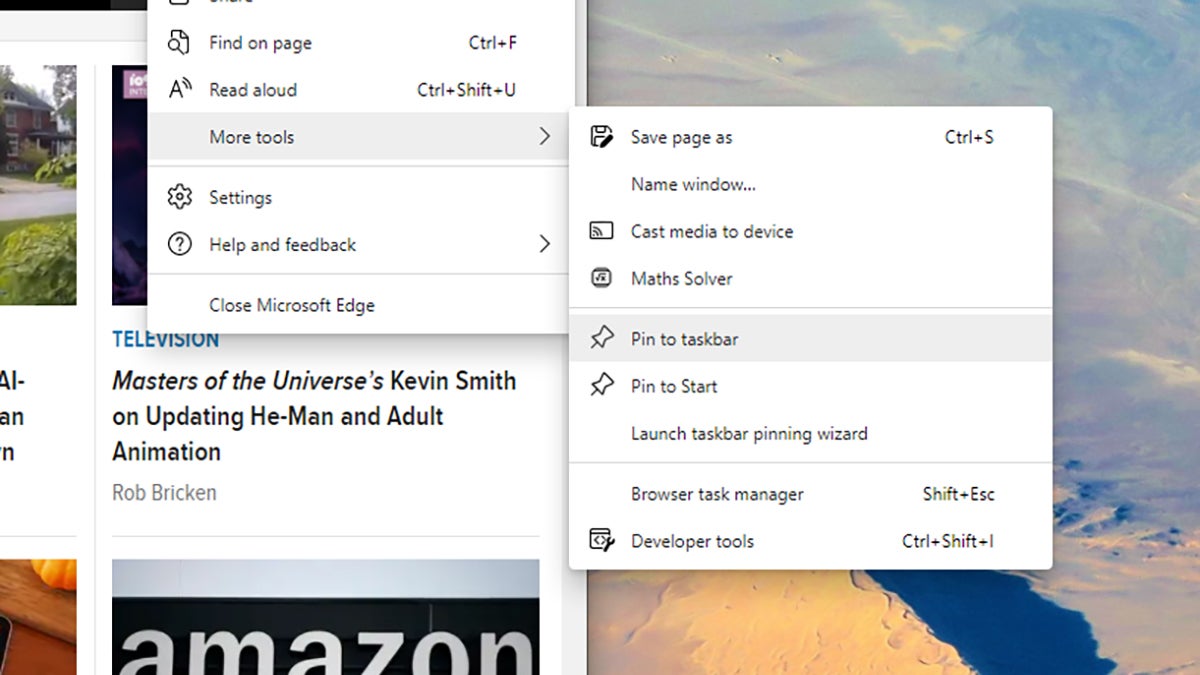
In addition to pinning apps to the dock or taskbar, you can also pin websites that you frequently visit in the same place for speedy access—a sort of upgrade to the bookmarking system already available as a built-in feature of your web browser.
Mac users can just drag down a URL from the Safari address bar to the right-hand side of the dock. If you’re on Windows, it’s most easily done from Microsoft Edge. Open the main browser menu (the three dots, top right), then choose More tools and Pin to taskbar.